Workbook
MANAGER’S
CAMPUSCOLLABORATIONPLAYBOOK|AVTechnologyManager’sWorkbook
p
p
p
p
p
p
p
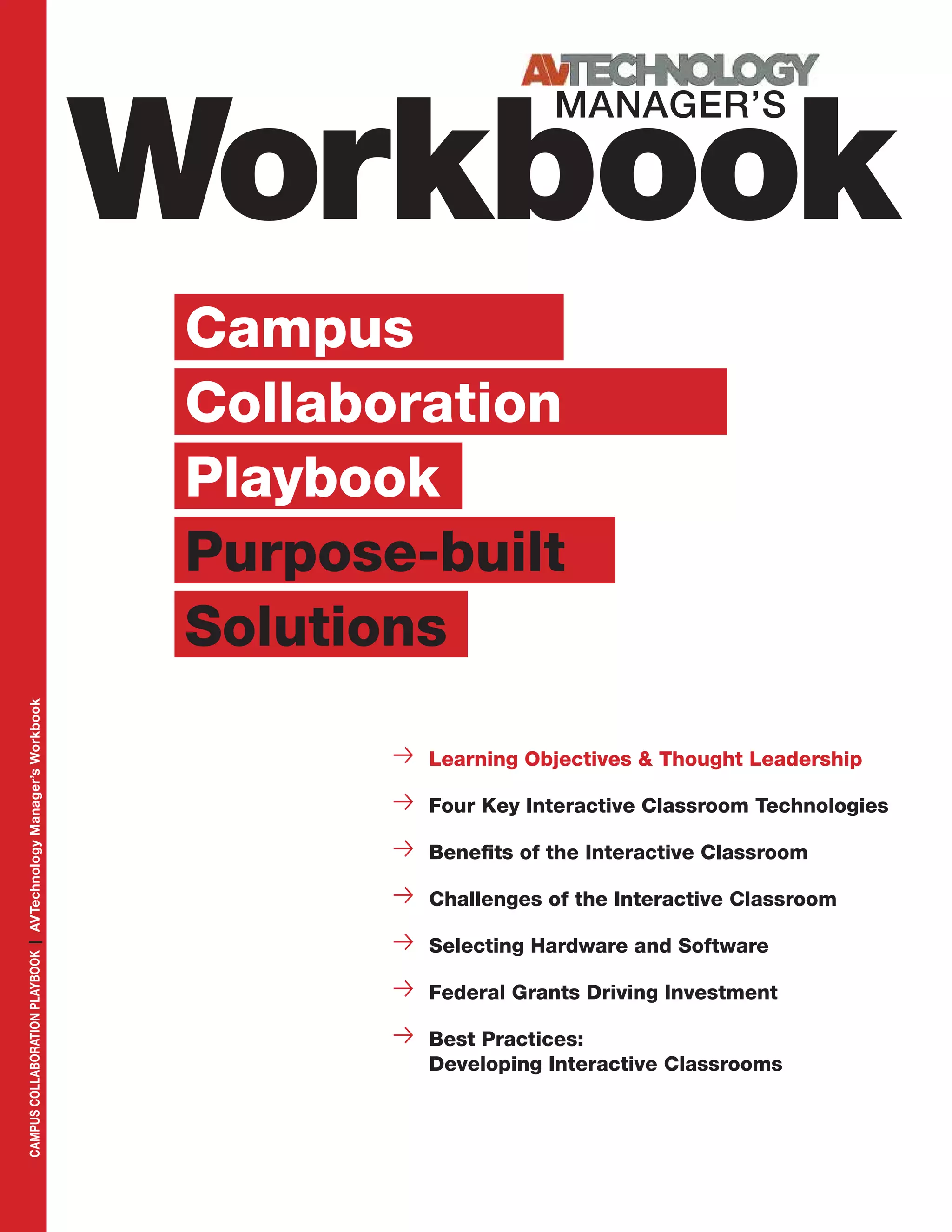
Learning Objectives & Thought Leadership
Four Key Interactive Classroom Technologies
Benefits of the Interactive Classroom
Challenges of the Interactive Classroom
Selecting Hardware and Software
Federal Grants Driving Investment
Best Practices:
Developing Interactive Classrooms
Campus
Collaboration
Playbook
Purpose-built
Solutions
Workbook
MANAGER’S
FPO
EDITORIAL
Margot Douaihy
Editorial Director
Cindy Davis
Contributing Editor
SALES & MARKETING
Sue Horwitz
Publisher
323-933-9485
sue@audientmarketing.com
ART & PRODUCTION
Nicole Cobban
Senior Art Director
Walter Makarucha
Jr. Associate Art Director
NEWBAY MEDIA
CORPORATE
Steve Palm
President & CEO
Anthony Savona
VP of Content & Marketing
NEWBAY AV/CONSUMER
ELECTRONICS GROUP
Adam Goldstein
Executive VP/Group Publisher
Published by
NewBay Media L.L.C.
28 East 28th Street, 12th Floor
New York, NY 10016
Tel: 212-378-0400
Web: nbmedia.com
PRINTED IN THE USA.
avnetwork.com	 Campus Collaboration Playbook | AVTechnology Manager’s Workbook 3
Perspective s
Thought Leader Sponsor
The content and images in this Workbook are owned by its authors and/or
respective companies and may not be reprinted or reproduced in any way.
The content in this Workbook is a collaborative
effort between the editors of AV Technology magazine,
its Thought Leader Sponsors, and editorial contributors.
All contributed content has been edited and approved by
AVT editors to ensure that it is first and foremost informa-
tive and educational, as well as provides inspiration.
This is a marketing free zone.
From expanding secure wireless coverage
to integrating AV equipment into
a network’s IP infrastruc-
ture, to dealing with the
BYOD scenarios that
change just about every
school day, many tech
teams are eager to create
consistency, augment
collaboration, and increase
efficiencies across the
campus. This workbook shares winning
recipes for optimizing campus audio,
interactive video, LMS, and telepresence.
Our goal: help your tech team
stay on track and ahead of schedule.
We also share faculty-training essentials,
so that the only thing the professors have
to worry about is the beloved mid-term.
Margot Douaihy,
Editorial Director,
AV Technology magazine
avnetwork.com	 Campus Collaboration Playbook | AVTechnology Manager’s Workbook 5
Workbook
MANAGER’S
4 | AVTechnology Manager’s Workbook | Campus Collaboration Playbook	 avnetwork.com
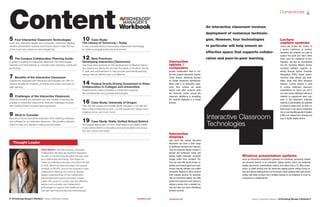
Content5 Four Interactive Classroom Technologies
Learn why interactive tablets and computers, interactive displays,
wireless presentation systems and lecture capture make the top
of the must-have classroom technologies list.
6 The Campus Collaboration Planning Guide
A guide to creating an interactive classroom, the technologies
required, and what features to consider when selecting a particular
technology.
7 Benefits of the Interactive Classroom
Classrooms equipped with interactive technologies can offer nu-
merous benefits for students, including more active, and peer-to-
peer learning.
8 Challenges of the Interactive Classroom
While the benefits are extensive and new models of learning are
possible in interactive classrooms, there are challenges involved
with creating these innovative learning spaces.
9 What to Consider
Numerous factors should be evaluated when selecting hardware
and software for an interactive classroom. We provide a decision
matrix to help your decision making process easier.
10 Case Study:
The Library of Tomorrow—Today
A new university library incorporates collaboration technology
to create an engaging learning environment.
12 Best Practices:
Developing Interactive Classrooms
Use these best practices for the development of effective interac-
tive classrooms taking into account the needs of students, faculty,
IT staff, and administrators to help provide user-friendly learning
spaces that are efficient and cost-effective.
14 Federal Grants Driving Investment in Video
Collaboration in Colleges and Universities
Federal grants make it possible to implement programs,
hire professionals and purchase technologies.
16 Case Study: University of Oregon
This 145,000 square foot football facility includes a 170-seat the-
ater, a videoconferencing room, a 5,000 square foot weight room,
meeting rooms, and much more.
19 Case Study: Rialto Unified School District
The largest deployment of Cisco TelePresence and digital media
in any school district in the nation connects students and educa-
tors from around the world.
Cornerstones s
ERIN MINICH, AVI-SPL’s Director, Education
Collaboration Services and Systems Integration,
focuses on transforming education through video
and collaborative technology. She began her
career as a Maryland educator and joined AVI-SPL
in 2005. Minich provides education and support
internally at AVI-SPL around the company’s video
collaboration offerings and works to develop
deeper understandings of how collaboration
technologies best support education environ-
ments. She works to consult, plan and efficiently
deploy communication and collaboration
technologies to support both traditional and
next-gen teaching and learning methodologies.
Thought Leader 4Interactive Classroom
Technologies
Interactive
displays
look much like regular flat-panel
televisions but have a wide range
of additional functions and features.
They can typically display images in
portrait and landscape mode, and
display higher resolution computer
images better than standard TVs.
They can also offer touch-screen ca-
pability, and many support pen input.
Screen-sharing software can enable
interactive displays to show screens
from multiple devices. An instructor
with an interactive display can walk
around the classroom and choose to
display a screen from a student de-
vice and then can move effortlessly
between devices.
Interactive
tablets /
computers
provide collaboration tools to cre-
ate and present interactive lessons.
These devices effectively function
as mobile interactive whiteboards.
When used in an interactive class-
room, their screens are easily
shared onto other surfaces while
the instructor moves around the
classroom. Modifying or annotating
the material displayed is a simple
process.
Lecture
capture systems
record and archive the content of
a lecture, conference, or seminar.
Hardware and software are used to
capture the audio and video. Other
items, such as a slideshow or pho-
tographs, can also be incorporated
into the recording. Modern lecture
recording software supports in-
dexing through Optical Character
Recognition (OCR), instant search,
real-time video editing, and anno-
tation, along with other advanced
features. Lecture capture is used
to archive traditional classroom
presentations for future use, and it
can also create additional reference
material to supplement what hap-
pens in the classroom. Captured
material is distributable via websites
or physical media such as DVD’s or
flash drives. It can also be integrated
into a Learning Management System
(LMS) and viewed from virtually any
type of digital display device.
Wireless presentation systems
serve as interactive presentation gateways for wirelessly connecting content
and personal devices to an interactive display system. Users can wirelessly
display documents, presentations, photos, and videos from a PC, Mac, smart-
phone, or tablet directly onto the interactive display system without using ca-
bles and without loading drivers on the device. Some systems offer split-screen
modes that allow screens from multiple devices to be projected at once for
comparison or collaborations.
An interactive classroom involves
deployment of numerous technolo-
gies. However, four technologies
in particular will help ensure an
effective space that supports collabo-
ration and peer-to-peer learning.
6 | AVTechnology Manager’s Workbook | Campus Collaboration Playbook	 avnetwork.com avnetwork.com	 Campus Collaboration Playbook | AVTechnology Manager’s Workbook 7
Benefits sPlanning p
More active learning opportunities Being actively engaged in
the learning process increases student motivation and leads to im-
proved learning outcomes. Interactive technologies increase student
engagement by minimizing time spent in passive lecture-based ac-
tivity. Computers, especially web-based resources, can disseminate
basic information more efficiently and more cost effectively than
human beings. This information is deliverable in a variety of for-
mats and is accessible at any time. Students can review course mate-
rial when it is most convenient for them and return to it as often as
they need to achieve comprehension and competency.
Greater peer-to-peer learning Some of the most effective ways
to increase student understanding include peer conversations, ac-
tive inquiry, and authentic debate. The technologies of an inter-
active classroom make it easier for students to share information,
findings, and conclusions. This can take place between small
groups within the classroom or globally with peers at
other institutions. Within this context, students
take more responsibility for their learning
and construct meaning themselves, rather
than passively absorbing information from
a professor. Students work in established
groups throughout the semester and are
encouraged to work out solutions among
themselves while instructors provide
direction and feedback on learning
concepts and performance. In a col-
laborative classroom, students work
together much like in an office envi-
ronment where employees collaborate
on projects. This type of interactive learn-
ing environment helps prepare students for future
success in the business world.
Simulations and interactive demonstrations With innova-
tions like 3-D display technology, students can have a more hands-
on learning experience. For example, Rice University recently creat-
ed the school’s first 3-D visualization lab. By projecting data onto
a 3-D stereoscopic immersive visualization wall, researchers create
realistic renderings of volumes, surfaces, and illumination sourc-
es. An optical tracking system allows them to track their position
among data and images in three dimensions.
Students see the possibilities in their field in an up-close and
engaging way, and institutions are able to be more technologically
responsive and competitive in higher education. AVT
BENEFITS OF
THE INTERACTIVE
CLASSROOM
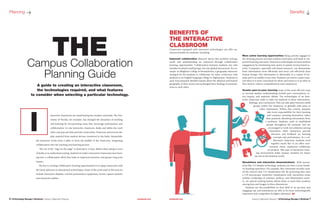
Classrooms equipped with interactive technologies can offer nu-
merous benefits for students, including:
Improved collaboration Research shows that problem solving,
recall, and understanding are enhanced through collaborative
learning opportunities. Collaboration between students not only
includes localized small groups, but also global interactions. For ex-
ample, at Allegheny College in Pennsylvania, a geography instructor
arranged for his students to collaborate via video conference with
students at an English-language college in Afghanistan. Students in
each class prepared detailed reports about the physical and human
geography of their towns and exchanged their findings in presenta-
tions to each other.
nteractive classrooms are transforming the modern university. The Uni-
versity of Florida, for example, has changed the dynamics of teaching
and learning by incorporating areas that encourage participation and
collaboration. In one interactive classroom, desks and tables face each
other and pop-up hubs provide connectivity. Projectors and screens dis-
play material from student devices connected to the hubs. Meanwhile,
the instructor works from a table or from the middle of the classroom, integrating
collaboration into the teaching and learning process.
The era of the “sage on the stage” is drawing to a close. Rather than sitting at rows
of desks or in auditorium seating, students in today’s interactive classrooms turn learn-
ing into a collaborative effort that leads to improved retention and greater long-term
impact.
The key to creating collaborative learning opportunities is to equip classrooms with
the latest advances in educational technologies. Some of the tools used in this process
include interactive displays, wireless presentation equipment, lecture capture systems,
and interactive tablets.
THECampus Collaboration
Planning Guide
A guide to creating an interactive classroom,
the technologies required, and what features
to consider when selecting a particular technology.
I
8 | AVTechnology Manager’s Workbook | Campus Collaboration Playbook	 avnetwork.com avnetwork.com	 Campus Collaboration Playbook | AVTechnology Manager’s Workbook 9
CHALLENGES OF
THE INTERACTIVE
CLASSROOM
While the benefits are extensive and new models of learning are
possible in interactive classrooms, there are challenges involved
with creating these innovative learning spaces. Some of these in-
clude:
IT support New learning technologies must be explored and in-
tegrated into physical and virtual learning environments where the
components are dynamic and evolving rapidly. Student academic
outcomes continue to gain importance in higher education, and
leveraging technology to improve these outcomes is vital. Finding
the IT staff to support and sustain these ventures is challenging in a
cost-constrained environment.
Locating solutions that require minimal IT support requires re-
search, but the effort will result in long-term benefits. Purchasing
equipment with long-term warranties that protect the investment
will take some of the burden off of the IT department. Universities
can also leverage contract services or managed services for support
and maintenance. A vendor experienced in integrating interactive
technologies can provide valuable input during this process, in-
cluding product recommendations to minimize device/software
conflicts, achieve cost-effectiveness, and reduce maintenance con-
cerns.
Flexibility Designing multi-use spaces is a substantial challenge.
These spaces need to be simple, flexible, and cost-effective. To meet
this need, universities can create classrooms that have breakout ar-
eas for peer-to-peer collaboration, as well as space for traditional
lectures. Ensure that multiple types of writing surfaces are available
for students and instructors. Use interactive displays with the ability
to switch between multiple screens to facilitate interaction. Enable
students to use their own devices (BYOD), such as phones, tablets,
and laptops to collaborate.
Technology Considerations s
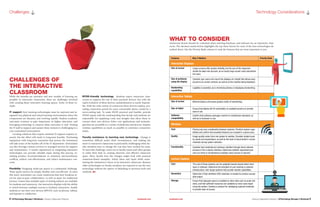
WHAT TO CONSIDER
Numerous factors should be evaluated when selecting hardware and software for an interactive class-
room. The decision matrix below highlights the top three factors for each of the four technologies de-
scribed above. Use the Priority Rank column to rank the features that are most important to you.
BYOD-friendly technology Students expect interactive class-
rooms to support the use of their personal devices, but with the
rapid evolution of these devices, standardization is nearly impossi-
ble. With the wide variety of connectors these devices employ, pro-
viding connection points for every conceivable device would be a
never-ending task. To make BYOD practical and feasible, provide
HDMI inputs with the understanding that faculty and students are
responsible for supplying cords and dongles that allow them to
connect their own devices. Select core applications and technolo-
gies that are accessible to a variety of platforms and devices. Employ
wireless capabilities as much as possible to minimize connection
issues.
Faculty resistance to learning new technology Change is
sometimes difficult under ideal circumstances, and making the
move to interactive classrooms is particularly challenging when fac-
ulty members have to change the way they have worked for years.
To meet this challenge, reach out to faculty teams and other groups
to enlist their help in creating attractive and effective classroom
space. Show faculty how the changes might look with practical
classroom-based examples. Solicit ideas and input while main-
taining the institution’s vision of an interactive classroom. Remove
older technologies so faculty members are required to use the new
technology without the option of defaulting to previous tools and
methods. AVT
Challenges s
Features Why It Matters Priority Rank
Interactive Displays
Size of screen Larger screens offer greater visibility, but the size of the classroom
should be taken into account, as an overly large screen could overwhelm
the room.
Size of professor
using the display
Consider your users and mount the displays at a height that allows easy
access to on-screen controls, as well as to the material being displayed.
Handwriting
capabilities
Legibility is essential, as is minimizing latency in displaying handwriting.
Interactive Tablets
Size of screen Minimal latency will ensure greater clarity of handwriting.
Size of tablet Ensure that tablets will fit comfortably on available lecterns to provide
ease of use.
Software
compatibility
Confirm that software packages conform to institutional standards, as
well as to hardware in use.
Wireless
Cost Pricing may vary considerably between systems. Prioritize system capa-
bilities and confirm that essential features are included in a given price.
Quality Image quality varies from one system to another. Consider student qual-
ity needs and expectations, as well as the level of visual detail in course
materials during system selection.
Functionality Consider how materials are retrieved, whether through direct network
access or from a device interface. Determine whether sequential (one
user at a time) or simultaneous (multiple users) access is required.
Lecture Capture
Cost The cost of these systems can be weighted heavily toward either hard-
ware or software. Determine the strengths of your existing or planned
infrastructure, then target systems that provide needed capabilities.
Resolution Determine if high-definition (HD) resolution is needed to produce accept-
able output.
Storage Ensure that adequate space is available to store data such as audio and
video, and that sufficient resources are available as more users begin
using the system. Develop a protocol for cataloging captured materials
to provide ease of access.
10 | AVTechnology Manager’s Workbook | Campus Collaboration Playbook	 avnetwork.com avnetwork.com	 Campus Collaboration Playbook | AVTechnology Manager’s Workbook 11
The Library of
Tomorrow—Today
A new university library incorporates collaboration technology
to create an engaging learning environment.
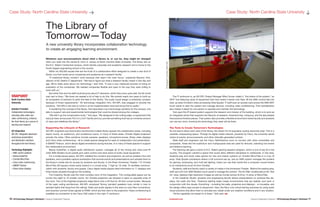
The IT workroom is, as AVI-SPL Project Manager Mike Cenzer called it, “the brains of the system,” an
AV/IT hub featuring racks of equipment that host media it sends over fiber. All the AMX control ties into
here, as does Christie’s video processing Vista Spyder. IT staff scan an access card across the AMX MXT
touch panel to start the system and manage devices, including video conferencing. That centralization
also makes it easier for one person to operate and maintain the technology.
York says this IP-based system supports the research and mission of the building, which is to work as
an integrated whole that supports the lifecycle of research: brainstorming, critiquing, and the late phases
that produce finished pieces. That system also provides a flexible environment where faculty and students
can use any room, knowing the technology they need will be there.
The Tools to Create Tomorrow’s Technologies
As one learns about each area of the library, the reason for its popularity quickly becomes clear: This is a
versatile, empowering space. Through its digital media network, powered by Cisco, the university sends
notice of events, announcements, and other internally generated content.
State staff and engineers use the Cisco TelePresence room to connect with other universities and
companies. Areas like the auditorium and multipurpose area are used for lectures, watching live events
and distance learning.
The Gaming Lab gave a home to N.C. State’s gaming research program, which is one of top 20 in the
country. The program wanted a space that would allow different disciplines to collaborate. In this area,
students play and study video games for new and classic systems on Christie MicroTiles in a 5-by-16
array. Vista Spyder processors deliver a full surround set-up, and an AMX system manages the screens
for gaming, windowing, and multi-led lighting. Users can use their hands like a computer mouse thanks
to an interactivity touch kit from Christie.
Students, staff and faculty watch a variety of media in the Immersion Theater. Behind the seating area,
staff use a 20-inch AMX Modero touch panel to manage the content. The Art Wall, located above the “Ask
Us” area, displays high-resolution images as well as movies across its 8-by-15 array of MicroTiles.
In the Creativity Studio, students and engineering faculty deliver presentations on surfaces like dis-
plays, the walls and floor. Theatrical lighting helps create environments that are realistic and work in
conjunction with the visuals. Everything – including the walls, projectors and displays – is moveable, and
the design offers easy access to equipment. Here, the Navy runs virtual training exercises by using audio
visual solutions that allow them to simulate any vessel under any weather conditions and in any location.
“All the capability we hoped for is there,” York said. AVT
Whatever your preconceptions about what a library is, or can be, they might be changed
when you walk into the James B. Hunt Jr. Library at North Carolina State University. The library sits on
the N.C. State’s Centennial campus, which blends corporate and academic research and is home to the
fourth-largest engineering school in the country.
Within its 250,000 square feet are the fruits of a collaborative effort designed to create a new kind of
library, one that would serve companies and academia as a research facility.
“A traditional library wouldn’t work because that wasn’t the main focus,” explained Maurice York,
director of NC State’s IT department. “We had to figure out what a research facility meant in this day and
age. We’re really picky about our technology,” said York. “It was a very measured process of doing an
evaluation of the companies. We needed companies flexible and open to the way they were willing to
work with us.”
But while York and his staff could be picky about IT elements, which they know quite well, the AV world
was new to them. “We knew we needed a lot of help to do this. We worked nearly two years to build up
an ecosystem of partners to pitch the idea of this facility. The audio visual design is extremely complex
because of those requirements.” AV technology integration firm, AVI-SPL was engaged to provide the
solutions. “AVI-SPL’s role was to come in at the implementation level and bring that to reality.”
In explaining the concept of the library, York describes it as a technology sandbox for the campus, one
able to support rare and experimental technologies that could be shared among the colleges.
“We didn’t go the conservative route,” York says. “We designed to the cutting edge, to equipment that
had just been announced. Put it in a 24/7 facility and you provide something that has an immense amount
of value and redefines the library.”
Supporting the Lifecycle of Research
AVI-SPL engineers and technicians transformed multiple library spaces into collaboration areas, including
teams rooms, an auditorium, and conference rooms. In many of these areas, Christie Digital projectors
provide the video. Other solutions include cameras, speakers, microphone boxes, Sharp video displays
and Cisco video conferencing – all to create spaces designed for ease of collaboration and presentation.
A SMART Podium, which allows digital annotations during lectures, is in many of these spaces to support
the collaborative environment.
Biamp AudiaFlex, a digital audio distribution system, manages all of the mixing and voice-over-IP,
while AMX Modero touch panels give users control over each piece of audio visual equipment.
For a multipurpose space, AVI-SPL installed four screens and projectors, as well as wireless mics and
speakers, and a portable capture workstation that records events and presentations and uploads them to
the library’s media site for access by students and faculty. In the iPearl Immersion Theater, 112 Christie
MicroTiles (20-square inches each) extend in a curved array, 7 high by 16 wide. To facilitate communi-
cation with students, faculty and guests, Cisco digital media players feed information to 11 displays and
three kiosks situated throughout the building.
The Creativity Studio was the most complex room of the integration. This configurable space can be
turned into eight to 10 smaller rooms. Six Christie projectors are situated in pairs on opposite ends of
the room. Two of the brightest projectors edge blend onto a 20-foot by 40-foot curved screen. Because
of the open ceiling architecture, AVI-SPL employed Tannoy pendant speakers (very similar in look to
pendant lights that hang from the ceiling). Video and audio signals in this area run over fiber connections,
and receivers convert those signals to HDMI, which are then sent to the projectors. Video conferencing is
available via connection to the Cisco C90 codec in the main IT workroom.
SNAPSHOT
North Carolina State
University
Solution Provided
Collaborative technologies,
including video walls and
video conferencing, enhance
the Hunt library as a source of
learning and research.
AV Integration
AVI-SPL integrated advanced
audiovisual presentation
and distribution solutions
throughout the Hunt library.
Technology Highlights
»» AMX control systems
»» Biamp AudiaFlex
»» Christie MicroTiles
»» Cisco video conferencing
»» SMART Podium
»» Sharp video displays
Case Study: North Carolina State University sCase Study: North Carolina State University p
PhotographCourtesy©AVI-SPL
12 | AVTechnology Manager’s Workbook | Campus Collaboration Playbook	 avnetwork.com avnetwork.com	 Campus Collaboration Playbook | AVTechnology Manager’s Workbook 13
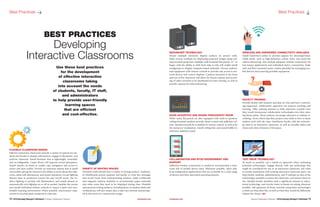
FLEXIBLE CLASSROOM DESIGN
Effective interactive classrooms provide a variety of options for stu-
dents and faculty to display information, engage in discussion, and
perform classwork. Install furniture that is lightweight, moveable,
and reconfigurable. Carpet floors will improve sound absorption.
Install wheels on chairs to enable easy navigation and access to
power and data outlets. Provide an instructor station that is small
and mobile, giving the instructor the ability to move about the class-
room, assist with discussions, and answer questions. Locate lighting
fixtures close to projection screens for easy on/off access. Use in-
direct lighting to provide soft illumination, and install sensors to
automatically turn lighting on or off as needed. Insulate the rooms
and install individual climate controls to ensure a quiet and com-
fortable learning environment. When possible, interconnect class-
rooms to accommodate variations in class size.
Best Practices s
REDUNDANT TECHNOLOGY
Mount multiple electronic display surfaces on several walls.
Make screens available for displaying projected images using ceil-
ing-mounted projectors. Multiple wall-mounted flat-panels, 42” or
larger, with the ability to shift from side to side will enable small
workgroups to display computer-based materials. Choose audiovi-
sual equipment with remote controls to provide easy access to net-
work devices and control displays. Cameras mounted at the front
and rear of the classroom will allow for lecture capture and record-
ing of other activities to be distributed for later viewing, as well as
provide capacity for teleconferencing.
GOOD ACOUSTICS AND SOUND THROUGHOUT ROOM
While many flat-panels are also equipped with built-in speakers,
ceiling-mounted speakers provide clearer sound and sufficient vol-
ume. Speakers should be accessible by remote control, as well as by
the instructor workstation. Install ceiling tiles and sound baffles to
minimize ambient sound.
COLLABORATION AND BYOD ENVIRONMENT AND
SUPPORT
Sufficient wireless connectivity is needed to accommodate a class-
room full of mobile device users. Whenever possible, select plat-
form-independent applications that are accessible by a wide range
of devices and their associated operating systems.
VARIETY OF WRITING SPACES
Perimeter walls should have a variety of writing surfaces. Tradition-
al whiteboards permit students and faculty to write key messages
and record notes from brainstorming sessions. Make corkboards
and magnetic surfaces available to accommodate paper materials
and other notes that need to be displayed during class. Plentiful
and spacious writing surfaces, including those on student desks and
workstations, will also ensure that a class can continue uninterrupt-
ed in the event of a connectivity outage.
Best Practices p
BEST PRACTICES
Developing
Interactive Classrooms
Use these best practices
for the development
of effective interactive
classrooms taking
into account the needs
of students, faculty, IT staff,
and administrators
to help provide user-friendly
learning spaces
that are efficient
and cost-effective.
WIRELESS AND HARDWIRED CONNECTIVITY AVAILABLE
Install hardwired outlets to provide support for ultra-high-band-
width needs, such as high-definition online video and multi-site
videoconferencing. Also include adequate wireless connectivity for
low-impact applications and individual device connectivity. Make
wall and floor-mounted power outlets plentiful for recharging mo-
bile devices and powering portable equipment.
FACULTY TRAINING
Provide faculty with research and data on why and how a technol-
ogy-supported, collaborative approach can improve teaching and
learning. Offer training sessions to help educators consider how
they would incorporate collaborative technologies into their exist-
ing lesson plans. These sessions encourage educators to rethink ev-
erything—from which data they project onto walls to how to share
student work with the class. Familiarize faculty with the technolo-
gy used in an interactive classroom, as well as movable tables and
chairs and other elements of the space.
TEST DRIVE TECHNOLOGY
As much as possible, use a hands-on approach when evaluating
potential technologies. Engage directly with any technology that
might be considered for use in an interactive classroom. Site visits
to nearby institutions with existing interactive classroom space can
help faculty, students, administrators, and IT staff get an idea of the
technologies available to power the classroom, and observe them in
use. Identify faculty members with a significant interest in educa-
tional technology, and involve them in hands-on testing whenever
possible. Ask questions of those currently using these technologies
to find out what they like, as well as what they would do differently
if given the chance. AVT
14 | AVTechnology Manager’s Workbook | Campus Collaboration Playbook	 avnetwork.com avnetwork.com	 Campus Collaboration Playbook | AVTechnology Manager’s Workbook 15
On Money p
Federal Grants
Driving
Investment
in Video
Collaboration
in Colleges
and Universities
State and local governments are responsible for educat-
ing and providing a host of other services to constituents. Unfortu-
nately, with limited state resources and reduced budgets, severe and
almost universal cuts in education funding have occurred in the past
five years.
However, federal grant programs are available that make it pos-
sible for educators to implement programs, hire professionals and
purchase technologies that enable them to better serve their stu-
dents. Recently, many colleges and universities have used dollars
from grant programs to purchase and implement video collabora-
tion solutions to power key programs and initiatives.
We recently had the opportunity to sit down with Tracie Bryant,
the Vice President of State and Local Government and Education
Sales at solution provider, AVI-SPL, to discuss what grant programs
are available, why they were put in place and why colleges and uni-
versities are investing in video collaboration solutions with their
grant dollars.
Here is what Tracie had to say:
Q: What are some of the funding challenges facing higher educa-
tion?
Bryant: Funding is a huge challenge. What’s happening in our na-
tional and global economy impacts education. Education budgets
tend to be one of the first things that are slashed. And when state
funding is cut, then federal funding steps in and tries to fill in those
gaps.
But when you have federal funding it’s usually based on demo-
graphics or specific programs. If an educational institution doesn’t
have the resources to facilitate those programs and develop those
programs, they still can’t partake in the funding. So that’s where you
start to see another big trend — consortium building. They’ll devel-
op a consortium of colleges, with two or three community colleges,
a large university and then maybe a technical college. And those four
or five entities together will develop a program that can qualify for
federal funding.
Q: What federal grant programs are available today for education?
What types of institutions are these grants directed to?
Bryant: The main educational areas of focus — based on need as
well as the grants to support the programs — are specifically for two
year colleges and the development of public and private sector part-
nerships.
Grants are provided by the Department of Labor (DOL) and the
Department of Education (DOE). They require partnerships between
community colleges, school districts, high-growth, high-demand in-
dustry employers and workforce development centers. These grants
are all about career training. The grants funded through the DOL are
called TAACCCT Grants and the Youth Career Connect Grant. Grant
opportunities funded through the DOE are through their Office of
Career, Technical, and Adult Education and include grants through
their National Centers for Career and Technical Education.
Q: What are some of the educational or workforce trends that are
driving federal funding?
Bryant: One of the biggest trends right now is open enrollment
and secondary education programs that involve retraining individu-
als that have been previously in the workforce. These nontradition-
al students have been laid off when their jobs left the region, were
automated or otherwise eliminated, and need to be trained in new
skills and abilities. This additional job training allows them to gain
employment when they can’t find jobs in their original area of ex-
pertise.
Q: What needs or pain points do educational institutions need to
address with this grant money?
Bryant: The largest pain point is in the workforce. There is a short-
age of qualified workers in emerging industries. This is typically in
the more advanced, technical industries, such as aerospace, bioen-
gineering, clean energy or healthcare. Educational institutions are
building programs to train workers in highly-skilled, high-paying
jobs, where they’re needed — and to get them out into the work-
force more quickly.
For example, a high school student can simultaneously enroll in
the community college and take job training courses. Then, an in-
dustry partner in a high-demand industry — like Boeing or a hospi-
tal system — will create an internship that coordinates with the pro-
gram. Following graduation, the student would have a job waiting
for them from that employer. This requires a partnership between
the high school, the community college, the work-
force development board and the employer.
Q: How do educational institutions determine
what types of video collaboration solutions they
need?
Bryant: A higher education institution will have
a technology plan that outlines what they are try-
ing to accomplish. But we can help by specifying
the products, providing the quotes for equipment,
labor, maintenance and training of the technology.
We’ll also provide a narrative for them of how all
of it is going to be used and how that equipment
will enable them to facilitate the program that
they’re driving.
Q: Why are they using the grant dollars on video
collaboration?
Bryant: Video is a way to maintain the requisite
partnerships across these disparate groups. It’s also
a great way to continue education across the en-
tire process and ensure that students have access
to course materials regardless of time or location.
The need to train nontraditional students also
makes video essential. They have responsibilities
— families, part time jobs — that make it difficult
to attend classes on a traditional schedule. Video
enables them to take courses on demand, when
their schedules allow.
Q: What other unique opportunities does video
collaboration offer?
Bryant: One of the main factors in the develop-
ment of these public and private sector initiatives
is the use of technology in innovative ways to not
only provide training and scholastic curriculum,
but to also advance an industry’s effectiveness.
Unified communications, with voice and video, allow multiple
community organizations to develop a two year program, for exam-
ple, with shared resources. Many of these institutions don’t have the
instructors or the resources to facilitate the entire program on their
own. The use of video and voice over IP communications allows stu-
dents to attend courses face-to-face, be completely interactive, have
access to learning management systems that are online and partic-
ipate in active environments without having to be there physically.
Unified communications also fosters those mentoring and the
internship programs. Students are able to participate not just in the
scholastic-based curriculum, but also in a men-
toring program and active-based job training as
well.
Q: How is their investment of grant dollars into
collaboration technologies helping communi-
ties?
Bryant: Ultimately, the community is the one to
benefit from these programs. These workers will
enter the workforce, where they’ll make a differ-
ence and drive the local economy. This is why the
grants require such a partnership between multi-
ple community organizations.
Q: What resources are available to educational
institutions that are looking to acquire grant dol-
lars to help them meet their collaboration needs?
Bryant: Collaboration vendors can certainly be
a resource. We understand the business case, the
applications. We design the environment that the
technology fits into, and we provide the technol-
ogy solutions for these programs.
Collaboration equipment manufacturers are
also key. Cisco, for example, works with grant
managers and grant service organizations to as-
sist educational entities with not only finding
funding for their projects, but also then helping
them apply for the funds and submitting that
application on their behalf. And then they work
with a vendor like us to specify the equipment,
to perform the installation and implementa-
tion services, and to provide end user training.
Collaboration manufacturers like Cisco are very
good and very successful in helping colleges and
universities acquire federal funding.
In addition, there are plenty of workshops
and seminars available through organizations such as grants.gov.
One thing I would like to stress is that administrators and tech-
nology specialists do not need to be an expert in grant writing and
available grant programs. All they have to do is have an interest.
Private partners can help not only with finding funding for projects,
but with applying and submitting applications on an institution’s
behalf. If they’re interested and in need, private partners will con-
nect them to the appropriate resources and handle the rest. AVT
Note: Some content for this article was taken from the Public Sector View
interview with Tracie Bryant.
On Moneys
The need to train
nontraditional
students also makes
video essential.
They have responsibili-
ties – families,
part time jobs – that
make it difficult to
attend classes on a
traditional schedule.
Video enables them
to take courses on
demand, when their
schedules allow.
16 | AVTechnology Manager’s Workbook | Campus Collaboration Playbook	 avnetwork.com avnetwork.com	 Campus Collaboration Playbook | AVTechnology Manager’s Workbook 17
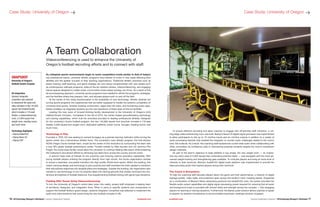
To ensure effective recruiting and allow coaches to engage with off-premise staff members, a cut-
ting-edge videoconferencing room was built. Biamp’s Nexia CS digital signal processor was implemented
to allow participants to link up to 10 mic/line inputs and six mic/line outputs in addition to a variety of
audio processing features that enabled the integrator to counter audio challenges related to the room’s
hard, flat surfaces. As a result, the coaching staff experiences crystal-clear audio when collaborating with
other universities via conference calls or interviewing potential students despite the room’s reverberant
design materials.
As part of the team’s objective to keep athletes in top shape, the new weight room — an impres-
sive two-story area of 5,000 square feet overlooking practice fields — was equipped with the most ad-
vanced weight-training and strengthening gear available. To motivate players and bring an extra level of
intensity to their workouts, Biamp’s AudiaFLEX digital audio platform was implemented to provide the
bass-pounding audio that inspires players during their workouts.
The Coach is Everywhere
To help the coaching staff educate players about the game and their performance, a network of digital
signage panels, video walls, and projectors span across the facility’s many meeting places. Supported
by a combination of Biamp’s Nexia networking products and AudiaFLEX units, the system provides the
flexible audio output capabilities and digital signal processing power required for ensuring that all audio
and background music is provided with utmost clarity and strength across the complex — fully engaging
players for learning or training situations. Furthermore, the Biamp audio solution allows coaches to speak
to players via wireless microphones to accommodate impromptu meetings anytime, anyplace.
As collegiate sports environments begin to reach competition levels similar to that of today’s
top professional teams, university athletic programs have started to invest in new areas affecting both
athletes and the greater success of their sporting organizations. Traditional athletic practices such as
player training, staff teaching, and game strategy are now being complemented with new assets such
as contemporary wellness programs, state-of-the-art medical centers, videoconferencing, and engaging
leisure spaces designed to create closer communities where player synergy can thrive. As a result of this
all-encompassing approach, university sports programs have needed to rethink the programs, strategies,
and the facilities where they prepare, train, and educate players both on and off the field.
At the center of this rising transformation is the availability of new technology. Athletic facilities are
turning sports programs into experiences that are better equipped to handle the extreme competition of
university-level sports. Smarter building construction, larger-than-life video, and thundering audio capa-
bilities available via integrated systems are the new backbone of these state-of-the-art facilities.
Leading this new wave of forward-thinking facility development is the University of Oregon’s (UO)
Hatfield-Dowlin Complex. Completed in the fall of 2013, the center boasts groundbreaking technology
and training capabilities, which rival the amenities provided to leading professional athletes. Designed
for the university’s Ducks football program, the new 145,000 square foot structure includes a 170-seat
theater, 5,000 square foot weight room, dedicated cafeteria, locker rooms, lounges, meeting rooms, and
much more.
Technology in Play
Founded in 1876, UO was seeking to cement its legacy as a premier learning institution while turning the
sports center into a tremendous athletic force. The university’s main athletic program, the first-division
NCAA Oregon Ducks football team, would be the center of this revolution by surrounding the team with
a new NFL-grade football performance center. Funded entirely by Nike founder and UO alumnus Phil
Knight, the world-class facility would allow the university to continue fielding elite teams while bolstering
the institution’s recruitment efforts by attracting top talent from across the country and the world.
A second major area of interest for the university was ensuring optimal education capabilities. With
young football players entering the program directly from high school, the Ducks organization wanted
to ensure a seamless, successful transition into high profile, NCAA-level sports. Within the building, this
meant marrying design and technology to give coaches and staff members the tools needed to transform
their educational objectives into tangible plans and strategies. Outside the building, the organization also
wanted to use technology to turn its practice fields into training grounds that closely mimicked the con-
tentious atmosphere of football stadiums, thus supplementing football training with game-type situations.
Fielding Elite Teams Using Videoconferencing
To turn the University of Oregon’s world-class vision into reality, project staff employed a leading team
of architects, designers, and integration firms. When it came to specific systems and components to
support the football facility’s grand design, systems integrator CompView was selected to implement the
audio and video solutions that would bring the new football complex to life.
Case Study: University of Oregon pCase Study: University of Oregon p
A Team Collaboration
Videoconferencing is used to enhance the University of
Oregon’s football recruiting efforts and to connect with staff.
SNAPSHOT
University of Oregon’s
Hatfield-Dowlin Complex
AV Integration
Systems integrator
CompView was selected
to implement the audio and
video solutions in the 145,000
square foot football facility
which includes a 170-seat
theater, a videoconferencing
room, a 5,000 square foot
weight room, meeting rooms,
and much more.
Technology Highlights
»» Biamp AudiaFLEX
»» Biamp Nexia CS
»» Biamp EXPI
PhotographCourtesy©Biamp
18 | AVTechnology Manager’s Workbook | Campus Collaboration Playbook	 avnetwork.com avnetwork.com	 Campus Collaboration Playbook | AVTechnology Manager’s Workbook 19
For their outside practice field, where the Oregon Ducks put their strategic sessions and training plans
into play, coaching staff were looking to recreate the same raucous stadium ambiance that is experienced
during tense game-time situations. This meant replicating crowd noise in volumes of up to 115 decibels,
specifically addressing the field’s surrounding structural challenges, which caused sound reflections from
buildings in the vicinity. To overcome this hurdle, CompView turned to Biamp’s AudiaFLEX platform to
provide both the audio capabilities and flexibility to adjust sound properties until the audio quality was just
right. Running on CobraNet, AudiaFLEX also allows the university’s AV staff to control and adjust sound
properties within the practice field and throughout the entire facility from multiple points, including the
center’s state-of-the-art main control room.
To create a greater sense of community, players and coaches have access to common areas within the
complex where they can gather during downtime. This includes a players’ lounge where teammates can
rest, recuperate, and relax by enjoying a game of pool, foosball, or console gaming. Complementing the
experience is full connectivity to the facility’s main Biamp-powered audio system, which allows players
and guests to listen to background music and remain informed of special announcements from coaching
personnel without audio compromises caused by the space’s surrounding glass walls.
Results
In constructing its new Hatfield-Dowlin Football Complex, the University of Oregon has changed the way
colleges attract talent to their programs. Instead of solely investing in fan-based areas such as stadiums
and merchandising, UO chose to turn its efforts inward by targeting both future and present-day students,
athletes, and coaching staff. Since the inauguration of the new complex, student-athletes have experi-
enced strong athletic and academic results.
The results of this new world-class facility speak for themselves. The University of Oregon has quickly
become one of the main players on the recruitment and expectations are that more Duck players will
move on to the NFL in the years to come. AVT
Case Study: University of Oregon s
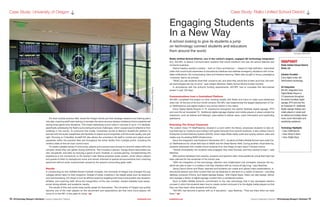
Engaging Students
In a New Way
A school looking to give its students a jump
on technology connect students and educators
from around the world.
Rialto Unified School District, one of the nation’s largest, engaged AV technology integration
firm, AVI-SPL to deliver communication systems that would transform the way the school teaches and
conducts business.
District leaders wanted a system – built on Cisco architecture — based on high-definition, networked
video that would build awareness of educational initiatives and address emergency situations with imme-
diate notifications. By incorporating video and distance learning, Rialto also sought to bring a prestigious
‘university’ feel to its schools.
“When you ask students what their concerns are, and what they would like to learn and how, the new-
est technologies are top of mind,” said Joseph Martinez, Rialto School Board trustee member.
In accordance with the school’s funding requirements, AVI-SPL had to complete this fast-tracked
project in just 120 days.
Communications from a Centralized Platform
AVI-SPL completed the project on time, working closely with Rialto and Cisco to make sure milestones
were met. At the end of its four-month window, AVI-SPL had implemented the largest deployment of Cis-
co TelePresence and digital media in any school district in the nation.
Cisco Digital Media Players in 72 classrooms throughout the district facilitate digital signage, IPTV
and over-the-air broadcast TV. Additional digital signage displays and media players in areas outside the
classroom, such as lobbies and hallways, were added to deliver news, event information and wayfinding
assistance.
Extending The Virtual Classroom
The custom Cisco T3 TelePresence, located in a room within the library, empowers students to take vir-
tual field trips to museums and interact with guest lecturers from remote locations. It also utilizes Cisco’s
Enterprise Content Delivery System (ECDS), which helps Rialto easily scale and quickly retrieve video and
media over its existing WAN infrastructure.
Since the integration was finalized in November 2011, students at Rialto Middle School have used Cis-
co TelePresence for virtual field trips to NASA and the Great Barrier Reef. During another virtual field trip,
students interacted with middle school students from San Diego to learn about Chinese culture.
“Almost immediately, the students were engaged, they were focused, and they wanted to learn,” said
Martinez.
With positive feedback from parents, students and teachers alike, three additional virtual field trips had
been planned for the remainder of the school year.
“With the integration of this technology, retention and collaboration has increased, because the stu-
dents are able to learn in a medium that they interface with by choice all day long,” says Martinez.
Using Cisco’s Show and Share, teachers and students can create and upload video presentations, in-
structional lessons and other content that can be obtained on demand on a variety of devices – including
desktop computer, iPhone, and digital signage display. With Digital Signs, Rialto can also design, deliver
and manage a library of digital signage content from a centralized system.
Such is Rialto Middle School’s commitment to the new technology that it has developed elective
courses in which the students learn how to create content and push it to the digital media players so that
they can they teach other students and faculty.
“AVI-SPL has become a partner with us in education,” says Martinez. “They are there when we need
them.” AVT
SNAPSHOT
Rialto Unified School District
Rialto, CA
Solution Provided
Cisco digital media and
TelePresence technology
AV Integration
AVI-SPL integrated Cisco
Digital Media Players in
72 classrooms throughout
the district facilitate digital
signage, IPTV and over-the-
air broadcast TV. Additional
digital signage displays and
media players in areas such
as lobbies and hallway deliver
news, event information and
wayfinding assistance.
Technology Highlights
»» Cisco TelePresence
»» Cisco Show & Share
»» Cisco Digital Signs
Case Study: Rialto Unified School District s
PhotographCourtesy©Biamp
Courtesy ©AVI-SPL
Workbook Campus Collaboration

Workbook Campus Collaboration

  • 1.
    Workbook MANAGER’S CAMPUSCOLLABORATIONPLAYBOOK|AVTechnologyManager’sWorkbook p p p p p p p Learning Objectives &Thought Leadership Four Key Interactive Classroom Technologies Benefits of the Interactive Classroom Challenges of the Interactive Classroom Selecting Hardware and Software Federal Grants Driving Investment Best Practices: Developing Interactive Classrooms Campus Collaboration Playbook Purpose-built Solutions
  • 2.
    Workbook MANAGER’S FPO EDITORIAL Margot Douaihy Editorial Director CindyDavis Contributing Editor SALES & MARKETING Sue Horwitz Publisher 323-933-9485 sue@audientmarketing.com ART & PRODUCTION Nicole Cobban Senior Art Director Walter Makarucha Jr. Associate Art Director NEWBAY MEDIA CORPORATE Steve Palm President & CEO Anthony Savona VP of Content & Marketing NEWBAY AV/CONSUMER ELECTRONICS GROUP Adam Goldstein Executive VP/Group Publisher Published by NewBay Media L.L.C. 28 East 28th Street, 12th Floor New York, NY 10016 Tel: 212-378-0400 Web: nbmedia.com PRINTED IN THE USA. avnetwork.com Campus Collaboration Playbook | AVTechnology Manager’s Workbook 3 Perspective s Thought Leader Sponsor The content and images in this Workbook are owned by its authors and/or respective companies and may not be reprinted or reproduced in any way. The content in this Workbook is a collaborative effort between the editors of AV Technology magazine, its Thought Leader Sponsors, and editorial contributors. All contributed content has been edited and approved by AVT editors to ensure that it is first and foremost informa- tive and educational, as well as provides inspiration. This is a marketing free zone. From expanding secure wireless coverage to integrating AV equipment into a network’s IP infrastruc- ture, to dealing with the BYOD scenarios that change just about every school day, many tech teams are eager to create consistency, augment collaboration, and increase efficiencies across the campus. This workbook shares winning recipes for optimizing campus audio, interactive video, LMS, and telepresence. Our goal: help your tech team stay on track and ahead of schedule. We also share faculty-training essentials, so that the only thing the professors have to worry about is the beloved mid-term. Margot Douaihy, Editorial Director, AV Technology magazine
  • 3.
    avnetwork.com Campus CollaborationPlaybook | AVTechnology Manager’s Workbook 5 Workbook MANAGER’S 4 | AVTechnology Manager’s Workbook | Campus Collaboration Playbook avnetwork.com Content5 Four Interactive Classroom Technologies Learn why interactive tablets and computers, interactive displays, wireless presentation systems and lecture capture make the top of the must-have classroom technologies list. 6 The Campus Collaboration Planning Guide A guide to creating an interactive classroom, the technologies required, and what features to consider when selecting a particular technology. 7 Benefits of the Interactive Classroom Classrooms equipped with interactive technologies can offer nu- merous benefits for students, including more active, and peer-to- peer learning. 8 Challenges of the Interactive Classroom While the benefits are extensive and new models of learning are possible in interactive classrooms, there are challenges involved with creating these innovative learning spaces. 9 What to Consider Numerous factors should be evaluated when selecting hardware and software for an interactive classroom. We provide a decision matrix to help your decision making process easier. 10 Case Study: The Library of Tomorrow—Today A new university library incorporates collaboration technology to create an engaging learning environment. 12 Best Practices: Developing Interactive Classrooms Use these best practices for the development of effective interac- tive classrooms taking into account the needs of students, faculty, IT staff, and administrators to help provide user-friendly learning spaces that are efficient and cost-effective. 14 Federal Grants Driving Investment in Video Collaboration in Colleges and Universities Federal grants make it possible to implement programs, hire professionals and purchase technologies. 16 Case Study: University of Oregon This 145,000 square foot football facility includes a 170-seat the- ater, a videoconferencing room, a 5,000 square foot weight room, meeting rooms, and much more. 19 Case Study: Rialto Unified School District The largest deployment of Cisco TelePresence and digital media in any school district in the nation connects students and educa- tors from around the world. Cornerstones s ERIN MINICH, AVI-SPL’s Director, Education Collaboration Services and Systems Integration, focuses on transforming education through video and collaborative technology. She began her career as a Maryland educator and joined AVI-SPL in 2005. Minich provides education and support internally at AVI-SPL around the company’s video collaboration offerings and works to develop deeper understandings of how collaboration technologies best support education environ- ments. She works to consult, plan and efficiently deploy communication and collaboration technologies to support both traditional and next-gen teaching and learning methodologies. Thought Leader 4Interactive Classroom Technologies Interactive displays look much like regular flat-panel televisions but have a wide range of additional functions and features. They can typically display images in portrait and landscape mode, and display higher resolution computer images better than standard TVs. They can also offer touch-screen ca- pability, and many support pen input. Screen-sharing software can enable interactive displays to show screens from multiple devices. An instructor with an interactive display can walk around the classroom and choose to display a screen from a student de- vice and then can move effortlessly between devices. Interactive tablets / computers provide collaboration tools to cre- ate and present interactive lessons. These devices effectively function as mobile interactive whiteboards. When used in an interactive class- room, their screens are easily shared onto other surfaces while the instructor moves around the classroom. Modifying or annotating the material displayed is a simple process. Lecture capture systems record and archive the content of a lecture, conference, or seminar. Hardware and software are used to capture the audio and video. Other items, such as a slideshow or pho- tographs, can also be incorporated into the recording. Modern lecture recording software supports in- dexing through Optical Character Recognition (OCR), instant search, real-time video editing, and anno- tation, along with other advanced features. Lecture capture is used to archive traditional classroom presentations for future use, and it can also create additional reference material to supplement what hap- pens in the classroom. Captured material is distributable via websites or physical media such as DVD’s or flash drives. It can also be integrated into a Learning Management System (LMS) and viewed from virtually any type of digital display device. Wireless presentation systems serve as interactive presentation gateways for wirelessly connecting content and personal devices to an interactive display system. Users can wirelessly display documents, presentations, photos, and videos from a PC, Mac, smart- phone, or tablet directly onto the interactive display system without using ca- bles and without loading drivers on the device. Some systems offer split-screen modes that allow screens from multiple devices to be projected at once for comparison or collaborations. An interactive classroom involves deployment of numerous technolo- gies. However, four technologies in particular will help ensure an effective space that supports collabo- ration and peer-to-peer learning.
  • 4.
    6 | AVTechnologyManager’s Workbook | Campus Collaboration Playbook avnetwork.com avnetwork.com Campus Collaboration Playbook | AVTechnology Manager’s Workbook 7 Benefits sPlanning p More active learning opportunities Being actively engaged in the learning process increases student motivation and leads to im- proved learning outcomes. Interactive technologies increase student engagement by minimizing time spent in passive lecture-based ac- tivity. Computers, especially web-based resources, can disseminate basic information more efficiently and more cost effectively than human beings. This information is deliverable in a variety of for- mats and is accessible at any time. Students can review course mate- rial when it is most convenient for them and return to it as often as they need to achieve comprehension and competency. Greater peer-to-peer learning Some of the most effective ways to increase student understanding include peer conversations, ac- tive inquiry, and authentic debate. The technologies of an inter- active classroom make it easier for students to share information, findings, and conclusions. This can take place between small groups within the classroom or globally with peers at other institutions. Within this context, students take more responsibility for their learning and construct meaning themselves, rather than passively absorbing information from a professor. Students work in established groups throughout the semester and are encouraged to work out solutions among themselves while instructors provide direction and feedback on learning concepts and performance. In a col- laborative classroom, students work together much like in an office envi- ronment where employees collaborate on projects. This type of interactive learn- ing environment helps prepare students for future success in the business world. Simulations and interactive demonstrations With innova- tions like 3-D display technology, students can have a more hands- on learning experience. For example, Rice University recently creat- ed the school’s first 3-D visualization lab. By projecting data onto a 3-D stereoscopic immersive visualization wall, researchers create realistic renderings of volumes, surfaces, and illumination sourc- es. An optical tracking system allows them to track their position among data and images in three dimensions. Students see the possibilities in their field in an up-close and engaging way, and institutions are able to be more technologically responsive and competitive in higher education. AVT BENEFITS OF THE INTERACTIVE CLASSROOM Classrooms equipped with interactive technologies can offer nu- merous benefits for students, including: Improved collaboration Research shows that problem solving, recall, and understanding are enhanced through collaborative learning opportunities. Collaboration between students not only includes localized small groups, but also global interactions. For ex- ample, at Allegheny College in Pennsylvania, a geography instructor arranged for his students to collaborate via video conference with students at an English-language college in Afghanistan. Students in each class prepared detailed reports about the physical and human geography of their towns and exchanged their findings in presenta- tions to each other. nteractive classrooms are transforming the modern university. The Uni- versity of Florida, for example, has changed the dynamics of teaching and learning by incorporating areas that encourage participation and collaboration. In one interactive classroom, desks and tables face each other and pop-up hubs provide connectivity. Projectors and screens dis- play material from student devices connected to the hubs. Meanwhile, the instructor works from a table or from the middle of the classroom, integrating collaboration into the teaching and learning process. The era of the “sage on the stage” is drawing to a close. Rather than sitting at rows of desks or in auditorium seating, students in today’s interactive classrooms turn learn- ing into a collaborative effort that leads to improved retention and greater long-term impact. The key to creating collaborative learning opportunities is to equip classrooms with the latest advances in educational technologies. Some of the tools used in this process include interactive displays, wireless presentation equipment, lecture capture systems, and interactive tablets. THECampus Collaboration Planning Guide A guide to creating an interactive classroom, the technologies required, and what features to consider when selecting a particular technology. I
  • 5.
    8 | AVTechnologyManager’s Workbook | Campus Collaboration Playbook avnetwork.com avnetwork.com Campus Collaboration Playbook | AVTechnology Manager’s Workbook 9 CHALLENGES OF THE INTERACTIVE CLASSROOM While the benefits are extensive and new models of learning are possible in interactive classrooms, there are challenges involved with creating these innovative learning spaces. Some of these in- clude: IT support New learning technologies must be explored and in- tegrated into physical and virtual learning environments where the components are dynamic and evolving rapidly. Student academic outcomes continue to gain importance in higher education, and leveraging technology to improve these outcomes is vital. Finding the IT staff to support and sustain these ventures is challenging in a cost-constrained environment. Locating solutions that require minimal IT support requires re- search, but the effort will result in long-term benefits. Purchasing equipment with long-term warranties that protect the investment will take some of the burden off of the IT department. Universities can also leverage contract services or managed services for support and maintenance. A vendor experienced in integrating interactive technologies can provide valuable input during this process, in- cluding product recommendations to minimize device/software conflicts, achieve cost-effectiveness, and reduce maintenance con- cerns. Flexibility Designing multi-use spaces is a substantial challenge. These spaces need to be simple, flexible, and cost-effective. To meet this need, universities can create classrooms that have breakout ar- eas for peer-to-peer collaboration, as well as space for traditional lectures. Ensure that multiple types of writing surfaces are available for students and instructors. Use interactive displays with the ability to switch between multiple screens to facilitate interaction. Enable students to use their own devices (BYOD), such as phones, tablets, and laptops to collaborate. Technology Considerations s WHAT TO CONSIDER Numerous factors should be evaluated when selecting hardware and software for an interactive class- room. The decision matrix below highlights the top three factors for each of the four technologies de- scribed above. Use the Priority Rank column to rank the features that are most important to you. BYOD-friendly technology Students expect interactive class- rooms to support the use of their personal devices, but with the rapid evolution of these devices, standardization is nearly impossi- ble. With the wide variety of connectors these devices employ, pro- viding connection points for every conceivable device would be a never-ending task. To make BYOD practical and feasible, provide HDMI inputs with the understanding that faculty and students are responsible for supplying cords and dongles that allow them to connect their own devices. Select core applications and technolo- gies that are accessible to a variety of platforms and devices. Employ wireless capabilities as much as possible to minimize connection issues. Faculty resistance to learning new technology Change is sometimes difficult under ideal circumstances, and making the move to interactive classrooms is particularly challenging when fac- ulty members have to change the way they have worked for years. To meet this challenge, reach out to faculty teams and other groups to enlist their help in creating attractive and effective classroom space. Show faculty how the changes might look with practical classroom-based examples. Solicit ideas and input while main- taining the institution’s vision of an interactive classroom. Remove older technologies so faculty members are required to use the new technology without the option of defaulting to previous tools and methods. AVT Challenges s Features Why It Matters Priority Rank Interactive Displays Size of screen Larger screens offer greater visibility, but the size of the classroom should be taken into account, as an overly large screen could overwhelm the room. Size of professor using the display Consider your users and mount the displays at a height that allows easy access to on-screen controls, as well as to the material being displayed. Handwriting capabilities Legibility is essential, as is minimizing latency in displaying handwriting. Interactive Tablets Size of screen Minimal latency will ensure greater clarity of handwriting. Size of tablet Ensure that tablets will fit comfortably on available lecterns to provide ease of use. Software compatibility Confirm that software packages conform to institutional standards, as well as to hardware in use. Wireless Cost Pricing may vary considerably between systems. Prioritize system capa- bilities and confirm that essential features are included in a given price. Quality Image quality varies from one system to another. Consider student qual- ity needs and expectations, as well as the level of visual detail in course materials during system selection. Functionality Consider how materials are retrieved, whether through direct network access or from a device interface. Determine whether sequential (one user at a time) or simultaneous (multiple users) access is required. Lecture Capture Cost The cost of these systems can be weighted heavily toward either hard- ware or software. Determine the strengths of your existing or planned infrastructure, then target systems that provide needed capabilities. Resolution Determine if high-definition (HD) resolution is needed to produce accept- able output. Storage Ensure that adequate space is available to store data such as audio and video, and that sufficient resources are available as more users begin using the system. Develop a protocol for cataloging captured materials to provide ease of access.
  • 6.
    10 | AVTechnologyManager’s Workbook | Campus Collaboration Playbook avnetwork.com avnetwork.com Campus Collaboration Playbook | AVTechnology Manager’s Workbook 11 The Library of Tomorrow—Today A new university library incorporates collaboration technology to create an engaging learning environment. The IT workroom is, as AVI-SPL Project Manager Mike Cenzer called it, “the brains of the system,” an AV/IT hub featuring racks of equipment that host media it sends over fiber. All the AMX control ties into here, as does Christie’s video processing Vista Spyder. IT staff scan an access card across the AMX MXT touch panel to start the system and manage devices, including video conferencing. That centralization also makes it easier for one person to operate and maintain the technology. York says this IP-based system supports the research and mission of the building, which is to work as an integrated whole that supports the lifecycle of research: brainstorming, critiquing, and the late phases that produce finished pieces. That system also provides a flexible environment where faculty and students can use any room, knowing the technology they need will be there. The Tools to Create Tomorrow’s Technologies As one learns about each area of the library, the reason for its popularity quickly becomes clear: This is a versatile, empowering space. Through its digital media network, powered by Cisco, the university sends notice of events, announcements, and other internally generated content. State staff and engineers use the Cisco TelePresence room to connect with other universities and companies. Areas like the auditorium and multipurpose area are used for lectures, watching live events and distance learning. The Gaming Lab gave a home to N.C. State’s gaming research program, which is one of top 20 in the country. The program wanted a space that would allow different disciplines to collaborate. In this area, students play and study video games for new and classic systems on Christie MicroTiles in a 5-by-16 array. Vista Spyder processors deliver a full surround set-up, and an AMX system manages the screens for gaming, windowing, and multi-led lighting. Users can use their hands like a computer mouse thanks to an interactivity touch kit from Christie. Students, staff and faculty watch a variety of media in the Immersion Theater. Behind the seating area, staff use a 20-inch AMX Modero touch panel to manage the content. The Art Wall, located above the “Ask Us” area, displays high-resolution images as well as movies across its 8-by-15 array of MicroTiles. In the Creativity Studio, students and engineering faculty deliver presentations on surfaces like dis- plays, the walls and floor. Theatrical lighting helps create environments that are realistic and work in conjunction with the visuals. Everything – including the walls, projectors and displays – is moveable, and the design offers easy access to equipment. Here, the Navy runs virtual training exercises by using audio visual solutions that allow them to simulate any vessel under any weather conditions and in any location. “All the capability we hoped for is there,” York said. AVT Whatever your preconceptions about what a library is, or can be, they might be changed when you walk into the James B. Hunt Jr. Library at North Carolina State University. The library sits on the N.C. State’s Centennial campus, which blends corporate and academic research and is home to the fourth-largest engineering school in the country. Within its 250,000 square feet are the fruits of a collaborative effort designed to create a new kind of library, one that would serve companies and academia as a research facility. “A traditional library wouldn’t work because that wasn’t the main focus,” explained Maurice York, director of NC State’s IT department. “We had to figure out what a research facility meant in this day and age. We’re really picky about our technology,” said York. “It was a very measured process of doing an evaluation of the companies. We needed companies flexible and open to the way they were willing to work with us.” But while York and his staff could be picky about IT elements, which they know quite well, the AV world was new to them. “We knew we needed a lot of help to do this. We worked nearly two years to build up an ecosystem of partners to pitch the idea of this facility. The audio visual design is extremely complex because of those requirements.” AV technology integration firm, AVI-SPL was engaged to provide the solutions. “AVI-SPL’s role was to come in at the implementation level and bring that to reality.” In explaining the concept of the library, York describes it as a technology sandbox for the campus, one able to support rare and experimental technologies that could be shared among the colleges. “We didn’t go the conservative route,” York says. “We designed to the cutting edge, to equipment that had just been announced. Put it in a 24/7 facility and you provide something that has an immense amount of value and redefines the library.” Supporting the Lifecycle of Research AVI-SPL engineers and technicians transformed multiple library spaces into collaboration areas, including teams rooms, an auditorium, and conference rooms. In many of these areas, Christie Digital projectors provide the video. Other solutions include cameras, speakers, microphone boxes, Sharp video displays and Cisco video conferencing – all to create spaces designed for ease of collaboration and presentation. A SMART Podium, which allows digital annotations during lectures, is in many of these spaces to support the collaborative environment. Biamp AudiaFlex, a digital audio distribution system, manages all of the mixing and voice-over-IP, while AMX Modero touch panels give users control over each piece of audio visual equipment. For a multipurpose space, AVI-SPL installed four screens and projectors, as well as wireless mics and speakers, and a portable capture workstation that records events and presentations and uploads them to the library’s media site for access by students and faculty. In the iPearl Immersion Theater, 112 Christie MicroTiles (20-square inches each) extend in a curved array, 7 high by 16 wide. To facilitate communi- cation with students, faculty and guests, Cisco digital media players feed information to 11 displays and three kiosks situated throughout the building. The Creativity Studio was the most complex room of the integration. This configurable space can be turned into eight to 10 smaller rooms. Six Christie projectors are situated in pairs on opposite ends of the room. Two of the brightest projectors edge blend onto a 20-foot by 40-foot curved screen. Because of the open ceiling architecture, AVI-SPL employed Tannoy pendant speakers (very similar in look to pendant lights that hang from the ceiling). Video and audio signals in this area run over fiber connections, and receivers convert those signals to HDMI, which are then sent to the projectors. Video conferencing is available via connection to the Cisco C90 codec in the main IT workroom. SNAPSHOT North Carolina State University Solution Provided Collaborative technologies, including video walls and video conferencing, enhance the Hunt library as a source of learning and research. AV Integration AVI-SPL integrated advanced audiovisual presentation and distribution solutions throughout the Hunt library. Technology Highlights »» AMX control systems »» Biamp AudiaFlex »» Christie MicroTiles »» Cisco video conferencing »» SMART Podium »» Sharp video displays Case Study: North Carolina State University sCase Study: North Carolina State University p PhotographCourtesy©AVI-SPL
  • 7.
    12 | AVTechnologyManager’s Workbook | Campus Collaboration Playbook avnetwork.com avnetwork.com Campus Collaboration Playbook | AVTechnology Manager’s Workbook 13 FLEXIBLE CLASSROOM DESIGN Effective interactive classrooms provide a variety of options for stu- dents and faculty to display information, engage in discussion, and perform classwork. Install furniture that is lightweight, moveable, and reconfigurable. Carpet floors will improve sound absorption. Install wheels on chairs to enable easy navigation and access to power and data outlets. Provide an instructor station that is small and mobile, giving the instructor the ability to move about the class- room, assist with discussions, and answer questions. Locate lighting fixtures close to projection screens for easy on/off access. Use in- direct lighting to provide soft illumination, and install sensors to automatically turn lighting on or off as needed. Insulate the rooms and install individual climate controls to ensure a quiet and com- fortable learning environment. When possible, interconnect class- rooms to accommodate variations in class size. Best Practices s REDUNDANT TECHNOLOGY Mount multiple electronic display surfaces on several walls. Make screens available for displaying projected images using ceil- ing-mounted projectors. Multiple wall-mounted flat-panels, 42” or larger, with the ability to shift from side to side will enable small workgroups to display computer-based materials. Choose audiovi- sual equipment with remote controls to provide easy access to net- work devices and control displays. Cameras mounted at the front and rear of the classroom will allow for lecture capture and record- ing of other activities to be distributed for later viewing, as well as provide capacity for teleconferencing. GOOD ACOUSTICS AND SOUND THROUGHOUT ROOM While many flat-panels are also equipped with built-in speakers, ceiling-mounted speakers provide clearer sound and sufficient vol- ume. Speakers should be accessible by remote control, as well as by the instructor workstation. Install ceiling tiles and sound baffles to minimize ambient sound. COLLABORATION AND BYOD ENVIRONMENT AND SUPPORT Sufficient wireless connectivity is needed to accommodate a class- room full of mobile device users. Whenever possible, select plat- form-independent applications that are accessible by a wide range of devices and their associated operating systems. VARIETY OF WRITING SPACES Perimeter walls should have a variety of writing surfaces. Tradition- al whiteboards permit students and faculty to write key messages and record notes from brainstorming sessions. Make corkboards and magnetic surfaces available to accommodate paper materials and other notes that need to be displayed during class. Plentiful and spacious writing surfaces, including those on student desks and workstations, will also ensure that a class can continue uninterrupt- ed in the event of a connectivity outage. Best Practices p BEST PRACTICES Developing Interactive Classrooms Use these best practices for the development of effective interactive classrooms taking into account the needs of students, faculty, IT staff, and administrators to help provide user-friendly learning spaces that are efficient and cost-effective. WIRELESS AND HARDWIRED CONNECTIVITY AVAILABLE Install hardwired outlets to provide support for ultra-high-band- width needs, such as high-definition online video and multi-site videoconferencing. Also include adequate wireless connectivity for low-impact applications and individual device connectivity. Make wall and floor-mounted power outlets plentiful for recharging mo- bile devices and powering portable equipment. FACULTY TRAINING Provide faculty with research and data on why and how a technol- ogy-supported, collaborative approach can improve teaching and learning. Offer training sessions to help educators consider how they would incorporate collaborative technologies into their exist- ing lesson plans. These sessions encourage educators to rethink ev- erything—from which data they project onto walls to how to share student work with the class. Familiarize faculty with the technolo- gy used in an interactive classroom, as well as movable tables and chairs and other elements of the space. TEST DRIVE TECHNOLOGY As much as possible, use a hands-on approach when evaluating potential technologies. Engage directly with any technology that might be considered for use in an interactive classroom. Site visits to nearby institutions with existing interactive classroom space can help faculty, students, administrators, and IT staff get an idea of the technologies available to power the classroom, and observe them in use. Identify faculty members with a significant interest in educa- tional technology, and involve them in hands-on testing whenever possible. Ask questions of those currently using these technologies to find out what they like, as well as what they would do differently if given the chance. AVT
  • 8.
    14 | AVTechnologyManager’s Workbook | Campus Collaboration Playbook avnetwork.com avnetwork.com Campus Collaboration Playbook | AVTechnology Manager’s Workbook 15 On Money p Federal Grants Driving Investment in Video Collaboration in Colleges and Universities State and local governments are responsible for educat- ing and providing a host of other services to constituents. Unfortu- nately, with limited state resources and reduced budgets, severe and almost universal cuts in education funding have occurred in the past five years. However, federal grant programs are available that make it pos- sible for educators to implement programs, hire professionals and purchase technologies that enable them to better serve their stu- dents. Recently, many colleges and universities have used dollars from grant programs to purchase and implement video collabora- tion solutions to power key programs and initiatives. We recently had the opportunity to sit down with Tracie Bryant, the Vice President of State and Local Government and Education Sales at solution provider, AVI-SPL, to discuss what grant programs are available, why they were put in place and why colleges and uni- versities are investing in video collaboration solutions with their grant dollars. Here is what Tracie had to say: Q: What are some of the funding challenges facing higher educa- tion? Bryant: Funding is a huge challenge. What’s happening in our na- tional and global economy impacts education. Education budgets tend to be one of the first things that are slashed. And when state funding is cut, then federal funding steps in and tries to fill in those gaps. But when you have federal funding it’s usually based on demo- graphics or specific programs. If an educational institution doesn’t have the resources to facilitate those programs and develop those programs, they still can’t partake in the funding. So that’s where you start to see another big trend — consortium building. They’ll devel- op a consortium of colleges, with two or three community colleges, a large university and then maybe a technical college. And those four or five entities together will develop a program that can qualify for federal funding. Q: What federal grant programs are available today for education? What types of institutions are these grants directed to? Bryant: The main educational areas of focus — based on need as well as the grants to support the programs — are specifically for two year colleges and the development of public and private sector part- nerships. Grants are provided by the Department of Labor (DOL) and the Department of Education (DOE). They require partnerships between community colleges, school districts, high-growth, high-demand in- dustry employers and workforce development centers. These grants are all about career training. The grants funded through the DOL are called TAACCCT Grants and the Youth Career Connect Grant. Grant opportunities funded through the DOE are through their Office of Career, Technical, and Adult Education and include grants through their National Centers for Career and Technical Education. Q: What are some of the educational or workforce trends that are driving federal funding? Bryant: One of the biggest trends right now is open enrollment and secondary education programs that involve retraining individu- als that have been previously in the workforce. These nontradition- al students have been laid off when their jobs left the region, were automated or otherwise eliminated, and need to be trained in new skills and abilities. This additional job training allows them to gain employment when they can’t find jobs in their original area of ex- pertise. Q: What needs or pain points do educational institutions need to address with this grant money? Bryant: The largest pain point is in the workforce. There is a short- age of qualified workers in emerging industries. This is typically in the more advanced, technical industries, such as aerospace, bioen- gineering, clean energy or healthcare. Educational institutions are building programs to train workers in highly-skilled, high-paying jobs, where they’re needed — and to get them out into the work- force more quickly. For example, a high school student can simultaneously enroll in the community college and take job training courses. Then, an in- dustry partner in a high-demand industry — like Boeing or a hospi- tal system — will create an internship that coordinates with the pro- gram. Following graduation, the student would have a job waiting for them from that employer. This requires a partnership between the high school, the community college, the work- force development board and the employer. Q: How do educational institutions determine what types of video collaboration solutions they need? Bryant: A higher education institution will have a technology plan that outlines what they are try- ing to accomplish. But we can help by specifying the products, providing the quotes for equipment, labor, maintenance and training of the technology. We’ll also provide a narrative for them of how all of it is going to be used and how that equipment will enable them to facilitate the program that they’re driving. Q: Why are they using the grant dollars on video collaboration? Bryant: Video is a way to maintain the requisite partnerships across these disparate groups. It’s also a great way to continue education across the en- tire process and ensure that students have access to course materials regardless of time or location. The need to train nontraditional students also makes video essential. They have responsibilities — families, part time jobs — that make it difficult to attend classes on a traditional schedule. Video enables them to take courses on demand, when their schedules allow. Q: What other unique opportunities does video collaboration offer? Bryant: One of the main factors in the develop- ment of these public and private sector initiatives is the use of technology in innovative ways to not only provide training and scholastic curriculum, but to also advance an industry’s effectiveness. Unified communications, with voice and video, allow multiple community organizations to develop a two year program, for exam- ple, with shared resources. Many of these institutions don’t have the instructors or the resources to facilitate the entire program on their own. The use of video and voice over IP communications allows stu- dents to attend courses face-to-face, be completely interactive, have access to learning management systems that are online and partic- ipate in active environments without having to be there physically. Unified communications also fosters those mentoring and the internship programs. Students are able to participate not just in the scholastic-based curriculum, but also in a men- toring program and active-based job training as well. Q: How is their investment of grant dollars into collaboration technologies helping communi- ties? Bryant: Ultimately, the community is the one to benefit from these programs. These workers will enter the workforce, where they’ll make a differ- ence and drive the local economy. This is why the grants require such a partnership between multi- ple community organizations. Q: What resources are available to educational institutions that are looking to acquire grant dol- lars to help them meet their collaboration needs? Bryant: Collaboration vendors can certainly be a resource. We understand the business case, the applications. We design the environment that the technology fits into, and we provide the technol- ogy solutions for these programs. Collaboration equipment manufacturers are also key. Cisco, for example, works with grant managers and grant service organizations to as- sist educational entities with not only finding funding for their projects, but also then helping them apply for the funds and submitting that application on their behalf. And then they work with a vendor like us to specify the equipment, to perform the installation and implementa- tion services, and to provide end user training. Collaboration manufacturers like Cisco are very good and very successful in helping colleges and universities acquire federal funding. In addition, there are plenty of workshops and seminars available through organizations such as grants.gov. One thing I would like to stress is that administrators and tech- nology specialists do not need to be an expert in grant writing and available grant programs. All they have to do is have an interest. Private partners can help not only with finding funding for projects, but with applying and submitting applications on an institution’s behalf. If they’re interested and in need, private partners will con- nect them to the appropriate resources and handle the rest. AVT Note: Some content for this article was taken from the Public Sector View interview with Tracie Bryant. On Moneys The need to train nontraditional students also makes video essential. They have responsibili- ties – families, part time jobs – that make it difficult to attend classes on a traditional schedule. Video enables them to take courses on demand, when their schedules allow.
  • 9.
    16 | AVTechnologyManager’s Workbook | Campus Collaboration Playbook avnetwork.com avnetwork.com Campus Collaboration Playbook | AVTechnology Manager’s Workbook 17 To ensure effective recruiting and allow coaches to engage with off-premise staff members, a cut- ting-edge videoconferencing room was built. Biamp’s Nexia CS digital signal processor was implemented to allow participants to link up to 10 mic/line inputs and six mic/line outputs in addition to a variety of audio processing features that enabled the integrator to counter audio challenges related to the room’s hard, flat surfaces. As a result, the coaching staff experiences crystal-clear audio when collaborating with other universities via conference calls or interviewing potential students despite the room’s reverberant design materials. As part of the team’s objective to keep athletes in top shape, the new weight room — an impres- sive two-story area of 5,000 square feet overlooking practice fields — was equipped with the most ad- vanced weight-training and strengthening gear available. To motivate players and bring an extra level of intensity to their workouts, Biamp’s AudiaFLEX digital audio platform was implemented to provide the bass-pounding audio that inspires players during their workouts. The Coach is Everywhere To help the coaching staff educate players about the game and their performance, a network of digital signage panels, video walls, and projectors span across the facility’s many meeting places. Supported by a combination of Biamp’s Nexia networking products and AudiaFLEX units, the system provides the flexible audio output capabilities and digital signal processing power required for ensuring that all audio and background music is provided with utmost clarity and strength across the complex — fully engaging players for learning or training situations. Furthermore, the Biamp audio solution allows coaches to speak to players via wireless microphones to accommodate impromptu meetings anytime, anyplace. As collegiate sports environments begin to reach competition levels similar to that of today’s top professional teams, university athletic programs have started to invest in new areas affecting both athletes and the greater success of their sporting organizations. Traditional athletic practices such as player training, staff teaching, and game strategy are now being complemented with new assets such as contemporary wellness programs, state-of-the-art medical centers, videoconferencing, and engaging leisure spaces designed to create closer communities where player synergy can thrive. As a result of this all-encompassing approach, university sports programs have needed to rethink the programs, strategies, and the facilities where they prepare, train, and educate players both on and off the field. At the center of this rising transformation is the availability of new technology. Athletic facilities are turning sports programs into experiences that are better equipped to handle the extreme competition of university-level sports. Smarter building construction, larger-than-life video, and thundering audio capa- bilities available via integrated systems are the new backbone of these state-of-the-art facilities. Leading this new wave of forward-thinking facility development is the University of Oregon’s (UO) Hatfield-Dowlin Complex. Completed in the fall of 2013, the center boasts groundbreaking technology and training capabilities, which rival the amenities provided to leading professional athletes. Designed for the university’s Ducks football program, the new 145,000 square foot structure includes a 170-seat theater, 5,000 square foot weight room, dedicated cafeteria, locker rooms, lounges, meeting rooms, and much more. Technology in Play Founded in 1876, UO was seeking to cement its legacy as a premier learning institution while turning the sports center into a tremendous athletic force. The university’s main athletic program, the first-division NCAA Oregon Ducks football team, would be the center of this revolution by surrounding the team with a new NFL-grade football performance center. Funded entirely by Nike founder and UO alumnus Phil Knight, the world-class facility would allow the university to continue fielding elite teams while bolstering the institution’s recruitment efforts by attracting top talent from across the country and the world. A second major area of interest for the university was ensuring optimal education capabilities. With young football players entering the program directly from high school, the Ducks organization wanted to ensure a seamless, successful transition into high profile, NCAA-level sports. Within the building, this meant marrying design and technology to give coaches and staff members the tools needed to transform their educational objectives into tangible plans and strategies. Outside the building, the organization also wanted to use technology to turn its practice fields into training grounds that closely mimicked the con- tentious atmosphere of football stadiums, thus supplementing football training with game-type situations. Fielding Elite Teams Using Videoconferencing To turn the University of Oregon’s world-class vision into reality, project staff employed a leading team of architects, designers, and integration firms. When it came to specific systems and components to support the football facility’s grand design, systems integrator CompView was selected to implement the audio and video solutions that would bring the new football complex to life. Case Study: University of Oregon pCase Study: University of Oregon p A Team Collaboration Videoconferencing is used to enhance the University of Oregon’s football recruiting efforts and to connect with staff. SNAPSHOT University of Oregon’s Hatfield-Dowlin Complex AV Integration Systems integrator CompView was selected to implement the audio and video solutions in the 145,000 square foot football facility which includes a 170-seat theater, a videoconferencing room, a 5,000 square foot weight room, meeting rooms, and much more. Technology Highlights »» Biamp AudiaFLEX »» Biamp Nexia CS »» Biamp EXPI PhotographCourtesy©Biamp
  • 10.
    18 | AVTechnologyManager’s Workbook | Campus Collaboration Playbook avnetwork.com avnetwork.com Campus Collaboration Playbook | AVTechnology Manager’s Workbook 19 For their outside practice field, where the Oregon Ducks put their strategic sessions and training plans into play, coaching staff were looking to recreate the same raucous stadium ambiance that is experienced during tense game-time situations. This meant replicating crowd noise in volumes of up to 115 decibels, specifically addressing the field’s surrounding structural challenges, which caused sound reflections from buildings in the vicinity. To overcome this hurdle, CompView turned to Biamp’s AudiaFLEX platform to provide both the audio capabilities and flexibility to adjust sound properties until the audio quality was just right. Running on CobraNet, AudiaFLEX also allows the university’s AV staff to control and adjust sound properties within the practice field and throughout the entire facility from multiple points, including the center’s state-of-the-art main control room. To create a greater sense of community, players and coaches have access to common areas within the complex where they can gather during downtime. This includes a players’ lounge where teammates can rest, recuperate, and relax by enjoying a game of pool, foosball, or console gaming. Complementing the experience is full connectivity to the facility’s main Biamp-powered audio system, which allows players and guests to listen to background music and remain informed of special announcements from coaching personnel without audio compromises caused by the space’s surrounding glass walls. Results In constructing its new Hatfield-Dowlin Football Complex, the University of Oregon has changed the way colleges attract talent to their programs. Instead of solely investing in fan-based areas such as stadiums and merchandising, UO chose to turn its efforts inward by targeting both future and present-day students, athletes, and coaching staff. Since the inauguration of the new complex, student-athletes have experi- enced strong athletic and academic results. The results of this new world-class facility speak for themselves. The University of Oregon has quickly become one of the main players on the recruitment and expectations are that more Duck players will move on to the NFL in the years to come. AVT Case Study: University of Oregon s Engaging Students In a New Way A school looking to give its students a jump on technology connect students and educators from around the world. Rialto Unified School District, one of the nation’s largest, engaged AV technology integration firm, AVI-SPL to deliver communication systems that would transform the way the school teaches and conducts business. District leaders wanted a system – built on Cisco architecture — based on high-definition, networked video that would build awareness of educational initiatives and address emergency situations with imme- diate notifications. By incorporating video and distance learning, Rialto also sought to bring a prestigious ‘university’ feel to its schools. “When you ask students what their concerns are, and what they would like to learn and how, the new- est technologies are top of mind,” said Joseph Martinez, Rialto School Board trustee member. In accordance with the school’s funding requirements, AVI-SPL had to complete this fast-tracked project in just 120 days. Communications from a Centralized Platform AVI-SPL completed the project on time, working closely with Rialto and Cisco to make sure milestones were met. At the end of its four-month window, AVI-SPL had implemented the largest deployment of Cis- co TelePresence and digital media in any school district in the nation. Cisco Digital Media Players in 72 classrooms throughout the district facilitate digital signage, IPTV and over-the-air broadcast TV. Additional digital signage displays and media players in areas outside the classroom, such as lobbies and hallways, were added to deliver news, event information and wayfinding assistance. Extending The Virtual Classroom The custom Cisco T3 TelePresence, located in a room within the library, empowers students to take vir- tual field trips to museums and interact with guest lecturers from remote locations. It also utilizes Cisco’s Enterprise Content Delivery System (ECDS), which helps Rialto easily scale and quickly retrieve video and media over its existing WAN infrastructure. Since the integration was finalized in November 2011, students at Rialto Middle School have used Cis- co TelePresence for virtual field trips to NASA and the Great Barrier Reef. During another virtual field trip, students interacted with middle school students from San Diego to learn about Chinese culture. “Almost immediately, the students were engaged, they were focused, and they wanted to learn,” said Martinez. With positive feedback from parents, students and teachers alike, three additional virtual field trips had been planned for the remainder of the school year. “With the integration of this technology, retention and collaboration has increased, because the stu- dents are able to learn in a medium that they interface with by choice all day long,” says Martinez. Using Cisco’s Show and Share, teachers and students can create and upload video presentations, in- structional lessons and other content that can be obtained on demand on a variety of devices – including desktop computer, iPhone, and digital signage display. With Digital Signs, Rialto can also design, deliver and manage a library of digital signage content from a centralized system. Such is Rialto Middle School’s commitment to the new technology that it has developed elective courses in which the students learn how to create content and push it to the digital media players so that they can they teach other students and faculty. “AVI-SPL has become a partner with us in education,” says Martinez. “They are there when we need them.” AVT SNAPSHOT Rialto Unified School District Rialto, CA Solution Provided Cisco digital media and TelePresence technology AV Integration AVI-SPL integrated Cisco Digital Media Players in 72 classrooms throughout the district facilitate digital signage, IPTV and over-the- air broadcast TV. Additional digital signage displays and media players in areas such as lobbies and hallway deliver news, event information and wayfinding assistance. Technology Highlights »» Cisco TelePresence »» Cisco Show & Share »» Cisco Digital Signs Case Study: Rialto Unified School District s PhotographCourtesy©Biamp Courtesy ©AVI-SPL