Dynamic Host Configaration Protocol (DHCP) Configaration
DORA Process
D = discover
O = offer
R = request
A = acknowledge
Checking andinstalling Packages:
# rpm–qa | grepdhcp //check dhcppackages
# yum install dhcp* -y //install dhcppackages
DHCP Configuration
Server Name =dhcpserver
Package Name = dhcp
ConfigFile= /etc/dhcp/dhcpd.conf
ServiceName =dhcpd
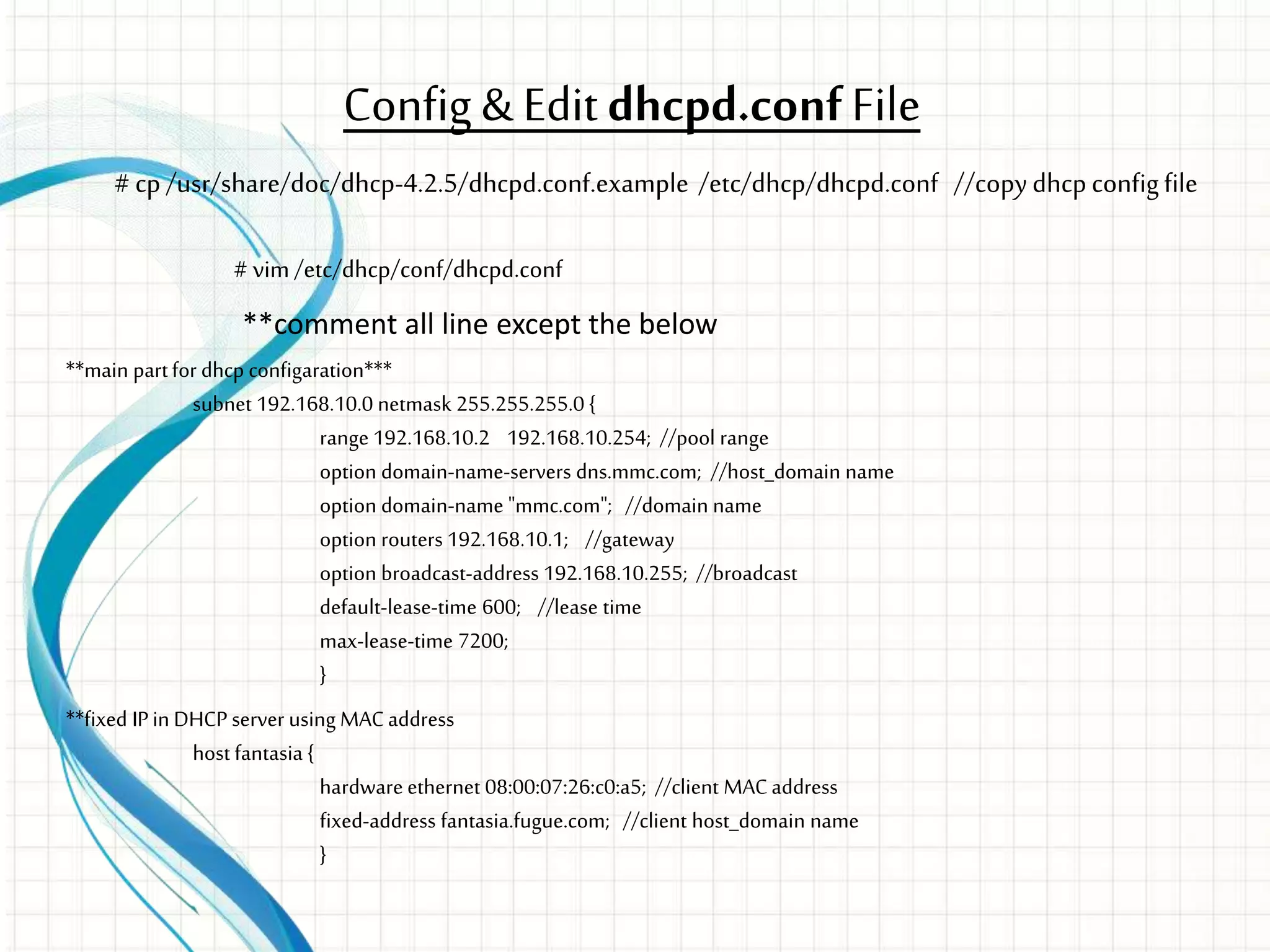
Config & Editdhcpd.confFile
# vim/etc/dhcp/conf/dhcpd.conf
**comment all line except the below
**main partfor dhcp configaration***
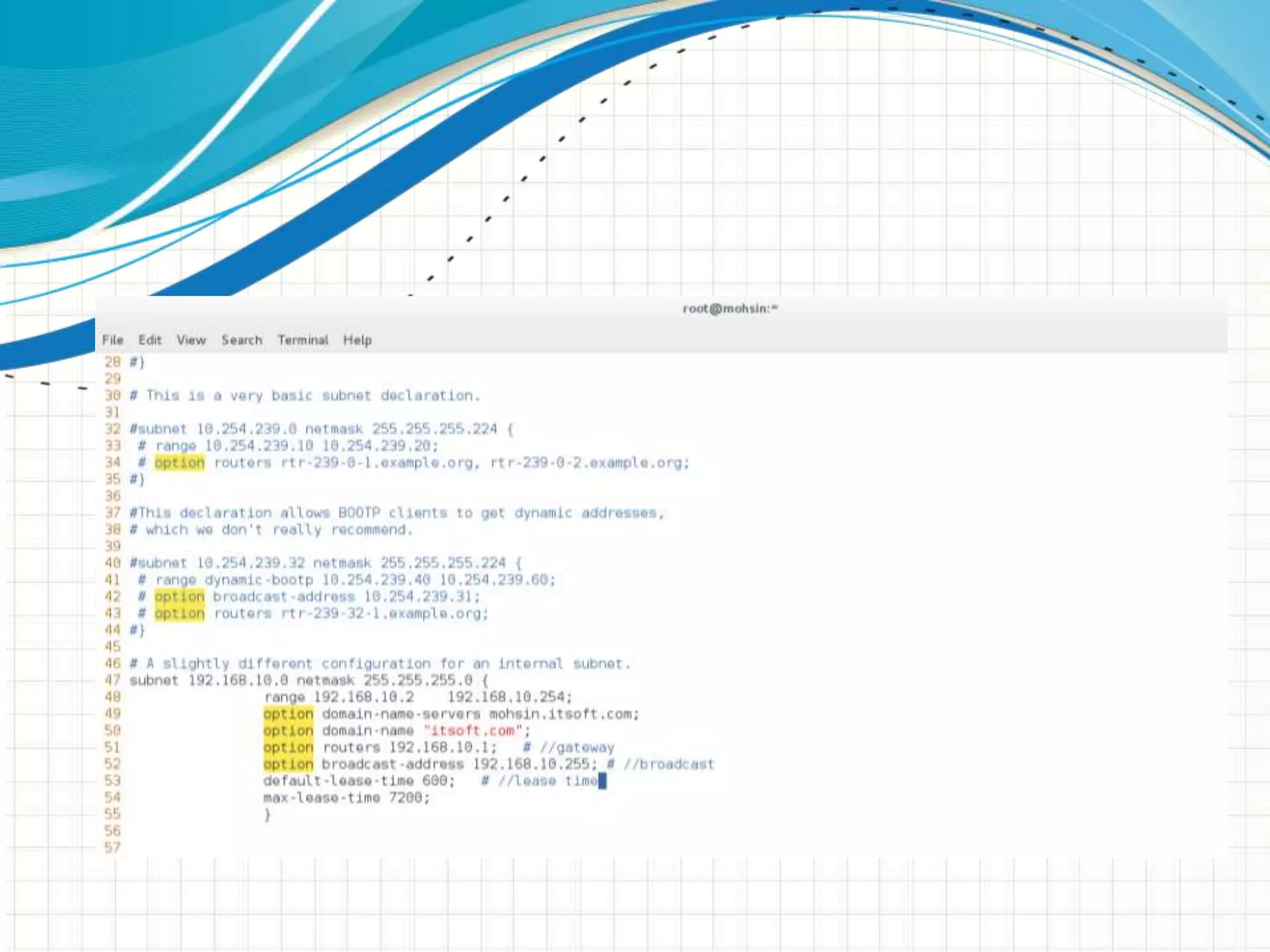
subnet 192.168.10.0 netmask 255.255.255.0 {
range 192.168.10.2 192.168.10.254; //pool range
option domain-name-servers dns.mmc.com; //host_domain name
option domain-name "mmc.com"; //domain name
option routers 192.168.10.1; //gateway
option broadcast-address 192.168.10.255; //broadcast
default-lease-time 600; //lease time
max-lease-time 7200;
}
**fixed IPin DHCP server using MACaddress
host fantasia {
hardware ethernet 08:00:07:26:c0:a5; //client MACaddress
fixed-address fantasia.fugue.com; //client host_domain name
}
# cp /usr/share/doc/dhcp-4.2.5/dhcpd.conf.example /etc/dhcp/dhcpd.conf //copydhcpconfigfile
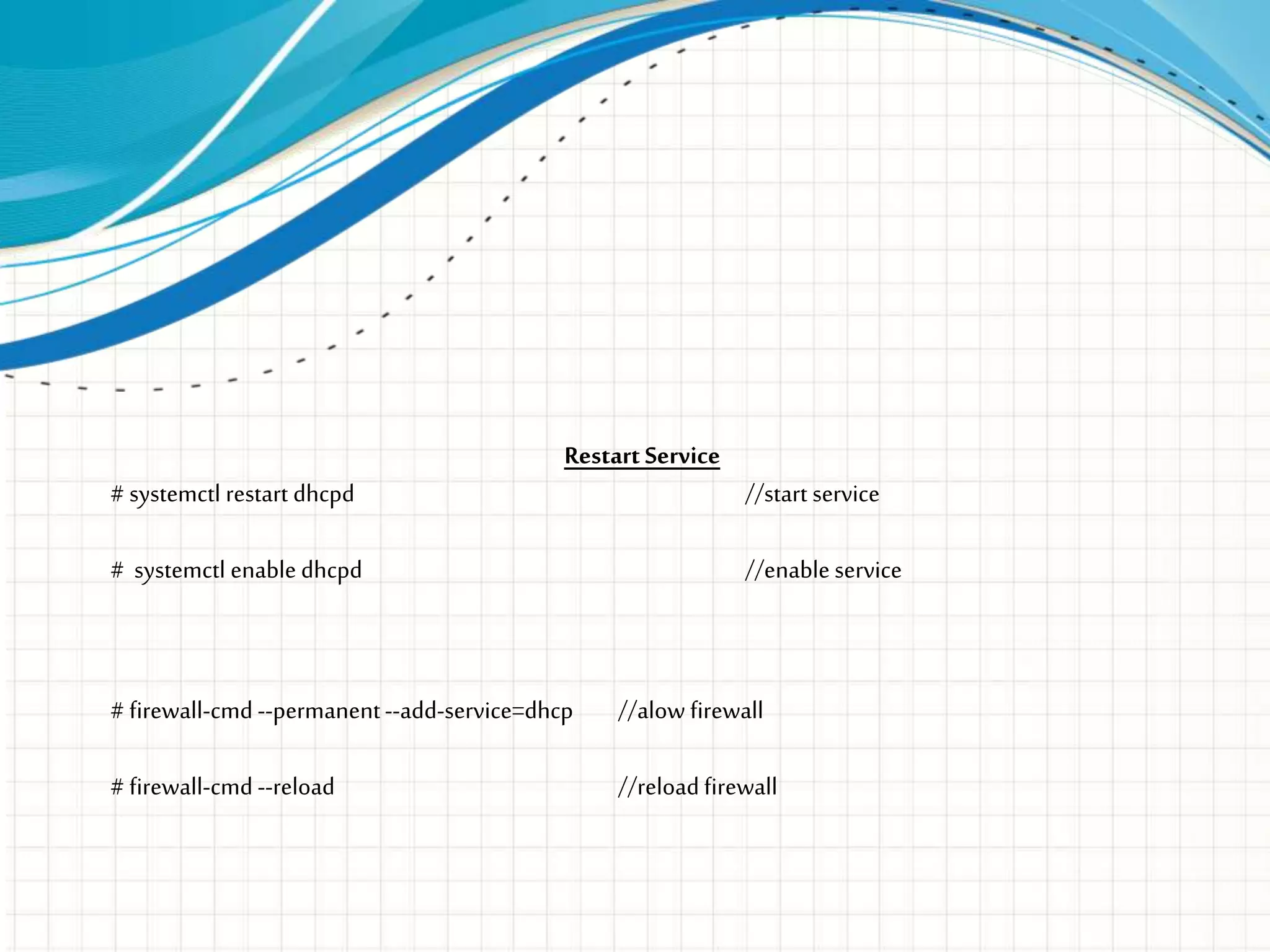
Restart Service
# systemctl restart dhcpd //start service
# systemctl enable dhcpd //enable service
# firewall-cmd --permanent--add-service=dhcp //alow firewall
# firewall-cmd --reload //reload firewall
QUESTIONS?
THANKYOU

DHCP SERVER ( RHCE Linux)

  • 1.
    Dynamic Host ConfigarationProtocol (DHCP) Configaration
  • 2.
    DORA Process D =discover O = offer R = request A = acknowledge
  • 3.
    Checking andinstalling Packages: #rpm–qa | grepdhcp //check dhcppackages # yum install dhcp* -y //install dhcppackages
  • 4.
    DHCP Configuration Server Name=dhcpserver Package Name = dhcp ConfigFile= /etc/dhcp/dhcpd.conf ServiceName =dhcpd
  • 5.
    Config & Editdhcpd.confFile #vim/etc/dhcp/conf/dhcpd.conf **comment all line except the below **main partfor dhcp configaration*** subnet 192.168.10.0 netmask 255.255.255.0 { range 192.168.10.2 192.168.10.254; //pool range option domain-name-servers dns.mmc.com; //host_domain name option domain-name "mmc.com"; //domain name option routers 192.168.10.1; //gateway option broadcast-address 192.168.10.255; //broadcast default-lease-time 600; //lease time max-lease-time 7200; } **fixed IPin DHCP server using MACaddress host fantasia { hardware ethernet 08:00:07:26:c0:a5; //client MACaddress fixed-address fantasia.fugue.com; //client host_domain name } # cp /usr/share/doc/dhcp-4.2.5/dhcpd.conf.example /etc/dhcp/dhcpd.conf //copydhcpconfigfile
  • 7.
    Restart Service # systemctlrestart dhcpd //start service # systemctl enable dhcpd //enable service # firewall-cmd --permanent--add-service=dhcp //alow firewall # firewall-cmd --reload //reload firewall
  • 8.
  • 9.

Editor's Notes

  • #2 This template can be used as a starter file for presenting training materials in a group setting. Sections Right-click on a slide to add sections. Sections can help to organize your slides or facilitate collaboration between multiple authors. Notes Use the Notes section for delivery notes or to provide additional details for the audience. View these notes in Presentation View during your presentation. Keep in mind the font size (important for accessibility, visibility, videotaping, and online production) Coordinated colors Pay particular attention to the graphs, charts, and text boxes. Consider that attendees will print in black and white or grayscale. Run a test print to make sure your colors work when printed in pure black and white and grayscale. Graphics, tables, and graphs Keep it simple: If possible, use consistent, non-distracting styles and colors. Label all graphs and tables.
  • #4 This is another option for an Overview slides using transitions.
  • #5 Give a brief overview of the presentation. Describe the major focus of the presentation and why it is important. Introduce each of the major topics. To provide a road map for the audience, you can repeat this Overview slide throughout the presentation, highlighting the particular topic you will discuss next.
  • #8 Use a section header for each of the topics, so there is a clear transition to the audience.
  • #9 Microsoft Confidential
  • #10 Microsoft Confidential