LOAD
IN-DEPTH STUDY TO SCALE @ 80K
TPS
REFERENCING 13 YEAR OLD ARTICLE ON LOAD BALANCING
WILLY TARREAU : HAPROXY
▸Creator of Haproxy
▸wtarreau.blogspot.com/2006/11/making-applications-
scalable-with-load.html
▸The PPT structure is based on the article.
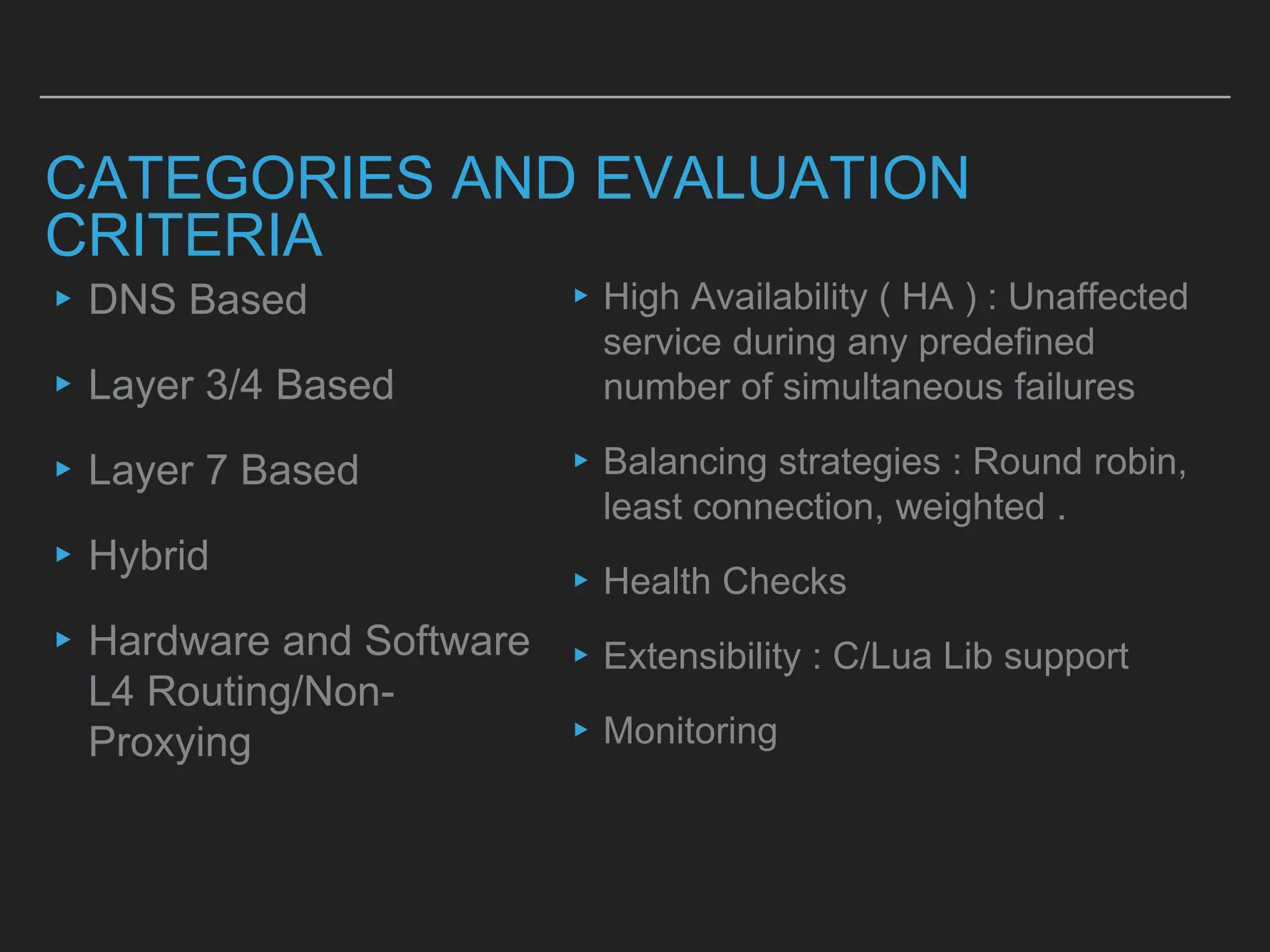
CATEGORIES AND EVALUATION
CRITERIA
▸DNS Based
▸Layer 3/4 Based
▸Layer 7 Based
▸Hybrid
▸Hardware and Software
L4 Routing/Non-
Proxying
▸High Availability ( HA ) : Unaffected
service during any predefined
number of simultaneous failures
▸Balancing strategies : Round robin,
least connection, weighted .
▸Health Checks
▸Extensibility : C/Lua Lib support
▸Monitoring
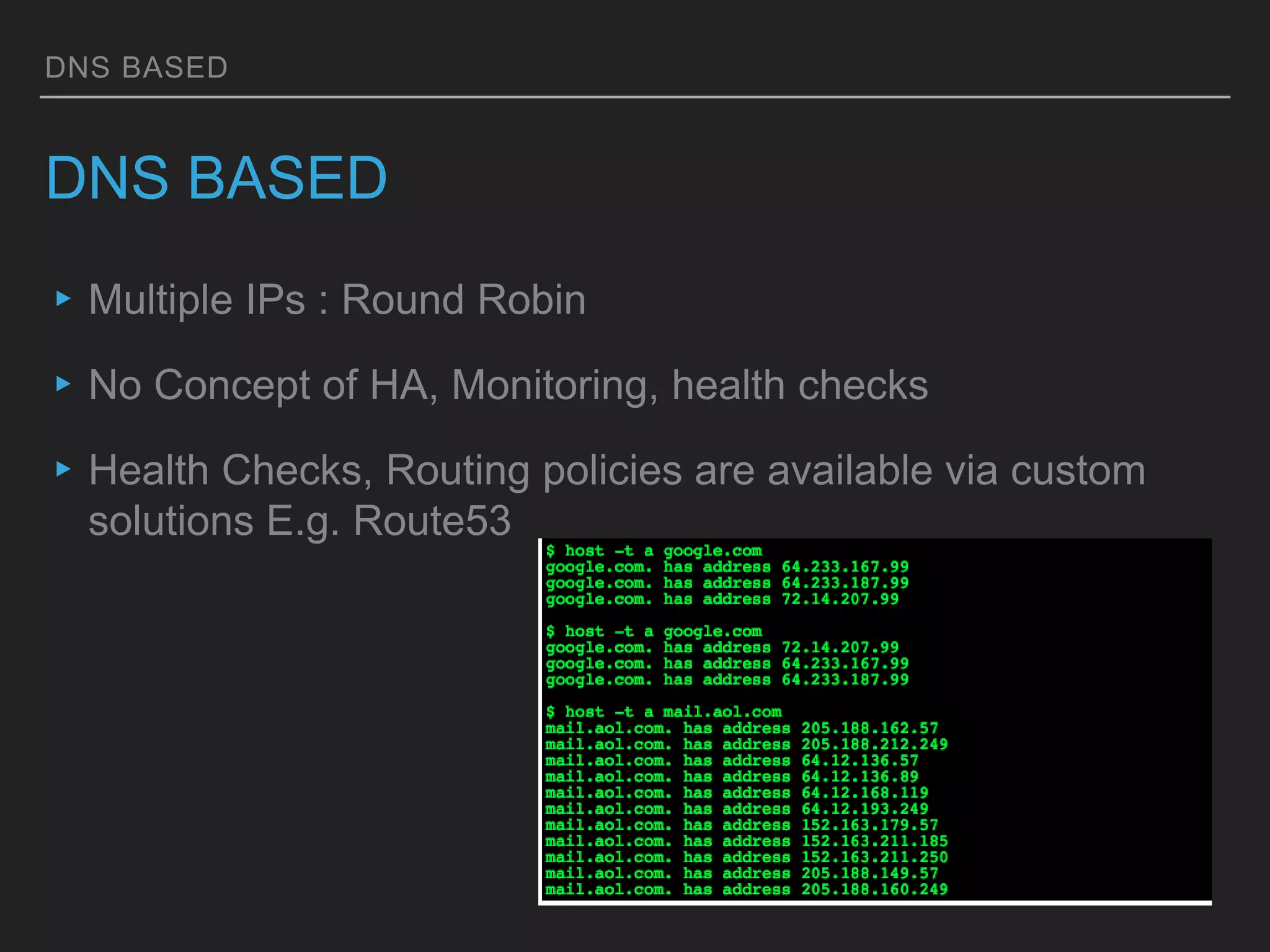
DNS BASED
DNS BASED
▸Multiple IPs : Round Robin
▸No Concept of HA, Monitoring, health checks
▸Health Checks, Routing policies are available via custom
solutions E.g. Route53
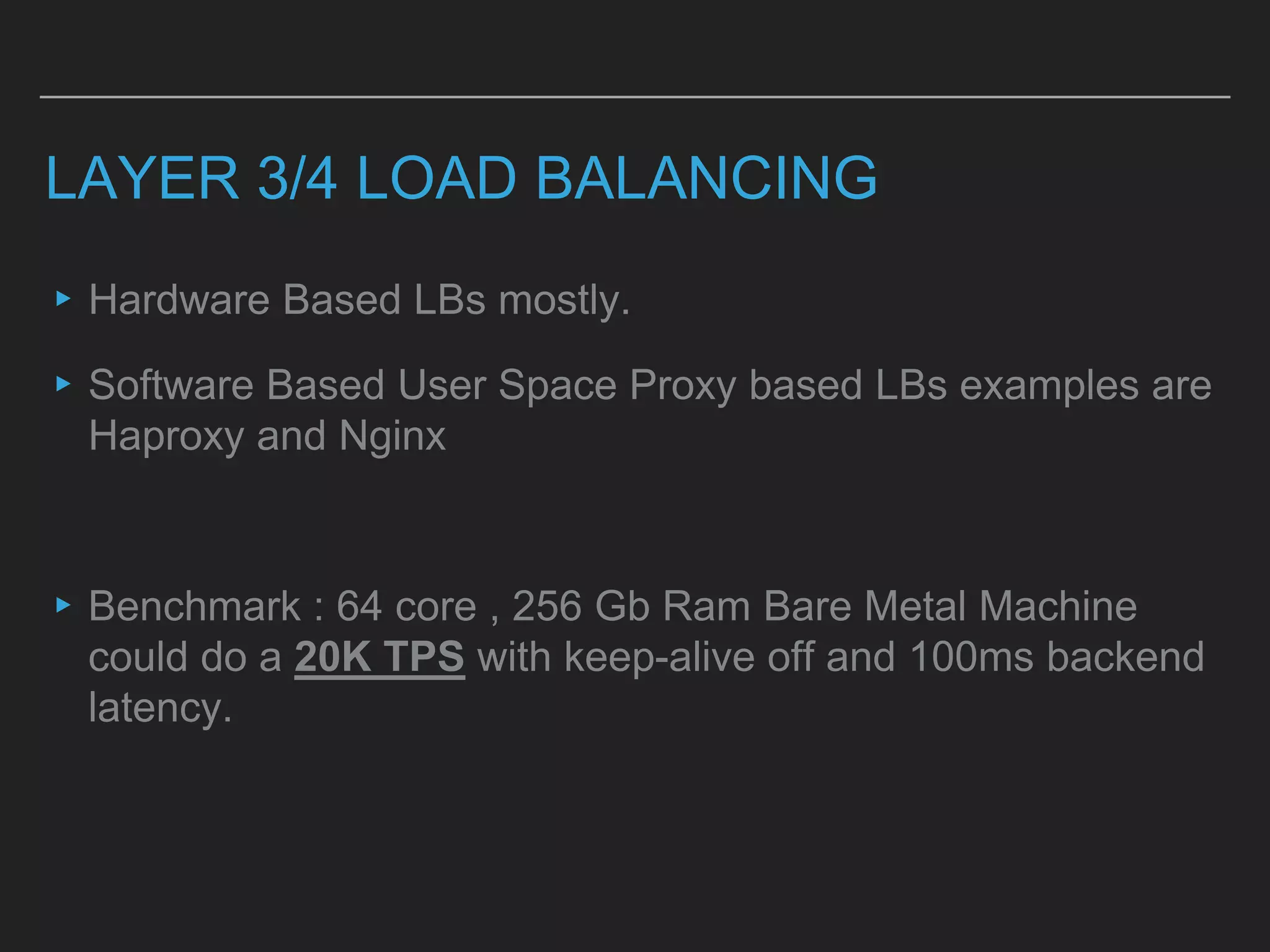
LAYER 3/4 LOAD BALANCING
▸Hardware Based LBs mostly.
▸Software Based User Space Proxy based LBs examples are
Haproxy and Nginx
▸Benchmark : 64 core , 256 Gb Ram Bare Metal Machine
could do a 20K TPS with keep-alive off and 100ms backend
latency.
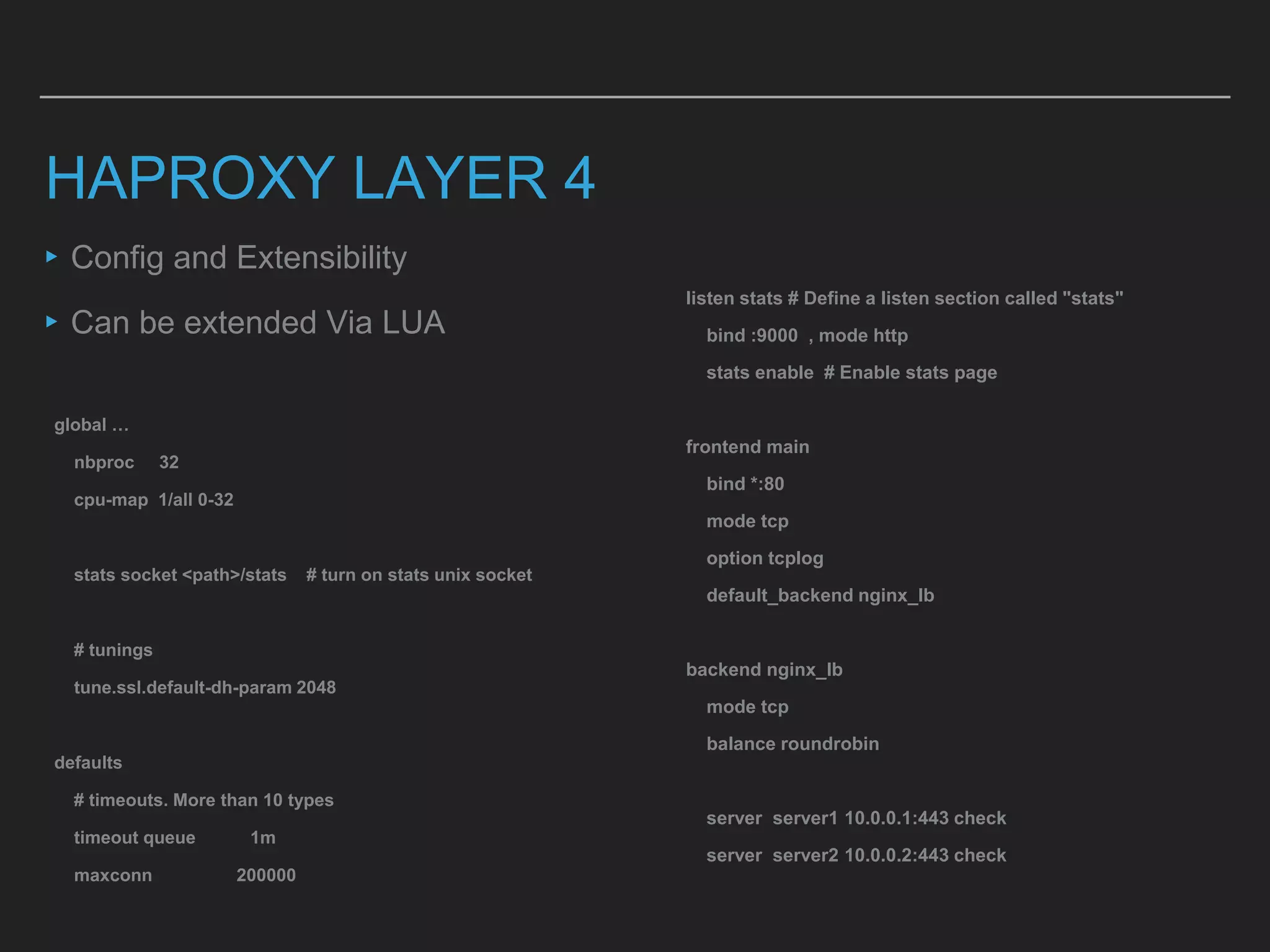
HAPROXY LAYER 4
▸Config and Extensibility
▸Can be extended Via LUA
global …
nbproc 32
cpu-map 1/all 0-32
stats socket <path>/stats # turn on stats unix socket
# tunings
tune.ssl.default-dh-param 2048
defaults
# timeouts. More than 10 types
timeout queue 1m
maxconn 200000
listen stats # Define a listen section called "stats"
bind :9000 , mode http
stats enable # Enable stats page
frontend main
bind *:80
mode tcp
option tcplog
default_backend nginx_lb
backend nginx_lb
mode tcp
balance roundrobin
server server1 10.0.0.1:443 check
server server2 10.0.0.2:443 check
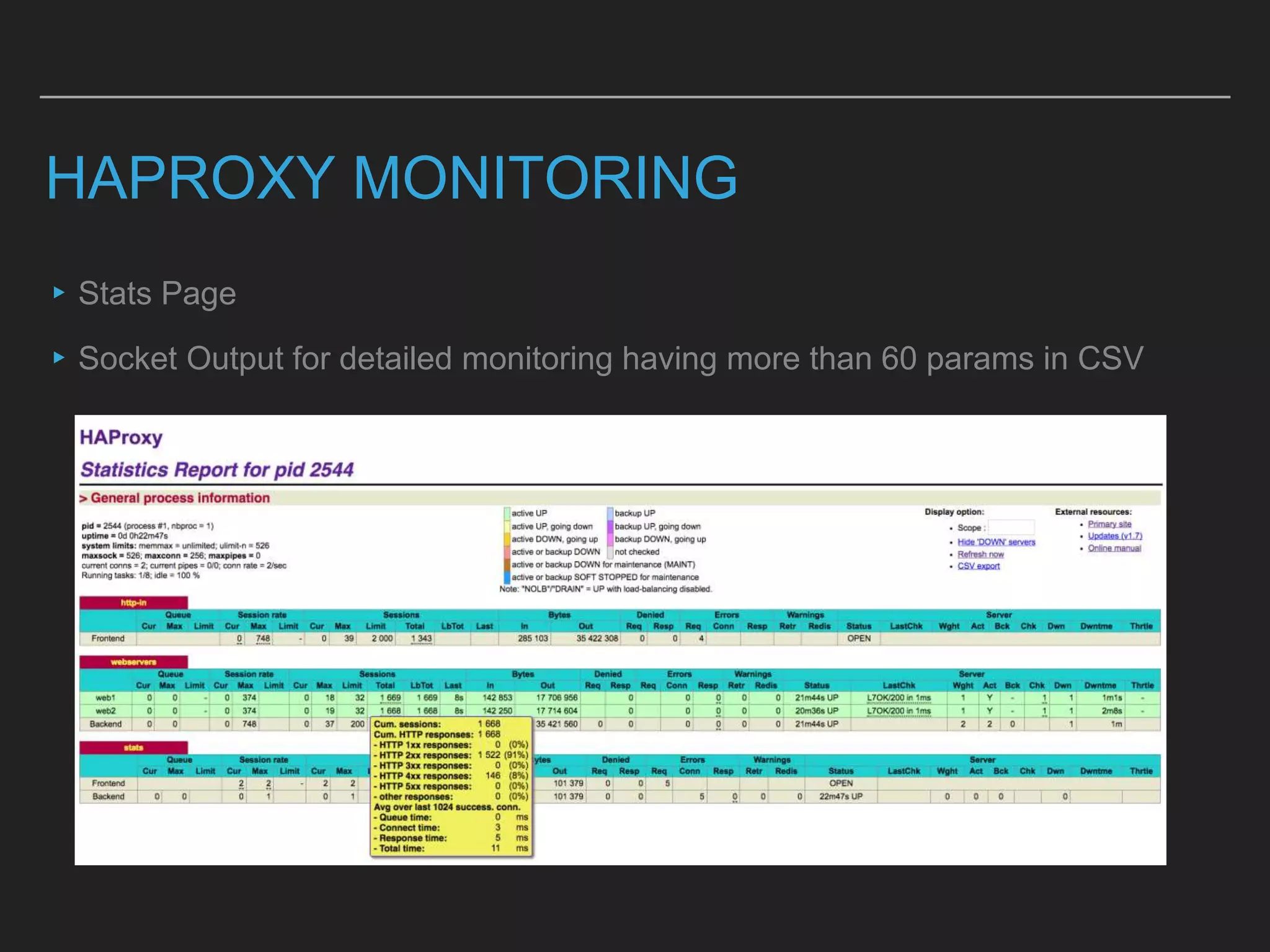
HAPROXY MONITORING
▸Stats Page
▸Socket Output for detailed monitoring having more than 60 params in CSV
LAYER 7 LOAD BALANCING
▸Hardware based Lb are from Vendors like F5
▸Protocol rigidness
▸Software Based : Nginx and HaProxy are popular ones.
▸a 64 core , 256 Gb Ram Bare Metal Machine could do a 18K
TPS with keep-alive off and 100ms backend latency
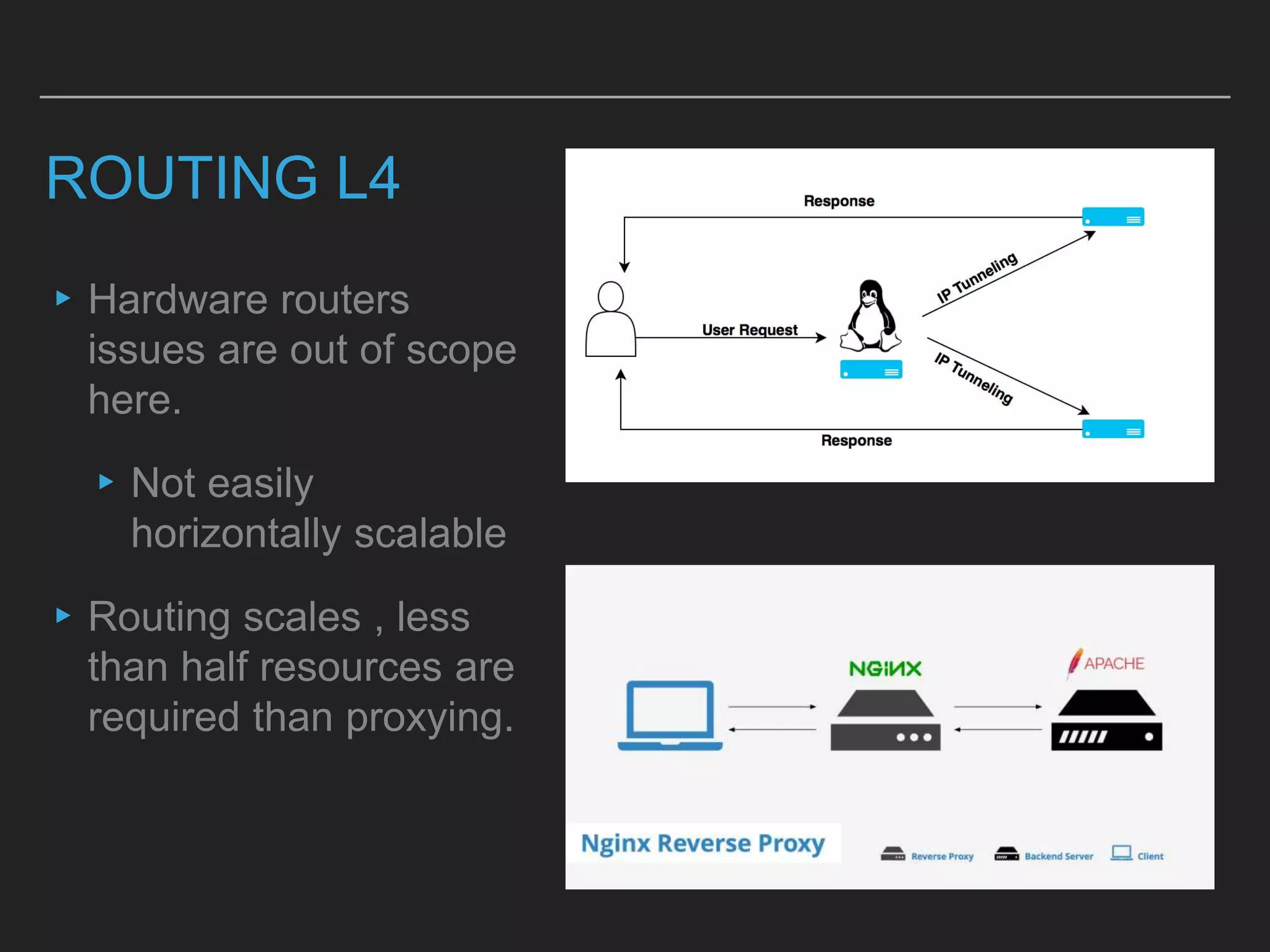
ROUTING L4
▸Hardware routers
issues are out of scope
here.
▸Not easily
horizontally scalable
▸Routing scales , less
than half resources are
required than proxying.
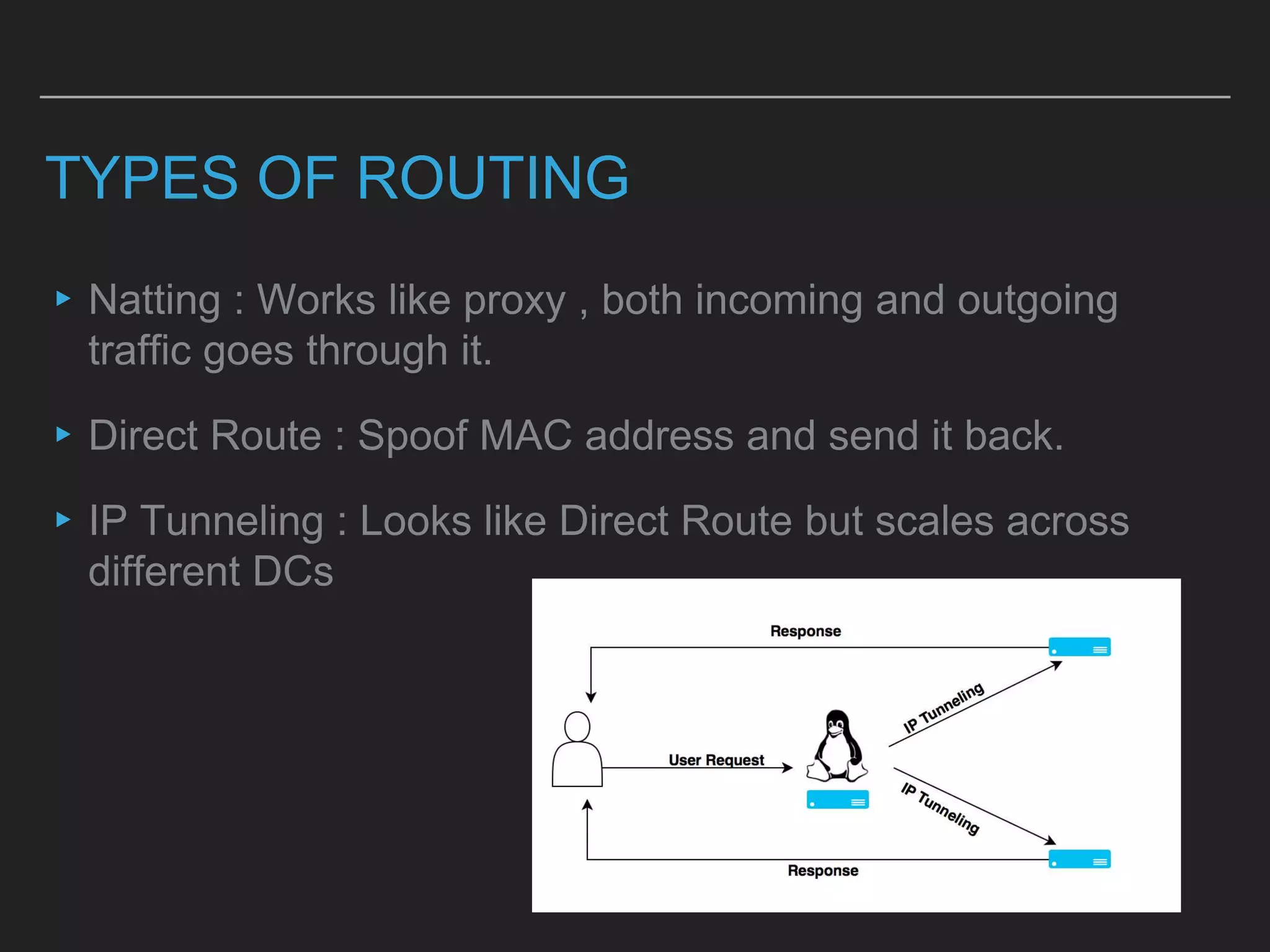
TYPES OF ROUTING
▸Natting : Works like proxy , both incoming and outgoing
traffic goes through it.
▸Direct Route : Spoof MAC address and send it back.
▸IP Tunneling : Looks like Direct Route but scales across
different DCs
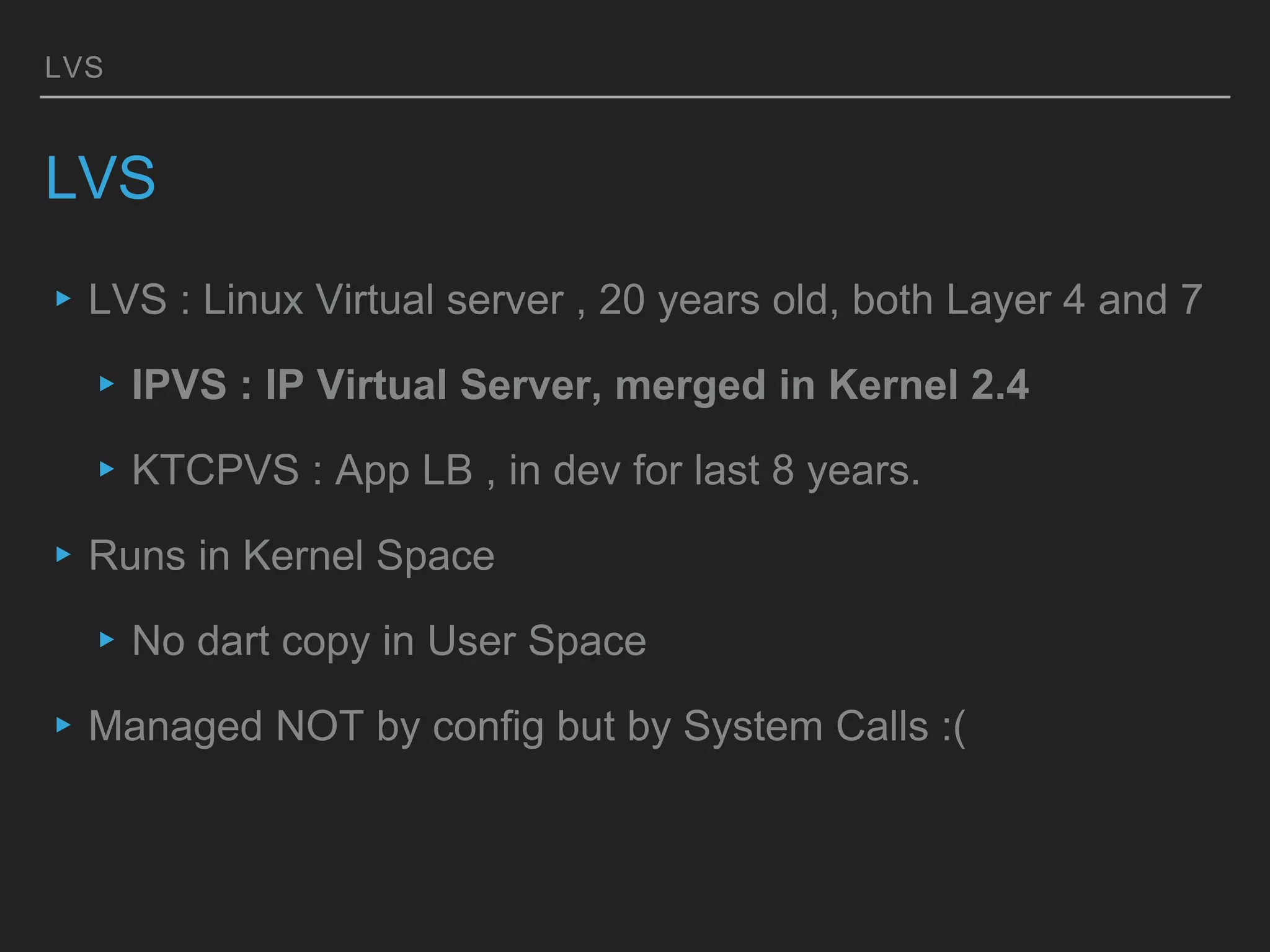
LVS
LVS
▸LVS : Linux Virtual server , 20 years old, both Layer 4 and 7
▸IPVS : IP Virtual Server, merged in Kernel 2.4
▸KTCPVS : App LB , in dev for last 8 years.
▸Runs in Kernel Space
▸No dart copy in User Space
▸Managed NOT by config but by System Calls :(
LVS IMPLEMENTATION STEPS
# SETUP LVS
$ yum -y install ipvsadm
$ touch /etc/sysconfig/ipvsadm
$ systemctl start ipvsadm && systemctl enable ipvsadm
$ echo 'net.ipv4.ip_forward = 1' >> /etc/sysctl.conf
# CONFIGURE LVS
$ ipvsadm -C # clear tables
# add virtual service [ ipvsadm -A -t (Service IP:Port) -s (Distribution
method) ]
$ ipvsadm -A -t 10.0.0.0:80 -s wlc
# ADD BACKEND SERVERS [ ipvsadm -a -t (Service IP:Port) -r
(Real Server's IP:Port) -i ]
$ ipvsadm -a -t 10.143.45.105:80 -r 10.0.0.1 -i
# confirm tables
$ ipvsadm -ln
# ON REAL SERVERS
$ ip addr add <VIP>/32 dev tunl0 brd <VIP>
$ ip link set tunl0 up arp off
# TURN RP FILTER OFF ( later )
‣ LVS Server Setup on Director
‣ Service Setup
‣ Configure LVS
‣ Real Server Setup
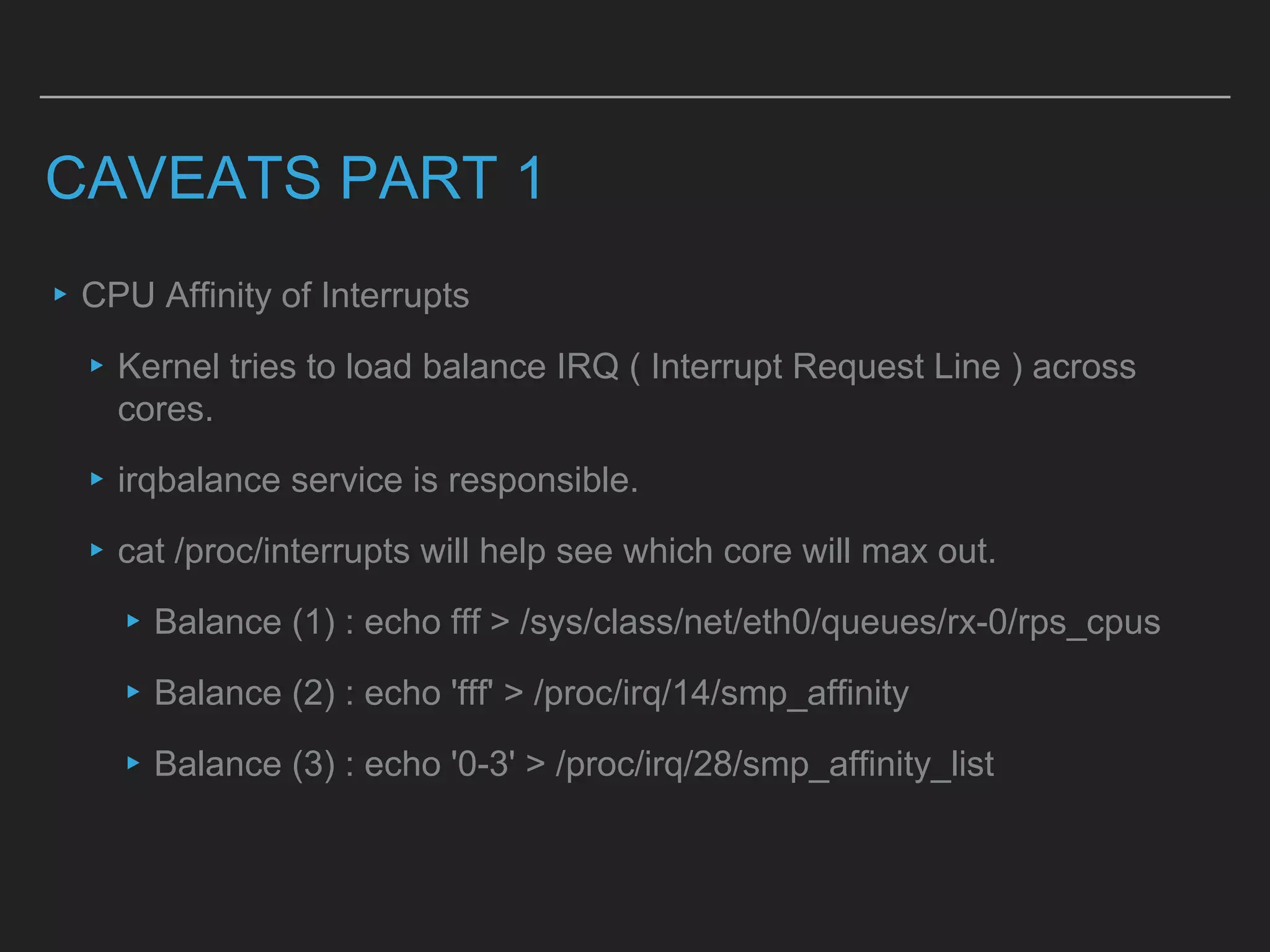
CAVEATS PART 1
▸CPU Affinity of Interrupts
▸Kernel tries to load balance IRQ ( Interrupt Request Line ) across
cores.
▸irqbalance service is responsible.
▸cat /proc/interrupts will help see which core will max out.
▸Balance (1) : echo fff > /sys/class/net/eth0/queues/rx-0/rps_cpus
▸Balance (2) : echo 'fff' > /proc/irq/14/smp_affinity
▸Balance (3) : echo '0-3' > /proc/irq/28/smp_affinity_list
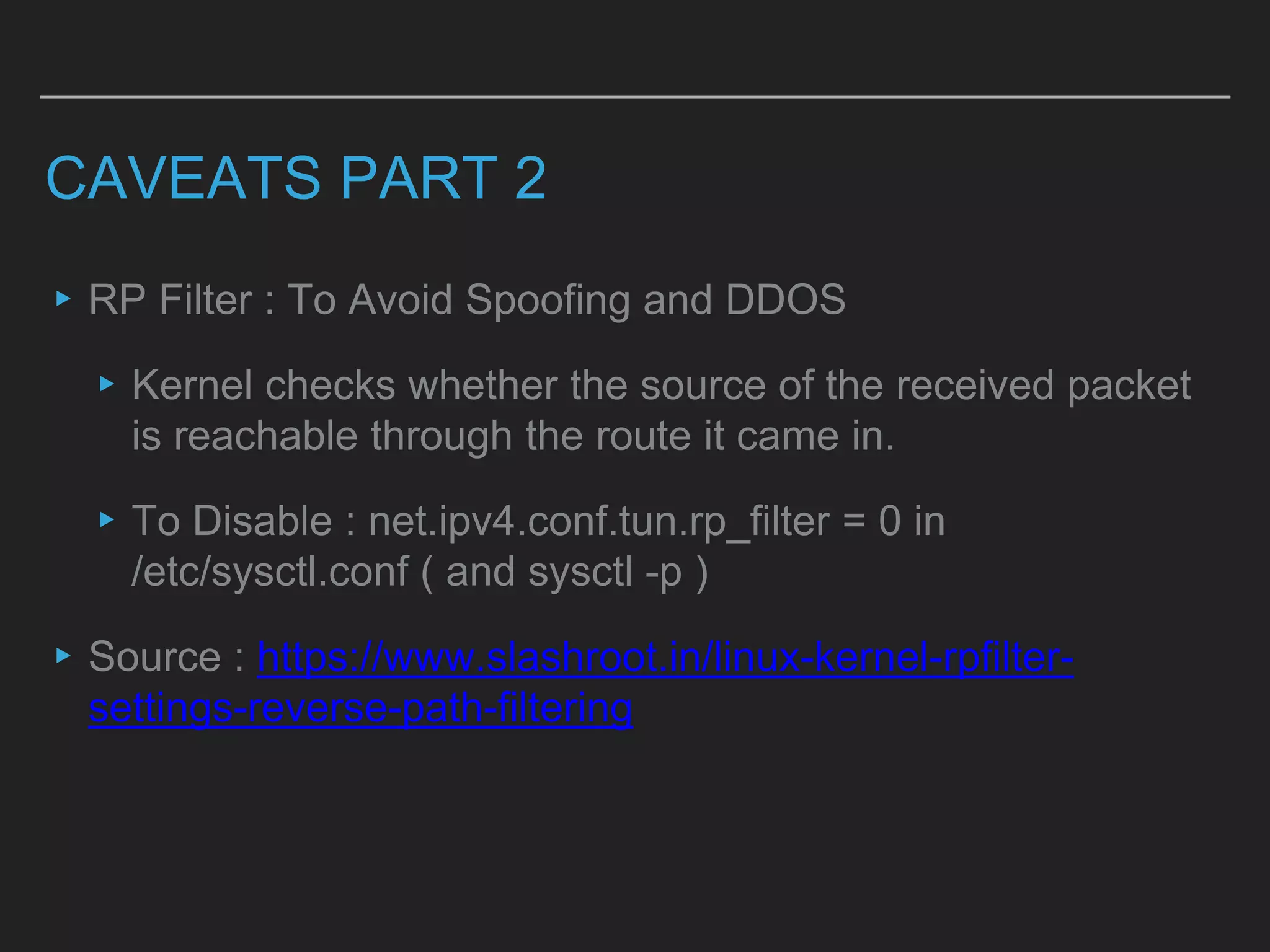
CAVEATS PART 2
▸RP Filter : To Avoid Spoofing and DDOS
▸Kernel checks whether the source of the received packet
is reachable through the route it came in.
▸To Disable : net.ipv4.conf.tun.rp_filter = 0 in
/etc/sysctl.conf ( and sysctl -p )
▸Source : https://www.slashroot.in/linux-kernel-rpfilter-
settings-reverse-path-filtering
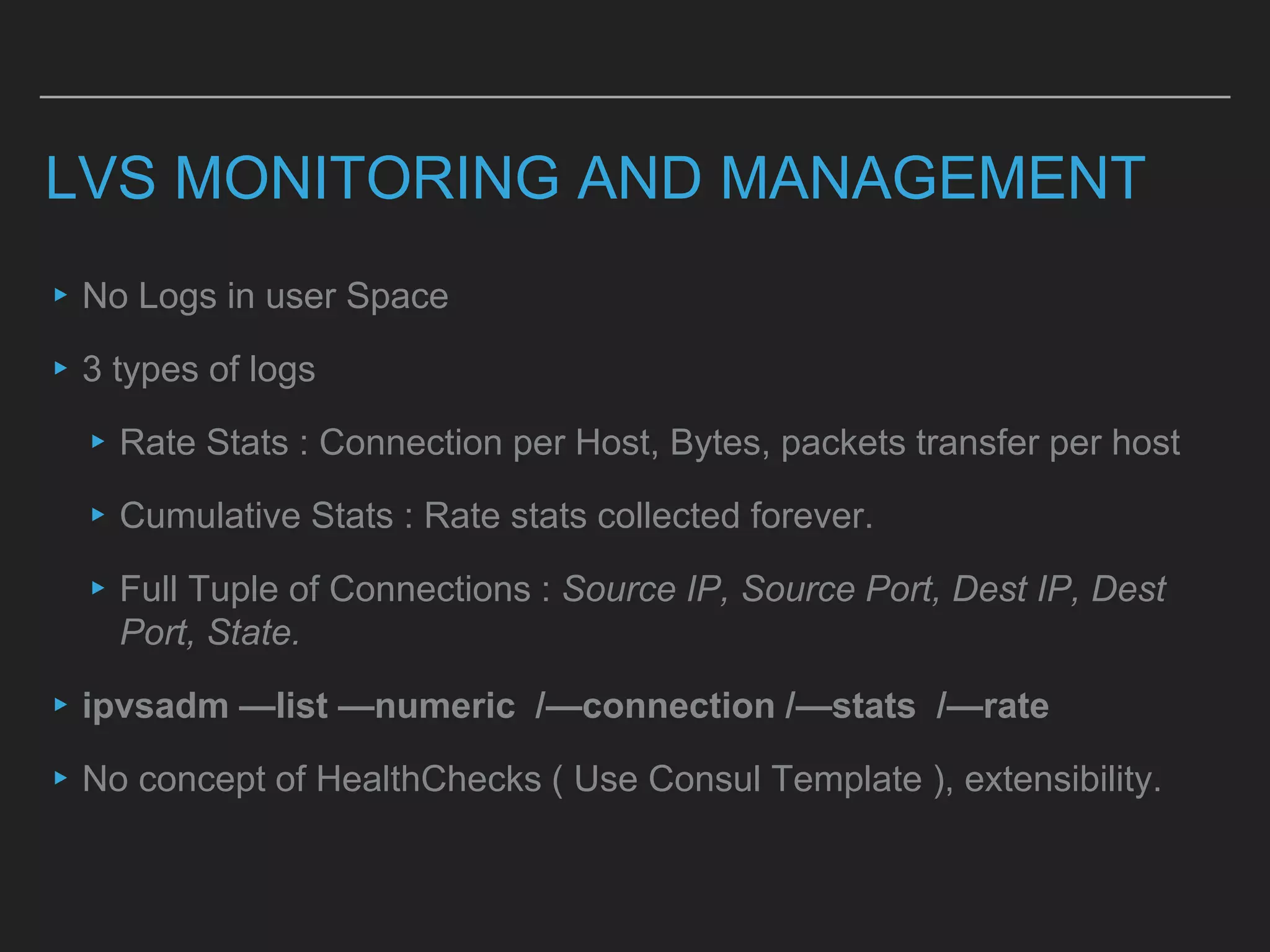
LVS MONITORING AND MANAGEMENT
▸No Logs in user Space
▸3 types of logs
▸Rate Stats : Connection per Host, Bytes, packets transfer per host
▸Cumulative Stats : Rate stats collected forever.
▸Full Tuple of Connections : Source IP, Source Port, Dest IP, Dest
Port, State.
▸ipvsadm —list —numeric /—connection /—stats /—rate
▸No concept of HealthChecks ( Use Consul Template ), extensibility.
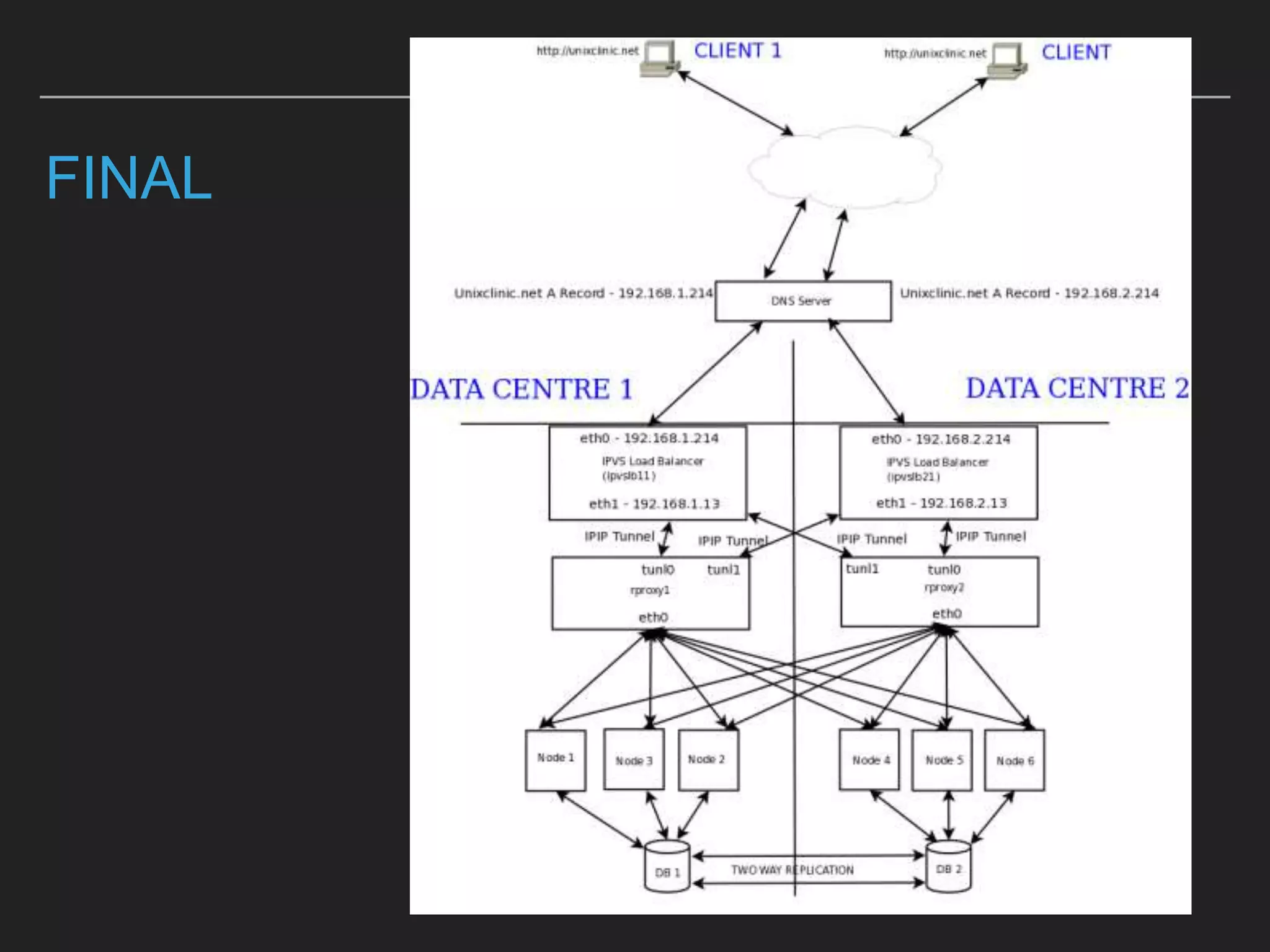
FINAL
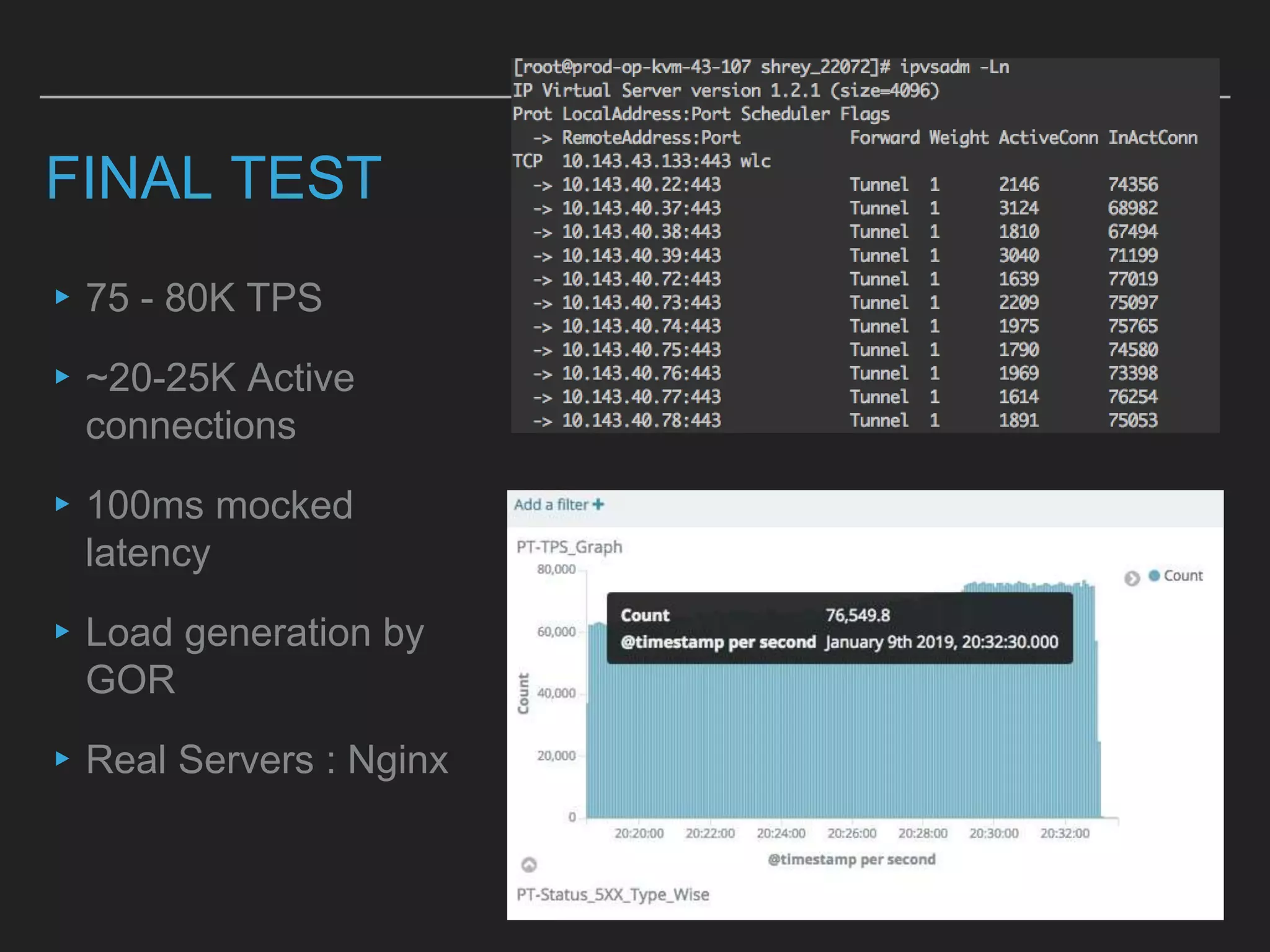
FINAL TEST
▸75 - 80K TPS
▸~20-25K Active
connections
▸100ms mocked
latency
▸Load generation by
GOR
▸Real Servers : Nginx
NOT COVERING THESE
▸LVS Connection synchronisation with Passive server.
▸Multiple IPIP Tunnel model for Advanced HA
▸Security with IPTABLES
▸Packet Routing Details with MAC spoofing.
▸Specs and Decision of Bare Metal machines for PT
▸Consul Template Management of LVS
▸Layer 7 LB config of Haproxy and Nginx.
THANK YOU | REFERENCES
▸http://wtarreau.blogspot.com/2006/11/making-applications-scalable-with-load.html
▸https://opensourceforu.com/2009/05/balancing-traffic-across-data-centres-using-lvs/
▸http://www.austintek.com/LVS/LVS-HOWTO/HOWTO/LVS-HOWTO.LVS-Tun.html
▸https://linux.die.net/man/8/ipvsadm
▸https://serverfault.com/questions/723786/udp-packets-seen-on-interface-level-but-
not-delivered-to-application-on-redhat
▸https://serverfault.com/questions/163244/linux-kernel-not-passing-through-multicast-
udp-packets

Loadbalancing In-depth study for scale @ 80K TPS

  • 1.
    LOAD IN-DEPTH STUDY TOSCALE @ 80K TPS
  • 2.
    REFERENCING 13 YEAROLD ARTICLE ON LOAD BALANCING WILLY TARREAU : HAPROXY ▸Creator of Haproxy ▸wtarreau.blogspot.com/2006/11/making-applications- scalable-with-load.html ▸The PPT structure is based on the article.
  • 3.
    CATEGORIES AND EVALUATION CRITERIA ▸DNSBased ▸Layer 3/4 Based ▸Layer 7 Based ▸Hybrid ▸Hardware and Software L4 Routing/Non- Proxying ▸High Availability ( HA ) : Unaffected service during any predefined number of simultaneous failures ▸Balancing strategies : Round robin, least connection, weighted . ▸Health Checks ▸Extensibility : C/Lua Lib support ▸Monitoring
  • 4.
    DNS BASED DNS BASED ▸MultipleIPs : Round Robin ▸No Concept of HA, Monitoring, health checks ▸Health Checks, Routing policies are available via custom solutions E.g. Route53
  • 5.
    LAYER 3/4 LOADBALANCING ▸Hardware Based LBs mostly. ▸Software Based User Space Proxy based LBs examples are Haproxy and Nginx ▸Benchmark : 64 core , 256 Gb Ram Bare Metal Machine could do a 20K TPS with keep-alive off and 100ms backend latency.
  • 6.
    HAPROXY LAYER 4 ▸Configand Extensibility ▸Can be extended Via LUA global … nbproc 32 cpu-map 1/all 0-32 stats socket <path>/stats # turn on stats unix socket # tunings tune.ssl.default-dh-param 2048 defaults # timeouts. More than 10 types timeout queue 1m maxconn 200000 listen stats # Define a listen section called "stats" bind :9000 , mode http stats enable # Enable stats page frontend main bind *:80 mode tcp option tcplog default_backend nginx_lb backend nginx_lb mode tcp balance roundrobin server server1 10.0.0.1:443 check server server2 10.0.0.2:443 check
  • 7.
    HAPROXY MONITORING ▸Stats Page ▸SocketOutput for detailed monitoring having more than 60 params in CSV
  • 8.
    LAYER 7 LOADBALANCING ▸Hardware based Lb are from Vendors like F5 ▸Protocol rigidness ▸Software Based : Nginx and HaProxy are popular ones. ▸a 64 core , 256 Gb Ram Bare Metal Machine could do a 18K TPS with keep-alive off and 100ms backend latency
  • 9.
    ROUTING L4 ▸Hardware routers issuesare out of scope here. ▸Not easily horizontally scalable ▸Routing scales , less than half resources are required than proxying.
  • 10.
    TYPES OF ROUTING ▸Natting: Works like proxy , both incoming and outgoing traffic goes through it. ▸Direct Route : Spoof MAC address and send it back. ▸IP Tunneling : Looks like Direct Route but scales across different DCs
  • 11.
    LVS LVS ▸LVS : LinuxVirtual server , 20 years old, both Layer 4 and 7 ▸IPVS : IP Virtual Server, merged in Kernel 2.4 ▸KTCPVS : App LB , in dev for last 8 years. ▸Runs in Kernel Space ▸No dart copy in User Space ▸Managed NOT by config but by System Calls :(
  • 12.
    LVS IMPLEMENTATION STEPS #SETUP LVS $ yum -y install ipvsadm $ touch /etc/sysconfig/ipvsadm $ systemctl start ipvsadm && systemctl enable ipvsadm $ echo 'net.ipv4.ip_forward = 1' >> /etc/sysctl.conf # CONFIGURE LVS $ ipvsadm -C # clear tables # add virtual service [ ipvsadm -A -t (Service IP:Port) -s (Distribution method) ] $ ipvsadm -A -t 10.0.0.0:80 -s wlc # ADD BACKEND SERVERS [ ipvsadm -a -t (Service IP:Port) -r (Real Server's IP:Port) -i ] $ ipvsadm -a -t 10.143.45.105:80 -r 10.0.0.1 -i # confirm tables $ ipvsadm -ln # ON REAL SERVERS $ ip addr add <VIP>/32 dev tunl0 brd <VIP> $ ip link set tunl0 up arp off # TURN RP FILTER OFF ( later ) ‣ LVS Server Setup on Director ‣ Service Setup ‣ Configure LVS ‣ Real Server Setup
  • 13.
    CAVEATS PART 1 ▸CPUAffinity of Interrupts ▸Kernel tries to load balance IRQ ( Interrupt Request Line ) across cores. ▸irqbalance service is responsible. ▸cat /proc/interrupts will help see which core will max out. ▸Balance (1) : echo fff > /sys/class/net/eth0/queues/rx-0/rps_cpus ▸Balance (2) : echo 'fff' > /proc/irq/14/smp_affinity ▸Balance (3) : echo '0-3' > /proc/irq/28/smp_affinity_list
  • 14.
    CAVEATS PART 2 ▸RPFilter : To Avoid Spoofing and DDOS ▸Kernel checks whether the source of the received packet is reachable through the route it came in. ▸To Disable : net.ipv4.conf.tun.rp_filter = 0 in /etc/sysctl.conf ( and sysctl -p ) ▸Source : https://www.slashroot.in/linux-kernel-rpfilter- settings-reverse-path-filtering
  • 15.
    LVS MONITORING ANDMANAGEMENT ▸No Logs in user Space ▸3 types of logs ▸Rate Stats : Connection per Host, Bytes, packets transfer per host ▸Cumulative Stats : Rate stats collected forever. ▸Full Tuple of Connections : Source IP, Source Port, Dest IP, Dest Port, State. ▸ipvsadm —list —numeric /—connection /—stats /—rate ▸No concept of HealthChecks ( Use Consul Template ), extensibility.
  • 16.
  • 17.
    FINAL TEST ▸75 -80K TPS ▸~20-25K Active connections ▸100ms mocked latency ▸Load generation by GOR ▸Real Servers : Nginx
  • 18.
    NOT COVERING THESE ▸LVSConnection synchronisation with Passive server. ▸Multiple IPIP Tunnel model for Advanced HA ▸Security with IPTABLES ▸Packet Routing Details with MAC spoofing. ▸Specs and Decision of Bare Metal machines for PT ▸Consul Template Management of LVS ▸Layer 7 LB config of Haproxy and Nginx.
  • 19.
    THANK YOU |REFERENCES ▸http://wtarreau.blogspot.com/2006/11/making-applications-scalable-with-load.html ▸https://opensourceforu.com/2009/05/balancing-traffic-across-data-centres-using-lvs/ ▸http://www.austintek.com/LVS/LVS-HOWTO/HOWTO/LVS-HOWTO.LVS-Tun.html ▸https://linux.die.net/man/8/ipvsadm ▸https://serverfault.com/questions/723786/udp-packets-seen-on-interface-level-but- not-delivered-to-application-on-redhat ▸https://serverfault.com/questions/163244/linux-kernel-not-passing-through-multicast- udp-packets