Downloaded 477 times
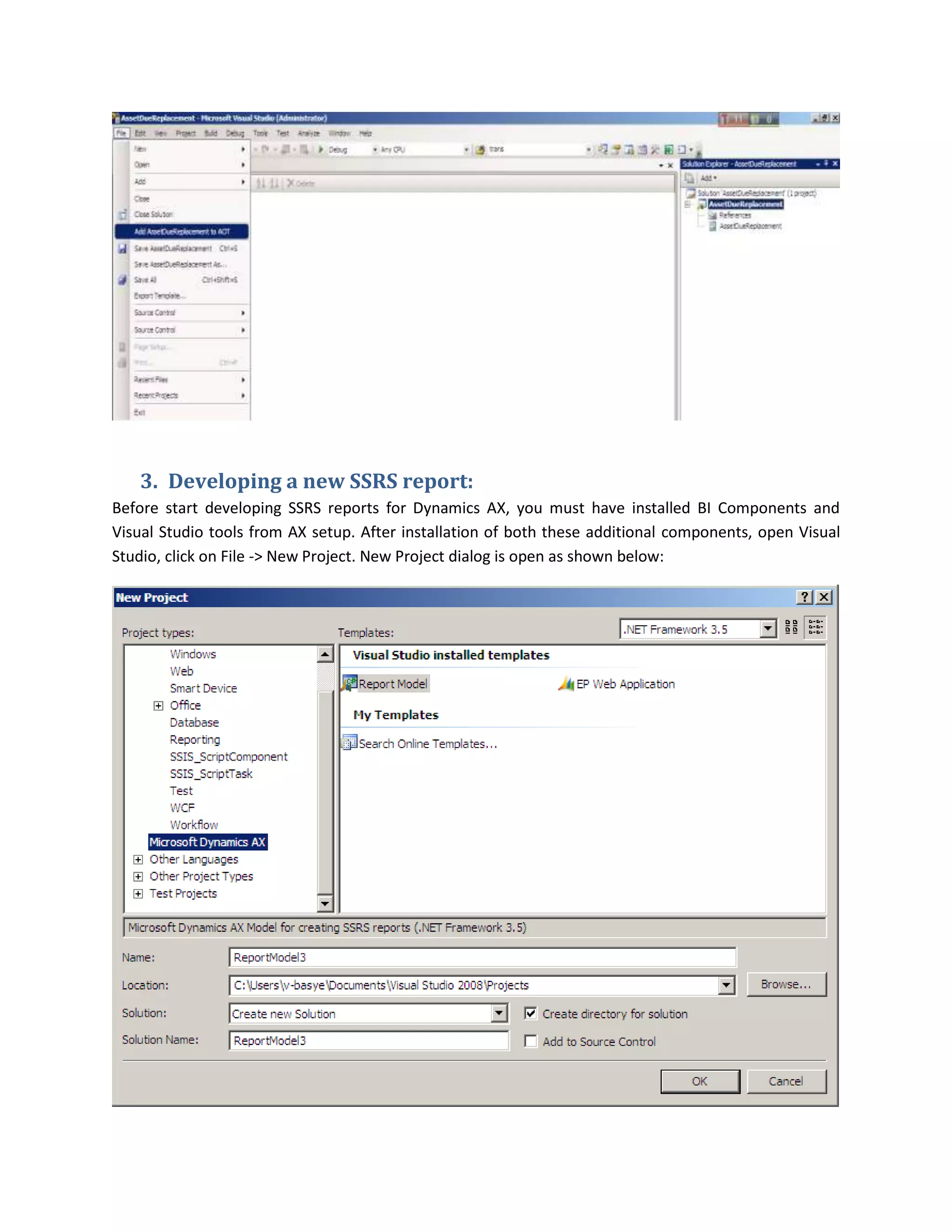
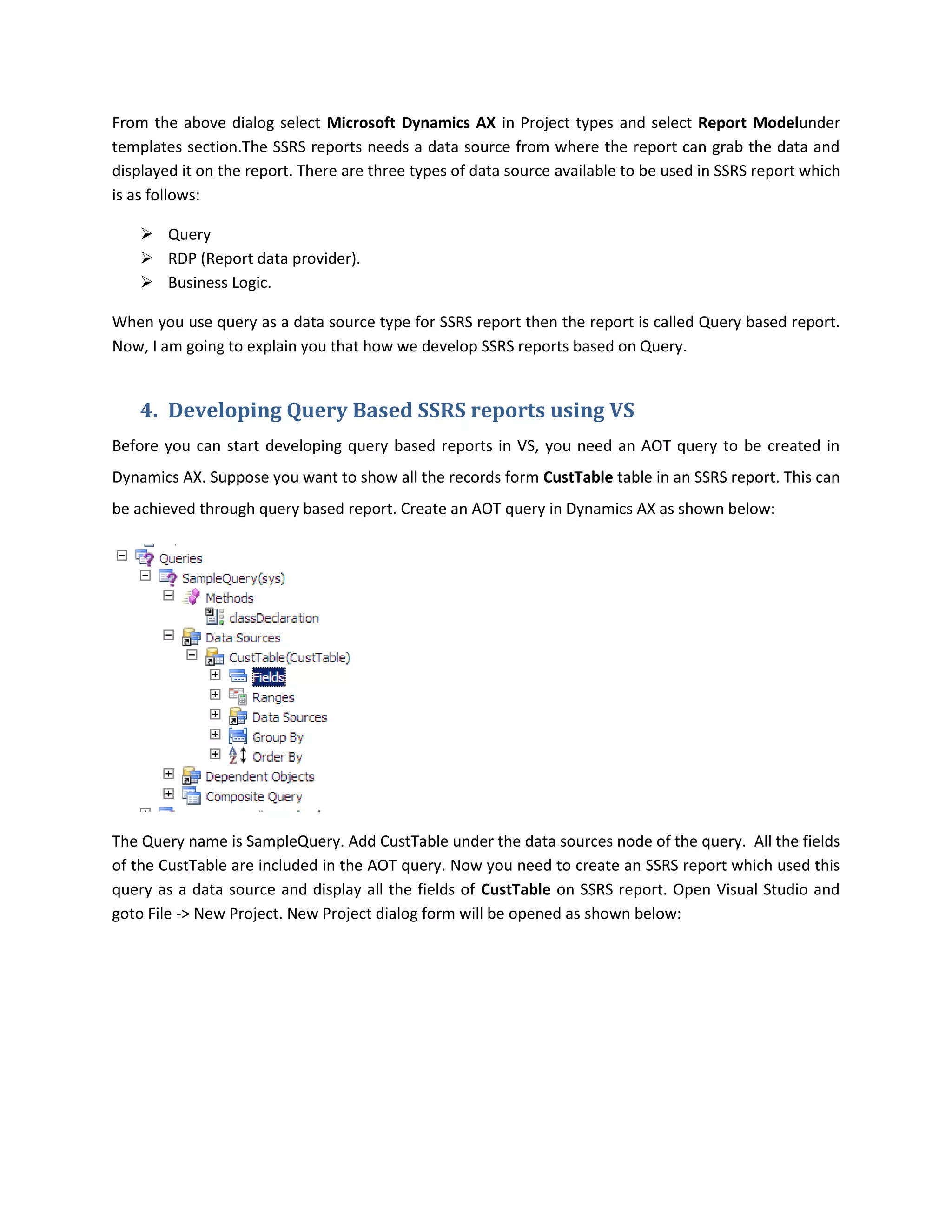
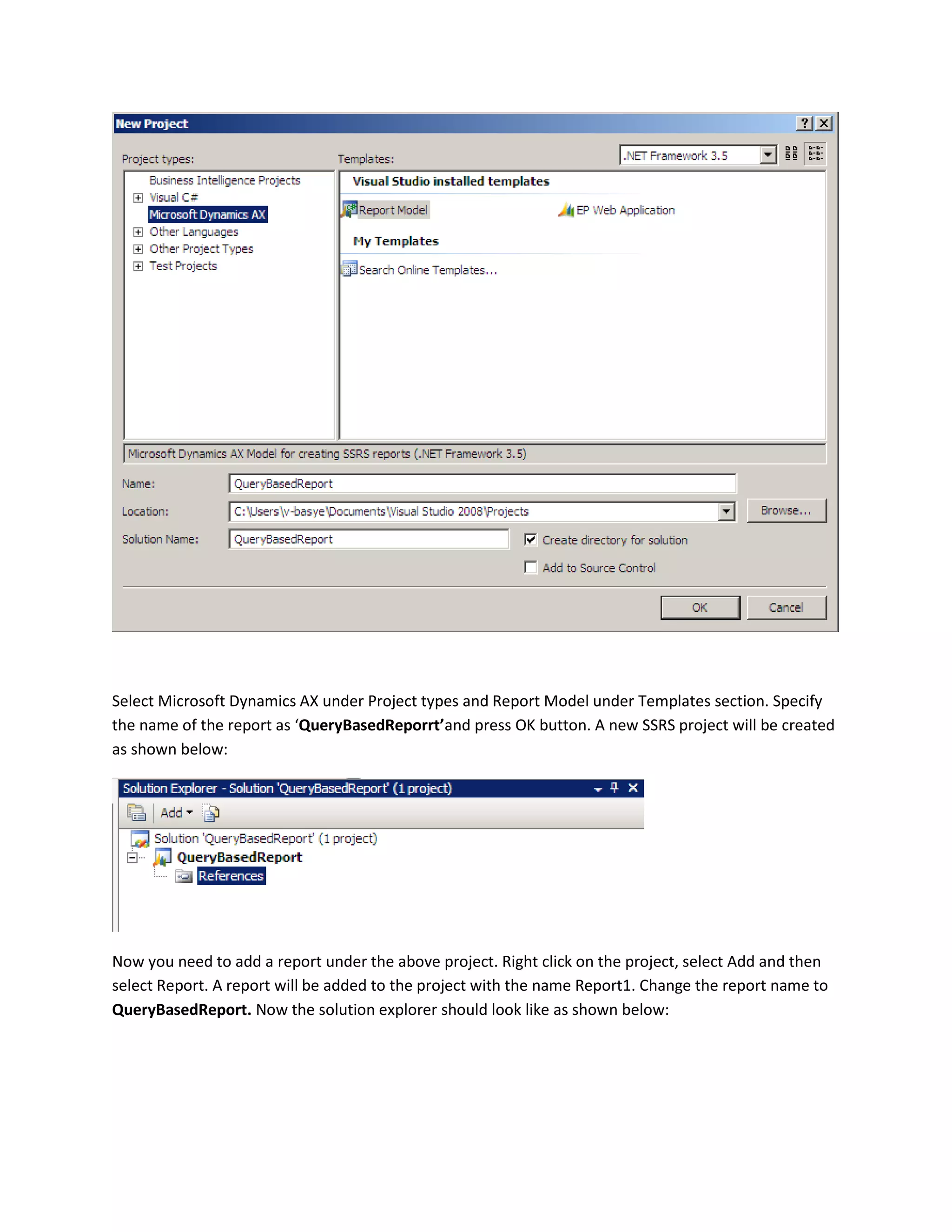
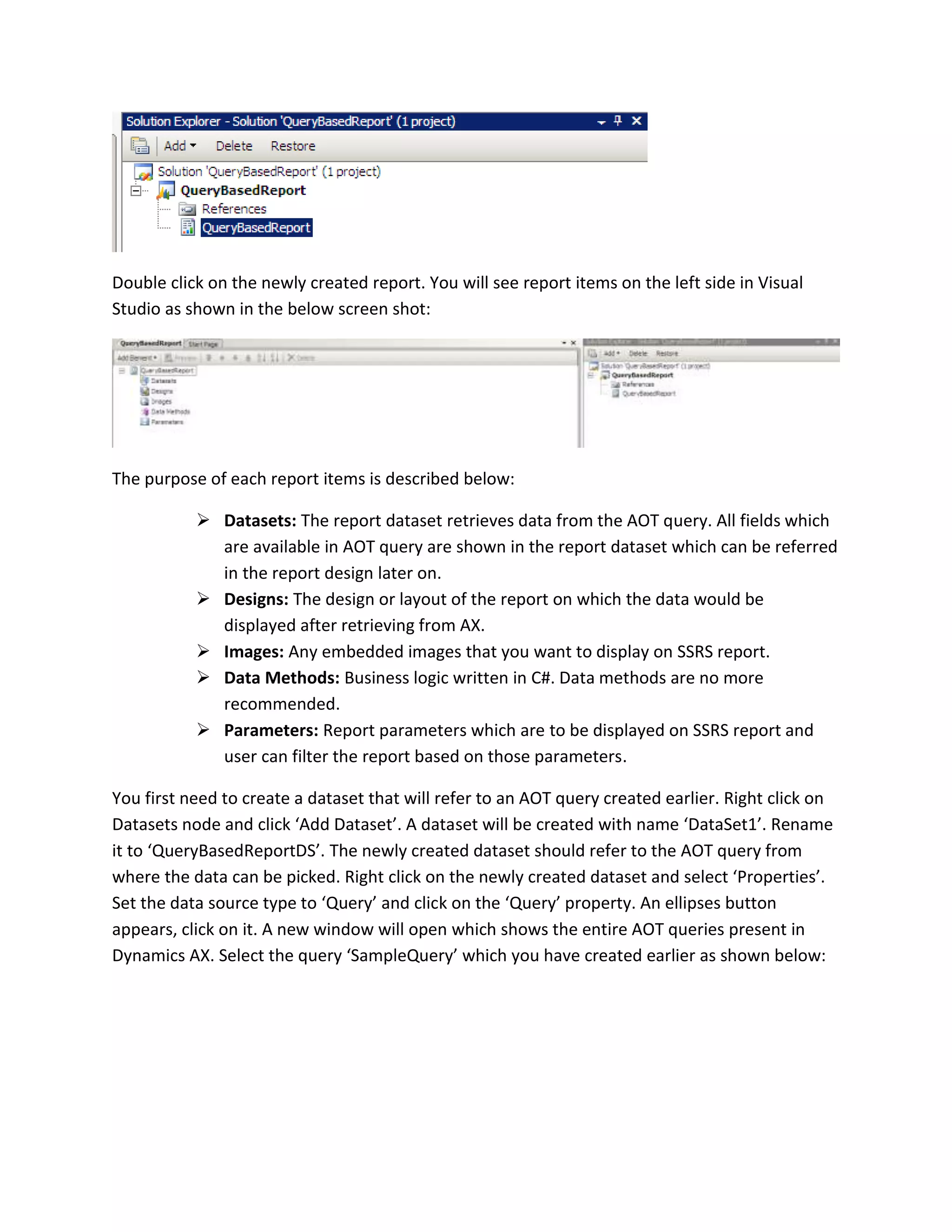
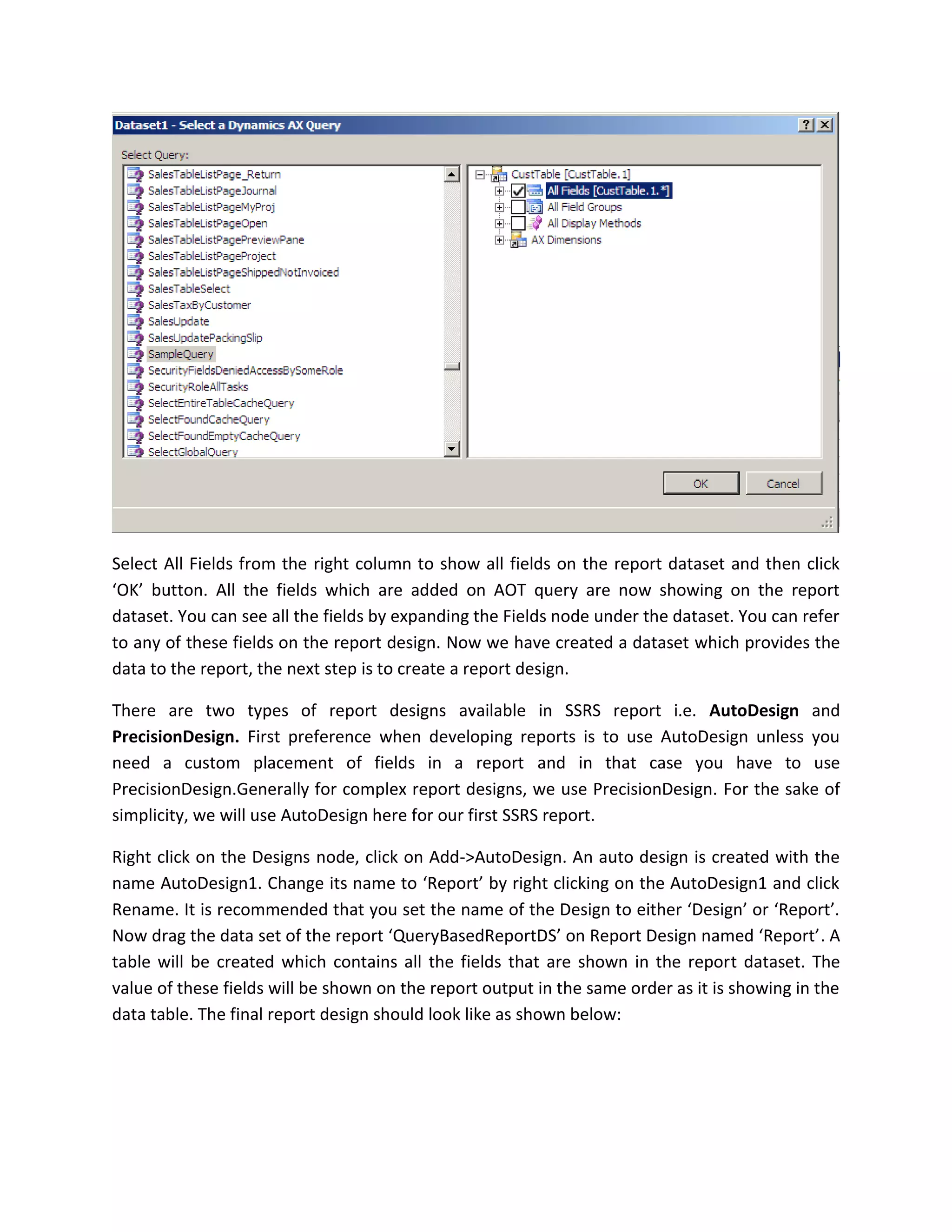
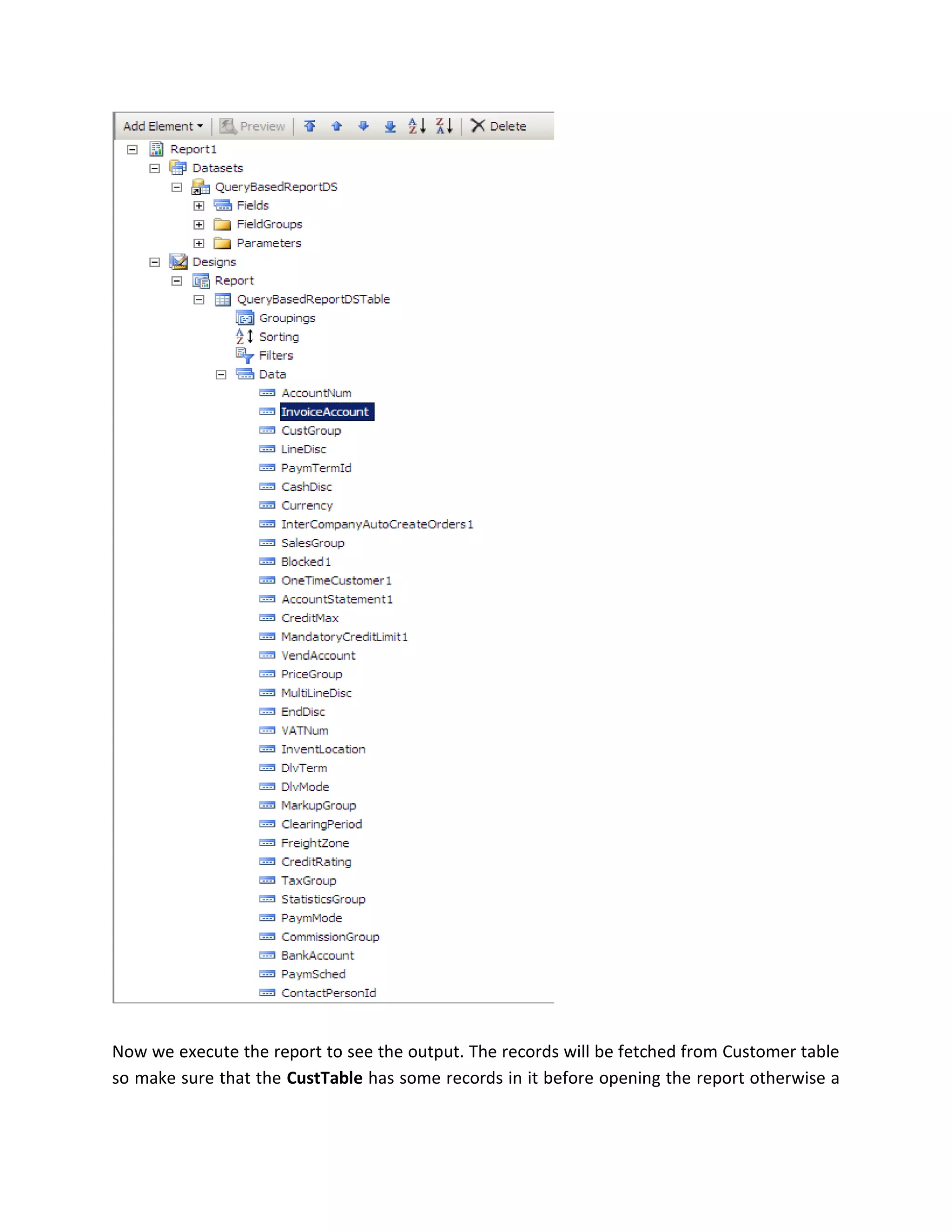
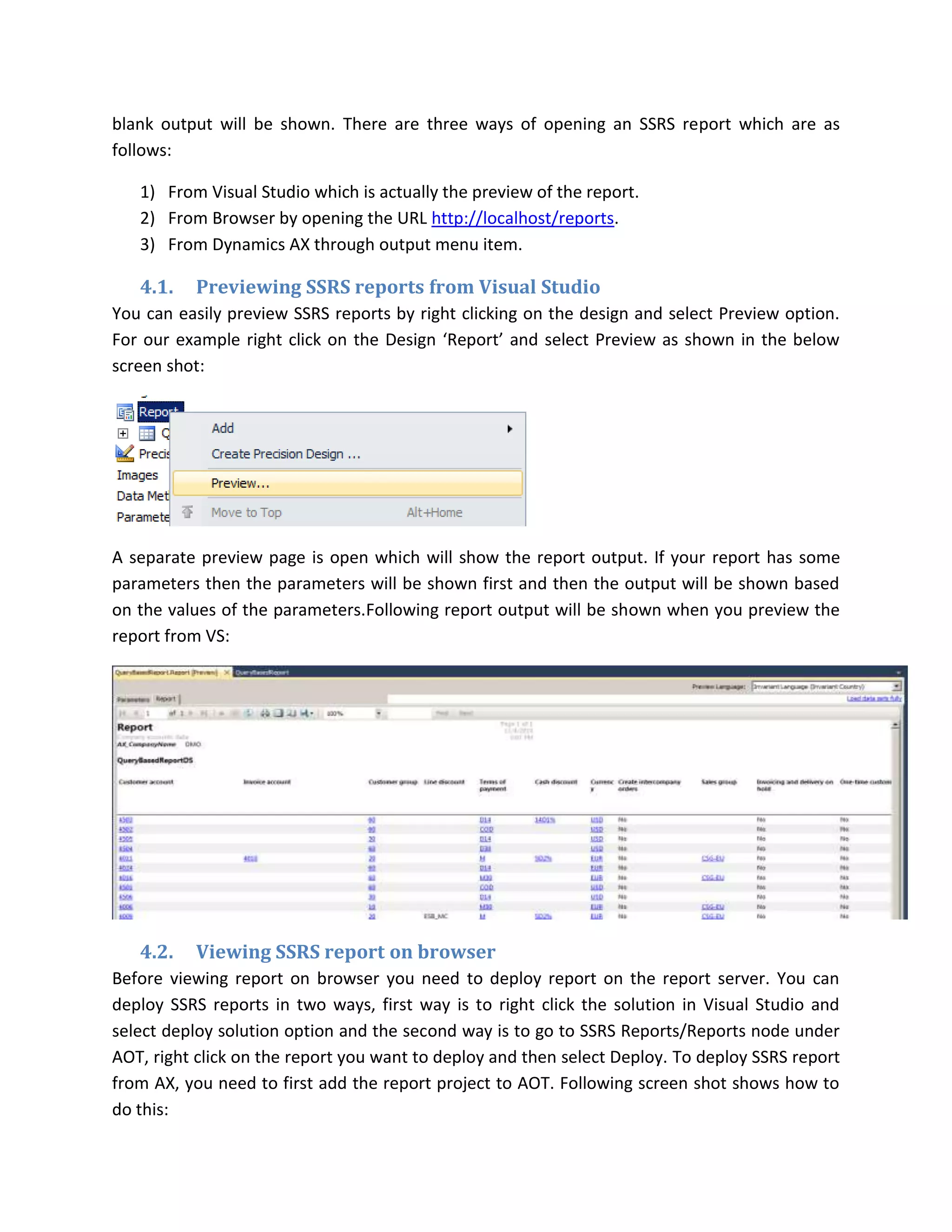
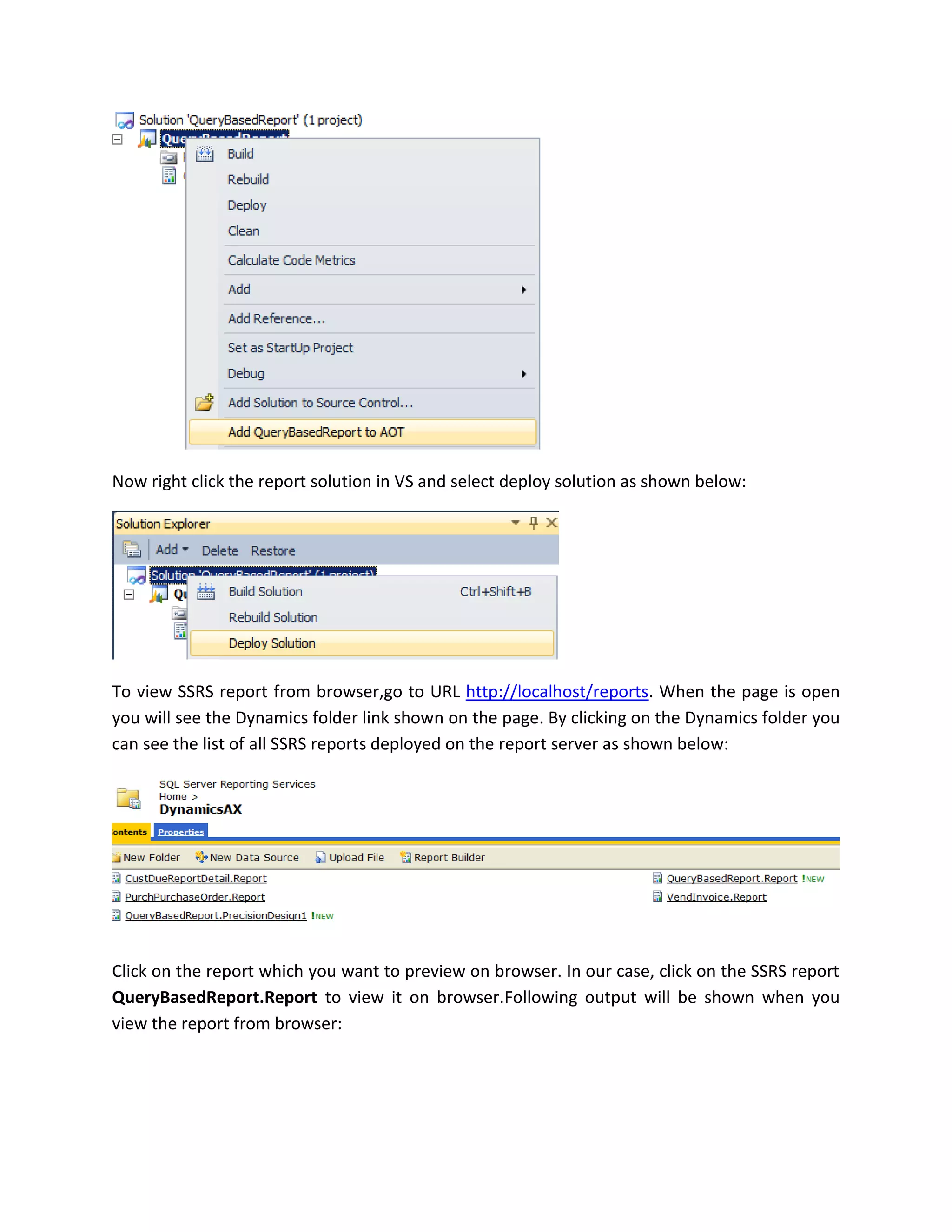
![5. Developing RDP based SSRS reports
RDP (Report data provider) based reports are developed, when reports has a complex logic that cannot
be achieved by just using an AOT query. In RDP based reports, in addition to an AOT query, an RDP class
is developed which contains the report logic. After processing all the report logic, the data is filled into
the temporary table which is used as a data source for SSRS report. Now, I am going to describe about
how to build an RDP based report. We will modify the previous AOT query for this example to add the
CustTrans data source. The query will now look like as shown below:
Now create a new RDP class and name it SampleReportDP.To create RDP based report, following objects
needs to be created:
An RDP class.
An AOT query.
A temp table.
The query has been modified for this example and now RDP class and temp table needs to be
created.Just for a demo purpose, I have thought of a requirement where we need to display the
transaction amount based on the customer group. The logic is as follows:
If (customer group is 20) then multiply the transaction amount by 20
If (customer group is 40) then multiply the transaction amount by 40
If (customer group is 60) then multiply the transaction amount by 60
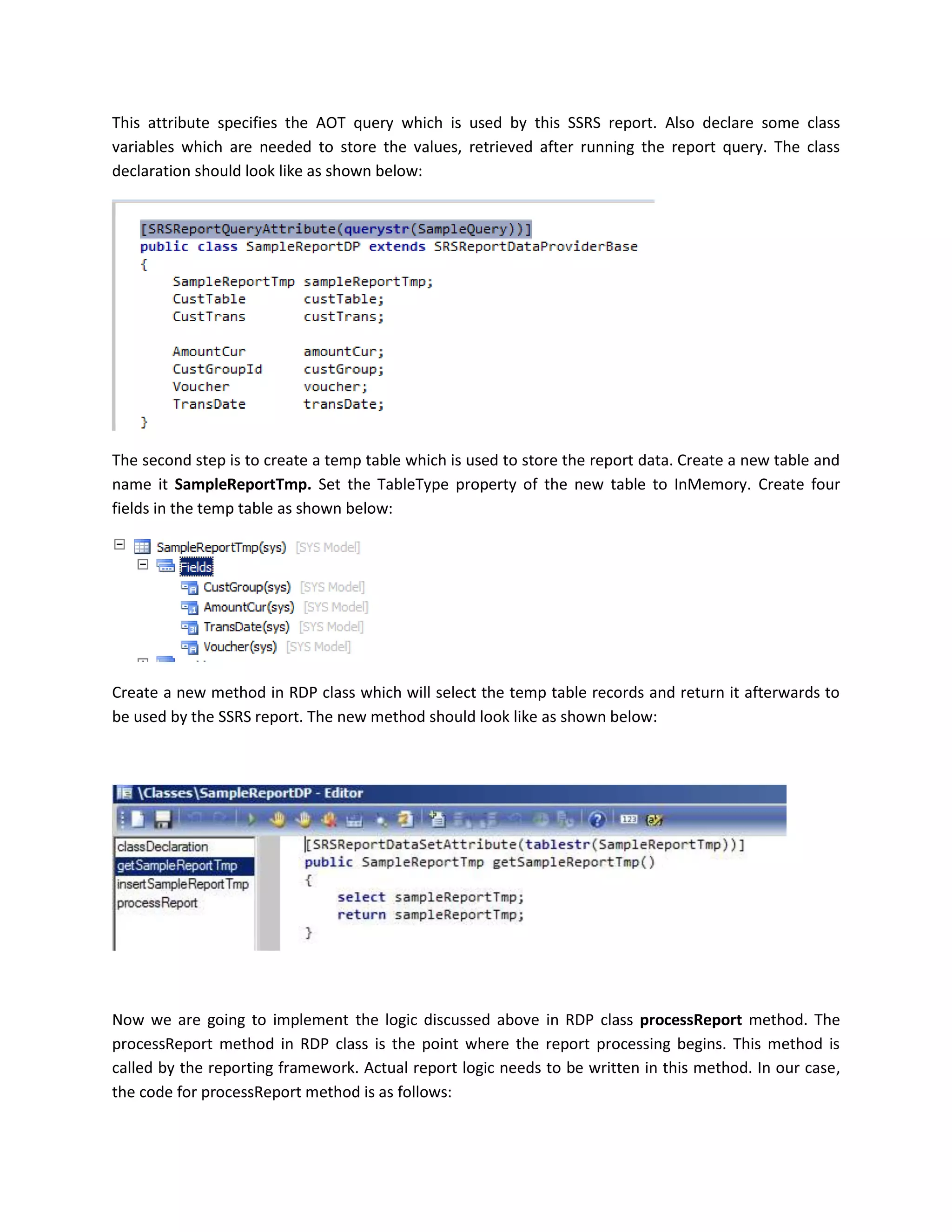
Create a new class and name it SampleReportDP. In class declaration extend the class from
SRSReportDataProviderBaseclass. Add the following line before class declaration:
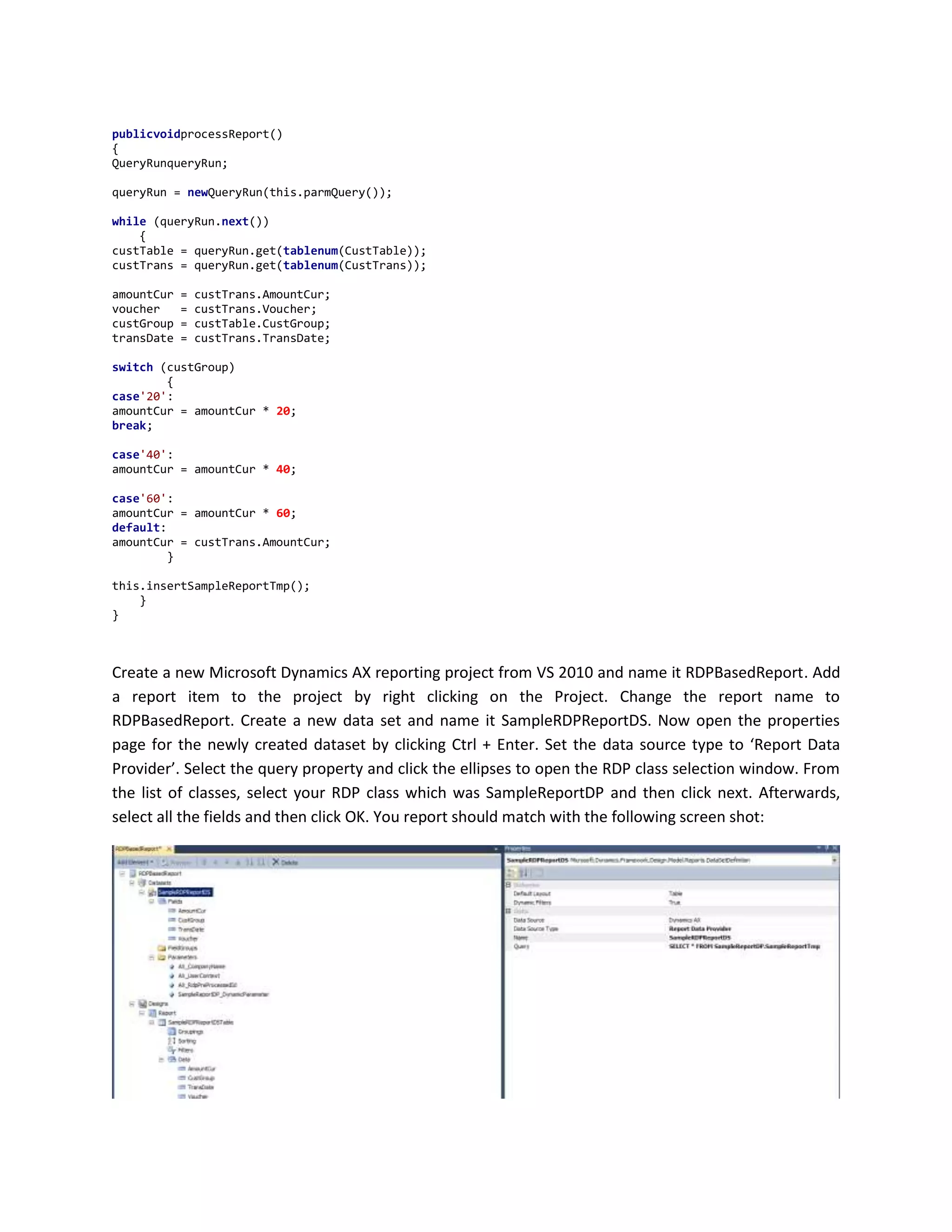
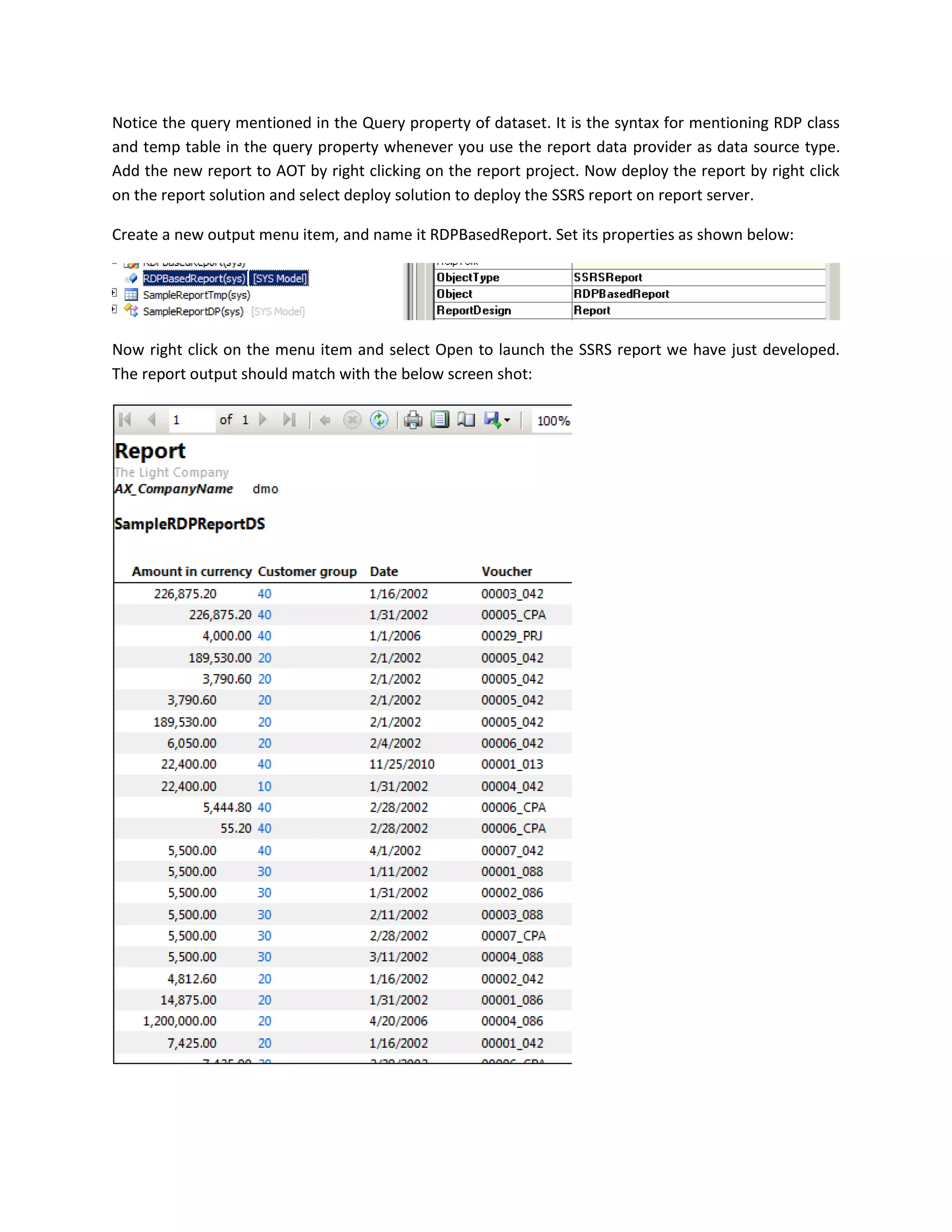
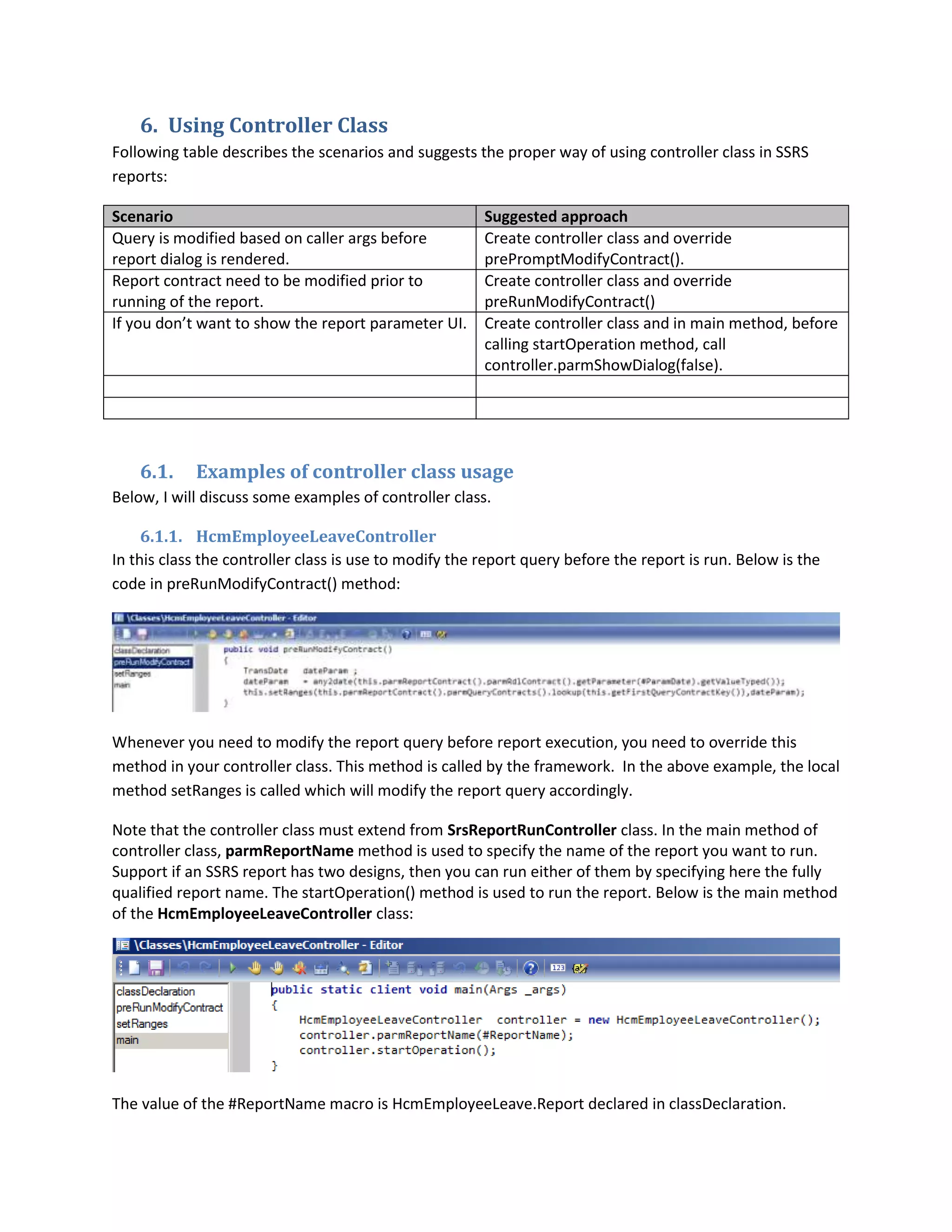
[SRSReportQueryAttribute(querystr(SampleQuery))]](https://image.slidesharecdn.com/developing-ssrs-reports-for-dynamics-ax-131013213805-phpapp01/75/Developing-ssrs-reports-for-dynamics-ax-17-2048.jpg)
![7.1.
Defining label and help text for parameters
Label and help text for report parameters can be defined through attributes on the data contract class.
Before the definition of each parm methods, label and help text attributest can be defined. Following
code snippet shows an example of defining label and help text attributes for report parameters:
[
AifDataMemberAttribute('DifferencesOnly'),
SysOperationLabelAttribute(literalstr("@SYS57830")),
SysOperationHelpTextAttribute(literalstr("@SYS328295"))
]
publicbooleanparmDifferencesOnly(boolean _differencesOnly = differencesOnly)
{
differencesOnly = _differencesOnly;
returndifferencesOnly;
}
The SysOperationLabelAttribute attribute is used to define label for report parameter and
SysOperationHelpTextAttribute is used to define help text for report parameter.](https://image.slidesharecdn.com/developing-ssrs-reports-for-dynamics-ax-131013213805-phpapp01/75/Developing-ssrs-reports-for-dynamics-ax-23-2048.jpg)

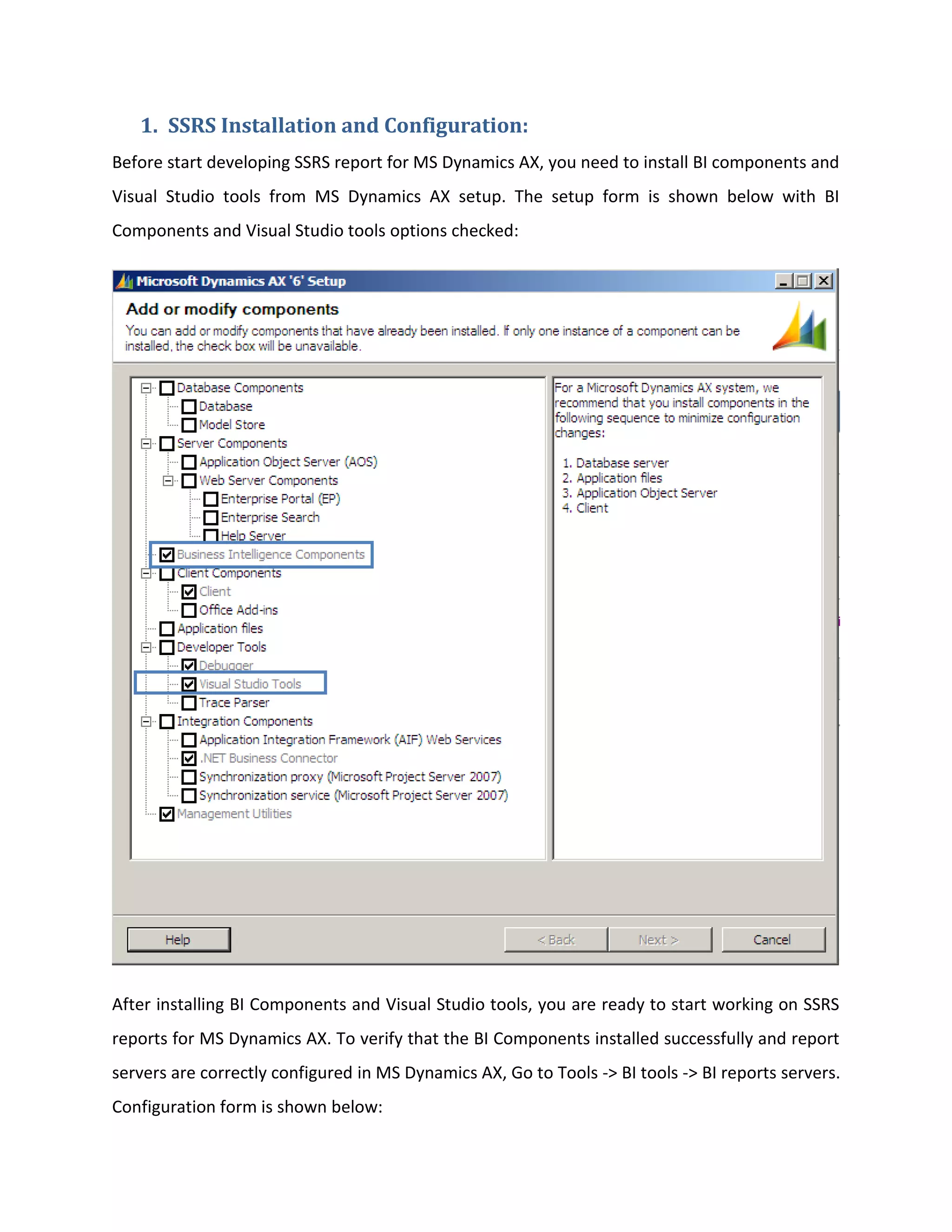
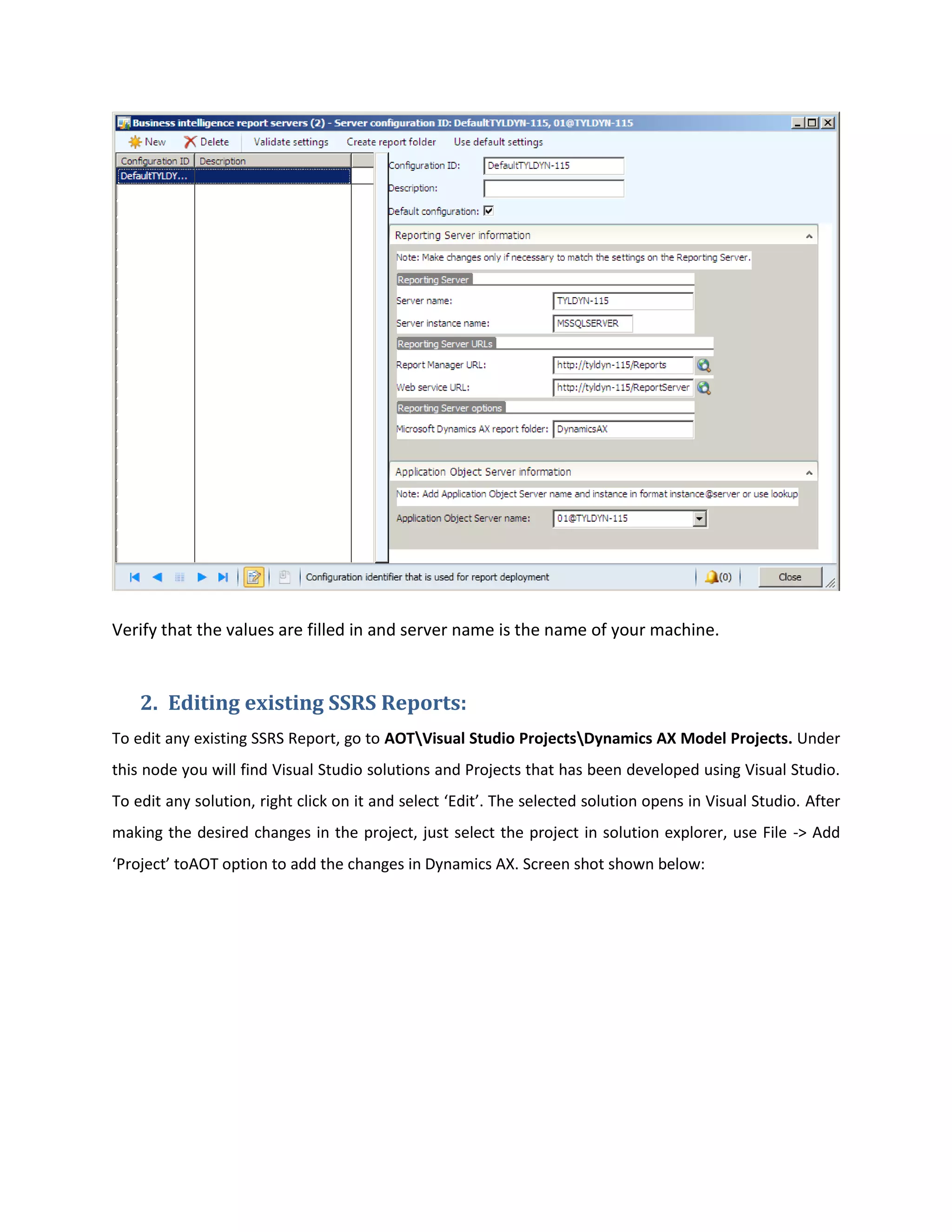
This document discusses developing SQL Server Reporting Services (SSRS) reports for Microsoft Dynamics AX. It covers installing and configuring SSRS, editing existing reports, developing new reports, and creating query-based reports using Visual Studio. Key steps include installing BI components from the AX setup, creating an AOT query to use as the report's data source, adding a dataset in Visual Studio linked to the AOT query, and dragging fields from the dataset onto a report design to display the data. Reports can be previewed in Visual Studio, viewed on the browser by URL, or opened from within Dynamics AX. Parameters and filters can customize the reports.


