Getting Started with SQL
Reporting Services


                      Hosted by Kacie Frey
                      Presented by Jeff Lininger
SSRS Terminology
• Report Items
  – Text boxes, Rectangle, Image
• Data Regions
  – An item that displays repeated rows of data
  – List – data arranged in a free form fashion
  – Table- a banded, tabular report
  – Matrix- a cross-tab (or pivot table) report
  – Chart- a graph


                                         2
SSRS Terminology (cont.)
• Data Source – a database
• DataSet – a query against a datasource
• Sub Report
  – Report embedded within a report.
• Drill Down Report
  – Allows information to collapsed / expanded on
    the report.
• Drill Through Report
  – Report link to jump to more detailed reports.

                                          3
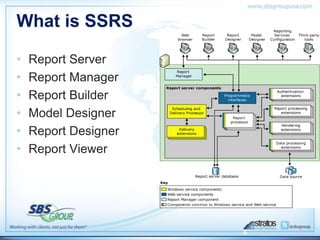
What is SSRS

•   Report Server
•   Report Manager
•   Report Builder
•   Model Designer
•   Report Designer
•   Report Viewer


                      4
SSRS Components
• Report Server
  – Processes report requests and makes on demand
    access or scheduled distribution.
• Report Manager
  – View, Search, Subscribe to reports
• Report Builder
  – Designed for users familiar with Office to quickly build
    reports.
  – Uses predefined Report Models to drag and drop
    report items onto data regions.
  – A ClickOnce Winform application which runs on the
    client’s machine and publishes reports as RDL files to
    the Report Server.

                                                 5
SSRS Components (cont.)
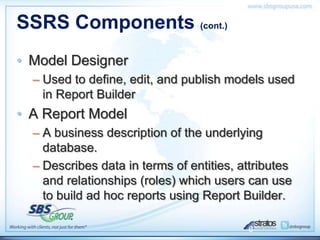
• Model Designer
  – Used to define, edit, and publish models used
    in Report Builder
• A Report Model
  – A business description of the underlying
    database.
  – Describes data in terms of entities, attributes
    and relationships (roles) which users can use
    to build ad hoc reports using Report Builder.

                                          6
SSRS Components (cont.)
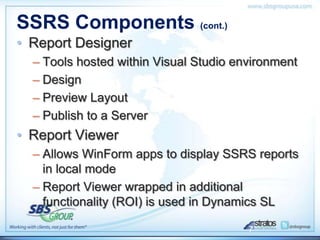
• Report Designer
  – Tools hosted within Visual Studio environment
  – Design
  – Preview Layout
  – Publish to a Server
• Report Viewer
  – Allows WinForm apps to display SSRS reports
    in local mode
  – Report Viewer wrapped in additional
    functionality (ROI) is used in Dynamics SL

                                        7
SSRS Environment
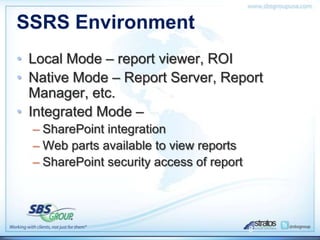
• Local Mode – report viewer, ROI
• Native Mode – Report Server, Report
  Manager, etc.
• Integrated Mode –
  – SharePoint integration
  – Web parts available to view reports
  – SharePoint security access of report


                                           8
SSRS Environment (cont.)
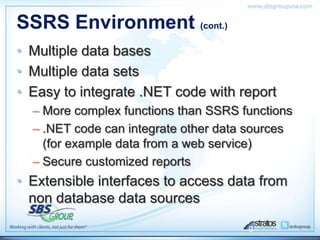
• Multiple data bases
• Multiple data sets
• Easy to integrate .NET code with report
  – More complex functions than SSRS functions
  – .NET code can integrate other data sources
    (for example data from a web service)
  – Secure customized reports
• Extensible interfaces to access data from
  non database data sources

                                      9
Getting Started with SQL Reporting Services Webinar

Getting Started with SQL Reporting Services Webinar

  • 1.
    Getting Started withSQL Reporting Services Hosted by Kacie Frey Presented by Jeff Lininger
  • 2.
    SSRS Terminology • ReportItems – Text boxes, Rectangle, Image • Data Regions – An item that displays repeated rows of data – List – data arranged in a free form fashion – Table- a banded, tabular report – Matrix- a cross-tab (or pivot table) report – Chart- a graph 2
  • 3.
    SSRS Terminology (cont.) •Data Source – a database • DataSet – a query against a datasource • Sub Report – Report embedded within a report. • Drill Down Report – Allows information to collapsed / expanded on the report. • Drill Through Report – Report link to jump to more detailed reports. 3
  • 4.
    What is SSRS • Report Server • Report Manager • Report Builder • Model Designer • Report Designer • Report Viewer 4
  • 5.
    SSRS Components • ReportServer – Processes report requests and makes on demand access or scheduled distribution. • Report Manager – View, Search, Subscribe to reports • Report Builder – Designed for users familiar with Office to quickly build reports. – Uses predefined Report Models to drag and drop report items onto data regions. – A ClickOnce Winform application which runs on the client’s machine and publishes reports as RDL files to the Report Server. 5
  • 6.
    SSRS Components (cont.) •Model Designer – Used to define, edit, and publish models used in Report Builder • A Report Model – A business description of the underlying database. – Describes data in terms of entities, attributes and relationships (roles) which users can use to build ad hoc reports using Report Builder. 6
  • 7.
    SSRS Components (cont.) •Report Designer – Tools hosted within Visual Studio environment – Design – Preview Layout – Publish to a Server • Report Viewer – Allows WinForm apps to display SSRS reports in local mode – Report Viewer wrapped in additional functionality (ROI) is used in Dynamics SL 7
  • 8.
    SSRS Environment • LocalMode – report viewer, ROI • Native Mode – Report Server, Report Manager, etc. • Integrated Mode – – SharePoint integration – Web parts available to view reports – SharePoint security access of report 8
  • 9.
    SSRS Environment (cont.) •Multiple data bases • Multiple data sets • Easy to integrate .NET code with report – More complex functions than SSRS functions – .NET code can integrate other data sources (for example data from a web service) – Secure customized reports • Extensible interfaces to access data from non database data sources 9