Desktop Management:  Achieving Unrivaled Performance Nick Cavalancia, VP Windows Management Bob Crosley, Senior Product Manager
Who is ScriptLogic? Founded in 2000 Focus on 3 key areas: Desktop Management Active Directory Management  Windows Server Management Customer Base 26,000+ customers worldwide From SMB to Fortune 100 6.7M Windows desktops and 225,000 servers  Headquartered in Boca Raton, Florida Subsidiary of Quest Software since 2007
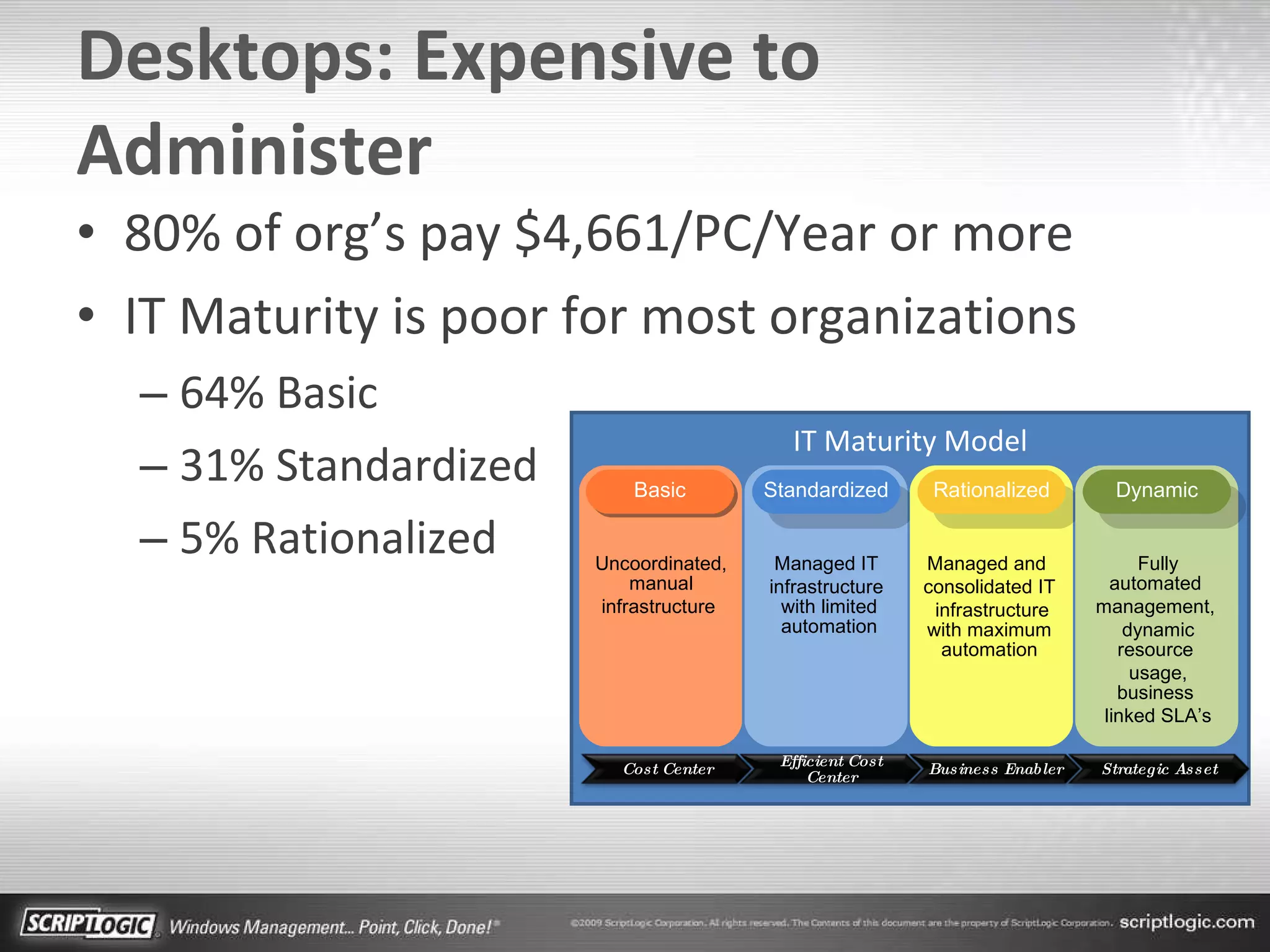
Desktops: Expensive to Administer 80% of org’s pay $4,661/PC/Year or more IT Maturity is poor for most organizations 64% Basic 31% Standardized 5% Rationalized IT Maturity Model Uncoordinated, manual infrastructure  Managed IT  infrastructure  with limited automation Managed and  consolidated IT infrastructure with maximum automation Fully automated  management,  dynamic resource  usage, business  linked SLA’s Standardized Rationalized Dynamic Basic Cost Center Efficient Cost Center Business Enabler Strategic Asset
Agenda Maximize the automation of each area of Desktop Management Computer Needs User Environment Remote Support Complement SMS/SCCM Deployments
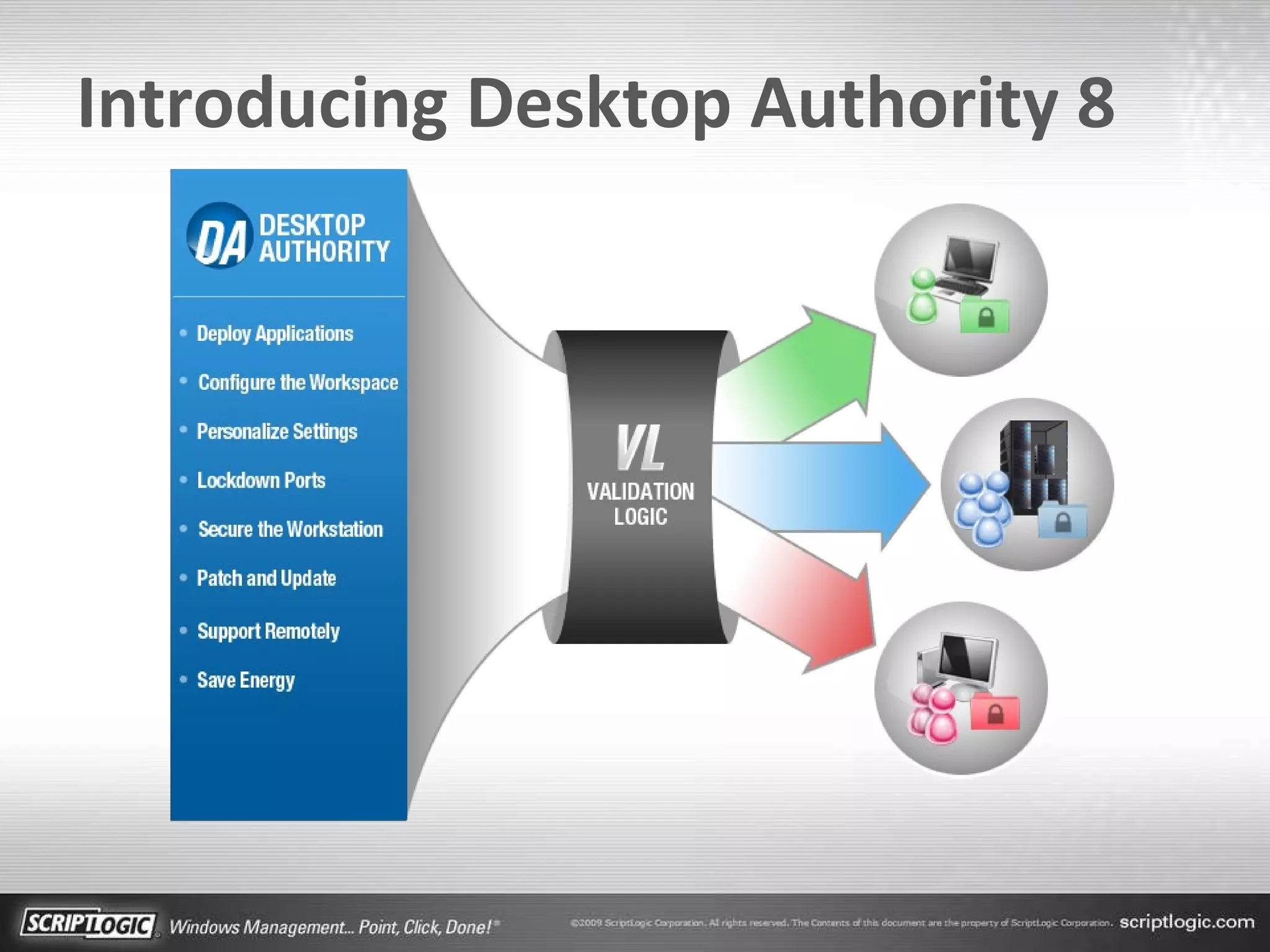
Introducing Desktop Authority 8
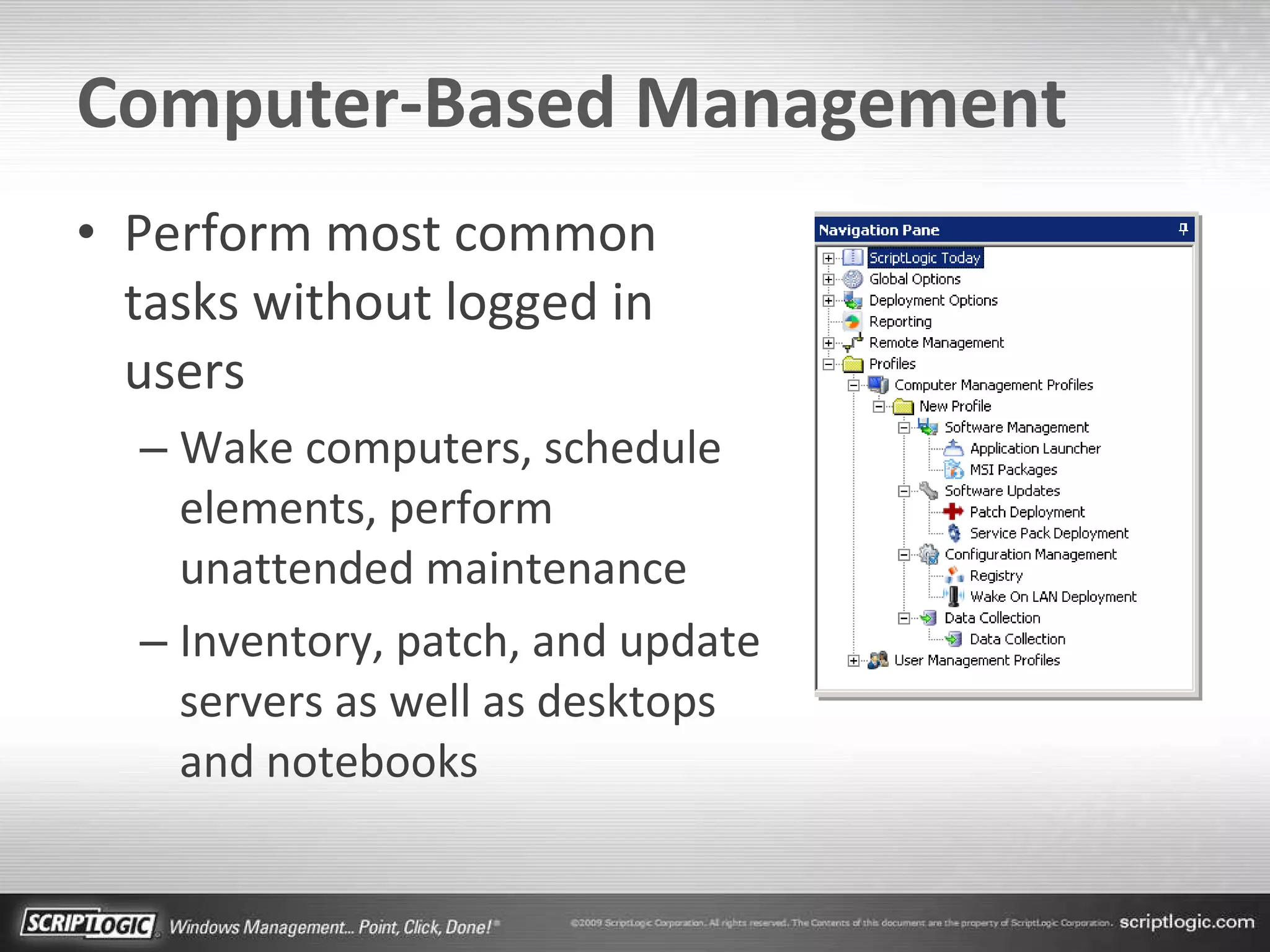
Computer-Based Management Perform most common tasks without logged in users Wake computers, schedule elements, perform unattended maintenance Inventory, patch, and update servers as well as desktops and notebooks
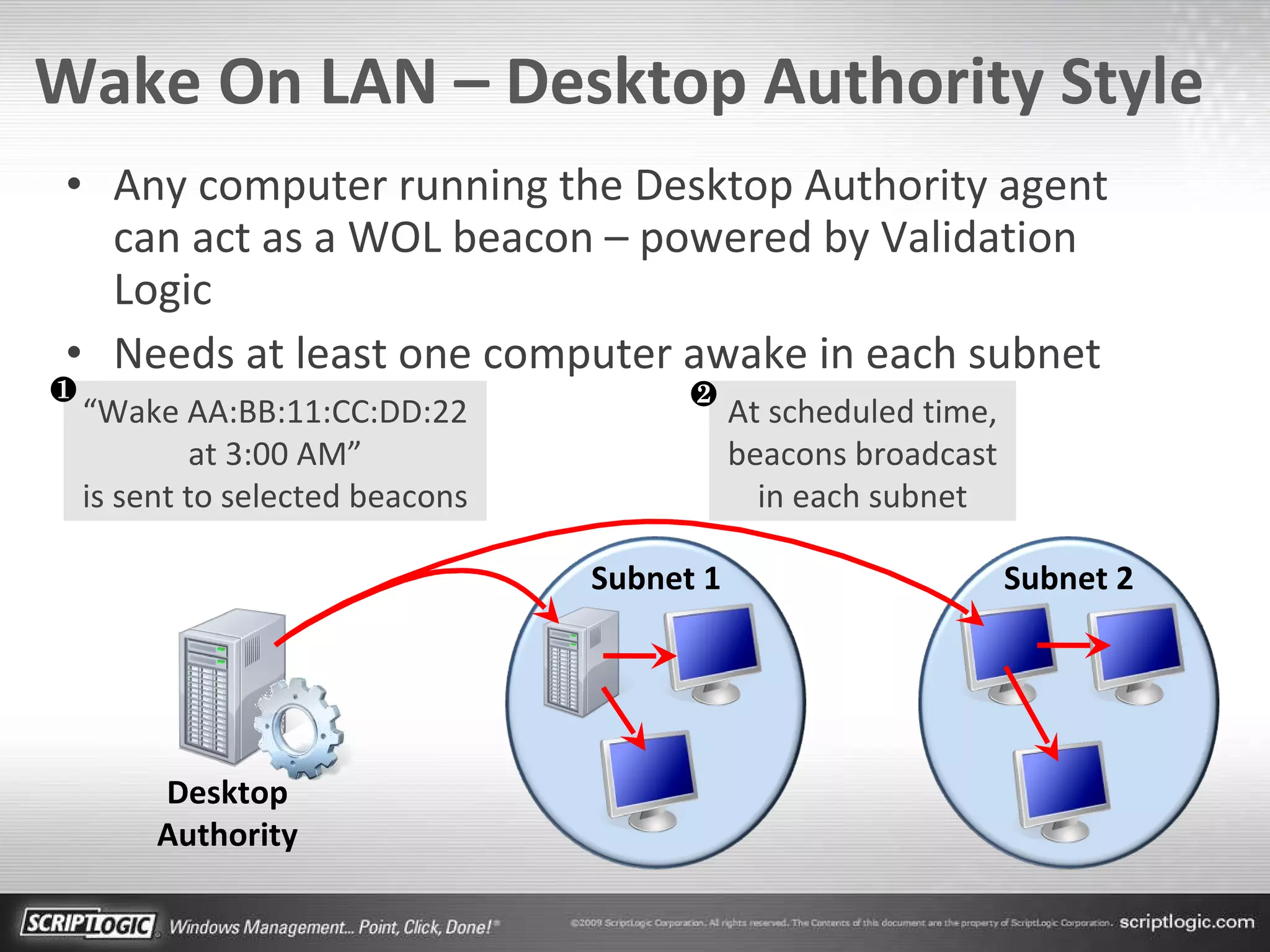
Wake On LAN – Desktop Authority Style Any computer running the Desktop Authority agent can act as a WOL beacon – powered by Validation Logic Needs at least one computer awake in each subnet Subnet 1 Subnet 2 Desktop Authority “ Wake AA:BB:11:CC:DD:22 at 3:00 AM” is sent to selected beacons At scheduled time, beacons broadcast in each subnet ❷ ❶
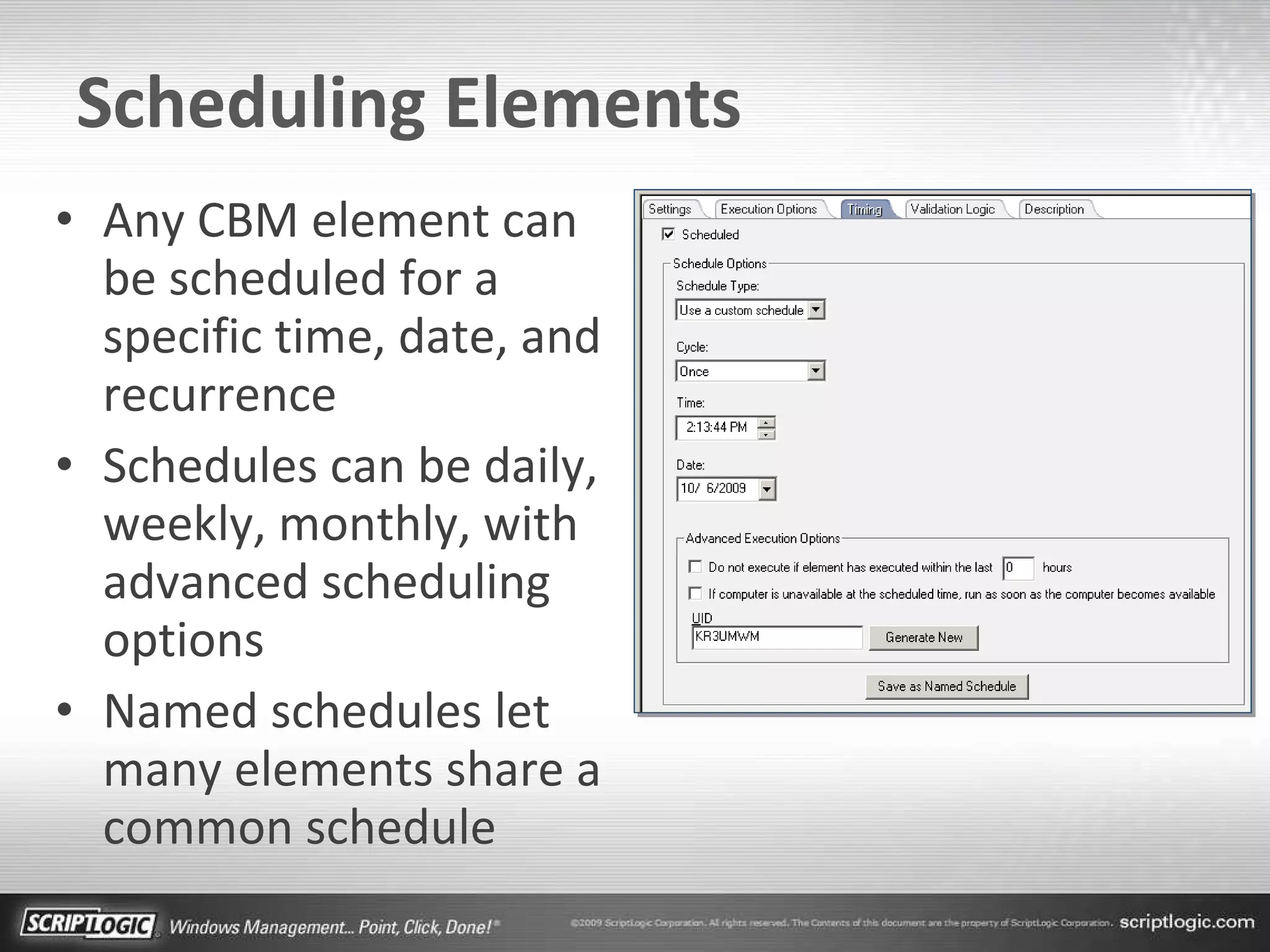
Scheduling Elements Any CBM element can be scheduled for a specific time, date, and recurrence Schedules can be daily, weekly, monthly, with advanced scheduling options Named schedules let many elements share a common schedule
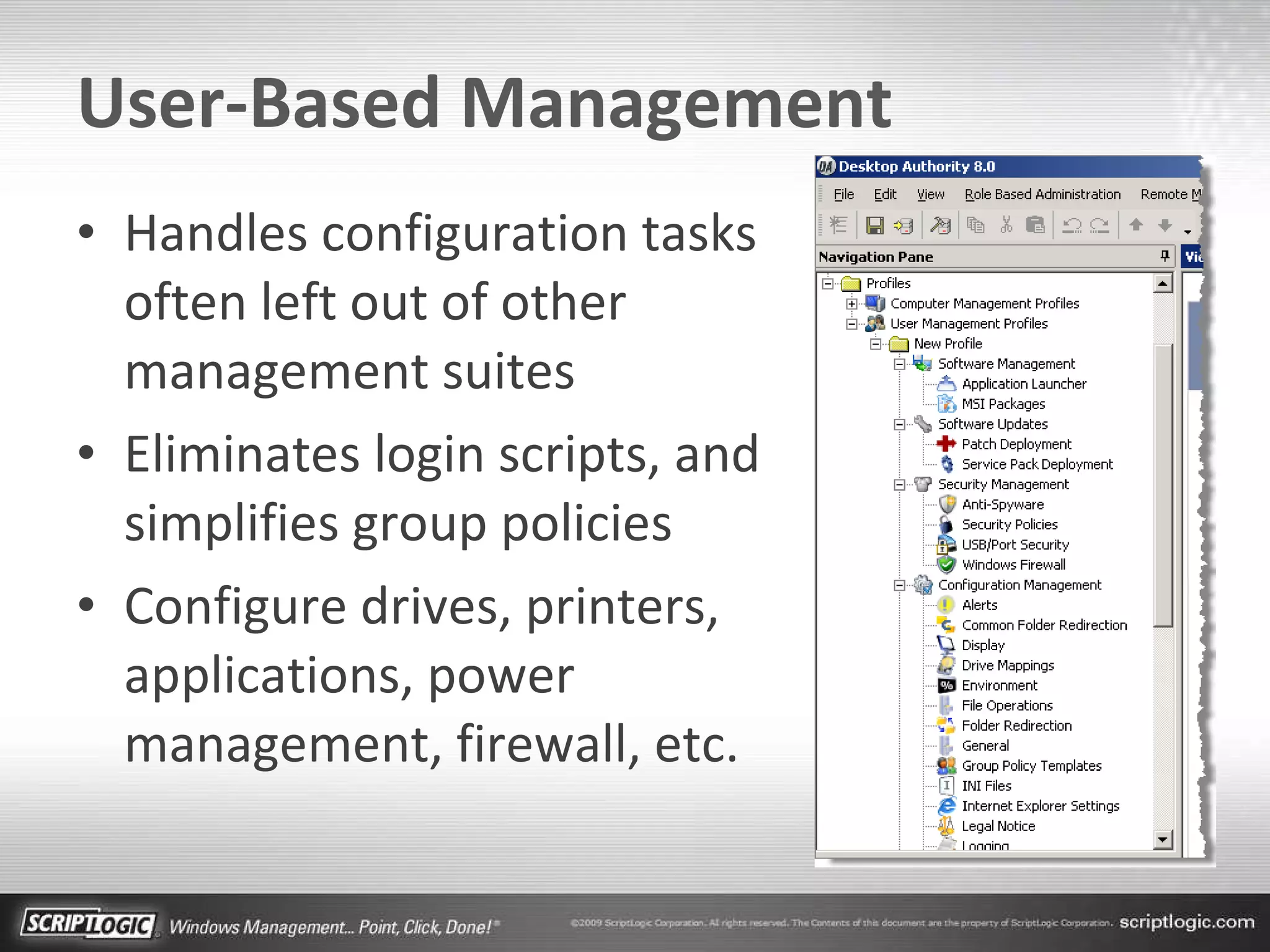
User-Based Management Handles configuration tasks often left out of other management suites Eliminates login scripts, and simplifies group policies Configure drives, printers, applications, power management, firewall, etc.
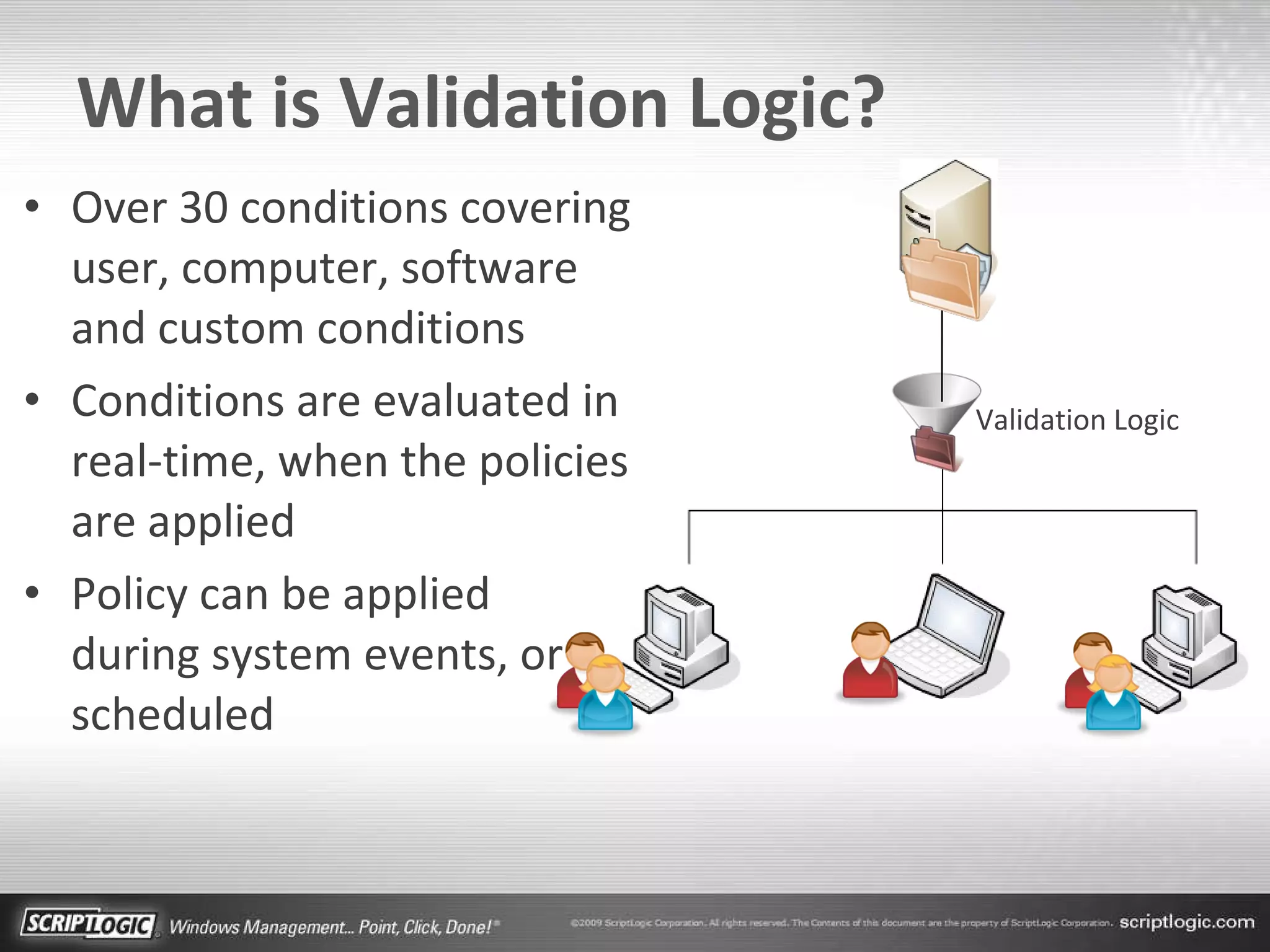
What is Validation Logic? Over 30 conditions covering user, computer, software and custom conditions Conditions are evaluated in real-time, when the policies are applied Policy can be applied  during system events, or scheduled Validation Logic
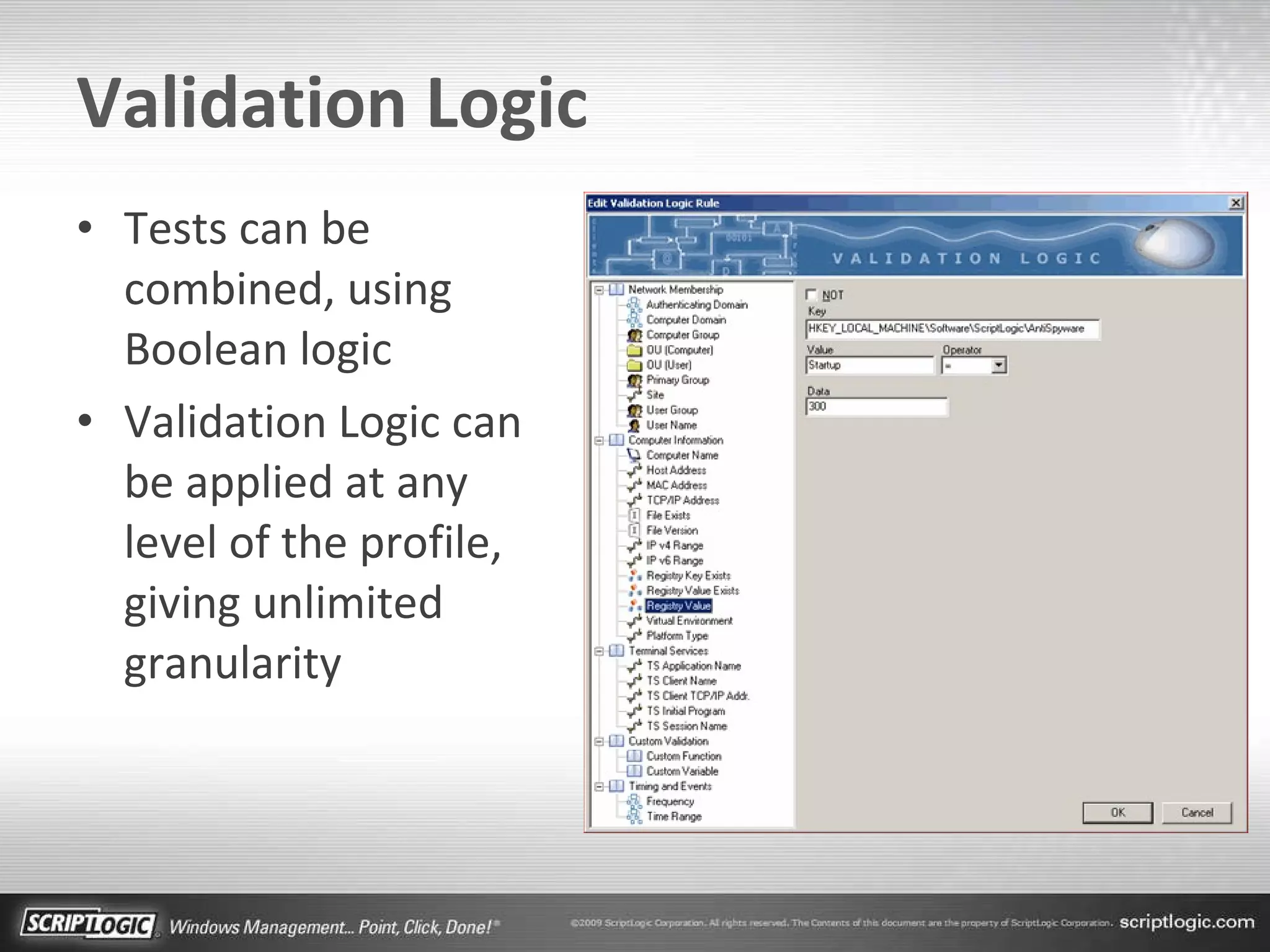
Validation Logic Tests can be combined, using Boolean logic Validation Logic can be applied at any level of the profile, giving unlimited granularity
Product Tour
Remote Support 3 Key Areas Remote  Management  “Behind the Screen” Remote  Control Remote  Support  “Beyond the Walls”
Remote Support Center Included with Desktop Authority Purchase Secure web-based support solution with two clients, one included, one optional: ExpertAssist (Included) -  robust resident anytime remote management InstantAssist (Optional) -  on-demand, zero-install remote control
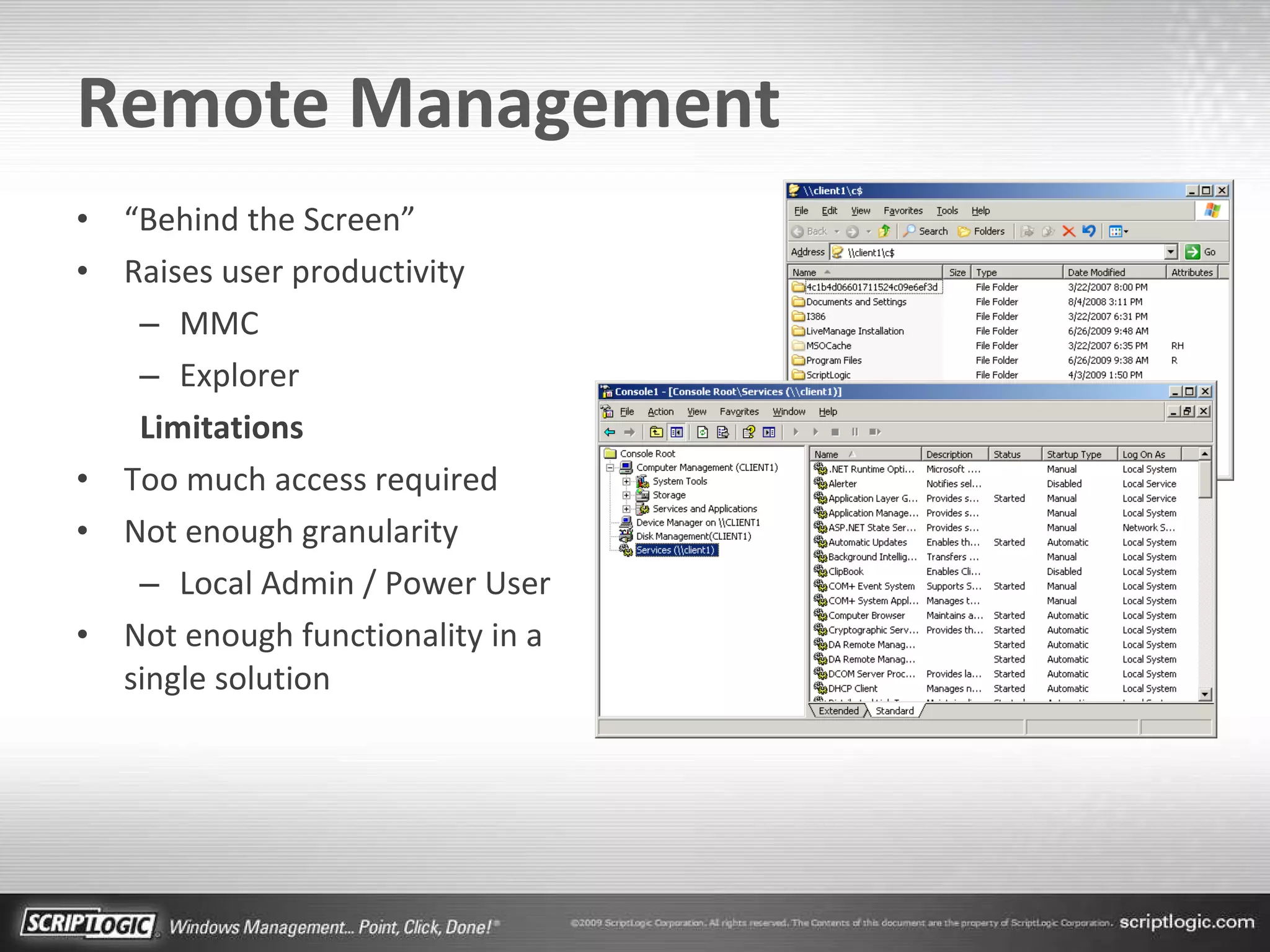
Remote Management “ Behind the Screen” Raises user productivity MMC Explorer Limitations Too much access required Not enough granularity Local Admin / Power User Not enough functionality in a single solution
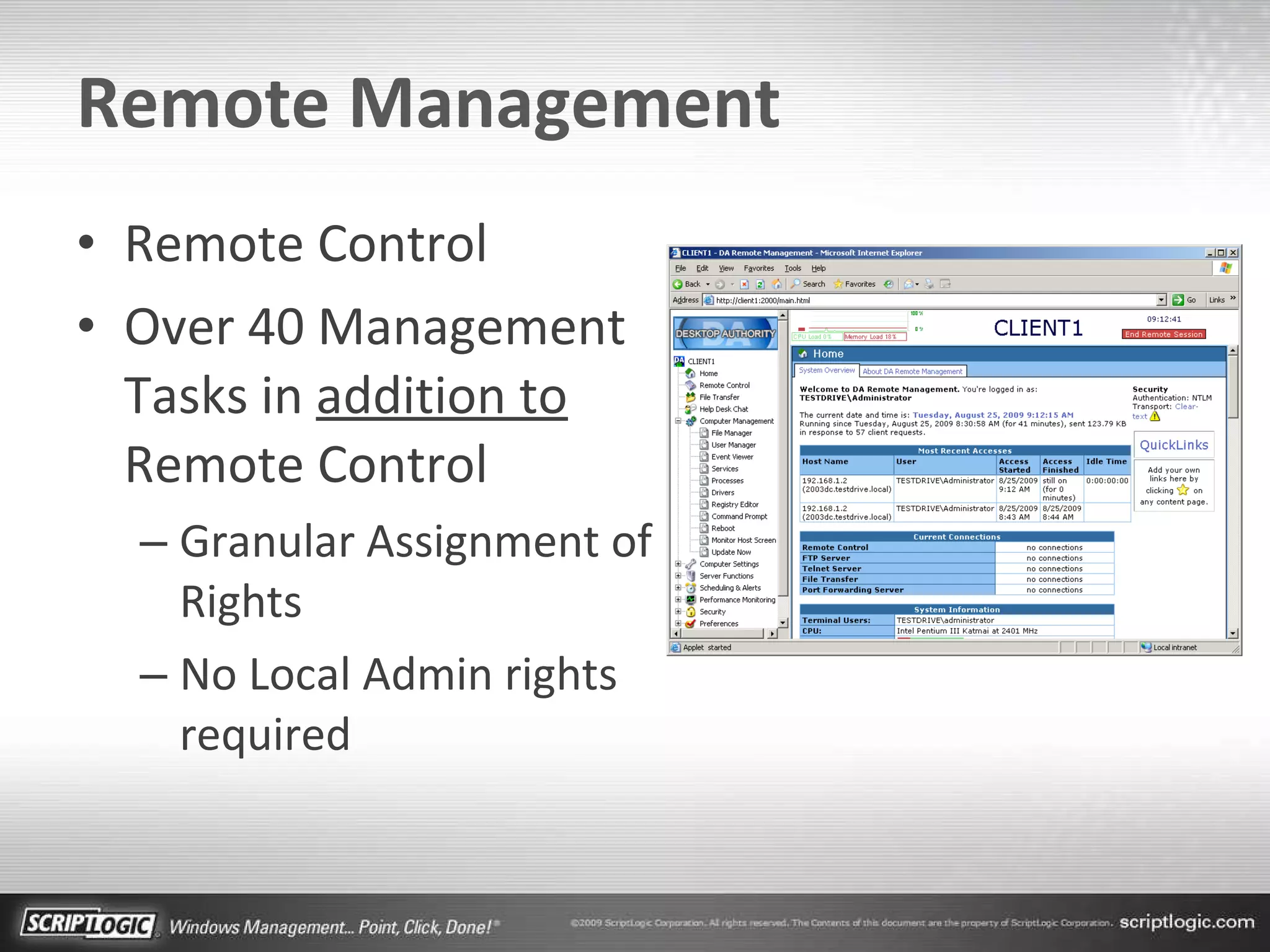
Remote Management Remote Control Over 40 Management Tasks in  addition to  Remote Control Granular Assignment of Rights No Local Admin rights required
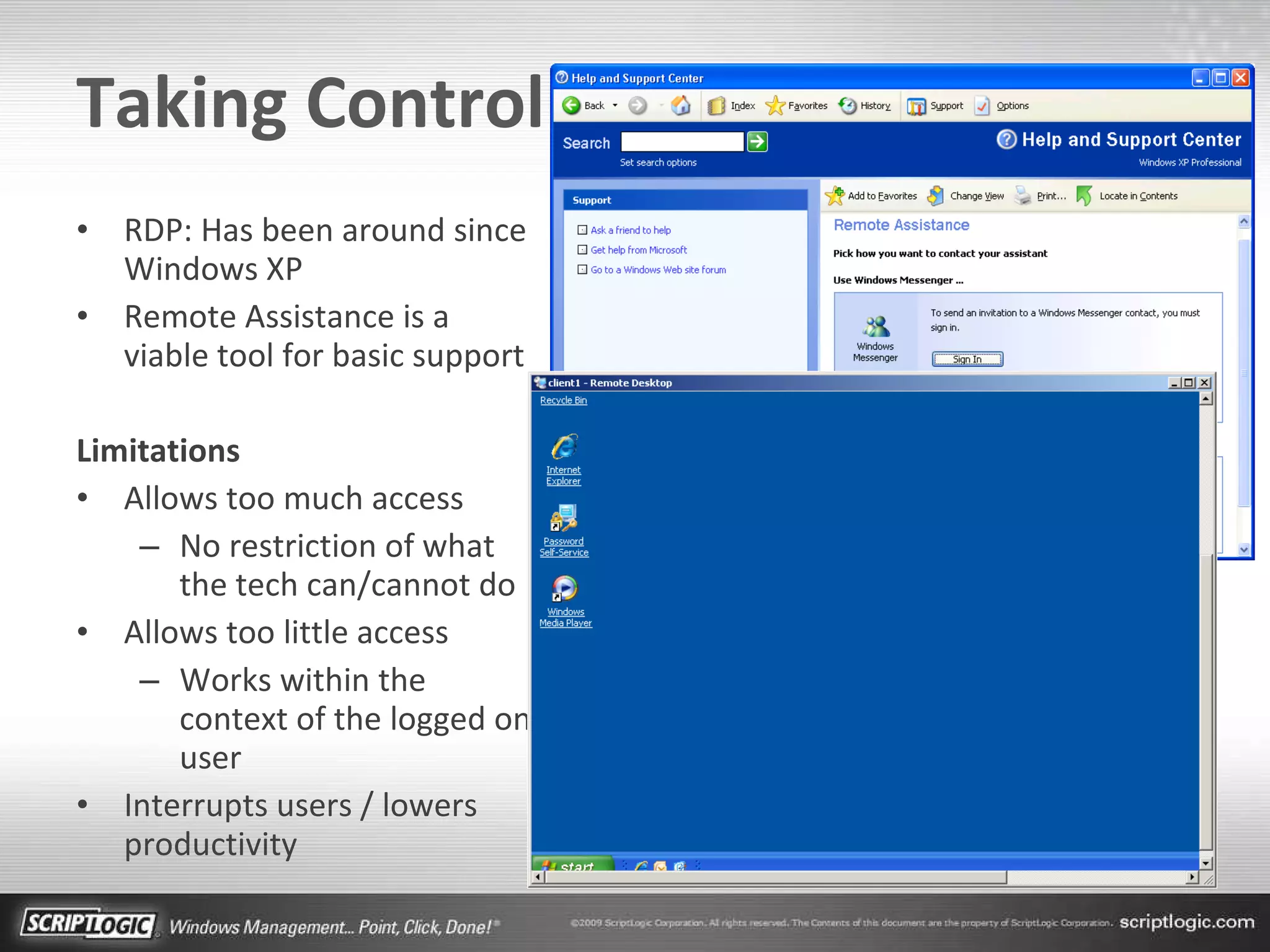
Taking Control RDP: Has been around since Windows XP Remote Assistance is a viable tool for basic support Limitations Allows too much access No restriction of what the tech can/cannot do Allows too little access Works within the context of the logged on user Interrupts users / lowers productivity
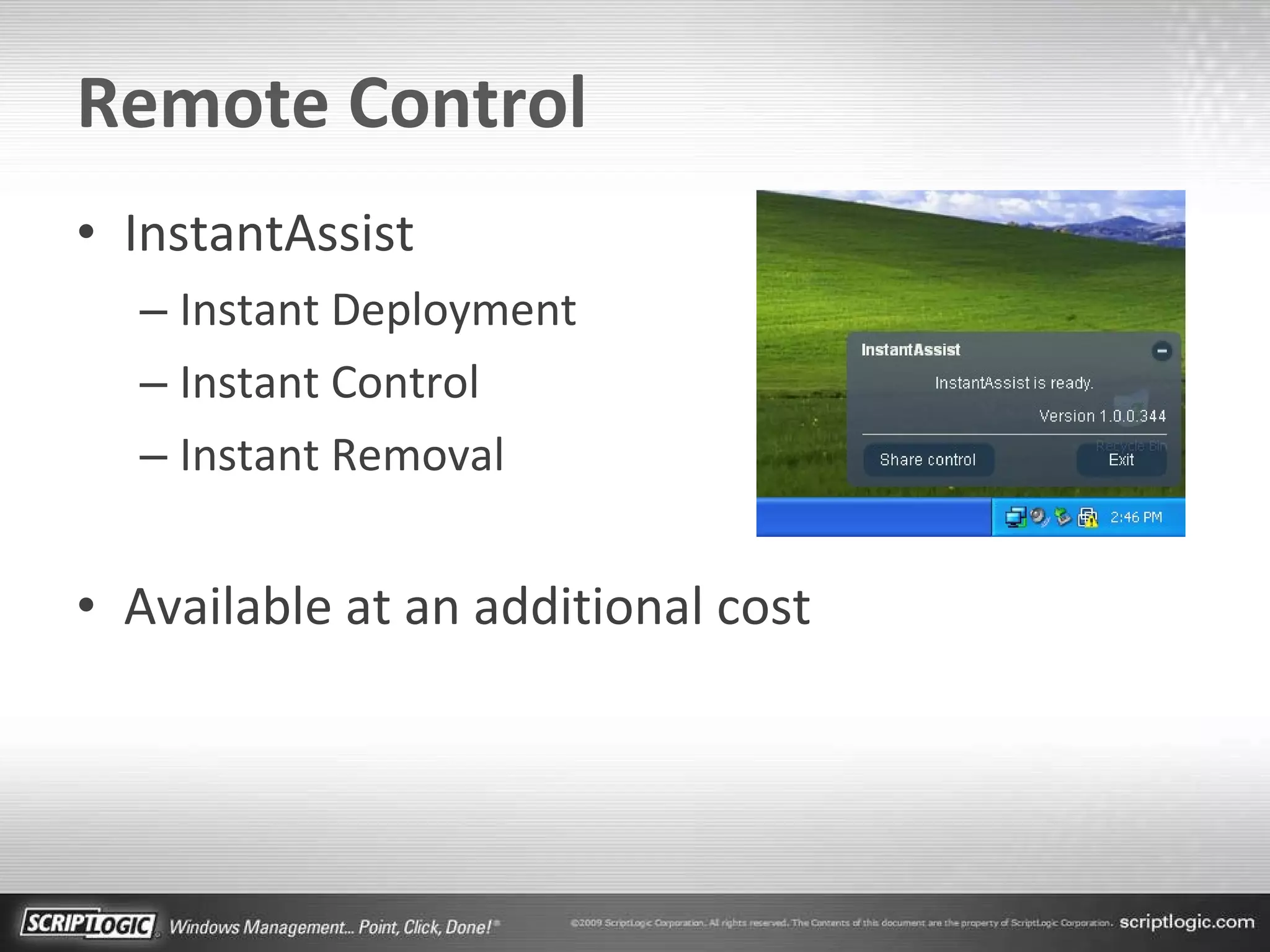
Remote Control InstantAssist Instant Deployment Instant Control Instant Removal Available at an additional cost
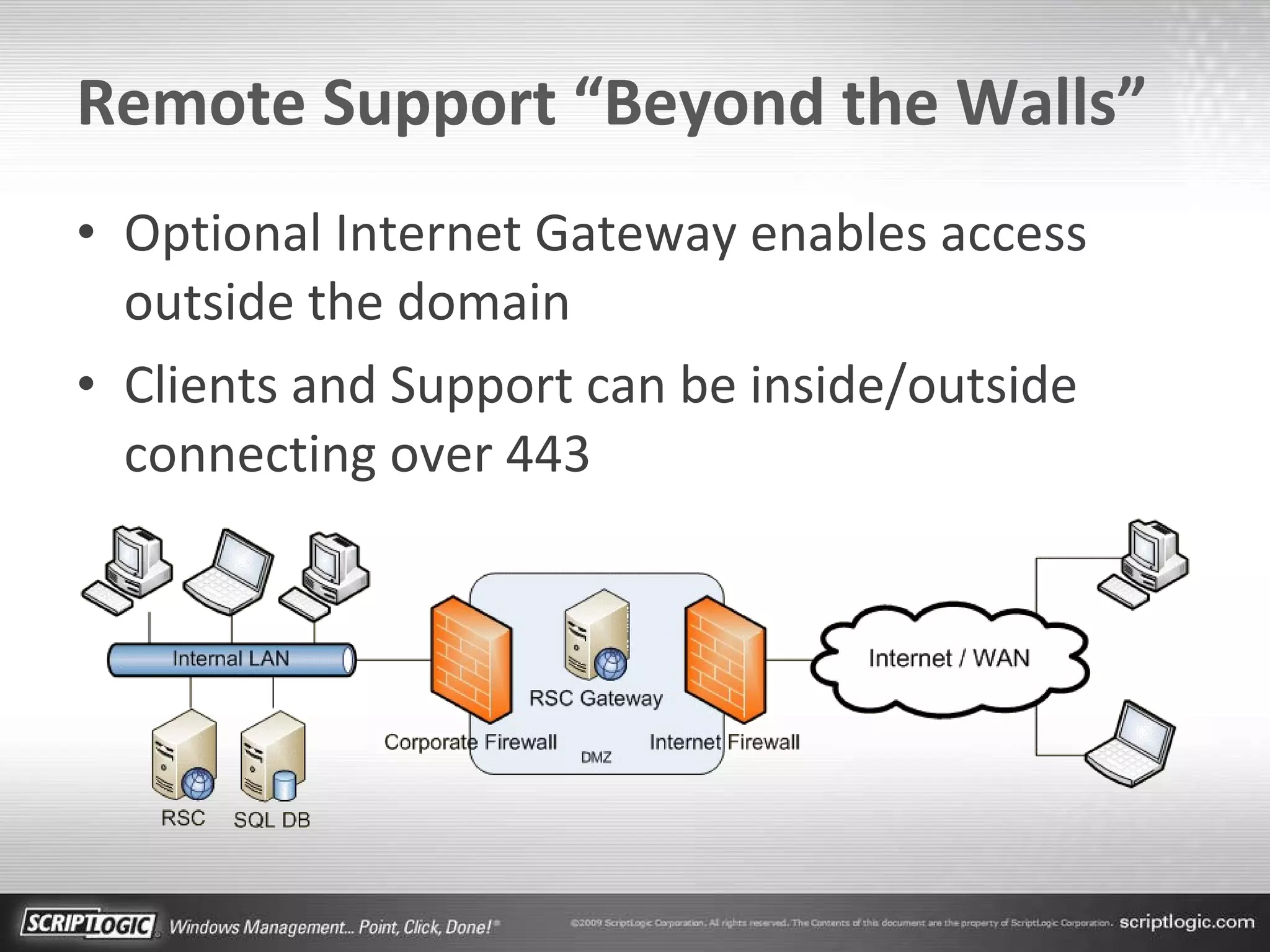
Remote Support “Beyond the Walls” Optional Internet Gateway enables access outside the domain Clients and Support can be inside/outside connecting over 443
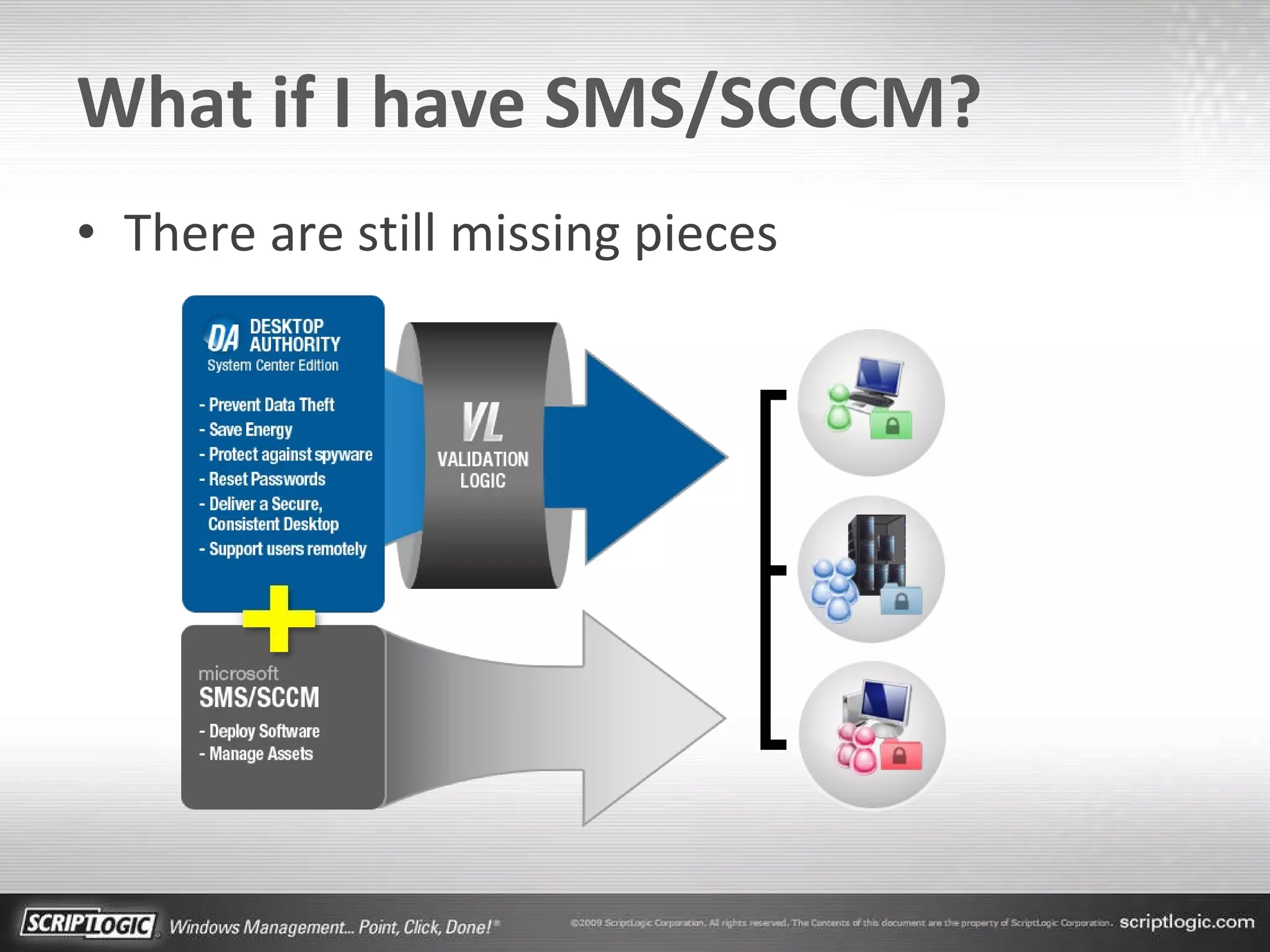
What if I have SMS/SCCCM? There are still missing pieces
Desktop Authority SCE Benefits Complement SMS/SCCM by adding: Granular desktop and application configuration Standardized and managed user environment Inactivity monitoring and advanced power management Third party patching support USB port control and lockdown Market leading remote support features Improved user satisfaction and uptime
Summary IT Maturity    = Management Costs  Desktop Authority uniquely provides Computer-Based Management User-Based Management Remote Support SMS/SCCM environments still benefit from Desktop Authority!
Resources Desktop Authority scriptlogic.com/da 30-day Free Trial / Online TestDrive Whitepaper  “5 Things You Need to Know About DA 8.0” Desktop Authority System Center Edition Scriptlogic.com/da/sce 30-day Free Trial / Online TestDrive Whitepaper  “Desktop Authority and the Well-Managed Network”
Netbook Giveaway And the winner is…
Thank You

Desktop Management: Achieving Unrivaled Performance

  • 1.
    Desktop Management: Achieving Unrivaled Performance Nick Cavalancia, VP Windows Management Bob Crosley, Senior Product Manager
  • 2.
    Who is ScriptLogic?Founded in 2000 Focus on 3 key areas: Desktop Management Active Directory Management Windows Server Management Customer Base 26,000+ customers worldwide From SMB to Fortune 100 6.7M Windows desktops and 225,000 servers Headquartered in Boca Raton, Florida Subsidiary of Quest Software since 2007
  • 3.
    Desktops: Expensive toAdminister 80% of org’s pay $4,661/PC/Year or more IT Maturity is poor for most organizations 64% Basic 31% Standardized 5% Rationalized IT Maturity Model Uncoordinated, manual infrastructure Managed IT infrastructure with limited automation Managed and consolidated IT infrastructure with maximum automation Fully automated management, dynamic resource usage, business linked SLA’s Standardized Rationalized Dynamic Basic Cost Center Efficient Cost Center Business Enabler Strategic Asset
  • 4.
    Agenda Maximize theautomation of each area of Desktop Management Computer Needs User Environment Remote Support Complement SMS/SCCM Deployments
  • 5.
  • 6.
    Computer-Based Management Performmost common tasks without logged in users Wake computers, schedule elements, perform unattended maintenance Inventory, patch, and update servers as well as desktops and notebooks
  • 7.
    Wake On LAN– Desktop Authority Style Any computer running the Desktop Authority agent can act as a WOL beacon – powered by Validation Logic Needs at least one computer awake in each subnet Subnet 1 Subnet 2 Desktop Authority “ Wake AA:BB:11:CC:DD:22 at 3:00 AM” is sent to selected beacons At scheduled time, beacons broadcast in each subnet ❷ ❶
  • 8.
    Scheduling Elements AnyCBM element can be scheduled for a specific time, date, and recurrence Schedules can be daily, weekly, monthly, with advanced scheduling options Named schedules let many elements share a common schedule
  • 9.
    User-Based Management Handlesconfiguration tasks often left out of other management suites Eliminates login scripts, and simplifies group policies Configure drives, printers, applications, power management, firewall, etc.
  • 10.
    What is ValidationLogic? Over 30 conditions covering user, computer, software and custom conditions Conditions are evaluated in real-time, when the policies are applied Policy can be applied during system events, or scheduled Validation Logic
  • 11.
    Validation Logic Testscan be combined, using Boolean logic Validation Logic can be applied at any level of the profile, giving unlimited granularity
  • 12.
  • 13.
    Remote Support 3Key Areas Remote Management “Behind the Screen” Remote Control Remote Support “Beyond the Walls”
  • 14.
    Remote Support CenterIncluded with Desktop Authority Purchase Secure web-based support solution with two clients, one included, one optional: ExpertAssist (Included) - robust resident anytime remote management InstantAssist (Optional) - on-demand, zero-install remote control
  • 15.
    Remote Management “Behind the Screen” Raises user productivity MMC Explorer Limitations Too much access required Not enough granularity Local Admin / Power User Not enough functionality in a single solution
  • 16.
    Remote Management RemoteControl Over 40 Management Tasks in addition to Remote Control Granular Assignment of Rights No Local Admin rights required
  • 17.
    Taking Control RDP:Has been around since Windows XP Remote Assistance is a viable tool for basic support Limitations Allows too much access No restriction of what the tech can/cannot do Allows too little access Works within the context of the logged on user Interrupts users / lowers productivity
  • 18.
    Remote Control InstantAssistInstant Deployment Instant Control Instant Removal Available at an additional cost
  • 19.
    Remote Support “Beyondthe Walls” Optional Internet Gateway enables access outside the domain Clients and Support can be inside/outside connecting over 443
  • 20.
    What if Ihave SMS/SCCCM? There are still missing pieces
  • 21.
    Desktop Authority SCEBenefits Complement SMS/SCCM by adding: Granular desktop and application configuration Standardized and managed user environment Inactivity monitoring and advanced power management Third party patching support USB port control and lockdown Market leading remote support features Improved user satisfaction and uptime
  • 22.
    Summary IT Maturity  = Management Costs  Desktop Authority uniquely provides Computer-Based Management User-Based Management Remote Support SMS/SCCM environments still benefit from Desktop Authority!
  • 23.
    Resources Desktop Authorityscriptlogic.com/da 30-day Free Trial / Online TestDrive Whitepaper “5 Things You Need to Know About DA 8.0” Desktop Authority System Center Edition Scriptlogic.com/da/sce 30-day Free Trial / Online TestDrive Whitepaper “Desktop Authority and the Well-Managed Network”
  • 24.
    Netbook Giveaway Andthe winner is…
  • 25.