
Configuration backup & Disaster recovery
Free Network Configuration Manager Training – Part 1
Welcome to Network
Configuration Manager
training – Part 1
Can you hear me?
Can you see the presentation?
Please confirm by commenting on the chat panel.
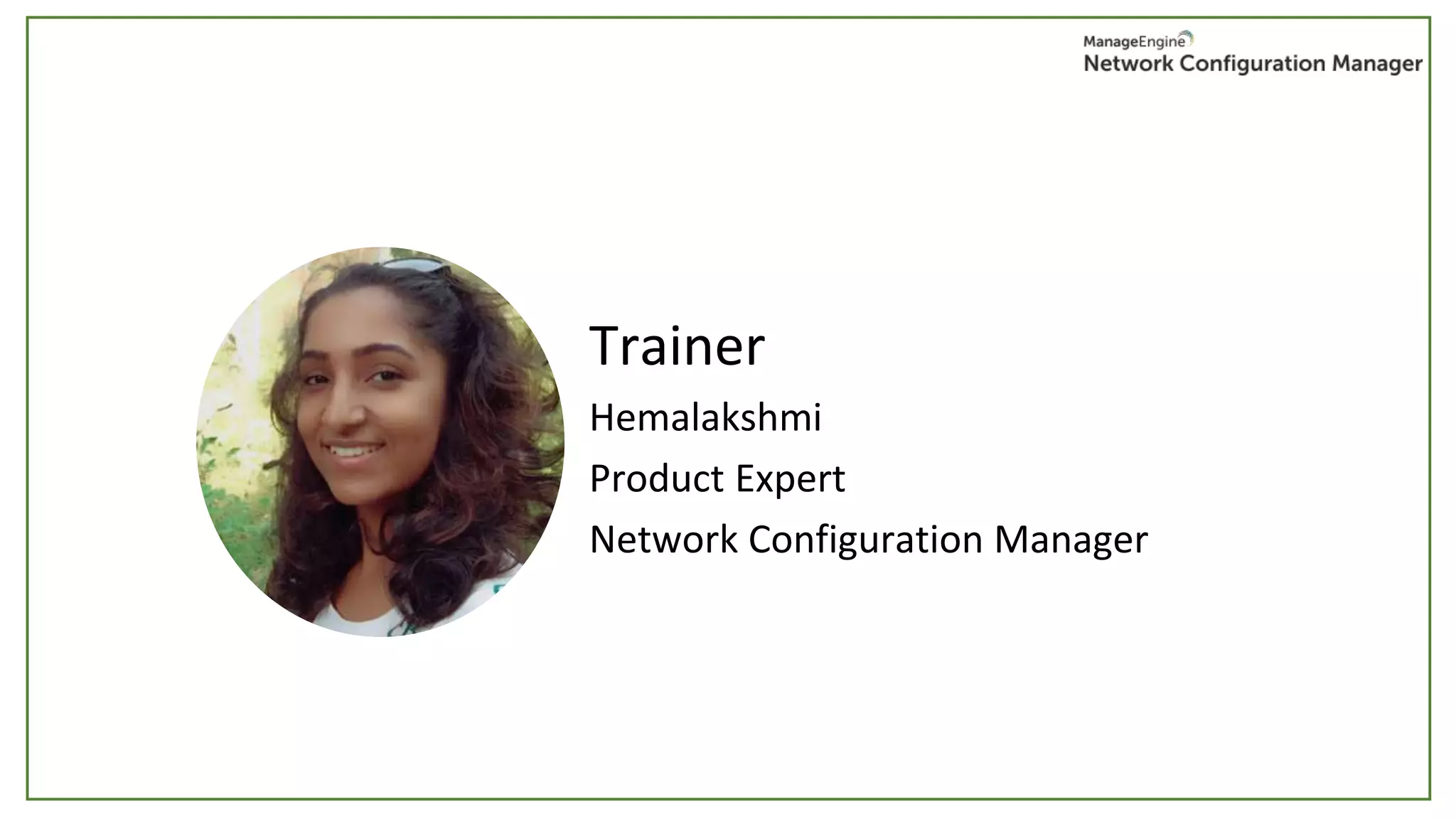
Trainer
Hemalakshmi
Product Expert
Network Configuration Manager
• Manual Configuration changes
• Faulty configuration changes.
• Unplanned, unauthorized configuration changes to their network
devices
• Business needs demand frequent, quick configuration changes. Task
becomes complex when multiple administrators manage devices from
multi-vendors.
• Keeping track of configuration changes
Why is a tool needed for configuration
management?
NCM offers a perfect solution for all the above issues:
• Designed to automate the entire lifecycle of device configuration
management.
• Process of changing configurations, managing changes, ensuring
compliance and security are all automated.
• Helps in ensuring high levels of security in the network
What does NCM do?
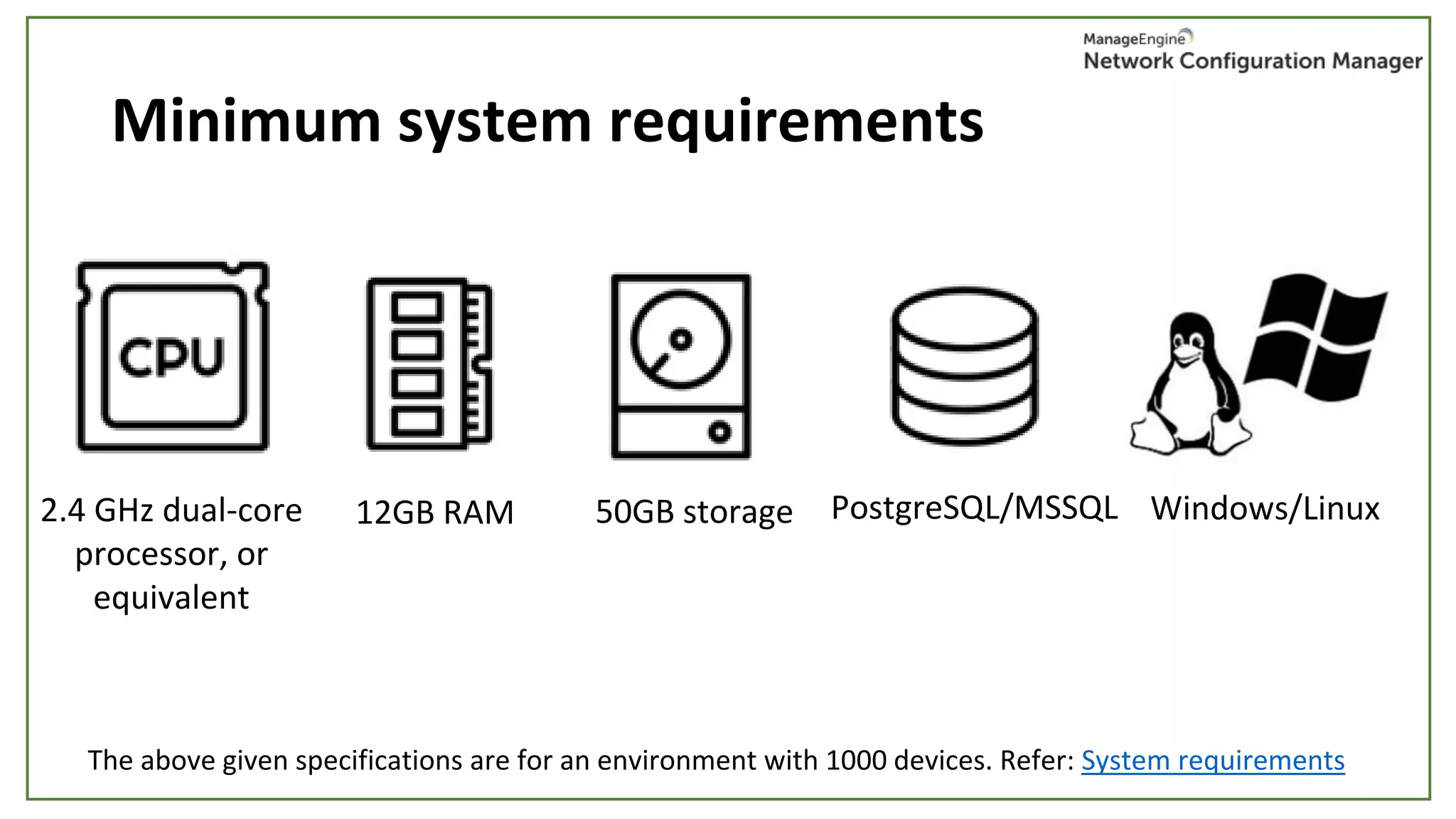
Minimum system requirements
2.4 GHz dual-core
processor, or
equivalent
12GB RAM 50GB storage PostgreSQL/MSSQL Windows/Linux
The above given specifications are for an environment with 1000 devices. Refer: System requirements
Agenda
• Initial setup
• Device discovery & templates
• Credentials
• Configuration backups & upload
• Real-time change detection & change management
• Disaster recovery
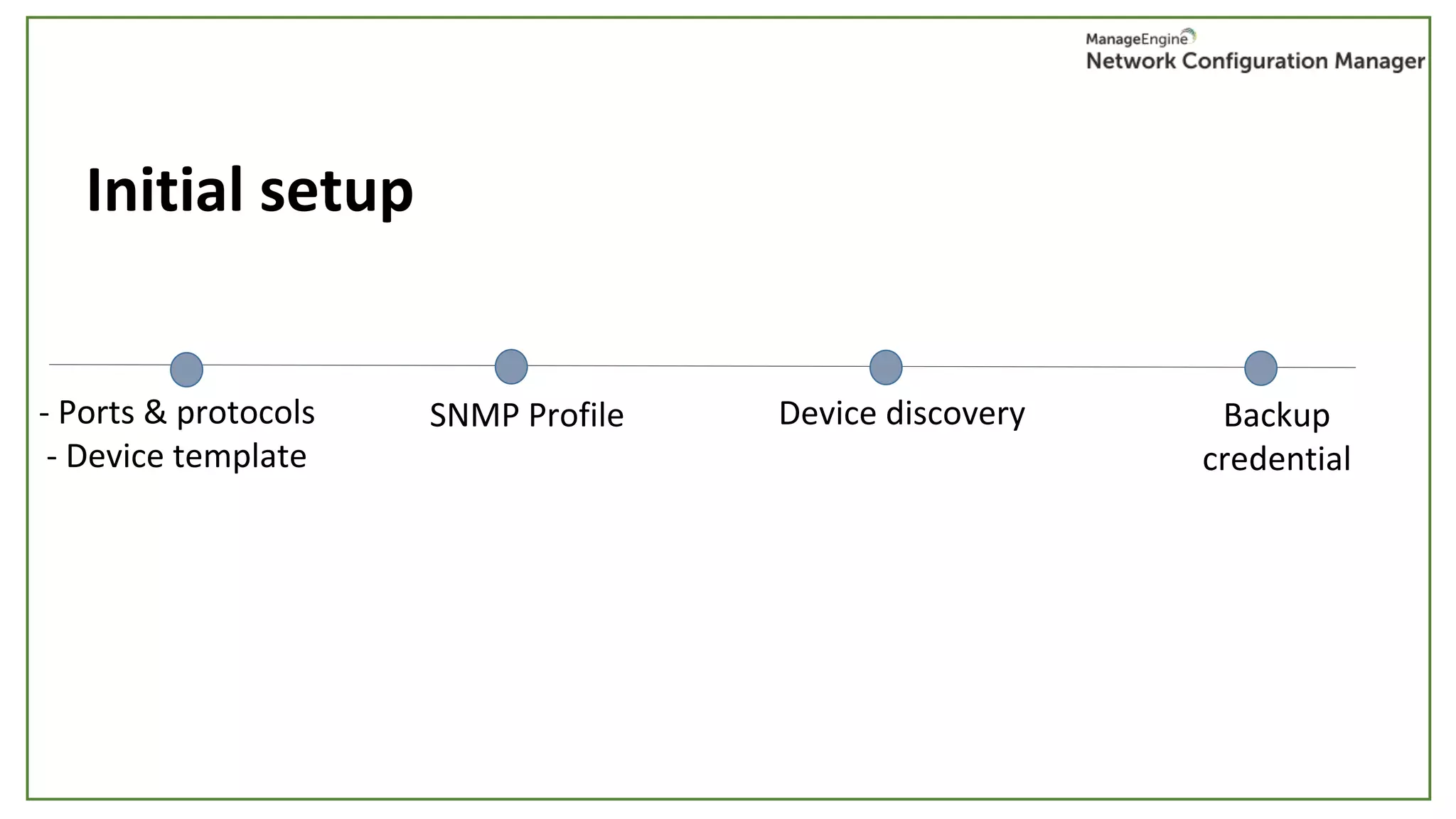
Initial setup
- Ports & protocols
- Device template
SNMP Profile Device discovery Backup
credential
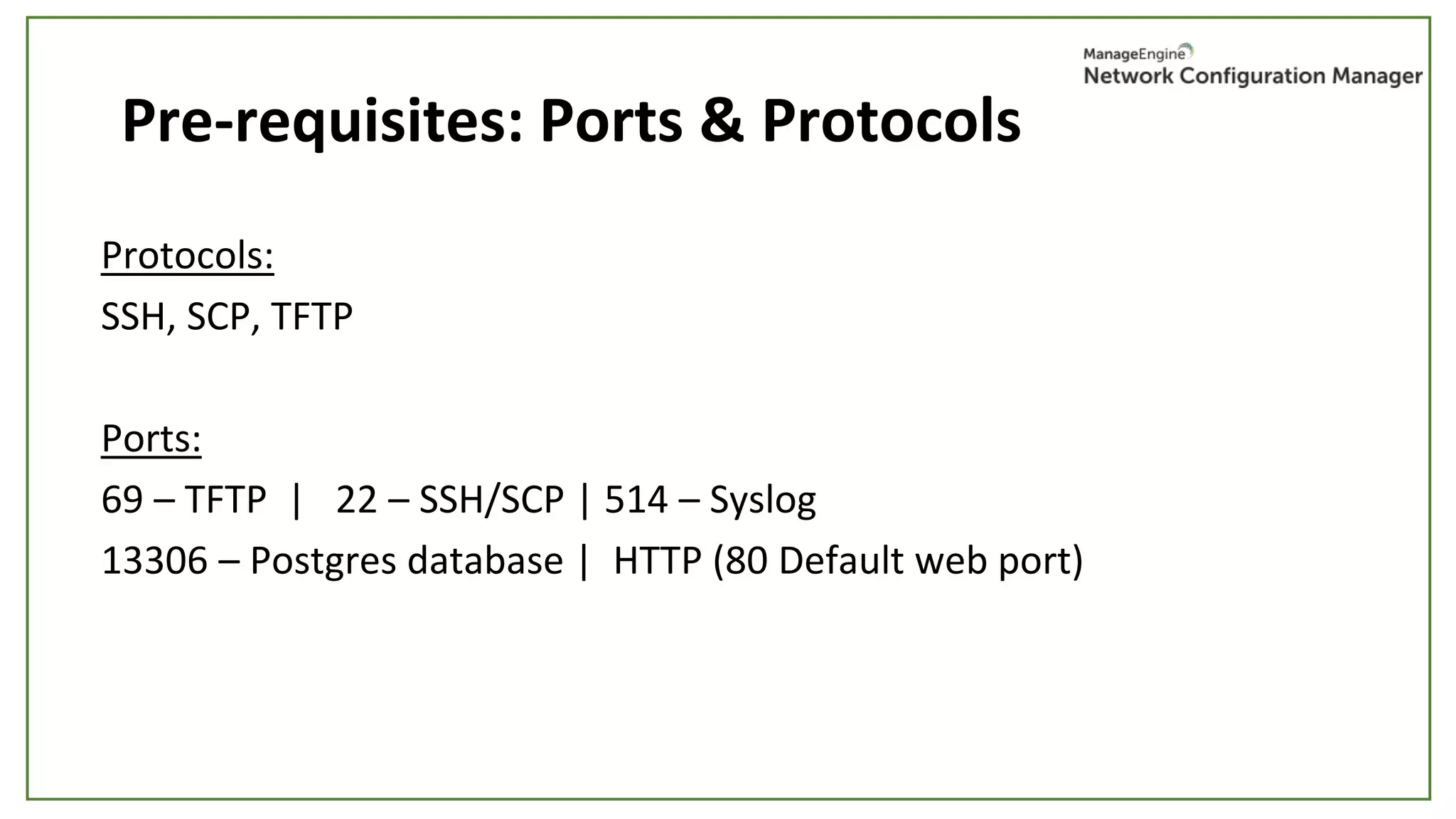
Pre-requisites: Ports & Protocols
Protocols:
SSH, SCP, TFTP
Ports:
69 – TFTP | 22 – SSH/SCP | 514 – Syslog
13306 – Postgres database | HTTP (80 Default web port)
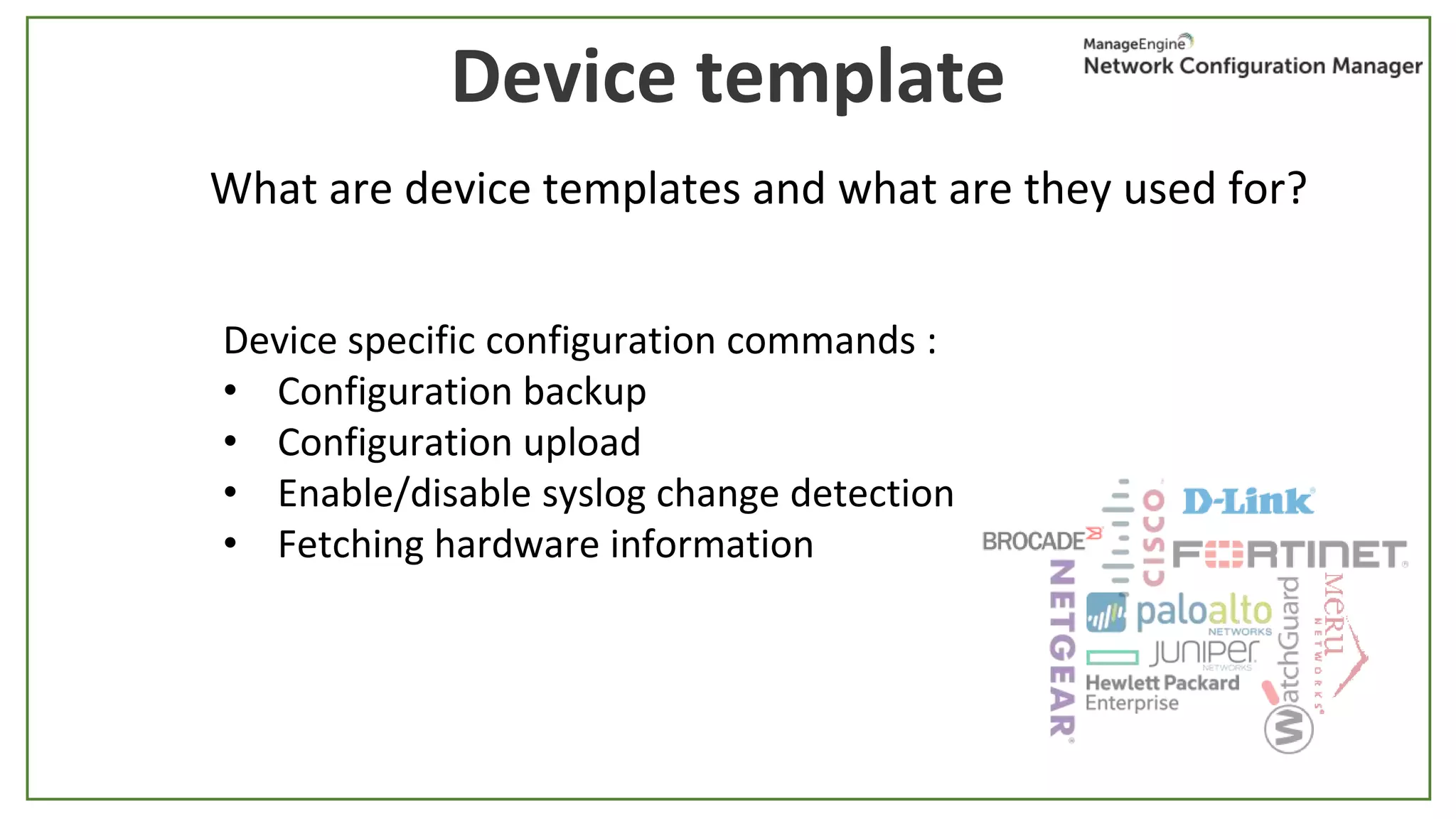
Device template
What are device templates and what are they used for?
Device specific configuration commands :
• Configuration backup
• Configuration upload
• Enable/disable syslog change detection
• Fetching hardware information
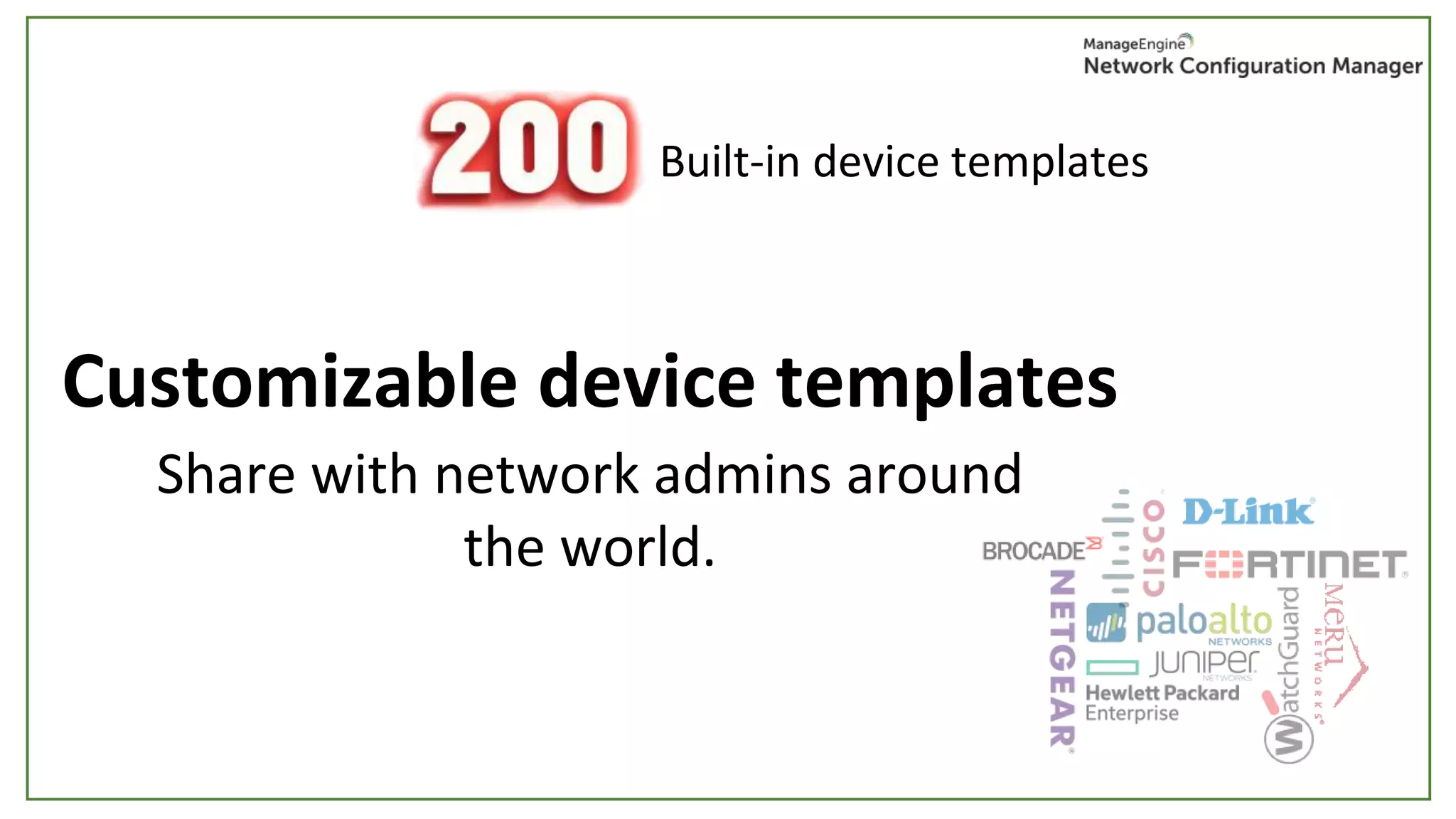
Built-in device templates
Customizable device templates
Share with network admins around
the world.
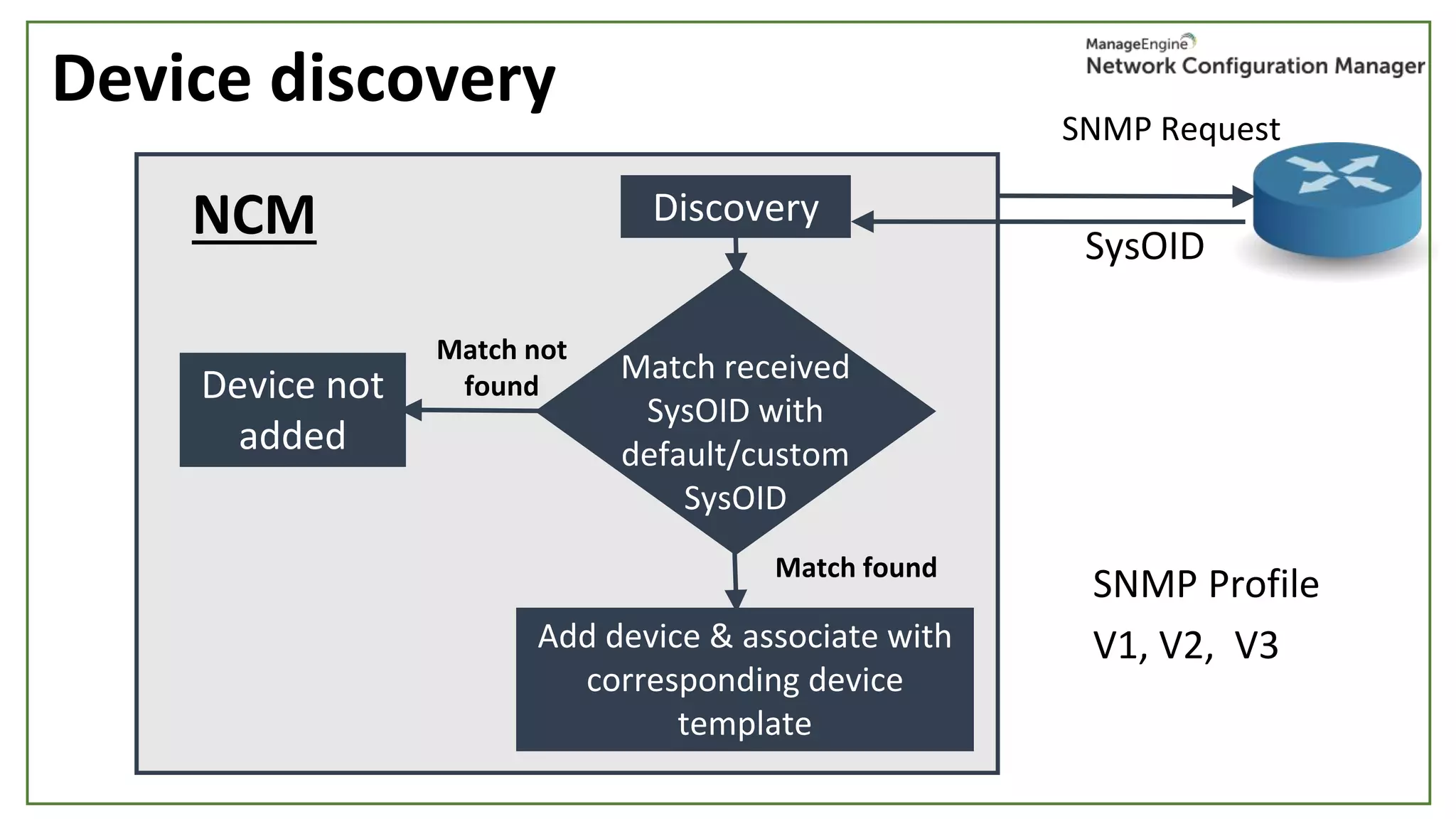
Device discovery
SNMP Request
SysOID
SNMP Profile
V1, V2, V3
NCM Discovery
Add device & associate with
corresponding device
template
Match received
SysOID with
default/custom
SysOID
Match found
Match not
foundDevice not
added
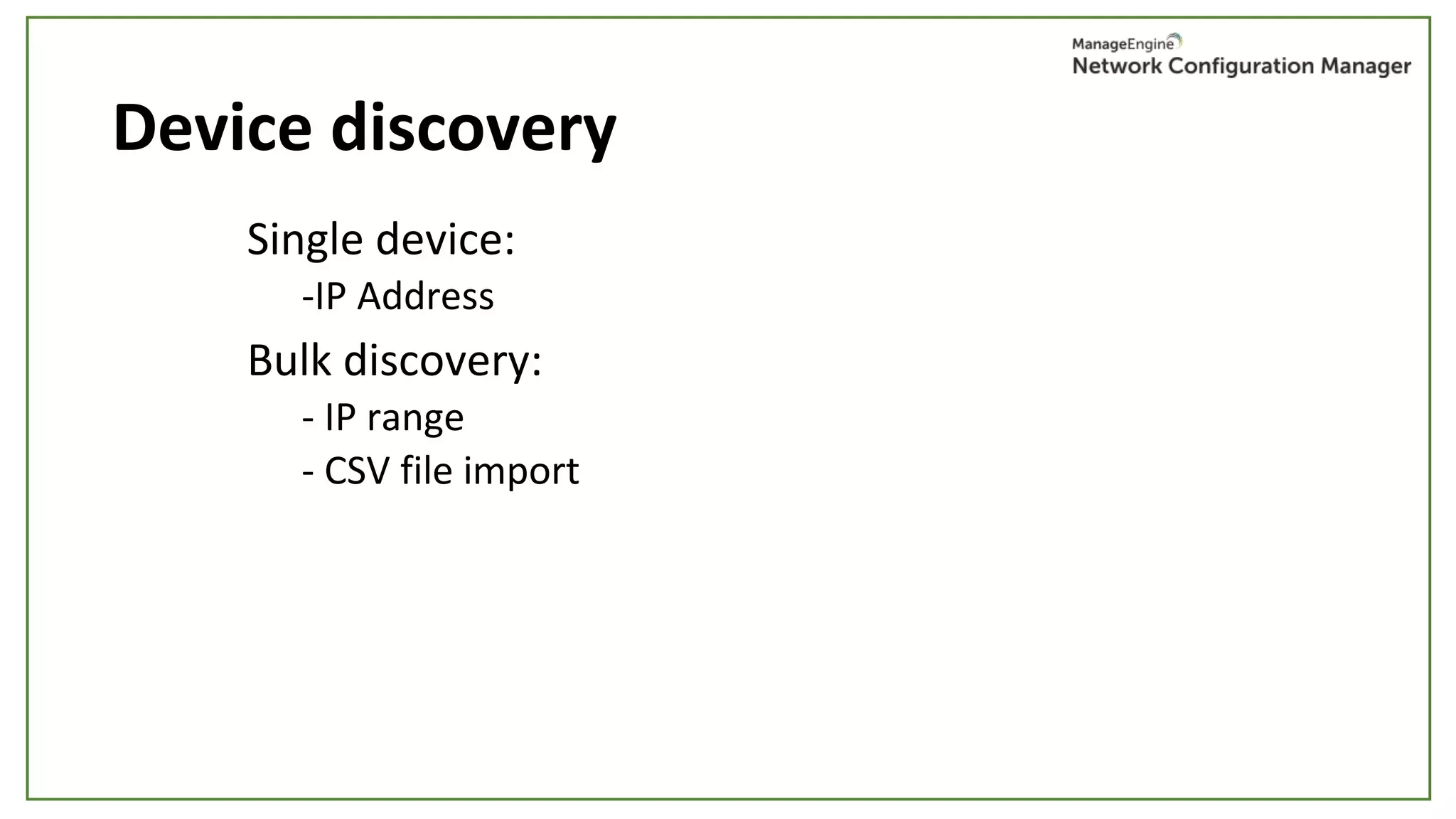
Device discovery
Single device:
-IP Address
Bulk discovery:
- IP range
- CSV file import
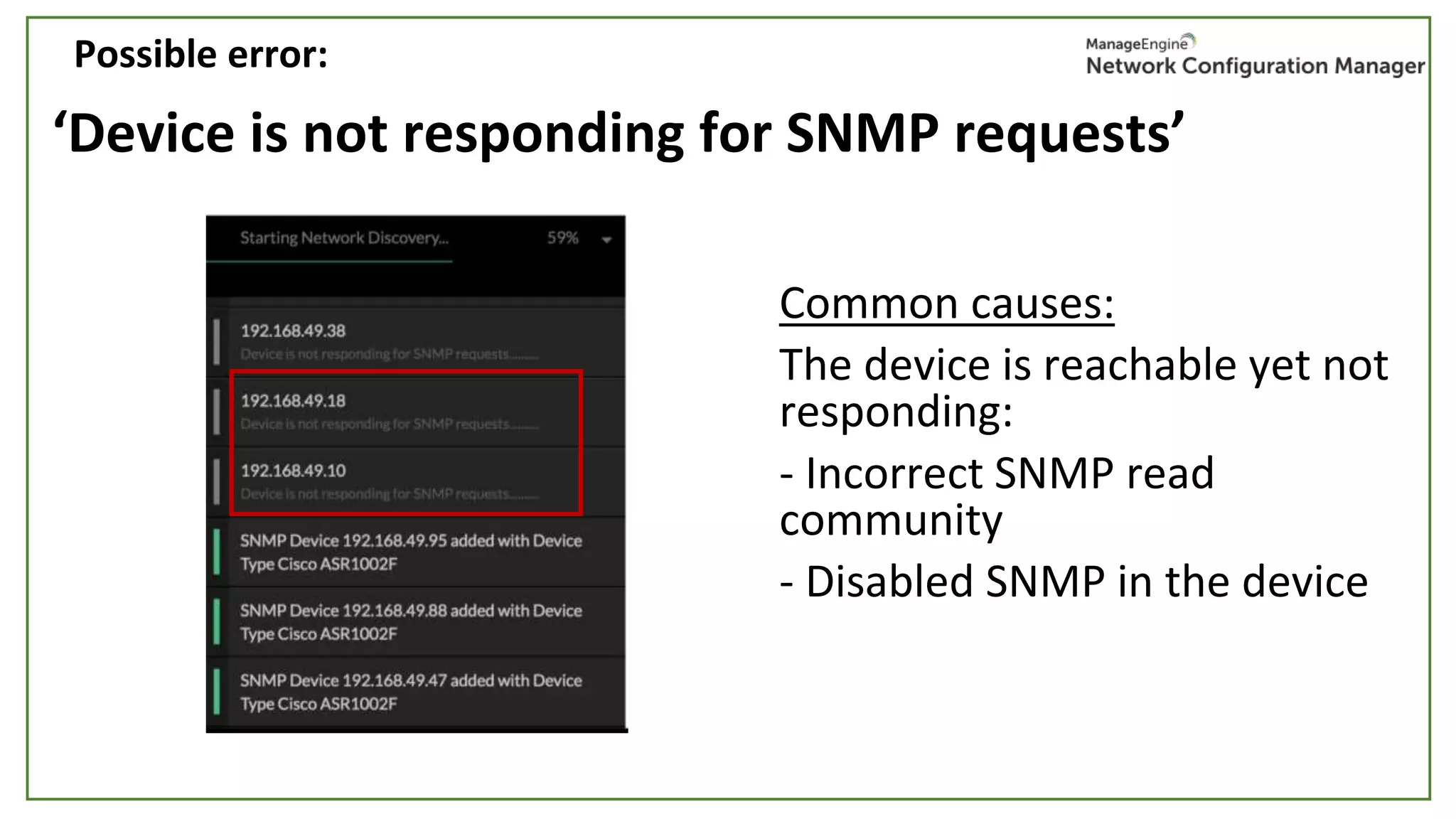
‘Device is not responding for SNMP requests’
Common causes:
The device is reachable yet not
responding:
- Incorrect SNMP read
community
- Disabled SNMP in the device
Possible error:
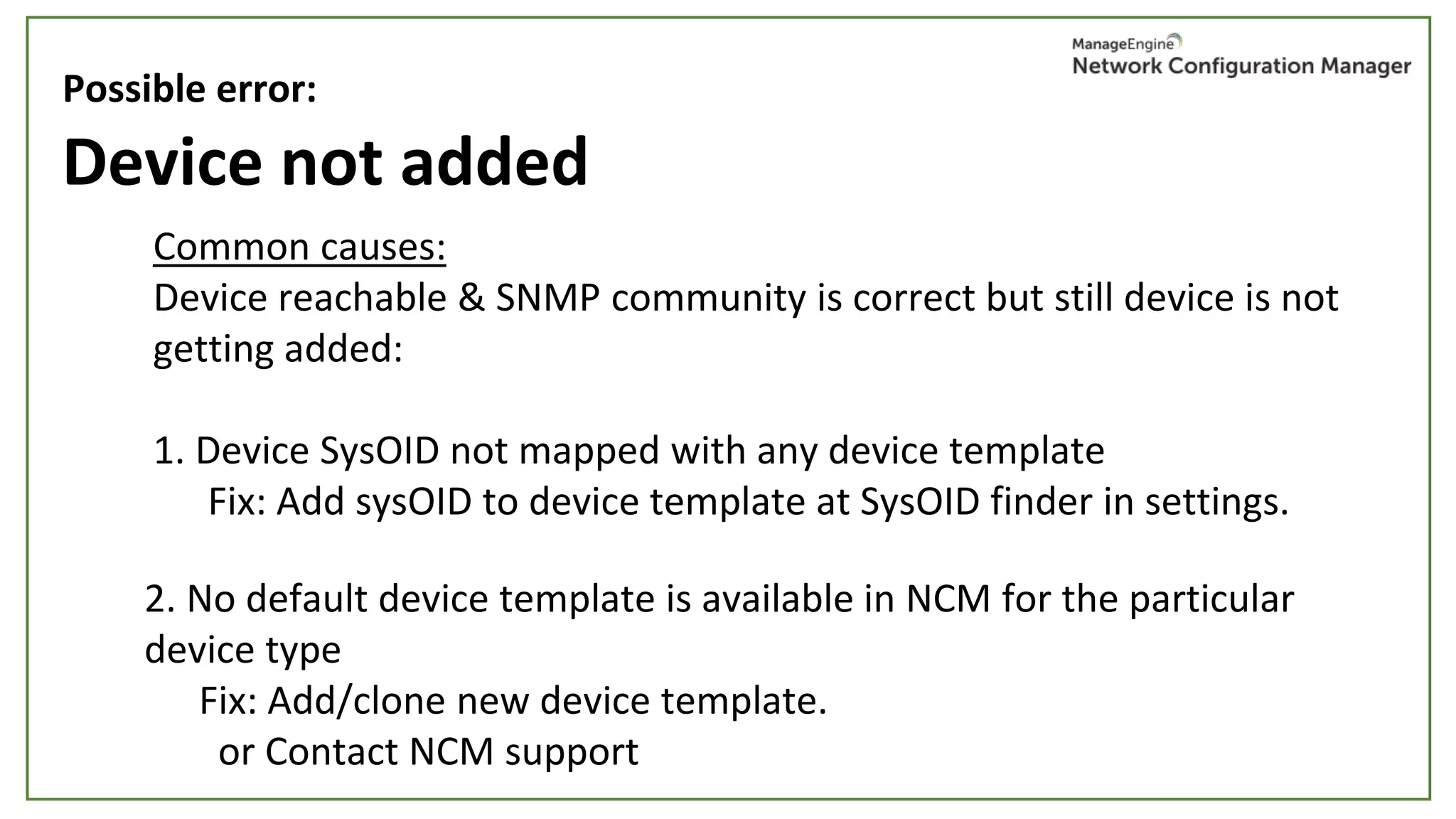
Device not added
Common causes:
Device reachable & SNMP community is correct but still device is not
getting added:
1. Device SysOID not mapped with any device template
Fix: Add sysOID to device template at SysOID finder in settings.
Possible error:
2. No default device template is available in NCM for the particular
device type
Fix: Add/clone new device template.
or Contact NCM support
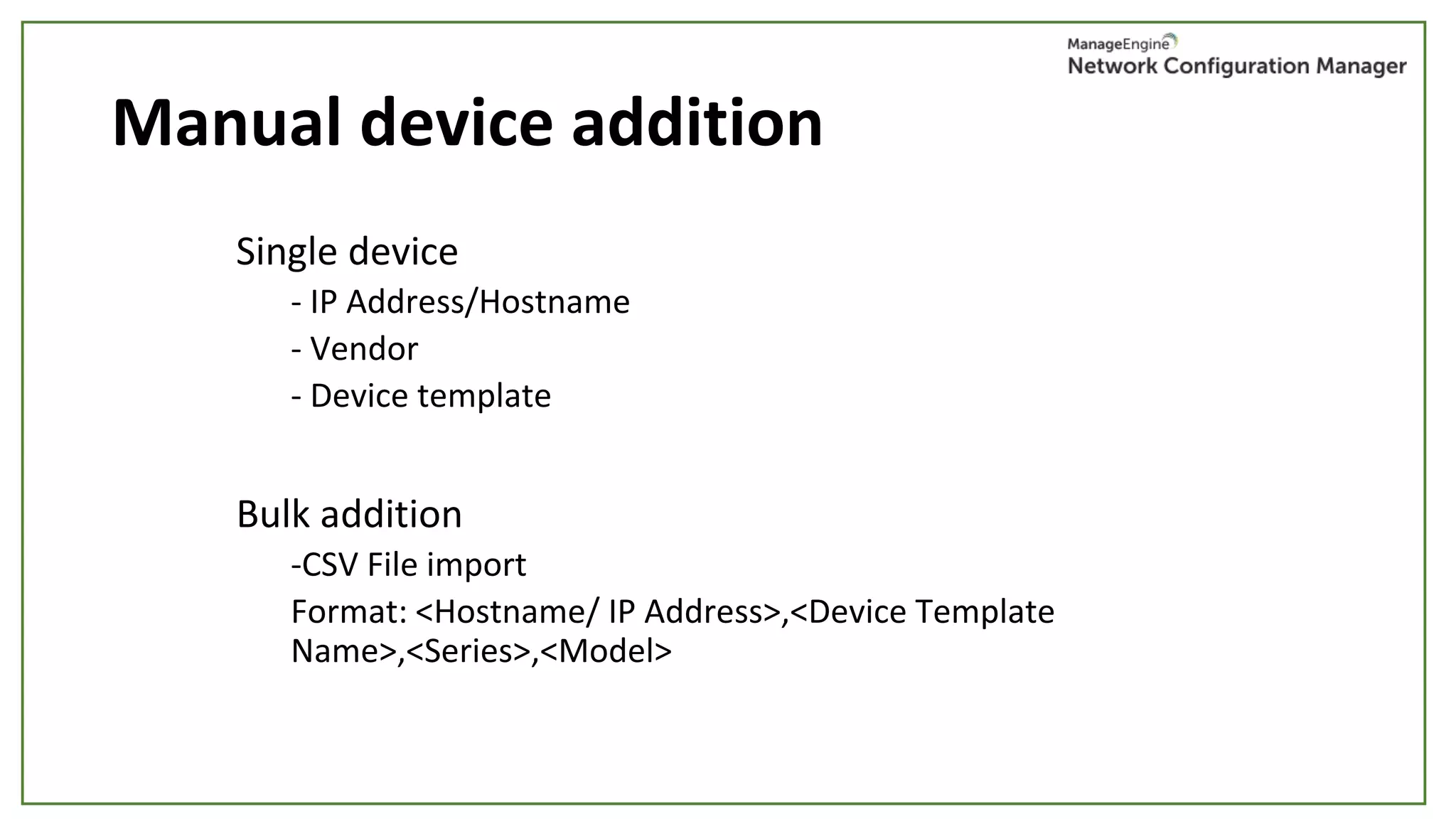
Manual device addition
Single device
- IP Address/Hostname
- Vendor
- Device template
Bulk addition
-CSV File import
Format: <Hostname/ IP Address>,<Device Template
Name>,<Series>,<Model>
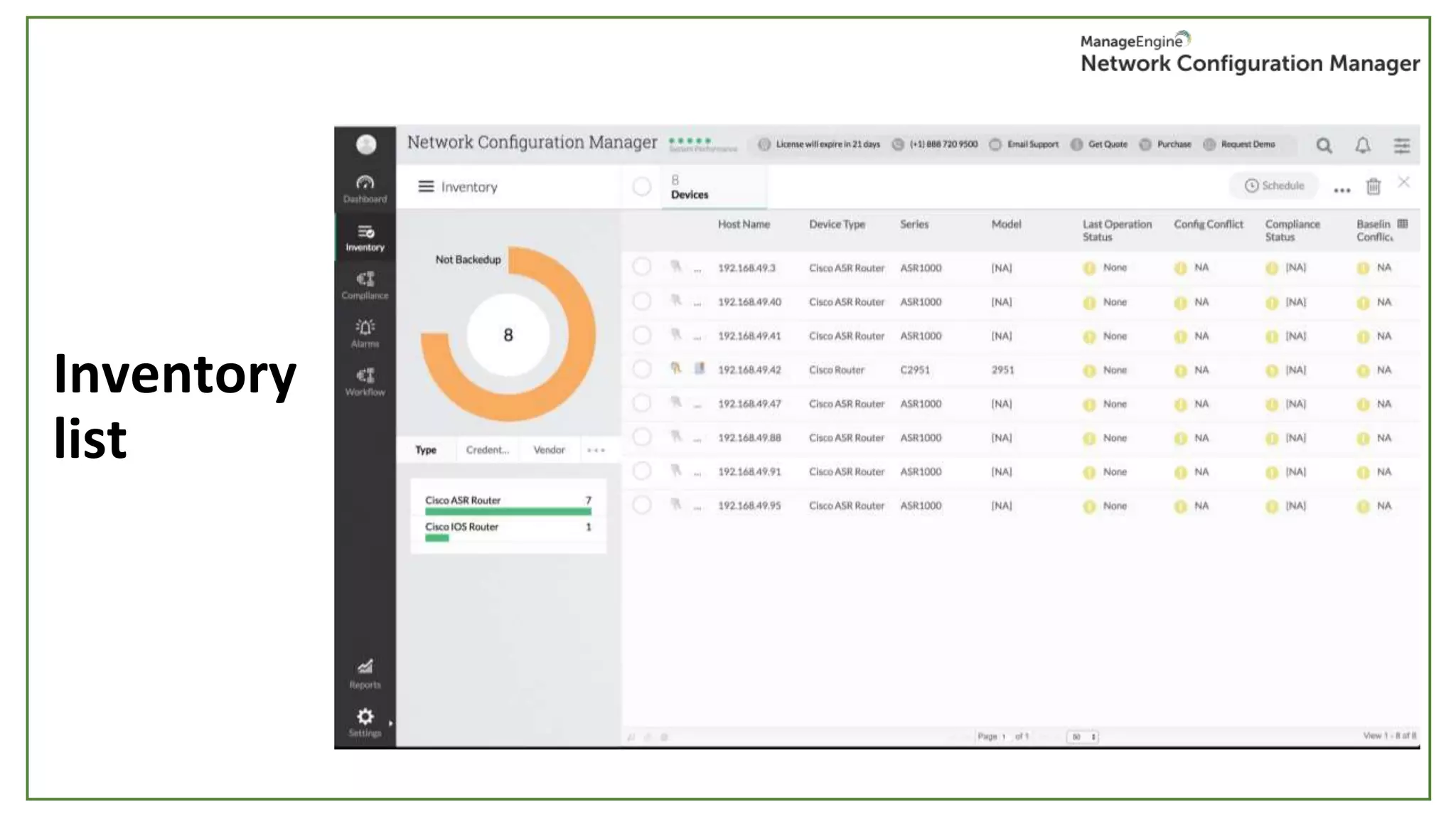
Inventory
list
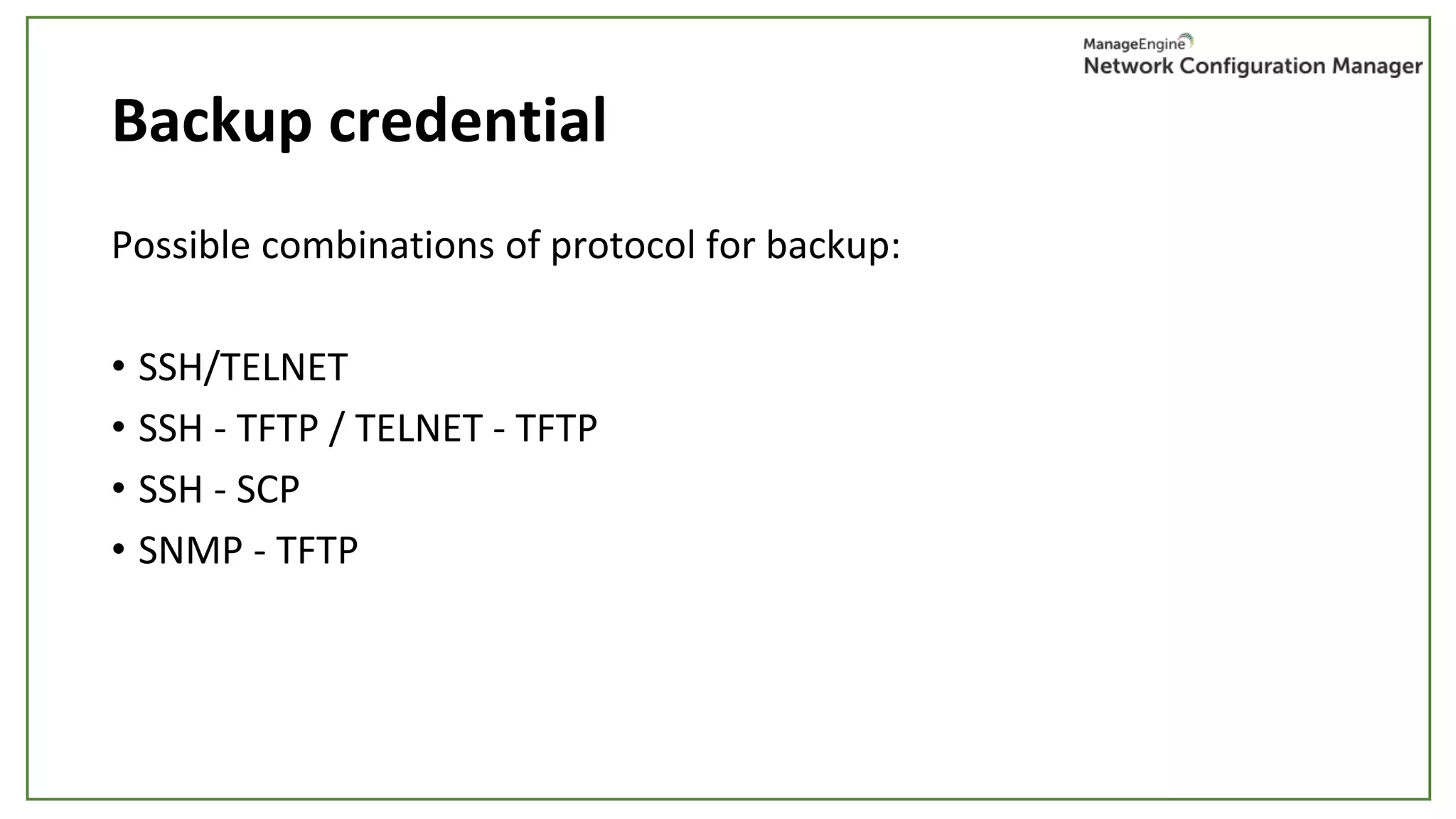
Backup credential
Possible combinations of protocol for backup:
• SSH/TELNET
• SSH - TFTP / TELNET - TFTP
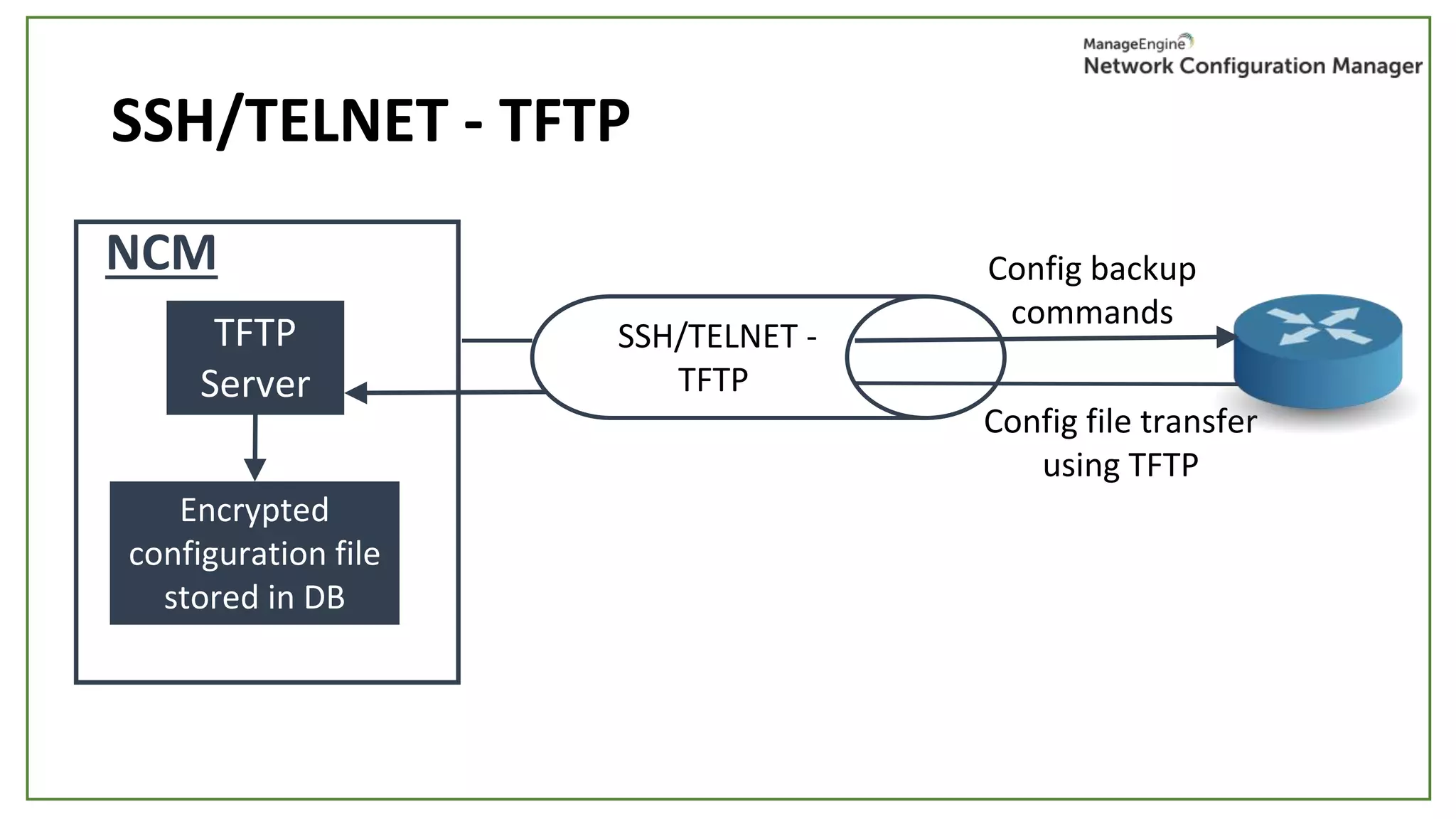
• SSH - SCP
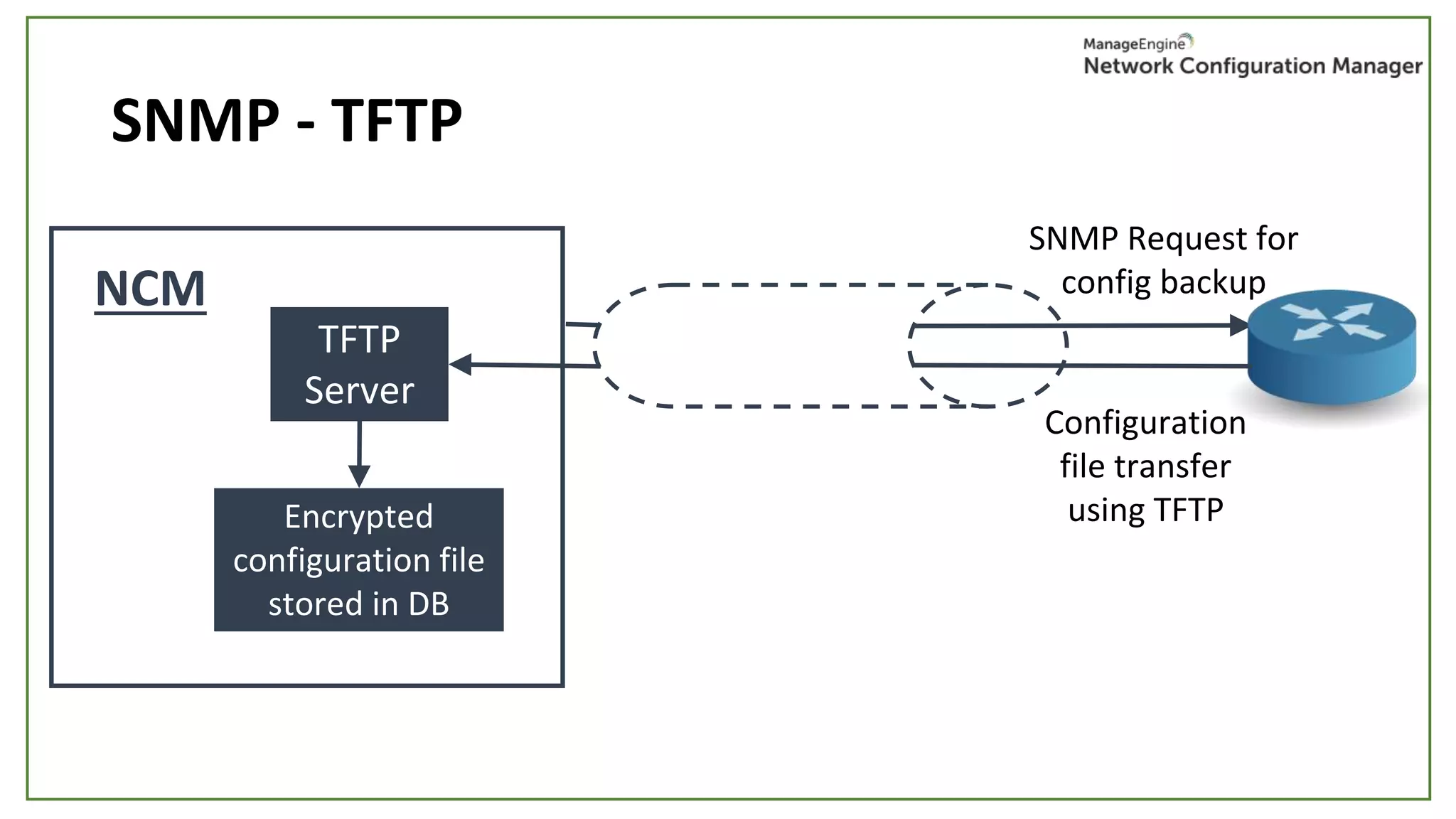
• SNMP - TFTP
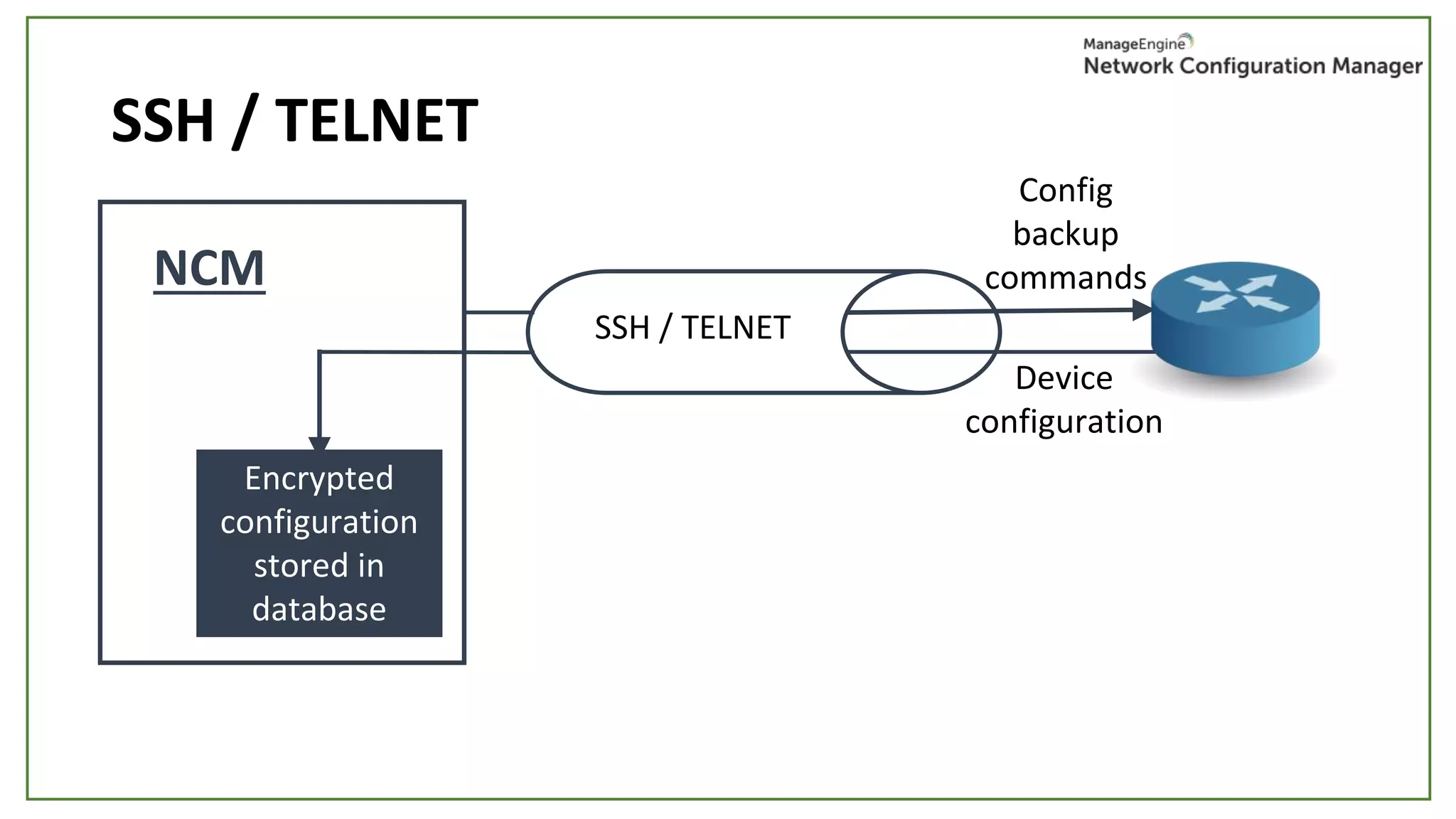
SSH / TELNET
SSH / TELNET
Device
configuration
Encrypted
configuration
stored in
database
Config
backup
commandsNCM
SSH/TELNET - TFTP
TFTP
Server
Config backup
commands
Config file transfer
using TFTP
Encrypted
configuration file
stored in DB
NCM
SSH/TELNET -
TFTP
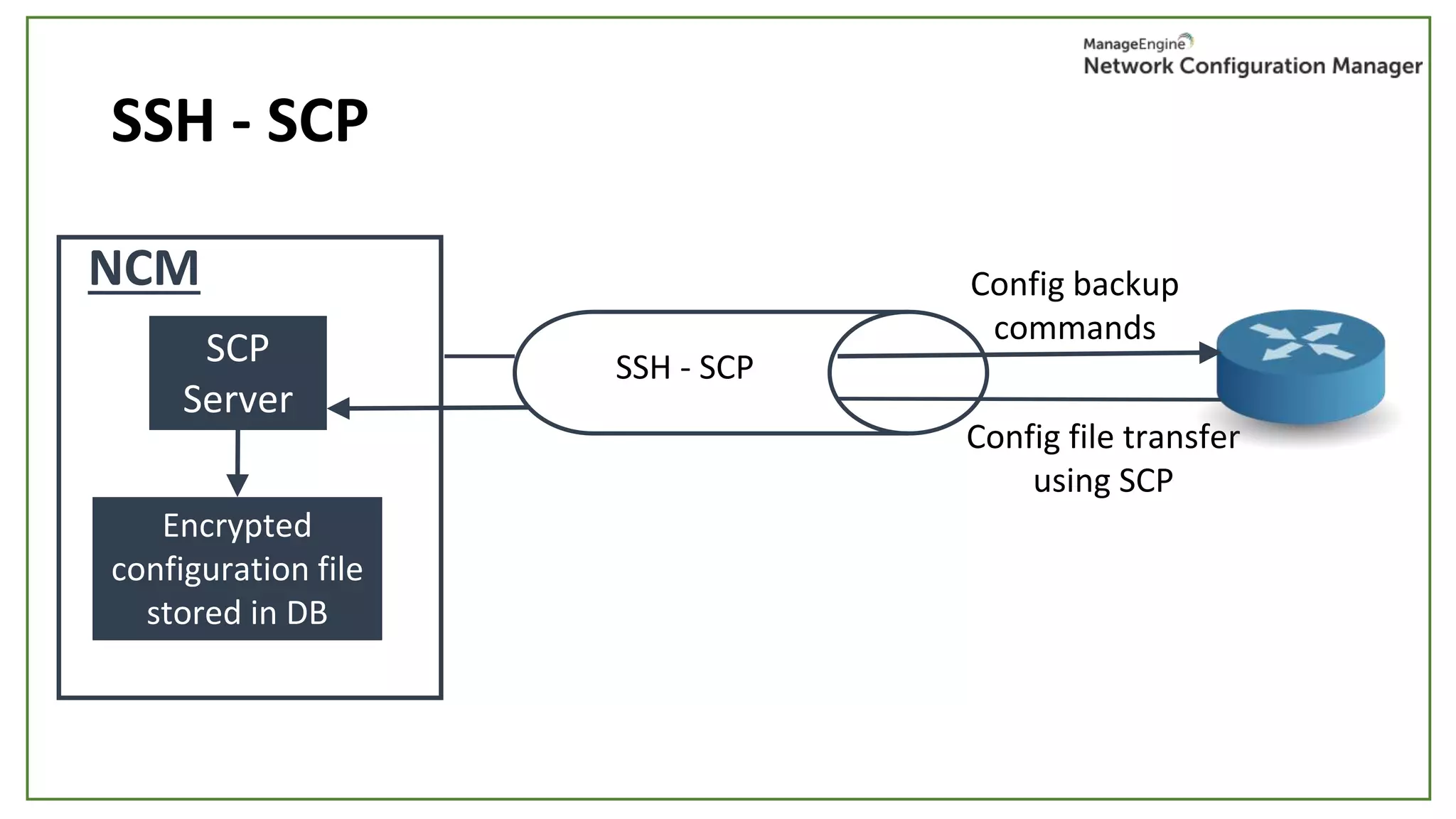
SSH - SCP
SCP
Server
Config backup
commands
Config file transfer
using SCP
Encrypted
configuration file
stored in DB
NCM
SSH - SCP
SNMP - TFTP
SNMP Request for
config backup
Configuration
file transfer
using TFTP
TFTP
Server
Encrypted
configuration file
stored in DB
NCM
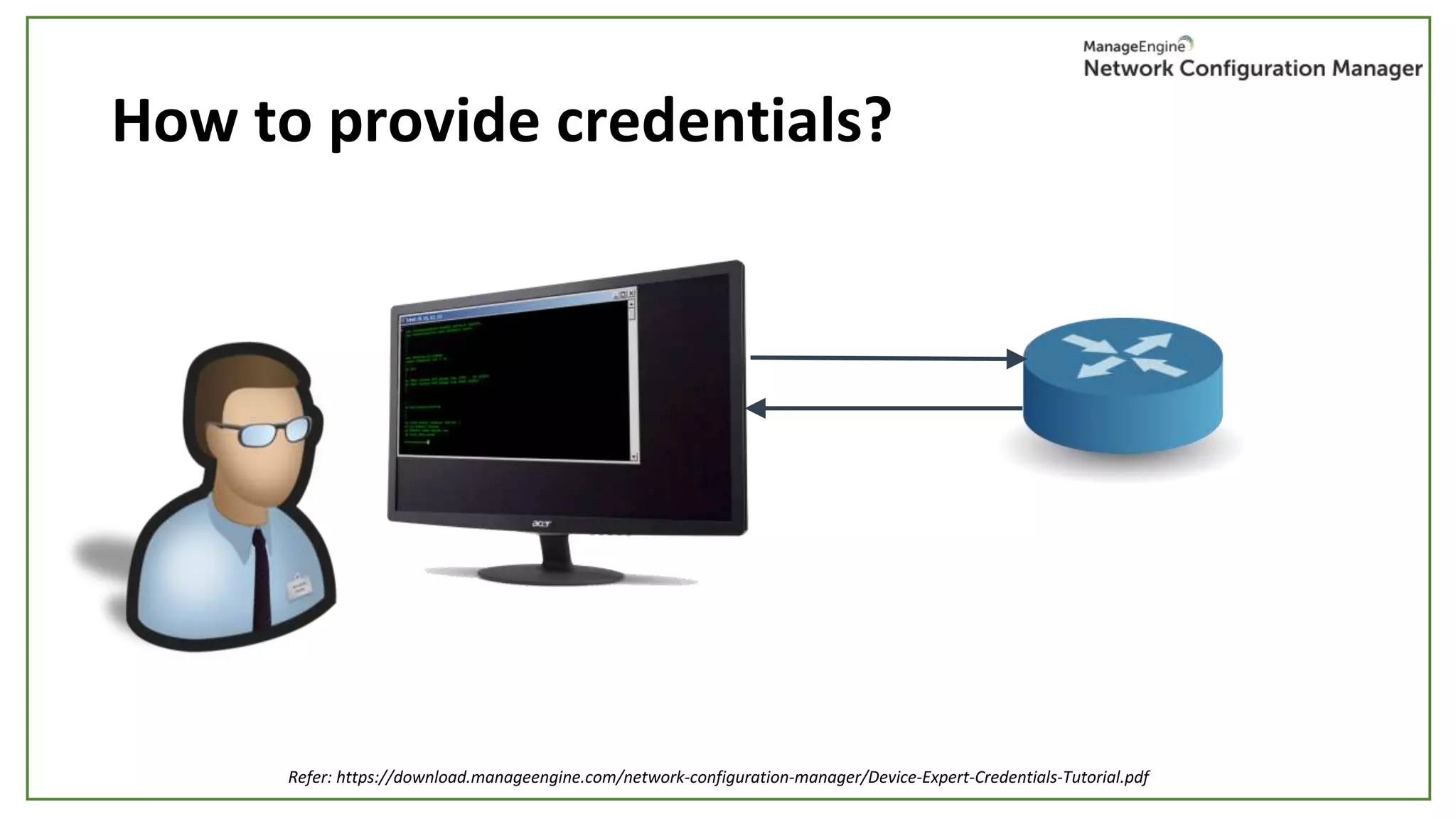
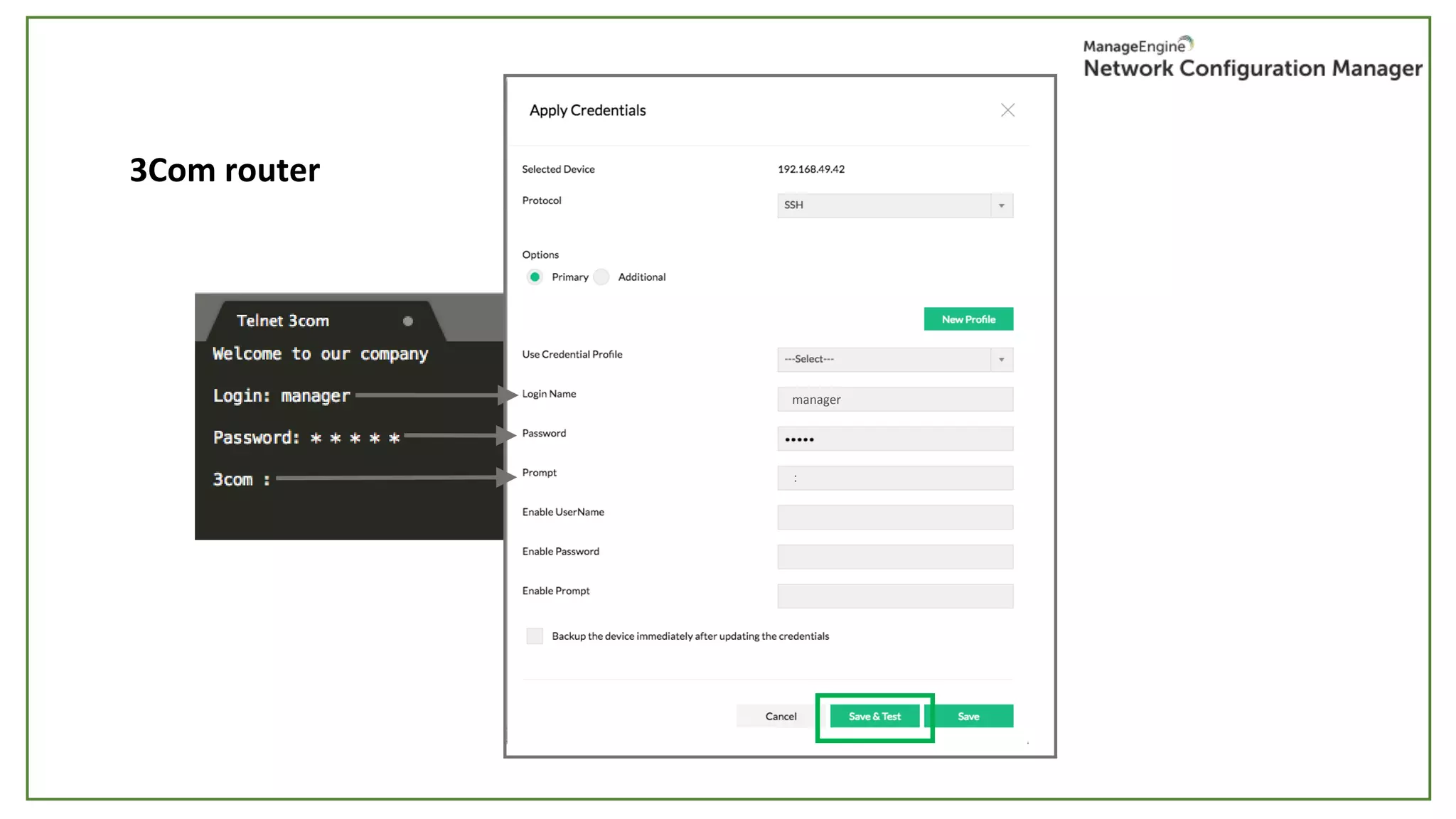
How to provide credentials?
Refer: https://download.manageengine.com/network-configuration-manager/Device-Expert-Credentials-Tutorial.pdf
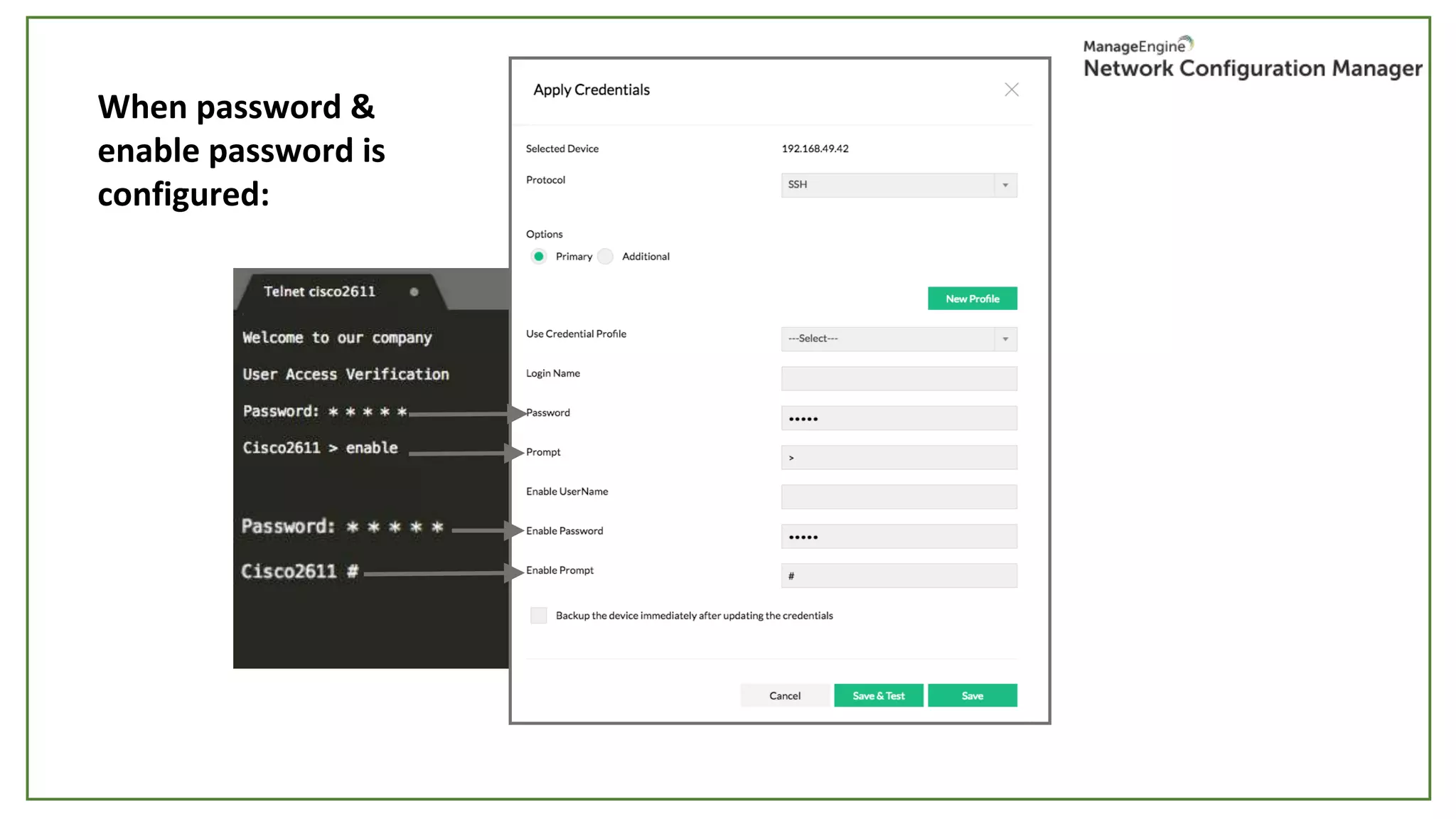
When password &
enable password is
configured:
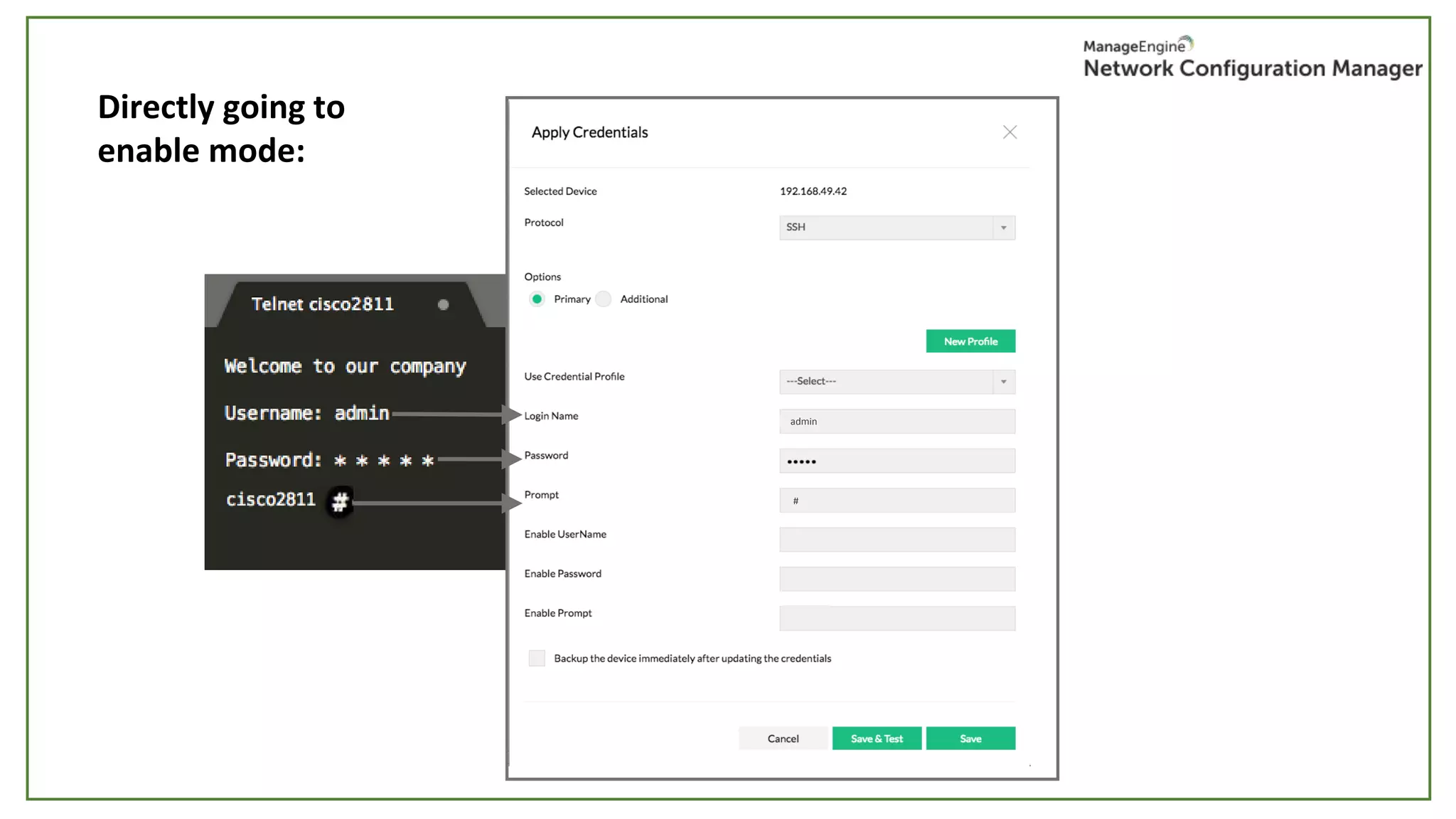
Directly going to
enable mode:
admin
#
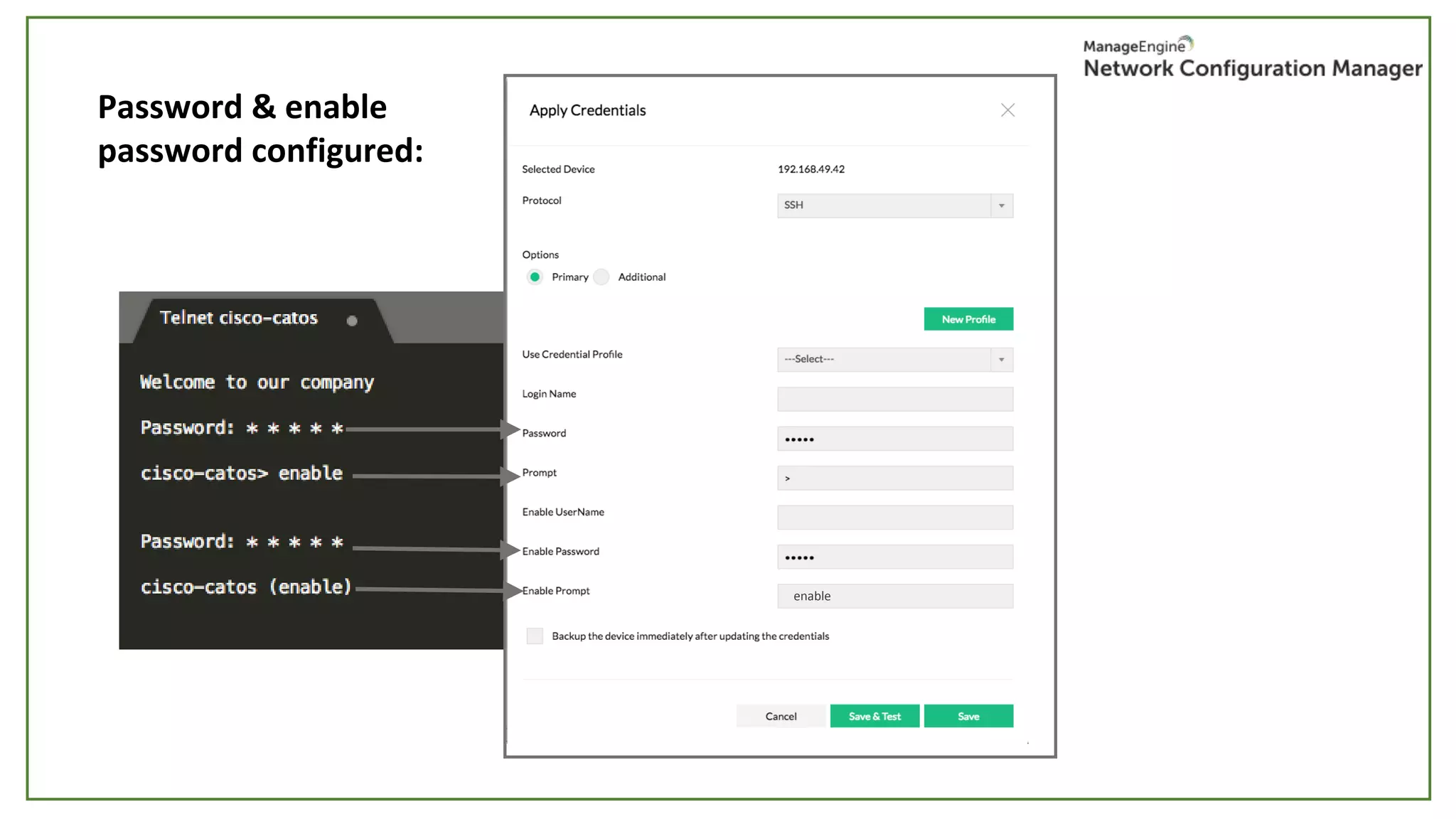
Password & enable
password configured:
enable
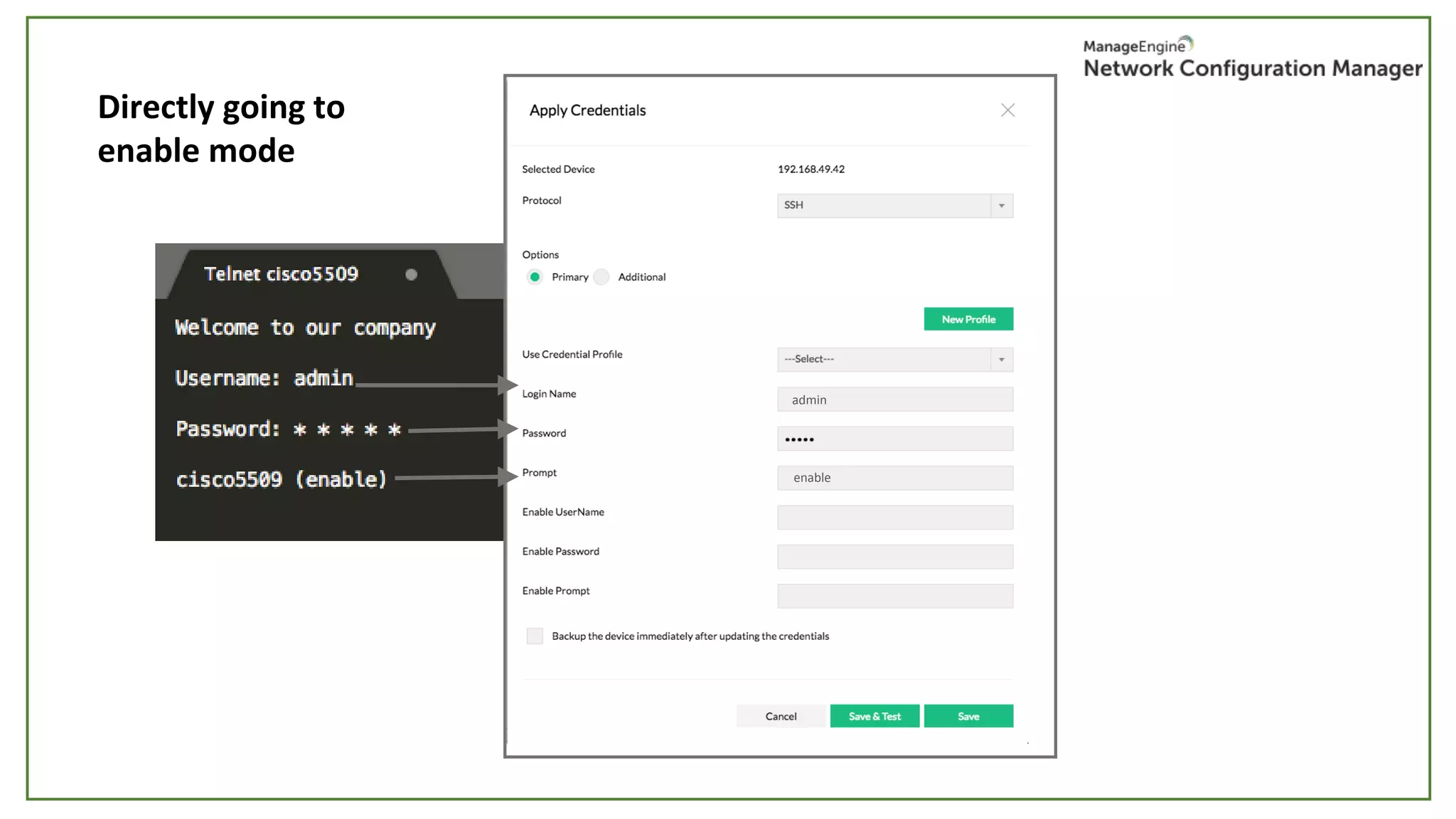
Directly going to
enable mode
enable
admin
3Com router
:
manager
Credentials are valid but
file transfer is failed
Common cause:
1. TFTP or SCP servers have not been
started.
Fix: Check running status of TFTP or SCP
servers in NCM server settings. (69 & 22)
2. Timeout due to config file size
Fix: Increase backup timeout value in the
corresponding device template.
Possible error:
Configuration backup
• Why should you backup?
• Instant (Single & Bulk)
• Real-time change detection
• Scheduled
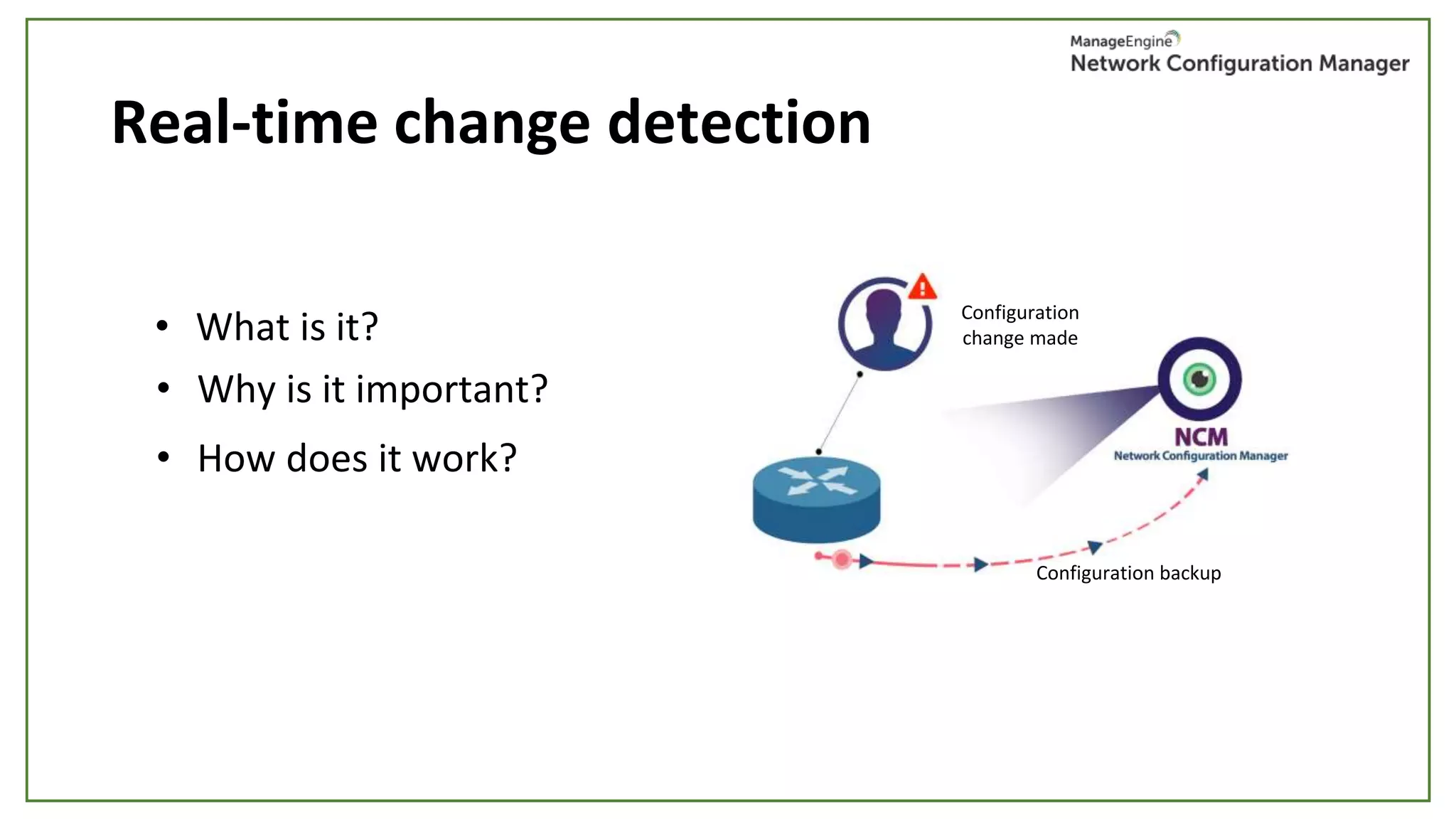
Real-time change detection
• What is it? Configuration
change made
Configuration
change made
Configuration backup
• Why is it important?
• How does it work?
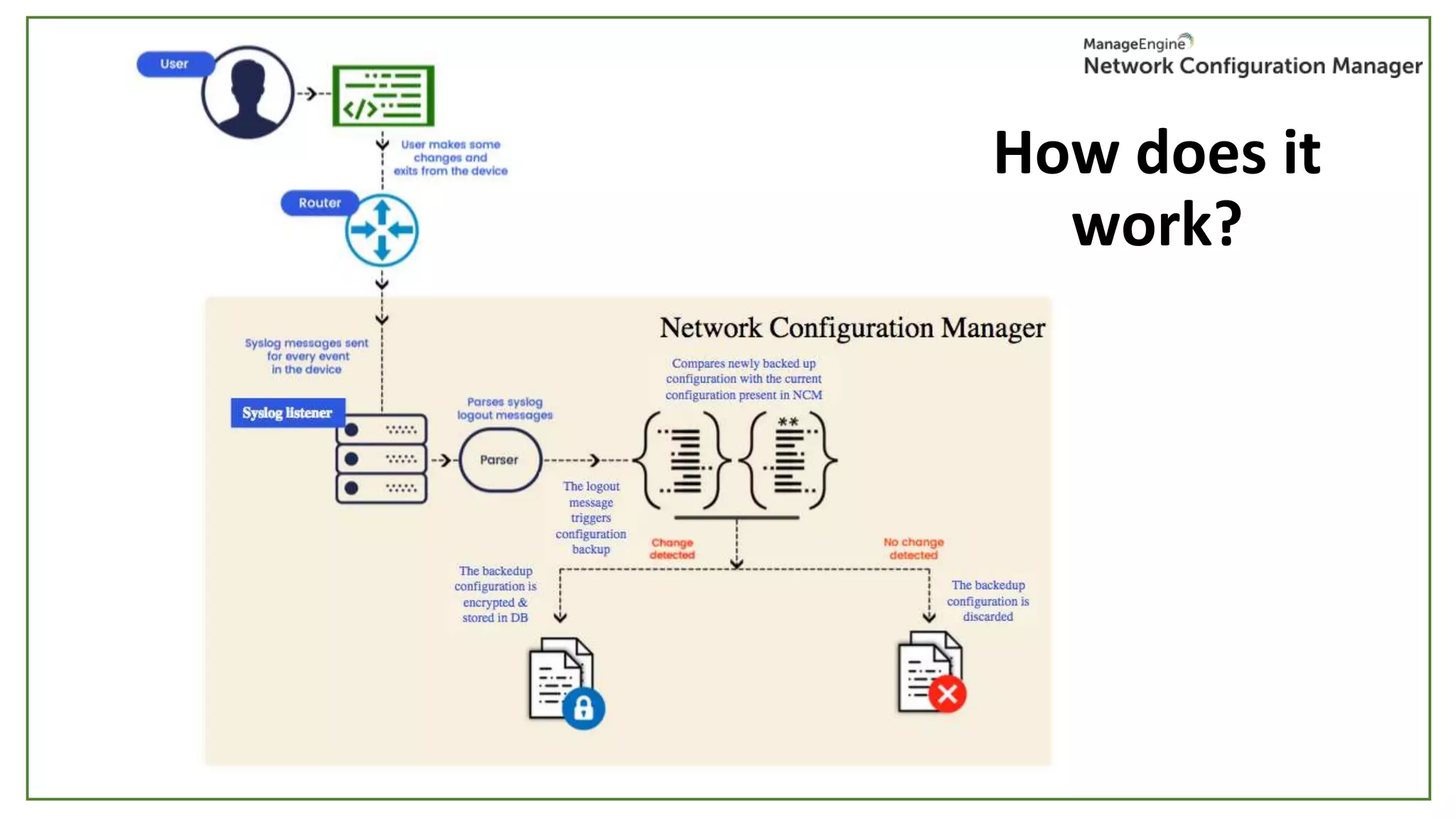
Syslog listener
How does it
work?
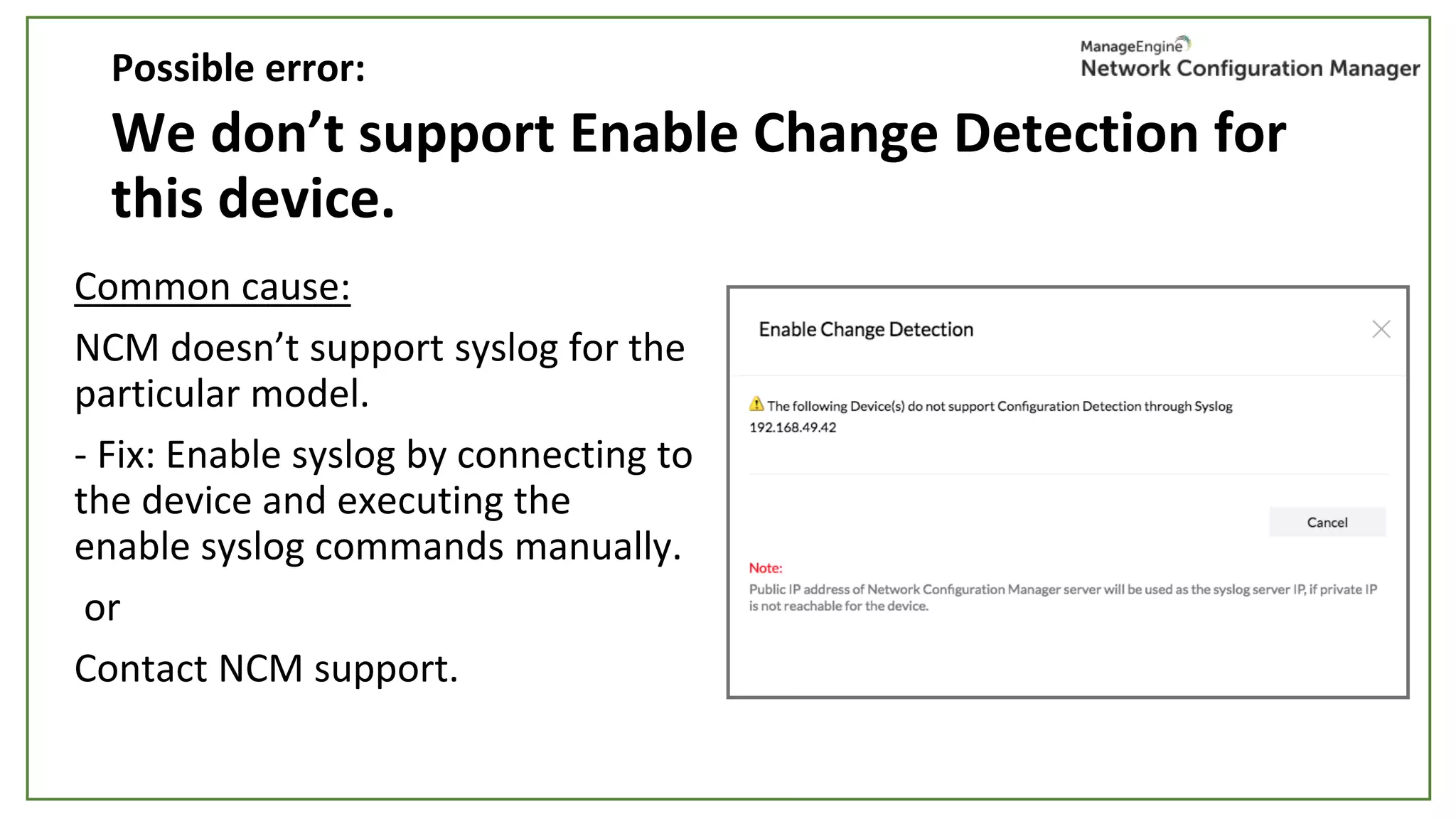
We don’t support Enable Change Detection for
this device.
Common cause:
NCM doesn’t support syslog for the
particular model.
- Fix: Enable syslog by connecting to
the device and executing the
enable syslog commands manually.
or
Contact NCM support.
Possible error:
Change detection is enabled but change is not
detected
Common cause:
When the device & NCM support syslog,
- Mismatched ports
- Check NCM syslog server running status in NCM server settings
Possible error:
Scheduled backup
• Routine everyday backups
• Monthly / Weekly / Daily / Hourly / Once
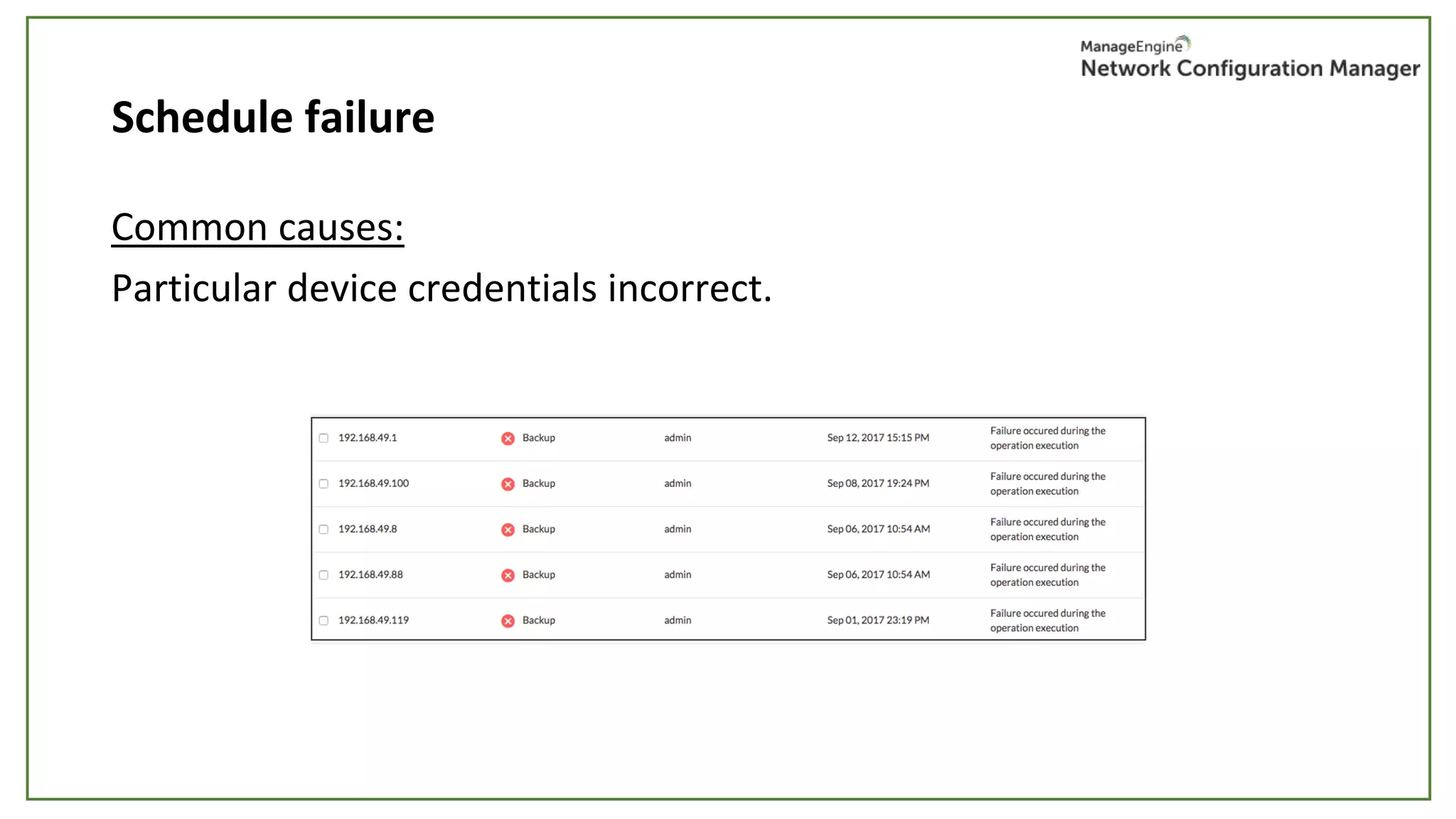
Schedule failure
Common causes:
Particular device credentials incorrect.
Backup failure
Common causes:
1. Credentials are changed or invalid.
2. Ports blocked or TFTP/SCP server not started
• Check port 69 & 22 (TFTP & SCP) in NCM server settings
3. Huge config file
• Fix: Change the timeout settings in the corresponding device template.
4. Unsupported backup commands
• Edit the commands in device template or create a new device
template by cloning the closest template.
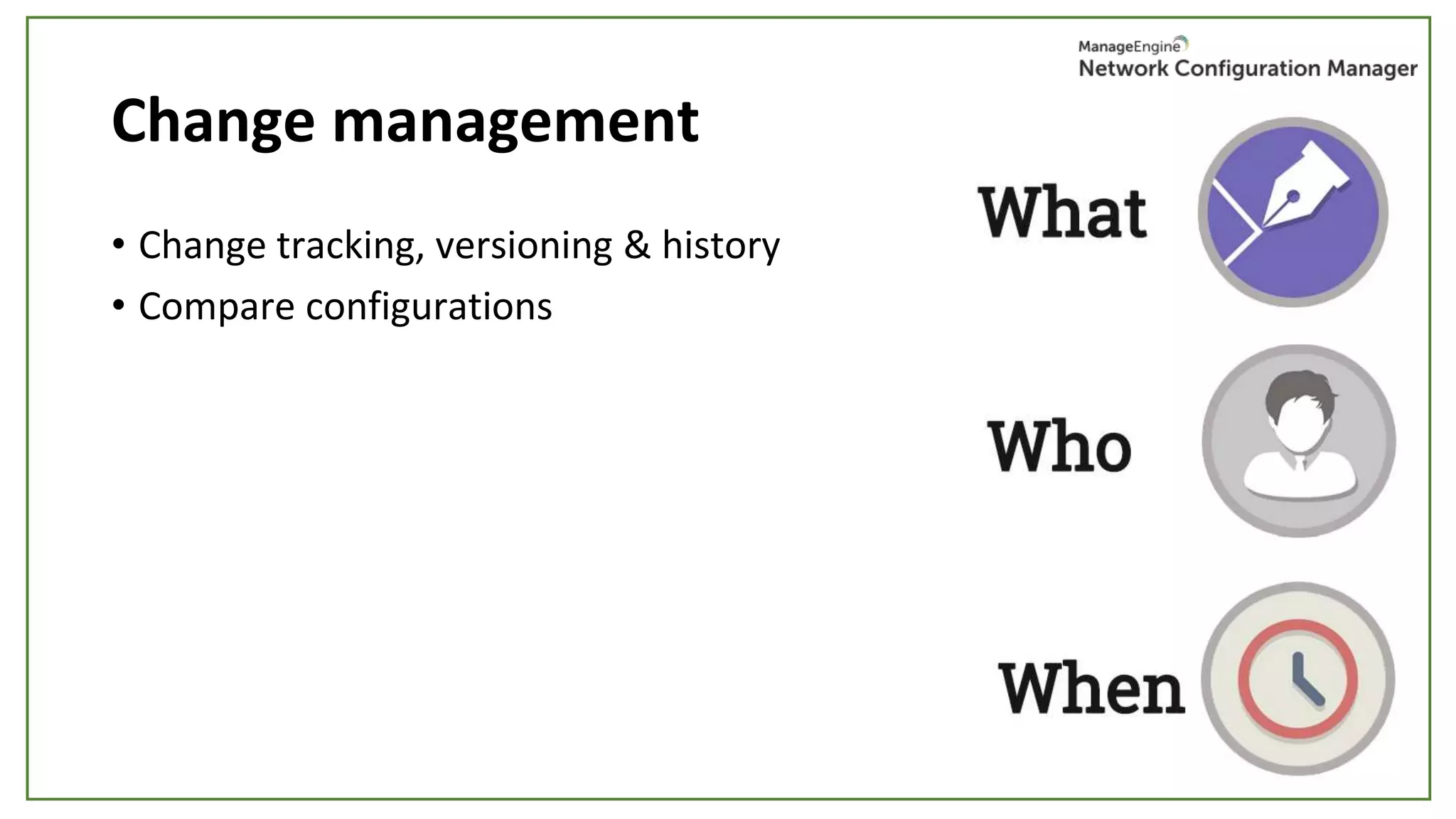
Change management
• Change tracking, versioning & history
• Compare configurations
Change tracking, versioning, & history
• View all changes made in a device
• Automatic configuration versioning
• Know the who, when & what of each change
• Know the historical change trend of a device
• View the number of modified, deleted & added config lines
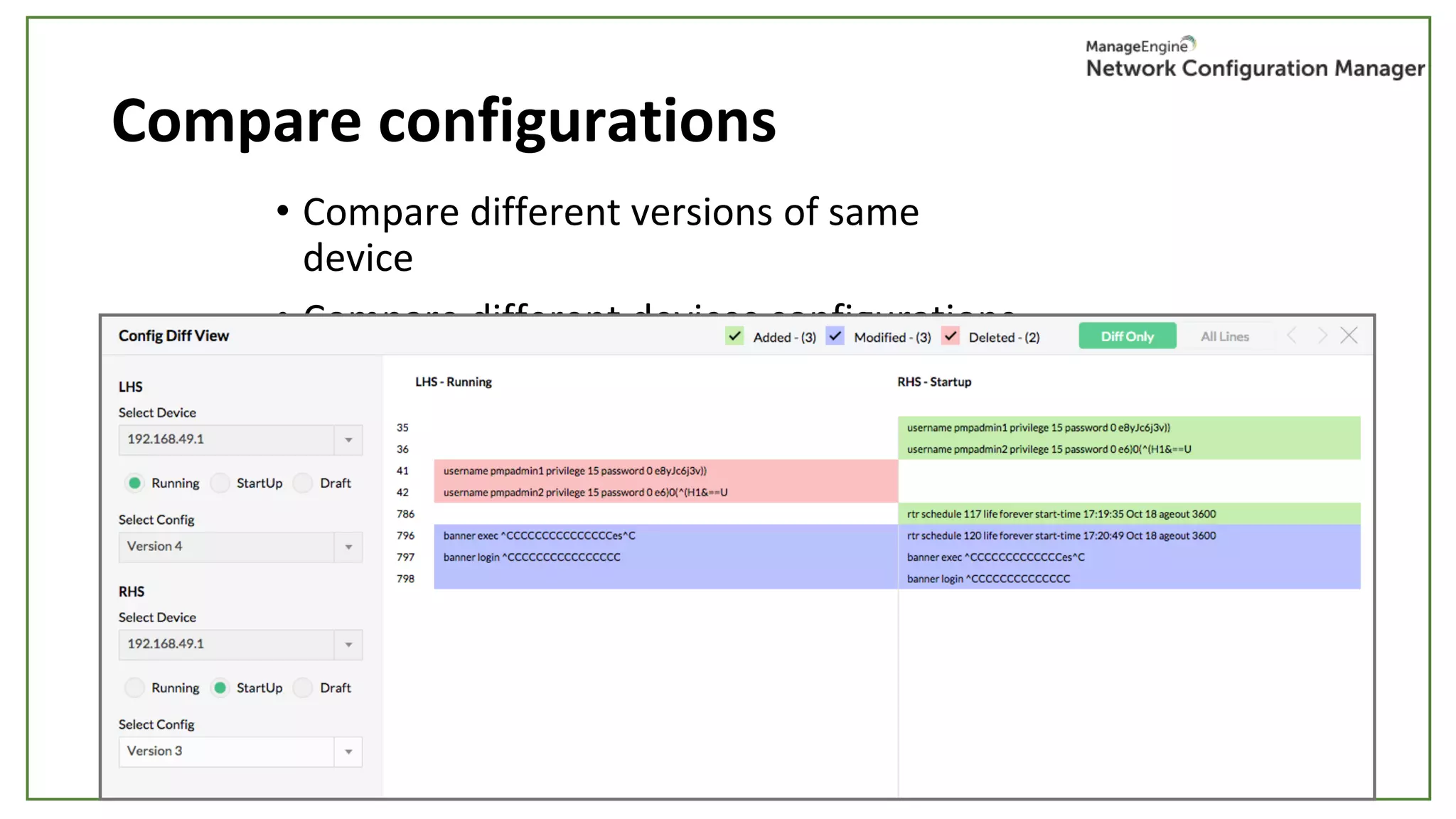
Compare configurations
• Compare different versions of same
device
• Compare different devices configurations
• View colour coded differences: added,
modified & deleted
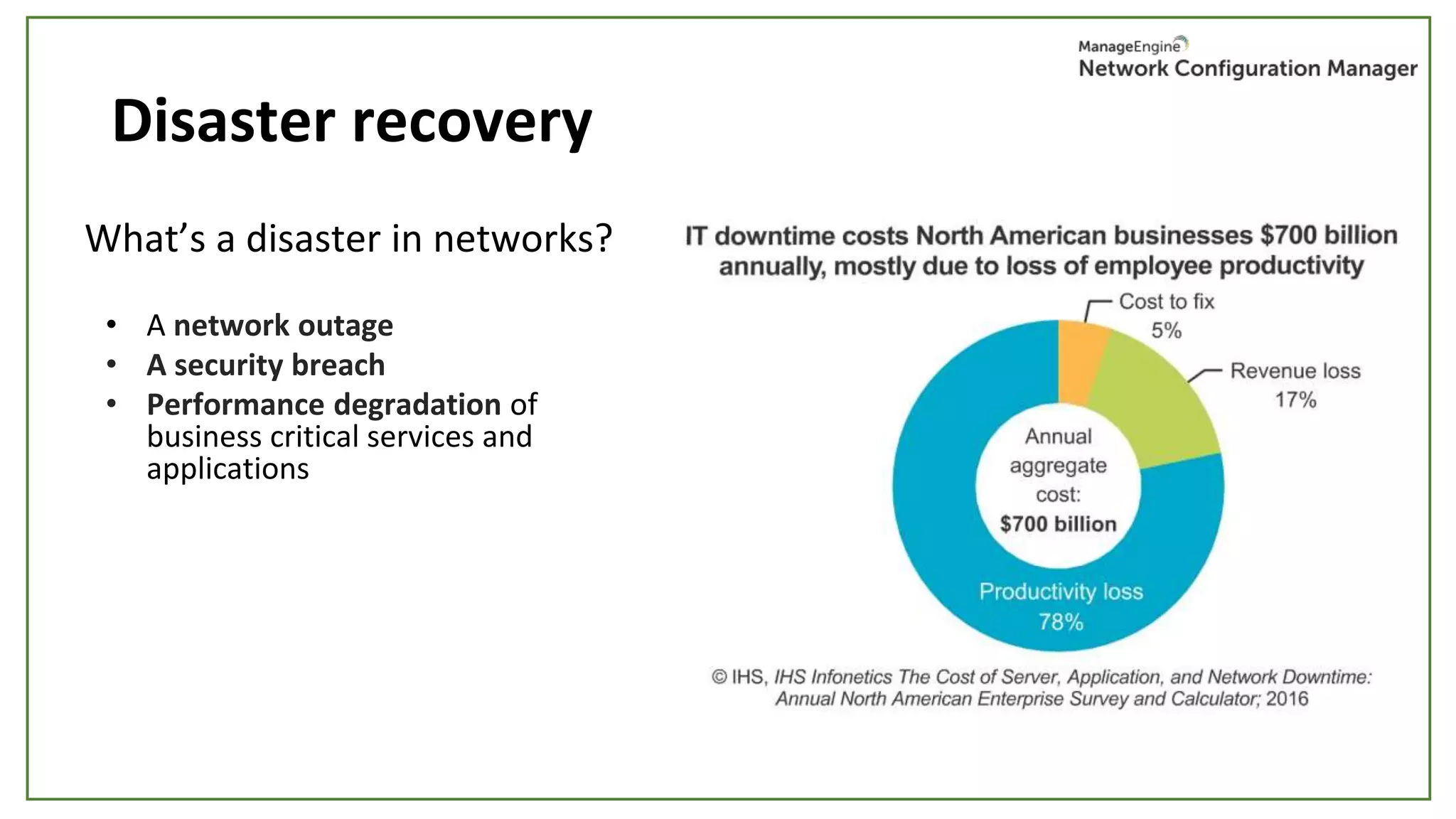
Disaster recovery
What’s a disaster in networks?
• A network outage
• A security breach
• Performance degradation of
business critical services and
applications
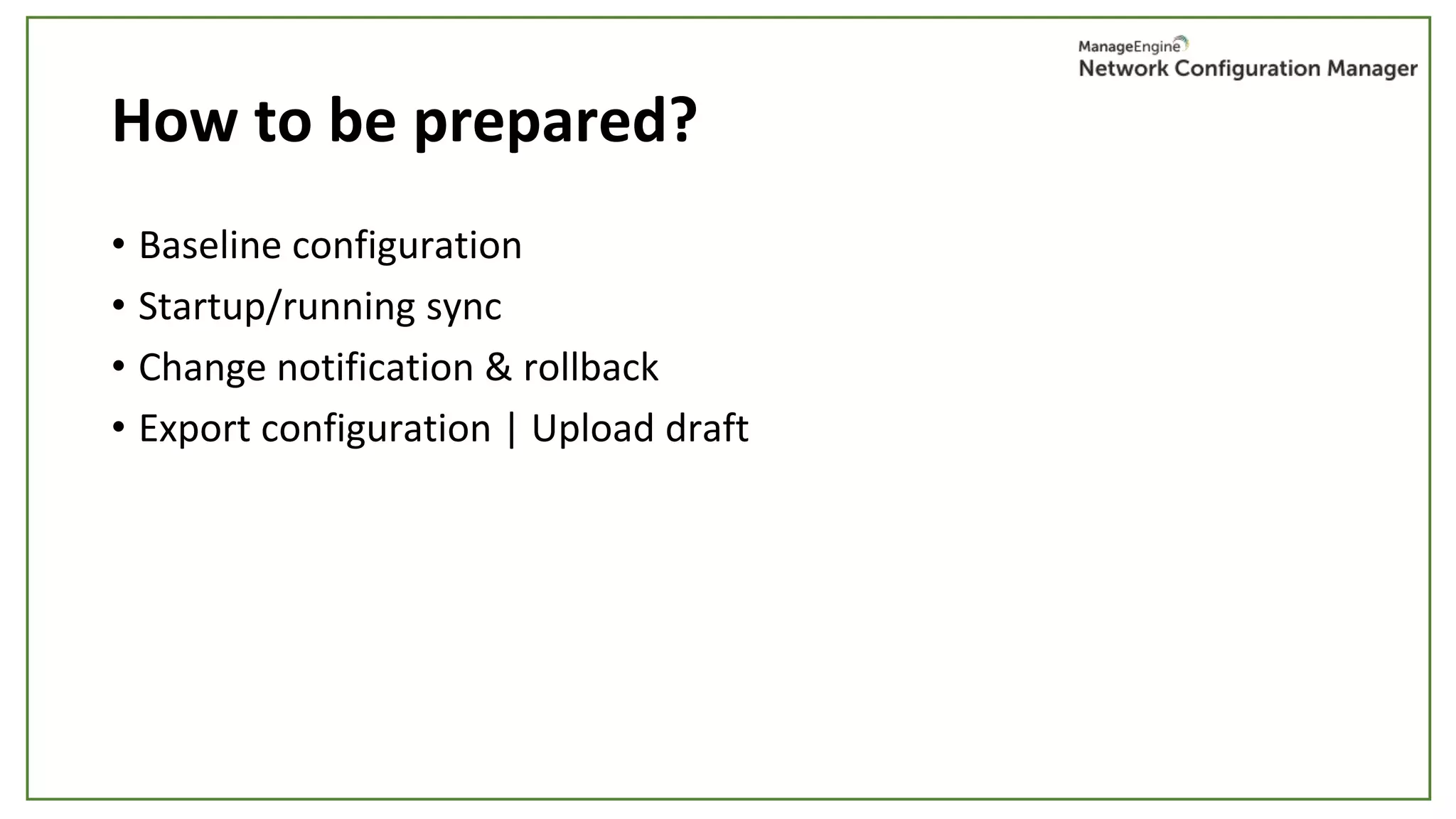
How to be prepared?
• Baseline configuration
• Startup/running sync
• Change notification & rollback
• Export configuration | Upload draft
Baseline configuration
• What is it?
• Why is it important?
• How to use it in times of disaster?
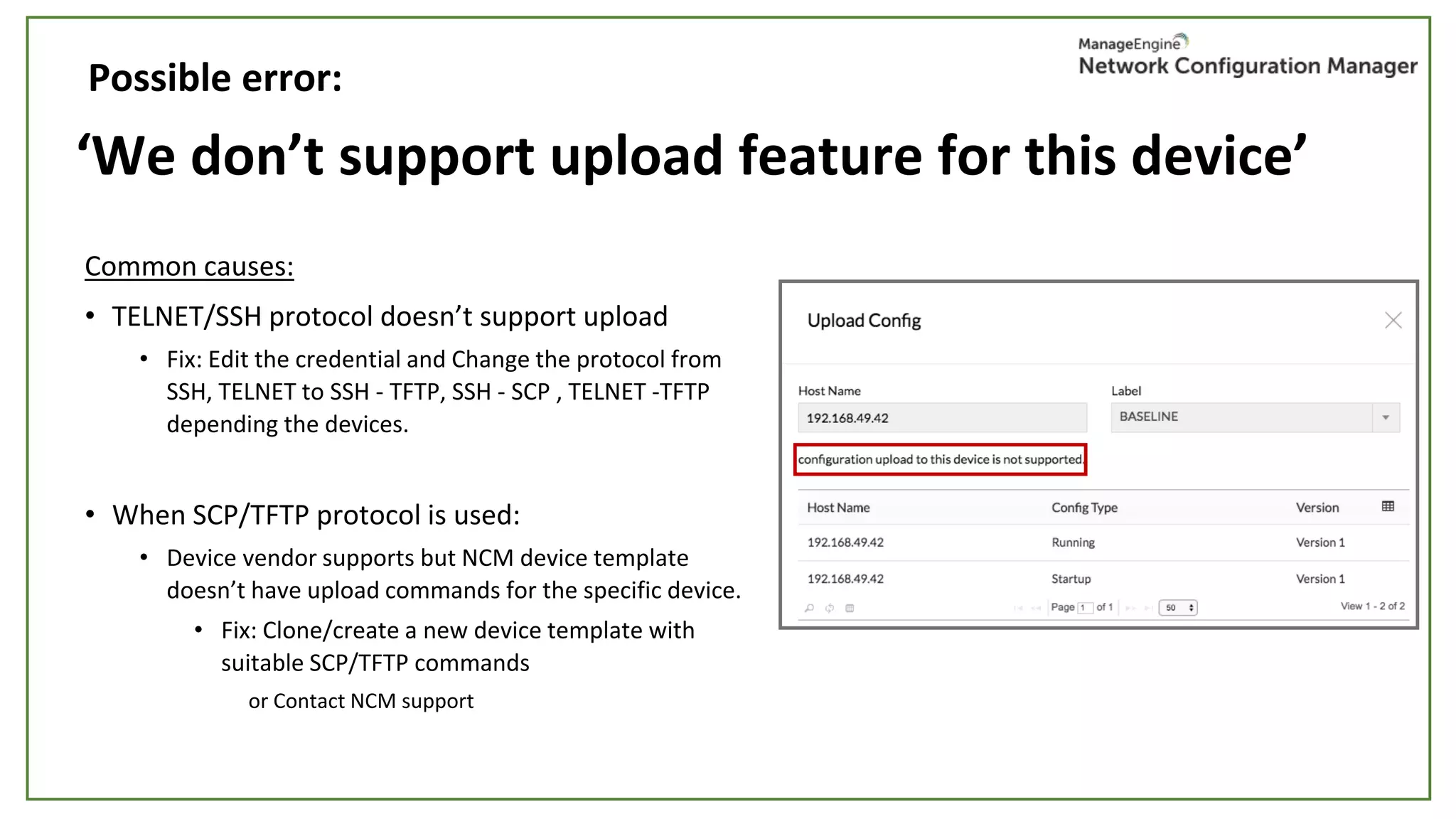
‘We don’t support upload feature for this device’
Common causes:
• TELNET/SSH protocol doesn’t support upload
• Fix: Edit the credential and Change the protocol from
SSH, TELNET to SSH - TFTP, SSH - SCP , TELNET -TFTP
depending the devices.
• When SCP/TFTP protocol is used:
• Device vendor supports but NCM device template
doesn’t have upload commands for the specific device.
• Fix: Clone/create a new device template with
suitable SCP/TFTP commands
or Contact NCM support
Possible error:
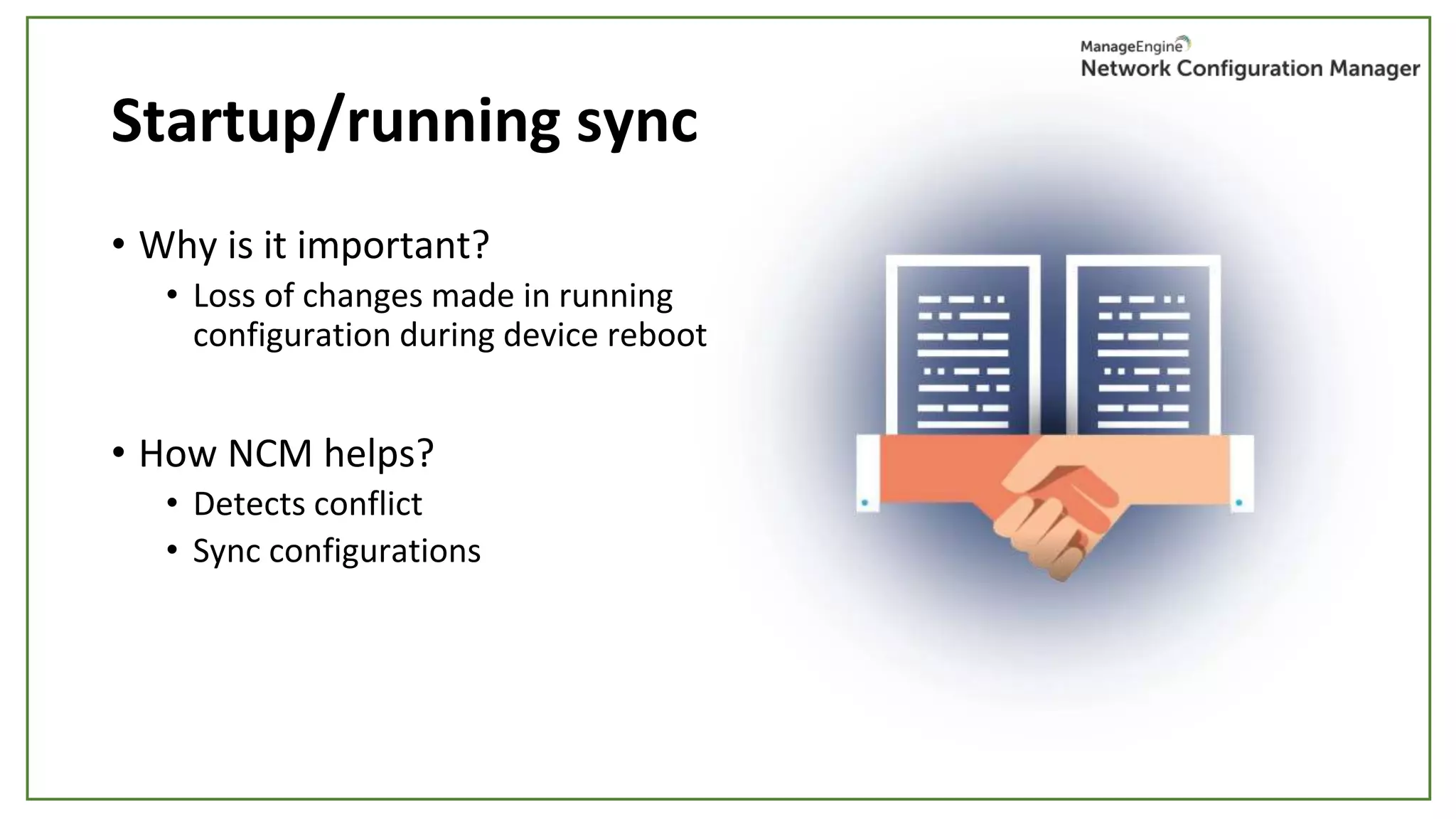
Startup/running sync
• Why is it important?
• Loss of changes made in running
configuration during device reboot
• How NCM helps?
• Detects conflict
• Sync configurations
‘Upload failure’
Common causes:
1. Command timeout
Fix: Change timeout in device template command settings for the device type.
2. Based on the protocol, check the running status of TFTP & SCP
servers in Server Settings.
Possible error:
‘Change happens, but startup-running conflict is not
detected by NCM in real-time.’
Common cause:
Disabled real-time change detection.
Fix:
- Enable change detection if syslog is supported.
- If syslog is not supported, the startup-running conflict will be detected
and reported after the next successful schedule backup or manual backup
operation.
Possible error:
Change notification & roll back
Configure change notifications
• Email
• SNMP Trap for change event
• Trouble ticket
• Generate syslog message for change event
Associate notification profile to devices/device groups.
• Roll back
To previous version
To baseline version
Export config
• Readable format
• Local/shared storage
• Schedule
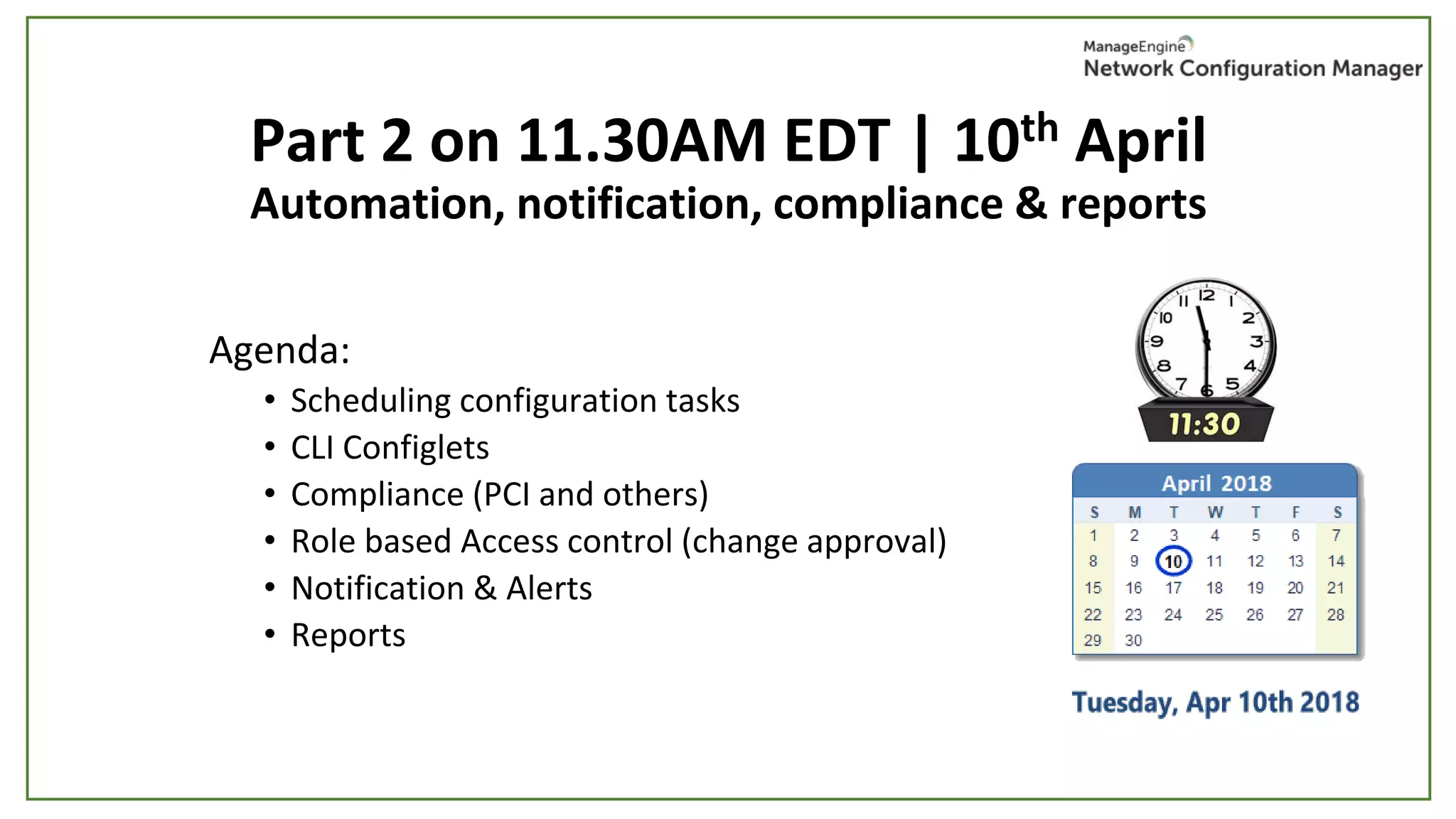
Part 2 on 11.30AM EDT | 10th April
Automation, notification, compliance & reports
Agenda:
• Scheduling configuration tasks
• CLI Configlets
• Compliance (PCI and others)
• Role based Access control (change approval)
• Notification & Alerts
• Reports
Let’s keep in touch!
hemalakshmi.b@manageengine.com
https://www.youtube.com/channel/UCHLusaahd4nS9esD3xBVeUQ
https://forums.manageengine.com/network-configuration-manager
NCM Training - Part 1- Season 2 - Configuration backup & disaster recovery.

NCM Training - Part 1- Season 2 - Configuration backup & disaster recovery.

  • 1.
    Configuration backup &Disaster recovery Free Network Configuration Manager Training – Part 1
  • 2.
    Welcome to Network ConfigurationManager training – Part 1
  • 3.
    Can you hearme? Can you see the presentation? Please confirm by commenting on the chat panel.
  • 4.
  • 5.
    • Manual Configurationchanges • Faulty configuration changes. • Unplanned, unauthorized configuration changes to their network devices • Business needs demand frequent, quick configuration changes. Task becomes complex when multiple administrators manage devices from multi-vendors. • Keeping track of configuration changes Why is a tool needed for configuration management?
  • 6.
    NCM offers aperfect solution for all the above issues: • Designed to automate the entire lifecycle of device configuration management. • Process of changing configurations, managing changes, ensuring compliance and security are all automated. • Helps in ensuring high levels of security in the network What does NCM do?
  • 7.
    Minimum system requirements 2.4GHz dual-core processor, or equivalent 12GB RAM 50GB storage PostgreSQL/MSSQL Windows/Linux The above given specifications are for an environment with 1000 devices. Refer: System requirements
  • 8.
    Agenda • Initial setup •Device discovery & templates • Credentials • Configuration backups & upload • Real-time change detection & change management • Disaster recovery
  • 9.
    Initial setup - Ports& protocols - Device template SNMP Profile Device discovery Backup credential
  • 10.
    Pre-requisites: Ports &Protocols Protocols: SSH, SCP, TFTP Ports: 69 – TFTP | 22 – SSH/SCP | 514 – Syslog 13306 – Postgres database | HTTP (80 Default web port)
  • 11.
    Device template What aredevice templates and what are they used for? Device specific configuration commands : • Configuration backup • Configuration upload • Enable/disable syslog change detection • Fetching hardware information
  • 12.
    Built-in device templates Customizabledevice templates Share with network admins around the world.
  • 13.
    Device discovery SNMP Request SysOID SNMPProfile V1, V2, V3 NCM Discovery Add device & associate with corresponding device template Match received SysOID with default/custom SysOID Match found Match not foundDevice not added
  • 14.
    Device discovery Single device: -IPAddress Bulk discovery: - IP range - CSV file import
  • 15.
    ‘Device is notresponding for SNMP requests’ Common causes: The device is reachable yet not responding: - Incorrect SNMP read community - Disabled SNMP in the device Possible error:
  • 16.
    Device not added Commoncauses: Device reachable & SNMP community is correct but still device is not getting added: 1. Device SysOID not mapped with any device template Fix: Add sysOID to device template at SysOID finder in settings. Possible error: 2. No default device template is available in NCM for the particular device type Fix: Add/clone new device template. or Contact NCM support
  • 17.
    Manual device addition Singledevice - IP Address/Hostname - Vendor - Device template Bulk addition -CSV File import Format: <Hostname/ IP Address>,<Device Template Name>,<Series>,<Model>
  • 18.
  • 19.
    Backup credential Possible combinationsof protocol for backup: • SSH/TELNET • SSH - TFTP / TELNET - TFTP • SSH - SCP • SNMP - TFTP
  • 20.
    SSH / TELNET SSH/ TELNET Device configuration Encrypted configuration stored in database Config backup commandsNCM
  • 21.
    SSH/TELNET - TFTP TFTP Server Configbackup commands Config file transfer using TFTP Encrypted configuration file stored in DB NCM SSH/TELNET - TFTP
  • 22.
    SSH - SCP SCP Server Configbackup commands Config file transfer using SCP Encrypted configuration file stored in DB NCM SSH - SCP
  • 23.
    SNMP - TFTP SNMPRequest for config backup Configuration file transfer using TFTP TFTP Server Encrypted configuration file stored in DB NCM
  • 24.
    How to providecredentials? Refer: https://download.manageengine.com/network-configuration-manager/Device-Expert-Credentials-Tutorial.pdf
  • 25.
    When password & enablepassword is configured:
  • 26.
  • 27.
    Password & enable passwordconfigured: enable
  • 28.
    Directly going to enablemode enable admin
  • 29.
  • 30.
    Credentials are validbut file transfer is failed Common cause: 1. TFTP or SCP servers have not been started. Fix: Check running status of TFTP or SCP servers in NCM server settings. (69 & 22) 2. Timeout due to config file size Fix: Increase backup timeout value in the corresponding device template. Possible error:
  • 31.
    Configuration backup • Whyshould you backup? • Instant (Single & Bulk) • Real-time change detection • Scheduled
  • 32.
    Real-time change detection •What is it? Configuration change made Configuration change made Configuration backup • Why is it important? • How does it work?
  • 33.
  • 34.
    We don’t supportEnable Change Detection for this device. Common cause: NCM doesn’t support syslog for the particular model. - Fix: Enable syslog by connecting to the device and executing the enable syslog commands manually. or Contact NCM support. Possible error:
  • 35.
    Change detection isenabled but change is not detected Common cause: When the device & NCM support syslog, - Mismatched ports - Check NCM syslog server running status in NCM server settings Possible error:
  • 36.
    Scheduled backup • Routineeveryday backups • Monthly / Weekly / Daily / Hourly / Once
  • 37.
    Schedule failure Common causes: Particulardevice credentials incorrect.
  • 38.
    Backup failure Common causes: 1.Credentials are changed or invalid. 2. Ports blocked or TFTP/SCP server not started • Check port 69 & 22 (TFTP & SCP) in NCM server settings 3. Huge config file • Fix: Change the timeout settings in the corresponding device template. 4. Unsupported backup commands • Edit the commands in device template or create a new device template by cloning the closest template.
  • 39.
    Change management • Changetracking, versioning & history • Compare configurations
  • 40.
    Change tracking, versioning,& history • View all changes made in a device • Automatic configuration versioning • Know the who, when & what of each change • Know the historical change trend of a device • View the number of modified, deleted & added config lines
  • 41.
    Compare configurations • Comparedifferent versions of same device • Compare different devices configurations • View colour coded differences: added, modified & deleted
  • 42.
    Disaster recovery What’s adisaster in networks? • A network outage • A security breach • Performance degradation of business critical services and applications
  • 43.
    How to beprepared? • Baseline configuration • Startup/running sync • Change notification & rollback • Export configuration | Upload draft
  • 44.
    Baseline configuration • Whatis it? • Why is it important? • How to use it in times of disaster?
  • 45.
    ‘We don’t supportupload feature for this device’ Common causes: • TELNET/SSH protocol doesn’t support upload • Fix: Edit the credential and Change the protocol from SSH, TELNET to SSH - TFTP, SSH - SCP , TELNET -TFTP depending the devices. • When SCP/TFTP protocol is used: • Device vendor supports but NCM device template doesn’t have upload commands for the specific device. • Fix: Clone/create a new device template with suitable SCP/TFTP commands or Contact NCM support Possible error:
  • 46.
    Startup/running sync • Whyis it important? • Loss of changes made in running configuration during device reboot • How NCM helps? • Detects conflict • Sync configurations
  • 47.
    ‘Upload failure’ Common causes: 1.Command timeout Fix: Change timeout in device template command settings for the device type. 2. Based on the protocol, check the running status of TFTP & SCP servers in Server Settings. Possible error:
  • 48.
    ‘Change happens, butstartup-running conflict is not detected by NCM in real-time.’ Common cause: Disabled real-time change detection. Fix: - Enable change detection if syslog is supported. - If syslog is not supported, the startup-running conflict will be detected and reported after the next successful schedule backup or manual backup operation. Possible error:
  • 49.
    Change notification &roll back Configure change notifications • Email • SNMP Trap for change event • Trouble ticket • Generate syslog message for change event Associate notification profile to devices/device groups. • Roll back To previous version To baseline version
  • 50.
    Export config • Readableformat • Local/shared storage • Schedule
  • 51.
    Part 2 on11.30AM EDT | 10th April Automation, notification, compliance & reports Agenda: • Scheduling configuration tasks • CLI Configlets • Compliance (PCI and others) • Role based Access control (change approval) • Notification & Alerts • Reports
  • 52.
    Let’s keep intouch! hemalakshmi.b@manageengine.com https://www.youtube.com/channel/UCHLusaahd4nS9esD3xBVeUQ https://forums.manageengine.com/network-configuration-manager