DM
L
DATA
M
ANIPULATION
LANGUAGE
INTRODUCTION
SQL (Structured Query Language) is the standard language used for the
manipulation and accessing databases.
SQL is divided into two parts :
1. DML (Data Manipulation Language)
2. DDL (Data Definition Languagae)
DATA MANIPULATION LANGUAGE
DML COMMANDS
 Insert- Insert is used to add a new row to a table
SYNTAX :
INSERT INTO tablename [(field list)] VALUES (value list)
Field list is optional
 If field list is omitted, values expected for all columns (except IDENTITY)
INSERT
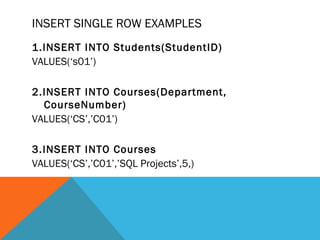
INSERT SINGLE ROW EXAMPLES
1.INSERT INTO Students(StudentID)
VALUES(‘s01’)
2.INSERT INTO Courses(Department,
CourseNumber)
VALUES(‘CS’,’C01’)
3.INSERT INTO Courses
VALUES(‘CS’,’C01’,’SQL Projects’,5,)
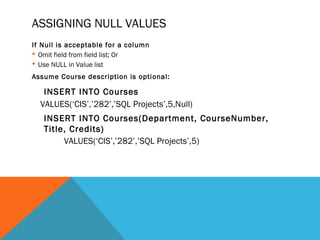
ASSIGNING NULL VALUES
If Null is acceptable for a column
 Omit field from field list; Or
 Use NULL in Value list
Assume Course description is optional:
INSERT INTO Courses
VALUES(‘CIS’,’282’,’SQL Projects’,5,Null)
INSERT INTO Courses(Department, CourseNumber,
Title, Credits)
VALUES(‘CIS’,’282’,’SQL Projects’,5)
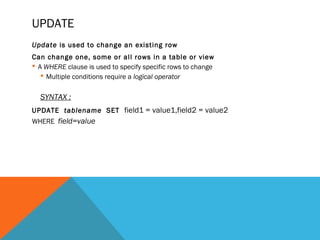
UPDATE
Update is used to change an existing row
Can change one, some or all rows in a table or view
 A WHERE clause is used to specify specific rows to change
 Multiple conditions require a logical operator
SYNTAX :
UPDATE tablename SET field1 = value1,field2 = value2
WHERE field=value
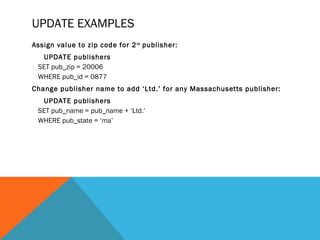
UPDATE EXAMPLES
Assign value to zip code for 2nd
publisher:
UPDATE publishers
SET pub_zip = 20006
WHERE pub_id = 0877
Change publisher name to add ‘Ltd.’ for any Massachusetts publisher:
UPDATE publishers
SET pub_name = pub_name + ‘Ltd.’
WHERE pub_state = ‘ma’
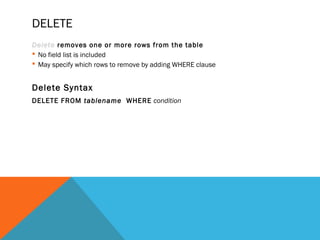
DELETE
Delete removes one or more rows from the table
 No field list is included
 May specify which rows to remove by adding WHERE clause
Delete Syntax
DELETE FROM tablename WHERE condition
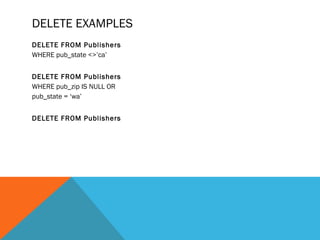
DELETE EXAMPLES
DELETE FROM Publishers
WHERE pub_state <>’ca’
DELETE FROM Publishers
WHERE pub_zip IS NULL OR
pub_state = ‘wa’
DELETE FROM Publishers

database slide

  • 1.
  • 2.
    INTRODUCTION SQL (Structured QueryLanguage) is the standard language used for the manipulation and accessing databases. SQL is divided into two parts : 1. DML (Data Manipulation Language) 2. DDL (Data Definition Languagae)
  • 3.
  • 4.
    DML COMMANDS  Insert-Insert is used to add a new row to a table SYNTAX : INSERT INTO tablename [(field list)] VALUES (value list) Field list is optional  If field list is omitted, values expected for all columns (except IDENTITY) INSERT
  • 5.
    INSERT SINGLE ROWEXAMPLES 1.INSERT INTO Students(StudentID) VALUES(‘s01’) 2.INSERT INTO Courses(Department, CourseNumber) VALUES(‘CS’,’C01’) 3.INSERT INTO Courses VALUES(‘CS’,’C01’,’SQL Projects’,5,)
  • 6.
    ASSIGNING NULL VALUES IfNull is acceptable for a column  Omit field from field list; Or  Use NULL in Value list Assume Course description is optional: INSERT INTO Courses VALUES(‘CIS’,’282’,’SQL Projects’,5,Null) INSERT INTO Courses(Department, CourseNumber, Title, Credits) VALUES(‘CIS’,’282’,’SQL Projects’,5)
  • 7.
    UPDATE Update is usedto change an existing row Can change one, some or all rows in a table or view  A WHERE clause is used to specify specific rows to change  Multiple conditions require a logical operator SYNTAX : UPDATE tablename SET field1 = value1,field2 = value2 WHERE field=value
  • 8.
    UPDATE EXAMPLES Assign valueto zip code for 2nd publisher: UPDATE publishers SET pub_zip = 20006 WHERE pub_id = 0877 Change publisher name to add ‘Ltd.’ for any Massachusetts publisher: UPDATE publishers SET pub_name = pub_name + ‘Ltd.’ WHERE pub_state = ‘ma’
  • 9.
    DELETE Delete removes oneor more rows from the table  No field list is included  May specify which rows to remove by adding WHERE clause Delete Syntax DELETE FROM tablename WHERE condition
  • 10.
    DELETE EXAMPLES DELETE FROMPublishers WHERE pub_state <>’ca’ DELETE FROM Publishers WHERE pub_zip IS NULL OR pub_state = ‘wa’ DELETE FROM Publishers