Introduction to the Relational Model and SQL
61
• After completing this chapter, you should be able to:
explain basic notions of the relational model:
table/relation, row/tuple, column/attribute, column
value/attribute value,
explain the meaning of keys and foreign keys,
write simple SQL queries (queries against a single table).
Introduction to the Relational Model and SQL
62
Overview
1. The Relational Model, Example Database
2. Simple SQL Queries
3. Historical Remarks
The Relational Model (1)
63
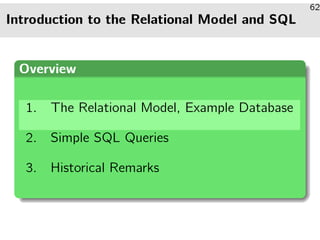
• The relational model structures data in tabular form, i.e., a
relational database is a set of named tables.
A relational database schema defines:
1 Names of tables in the database,
2 the columns of each table, i.e., the column name
and the data types of the column entries,
3 integrity constraints, i.e., conditions that data
entered into the tables is required to satisfy.
The Relational Model (2)
64
• Example: Assume a database maintaning information about a
small real-world subset: a company’s departments and
employees.
• Two tables:
EMP: information about employees.
DEPT: information about departments.
Table DEPT
DEPT
DEPTNO DNAME LOC
10 ACCOUNTING NEW YORK
20 RESEARCH DALLAS
30 SALES CHICAGO
40 OPERATIONS BOSTON
The Relational Model (3)
65
• The three columns of table DEPT have the following data
types:
DEPTNO has data type NUMERIC(2), i.e., the column can
hold two-digit integer entries −99 . . . 99.
An integrity constraint can be used to exclude negative
department numbers.
DNAME has type VARCHAR(14), i.e., the entries are character
strings of variable length of up to 14 characters.
LOC has type VARCHAR(13).
The Relational Model (4)
66
• A relational database state (instance of a given schema)
defines a set of rows for each table.
• In the now current state, table DEPT has four rows.
• The relational model does not define any particular order of
the rows (e.g., first row, second row).
Rows can be sorted for output, though.
• Each row specifies values for each column of the table.
Summary (1)
67
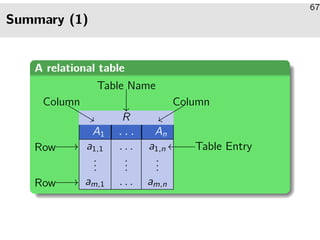
A relational table
R
A1 ... An
a1,1 . . . a1,n
...
...
...
am,1 . . . am,n
Table Name
Column Column
Row
Row
Table Entry

%%LLLLLL
yyrrrrrr
//
//
oo
Summary (2)
68
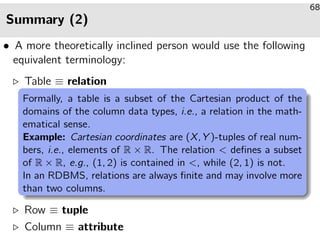
• A more theoretically inclined person would use the following
equivalent terminology:
Table ≡ relation
Formally, a table is a subset of the Cartesian product of the
domains of the column data types, i.e., a relation in the math-
ematical sense.
Example: Cartesian coordinates are (X, Y )-tuples of real num-
bers, i.e., elements of R × R. The relation  defines a subset
of R × R, e.g., (1, 2) is contained in , while (2, 1) is not.
In an RDBMS, relations are always finite and may involve more
than two columns.
Row ≡ tuple
Column ≡ attribute
Summary (3)
69
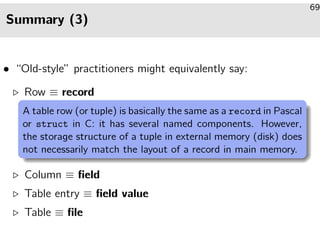
• “Old-style” practitioners might equivalently say:
Row ≡ record
A table row (or tuple) is basically the same as a record in Pascal
or struct in C: it has several named components. However,
the storage structure of a tuple in external memory (disk) does
not necessarily match the layout of a record in main memory.
Column ≡ field
Table entry ≡ field value
Table ≡ file
Keys (1)
70
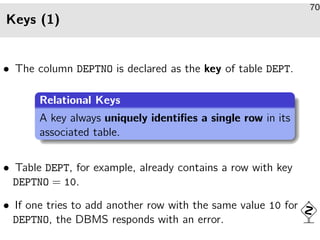
• The column DEPTNO is declared as the key of table DEPT.
Relational Keys
A key always uniquely identifies a single row in its
associated table.
• Table DEPT, for example, already contains a row with key
DEPTNO = 10.
• If one tries to add another row with the same value 10 for
DEPTNO, the DBMS responds with an error.
Keys (2)
71
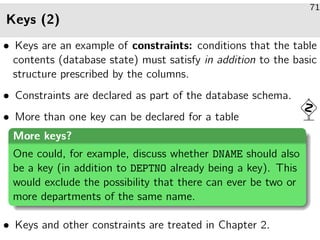
• Keys are an example of constraints: conditions that the table
contents (database state) must satisfy in addition to the basic
structure prescribed by the columns.
• Constraints are declared as part of the database schema.
• More than one key can be declared for a table
More keys?
One could, for example, discuss whether DNAME should also
be a key (in addition to DEPTNO already being a key). This
would exclude the possibility that there can ever be two or
more departments of the same name.
• Keys and other constraints are treated in Chapter 2.
Another Example Table (1)
72
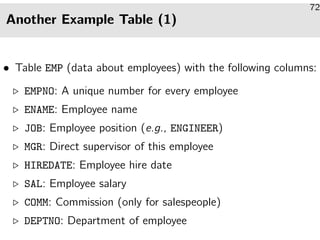
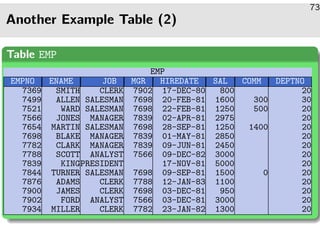
• Table EMP (data about employees) with the following columns:
EMPNO: A unique number for every employee
ENAME: Employee name
JOB: Employee position (e.g., ENGINEER)
MGR: Direct supervisor of this employee
HIREDATE: Employee hire date
SAL: Employee salary
COMM: Commission (only for salespeople)
DEPTNO: Department of employee
Another Example Table (2)
73
Table EMP
EMP
EMPNO ENAME JOB MGR HIREDATE SAL COMM DEPTNO
7369 SMITH CLERK 7902 17-DEC-80 800 20
7499 ALLEN SALESMAN 7698 20-FEB-81 1600 300 30
7521 WARD SALESMAN 7698 22-FEB-81 1250 500 20
7566 JONES MANAGER 7839 02-APR-81 2975 20
7654 MARTIN SALESMAN 7698 28-SEP-81 1250 1400 20
7698 BLAKE MANAGER 7839 01-MAY-81 2850 20
7782 CLARK MANAGER 7839 09-JUN-81 2450 20
7788 SCOTT ANALYST 7566 09-DEC-82 3000 20
7839 KINGPRESIDENT 17-NOV-81 5000 20
7844 TURNER SALESMAN 7698 09-SEP-81 1500 0 20
7876 ADAMS CLERK 7788 12-JAN-83 1100 20
7900 JAMES CLERK 7698 03-DEC-81 950 20
7902 FORD ANALYST 7566 03-DEC-81 3000 20
7934 MILLER CLERK 7782 23-JAN-82 1300 20
Foreign Keys (1)
74
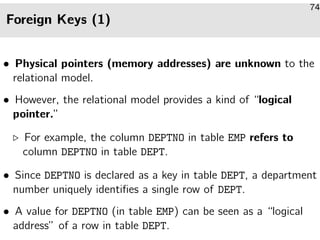
• Physical pointers (memory addresses) are unknown to the
relational model.
• However, the relational model provides a kind of “logical
pointer.”
For example, the column DEPTNO in table EMP refers to
column DEPTNO in table DEPT.
• Since DEPTNO is declared as a key in table DEPT, a department
number uniquely identifies a single row of DEPT.
• A value for DEPTNO (in table EMP) can be seen as a “logical
address” of a row in table DEPT.
Foreign Keys (2)
75
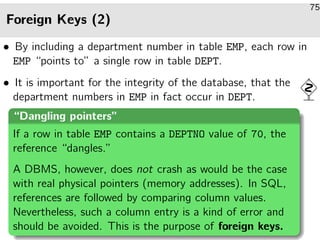
• By including a department number in table EMP, each row in
EMP “points to” a single row in table DEPT.
• It is important for the integrity of the database, that the
department numbers in EMP in fact occur in DEPT.
“Dangling pointers”
If a row in table EMP contains a DEPTNO value of 70, the
reference “dangles.”
A DBMS, however, does not crash as would be the case
with real physical pointers (memory addresses). In SQL,
references are followed by comparing column values.
Nevertheless, such a column entry is a kind of error and
should be avoided. This is the purpose of foreign keys.
Foreign Keys (3)
76
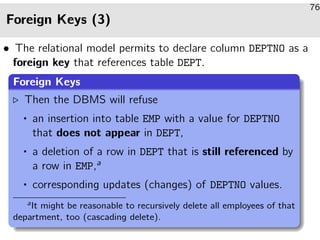
• The relational model permits to declare column DEPTNO as a
foreign key that references table DEPT.
Foreign Keys
Then the DBMS will refuse
an insertion into table EMP with a value for DEPTNO
that does not appear in DEPT,
a deletion of a row in DEPT that is still referenced by
a row in EMP,a
corresponding updates (changes) of DEPTNO values.
aIt might be reasonable to recursively delete all employees of that
department, too (cascading delete).
Foreign Keys (4)
77
• Table EMP also contains a second foreign key:
Column MGR contains the employee number of the employee’s
direct supervisor.
• This shows that
it is possible that a foreign key refer to another row in the
same table (or even the same row),
the foreign key column and referenced key may have
different names (here: MGR and EMPNO).
Null Values
78
• The relational model allows column entries to remain empty
(i.e., the column/row contains a null value).
• For example, in table EMP:
1 only salespeople have a commission,
2 the company president has no supervisor.
• When a table schema is declared, we may specify for each
column whether null values are accepted or not.
• Null values are treated specially in comparisons.
Introduction to the Relational Model and SQL
79
Overview
1. The Relational Model, Example Database
2. Simple SQL Queries
3. Historical Remarks
Simple SQL Queries (1)
80
• Simple SQL queries have the following syntactic form:
SELECT · · · FROM · · · WHERE · · ·
After FROM: comma-separated list of table names from
which to extract data.
After WHERE: specify predicate (Boolean expression,
true/false) which selected rows are required to satisfy.
A missing WHERE-clause is equivalent to WHERE TRUE.
After SELECT: define which columns appear in the result
table.
Note: SELECT * selects all columns
Simple SQL Queries (2)
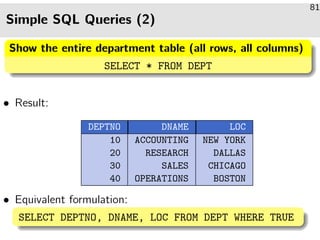
81
Show the entire department table (all rows, all columns)
SELECT * FROM DEPT
• Result:
DEPTNO DNAME LOC
10 ACCOUNTING NEW YORK
20 RESEARCH DALLAS
30 SALES CHICAGO
40 OPERATIONS BOSTON
• Equivalent formulation:
SELECT DEPTNO, DNAME, LOC FROM DEPT WHERE TRUE
Simple SQL Queries (3)
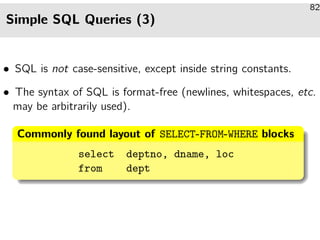
82
• SQL is not case-sensitive, except inside string constants.
• The syntax of SQL is format-free (newlines, whitespaces, etc.
may be arbitrarily used).
Commonly found layout of SELECT-FROM-WHERE blocks
select deptno, dname, loc
from dept
Using Conditions (1)
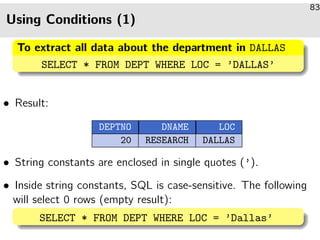
83
To extract all data about the department in DALLAS
SELECT * FROM DEPT WHERE LOC = ’DALLAS’
• Result:
DEPTNO DNAME LOC
20 RESEARCH DALLAS
• String constants are enclosed in single quotes (’).
• Inside string constants, SQL is case-sensitive. The following
will select 0 rows (empty result):
SELECT * FROM DEPT WHERE LOC = ’Dallas’
Using Conditions (2)
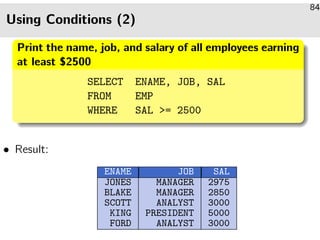
84
Print the name, job, and salary of all employees earning
at least $2500
SELECT ENAME, JOB, SAL
FROM EMP
WHERE SAL = 2500
• Result:
ENAME JOB SAL
JONES MANAGER 2975
BLAKE MANAGER 2850
SCOTT ANALYST 3000
KING PRESIDENT 5000
FORD ANALYST 3000
Using Conditions (3)
85
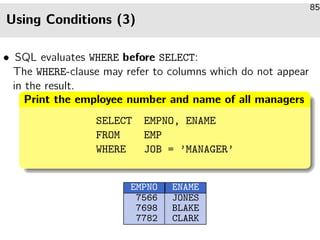
• SQL evaluates WHERE before SELECT:
The WHERE-clause may refer to columns which do not appear
in the result.
Print the employee number and name of all managers
SELECT EMPNO, ENAME
FROM EMP
WHERE JOB = ’MANAGER’
EMPNO ENAME
7566 JONES
7698 BLAKE
7782 CLARK
Pattern Matching (1)
86
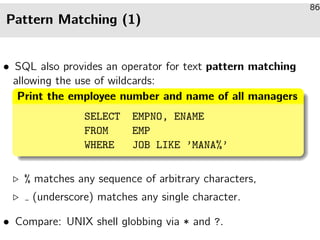
• SQL also provides an operator for text pattern matching
allowing the use of wildcards:
Print the employee number and name of all managers
SELECT EMPNO, ENAME
FROM EMP
WHERE JOB LIKE ’MANA%’
% matches any sequence of arbitrary characters,
(underscore) matches any single character.
• Compare: UNIX shell globbing via * and ?.
Pattern Matching (2)
87
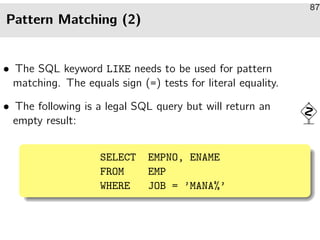
• The SQL keyword LIKE needs to be used for pattern
matching. The equals sign (=) tests for literal equality.
• The following is a legal SQL query but will return an
empty result:
SELECT EMPNO, ENAME
FROM EMP
WHERE JOB = ’MANA%’
Arithmetic Expressions
88
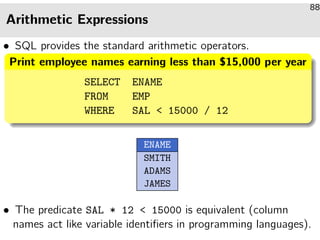
• SQL provides the standard arithmetic operators.
Print employee names earning less than $15,000 per year
SELECT ENAME
FROM EMP
WHERE SAL  15000 / 12
ENAME
SMITH
ADAMS
JAMES
• The predicate SAL * 12  15000 is equivalent (column
names act like variable identifiers in programming languages).
Renaming Output Columns
89
Print the yearly salary of all managers
SELECT ENAME, SAL * 12
FROM EMP
WHERE JOB = ’MANAGER’
ENAME SAL * 12
JONES 35700
BLAKE 34200
CLARK 29400
• To rename the second result column:
SELECT ENAME, SAL * 12 [AS] YEARLY SALARY . . .
Logical Connectives (1)
90
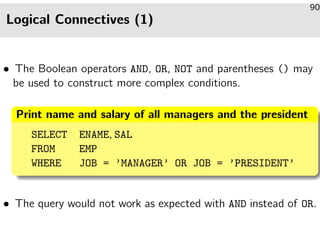
• The Boolean operators AND, OR, NOT and parentheses () may
be used to construct more complex conditions.
Print name and salary of all managers and the president
SELECT ENAME, SAL
FROM EMP
WHERE JOB = ’MANAGER’ OR JOB = ’PRESIDENT’
• The query would not work as expected with AND instead of OR.
Logical Connectives (2)
91
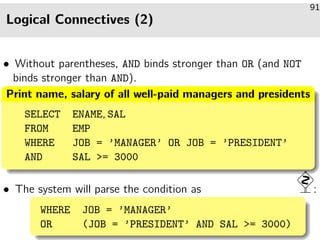
• Without parentheses, AND binds stronger than OR (and NOT
binds stronger than AND).
Print name, salary of all well-paid managers and presidents
SELECT ENAME, SAL
FROM EMP
WHERE JOB = ’MANAGER’ OR JOB = ’PRESIDENT’
AND SAL = 3000
• The system will parse the condition as :
WHERE JOB = ’MANAGER’
OR (JOB = ’PRESIDENT’ AND SAL = 3000)
Removing Duplicate Rows
92
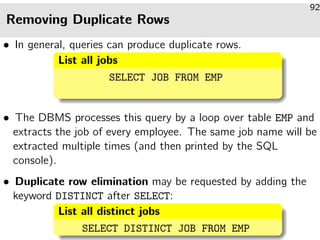
• In general, queries can produce duplicate rows.
List all jobs
SELECT JOB FROM EMP
• The DBMS processes this query by a loop over table EMP and
extracts the job of every employee. The same job name will be
extracted multiple times (and then printed by the SQL
console).
• Duplicate row elimination may be requested by adding the
keyword DISTINCT after SELECT:
List all distinct jobs
SELECT DISTINCT JOB FROM EMP
Sorting Output Rows (1)
93
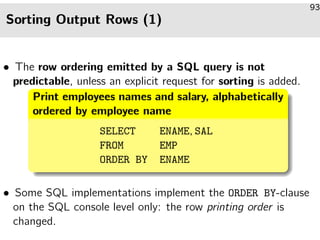
• The row ordering emitted by a SQL query is not
predictable, unless an explicit request for sorting is added.
Print employees names and salary, alphabetically
ordered by employee name
SELECT ENAME, SAL
FROM EMP
ORDER BY ENAME
• Some SQL implementations implement the ORDER BY-clause
on the SQL console level only: the row printing order is
changed.
Sorting Output Rows (2)
94
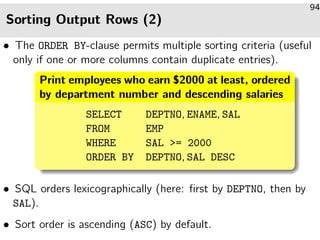
• The ORDER BY-clause permits multiple sorting criteria (useful
only if one or more columns contain duplicate entries).
Print employees who earn $2000 at least, ordered
by department number and descending salaries
SELECT DEPTNO, ENAME, SAL
FROM EMP
WHERE SAL = 2000
ORDER BY DEPTNO, SAL DESC
• SQL orders lexicographically (here: first by DEPTNO, then by
SAL).
• Sort order is ascending (ASC) by default.
Outlook: Joining Tables
95
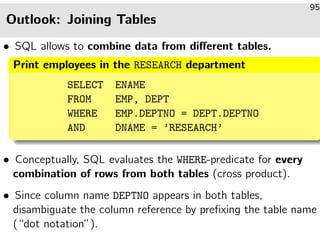
• SQL allows to combine data from different tables.
Print employees in the RESEARCH department
SELECT ENAME
FROM EMP, DEPT
WHERE EMP.DEPTNO = DEPT.DEPTNO
AND DNAME = ’RESEARCH’
• Conceptually, SQL evaluates the WHERE-predicate for every
combination of rows from both tables (cross product).
• Since column name DEPTNO appears in both tables,
disambiguate the column reference by prefixing the table name
(“dot notation”).
SQL Quiz (1)
96
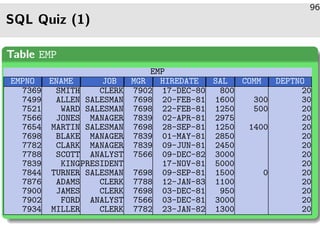
Table EMP
EMP
EMPNO ENAME JOB MGR HIREDATE SAL COMM DEPTNO
7369 SMITH CLERK 7902 17-DEC-80 800 20
7499 ALLEN SALESMAN 7698 20-FEB-81 1600 300 30
7521 WARD SALESMAN 7698 22-FEB-81 1250 500 20
7566 JONES MANAGER 7839 02-APR-81 2975 20
7654 MARTIN SALESMAN 7698 28-SEP-81 1250 1400 20
7698 BLAKE MANAGER 7839 01-MAY-81 2850 20
7782 CLARK MANAGER 7839 09-JUN-81 2450 20
7788 SCOTT ANALYST 7566 09-DEC-82 3000 20
7839 KINGPRESIDENT 17-NOV-81 5000 20
7844 TURNER SALESMAN 7698 09-SEP-81 1500 0 20
7876 ADAMS CLERK 7788 12-JAN-83 1100 20
7900 JAMES CLERK 7698 03-DEC-81 950 20
7902 FORD ANALYST 7566 03-DEC-81 3000 20
7934 MILLER CLERK 7782 23-JAN-82 1300 20
SQL Quiz (2)
97
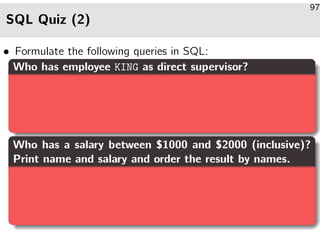
• Formulate the following queries in SQL:
Who has employee KING as direct supervisor?
Who has a salary between $1000 and $2000 (inclusive)?
Print name and salary and order the result by names.
SQL Quiz (3)
98
Which employee names consist of exactly four characters?
Print name, salary, department of all employees who work
in department 10 or 30 and earn less than $1500.
SQL Quiz (4)
99
Which jobs occur in which departments?
Introduction to the Relational Model and SQL
100
Overview
1. The Relational Model, Example Database
2. Simple SQL Queries
3. Historical Remarks
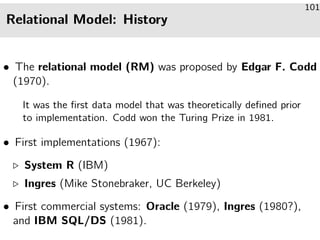
Relational Model: History
101
• The relational model (RM) was proposed by Edgar F. Codd
(1970).
It was the first data model that was theoretically defined prior
to implementation. Codd won the Turing Prize in 1981.
• First implementations (1967):
System R (IBM)
Ingres (Mike Stonebraker, UC Berkeley)
• First commercial systems: Oracle (1979), Ingres (1980?),
and IBM SQL/DS (1981).
Reasons for Success (1)
102
• Much simpler than earlier data models.
One core concept: finite relation (set of tuples).
• Easily understandable, even for non-specialists:
Relations correspond to tables.
• The theoretical model fits well with common implementation
techniques:
A relation is an abstraction of a file of records.
• The relational model features set-oriented operation. In
earlier models, record-to-record navigation was explicit.
Reasons for Success (2)
103
• Declarative query language.
A SQL query expresses the format and conditions that
resulting tuples need to respect. The RDBMS contains a
query optimizer that derives an efficient query evaluation plan
(i.e., an imperative program that evaluates the query) from this
declarative specification. In earlier models, programmers had to
explicitly think about the use of indexes and many more details.
• The relational model has a solid theoretical foundation.
It is tightly connected to first-order logic.
Standards
104
• First standard 1986/87 (ANSI/ISO).
This was late as there were already several SQL systems on the
market. The standard was the “smallest common
denominator”, containing only the features common to existing
implementations.
• Extension to foreign keys etc. in 1989 (SQL-89).
This version is also called SQL-1. All commercial
implementations today support SQL-89, but also features
significant extensions.
• Major extension: SQL-2 (SQL-92) (1992).
Standard defines three levels, “entry”, “intermediate”, “full.”
Oracle 8.0, SQL Server 7.0 have entry level conformance.
Future
105
• Current standard: SQL-99.
SQL-99 is a preliminary version of the SQL-3 standard. Until
12/2000, the volumes 1–5 and 10 appeared (2355 pages; the
SQL-2 standard, which is not completely implemented yet had
587 pages).
• Some features in the upcoming SQL-3:
User-defined data type constructors:
LIST, SET, ROW to structure column values
OO features (e.g., inheritance, subtables).
Recursive queries.

Introduction to the Relational Model and SQL

  • 1.
    Introduction to theRelational Model and SQL 61 • After completing this chapter, you should be able to: explain basic notions of the relational model: table/relation, row/tuple, column/attribute, column value/attribute value, explain the meaning of keys and foreign keys, write simple SQL queries (queries against a single table).
  • 2.
    Introduction to theRelational Model and SQL 62 Overview 1. The Relational Model, Example Database 2. Simple SQL Queries 3. Historical Remarks
  • 3.
    The Relational Model(1) 63 • The relational model structures data in tabular form, i.e., a relational database is a set of named tables. A relational database schema defines: 1 Names of tables in the database, 2 the columns of each table, i.e., the column name and the data types of the column entries, 3 integrity constraints, i.e., conditions that data entered into the tables is required to satisfy.
  • 4.
    The Relational Model(2) 64 • Example: Assume a database maintaning information about a small real-world subset: a company’s departments and employees. • Two tables: EMP: information about employees. DEPT: information about departments. Table DEPT DEPT DEPTNO DNAME LOC 10 ACCOUNTING NEW YORK 20 RESEARCH DALLAS 30 SALES CHICAGO 40 OPERATIONS BOSTON
  • 5.
    The Relational Model(3) 65 • The three columns of table DEPT have the following data types: DEPTNO has data type NUMERIC(2), i.e., the column can hold two-digit integer entries −99 . . . 99. An integrity constraint can be used to exclude negative department numbers. DNAME has type VARCHAR(14), i.e., the entries are character strings of variable length of up to 14 characters. LOC has type VARCHAR(13).
  • 6.
    The Relational Model(4) 66 • A relational database state (instance of a given schema) defines a set of rows for each table. • In the now current state, table DEPT has four rows. • The relational model does not define any particular order of the rows (e.g., first row, second row). Rows can be sorted for output, though. • Each row specifies values for each column of the table.
  • 7.
    Summary (1) 67 A relationaltable R A1 ... An a1,1 . . . a1,n ... ... ... am,1 . . . am,n Table Name Column Column Row Row Table Entry %%LLLLLL yyrrrrrr // // oo
  • 8.
    Summary (2) 68 • Amore theoretically inclined person would use the following equivalent terminology: Table ≡ relation Formally, a table is a subset of the Cartesian product of the domains of the column data types, i.e., a relation in the math- ematical sense. Example: Cartesian coordinates are (X, Y )-tuples of real num- bers, i.e., elements of R × R. The relation defines a subset of R × R, e.g., (1, 2) is contained in , while (2, 1) is not. In an RDBMS, relations are always finite and may involve more than two columns. Row ≡ tuple Column ≡ attribute
  • 9.
    Summary (3) 69 • “Old-style”practitioners might equivalently say: Row ≡ record A table row (or tuple) is basically the same as a record in Pascal or struct in C: it has several named components. However, the storage structure of a tuple in external memory (disk) does not necessarily match the layout of a record in main memory. Column ≡ field Table entry ≡ field value Table ≡ file
  • 10.
    Keys (1) 70 • Thecolumn DEPTNO is declared as the key of table DEPT. Relational Keys A key always uniquely identifies a single row in its associated table. • Table DEPT, for example, already contains a row with key DEPTNO = 10. • If one tries to add another row with the same value 10 for DEPTNO, the DBMS responds with an error.
  • 11.
    Keys (2) 71 • Keysare an example of constraints: conditions that the table contents (database state) must satisfy in addition to the basic structure prescribed by the columns. • Constraints are declared as part of the database schema. • More than one key can be declared for a table More keys? One could, for example, discuss whether DNAME should also be a key (in addition to DEPTNO already being a key). This would exclude the possibility that there can ever be two or more departments of the same name. • Keys and other constraints are treated in Chapter 2.
  • 12.
    Another Example Table(1) 72 • Table EMP (data about employees) with the following columns: EMPNO: A unique number for every employee ENAME: Employee name JOB: Employee position (e.g., ENGINEER) MGR: Direct supervisor of this employee HIREDATE: Employee hire date SAL: Employee salary COMM: Commission (only for salespeople) DEPTNO: Department of employee
  • 13.
    Another Example Table(2) 73 Table EMP EMP EMPNO ENAME JOB MGR HIREDATE SAL COMM DEPTNO 7369 SMITH CLERK 7902 17-DEC-80 800 20 7499 ALLEN SALESMAN 7698 20-FEB-81 1600 300 30 7521 WARD SALESMAN 7698 22-FEB-81 1250 500 20 7566 JONES MANAGER 7839 02-APR-81 2975 20 7654 MARTIN SALESMAN 7698 28-SEP-81 1250 1400 20 7698 BLAKE MANAGER 7839 01-MAY-81 2850 20 7782 CLARK MANAGER 7839 09-JUN-81 2450 20 7788 SCOTT ANALYST 7566 09-DEC-82 3000 20 7839 KINGPRESIDENT 17-NOV-81 5000 20 7844 TURNER SALESMAN 7698 09-SEP-81 1500 0 20 7876 ADAMS CLERK 7788 12-JAN-83 1100 20 7900 JAMES CLERK 7698 03-DEC-81 950 20 7902 FORD ANALYST 7566 03-DEC-81 3000 20 7934 MILLER CLERK 7782 23-JAN-82 1300 20
  • 14.
    Foreign Keys (1) 74 •Physical pointers (memory addresses) are unknown to the relational model. • However, the relational model provides a kind of “logical pointer.” For example, the column DEPTNO in table EMP refers to column DEPTNO in table DEPT. • Since DEPTNO is declared as a key in table DEPT, a department number uniquely identifies a single row of DEPT. • A value for DEPTNO (in table EMP) can be seen as a “logical address” of a row in table DEPT.
  • 15.
    Foreign Keys (2) 75 •By including a department number in table EMP, each row in EMP “points to” a single row in table DEPT. • It is important for the integrity of the database, that the department numbers in EMP in fact occur in DEPT. “Dangling pointers” If a row in table EMP contains a DEPTNO value of 70, the reference “dangles.” A DBMS, however, does not crash as would be the case with real physical pointers (memory addresses). In SQL, references are followed by comparing column values. Nevertheless, such a column entry is a kind of error and should be avoided. This is the purpose of foreign keys.
  • 16.
    Foreign Keys (3) 76 •The relational model permits to declare column DEPTNO as a foreign key that references table DEPT. Foreign Keys Then the DBMS will refuse an insertion into table EMP with a value for DEPTNO that does not appear in DEPT, a deletion of a row in DEPT that is still referenced by a row in EMP,a corresponding updates (changes) of DEPTNO values. aIt might be reasonable to recursively delete all employees of that department, too (cascading delete).
  • 17.
    Foreign Keys (4) 77 •Table EMP also contains a second foreign key: Column MGR contains the employee number of the employee’s direct supervisor. • This shows that it is possible that a foreign key refer to another row in the same table (or even the same row), the foreign key column and referenced key may have different names (here: MGR and EMPNO).
  • 18.
    Null Values 78 • Therelational model allows column entries to remain empty (i.e., the column/row contains a null value). • For example, in table EMP: 1 only salespeople have a commission, 2 the company president has no supervisor. • When a table schema is declared, we may specify for each column whether null values are accepted or not. • Null values are treated specially in comparisons.
  • 19.
    Introduction to theRelational Model and SQL 79 Overview 1. The Relational Model, Example Database 2. Simple SQL Queries 3. Historical Remarks
  • 20.
    Simple SQL Queries(1) 80 • Simple SQL queries have the following syntactic form: SELECT · · · FROM · · · WHERE · · · After FROM: comma-separated list of table names from which to extract data. After WHERE: specify predicate (Boolean expression, true/false) which selected rows are required to satisfy. A missing WHERE-clause is equivalent to WHERE TRUE. After SELECT: define which columns appear in the result table. Note: SELECT * selects all columns
  • 21.
    Simple SQL Queries(2) 81 Show the entire department table (all rows, all columns) SELECT * FROM DEPT • Result: DEPTNO DNAME LOC 10 ACCOUNTING NEW YORK 20 RESEARCH DALLAS 30 SALES CHICAGO 40 OPERATIONS BOSTON • Equivalent formulation: SELECT DEPTNO, DNAME, LOC FROM DEPT WHERE TRUE
  • 22.
    Simple SQL Queries(3) 82 • SQL is not case-sensitive, except inside string constants. • The syntax of SQL is format-free (newlines, whitespaces, etc. may be arbitrarily used). Commonly found layout of SELECT-FROM-WHERE blocks select deptno, dname, loc from dept
  • 23.
    Using Conditions (1) 83 Toextract all data about the department in DALLAS SELECT * FROM DEPT WHERE LOC = ’DALLAS’ • Result: DEPTNO DNAME LOC 20 RESEARCH DALLAS • String constants are enclosed in single quotes (’). • Inside string constants, SQL is case-sensitive. The following will select 0 rows (empty result): SELECT * FROM DEPT WHERE LOC = ’Dallas’
  • 24.
    Using Conditions (2) 84 Printthe name, job, and salary of all employees earning at least $2500 SELECT ENAME, JOB, SAL FROM EMP WHERE SAL = 2500 • Result: ENAME JOB SAL JONES MANAGER 2975 BLAKE MANAGER 2850 SCOTT ANALYST 3000 KING PRESIDENT 5000 FORD ANALYST 3000
  • 25.
    Using Conditions (3) 85 •SQL evaluates WHERE before SELECT: The WHERE-clause may refer to columns which do not appear in the result. Print the employee number and name of all managers SELECT EMPNO, ENAME FROM EMP WHERE JOB = ’MANAGER’ EMPNO ENAME 7566 JONES 7698 BLAKE 7782 CLARK
  • 26.
    Pattern Matching (1) 86 •SQL also provides an operator for text pattern matching allowing the use of wildcards: Print the employee number and name of all managers SELECT EMPNO, ENAME FROM EMP WHERE JOB LIKE ’MANA%’ % matches any sequence of arbitrary characters, (underscore) matches any single character. • Compare: UNIX shell globbing via * and ?.
  • 27.
    Pattern Matching (2) 87 •The SQL keyword LIKE needs to be used for pattern matching. The equals sign (=) tests for literal equality. • The following is a legal SQL query but will return an empty result: SELECT EMPNO, ENAME FROM EMP WHERE JOB = ’MANA%’
  • 28.
    Arithmetic Expressions 88 • SQLprovides the standard arithmetic operators. Print employee names earning less than $15,000 per year SELECT ENAME FROM EMP WHERE SAL 15000 / 12 ENAME SMITH ADAMS JAMES • The predicate SAL * 12 15000 is equivalent (column names act like variable identifiers in programming languages).
  • 29.
    Renaming Output Columns 89 Printthe yearly salary of all managers SELECT ENAME, SAL * 12 FROM EMP WHERE JOB = ’MANAGER’ ENAME SAL * 12 JONES 35700 BLAKE 34200 CLARK 29400 • To rename the second result column: SELECT ENAME, SAL * 12 [AS] YEARLY SALARY . . .
  • 30.
    Logical Connectives (1) 90 •The Boolean operators AND, OR, NOT and parentheses () may be used to construct more complex conditions. Print name and salary of all managers and the president SELECT ENAME, SAL FROM EMP WHERE JOB = ’MANAGER’ OR JOB = ’PRESIDENT’ • The query would not work as expected with AND instead of OR.
  • 31.
    Logical Connectives (2) 91 •Without parentheses, AND binds stronger than OR (and NOT binds stronger than AND). Print name, salary of all well-paid managers and presidents SELECT ENAME, SAL FROM EMP WHERE JOB = ’MANAGER’ OR JOB = ’PRESIDENT’ AND SAL = 3000 • The system will parse the condition as : WHERE JOB = ’MANAGER’ OR (JOB = ’PRESIDENT’ AND SAL = 3000)
  • 32.
    Removing Duplicate Rows 92 •In general, queries can produce duplicate rows. List all jobs SELECT JOB FROM EMP • The DBMS processes this query by a loop over table EMP and extracts the job of every employee. The same job name will be extracted multiple times (and then printed by the SQL console). • Duplicate row elimination may be requested by adding the keyword DISTINCT after SELECT: List all distinct jobs SELECT DISTINCT JOB FROM EMP
  • 33.
    Sorting Output Rows(1) 93 • The row ordering emitted by a SQL query is not predictable, unless an explicit request for sorting is added. Print employees names and salary, alphabetically ordered by employee name SELECT ENAME, SAL FROM EMP ORDER BY ENAME • Some SQL implementations implement the ORDER BY-clause on the SQL console level only: the row printing order is changed.
  • 34.
    Sorting Output Rows(2) 94 • The ORDER BY-clause permits multiple sorting criteria (useful only if one or more columns contain duplicate entries). Print employees who earn $2000 at least, ordered by department number and descending salaries SELECT DEPTNO, ENAME, SAL FROM EMP WHERE SAL = 2000 ORDER BY DEPTNO, SAL DESC • SQL orders lexicographically (here: first by DEPTNO, then by SAL). • Sort order is ascending (ASC) by default.
  • 35.
    Outlook: Joining Tables 95 •SQL allows to combine data from different tables. Print employees in the RESEARCH department SELECT ENAME FROM EMP, DEPT WHERE EMP.DEPTNO = DEPT.DEPTNO AND DNAME = ’RESEARCH’ • Conceptually, SQL evaluates the WHERE-predicate for every combination of rows from both tables (cross product). • Since column name DEPTNO appears in both tables, disambiguate the column reference by prefixing the table name (“dot notation”).
  • 36.
    SQL Quiz (1) 96 TableEMP EMP EMPNO ENAME JOB MGR HIREDATE SAL COMM DEPTNO 7369 SMITH CLERK 7902 17-DEC-80 800 20 7499 ALLEN SALESMAN 7698 20-FEB-81 1600 300 30 7521 WARD SALESMAN 7698 22-FEB-81 1250 500 20 7566 JONES MANAGER 7839 02-APR-81 2975 20 7654 MARTIN SALESMAN 7698 28-SEP-81 1250 1400 20 7698 BLAKE MANAGER 7839 01-MAY-81 2850 20 7782 CLARK MANAGER 7839 09-JUN-81 2450 20 7788 SCOTT ANALYST 7566 09-DEC-82 3000 20 7839 KINGPRESIDENT 17-NOV-81 5000 20 7844 TURNER SALESMAN 7698 09-SEP-81 1500 0 20 7876 ADAMS CLERK 7788 12-JAN-83 1100 20 7900 JAMES CLERK 7698 03-DEC-81 950 20 7902 FORD ANALYST 7566 03-DEC-81 3000 20 7934 MILLER CLERK 7782 23-JAN-82 1300 20
  • 37.
    SQL Quiz (2) 97 •Formulate the following queries in SQL: Who has employee KING as direct supervisor? Who has a salary between $1000 and $2000 (inclusive)? Print name and salary and order the result by names.
  • 38.
    SQL Quiz (3) 98 Whichemployee names consist of exactly four characters? Print name, salary, department of all employees who work in department 10 or 30 and earn less than $1500.
  • 39.
    SQL Quiz (4) 99 Whichjobs occur in which departments?
  • 40.
    Introduction to theRelational Model and SQL 100 Overview 1. The Relational Model, Example Database 2. Simple SQL Queries 3. Historical Remarks
  • 41.
    Relational Model: History 101 •The relational model (RM) was proposed by Edgar F. Codd (1970). It was the first data model that was theoretically defined prior to implementation. Codd won the Turing Prize in 1981. • First implementations (1967): System R (IBM) Ingres (Mike Stonebraker, UC Berkeley) • First commercial systems: Oracle (1979), Ingres (1980?), and IBM SQL/DS (1981).
  • 42.
    Reasons for Success(1) 102 • Much simpler than earlier data models. One core concept: finite relation (set of tuples). • Easily understandable, even for non-specialists: Relations correspond to tables. • The theoretical model fits well with common implementation techniques: A relation is an abstraction of a file of records. • The relational model features set-oriented operation. In earlier models, record-to-record navigation was explicit.
  • 43.
    Reasons for Success(2) 103 • Declarative query language. A SQL query expresses the format and conditions that resulting tuples need to respect. The RDBMS contains a query optimizer that derives an efficient query evaluation plan (i.e., an imperative program that evaluates the query) from this declarative specification. In earlier models, programmers had to explicitly think about the use of indexes and many more details. • The relational model has a solid theoretical foundation. It is tightly connected to first-order logic.
  • 44.
    Standards 104 • First standard1986/87 (ANSI/ISO). This was late as there were already several SQL systems on the market. The standard was the “smallest common denominator”, containing only the features common to existing implementations. • Extension to foreign keys etc. in 1989 (SQL-89). This version is also called SQL-1. All commercial implementations today support SQL-89, but also features significant extensions. • Major extension: SQL-2 (SQL-92) (1992). Standard defines three levels, “entry”, “intermediate”, “full.” Oracle 8.0, SQL Server 7.0 have entry level conformance.
  • 45.
    Future 105 • Current standard:SQL-99. SQL-99 is a preliminary version of the SQL-3 standard. Until 12/2000, the volumes 1–5 and 10 appeared (2355 pages; the SQL-2 standard, which is not completely implemented yet had 587 pages). • Some features in the upcoming SQL-3: User-defined data type constructors: LIST, SET, ROW to structure column values OO features (e.g., inheritance, subtables). Recursive queries.