High-Quality Programming Code ConstructionRevealing the Secrets of Self-Documenting Codehttp://schoolacademy.telerik.comFor C# DevelopersSvetlin NakovTelerik Corporationwww.telerik.com
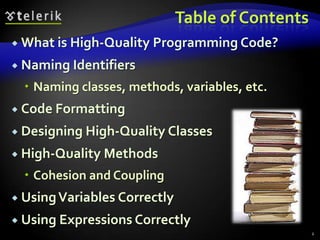
Table of ContentsWhat is High-Quality Programming Code?Naming IdentifiersNaming classes, methods, variables, etc.Code FormattingDesigning High-Quality ClassesHigh-Quality MethodsCohesion and CouplingUsing Variables CorrectlyUsing Expressions Correctly2
Table of Contents (2)Using ConstantsUsing Control-Flow Constructs CorrectlyConditional StatementsLoopsDefensive ProgrammingAssertions and ExceptionsComments and DocumentationCode Refactoring3
What is High-Quality Programming Code?
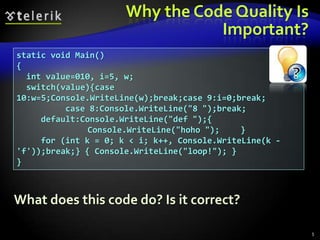
Why the Code Quality Is Important?static void Main(){  int value=010, i=5, w;  switch(value){case 10:w=5;Console.WriteLine(w);break;case 9:i=0;break;          case 8:Console.WriteLine("8 ");break;     default:Console.WriteLine("def ");{	        Console.WriteLine("hoho ");	}     for (int k = 0; k < i; k++, Console.WriteLine(k - 'f'));break;} { Console.WriteLine("loop!"); }}What does this code do? Is it correct?5
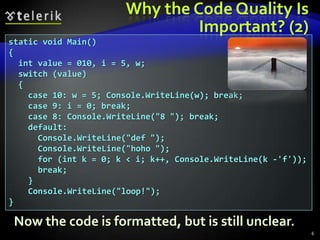
Why the Code Quality Is Important? (2)static void Main(){  int value = 010, i = 5, w;  switch (value)  {    case 10: w = 5; Console.WriteLine(w); break;    case 9: i = 0; break;    case 8: Console.WriteLine("8 "); break;    default:      Console.WriteLine("def ");      Console.WriteLine("hoho ");      for (int k = 0; k < i; k++, Console.WriteLine(k -'f'));       break;    }    Console.WriteLine("loop!");}Now the code is formatted, but is still unclear.6
Software QualityExternal qualityDoes the software behave correctly?Are the produced results correct?Does the software runfast?Is the software UI easy-to-use?Internal qualityIt the code easy to read and understand?It the code well structured?Is the code easy to modify?7
What is High-Quality Programming Code?High-quality programming code:Easy to read and understandEasy to modify and maintainCorrect behavior in all casesWell testedWell architectured and designedWell documentedSelf-documenting code Well formatted8
Code ConventionsCode conventions are formal guidelines about the style of the source code:Code formatting conventionsIndentation, whitespace, etc.Naming conventionsPascalCase or camelCase, prefixes, suffixes, …Best practicesClasses, interfaces, enumerations, structures, inheritance, exceptions, properties, events, constructors, fields, operators, etc.9
Code Conventions (2)Microsoft has official code conventions calledDesign Guidelines for Developing Class Libraries: http://msdn.microsoft.com/en-us/library/ms229042.aspxLarge organizations follow strict conventionsCode conventions can vary in different teamsMost conventions developers follow the official Microsoft's recommendations but extend themHigh-quality code goes beyond code conventionsSoftware quality is not just a set of conventions – its is a way of thinking10
Naming IdentifiersNaming Classes, Interfaces, Enumerations, Methods, Variables and Constants
General Naming GuidelinesAlways use EnglishHow you will feel if you read Vietnamese code with variables named in Vietnamese?English is the only language that all software developers speakAvoid abbreviationsExample: scrpCnt vs. scriptsCountAvoid hard-to-pronounce namesExample:  dtbgRegExPtrn vs. dateTimeBulgarianRegExPattern12
Use Meaningful NamesAlways prefer using meaningful namesNames should answer these questions:What does this class do? What is the intent of this variable? What is this variable / class used for?Examples:FactorialCalculator, studentsCount, Math.PI, configFileName, CreateReportIncorrect examples: k, k2,k3,junk,f33,KJJ,button1, variable, temp, tmp, temp_var, something, someValue13
Fake Meaningful NamesJunior developers often use meaningful names that are in fact meaninglessBad naming examples:Topic6Exercise12, LoopsExercise12,Problem7, OOPLecture_LastExerciseYes, Topic6Exercise12 indicates that this is solution to exercise 12, but what is it about?Better naming:MaximalNumbersSubsequence14
Naming TypesNaming types (classes, structures, etc.)Use PascalCase character casingExamples:RecursiveFactorialCalculator, TreeSet, XmlDocument, IEnumerable, Color, TreeNode, InvalidTransactionException, MainFormIncorrect examples: recursiveFactorialCalculator, recursive_factorial_calculator,  RECURSIVE_FACTORIAL_CALCULATOR15
Naming Classes and StructuresUse the following formats:[Noun][Adjective] + [Noun]Examples:Student, FileSystem, BinaryTreeNode, Constants, MathUtils, TextBox, CalendarIncorrect examples:Move, FindUsers, Fast, Optimize, Extremly, FastFindInDatabase, Check16
Naming InterfacesFollowing formats are acceptable:'I' + [Verb] + 'able''I' + [Noun], 'I' + [Adjective] + [Noun]Examples:IEnumerable, IFormattable, IDataReader, IList, IHttpModule, ICommandExecutorIncorrect examples:List, FindUsers, IFast, IMemoryOptimize, Optimizer, FastFindInDatabase, CheckBox17
Naming EnumerationsSeveral formats are acceptable:[Noun] or [Verb] or [Adjective]Use the same style for all membersExamples:enum Days {Monday, Tuesday, Wednesday, …}, enum AppState {Running, Finished, …}Incorrect examples:enum Color {red, green, blue, white}, enum PAGE_FORMAT {A4, A5, A3, LEGAL, …}18
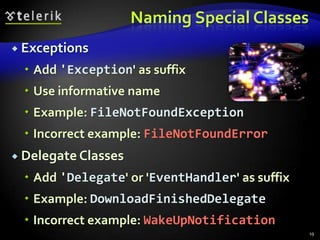
Naming Special ClassesExceptionsAdd 'Exception' as suffixUse informative nameExample: FileNotFoundExceptionIncorrect example: FileNotFoundErrorDelegate ClassesAdd 'Delegate' or 'EventHandler' as suffixExample: DownloadFinishedDelegateIncorrect example: WakeUpNotification19
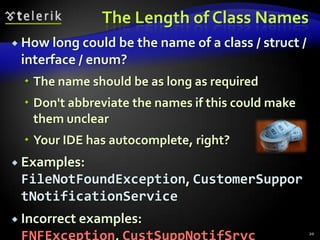
The Length of Class NamesHow long could be the name of a class / struct / interface / enum?The name should be as long as requiredDon't abbreviate the names if this could make them unclearYour IDE has autocomplete, right?Examples: FileNotFoundException, CustomerSupportNotificationServiceIncorrect examples: FNFException, CustSuppNotifSrvc20
Naming Projects / FoldersProject naming guidelinesUse PascalCaseFollowing formats are preferable:ProductNameCompany [., -, _] ProductNameName project folders to match the project name / its component namesExamples: Sitefinity, Telerik JustCodeIncorrect example: ConsoleApplication1721
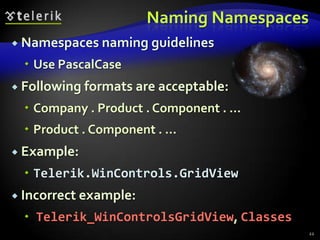
Naming NamespacesNamespaces naming guidelinesUse PascalCaseFollowing formats are acceptable:Company . Product . Component . …Product . Component . …Example:Telerik.WinControls.GridViewIncorrect example:Telerik_WinControlsGridView, Classes22
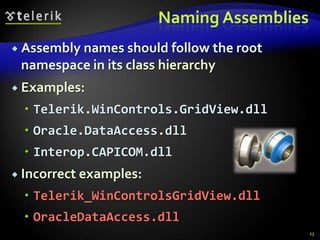
Naming AssembliesAssembly names should follow the root namespace in its class hierarchyExamples:Telerik.WinControls.GridView.dllOracle.DataAccess.dllInterop.CAPICOM.dllIncorrect examples:Telerik_WinControlsGridView.dllOracleDataAccess.dll23
Naming MethodsMethods naming guidelinesMethod names should be meaningfulShould answer the question:What does this method do?If you cannot find a good name for a method, think about does it have clear intentExamples: FindStudent, LoadReport, SinIncorrect examples: Method1, DoSomething, HandleStuff, SampleMethod, DirtyHack24
Naming Methods (2)Use PascalCase character casingExample: LoadSettings, not loadSettingsPrefer the following formats:[Verb][Verb] + [Noun], [Verb] + [Adjective] + [Noun]Examples: Show, LoadSettingsFile, FindNodeByPattern,  ToString, PrintListIncorrect examples: Student, Counter, White, Generator, Approximation, MathUtils25
Methods Returning a ValueMethods returning values should describe the returned valueExamples:ConvertMetersToInches, not MetersInches or Convert or ConvertUnitMeters2Inches is still acceptableCalculateSinis goodSin is still acceptable (like in the Math class)Ensure that the unit of measure of obviousPrefer MeasureFontInPixelsto MeasureFont26
Single Purpose of All MethodsMethods should have a single purpose!Otherwise they cannot be named wellHow to name a method that creates annual incomes report, downloads updates from internet and scans the system for viruses?CreateAnnualIncomesReportDownloadUpdatesAndScanForViruses is a nice name, right?Methods that have multiple purposes (weak cohesion) are hard to be namedNeed to be refactored instead of named27
Consistency in Methods NamingUse consistent naming in the entire projectLoadFile, LoadImageFromFile, LoadSettings, LoadFont, LoadLibrary, but not ReadTextFileUse consistently the opposites at the same level of abstraction:LoadLibrary vs. UnloadLibrary, but not  FreeHandleOpenFile vs. CloseFile, but not  DeallocateResourceGetName vs. SetName, but not  AssignName28
The Length of Method NamesHow long could be the name of a method?The name should be as long as requiredDon't abbreviateYour IDE has autocompleteExamples:LoadCustomerSupportNotificationService, CreateMonthlyAndAnnualIncomesReportIncorrect examples:LoadCustSuppSrvc, CreateMonthIncReport29
Naming Method ParametersMethod parameters namesPreferred form: [Noun] or [Adjective] + [Noun]Should be in camelCaseShould be meaningfulUnit of measure should be obviousExamples: firstName, report, usersList, fontSizeInPixels, speedKmH, fontIncorrect examples: p, p1, p2, populate, LastName, last_name, convertImage30
Naming VariablesVariable namesShould be in camelCasePreferred form: [Noun] or [Adjective] + [Noun]Should explain the purpose of the variableIf you can't find good name for a variable check if it has a single purposeException: variables with very small scope, e.g. the index variable in a 3-lines long for-loopNames should be consistent in the project31
Naming Variables – ExamplesExamples:firstName, report, usersList , fontSize, maxSpeed, font, startIndex, endIndex, charsCount, configSettingsXml, config, dbConnection, createUserSqlCommandIncorrect examples:foo, bar, p, p1, p2, populate, LastName, last_name, LAST_NAME, convertImage, moveMargin, MAXSpeed, _firstName, __temp, firstNameMiddleNameAndLastName32
More about Naming VariablesThe name should be addressed to the problem we solve, not to the means we use to solve itPrefer nouns from the business domain to computer termsExamples:accounts, customers, customerAddress, accountHolder, paymentPlan, vipPlayerIncorrect examples:accountsLinkedList, customersHashtable, paymentsPriorityQueue, playersArray33
Naming Boolean VariablesBoolean variables should imply true or falsePrefixes like is, has and can are usefulUse positive boolean variable namesIncorrect example:Examples:hasPendingPayment, customerFound, validAddress, positiveBalance, isPrimeIncorrect examples:notFound, run, programStop, player, list, findCustomerById, isUnsuccessfull34if (! notFound) { … }
Naming Special VariablesNaming CountersEstablish a convention, e.g. [Noun] + 'Count'Examples: ticketsCount, customersCountStateEstablish a convention, e.g. [Noun] + 'State'Examples: blogParseState, threadStateVariables with small scope and spanShort names can be used, e.g. index, i, u35
Temporary VariablesDo really temporary variables exist?All variables in a program are temporary because they are used temporarily only during the program execution, right?Temporary variables can always be named better than temp or tmp:36// Swap a[i] and a[j]int temp = a[i];a[i] = a[j];a[j] = temp;// Swap a[i] and a[j]int swapValue = a[i];a[i] = a[j];a[j] = swapValue;
The Length of Variable NamesHow long could be the name of a variable?Depends on the variable scope and lifetimeMore "famous" variables should have longer and more self-explaining nameAcceptable naming examples:Unacceptable naming examples:37class Student {  public string lastName;}for (int i=0; i<users.Length; i++)  if (i % 2 == 0)    sum += users[i].Weight;class Student {  private int i;}class PairOfLists {  public int Count { get; set; }}
Prefixes / Suffixes and Hungarian NotationIn C# prefix / suffix notations are not popularHungarian notationUsing prefixes to denote the variable types, e.g. lpcstrText, lpdwFlags, cbMultiByte, hWndThe Hungarian notation works well in unmanaged languages like C++Do not use Hungarian notation in C# and .NETDon't use prefixes / suffixes to denote the variable data type38
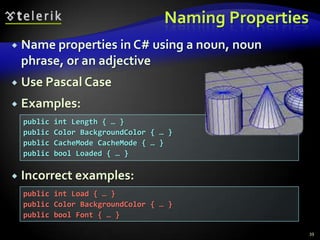
Naming PropertiesName properties in C# using a noun, noun phrase, or an adjectiveUse Pascal CaseExamples:Incorrect examples:39public int Length { … }public Color BackgroundColor { … }public CacheMode CacheMode { … }public bool Loaded { … }public int Load { … }public Color BackgroundColor { … }public bool Font { … }
Naming ConstantsUse CAPITAL_LETTERS for const fields and PascalCase for readonly fieldsUse meaningful names that describe their valueExamples:Incorrect examples:40private const int READ_BUFFER_SIZE = 8192;public static readonly PageSize DefaultPageSize = PageSize.A4;private const int FONT_SIZE_IN_POINTS = 16;public const int MAX = 512; // Max what? Apples or Oranges?public const int BUF256 = 256; // What about BUF256 = 1024?public const string GREATER = "&gt;"; // GREATER_HTML_ENTITYpublic const int FONT_SIZE = 16; // 16pt or 16px?public const PageSize PAGE = PageSize.A4; // Maybe PAGE_SIZE?
Names to AvoidDon't use numbers in the identifiers namesExample: PrintReport and PrintReport2What is the difference?Exceptions:When the number is part of the name itself, e.g. RS232Port, COM3, Win32APIFunctionsDon't use Cyrillic or letters from other alphabetsE.g. FindСтудентByName, CalcΩ2Protein41
Never Give a Misleading Name!Giving a misleading name is worse than giving a totally unclear nameExample:Consider a method that calculates the sum of all elements in an arrayIt should be named Sum or CalculateSumWhat about naming it CalculateAverageor Max or CheckForNegativeNumber?It's crazy, but be careful with "copy-paste"42
Don't Believe Microsoft!Microsoft sometimes use really bad naming in their API libraries (especially in Win32 API)Examples:Navigateand Navigate2methods in Internet Explorer ActiveX control (MSHTML.DLL)WNetAddConnection3method in Multiple Provider Router Networking API (MPR.DLL)LPWKSTA_USER_INFO_1structure in Win32Don't follow them blindly, just think a bit!43
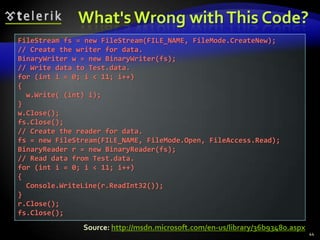
What's Wrong with This Code?44FileStream fs = new FileStream(FILE_NAME, FileMode.CreateNew);// Create the writer for data.BinaryWriter w = new BinaryWriter(fs);// Write data to Test.data.for (int i = 0; i < 11; i++) {  w.Write( (int) i);}w.Close();fs.Close();// Create the reader for data.fs = new FileStream(FILE_NAME, FileMode.Open, FileAccess.Read);BinaryReader r = new BinaryReader(fs);// Read data from Test.data.for (int i = 0; i < 11; i++) {  Console.WriteLine(r.ReadInt32());}r.Close();fs.Close();Source: http://msdn.microsoft.com/en-us/library/36b93480.aspx
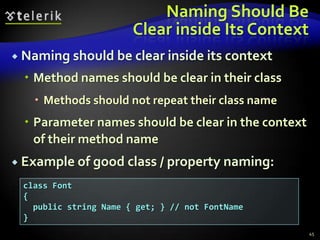
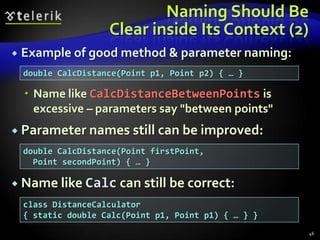
Naming Should BeClear inside Its ContextNaming should be clear inside its contextMethod names should be clear in their classMethods should not repeat their class nameParameter names should be clear in the context of their method nameExample of good class / property naming:45class Font{ public string Name { get; } // not FontName}
Naming Should BeClear inside Its Context (2)Example of good method & parameter naming:Name like CalcDistanceBetweenPoints is excessive – parameters say "between points"Parameter names still can be improved:Name like Calc can still be correct:46double CalcDistance(Point p1, Point p2) { … }double CalcDistance(Point firstPoint,  Point secondPoint) { … }class DistanceCalculator{ static double Calc(Point p1, Point p1) { … } }
Naming Should BeClear inside Its Context (3)Incorrect example of method naming:It is unclear in this context what kind of calculation is performed by the methodIncorrect example of parameter naming:47class Program{ int Calculation(int value)}What "f" means? An URL or FTP server or file path?class FileDownloader{  byte[] Download(string f);}
Code Formatting
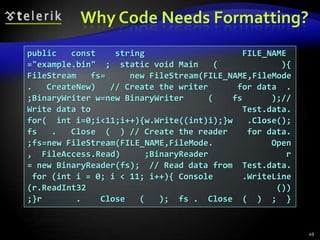
Why Code Needs Formatting?49public   const    string                    FILE_NAME="example.bin"  ;  static void Main   (             ){FileStream   fs=     new FileStream(FILE_NAME,FileMode.   CreateNew)   // Create the writer      for data  .;BinaryWriter w=new BinaryWriter     (    fs      );// Write data to                               Test.data.for(  int i=0;i<11;i++){w.Write((int)i);}w   .Close();fs   .   Close  (  ) // Create the reader    for data.;fs=new FileStream(FILE_NAME,FileMode.            Open,  FileAccess.Read)     ;BinaryReader                r= new BinaryReader(fs);  // Read data from  Test.data. for (int i = 0; i < 11; i++){ Console      .WriteLine(r.ReadInt32                                       ());}r       .    Close   (   );  fs .  Close  (  )  ;  }
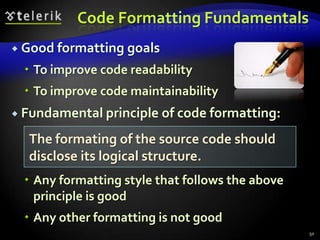
Code Formatting FundamentalsGood formatting goalsTo improve code readabilityTo improve code maintainabilityFundamental principle of code formatting:Any formatting style that follows the above principle is goodAny other formatting is not good50The formating of the source code should disclose its logical structure.
Formatting Blocks in C#Put { and } alone on a line under the corresponding parent blockIndent the block contents by a single [Tab]Don't indent with spacesExample:51if ( some condition ){  // Block contents indented by a single [Tab]  // Don't use spaces for indentation}
Methods IndentationMethods should be indented with a single [Tab] from the class bodyMethods body should be indented with a single [Tab] as well52public class IndentationExample{  private int Zero()  {    return 0;  }}The entire method is indented with a single [Tab]Method body is also indented
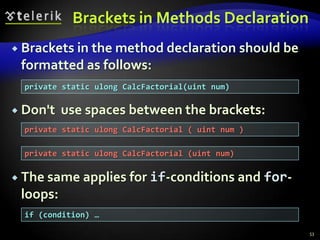
Brackets in Methods DeclarationBrackets in the method declaration should be formatted as follows:Don't  use spaces between the brackets:The same applies for if-conditions and for-loops:53private static ulong CalcFactorial(uint num)private static ulong CalcFactorial ( uint num ) private static ulong CalcFactorial (uint num) if (condition) …
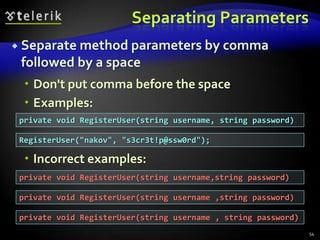
Separating ParametersSeparate method parameters by comma followed by a spaceDon't put comma before the spaceExamples:Incorrect examples:54private void RegisterUser(string username, string password)RegisterUser("nakov", "s3cr3t!p@ssw0rd");private void RegisterUser(string username,string password)private void RegisterUser(string username ,string password)private void RegisterUser(string username , string password)
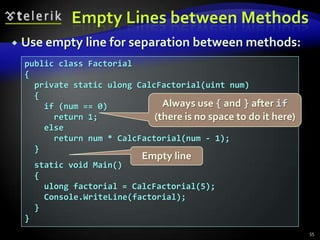
Empty Lines between MethodsUse empty line for separation between methods:55public class Factorial{  private static ulong CalcFactorial(uint num)  {    if (num == 0)      return 1;    else      return num * CalcFactorial(num - 1);  }  static void Main()  {    ulong factorial = CalcFactorial(5);    Console.WriteLine(factorial);  }}Always use { and } after if(there is no space to do it here)Empty line
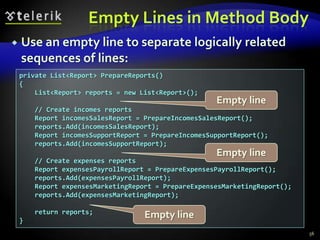
Empty Lines in Method BodyUse an empty line to separate logically related sequences of lines:56private List<Report> PrepareReports(){    List<Report> reports = new List<Report>();    // Create incomes reports    Report incomesSalesReport = PrepareIncomesSalesReport();    reports.Add(incomesSalesReport);    Report incomesSupportReport = PrepareIncomesSupportReport();    reports.Add(incomesSupportReport);    // Create expenses reports    Report expensesPayrollReport = PrepareExpensesPayrollReport();    reports.Add(expensesPayrollReport);    Report expensesMarketingReport = PrepareExpensesMarketingReport();    reports.Add(expensesMarketingReport);    return reports;}Empty lineEmpty lineEmpty line
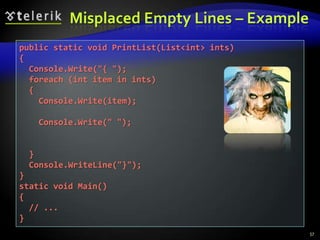
Misplaced Empty Lines – Example57public static void PrintList(List<int> ints) {  Console.Write("{ ");  foreach (int item in ints)  {    Console.Write(item);    Console.Write(" ");  }  Console.WriteLine("}");}static void Main(){  // ...}
Formatting TypesFormatting classes / structures / interfaces / enumerationsIndent the class body with a single [Tab]Use the following order of definitions:Constants, delegates, inner types, fields, constructors, properties, methodsStatic members, public members, protected members,  internal members, private membersThe above order of definitions is not the only possible correct one58
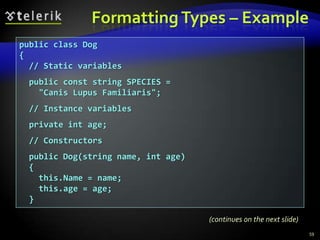
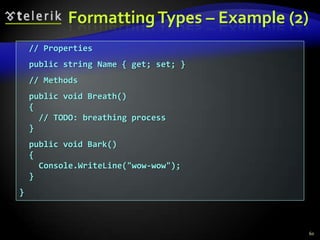
Formatting Types – Example59public class Dog{  // Static variables  public const string SPECIES =     "Canis Lupus Familiaris";  // Instance variables  private int age;  // Constructors  public Dog(string name, int age)  {    this.Name = name;    this.age = age;  } (continues on the next slide)
Formatting Types – Example (2)60  // Properties  public string Name { get; set; }  // Methods  public void Breath()  {    // TODO: breathing process  }  public void Bark()  {    Console.WriteLine("wow-wow");  }}
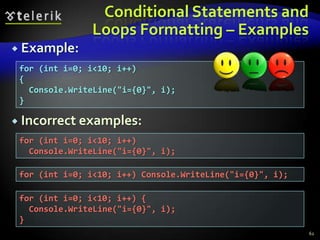
Formatting Conditional Statements and LoopsFormatting conditional statements and loopsAlways use { } block after if / for / while, even when a single operator followsIndent the block body after if / for / whileNever put the block after if / for / while on the same line!Always put the { on the next lineNever indent with more than one [Tab]61
Conditional Statements and Loops Formatting – ExamplesExample:Incorrect examples:62for (int i=0; i<10; i++){  Console.WriteLine("i={0}", i);}for (int i=0; i<10; i++)  Console.WriteLine("i={0}", i);for (int i=0; i<10; i++) Console.WriteLine("i={0}", i);for (int i=0; i<10; i++) {  Console.WriteLine("i={0}", i);}
Breaking Long LinesBreak long lines after punctuationIndent the second line by single [Tab]Do not additionally indent the third lineExamples:63if (matrix[x, y] == 0 || matrix[x-1, y] == 0 ||  matrix[x+1, y] == 0 || matrix[x, y-1] == 0 ||  matrix[x, y+1] == 0){ …DictionaryEntry<K, V> newEntry =   new DictionaryEntry<K, V>(  oldEntry.Key, oldEntry.Value);
Incorrect Ways ToBreak Long Lines64if (matrix[x, y] == 0 || matrix[x-1, y] ==  0 || matrix[x+1, y] == 0 || matrix[x,   y-1] == 0 || matrix[x, y+1] == 0){ …if (matrix[x, y] == 0 || matrix[x-1, y] == 0 ||       matrix[x+1, y] == 0 || matrix[x, y-1] == 0 ||       matrix[x, y+1] == 0){ …DictionaryEntry<K, V> newEntry   = new DictionaryEntry<K, V>(oldEntry  .Key, oldEntry.Value);
AlignmentsAll types of alignments are considered harmfulAlignments are hard-to-maintain!Incorrect examples:65DateTime      date     = DateTime.Now.Date;int           count    = 0;Student       student  = new Strudent();List<Student> students = new List<Student>();matrix[x, y]                 == 0;matrix[x + 1, y + 1]         == 0;matrix[2 * x + y, 2 * y + x] == 0;matrix[x * y, x * y]         == 0;
High-Quality ClassesHow to Design High-Quality Classes? Abstraction, Cohesion and Coupling
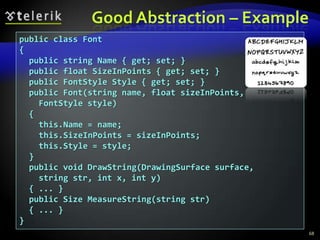
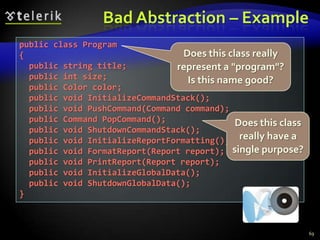
High-Quality Classes: AbstractionPresent a consistent level of abstraction in the class contract (publicly visible members)What abstraction the class is implementing?Does it represent only one thing?Does the class name well describe its purpose?Does the class define clear and easy to understand public interface?Does the class hide all its implementation details?67
Good Abstraction – Example68public class Font{  public string Name { get; set; }  public float SizeInPoints { get; set; }  public FontStyle Style { get; set; }  public Font(string name, float sizeInPoints, FontStyle style)  {    this.Name = name;    this.SizeInPoints = sizeInPoints;    this.Style = style;  }  public void DrawString(DrawingSurface surface,     string str, int x, int y){ ... }  public Size MeasureString(string str) { ... }}
Bad Abstraction – Example69public class Program{  public string title;  public int size;  public Color color;  public void InitializeCommandStack();  public void PushCommand(Command command);  public Command PopCommand();  public void ShutdownCommandStack();  public void InitializeReportFormatting();  public void FormatReport(Report report);  public void PrintReport(Report report);  public void InitializeGlobalData();  public void ShutdownGlobalData();}Does this class really represent a "program"? Is this name good?Does this class really have a single purpose?
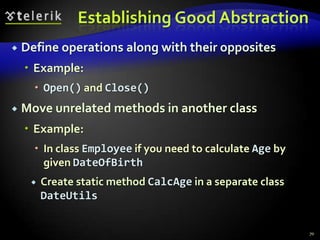
Establishing Good AbstractionDefine operations along with their oppositesExample:Open() and Close()Move unrelated methods in another classExample:In class Employee if you need to calculate Age by given DateOfBirthCreate static method CalcAge in a separate class DateUtils70
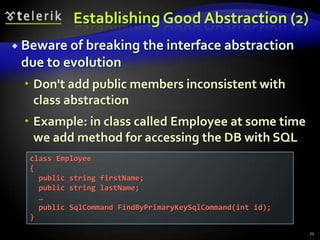
Establishing Good Abstraction (2)Beware of breaking the interface abstraction due to evolutionDon't add public members inconsistent with class abstractionExample: in class called Employee at some time we add method for accessing the DB with SQL71class Employee{  public string firstName;  public string lastName;  …  public SqlCommand FindByPrimaryKeySqlCommand(int id);}
EncapsulationMinimize the visibility of classes and membersStart from private and move to internal, protected and public if requiredClasses should hide their implementation detailsAnything which is not part of the class interface should be declared privateClasses with good encapsulated classes are: less complex, easier to maintain, more loosely coupledNever declare fields public (except constants)Use methods or properties to access fields72
Encapsulation (2)Don't violate encapsulation semantically!Don't rely on non-documented internal behavior or side effectsWrong example: Skip calling ConnectToDB() because you just called FindEmployeeById() which should open connectionAnother wrong example:Use String.Empty instead of Titles.NoTitle because you know both values are the same73
InheritanceDon't hide methods in a subclassExample: if the class Timer has private method Start(), don't define Start() in AtomTimerMove common interfaces, data, and behavior as high as possible in the inheritance treeThis maximizes the code reuseBe suspicious of base classes of which there is only one derived classDo you really need this additional level of inheritance?74
Inheritance (2)Be suspicious of classes that override a routine and do nothing insideIs the overridden routine used correctly?Avoid deep inheritance treesDon't create more than 6 levels of inheritanceAvoid using a base class’s protected data fields in a derived classProvide protected accessor methods or properties instead75
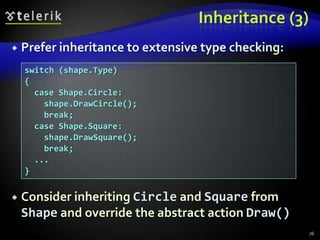
Inheritance (3)Prefer inheritance to extensive type checking:Consider inheriting Circle and Square from Shape and override the abstract action Draw()76switch (shape.Type){  case Shape.Circle:    shape.DrawCircle();    break;  case Shape.Square:    shape.DrawSquare();    break;  ...}
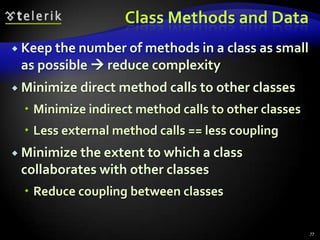
Class Methods and DataKeep the number of methods in a class as small as possible  reduce complexityMinimize direct method calls to other classesMinimize indirect method calls to other classesLess external method calls == less couplingMinimize the extent to which a class collaborates with other classesReduce coupling between classes77
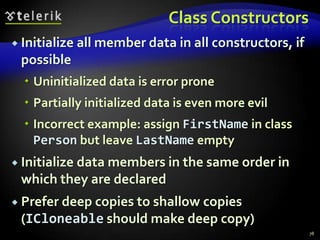
Class ConstructorsInitialize all member data in all constructors, if possibleUninitialized data is error pronePartially initialized data is even more evilIncorrect example: assign FirstName in class Person but leave LastName emptyInitialize data members in the same order in which they are declaredPrefer deep copies to shallow copies (ICloneable should make deep copy)78
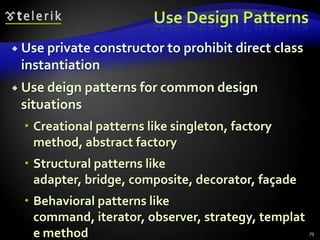
Use Design PatternsUse private constructor to prohibit direct class instantiationUse deign patterns for common design situationsCreational patterns like singleton, factory method, abstract factoryStructural patterns like adapter, bridge, composite, decorator, façadeBehavioral patterns like command, iterator, observer, strategy, template method79
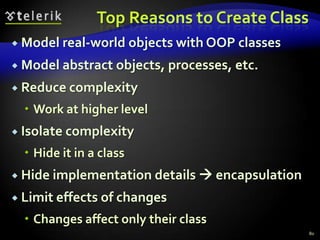
Top Reasons to Create ClassModel real-world objects with OOP classesModel abstract objects, processes, etc.Reduce complexityWork at higher levelIsolate complexityHide it in a classHide implementation details  encapsulationLimit effects of changesChanges affect only their class80
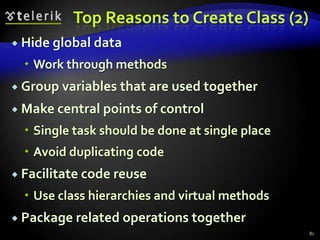
Top Reasons to Create Class (2)Hide global dataWork through methodsGroup variables that are used togetherMake central points of controlSingle task should be done at single placeAvoid duplicating codeFacilitate code reuseUse class hierarchies and virtual methodsPackage related operations together81
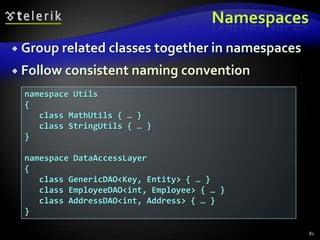
NamespacesGroup related classes together in namespacesFollow consistent naming convention82namespace Utils{ class MathUtils { … } class StringUtils { … }}namespace DataAccessLayer{ class GenericDAO<Key, Entity> { … } class EmployeeDAO<int, Employee> { … } class AddressDAO<int, Address> { … }}
High-Quality MethodsHow to Design and Implement High-Quality Methods? Understanding Cohesion and Coupling
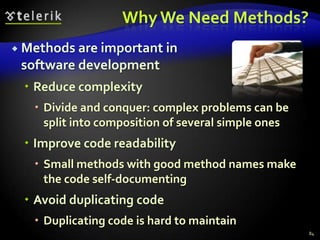
Why We Need Methods?Methods are important in			 software developmentReduce complexityDivide and conquer: complex problems can be split into composition of several simple onesImprove code readabilitySmall methods with good method names make the code self-documentingAvoid duplicating codeDuplicating code is hard to maintain84
Why We Need Methods? (2)Methods simplify software developmentHide implementation detailsComplex logic is encapsulated and hidden behind a simple interfaceAlgorithms and data structures are hidden and can be transparently replaced laterIncrease the level of abstractionMethods address the business problem, not the technical implementation:85Bank.accounts[customer].deposit(500);
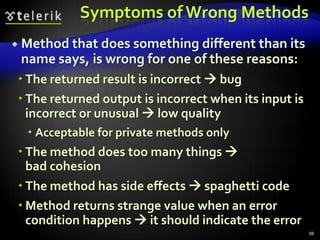
Using Methods: FundamentalsFundamental principle of correct method usage:Methods should do exactly what their names sayNothing lessNothing moreIn case of incorrect input or incorrect preconditions, an error should be indicated86A method should do what its name says or should indicate an error. Any other behaviour is incorrect!
Good Methods – Examples87long Sum(int[] elements){  long sum = 0;  foreach (int element in elements)  {      sum = sum + element;  }  return sum;}double CalcTriangleArea(double a, double b, double c){  if (a <= 0 || b <= 0 || c <= 0)  {    throw new ArgumentException(    "Sides should be positive.");  }  double s = (a + b + c) / 2;  double area = Math.Sqrt(s * (s - a) * (s - b) * (s - c));  return area;}
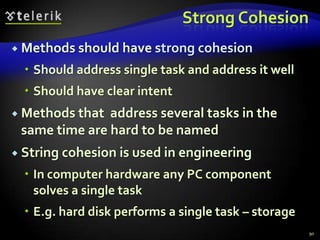
Symptoms of Wrong MethodsMethod that does something different than its name says, is wrong for one of these reasons:The returned result is incorrect  bugThe returned output is incorrect when its input is incorrect or unusual  low qualityAcceptable for private methods onlyThe method does too many things                    bad cohesionThe method has side effects  spaghetti codeMethod returns strange value when an error condition happens  it should indicate the error88
Wrong Methods – Examples89long Sum(int[] elements){  long sum = 0;  for (int i = 0; i < elements.Length; i++)  {    sum = sum + elements[i];    elements[i] = 0;  }  return sum;}Hidden side effectdouble CalcTriangleArea(double a, double b, double c){  if (a <= 0 || b <= 0 || c <= 0)  {    return 0;  }  double s = (a + b + c) / 2;  double area = Math.Sqrt(s * (s - a) * (s - b) * (s - c));  return area;}Incorrect result. Throw an exception instead.
Strong CohesionMethods should have strong cohesionShould address single task and address it wellShould have clear intentMethods that  address several tasks in the same time are hard to be namedString cohesion is used in engineeringIn computer hardware any PC component solves a single taskE.g. hard disk performs a single task – storage90
Acceptable Types of CohesionFunctional cohesion(independent function)Method performs certain well-defined calculation and returns a single resultThe entire input is passed through parameters and the entire output is returned as resultNo external dependencies or side effectsExamples:91Math.Sqrt(value)  square rootChar.IsLetterOrDigit(ch)String.Substring(str, startIndex, length)
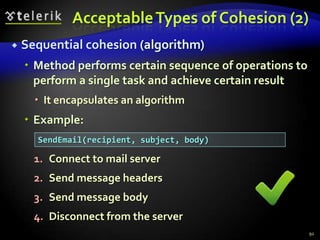
Acceptable Types of Cohesion (2)Sequential cohesion(algorithm)Method performs certain sequence of operations to perform a single task and achieve certain resultIt encapsulates an algorithmExample:Connect to mail serverSend message headersSend message bodyDisconnect from the server92SendEmail(recipient, subject, body)
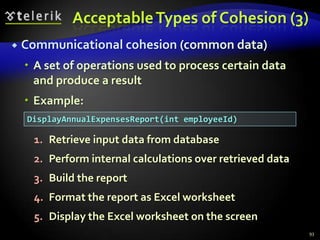
Acceptable Types of Cohesion (3)Communicational cohesion(common data)A set of operations used to process certain data and produce a resultExample:Retrieve input data from databasePerform internal calculations over retrieved dataBuild the reportFormat the report as Excel worksheetDisplay the Excel worksheet on the screen93DisplayAnnualExpensesReport(int employeeId)
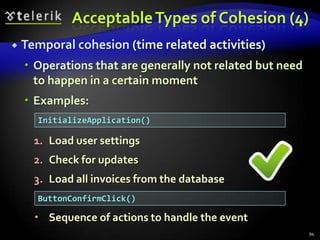
Acceptable Types of Cohesion (4)Temporal cohesion (time related activities)Operations that are generally not related but need to happen in a certain momentExamples:Load user settingsCheck for updatesLoad all invoices from the databaseSequence of actions to handle the event94InitializeApplication()ButtonConfirmClick()
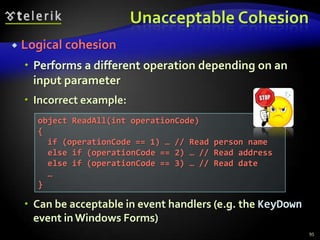
Unacceptable CohesionLogical cohesionPerforms a different operation depending on an input parameterIncorrect example:Can be acceptable in event handlers (e.g. the KeyDown event in Windows Forms)95object ReadAll(int operationCode){  if (operationCode == 1) … // Read person name  else if (operationCode == 2) … // Read address  else if (operationCode == 3) … // Read date  …}
Unacceptable CohesionCoincidental cohesion (spaghetti)Not related (random) operations are grouped in a method for unclear reasonIncorrect example:Prepares annual incomes report for given customerSorts an array of integers in increasing orderCalculates the square root of given numberConverts given MP3 file into WMA formatSends email to given customer96HandleStuff(customerId, int[], ref sqrtValue,  mp3FileName, emailAddress)
Loose CouplingWhat is loose coupling?Minimal dependences of the method on the other parts of the source codeMinimal dependences on the class members or external classes and their membersNo side effectsIf the coupling is loose, we can easily reuse a method or group of methods in a new projectTight coupling  spaghetti code97
Loose Coupling (2)The ideal couplingA methods depends only on its parametersDoes not have any other input or outputExample: Math.SqrtReal worldComplex software cannot avoid coupling but could make it as loose as possibleExample: complex encryption algorithm performs initialization, encryption, finalization98
Coupling – ExampleIntentionally increased coupling for more flexibility (.NET cryptography API):99byte[] EncryptAES(byte[] inputData, byte[] secretKey){  Rijndael cryptoAlg = new RijndaelManaged();  cryptoAlg.Key = secretKey;  cryptoAlg.GenerateIV();  MemoryStream destStream = new MemoryStream();  CryptoStream csEncryptor = new CryptoStream(    destStream, cryptoAlg.CreateEncryptor(),    CryptoStreamMode.Write);  csEncryptor.Write(inputData, 0, inputData.Length);  csEncryptor.FlushFinalBlock();  byte[] encryptedData = destStream.ToArray();  return encryptedData;}
Loose Coupling – ExampleTo reduce coupling we can make utility classes that hide the complex logic and provide simple straightforward interface (a.k.a. façade):100byte[] EncryptAES(byte[] inputData, byte[] secretKey){  MemoryStream inputStream =    new MemoryStream(inputData);  MemoryStream outputStream = new MemoryStream();  EncryptionUtils.EncryptAES(    inputStream, outputStream, secretKey);  byte[] encryptedData = outputStream.ToArray();  return encryptedData;}
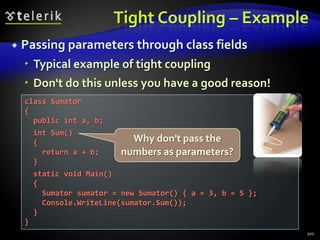
Tight Coupling – ExamplePassing parameters through class fieldsTypical example of tight couplingDon't do this unless you have a good reason!101class Sumator{  public int a, b;  int Sum()  {    return a + b;  }  static void Main()  {    Sumator sumator = new Sumator() { a = 3, b = 5 };    Console.WriteLine(sumator.Sum());  }}Why don't pass the numbers as parameters?
Loose Coupling and OOPReducing coupling with OOP techniquesAbstractionDefine a public interface and hide the implementation detailsEncapsulationMake methods and fields private unless they are definitely neededDefine new members as privateIncrease visibility as soon as this is needed102
Acceptable CouplingMethod is coupled to its parametersThis is the best type of couplingMethod in a class is coupled to some class fieldsThis coupling is usual, do not worry too muchMethod in a class is coupled to static methods, properties or constants in external classThis is normal, usually is not a problemMethod is coupled to external static fieldsAvoid this, classes should keep their fields private103
Non-Acceptable CouplingMethod in a class is coupled to static fields in external classAvoid it  consider refactoringMethods take as input data some fields that could be passed as parametersCheck the intent of the methodIs it designed to process internal class data or is utility methodMethod is defined public without being part of the public class's interface  possible coupling104
Methods ParametersPut most important parameters firstFirst put the main input parametersPut non-important optional parameters lastExample:Incorrect examples:105void RegisterUser(string username, string password,  Date accountExpirationDate, Role[] roles)void RegisterUser(Role[] roles, string password,  string username, Date accountExpirationDate)void RegisterUser(string password, Date  accountExpirationDate, Role[] roles, string username)
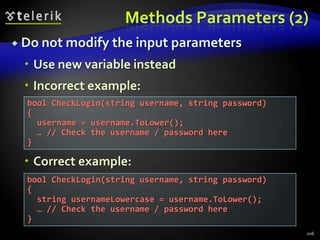
Methods Parameters (2)Do not modify the input parametersUse new variable insteadIncorrect example:Correct example:106bool CheckLogin(string username, string password){  username = username.ToLower();  … // Check the username / password here}bool CheckLogin(string username, string password){  string usernameLowercase = username.ToLower();  … // Check the username / password here}
Methods Parameters (3)Use parameters consistentlyUse the same names and the same order in all methodsIncorrect example:Output parameters should be put last107void EncryptFile(Stream input, Stream output, string key);void DecryptFile(string key, Stream output, Stream input);FindCustomersAndIncomes(Region region,  out Customer[] customers, out decimal[] incomes)
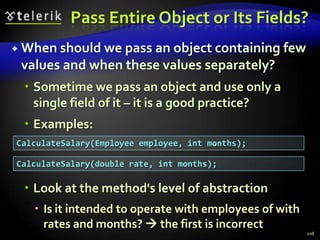
Pass Entire Object or Its Fields?When should we pass an object containing few values and when these values separately?Sometime we pass an object and use only a single field of it – it is a good practice?Examples:Look at the method's level of abstractionIs it intended to operate with employees of with rates and months?  the first is incorrect108CalculateSalary(Employee employee, int months);CalculateSalary(double rate, int months);
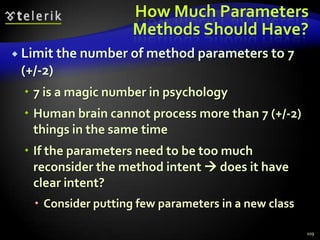
How Much Parameters Methods Should Have?Limit the number of method parameters to 7 (+/-2)7 is a magic number in psychologyHuman brain cannot process more than 7 (+/-2) things in the same timeIf the parameters need to be too much reconsider the method intent  does it have clear intent?Consider putting few parameters in a new class109
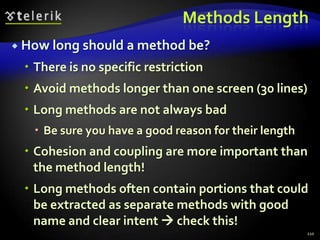
Methods LengthHow long should a method be?There is no specific restrictionAvoid methods longer than one screen (30 lines)Long methods are not always badBe sure you have a good reason for their lengthCohesion and coupling are more important than the method length!Long methods often contain portions that could be extracted as separate methods with good name and clear intent  check this!110
Using VariablesBest Practices
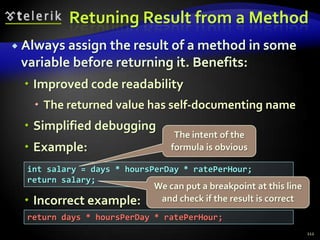
Retuning Result from a MethodAlways assign the result of a method in some variable before returning it. Benefits:Improved code readabilityThe returned value has self-documenting nameSimplified debuggingExample:Incorrect example:112The intent of the formula is obviousint salary = days * hoursPerDay * ratePerHour;return salary;We can put a breakpoint at this line and check if the result is correctreturn days * hoursPerDay * ratePerHour;
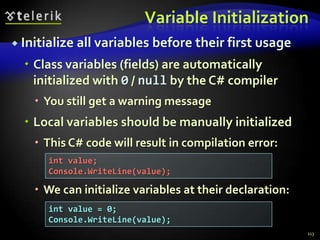
Variable InitializationInitialize all variables before their first usageClass variables (fields) are automatically initialized with 0 / null by the C# compilerYou still get a warning messageLocal variables should be manually initializedThis C# code will result in compilation error:We can initialize variables at their declaration:113int value;Console.WriteLine(value);int value = 0;Console.WriteLine(value);
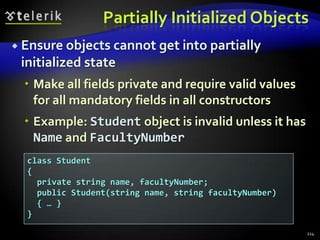
Partially Initialized ObjectsEnsure objects cannot get into partially initialized stateMake all fields private and require valid values for all mandatory fields in all constructorsExample: Student object is invalid unless it has Name and FacultyNumber114class Student{  private string name, facultyNumber;  public Student(string name, string facultyNumber)  { … }}
Variable ScopeVariable scope defines how "famous" is a variable in the programStatic variables are more "famous" than instance variables, and they are more "famous" than localVariables' visibility is directly related to their scopepublic, protected, internal, privateAlways try to reduce the variable's scopeThis reduces potential couplingAvoid public fields (exception: readonly / const)Access all fields through properties / methods115
Exceeded Scope – Example116public class Globals{  public static int state = 0;}public class Genious {  public static void PrintSomething()  {    if (Globals.state == 0)    {      Console.WriteLine("Hello.");    }    else    {      Console.WriteLine("Good bye.");    }  }}
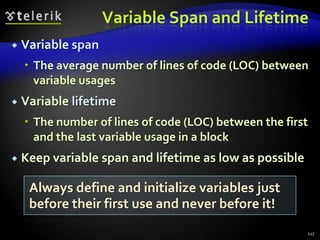
Variable Span and LifetimeVariable spanThe average number of lines of code (LOC) between variable usagesVariable lifetimeThe number of lines of code (LOC) between the first and the last variable usage in a blockKeep variable span and lifetime as low as possible117Always define and initialize variables just before their first use and never before it!
Unneeded Large Variable Span and Lifetimeint count;int[] numbers = new int[100];for (int i = 0; i < numbers.Length; i++){  numbers[i] = i;}count = 0;for (int i = 0; i < numbers.Length / 2; i++){  numbers[i] = numbers[i] * numbers[i];}for (int i = 0; i < numbers.Length; i++){  if (numbers[i] % 3 == 0)  {    count++;  }}Console.WriteLine(count);118lifetime ("count") = 19span =19 / 4 = 4.75
Reduced Variable Span and Lifetime119int[] numbers = new int[100];for (int i = 0; i < numbers.Length; i++){  numbers[i] = i;}for (int i = 0; i < numbers.Length / 2; i++){  numbers[i] = numbers[i] * numbers[i];}int count = 0;for (int i = 0; i < numbers.Length; i++){  if (numbers[i] % 3 == 0)  {    count++;  }}Console.WriteLine(count);lifetime = 9span=9 / 3 = 3
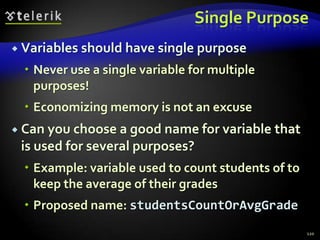
Single PurposeVariables should have single purposeNever use a single variable for multiple purposes!Economizing memory is not an excuseCan you choose a good name for variable that is used for several purposes?Example: variable used to count students of to keep the average of their gradesProposed name: studentsCountOrAvgGrade120
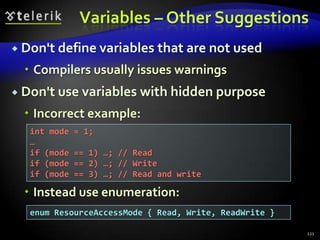
Variables – Other SuggestionsDon't define variables that are not usedCompilers usually issues warningsDon't use variables with hidden purposeIncorrect example:Instead use enumeration:121int mode = 1;…if (mode == 1) …; // Readif (mode == 2) …; // Writeif (mode == 3) …; // Read and writeenum ResourceAccessMode { Read, Write, ReadWrite }
Using ExpressionsBest Practices
Avoid Complex ExpressionsNever use complex expressions in the code!Incorrect example:Complex expressions are evil because:Make code hard to read and understand, hard to debug, hard to modify and hard to maintain123What shall we do if we get at this line IndexOutOfRangeException?for (int i=0; i<xCoords.length; i++) {  for (int j=0; j<yCoords.length; j++) {    matrix[i][j] =       matrix[xCoords[findMax(i)+1]][yCoords[findMin(j)-1]] *      matrix[yCoords[findMax(j)+1]][xCoords[findMin(i)-1]];  }}There are 10 potential sources of IndexOutOfRangeException in this expression!
Simplifying Complex Expressions124for (int i = 0; i < xCoords.length; i++){  for (int j = 0; j < yCoords.length; j++)  {    int maxStartIndex = findMax(i) + 1;    int minStartIndex = findMin(i) - 1;    int minXcoord = xCoords[minStartIndex];    int maxXcoord = xCoords[maxStartIndex];    int minYcoord = yCoords[minStartIndex];    int maxYcoord = yCoords[maxStartIndex];    int newValue =       matrix[maxXcoord][minYcoord] *      matrix[maxYcoord][minXcoord];    matrix[i][j] = newValue;  }}
Using ConstantsWhen and How to Use Constants?
Avoid Magic Numbers and StringsWhat is magic number or value?Magic numbers / values are all literals different than 0, 1, -1, null and "" (empty string)Avoid using magic numbers / valuesThey are hard to maintainWhen change occurs, you need to modify all occurrences of the magic number / constantTheir meaning is not obviousExample: what does the number 1024 mean?126
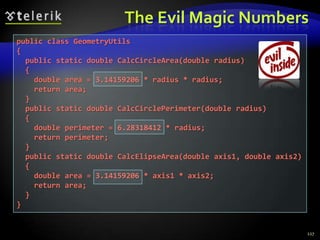
The Evil Magic Numbers127public class GeometryUtils{  public static double CalcCircleArea(double radius)  {    double area = 3.14159206 * radius * radius;    return area;  }  public static double CalcCirclePerimeter(double radius)  {    double perimeter = 6.28318412 * radius;    return perimeter;  }  public static double CalcElipseArea(double axis1, double axis2)  {    double area = 3.14159206 * axis1 * axis2;    return area;  }}
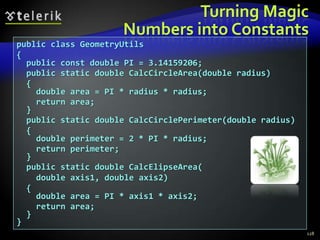
Turning MagicNumbers into Constants128public class GeometryUtils{  public const double PI = 3.14159206;  public static double CalcCircleArea(double radius)  {    double area = PI * radius * radius;    return area;  }  public static double CalcCirclePerimeter(double radius)  {    double perimeter = 2 * PI * radius;    return perimeter;  }  public static double CalcElipseArea(   double axis1, double axis2)  {    double area = PI * axis1 * axis2;    return area;  }}
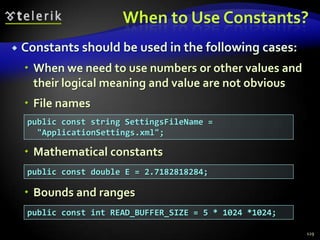
When to Use Constants?Constants should be used in the following cases:When we need to use numbers or other values and their logical meaning and value are not obviousFile namesMathematical constantsBounds and ranges129public const string SettingsFileName =  "ApplicationSettings.xml";public const double E = 2.7182818284;public const int READ_BUFFER_SIZE = 5 * 1024 *1024;
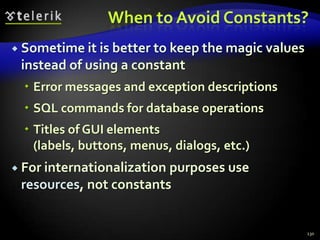
When to Avoid Constants?Sometime it is better to keep the magic values instead of using a constantError messages and exception descriptionsSQL commands for database operationsTitles of GUI elements (labels, buttons, menus, dialogs, etc.)For internationalization purposes use resources, not constants130
Using Control ConstructsUsing Conditional Statements and Loops Correctly
Using Conditional StatementsAlways use { and } for the conditional statements body, even when it is a single line:Why omitting the brackets could be harmful?This is misleading code + misleading formatting132if (condition){  DoSometing();}if (condition)  DoSomething();  DoAnotherThing();DoDifferentThing();
Use Simple ConditionsDo not use complex if conditionsYou can always simplify them by introducing boolean variables or boolean methodsIncorrect example:Complex boolean expressions are harmfulHow you will find the problem if you get IndexOutOfRangeException?133if (x > 0 && y > 0 && x < Width-1 && y < Height-1 &&  matrix[x, y] == 0 && matrix[x-1, y] == 0 &&  matrix[x+1, y] == 0 && matrix[x, y-1] == 0 &&  matrix[x, y+1] == 0 && !visited[x, y])
Simplifying Boolean ConditionsThe last example can be easily refactored into self-documenting code:Now the code is:Easy to read – the logic of the condition is clearEasy to debug – breakpoint can be put at the if134bool inRange =   x > 0 && y > 0 && x < Width-1 && y < Height-1;bool emptyCellAndNeighbours =  matrix[x, y] == 0 && matrix[x-1, y] == 0 &&  matrix[x+1, y] == 0 && matrix[x, y-1] == 0 &&  matrix[x, y+1] == 0;if (inRange && emptyCellAndNeighbours && !visited[x, y])
Avoid Deep Nesting of BlocksDeep nesting of conditional statements and loops makes the code unclearDeeply nested code is complex and hard to read and understandUsually you can extract portions of the code in separate methodsThis simplifies the logic of the codeUsing good method name makes the code self-documenting135
Deep Nesting – Example136if (maxElem != Int32.MaxValue){  if (arr[i] < arr[i + 1])  {    if (arr[i + 1] < arr[i + 2])    {      if (arr[i + 2] < arr[i + 3])      {        maxElem = arr[i + 3];      }      else      {        maxElem = arr[i + 2];      }    }    else    {      if (arr[i + 1] < arr[i + 3])      {        maxElem = arr[i + 3];      }      else      {        maxElem = arr[i + 1];      }    }  }(continues on the next slide)
Deep Nesting – Example (2)137  else  {    if (arr[i] < arr[i + 2])    {      if (arr[i + 2] < arr[i + 3])      {        maxElem = arr[i + 3];      }      else      {        maxElem = arr[i + 2];      }    }    else    {      if (arr[i] < arr[i + 3])      {        maxElem = arr[i + 3];      }      else      {        maxElem = arr[i];      }    }  }}
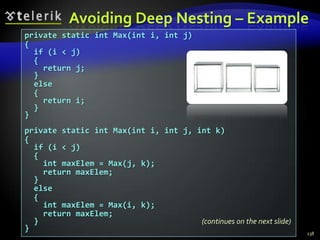
Avoiding Deep Nesting – Example138private static int Max(int i, int j){  if (i < j)  {    return j;  }  else  {    return i;  }}private static int Max(int i, int j, int k){  if (i < j)  {    int maxElem = Max(j, k);    return maxElem;  }  else  {    int maxElem = Max(i, k);    return maxElem;  }}(continues on the next slide)
Avoiding Deep Nesting – Example139private static int FindMax(int[] arr, int i){  if (arr[i] < arr[i + 1])  {    int maxElem = Max(arr[i + 1], arr[i + 2], arr[i + 3]);    return maxElem;  }  else  {    int maxElem = Max(arr[i], arr[i + 2], arr[i + 3]);    return maxElem;  }}if (maxElem != Int32.MaxValue) {  maxElem = FindMax(arr, i);}
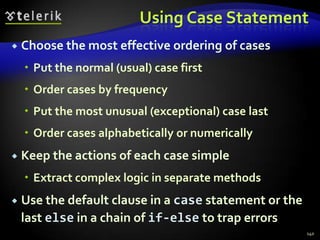
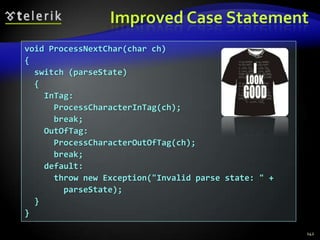
Using Case StatementChoose the most effective ordering of casesPut the normal (usual) case firstOrder cases by frequencyPut the most unusual (exceptional) case lastOrder cases alphabetically or numericallyKeep the actions of each case simpleExtract complex logic in separate methodsUse the default clause in a casestatement or the last elsein a chain of if-else to trap errors140
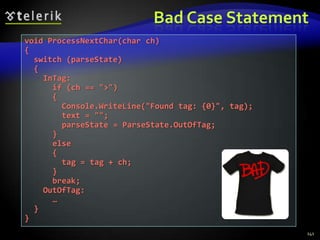
Bad Case Statement141void ProcessNextChar(char ch){  switch (parseState)  {    InTag:      if (ch == ">")      {        Console.WriteLine("Found tag: {0}", tag);        text = "";        parseState = ParseState.OutOfTag;      }      else      {        tag = tag + ch;      }      break;    OutOfTag:      …  }}
Improved Case Statement142void ProcessNextChar(char ch){  switch (parseState)  {    InTag:      ProcessCharacterInTag(ch);      break;    OutOfTag:      ProcessCharacterOutOfTag(ch);      break;    default:      throw new Exception("Invalid parse state: " +        parseState);  }}
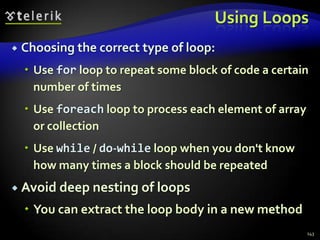
Using LoopsChoosing the correct type of loop:Use for loop to repeat some block of code a certain number of timesUse foreach loop to process each element of array or collectionUse while / do-while loop when you don't know how many times a block should be repeatedAvoid deep nesting of loopsYou can extract the loop body in a new method143
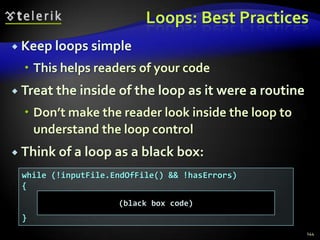
Loops: Best PracticesKeep loops simpleThis helps readers of your codeTreat the inside of the loop as it were a routineDon’t make the reader look inside the loop to understand the loop controlThink of a loop as a black box:144while (!inputFile.EndOfFile() && !hasErrors){}(black box code)
Defensive ProgrammingUsing Assertions and Exceptions Correctly
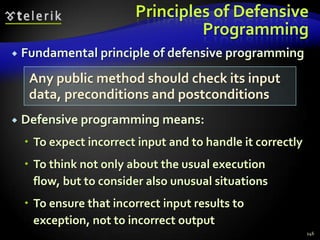
Principles of Defensive ProgrammingFundamental principle of defensive programmingDefensive programming means:To expect incorrect input and to handle it correctlyTo think not only about the usual execution flow, but to consider also unusual situationsTo ensure that incorrect input results to exception, not to incorrect output146Any public method should check its input data, preconditions and postconditions
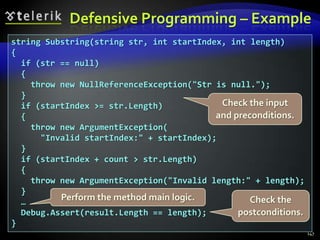
Defensive Programming – Example147string Substring(string str, int startIndex, int length){  if (str == null)  {    throw new NullReferenceException("Str is null.");  }  if (startIndex >= str.Length)  {    throw new ArgumentException(      "Invalid startIndex:" + startIndex);  }  if (startIndex + count > str.Length)  {    throw new ArgumentException("Invalid length:" + length);  }  …  Debug.Assert(result.Length == length);}Check the input and preconditions.Perform the method main logic.Check the postconditions.
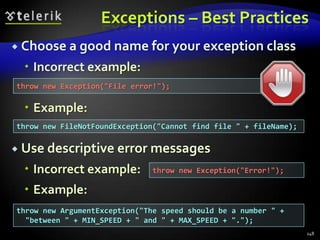
Exceptions – Best PracticesChoose a good name for your exception classIncorrect example:Example:Use descriptive error messagesIncorrect example:Example:148throw new Exception("File error!");throw new FileNotFoundException("Cannot find file " + fileName);throw new Exception("Error!");throw new ArgumentException("The speed should be a number " +  "between " + MIN_SPEED + " and " + MAX_SPEED + ".");
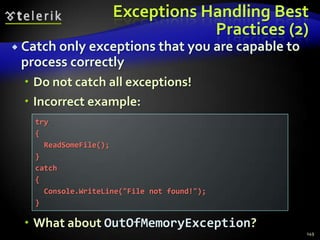
Exceptions Handling Best Practices (2)Catch only exceptions that you are capable to process correctlyDo not catch all exceptions!Incorrect example:What about OutOfMemoryException?149try{  ReadSomeFile();}catch{  Console.WriteLine("File not found!");}
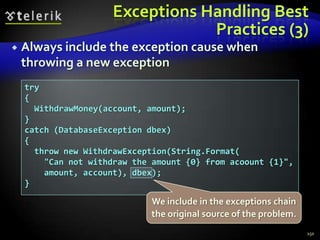
Exceptions Handling Best Practices (3)Always include the exception cause when throwing a new exception150try{  WithdrawMoney(account, amount);}catch (DatabaseException dbex){  throw new WithdrawException(String.Format(    "Can not withdraw the amount {0} from acoount {1}",    amount, account), dbex);}We include in the exceptions chain the original source of the problem.
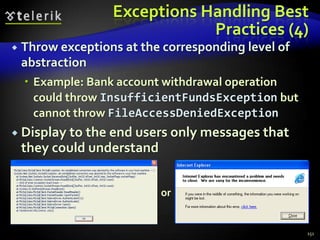
Exceptions Handling Best Practices (4)Throw exceptions at the corresponding level of abstractionExample: Bank account withdrawal operation could throw InsufficientFundsException but cannot throw FileAccessDeniedExceptionDisplay to the end users only messages that they could understand151or
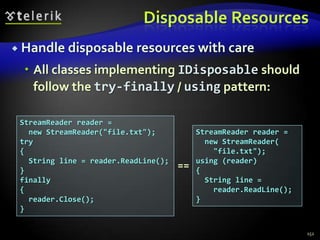
Disposable ResourcesHandle disposable resources with careAll classes implementing IDisposable should follow the try-finally / using pattern:152StreamReader reader =   new StreamReader("file.txt");try{   String line = reader.ReadLine(); }finally{  reader.Close();}StreamReader reader =   new StreamReader(    "file.txt");using (reader){   String line =    reader.ReadLine(); }==
Comments and Code DocumentationThe Concept of Self-Documenting Code
Effective CommentsEffective comments do not repeat the codeThey explain it at higher level and reveal non-obvious detailsThe best software documentation is the source code itself – keep it clean and readableSelf-documenting code is code that is self-explainable and does not need commentsSimple design, small well named methods, strong cohesion and loose coupling, simple logic, good variable names, good formatting, … 154
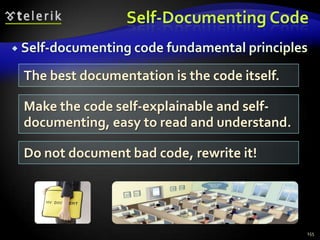
Self-Documenting CodeSelf-documenting code fundamental principles155The best documentation is the code itself. Make the code self-explainable and self-documenting, easy to read and understand.Do not document bad code, rewrite it!
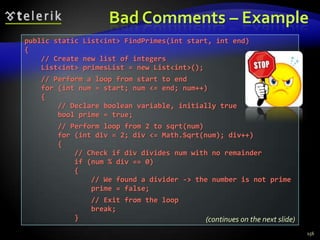
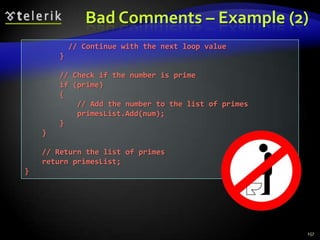
Bad Comments – Example156public static List<int> FindPrimes(int start, int end){    // Create new list of integers    List<int> primesList = new List<int>();    // Perform a loop from start to end    for (int num = start; num <= end; num++)    {        // Declare boolean variable, initially true        bool prime = true;        // Perform loop from 2 to sqrt(num)        for (int div = 2; div <= Math.Sqrt(num); div++)        {            // Check if div divides num with no remainder             if (num % div == 0)            {                // We found a divider -> the number is not prime                prime = false;                // Exit from the loop                break;            }(continues on the next slide)
Bad Comments – Example (2)157          // Continue with the next loop value        }        // Check if the number is prime        if (prime)        {            // Add the number to the list of primes            primesList.Add(num);        }    }    // Return the list of primes    return primesList;}
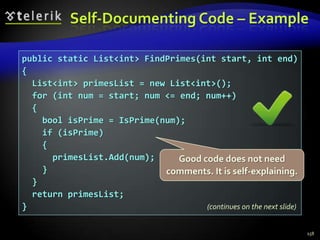
Self-Documenting Code – Example158public static List<int> FindPrimes(int start, int end){  List<int> primesList = new List<int>();  for (int num = start; num <= end; num++)  {    bool isPrime = IsPrime(num);    if (isPrime)    {      primesList.Add(num);    }  }  return primesList;}Good code does not need comments. It is self-explaining.(continues on the next slide)
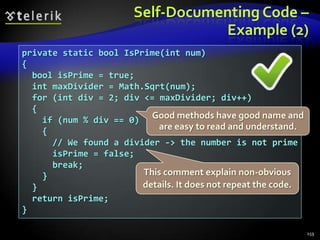
Self-Documenting Code –Example (2)159private static bool IsPrime(int num){  bool isPrime = true;  int maxDivider = Math.Sqrt(num);  for (int div = 2; div <= maxDivider; div++)  {    if (num % div == 0)    {      // We found a divider -> the number is not prime      isPrime = false;      break;    }  }  return isPrime;}Good methods have good name and are easy to read and understand.This comment explain non-obvious details. It does not repeat the code.
Code RefactoringImproving the Quality of the Existing Code
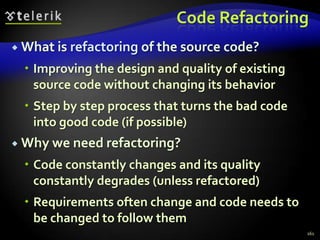
Code RefactoringWhat is refactoring of the source code?Improving the design and quality of existing source code without changing its behaviorStep by step process that turns the bad code into good code (if possible)Why we need refactoring?Code constantly changes and its quality constantly degrades (unless refactored)Requirements often change and code needs to be changed to follow them161
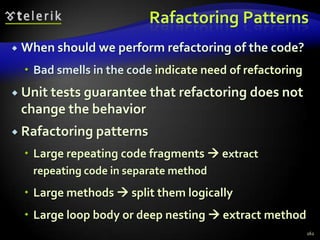
Rafactoring PatternsWhen should we perform refactoring of the code?Bad smells in the code indicate need of refactoringUnit tests guarantee that refactoring does not change the behaviorRafactoring patternsLarge repeating code fragments  extract repeating code in separate methodLarge methods  split them logicallyLarge loop body or deep nesting  extract method162
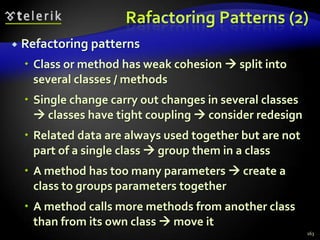
Rafactoring Patterns (2)Refactoring patternsClass or method has weak cohesion  split into several classes / methodsSingle change carry out changes in several classes  classes have tight coupling  consider redesignRelated data are always used together but are not part of a single class  group them in a classA method has too many parameters  create a class to groups parameters togetherA method calls more methods from another class than from its own class  move it163
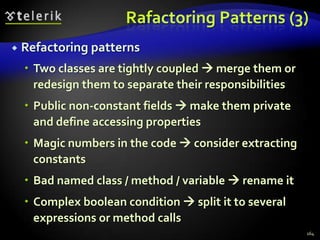
Rafactoring Patterns (3)Refactoring patternsTwo classes are tightly coupled  merge them or redesign them to separate their responsibilitiesPublic non-constant fields  make them private and define accessing propertiesMagic numbers in the code  consider extracting constantsBad named class / method / variable  rename itComplex boolean condition  split it to several expressions or method calls164
Rafactoring Patterns (4)Refactoring patternsComplex expression  split it into few simple partsA set of constants is used as enumeration  convert it to enumerationMethod logic is too complex and is hard to understand  extract several more simple methods or even create a new classUnused classes, methods, parameters, variables  remove themLarge data is passed by value without a good reason  pass it by reference165
Rafactoring Patterns (5)Refactoring patternsFew classes share repeating functionality  extract base class and reuse the common codeDifferent classes need to be instantiated depending on configuration setting  use factoryCode is not well formatted  reformat itToo many classes in a single namespace  split classes logically into more namespacesUnused using definitions  remove themNon-descriptive error messages  improve themAbsence of defensive programming  add it166
Refactoring of Bad CodeLive Demo
ResourcesThe bible of high-quality software construction:168The "High-Quality Programming Code Construction" course at Telerik Academy:
http://codecourse.telerik.comCode Complete, 2nd edition, Steve McConnell, Microsoft Press, 2004, ISBN 0735619670, http://www.cc2e.com

Writing High Quality Code in C#

  • 1.
    High-Quality Programming CodeConstructionRevealing the Secrets of Self-Documenting Codehttp://schoolacademy.telerik.comFor C# DevelopersSvetlin NakovTelerik Corporationwww.telerik.com
  • 2.
    Table of ContentsWhatis High-Quality Programming Code?Naming IdentifiersNaming classes, methods, variables, etc.Code FormattingDesigning High-Quality ClassesHigh-Quality MethodsCohesion and CouplingUsing Variables CorrectlyUsing Expressions Correctly2
  • 3.
    Table of Contents(2)Using ConstantsUsing Control-Flow Constructs CorrectlyConditional StatementsLoopsDefensive ProgrammingAssertions and ExceptionsComments and DocumentationCode Refactoring3
  • 4.
    What is High-QualityProgramming Code?
  • 5.
    Why the CodeQuality Is Important?static void Main(){ int value=010, i=5, w; switch(value){case 10:w=5;Console.WriteLine(w);break;case 9:i=0;break; case 8:Console.WriteLine("8 ");break; default:Console.WriteLine("def ");{ Console.WriteLine("hoho "); } for (int k = 0; k < i; k++, Console.WriteLine(k - 'f'));break;} { Console.WriteLine("loop!"); }}What does this code do? Is it correct?5
  • 6.
    Why the CodeQuality Is Important? (2)static void Main(){ int value = 010, i = 5, w; switch (value) { case 10: w = 5; Console.WriteLine(w); break; case 9: i = 0; break; case 8: Console.WriteLine("8 "); break; default: Console.WriteLine("def "); Console.WriteLine("hoho "); for (int k = 0; k < i; k++, Console.WriteLine(k -'f')); break; } Console.WriteLine("loop!");}Now the code is formatted, but is still unclear.6
  • 7.
    Software QualityExternal qualityDoesthe software behave correctly?Are the produced results correct?Does the software runfast?Is the software UI easy-to-use?Internal qualityIt the code easy to read and understand?It the code well structured?Is the code easy to modify?7
  • 8.
    What is High-QualityProgramming Code?High-quality programming code:Easy to read and understandEasy to modify and maintainCorrect behavior in all casesWell testedWell architectured and designedWell documentedSelf-documenting code Well formatted8
  • 9.
    Code ConventionsCode conventionsare formal guidelines about the style of the source code:Code formatting conventionsIndentation, whitespace, etc.Naming conventionsPascalCase or camelCase, prefixes, suffixes, …Best practicesClasses, interfaces, enumerations, structures, inheritance, exceptions, properties, events, constructors, fields, operators, etc.9
  • 10.
    Code Conventions (2)Microsofthas official code conventions calledDesign Guidelines for Developing Class Libraries: http://msdn.microsoft.com/en-us/library/ms229042.aspxLarge organizations follow strict conventionsCode conventions can vary in different teamsMost conventions developers follow the official Microsoft's recommendations but extend themHigh-quality code goes beyond code conventionsSoftware quality is not just a set of conventions – its is a way of thinking10
  • 11.
    Naming IdentifiersNaming Classes,Interfaces, Enumerations, Methods, Variables and Constants
  • 12.
    General Naming GuidelinesAlwaysuse EnglishHow you will feel if you read Vietnamese code with variables named in Vietnamese?English is the only language that all software developers speakAvoid abbreviationsExample: scrpCnt vs. scriptsCountAvoid hard-to-pronounce namesExample: dtbgRegExPtrn vs. dateTimeBulgarianRegExPattern12
  • 13.
    Use Meaningful NamesAlwaysprefer using meaningful namesNames should answer these questions:What does this class do? What is the intent of this variable? What is this variable / class used for?Examples:FactorialCalculator, studentsCount, Math.PI, configFileName, CreateReportIncorrect examples: k, k2,k3,junk,f33,KJJ,button1, variable, temp, tmp, temp_var, something, someValue13
  • 14.
    Fake Meaningful NamesJuniordevelopers often use meaningful names that are in fact meaninglessBad naming examples:Topic6Exercise12, LoopsExercise12,Problem7, OOPLecture_LastExerciseYes, Topic6Exercise12 indicates that this is solution to exercise 12, but what is it about?Better naming:MaximalNumbersSubsequence14
  • 15.
    Naming TypesNaming types(classes, structures, etc.)Use PascalCase character casingExamples:RecursiveFactorialCalculator, TreeSet, XmlDocument, IEnumerable, Color, TreeNode, InvalidTransactionException, MainFormIncorrect examples: recursiveFactorialCalculator, recursive_factorial_calculator, RECURSIVE_FACTORIAL_CALCULATOR15
  • 16.
    Naming Classes andStructuresUse the following formats:[Noun][Adjective] + [Noun]Examples:Student, FileSystem, BinaryTreeNode, Constants, MathUtils, TextBox, CalendarIncorrect examples:Move, FindUsers, Fast, Optimize, Extremly, FastFindInDatabase, Check16
  • 17.
    Naming InterfacesFollowing formatsare acceptable:'I' + [Verb] + 'able''I' + [Noun], 'I' + [Adjective] + [Noun]Examples:IEnumerable, IFormattable, IDataReader, IList, IHttpModule, ICommandExecutorIncorrect examples:List, FindUsers, IFast, IMemoryOptimize, Optimizer, FastFindInDatabase, CheckBox17
  • 18.
    Naming EnumerationsSeveral formatsare acceptable:[Noun] or [Verb] or [Adjective]Use the same style for all membersExamples:enum Days {Monday, Tuesday, Wednesday, …}, enum AppState {Running, Finished, …}Incorrect examples:enum Color {red, green, blue, white}, enum PAGE_FORMAT {A4, A5, A3, LEGAL, …}18
  • 19.
    Naming Special ClassesExceptionsAdd'Exception' as suffixUse informative nameExample: FileNotFoundExceptionIncorrect example: FileNotFoundErrorDelegate ClassesAdd 'Delegate' or 'EventHandler' as suffixExample: DownloadFinishedDelegateIncorrect example: WakeUpNotification19
  • 20.
    The Length ofClass NamesHow long could be the name of a class / struct / interface / enum?The name should be as long as requiredDon't abbreviate the names if this could make them unclearYour IDE has autocomplete, right?Examples: FileNotFoundException, CustomerSupportNotificationServiceIncorrect examples: FNFException, CustSuppNotifSrvc20
  • 21.
    Naming Projects /FoldersProject naming guidelinesUse PascalCaseFollowing formats are preferable:ProductNameCompany [., -, _] ProductNameName project folders to match the project name / its component namesExamples: Sitefinity, Telerik JustCodeIncorrect example: ConsoleApplication1721
  • 22.
    Naming NamespacesNamespaces namingguidelinesUse PascalCaseFollowing formats are acceptable:Company . Product . Component . …Product . Component . …Example:Telerik.WinControls.GridViewIncorrect example:Telerik_WinControlsGridView, Classes22
  • 23.
    Naming AssembliesAssembly namesshould follow the root namespace in its class hierarchyExamples:Telerik.WinControls.GridView.dllOracle.DataAccess.dllInterop.CAPICOM.dllIncorrect examples:Telerik_WinControlsGridView.dllOracleDataAccess.dll23
  • 24.
    Naming MethodsMethods namingguidelinesMethod names should be meaningfulShould answer the question:What does this method do?If you cannot find a good name for a method, think about does it have clear intentExamples: FindStudent, LoadReport, SinIncorrect examples: Method1, DoSomething, HandleStuff, SampleMethod, DirtyHack24
  • 25.
    Naming Methods (2)UsePascalCase character casingExample: LoadSettings, not loadSettingsPrefer the following formats:[Verb][Verb] + [Noun], [Verb] + [Adjective] + [Noun]Examples: Show, LoadSettingsFile, FindNodeByPattern, ToString, PrintListIncorrect examples: Student, Counter, White, Generator, Approximation, MathUtils25
  • 26.
    Methods Returning aValueMethods returning values should describe the returned valueExamples:ConvertMetersToInches, not MetersInches or Convert or ConvertUnitMeters2Inches is still acceptableCalculateSinis goodSin is still acceptable (like in the Math class)Ensure that the unit of measure of obviousPrefer MeasureFontInPixelsto MeasureFont26
  • 27.
    Single Purpose ofAll MethodsMethods should have a single purpose!Otherwise they cannot be named wellHow to name a method that creates annual incomes report, downloads updates from internet and scans the system for viruses?CreateAnnualIncomesReportDownloadUpdatesAndScanForViruses is a nice name, right?Methods that have multiple purposes (weak cohesion) are hard to be namedNeed to be refactored instead of named27
  • 28.
    Consistency in MethodsNamingUse consistent naming in the entire projectLoadFile, LoadImageFromFile, LoadSettings, LoadFont, LoadLibrary, but not ReadTextFileUse consistently the opposites at the same level of abstraction:LoadLibrary vs. UnloadLibrary, but not FreeHandleOpenFile vs. CloseFile, but not DeallocateResourceGetName vs. SetName, but not AssignName28
  • 29.
    The Length ofMethod NamesHow long could be the name of a method?The name should be as long as requiredDon't abbreviateYour IDE has autocompleteExamples:LoadCustomerSupportNotificationService, CreateMonthlyAndAnnualIncomesReportIncorrect examples:LoadCustSuppSrvc, CreateMonthIncReport29
  • 30.
    Naming Method ParametersMethodparameters namesPreferred form: [Noun] or [Adjective] + [Noun]Should be in camelCaseShould be meaningfulUnit of measure should be obviousExamples: firstName, report, usersList, fontSizeInPixels, speedKmH, fontIncorrect examples: p, p1, p2, populate, LastName, last_name, convertImage30
  • 31.
    Naming VariablesVariable namesShouldbe in camelCasePreferred form: [Noun] or [Adjective] + [Noun]Should explain the purpose of the variableIf you can't find good name for a variable check if it has a single purposeException: variables with very small scope, e.g. the index variable in a 3-lines long for-loopNames should be consistent in the project31
  • 32.
    Naming Variables –ExamplesExamples:firstName, report, usersList , fontSize, maxSpeed, font, startIndex, endIndex, charsCount, configSettingsXml, config, dbConnection, createUserSqlCommandIncorrect examples:foo, bar, p, p1, p2, populate, LastName, last_name, LAST_NAME, convertImage, moveMargin, MAXSpeed, _firstName, __temp, firstNameMiddleNameAndLastName32
  • 33.
    More about NamingVariablesThe name should be addressed to the problem we solve, not to the means we use to solve itPrefer nouns from the business domain to computer termsExamples:accounts, customers, customerAddress, accountHolder, paymentPlan, vipPlayerIncorrect examples:accountsLinkedList, customersHashtable, paymentsPriorityQueue, playersArray33
  • 34.
    Naming Boolean VariablesBooleanvariables should imply true or falsePrefixes like is, has and can are usefulUse positive boolean variable namesIncorrect example:Examples:hasPendingPayment, customerFound, validAddress, positiveBalance, isPrimeIncorrect examples:notFound, run, programStop, player, list, findCustomerById, isUnsuccessfull34if (! notFound) { … }
  • 35.
    Naming Special VariablesNamingCountersEstablish a convention, e.g. [Noun] + 'Count'Examples: ticketsCount, customersCountStateEstablish a convention, e.g. [Noun] + 'State'Examples: blogParseState, threadStateVariables with small scope and spanShort names can be used, e.g. index, i, u35
  • 36.
    Temporary VariablesDo reallytemporary variables exist?All variables in a program are temporary because they are used temporarily only during the program execution, right?Temporary variables can always be named better than temp or tmp:36// Swap a[i] and a[j]int temp = a[i];a[i] = a[j];a[j] = temp;// Swap a[i] and a[j]int swapValue = a[i];a[i] = a[j];a[j] = swapValue;
  • 37.
    The Length ofVariable NamesHow long could be the name of a variable?Depends on the variable scope and lifetimeMore "famous" variables should have longer and more self-explaining nameAcceptable naming examples:Unacceptable naming examples:37class Student { public string lastName;}for (int i=0; i<users.Length; i++) if (i % 2 == 0) sum += users[i].Weight;class Student { private int i;}class PairOfLists { public int Count { get; set; }}
  • 38.
    Prefixes / Suffixesand Hungarian NotationIn C# prefix / suffix notations are not popularHungarian notationUsing prefixes to denote the variable types, e.g. lpcstrText, lpdwFlags, cbMultiByte, hWndThe Hungarian notation works well in unmanaged languages like C++Do not use Hungarian notation in C# and .NETDon't use prefixes / suffixes to denote the variable data type38
  • 39.
    Naming PropertiesName propertiesin C# using a noun, noun phrase, or an adjectiveUse Pascal CaseExamples:Incorrect examples:39public int Length { … }public Color BackgroundColor { … }public CacheMode CacheMode { … }public bool Loaded { … }public int Load { … }public Color BackgroundColor { … }public bool Font { … }
  • 40.
    Naming ConstantsUse CAPITAL_LETTERSfor const fields and PascalCase for readonly fieldsUse meaningful names that describe their valueExamples:Incorrect examples:40private const int READ_BUFFER_SIZE = 8192;public static readonly PageSize DefaultPageSize = PageSize.A4;private const int FONT_SIZE_IN_POINTS = 16;public const int MAX = 512; // Max what? Apples or Oranges?public const int BUF256 = 256; // What about BUF256 = 1024?public const string GREATER = "&gt;"; // GREATER_HTML_ENTITYpublic const int FONT_SIZE = 16; // 16pt or 16px?public const PageSize PAGE = PageSize.A4; // Maybe PAGE_SIZE?
  • 41.
    Names to AvoidDon'tuse numbers in the identifiers namesExample: PrintReport and PrintReport2What is the difference?Exceptions:When the number is part of the name itself, e.g. RS232Port, COM3, Win32APIFunctionsDon't use Cyrillic or letters from other alphabetsE.g. FindСтудентByName, CalcΩ2Protein41
  • 42.
    Never Give aMisleading Name!Giving a misleading name is worse than giving a totally unclear nameExample:Consider a method that calculates the sum of all elements in an arrayIt should be named Sum or CalculateSumWhat about naming it CalculateAverageor Max or CheckForNegativeNumber?It's crazy, but be careful with "copy-paste"42
  • 43.
    Don't Believe Microsoft!Microsoftsometimes use really bad naming in their API libraries (especially in Win32 API)Examples:Navigateand Navigate2methods in Internet Explorer ActiveX control (MSHTML.DLL)WNetAddConnection3method in Multiple Provider Router Networking API (MPR.DLL)LPWKSTA_USER_INFO_1structure in Win32Don't follow them blindly, just think a bit!43
  • 44.
    What's Wrong withThis Code?44FileStream fs = new FileStream(FILE_NAME, FileMode.CreateNew);// Create the writer for data.BinaryWriter w = new BinaryWriter(fs);// Write data to Test.data.for (int i = 0; i < 11; i++) { w.Write( (int) i);}w.Close();fs.Close();// Create the reader for data.fs = new FileStream(FILE_NAME, FileMode.Open, FileAccess.Read);BinaryReader r = new BinaryReader(fs);// Read data from Test.data.for (int i = 0; i < 11; i++) { Console.WriteLine(r.ReadInt32());}r.Close();fs.Close();Source: http://msdn.microsoft.com/en-us/library/36b93480.aspx
  • 45.
    Naming Should BeClearinside Its ContextNaming should be clear inside its contextMethod names should be clear in their classMethods should not repeat their class nameParameter names should be clear in the context of their method nameExample of good class / property naming:45class Font{ public string Name { get; } // not FontName}
  • 46.
    Naming Should BeClearinside Its Context (2)Example of good method & parameter naming:Name like CalcDistanceBetweenPoints is excessive – parameters say "between points"Parameter names still can be improved:Name like Calc can still be correct:46double CalcDistance(Point p1, Point p2) { … }double CalcDistance(Point firstPoint, Point secondPoint) { … }class DistanceCalculator{ static double Calc(Point p1, Point p1) { … } }
  • 47.
    Naming Should BeClearinside Its Context (3)Incorrect example of method naming:It is unclear in this context what kind of calculation is performed by the methodIncorrect example of parameter naming:47class Program{ int Calculation(int value)}What "f" means? An URL or FTP server or file path?class FileDownloader{ byte[] Download(string f);}
  • 48.
  • 49.
    Why Code NeedsFormatting?49public const string FILE_NAME="example.bin" ; static void Main ( ){FileStream fs= new FileStream(FILE_NAME,FileMode. CreateNew) // Create the writer for data .;BinaryWriter w=new BinaryWriter ( fs );// Write data to Test.data.for( int i=0;i<11;i++){w.Write((int)i);}w .Close();fs . Close ( ) // Create the reader for data.;fs=new FileStream(FILE_NAME,FileMode. Open, FileAccess.Read) ;BinaryReader r= new BinaryReader(fs); // Read data from Test.data. for (int i = 0; i < 11; i++){ Console .WriteLine(r.ReadInt32 ());}r . Close ( ); fs . Close ( ) ; }
  • 50.
    Code Formatting FundamentalsGoodformatting goalsTo improve code readabilityTo improve code maintainabilityFundamental principle of code formatting:Any formatting style that follows the above principle is goodAny other formatting is not good50The formating of the source code should disclose its logical structure.
  • 51.
    Formatting Blocks inC#Put { and } alone on a line under the corresponding parent blockIndent the block contents by a single [Tab]Don't indent with spacesExample:51if ( some condition ){ // Block contents indented by a single [Tab] // Don't use spaces for indentation}
  • 52.
    Methods IndentationMethods shouldbe indented with a single [Tab] from the class bodyMethods body should be indented with a single [Tab] as well52public class IndentationExample{ private int Zero() { return 0; }}The entire method is indented with a single [Tab]Method body is also indented
  • 53.
    Brackets in MethodsDeclarationBrackets in the method declaration should be formatted as follows:Don't use spaces between the brackets:The same applies for if-conditions and for-loops:53private static ulong CalcFactorial(uint num)private static ulong CalcFactorial ( uint num ) private static ulong CalcFactorial (uint num) if (condition) …
  • 54.
    Separating ParametersSeparate methodparameters by comma followed by a spaceDon't put comma before the spaceExamples:Incorrect examples:54private void RegisterUser(string username, string password)RegisterUser("nakov", "s3cr3t!p@ssw0rd");private void RegisterUser(string username,string password)private void RegisterUser(string username ,string password)private void RegisterUser(string username , string password)
  • 55.
    Empty Lines betweenMethodsUse empty line for separation between methods:55public class Factorial{ private static ulong CalcFactorial(uint num) { if (num == 0) return 1; else return num * CalcFactorial(num - 1); } static void Main() { ulong factorial = CalcFactorial(5); Console.WriteLine(factorial); }}Always use { and } after if(there is no space to do it here)Empty line
  • 56.
    Empty Lines inMethod BodyUse an empty line to separate logically related sequences of lines:56private List<Report> PrepareReports(){ List<Report> reports = new List<Report>(); // Create incomes reports Report incomesSalesReport = PrepareIncomesSalesReport(); reports.Add(incomesSalesReport); Report incomesSupportReport = PrepareIncomesSupportReport(); reports.Add(incomesSupportReport); // Create expenses reports Report expensesPayrollReport = PrepareExpensesPayrollReport(); reports.Add(expensesPayrollReport); Report expensesMarketingReport = PrepareExpensesMarketingReport(); reports.Add(expensesMarketingReport); return reports;}Empty lineEmpty lineEmpty line
  • 57.
    Misplaced Empty Lines– Example57public static void PrintList(List<int> ints) { Console.Write("{ "); foreach (int item in ints) { Console.Write(item); Console.Write(" "); } Console.WriteLine("}");}static void Main(){ // ...}
  • 58.
    Formatting TypesFormatting classes/ structures / interfaces / enumerationsIndent the class body with a single [Tab]Use the following order of definitions:Constants, delegates, inner types, fields, constructors, properties, methodsStatic members, public members, protected members, internal members, private membersThe above order of definitions is not the only possible correct one58
  • 59.
    Formatting Types –Example59public class Dog{ // Static variables public const string SPECIES = "Canis Lupus Familiaris"; // Instance variables private int age; // Constructors public Dog(string name, int age) { this.Name = name; this.age = age; } (continues on the next slide)
  • 60.
    Formatting Types –Example (2)60 // Properties public string Name { get; set; } // Methods public void Breath() { // TODO: breathing process } public void Bark() { Console.WriteLine("wow-wow"); }}
  • 61.
    Formatting Conditional Statementsand LoopsFormatting conditional statements and loopsAlways use { } block after if / for / while, even when a single operator followsIndent the block body after if / for / whileNever put the block after if / for / while on the same line!Always put the { on the next lineNever indent with more than one [Tab]61
  • 62.
    Conditional Statements andLoops Formatting – ExamplesExample:Incorrect examples:62for (int i=0; i<10; i++){ Console.WriteLine("i={0}", i);}for (int i=0; i<10; i++) Console.WriteLine("i={0}", i);for (int i=0; i<10; i++) Console.WriteLine("i={0}", i);for (int i=0; i<10; i++) { Console.WriteLine("i={0}", i);}
  • 63.
    Breaking Long LinesBreaklong lines after punctuationIndent the second line by single [Tab]Do not additionally indent the third lineExamples:63if (matrix[x, y] == 0 || matrix[x-1, y] == 0 || matrix[x+1, y] == 0 || matrix[x, y-1] == 0 || matrix[x, y+1] == 0){ …DictionaryEntry<K, V> newEntry = new DictionaryEntry<K, V>( oldEntry.Key, oldEntry.Value);
  • 64.
    Incorrect Ways ToBreakLong Lines64if (matrix[x, y] == 0 || matrix[x-1, y] == 0 || matrix[x+1, y] == 0 || matrix[x, y-1] == 0 || matrix[x, y+1] == 0){ …if (matrix[x, y] == 0 || matrix[x-1, y] == 0 || matrix[x+1, y] == 0 || matrix[x, y-1] == 0 || matrix[x, y+1] == 0){ …DictionaryEntry<K, V> newEntry = new DictionaryEntry<K, V>(oldEntry .Key, oldEntry.Value);
  • 65.
    AlignmentsAll types ofalignments are considered harmfulAlignments are hard-to-maintain!Incorrect examples:65DateTime date = DateTime.Now.Date;int count = 0;Student student = new Strudent();List<Student> students = new List<Student>();matrix[x, y] == 0;matrix[x + 1, y + 1] == 0;matrix[2 * x + y, 2 * y + x] == 0;matrix[x * y, x * y] == 0;
  • 66.
    High-Quality ClassesHow toDesign High-Quality Classes? Abstraction, Cohesion and Coupling
  • 67.
    High-Quality Classes: AbstractionPresenta consistent level of abstraction in the class contract (publicly visible members)What abstraction the class is implementing?Does it represent only one thing?Does the class name well describe its purpose?Does the class define clear and easy to understand public interface?Does the class hide all its implementation details?67
  • 68.
    Good Abstraction –Example68public class Font{ public string Name { get; set; } public float SizeInPoints { get; set; } public FontStyle Style { get; set; } public Font(string name, float sizeInPoints, FontStyle style) { this.Name = name; this.SizeInPoints = sizeInPoints; this.Style = style; } public void DrawString(DrawingSurface surface, string str, int x, int y){ ... } public Size MeasureString(string str) { ... }}
  • 69.
    Bad Abstraction –Example69public class Program{ public string title; public int size; public Color color; public void InitializeCommandStack(); public void PushCommand(Command command); public Command PopCommand(); public void ShutdownCommandStack(); public void InitializeReportFormatting(); public void FormatReport(Report report); public void PrintReport(Report report); public void InitializeGlobalData(); public void ShutdownGlobalData();}Does this class really represent a "program"? Is this name good?Does this class really have a single purpose?
  • 70.
    Establishing Good AbstractionDefineoperations along with their oppositesExample:Open() and Close()Move unrelated methods in another classExample:In class Employee if you need to calculate Age by given DateOfBirthCreate static method CalcAge in a separate class DateUtils70
  • 71.
    Establishing Good Abstraction(2)Beware of breaking the interface abstraction due to evolutionDon't add public members inconsistent with class abstractionExample: in class called Employee at some time we add method for accessing the DB with SQL71class Employee{ public string firstName; public string lastName; … public SqlCommand FindByPrimaryKeySqlCommand(int id);}
  • 72.
    EncapsulationMinimize the visibilityof classes and membersStart from private and move to internal, protected and public if requiredClasses should hide their implementation detailsAnything which is not part of the class interface should be declared privateClasses with good encapsulated classes are: less complex, easier to maintain, more loosely coupledNever declare fields public (except constants)Use methods or properties to access fields72
  • 73.
    Encapsulation (2)Don't violateencapsulation semantically!Don't rely on non-documented internal behavior or side effectsWrong example: Skip calling ConnectToDB() because you just called FindEmployeeById() which should open connectionAnother wrong example:Use String.Empty instead of Titles.NoTitle because you know both values are the same73
  • 74.
    InheritanceDon't hide methodsin a subclassExample: if the class Timer has private method Start(), don't define Start() in AtomTimerMove common interfaces, data, and behavior as high as possible in the inheritance treeThis maximizes the code reuseBe suspicious of base classes of which there is only one derived classDo you really need this additional level of inheritance?74
  • 75.
    Inheritance (2)Be suspiciousof classes that override a routine and do nothing insideIs the overridden routine used correctly?Avoid deep inheritance treesDon't create more than 6 levels of inheritanceAvoid using a base class’s protected data fields in a derived classProvide protected accessor methods or properties instead75
  • 76.
    Inheritance (3)Prefer inheritanceto extensive type checking:Consider inheriting Circle and Square from Shape and override the abstract action Draw()76switch (shape.Type){ case Shape.Circle: shape.DrawCircle(); break; case Shape.Square: shape.DrawSquare(); break; ...}
  • 77.
    Class Methods andDataKeep the number of methods in a class as small as possible  reduce complexityMinimize direct method calls to other classesMinimize indirect method calls to other classesLess external method calls == less couplingMinimize the extent to which a class collaborates with other classesReduce coupling between classes77
  • 78.
    Class ConstructorsInitialize allmember data in all constructors, if possibleUninitialized data is error pronePartially initialized data is even more evilIncorrect example: assign FirstName in class Person but leave LastName emptyInitialize data members in the same order in which they are declaredPrefer deep copies to shallow copies (ICloneable should make deep copy)78
  • 79.
    Use Design PatternsUseprivate constructor to prohibit direct class instantiationUse deign patterns for common design situationsCreational patterns like singleton, factory method, abstract factoryStructural patterns like adapter, bridge, composite, decorator, façadeBehavioral patterns like command, iterator, observer, strategy, template method79
  • 80.
    Top Reasons toCreate ClassModel real-world objects with OOP classesModel abstract objects, processes, etc.Reduce complexityWork at higher levelIsolate complexityHide it in a classHide implementation details  encapsulationLimit effects of changesChanges affect only their class80
  • 81.
    Top Reasons toCreate Class (2)Hide global dataWork through methodsGroup variables that are used togetherMake central points of controlSingle task should be done at single placeAvoid duplicating codeFacilitate code reuseUse class hierarchies and virtual methodsPackage related operations together81
  • 82.
    NamespacesGroup related classestogether in namespacesFollow consistent naming convention82namespace Utils{ class MathUtils { … } class StringUtils { … }}namespace DataAccessLayer{ class GenericDAO<Key, Entity> { … } class EmployeeDAO<int, Employee> { … } class AddressDAO<int, Address> { … }}
  • 83.
    High-Quality MethodsHow toDesign and Implement High-Quality Methods? Understanding Cohesion and Coupling
  • 84.
    Why We NeedMethods?Methods are important in software developmentReduce complexityDivide and conquer: complex problems can be split into composition of several simple onesImprove code readabilitySmall methods with good method names make the code self-documentingAvoid duplicating codeDuplicating code is hard to maintain84
  • 85.
    Why We NeedMethods? (2)Methods simplify software developmentHide implementation detailsComplex logic is encapsulated and hidden behind a simple interfaceAlgorithms and data structures are hidden and can be transparently replaced laterIncrease the level of abstractionMethods address the business problem, not the technical implementation:85Bank.accounts[customer].deposit(500);
  • 86.
    Using Methods: FundamentalsFundamentalprinciple of correct method usage:Methods should do exactly what their names sayNothing lessNothing moreIn case of incorrect input or incorrect preconditions, an error should be indicated86A method should do what its name says or should indicate an error. Any other behaviour is incorrect!
  • 87.
    Good Methods –Examples87long Sum(int[] elements){ long sum = 0; foreach (int element in elements) { sum = sum + element; } return sum;}double CalcTriangleArea(double a, double b, double c){ if (a <= 0 || b <= 0 || c <= 0) { throw new ArgumentException( "Sides should be positive."); } double s = (a + b + c) / 2; double area = Math.Sqrt(s * (s - a) * (s - b) * (s - c)); return area;}
  • 88.
    Symptoms of WrongMethodsMethod that does something different than its name says, is wrong for one of these reasons:The returned result is incorrect  bugThe returned output is incorrect when its input is incorrect or unusual  low qualityAcceptable for private methods onlyThe method does too many things  bad cohesionThe method has side effects  spaghetti codeMethod returns strange value when an error condition happens  it should indicate the error88
  • 89.
    Wrong Methods –Examples89long Sum(int[] elements){ long sum = 0; for (int i = 0; i < elements.Length; i++) { sum = sum + elements[i]; elements[i] = 0; } return sum;}Hidden side effectdouble CalcTriangleArea(double a, double b, double c){ if (a <= 0 || b <= 0 || c <= 0) { return 0; } double s = (a + b + c) / 2; double area = Math.Sqrt(s * (s - a) * (s - b) * (s - c)); return area;}Incorrect result. Throw an exception instead.
  • 90.
    Strong CohesionMethods shouldhave strong cohesionShould address single task and address it wellShould have clear intentMethods that address several tasks in the same time are hard to be namedString cohesion is used in engineeringIn computer hardware any PC component solves a single taskE.g. hard disk performs a single task – storage90
  • 91.
    Acceptable Types ofCohesionFunctional cohesion(independent function)Method performs certain well-defined calculation and returns a single resultThe entire input is passed through parameters and the entire output is returned as resultNo external dependencies or side effectsExamples:91Math.Sqrt(value)  square rootChar.IsLetterOrDigit(ch)String.Substring(str, startIndex, length)
  • 92.
    Acceptable Types ofCohesion (2)Sequential cohesion(algorithm)Method performs certain sequence of operations to perform a single task and achieve certain resultIt encapsulates an algorithmExample:Connect to mail serverSend message headersSend message bodyDisconnect from the server92SendEmail(recipient, subject, body)
  • 93.
    Acceptable Types ofCohesion (3)Communicational cohesion(common data)A set of operations used to process certain data and produce a resultExample:Retrieve input data from databasePerform internal calculations over retrieved dataBuild the reportFormat the report as Excel worksheetDisplay the Excel worksheet on the screen93DisplayAnnualExpensesReport(int employeeId)
  • 94.
    Acceptable Types ofCohesion (4)Temporal cohesion (time related activities)Operations that are generally not related but need to happen in a certain momentExamples:Load user settingsCheck for updatesLoad all invoices from the databaseSequence of actions to handle the event94InitializeApplication()ButtonConfirmClick()
  • 95.
    Unacceptable CohesionLogical cohesionPerformsa different operation depending on an input parameterIncorrect example:Can be acceptable in event handlers (e.g. the KeyDown event in Windows Forms)95object ReadAll(int operationCode){ if (operationCode == 1) … // Read person name else if (operationCode == 2) … // Read address else if (operationCode == 3) … // Read date …}
  • 96.
    Unacceptable CohesionCoincidental cohesion(spaghetti)Not related (random) operations are grouped in a method for unclear reasonIncorrect example:Prepares annual incomes report for given customerSorts an array of integers in increasing orderCalculates the square root of given numberConverts given MP3 file into WMA formatSends email to given customer96HandleStuff(customerId, int[], ref sqrtValue, mp3FileName, emailAddress)
  • 97.
    Loose CouplingWhat isloose coupling?Minimal dependences of the method on the other parts of the source codeMinimal dependences on the class members or external classes and their membersNo side effectsIf the coupling is loose, we can easily reuse a method or group of methods in a new projectTight coupling  spaghetti code97
  • 98.
    Loose Coupling (2)Theideal couplingA methods depends only on its parametersDoes not have any other input or outputExample: Math.SqrtReal worldComplex software cannot avoid coupling but could make it as loose as possibleExample: complex encryption algorithm performs initialization, encryption, finalization98
  • 99.
    Coupling – ExampleIntentionallyincreased coupling for more flexibility (.NET cryptography API):99byte[] EncryptAES(byte[] inputData, byte[] secretKey){ Rijndael cryptoAlg = new RijndaelManaged(); cryptoAlg.Key = secretKey; cryptoAlg.GenerateIV(); MemoryStream destStream = new MemoryStream(); CryptoStream csEncryptor = new CryptoStream( destStream, cryptoAlg.CreateEncryptor(), CryptoStreamMode.Write); csEncryptor.Write(inputData, 0, inputData.Length); csEncryptor.FlushFinalBlock(); byte[] encryptedData = destStream.ToArray(); return encryptedData;}
  • 100.
    Loose Coupling –ExampleTo reduce coupling we can make utility classes that hide the complex logic and provide simple straightforward interface (a.k.a. façade):100byte[] EncryptAES(byte[] inputData, byte[] secretKey){ MemoryStream inputStream = new MemoryStream(inputData); MemoryStream outputStream = new MemoryStream(); EncryptionUtils.EncryptAES( inputStream, outputStream, secretKey); byte[] encryptedData = outputStream.ToArray(); return encryptedData;}
  • 101.
    Tight Coupling –ExamplePassing parameters through class fieldsTypical example of tight couplingDon't do this unless you have a good reason!101class Sumator{ public int a, b; int Sum() { return a + b; } static void Main() { Sumator sumator = new Sumator() { a = 3, b = 5 }; Console.WriteLine(sumator.Sum()); }}Why don't pass the numbers as parameters?
  • 102.
    Loose Coupling andOOPReducing coupling with OOP techniquesAbstractionDefine a public interface and hide the implementation detailsEncapsulationMake methods and fields private unless they are definitely neededDefine new members as privateIncrease visibility as soon as this is needed102
  • 103.
    Acceptable CouplingMethod iscoupled to its parametersThis is the best type of couplingMethod in a class is coupled to some class fieldsThis coupling is usual, do not worry too muchMethod in a class is coupled to static methods, properties or constants in external classThis is normal, usually is not a problemMethod is coupled to external static fieldsAvoid this, classes should keep their fields private103
  • 104.
    Non-Acceptable CouplingMethod ina class is coupled to static fields in external classAvoid it  consider refactoringMethods take as input data some fields that could be passed as parametersCheck the intent of the methodIs it designed to process internal class data or is utility methodMethod is defined public without being part of the public class's interface  possible coupling104
  • 105.
    Methods ParametersPut mostimportant parameters firstFirst put the main input parametersPut non-important optional parameters lastExample:Incorrect examples:105void RegisterUser(string username, string password, Date accountExpirationDate, Role[] roles)void RegisterUser(Role[] roles, string password, string username, Date accountExpirationDate)void RegisterUser(string password, Date accountExpirationDate, Role[] roles, string username)
  • 106.
    Methods Parameters (2)Donot modify the input parametersUse new variable insteadIncorrect example:Correct example:106bool CheckLogin(string username, string password){ username = username.ToLower(); … // Check the username / password here}bool CheckLogin(string username, string password){ string usernameLowercase = username.ToLower(); … // Check the username / password here}
  • 107.
    Methods Parameters (3)Useparameters consistentlyUse the same names and the same order in all methodsIncorrect example:Output parameters should be put last107void EncryptFile(Stream input, Stream output, string key);void DecryptFile(string key, Stream output, Stream input);FindCustomersAndIncomes(Region region, out Customer[] customers, out decimal[] incomes)
  • 108.
    Pass Entire Objector Its Fields?When should we pass an object containing few values and when these values separately?Sometime we pass an object and use only a single field of it – it is a good practice?Examples:Look at the method's level of abstractionIs it intended to operate with employees of with rates and months?  the first is incorrect108CalculateSalary(Employee employee, int months);CalculateSalary(double rate, int months);
  • 109.
    How Much ParametersMethods Should Have?Limit the number of method parameters to 7 (+/-2)7 is a magic number in psychologyHuman brain cannot process more than 7 (+/-2) things in the same timeIf the parameters need to be too much reconsider the method intent  does it have clear intent?Consider putting few parameters in a new class109
  • 110.
    Methods LengthHow longshould a method be?There is no specific restrictionAvoid methods longer than one screen (30 lines)Long methods are not always badBe sure you have a good reason for their lengthCohesion and coupling are more important than the method length!Long methods often contain portions that could be extracted as separate methods with good name and clear intent  check this!110
  • 111.
  • 112.
    Retuning Result froma MethodAlways assign the result of a method in some variable before returning it. Benefits:Improved code readabilityThe returned value has self-documenting nameSimplified debuggingExample:Incorrect example:112The intent of the formula is obviousint salary = days * hoursPerDay * ratePerHour;return salary;We can put a breakpoint at this line and check if the result is correctreturn days * hoursPerDay * ratePerHour;
  • 113.
    Variable InitializationInitialize allvariables before their first usageClass variables (fields) are automatically initialized with 0 / null by the C# compilerYou still get a warning messageLocal variables should be manually initializedThis C# code will result in compilation error:We can initialize variables at their declaration:113int value;Console.WriteLine(value);int value = 0;Console.WriteLine(value);
  • 114.
    Partially Initialized ObjectsEnsureobjects cannot get into partially initialized stateMake all fields private and require valid values for all mandatory fields in all constructorsExample: Student object is invalid unless it has Name and FacultyNumber114class Student{ private string name, facultyNumber; public Student(string name, string facultyNumber) { … }}
  • 115.
    Variable ScopeVariable scopedefines how "famous" is a variable in the programStatic variables are more "famous" than instance variables, and they are more "famous" than localVariables' visibility is directly related to their scopepublic, protected, internal, privateAlways try to reduce the variable's scopeThis reduces potential couplingAvoid public fields (exception: readonly / const)Access all fields through properties / methods115
  • 116.
    Exceeded Scope –Example116public class Globals{ public static int state = 0;}public class Genious { public static void PrintSomething() { if (Globals.state == 0) { Console.WriteLine("Hello."); } else { Console.WriteLine("Good bye."); } }}
  • 117.
    Variable Span andLifetimeVariable spanThe average number of lines of code (LOC) between variable usagesVariable lifetimeThe number of lines of code (LOC) between the first and the last variable usage in a blockKeep variable span and lifetime as low as possible117Always define and initialize variables just before their first use and never before it!
  • 118.
    Unneeded Large VariableSpan and Lifetimeint count;int[] numbers = new int[100];for (int i = 0; i < numbers.Length; i++){ numbers[i] = i;}count = 0;for (int i = 0; i < numbers.Length / 2; i++){ numbers[i] = numbers[i] * numbers[i];}for (int i = 0; i < numbers.Length; i++){ if (numbers[i] % 3 == 0) { count++; }}Console.WriteLine(count);118lifetime ("count") = 19span =19 / 4 = 4.75
  • 119.
    Reduced Variable Spanand Lifetime119int[] numbers = new int[100];for (int i = 0; i < numbers.Length; i++){ numbers[i] = i;}for (int i = 0; i < numbers.Length / 2; i++){ numbers[i] = numbers[i] * numbers[i];}int count = 0;for (int i = 0; i < numbers.Length; i++){ if (numbers[i] % 3 == 0) { count++; }}Console.WriteLine(count);lifetime = 9span=9 / 3 = 3
  • 120.
    Single PurposeVariables shouldhave single purposeNever use a single variable for multiple purposes!Economizing memory is not an excuseCan you choose a good name for variable that is used for several purposes?Example: variable used to count students of to keep the average of their gradesProposed name: studentsCountOrAvgGrade120
  • 121.
    Variables – OtherSuggestionsDon't define variables that are not usedCompilers usually issues warningsDon't use variables with hidden purposeIncorrect example:Instead use enumeration:121int mode = 1;…if (mode == 1) …; // Readif (mode == 2) …; // Writeif (mode == 3) …; // Read and writeenum ResourceAccessMode { Read, Write, ReadWrite }
  • 122.
  • 123.
    Avoid Complex ExpressionsNeveruse complex expressions in the code!Incorrect example:Complex expressions are evil because:Make code hard to read and understand, hard to debug, hard to modify and hard to maintain123What shall we do if we get at this line IndexOutOfRangeException?for (int i=0; i<xCoords.length; i++) { for (int j=0; j<yCoords.length; j++) { matrix[i][j] = matrix[xCoords[findMax(i)+1]][yCoords[findMin(j)-1]] * matrix[yCoords[findMax(j)+1]][xCoords[findMin(i)-1]]; }}There are 10 potential sources of IndexOutOfRangeException in this expression!
  • 124.
    Simplifying Complex Expressions124for(int i = 0; i < xCoords.length; i++){ for (int j = 0; j < yCoords.length; j++) { int maxStartIndex = findMax(i) + 1; int minStartIndex = findMin(i) - 1; int minXcoord = xCoords[minStartIndex]; int maxXcoord = xCoords[maxStartIndex]; int minYcoord = yCoords[minStartIndex]; int maxYcoord = yCoords[maxStartIndex]; int newValue = matrix[maxXcoord][minYcoord] * matrix[maxYcoord][minXcoord]; matrix[i][j] = newValue; }}
  • 125.
    Using ConstantsWhen andHow to Use Constants?
  • 126.
    Avoid Magic Numbersand StringsWhat is magic number or value?Magic numbers / values are all literals different than 0, 1, -1, null and "" (empty string)Avoid using magic numbers / valuesThey are hard to maintainWhen change occurs, you need to modify all occurrences of the magic number / constantTheir meaning is not obviousExample: what does the number 1024 mean?126
  • 127.
    The Evil MagicNumbers127public class GeometryUtils{ public static double CalcCircleArea(double radius) { double area = 3.14159206 * radius * radius; return area; } public static double CalcCirclePerimeter(double radius) { double perimeter = 6.28318412 * radius; return perimeter; } public static double CalcElipseArea(double axis1, double axis2) { double area = 3.14159206 * axis1 * axis2; return area; }}
  • 128.
    Turning MagicNumbers intoConstants128public class GeometryUtils{ public const double PI = 3.14159206; public static double CalcCircleArea(double radius) { double area = PI * radius * radius; return area; } public static double CalcCirclePerimeter(double radius) { double perimeter = 2 * PI * radius; return perimeter; } public static double CalcElipseArea( double axis1, double axis2) { double area = PI * axis1 * axis2; return area; }}
  • 129.
    When to UseConstants?Constants should be used in the following cases:When we need to use numbers or other values and their logical meaning and value are not obviousFile namesMathematical constantsBounds and ranges129public const string SettingsFileName = "ApplicationSettings.xml";public const double E = 2.7182818284;public const int READ_BUFFER_SIZE = 5 * 1024 *1024;
  • 130.
    When to AvoidConstants?Sometime it is better to keep the magic values instead of using a constantError messages and exception descriptionsSQL commands for database operationsTitles of GUI elements (labels, buttons, menus, dialogs, etc.)For internationalization purposes use resources, not constants130
  • 131.
    Using Control ConstructsUsingConditional Statements and Loops Correctly
  • 132.
    Using Conditional StatementsAlwaysuse { and } for the conditional statements body, even when it is a single line:Why omitting the brackets could be harmful?This is misleading code + misleading formatting132if (condition){ DoSometing();}if (condition) DoSomething(); DoAnotherThing();DoDifferentThing();
  • 133.
    Use Simple ConditionsDonot use complex if conditionsYou can always simplify them by introducing boolean variables or boolean methodsIncorrect example:Complex boolean expressions are harmfulHow you will find the problem if you get IndexOutOfRangeException?133if (x > 0 && y > 0 && x < Width-1 && y < Height-1 && matrix[x, y] == 0 && matrix[x-1, y] == 0 && matrix[x+1, y] == 0 && matrix[x, y-1] == 0 && matrix[x, y+1] == 0 && !visited[x, y])
  • 134.
    Simplifying Boolean ConditionsThelast example can be easily refactored into self-documenting code:Now the code is:Easy to read – the logic of the condition is clearEasy to debug – breakpoint can be put at the if134bool inRange = x > 0 && y > 0 && x < Width-1 && y < Height-1;bool emptyCellAndNeighbours = matrix[x, y] == 0 && matrix[x-1, y] == 0 && matrix[x+1, y] == 0 && matrix[x, y-1] == 0 && matrix[x, y+1] == 0;if (inRange && emptyCellAndNeighbours && !visited[x, y])
  • 135.
    Avoid Deep Nestingof BlocksDeep nesting of conditional statements and loops makes the code unclearDeeply nested code is complex and hard to read and understandUsually you can extract portions of the code in separate methodsThis simplifies the logic of the codeUsing good method name makes the code self-documenting135
  • 136.
    Deep Nesting –Example136if (maxElem != Int32.MaxValue){ if (arr[i] < arr[i + 1]) { if (arr[i + 1] < arr[i + 2]) { if (arr[i + 2] < arr[i + 3]) { maxElem = arr[i + 3]; } else { maxElem = arr[i + 2]; } } else { if (arr[i + 1] < arr[i + 3]) { maxElem = arr[i + 3]; } else { maxElem = arr[i + 1]; } } }(continues on the next slide)
  • 137.
    Deep Nesting –Example (2)137 else { if (arr[i] < arr[i + 2]) { if (arr[i + 2] < arr[i + 3]) { maxElem = arr[i + 3]; } else { maxElem = arr[i + 2]; } } else { if (arr[i] < arr[i + 3]) { maxElem = arr[i + 3]; } else { maxElem = arr[i]; } } }}
  • 138.
    Avoiding Deep Nesting– Example138private static int Max(int i, int j){ if (i < j) { return j; } else { return i; }}private static int Max(int i, int j, int k){ if (i < j) { int maxElem = Max(j, k); return maxElem; } else { int maxElem = Max(i, k); return maxElem; }}(continues on the next slide)
  • 139.
    Avoiding Deep Nesting– Example139private static int FindMax(int[] arr, int i){ if (arr[i] < arr[i + 1]) { int maxElem = Max(arr[i + 1], arr[i + 2], arr[i + 3]); return maxElem; } else { int maxElem = Max(arr[i], arr[i + 2], arr[i + 3]); return maxElem; }}if (maxElem != Int32.MaxValue) { maxElem = FindMax(arr, i);}
  • 140.
    Using Case StatementChoosethe most effective ordering of casesPut the normal (usual) case firstOrder cases by frequencyPut the most unusual (exceptional) case lastOrder cases alphabetically or numericallyKeep the actions of each case simpleExtract complex logic in separate methodsUse the default clause in a casestatement or the last elsein a chain of if-else to trap errors140
  • 141.
    Bad Case Statement141voidProcessNextChar(char ch){ switch (parseState) { InTag: if (ch == ">") { Console.WriteLine("Found tag: {0}", tag); text = ""; parseState = ParseState.OutOfTag; } else { tag = tag + ch; } break; OutOfTag: … }}
  • 142.
    Improved Case Statement142voidProcessNextChar(char ch){ switch (parseState) { InTag: ProcessCharacterInTag(ch); break; OutOfTag: ProcessCharacterOutOfTag(ch); break; default: throw new Exception("Invalid parse state: " + parseState); }}
  • 143.
    Using LoopsChoosing thecorrect type of loop:Use for loop to repeat some block of code a certain number of timesUse foreach loop to process each element of array or collectionUse while / do-while loop when you don't know how many times a block should be repeatedAvoid deep nesting of loopsYou can extract the loop body in a new method143
  • 144.
    Loops: Best PracticesKeeploops simpleThis helps readers of your codeTreat the inside of the loop as it were a routineDon’t make the reader look inside the loop to understand the loop controlThink of a loop as a black box:144while (!inputFile.EndOfFile() && !hasErrors){}(black box code)
  • 145.
  • 146.
    Principles of DefensiveProgrammingFundamental principle of defensive programmingDefensive programming means:To expect incorrect input and to handle it correctlyTo think not only about the usual execution flow, but to consider also unusual situationsTo ensure that incorrect input results to exception, not to incorrect output146Any public method should check its input data, preconditions and postconditions
  • 147.
    Defensive Programming –Example147string Substring(string str, int startIndex, int length){ if (str == null) { throw new NullReferenceException("Str is null."); } if (startIndex >= str.Length) { throw new ArgumentException( "Invalid startIndex:" + startIndex); } if (startIndex + count > str.Length) { throw new ArgumentException("Invalid length:" + length); } … Debug.Assert(result.Length == length);}Check the input and preconditions.Perform the method main logic.Check the postconditions.
  • 148.
    Exceptions – BestPracticesChoose a good name for your exception classIncorrect example:Example:Use descriptive error messagesIncorrect example:Example:148throw new Exception("File error!");throw new FileNotFoundException("Cannot find file " + fileName);throw new Exception("Error!");throw new ArgumentException("The speed should be a number " + "between " + MIN_SPEED + " and " + MAX_SPEED + ".");
  • 149.
    Exceptions Handling BestPractices (2)Catch only exceptions that you are capable to process correctlyDo not catch all exceptions!Incorrect example:What about OutOfMemoryException?149try{ ReadSomeFile();}catch{ Console.WriteLine("File not found!");}
  • 150.
    Exceptions Handling BestPractices (3)Always include the exception cause when throwing a new exception150try{ WithdrawMoney(account, amount);}catch (DatabaseException dbex){ throw new WithdrawException(String.Format( "Can not withdraw the amount {0} from acoount {1}", amount, account), dbex);}We include in the exceptions chain the original source of the problem.
  • 151.
    Exceptions Handling BestPractices (4)Throw exceptions at the corresponding level of abstractionExample: Bank account withdrawal operation could throw InsufficientFundsException but cannot throw FileAccessDeniedExceptionDisplay to the end users only messages that they could understand151or
  • 152.
    Disposable ResourcesHandle disposableresources with careAll classes implementing IDisposable should follow the try-finally / using pattern:152StreamReader reader = new StreamReader("file.txt");try{ String line = reader.ReadLine(); }finally{ reader.Close();}StreamReader reader = new StreamReader( "file.txt");using (reader){ String line = reader.ReadLine(); }==
  • 153.
    Comments and CodeDocumentationThe Concept of Self-Documenting Code
  • 154.
    Effective CommentsEffective commentsdo not repeat the codeThey explain it at higher level and reveal non-obvious detailsThe best software documentation is the source code itself – keep it clean and readableSelf-documenting code is code that is self-explainable and does not need commentsSimple design, small well named methods, strong cohesion and loose coupling, simple logic, good variable names, good formatting, … 154
  • 155.
    Self-Documenting CodeSelf-documenting codefundamental principles155The best documentation is the code itself. Make the code self-explainable and self-documenting, easy to read and understand.Do not document bad code, rewrite it!
  • 156.
    Bad Comments –Example156public static List<int> FindPrimes(int start, int end){ // Create new list of integers List<int> primesList = new List<int>(); // Perform a loop from start to end for (int num = start; num <= end; num++) { // Declare boolean variable, initially true bool prime = true; // Perform loop from 2 to sqrt(num) for (int div = 2; div <= Math.Sqrt(num); div++) { // Check if div divides num with no remainder if (num % div == 0) { // We found a divider -> the number is not prime prime = false; // Exit from the loop break; }(continues on the next slide)
  • 157.
    Bad Comments –Example (2)157 // Continue with the next loop value } // Check if the number is prime if (prime) { // Add the number to the list of primes primesList.Add(num); } } // Return the list of primes return primesList;}
  • 158.
    Self-Documenting Code –Example158public static List<int> FindPrimes(int start, int end){ List<int> primesList = new List<int>(); for (int num = start; num <= end; num++) { bool isPrime = IsPrime(num); if (isPrime) { primesList.Add(num); } } return primesList;}Good code does not need comments. It is self-explaining.(continues on the next slide)
  • 159.
    Self-Documenting Code –Example(2)159private static bool IsPrime(int num){ bool isPrime = true; int maxDivider = Math.Sqrt(num); for (int div = 2; div <= maxDivider; div++) { if (num % div == 0) { // We found a divider -> the number is not prime isPrime = false; break; } } return isPrime;}Good methods have good name and are easy to read and understand.This comment explain non-obvious details. It does not repeat the code.
  • 160.
    Code RefactoringImproving theQuality of the Existing Code
  • 161.
    Code RefactoringWhat isrefactoring of the source code?Improving the design and quality of existing source code without changing its behaviorStep by step process that turns the bad code into good code (if possible)Why we need refactoring?Code constantly changes and its quality constantly degrades (unless refactored)Requirements often change and code needs to be changed to follow them161
  • 162.
    Rafactoring PatternsWhen shouldwe perform refactoring of the code?Bad smells in the code indicate need of refactoringUnit tests guarantee that refactoring does not change the behaviorRafactoring patternsLarge repeating code fragments  extract repeating code in separate methodLarge methods  split them logicallyLarge loop body or deep nesting  extract method162
  • 163.
    Rafactoring Patterns (2)RefactoringpatternsClass or method has weak cohesion  split into several classes / methodsSingle change carry out changes in several classes  classes have tight coupling  consider redesignRelated data are always used together but are not part of a single class  group them in a classA method has too many parameters  create a class to groups parameters togetherA method calls more methods from another class than from its own class  move it163
  • 164.
    Rafactoring Patterns (3)RefactoringpatternsTwo classes are tightly coupled  merge them or redesign them to separate their responsibilitiesPublic non-constant fields  make them private and define accessing propertiesMagic numbers in the code  consider extracting constantsBad named class / method / variable  rename itComplex boolean condition  split it to several expressions or method calls164
  • 165.
    Rafactoring Patterns (4)RefactoringpatternsComplex expression  split it into few simple partsA set of constants is used as enumeration  convert it to enumerationMethod logic is too complex and is hard to understand  extract several more simple methods or even create a new classUnused classes, methods, parameters, variables  remove themLarge data is passed by value without a good reason  pass it by reference165
  • 166.
    Rafactoring Patterns (5)RefactoringpatternsFew classes share repeating functionality  extract base class and reuse the common codeDifferent classes need to be instantiated depending on configuration setting  use factoryCode is not well formatted  reformat itToo many classes in a single namespace  split classes logically into more namespacesUnused using definitions  remove themNon-descriptive error messages  improve themAbsence of defensive programming  add it166
  • 167.
    Refactoring of BadCodeLive Demo
  • 168.
    ResourcesThe bible ofhigh-quality software construction:168The "High-Quality Programming Code Construction" course at Telerik Academy:
  • 169.
    http://codecourse.telerik.comCode Complete, 2ndedition, Steve McConnell, Microsoft Press, 2004, ISBN 0735619670, http://www.cc2e.com