INTRODUCTION
 SQL commands are instructions
used to communicate with the
database to perform specific task
that work with data.
 SQL commands can be used not
only for searching the database but
also to perform various other
functions for example, you can
create tables, add data to tables, or
modify data, drop the table, set
DATA MANIPULATION LANGUAGE
 A DATA MANIPULATION
LANGUAGE (DML) is a set of syntax that
contains SQL commands that are used for
storing, retrieving, modifying, and deleting
data.
 These commands are:
SELECT
INSERT
UPDATE
DELETE.
SELECT COMMAND
USE
 Select command is used to view records from
the table. To view all columns and all rows * can
be specified with select statement.
 If user needs to view only certain fields or
columns, then by specifying the names of those
certain fields, columns user can acquire its
output.
SYNTAX
 SELECT * from table_name.
 SELECT <Column_name> from table_name.
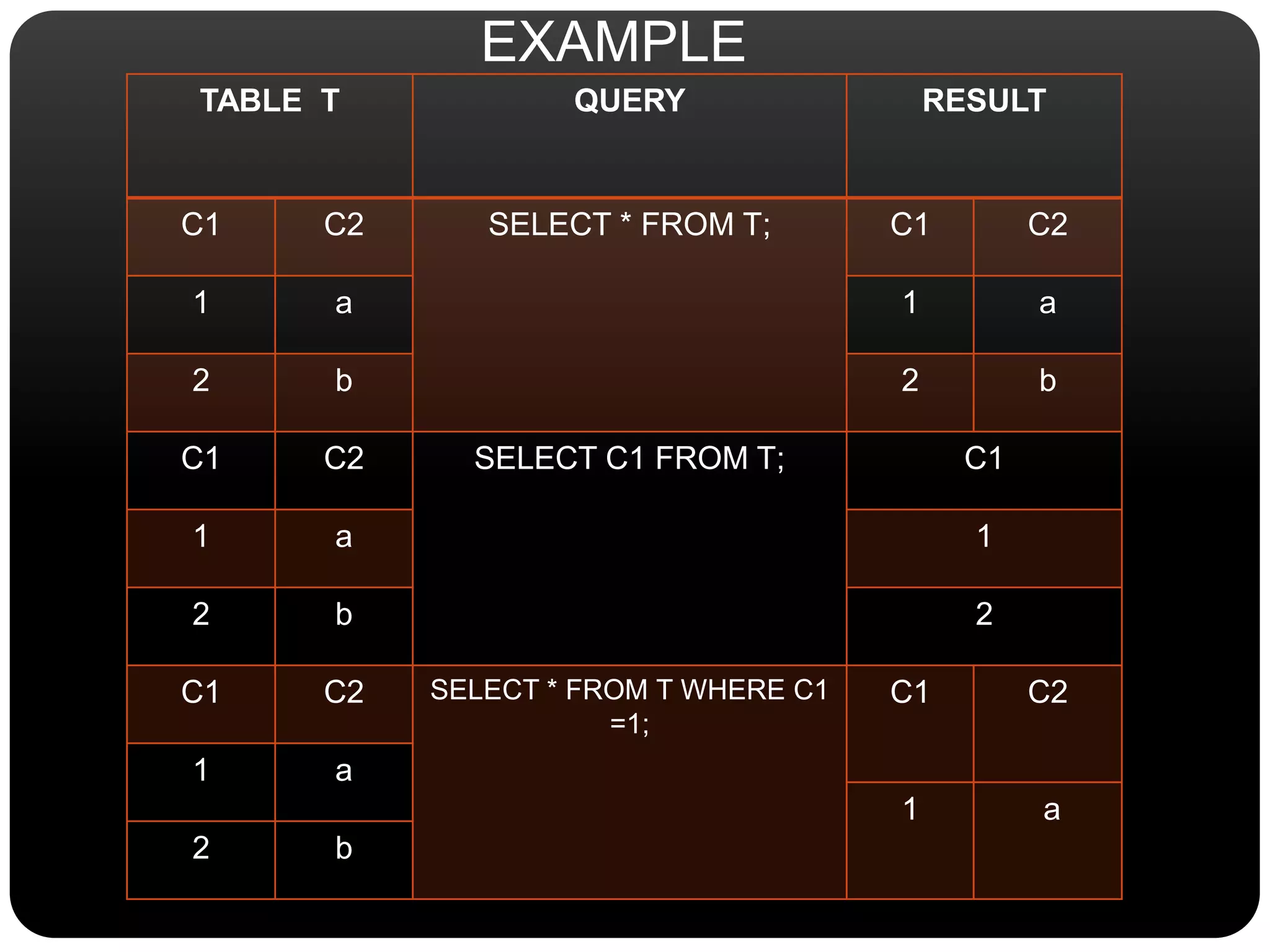
TABLE T QUERY RESULT
C1 C2 SELECT * FROM T; C1 C2
1 a 1 a
2 b 2 b
C1 C2 SELECT C1 FROM T; C1
1 a 1
2 b 2
C1 C2 SELECT * FROM T WHERE C1
=1;
C1 C2
1 a
1 a
2 b
EXAMPLE
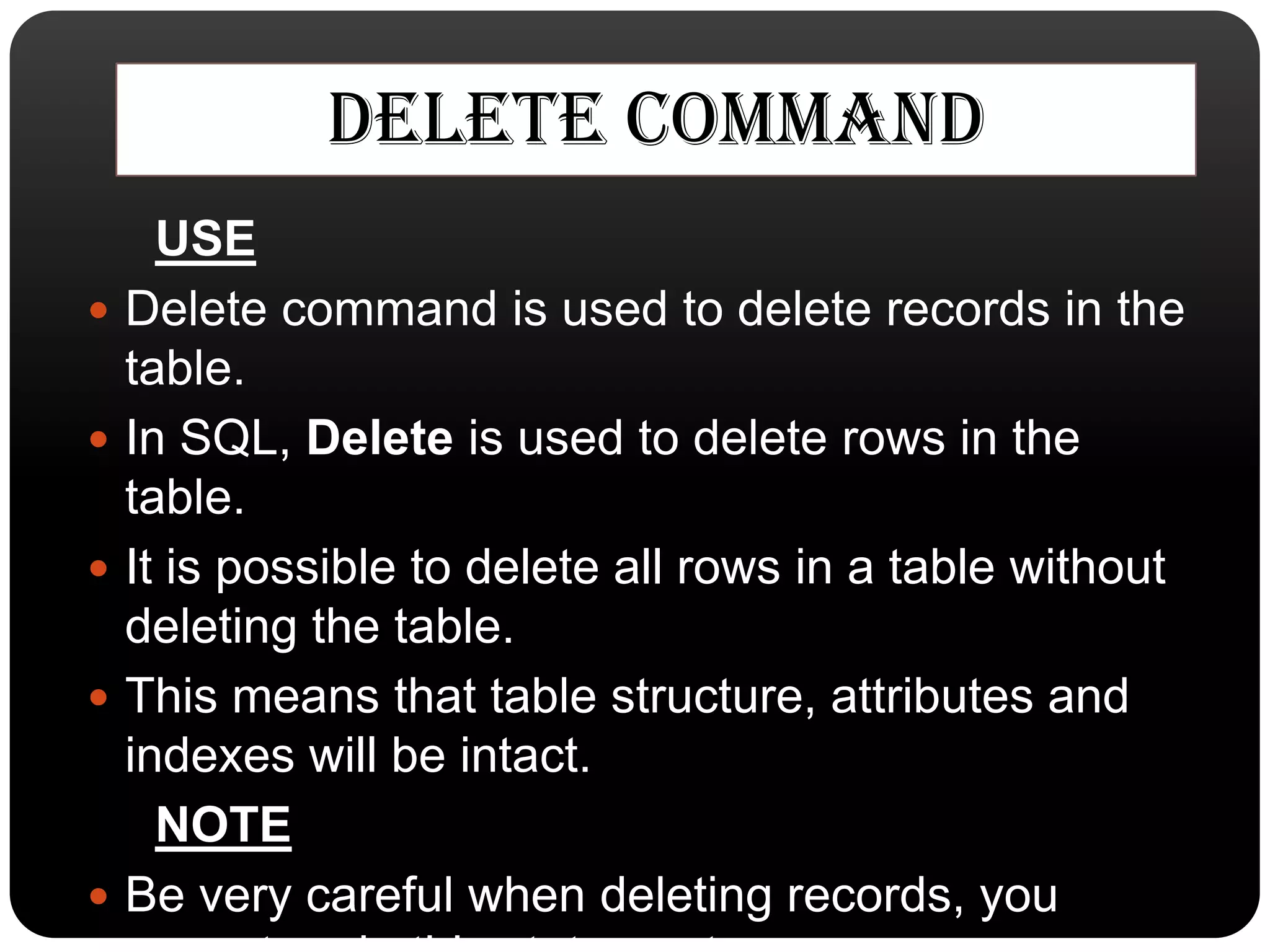
DELETE COMMAND
USE
 Delete command is used to delete records in the
table.
 In SQL, Delete is used to delete rows in the
table.
 It is possible to delete all rows in a table without
deleting the table.
 This means that table structure, attributes and
indexes will be intact.
NOTE
 Be very careful when deleting records, you
SYNTAX
• DELETE * from table_name [WHERE CONDITION]
(if where condition is not used all rows in the table are
removed)
EXAMPLE
• DELETE from customer
WHERE CustomerName=‘Anil Khade’ AND
ContactName=‘Vikrant Kedare’
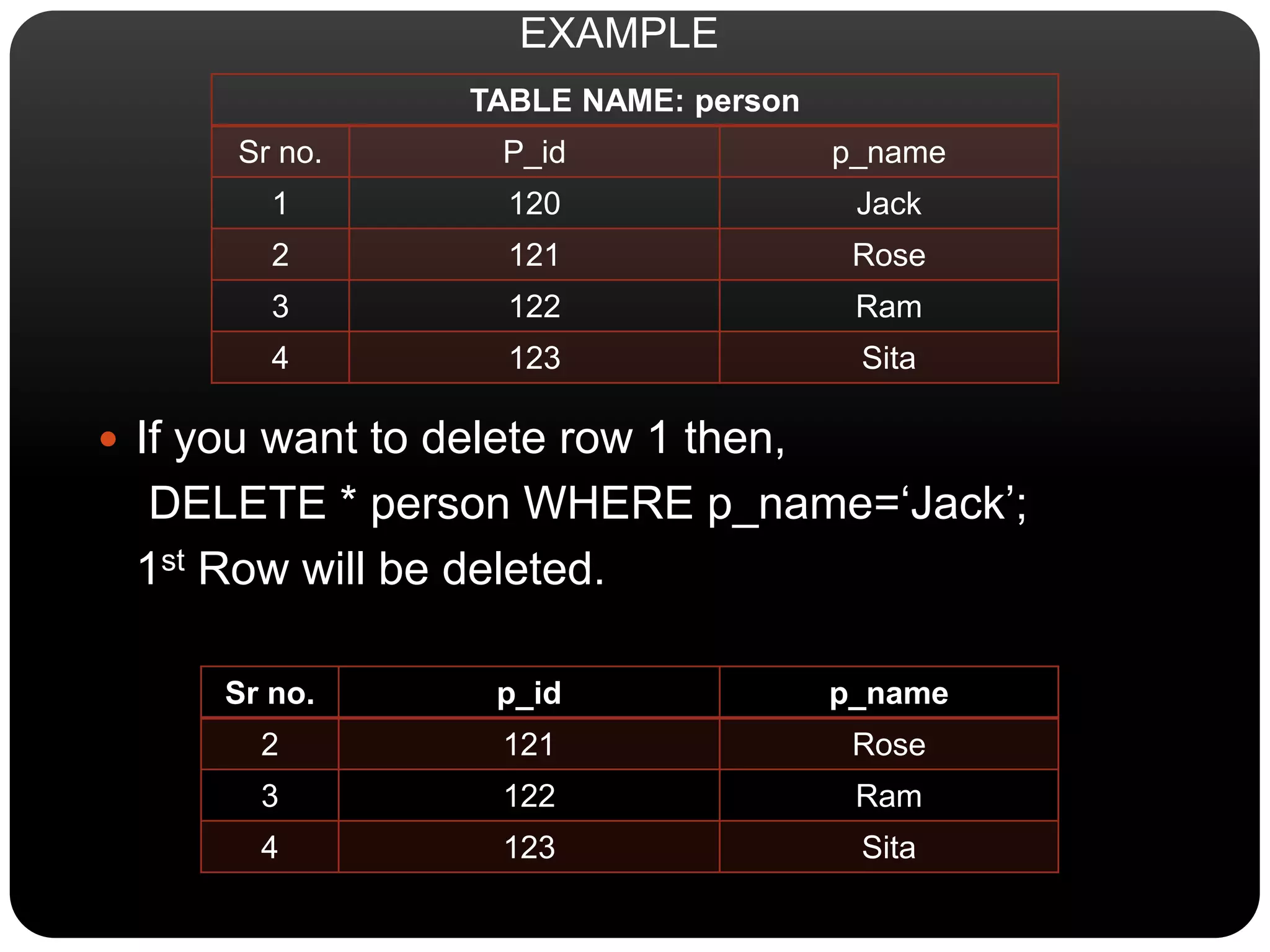
TABLE NAME: person
Sr no. P_id p_name
1 120 Jack
2 121 Rose
3 122 Ram
4 123 Sita
 If you want to delete row 1 then,
DELETE * person WHERE p_name=‘Jack’;
1st Row will be deleted.
Sr no. p_id p_name
2 121 Rose
3 122 Ram
4 123 Sita
EXAMPLE
UPDATE COMMAND
USE
 An SQL UPDATE statement changes the data of
one or more records in a table.
 Either all the rows can be updated, or a subset may
be chosen using a condition.
SYNTAX
UPDATE table_name SET column_name = valu
e [, column_name = value ...]
[WHERE condition]
EXAMPLE
 UPDATE employee SET location ='Mysore'
WHERE id = 101;
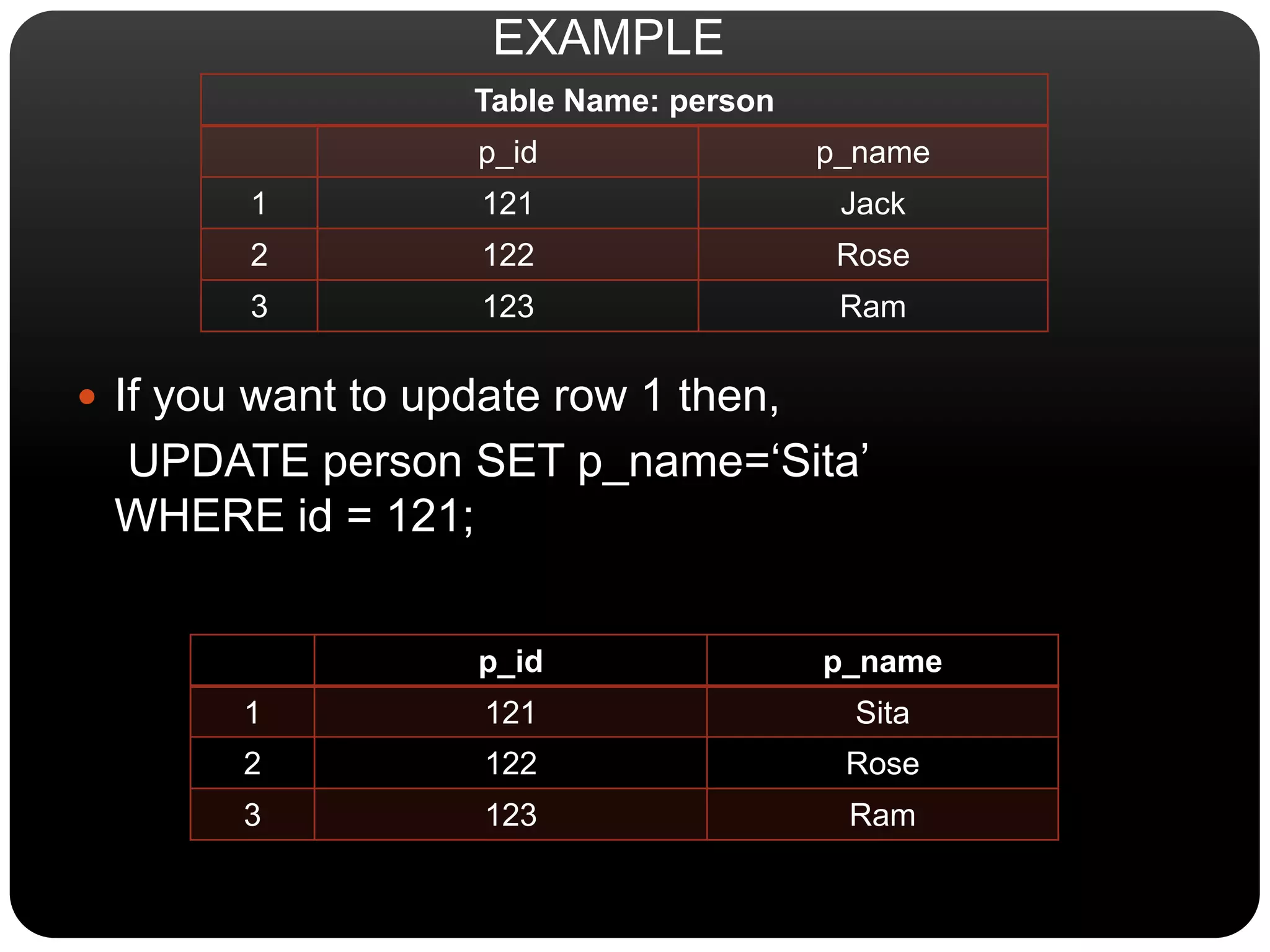
Table Name: person
p_id p_name
1 121 Jack
2 122 Rose
3 123 Ram
 If you want to update row 1 then,
UPDATE person SET p_name=‘Sita’
WHERE id = 121;
p_id p_name
1 121 Sita
2 122 Rose
3 123 Ram
EXAMPLE
INSERT COMMAND
USE
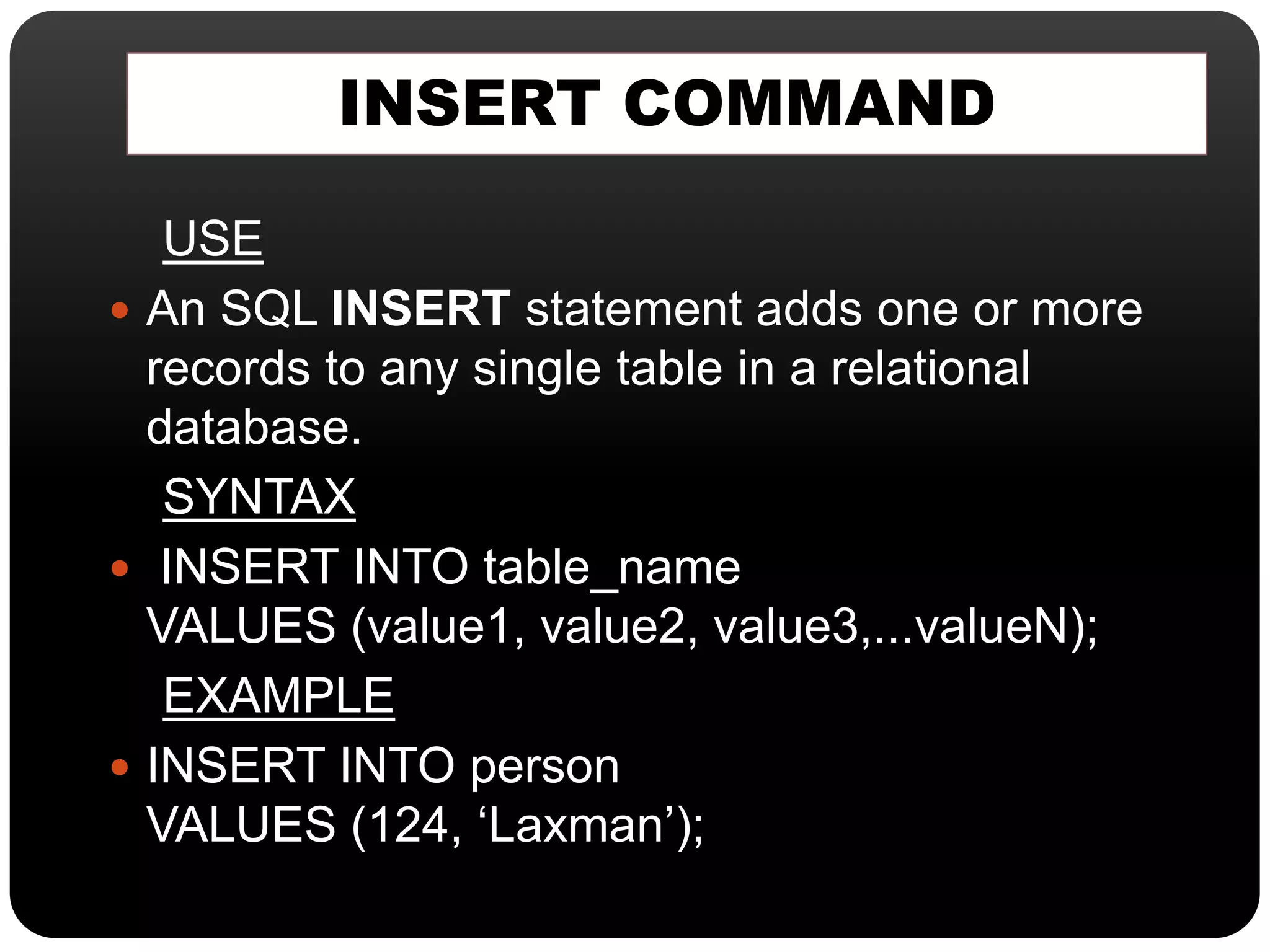
 An SQL INSERT statement adds one or more
records to any single table in a relational
database.
SYNTAX
 INSERT INTO table_name
VALUES (value1, value2, value3,...valueN);
EXAMPLE
 INSERT INTO person
VALUES (124, ‘Laxman’);
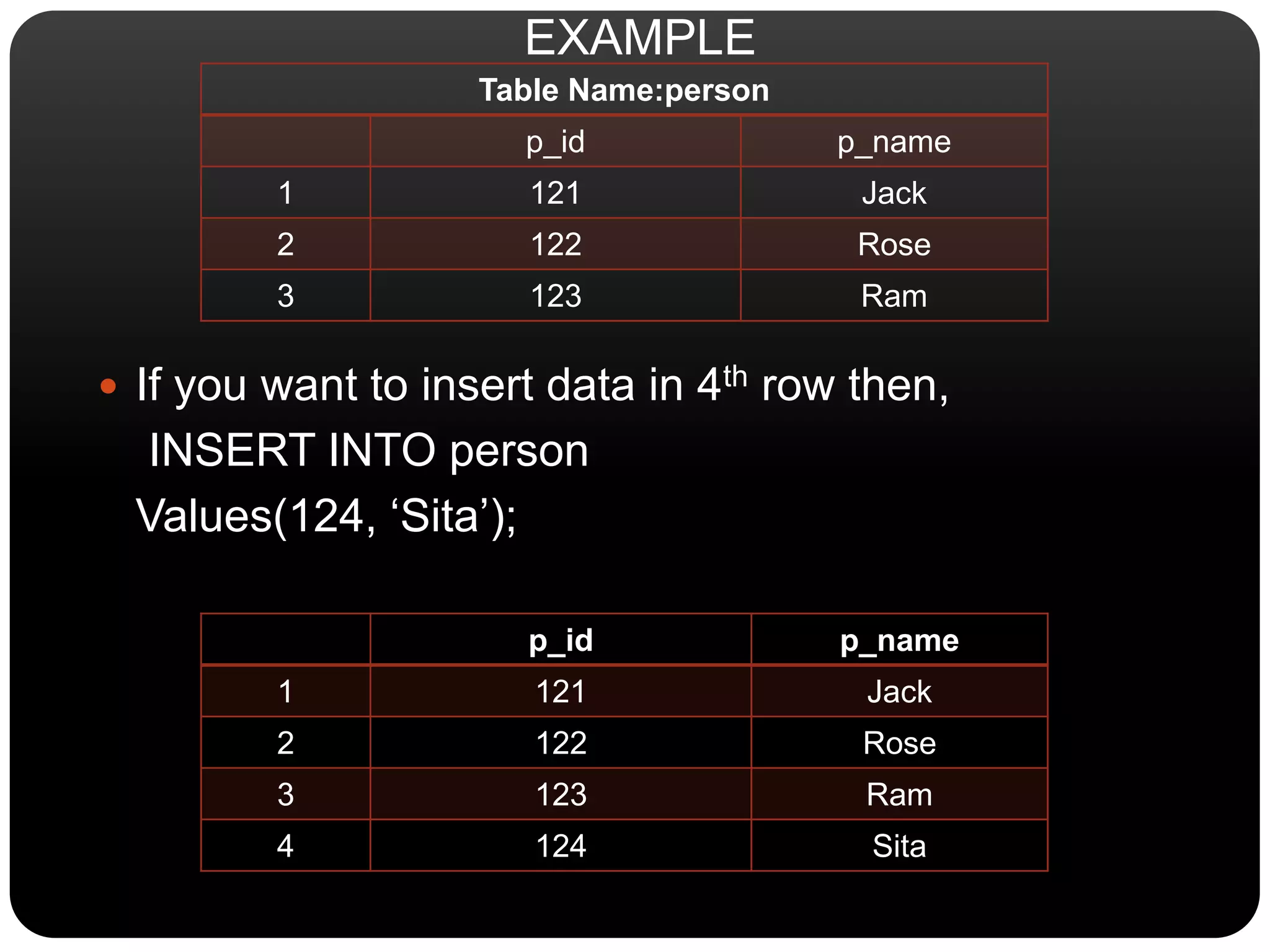
Table Name:person
p_id p_name
1 121 Jack
2 122 Rose
3 123 Ram
 If you want to insert data in 4th row then,
INSERT INTO person
Values(124, ‘Sita’);
p_id p_name
1 121 Jack
2 122 Rose
3 123 Ram
4 124 Sita
EXAMPLE
Commands of DML in SQL

Commands of DML in SQL

  • 2.
    INTRODUCTION  SQL commandsare instructions used to communicate with the database to perform specific task that work with data.  SQL commands can be used not only for searching the database but also to perform various other functions for example, you can create tables, add data to tables, or modify data, drop the table, set
  • 3.
    DATA MANIPULATION LANGUAGE A DATA MANIPULATION LANGUAGE (DML) is a set of syntax that contains SQL commands that are used for storing, retrieving, modifying, and deleting data.  These commands are: SELECT INSERT UPDATE DELETE.
  • 4.
    SELECT COMMAND USE  Selectcommand is used to view records from the table. To view all columns and all rows * can be specified with select statement.  If user needs to view only certain fields or columns, then by specifying the names of those certain fields, columns user can acquire its output. SYNTAX  SELECT * from table_name.  SELECT <Column_name> from table_name.
  • 5.
    TABLE T QUERYRESULT C1 C2 SELECT * FROM T; C1 C2 1 a 1 a 2 b 2 b C1 C2 SELECT C1 FROM T; C1 1 a 1 2 b 2 C1 C2 SELECT * FROM T WHERE C1 =1; C1 C2 1 a 1 a 2 b EXAMPLE
  • 6.
    DELETE COMMAND USE  Deletecommand is used to delete records in the table.  In SQL, Delete is used to delete rows in the table.  It is possible to delete all rows in a table without deleting the table.  This means that table structure, attributes and indexes will be intact. NOTE  Be very careful when deleting records, you
  • 7.
    SYNTAX • DELETE *from table_name [WHERE CONDITION] (if where condition is not used all rows in the table are removed) EXAMPLE • DELETE from customer WHERE CustomerName=‘Anil Khade’ AND ContactName=‘Vikrant Kedare’
  • 8.
    TABLE NAME: person Srno. P_id p_name 1 120 Jack 2 121 Rose 3 122 Ram 4 123 Sita  If you want to delete row 1 then, DELETE * person WHERE p_name=‘Jack’; 1st Row will be deleted. Sr no. p_id p_name 2 121 Rose 3 122 Ram 4 123 Sita EXAMPLE
  • 9.
    UPDATE COMMAND USE  AnSQL UPDATE statement changes the data of one or more records in a table.  Either all the rows can be updated, or a subset may be chosen using a condition. SYNTAX UPDATE table_name SET column_name = valu e [, column_name = value ...] [WHERE condition] EXAMPLE  UPDATE employee SET location ='Mysore' WHERE id = 101;
  • 10.
    Table Name: person p_idp_name 1 121 Jack 2 122 Rose 3 123 Ram  If you want to update row 1 then, UPDATE person SET p_name=‘Sita’ WHERE id = 121; p_id p_name 1 121 Sita 2 122 Rose 3 123 Ram EXAMPLE
  • 11.
    INSERT COMMAND USE  AnSQL INSERT statement adds one or more records to any single table in a relational database. SYNTAX  INSERT INTO table_name VALUES (value1, value2, value3,...valueN); EXAMPLE  INSERT INTO person VALUES (124, ‘Laxman’);
  • 12.
    Table Name:person p_id p_name 1121 Jack 2 122 Rose 3 123 Ram  If you want to insert data in 4th row then, INSERT INTO person Values(124, ‘Sita’); p_id p_name 1 121 Jack 2 122 Rose 3 123 Ram 4 124 Sita EXAMPLE