Database Models
1
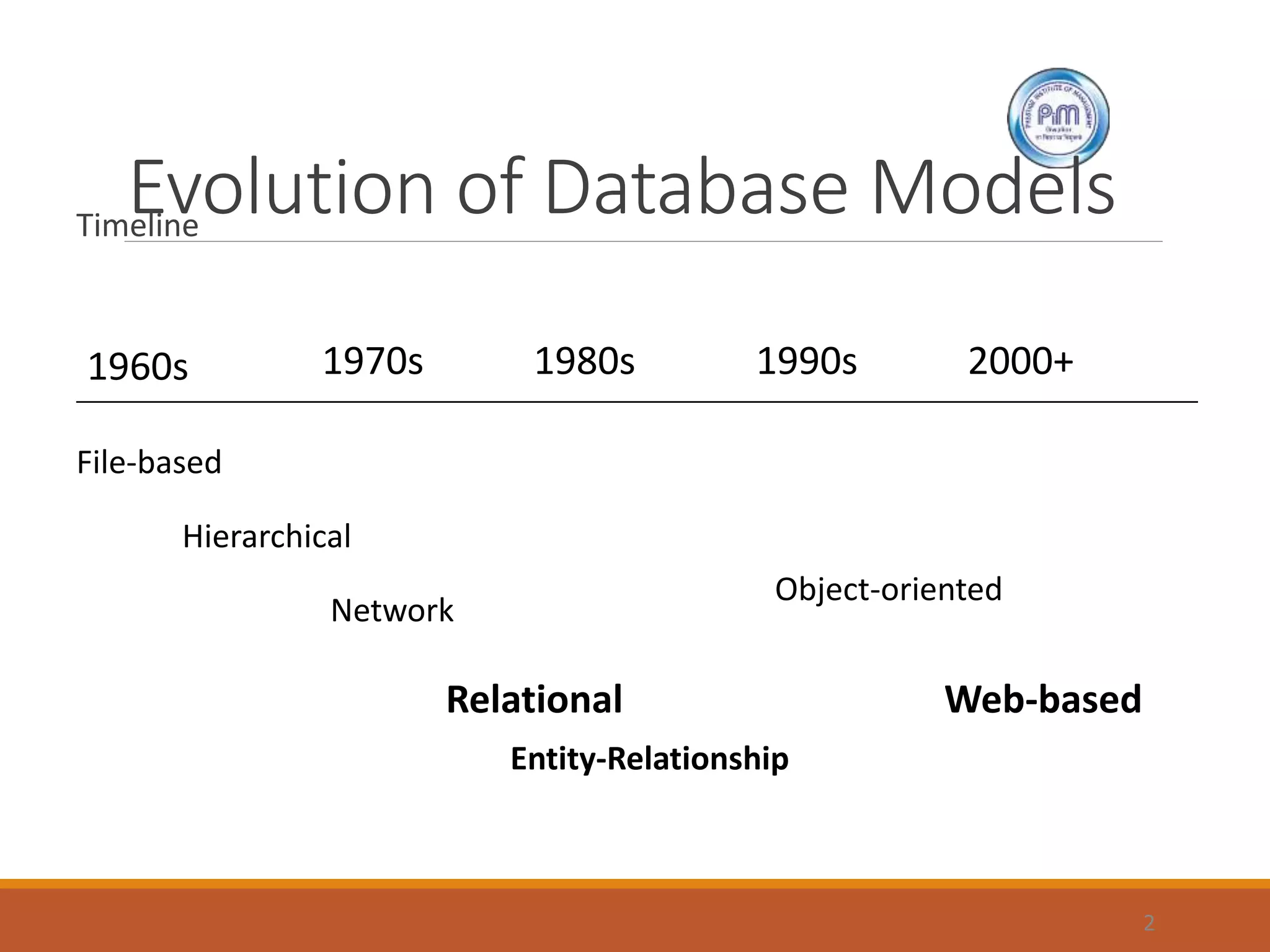
Evolution of Database ModelsTimeline
2
1960s 1970s 1980s 1990s 2000+
File-based
Hierarchical
Network
Relational
Object-oriented
Web-based
Entity-Relationship
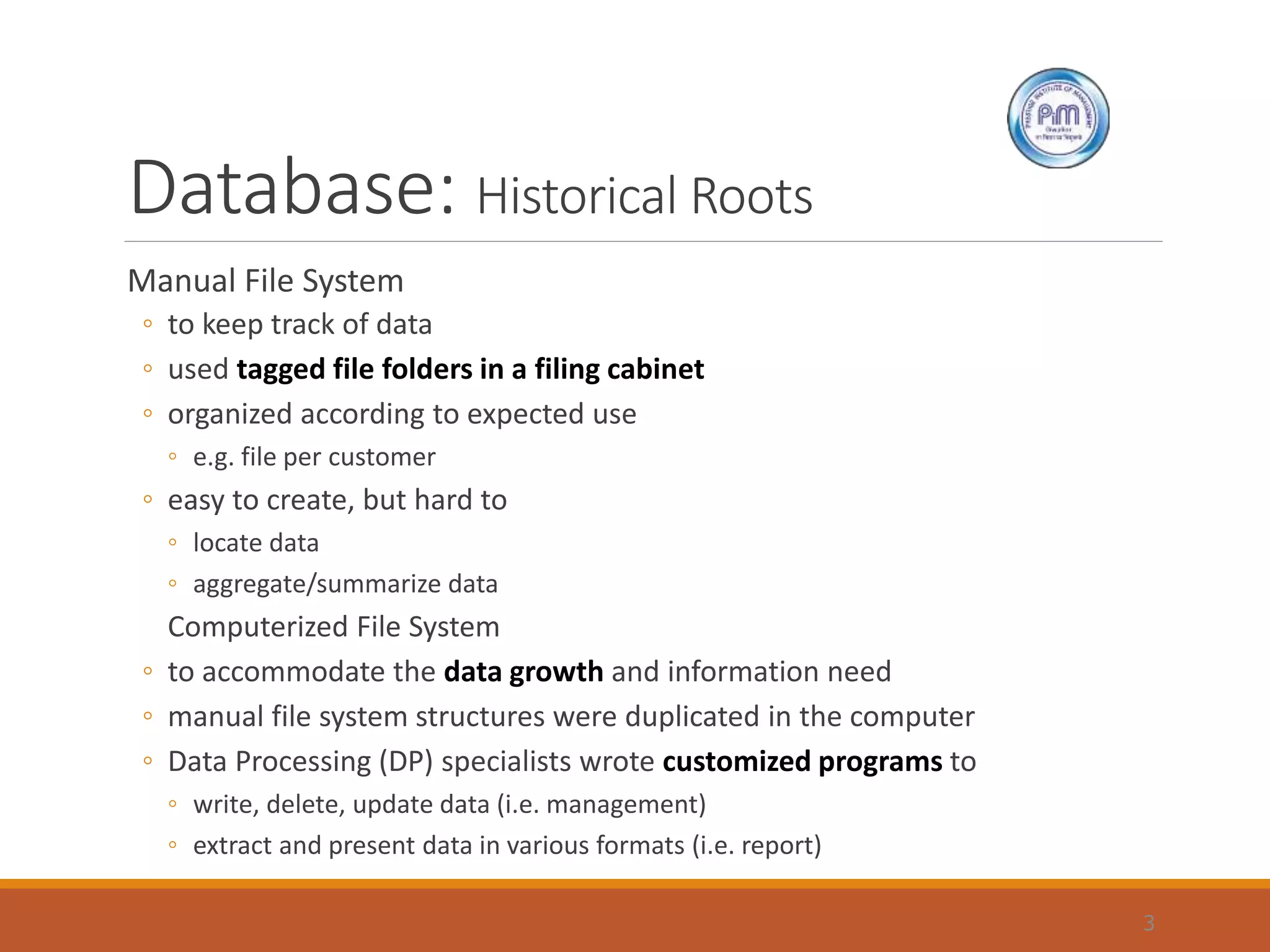
Database: Historical Roots
Manual File System
◦ to keep track of data
◦ used tagged file folders in a filing cabinet
◦ organized according to expected use
◦ e.g. file per customer
◦ easy to create, but hard to
◦ locate data
◦ aggregate/summarize data
Computerized File System
◦ to accommodate the data growth and information need
◦ manual file system structures were duplicated in the computer
◦ Data Processing (DP) specialists wrote customized programs to
◦ write, delete, update data (i.e. management)
◦ extract and present data in various formats (i.e. report)
3
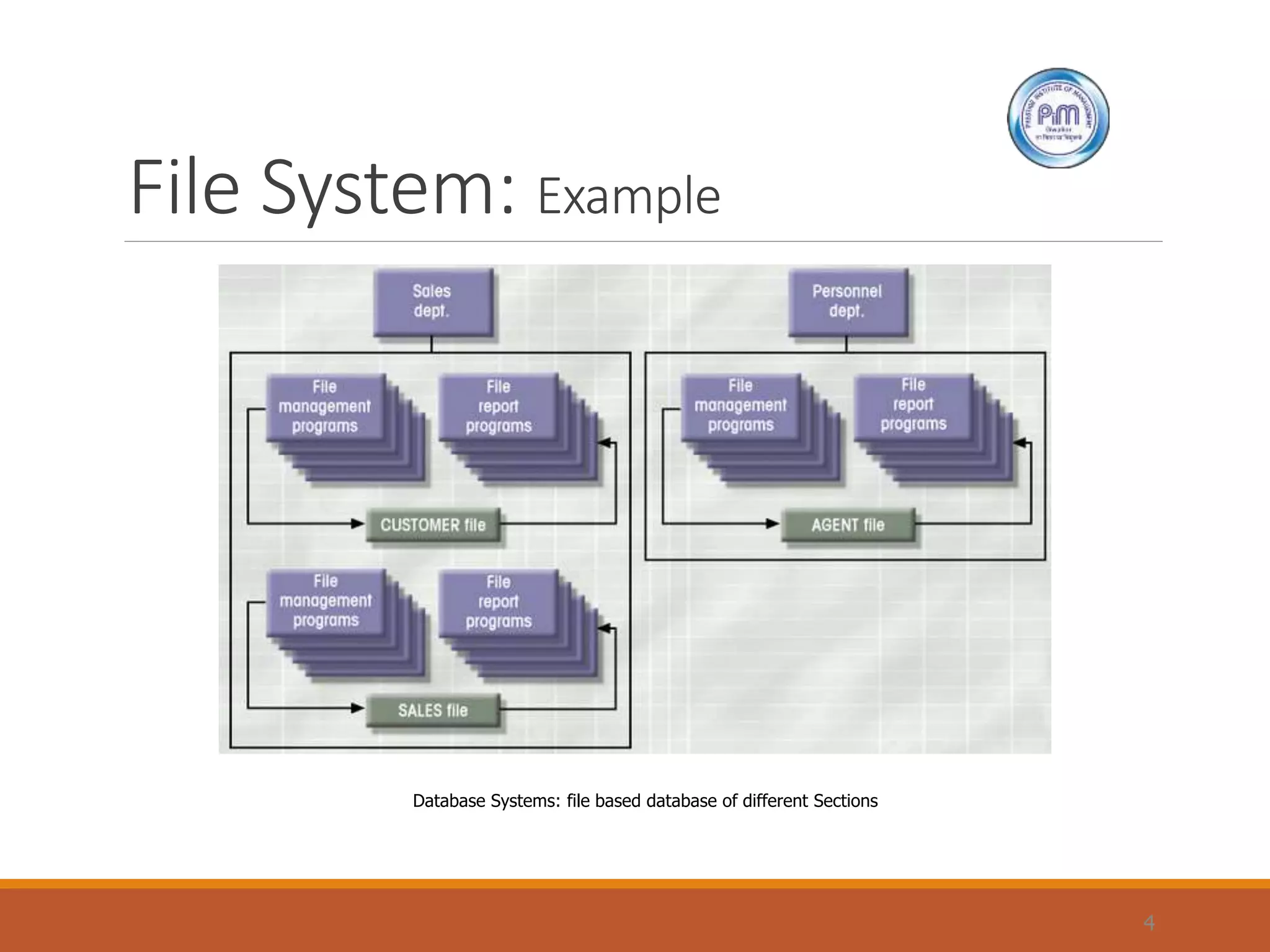
File System: Example
4
Database Systems: file based database of different Sections
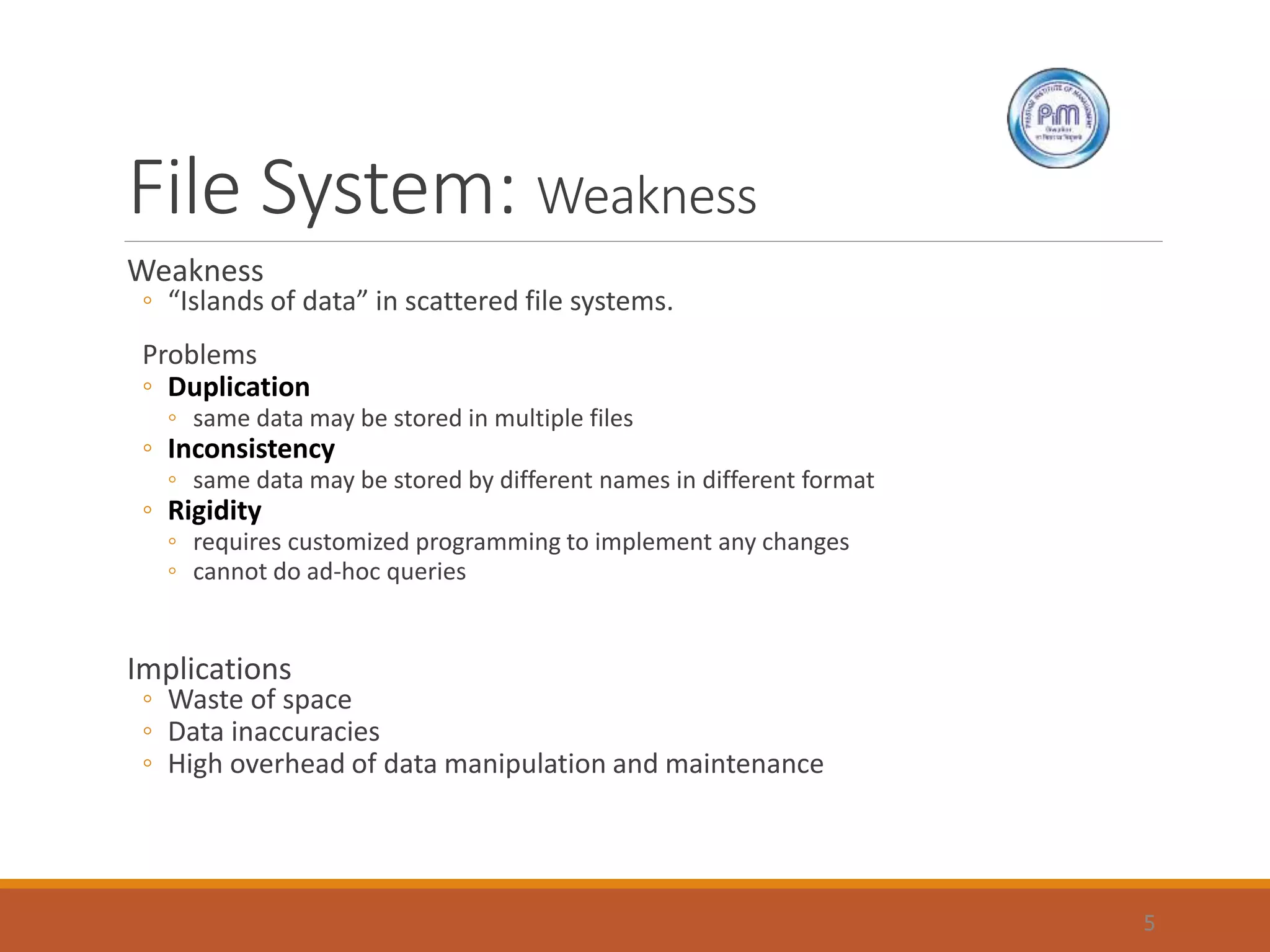
File System: Weakness
Weakness
◦ “Islands of data” in scattered file systems.
Problems
◦ Duplication
◦ same data may be stored in multiple files
◦ Inconsistency
◦ same data may be stored by different names in different format
◦ Rigidity
◦ requires customized programming to implement any changes
◦ cannot do ad-hoc queries
Implications
◦ Waste of space
◦ Data inaccuracies
◦ High overhead of data manipulation and maintenance
5
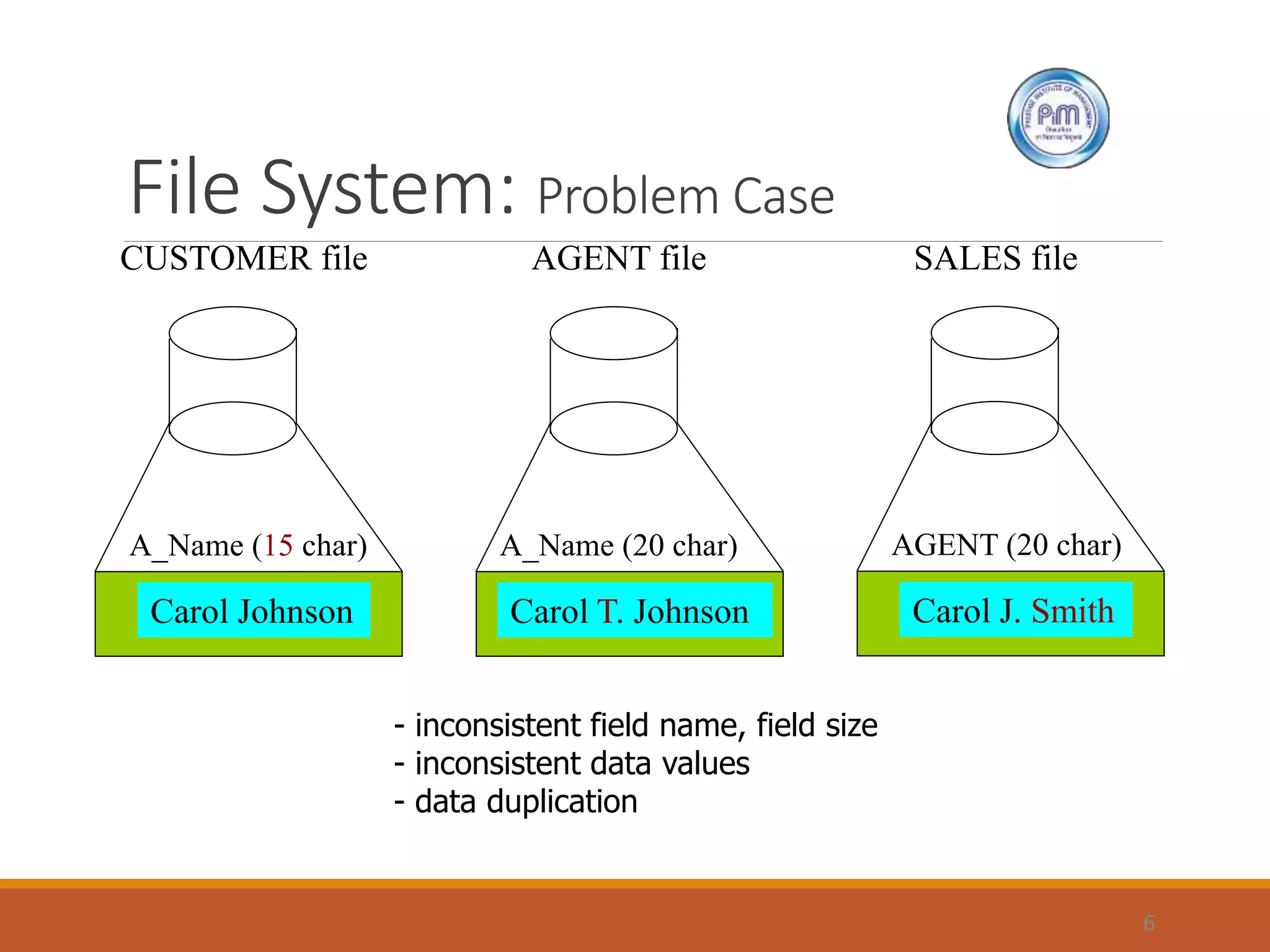
File System: Problem Case
6
CUSTOMER file AGENT file SALES file
A_Name (15 char)
Carol Johnson
A_Name (20 char)
Carol T. Johnson
AGENT (20 char)
Carol J. Smith
- inconsistent field name, field size
- inconsistent data values
- data duplication
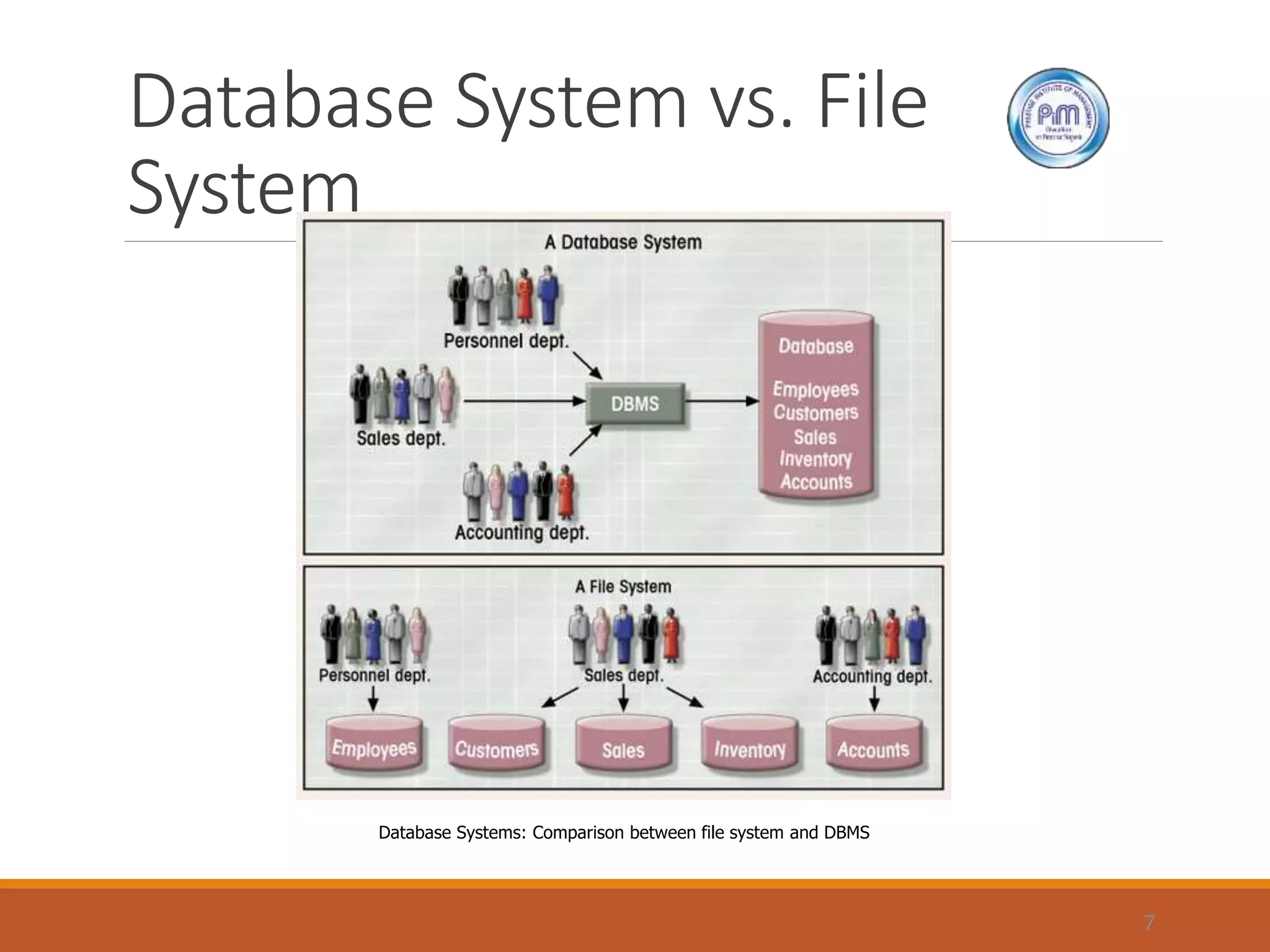
Database System vs. File
System
7
Database Systems: Comparison between file system and DBMS
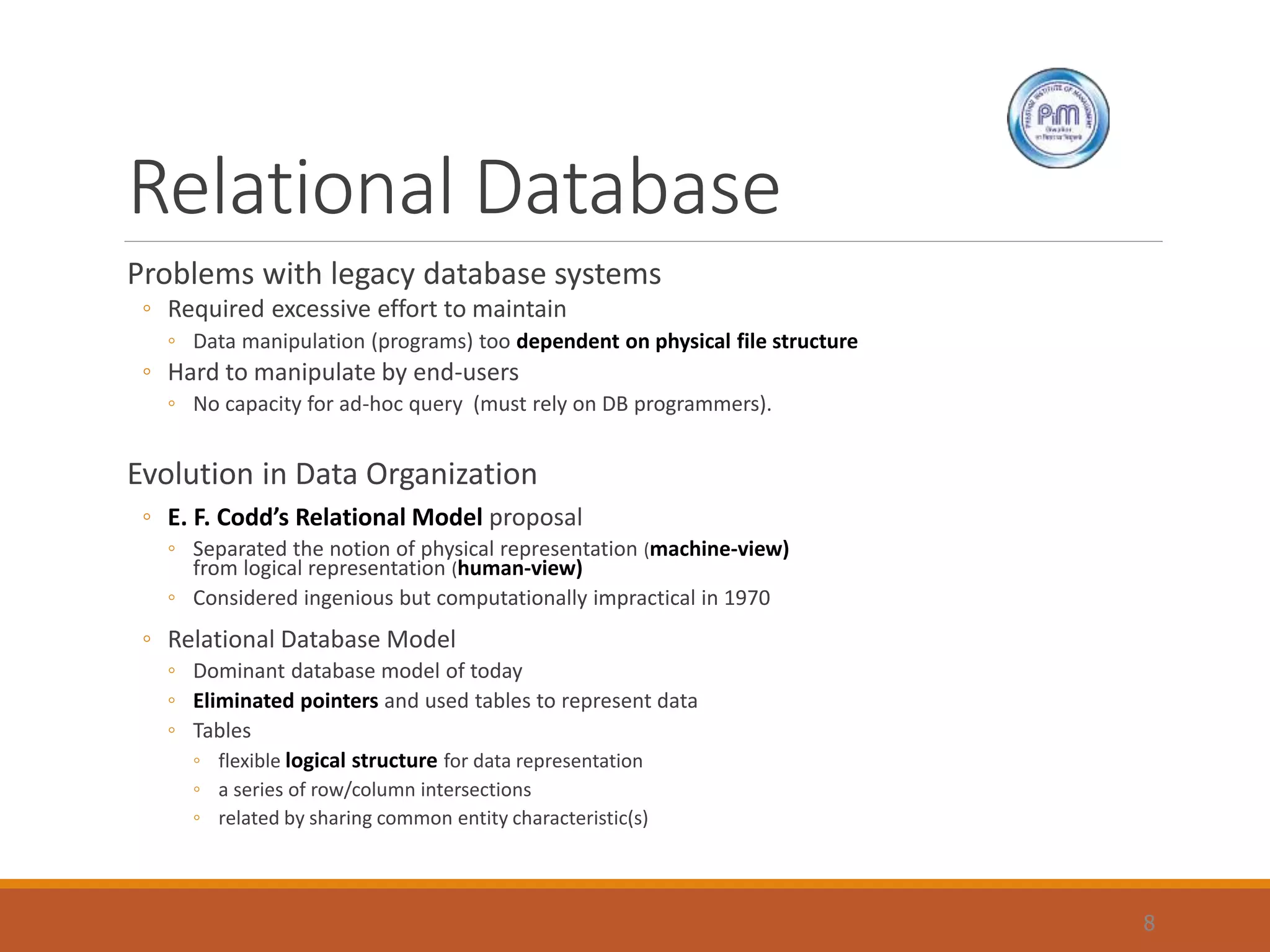
Relational Database
Problems with legacy database systems
◦ Required excessive effort to maintain
◦ Data manipulation (programs) too dependent on physical file structure
◦ Hard to manipulate by end-users
◦ No capacity for ad-hoc query (must rely on DB programmers).
Evolution in Data Organization
◦ E. F. Codd’s Relational Model proposal
◦ Separated the notion of physical representation (machine-view)
from logical representation (human-view)
◦ Considered ingenious but computationally impractical in 1970
◦ Relational Database Model
◦ Dominant database model of today
◦ Eliminated pointers and used tables to represent data
◦ Tables
◦ flexible logical structure for data representation
◦ a series of row/column intersections
◦ related by sharing common entity characteristic(s)
8
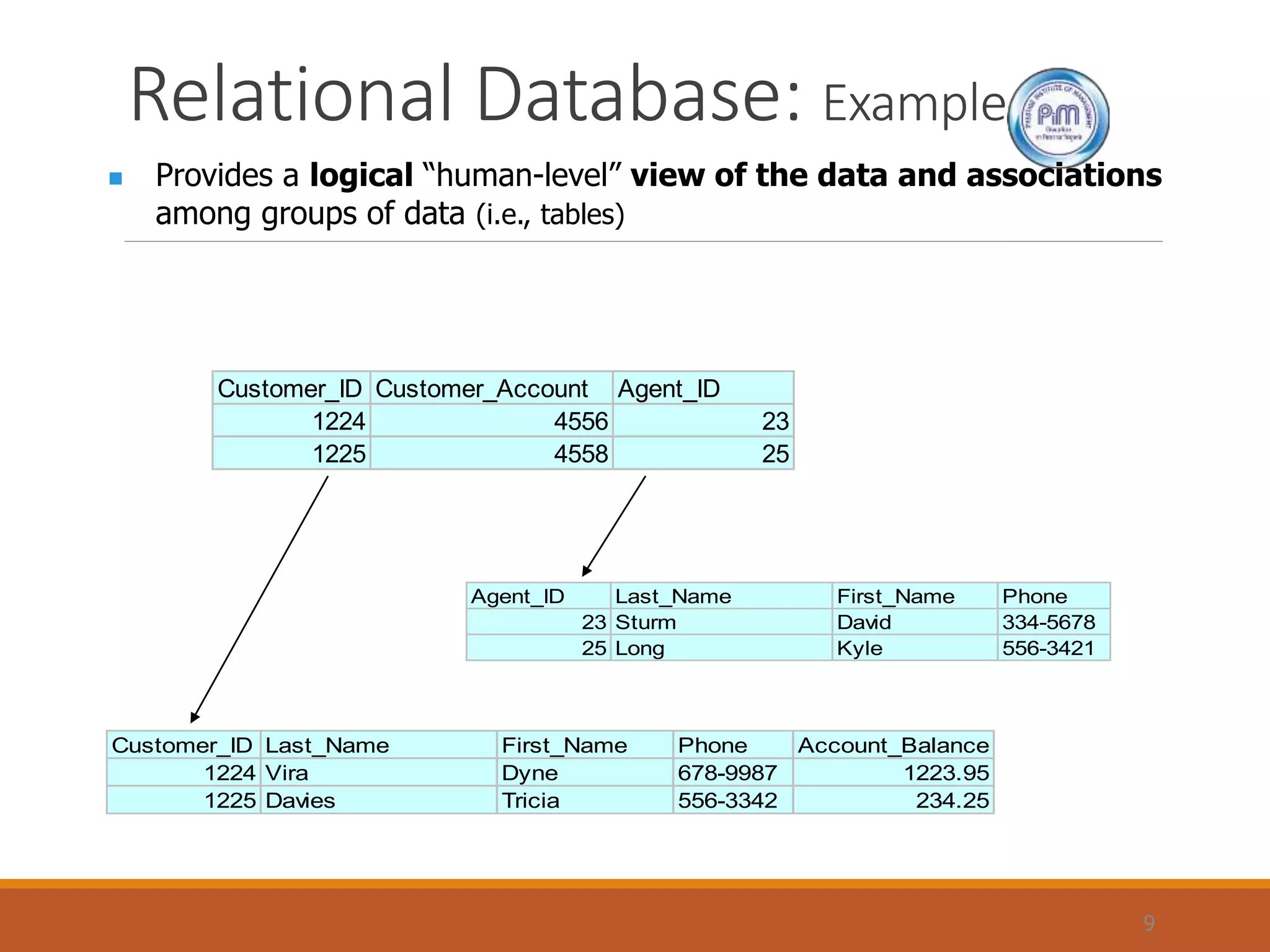
Relational Database: Example
9
 Provides a logical “human-level” view of the data and associations
among groups of data (i.e., tables)
Customer_ID Customer_Account Agent_ID
1224 4556 23
1225 4558 25
Agent_ID Last_Name First_Name Phone
23 Sturm David 334-5678
25 Long Kyle 556-3421
Customer_ID Last_Name First_Name Phone Account_Balance
1224 Vira Dyne 678-9987 1223.95
1225 Davies Tricia 556-3342 234.25
Relational Database: Pros & Cons
Advantages
◦ Structural independence
◦ Separation of database design and physical data storage/access
◦ Easier database design, implementation, management, and use
◦ Ad hoc query capability with Structured Query Language (SQL)
◦ SQL translates user queries to codes
Disadvantages
◦ Substantial hardware and system software overhead
◦ more complex system
◦ Poor design and implementation is made easy
◦ ease-of-use allows careless use of RDBMS
10
Entity Relationship Model
Peter Chen’s Landmark Paper in 1976
◦ “The Relationship Model: Toward a Unified View of Data”
◦ Graphical representation of entities and their relationships
Entity Relationship (ER) Model
◦ Based on Entity, Attributes & Relationships
◦ Entity is a thing about which data are to be collected and stored
◦ e.g. EMPLOYEE
◦ Attributes are characteristics of the entity
◦ e.g. SSN, last name, first name
◦ Relationships describe an associations between entities
◦ i.e. 1:M, M:N, 1:1
◦ Complements the relational data model concepts
◦ Helps to visualize structure and content of data groups
◦ entity is mapped to a relational table
◦ Tool for conceptual data modeling (higher level representation)
◦ Represented in an Entity Relationship Diagram (ERD)
◦ Formalizes a way to describe relationships between groups of data
11
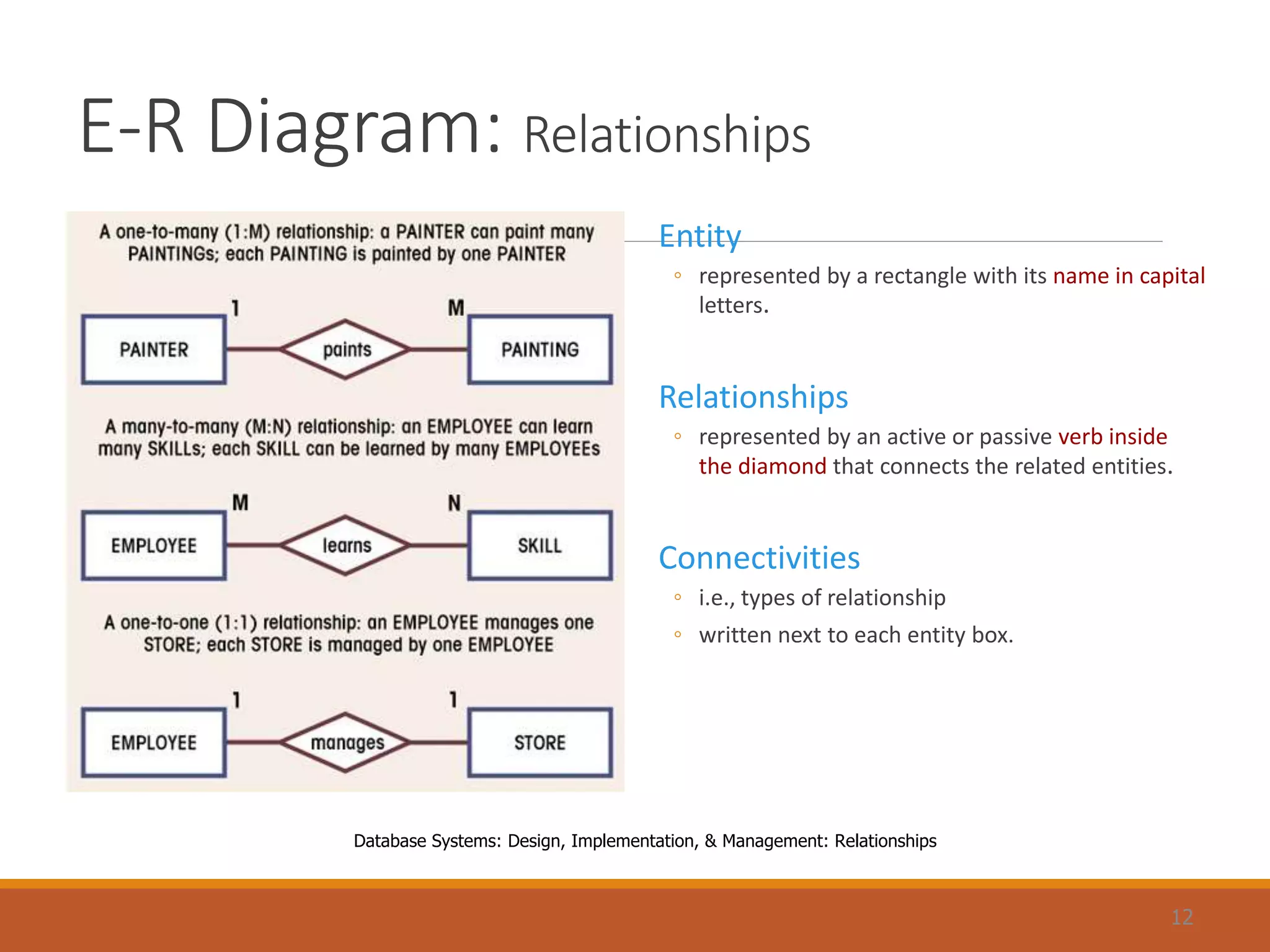
E-R Diagram: Relationships
Entity
◦ represented by a rectangle with its name in capital
letters.
Relationships
◦ represented by an active or passive verb inside
the diamond that connects the related entities.
Connectivities
◦ i.e., types of relationship
◦ written next to each entity box.
12
Database Systems: Design, Implementation, & Management: Relationships
E-R Model: Pros & Cons
Advantages
◦ Exceptional conceptual simplicity
◦ easily viewed and understood representation of database
◦ facilitates database design and management
◦ Integration with the relational database model
◦ enables better database design via conceptual modeling
Disadvantages
◦ Incomplete model on its own
◦ Limited representational power
◦ cannot model data constraints not tied to entity relationships
◦ e.g. attribute constraints
◦ cannot represent relationships between attributes within entities
◦ No data manipulation language (e.g. SQL)
◦ Loss of information content
◦ Hard to include attributes in ERD
13
Web Database : Future of DBMS
Internet is emerging as a prime business tool
◦ Shift away from models (e.g. relational vs. O-O)
◦ Emphasis on interfacing with the Internet
Characteristics of “Internet age” databases
◦ Flexible, efficient, and secure Internet access
◦ Support for complex data types & relationships
◦ Seamless interfaces with multiple data sources and structures
◦ Ease of use for end-user, database architect, and database administrator
◦ Simplicity of conceptual database model
◦ Many database design, implementation, and application development tools
◦ Powerful DBMS GUI
14

Database models unit 1 part 2

  • 1.
  • 2.
    Evolution of DatabaseModelsTimeline 2 1960s 1970s 1980s 1990s 2000+ File-based Hierarchical Network Relational Object-oriented Web-based Entity-Relationship
  • 3.
    Database: Historical Roots ManualFile System ◦ to keep track of data ◦ used tagged file folders in a filing cabinet ◦ organized according to expected use ◦ e.g. file per customer ◦ easy to create, but hard to ◦ locate data ◦ aggregate/summarize data Computerized File System ◦ to accommodate the data growth and information need ◦ manual file system structures were duplicated in the computer ◦ Data Processing (DP) specialists wrote customized programs to ◦ write, delete, update data (i.e. management) ◦ extract and present data in various formats (i.e. report) 3
  • 4.
    File System: Example 4 DatabaseSystems: file based database of different Sections
  • 5.
    File System: Weakness Weakness ◦“Islands of data” in scattered file systems. Problems ◦ Duplication ◦ same data may be stored in multiple files ◦ Inconsistency ◦ same data may be stored by different names in different format ◦ Rigidity ◦ requires customized programming to implement any changes ◦ cannot do ad-hoc queries Implications ◦ Waste of space ◦ Data inaccuracies ◦ High overhead of data manipulation and maintenance 5
  • 6.
    File System: ProblemCase 6 CUSTOMER file AGENT file SALES file A_Name (15 char) Carol Johnson A_Name (20 char) Carol T. Johnson AGENT (20 char) Carol J. Smith - inconsistent field name, field size - inconsistent data values - data duplication
  • 7.
    Database System vs.File System 7 Database Systems: Comparison between file system and DBMS
  • 8.
    Relational Database Problems withlegacy database systems ◦ Required excessive effort to maintain ◦ Data manipulation (programs) too dependent on physical file structure ◦ Hard to manipulate by end-users ◦ No capacity for ad-hoc query (must rely on DB programmers). Evolution in Data Organization ◦ E. F. Codd’s Relational Model proposal ◦ Separated the notion of physical representation (machine-view) from logical representation (human-view) ◦ Considered ingenious but computationally impractical in 1970 ◦ Relational Database Model ◦ Dominant database model of today ◦ Eliminated pointers and used tables to represent data ◦ Tables ◦ flexible logical structure for data representation ◦ a series of row/column intersections ◦ related by sharing common entity characteristic(s) 8
  • 9.
    Relational Database: Example 9 Provides a logical “human-level” view of the data and associations among groups of data (i.e., tables) Customer_ID Customer_Account Agent_ID 1224 4556 23 1225 4558 25 Agent_ID Last_Name First_Name Phone 23 Sturm David 334-5678 25 Long Kyle 556-3421 Customer_ID Last_Name First_Name Phone Account_Balance 1224 Vira Dyne 678-9987 1223.95 1225 Davies Tricia 556-3342 234.25
  • 10.
    Relational Database: Pros& Cons Advantages ◦ Structural independence ◦ Separation of database design and physical data storage/access ◦ Easier database design, implementation, management, and use ◦ Ad hoc query capability with Structured Query Language (SQL) ◦ SQL translates user queries to codes Disadvantages ◦ Substantial hardware and system software overhead ◦ more complex system ◦ Poor design and implementation is made easy ◦ ease-of-use allows careless use of RDBMS 10
  • 11.
    Entity Relationship Model PeterChen’s Landmark Paper in 1976 ◦ “The Relationship Model: Toward a Unified View of Data” ◦ Graphical representation of entities and their relationships Entity Relationship (ER) Model ◦ Based on Entity, Attributes & Relationships ◦ Entity is a thing about which data are to be collected and stored ◦ e.g. EMPLOYEE ◦ Attributes are characteristics of the entity ◦ e.g. SSN, last name, first name ◦ Relationships describe an associations between entities ◦ i.e. 1:M, M:N, 1:1 ◦ Complements the relational data model concepts ◦ Helps to visualize structure and content of data groups ◦ entity is mapped to a relational table ◦ Tool for conceptual data modeling (higher level representation) ◦ Represented in an Entity Relationship Diagram (ERD) ◦ Formalizes a way to describe relationships between groups of data 11
  • 12.
    E-R Diagram: Relationships Entity ◦represented by a rectangle with its name in capital letters. Relationships ◦ represented by an active or passive verb inside the diamond that connects the related entities. Connectivities ◦ i.e., types of relationship ◦ written next to each entity box. 12 Database Systems: Design, Implementation, & Management: Relationships
  • 13.
    E-R Model: Pros& Cons Advantages ◦ Exceptional conceptual simplicity ◦ easily viewed and understood representation of database ◦ facilitates database design and management ◦ Integration with the relational database model ◦ enables better database design via conceptual modeling Disadvantages ◦ Incomplete model on its own ◦ Limited representational power ◦ cannot model data constraints not tied to entity relationships ◦ e.g. attribute constraints ◦ cannot represent relationships between attributes within entities ◦ No data manipulation language (e.g. SQL) ◦ Loss of information content ◦ Hard to include attributes in ERD 13
  • 14.
    Web Database :Future of DBMS Internet is emerging as a prime business tool ◦ Shift away from models (e.g. relational vs. O-O) ◦ Emphasis on interfacing with the Internet Characteristics of “Internet age” databases ◦ Flexible, efficient, and secure Internet access ◦ Support for complex data types & relationships ◦ Seamless interfaces with multiple data sources and structures ◦ Ease of use for end-user, database architect, and database administrator ◦ Simplicity of conceptual database model ◦ Many database design, implementation, and application development tools ◦ Powerful DBMS GUI 14