Unit 1
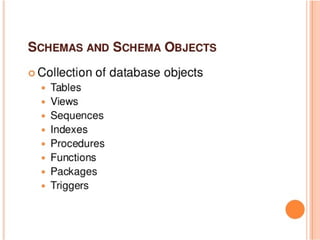
Introduction
Database system
Characteristics of DBMS
Architecture of DBMS
Database models
System development Life cycle
Entity-Relationship model
3.
Difference between data,Database and
DBMS
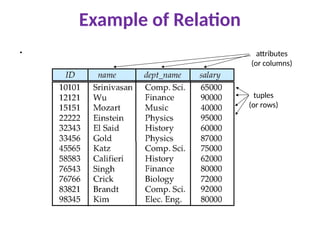
•Data –The collection of related facts and figures.
•Database - Collection of related data.
•Database Management System - Software used to maintain database.
4.
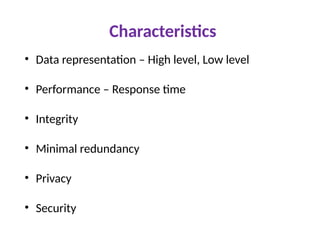
Introduction
Database isa collection of interrelated data stored
together
Convenient , efficient way to store and retrieve
information
Safety of data, sharing, no redundancy
DBMS is a s/w package used to create and manage
databases.
The DBMS provides users and programmers a
systematic way to create, retrieve, update and manage
database.
5.
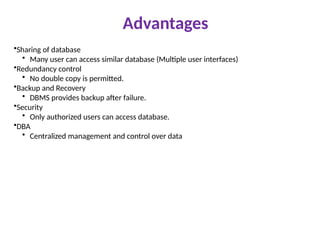
Advantages
•Sharing of database
•Many user can access similar database (Multiple user interfaces)
•Redundancy control
• No double copy is permitted.
•Backup and Recovery
• DBMS provides backup after failure.
•Security
• Only authorized users can access database.
•DBA
• Centralized management and control over data
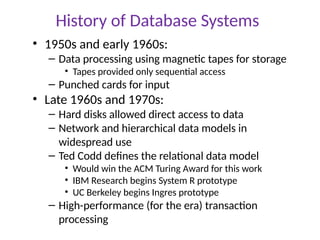
History of DatabaseSystems
• 1950s and early 1960s:
– Data processing using magnetic tapes for storage
• Tapes provided only sequential access
– Punched cards for input
• Late 1960s and 1970s:
– Hard disks allowed direct access to data
– Network and hierarchical data models in
widespread use
– Ted Codd defines the relational data model
• Would win the ACM Turing Award for this work
• IBM Research begins System R prototype
• UC Berkeley begins Ingres prototype
– High-performance (for the era) transaction
processing
9.
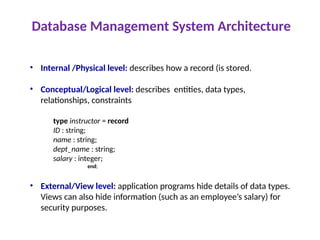
Database Management SystemArchitecture
• Internal /Physical level: describes how a record (is stored.
• Conceptual/Logical level: describes entities, data types,
relationships, constraints
type instructor = record
ID : string;
name : string;
dept_name : string;
salary : integer;
end;
• External/View level: application programs hide details of data types.
Views can also hide information (such as an employee’s salary) for
security purposes.
10.
Database model
Definesthe logical design and structure of a
database and defines how data will be stored,
accessed and updated in a database management
system. While the Relational Model is the most
widely used database model, there are other
models too
Hierarchical Model
Network Model
Entity-relationship Model
Relational Model
11.
Data Models
Acollection of tools for describing
• Data
• Data relationships
• Data semantics
• Data constraints
Relational model - TABLE
Entity-Relationship data model (mainly for database design)
Object-based data models (Object-oriented and Object-
relational)
Semi structured data model (XML)
Other older models:
• Network model
• Hierarchical model
12.
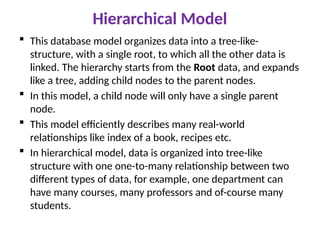
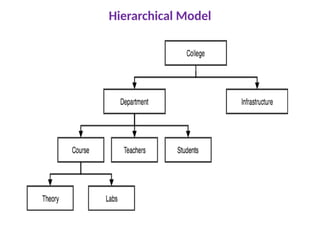
Hierarchical Model
Thisdatabase model organizes data into a tree-like-
structure, with a single root, to which all the other data is
linked. The hierarchy starts from the Root data, and expands
like a tree, adding child nodes to the parent nodes.
In this model, a child node will only have a single parent
node.
This model efficiently describes many real-world
relationships like index of a book, recipes etc.
In hierarchical model, data is organized into tree-like
structure with one one-to-many relationship between two
different types of data, for example, one department can
have many courses, many professors and of-course many
students.
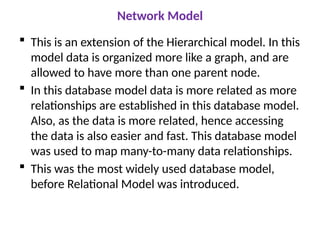
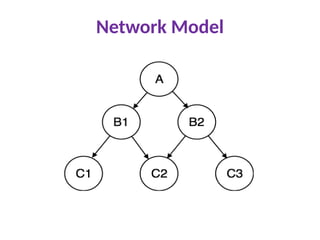
Network Model
Thisis an extension of the Hierarchical model. In this
model data is organized more like a graph, and are
allowed to have more than one parent node.
In this database model data is more related as more
relationships are established in this database model.
Also, as the data is more related, hence accessing
the data is also easier and fast. This database model
was used to map many-to-many data relationships.
This was the most widely used database model,
before Relational Model was introduced.
Entity-relationship Model
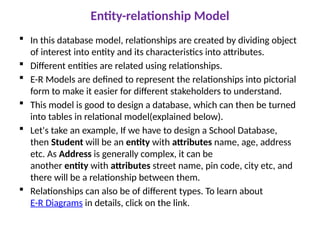
Inthis database model, relationships are created by dividing object
of interest into entity and its characteristics into attributes.
Different entities are related using relationships.
E-R Models are defined to represent the relationships into pictorial
form to make it easier for different stakeholders to understand.
This model is good to design a database, which can then be turned
into tables in relational model(explained below).
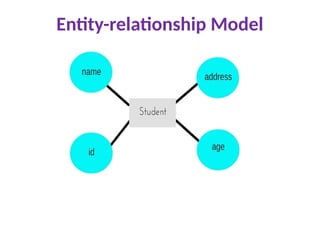
Let's take an example, If we have to design a School Database,
then Student will be an entity with attributes name, age, address
etc. As Address is generally complex, it can be
another entity with attributes street name, pin code, city etc, and
there will be a relationship between them.
Relationships can also be of different types. To learn about
E-R Diagrams in details, click on the link.
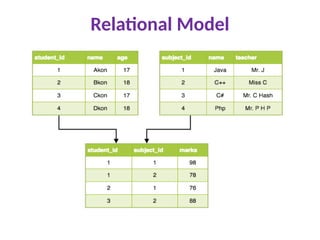
Relational Model
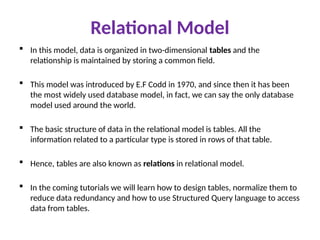
Inthis model, data is organized in two-dimensional tables and the
relationship is maintained by storing a common field.
This model was introduced by E.F Codd in 1970, and since then it has been
the most widely used database model, in fact, we can say the only database
model used around the world.
The basic structure of data in the relational model is tables. All the
information related to a particular type is stored in rows of that table.
Hence, tables are also known as relations in relational model.
In the coming tutorials we will learn how to design tables, normalize them to
reduce data redundancy and how to use Structured Query language to access
data from tables.
20.
Data Model BasicBuilding Blocks
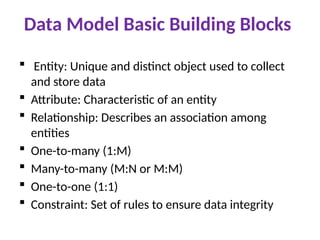
Entity: Unique and distinct object used to collect
and store data
Attribute: Characteristic of an entity
Relationship: Describes an association among
entities
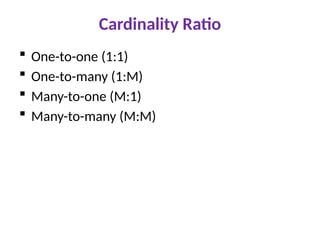
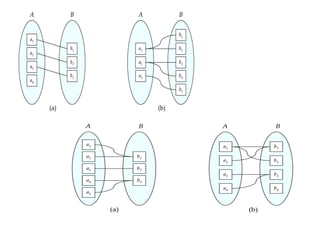
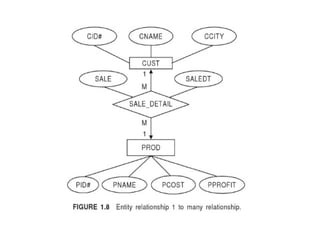
One-to-many (1:M)
Many-to-many (M:N or M:M)
One-to-one (1:1)
Constraint: Set of rules to ensure data integrity
21.
Systems Analysis
Itis a process of collecting and interpreting facts,
identifying the problems, and decomposition of a
system into its components.
System analysis is conducted for the purpose of
studying a system or its parts in order to identify
its objectives. It is a problem solving technique
that improves the system and ensures that all the
components of the system work efficiently to
accomplish their purpose.
Analysis specifies what the system should do.
22.
Systems Design
Itis a process of planning a new business system or replacing
an existing system by defining its components or modules to
satisfy the specific requirements. Before planning, you need
to understand the old system thoroughly and determine how
computers can best be used in order to operate efficiently.
System Design focuses on how to accomplish the objective
of the system.
System Analysis and Design (SAD) mainly focuses on
• Systems
• Processes
• Technology
System Development LifeCycle
Systems Analysis and Design is an active field in
which analysts repetitively learn new approaches
and different techniques for building the system
more effectively and efficiently.
The primary objective of systems analysis and
design is to improve organizational systems.
Systems Development Life Cycle is a systematic
approach which explicitly breaks down the work
into phases that are required to implement
either new or modified Information System.
25.
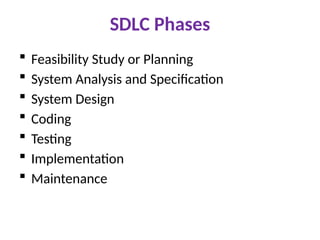
SDLC Phases
FeasibilityStudy or Planning
System Analysis and Specification
System Design
Coding
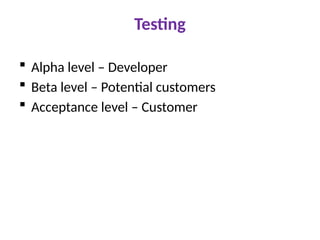
Testing
Implementation
Maintenance
26.
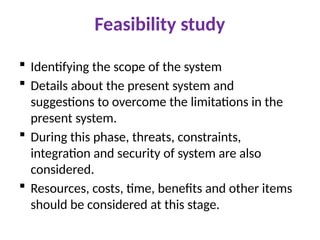
Feasibility study
Identifyingthe scope of the system
Details about the present system and
suggestions to overcome the limitations in the
present system.
During this phase, threats, constraints,
integration and security of system are also
considered.
Resources, costs, time, benefits and other items
should be considered at this stage.
27.
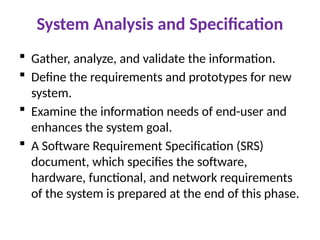
System Analysis andSpecification
Gather, analyze, and validate the information.
Define the requirements and prototypes for new
system.
Examine the information needs of end-user and
enhances the system goal.
A Software Requirement Specification (SRS)
document, which specifies the software,
hardware, functional, and network requirements
of the system is prepared at the end of this phase.
28.
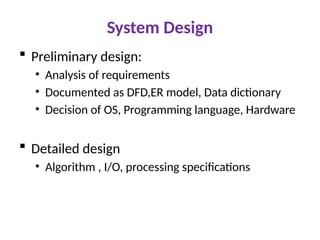
System Design
Preliminarydesign:
• Analysis of requirements
• Documented as DFD,ER model, Data dictionary
• Decision of OS, Programming language, Hardware
Detailed design
• Algorithm , I/O, processing specifications
29.
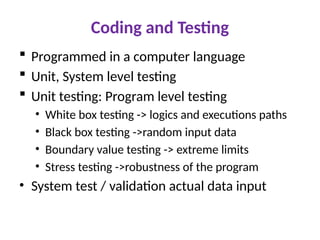
Coding and Testing
Programmed in a computer language
Unit, System level testing
Unit testing: Program level testing
• White box testing -> logics and executions paths
• Black box testing ->random input data
• Boundary value testing -> extreme limits
• Stress testing ->robustness of the program
• System test / validation actual data input
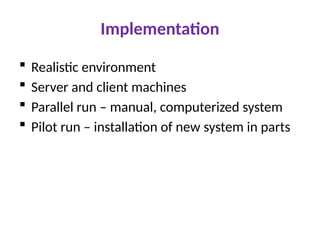
Implementation
Realistic environment
Server and client machines
Parallel run – manual, computerized system
Pilot run – installation of new system in parts
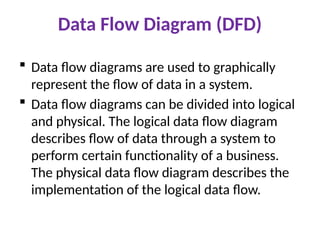
Data Flow Diagram(DFD)
Data flow diagrams are used to graphically
represent the flow of data in a system.
Data flow diagrams can be divided into logical
and physical. The logical data flow diagram
describes flow of data through a system to
perform certain functionality of a business.
The physical data flow diagram describes the
implementation of the logical data flow.
34.
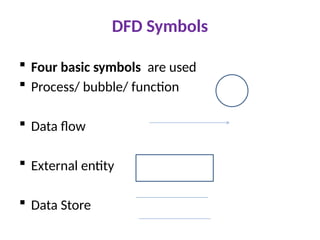
DFD Symbols
Fourbasic symbols are used
Process/ bubble/ function
Data flow
External entity
Data Store
35.
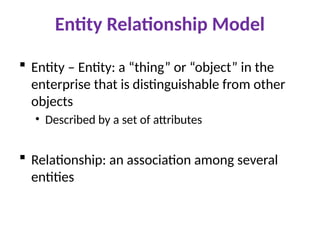
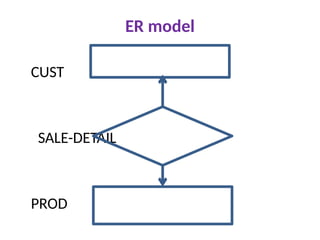
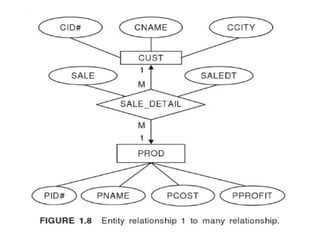
Entity Relationship Model
Entity – Entity: a “thing” or “object” in the
enterprise that is distinguishable from other
objects
• Described by a set of attributes
Relationship: an association among several
entities
36.
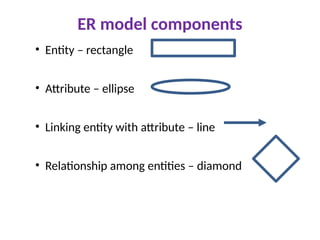
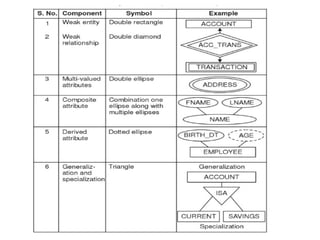
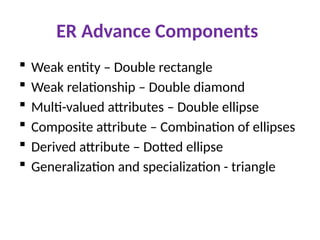
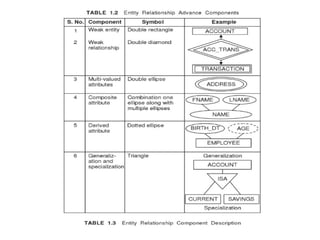
ER model components
•Entity – rectangle
• Attribute – ellipse
• Linking entity with attribute – line
• Relationship among entities – diamond
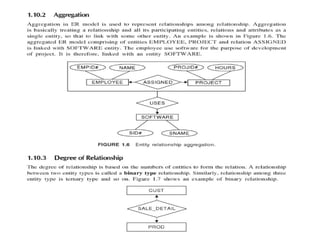
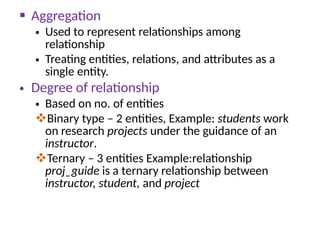
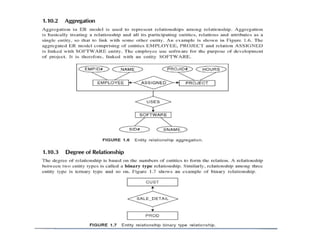
Aggregation
• Usedto represent relationships among
relationship
• Treating entities, relations, and attributes as a
single entity.
• Degree of relationship
• Based on no. of entities
Binary type – 2 entities, Example: students work
on research projects under the guidance of an
instructor.
Ternary – 3 entities Example:relationship
proj_guide is a ternary relationship between
instructor, student, and project
Unit 2
RelationalDatabase Model
Structure of Relational Model
Keys
Relational Algebra
Normalization
Functional Dependency
First Normal Form
Second Normal Form
Third Normal Form
Boyce-Codd Normal Form
Fourth Normal Form
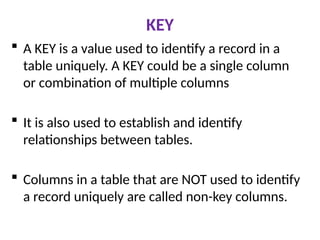
KEY
A KEYis a value used to identify a record in a
table uniquely. A KEY could be a single column
or combination of multiple columns
It is also used to establish and identify
relationships between tables.
Columns in a table that are NOT used to identify
a record uniquely are called non-key columns.
51.
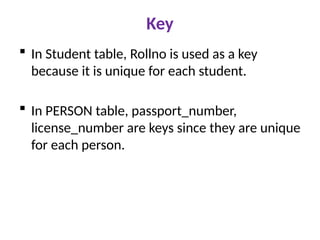
Key
In Studenttable, Rollno is used as a key
because it is unique for each student.
In PERSON table, passport_number,
license_number are keys since they are unique
for each person.
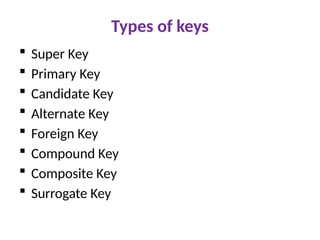
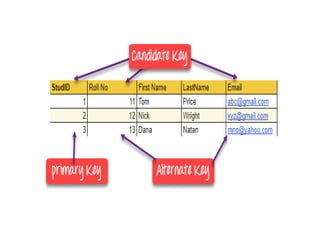
Key
A superkeyis a group of single or multiple keys
which identifies rows in a table. A Super key
may have additional attributes that are not
needed for unique identification.
ALTERNATE KEYS is a column or group of
columns in a table that uniquely identify every
row in that table. A table can have multiple
choices for a primary key but only one can be
set as the primary key. All the keys which are
not primary key are called an Alternate Key.
54.
Primary key
Aprimary key is a single column value used to
identify a database record uniquely.
It has following attributes
• A primary key cannot be NULL
• A primary key value must be unique
• The primary key values should rarely be changed
• The primary key must be given a value when a new
record is inserted.
55.
Candidate key
Acandidate key is an attribute or set of attributes which can
uniquely identify a tuple.
The remaining attributes except for primary key are considered
as a candidate key. The candidate keys are as strong as the
primary key.
Candidate Key is a super key with no repeated attributes. The
Primary key should be selected from the candidate keys.
Every table must have at least a single candidate key. A table
can have multiple candidate keys but only a single primary key.
Properties of Candidate key:
• It must contain unique values
• Candidate key may have multiple attributes
• Must not contain null values
• It should contain minimum fields to ensure uniqueness
• Uniquely identify each record in a table
57.
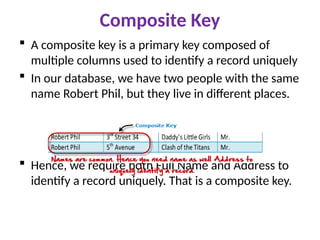
Composite Key
Acomposite key is a primary key composed of
multiple columns used to identify a record uniquely
In our database, we have two people with the same
name Robert Phil, but they live in different places.
Hence, we require both Full Name and Address to
identify a record uniquely. That is a composite key.
58.
Super Key
Superkey is a set of an attribute which can
uniquely identify a tuple. Super key is a
superset of a candidate key.
For example: In the above EMPLOYEE table,
for(EMPLOEE_ID, EMPLOYEE_NAME) the
name of two employees can be the same, but
their EMPLYEE_ID can't be the same. Hence,
this combination can also be a key.
The super key would be EMPLOYEE-ID,
(EMPLOYEE_ID, EMPLOYEE-NAME), etc.
59.
Foreign Key
ForeignKey references the primary key of another
Table. It helps to connect tables. It acts as a cross-
reference between two tables
A foreign key can have a different name from its
primary key
It ensures rows in one table have corresponding
rows in another
Unlike the Primary key, they do not have to be
unique. Most often they aren't.
Foreign keys can be null even though primary keys
can not.
60.
Foreign key
Ina company, every employee works in a specific
department, and employee and department are
two different entities. So we can't store the
information of the department in the employee
table. That's why we link these two tables
through the primary key of one table.
We add the primary key of the DEPARTMENT
table, Department_Id as a new attribute in the
EMPLOYEE table.
Now in the EMPLOYEE table, Department_Id is
the foreign key, and both the tables are related.
61.
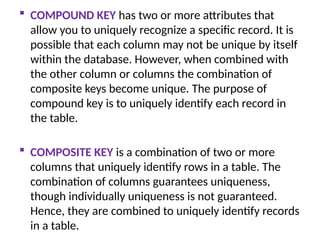
COMPOUND KEYhas two or more attributes that
allow you to uniquely recognize a specific record. It is
possible that each column may not be unique by itself
within the database. However, when combined with
the other column or columns the combination of
composite keys become unique. The purpose of
compound key is to uniquely identify each record in
the table.
COMPOSITE KEY is a combination of two or more
columns that uniquely identify rows in a table. The
combination of columns guarantees uniqueness,
though individually uniqueness is not guaranteed.
Hence, they are combined to uniquely identify records
in a table.
62.
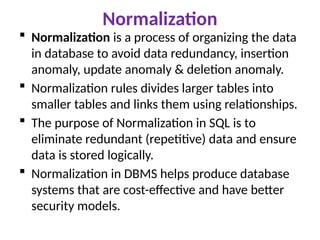
Normalization
Normalization isa process of organizing the data
in database to avoid data redundancy, insertion
anomaly, update anomaly & deletion anomaly.
Normalization rules divides larger tables into
smaller tables and links them using relationships.
The purpose of Normalization in SQL is to
eliminate redundant (repetitive) data and ensure
data is stored logically.
Normalization in DBMS helps produce database
systems that are cost-effective and have better
security models.
63.
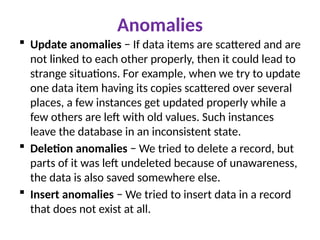
Anomalies
Update anomalies− If data items are scattered and are
not linked to each other properly, then it could lead to
strange situations. For example, when we try to update
one data item having its copies scattered over several
places, a few instances get updated properly while a
few others are left with old values. Such instances
leave the database in an inconsistent state.
Deletion anomalies − We tried to delete a record, but
parts of it was left undeleted because of unawareness,
the data is also saved somewhere else.
Insert anomalies − We tried to insert data in a record
that does not exist at all.
64.
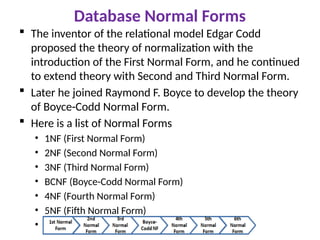
Database Normal Forms
The inventor of the relational model Edgar Codd
proposed the theory of normalization with the
introduction of the First Normal Form, and he continued
to extend theory with Second and Third Normal Form.
Later he joined Raymond F. Boyce to develop the theory
of Boyce-Codd Normal Form.
Here is a list of Normal Forms
• 1NF (First Normal Form)
• 2NF (Second Normal Form)
• 3NF (Third Normal Form)
• BCNF (Boyce-Codd Normal Form)
• 4NF (Fourth Normal Form)
• 5NF (Fifth Normal Form)
• 6NF (Sixth Normal Form)
65.
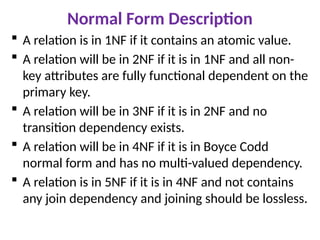
Normal Form Description
A relation is in 1NF if it contains an atomic value.
A relation will be in 2NF if it is in 1NF and all non-
key attributes are fully functional dependent on the
primary key.
A relation will be in 3NF if it is in 2NF and no
transition dependency exists.
A relation will be in 4NF if it is in Boyce Codd
normal form and has no multi-valued dependency.
A relation is in 5NF if it is in 4NF and not contains
any join dependency and joining should be lossless.
66.
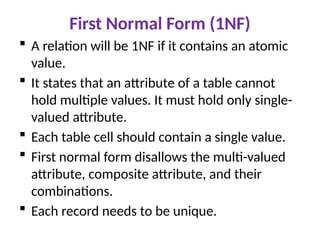
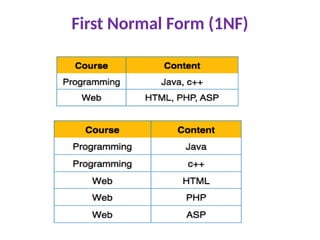
First Normal Form(1NF)
A relation will be 1NF if it contains an atomic
value.
It states that an attribute of a table cannot
hold multiple values. It must hold only single-
valued attribute.
Each table cell should contain a single value.
First normal form disallows the multi-valued
attribute, composite attribute, and their
combinations.
Each record needs to be unique.
67.
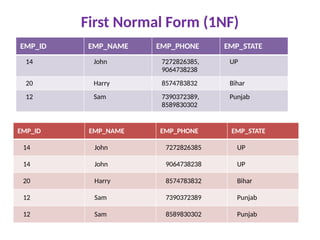
First Normal Form(1NF)
EMP_ID EMP_NAME EMP_PHONE EMP_STATE
14 John 7272826385,
9064738238
UP
20 Harry 8574783832 Bihar
12 Sam 7390372389,
8589830302
Punjab
EMP_ID EMP_NAME EMP_PHONE EMP_STATE
14 John 7272826385 UP
14 John 9064738238 UP
20 Harry 8574783832 Bihar
12 Sam 7390372389 Punjab
12 Sam 8589830302 Punjab
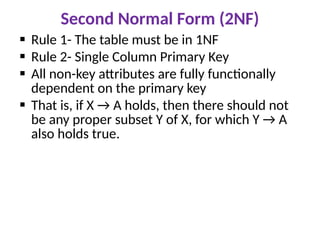
Second Normal Form(2NF)
Rule 1- The table must be in 1NF
Rule 2- Single Column Primary Key
All non-key attributes are fully functionally
dependent on the primary key
That is, if X → A holds, then there should not
be any proper subset Y of X, for which Y → A
also holds true.
70.
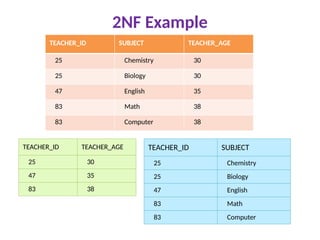
2NF Example
TEACHER_ID SUBJECTTEACHER_AGE
25 Chemistry 30
25 Biology 30
47 English 35
83 Math 38
83 Computer 38
TEACHER_ID TEACHER_AGE
25 30
47 35
83 38
TEACHER_ID SUBJECT
25 Chemistry
25 Biology
47 English
83 Math
83 Computer
71.
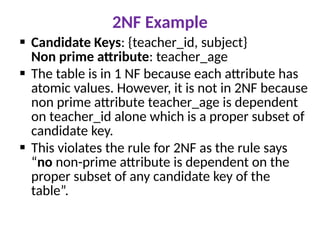
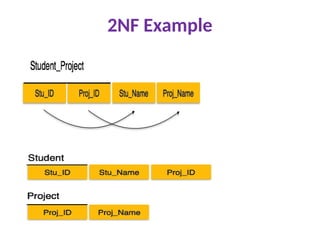
2NF Example
CandidateKeys: {teacher_id, subject}
Non prime attribute: teacher_age
The table is in 1 NF because each attribute has
atomic values. However, it is not in 2NF because
non prime attribute teacher_age is dependent
on teacher_id alone which is a proper subset of
candidate key.
This violates the rule for 2NF as the rule says
“no non-prime attribute is dependent on the
proper subset of any candidate key of the
table”.
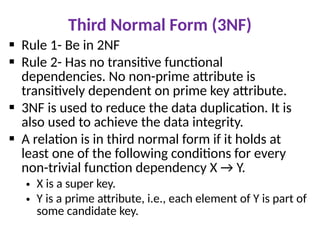
Third Normal Form(3NF)
Rule 1- Be in 2NF
Rule 2- Has no transitive functional
dependencies. No non-prime attribute is
transitively dependent on prime key attribute.
3NF is used to reduce the data duplication. It is
also used to achieve the data integrity.
A relation is in third normal form if it holds at
least one of the following conditions for every
non-trivial function dependency X → Y.
• X is a super key.
• Y is a prime attribute, i.e., each element of Y is part of
some candidate key.
74.
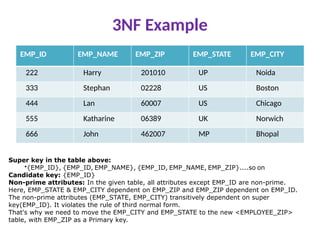
3NF Example
EMP_ID EMP_NAMEEMP_ZIP EMP_STATE EMP_CITY
222 Harry 201010 UP Noida
333 Stephan 02228 US Boston
444 Lan 60007 US Chicago
555 Katharine 06389 UK Norwich
666 John 462007 MP Bhopal
Super key in the table above:
•{EMP_ID}, {EMP_ID, EMP_NAME}, {EMP_ID, EMP_NAME, EMP_ZIP}....so on
Candidate key: {EMP_ID}
Non-prime attributes: In the given table, all attributes except EMP_ID are non-prime.
Here, EMP_STATE & EMP_CITY dependent on EMP_ZIP and EMP_ZIP dependent on EMP_ID.
The non-prime attributes (EMP_STATE, EMP_CITY) transitively dependent on super
key(EMP_ID). It violates the rule of third normal form.
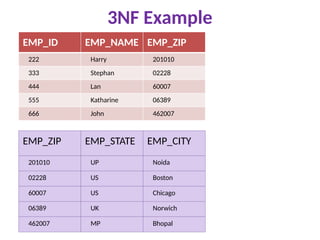
That's why we need to move the EMP_CITY and EMP_STATE to the new <EMPLOYEE_ZIP>
table, with EMP_ZIP as a Primary key.
75.
3NF Example
EMP_ID EMP_NAMEEMP_ZIP
222 Harry 201010
333 Stephan 02228
444 Lan 60007
555 Katharine 06389
666 John 462007
EMP_ZIP EMP_STATE EMP_CITY
201010 UP Noida
02228 US Boston
60007 US Chicago
06389 UK Norwich
462007 MP Bhopal
76.
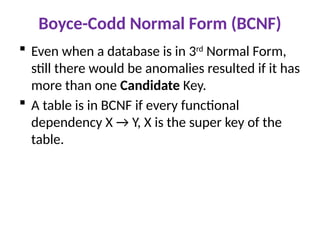
Boyce-Codd Normal Form(BCNF)
Even when a database is in 3rd
Normal Form,
still there would be anomalies resulted if it has
more than one Candidate Key.
A table is in BCNF if every functional
dependency X → Y, X is the super key of the
table.
77.
Fourth Normal Form
A relation will be in 4NF if it is in Boyce Codd
normal form and has no multi-valued
dependency.
For a dependency A → B, if for a single value
of A, multiple values of B exists, then the
relation will be a multi-valued dependency.
78.
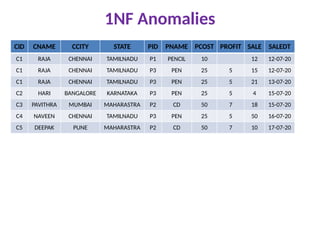
1NF Anomalies
CID CNAMECCITY STATE PID PNAME PCOST PROFIT SALE SALEDT
C1 RAJA CHENNAI TAMILNADU P1 PENCIL 10 12 12-07-20
C1 RAJA CHENNAI TAMILNADU P3 PEN 25 5 15 12-07-20
C1 RAJA CHENNAI TAMILNADU P3 PEN 25 5 21 13-07-20
C2 HARI BANGALORE KARNATAKA P3 PEN 25 5 4 15-07-20
C3 PAVITHRA MUMBAI MAHARASTRA P2 CD 50 7 18 15-07-20
C4 NAVEEN CHENNAI TAMILNADU P3 PEN 25 5 50 16-07-20
C5 DEEPAK PUNE MAHARASTRA P2 CD 50 7 10 17-07-20
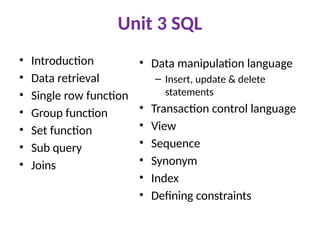
Unit 3 SQL
•Introduction
• Data retrieval
• Single row function
• Group function
• Set function
• Sub query
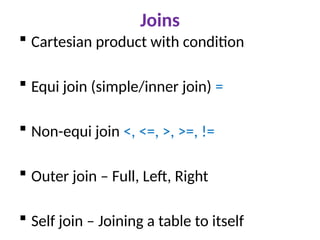
• Joins
• Data manipulation language
– Insert, update & delete
statements
• Transaction control language
• View
• Sequence
• Synonym
• Index
• Defining constraints
Oracle Database Architecture
A database server is the key to information
management.
In general, a server reliably manages a large
amount of data in a multiuser environment so
that users can concurrently access the same
data.
A database server also prevents unauthorized
access and provides efficient solutions for
failure recovery.
84.
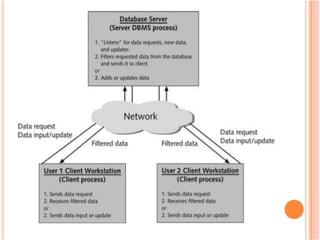
2-tier Architecture
Ina client/server(2-tier) architecture, the
client application initiates a request for an
operation to be performed on the database
server.
The server runs Oracle Database software and
handles the functions required for concurrent,
shared data access.
The server receives and processes requests
that originate from clients.
86.
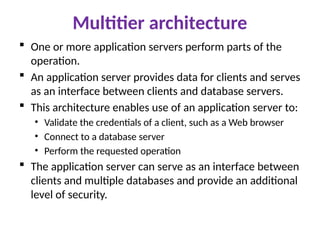
Multitier architecture
Oneor more application servers perform parts of the
operation.
An application server provides data for clients and serves
as an interface between clients and database servers.
This architecture enables use of an application server to:
• Validate the credentials of a client, such as a Web browser
• Connect to a database server
• Perform the requested operation
The application server can serve as an interface between
clients and multiple databases and provide an additional
level of security.
89.
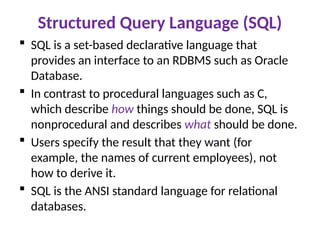
Structured Query Language(SQL)
SQL is a set-based declarative language that
provides an interface to an RDBMS such as Oracle
Database.
In contrast to procedural languages such as C,
which describe how things should be done, SQL is
nonprocedural and describes what should be done.
Users specify the result that they want (for
example, the names of current employees), not
how to derive it.
SQL is the ANSI standard language for relational
databases.
90.
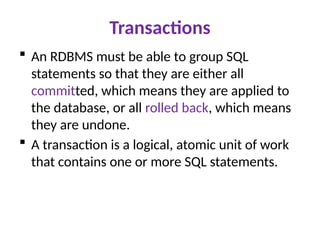
Transactions
An RDBMSmust be able to group SQL
statements so that they are either all
committed, which means they are applied to
the database, or all rolled back, which means
they are undone.
A transaction is a logical, atomic unit of work
that contains one or more SQL statements.
92.
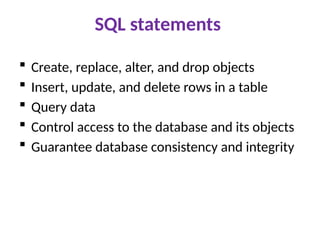
SQL statements
Create,replace, alter, and drop objects
Insert, update, and delete rows in a table
Query data
Control access to the database and its objects
Guarantee database consistency and integrity
93.
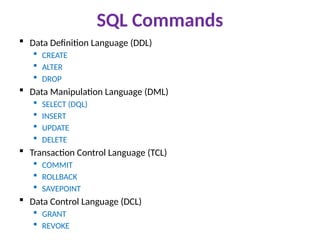
SQL Commands
DataDefinition Language (DDL)
CREATE
ALTER
DROP
Data Manipulation Language (DML)
SELECT (DQL)
INSERT
UPDATE
DELETE
Transaction Control Language (TCL)
COMMIT
ROLLBACK
SAVEPOINT
Data Control Language (DCL)
GRANT
REVOKE
94.
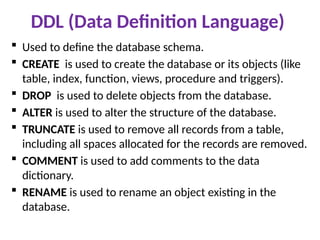
DDL (Data DefinitionLanguage)
Used to define the database schema.
CREATE is used to create the database or its objects (like
table, index, function, views, procedure and triggers).
DROP is used to delete objects from the database.
ALTER is used to alter the structure of the database.
TRUNCATE is used to remove all records from a table,
including all spaces allocated for the records are removed.
COMMENT is used to add comments to the data
dictionary.
RENAME is used to rename an object existing in the
database.
95.
DDL Commands
Tocreate table
CREATE TABLE table_name (column_name DATATYPES[,....]);
To delete table
DROP TABLE table_name; TRUNCATE TABLE table_name;
To add new columns
ALTER TABLE table_name ADD (column_name columndefinition);
• To modify existing column in the table
ALTER TABLE table_name MODIFY (column definition....);
• To delete columns
ALTER TABLE table_name DROP (column_name);
96.
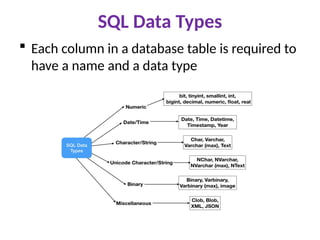
SQL Data Types
Each column in a database table is required to
have a name and a data type
97.
SQL Data Types
number: number ([precision], [scale]
number(4) number(7,2) 78946.25
char: char([size])
char(10)
varchar2: varchar2([size])
varchar : varchar([size])
date: dd-mon-yy (eg) 05-aug-20
r a j a
r a j a
98.
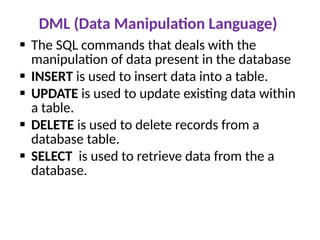
DML (Data ManipulationLanguage)
The SQL commands that deals with the
manipulation of data present in the database
INSERT is used to insert data into a table.
UPDATE is used to update existing data within
a table.
DELETE is used to delete records from a
database table.
SELECT is used to retrieve data from the a
database.
99.
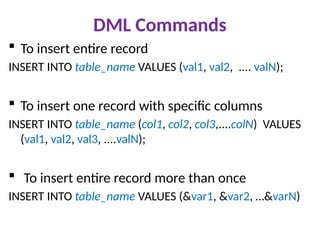
DML Commands
Toinsert entire record
INSERT INTO table_name VALUES (val1, val2, .... valN);
To insert one record with specific columns
INSERT INTO table_name (col1, col2, col3,....colN) VALUES
(val1, val2, val3, ....valN);
To insert entire record more than once
INSERT INTO table_name VALUES (&var1, &var2, …&varN)
100.
DML Commands
UPDATEtable_name SET col_name1= val1
[,...col_nameN = valN] [WHERE condition];
DELETE FROM table_name [WHERE condition];
SELECT * FROM table_name [WHERE condition];
SELECT col1, col2,…colN FROM table_name
[WHERE condition];
101.
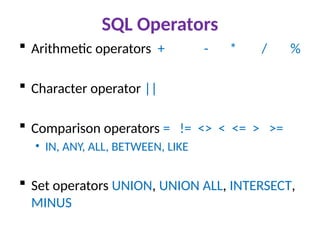
SQL Operators
Arithmeticoperators + - * / %
Character operator ||
Comparison operators = != <> < <= > >=
• IN, ANY, ALL, BETWEEN, LIKE
Set operators UNION, UNION ALL, INTERSECT,
MINUS
102.
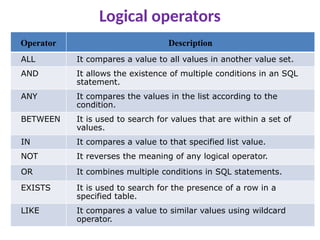
Logical operators
Operator Description
ALLIt compares a value to all values in another value set.
AND It allows the existence of multiple conditions in an SQL
statement.
ANY It compares the values in the list according to the
condition.
BETWEEN It is used to search for values that are within a set of
values.
IN It compares a value to that specified list value.
NOT It reverses the meaning of any logical operator.
OR It combines multiple conditions in SQL statements.
EXISTS It is used to search for the presence of a row in a
specified table.
LIKE It compares a value to similar values using wildcard
operator.
103.
IN, ANY, ALLSyntax
SELECT col(s) FROM table_name WHERE col [NOT]
IN (val1, val2, ...);
SELECT col(s) FROM table_name WHERE col [NOT]
IN (SELECT STATEMENT);
SELECT col (s) FROM table_name WHERE col opr ANY
(SELECT col FROM table_name WHERE condition);
SELECT col(s) FROM table_name WHERE col opr ALL
(SELECT col FROM table_name WHERE condition);
104.
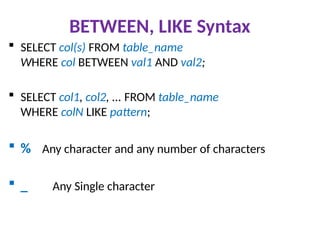
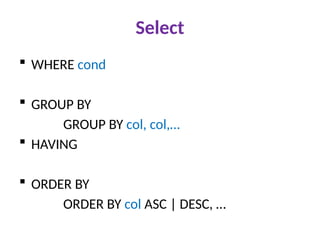
BETWEEN, LIKE Syntax
SELECT col(s) FROM table_name
WHERE col BETWEEN val1 AND val2;
SELECT col1, col2, ... FROM table_name
WHERE colN LIKE pattern;
% Any character and any number of characters
_ Any Single character
105.
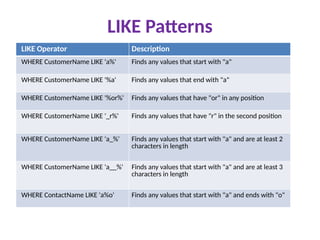
LIKE Patterns
LIKE OperatorDescription
WHERE CustomerName LIKE 'a%' Finds any values that start with "a"
WHERE CustomerName LIKE '%a' Finds any values that end with "a"
WHERE CustomerName LIKE '%or%' Finds any values that have "or" in any position
WHERE CustomerName LIKE '_r%' Finds any values that have "r" in the second position
WHERE CustomerName LIKE 'a_%' Finds any values that start with "a" and are at least 2
characters in length
WHERE CustomerName LIKE 'a__%' Finds any values that start with "a" and are at least 3
characters in length
WHERE ContactName LIKE 'a%o' Finds any values that start with "a" and ends with "o"
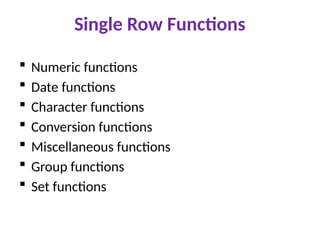
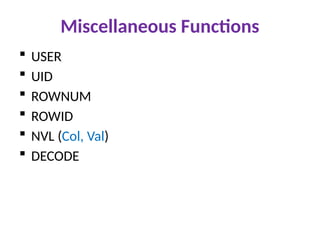
Single Row Functions
Numeric functions
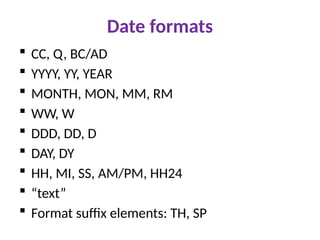
Date functions
Character functions
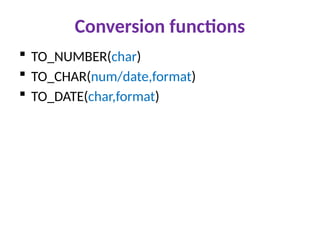
Conversion functions
Miscellaneous functions
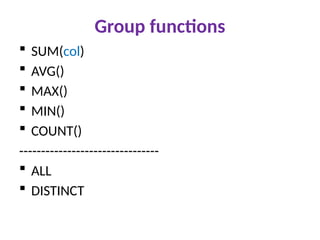
Group functions
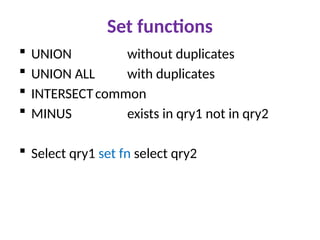
Set functions
Set functions
UNIONwithout duplicates
UNION ALL with duplicates
INTERSECTcommon
MINUS exists in qry1 not in qry2
Select qry1 set fn select qry2
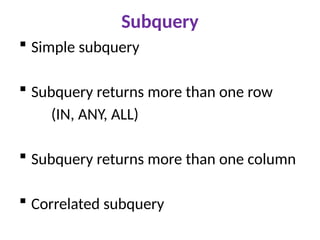
Subquery
Simple subquery
Subquery returns more than one row
(IN, ANY, ALL)
Subquery returns more than one column
Correlated subquery
119.
TCL (Transaction ControlLanguage)
TCL commands deals with the transaction
within the database.
Database transactions consists of
• One or more DML (insert,update,delete)
• One DDL/DCL (create,alter,drop, grant,revoke)
Database transaction begin with DMLs and
ends with COMMIT, ROLLBACK, DDL or DCL
statement.
120.
TCL
COMMIT makesall pending data changes
permanent.
ROLLBACK ends the current transaction by
discarding all pending data changes.
SAVEPOINT sets a savepoint within a
transaction.
Automatic commit – DDL/DCL statement, Normal
exit from SQL
Automatic rollback – Abnormal termination/system
failure.
121.
DCL (Data ControlLanguage)
DCL includes commands mainly deals with the
rights, permissions and other controls of the
database system.
GRANT-gives user’s access privileges to
database.
REVOKE-withdraw user’s access privileges
given by using the GRANT command.
122.
View
Database object
Result of a query - Stored query
Window to a table - Virtual table
Joining of tables
Basetable
123.
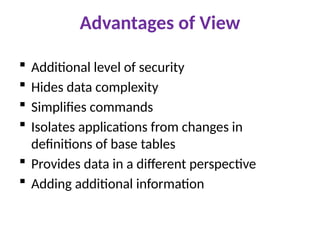
Advantages of View
Additional level of security
Hides data complexity
Simplifies commands
Isolates applications from changes in
definitions of base tables
Provides data in a different perspective
Adding additional information
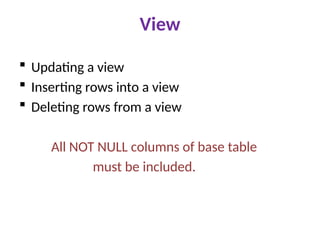
View
Updating aview
Inserting rows into a view
Deleting rows from a view
All NOT NULL columns of base table
must be included.
126.
Sequence
Database object
Generates unique, sequential integer values
Used as input for primary key/unique columns
CREATE SEQUENCE sequencename
[START WITH N]
[INCREMENT BY N]
[MAX VALUE N]
[MIN VALUE N]
[CYCLE | NO CYCLE]
[CACHE N | NO CACHE]
127.
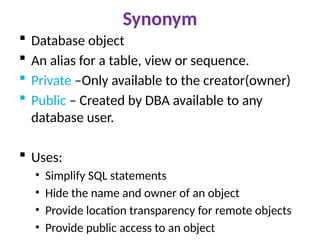
Synonym
Database object
An alias for a table, view or sequence.
Private –Only available to the creator(owner)
Public – Created by DBA available to any
database user.
Uses:
• Simplify SQL statements
• Hide the name and owner of an object
• Provide location transparency for remote objects
• Provide public access to an object
128.
Synonym
CREATE [PUBLIC]SYNONYM synonymname
FOR dbobjname;
DROP SYNONYM synonymname;
Synonym is automatically dropped when
the basetable is dropped
129.
Index
Provides afaster access path to table data
Directly points to the location of the rows containg the
value
Oracle fetches and sorts the columns to be indexed, and
stores the ROWID along with the index value for each row.
Non-unique indexes
Unique indexes
Composite indexes
CREATE [UNIQUE] INDEX indexname ON tablename
(columnname [ASC|DESC],…);
130.
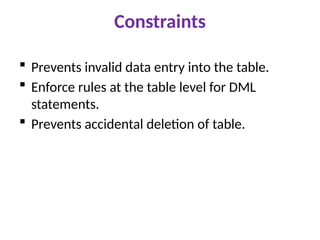
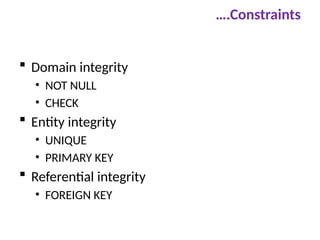
Constraints
Prevents invaliddata entry into the table.
Enforce rules at the table level for DML
statements.
Prevents accidental deletion of table.
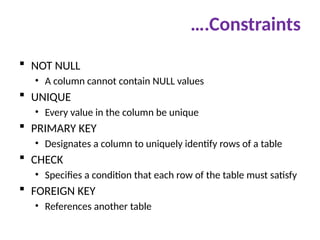
….Constraints
NOT NULL
•A column cannot contain NULL values
UNIQUE
• Every value in the column be unique
PRIMARY KEY
• Designates a column to uniquely identify rows of a table
CHECK
• Specifies a condition that each row of the table must satisfy
FOREIGN KEY
• References another table
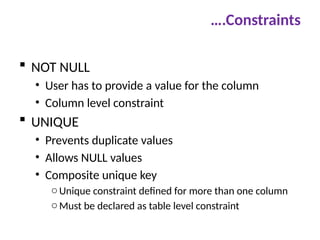
134.
….Constraints
NOT NULL
•User has to provide a value for the column
• Column level constraint
UNIQUE
• Prevents duplicate values
• Allows NULL values
• Composite unique key
oUnique constraint defined for more than one column
oMust be declared as table level constraint
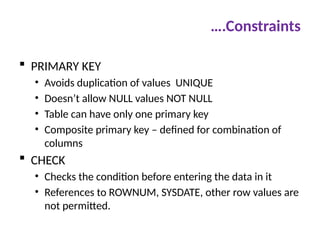
135.
….Constraints
PRIMARY KEY
•Avoids duplication of values UNIQUE
• Doesn’t allow NULL values NOT NULL
• Table can have only one primary key
• Composite primary key – defined for combination of
columns
CHECK
• Checks the condition before entering the data in it
• References to ROWNUM, SYSDATE, other row values are
not permitted.
136.
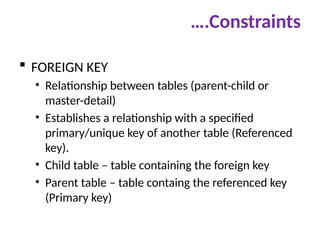
….Constraints
FOREIGN KEY
•Relationship between tables (parent-child or
master-detail)
• Establishes a relationship with a specified
primary/unique key of another table (Referenced
key).
• Child table – table containing the foreign key
• Parent table – table containg the referenced key
(Primary key)
137.
….Constraints
General
• CONSTRAINTconst-name FOREIGN KEY (ctcolname)
REFERENCES tablename (ptcolname)
Adding a constraint
• ALTER TABLE tablename ADD [CONSTRAINT
const_name] const_type (colname)
Dropping a constraint
• ALTER TABLE tablename DROP PRIMARY KEY | UNIQUE
(colname) | CONSTRAINT const_name [CASCADE];
Enabling/disabling a constraint
• ALTER TABLE tablename DISABLE|ENABLE CONSTRAINT
const_name [CASCADE];
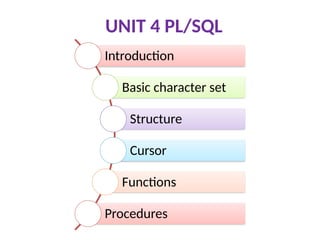
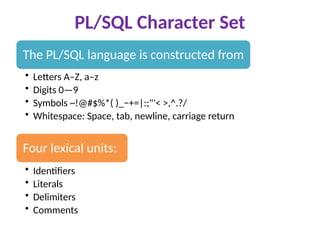
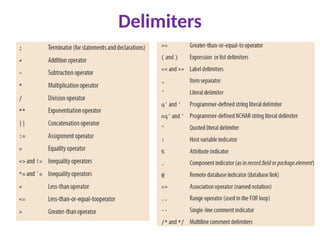
PL/SQL Character Set
ThePL/SQL language is constructed from
• Letters A–Z, a–z
• Digits 0—9
• Symbols ~!@#$%*( )_−+=|:;"'< >,^.?/
• Whitespace: Space, tab, newline, carriage return
Four lexical units:
• Identifiers
• Literals
• Delimiters
• Comments
140.
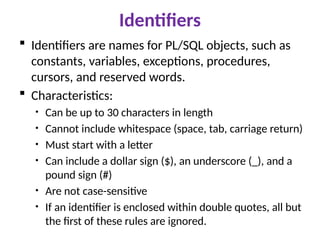
Identifiers
Identifiers arenames for PL/SQL objects, such as
constants, variables, exceptions, procedures,
cursors, and reserved words.
Characteristics:
• Can be up to 30 characters in length
• Cannot include whitespace (space, tab, carriage return)
• Must start with a letter
• Can include a dollar sign ($), an underscore (_), and a
pound sign (#)
• Are not case-sensitive
• If an identifier is enclosed within double quotes, all but
the first of these rules are ignored.
141.
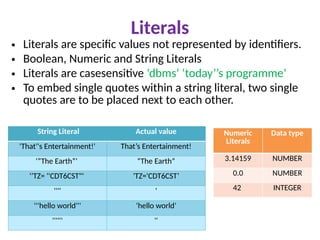
Literals
String Literal Actualvalue
'That''s Entertainment!' That’s Entertainment!
‘”The Earth”’ “The Earth”
‘’TZ= ''CDT6CST"' 'TZ='CDT6CST’
'''' '
'''hello world''' ‘hello world’
'''''' ''
• Literals are specific values not represented by identifiers.
• Boolean, Numeric and String Literals
• Literals are casesensitive ‘dbms’ ‘today’’s programme’
• To embed single quotes within a string literal, two single
quotes are to be placed next to each other.
Numeric
Literals
Data type
3.14159 NUMBER
0.0 NUMBER
42 INTEGER
142.
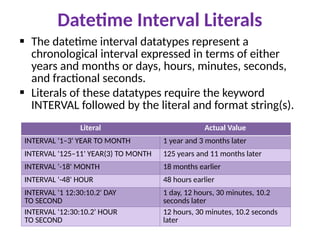
Datetime Interval Literals
The datetime interval datatypes represent a
chronological interval expressed in terms of either
years and months or days, hours, minutes, seconds,
and fractional seconds.
Literals of these datatypes require the keyword
INTERVAL followed by the literal and format string(s).
Literal Actual Value
INTERVAL '1–3' YEAR TO MONTH 1 year and 3 months later
INTERVAL '125–11' YEAR(3) TO MONTH 125 years and 11 months later
INTERVAL '-18' MONTH 18 months earlier
INTERVAL '-48' HOUR 48 hours earlier
INTERVAL '1 12:30:10.2' DAY
TO SECOND
1 day, 12 hours, 30 minutes, 10.2
seconds later
INTERVAL '12:30:10.2' HOUR
TO SECOND
12 hours, 30 minutes, 10.2 seconds
later
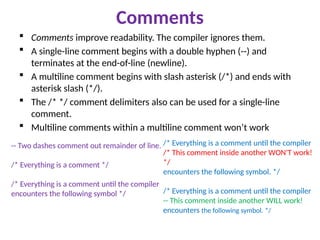
Comments
Comments improvereadability. The compiler ignores them.
A single-line comment begins with a double hyphen (--) and
terminates at the end-of-line (newline).
A multiline comment begins with slash asterisk (/*) and ends with
asterisk slash (*/).
The /* */ comment delimiters also can be used for a single-line
comment.
Multiline comments within a multiline comment won’t work
-- Two dashes comment out remainder of line.
/* Everything is a comment */
/* Everything is a comment until the compiler
encounters the following symbol */
/* Everything is a comment until the compiler
/* This comment inside another WON'T work!
*/
encounters the following symbol. */
/* Everything is a comment until the compiler
-- This comment inside another WILL work!
encounters the following symbol. */
145.
Program Structure
APL/SQL program is composed of one or
more logical statements.
A statement is terminated by a semicolon
delimiter.
DECLARE
Variable,cursor and other declarations
BEGIN
SQL and procedural statements
[EXCEPTION]
Statements to be performed in case of errors
END;
146.
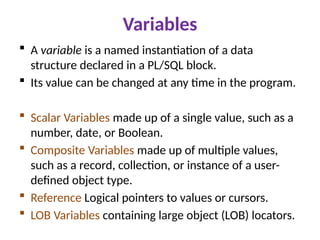
Variables
A variableis a named instantiation of a data
structure declared in a PL/SQL block.
Its value can be changed at any time in the program.
Scalar Variables made up of a single value, such as a
number, date, or Boolean.
Composite Variables made up of multiple values,
such as a record, collection, or instance of a user-
defined object type.
Reference Logical pointers to values or cursors.
LOB Variables containing large object (LOB) locators.
147.
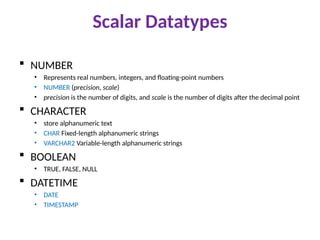
Scalar Datatypes
NUMBER
•Represents real numbers, integers, and floating-point numbers
• NUMBER (precision, scale)
• precision is the number of digits, and scale is the number of digits after the decimal point
CHARACTER
• store alphanumeric text
• CHAR Fixed-length alphanumeric strings
• VARCHAR2 Variable-length alphanumeric strings
BOOLEAN
• TRUE, FALSE, NULL
DATETIME
• DATE
• TIMESTAMP
148.
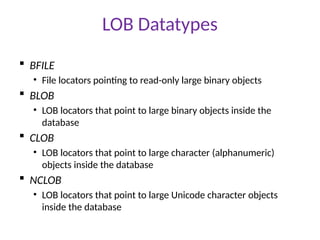
LOB Datatypes
BFILE
•File locators pointing to read-only large binary objects
BLOB
• LOB locators that point to large binary objects inside the
database
CLOB
• LOB locators that point to large character (alphanumeric)
objects inside the database
NCLOB
• LOB locators that point to large Unicode character objects
inside the database
149.
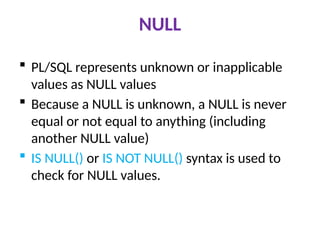
NULL
PL/SQL representsunknown or inapplicable
values as NULL values
Because a NULL is unknown, a NULL is never
equal or not equal to anything (including
another NULL value)
IS NULL() or IS NOT NULL() syntax is used to
check for NULL values.
150.
Variable declaration
Mustbe declared in the declaration section
PL/SQL allocates memory for the variable’s value and names
The value can be retrieved and changed
Syntax
variable_name [CONSTANT] datatype [NOT NULL]
[{ := | DEFAULT } initial_value];
Declare
Rollno number;
sname varchar2(10);
Age number(2):= 18;
Marks number(5,2);
PI constant number default 3.142857
151.
Variable declaration
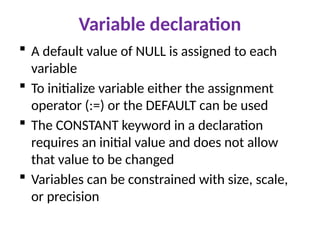
Adefault value of NULL is assigned to each
variable
To initialize variable either the assignment
operator (:=) or the DEFAULT can be used
The CONSTANT keyword in a declaration
requires an initial value and does not allow
that value to be changed
Variables can be constrained with size, scale,
or precision
152.
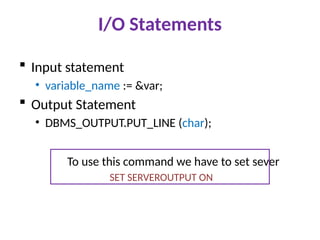
I/O Statements
Inputstatement
• variable_name := &var;
Output Statement
• DBMS_OUTPUT.PUT_LINE (char);
To use this command we have to set sever
SET SERVEROUTPUT ON
153.
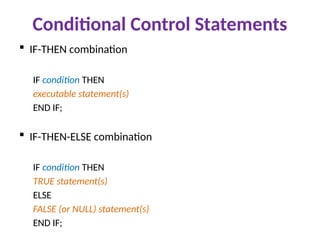
Conditional Control Statements
IF-THEN combination
IF condition THEN
executable statement(s)
END IF;
IF-THEN-ELSE combination
IF condition THEN
TRUE statement(s)
ELSE
FALSE (or NULL) statement(s)
END IF;
154.
…Conditional Control Statements
IF-THEN-ELSIF combination
IF condition1 THEN
statements1
ELSIF condition2 THEN
statements2
…
ELSIF conditionN THEN
statementsN
[ELSE
statementsN+1]
END IF;
Loops
LOOP …END LOOP
LOOP
PL/SQL statements
EXIT WHEN condition;
END LOOP;
WHILE LOOP
WHILE condition
LOOP
PL/SQL statements
END LOOP;
FOR LOOP
FOR variable IN [REVERSE] Start .. End
LOOP
PL/SQL statements
END LOOP;
EXIT
EXIT [WHEN condition];
CONTINUE Statement
Terminates the current
iteration of a loop, passing
control to the next
iteration.
CONTINUE [label_name]
[WHEN boolean_expression];
157.
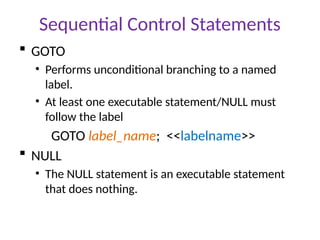
Sequential Control Statements
GOTO
• Performs unconditional branching to a named
label.
• At least one executable statement/NULL must
follow the label
GOTO label_name; <<labelname>>
NULL
• The NULL statement is an executable statement
that does nothing.
158.
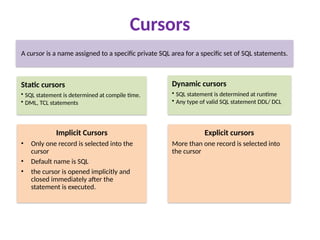
Cursors
A cursor isa name assigned to a specific private SQL area for a specific set of SQL statements.
Static cursors
• SQL statement is determined at compile time.
• DML, TCL statements
Dynamic cursors
• SQL statement is determined at runtime
• Any type of valid SQL statement DDL/ DCL
Implicit Cursors
• Only one record is selected into the
cursor
• Default name is SQL
• the cursor is opened implicitly and
closed immediately after the
statement is executed.
Explicit cursors
More than one record is selected into
the cursor
159.
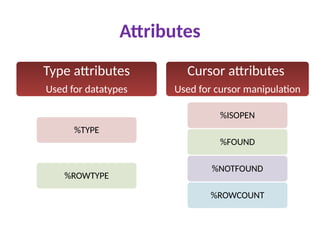
Attributes
Type attributes
Used fordatatypes
%TYPE
%ROWTYPE
Cursor attributes
Used for cursor manipulation
%ISOPEN
%FOUND
%NOTFOUND
%ROWCOUNT
160.
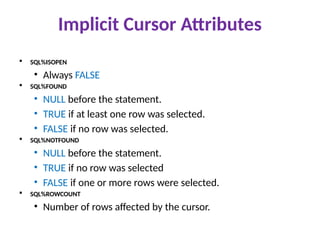
Implicit Cursor Attributes
SQL%ISOPEN
• Always FALSE
SQL%FOUND
• NULL before the statement.
• TRUE if at least one row was selected.
• FALSE if no row was selected.
SQL%NOTFOUND
• NULL before the statement.
• TRUE if no row was selected
• FALSE if one or more rows were selected.
SQL%ROWCOUNT
• Number of rows affected by the cursor.
161.
SELECT…INTO
SELECT *| col1, col2,… INTO var1, var2,…
FROM table [WHERE cond];
var table.col | var %TYPE
var table%ROWTYPE
Example
a char(5);
r stud.rollno%type;
162.
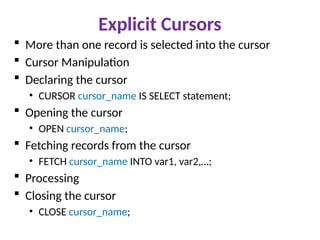
Explicit Cursors
Morethan one record is selected into the cursor
Cursor Manipulation
Declaring the cursor
• CURSOR cursor_name IS SELECT statement;
Opening the cursor
• OPEN cursor_name;
Fetching records from the cursor
• FETCH cursor_name INTO var1, var2,…;
Processing
Closing the cursor
• CLOSE cursor_name;
163.
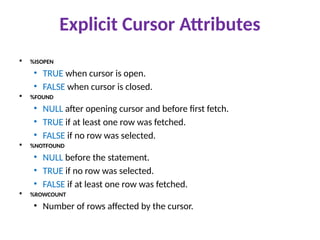
Explicit Cursor Attributes
%ISOPEN
• TRUE when cursor is open.
• FALSE when cursor is closed.
%FOUND
• NULL after opening cursor and before first fetch.
• TRUE if at least one row was fetched.
• FALSE if no row was selected.
%NOTFOUND
• NULL before the statement.
• TRUE if no row was selected.
• FALSE if at least one row was fetched.
%ROWCOUNT
• Number of rows affected by the cursor.
164.
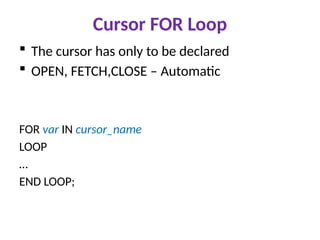
Cursor FOR Loop
The cursor has only to be declared
OPEN, FETCH,CLOSE – Automatic
FOR var IN cursor_name
LOOP
…
END LOOP;
165.
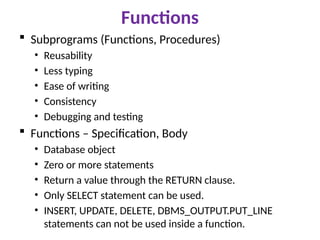
Functions
Subprograms (Functions,Procedures)
• Reusability
• Less typing
• Ease of writing
• Consistency
• Debugging and testing
Functions – Specification, Body
• Database object
• Zero or more statements
• Return a value through the RETURN clause.
• Only SELECT statement can be used.
• INSERT, UPDATE, DELETE, DBMS_OUTPUT.PUT_LINE
statements can not be used inside a function.
166.
Functions
Syntax:
CREATE [ORREPLACE] FUNCTION fun_name [(argument,...)]
RETURN datatype IS|AS
[declaration_section]
BEGIN
executable_section
RETURN val|var|expr;
END [fun_name];
Calling functions in SQL:
SELECT fun_name (argument,…) FROM DUAL|table;
Calling functions in PL/SQL:
var := fun_name (argument,…)
SELECT fun_name (argument) INTO var FROM table|DUAL;
Dropping function:
DROP FUNCTION fun_name;
167.
Procedures
Database object
Program units that perform some action in database
Syntax:
CREATE [OR REPLACE] PROCEDURE pro_name
[(parameter list )] IS|AS
[declaration_section]
BEGIN
executable_section
END [pro_name];
Calling Procedure in SQL:
EXECUTE pro_name [(val,val,…)];
Calling Procedure in PL/SQL:
pro_name [(val,val,…)];
Dropping procedure:
DROP PROCEDURE pro_name;
168.
Parameters
Receive orreturn zero or more values through their parameter
lists.
Each parameter is defined by its name, datatype, mode, and
optional default value.
par_name [mode] datatype[:=|DEFAULT value]
IN
• Default mode
• Read-only: Can be referenced, but cannot be changed
OUT
• Write: Used to return values to the caller of a subprogram
IN OUT
• Read/write: Both reference and modification can be done
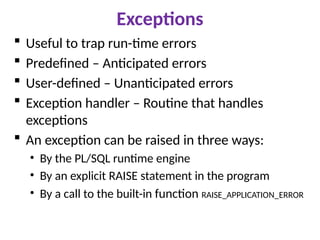
Exceptions
Useful totrap run-time errors
Predefined – Anticipated errors
User-defined – Unanticipated errors
Exception handler – Routine that handles
exceptions
An exception can be raised in three ways:
• By the PL/SQL runtime engine
• By an explicit RAISE statement in the program
• By a call to the built-in function RAISE_APPLICATION_ERROR
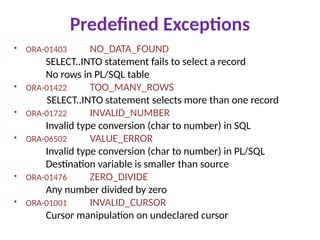
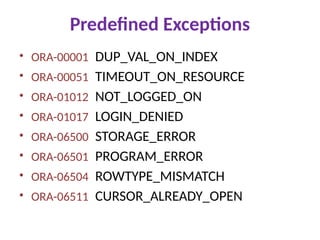
Predefined Exceptions
• ORA-01403NO_DATA_FOUND
SELECT..INTO statement fails to select a record
No rows in PL/SQL table
• ORA-01422 TOO_MANY_ROWS
SELECT..INTO statement selects more than one record
• ORA-01722 INVALID_NUMBER
Invalid type conversion (char to number) in SQL
• ORA-06502 VALUE_ERROR
Invalid type conversion (char to number) in PL/SQL
Destination variable is smaller than source
• ORA-01476 ZERO_DIVIDE
Any number divided by zero
• ORA-01001 INVALID_CURSOR
Cursor manipulation on undeclared cursor
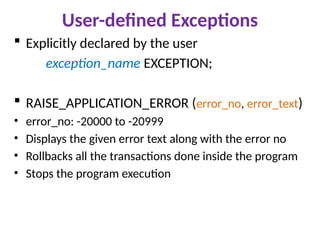
User-defined Exceptions
Explicitlydeclared by the user
exception_name EXCEPTION;
RAISE_APPLICATION_ERROR (error_no, error_text)
• error_no: -20000 to -20999
• Displays the given error text along with the error no
• Rollbacks all the transactions done inside the program
• Stops the program execution
176.
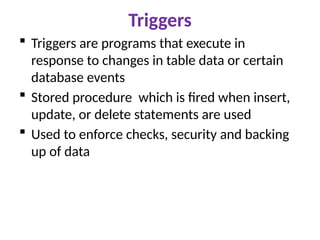
Triggers
Triggers areprograms that execute in
response to changes in table data or certain
database events
Stored procedure which is fired when insert,
update, or delete statements are used
Used to enforce checks, security and backing
up of data
177.
Triggers
Events: INSERT,UPDATE, DELETE
Levels:
• Statement/Table---trigger will be executed once for each DML
statement
• Row --- :old.col, :new.col
Trigger time: before, after
CREATE [OR REPLACE] TRIGGER trigger_name
[BEFORE | AFTER] [INSERT|UPDATE|DELETE]
ON table [FOR EACH ROW]|STATEMENT [WHEN condition]
DECLARE
declaration_section
BEGIN
executable_section
END;
178.
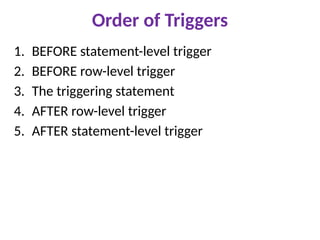
Order of Triggers
1.BEFORE statement-level trigger
2. BEFORE row-level trigger
3. The triggering statement
4. AFTER row-level trigger
5. AFTER statement-level trigger

![DDL Commands
To create table
CREATE TABLE table_name (column_name DATATYPES[,....]);
To delete table
DROP TABLE table_name; TRUNCATE TABLE table_name;
To add new columns
ALTER TABLE table_name ADD (column_name columndefinition);
• To modify existing column in the table
ALTER TABLE table_name MODIFY (column definition....);
• To delete columns
ALTER TABLE table_name DROP (column_name);](https://image.slidesharecdn.com/dbmsppt-250616091517-0986859d/85/Database-management-systems-for-students-95-320.jpg)
![SQL Data Types
number: number ([precision], [scale]
number(4) number(7,2) 78946.25
char: char([size])
char(10)
varchar2: varchar2([size])
varchar : varchar([size])
date: dd-mon-yy (eg) 05-aug-20
r a j a
r a j a](https://image.slidesharecdn.com/dbmsppt-250616091517-0986859d/85/Database-management-systems-for-students-97-320.jpg)
![DML Commands
UPDATE table_name SET col_name1= val1
[,...col_nameN = valN] [WHERE condition];
DELETE FROM table_name [WHERE condition];
SELECT * FROM table_name [WHERE condition];
SELECT col1, col2,…colN FROM table_name
[WHERE condition];](https://image.slidesharecdn.com/dbmsppt-250616091517-0986859d/85/Database-management-systems-for-students-100-320.jpg)
![IN, ANY, ALL Syntax
SELECT col(s) FROM table_name WHERE col [NOT]
IN (val1, val2, ...);
SELECT col(s) FROM table_name WHERE col [NOT]
IN (SELECT STATEMENT);
SELECT col (s) FROM table_name WHERE col opr ANY
(SELECT col FROM table_name WHERE condition);
SELECT col(s) FROM table_name WHERE col opr ALL
(SELECT col FROM table_name WHERE condition);](https://image.slidesharecdn.com/dbmsppt-250616091517-0986859d/85/Database-management-systems-for-students-103-320.jpg)
![Numeric functions
• SIGN(n)
• ABS(n)
• CEIL(n)
• FLOOR(n)
• MOD(n,m)
• POWER(n,m)
• SQRT(n)
• SIN(n)
• COS(n)
• TAN(n)
• LOG(base, n)
• LN(n)
• ROUND(n[,p])
• TRUNC(n[,p])](https://image.slidesharecdn.com/dbmsppt-250616091517-0986859d/85/Database-management-systems-for-students-108-320.jpg)
![Date functions
SYSDATE
ADD_MONTHS(date,n)
MONTHS_BETWEEN(date1,date2)
NEXT_DAY(date,’day’)
LAST_DAY(date)
ROUND(d[,format]) day, month, year
TRUNC(d[,format])
GREATEST(d1,d2,d3,…)
LEAST(d1,d2,d3,…)](https://image.slidesharecdn.com/dbmsppt-250616091517-0986859d/85/Database-management-systems-for-students-110-320.jpg)
![View
Creating views
CREATE [OR REPLACE] VIEW viewname AS
select query;
Dropping views
DROP VIEW viewname;](https://image.slidesharecdn.com/dbmsppt-250616091517-0986859d/85/Database-management-systems-for-students-124-320.jpg)
![Sequence
Database object
Generates unique, sequential integer values
Used as input for primary key/unique columns
CREATE SEQUENCE sequencename
[START WITH N]
[INCREMENT BY N]
[MAX VALUE N]
[MIN VALUE N]
[CYCLE | NO CYCLE]
[CACHE N | NO CACHE]](https://image.slidesharecdn.com/dbmsppt-250616091517-0986859d/85/Database-management-systems-for-students-126-320.jpg)
![Synonym
CREATE [PUBLIC] SYNONYM synonymname
FOR dbobjname;
DROP SYNONYM synonymname;
Synonym is automatically dropped when
the basetable is dropped](https://image.slidesharecdn.com/dbmsppt-250616091517-0986859d/85/Database-management-systems-for-students-128-320.jpg)
![Index
Provides a faster access path to table data
Directly points to the location of the rows containg the
value
Oracle fetches and sorts the columns to be indexed, and
stores the ROWID along with the index value for each row.
Non-unique indexes
Unique indexes
Composite indexes
CREATE [UNIQUE] INDEX indexname ON tablename
(columnname [ASC|DESC],…);](https://image.slidesharecdn.com/dbmsppt-250616091517-0986859d/85/Database-management-systems-for-students-129-320.jpg)
![….Constraints
Definition levels:
• Column level
• Table level
CREATE TABLE tablename
(colname datatype(size) [column_constraint],
…
[table_constraint]
[,…]);
[CONSTRAINT constraintname] constrainttype](https://image.slidesharecdn.com/dbmsppt-250616091517-0986859d/85/Database-management-systems-for-students-131-320.jpg)
![….Constraints
General
• CONSTRAINT const-name FOREIGN KEY (ctcolname)
REFERENCES tablename (ptcolname)
Adding a constraint
• ALTER TABLE tablename ADD [CONSTRAINT
const_name] const_type (colname)
Dropping a constraint
• ALTER TABLE tablename DROP PRIMARY KEY | UNIQUE
(colname) | CONSTRAINT const_name [CASCADE];
Enabling/disabling a constraint
• ALTER TABLE tablename DISABLE|ENABLE CONSTRAINT
const_name [CASCADE];](https://image.slidesharecdn.com/dbmsppt-250616091517-0986859d/85/Database-management-systems-for-students-137-320.jpg)
![Program Structure
A PL/SQL program is composed of one or
more logical statements.
A statement is terminated by a semicolon
delimiter.
DECLARE
Variable,cursor and other declarations
BEGIN
SQL and procedural statements
[EXCEPTION]
Statements to be performed in case of errors
END;](https://image.slidesharecdn.com/dbmsppt-250616091517-0986859d/85/Database-management-systems-for-students-145-320.jpg)
![Variable declaration
Must be declared in the declaration section
PL/SQL allocates memory for the variable’s value and names
The value can be retrieved and changed
Syntax
variable_name [CONSTANT] datatype [NOT NULL]
[{ := | DEFAULT } initial_value];
Declare
Rollno number;
sname varchar2(10);
Age number(2):= 18;
Marks number(5,2);
PI constant number default 3.142857](https://image.slidesharecdn.com/dbmsppt-250616091517-0986859d/85/Database-management-systems-for-students-150-320.jpg)
![…Conditional Control Statements
IF-THEN-ELSIF combination
IF condition1 THEN
statements1
ELSIF condition2 THEN
statements2
…
ELSIF conditionN THEN
statementsN
[ELSE
statementsN+1]
END IF;](https://image.slidesharecdn.com/dbmsppt-250616091517-0986859d/85/Database-management-systems-for-students-154-320.jpg)
![CASE statement
CASE selector
WHEN expr1 THEN stt1;
WHEN expr2 THEN stt2;
…
WHEN exprN THEN sttN;
[ELSE sttN+1;]
END CASE](https://image.slidesharecdn.com/dbmsppt-250616091517-0986859d/85/Database-management-systems-for-students-155-320.jpg)
![Loops
LOOP … END LOOP
LOOP
PL/SQL statements
EXIT WHEN condition;
END LOOP;
WHILE LOOP
WHILE condition
LOOP
PL/SQL statements
END LOOP;
FOR LOOP
FOR variable IN [REVERSE] Start .. End
LOOP
PL/SQL statements
END LOOP;
EXIT
EXIT [WHEN condition];
CONTINUE Statement
Terminates the current
iteration of a loop, passing
control to the next
iteration.
CONTINUE [label_name]
[WHEN boolean_expression];](https://image.slidesharecdn.com/dbmsppt-250616091517-0986859d/85/Database-management-systems-for-students-156-320.jpg)
![SELECT…INTO
SELECT * | col1, col2,… INTO var1, var2,…
FROM table [WHERE cond];
var table.col | var %TYPE
var table%ROWTYPE
Example
a char(5);
r stud.rollno%type;](https://image.slidesharecdn.com/dbmsppt-250616091517-0986859d/85/Database-management-systems-for-students-161-320.jpg)
![Functions
Syntax:
CREATE [OR REPLACE] FUNCTION fun_name [(argument,...)]
RETURN datatype IS|AS
[declaration_section]
BEGIN
executable_section
RETURN val|var|expr;
END [fun_name];
Calling functions in SQL:
SELECT fun_name (argument,…) FROM DUAL|table;
Calling functions in PL/SQL:
var := fun_name (argument,…)
SELECT fun_name (argument) INTO var FROM table|DUAL;
Dropping function:
DROP FUNCTION fun_name;](https://image.slidesharecdn.com/dbmsppt-250616091517-0986859d/85/Database-management-systems-for-students-166-320.jpg)
![Procedures
Database object
Program units that perform some action in database
Syntax:
CREATE [OR REPLACE] PROCEDURE pro_name
[(parameter list )] IS|AS
[declaration_section]
BEGIN
executable_section
END [pro_name];
Calling Procedure in SQL:
EXECUTE pro_name [(val,val,…)];
Calling Procedure in PL/SQL:
pro_name [(val,val,…)];
Dropping procedure:
DROP PROCEDURE pro_name;](https://image.slidesharecdn.com/dbmsppt-250616091517-0986859d/85/Database-management-systems-for-students-167-320.jpg)
![Parameters
Receive or return zero or more values through their parameter
lists.
Each parameter is defined by its name, datatype, mode, and
optional default value.
par_name [mode] datatype[:=|DEFAULT value]
IN
• Default mode
• Read-only: Can be referenced, but cannot be changed
OUT
• Write: Used to return values to the caller of a subprogram
IN OUT
• Read/write: Both reference and modification can be done](https://image.slidesharecdn.com/dbmsppt-250616091517-0986859d/85/Database-management-systems-for-students-168-320.jpg)
![SQL+ Variables
Declaring variables:
VAR[IABLE] varname NUMBER|CHAR(n)
Assigning values:
SQL> EXEC :varname:= value
Displaying variables:
PRINT varname
Executing procedures in SQL:
SQL> var varname char(25)
SQL> exec pro_name (:varname)
PL/SQL procedure successfully completed.
SQL> print varname](https://image.slidesharecdn.com/dbmsppt-250616091517-0986859d/85/Database-management-systems-for-students-169-320.jpg)
![EXCEPTION
BEGIN
executable_section
RAISE [exception];
EXCEPTION
WHEN exception THEN Statements1
WHEN exception THEN Statements2
[WHEN OTHERS THEN Statements]
END;](https://image.slidesharecdn.com/dbmsppt-250616091517-0986859d/85/Database-management-systems-for-students-172-320.jpg)
![Triggers
Events: INSERT, UPDATE, DELETE
Levels:
• Statement/Table---trigger will be executed once for each DML
statement
• Row --- :old.col, :new.col
Trigger time: before, after
CREATE [OR REPLACE] TRIGGER trigger_name
[BEFORE | AFTER] [INSERT|UPDATE|DELETE]
ON table [FOR EACH ROW]|STATEMENT [WHEN condition]
DECLARE
declaration_section
BEGIN
executable_section
END;](https://image.slidesharecdn.com/dbmsppt-250616091517-0986859d/85/Database-management-systems-for-students-177-320.jpg)



![chapter 2-DATABASE SYSTEM CONCEPTS AND architecture [Autosaved].pdf](https://cdn.slidesharecdn.com/ss_thumbnails/chapter2-databasesystemconceptsandarchitectureautosaved-230512145134-613f7180-thumbnail.jpg?width=640&height=640&fit=bounds)


![Getting Started with Apache Spark: Big Data Made Simple [Free Meetup]](https://cdn.slidesharecdn.com/ss_thumbnails/apachesparkgettingstarted-260203175547-8361bcc3-thumbnail.jpg?width=640&height=640&fit=bounds)

