Computer Ethics and
cyber crime
A crime is a crime that
involves computer and
network.
* It gives threats to
integrity,safety and survial
of most business
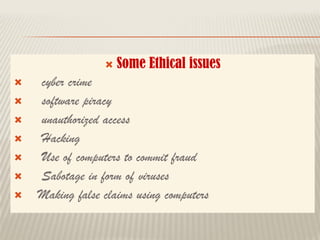
 Do not use pirated s/w
 Do not use unauthorized user account
 Do not steal others password
 Do not hack
 1. HONESTY :
 User should be truthful while using internet
 User should not share any important informaton
with unknown
Each users should
respect the privacy of
other users
Each user should
maintain professional
conduct
Users should strictly
obey the cyber law in
computer usage

 An Ethical issue is a problem or issue that
requires a person or organisation to choose
between alternatives and must evaluated as
right and wrong
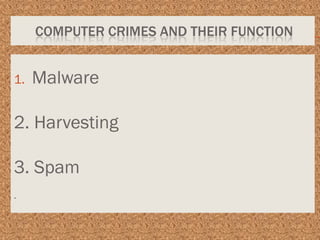
COMPUTER CRIMES AND THEIR FUNCTION
1. Malware
2. Harvesting
3. Spam
.
1. MALWARE
Malicious program that performs
variety of functions including
monitoring user’s computer activity
without their permission

 A person or program collects login and
password information from legitimate
user to illegally gain access to others
account
software piracy
 1. Duplicating and selling copyrighted programs
 2. Downloading s/w illegally through network
 A entirely different approach to software piracy is
called shareware
 Shareware publishers encourage users to give copies
of programs to friends and colleagues but ask
everyone who uses that program regulary to pay a
fee to the program’s author diretly.
Commercial programs that
are made available to the
public illegally are often
called warez.


 Leads to :
 Identity theft or
 Gaining personal information
 Protected by :
 1. Firewall
 2. Passwords and user id
 3. antihacking software
 Cracking is where someone edits a
program source code so that the code
can be exploited or modified
 Cracking means trying to get into
computer system in order to steal,
corrupt, or illegally view data.
• A Virus Is A Small Piece Of
Computer Code That Can Repeat
Itself And Spreads From One
Computer To Another By
Attaching Itself To Another
Computer File.
• EG. Trojan Horse
• Worms are self repeating and do not require a
computer program to attach them selves
• It continually look for vulnerabilities and
report back to the author of the worm when
the weakness are discovered
SPYWARE
• Spyware can be installed
automatically
• when the attachments are opened by
clicking on the links or
• By downloading infected softwares
RANSOMWARE
• Ransomware is a malicious program
that demands payment after
launching a cyber attack on a
computer system
• Many organisations cost million
each year
What is phishing?
• This computer crime enters through emails
and steal
• user data
• login names
• Passwords
• Credit card details
What is a cookie ?
• A cookie is a small piece of data sent from a
website and stored on users computer
memory by the users web browser while the
user is browsing the internet
Uses of cookies
• To collect demographic information who has
visited the website
• Sites often use this information to track how
often visiters come to the site and remail on
the site
Firewall
• A fire wall is a computer network security
based system that monitors and controls
incoming and outgoing network traffic based
on pre defined security rule
Proxy server
• It acts as an intermediary between the end
user a webserver
• It examines the requests and grants
permission
What is Encryption ?
• It is a process of translating the plain text data
into cipher text
Uses of encryption
• It is used to protect data in coommunication
system
• Ex: data transfered through
• Mobile telephones
• Wireless intercom system
• Bluetooth devices
• Bank ATM’s
What is Decryption?
• It is the reverse process of converting the
cipher text back into plain text
Cyber law
• In India Cyberlaw and IT act 2000 are being
articulated to
• prevent computer crimes
PREVENTION
• Complex password settings
• Disconnect from internet if not in use
• Do not open spam mails
• Updating antivirus software

Class 11 ca chapter 17 computer ethics and cyber crime

  • 1.
  • 3.
    A crime isa crime that involves computer and network. * It gives threats to integrity,safety and survial of most business
  • 5.
     Do notuse pirated s/w  Do not use unauthorized user account  Do not steal others password  Do not hack
  • 6.
     1. HONESTY:  User should be truthful while using internet
  • 7.
     User shouldnot share any important informaton with unknown
  • 8.
    Each users should respectthe privacy of other users
  • 9.
    Each user should maintainprofessional conduct
  • 10.
    Users should strictly obeythe cyber law in computer usage
  • 11.
  • 12.
     An Ethicalissue is a problem or issue that requires a person or organisation to choose between alternatives and must evaluated as right and wrong
  • 14.
    COMPUTER CRIMES ANDTHEIR FUNCTION 1. Malware 2. Harvesting 3. Spam .
  • 15.
    1. MALWARE Malicious programthat performs variety of functions including monitoring user’s computer activity without their permission
  • 16.
      A personor program collects login and password information from legitimate user to illegally gain access to others account
  • 18.
    software piracy  1.Duplicating and selling copyrighted programs  2. Downloading s/w illegally through network
  • 19.
     A entirelydifferent approach to software piracy is called shareware  Shareware publishers encourage users to give copies of programs to friends and colleagues but ask everyone who uses that program regulary to pay a fee to the program’s author diretly.
  • 20.
    Commercial programs that aremade available to the public illegally are often called warez.
  • 21.
  • 23.
     Leads to:  Identity theft or  Gaining personal information  Protected by :  1. Firewall  2. Passwords and user id  3. antihacking software
  • 24.
     Cracking iswhere someone edits a program source code so that the code can be exploited or modified  Cracking means trying to get into computer system in order to steal, corrupt, or illegally view data.
  • 27.
    • A VirusIs A Small Piece Of Computer Code That Can Repeat Itself And Spreads From One Computer To Another By Attaching Itself To Another Computer File. • EG. Trojan Horse
  • 28.
    • Worms areself repeating and do not require a computer program to attach them selves • It continually look for vulnerabilities and report back to the author of the worm when the weakness are discovered
  • 29.
    SPYWARE • Spyware canbe installed automatically • when the attachments are opened by clicking on the links or • By downloading infected softwares
  • 30.
    RANSOMWARE • Ransomware isa malicious program that demands payment after launching a cyber attack on a computer system • Many organisations cost million each year
  • 31.
    What is phishing? •This computer crime enters through emails and steal • user data • login names • Passwords • Credit card details
  • 32.
    What is acookie ? • A cookie is a small piece of data sent from a website and stored on users computer memory by the users web browser while the user is browsing the internet
  • 33.
    Uses of cookies •To collect demographic information who has visited the website • Sites often use this information to track how often visiters come to the site and remail on the site
  • 34.
    Firewall • A firewall is a computer network security based system that monitors and controls incoming and outgoing network traffic based on pre defined security rule
  • 35.
    Proxy server • Itacts as an intermediary between the end user a webserver • It examines the requests and grants permission
  • 36.
    What is Encryption? • It is a process of translating the plain text data into cipher text
  • 37.
    Uses of encryption •It is used to protect data in coommunication system • Ex: data transfered through • Mobile telephones • Wireless intercom system • Bluetooth devices • Bank ATM’s
  • 38.
    What is Decryption? •It is the reverse process of converting the cipher text back into plain text
  • 39.
    Cyber law • InIndia Cyberlaw and IT act 2000 are being articulated to • prevent computer crimes
  • 40.
    PREVENTION • Complex passwordsettings • Disconnect from internet if not in use • Do not open spam mails • Updating antivirus software