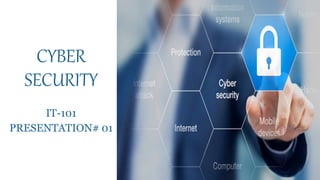
CYBER
SECURITY
IT-101
PRESENTATION# 01
OUTLINE
1.Introduction
2.Importance
3.Cyber Attacks
4.Types Of Cyber Attacks
5.Advantages
6.Most Common Security Mistakes
7.Safety Tips To Cyber Attacks
8.Conclusion
WHAT IS CYBER SECURITY?
• Cyber security refers to the
technologies, processes, and
practices designed to protect
networks, devices, programs,
and data from damage,
unauthorized access or
attacks delivered via internet
by cyber criminals.
Why cyber security is important?
• However the same technology may expose you when it’s
vulnerable and could lead to loss of essential data.
• Cybersecurity become one of the most important topics in
the business industry to be talked about.
• Cyber security is necessary since it helps in securing data
from threats such as data theft or misuse, also safeguard
your system from viruses.
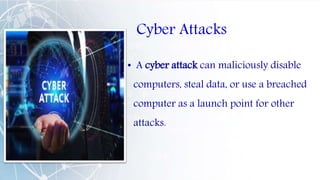
Cyber Attacks
• A cyber attack can maliciously disable
computers, steal data, or use a breached
computer as a launch point for other
attacks.
Types Of Cyber Attacks:
• Malware attacks
• Phishing
• Password attacks
• Hacking
• Viruses and worms
• DoS and DDos
• Man in the middle attack
• Atm skimmind
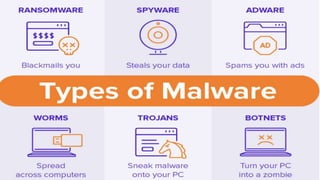
WHAT IS MALWARE ATTACK:
• A malware attack is a common cyberattack .A malware
attack is when cyber criminals malicious software that is
installed on someone else device without their knowledge
to get access to personal information or to damage device
steal data and causes chaos.
• Malware attacks can occur on all sorts of devices and
operating Systems , including Microsoft Windows
,macOS,Android and IOS.
How Malware is distributed
Malware is distributed via
• Email attachments
• Fake internet ads
• Infected websites
• Flashing messages like “ Your computer has been infected!
Click here to run a scan !”
• Gifts or prizes offered for clicking a button
( click the link or button directs the user to a website that
automatically install malware into their computer)
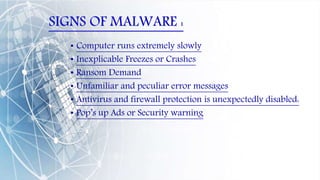
SIGNS OF MALWARE :
• Computer runs extremely slowly
• Inexplicable Freezes or Crashes
• Ransom Demand
• Unfamiliar and peculiar error messages
• Antivirus and firewall protection is unexpectedly disabled:
• Pop’s up Ads or Security warning
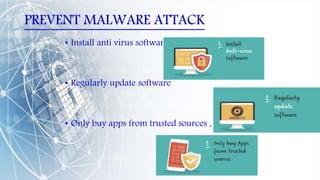
PREVENT MALWARE ATTACK
• Install anti virus software
• Regularly update software
• Only buy apps from trusted sources .
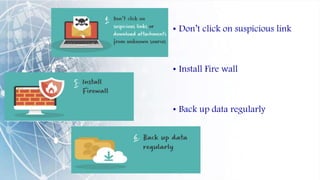
• Don’t click on suspicious link
• Install Fire wall
• Back up data regularly
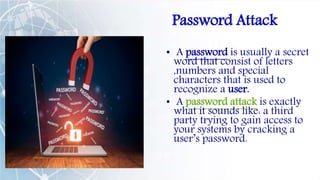
Password Attack
• A password is usually a secret
word that consist of letters
,numbers and special
characters that is used to
recognize a user.
• A password attack is exactly
what it sounds like: a third
party trying to gain access to
your systems by cracking a
user’s password.
Protection from Password Attack
1. Don’t type your password while anyone is watching.
2. You need to implement account locked policy that will lock the account
after a few invalid password attempts.
3. Avoid using the same password for multiple websites.
4. Use hard to guess Password with different characteristics, Numbers,
Symbols, or unique phrase.
5. Avoid Using name of the site in your password.
6. The best way is to use a biometric authentication where possible, like
Fingerprint makes it much harder to be impersonated.
7. Its also good to change your password after a few days.
Hacking • An illegal access to a computer or a network is called a Hacking.
• Hacking involves compromising the security of networks, breaking the
security of application software, or creating malicious programs such
as viruses.
• The most popular forms of network hacking are DOS (denial of
service) attacks and Mail Bombs.
• DOS
• Mail bombs
• credit card numbers.
Steps to prevent our system from Hacking
• Don’t access or financial data, with public Wi-Fi.
• Only turn on location when required.
• Choose your apps from trustworthy sources
• Use a Passwords, Lock code or Encryption.
• Don’t open suspicious links and attachments
Viruses
• A computer virus is a program that may disturb the
normal working of a computer system.
• Viruses attaches itself To flash drivers, email attachments
& hard disks.
Example of viruses:
• 1) Cascade, 2) Zmist, 3) Blaster, 4) Melissa
• Many Viruses activated on a certain date
• Jerusalem
• Michelangelo
• Causes of computer virus
•Protection from Virus
• The latest anti-virus should be installed on the computers.
• The antivirus software must be upgraded regularly.
• Junk or unknown emails should not be opened.
• The floppy disk should be scanned for viruses before use.
• Backup of data.
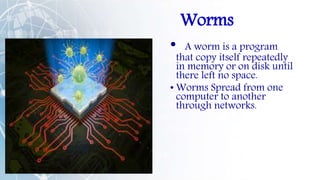
Worms
• A worm is a program
that copy itself repeatedly
in memory or on disk until
there left no space.
• Worms Spread from one
computer to another
through networks.
Protection From Computer worm
• Install Good antivirus software.
• Never Download software from unreliable sites.
• Keep all software updated.
• Regularly back-up your computer.
• Use Firewall
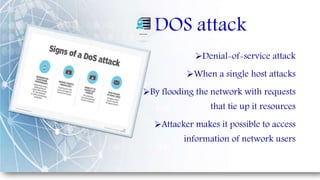
DOS attack
Denial-of-service attack
When a single host attacks
By flooding the network with requests
that tie up it resources
Attacker makes it possible to access
information of network users
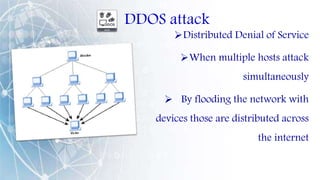
DDOS attack
Distributed Denial of Service
When multiple hosts attack
simultaneously
 By flooding the network with
devices those are distributed across
the internet
Preventions  Secure your network
infrastructure
 Prevent as little user error
as possible
 Understand the warning signs
 AWS Shield, Microsoft Azure,
VeriSign DDoS Protection/
Neustar.
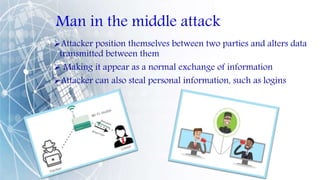
Man in the middle attack
Attacker position themselves between two parties and alters data
transmitted between them
 Making it appear as a normal exchange of information
Attacker can also steal personal information, such as logins
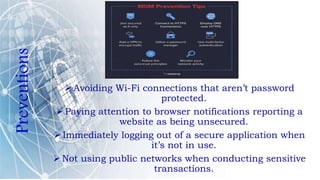
Preventions
 Avoiding Wi-Fi connections that aren’t password
protected.
 Paying attention to browser notifications reporting a
website as being unsecured.
 Immediately logging out of a secure application when
it’s not in use.
 Not using public networks when conducting sensitive
transactions.
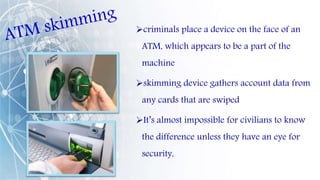
criminals place a device on the face of an
ATM, which appears to be a part of the
machine
skimming device gathers account data from
any cards that are swiped
It’s almost impossible for civilians to know
the difference unless they have an eye for
security,
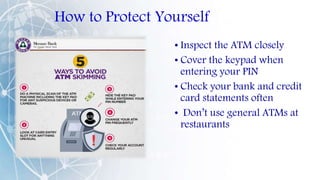
How to Protect Yourself
• Inspect the ATM closely
• Cover the keypad when
entering your PIN
• Check your bank and credit
card statements often
• Don’t use general ATMs at
restaurants
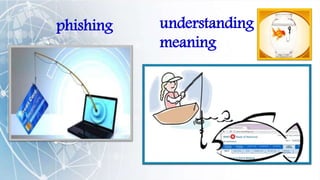
phishing understanding
meaning
Phishing
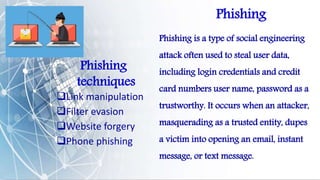
Phishing is a type of social engineering
attack often used to steal user data,
including login credentials and credit
card numbers user name, password as a
trustworthy. It occurs when an attacker,
masquerading as a trusted entity, dupes
a victim into opening an email, instant
message, or text message.
Phishing
techniques
Link manipulation
Filter evasion
Website forgery
Phone phishing
PHISHING
EXAMPLES
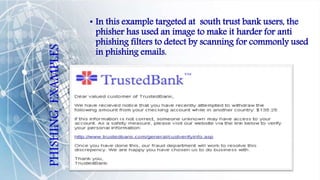
• In this example targeted at south trust bank users, the
phisher has used an image to make it harder for anti
phishing filters to detect by scanning for commonly used
in phishing emails.
Causes of phishing
• Misleading emails
• No check of source address
• Limited use of digital signatures
• No availability of secure desktop tools
• Lack of user awareness
How to avoid phishing
• DON’T CLICK THE LINK
• Type the site name in your browser (such as
www.paypal.com)
• Never send sensitive accounts information by e-mail
(account number, SSN, Password)
• Never give any password out to anyone
• Verify any person who contact you(phone or email)
Effects of
phishing
• Identity theft
• Internet fraud
• Financial loss to the
original institutions
• Didiculties in law
enforcement
investigations
• Erosion of public trust In
the internet
Anti phishing
• Social responses
• Technical Approaches
1. helping to identify the
legitimate websites
2.Browsers alerting users
to fruadantial websites.
3. Eliminating phishing
emails
• Legal approaches
Cyber Security And Its
Advantages
Protection from data theft
• Data theft is a major problem faced by individual user.
• Cyber security prevent data theft .
• Proper disposal of sensitive data etc.
Reduces computer crashes
• Reduce your computer slow down and freezing.
• Boost the performance of your system.
• Automatically recovers from serious errors.
Protection from hackers
Protect your system and network from being hacked. Using
following measures
• Use though password.
• Keep on changing your password at least it every week.
• By clearing your browsing history .
• Try to avoid Wi-Fi.
• Use anti-virus protection etc.
Advantages of cyber
security
• Protects system against viruses, worms, spyware and
other unwanted program.
• Protection against data from theft.
• Protects the computer from being hacked.4hacked.
• Minimizes computer freezing and crashes.
• Gives privacy to user.
Most Common Security Problems
• Poor Password management
• Opening Email attachments from unknown
addresses
• Sharing System and devices (USB’s)
• Public Wi-Fi Usage or Unknown Internet
Connection
• No Backups
• Sharing Too much Personal Information
Online
• Trust on all Websites
• Not Using Anti-Virus Softwares
• Perception of Being Exempt from Online
Attacks
Safety Tips against Cyber Attack
• Awareness
• Practice Good Password Management
• Install an Antivirus, Firewall and Spam Blocking Software's
• Stay Anonymous
• Uninstall Unnecessary Software's
• Learn more about Internet Privacy
• Never Share your Personal Information with strangers
• Check Security Settings
• Use Secure Connection
• Keep Your Software Up-To-Date.
• Detect Secure Websites when conducting Transactions
Online.
• Never Leave Devices Unattended.
• Do Not Respond or Act on Emails sent from Unknown
Addresses.
• Maintain Backup
Conclusion
•Everything has its advantages as well as
disadvantages. So, awareness is key to stay safe
and secure.
•I hope that our presentation will be helpful for
our audience to improve their knowledge about
cyber security and to overcome several security
problems they face usually on their systems.
Cyber security

Cyber security

  • 2.
  • 3.
    OUTLINE 1.Introduction 2.Importance 3.Cyber Attacks 4.Types OfCyber Attacks 5.Advantages 6.Most Common Security Mistakes 7.Safety Tips To Cyber Attacks 8.Conclusion
  • 4.
    WHAT IS CYBERSECURITY? • Cyber security refers to the technologies, processes, and practices designed to protect networks, devices, programs, and data from damage, unauthorized access or attacks delivered via internet by cyber criminals.
  • 5.
    Why cyber securityis important? • However the same technology may expose you when it’s vulnerable and could lead to loss of essential data. • Cybersecurity become one of the most important topics in the business industry to be talked about. • Cyber security is necessary since it helps in securing data from threats such as data theft or misuse, also safeguard your system from viruses.
  • 6.
    Cyber Attacks • Acyber attack can maliciously disable computers, steal data, or use a breached computer as a launch point for other attacks.
  • 7.
    Types Of CyberAttacks: • Malware attacks • Phishing • Password attacks • Hacking • Viruses and worms • DoS and DDos • Man in the middle attack • Atm skimmind
  • 8.
    WHAT IS MALWAREATTACK: • A malware attack is a common cyberattack .A malware attack is when cyber criminals malicious software that is installed on someone else device without their knowledge to get access to personal information or to damage device steal data and causes chaos. • Malware attacks can occur on all sorts of devices and operating Systems , including Microsoft Windows ,macOS,Android and IOS.
  • 9.
    How Malware isdistributed Malware is distributed via • Email attachments • Fake internet ads • Infected websites • Flashing messages like “ Your computer has been infected! Click here to run a scan !” • Gifts or prizes offered for clicking a button ( click the link or button directs the user to a website that automatically install malware into their computer)
  • 11.
    SIGNS OF MALWARE: • Computer runs extremely slowly • Inexplicable Freezes or Crashes • Ransom Demand • Unfamiliar and peculiar error messages • Antivirus and firewall protection is unexpectedly disabled: • Pop’s up Ads or Security warning
  • 12.
    PREVENT MALWARE ATTACK •Install anti virus software • Regularly update software • Only buy apps from trusted sources .
  • 13.
    • Don’t clickon suspicious link • Install Fire wall • Back up data regularly
  • 14.
    Password Attack • Apassword is usually a secret word that consist of letters ,numbers and special characters that is used to recognize a user. • A password attack is exactly what it sounds like: a third party trying to gain access to your systems by cracking a user’s password.
  • 15.
    Protection from PasswordAttack 1. Don’t type your password while anyone is watching. 2. You need to implement account locked policy that will lock the account after a few invalid password attempts. 3. Avoid using the same password for multiple websites. 4. Use hard to guess Password with different characteristics, Numbers, Symbols, or unique phrase. 5. Avoid Using name of the site in your password. 6. The best way is to use a biometric authentication where possible, like Fingerprint makes it much harder to be impersonated. 7. Its also good to change your password after a few days.
  • 16.
    Hacking • Anillegal access to a computer or a network is called a Hacking. • Hacking involves compromising the security of networks, breaking the security of application software, or creating malicious programs such as viruses. • The most popular forms of network hacking are DOS (denial of service) attacks and Mail Bombs. • DOS • Mail bombs • credit card numbers.
  • 17.
    Steps to preventour system from Hacking • Don’t access or financial data, with public Wi-Fi. • Only turn on location when required. • Choose your apps from trustworthy sources • Use a Passwords, Lock code or Encryption. • Don’t open suspicious links and attachments
  • 18.
    Viruses • A computervirus is a program that may disturb the normal working of a computer system. • Viruses attaches itself To flash drivers, email attachments & hard disks. Example of viruses: • 1) Cascade, 2) Zmist, 3) Blaster, 4) Melissa • Many Viruses activated on a certain date • Jerusalem • Michelangelo • Causes of computer virus
  • 19.
    •Protection from Virus •The latest anti-virus should be installed on the computers. • The antivirus software must be upgraded regularly. • Junk or unknown emails should not be opened. • The floppy disk should be scanned for viruses before use. • Backup of data.
  • 20.
    Worms • A wormis a program that copy itself repeatedly in memory or on disk until there left no space. • Worms Spread from one computer to another through networks.
  • 21.
    Protection From Computerworm • Install Good antivirus software. • Never Download software from unreliable sites. • Keep all software updated. • Regularly back-up your computer. • Use Firewall
  • 22.
    DOS attack Denial-of-service attack Whena single host attacks By flooding the network with requests that tie up it resources Attacker makes it possible to access information of network users
  • 23.
    DDOS attack Distributed Denialof Service When multiple hosts attack simultaneously  By flooding the network with devices those are distributed across the internet
  • 24.
    Preventions  Secureyour network infrastructure  Prevent as little user error as possible  Understand the warning signs  AWS Shield, Microsoft Azure, VeriSign DDoS Protection/ Neustar.
  • 25.
    Man in themiddle attack Attacker position themselves between two parties and alters data transmitted between them  Making it appear as a normal exchange of information Attacker can also steal personal information, such as logins
  • 26.
    Preventions  Avoiding Wi-Ficonnections that aren’t password protected.  Paying attention to browser notifications reporting a website as being unsecured.  Immediately logging out of a secure application when it’s not in use.  Not using public networks when conducting sensitive transactions.
  • 27.
    criminals place adevice on the face of an ATM, which appears to be a part of the machine skimming device gathers account data from any cards that are swiped It’s almost impossible for civilians to know the difference unless they have an eye for security,
  • 28.
    How to ProtectYourself • Inspect the ATM closely • Cover the keypad when entering your PIN • Check your bank and credit card statements often • Don’t use general ATMs at restaurants
  • 29.
  • 30.
    Phishing Phishing is atype of social engineering attack often used to steal user data, including login credentials and credit card numbers user name, password as a trustworthy. It occurs when an attacker, masquerading as a trusted entity, dupes a victim into opening an email, instant message, or text message. Phishing techniques Link manipulation Filter evasion Website forgery Phone phishing
  • 31.
    PHISHING EXAMPLES • In thisexample targeted at south trust bank users, the phisher has used an image to make it harder for anti phishing filters to detect by scanning for commonly used in phishing emails.
  • 32.
    Causes of phishing •Misleading emails • No check of source address • Limited use of digital signatures • No availability of secure desktop tools • Lack of user awareness
  • 33.
    How to avoidphishing • DON’T CLICK THE LINK • Type the site name in your browser (such as www.paypal.com) • Never send sensitive accounts information by e-mail (account number, SSN, Password) • Never give any password out to anyone • Verify any person who contact you(phone or email)
  • 34.
    Effects of phishing • Identitytheft • Internet fraud • Financial loss to the original institutions • Didiculties in law enforcement investigations • Erosion of public trust In the internet Anti phishing • Social responses • Technical Approaches 1. helping to identify the legitimate websites 2.Browsers alerting users to fruadantial websites. 3. Eliminating phishing emails • Legal approaches
  • 35.
    Cyber Security AndIts Advantages
  • 36.
    Protection from datatheft • Data theft is a major problem faced by individual user. • Cyber security prevent data theft . • Proper disposal of sensitive data etc. Reduces computer crashes • Reduce your computer slow down and freezing. • Boost the performance of your system. • Automatically recovers from serious errors.
  • 37.
    Protection from hackers Protectyour system and network from being hacked. Using following measures • Use though password. • Keep on changing your password at least it every week. • By clearing your browsing history . • Try to avoid Wi-Fi. • Use anti-virus protection etc.
  • 38.
    Advantages of cyber security •Protects system against viruses, worms, spyware and other unwanted program. • Protection against data from theft. • Protects the computer from being hacked.4hacked. • Minimizes computer freezing and crashes. • Gives privacy to user.
  • 39.
    Most Common SecurityProblems • Poor Password management • Opening Email attachments from unknown addresses • Sharing System and devices (USB’s) • Public Wi-Fi Usage or Unknown Internet Connection • No Backups • Sharing Too much Personal Information Online • Trust on all Websites • Not Using Anti-Virus Softwares • Perception of Being Exempt from Online Attacks
  • 40.
    Safety Tips againstCyber Attack • Awareness • Practice Good Password Management • Install an Antivirus, Firewall and Spam Blocking Software's • Stay Anonymous • Uninstall Unnecessary Software's • Learn more about Internet Privacy • Never Share your Personal Information with strangers
  • 41.
    • Check SecuritySettings • Use Secure Connection • Keep Your Software Up-To-Date. • Detect Secure Websites when conducting Transactions Online. • Never Leave Devices Unattended. • Do Not Respond or Act on Emails sent from Unknown Addresses. • Maintain Backup
  • 43.
    Conclusion •Everything has itsadvantages as well as disadvantages. So, awareness is key to stay safe and secure. •I hope that our presentation will be helpful for our audience to improve their knowledge about cyber security and to overcome several security problems they face usually on their systems.