Data Models
Objectives:
 List and describe the stages in database design and identify the
people involved at each stage
 Distinguish between data models and data modelling
techniques.
 List types of data modelling techniques and their elements
 Identify relationship between entities
 Define normalization and why it is used.
 Convert un-normalized data to its third normal form.
 Explain how to achieve functional dependence between entities
 Discuss the anomalies which exists with un-normalized data
Question
Why is it important
to make a sketch of
the database
structure?
Database Design
 Database Design – the process of identifying and analyzing
the user requirements and converting these requirements to
database structure to represent the real world activities and
objects.
 User – define the content of the database
 Database Designer – define the structure of the database.
 Programmers – develop the software applications to satisfy
the requirements of the users.
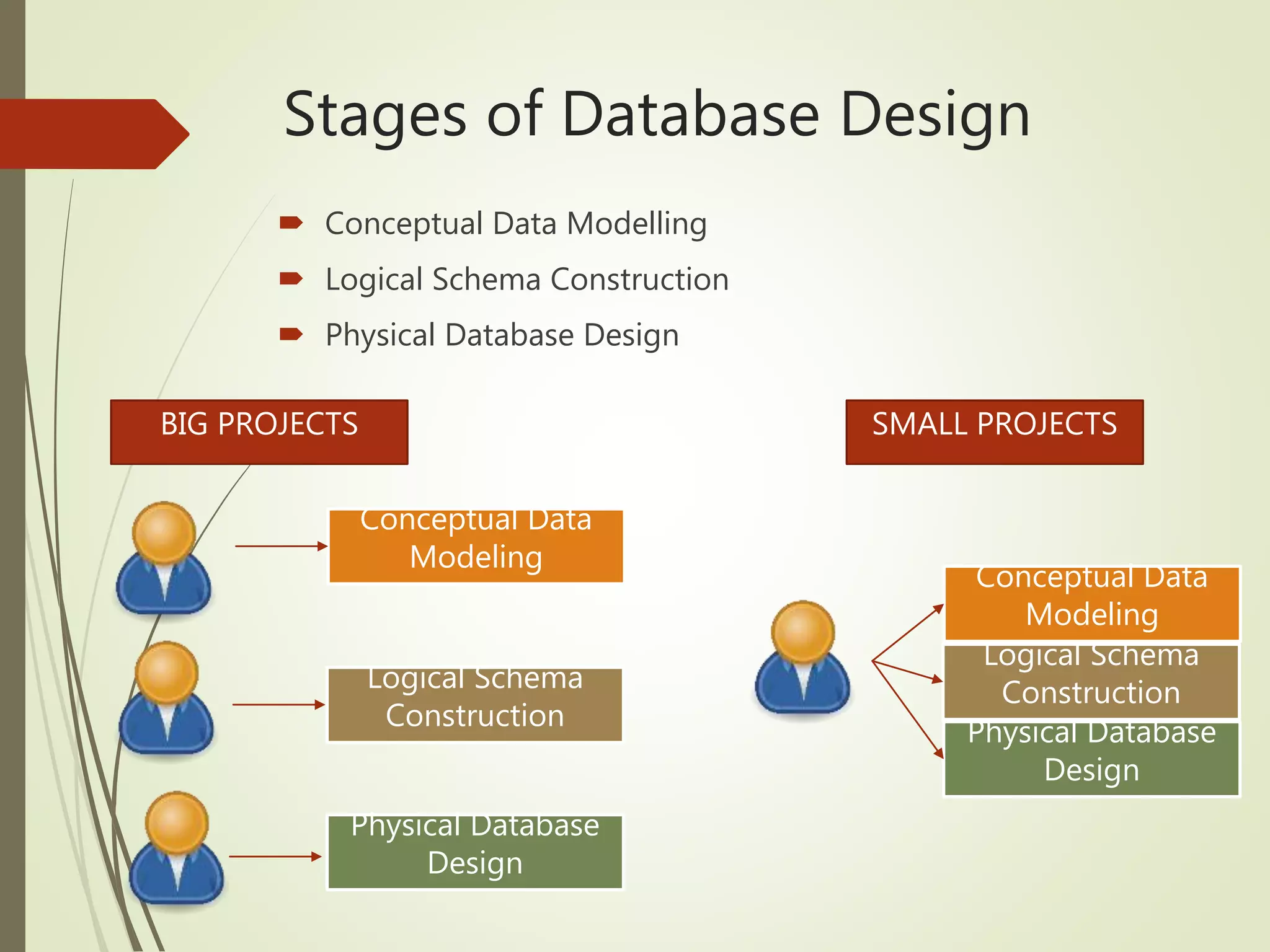
Stages of Database Design
 Conceptual Data Modelling
 Logical Schema Construction
 Physical Database Design
BIG PROJECTS SMALL PROJECTS
Conceptual Data
Modeling
Logical Schema
Construction
Physical Database
Design
Conceptual Data
Modeling
Logical Schema
Construction
Physical Database
Design
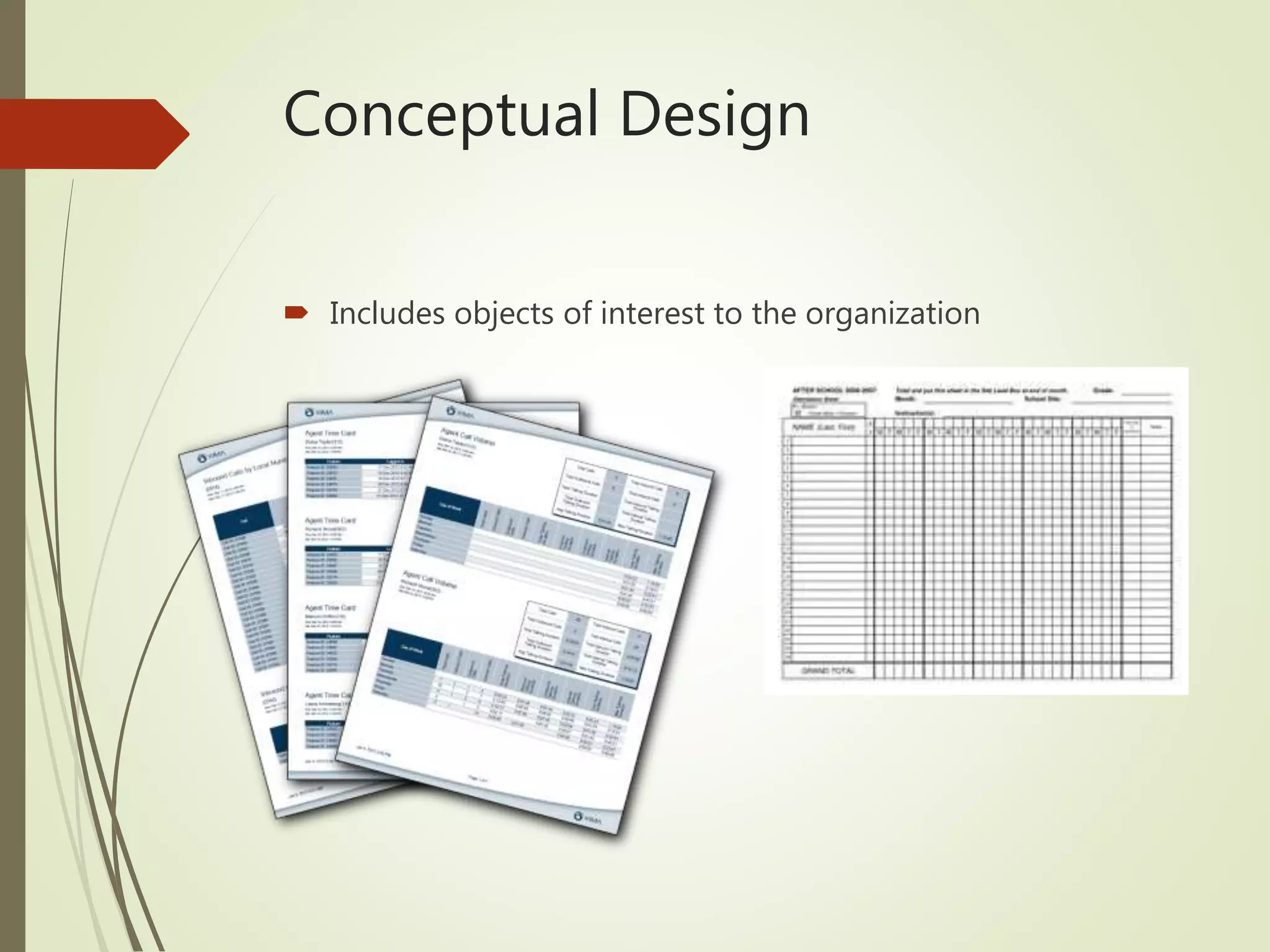
Conceptual Design
 Includes objects of interest to the organization
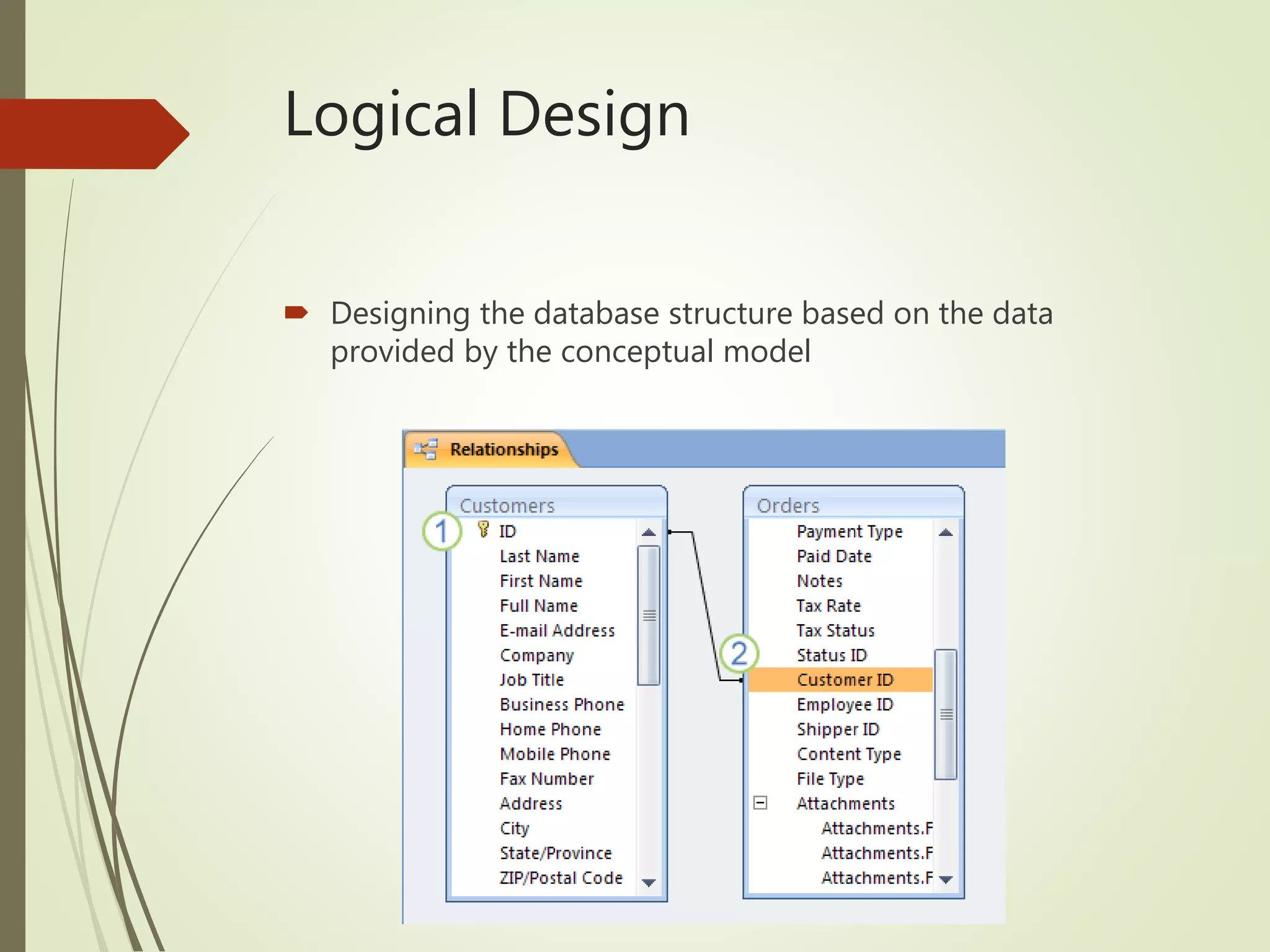
Logical Design
 Designing the database structure based on the data
provided by the conceptual model
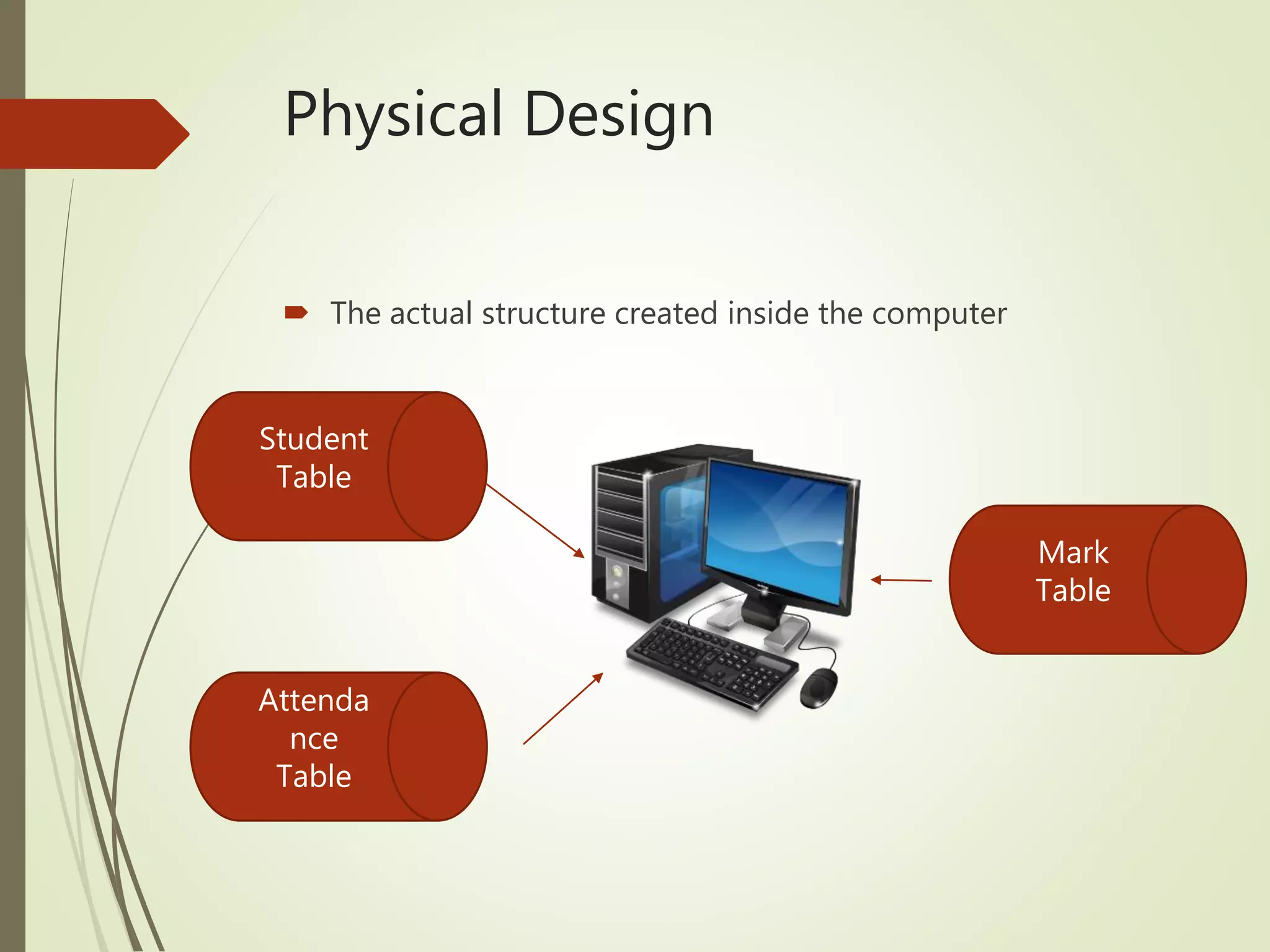
Physical Design
 The actual structure created inside the computer
Student
Table
Attenda
nce
Table
Mark
Table
Conceptual Modelling
 Data modelling techniques are used in database design to
analyze data.
 Database model is a method of conceptualizing or thinking
about the structure of the data.
 In analyzing the elements, the following data modelling
techniques are used.
 Entity Relational Diagram (ERD)
 Normalization
 Functional Dependency Diagram
CONCEPTUAL DATA
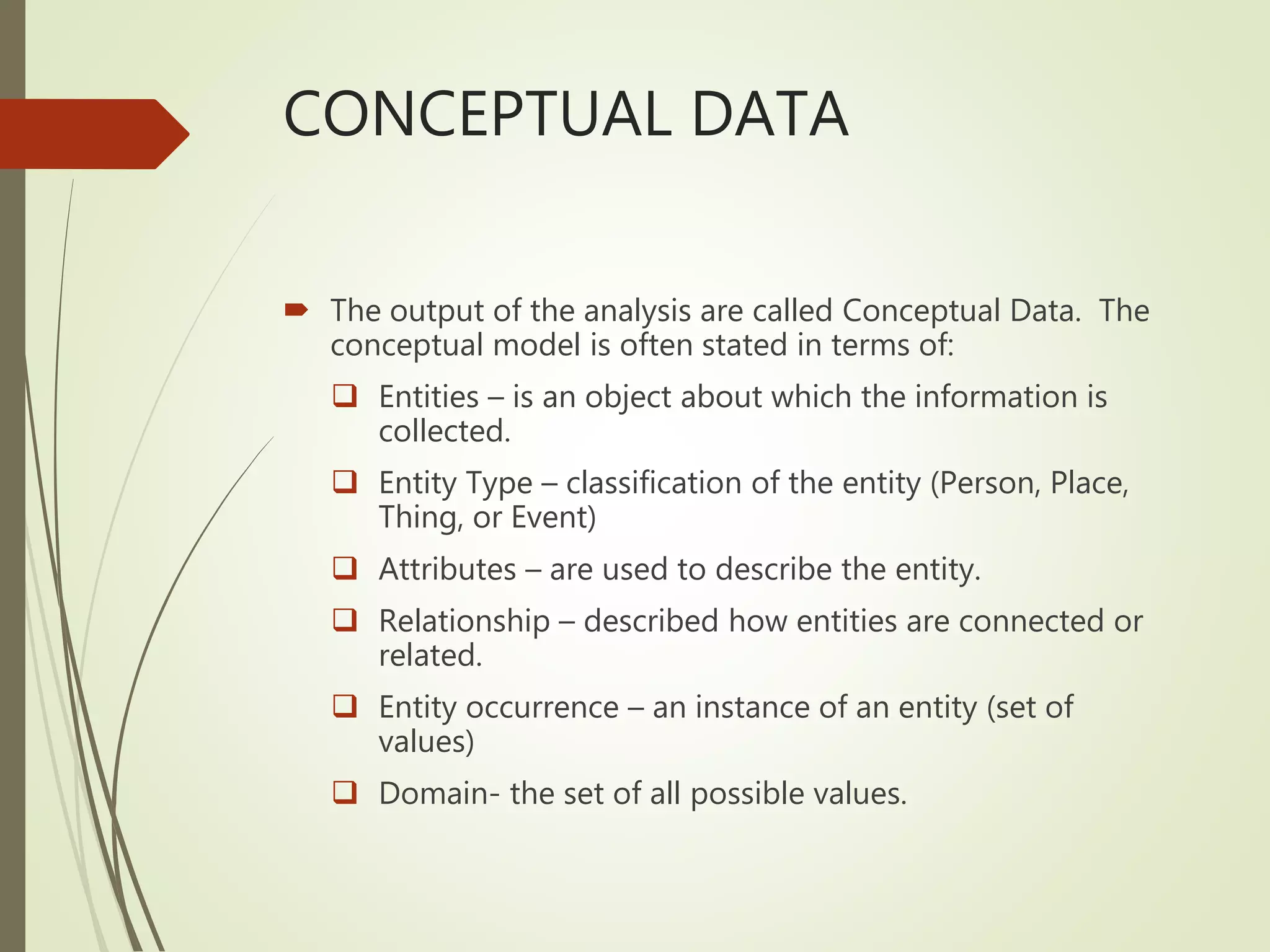
 The output of the analysis are called Conceptual Data. The
conceptual model is often stated in terms of:
 Entities – is an object about which the information is
collected.
 Entity Type – classification of the entity (Person, Place,
Thing, or Event)
 Attributes – are used to describe the entity.
 Relationship – described how entities are connected or
related.
 Entity occurrence – an instance of an entity (set of
values)
 Domain- the set of all possible values.
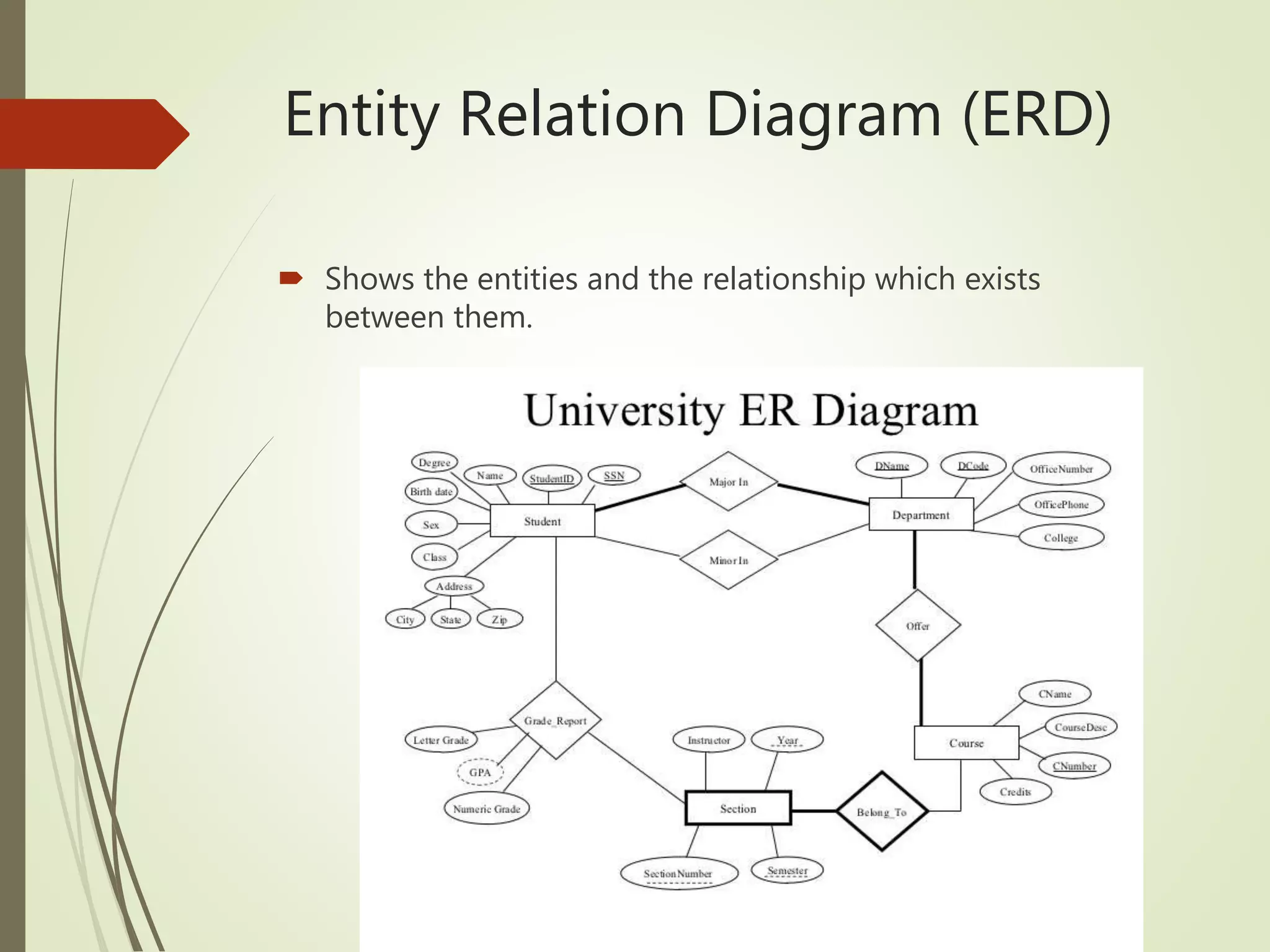
Entity Relation Diagram (ERD)
 Shows the entities and the relationship which exists
between them.
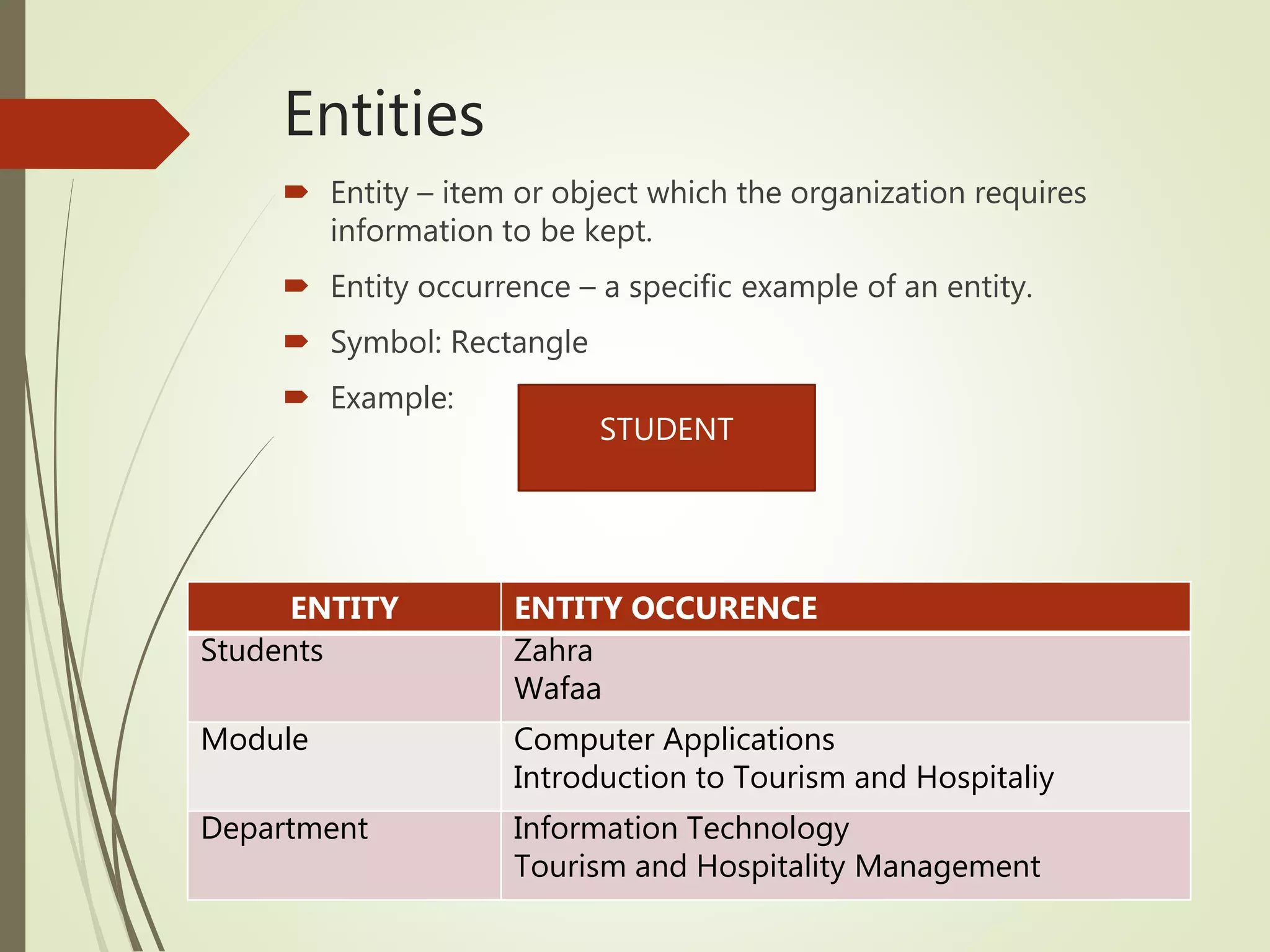
Entities
 Entity – item or object which the organization requires
information to be kept.
 Entity occurrence – a specific example of an entity.
 Symbol: Rectangle
 Example:
ENTITY ENTITY OCCURENCE
Students Zahra
Wafaa
Module Computer Applications
Introduction to Tourism and Hospitaliy
Department Information Technology
Tourism and Hospitality Management
STUDENT
Attributes
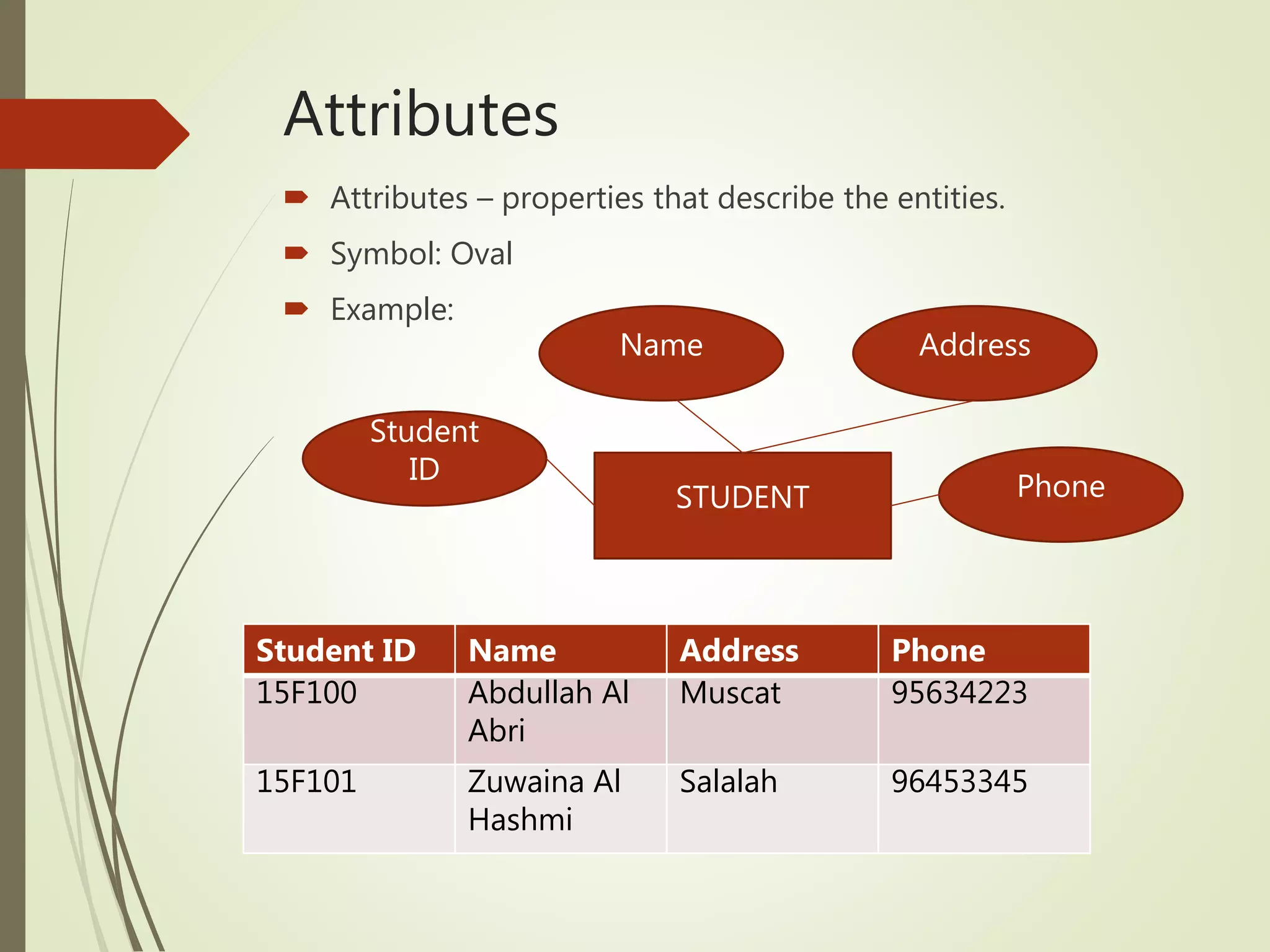
 Attributes – properties that describe the entities.
 Symbol: Oval
 Example:
Student ID Name Address Phone
15F100 Abdullah Al
Abri
Muscat 95634223
15F101 Zuwaina Al
Hashmi
Salalah 96453345
STUDENT
Student
ID
Name Address
Phone
Relationship
 Relationship are association between entity instances.
 There are Three types of relationships:
 one-to-one,
 one-to-many, many-to-one
 many-to-many.
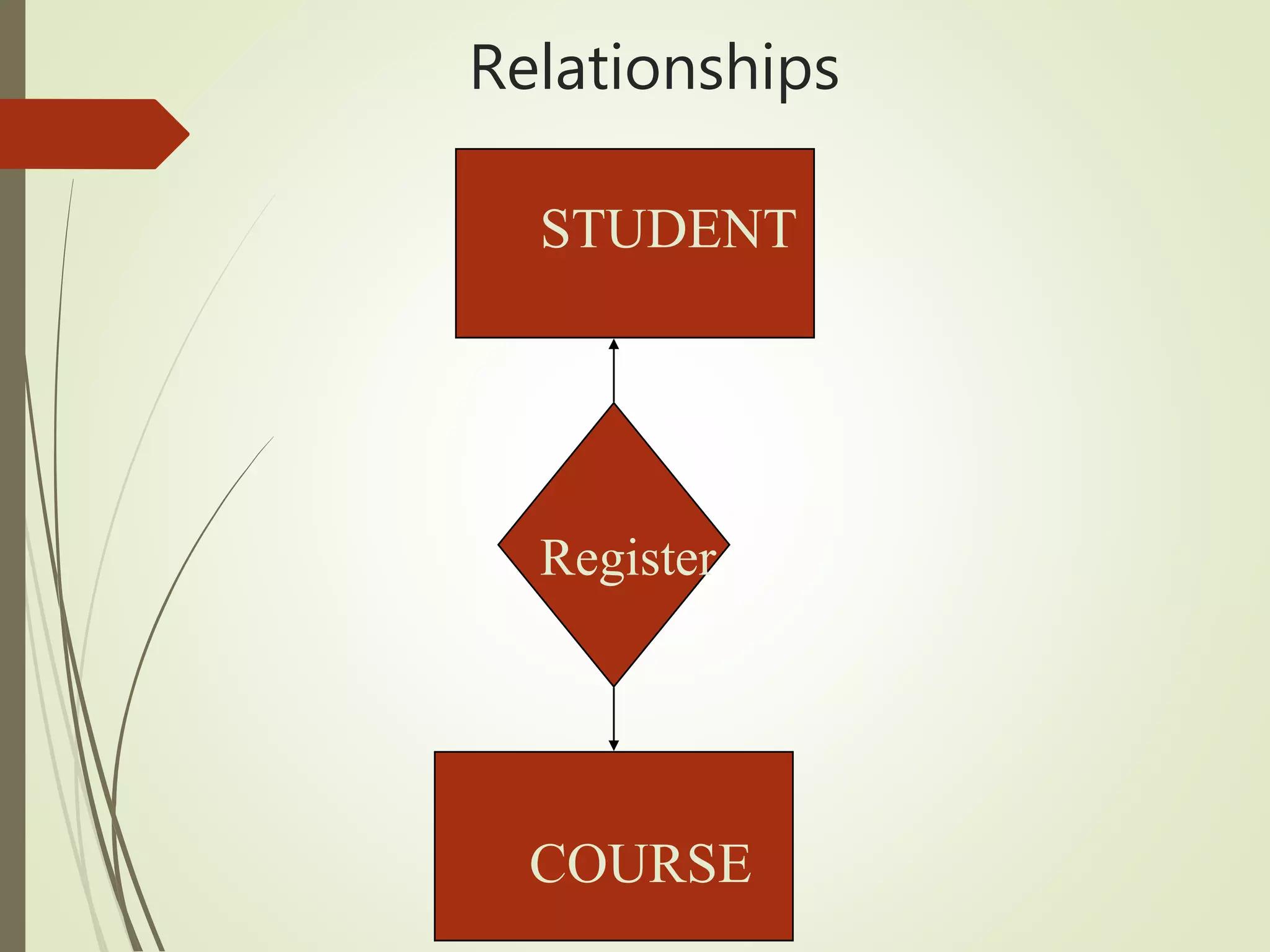
Relationships
STUDENT
CourseCOURSE
Register
One-to-one Relationship (1:1)
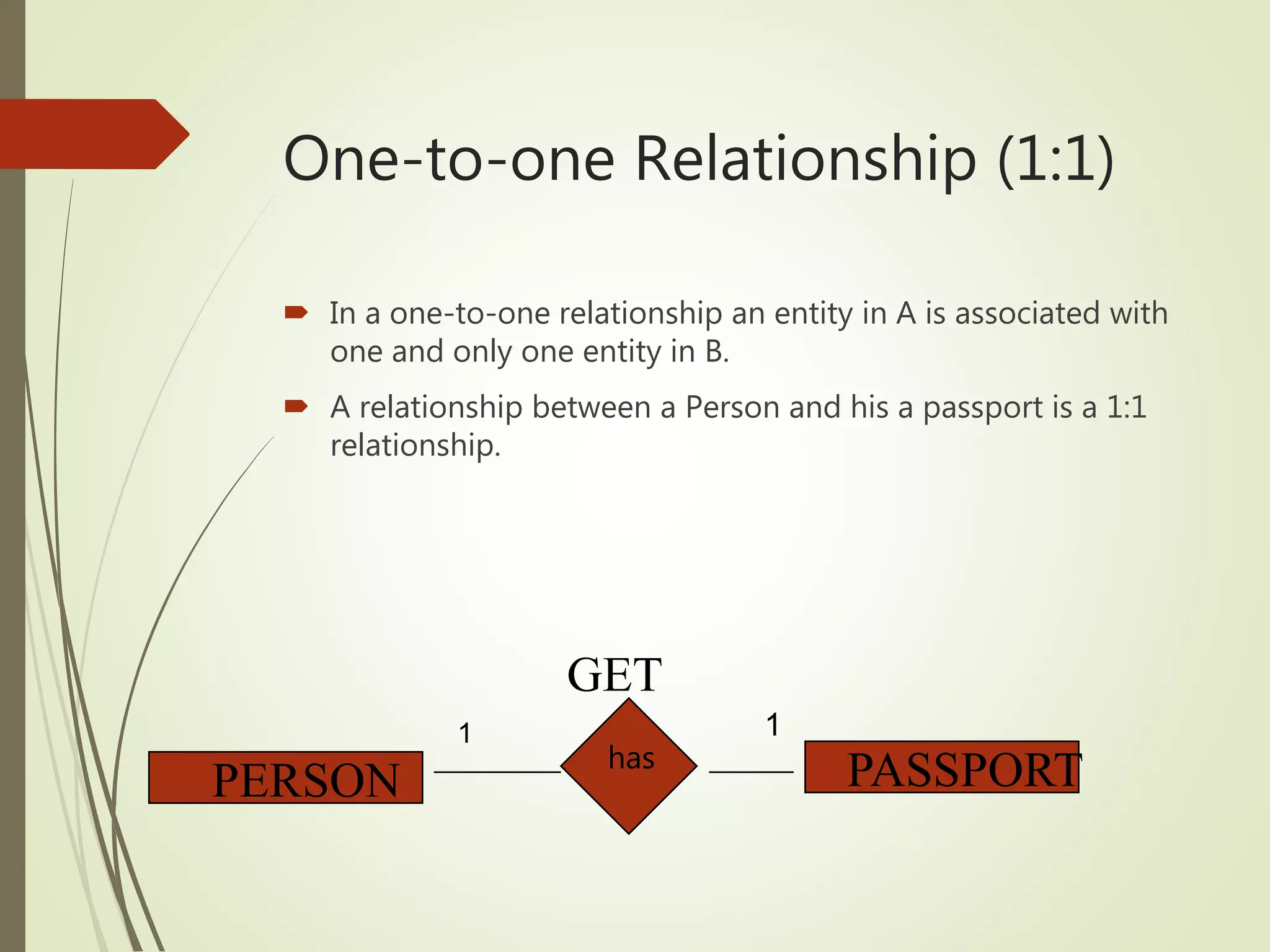
 In a one-to-one relationship an entity in A is associated with
one and only one entity in B.
 A relationship between a Person and his a passport is a 1:1
relationship.
has
PERSON PASSPORT
GET
1 1
Enrollment
Is-Enrolled
Many-to-one Relationship
(M:1)
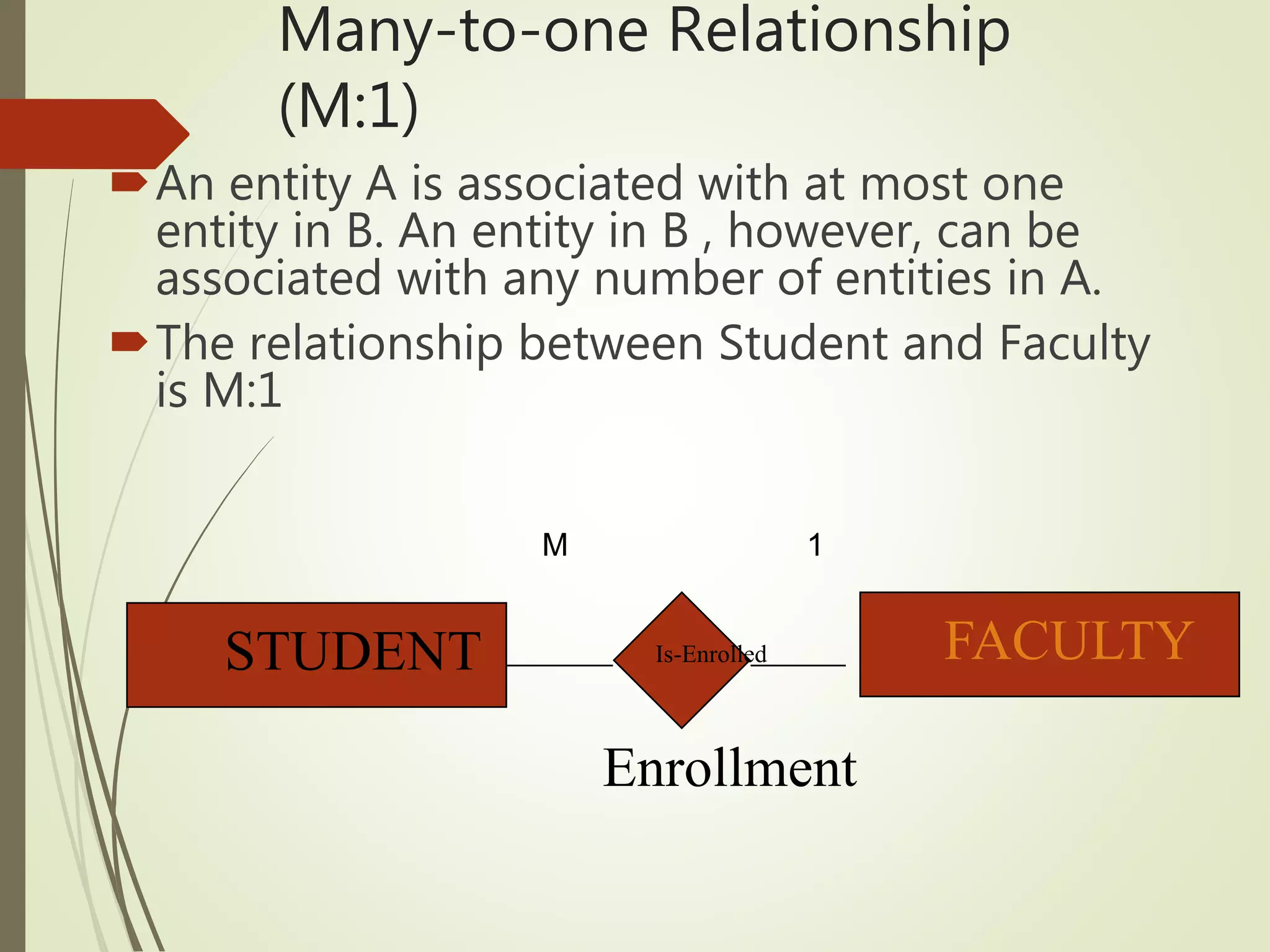
An entity A is associated with at most one
entity in B. An entity in B , however, can be
associated with any number of entities in A.
The relationship between Student and Faculty
is M:1
STUDENT FACULTY
M 1
Many-to-many Relationship (M:M)
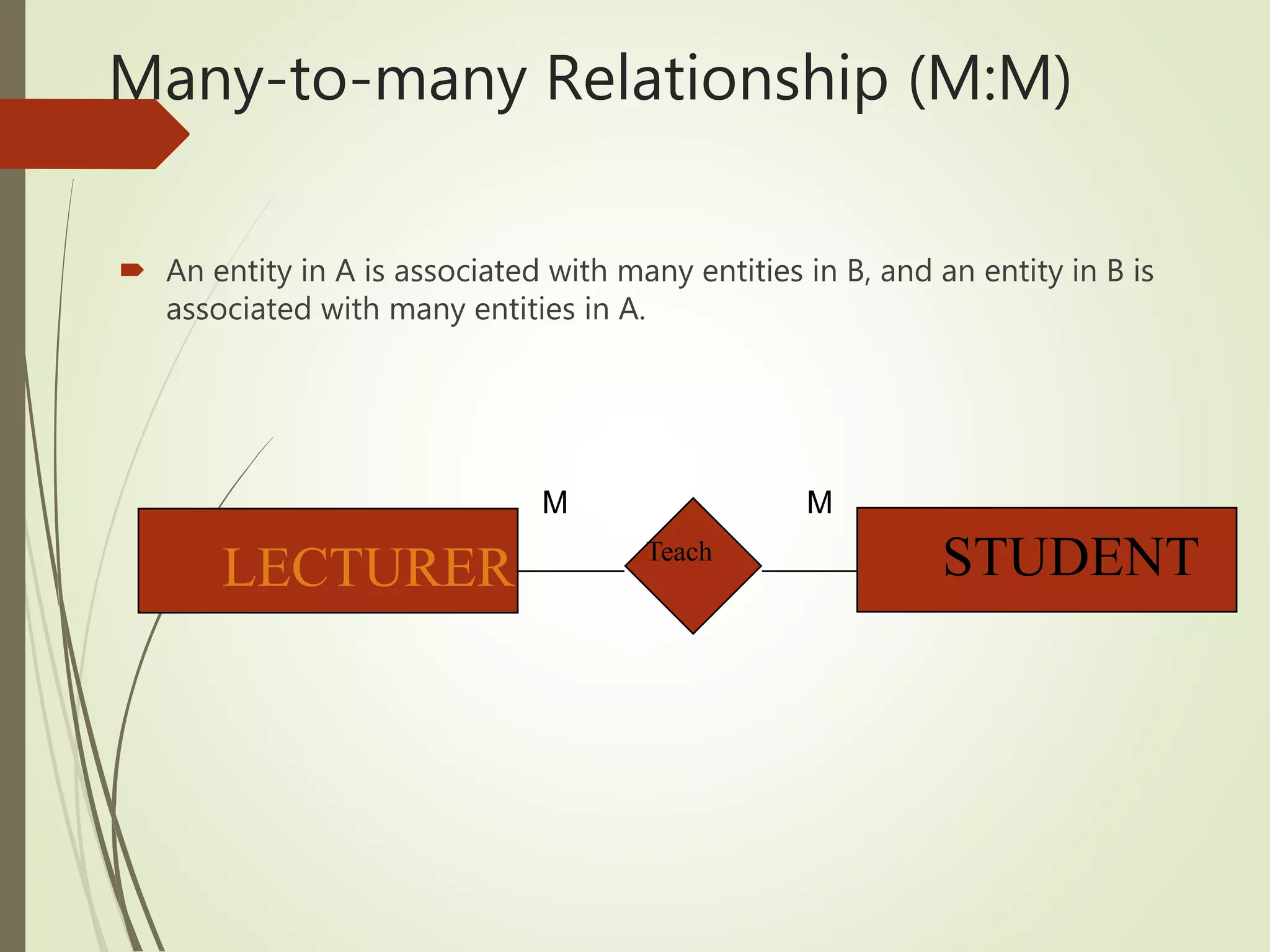
 An entity in A is associated with many entities in B, and an entity in B is
associated with many entities in A.
LECTURER STUDENT1:M
Teach
M M
Data types
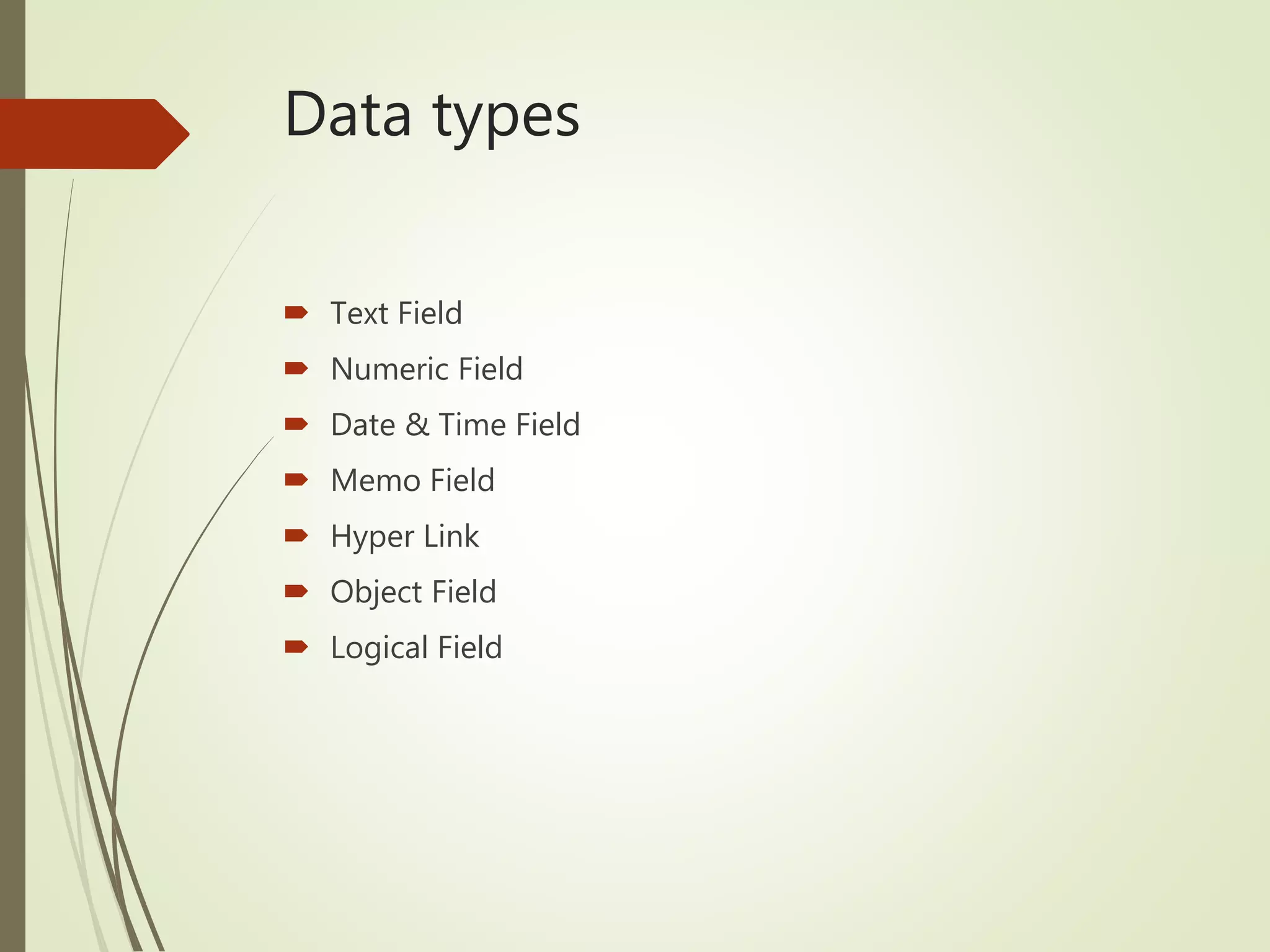
 Text Field
 Numeric Field
 Date & Time Field
 Memo Field
 Hyper Link
 Object Field
 Logical Field
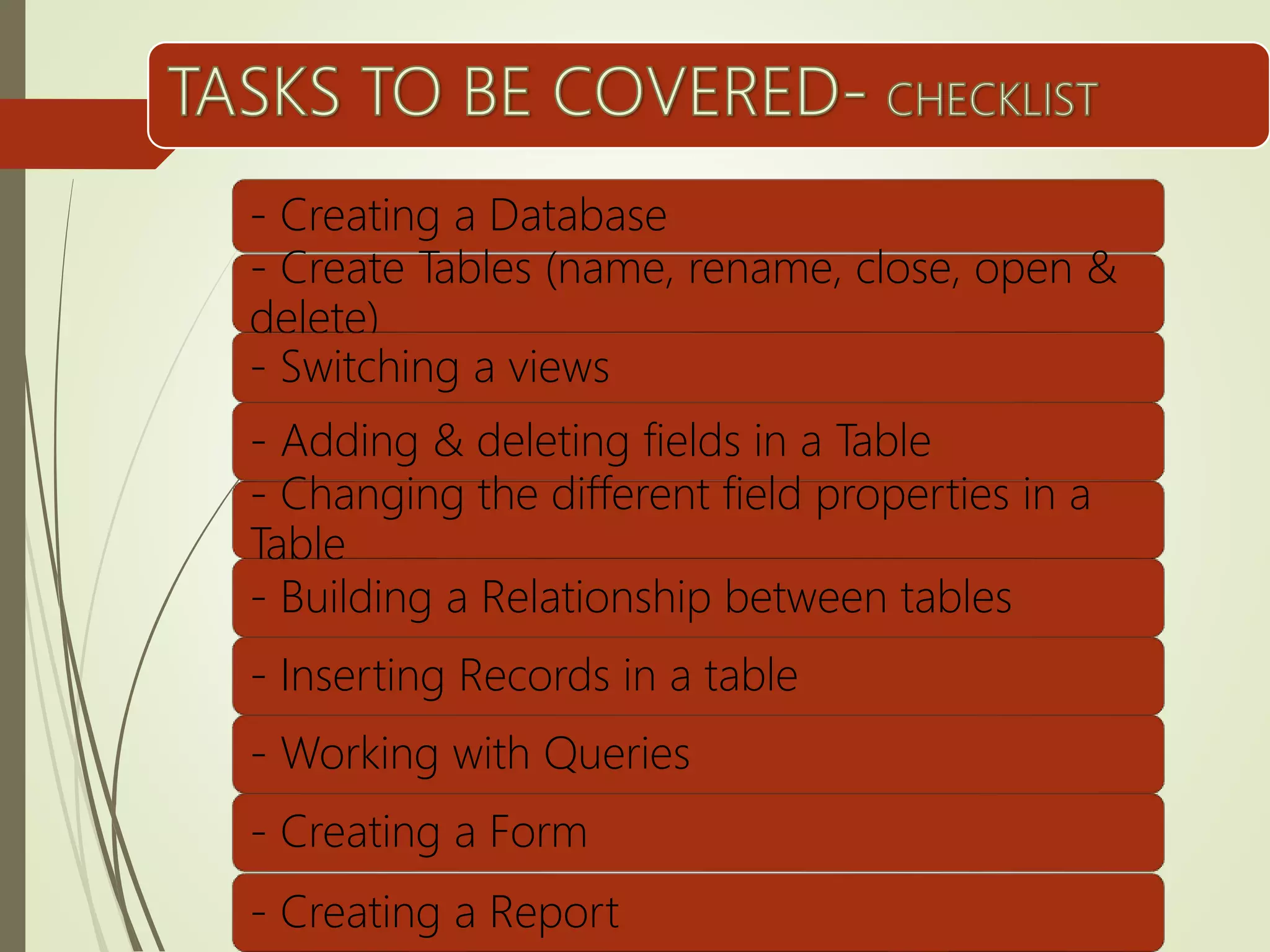
- Creating a Database
- Create Tables (name, rename, close, open &
delete)
- Switching a views
- Adding & deleting fields in a Table
- Changing the different field properties in a
Table
- Building a Relationship between tables
- Inserting Records in a table
- Working with Queries
- Creating a Form
- Creating a Report
Data Models

Data Models

  • 1.
  • 2.
    Objectives:  List anddescribe the stages in database design and identify the people involved at each stage  Distinguish between data models and data modelling techniques.  List types of data modelling techniques and their elements  Identify relationship between entities  Define normalization and why it is used.  Convert un-normalized data to its third normal form.  Explain how to achieve functional dependence between entities  Discuss the anomalies which exists with un-normalized data
  • 3.
    Question Why is itimportant to make a sketch of the database structure?
  • 4.
    Database Design  DatabaseDesign – the process of identifying and analyzing the user requirements and converting these requirements to database structure to represent the real world activities and objects.  User – define the content of the database  Database Designer – define the structure of the database.  Programmers – develop the software applications to satisfy the requirements of the users.
  • 5.
    Stages of DatabaseDesign  Conceptual Data Modelling  Logical Schema Construction  Physical Database Design BIG PROJECTS SMALL PROJECTS Conceptual Data Modeling Logical Schema Construction Physical Database Design Conceptual Data Modeling Logical Schema Construction Physical Database Design
  • 6.
    Conceptual Design  Includesobjects of interest to the organization
  • 7.
    Logical Design  Designingthe database structure based on the data provided by the conceptual model
  • 8.
    Physical Design  Theactual structure created inside the computer Student Table Attenda nce Table Mark Table
  • 9.
    Conceptual Modelling  Datamodelling techniques are used in database design to analyze data.  Database model is a method of conceptualizing or thinking about the structure of the data.  In analyzing the elements, the following data modelling techniques are used.  Entity Relational Diagram (ERD)  Normalization  Functional Dependency Diagram
  • 10.
    CONCEPTUAL DATA  Theoutput of the analysis are called Conceptual Data. The conceptual model is often stated in terms of:  Entities – is an object about which the information is collected.  Entity Type – classification of the entity (Person, Place, Thing, or Event)  Attributes – are used to describe the entity.  Relationship – described how entities are connected or related.  Entity occurrence – an instance of an entity (set of values)  Domain- the set of all possible values.
  • 11.
    Entity Relation Diagram(ERD)  Shows the entities and the relationship which exists between them.
  • 12.
    Entities  Entity –item or object which the organization requires information to be kept.  Entity occurrence – a specific example of an entity.  Symbol: Rectangle  Example: ENTITY ENTITY OCCURENCE Students Zahra Wafaa Module Computer Applications Introduction to Tourism and Hospitaliy Department Information Technology Tourism and Hospitality Management STUDENT
  • 13.
    Attributes  Attributes –properties that describe the entities.  Symbol: Oval  Example: Student ID Name Address Phone 15F100 Abdullah Al Abri Muscat 95634223 15F101 Zuwaina Al Hashmi Salalah 96453345 STUDENT Student ID Name Address Phone
  • 14.
    Relationship  Relationship areassociation between entity instances.  There are Three types of relationships:  one-to-one,  one-to-many, many-to-one  many-to-many.
  • 15.
  • 16.
    One-to-one Relationship (1:1) In a one-to-one relationship an entity in A is associated with one and only one entity in B.  A relationship between a Person and his a passport is a 1:1 relationship. has PERSON PASSPORT GET 1 1
  • 17.
    Enrollment Is-Enrolled Many-to-one Relationship (M:1) An entityA is associated with at most one entity in B. An entity in B , however, can be associated with any number of entities in A. The relationship between Student and Faculty is M:1 STUDENT FACULTY M 1
  • 18.
    Many-to-many Relationship (M:M) An entity in A is associated with many entities in B, and an entity in B is associated with many entities in A. LECTURER STUDENT1:M Teach M M
  • 19.
    Data types  TextField  Numeric Field  Date & Time Field  Memo Field  Hyper Link  Object Field  Logical Field
  • 20.
    - Creating aDatabase - Create Tables (name, rename, close, open & delete) - Switching a views - Adding & deleting fields in a Table - Changing the different field properties in a Table - Building a Relationship between tables - Inserting Records in a table - Working with Queries - Creating a Form - Creating a Report