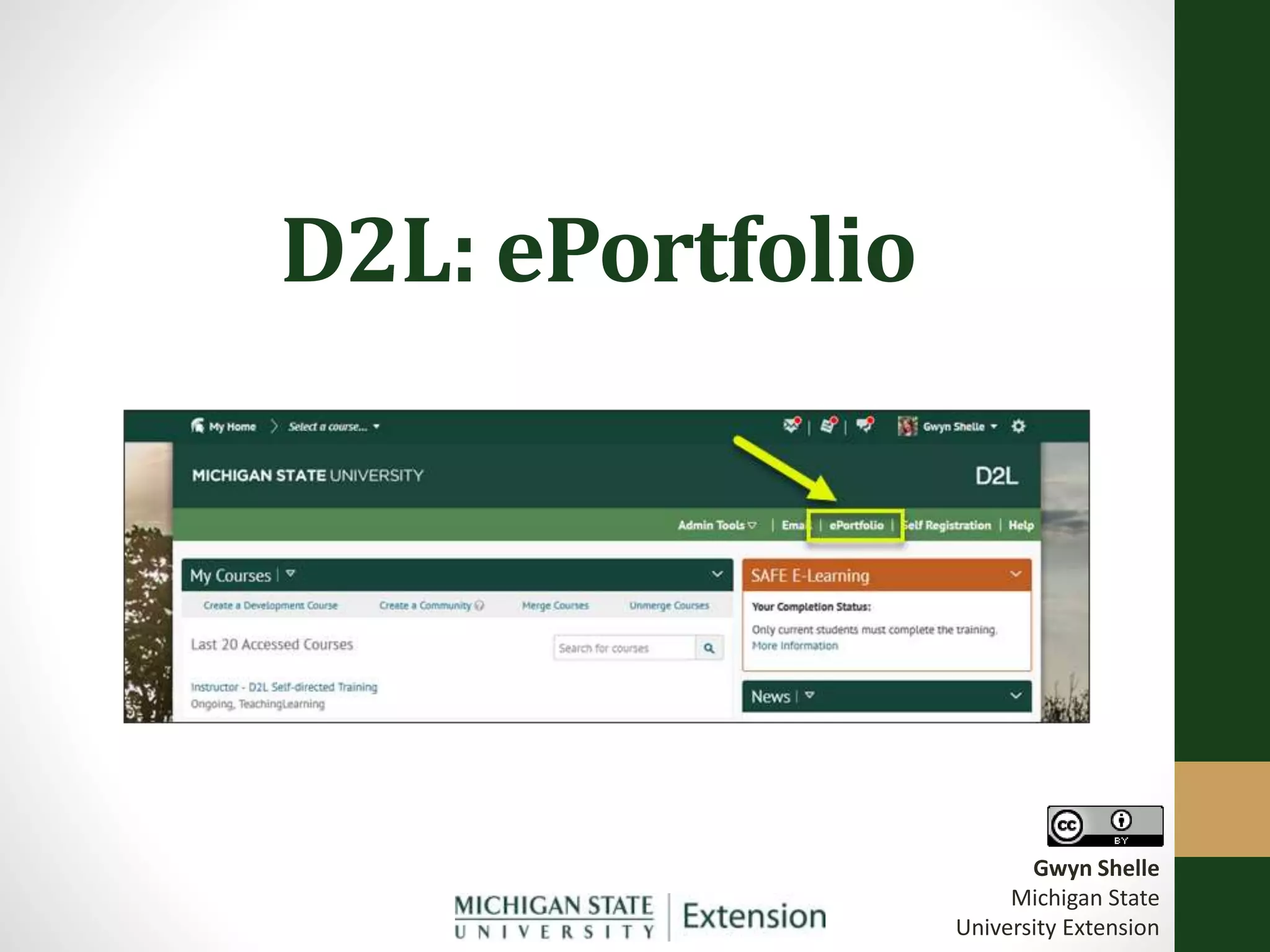
D2L: ePortfolio
Gwyn Shelle
Michigan State
University Extension
Learning Objectives
Upon completion of this training you will be able to:
• Create your own ePortfolio in D2L
• Share your ePortfolio with others (MSU & Non-MSU)
• Collaborate with shared D2L ePortfolios
Why an ePortfolio?
• Demonstrate Achievement
• Programming – Online/Face-to-Face
• Lifelong Learning
• Student portfolios
• Build Relationships, Reflect and Share Ideas
• Collaborate with peers or mentors
Terminology
• Artifacts
• Files, forms, course results (dropbox, quiz, exam, grades), links,
and audio/video recordings
• Does NOT have to be a content item in a D2L course
• Collections
• A group of artifacts (organization)
• Artifacts can be in more than one collection
• Presentations
• What you use to share your ePortfolio with others
• Option of sharing through a public URL
• User can choose what artifacts to share (private by default)
• Permission can be given to edit and/or make comments

D2L: ePortfolio

  • 1.
    D2L: ePortfolio Gwyn Shelle MichiganState University Extension
  • 2.
    Learning Objectives Upon completionof this training you will be able to: • Create your own ePortfolio in D2L • Share your ePortfolio with others (MSU & Non-MSU) • Collaborate with shared D2L ePortfolios
  • 3.
    Why an ePortfolio? •Demonstrate Achievement • Programming – Online/Face-to-Face • Lifelong Learning • Student portfolios • Build Relationships, Reflect and Share Ideas • Collaborate with peers or mentors
  • 4.
    Terminology • Artifacts • Files,forms, course results (dropbox, quiz, exam, grades), links, and audio/video recordings • Does NOT have to be a content item in a D2L course • Collections • A group of artifacts (organization) • Artifacts can be in more than one collection • Presentations • What you use to share your ePortfolio with others • Option of sharing through a public URL • User can choose what artifacts to share (private by default) • Permission can be given to edit and/or make comments