Breaking the Bonds of Space and Time:
   Facilitating Student Collaboration
        Campus Technology 2009
             Boston, MA


              David Gannon
              Enoch Park

              Bryant University
Presentation Outline


•    Background & Rational
•    Pedagogical Ground
•    Examples & Scenarios
•    Challenges
•    Findings
•    Future Expansion
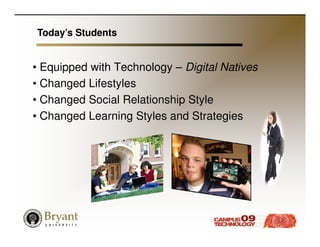
Today’s Students


• Equipped with Technology – Digital Natives
• Changed Lifestyles
• Changed Social Relationship Style
• Changed Learning Styles and Strategies
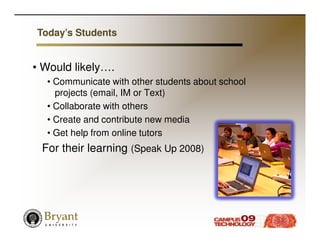
Today’s Students


• Would likely….
  • Communicate with other students about school
    projects (email, IM or Text)
  • Collaborate with others
  • Create and contribute new media
  • Get help from online tutors
 For their learning (Speak Up 2008)
Specific Issues


• Group Projects
• File Sharing & Team Document Editing
• Team Review Sessions
• Peer Evaluation
• Guest Speakers
• Community Involvement
Specific Obstacles


•   Incompatible Schedules
•   Commuters
•   Athletic Travel Requirements
•   Physical Separation of Participants
•   Field Interviews
Pedagogical Ground


• Active Learning/ Student Ownership of Learning
   • Learners are particularly engaged when they
     experience feelings of autonomy,
     competence, and relatedness. (Hayles, 2008)
• Collaborative Learning & Group Interaction
• Construct of New Knowledge through
  Interaction
Pedagogical Ground


• Provide “Real World” Experiences Beyond
  Classroom
• Offer Hands-on Practices and Models for
  Best Practice
   • 3 Stages of Development for New technology
    (Rosenbloom, 1999)
     • Imitation
     • Incremental Improvement
     • Transformation
• Increase Participation/Avoid Loafing
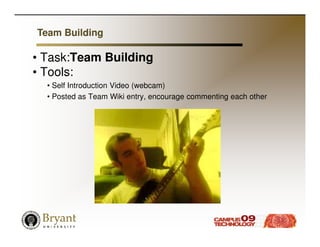
Team Building

• Task:Team Building
• Tools:
  • Self Introduction Video (webcam)
  • Posted as Team Wiki entry, encourage commenting each other
Planning and managing meetings

•Task: Planning and managing meetings
•Tools:
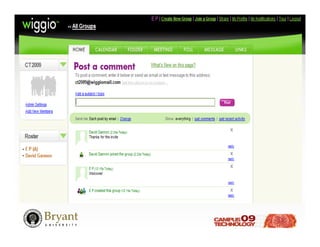
   • Wiggio
• Outcomes:
   • Setup meeting plans
   • Manage communication
   • File Repository
   • Notifications
   • Polls
   • Phone bridge
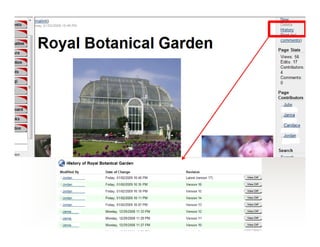
Initial Project Design

•Task: Initial Project Design
•Approach: Wiki for brainstorming
•Tools:
   •Teams LX (Learning Objects)
   • PBWorks
   • MediaWiki
• Outcomes:
   •Team project design document
   • Establish team responsibilities &
     team member accountability
   • Establish initial timelines
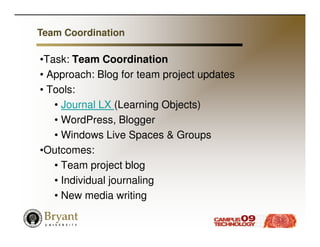
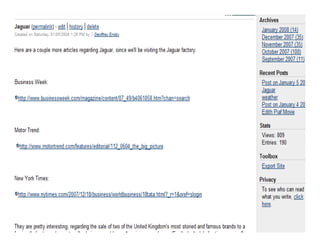
Team Coordination

•Task: Team Coordination
• Approach: Blog for team project updates
• Tools:
   • Journal LX (Learning Objects)
   • WordPress, Blogger
   • Windows Live Spaces & Groups
•Outcomes:
   • Team project blog
   • Individual journaling
   • New media writing
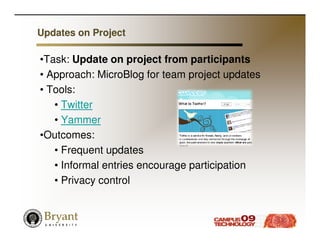
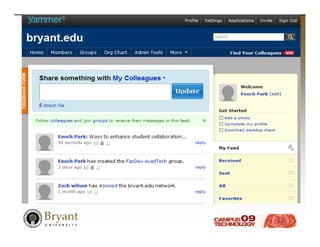
Updates on Project

•Task: Update on project from participants
• Approach: MicroBlog for team project updates
• Tools:
   • Twitter
   • Yammer
•Outcomes:
   • Frequent updates
   • Informal entries encourage participation
   • Privacy control
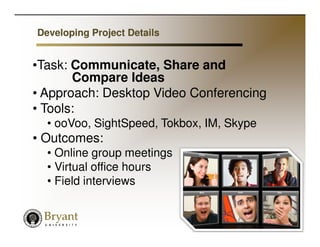
Developing Project Details


•Task: Communicate, Share and
       Compare Ideas
• Approach: Desktop Video Conferencing
• Tools:
  • ooVoo, SightSpeed, Tokbox, IM, Skype
• Outcomes:
  • Online group meetings
  • Virtual office hours
  • Field interviews
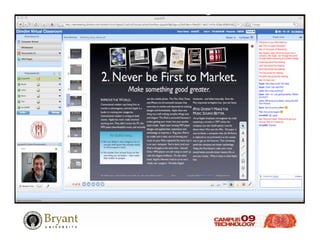
Refining Project Details


• Task: Refining Project Details
• Approach: Virtual Meetings
• Tools:
   • DimDim, Elluminate, Almostmeet
• Outcomes:
   • Group meetings
   • Practice presentations
   • Consultation & overview
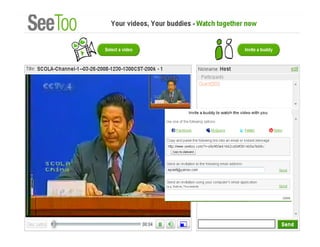
SCOLA 2009
Multimedia Annotation


• Task: Share annotations and
         comments online
• Approach: Multimedia annotation
• Tools:
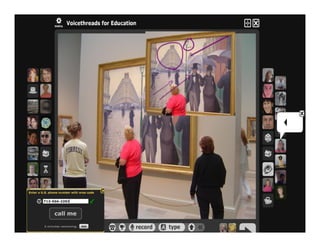
   • VoiceThread, BubblePLY, SubPLY
• Outcomes:
   • Construction of ideas
   • Overcome “distance”
SCOLA 2009
Presentation


• Task: Class presentations
• Approach: Live or Virtual
• Tools:
   • DyKnow
   • Symposium
   • Wimba
   • DimDim
• Outcomes:
   • Class presentations
   • Virtual breakout sessions
Evaluation


• Task: Peer Assessment of Class Work
• Approach: Peer rating, peer response &
  comments
•Tools:
   • Bb survey (with secure browser)
   • Commenting on Wiki, Blog, Discussion board
• Outcomes:
   • Peer evaluation of presentations
   • Peer comments and suggestions
   • Self-reflection from feedback
Expansion


• Business Case Building via Wiki format
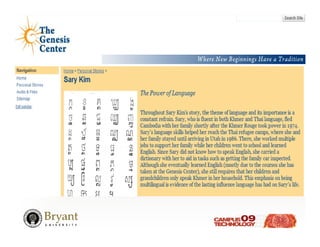
• Sophomore International Experience
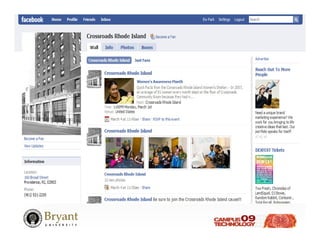
• Collaboration with community
  organizations (Service learning projects)
• International Internship
Challenges


• Bandwidth – Wired vs. Wireless
• Duplicated vs. Consolidated vs.
  Synchronized Storage
• User Knowledge Level/Training
  Requirements
• Faculty Support
• Infrastructure Requirements
Questions?

   Enoch Park
   epark@bryant.edu
   David Gannon
   dgannon@bryant.edu

Student Collaboration Ct09

  • 1.
    Breaking the Bondsof Space and Time: Facilitating Student Collaboration Campus Technology 2009 Boston, MA David Gannon Enoch Park Bryant University
  • 2.
    Presentation Outline • Background & Rational • Pedagogical Ground • Examples & Scenarios • Challenges • Findings • Future Expansion
  • 3.
    Today’s Students • Equippedwith Technology – Digital Natives • Changed Lifestyles • Changed Social Relationship Style • Changed Learning Styles and Strategies
  • 4.
    Today’s Students • Wouldlikely…. • Communicate with other students about school projects (email, IM or Text) • Collaborate with others • Create and contribute new media • Get help from online tutors For their learning (Speak Up 2008)
  • 5.
    Specific Issues • GroupProjects • File Sharing & Team Document Editing • Team Review Sessions • Peer Evaluation • Guest Speakers • Community Involvement
  • 6.
    Specific Obstacles • Incompatible Schedules • Commuters • Athletic Travel Requirements • Physical Separation of Participants • Field Interviews
  • 7.
    Pedagogical Ground • ActiveLearning/ Student Ownership of Learning • Learners are particularly engaged when they experience feelings of autonomy, competence, and relatedness. (Hayles, 2008) • Collaborative Learning & Group Interaction • Construct of New Knowledge through Interaction
  • 8.
    Pedagogical Ground • Provide“Real World” Experiences Beyond Classroom • Offer Hands-on Practices and Models for Best Practice • 3 Stages of Development for New technology (Rosenbloom, 1999) • Imitation • Incremental Improvement • Transformation • Increase Participation/Avoid Loafing
  • 9.
    Team Building • Task:TeamBuilding • Tools: • Self Introduction Video (webcam) • Posted as Team Wiki entry, encourage commenting each other
  • 10.
    Planning and managingmeetings •Task: Planning and managing meetings •Tools: • Wiggio • Outcomes: • Setup meeting plans • Manage communication • File Repository • Notifications • Polls • Phone bridge
  • 12.
    Initial Project Design •Task:Initial Project Design •Approach: Wiki for brainstorming •Tools: •Teams LX (Learning Objects) • PBWorks • MediaWiki • Outcomes: •Team project design document • Establish team responsibilities & team member accountability • Establish initial timelines
  • 14.
    Team Coordination •Task: TeamCoordination • Approach: Blog for team project updates • Tools: • Journal LX (Learning Objects) • WordPress, Blogger • Windows Live Spaces & Groups •Outcomes: • Team project blog • Individual journaling • New media writing
  • 16.
    Updates on Project •Task:Update on project from participants • Approach: MicroBlog for team project updates • Tools: • Twitter • Yammer •Outcomes: • Frequent updates • Informal entries encourage participation • Privacy control
  • 18.
    Developing Project Details •Task:Communicate, Share and Compare Ideas • Approach: Desktop Video Conferencing • Tools: • ooVoo, SightSpeed, Tokbox, IM, Skype • Outcomes: • Online group meetings • Virtual office hours • Field interviews
  • 19.
    Refining Project Details •Task: Refining Project Details • Approach: Virtual Meetings • Tools: • DimDim, Elluminate, Almostmeet • Outcomes: • Group meetings • Practice presentations • Consultation & overview
  • 21.
  • 22.
    Multimedia Annotation • Task:Share annotations and comments online • Approach: Multimedia annotation • Tools: • VoiceThread, BubblePLY, SubPLY • Outcomes: • Construction of ideas • Overcome “distance”
  • 23.
  • 25.
    Presentation • Task: Classpresentations • Approach: Live or Virtual • Tools: • DyKnow • Symposium • Wimba • DimDim • Outcomes: • Class presentations • Virtual breakout sessions
  • 26.
    Evaluation • Task: PeerAssessment of Class Work • Approach: Peer rating, peer response & comments •Tools: • Bb survey (with secure browser) • Commenting on Wiki, Blog, Discussion board • Outcomes: • Peer evaluation of presentations • Peer comments and suggestions • Self-reflection from feedback
  • 27.
    Expansion • Business CaseBuilding via Wiki format • Sophomore International Experience • Collaboration with community organizations (Service learning projects) • International Internship
  • 30.
    Challenges • Bandwidth –Wired vs. Wireless • Duplicated vs. Consolidated vs. Synchronized Storage • User Knowledge Level/Training Requirements • Faculty Support • Infrastructure Requirements
  • 31.
    Questions? Enoch Park epark@bryant.edu David Gannon dgannon@bryant.edu