Making Sense of
Google Drive
Learning Objectives
•Describe tips for using MSU Google Drive
•Describe differences between your drive and
shared drives
•Create a document in Google Docs
•Give others access to a shared document
Icon made by:
www.freepik.com
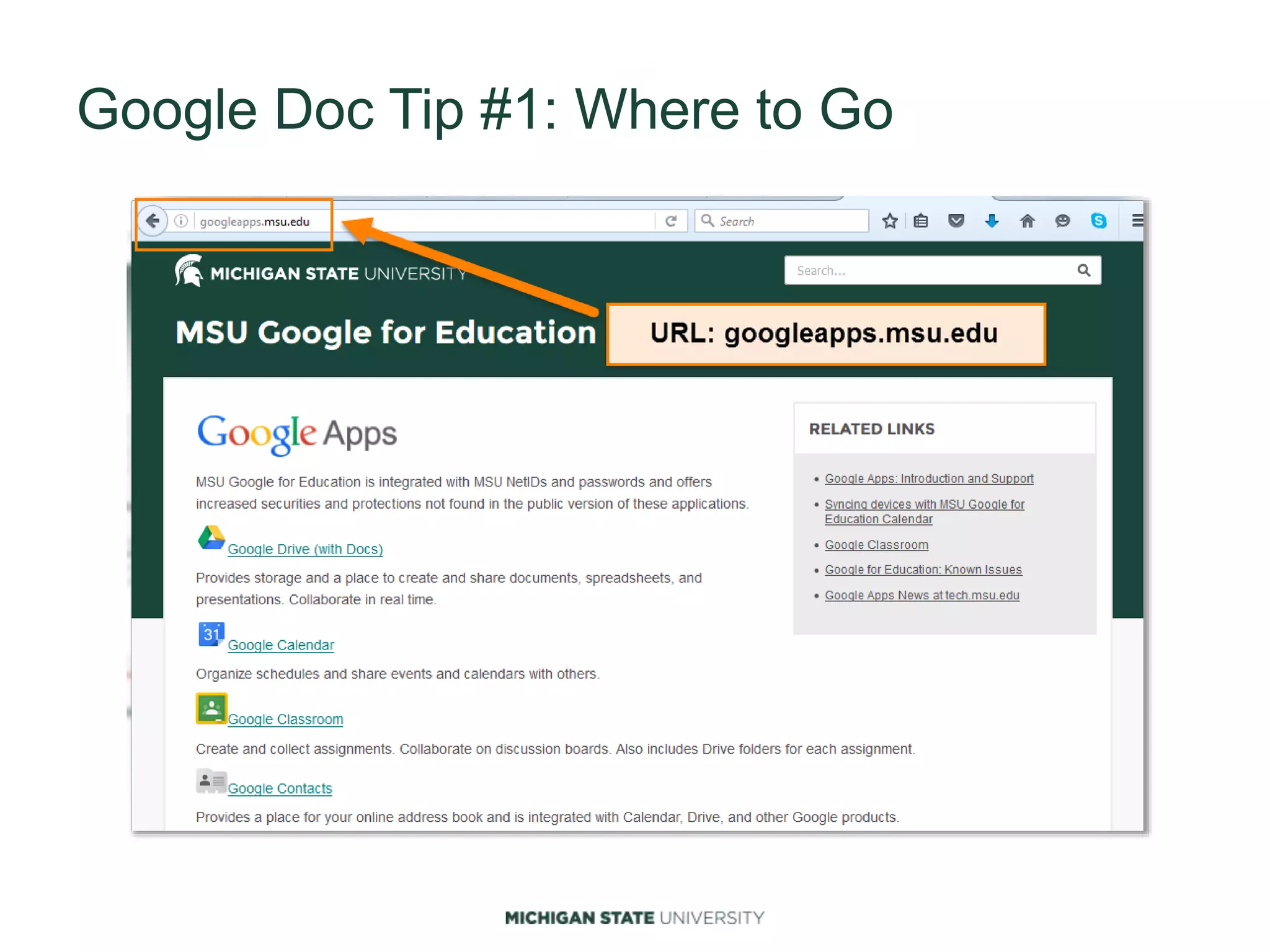
Google Doc Tip #1: Where to Go
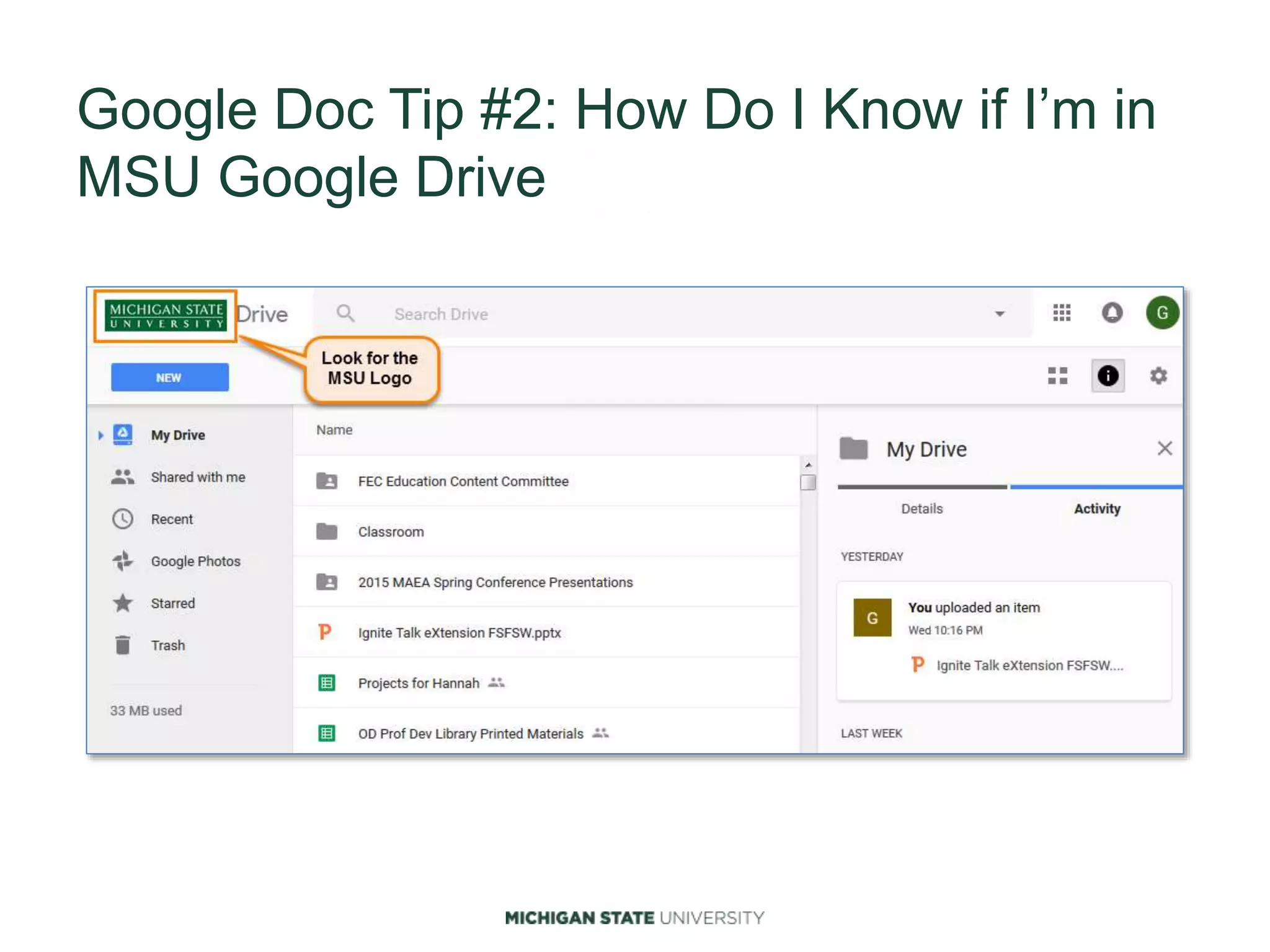
Google Doc Tip #2: How Do I Know if I’m in
MSU Google Drive
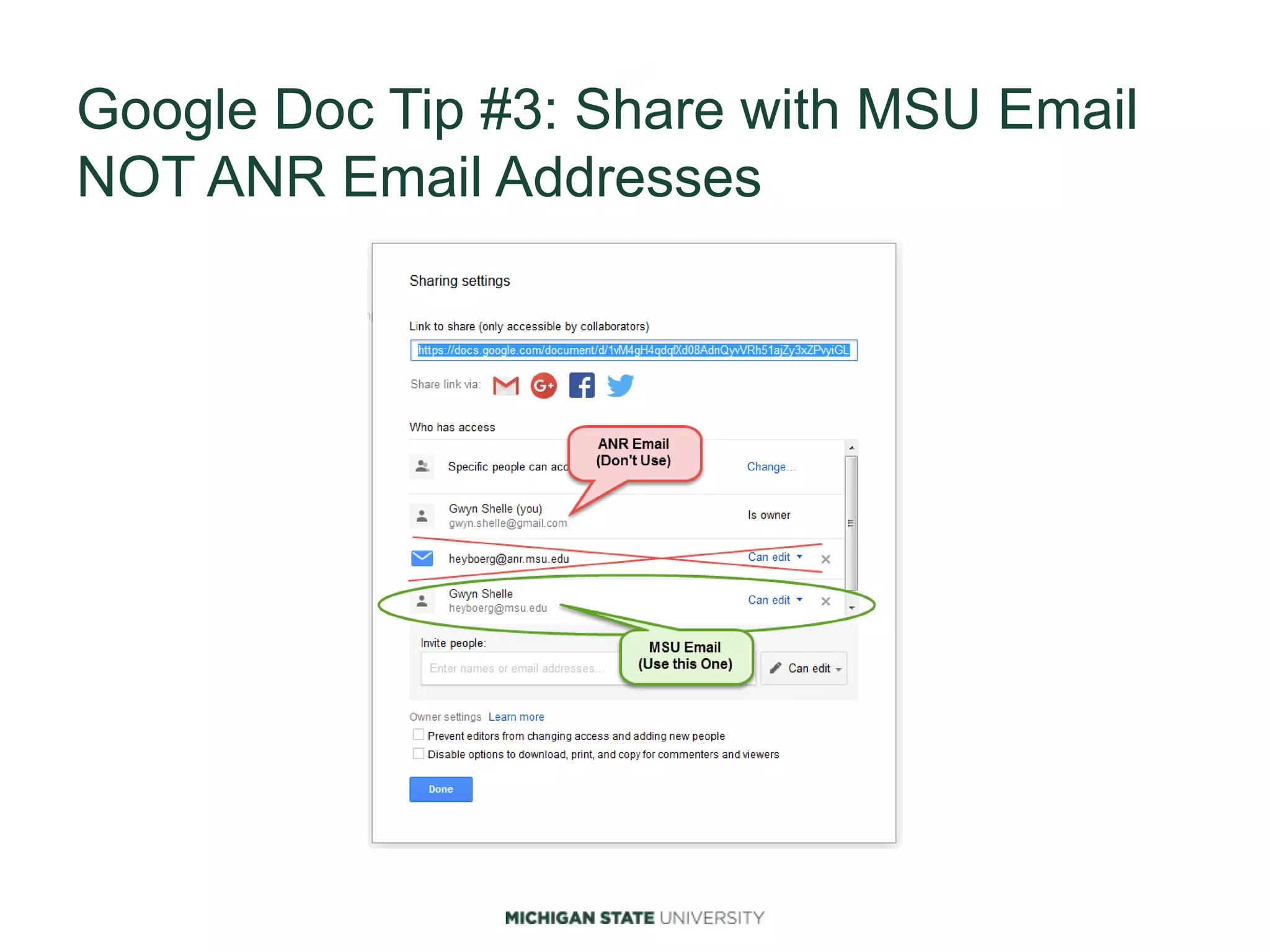
Google Doc Tip #3: Share with MSU Email
NOT ANR Email Addresses
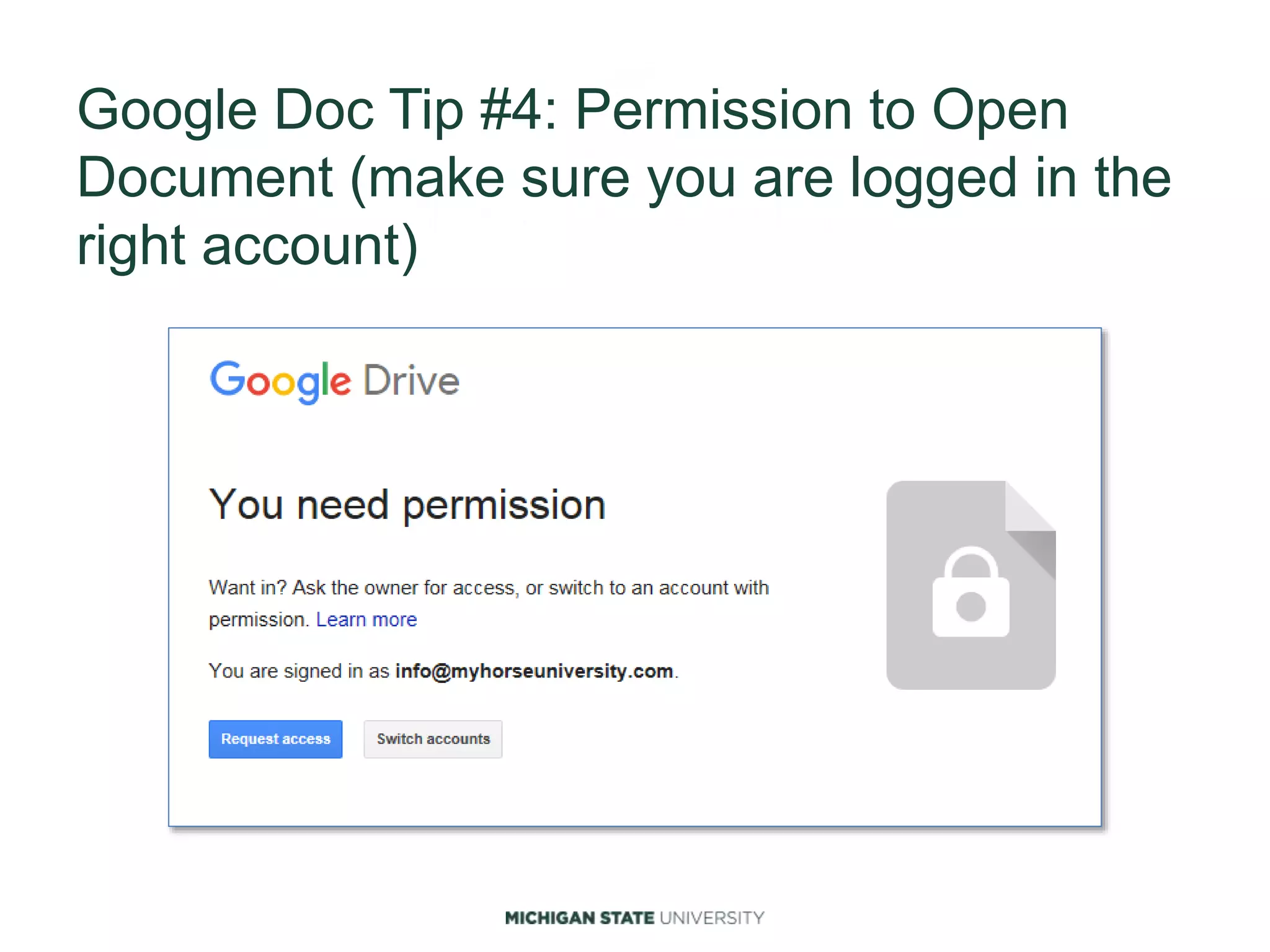
Google Doc Tip #4: Permission to Open
Document (make sure you are logged in the
right account)
Google Doc Tip #5: Do NOT Store Sensitive
Data
•Credit or debit card data
•Student records
•Research, intellectual property
•Protected health information
•Employee records
See: Appropriate Use of Online Software Tools for
more information.
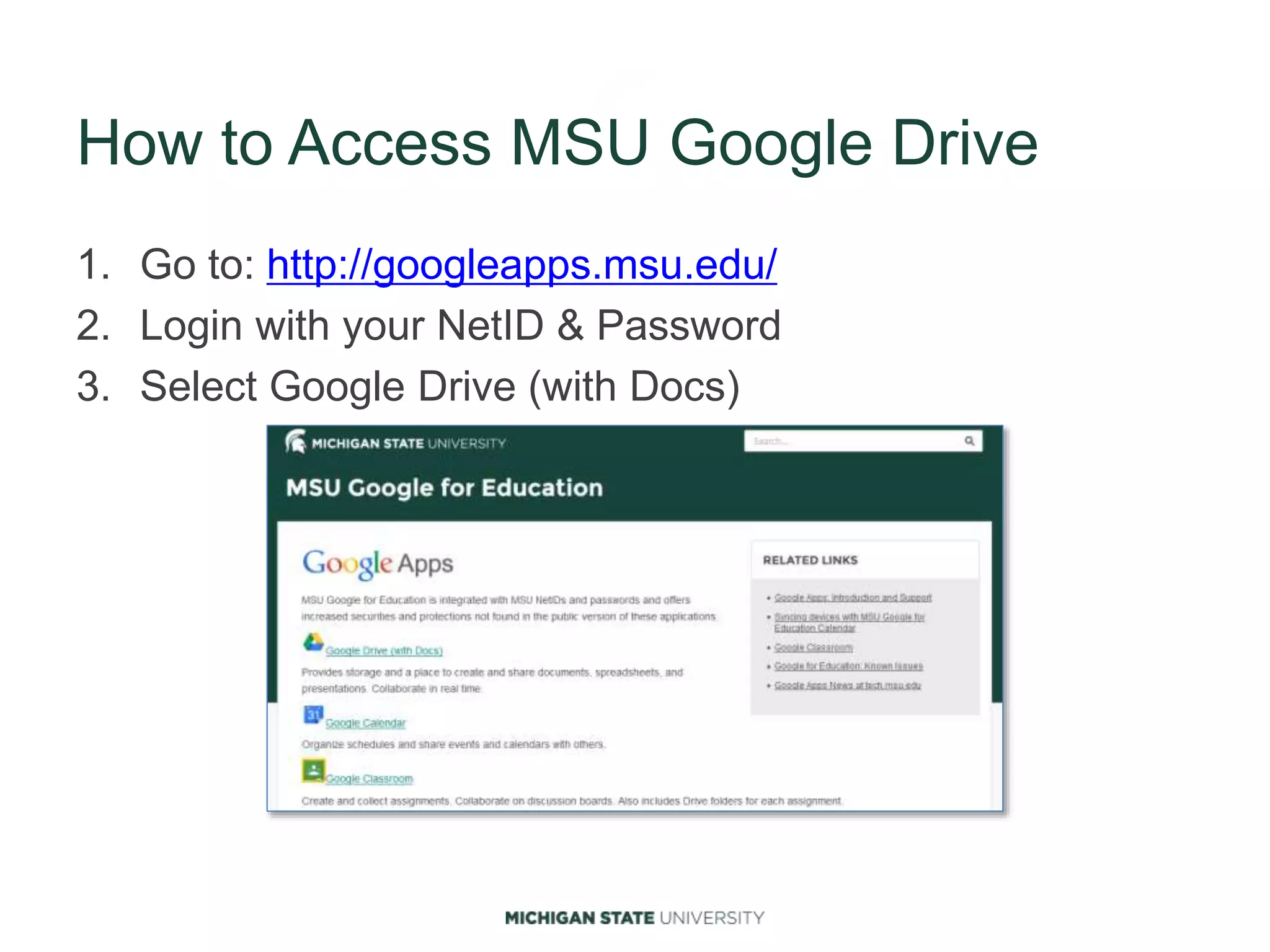
How to Access MSU Google Drive
1. Go to: http://googleapps.msu.edu/
2. Login with your NetID & Password
3. Select Google Drive (with Docs)

Thursday Ed Tech Talk: Making sense of Google Drive

  • 1.
  • 2.
    Learning Objectives •Describe tipsfor using MSU Google Drive •Describe differences between your drive and shared drives •Create a document in Google Docs •Give others access to a shared document Icon made by: www.freepik.com
  • 3.
    Google Doc Tip#1: Where to Go
  • 4.
    Google Doc Tip#2: How Do I Know if I’m in MSU Google Drive
  • 5.
    Google Doc Tip#3: Share with MSU Email NOT ANR Email Addresses
  • 6.
    Google Doc Tip#4: Permission to Open Document (make sure you are logged in the right account)
  • 7.
    Google Doc Tip#5: Do NOT Store Sensitive Data •Credit or debit card data •Student records •Research, intellectual property •Protected health information •Employee records See: Appropriate Use of Online Software Tools for more information.
  • 8.
    How to AccessMSU Google Drive 1. Go to: http://googleapps.msu.edu/ 2. Login with your NetID & Password 3. Select Google Drive (with Docs)