Online Education: Exploring
Potential
Nisha Singh
Deputy Director,
Centre for Online Education.
IGNOU
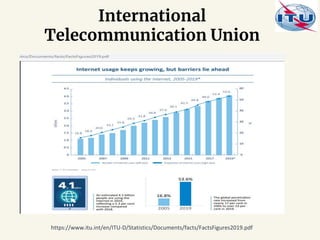
International
Telecommunication Union
https://www.itu.int/en/ITU-D/Statistics/Documents/facts/FactsFigures2019.pdf
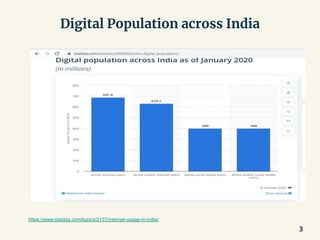
Digital Population across India
3
https://www.statista.com/topics/2157/internet-usage-in-india/
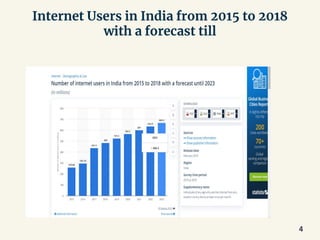
Internet Users in India from 2015 to 2018
with a forecast till
4
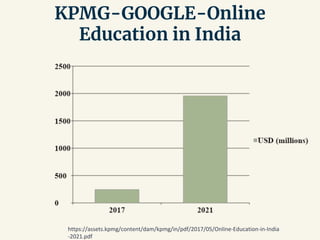
KPMG-GOOGLE-Online
Education in India
https://assets.kpmg/content/dam/kpmg/in/pdf/2017/05/Online-Education-in-India
-2021.pdf
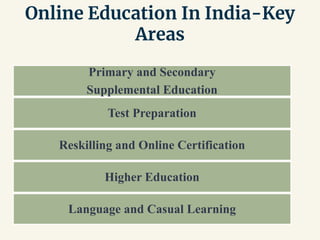
Online Education In India-Key
Areas
Primary and Secondary
Supplemental Education
Test Preparation
Reskilling and Online Certification
Higher Education
Language and Casual Learning
Online Courses:
Digital
“Learning that
meets you
where you are….”
https://www2.deloitte.com/content/dam/Deloitte/it/Documents/human-capital/HCtrendsConference/HC%20Corner_Learning.pdf
Designing
● To achieve the intended
learning outcomes of
the course by producing
the desired learning
Begin with the end in mind
8
How do you design a course?
Instructional Design
(ID)
● Instruction: a set of events that facilitate
learning
● Design: a creative pattern or a rational,
logical, sequential process intended to solve
problems
Models of Instructional Design
• ADDIE
• Dick and Carey Model
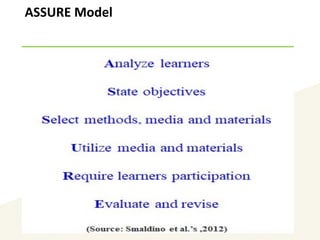
• ASSURE
• Keller’s ARCS Model for motivation
• Itteriative Models
• 4C/ID Model
• And many more…….
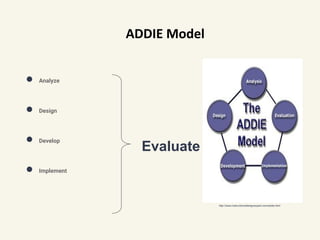
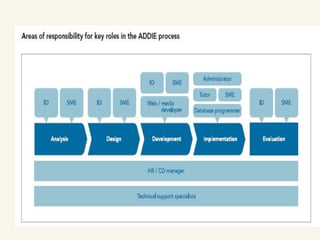
ADDIE Model
● Analyze
● Design
● Develop
● Implement
Evaluate
http://www.instructionaldesignexpert.com/addie.html
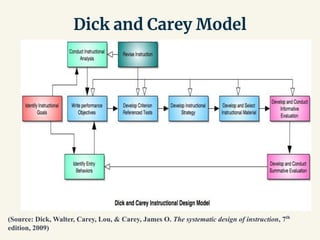
Dick and Carey Model
(Source: Dick, Walter, Carey, Lou, & Carey, James O. The systematic design of instruction, 7th
edition, 2009)
ASSURE Model
14
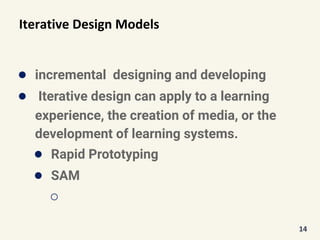
Iterative Design Models
● incremental designing and developing
● Iterative design can apply to a learning
experience, the creation of media, or the
development of learning systems.
● Rapid Prototyping
● SAM
○
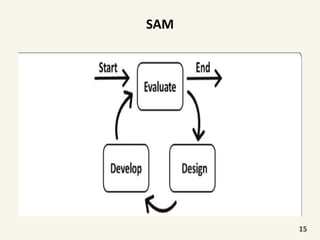
SAM
15
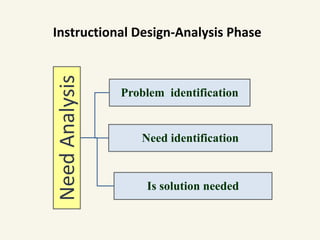
Instructional Design-Analysis Phase
NeedAnalysis
Problem identification
Need identification
Is solution needed
Instructional Design-Analysis Phase
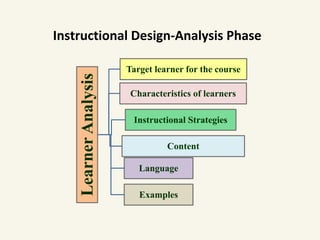
LearnerAnalysis
Target learner for the course
Characteristics of learners
Instructional Strategies
Content
Language
Examples
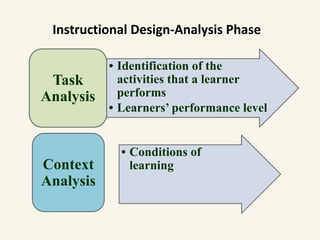
Instructional Design-Analysis Phase
• Identification of the
activities that a learner
performs
• Learners’ performance level
Task
Analysis
• Conditions of
learningContext
Analysis
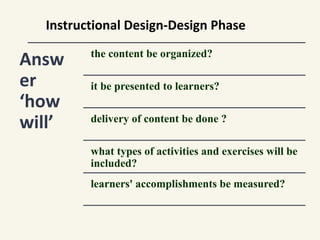
Instructional Design-Design Phase
Answ
er
‘how
will’
the content be organized?
it be presented to learners?
delivery of content be done ?
what types of activities and exercises will be
included?
learners' accomplishments be measured?
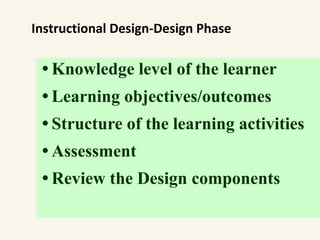
• Knowledge level of the learner
• Learning objectives/outcomes
• Structure of the learning activities
• Assessment
• Review the Design components
Instructional Design-Design Phase
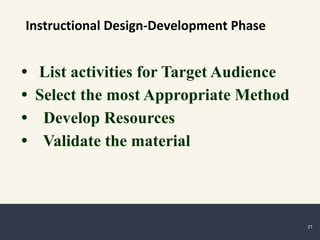
• List activities for Target Audience
• Select the most Appropriate Method
• Develop Resources
• Validate the material
Instructional Design-Development Phase
21
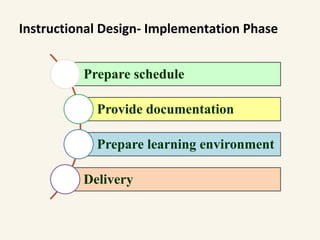
Instructional Design- Implementation Phase
Prepare schedule
Provide documentation
Prepare learning environment
Delivery
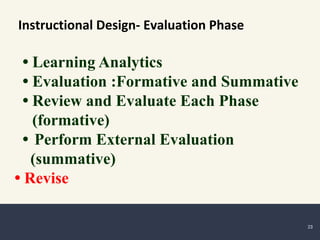
• Learning Analytics
• Evaluation :Formative and Summative
• Review and Evaluate Each Phase
(formative)
• Perform External Evaluation
(summative)
• Revise
Instructional Design- Evaluation Phase
23
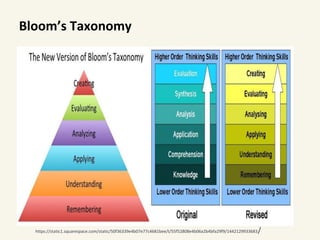
Bloom’s Taxonomy
https://static1.squarespace.com/static/50f36339e4b07e77c4681bee/t/55f52808e4b06a2b4bfa29f9/1442129933683/
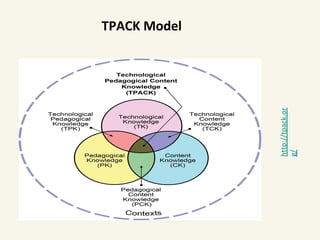
http://tpack.or
g/
TPACK Model
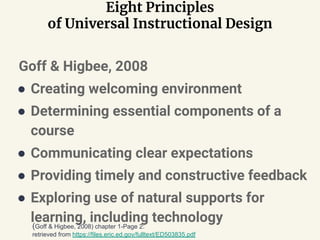
Eight Principles
of Universal Instructional Design
Goff & Higbee, 2008
● Creating welcoming environment
● Determining essential components of a
course
● Communicating clear expectations
● Providing timely and constructive feedback
● Exploring use of natural supports for
learning, including technology(Goff & Higbee, 2008) chapter 1-Page 2:
retrieved from https://files.eric.ed.gov/fulltext/ED503835.pdf
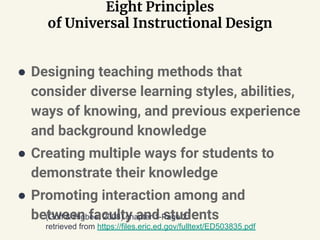
Eight Principles
of Universal Instructional Design
● Designing teaching methods that
consider diverse learning styles, abilities,
ways of knowing, and previous experience
and background knowledge
● Creating multiple ways for students to
demonstrate their knowledge
● Promoting interaction among and
between faculty and students(Goff & Higbee, 2008) chapter 1-Page 2:
retrieved from https://files.eric.ed.gov/fulltext/ED503835.pdf
Principles for Good Practice in Online Course
Development
● Contact between Students and Faculty
○ Post a bio-sketch of instructor with contact
information.
○ Email each student a welcome email with office
hours and availability.
○ Set up a video conference to establish a face to
face connection with the student.
○ Post a weekly announcement in the beginning and
summary at the end of the week.
○ Send out a formative mid-semester evaluation
and address areas of concern via an
announcement.
Some points for Designing
● a warm welcome to the course.
● Expectations, including grading assignment expectations, are
clearly stated.
● Announcements and updates are posted.
● different Welcome Page for each Unit.
● Discussion rubric where points or guidelines for discussion
comments are clearly stated.
● some, but not too much, online text provided.
30
Some points for Designing
● plenty of pictures, charts, color design, artwork and
other visuals in your Welcome Pages, readings and
other web pages in the online classroom.
● PowerPoint slide show per Unit, ideally with the
teacher’s audio presentation integrated into the
slides.
● audio presentations for each Unit in the course.
● activities for students to do in the course.
31
Some points for Designing
● Online discussion is organized by units.
● teacher is consistently and constantly involved in
the online discussion.
● Participants or students make a sufficient number
of comments each week and unit.
● sufficient evidence of replies and responses from
students in the online discussion.
● one or more ungraded self-quizzes for each unit.
32
Some points for Designing
● good visual design elements to the course.
● more than three assessments used in grading.
● intuitive navigation, making the course easily
navigated by students.
● another good feature to the online course.
33
Source: http://teachingonthenet.org/best-practices-standards.cfm
Important aspects
● Course Information
● Course Design and Organisation
● Aesthetic Design
● Interaction and Collaboration
● Effective Use of Technology
● Assessment and Evaluation
34
ONLINE COURSE BEST PRACTICES CHECKLIST by PALOMAR COLLEGE
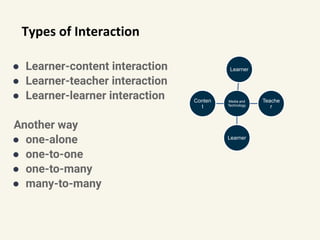
Types of Interaction
● Learner-content interaction
● Learner-teacher interaction
● Learner-learner interaction
Another way
● one-alone
● one-to-one
● one-to-many
● many-to-many
Media and
Technology
Learner
Teache
r
Learner
Conten
t
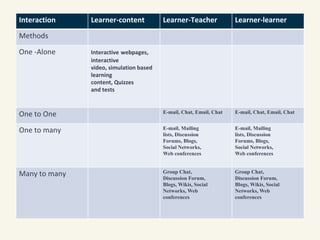
Interaction Learner-content Learner-Teacher Learner-learner
Methods
One -Alone Interactive webpages,
interactive
video, simulation based
learning
content, Quizzes
and tests
One to One E-mail, Chat, Email, Chat E-mail, Chat, Email, Chat
One to many E-mail, Mailing
lists, Discussion
Forums, Blogs,
Social Networks,
Web conferences
E-mail, Mailing
lists, Discussion
Forums, Blogs,
Social Networks,
Web conferences
Many to many Group Chat,
Discussion Forum,
Blogs, Wikis, Social
Networks, Web
conferences
Group Chat,
Discussion Forum,
Blogs, Wikis, Social
Networks, Web
conferences
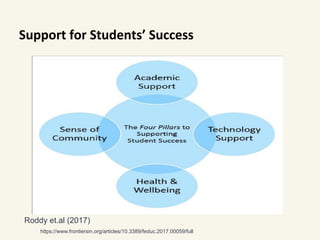
Support for Students’ Success
https://www.frontiersin.org/articles/10.3389/feduc.2017.00059/full
Roddy et.al (2017)
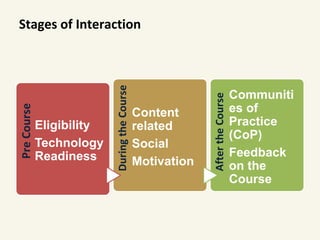
Stages of InteractionPreCourse
Eligibility
Technology
Readiness
DuringtheCourse
Content
related
Social
Motivation
AftertheCourse
Communiti
es of
Practice
(CoP)
Feedback
on the
Course
Open Educational Resources (OER)
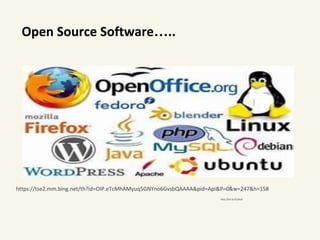
Open Source Software…..
http://bit.ly/2LQtIs9
https://tse2.mm.bing.net/th?id=OIP.eTcMhAMyuq5GNYno6GvsbQAAAA&pid=Api&P=0&w=247&h=158
Open Educational Resources (OER) are teaching and
learning materials that you may freely use and
reuse at no cost, and without needing to ask
permission. Unlike copyrighted resources, OER
have been authored or created by an individual or
organization that chooses to retain few, if any,
ownership rights.
https://www.oercommons.org/about
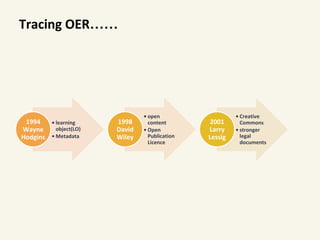
Tracing OER……
• learning
object(LO)
• Metadata
1994
Wayne
Hodgins
• open
content
• Open
Publication
Licence
1998
David
Wiley
• Creative
Commons
• stronger
legal
documents
2001
Larry
Lessig
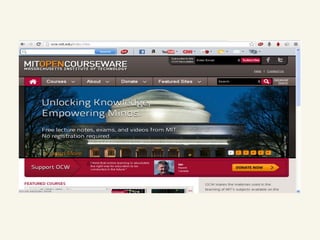
MIT announced OpenCourseWare
initiative
In 2001 MIT initiated to publish
● university course for free public access for
non-commercial use
● an example of commitment at an institutional level
● encourage similar projects
● lending the MIT brand to the movement
OER coined at UNESCO’s 2002 Forum on Impact of Open
Courseware for Higher Education in Developing
Countries and designated “teaching, learning and
research materials in any medium, digital or otherwise,
that reside in the public domain or have been released
under an open license that permits no-cost access, use,
adaptation and redistribution by others with no or
limited restrictions.”
a. Foster awareness and use of OER.
b. Facilitate enabling environments for use of ICT.
c. Reinforce the development of strategies and
policies on OER.
d. Promote the understanding and use of open
licensing frameworks.
e. Support capacity building for the sustainable
development of quality learning materials.
2012: PARIS OER DECLARATION
f. Foster strategic alliances for OER
g. Encourage the development and adaptation of OER in a
variety of languages and cultural contexts.
h. Encourage research on OER.
i. Facilitate finding, retrieving and sharing of OER.
j. Encourage the open licensing of educational materials
produced with public funds.
2012: PARIS OER DECLARATION
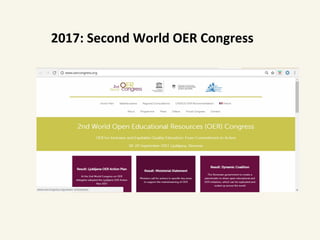
2017: Second World OER Congress
2017: Second World OER Congress in
Ljubljana
● 111 countries 2017 Ljubljana OER Action Plan.
● 41 recommended actions to mainstream open-licensed
resources
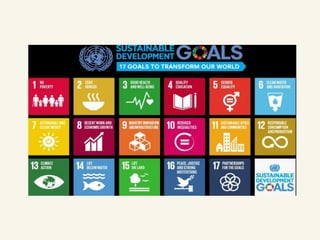
● 2030 Sustainable Development Goal 4 on “quality and
lifelong education.”
● five strategic areas, namely:
○ building the capacity of users to find, re-use, create and share OER;
language and cultural issues;
○ ensuring inclusive and equitable access to quality OER;
○ developing sustainability models;
○ and developing supportive policy environments.
● https://www.oercongress.org/woerc-actionplan/
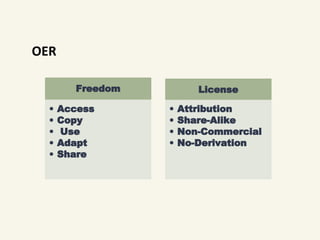
OER
Freedom
• Access
• Copy
• Use
• Adapt
• Share
License
• Attribution
• Share-Alike
• Non-Commercial
• No-Derivation
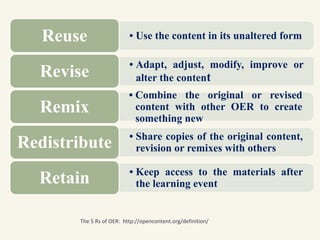
• Use the content in its unaltered formReuse
• Adapt, adjust, modify, improve or
alter the contentRevise
• Combine the original or revised
content with other OER to create
something new
Remix
• Share copies of the original content,
revision or remixes with othersRedistribute
• Keep access to the materials after
the learning eventRetain
The 5 Rs of OER: http://opencontent.org/definition/
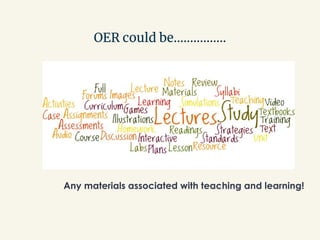
OER could be…………….
Any materials associated with teaching and learning!
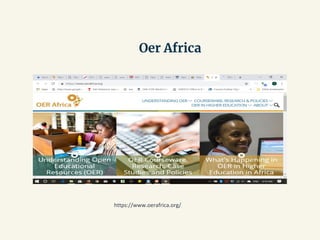
Oer Africa
https://www.oerafrica.org/
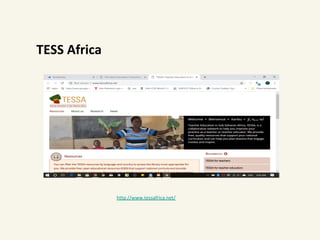
TESS Africa
http://www.tessafrica.net/
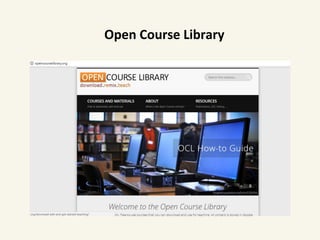
Open Course Library
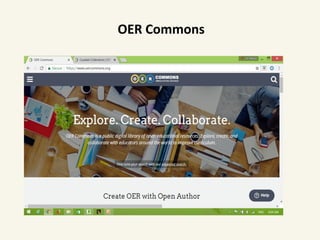
OER Commons
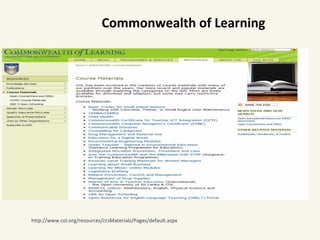
http://www.col.org/resources/crsMaterials/Pages/default.aspx
Commonwealth of Learning
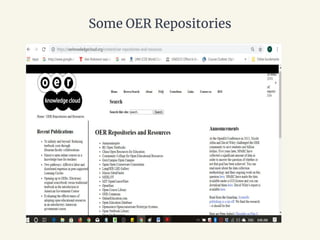
Some OER Repositories
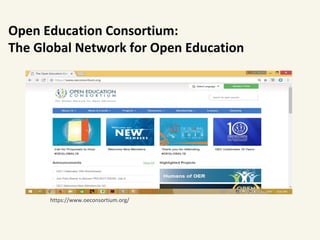
https://www.oeconsortium.org/
Open Education Consortium:
The Global Network for Open Education
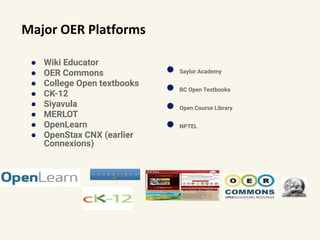
Major OER Platforms
● Wiki Educator
● OER Commons
● College Open textbooks
● CK-12
● Siyavula
● MERLOT
● OpenLearn
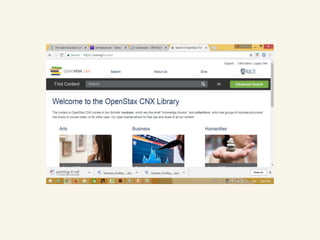
● OpenStax CNX (earlier
Connexions)
● Saylor Academy
● BC Open Textbooks
● Open Course Library
● NPTEL
Open Courseware (free online courses)
● Lumen Learning
● MIT OpenCourseWare
● Mountain Heights
Academy Open
Courseware (9-12)
● The Open Academy
● Saylor Academy
● Open Course Library
● Open Education
Consortium Course
Search
● OpenLearn
● Open.Michigan
● Open Yale
● TU Delft OpenCourseWare
● Tufts OpencourseWare
● Wikiversity
● Carnegie Mellon University
Open Learning Initiative
● John Hopkins School of
Public Health
OpenCourseWare
https://www.cccoer.org/learn/find-oer/open-courseware/
https://www.oerafrica.org/FTPFolder/understanding/OER%20in%20HE%20concept%20paper.pdf
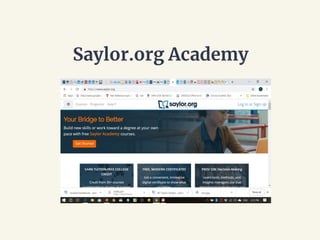
Saylor.org Academy
Some OER initiatives in India
● NPTEL
● NROER
● Project Oscar-IIIT-B
● Open Educational Resources for Schools (OER4S)-Homi Bhabha
Center for Science Education
● NIOS-OER
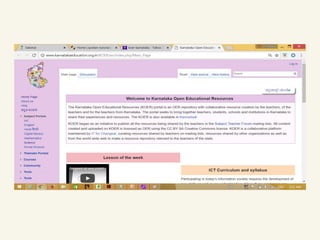
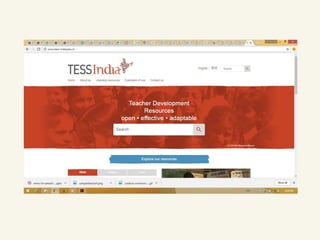
● TESS-India
● KOER
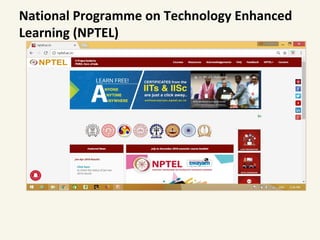
National Programme on Technology Enhanced
Learning (NPTEL)
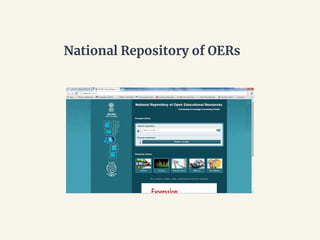
National Repository of OERs
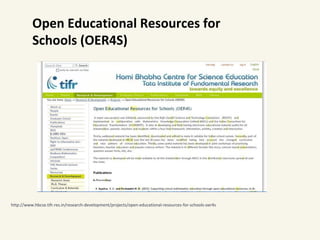
Open Educational Resources for
Schools (OER4S)
http://www.hbcse.tifr.res.in/research-development/projects/open-educational-resources-for-schools-oer4s
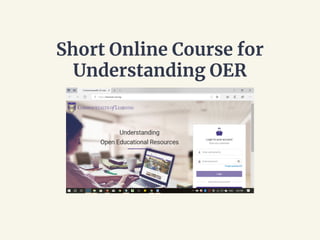
Short Online Course for
Understanding OER
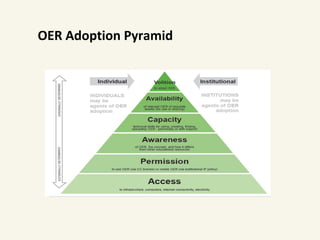
OER Adoption Pyramid
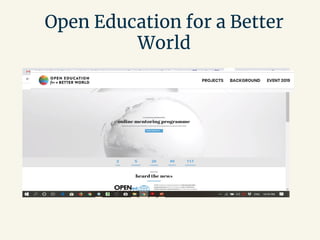
Open Education for a Better
World
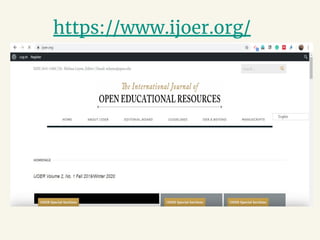
https://www.ijoer.org/
How do we know if it is an OER?
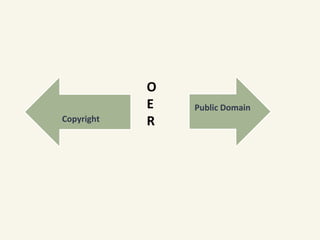
Copyright
Public Domain
O
E
R
Copyright
● exclusive rights, automatic to creators and
authors to protect their original works
● an incentive for creativity
● financial compensation for their IPR
● a certain period of time, after which time the
work enters the public domain.
Creative Commons
http://creativecommons.org/license
• Most developed alternative Licensing approach :
Larry Lessig
• User friendly licenses for digital materials
Six Creative Commons
licenses
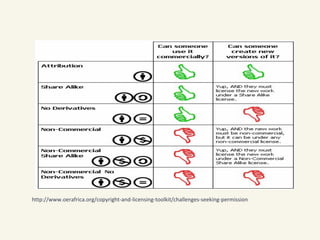
● Attribution (CC-BY)
○ lets others distribute, remix, tweak, and build upon your
work, even commercially, as long as they credit you for
the original creation.
○ most accommodating of licenses offered.
○ recommended for maximum dissemination and use of
licensed materials.
Creative Commons licenses ctd
● Attribution-ShareAlike (CC BY-SA)
○ lets others remix, tweak, and build upon your work even for
commercial purposes, as long as they credit you and
license their new creations under the identical terms.
○ Often compared to “copyleft” free and open source
software licenses.
○ All new works based on yours will carry the same license,
so any derivatives will also allow commercial use. This is
the license used by Wikipedia.
Creative Commons licenses ctd
● Attribution-NoDerivatives (CC BY-ND) allows for
redistribution, commercial and non-commercial, as
long as it is passed along unchanged and in whole,
with credit to you.
● Attribution-NonCommercial (CC BY-NC) lets others
remix, tweak, and build upon your work
non-commercially, and although their new works
must also acknowledge you and be non-commercial,
they don’t have to license their derivative works on
the same terms.
Creative Commons licenses ctd
● Attribution-Non Commercial-ShareAlike
(CC BY-NC-SA)
○ lets others remix, tweak, and build upon your work
non-commercially, as long as they credit you and license
their new creations under the identical terms.
Creative Commons
licenses ctd
● Attribution-NonCommercial-NoDerivs (CC
BY-NC-ND)
○ the most restrictive, only allowing others to download
your works and share them with others as long as they
credit you, but they can’t change them in any way or use
them commercially.
Creative Commons Public Domain Tool
● CC’s public domain tool enable authors and copyright owners
who want to dedicate their works to the worldwide public
domain to do so.
○ The CC0 tool (“No Rights Reserved”) allows licensors to
waive all rights and place a work in the public domain.
○ The Public Domain mark identifies a work that is free of
known copyright restrictions. It is not recommend for works
that are restricted by copyright laws in one or more
jurisdictions.
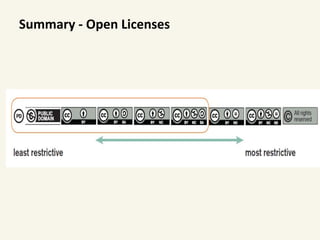
Summary - Open Licenses
http://www.oerafrica.org/copyright-and-licensing-toolkit/challenges-seeking-permission
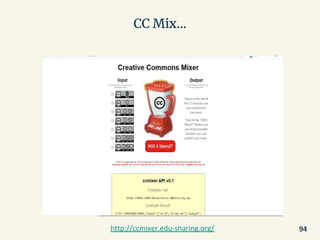
CC Mix…
94http://ccmixer.edu-sharing.org/
Searching and Creating Open Educational
Resources
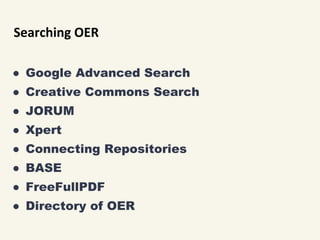
Searching OER
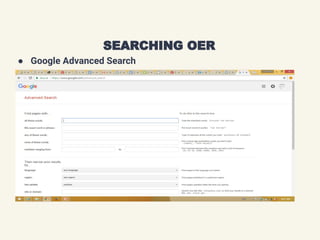
● Google Advanced Search
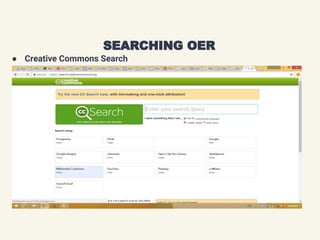
● Creative Commons Search
● JORUM
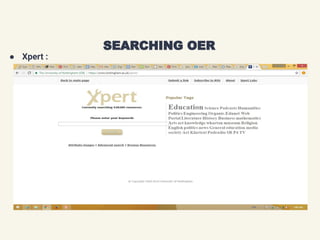
● Xpert
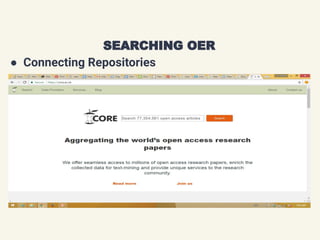
● Connecting Repositories
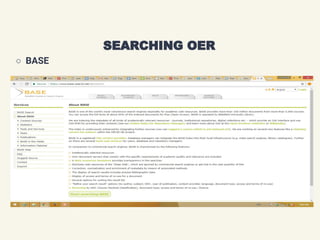
● BASE
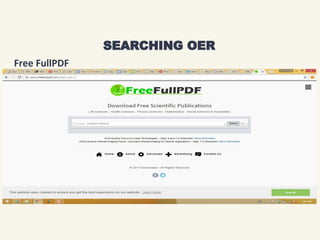
● FreeFullPDF
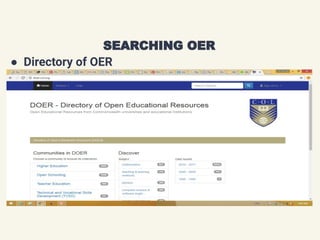
● Directory of OER
● Google Advanced Search
SEARCHING OER
● Creative Commons Search
SEARCHING OER
Searching OER
● Xpert :
SEARCHING OER
● Connecting Repositories
SEARCHING OER
○ BASE
SEARCHING OER
Free FullPDF
SEARCHING OER
● Directory of OER
SEARCHING OER
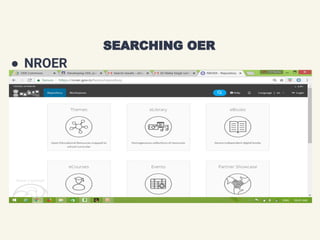
● NROER
SEARCHING OER
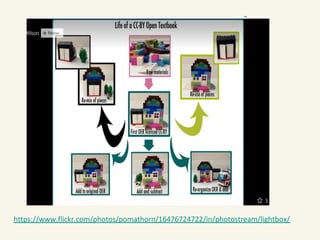
https://www.flickr.com/photos/pomathorn/16476724722/in/photostream/lightbox/
106
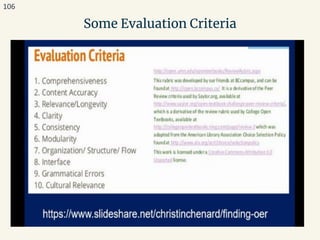
Some Evaluation Criteria
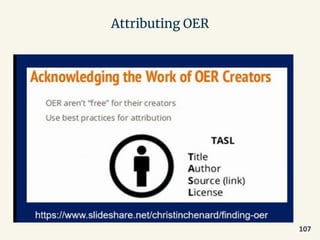
Attributing OER
107
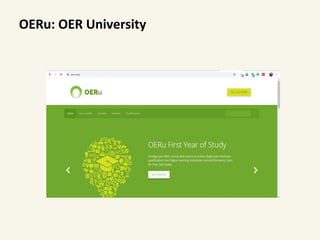
OERu: OER University
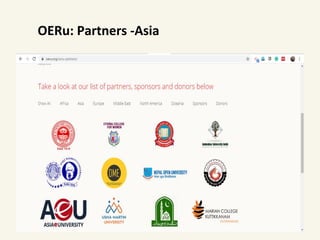
OERu: Partners -Asia
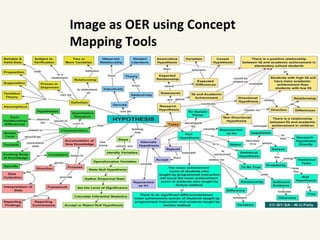
Image as OER using Concept
Mapping Tools
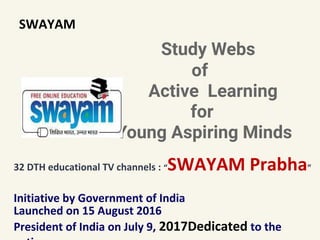
SWAYAM
Study Webs
of
Active Learning
for
Young Aspiring Minds
32 DTH educational TV channels : “SWAYAM Prabha”
Initiative by Government of India
Launched on 15 August 2016
President of India on July 9, 2017Dedicated to the
SWAYAM
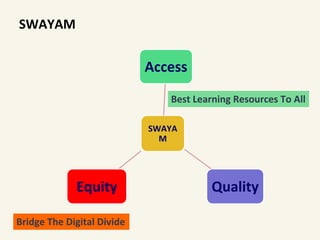
SWAYA
M
Access
QualityEquity
Bridge The Digital Divide
Best Learning Resources To All
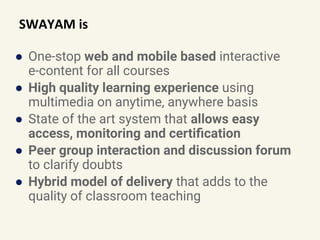
SWAYAM is
● One-stop web and mobile based interactive
e-content for all courses
● High quality learning experience using
multimedia on anytime, anywhere basis
● State of the art system that allows easy
access, monitoring and certification
● Peer group interaction and discussion forum
to clarify doubts
● Hybrid model of delivery that adds to the
quality of classroom teaching
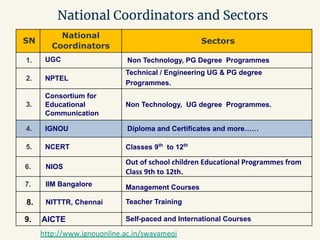
National Coordinators and Sectors
SN
National
Coordinators
Sectors
1. UGC Non Technology, PG Degree Programmes
2. NPTEL
Technical / Engineering UG & PG degree
Programmes.
3.
Consortium for
Educational
Communication
Non Technology, UG degree Programmes.
4. IGNOU Diploma and Certificates and more……
5. NCERT Classes 9th
to 12th
6. NIOS
Out of school children Educational Programmes from
Class 9th to 12th.
7. IIM Bangalore Management Courses
8. NITTTR, Chennai Teacher Training
9. AICTE Self-paced and International Courses
http://www.ignouonline.ac.in/swayameoi
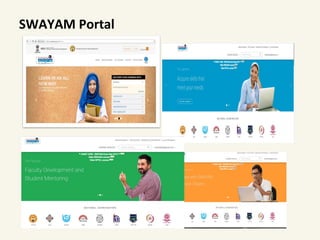
SWAYAM Portal
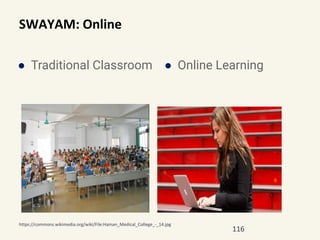
SWAYAM: Online
● Traditional Classroom ● Online Learning
116
https://commons.wikimedia.org/wiki/File:Hainan_Medical_College_-_14.jpg
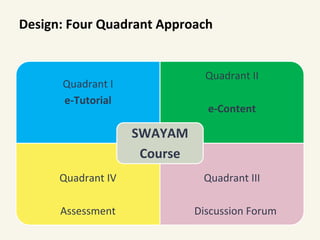
Design: Four Quadrant Approach
Quadrant I
e-Tutorial
Quadrant II
e-Content
Quadrant IV
Assessment
Quadrant III
Discussion Forum
SWAYAM
Course
Reach me @ drnisha@ignou.ac.in

Online education exploring potential

  • 1.
    Online Education: Exploring Potential NishaSingh Deputy Director, Centre for Online Education. IGNOU
  • 2.
  • 3.
    Digital Population acrossIndia 3 https://www.statista.com/topics/2157/internet-usage-in-india/
  • 4.
    Internet Users inIndia from 2015 to 2018 with a forecast till 4
  • 5.
  • 6.
    Online Education InIndia-Key Areas Primary and Secondary Supplemental Education Test Preparation Reskilling and Online Certification Higher Education Language and Casual Learning
  • 7.
    Online Courses: Digital “Learning that meetsyou where you are….” https://www2.deloitte.com/content/dam/Deloitte/it/Documents/human-capital/HCtrendsConference/HC%20Corner_Learning.pdf
  • 8.
    Designing ● To achievethe intended learning outcomes of the course by producing the desired learning Begin with the end in mind 8 How do you design a course?
  • 9.
    Instructional Design (ID) ● Instruction:a set of events that facilitate learning ● Design: a creative pattern or a rational, logical, sequential process intended to solve problems
  • 10.
    Models of InstructionalDesign • ADDIE • Dick and Carey Model • ASSURE • Keller’s ARCS Model for motivation • Itteriative Models • 4C/ID Model • And many more…….
  • 11.
    ADDIE Model ● Analyze ●Design ● Develop ● Implement Evaluate http://www.instructionaldesignexpert.com/addie.html
  • 12.
    Dick and CareyModel (Source: Dick, Walter, Carey, Lou, & Carey, James O. The systematic design of instruction, 7th edition, 2009)
  • 13.
  • 14.
    14 Iterative Design Models ●incremental designing and developing ● Iterative design can apply to a learning experience, the creation of media, or the development of learning systems. ● Rapid Prototyping ● SAM ○
  • 15.
  • 16.
    Instructional Design-Analysis Phase NeedAnalysis Problemidentification Need identification Is solution needed
  • 17.
    Instructional Design-Analysis Phase LearnerAnalysis Targetlearner for the course Characteristics of learners Instructional Strategies Content Language Examples
  • 18.
    Instructional Design-Analysis Phase •Identification of the activities that a learner performs • Learners’ performance level Task Analysis • Conditions of learningContext Analysis
  • 19.
    Instructional Design-Design Phase Answ er ‘how will’ thecontent be organized? it be presented to learners? delivery of content be done ? what types of activities and exercises will be included? learners' accomplishments be measured?
  • 20.
    • Knowledge levelof the learner • Learning objectives/outcomes • Structure of the learning activities • Assessment • Review the Design components Instructional Design-Design Phase
  • 21.
    • List activitiesfor Target Audience • Select the most Appropriate Method • Develop Resources • Validate the material Instructional Design-Development Phase 21
  • 22.
    Instructional Design- ImplementationPhase Prepare schedule Provide documentation Prepare learning environment Delivery
  • 23.
    • Learning Analytics •Evaluation :Formative and Summative • Review and Evaluate Each Phase (formative) • Perform External Evaluation (summative) • Revise Instructional Design- Evaluation Phase 23
  • 25.
  • 26.
  • 27.
    Eight Principles of UniversalInstructional Design Goff & Higbee, 2008 ● Creating welcoming environment ● Determining essential components of a course ● Communicating clear expectations ● Providing timely and constructive feedback ● Exploring use of natural supports for learning, including technology(Goff & Higbee, 2008) chapter 1-Page 2: retrieved from https://files.eric.ed.gov/fulltext/ED503835.pdf
  • 28.
    Eight Principles of UniversalInstructional Design ● Designing teaching methods that consider diverse learning styles, abilities, ways of knowing, and previous experience and background knowledge ● Creating multiple ways for students to demonstrate their knowledge ● Promoting interaction among and between faculty and students(Goff & Higbee, 2008) chapter 1-Page 2: retrieved from https://files.eric.ed.gov/fulltext/ED503835.pdf
  • 29.
    Principles for GoodPractice in Online Course Development ● Contact between Students and Faculty ○ Post a bio-sketch of instructor with contact information. ○ Email each student a welcome email with office hours and availability. ○ Set up a video conference to establish a face to face connection with the student. ○ Post a weekly announcement in the beginning and summary at the end of the week. ○ Send out a formative mid-semester evaluation and address areas of concern via an announcement.
  • 30.
    Some points forDesigning ● a warm welcome to the course. ● Expectations, including grading assignment expectations, are clearly stated. ● Announcements and updates are posted. ● different Welcome Page for each Unit. ● Discussion rubric where points or guidelines for discussion comments are clearly stated. ● some, but not too much, online text provided. 30
  • 31.
    Some points forDesigning ● plenty of pictures, charts, color design, artwork and other visuals in your Welcome Pages, readings and other web pages in the online classroom. ● PowerPoint slide show per Unit, ideally with the teacher’s audio presentation integrated into the slides. ● audio presentations for each Unit in the course. ● activities for students to do in the course. 31
  • 32.
    Some points forDesigning ● Online discussion is organized by units. ● teacher is consistently and constantly involved in the online discussion. ● Participants or students make a sufficient number of comments each week and unit. ● sufficient evidence of replies and responses from students in the online discussion. ● one or more ungraded self-quizzes for each unit. 32
  • 33.
    Some points forDesigning ● good visual design elements to the course. ● more than three assessments used in grading. ● intuitive navigation, making the course easily navigated by students. ● another good feature to the online course. 33 Source: http://teachingonthenet.org/best-practices-standards.cfm
  • 34.
    Important aspects ● CourseInformation ● Course Design and Organisation ● Aesthetic Design ● Interaction and Collaboration ● Effective Use of Technology ● Assessment and Evaluation 34 ONLINE COURSE BEST PRACTICES CHECKLIST by PALOMAR COLLEGE
  • 35.
    Types of Interaction ●Learner-content interaction ● Learner-teacher interaction ● Learner-learner interaction Another way ● one-alone ● one-to-one ● one-to-many ● many-to-many Media and Technology Learner Teache r Learner Conten t
  • 36.
    Interaction Learner-content Learner-TeacherLearner-learner Methods One -Alone Interactive webpages, interactive video, simulation based learning content, Quizzes and tests One to One E-mail, Chat, Email, Chat E-mail, Chat, Email, Chat One to many E-mail, Mailing lists, Discussion Forums, Blogs, Social Networks, Web conferences E-mail, Mailing lists, Discussion Forums, Blogs, Social Networks, Web conferences Many to many Group Chat, Discussion Forum, Blogs, Wikis, Social Networks, Web conferences Group Chat, Discussion Forum, Blogs, Wikis, Social Networks, Web conferences
  • 37.
    Support for Students’Success https://www.frontiersin.org/articles/10.3389/feduc.2017.00059/full Roddy et.al (2017)
  • 38.
  • 39.
  • 40.
  • 41.
    Open Educational Resources(OER) are teaching and learning materials that you may freely use and reuse at no cost, and without needing to ask permission. Unlike copyrighted resources, OER have been authored or created by an individual or organization that chooses to retain few, if any, ownership rights. https://www.oercommons.org/about
  • 42.
    Tracing OER…… • learning object(LO) •Metadata 1994 Wayne Hodgins • open content • Open Publication Licence 1998 David Wiley • Creative Commons • stronger legal documents 2001 Larry Lessig
  • 43.
    MIT announced OpenCourseWare initiative In2001 MIT initiated to publish ● university course for free public access for non-commercial use ● an example of commitment at an institutional level ● encourage similar projects ● lending the MIT brand to the movement
  • 44.
    OER coined atUNESCO’s 2002 Forum on Impact of Open Courseware for Higher Education in Developing Countries and designated “teaching, learning and research materials in any medium, digital or otherwise, that reside in the public domain or have been released under an open license that permits no-cost access, use, adaptation and redistribution by others with no or limited restrictions.”
  • 45.
    a. Foster awarenessand use of OER. b. Facilitate enabling environments for use of ICT. c. Reinforce the development of strategies and policies on OER. d. Promote the understanding and use of open licensing frameworks. e. Support capacity building for the sustainable development of quality learning materials. 2012: PARIS OER DECLARATION
  • 46.
    f. Foster strategicalliances for OER g. Encourage the development and adaptation of OER in a variety of languages and cultural contexts. h. Encourage research on OER. i. Facilitate finding, retrieving and sharing of OER. j. Encourage the open licensing of educational materials produced with public funds. 2012: PARIS OER DECLARATION
  • 47.
    2017: Second WorldOER Congress
  • 48.
    2017: Second WorldOER Congress in Ljubljana ● 111 countries 2017 Ljubljana OER Action Plan. ● 41 recommended actions to mainstream open-licensed resources ● 2030 Sustainable Development Goal 4 on “quality and lifelong education.” ● five strategic areas, namely: ○ building the capacity of users to find, re-use, create and share OER; language and cultural issues; ○ ensuring inclusive and equitable access to quality OER; ○ developing sustainability models; ○ and developing supportive policy environments. ● https://www.oercongress.org/woerc-actionplan/
  • 50.
    OER Freedom • Access • Copy •Use • Adapt • Share License • Attribution • Share-Alike • Non-Commercial • No-Derivation
  • 51.
    • Use thecontent in its unaltered formReuse • Adapt, adjust, modify, improve or alter the contentRevise • Combine the original or revised content with other OER to create something new Remix • Share copies of the original content, revision or remixes with othersRedistribute • Keep access to the materials after the learning eventRetain The 5 Rs of OER: http://opencontent.org/definition/
  • 52.
    OER could be……………. Anymaterials associated with teaching and learning!
  • 54.
  • 55.
  • 56.
  • 57.
  • 62.
  • 63.
  • 64.
  • 65.
    Major OER Platforms ●Wiki Educator ● OER Commons ● College Open textbooks ● CK-12 ● Siyavula ● MERLOT ● OpenLearn ● OpenStax CNX (earlier Connexions) ● Saylor Academy ● BC Open Textbooks ● Open Course Library ● NPTEL
  • 66.
    Open Courseware (freeonline courses) ● Lumen Learning ● MIT OpenCourseWare ● Mountain Heights Academy Open Courseware (9-12) ● The Open Academy ● Saylor Academy ● Open Course Library ● Open Education Consortium Course Search ● OpenLearn ● Open.Michigan ● Open Yale ● TU Delft OpenCourseWare ● Tufts OpencourseWare ● Wikiversity ● Carnegie Mellon University Open Learning Initiative ● John Hopkins School of Public Health OpenCourseWare https://www.cccoer.org/learn/find-oer/open-courseware/ https://www.oerafrica.org/FTPFolder/understanding/OER%20in%20HE%20concept%20paper.pdf
  • 67.
  • 69.
    Some OER initiativesin India ● NPTEL ● NROER ● Project Oscar-IIIT-B ● Open Educational Resources for Schools (OER4S)-Homi Bhabha Center for Science Education ● NIOS-OER ● TESS-India ● KOER
  • 70.
    National Programme onTechnology Enhanced Learning (NPTEL)
  • 71.
  • 72.
    Open Educational Resourcesfor Schools (OER4S) http://www.hbcse.tifr.res.in/research-development/projects/open-educational-resources-for-schools-oer4s
  • 75.
    Short Online Coursefor Understanding OER
  • 76.
  • 78.
    Open Education fora Better World
  • 81.
  • 82.
    How do weknow if it is an OER?
  • 83.
  • 84.
    Copyright ● exclusive rights,automatic to creators and authors to protect their original works ● an incentive for creativity ● financial compensation for their IPR ● a certain period of time, after which time the work enters the public domain.
  • 85.
    Creative Commons http://creativecommons.org/license • Mostdeveloped alternative Licensing approach : Larry Lessig • User friendly licenses for digital materials
  • 86.
    Six Creative Commons licenses ●Attribution (CC-BY) ○ lets others distribute, remix, tweak, and build upon your work, even commercially, as long as they credit you for the original creation. ○ most accommodating of licenses offered. ○ recommended for maximum dissemination and use of licensed materials.
  • 87.
    Creative Commons licensesctd ● Attribution-ShareAlike (CC BY-SA) ○ lets others remix, tweak, and build upon your work even for commercial purposes, as long as they credit you and license their new creations under the identical terms. ○ Often compared to “copyleft” free and open source software licenses. ○ All new works based on yours will carry the same license, so any derivatives will also allow commercial use. This is the license used by Wikipedia.
  • 88.
    Creative Commons licensesctd ● Attribution-NoDerivatives (CC BY-ND) allows for redistribution, commercial and non-commercial, as long as it is passed along unchanged and in whole, with credit to you. ● Attribution-NonCommercial (CC BY-NC) lets others remix, tweak, and build upon your work non-commercially, and although their new works must also acknowledge you and be non-commercial, they don’t have to license their derivative works on the same terms.
  • 89.
    Creative Commons licensesctd ● Attribution-Non Commercial-ShareAlike (CC BY-NC-SA) ○ lets others remix, tweak, and build upon your work non-commercially, as long as they credit you and license their new creations under the identical terms.
  • 90.
    Creative Commons licenses ctd ●Attribution-NonCommercial-NoDerivs (CC BY-NC-ND) ○ the most restrictive, only allowing others to download your works and share them with others as long as they credit you, but they can’t change them in any way or use them commercially.
  • 91.
    Creative Commons PublicDomain Tool ● CC’s public domain tool enable authors and copyright owners who want to dedicate their works to the worldwide public domain to do so. ○ The CC0 tool (“No Rights Reserved”) allows licensors to waive all rights and place a work in the public domain. ○ The Public Domain mark identifies a work that is free of known copyright restrictions. It is not recommend for works that are restricted by copyright laws in one or more jurisdictions.
  • 92.
  • 93.
  • 94.
  • 95.
    Searching and CreatingOpen Educational Resources
  • 96.
    Searching OER ● GoogleAdvanced Search ● Creative Commons Search ● JORUM ● Xpert ● Connecting Repositories ● BASE ● FreeFullPDF ● Directory of OER
  • 97.
    ● Google AdvancedSearch SEARCHING OER
  • 98.
    ● Creative CommonsSearch SEARCHING OER
  • 99.
    Searching OER ● Xpert: SEARCHING OER
  • 100.
  • 101.
  • 102.
  • 103.
    ● Directory ofOER SEARCHING OER
  • 104.
  • 105.
  • 106.
  • 107.
  • 108.
  • 109.
  • 110.
    Image as OERusing Concept Mapping Tools
  • 111.
    SWAYAM Study Webs of Active Learning for YoungAspiring Minds 32 DTH educational TV channels : “SWAYAM Prabha” Initiative by Government of India Launched on 15 August 2016 President of India on July 9, 2017Dedicated to the
  • 112.
    SWAYAM SWAYA M Access QualityEquity Bridge The DigitalDivide Best Learning Resources To All
  • 113.
    SWAYAM is ● One-stopweb and mobile based interactive e-content for all courses ● High quality learning experience using multimedia on anytime, anywhere basis ● State of the art system that allows easy access, monitoring and certification ● Peer group interaction and discussion forum to clarify doubts ● Hybrid model of delivery that adds to the quality of classroom teaching
  • 114.
    National Coordinators andSectors SN National Coordinators Sectors 1. UGC Non Technology, PG Degree Programmes 2. NPTEL Technical / Engineering UG & PG degree Programmes. 3. Consortium for Educational Communication Non Technology, UG degree Programmes. 4. IGNOU Diploma and Certificates and more…… 5. NCERT Classes 9th to 12th 6. NIOS Out of school children Educational Programmes from Class 9th to 12th. 7. IIM Bangalore Management Courses 8. NITTTR, Chennai Teacher Training 9. AICTE Self-paced and International Courses http://www.ignouonline.ac.in/swayameoi
  • 115.
  • 116.
    SWAYAM: Online ● TraditionalClassroom ● Online Learning 116 https://commons.wikimedia.org/wiki/File:Hainan_Medical_College_-_14.jpg
  • 117.
    Design: Four QuadrantApproach Quadrant I e-Tutorial Quadrant II e-Content Quadrant IV Assessment Quadrant III Discussion Forum SWAYAM Course
  • 118.
    Reach me @drnisha@ignou.ac.in