CYBER-SECURITY
INTRODUCTION
• The term cyber security used to refer to security offered
through online services to protect your online data and
information
• With increasing amount of people getting connected to
internet,the security threats that cause massive harm are also
increasing.
MEANING OF THE WORD CYBER
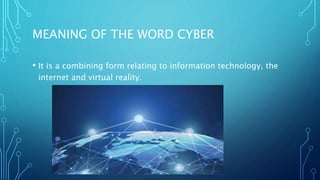
• It is a combining form relating to information technology, the
internet and virtual reality.
NEED OF CYBER SECURITY
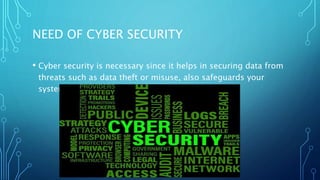
• Cyber security is necessary since it helps in securing data from
threats such as data theft or misuse, also safeguards your
system from viruses
MAJOR SECURITY PROBLEMS
• Virus
• Hacker
• Malware
• Trojan horses
• Password cracking
VIRUSES AND WORMS
• A Virus is a “program that is loaded onto your computer
without your knowledge and runs against your wishes
TYPES OF COMPUTER VIRUS
• File Infector Virus – As the name suggests, it first infects a single file
and then later spreads itself to other executable files and programs.
• Boot Sector Virus – It is a type of virus that infects the boot sector of
floppy disks or the Master Boot Record (MBR) of hard disks. The Boot
sector comprises all the files which are required to start the Operating
system of the computer. The virus either overwrites the existing
program or copies itself to another part of the disk.
TYPES OF COMPUTER VIRUS(CONTD)
• Overwrite Virus – One of the most harmful viruses, the overwrite virus
can completely remove the existing program and replace it with the
malicious code by overwriting it. Gradually it can completely replace the
host’s programming code with the harmful code.
• Macro Virus – A virus written in the same macro language as used in the
software program and infects the computer if a word processor file is
opened. Mainly the source of such viruses is via emails.
SOLUTION
• Install antivirus software that may helps to protect the
computer system from virus some of them are:-
• Norton
• Quickheal-antivirus
• Mcafee
• Avast antivirus etc…..
HACKERS
• In common a hacker is a person who breaks into computers,
usually by gaining access to administrative controls.
TYPES OF HACKERS
• White Hat Hacker
• Grey Hat Hacker
• Black Hat Hacker
TYPES OF HACKERS(CONTD)
• White hat Hackers:- are also known as Ethical Hackers or a
Penetration Tester. White hat hackers are the good guys of the
hacker world. These people use the same technique used by
the black hat hackers. They also hack the system, but they can
only hack the system that they have permission to hack in
order to test the security of the system. They focus on security
and protecting IT system. White hat hacking is legal.
TYPES OF HACKERS(CONTD)
• Gray hat Hackers are Hybrid between Black hat Hackers and
White hat hackers. They can hack any system even if they don't
have permission to test the security of the system but they will
never steal money or damage the system.
• In most cases, they tell the administrator of that system. But
they are also illegal because they test the security of the system
that they do not have permission to test. Grey hat hacking is
sometimes acted legally and sometimes not.
TYPES OF HACKERS(CONTD)
• Black-hat Hackers are also known as an Unethical Hacker or a
Security Cracker. These people hack the system illegally to steal
money or to achieve their own illegal goals. They find banks or
other companies with weak security and steal money or credit
card information. They can also modify or destroy the data as
well. Black hat hacking is illegal.
HOW TO PREVENT HACKING
• It may be impossible to prevent computer hacking, however
effective security controls including strong passwords, and the
use of firewalls can helps.
MALWARE
• The word "malware" comes from the term "MALicious
softWARE." Malware is any software that infects and damages a
computer system without the owner's knowledge or
permission.
TO STOP MALWARE
• Download an anti-malware program that also helps prevent
infections.
• Activate Network Threat Protection, Firewall, Antivirus.
TROJAN HORSES
• Trojan horses are email viruses that can duplicate themselves,
steal information, or harm the computer system.
• These viruses are the most serious threats to computers
HOW TO AVOID TROJANS
• Security suites, such as Avast Internet Security, will prevent you
from downloading Trojan Horses
PASSWORD CRACKING
• Password attacks are attacks by hackers that are able to
determine passwords or find passwords to different protected
electronic areas and social network sites.
SECURING PASSWORD
• Use always Strong password.
• Never use same password for two different sites
THANK YOU

Cyber security

  • 1.
  • 2.
    INTRODUCTION • The termcyber security used to refer to security offered through online services to protect your online data and information • With increasing amount of people getting connected to internet,the security threats that cause massive harm are also increasing.
  • 3.
    MEANING OF THEWORD CYBER • It is a combining form relating to information technology, the internet and virtual reality.
  • 4.
    NEED OF CYBERSECURITY • Cyber security is necessary since it helps in securing data from threats such as data theft or misuse, also safeguards your system from viruses
  • 5.
    MAJOR SECURITY PROBLEMS •Virus • Hacker • Malware • Trojan horses • Password cracking
  • 6.
    VIRUSES AND WORMS •A Virus is a “program that is loaded onto your computer without your knowledge and runs against your wishes
  • 7.
    TYPES OF COMPUTERVIRUS • File Infector Virus – As the name suggests, it first infects a single file and then later spreads itself to other executable files and programs. • Boot Sector Virus – It is a type of virus that infects the boot sector of floppy disks or the Master Boot Record (MBR) of hard disks. The Boot sector comprises all the files which are required to start the Operating system of the computer. The virus either overwrites the existing program or copies itself to another part of the disk.
  • 8.
    TYPES OF COMPUTERVIRUS(CONTD) • Overwrite Virus – One of the most harmful viruses, the overwrite virus can completely remove the existing program and replace it with the malicious code by overwriting it. Gradually it can completely replace the host’s programming code with the harmful code. • Macro Virus – A virus written in the same macro language as used in the software program and infects the computer if a word processor file is opened. Mainly the source of such viruses is via emails.
  • 9.
    SOLUTION • Install antivirussoftware that may helps to protect the computer system from virus some of them are:- • Norton • Quickheal-antivirus • Mcafee • Avast antivirus etc…..
  • 10.
    HACKERS • In commona hacker is a person who breaks into computers, usually by gaining access to administrative controls.
  • 11.
    TYPES OF HACKERS •White Hat Hacker • Grey Hat Hacker • Black Hat Hacker
  • 12.
    TYPES OF HACKERS(CONTD) •White hat Hackers:- are also known as Ethical Hackers or a Penetration Tester. White hat hackers are the good guys of the hacker world. These people use the same technique used by the black hat hackers. They also hack the system, but they can only hack the system that they have permission to hack in order to test the security of the system. They focus on security and protecting IT system. White hat hacking is legal.
  • 13.
    TYPES OF HACKERS(CONTD) •Gray hat Hackers are Hybrid between Black hat Hackers and White hat hackers. They can hack any system even if they don't have permission to test the security of the system but they will never steal money or damage the system. • In most cases, they tell the administrator of that system. But they are also illegal because they test the security of the system that they do not have permission to test. Grey hat hacking is sometimes acted legally and sometimes not.
  • 14.
    TYPES OF HACKERS(CONTD) •Black-hat Hackers are also known as an Unethical Hacker or a Security Cracker. These people hack the system illegally to steal money or to achieve their own illegal goals. They find banks or other companies with weak security and steal money or credit card information. They can also modify or destroy the data as well. Black hat hacking is illegal.
  • 15.
    HOW TO PREVENTHACKING • It may be impossible to prevent computer hacking, however effective security controls including strong passwords, and the use of firewalls can helps.
  • 16.
    MALWARE • The word"malware" comes from the term "MALicious softWARE." Malware is any software that infects and damages a computer system without the owner's knowledge or permission.
  • 17.
    TO STOP MALWARE •Download an anti-malware program that also helps prevent infections. • Activate Network Threat Protection, Firewall, Antivirus.
  • 18.
    TROJAN HORSES • Trojanhorses are email viruses that can duplicate themselves, steal information, or harm the computer system. • These viruses are the most serious threats to computers
  • 19.
    HOW TO AVOIDTROJANS • Security suites, such as Avast Internet Security, will prevent you from downloading Trojan Horses
  • 20.
    PASSWORD CRACKING • Passwordattacks are attacks by hackers that are able to determine passwords or find passwords to different protected electronic areas and social network sites.
  • 21.
    SECURING PASSWORD • Usealways Strong password. • Never use same password for two different sites
  • 22.