Cascading style sheets (CSS)
-Varsha Kumari
9/9/2019 1
DHTML
• DHTML is the programming language that is
embedded in HTML and helps in creation of dynamic
web pages using a combination of the static markup
language HTML, a client side scripting language (such
as JavaScript) and the style definition language
Cascading Style Sheets.
• HTML specifies a web page’s elements like table,
frame, paragraph, list etc.
• CSS can be used for formatting some features of
those elements like element’s size, color, position
etc
9/9/2019 2
Introduction
What is CSS?
CSS stands for Cascading Style Sheets
Style sheet language
Describe the looks and formatting of a
document
Styles define how to display HTML elements
enable the separation of document content
from document presentation
9/9/2019 3
CSS Syntax
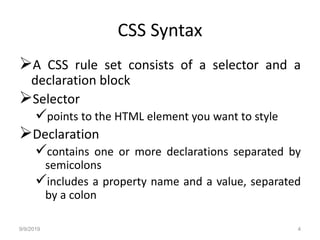
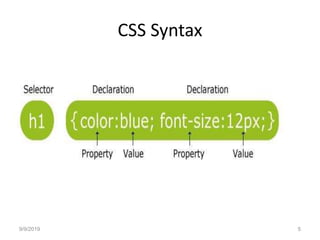
A CSS rule set consists of a selector and a
declaration block
Selector
points to the HTML element you want to style
Declaration
contains one or more declarations separated by
semicolons
includes a property name and a value, separated
by a colon
9/9/2019 4
CSS Syntax
9/9/2019 5
CSS Example
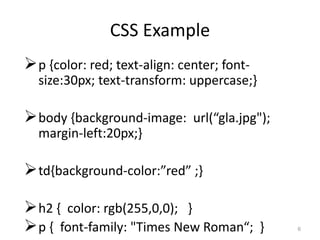
p {color: red; text-align: center; font-
size:30px; text-transform: uppercase;}
body {background-image: url(“gla.jpg");
margin-left:20px;}
td{background-color:”red” ;}
h2 { color: rgb(255,0,0); }
p { font-family: "Times New Roman“; } 6
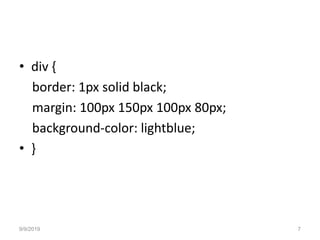
• div {
border: 1px solid black;
margin: 100px 150px 100px 80px;
background-color: lightblue;
• }
9/9/2019 7
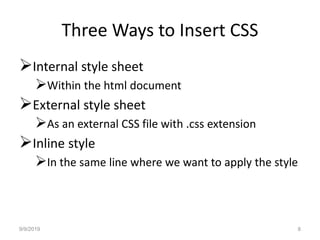
Three Ways to Insert CSS
Internal style sheet
Within the html document
External style sheet
As an external CSS file with .css extension
Inline style
In the same line where we want to apply the style
9/9/2019 8
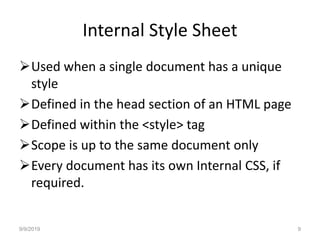
Internal Style Sheet
Used when a single document has a unique
style
Defined in the head section of an HTML page
Defined within the <style> tag
Scope is up to the same document only
Every document has its own Internal CSS, if
required.
9/9/2019 9
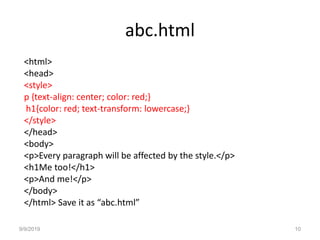
abc.html
<html>
<head>
<style>
p {text-align: center; color: red;}
h1{color: red; text-transform: lowercase;}
</style>
</head>
<body>
<p>Every paragraph will be affected by the style.</p>
<h1Me too!</h1>
<p>And me!</p>
</body>
</html> Save it as “abc.html”
9/9/2019 10
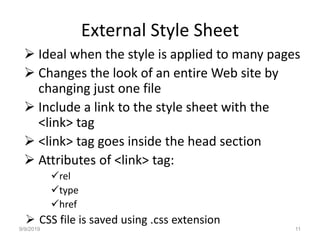
External Style Sheet
 Ideal when the style is applied to many pages
 Changes the look of an entire Web site by
changing just one file
 Include a link to the style sheet with the
<link> tag
 <link> tag goes inside the head section
 Attributes of <link> tag:
rel
type
href
 CSS file is saved using .css extension
9/9/2019 11
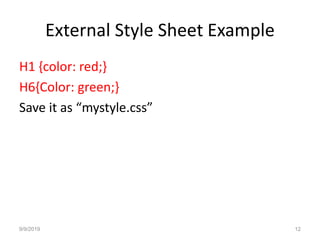
External Style Sheet Example
H1 {color: red;}
H6{Color: green;}
Save it as “mystyle.css”
9/9/2019 12
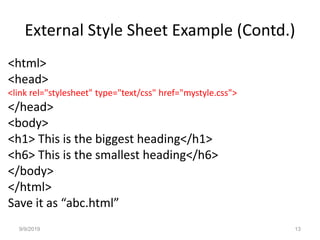
External Style Sheet Example (Contd.)
<html>
<head>
<link rel="stylesheet" type="text/css" href="mystyle.css">
</head>
<body>
<h1> This is the biggest heading</h1>
<h6> This is the smallest heading</h6>
</body>
</html>
Save it as “abc.html”
9/9/2019 13
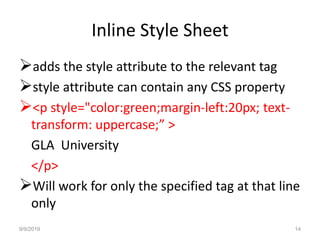
Inline Style Sheet
adds the style attribute to the relevant tag
style attribute can contain any CSS property
<p style="color:green;margin-left:20px; text-
transform: uppercase;” >
GLA University
</p>
Will work for only the specified tag at that line
only
9/9/2019 14
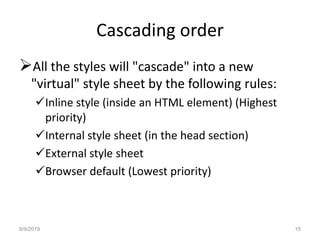
Cascading order
All the styles will "cascade" into a new
"virtual" style sheet by the following rules:
Inline style (inside an HTML element) (Highest
priority)
Internal style sheet (in the head section)
External style sheet
Browser default (Lowest priority)
9/9/2019 15
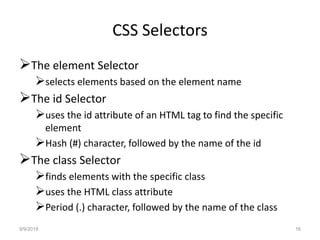
CSS Selectors
The element Selector
selects elements based on the element name
The id Selector
uses the id attribute of an HTML tag to find the specific
element
Hash (#) character, followed by the name of the id
The class Selector
finds elements with the specific class
uses the HTML class attribute
Period (.) character, followed by the name of the class
9/9/2019 16
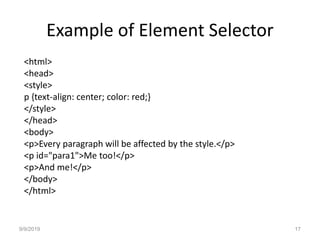
Example of Element Selector
<html>
<head>
<style>
p {text-align: center; color: red;}
</style>
</head>
<body>
<p>Every paragraph will be affected by the style.</p>
<p id="para1">Me too!</p>
<p>And me!</p>
</body>
</html>
9/9/2019 17
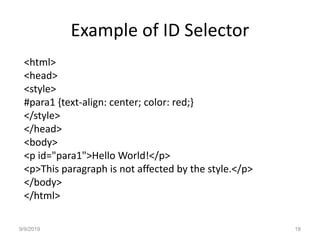
Example of ID Selector
<html>
<head>
<style>
#para1 {text-align: center; color: red;}
</style>
</head>
<body>
<p id="para1">Hello World!</p>
<p>This paragraph is not affected by the style.</p>
</body>
</html>
9/9/2019 18
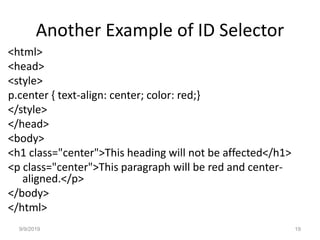
Another Example of ID Selector
<html>
<head>
<style>
p.center { text-align: center; color: red;}
</style>
</head>
<body>
<h1 class="center">This heading will not be affected</h1>
<p class="center">This paragraph will be red and center-
aligned.</p>
</body>
</html>
9/9/2019 19
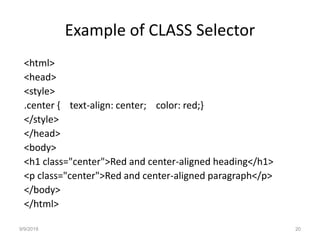
Example of CLASS Selector
<html>
<head>
<style>
.center { text-align: center; color: red;}
</style>
</head>
<body>
<h1 class="center">Red and center-aligned heading</h1>
<p class="center">Red and center-aligned paragraph</p>
</body>
</html>
9/9/2019 20
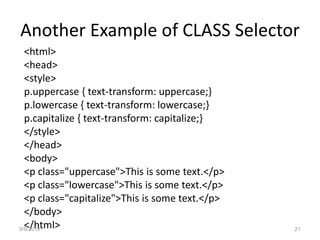
Another Example of CLASS Selector
<html>
<head>
<style>
p.uppercase { text-transform: uppercase;}
p.lowercase { text-transform: lowercase;}
p.capitalize { text-transform: capitalize;}
</style>
</head>
<body>
<p class="uppercase">This is some text.</p>
<p class="lowercase">This is some text.</p>
<p class="capitalize">This is some text.</p>
</body>
</html>9/9/2019 21
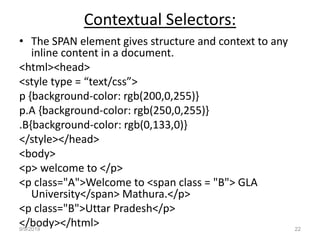
Contextual Selectors:
• The SPAN element gives structure and context to any
inline content in a document.
<html><head>
<style type = “text/css”>
p {background-color: rgb(200,0,255)}
p.A {background-color: rgb(250,0,255)}
.B{background-color: rgb(0,133,0)}
</style></head>
<body>
<p> welcome to </p>
<p class="A">Welcome to <span class = "B"> GLA
University</span> Mathura.</p>
<p class="B">Uttar Pradesh</p>
</body></html>9/9/2019 22
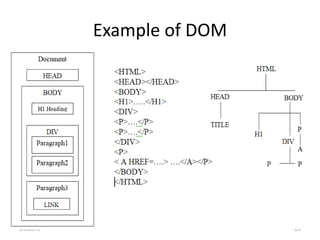
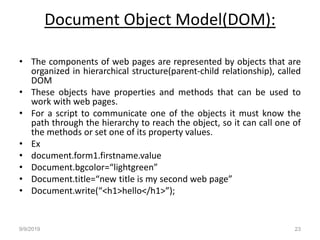
Document Object Model(DOM):
• The components of web pages are represented by objects that are
organized in hierarchical structure(parent-child relationship), called
DOM
• These objects have properties and methods that can be used to
work with web pages.
• For a script to communicate one of the objects it must know the
path through the hierarchy to reach the object, so it can call one of
the methods or set one of its property values.
• Ex
• document.form1.firstname.value
• Document.bgcolor=“lightgreen”
• Document.title=“new title is my second web page”
• Document.write(“<h1>hello</h1>”);
9/9/2019 23
Example of DOM
9/9/2019 24
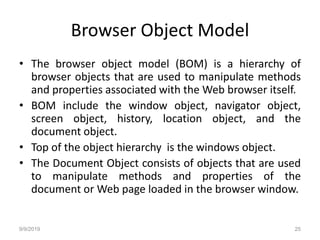
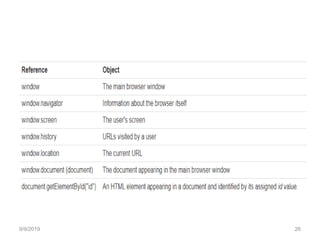
Browser Object Model
• The browser object model (BOM) is a hierarchy of
browser objects that are used to manipulate methods
and properties associated with the Web browser itself.
• BOM include the window object, navigator object,
screen object, history, location object, and the
document object.
• Top of the object hierarchy is the windows object.
• The Document Object consists of objects that are used
to manipulate methods and properties of the
document or Web page loaded in the browser window.
9/9/2019 25
9/9/2019 26
9/9/2019 27

Css module1

  • 1.
    Cascading style sheets(CSS) -Varsha Kumari 9/9/2019 1
  • 2.
    DHTML • DHTML isthe programming language that is embedded in HTML and helps in creation of dynamic web pages using a combination of the static markup language HTML, a client side scripting language (such as JavaScript) and the style definition language Cascading Style Sheets. • HTML specifies a web page’s elements like table, frame, paragraph, list etc. • CSS can be used for formatting some features of those elements like element’s size, color, position etc 9/9/2019 2
  • 3.
    Introduction What is CSS? CSSstands for Cascading Style Sheets Style sheet language Describe the looks and formatting of a document Styles define how to display HTML elements enable the separation of document content from document presentation 9/9/2019 3
  • 4.
    CSS Syntax A CSSrule set consists of a selector and a declaration block Selector points to the HTML element you want to style Declaration contains one or more declarations separated by semicolons includes a property name and a value, separated by a colon 9/9/2019 4
  • 5.
  • 6.
    CSS Example p {color:red; text-align: center; font- size:30px; text-transform: uppercase;} body {background-image: url(“gla.jpg"); margin-left:20px;} td{background-color:”red” ;} h2 { color: rgb(255,0,0); } p { font-family: "Times New Roman“; } 6
  • 7.
    • div { border:1px solid black; margin: 100px 150px 100px 80px; background-color: lightblue; • } 9/9/2019 7
  • 8.
    Three Ways toInsert CSS Internal style sheet Within the html document External style sheet As an external CSS file with .css extension Inline style In the same line where we want to apply the style 9/9/2019 8
  • 9.
    Internal Style Sheet Usedwhen a single document has a unique style Defined in the head section of an HTML page Defined within the <style> tag Scope is up to the same document only Every document has its own Internal CSS, if required. 9/9/2019 9
  • 10.
    abc.html <html> <head> <style> p {text-align: center;color: red;} h1{color: red; text-transform: lowercase;} </style> </head> <body> <p>Every paragraph will be affected by the style.</p> <h1Me too!</h1> <p>And me!</p> </body> </html> Save it as “abc.html” 9/9/2019 10
  • 11.
    External Style Sheet Ideal when the style is applied to many pages  Changes the look of an entire Web site by changing just one file  Include a link to the style sheet with the <link> tag  <link> tag goes inside the head section  Attributes of <link> tag: rel type href  CSS file is saved using .css extension 9/9/2019 11
  • 12.
    External Style SheetExample H1 {color: red;} H6{Color: green;} Save it as “mystyle.css” 9/9/2019 12
  • 13.
    External Style SheetExample (Contd.) <html> <head> <link rel="stylesheet" type="text/css" href="mystyle.css"> </head> <body> <h1> This is the biggest heading</h1> <h6> This is the smallest heading</h6> </body> </html> Save it as “abc.html” 9/9/2019 13
  • 14.
    Inline Style Sheet addsthe style attribute to the relevant tag style attribute can contain any CSS property <p style="color:green;margin-left:20px; text- transform: uppercase;” > GLA University </p> Will work for only the specified tag at that line only 9/9/2019 14
  • 15.
    Cascading order All thestyles will "cascade" into a new "virtual" style sheet by the following rules: Inline style (inside an HTML element) (Highest priority) Internal style sheet (in the head section) External style sheet Browser default (Lowest priority) 9/9/2019 15
  • 16.
    CSS Selectors The elementSelector selects elements based on the element name The id Selector uses the id attribute of an HTML tag to find the specific element Hash (#) character, followed by the name of the id The class Selector finds elements with the specific class uses the HTML class attribute Period (.) character, followed by the name of the class 9/9/2019 16
  • 17.
    Example of ElementSelector <html> <head> <style> p {text-align: center; color: red;} </style> </head> <body> <p>Every paragraph will be affected by the style.</p> <p id="para1">Me too!</p> <p>And me!</p> </body> </html> 9/9/2019 17
  • 18.
    Example of IDSelector <html> <head> <style> #para1 {text-align: center; color: red;} </style> </head> <body> <p id="para1">Hello World!</p> <p>This paragraph is not affected by the style.</p> </body> </html> 9/9/2019 18
  • 19.
    Another Example ofID Selector <html> <head> <style> p.center { text-align: center; color: red;} </style> </head> <body> <h1 class="center">This heading will not be affected</h1> <p class="center">This paragraph will be red and center- aligned.</p> </body> </html> 9/9/2019 19
  • 20.
    Example of CLASSSelector <html> <head> <style> .center { text-align: center; color: red;} </style> </head> <body> <h1 class="center">Red and center-aligned heading</h1> <p class="center">Red and center-aligned paragraph</p> </body> </html> 9/9/2019 20
  • 21.
    Another Example ofCLASS Selector <html> <head> <style> p.uppercase { text-transform: uppercase;} p.lowercase { text-transform: lowercase;} p.capitalize { text-transform: capitalize;} </style> </head> <body> <p class="uppercase">This is some text.</p> <p class="lowercase">This is some text.</p> <p class="capitalize">This is some text.</p> </body> </html>9/9/2019 21
  • 22.
    Contextual Selectors: • TheSPAN element gives structure and context to any inline content in a document. <html><head> <style type = “text/css”> p {background-color: rgb(200,0,255)} p.A {background-color: rgb(250,0,255)} .B{background-color: rgb(0,133,0)} </style></head> <body> <p> welcome to </p> <p class="A">Welcome to <span class = "B"> GLA University</span> Mathura.</p> <p class="B">Uttar Pradesh</p> </body></html>9/9/2019 22
  • 23.
    Document Object Model(DOM): •The components of web pages are represented by objects that are organized in hierarchical structure(parent-child relationship), called DOM • These objects have properties and methods that can be used to work with web pages. • For a script to communicate one of the objects it must know the path through the hierarchy to reach the object, so it can call one of the methods or set one of its property values. • Ex • document.form1.firstname.value • Document.bgcolor=“lightgreen” • Document.title=“new title is my second web page” • Document.write(“<h1>hello</h1>”); 9/9/2019 23
  • 24.
  • 25.
    Browser Object Model •The browser object model (BOM) is a hierarchy of browser objects that are used to manipulate methods and properties associated with the Web browser itself. • BOM include the window object, navigator object, screen object, history, location object, and the document object. • Top of the object hierarchy is the windows object. • The Document Object consists of objects that are used to manipulate methods and properties of the document or Web page loaded in the browser window. 9/9/2019 25
  • 26.
  • 27.