HTML
FFW
This presentation and its contents are property of FFW.
Miroslav Banov - Open Source Team Leader
Toni Kolev - Quality Assurance Team Leader
FFW
This presentation and its contents are property of FFW.
today’s agenda
01
02
03
04
05
06
07
HTML
HTML terminology
HTML document structure
HTML common elements
Tables
Forms
Section elements
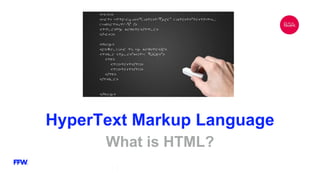
HyperText Markup Language
What is HTML?
HyperText Markup Language
HTML – HyperText Markup Language
● Initial release 1993, 23 years ago
● HTML is used for describing the structure of a website
● not a programming language
● HTML files are usually delivered by HTTP
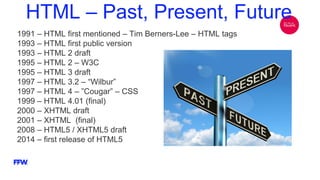
HTML – Past, Present, Future
1991 – HTML first mentioned – Tim Berners-Lee – HTML tags
1993 – HTML first public version
1993 – HTML 2 draft
1995 – HTML 2 – W3C
1995 – HTML 3 draft
1997 – HTML 3.2 – “Wilbur”
1997 – HTML 4 – ”Cougar” – CSS
1999 – HTML 4.01 (final)
2000 – XHTML draft
2001 – XHTML (final)
2008 – HTML5 / XHTML5 draft
2014 – first release of HTML5
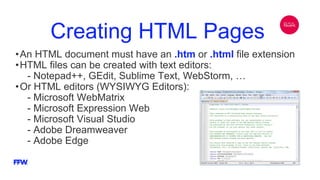
Creating HTML Pages
•An HTML document must have an .htm or .html file extension
•HTML files can be created with text editors:
- Notepad++, GEdit, Sublime Text, WebStorm, …
•Or HTML editors (WYSIWYG Editors):
- Microsoft WebMatrix
- Microsoft Expression Web
- Microsoft Visual Studio
- Adobe Dreamweaver
- Adobe Edge
World Wide Web Consortium
● W3C is the main organization for the World Wide Web.
● Founded by Tim Berners-Lee (founder of WWW)
● Maintainer of both HTML and CSS standards
● 421 members, including Apple, Microsoft, eBay, Amazon, Facebook
HTML Terminology
Tags, Attributes and Elements
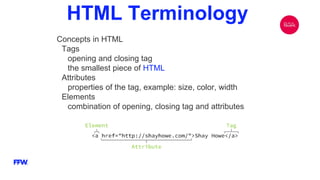
HTML Terminology
Concepts in HTML
Tags
opening and closing tag
the smallest piece of HTML
Attributes
properties of the tag, example: size, color, width
Elements
combination of opening, closing tag and attributes
HTML
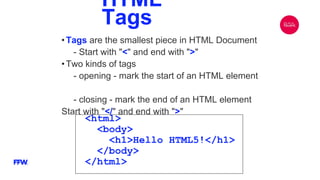
Tags
•Tags are the smallest piece in HTML Document
- Start with "<" and end with ">"
•Two kinds of tags
- opening - mark the start of an HTML element
- closing - mark the end of an HTML element
Start with "</" and end with ">"
<html>
<body>
<h1>Hello HTML5!</h1>
</body>
</html>
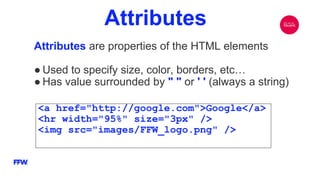
Attributes
Attributes are properties of the HTML elements
● Used to specify size, color, borders, etc…
● Has value surrounded by " " or ' ' (always a string)
<a href="http://google.com">Google</a>
<hr width="95%" size="3px" />
<img src="images/FFW_logo.png" />
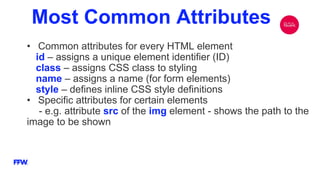
Most Common Attributes
• Common attributes for every HTML element
id – assigns a unique element identifier (ID)
class – assigns CSS class to styling
name – assigns a name (for form elements)
style – defines inline CSS style definitions
• Specific attributes for certain elements
- e.g. attribute src of the img element - shows the path to the
image to be shown
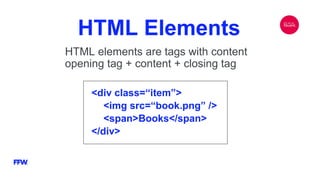
HTML Elements
HTML elements are tags with content
opening tag + content + closing tag
<div class=“item”>
<img src=“book.png” />
<span>Books</span>
</div>
HTML Terminology
DEMO
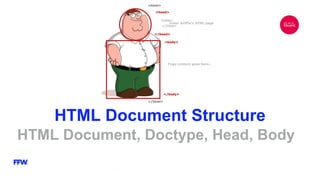
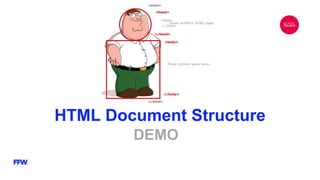
HTML Document Structure
HTML Document, Doctype, Head, Body
HTML Document Structure
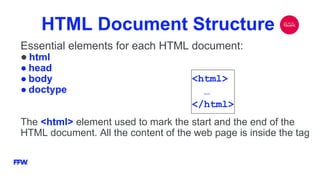
Essential elements for each HTML document:
● html
● head
● body
● doctype
The <html> element used to mark the start and the end of the
HTML document. All the content of the web page is inside the tag
<html>
…
</html>
DOCTYPE
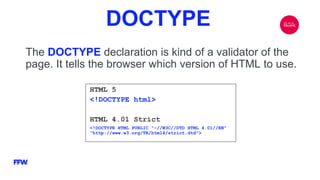
The DOCTYPE declaration is kind of a validator of the
page. It tells the browser which version of HTML to use.
HTML 5
<!DOCTYPE html>
HTML 4.01 Strict
<!DOCTYPE HTML PUBLIC "-//W3C//DTD HTML 4.01//EN"
"http://www.w3.org/TR/html4/strict.dtd">
Head Element
The <head> element contains markup not visible to the
user. But it helps the browser to render correctly the HTML
document. What’s in there?
• Styles declarations
• Scripts declarations
• Encoding specification
• Metadata definitions
• The title tag – the text in the title (tab title) of the browser
Body Element
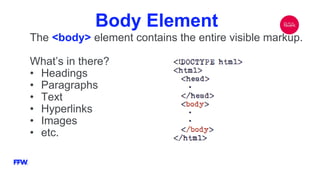
The <body> element contains the entire visible markup.
What’s in there?
• Headings
• Paragraphs
• Text
• Hyperlinks
• Images
• etc.
HTML Document Structure
DEMO
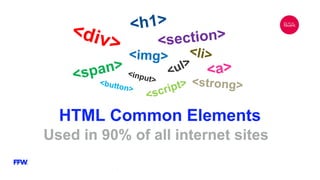
HTML Common Elements
Used in 90% of all internet sites
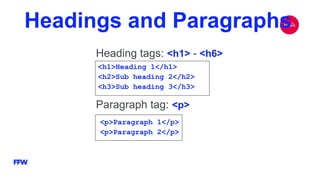
Headings and Paragraphs
Heading tags: <h1> - <h6>
<h1>Heading 1</h1>
<h2>Sub heading 2</h2>
<h3>Sub heading 3</h3>
Paragraph tag: <p>
<p>Paragraph 1</p>
<p>Paragraph 2</p>
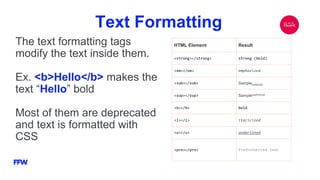
Text Formatting
The text formatting tags
modify the text inside them.
Ex. <b>Hello</b> makes the
text “Hello” bold
Most of them are deprecated
and text is formatted with
CSS
HTML Element Result
<strong></strong> strong (bold)
<em></em> emphasized
<sub></sub> Samplesubscript
<sup></sup> Samplesuperscript
<b></b> bold
<i></i> italicized
<u></u> underlined
<pre></pre> Preformatted text
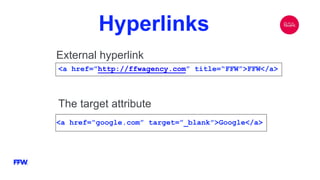
Hyperlinks
External hyperlink
<a href=”http://ffwagency.com” title=“FFW”>FFW</a>
The target attribute
<a href=“google.com” target=”_blank”>Google</a>
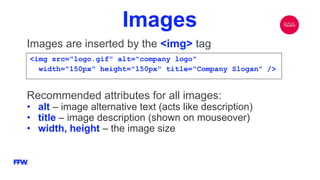
Images
Images are inserted by the <img> tag
<img src="logo.gif" alt="company logo"
width="150px" height="150px" title="Company Slogan" />
Recommended attributes for all images:
• alt – image alternative text (acts like description)
• title – image description (shown on mouseover)
• width, height – the image size
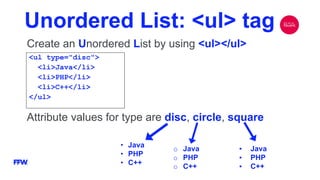
Unordered List: <ul> tag
Create an Unordered List by using <ul></ul>
<ul type="disc">
<li>Java</li>
<li>PHP</li>
<li>C++</li>
</ul>
Attribute values for type are disc, circle, square
o Java
o PHP
o C++
• Java
• PHP
• C++
▪ Java
▪ PHP
▪ C++
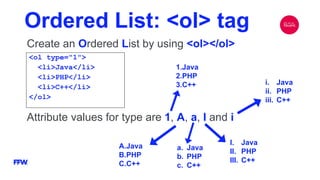
Ordered List: <ol> tag
Create an Ordered List by using <ol></ol>
<ol type="1">
<li>Java</li>
<li>PHP</li>
<li>C++</li>
</ol>
Attribute values for type are 1, A, a, I and i
1.Java
2.PHP
3.C++
a. Java
b. PHP
c. C++
A.Java
B.PHP
C.C++
I. Java
II. PHP
III. C++
i. Java
ii. PHP
iii. C++
HTML Common Elements
DEMO
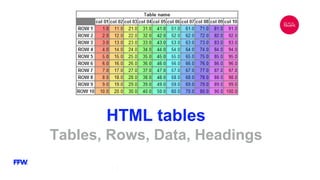
HTML tables
Tables, Rows, Data, Headings
HTML Tables
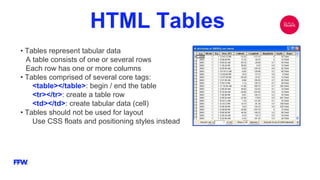
• Tables represent tabular data
A table consists of one or several rows
Each row has one or more columns
• Tables comprised of several core tags:
<table></table>: begin / end the table
<tr></tr>: create a table row
<td></td>: create tabular data (cell)
• Tables should not be used for layout
Use CSS floats and positioning styles instead
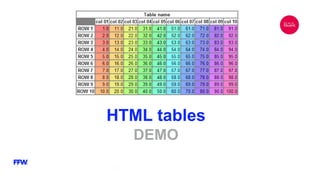
HTML tables
DEMO
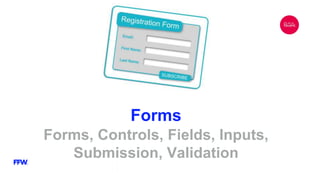
Forms
Forms, Controls, Fields, Inputs,
Submission, Validation
Forms
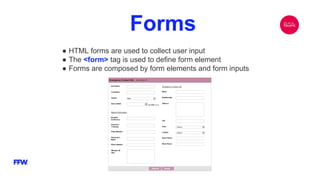
● HTML forms are used to collect user input
● The <form> tag is used to define form element
● Forms are composed by form elements and form inputs
Form Elements
●input - the most important element, it may vary in
many ways depending on the type attribute
●select
●textarea
Form Input Types
●text
●password
●submit
●radio
●checkbox
●button
●and more
Forms
DEMO
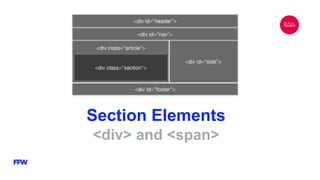
Section Elements
<div> and <span>
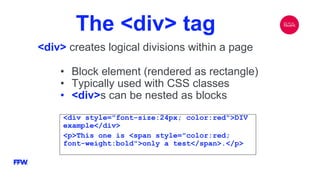
The <div> tag
<div> creates logical divisions within a page
<div style="font-size:24px; color:red">DIV
example</div>
<p>This one is <span style="color:red;
font-weight:bold">only a test</span>.</p>
• Block element (rendered as rectangle)
• Typically used with CSS classes
• <div>s can be nested as blocks
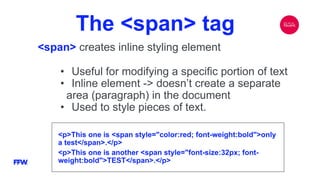
The <span> tag
<span> creates inline styling element
<p>This one is <span style="color:red; font-weight:bold">only
a test</span>.</p>
<p>This one is another <span style="font-size:32px; font-
weight:bold">TEST</span>.</p>
• Useful for modifying a specific portion of text
• Inline element -> doesn’t create a separate
area (paragraph) in the document
• Used to style pieces of text.
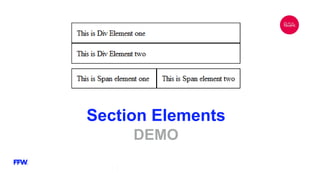
Section Elements
DEMO
HTML Tips and Practices
•Have the correct vision and attitude towards HTML
- HTML is only about structure, not appearance
- Browsers tolerate invalid HTML code and parse errors
- You should always write correct HTML
- Format your HTML code
- Always think about semantics
•The W3C HTML Validator is a way to validate your HTML -
http://validator.w3.org
•How well does your browser support html5? -
https://html5test.com/
HTML
HTML

HTML

  • 1.
    HTML FFW This presentation andits contents are property of FFW.
  • 2.
    Miroslav Banov -Open Source Team Leader Toni Kolev - Quality Assurance Team Leader FFW This presentation and its contents are property of FFW.
  • 3.
    today’s agenda 01 02 03 04 05 06 07 HTML HTML terminology HTMLdocument structure HTML common elements Tables Forms Section elements
  • 4.
  • 5.
    HyperText Markup Language HTML– HyperText Markup Language ● Initial release 1993, 23 years ago ● HTML is used for describing the structure of a website ● not a programming language ● HTML files are usually delivered by HTTP
  • 6.
    HTML – Past,Present, Future 1991 – HTML first mentioned – Tim Berners-Lee – HTML tags 1993 – HTML first public version 1993 – HTML 2 draft 1995 – HTML 2 – W3C 1995 – HTML 3 draft 1997 – HTML 3.2 – “Wilbur” 1997 – HTML 4 – ”Cougar” – CSS 1999 – HTML 4.01 (final) 2000 – XHTML draft 2001 – XHTML (final) 2008 – HTML5 / XHTML5 draft 2014 – first release of HTML5
  • 7.
    Creating HTML Pages •AnHTML document must have an .htm or .html file extension •HTML files can be created with text editors: - Notepad++, GEdit, Sublime Text, WebStorm, … •Or HTML editors (WYSIWYG Editors): - Microsoft WebMatrix - Microsoft Expression Web - Microsoft Visual Studio - Adobe Dreamweaver - Adobe Edge
  • 8.
    World Wide WebConsortium ● W3C is the main organization for the World Wide Web. ● Founded by Tim Berners-Lee (founder of WWW) ● Maintainer of both HTML and CSS standards ● 421 members, including Apple, Microsoft, eBay, Amazon, Facebook
  • 9.
  • 10.
    HTML Terminology Concepts inHTML Tags opening and closing tag the smallest piece of HTML Attributes properties of the tag, example: size, color, width Elements combination of opening, closing tag and attributes
  • 11.
    HTML Tags •Tags are thesmallest piece in HTML Document - Start with "<" and end with ">" •Two kinds of tags - opening - mark the start of an HTML element - closing - mark the end of an HTML element Start with "</" and end with ">" <html> <body> <h1>Hello HTML5!</h1> </body> </html>
  • 12.
    Attributes Attributes are propertiesof the HTML elements ● Used to specify size, color, borders, etc… ● Has value surrounded by " " or ' ' (always a string) <a href="http://google.com">Google</a> <hr width="95%" size="3px" /> <img src="images/FFW_logo.png" />
  • 13.
    Most Common Attributes •Common attributes for every HTML element id – assigns a unique element identifier (ID) class – assigns CSS class to styling name – assigns a name (for form elements) style – defines inline CSS style definitions • Specific attributes for certain elements - e.g. attribute src of the img element - shows the path to the image to be shown
  • 14.
    HTML Elements HTML elementsare tags with content opening tag + content + closing tag <div class=“item”> <img src=“book.png” /> <span>Books</span> </div>
  • 15.
  • 16.
    HTML Document Structure HTMLDocument, Doctype, Head, Body
  • 17.
    HTML Document Structure Essentialelements for each HTML document: ● html ● head ● body ● doctype The <html> element used to mark the start and the end of the HTML document. All the content of the web page is inside the tag <html> … </html>
  • 18.
    DOCTYPE The DOCTYPE declarationis kind of a validator of the page. It tells the browser which version of HTML to use. HTML 5 <!DOCTYPE html> HTML 4.01 Strict <!DOCTYPE HTML PUBLIC "-//W3C//DTD HTML 4.01//EN" "http://www.w3.org/TR/html4/strict.dtd">
  • 19.
    Head Element The <head>element contains markup not visible to the user. But it helps the browser to render correctly the HTML document. What’s in there? • Styles declarations • Scripts declarations • Encoding specification • Metadata definitions • The title tag – the text in the title (tab title) of the browser
  • 20.
    Body Element The <body>element contains the entire visible markup. What’s in there? • Headings • Paragraphs • Text • Hyperlinks • Images • etc.
  • 21.
  • 22.
    HTML Common Elements Usedin 90% of all internet sites
  • 23.
    Headings and Paragraphs Headingtags: <h1> - <h6> <h1>Heading 1</h1> <h2>Sub heading 2</h2> <h3>Sub heading 3</h3> Paragraph tag: <p> <p>Paragraph 1</p> <p>Paragraph 2</p>
  • 24.
    Text Formatting The textformatting tags modify the text inside them. Ex. <b>Hello</b> makes the text “Hello” bold Most of them are deprecated and text is formatted with CSS HTML Element Result <strong></strong> strong (bold) <em></em> emphasized <sub></sub> Samplesubscript <sup></sup> Samplesuperscript <b></b> bold <i></i> italicized <u></u> underlined <pre></pre> Preformatted text
  • 25.
    Hyperlinks External hyperlink <a href=”http://ffwagency.com”title=“FFW”>FFW</a> The target attribute <a href=“google.com” target=”_blank”>Google</a>
  • 26.
    Images Images are insertedby the <img> tag <img src="logo.gif" alt="company logo" width="150px" height="150px" title="Company Slogan" /> Recommended attributes for all images: • alt – image alternative text (acts like description) • title – image description (shown on mouseover) • width, height – the image size
  • 27.
    Unordered List: <ul>tag Create an Unordered List by using <ul></ul> <ul type="disc"> <li>Java</li> <li>PHP</li> <li>C++</li> </ul> Attribute values for type are disc, circle, square o Java o PHP o C++ • Java • PHP • C++ ▪ Java ▪ PHP ▪ C++
  • 28.
    Ordered List: <ol>tag Create an Ordered List by using <ol></ol> <ol type="1"> <li>Java</li> <li>PHP</li> <li>C++</li> </ol> Attribute values for type are 1, A, a, I and i 1.Java 2.PHP 3.C++ a. Java b. PHP c. C++ A.Java B.PHP C.C++ I. Java II. PHP III. C++ i. Java ii. PHP iii. C++
  • 29.
  • 30.
  • 31.
    HTML Tables • Tablesrepresent tabular data A table consists of one or several rows Each row has one or more columns • Tables comprised of several core tags: <table></table>: begin / end the table <tr></tr>: create a table row <td></td>: create tabular data (cell) • Tables should not be used for layout Use CSS floats and positioning styles instead
  • 32.
  • 33.
    Forms Forms, Controls, Fields,Inputs, Submission, Validation
  • 34.
    Forms ● HTML formsare used to collect user input ● The <form> tag is used to define form element ● Forms are composed by form elements and form inputs
  • 35.
    Form Elements ●input -the most important element, it may vary in many ways depending on the type attribute ●select ●textarea
  • 36.
  • 37.
  • 38.
  • 39.
    The <div> tag <div>creates logical divisions within a page <div style="font-size:24px; color:red">DIV example</div> <p>This one is <span style="color:red; font-weight:bold">only a test</span>.</p> • Block element (rendered as rectangle) • Typically used with CSS classes • <div>s can be nested as blocks
  • 40.
    The <span> tag <span>creates inline styling element <p>This one is <span style="color:red; font-weight:bold">only a test</span>.</p> <p>This one is another <span style="font-size:32px; font- weight:bold">TEST</span>.</p> • Useful for modifying a specific portion of text • Inline element -> doesn’t create a separate area (paragraph) in the document • Used to style pieces of text.
  • 41.
  • 42.
    HTML Tips andPractices •Have the correct vision and attitude towards HTML - HTML is only about structure, not appearance - Browsers tolerate invalid HTML code and parse errors - You should always write correct HTML - Format your HTML code - Always think about semantics •The W3C HTML Validator is a way to validate your HTML - http://validator.w3.org •How well does your browser support html5? - https://html5test.com/