-
- By Varsha Kumari
Assistant Professor
CEA Department, GLA University Mathura
CSS ?
Types of CSS
CSS Selectors
Basic CSS properties
CSS stands for Cascading Style Sheets
Style sheet language that defines how to
display HTML elements.
Describe the looks and formatting of a document.
enable the separation of document content from
document presentation.
CSS covers fonts, colors, margins, lines, height,
width, background images, advanced positions and
many other things.
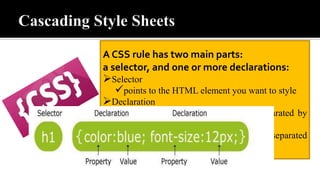
A CSS rule has two main parts:
a selector, and one or more declarations:
Selector
points to the HTML element you want to style
Declaration
contains one or more declarations separated by
semicolons
includes a property name and a value, separated
by a colon
A CSS rule has two main parts:
a selector, and one or more declarations:
Selector
points to the HTML element you want to style
Declaration
contains one or more declarations separated by
semicolons
includes a property name and a value, separated
by a colon
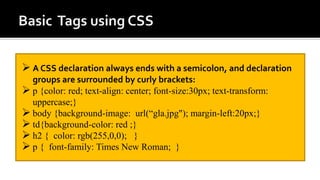
 A CSS declaration always ends with a semicolon, and declaration
groups are surrounded by curly brackets:
 p {color: red; text-align: center; font-size:30px; text-transform:
uppercase;}
 body {background-image: url(“gla.jpg"); margin-left:20px;}
 td{background-color: red ;}
 h2 { color: rgb(255,0,0); }
 p { font-family: Times New Roman; }
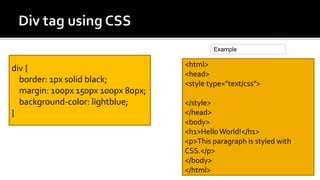
div {
border: 1px solid black;
margin: 100px 150px 100px 80px;
background-color: lightblue;
}
<html>
<head>
<style type="text/css">
</style>
</head>
<body>
<h1>HelloWorld!</h1>
<p>This paragraph is styled with
CSS.</p>
</body>
</html>
Example
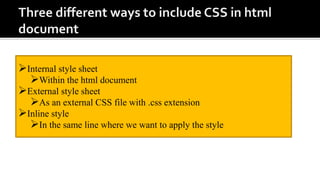
Internal style sheet
Within the html document
External style sheet
As an external CSS file with .css extension
Inline style
In the same line where we want to apply the style
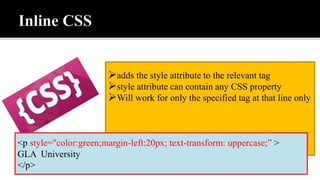
adds the style attribute to the relevant tag
style attribute can contain any CSS property
Will work for only the specified tag at that line only
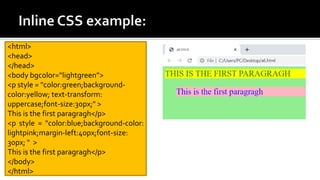
<p style="color:green;margin-left:20px; text-transform: uppercase;” >
GLA University
</p>
<html>
<head>
</head>
<body bgcolor=“lightgreen”>
<p style = "color:green;background-
color:yellow; text-transform:
uppercase;font-size:30px;" >
This is the first paragragh</p>
<p style = "color:blue;background-color:
lightpink;margin-left:40px;font-size:
30px; " >
This is the first paragragh</p>
</body>
</html>
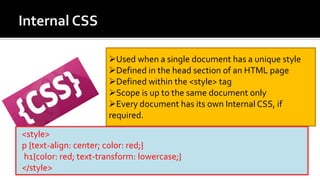
Used when a single document has a unique style
Defined in the head section of an HTML page
Defined within the <style> tag
Scope is up to the same document only
Every document has its own Internal CSS, if
required.
<style>
p {text-align: center; color: red;}
h1{color: red; text-transform: lowercase;}
</style>
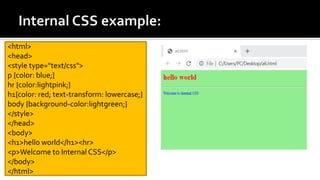
<html>
<head>
<style type="text/css">
p {color: blue;}
hr {color:lightpink;}
h1{color: red; text-transform: lowercase;}
body {background-color:lightgreen;}
</style>
</head>
<body>
<h1>hello world</h1><hr>
<p>Welcome to Internal CSS</p>
</body>
</html>
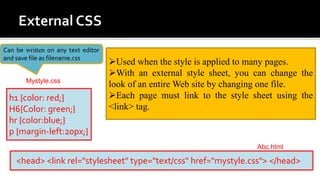
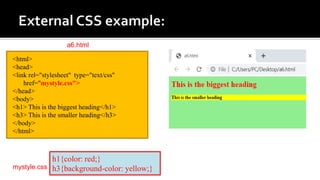
Used when the style is applied to many pages.
With an external style sheet, you can change the
look of an entire Web site by changing one file.
Each page must link to the style sheet using the
<link> tag.
<head> <link rel="stylesheet" type="text/css" href="mystyle.css"> </head>
h1 {color: red;}
H6{Color: green;}
hr {color:blue;}
p {margin-left:20px;}
Mystyle.css
Abc.html
Can be written on any text editor
and save file as filename.css
<html>
<head>
<link rel="stylesheet" type="text/css"
href="mystyle.css">
</head>
<body>
<h1> This is the biggest heading</h1>
<h3> This is the smaller heading</h3>
</body>
</html>
h1{color: red;}
h3{background-color: yellow;}mystyle.css
a6.html
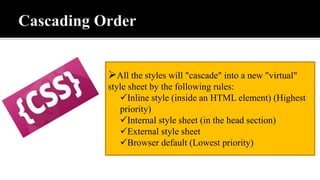
All the styles will "cascade" into a new "virtual"
style sheet by the following rules:
Inline style (inside an HTML element) (Highest
priority)
Internal style sheet (in the head section)
External style sheet
Browser default (Lowest priority)
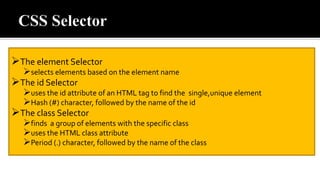
The element Selector
selects elements based on the element name
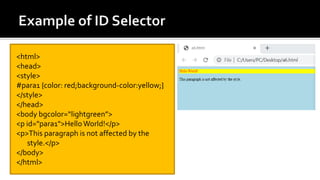
The id Selector
uses the id attribute of an HTML tag to find the single,unique element
Hash (#) character, followed by the name of the id
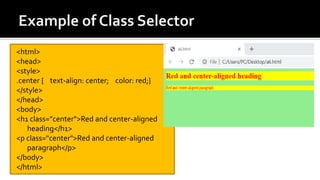
The class Selector
finds a group of elements with the specific class
uses the HTML class attribute
Period (.) character, followed by the name of the class
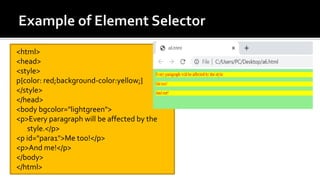
<html>
<head>
<style>
p{color: red;background-color:yellow;}
</style>
</head>
<body bgcolor="lightgreen">
<p>Every paragraph will be affected by the
style.</p>
<p id="para1">Me too!</p>
<p>And me!</p>
</body>
</html>
<html>
<head>
<style>
#para1 {color: red;background-color:yellow;}
</style>
</head>
<body bgcolor=“lightgreen”>
<p id="para1">Hello World!</p>
<p>This paragraph is not affected by the
style.</p>
</body>
</html>
<html>
<head>
<style>
.center { text-align: center; color: red;}
</style>
</head>
<body>
<h1 class="center">Red and center-aligned
heading</h1>
<p class="center">Red and center-aligned
paragraph</p>
</body>
</html>
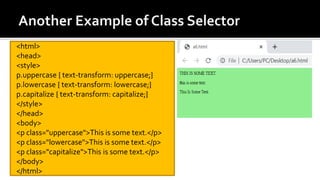
<html>
<head>
<style>
p.uppercase { text-transform: uppercase;}
p.lowercase { text-transform: lowercase;}
p.capitalize { text-transform: capitalize;}
</style>
</head>
<body>
<p class="uppercase">This is some text.</p>
<p class="lowercase">This is some text.</p>
<p class="capitalize">This is some text.</p>
</body>
</html>
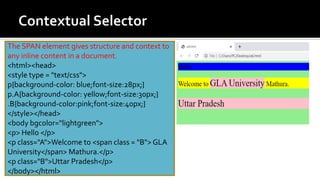
The SPAN element gives structure and context to
any inline content in a document.
<html><head>
<style type = "text/css">
p{background-color: blue;font-size:28px;}
p.A{background-color: yellow;font-size:30px;}
.B{background-color:pink;font-size:40px;}
</style></head>
<body bgcolor="lightgreen">
<p> Hello </p>
<p class="A">Welcome to <span class = "B"> GLA
University</span> Mathura.</p>
<p class="B">Uttar Pradesh</p>
</body></html>
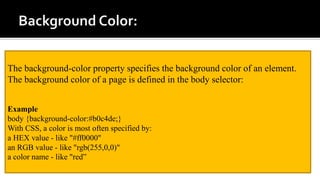
The background-color property specifies the background color of an element.
The background color of a page is defined in the body selector:
Example
body {background-color:#b0c4de;}
With CSS, a color is most often specified by:
a HEX value - like "#ff0000"
an RGB value - like "rgb(255,0,0)"
a color name - like "red”
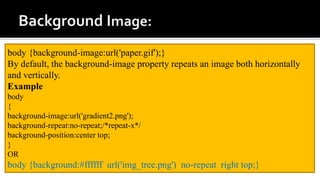
body {background-image:url('paper.gif');}
By default, the background-image property repeats an image both horizontally
and vertically.
Example
body
{
background-image:url('gradient2.png');
background-repeat:no-repeat;/*repeat-x*/
background-position:center top;
}
OR
body {background:#ffffff url('img_tree.png') no-repeat right top;}
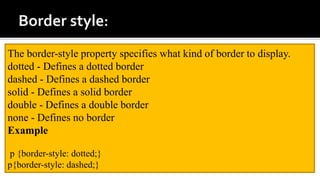
The border-style property specifies what kind of border to display.
dotted - Defines a dotted border
dashed - Defines a dashed border
solid - Defines a solid border
double - Defines a double border
none - Defines no border
Example
p {border-style: dotted;}
p{border-style: dashed;}
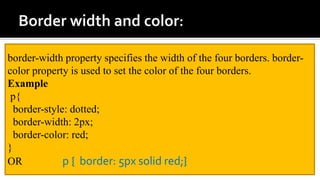
border-width property specifies the width of the four borders. border-
color property is used to set the color of the four borders.
Example
p{
border-style: dotted;
border-width: 2px;
border-color: red;
}
OR p { border: 5px solid red;}
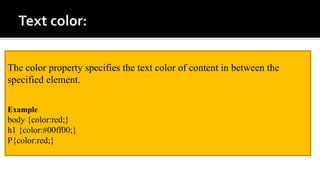
The color property specifies the text color of content in between the
specified element.
Example
body {color:red;}
h1 {color:#00ff00;}
P{color:red;}
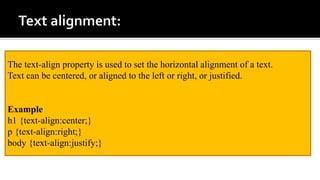
The text-align property is used to set the horizontal alignment of a text.
Text can be centered, or aligned to the left or right, or justified.
Example
h1 {text-align:center;}
p {text-align:right;}
body {text-align:justify;}
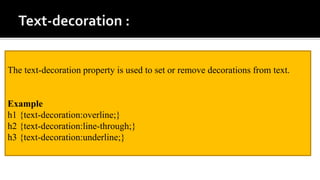
The text-decoration property is used to set or remove decorations from text.
Example
h1 {text-decoration:overline;}
h2 {text-decoration:line-through;}
h3 {text-decoration:underline;}
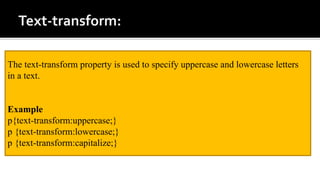
The text-transform property is used to specify uppercase and lowercase letters
in a text.
Example
p{text-transform:uppercase;}
p {text-transform:lowercase;}
p {text-transform:capitalize;}
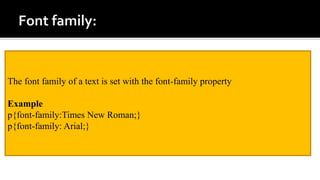
The font family of a text is set with the font-family property
Example
p{font-family:Times New Roman;}
p{font-family: Arial;}
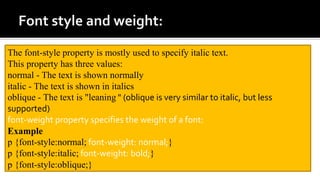
The font-style property is mostly used to specify italic text.
This property has three values:
normal - The text is shown normally
italic - The text is shown in italics
oblique - The text is "leaning " (oblique is very similar to italic, but less
supported)
font-weight property specifies the weight of a font:
Example
p {font-style:normal; font-weight: normal;}
p {font-style:italic; font-weight: bold;}
p {font-style:oblique;}
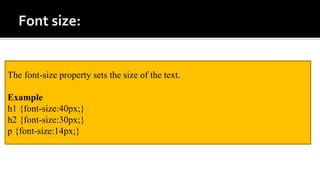
The font-size property sets the size of the text.
Example
h1 {font-size:40px;}
h2 {font-size:30px;}
p {font-size:14px;}
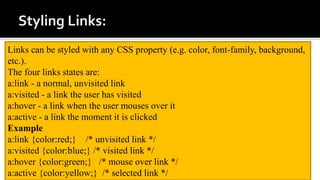
Links can be styled with any CSS property (e.g. color, font-family, background,
etc.).
The four links states are:
a:link - a normal, unvisited link
a:visited - a link the user has visited
a:hover - a link when the user mouses over it
a:active - a link the moment it is clicked
Example
a:link {color:red;} /* unvisited link */
a:visited {color:blue;} /* visited link */
a:hover {color:green;} /* mouse over link */
a:active {color:yellow;} /* selected link */
Set the same margin for all four sides
p { margin: 35px; }
Set the different margin for all four sides in order top right bottom left
p{margin: 10px 5px 15px 20px;}
Set the margin for specific side
p { margin-left: 35px; }
p { margin-top: 25px; }
Example
img {
border: 1px solid #ddd;
border-radius: 4px;
padding: 5px;
width: 150px;
}
img {
max-width: 100%;
height: auto;
}
Example
img {
display: block;
margin-left: auto;
margin-right: auto;
width: 50%;
}
With CSS, lists can be styled further, and images can be used as the list item
marker.
Example
ul.a {list-style-type:circle;}
ul.b {list-style-type:square;}
ol.c {list-style-type:upper-roman;}
ul.d {list-style-image:url('sqpurple.gif');
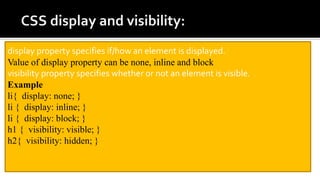
display property specifies if/how an element is displayed.
Value of display property can be none, inline and block
visibility property specifies whether or not an element is visible.
Example
li{ display: none; }
li { display: inline; }
li { display: block; }
h1 { visibility: visible; }
h2{ visibility: hidden; }
With CSS, table td and th can be
styled further.
Example
table, td, th
{
border:1px solid green;
padding:15px;
height: 50px; width:50px
text-align: left;
}
Example
th
{
background-color:green;
color:white;
}
td{ height:50px;
vertical-align:bottom;
}
Cascading style sheet

Cascading style sheet

  • 2.
    - - By VarshaKumari Assistant Professor CEA Department, GLA University Mathura
  • 3.
    CSS ? Types ofCSS CSS Selectors Basic CSS properties
  • 4.
    CSS stands forCascading Style Sheets Style sheet language that defines how to display HTML elements. Describe the looks and formatting of a document. enable the separation of document content from document presentation. CSS covers fonts, colors, margins, lines, height, width, background images, advanced positions and many other things.
  • 5.
    A CSS rulehas two main parts: a selector, and one or more declarations: Selector points to the HTML element you want to style Declaration contains one or more declarations separated by semicolons includes a property name and a value, separated by a colon
  • 6.
    A CSS rulehas two main parts: a selector, and one or more declarations: Selector points to the HTML element you want to style Declaration contains one or more declarations separated by semicolons includes a property name and a value, separated by a colon
  • 7.
     A CSSdeclaration always ends with a semicolon, and declaration groups are surrounded by curly brackets:  p {color: red; text-align: center; font-size:30px; text-transform: uppercase;}  body {background-image: url(“gla.jpg"); margin-left:20px;}  td{background-color: red ;}  h2 { color: rgb(255,0,0); }  p { font-family: Times New Roman; }
  • 8.
    div { border: 1pxsolid black; margin: 100px 150px 100px 80px; background-color: lightblue; } <html> <head> <style type="text/css"> </style> </head> <body> <h1>HelloWorld!</h1> <p>This paragraph is styled with CSS.</p> </body> </html> Example
  • 9.
    Internal style sheet Withinthe html document External style sheet As an external CSS file with .css extension Inline style In the same line where we want to apply the style
  • 10.
    adds the styleattribute to the relevant tag style attribute can contain any CSS property Will work for only the specified tag at that line only <p style="color:green;margin-left:20px; text-transform: uppercase;” > GLA University </p>
  • 11.
    <html> <head> </head> <body bgcolor=“lightgreen”> <p style= "color:green;background- color:yellow; text-transform: uppercase;font-size:30px;" > This is the first paragragh</p> <p style = "color:blue;background-color: lightpink;margin-left:40px;font-size: 30px; " > This is the first paragragh</p> </body> </html>
  • 12.
    Used when asingle document has a unique style Defined in the head section of an HTML page Defined within the <style> tag Scope is up to the same document only Every document has its own Internal CSS, if required. <style> p {text-align: center; color: red;} h1{color: red; text-transform: lowercase;} </style>
  • 13.
    <html> <head> <style type="text/css"> p {color:blue;} hr {color:lightpink;} h1{color: red; text-transform: lowercase;} body {background-color:lightgreen;} </style> </head> <body> <h1>hello world</h1><hr> <p>Welcome to Internal CSS</p> </body> </html>
  • 14.
    Used when thestyle is applied to many pages. With an external style sheet, you can change the look of an entire Web site by changing one file. Each page must link to the style sheet using the <link> tag. <head> <link rel="stylesheet" type="text/css" href="mystyle.css"> </head> h1 {color: red;} H6{Color: green;} hr {color:blue;} p {margin-left:20px;} Mystyle.css Abc.html Can be written on any text editor and save file as filename.css
  • 15.
    <html> <head> <link rel="stylesheet" type="text/css" href="mystyle.css"> </head> <body> <h1>This is the biggest heading</h1> <h3> This is the smaller heading</h3> </body> </html> h1{color: red;} h3{background-color: yellow;}mystyle.css a6.html
  • 16.
    All the styleswill "cascade" into a new "virtual" style sheet by the following rules: Inline style (inside an HTML element) (Highest priority) Internal style sheet (in the head section) External style sheet Browser default (Lowest priority)
  • 17.
    The element Selector selectselements based on the element name The id Selector uses the id attribute of an HTML tag to find the single,unique element Hash (#) character, followed by the name of the id The class Selector finds a group of elements with the specific class uses the HTML class attribute Period (.) character, followed by the name of the class
  • 18.
    <html> <head> <style> p{color: red;background-color:yellow;} </style> </head> <body bgcolor="lightgreen"> <p>Everyparagraph will be affected by the style.</p> <p id="para1">Me too!</p> <p>And me!</p> </body> </html>
  • 19.
    <html> <head> <style> #para1 {color: red;background-color:yellow;} </style> </head> <bodybgcolor=“lightgreen”> <p id="para1">Hello World!</p> <p>This paragraph is not affected by the style.</p> </body> </html>
  • 20.
    <html> <head> <style> .center { text-align:center; color: red;} </style> </head> <body> <h1 class="center">Red and center-aligned heading</h1> <p class="center">Red and center-aligned paragraph</p> </body> </html>
  • 21.
    <html> <head> <style> p.uppercase { text-transform:uppercase;} p.lowercase { text-transform: lowercase;} p.capitalize { text-transform: capitalize;} </style> </head> <body> <p class="uppercase">This is some text.</p> <p class="lowercase">This is some text.</p> <p class="capitalize">This is some text.</p> </body> </html>
  • 22.
    The SPAN elementgives structure and context to any inline content in a document. <html><head> <style type = "text/css"> p{background-color: blue;font-size:28px;} p.A{background-color: yellow;font-size:30px;} .B{background-color:pink;font-size:40px;} </style></head> <body bgcolor="lightgreen"> <p> Hello </p> <p class="A">Welcome to <span class = "B"> GLA University</span> Mathura.</p> <p class="B">Uttar Pradesh</p> </body></html>
  • 23.
    The background-color propertyspecifies the background color of an element. The background color of a page is defined in the body selector: Example body {background-color:#b0c4de;} With CSS, a color is most often specified by: a HEX value - like "#ff0000" an RGB value - like "rgb(255,0,0)" a color name - like "red”
  • 24.
    body {background-image:url('paper.gif');} By default,the background-image property repeats an image both horizontally and vertically. Example body { background-image:url('gradient2.png'); background-repeat:no-repeat;/*repeat-x*/ background-position:center top; } OR body {background:#ffffff url('img_tree.png') no-repeat right top;}
  • 25.
    The border-style propertyspecifies what kind of border to display. dotted - Defines a dotted border dashed - Defines a dashed border solid - Defines a solid border double - Defines a double border none - Defines no border Example p {border-style: dotted;} p{border-style: dashed;}
  • 26.
    border-width property specifiesthe width of the four borders. border- color property is used to set the color of the four borders. Example p{ border-style: dotted; border-width: 2px; border-color: red; } OR p { border: 5px solid red;}
  • 27.
    The color propertyspecifies the text color of content in between the specified element. Example body {color:red;} h1 {color:#00ff00;} P{color:red;}
  • 28.
    The text-align propertyis used to set the horizontal alignment of a text. Text can be centered, or aligned to the left or right, or justified. Example h1 {text-align:center;} p {text-align:right;} body {text-align:justify;}
  • 29.
    The text-decoration propertyis used to set or remove decorations from text. Example h1 {text-decoration:overline;} h2 {text-decoration:line-through;} h3 {text-decoration:underline;}
  • 30.
    The text-transform propertyis used to specify uppercase and lowercase letters in a text. Example p{text-transform:uppercase;} p {text-transform:lowercase;} p {text-transform:capitalize;}
  • 31.
    The font familyof a text is set with the font-family property Example p{font-family:Times New Roman;} p{font-family: Arial;}
  • 32.
    The font-style propertyis mostly used to specify italic text. This property has three values: normal - The text is shown normally italic - The text is shown in italics oblique - The text is "leaning " (oblique is very similar to italic, but less supported) font-weight property specifies the weight of a font: Example p {font-style:normal; font-weight: normal;} p {font-style:italic; font-weight: bold;} p {font-style:oblique;}
  • 33.
    The font-size propertysets the size of the text. Example h1 {font-size:40px;} h2 {font-size:30px;} p {font-size:14px;}
  • 34.
    Links can bestyled with any CSS property (e.g. color, font-family, background, etc.). The four links states are: a:link - a normal, unvisited link a:visited - a link the user has visited a:hover - a link when the user mouses over it a:active - a link the moment it is clicked Example a:link {color:red;} /* unvisited link */ a:visited {color:blue;} /* visited link */ a:hover {color:green;} /* mouse over link */ a:active {color:yellow;} /* selected link */
  • 35.
    Set the samemargin for all four sides p { margin: 35px; } Set the different margin for all four sides in order top right bottom left p{margin: 10px 5px 15px 20px;} Set the margin for specific side p { margin-left: 35px; } p { margin-top: 25px; }
  • 36.
    Example img { border: 1pxsolid #ddd; border-radius: 4px; padding: 5px; width: 150px; } img { max-width: 100%; height: auto; } Example img { display: block; margin-left: auto; margin-right: auto; width: 50%; }
  • 37.
    With CSS, listscan be styled further, and images can be used as the list item marker. Example ul.a {list-style-type:circle;} ul.b {list-style-type:square;} ol.c {list-style-type:upper-roman;} ul.d {list-style-image:url('sqpurple.gif');
  • 38.
    display property specifiesif/how an element is displayed. Value of display property can be none, inline and block visibility property specifies whether or not an element is visible. Example li{ display: none; } li { display: inline; } li { display: block; } h1 { visibility: visible; } h2{ visibility: hidden; }
  • 39.
    With CSS, tabletd and th can be styled further. Example table, td, th { border:1px solid green; padding:15px; height: 50px; width:50px text-align: left; } Example th { background-color:green; color:white; } td{ height:50px; vertical-align:bottom; }