-
- By Varsha Kumari
Assistant Professor
CEA Department, GLA University Mathura
Mathematical Functions
Date Functions
Time Functions
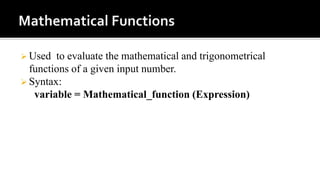
 Used to evaluate the mathematical and trigonometrical
functions of a given input number.
 Syntax:
variable = Mathematical_function (Expression)
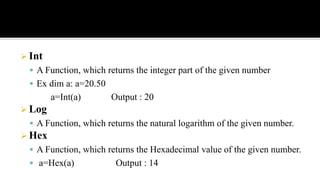
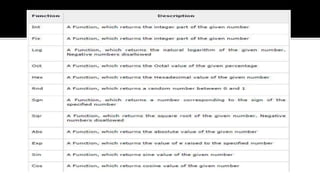
 Int
 A Function, which returns the integer part of the given number
 Ex dim a: a=20.50
a=Int(a) Output : 20
 Log
 A Function, which returns the natural logarithm of the given number.
 Hex
 A Function, which returns the Hexadecimal value of the given number.
 a=Hex(a) Output : 14
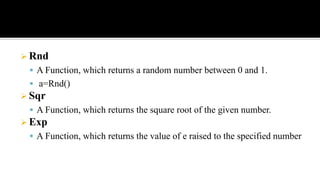
 Rnd
 A Function, which returns a random number between 0 and 1.
 a=Rnd()
 Sqr
 A Function, which returns the square root of the given number.
 Exp
 A Function, which returns the value of e raised to the specified number
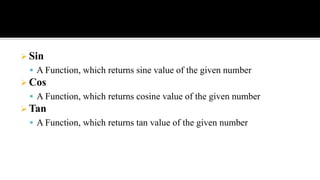
 Sin
 A Function, which returns sine value of the given number
 Cos
 A Function, which returns cosine value of the given number
 Tan
 A Function, which returns tan value of the given number
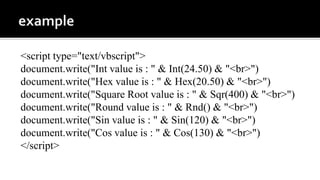
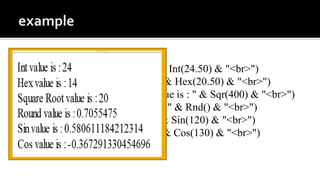
<script type="text/vbscript">
document.write("Int value is : " & Int(24.50) & "<br>")
document.write("Hex value is : " & Hex(20.50) & "<br>")
document.write("Square Root value is : " & Sqr(400) & "<br>")
document.write("Round value is : " & Rnd() & "<br>")
document.write("Sin value is : " & Sin(120) & "<br>")
document.write("Cos value is : " & Cos(130) & "<br>")
</script>
<script type="text/vbscript">
document.write("Int value is : " & Int(24.50) & "<br>")
document.write("Hex value is : " & Hex(20.50) & "<br>")
document.write("Square Root value is : " & Sqr(400) & "<br>")
document.write("Round value is : " & Rnd() & "<br>")
document.write("Sin value is : " & Sin(120) & "<br>")
document.write("Cos value is : " & Cos(130) & "<br>")
</script>
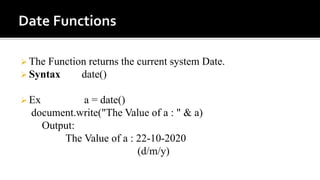
 The Function returns the current system Date.
 Syntax date()
 Ex a = date()
document.write("The Value of a : " & a)
Output:
The Value of a : 22-10-2020
(d/m/y)
 The Function converts a valid date and time expression to type
date.
 Syntax cdate(date)
ex: b= cdate("22 Oct 2020")
document.write("The Value of b : " & b & "<br>")
b = cdate("Oct 22 2050")
document.write("The Value of b : " & b & "<br>")
Output:
The Value of a : 22-10-2020
The Value of b : 22-10-2020
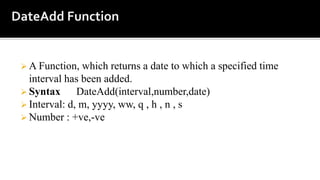
 A Function, which returns a date to which a specified time
interval has been added.
 Syntax DateAdd(interval,number,date)
 Interval: d, m, yyyy, ww, q , h , n , s
 Number : +ve,-ve
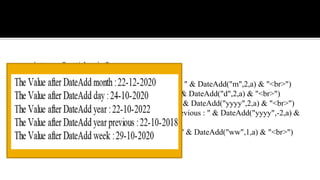
<script type="text/vbscript">
a = date()
document.write("The Value after DateAdd month : " & DateAdd("m",2,a) & "<br>")
document.write("The Value after DateAdd day : " & DateAdd("d",2,a) & "<br>")
document.write("The Value after DateAdd year : " & DateAdd("yyyy",2,a) & "<br>")
document.write("The Value after DateAdd year previous : " & DateAdd("yyyy",-2,a) &
"<br>")
document.write("The Value after DateAdd week : " & DateAdd("ww",1,a) & "<br>")
</script>
<script type="text/vbscript">
a = date()
document.write("The Value after DateAdd month : " & DateAdd("m",2,a) & "<br>")
document.write("The Value after DateAdd day : " & DateAdd("d",2,a) & "<br>")
document.write("The Value after DateAdd year : " & DateAdd("yyyy",2,a) & "<br>")
document.write("The Value after DateAdd year previous : " & DateAdd("yyyy",-2,a) &
"<br>")
document.write("The Value after DateAdd week : " & DateAdd("ww",1,a) & "<br>")
</script>
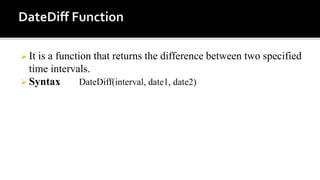
 It is a function that returns the difference between two specified
time intervals.
 Syntax DateDiff(interval, date1, date2)
a= "22 Oct 2020 "
b="22 Oct 2050"
document.write("The Value after DateDifference year : " & DateDiff("yyyy",a,b) &
"<br>")
document.write("The Value after DateDifference month : " & DateDiff("m",a,b) &
"<br>")
document.write("The Value after DateDifference days : " & DateDiff("d",a,b) &
"<br>")
document.write("The Value after DateDifference hour : " & DateDiff("h",a,b) &
"<br>")
document.write("The Value after DateDifference minutes : " & DateDiff("n",a,b) &
"<br>")
document.write("The Value after DateDifference seconds : " & DateDiff("s",a,b) &
"<br>")
document.write("The Value after DateDifference year : " & DateDiff("yyyy",a,b) &
"<br>")
document.write("The Value after DateDifference month : " & DateDiff("m",a,b) &
"<br>")
document.write("The Value after DateDifference days : " & DateDiff("d",a,b) &
"<br>")
document.write("The Value after DateDifference hour : " & DateDiff("h",a,b) &
"<br>")
document.write("The Value after DateDifference minutes : " & DateDiff("n",a,b) &
"<br>")
document.write("The Value after DateDifference seconds : " & DateDiff("s",a,b) &
"<br>")
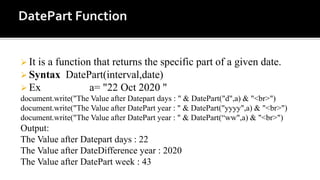
 It is a function that returns the specific part of a given date.
 Syntax DatePart(interval,date)
 Ex a= "22 Oct 2020 "
document.write("The Value after Datepart days : " & DatePart("d",a) & "<br>")
document.write("The Value after DatePart year : " & DatePart("yyyy",a) & "<br>")
document.write("The Value after DatePart year : " & DatePart(“ww",a) & "<br>")
Output:
The Value after Datepart days : 22
The Value after DateDifference year : 2020
The Value after DatePart week : 43
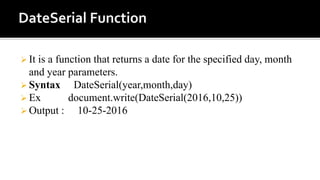
 It is a function that returns a date for the specified day, month
and year parameters.
 Syntax DateSerial(year,month,day)
 Ex document.write(DateSerial(2016,10,25))
 Output : 10-25-2016
 It is a function that helps the developers to format and return a valid date and time expression.
 Syntax FormatDateTime(date,format)
d = ("22-10-2020 20:25")
document.write("Line 1 : " & FormatDateTime(d,0) & "<br>")
document.write("Line 2 : " & FormatDateTime(d,1)& "<br>")
document.write("Line 3 : " & FormatDateTime(d,2)& "<br>" )
document.write("Line 4 : " & FormatDateTime(d,3) & "<br>")
document.write("Line 5 : " & FormatDateTime(d,4)& "<br>")
Output: Line 1 : 22-10-2020 20:25:00
Line 2 : 22 October 2020
Line 3 : 22-10-2020
Line 4 : 20:25:00
Line 5 : 20:25
 It is a function that returns a Boolean Value whether or Not the
given input is a date.
 Syntax IsDate(expression)
 Ex returns True
document.write("Line 1 : " & IsDate("Nov 03, 1950") & "<br>")
document.write("Line 2 : " & IsDate(#01/31/20#)& "<br>" )
document.write("Line 3 : " & IsDate(#05/31/20 10:30 PM#)& "<br>")
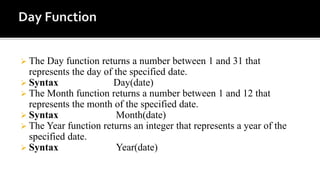
 The Day function returns a number between 1 and 31 that
represents the day of the specified date.
 Syntax Day(date)
 The Month function returns a number between 1 and 12 that
represents the month of the specified date.
 Syntax Month(date)
 The Year function returns an integer that represents a year of the
specified date.
 Syntax Year(date)
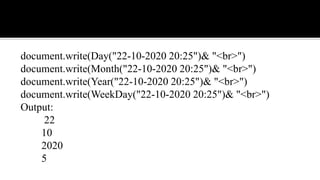
document.write(Day("22-10-2020 20:25")& "<br>")
document.write(Month("22-10-2020 20:25")& "<br>")
document.write(Year("22-10-2020 20:25")& "<br>")
document.write(WeekDay("22-10-2020 20:25")& "<br>")
Output:
22
10
2020
5
 The MonthName function returns the name of the month for the
specified date.
 Syntax MonthName(month[,toabbreviate])
MonthName(01,True) Jan
MonthName(01,false) January
 The WeekDay function returns an integer from 1 to 7 that
represents the day of the week for the specified date.
 Syntax Weekday(date)
 The WeekDayName function returns the name of the Weekday for
the specified day.
 Syntax WeekdayName(weekday)
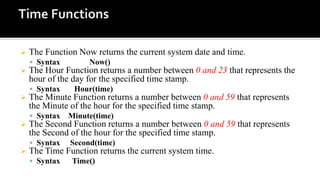
 The Function Now returns the current system date and time.
 Syntax Now()
 The Hour Function returns a number between 0 and 23 that represents the
hour of the day for the specified time stamp.
 Syntax Hour(time)
 The Minute Function returns a number between 0 and 59 that represents
the Minute of the hour for the specified time stamp.
 Syntax Minute(time)
 The Second Function returns a number between 0 and 59 that represents
the Second of the hour for the specified time stamp.
 Syntax Second(time)
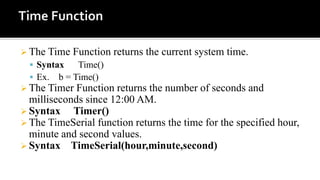
 The Time Function returns the current system time.
 Syntax Time()
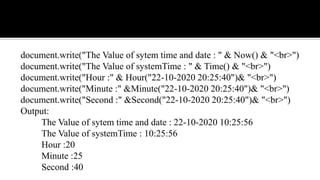
document.write("The Value of sytem time and date : " & Now() & "<br>")
document.write("The Value of systemTime : " & Time() & "<br>")
document.write("Hour :" & Hour("22-10-2020 20:25:40")& "<br>")
document.write("Minute :" &Minute("22-10-2020 20:25:40")& "<br>")
document.write("Second :" &Second("22-10-2020 20:25:40")& "<br>")
Output:
The Value of sytem time and date : 22-10-2020 10:25:56
The Value of systemTime : 10:25:56
Hour :20
Minute :25
Second :40
 The Time Function returns the current system time.
 Syntax Time()
 Ex. b = Time()
 The Timer Function returns the number of seconds and
milliseconds since 12:00 AM.
 Syntax Timer()
 The TimeSerial function returns the time for the specified hour,
minute and second values.
 Syntax TimeSerial(hour,minute,second)
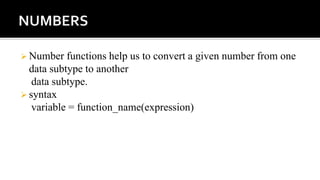
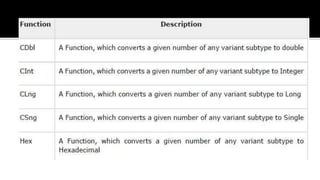
 Number functions help us to convert a given number from one
data subtype to another
data subtype.
 syntax
variable = function_name(expression)
 VB Script Tutorial point
27. mathematical, date and time  functions in VB Script

27. mathematical, date and time functions in VB Script

  • 2.
    - - By VarshaKumari Assistant Professor CEA Department, GLA University Mathura
  • 3.
  • 4.
     Used toevaluate the mathematical and trigonometrical functions of a given input number.  Syntax: variable = Mathematical_function (Expression)
  • 5.
     Int  AFunction, which returns the integer part of the given number  Ex dim a: a=20.50 a=Int(a) Output : 20  Log  A Function, which returns the natural logarithm of the given number.  Hex  A Function, which returns the Hexadecimal value of the given number.  a=Hex(a) Output : 14
  • 6.
     Rnd  AFunction, which returns a random number between 0 and 1.  a=Rnd()  Sqr  A Function, which returns the square root of the given number.  Exp  A Function, which returns the value of e raised to the specified number
  • 7.
     Sin  AFunction, which returns sine value of the given number  Cos  A Function, which returns cosine value of the given number  Tan  A Function, which returns tan value of the given number
  • 8.
    <script type="text/vbscript"> document.write("Int valueis : " & Int(24.50) & "<br>") document.write("Hex value is : " & Hex(20.50) & "<br>") document.write("Square Root value is : " & Sqr(400) & "<br>") document.write("Round value is : " & Rnd() & "<br>") document.write("Sin value is : " & Sin(120) & "<br>") document.write("Cos value is : " & Cos(130) & "<br>") </script>
  • 9.
    <script type="text/vbscript"> document.write("Int valueis : " & Int(24.50) & "<br>") document.write("Hex value is : " & Hex(20.50) & "<br>") document.write("Square Root value is : " & Sqr(400) & "<br>") document.write("Round value is : " & Rnd() & "<br>") document.write("Sin value is : " & Sin(120) & "<br>") document.write("Cos value is : " & Cos(130) & "<br>") </script>
  • 10.
     The Functionreturns the current system Date.  Syntax date()  Ex a = date() document.write("The Value of a : " & a) Output: The Value of a : 22-10-2020 (d/m/y)
  • 11.
     The Functionconverts a valid date and time expression to type date.  Syntax cdate(date) ex: b= cdate("22 Oct 2020") document.write("The Value of b : " & b & "<br>") b = cdate("Oct 22 2050") document.write("The Value of b : " & b & "<br>") Output: The Value of a : 22-10-2020 The Value of b : 22-10-2020
  • 12.
     A Function,which returns a date to which a specified time interval has been added.  Syntax DateAdd(interval,number,date)  Interval: d, m, yyyy, ww, q , h , n , s  Number : +ve,-ve
  • 13.
    <script type="text/vbscript"> a =date() document.write("The Value after DateAdd month : " & DateAdd("m",2,a) & "<br>") document.write("The Value after DateAdd day : " & DateAdd("d",2,a) & "<br>") document.write("The Value after DateAdd year : " & DateAdd("yyyy",2,a) & "<br>") document.write("The Value after DateAdd year previous : " & DateAdd("yyyy",-2,a) & "<br>") document.write("The Value after DateAdd week : " & DateAdd("ww",1,a) & "<br>") </script>
  • 14.
    <script type="text/vbscript"> a =date() document.write("The Value after DateAdd month : " & DateAdd("m",2,a) & "<br>") document.write("The Value after DateAdd day : " & DateAdd("d",2,a) & "<br>") document.write("The Value after DateAdd year : " & DateAdd("yyyy",2,a) & "<br>") document.write("The Value after DateAdd year previous : " & DateAdd("yyyy",-2,a) & "<br>") document.write("The Value after DateAdd week : " & DateAdd("ww",1,a) & "<br>") </script>
  • 15.
     It isa function that returns the difference between two specified time intervals.  Syntax DateDiff(interval, date1, date2)
  • 16.
    a= "22 Oct2020 " b="22 Oct 2050" document.write("The Value after DateDifference year : " & DateDiff("yyyy",a,b) & "<br>") document.write("The Value after DateDifference month : " & DateDiff("m",a,b) & "<br>") document.write("The Value after DateDifference days : " & DateDiff("d",a,b) & "<br>") document.write("The Value after DateDifference hour : " & DateDiff("h",a,b) & "<br>") document.write("The Value after DateDifference minutes : " & DateDiff("n",a,b) & "<br>") document.write("The Value after DateDifference seconds : " & DateDiff("s",a,b) & "<br>")
  • 17.
    document.write("The Value afterDateDifference year : " & DateDiff("yyyy",a,b) & "<br>") document.write("The Value after DateDifference month : " & DateDiff("m",a,b) & "<br>") document.write("The Value after DateDifference days : " & DateDiff("d",a,b) & "<br>") document.write("The Value after DateDifference hour : " & DateDiff("h",a,b) & "<br>") document.write("The Value after DateDifference minutes : " & DateDiff("n",a,b) & "<br>") document.write("The Value after DateDifference seconds : " & DateDiff("s",a,b) & "<br>")
  • 18.
     It isa function that returns the specific part of a given date.  Syntax DatePart(interval,date)  Ex a= "22 Oct 2020 " document.write("The Value after Datepart days : " & DatePart("d",a) & "<br>") document.write("The Value after DatePart year : " & DatePart("yyyy",a) & "<br>") document.write("The Value after DatePart year : " & DatePart(“ww",a) & "<br>") Output: The Value after Datepart days : 22 The Value after DateDifference year : 2020 The Value after DatePart week : 43
  • 19.
     It isa function that returns a date for the specified day, month and year parameters.  Syntax DateSerial(year,month,day)  Ex document.write(DateSerial(2016,10,25))  Output : 10-25-2016
  • 20.
     It isa function that helps the developers to format and return a valid date and time expression.  Syntax FormatDateTime(date,format) d = ("22-10-2020 20:25") document.write("Line 1 : " & FormatDateTime(d,0) & "<br>") document.write("Line 2 : " & FormatDateTime(d,1)& "<br>") document.write("Line 3 : " & FormatDateTime(d,2)& "<br>" ) document.write("Line 4 : " & FormatDateTime(d,3) & "<br>") document.write("Line 5 : " & FormatDateTime(d,4)& "<br>") Output: Line 1 : 22-10-2020 20:25:00 Line 2 : 22 October 2020 Line 3 : 22-10-2020 Line 4 : 20:25:00 Line 5 : 20:25
  • 21.
     It isa function that returns a Boolean Value whether or Not the given input is a date.  Syntax IsDate(expression)  Ex returns True document.write("Line 1 : " & IsDate("Nov 03, 1950") & "<br>") document.write("Line 2 : " & IsDate(#01/31/20#)& "<br>" ) document.write("Line 3 : " & IsDate(#05/31/20 10:30 PM#)& "<br>")
  • 22.
     The Dayfunction returns a number between 1 and 31 that represents the day of the specified date.  Syntax Day(date)  The Month function returns a number between 1 and 12 that represents the month of the specified date.  Syntax Month(date)  The Year function returns an integer that represents a year of the specified date.  Syntax Year(date)
  • 23.
    document.write(Day("22-10-2020 20:25")& "<br>") document.write(Month("22-10-202020:25")& "<br>") document.write(Year("22-10-2020 20:25")& "<br>") document.write(WeekDay("22-10-2020 20:25")& "<br>") Output: 22 10 2020 5
  • 24.
     The MonthNamefunction returns the name of the month for the specified date.  Syntax MonthName(month[,toabbreviate]) MonthName(01,True) Jan MonthName(01,false) January  The WeekDay function returns an integer from 1 to 7 that represents the day of the week for the specified date.  Syntax Weekday(date)  The WeekDayName function returns the name of the Weekday for the specified day.  Syntax WeekdayName(weekday)
  • 25.
     The FunctionNow returns the current system date and time.  Syntax Now()  The Hour Function returns a number between 0 and 23 that represents the hour of the day for the specified time stamp.  Syntax Hour(time)  The Minute Function returns a number between 0 and 59 that represents the Minute of the hour for the specified time stamp.  Syntax Minute(time)  The Second Function returns a number between 0 and 59 that represents the Second of the hour for the specified time stamp.  Syntax Second(time)  The Time Function returns the current system time.  Syntax Time()
  • 26.
    document.write("The Value ofsytem time and date : " & Now() & "<br>") document.write("The Value of systemTime : " & Time() & "<br>") document.write("Hour :" & Hour("22-10-2020 20:25:40")& "<br>") document.write("Minute :" &Minute("22-10-2020 20:25:40")& "<br>") document.write("Second :" &Second("22-10-2020 20:25:40")& "<br>") Output: The Value of sytem time and date : 22-10-2020 10:25:56 The Value of systemTime : 10:25:56 Hour :20 Minute :25 Second :40
  • 27.
     The TimeFunction returns the current system time.  Syntax Time()  Ex. b = Time()  The Timer Function returns the number of seconds and milliseconds since 12:00 AM.  Syntax Timer()  The TimeSerial function returns the time for the specified hour, minute and second values.  Syntax TimeSerial(hour,minute,second)
  • 28.
     Number functionshelp us to convert a given number from one data subtype to another data subtype.  syntax variable = function_name(expression)
  • 31.
     VB ScriptTutorial point