WELCOME CPD
STUDENTS!
Please sit near your group
members
Danielle Carlock
480 425 6765
d.carlock@sccmail.maricopa.edu
Learn about library services & materials
For your topic find:
• One newspaper/magazine article
• One website
• One book
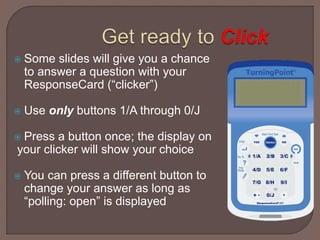
 Some slides will give you a chance
to answer a question with your
ResponseCard (“clicker”)
 Use only buttons 1/A through 0/J
 Press a button once; the display on
your clicker will show your choice
 You can press a different button to
change your answer as long as
“polling: open” is displayed
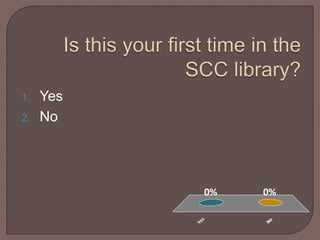
Yes
No
0%0%
1. Yes
2. No
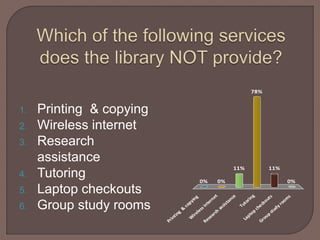
Printing
&
copying
W
irelessinternet
Research
assistance
Tutoring
Laptop
checkouts
Group
study
room
s
0% 0% 0%
11%
78%
11%
1. Printing & copying
2. Wireless internet
3. Research
assistance
4. Tutoring
5. Laptop checkouts
6. Group study rooms
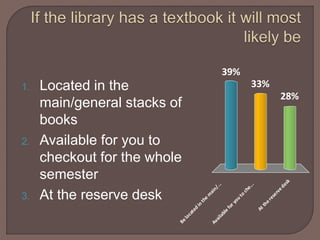
Belocated
in
the
m
ain/...
Available
foryou
to
che...
Atthereservedesk
39%
28%
33%1. Located in the
main/general stacks of
books
2. Available for you to
checkout for the whole
semester
3. At the reserve desk
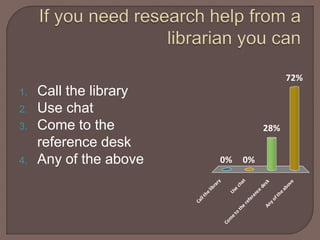
Callthelibrary
Use
chat
Com
eto
the
reference
deskAnyoftheabove
0%
72%
28%
0%
1. Call the library
2. Use chat
3. Come to the
reference desk
4. Any of the above
 The library website is at:
 http://library.scottsdalecc.edu/
 You can Google us or get to us from the SCC
Website
 Some important sections of the site:
• Databases
• Research Guides
• Library catalog
• How to get help
One member of each group-please write
your group’s topic down on one of the
small whiteboards
One newspaper/magazine article
One website
One book (textbook can count)
Let’s look at how to find these materials
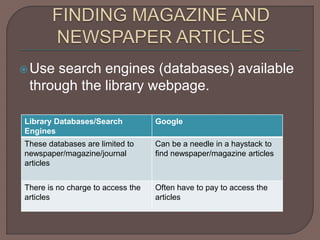
Use search engines (databases) available
through the library webpage.
Library Databases/Search
Engines
Google
These databases are limited to
newspaper/magazine/journal
articles
Can be a needle in a haystack to
find newspaper/magazine articles
There is no charge to access the
articles
Often have to pay to access the
articles
Can only be accessed from through library
website
Must know your MEID or SCC login to get
access off campus
There are several dozen databases
Recommended databases: Academic One
File or National Newspaper
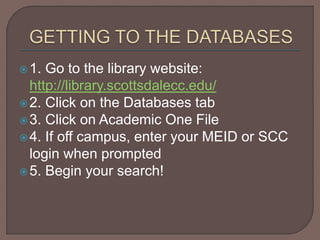
1. Go to the library website:
http://library.scottsdalecc.edu/
2. Click on the Databases tab
3. Click on Academic One File
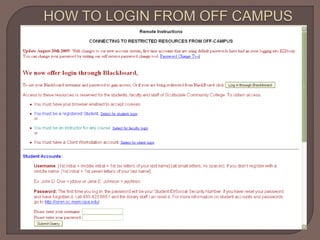
4. If off campus, enter your MEID or SCC
login when prompted
5. Begin your search!
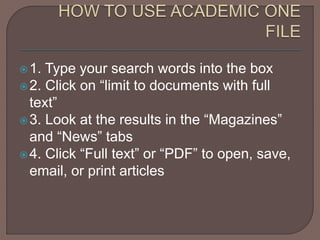
1. Type your search words into the box
2. Click on “limit to documents with full
text”
3. Look at the results in the “Magazines”
and “News” tabs
4. Click “Full text” or “PDF” to open, save,
email, or print articles
WORK WITH YOUR GROUP TO FIND AT
LEAST ONE USEFUL
MAGAZINE/NEWSPAPER ARTICLE FOR
YOUR PROJECT
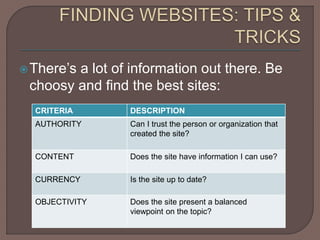
There’s a lot of information out there. Be
choosy and find the best sites:
CRITERIA DESCRIPTION
AUTHORITY Can I trust the person or organization that
created the site?
CONTENT Does the site have information I can use?
CURRENCY Is the site up to date?
OBJECTIVITY Does the site present a balanced
viewpoint on the topic?
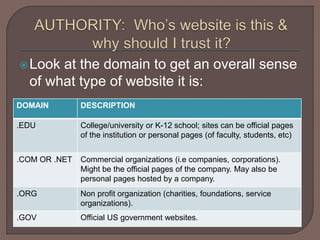
Look at the domain to get an overall sense
of what type of website it is:
DOMAIN DESCRIPTION
.EDU College/university or K-12 school; sites can be official pages
of the institution or personal pages (of faculty, students, etc)
.COM OR .NET Commercial organizations (i.e companies, corporations).
Might be the official pages of the company. May also be
personal pages hosted by a company.
.ORG Non profit organization (charities, foundations, service
organizations).
.GOV Official US government websites.
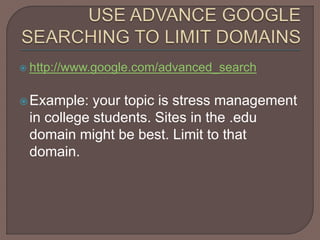
 http://www.google.com/advanced_search
Example: your topic is stress management
in college students. Sites in the .edu
domain might be best. Limit to that
domain.
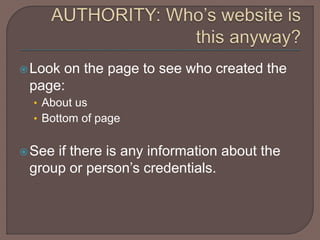
Look on the page to see who created the
page:
• About us
• Bottom of page
See if there is any information about the
group or person’s credentials.
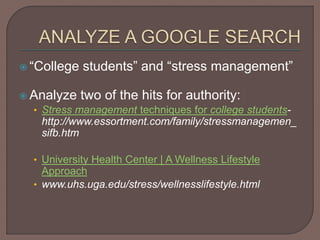
 “College students” and “stress management”
 Analyze two of the hits for authority:
• Stress management techniques for college students-
http://www.essortment.com/family/stressmanagemen_
sifb.htm
• University Health Center | A Wellness Lifestyle
Approach
• www.uhs.uga.edu/stress/wellnesslifestyle.html
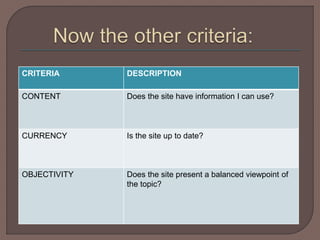
CRITERIA DESCRIPTION
CONTENT Does the site have information I can use?
CURRENCY Is the site up to date?
OBJECTIVITY Does the site present a balanced viewpoint of
the topic?
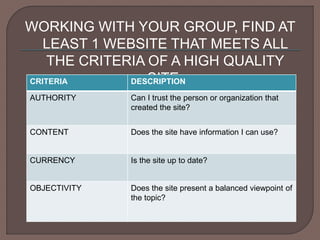
WORKING WITH YOUR GROUP, FIND AT
LEAST 1 WEBSITE THAT MEETS ALL
THE CRITERIA OF A HIGH QUALITY
SITE:CRITERIA DESCRIPTION
AUTHORITY Can I trust the person or organization that
created the site?
CONTENT Does the site have information I can use?
CURRENCY Is the site up to date?
OBJECTIVITY Does the site present a balanced viewpoint of
the topic?
Use the library catalog on the SCC Library
website
Demonstration
Work with your group to find one book on
your topic

CPD 150 Group Projects

  • 1.
    WELCOME CPD STUDENTS! Please sitnear your group members
  • 2.
    Danielle Carlock 480 4256765 d.carlock@sccmail.maricopa.edu
  • 3.
    Learn about libraryservices & materials For your topic find: • One newspaper/magazine article • One website • One book
  • 4.
     Some slideswill give you a chance to answer a question with your ResponseCard (“clicker”)  Use only buttons 1/A through 0/J  Press a button once; the display on your clicker will show your choice  You can press a different button to change your answer as long as “polling: open” is displayed
  • 5.
  • 6.
    Printing & copying W irelessinternet Research assistance Tutoring Laptop checkouts Group study room s 0% 0% 0% 11% 78% 11% 1.Printing & copying 2. Wireless internet 3. Research assistance 4. Tutoring 5. Laptop checkouts 6. Group study rooms
  • 7.
    Belocated in the m ain/... Available foryou to che... Atthereservedesk 39% 28% 33%1. Located inthe main/general stacks of books 2. Available for you to checkout for the whole semester 3. At the reserve desk
  • 8.
    Callthelibrary Use chat Com eto the reference deskAnyoftheabove 0% 72% 28% 0% 1. Call thelibrary 2. Use chat 3. Come to the reference desk 4. Any of the above
  • 9.
     The librarywebsite is at:  http://library.scottsdalecc.edu/  You can Google us or get to us from the SCC Website  Some important sections of the site: • Databases • Research Guides • Library catalog • How to get help
  • 10.
    One member ofeach group-please write your group’s topic down on one of the small whiteboards
  • 11.
    One newspaper/magazine article Onewebsite One book (textbook can count) Let’s look at how to find these materials
  • 12.
    Use search engines(databases) available through the library webpage. Library Databases/Search Engines Google These databases are limited to newspaper/magazine/journal articles Can be a needle in a haystack to find newspaper/magazine articles There is no charge to access the articles Often have to pay to access the articles
  • 13.
    Can only beaccessed from through library website Must know your MEID or SCC login to get access off campus There are several dozen databases Recommended databases: Academic One File or National Newspaper
  • 14.
    1. Go tothe library website: http://library.scottsdalecc.edu/ 2. Click on the Databases tab 3. Click on Academic One File 4. If off campus, enter your MEID or SCC login when prompted 5. Begin your search!
  • 16.
    1. Type yoursearch words into the box 2. Click on “limit to documents with full text” 3. Look at the results in the “Magazines” and “News” tabs 4. Click “Full text” or “PDF” to open, save, email, or print articles
  • 17.
    WORK WITH YOURGROUP TO FIND AT LEAST ONE USEFUL MAGAZINE/NEWSPAPER ARTICLE FOR YOUR PROJECT
  • 18.
    There’s a lotof information out there. Be choosy and find the best sites: CRITERIA DESCRIPTION AUTHORITY Can I trust the person or organization that created the site? CONTENT Does the site have information I can use? CURRENCY Is the site up to date? OBJECTIVITY Does the site present a balanced viewpoint on the topic?
  • 19.
    Look at thedomain to get an overall sense of what type of website it is: DOMAIN DESCRIPTION .EDU College/university or K-12 school; sites can be official pages of the institution or personal pages (of faculty, students, etc) .COM OR .NET Commercial organizations (i.e companies, corporations). Might be the official pages of the company. May also be personal pages hosted by a company. .ORG Non profit organization (charities, foundations, service organizations). .GOV Official US government websites.
  • 20.
     http://www.google.com/advanced_search Example: yourtopic is stress management in college students. Sites in the .edu domain might be best. Limit to that domain.
  • 21.
    Look on thepage to see who created the page: • About us • Bottom of page See if there is any information about the group or person’s credentials.
  • 22.
     “College students”and “stress management”  Analyze two of the hits for authority: • Stress management techniques for college students- http://www.essortment.com/family/stressmanagemen_ sifb.htm • University Health Center | A Wellness Lifestyle Approach • www.uhs.uga.edu/stress/wellnesslifestyle.html
  • 23.
    CRITERIA DESCRIPTION CONTENT Doesthe site have information I can use? CURRENCY Is the site up to date? OBJECTIVITY Does the site present a balanced viewpoint of the topic?
  • 24.
    WORKING WITH YOURGROUP, FIND AT LEAST 1 WEBSITE THAT MEETS ALL THE CRITERIA OF A HIGH QUALITY SITE:CRITERIA DESCRIPTION AUTHORITY Can I trust the person or organization that created the site? CONTENT Does the site have information I can use? CURRENCY Is the site up to date? OBJECTIVITY Does the site present a balanced viewpoint of the topic?
  • 25.
    Use the librarycatalog on the SCC Library website Demonstration Work with your group to find one book on your topic