Cool
C l Technology Tools i
         h l         l in
     Early Childhood


…for the Tech-Savvy, Technology
Novices, and Everyone in Between
                                   1
Where We re Going
          We’re
Attitudes about technology
What makes technology useful in
early childhood?
Tips for using technology in early
childhood
 hildh d
Cautions and challenges with
technology
Cool tech tools and web resources

                                     2
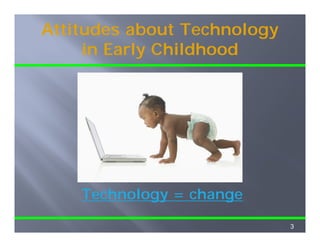
Attitudes about Technology
     in Early Childh d
     i E l Childhood


    Technology = change
            gy       g

                             3
Technology in ECE?
     Benefits           Challenges
Authentic way to     Passive activity
explore new topics
   p           p     Unequal access to
Chance to create     tech tools
Way to share         Can be overused
creations and        Safety concerns
receive feedback     for c d e o
                      o children online
                                      e
Supports critical    Easy access to
thinking             inappropriate
                        pp p
Chance to work       content
together                                  4
Problems with “Drill and Kill”
              “Drill     Kill”
 Decreases creativity
 Reduces problem solving
 Reduces children’s motivation to use
 R d       hild   ’      i i
 computers
 Increases frustration
 Requires q
    q     quick reaction time
 No way out


                                        5
Four Uses of Technology

1.   Teacher planning and collaboration
     T   h     l   i      d ll b   ti
2.   Communication with families
3.   Direct teaching with children
4.
4    Hands on
     Hands-on discovery learning


                                          6
The World is Changing…

Technology is a part of our society
                            society.
Children born today will be “digital
natives.
natives ”
Children see adults using technology.
“Web 2.0” has changed our ways of
understanding the world.


                                        7
Web 2.0
The web is no longer just a source of
static information.
Users expect to contribute to
content.
Content changes much more quickly.
C          h          h         i kl
Collected knowledge
How do we know what to trust?
                           Image from www.learnit2.com/tutorial%20018/index.html
                           I     f        l    it2    /t t i l%20018/i d ht l


                                                                        8
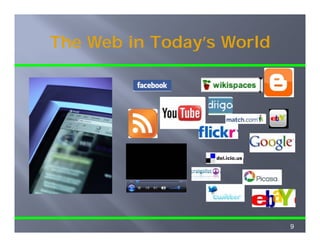
The Web in Today s World
           Today’s


                           9
The “Computer Question” Is
        Changing
        Ch    i
The “old” question: Should young
      old
children use computers?
The “new” question: When and how
      new
should young children be introduced
to technology?
           gy
  How early is too early?
  What’s developmentally appropriate in
   Preschool?
   Early elementary?
   Later elementary?

                                          10
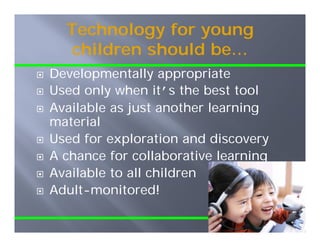
Technology for young
   children should be…
    hild     h ld b
Developmentally appropriate
Used only when it’s the best tool
Available as just another learning
material
Used for exploration and discovery
A chance for collaborative learning
Available to ll hild
A il bl t all children
Adult-monitored!

                                      11
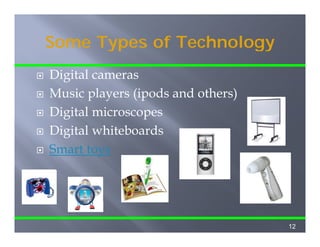
Some Types of Technology
Digital cameras
Music players (ipods and others)
Digital i
Di i l microscopes
Digital whiteboards
Smart toys


                                   12
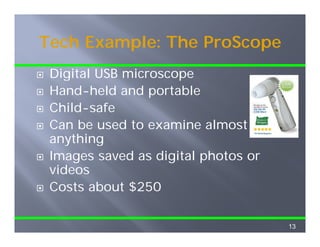
Tech Example: The ProScope
 Digital USB microscope
 Hand-held and portable
 Child-safe
 Can be used to examine almost
 anything
 Images saved as digital photos or
 videos
 Costs about $250

                                     13
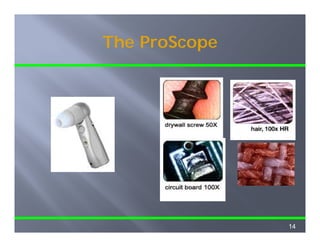
The ProScope


               14
Creative Tech Ideas

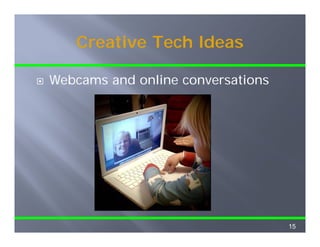
Webcams and online conversations
W b       d   li           ti


                                   15
Creative Tech Ideas

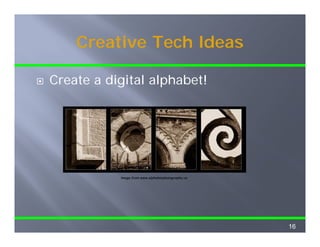
Create a digital alphabet!
C   t    di it l l h b t!


           Image from www.alphabetphotography.ca


                                                   16
Creative Tech Ideas

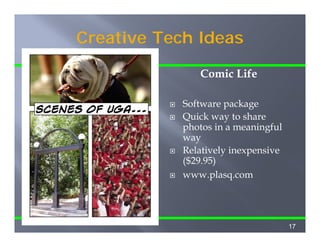
                              Comic Life
Here’s a sample of what
you can do with Comic      Software package
                                     p    g
Life in about 5 minutes!   Quick way to share
                           photos in a meaningful
                           way
                           Relatively inexpensive
                           ($29.95)
                           www.plasq.com


                                                    17
Cool Tools on the Web
Photo Sharing


                          18
Cool Tools on the Web
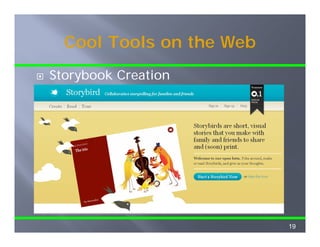
Storybook Creation


                          19
Cool Tools on the Web
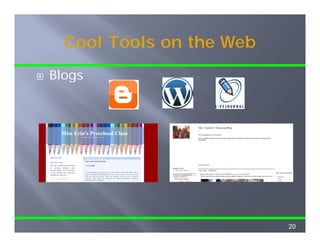
Blogs


                          20
Cool Tools on the Web

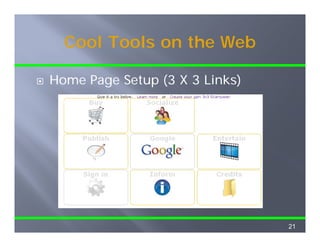
Home Page Setup (3 X 3 Links)
H    P    S t          Li k )


                                21
Cool Tools on the Web
Animating Drawings


Animated Slideshows from Photos

Creating Artwork from Photos


                                  22
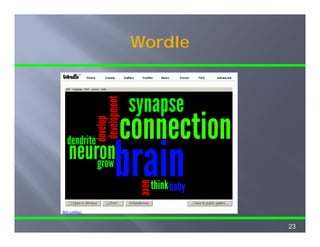
Wordle


         23
Cool Tools on the Web
Collaborative Document Creation


                                  24
Cool Tools on the Web
Image Sharing and Commenting


                               25
Cool Tools on the Web
       Social Bookmarking
Bookmark collection
Accessible f
A     ibl from any computer
Can be shared with others
Communication tools
 Commenting on links
 Highlights and sticky notes
 Discussion topic threads

                               26
Keeping Children Safer
         Online
         O li
Always review websites thoroughly
Watch for similar addresses!
Set limits on children’s online access
Supervise carefully
Teach children “ f surfing”
T     h hild    “safe    fi ”


                                         27
Questions?

Dr. Diane B l
D Di      Bales
Cooperative Extension
The University of Georgia
dbales@uga.edu
         g


                            28

Cool Tech Tools - Bales GAYC 2010

  • 1.
    Cool C l TechnologyTools i h l l in Early Childhood …for the Tech-Savvy, Technology Novices, and Everyone in Between 1
  • 2.
    Where We reGoing We’re Attitudes about technology What makes technology useful in early childhood? Tips for using technology in early childhood hildh d Cautions and challenges with technology Cool tech tools and web resources 2
  • 3.
    Attitudes about Technology in Early Childh d i E l Childhood Technology = change gy g 3
  • 4.
    Technology in ECE? Benefits Challenges Authentic way to Passive activity explore new topics p p Unequal access to Chance to create tech tools Way to share Can be overused creations and Safety concerns receive feedback for c d e o o children online e Supports critical Easy access to thinking inappropriate pp p Chance to work content together 4
  • 5.
    Problems with “Drilland Kill” “Drill Kill” Decreases creativity Reduces problem solving Reduces children’s motivation to use R d hild ’ i i computers Increases frustration Requires q q quick reaction time No way out 5
  • 6.
    Four Uses ofTechnology 1. Teacher planning and collaboration T h l i d ll b ti 2. Communication with families 3. Direct teaching with children 4. 4 Hands on Hands-on discovery learning 6
  • 7.
    The World isChanging… Technology is a part of our society society. Children born today will be “digital natives. natives ” Children see adults using technology. “Web 2.0” has changed our ways of understanding the world. 7
  • 8.
    Web 2.0 The webis no longer just a source of static information. Users expect to contribute to content. Content changes much more quickly. C h h i kl Collected knowledge How do we know what to trust? Image from www.learnit2.com/tutorial%20018/index.html I f l it2 /t t i l%20018/i d ht l 8
  • 9.
    The Web inToday s World Today’s 9
  • 10.
    The “Computer Question”Is Changing Ch i The “old” question: Should young old children use computers? The “new” question: When and how new should young children be introduced to technology? gy How early is too early? What’s developmentally appropriate in Preschool? Early elementary? Later elementary? 10
  • 11.
    Technology for young children should be… hild h ld b Developmentally appropriate Used only when it’s the best tool Available as just another learning material Used for exploration and discovery A chance for collaborative learning Available to ll hild A il bl t all children Adult-monitored! 11
  • 12.
    Some Types ofTechnology Digital cameras Music players (ipods and others) Digital i Di i l microscopes Digital whiteboards Smart toys 12
  • 13.
    Tech Example: TheProScope Digital USB microscope Hand-held and portable Child-safe Can be used to examine almost anything Images saved as digital photos or videos Costs about $250 13
  • 14.
  • 15.
    Creative Tech Ideas Webcamsand online conversations W b d li ti 15
  • 16.
    Creative Tech Ideas Createa digital alphabet! C t di it l l h b t! Image from www.alphabetphotography.ca 16
  • 17.
    Creative Tech Ideas Comic Life Here’s a sample of what you can do with Comic Software package p g Life in about 5 minutes! Quick way to share photos in a meaningful way Relatively inexpensive ($29.95) www.plasq.com 17
  • 18.
    Cool Tools onthe Web Photo Sharing 18
  • 19.
    Cool Tools onthe Web Storybook Creation 19
  • 20.
    Cool Tools onthe Web Blogs 20
  • 21.
    Cool Tools onthe Web Home Page Setup (3 X 3 Links) H P S t Li k ) 21
  • 22.
    Cool Tools onthe Web Animating Drawings Animated Slideshows from Photos Creating Artwork from Photos 22
  • 23.
  • 24.
    Cool Tools onthe Web Collaborative Document Creation 24
  • 25.
    Cool Tools onthe Web Image Sharing and Commenting 25
  • 26.
    Cool Tools onthe Web Social Bookmarking Bookmark collection Accessible f A ibl from any computer Can be shared with others Communication tools Commenting on links Highlights and sticky notes Discussion topic threads 26
  • 27.
    Keeping Children Safer Online O li Always review websites thoroughly Watch for similar addresses! Set limits on children’s online access Supervise carefully Teach children “ f surfing” T h hild “safe fi ” 27
  • 28.
    Questions? Dr. Diane Bl D Di Bales Cooperative Extension The University of Georgia dbales@uga.edu g 28