



















POST, PIN AND TWEET: HOW
AND WHEN TO USE
TECHNOLOGY & SOCIAL MEDIA

                FRAN SIMON, M.ED.
        ENGAGEMENT STRATEGIES, LLC.
         #NBCDIConf
#NBCDIConf
Agenda
 • Sorting out “technology”

 • Tech in the classroom:

 • Social Media
Slides
Tech with Children:
http://ow.ly/ei1Im

Social Media: Slides
http://ow.ly/ei1Du
Sorting out technology
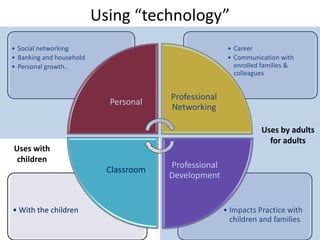
Using “technology”
• Social networking                                     • Career
• Banking and household                                 • Communication with
• Personal growth..                                       enrolled families &
                                                          colleagues


                                        Professional
                            Personal
                                        Networking

                                                                  Uses by adults
                                                                    for adults
Uses with
 children
                                        Professional
                            Classroom
                                        Development


• With the children                                    • Impacts Practice with
                                                         children and families
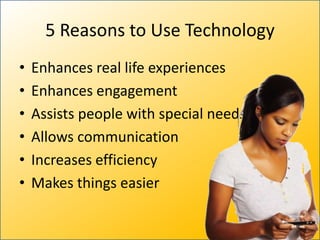
5 Reasons to Use Technology
•   Enhances real life experiences
•   Enhances engagement
•   Assists people with special needs
•   Allows communication
•   Increases efficiency
•   Makes things easier
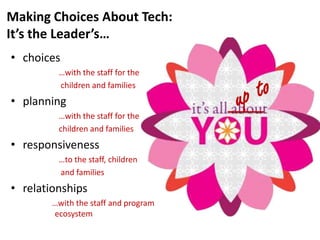
Making Choices About Tech:
It’s the Leader’s…
• choices
         …with the staff for the
         children and families
• planning
         …with the staff for the
         children and families
• responsiveness
         …to the staff, children
         and families
• relationships
        …with the staff and program
        ecosystem
Technology in the Early
 Childhood Classroom
You Make the Choices
 Be a critical consumer.

 You, the teachers, and
   the parents are the
  gatekeepers who
     stand between
technology and children.
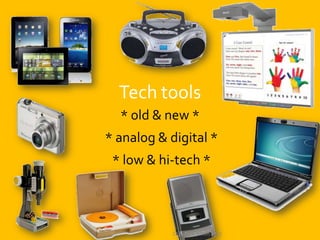
Tech tools
  * old & new *
* analog & digital *
 * low & hi-tech *


            Copyright, Simon 2012
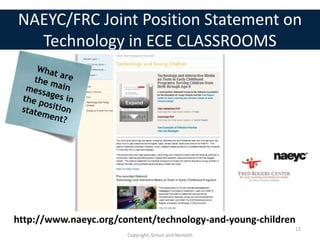
NAEYC/FRC Joint Position Statement on
  Technology in ECE CLASSROOMS


http://www.naeyc.org/content/technology-and-young-children
                                                         12
                       Copyright, Simon and Nemeth
You don’t have to use technology.
      If you do use tech tools
intentionally, you will find they are
    not always the best choice.

             Copyright, Simon and Nemeth   13
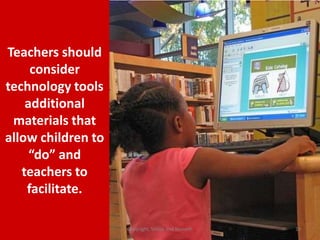
Teachers should
     consider
technology tools
    additional
 materials that
allow children to
     “do” and
   teachers to
    facilitate.

                    Copyright, Simon and Nemeth   14
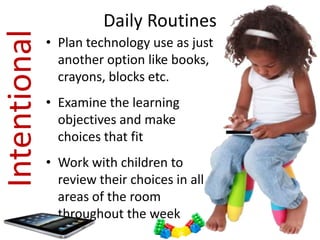
Intentional             Daily Routines
              • Plan technology use as just
                another option like books,
                crayons, blocks etc.
              • Examine the learning
                objectives and make
                choices that fit
              • Work with children to
                review their choices in all
                areas of the room
                throughout the week
Computer Software

 Meaningful
Pedagogical value
Engaging
Interactive               “Sticky”
                            Productive
                            Up to date
          © Copyright Nemeth and Simon, 2102   16
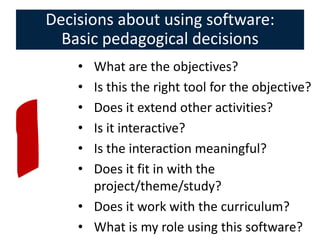
Decisions about using software:
  Basic pedagogical decisions
    • What are the objectives?
    • Is this the right tool for the objective?
    • Does it extend other activities?
    • Is it interactive?
    • Is the interaction meaningful?
    • Does it fit in with the
      project/theme/study?
    • Does it work with the curriculum?
    • What is my role using this software?
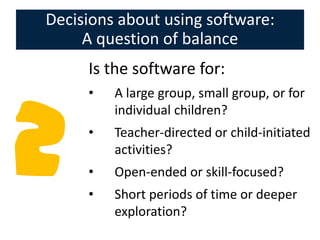
Decisions about using software:
     A question of balance
     Is the software for:
     •   A large group, small group, or for
         individual children?
     •   Teacher-directed or child-initiated
         activities?
     •   Open-ended or skill-focused?
     •   Short periods of time or deeper
         exploration?
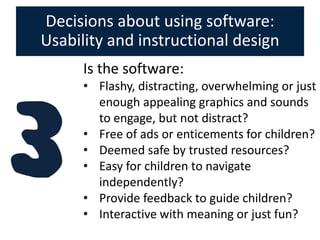
Decisions about using software:
Usability and instructional design
      Is the software:
      • Flashy, distracting, overwhelming or just
        enough appealing graphics and sounds
        to engage, but not distract?
      • Free of ads or enticements for children?
      • Deemed safe by trusted resources?
      • Easy for children to navigate
        independently?
      • Provide feedback to guide children?
      • Interactive with meaning or just fun?
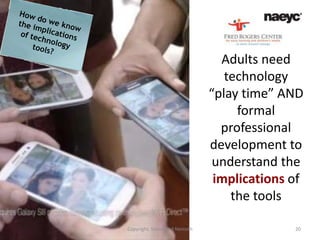
Adults need
                                 technology
                              “play time” AND
                                   formal
                                professional
                              development to
                               understand the
                               implications of
                                  the tools

Copyright, Simon and Nemeth                 20
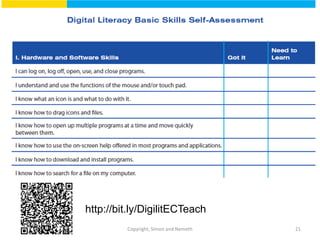
http://bit.ly/DigilitECTeach
         Copyright, Simon and Nemeth   21
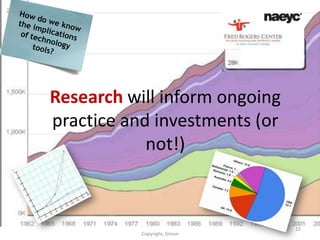
Research will inform ongoing
practice and investments (or
            not!)


                               22
           Copyright, Simon
Investments in technology tools are
   wasted without investments in
    professional development.
             Copyright, Simon and Nemeth   23
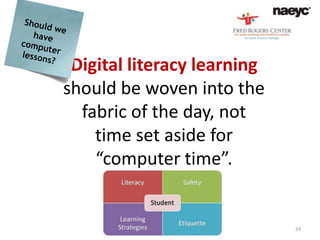
Digital literacy learning
should be woven into the
  fabric of the day, not
    time set aside for
    “computer time”.


        Copyright, Simon and Nemeth   24
Equity: Include technology that
 enhances dual language learning,
  represents diversity, and allows
access for children with disabilities.


              Copyright, Simon and Nemeth   25
Time limits: Guidelines and
expectations should consider variables
   like age, objectives, and type of
              interaction.

              Copyright, Simon and Nemeth   26
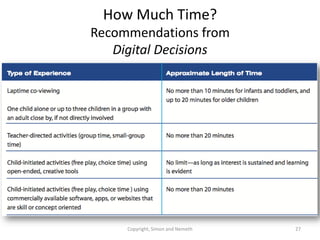
How Much Time?
Recommendations from
   Digital Decisions


     Copyright, Simon and Nemeth   27
Tech for infants and
                        toddlers: Laptime and
                          floortime with the
                          youngest children
                             might include
                       technology, but in very
                       limited cases, for a few
                        minutes at a time and
                         ONLY with an adult.

Copyright, Simon and Nemeth                28
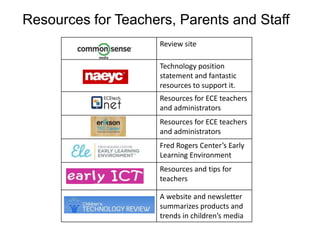
Resources for Teachers, Parents and Staff
                     Review site

                     Technology position
                     statement and fantastic
                     resources to support it.
                     Resources for ECE teachers
                     and administrators
                     Resources for ECE teachers
                     and administrators
                     Fred Rogers Center’s Early
                     Learning Environment
                     Resources and tips for
                     teachers

                     A website and newsletter
                     summarizes products and
                     trends in children’s media
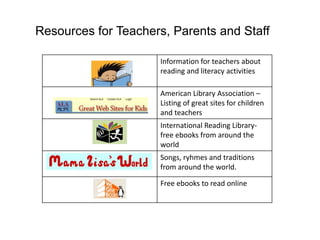
Resources for Teachers, Parents and Staff

                     Information for teachers about
                     reading and literacy activities

                     American Library Association –
                     Listing of great sites for children
                     and teachers
                     International Reading Library-
                     free ebooks from around the
                     world
                     Songs, ryhmes and traditions
                     from around the world.

                     Free ebooks to read online
Social Media
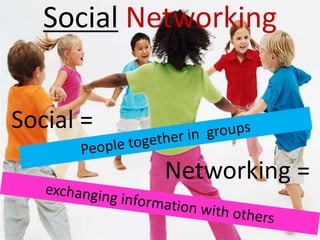
Social Networking


Social =
           Networking =
                       32
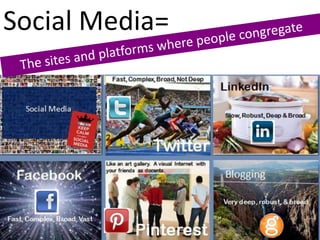
Social Media=


                33
It’s social. We’re doing business! Why
do we need social media?


               © Fran Simon Copyright, 2012   34
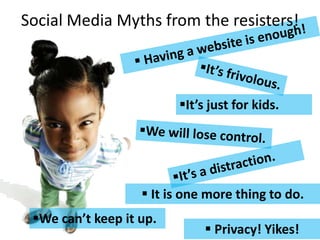
Social Media Myths from the resisters!


                         It’s just for kids.


                    It is one more thing to do.
 We can’t keep it up.
                               Privacy! Yikes!
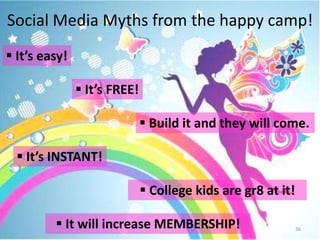
Social Media Myths from the happy camp!
 It’s easy!

                It’s FREE!

                               Build it and they will come.

   It’s INSTANT!

                               College kids are gr8 at it!

          It will increase MEMBERSHIP!                       36
Social Media Realities


                     It is pervasive
             It is high-impact
 It’s just 21st century communication
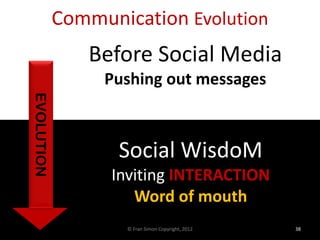
Communication Evolution
               Before Social Media
                 Pushing out messages
EVOLUTION


                   Social WisdoM
                  Inviting INTERACTION
                     Word of mouth
                    © Fran Simon Copyright, 2012   38
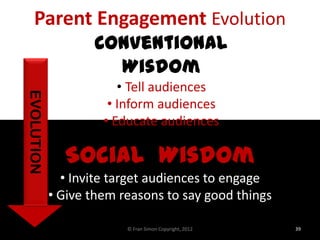
Parent Engagement Evolution
                   Conventional
                     Wisdom
                        • Tell audiences
EVOLUTION


                      • Inform audiences
                     • Educate audiences

              Social Wisdom
              • Invite target audiences to engage
            • Give them reasons to say good things

                         © Fran Simon Copyright, 2012   39
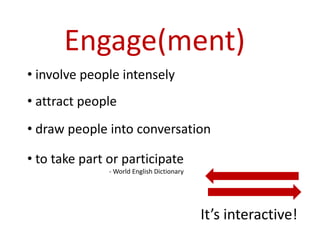
Engage(ment)
• involve people intensely
• attract people
• draw people into conversation

• to take part or participate
               - World English Dictionary


                                            It’s interactive!
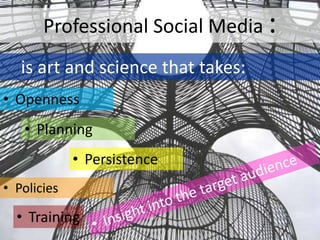
Professional Social Media :
   is art and science that takes:
• Openness
   • Planning
             • Persistence
• Policies

  • Training
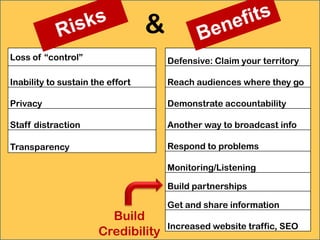
&
Loss of “control”                     Defensive: Claim your territory

Inability to sustain the effort       Reach audiences where they go

Privacy                               Demonstrate accountability

Staff distraction                     Another way to broadcast info

Transparency                          Respond to problems

                                      Monitoring/Listening

                                      Build partnerships

                                      Get and share information
                        Build
                                      Increased website traffic, SEO
                      Credibility                                   42
Social Media has
everything to with providing
    services to children


If they can’t find you and interact with,
      advocate for, or support you.
Tips: Best Practice
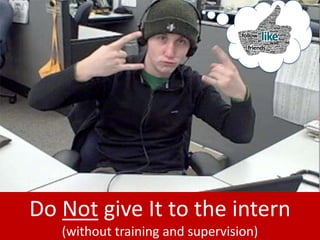
Do Not give It to the intern
   (without training and supervision)
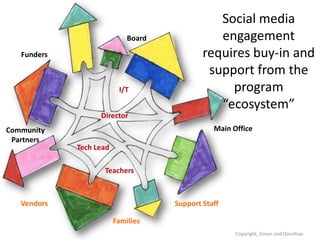
Social media
                             Board              engagement
   Funders                                   requires buy-in and
                                              support from the
                          I/T                     program
                                                “ecosystem”
                   Director
Community                                       Main Office
 Partners
             Tech Lead

                    Teachers


   Vendors                           Support Staff

                         Families
                                                      Copyright, Simon and Donohue
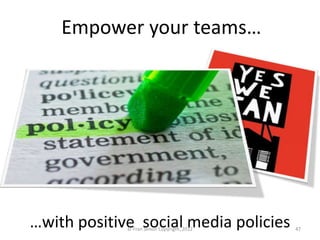
Empower your teams…


…with positive social media policies
             © Fran Simon Copyright, 2012   47
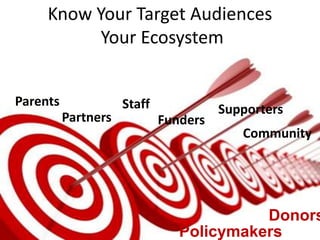
Know Your Target Audiences
             Target
           Your Ecosystem


Parents              Staff             Supporters
          Partners           Funders
                                          Community


                                          Donors
                                Policymakers
Post “Cravable” Content
       • Blog posts
       • Videos
       • Email newsletters
       • Events
       • News
       • Website content
       • Other Flavors
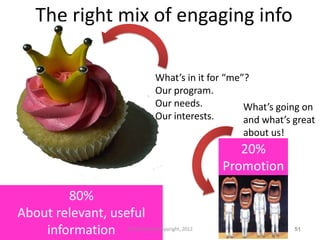
The right mix of engaging info

                             What’s in it for “me”?
                             Our program.
                             Our needs.           What’s going on
                             Our interests.       and what’s great
                                                    about us!
                                                    20%
                                                 Promotion

        80%
About relevant, useful
    information   © Fran Simon Copyright, 2012                  51
Listen and
 Respond to
     Your
Organization’s
“Competitors”
  & Partners

                    What they post is often as
                 important to your organization as
                      what you have to say.
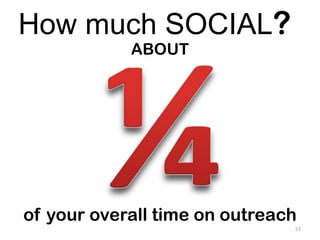
How much SOCIAL?
            ABOUT


of your overall time on outreach
                               53
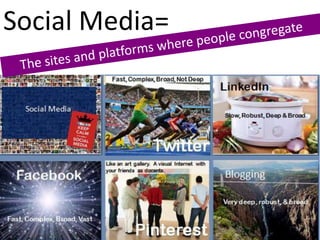
Social Media=


                54
Blogging

Very deep, robust, & broad
What’s a blog?


“Web log”
Conceived as
online journals         Blogs in Plain English
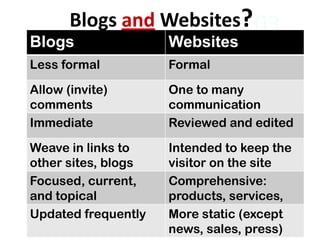
Blogs and Websites? 03
Blogs                Websites
Less formal          Formal

Allow (invite)       One to many
comments             communication
Immediate            Reviewed and edited

Weave in links to    Intended to keep the
other sites, blogs   visitor on the site
Focused, current,    Comprehensive:
and topical          products, services,
Updated frequently   More static (except
                     news, sales, press)
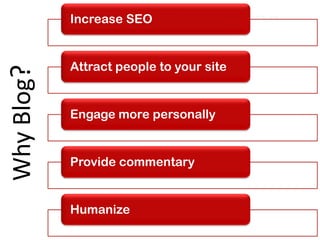
Increase SEO
                                          03
            Attract people to your site
Why Blog?


            Engage more personally


            Provide commentary


            Humanize
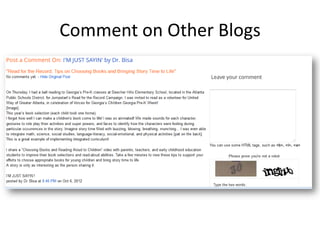
Comment on Other Blogs
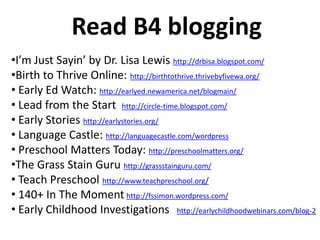
Read B4 blogging
•I’m Just Sayin’ by Dr. Lisa Lewis http://drbisa.blogspot.com/
•Birth to Thrive Online: http://birthtothrive.thrivebyfivewa.org/
• Early Ed Watch: http://earlyed.newamerica.net/blogmain/
• Lead from the Start http://circle-time.blogspot.com/
• Early Stories http://earlystories.org/
• Language Castle: http://languagecastle.com/wordpress
• Preschool Matters Today: http://preschoolmatters.org/
•The Grass Stain Guru http://grassstainguru.com/
• Teach Preschool http://www.teachpreschool.org/
• 140+ In The Moment http://fssimon.wordpress.com/
• Early Childhood Investigations http://earlychildhoodwebinars.com/blog-2
Fast, Complex, Broad, Not Deep


             Twitter
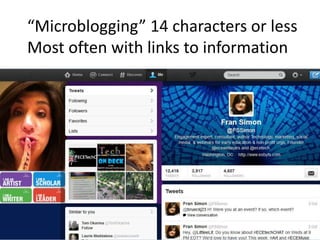
“Microblogging” 14 characters or less
Most often with links to information
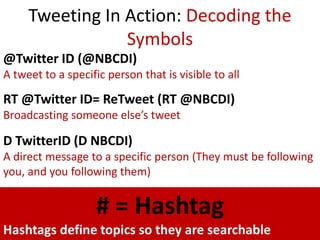
Tweeting In Action: Decoding the
                 Symbols
@Twitter ID (@NBCDI)
A tweet to a specific person that is visible to all

RT @Twitter ID= ReTweet (RT @NBCDI)
Broadcasting someone else’s tweet

D TwitterID (D NBCDI)
A direct message to a specific person (They must be following
you, and you following them)


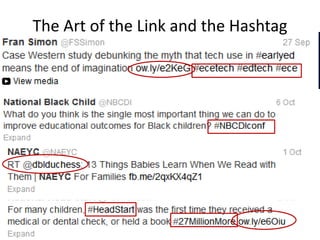
                    # = Hashtag
Hashtags define topics so they are searchable
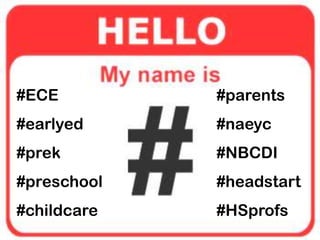
The Art of the Link and the Hashtag
#ECE         #parents
#earlyed     #naeyc
#prek        #NBCDI
#preschool   #headstart
#childcare   #HSprofs
LinkedIn

Slow, Robust, Deep & Broad
#1 Misconception


It’s for job searching   67
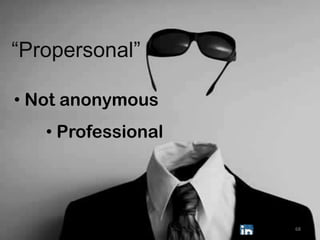
“Propersonal”

• Not anonymous
   • Professional


                    68
Core
• Professional Profiles
• Groups
• Status updates
• Company Profiles


                          69
Facebook

Fast, Complex, Broad, Vast
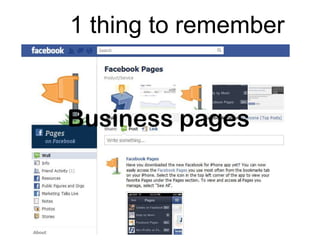
1 thing to remember


Business pages
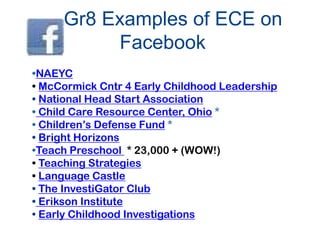
Gr8 Examples of ECE on
          Facebook
•NAEYC
• McCormick Cntr 4 Early Childhood Leadership
• National Head Start Association
• Child Care Resource Center, Ohio *
• Children’s Defense Fund *
• Bright Horizons
•Teach Preschool * 23,000 + (WOW!)
• Teaching Strategies
• Language Castle
• The InvestiGator Club
• Erikson Institute
• Early Childhood Investigations
Like an art gallery. A visual Internet with
your friends as docents.


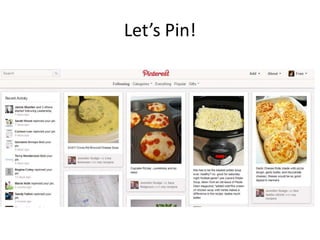
            Pinterest
Let’s Pin!
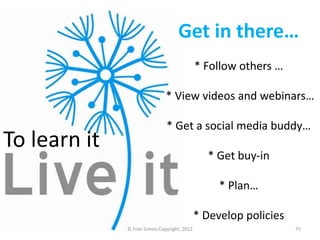
Get in there…
                                             * Follow others …

                              * View videos and webinars…

                              * Get a social media buddy…
To learn it
                                               * Get buy-in

                                                  * Plan…

                                             * Develop policies
              © Fran Simon Copyright, 2012                        75
Thank you!
Fran@ECEtech.net
                   76
Fran@ECEtech.net

        #ECETECHCHAT


Early Childhood Technology Network
             ECEtech.net
Slides
Tech with Children:
http://ow.ly/ei1Im

Social Media: Slides
http://ow.ly/ei1Du
People /Sites you should
                     03
  Beth Kanter
              know
                   John Haydon

  Mashable, Social Media


               Linked Strategies

  Hubspot Marketing Resources
Additional Resources
  Social media resources for getting started


  Social Media planning tools on my site


  Twitter Tips, Tricks, and Power Tools


  LinkedIn Presentations

Post, pin and tweet: how and when to use technology & social media in early education

  • 1.
    POST, PIN ANDTWEET: HOW AND WHEN TO USE TECHNOLOGY & SOCIAL MEDIA FRAN SIMON, M.ED. ENGAGEMENT STRATEGIES, LLC. #NBCDIConf
  • 2.
  • 3.
    Agenda • Sortingout “technology” • Tech in the classroom: • Social Media
  • 4.
  • 5.
  • 6.
    Using “technology” • Socialnetworking • Career • Banking and household • Communication with • Personal growth.. enrolled families & colleagues Professional Personal Networking Uses by adults for adults Uses with children Professional Classroom Development • With the children • Impacts Practice with children and families
  • 7.
    5 Reasons toUse Technology • Enhances real life experiences • Enhances engagement • Assists people with special needs • Allows communication • Increases efficiency • Makes things easier
  • 8.
    Making Choices AboutTech: It’s the Leader’s… • choices …with the staff for the children and families • planning …with the staff for the children and families • responsiveness …to the staff, children and families • relationships …with the staff and program ecosystem
  • 9.
    Technology in theEarly Childhood Classroom
  • 10.
    You Make theChoices Be a critical consumer. You, the teachers, and the parents are the gatekeepers who stand between technology and children.
  • 11.
    Tech tools * old & new * * analog & digital * * low & hi-tech * Copyright, Simon 2012
  • 12.
    NAEYC/FRC Joint PositionStatement on Technology in ECE CLASSROOMS http://www.naeyc.org/content/technology-and-young-children 12 Copyright, Simon and Nemeth
  • 13.
    You don’t haveto use technology. If you do use tech tools intentionally, you will find they are not always the best choice. Copyright, Simon and Nemeth 13
  • 14.
    Teachers should consider technology tools additional materials that allow children to “do” and teachers to facilitate. Copyright, Simon and Nemeth 14
  • 15.
    Intentional Daily Routines • Plan technology use as just another option like books, crayons, blocks etc. • Examine the learning objectives and make choices that fit • Work with children to review their choices in all areas of the room throughout the week
  • 16.
    Computer Software  Meaningful Pedagogicalvalue Engaging Interactive “Sticky”  Productive  Up to date © Copyright Nemeth and Simon, 2102 16
  • 17.
    Decisions about usingsoftware: Basic pedagogical decisions • What are the objectives? • Is this the right tool for the objective? • Does it extend other activities? • Is it interactive? • Is the interaction meaningful? • Does it fit in with the project/theme/study? • Does it work with the curriculum? • What is my role using this software?
  • 18.
    Decisions about usingsoftware: A question of balance Is the software for: • A large group, small group, or for individual children? • Teacher-directed or child-initiated activities? • Open-ended or skill-focused? • Short periods of time or deeper exploration?
  • 19.
    Decisions about usingsoftware: Usability and instructional design Is the software: • Flashy, distracting, overwhelming or just enough appealing graphics and sounds to engage, but not distract? • Free of ads or enticements for children? • Deemed safe by trusted resources? • Easy for children to navigate independently? • Provide feedback to guide children? • Interactive with meaning or just fun?
  • 20.
    Adults need technology “play time” AND formal professional development to understand the implications of the tools Copyright, Simon and Nemeth 20
  • 21.
    http://bit.ly/DigilitECTeach Copyright, Simon and Nemeth 21
  • 22.
    Research will informongoing practice and investments (or not!) 22 Copyright, Simon
  • 23.
    Investments in technologytools are wasted without investments in professional development. Copyright, Simon and Nemeth 23
  • 24.
    Digital literacy learning shouldbe woven into the fabric of the day, not time set aside for “computer time”. Copyright, Simon and Nemeth 24
  • 25.
    Equity: Include technologythat enhances dual language learning, represents diversity, and allows access for children with disabilities. Copyright, Simon and Nemeth 25
  • 26.
    Time limits: Guidelinesand expectations should consider variables like age, objectives, and type of interaction. Copyright, Simon and Nemeth 26
  • 27.
    How Much Time? Recommendationsfrom Digital Decisions Copyright, Simon and Nemeth 27
  • 28.
    Tech for infantsand toddlers: Laptime and floortime with the youngest children might include technology, but in very limited cases, for a few minutes at a time and ONLY with an adult. Copyright, Simon and Nemeth 28
  • 29.
    Resources for Teachers,Parents and Staff Review site Technology position statement and fantastic resources to support it. Resources for ECE teachers and administrators Resources for ECE teachers and administrators Fred Rogers Center’s Early Learning Environment Resources and tips for teachers A website and newsletter summarizes products and trends in children’s media
  • 30.
    Resources for Teachers,Parents and Staff Information for teachers about reading and literacy activities American Library Association – Listing of great sites for children and teachers International Reading Library- free ebooks from around the world Songs, ryhmes and traditions from around the world. Free ebooks to read online
  • 31.
  • 32.
  • 33.
  • 34.
    It’s social. We’redoing business! Why do we need social media? © Fran Simon Copyright, 2012 34
  • 35.
    Social Media Mythsfrom the resisters! It’s just for kids.  It is one more thing to do. We can’t keep it up.  Privacy! Yikes!
  • 36.
    Social Media Mythsfrom the happy camp!  It’s easy!  It’s FREE!  Build it and they will come.  It’s INSTANT!  College kids are gr8 at it!  It will increase MEMBERSHIP! 36
  • 37.
    Social Media Realities  It is pervasive  It is high-impact  It’s just 21st century communication
  • 38.
    Communication Evolution Before Social Media Pushing out messages EVOLUTION Social WisdoM Inviting INTERACTION Word of mouth © Fran Simon Copyright, 2012 38
  • 39.
    Parent Engagement Evolution Conventional Wisdom • Tell audiences EVOLUTION • Inform audiences • Educate audiences Social Wisdom • Invite target audiences to engage • Give them reasons to say good things © Fran Simon Copyright, 2012 39
  • 40.
    Engage(ment) • involve peopleintensely • attract people • draw people into conversation • to take part or participate - World English Dictionary It’s interactive!
  • 41.
    Professional Social Media: is art and science that takes: • Openness • Planning • Persistence • Policies • Training
  • 42.
    & Loss of “control” Defensive: Claim your territory Inability to sustain the effort Reach audiences where they go Privacy Demonstrate accountability Staff distraction Another way to broadcast info Transparency Respond to problems Monitoring/Listening Build partnerships Get and share information Build Increased website traffic, SEO Credibility 42
  • 43.
    Social Media has everythingto with providing services to children If they can’t find you and interact with, advocate for, or support you.
  • 44.
  • 45.
    Do Not giveIt to the intern (without training and supervision)
  • 46.
    Social media Board engagement Funders requires buy-in and support from the I/T program “ecosystem” Director Community Main Office Partners Tech Lead Teachers Vendors Support Staff Families Copyright, Simon and Donohue
  • 47.
    Empower your teams… …withpositive social media policies © Fran Simon Copyright, 2012 47
  • 48.
    Know Your TargetAudiences Target Your Ecosystem Parents Staff Supporters Partners Funders Community Donors Policymakers
  • 50.
    Post “Cravable” Content • Blog posts • Videos • Email newsletters • Events • News • Website content • Other Flavors
  • 51.
    The right mixof engaging info What’s in it for “me”? Our program. Our needs. What’s going on Our interests. and what’s great about us! 20% Promotion 80% About relevant, useful information © Fran Simon Copyright, 2012 51
  • 52.
    Listen and Respondto Your Organization’s “Competitors” & Partners What they post is often as important to your organization as what you have to say.
  • 53.
    How much SOCIAL? ABOUT of your overall time on outreach 53
  • 54.
  • 55.
  • 56.
    What’s a blog? “Weblog” Conceived as online journals Blogs in Plain English
  • 57.
    Blogs and Websites?03 Blogs Websites Less formal Formal Allow (invite) One to many comments communication Immediate Reviewed and edited Weave in links to Intended to keep the other sites, blogs visitor on the site Focused, current, Comprehensive: and topical products, services, Updated frequently More static (except news, sales, press)
  • 58.
    Increase SEO 03 Attract people to your site Why Blog? Engage more personally Provide commentary Humanize
  • 59.
  • 60.
    Read B4 blogging •I’mJust Sayin’ by Dr. Lisa Lewis http://drbisa.blogspot.com/ •Birth to Thrive Online: http://birthtothrive.thrivebyfivewa.org/ • Early Ed Watch: http://earlyed.newamerica.net/blogmain/ • Lead from the Start http://circle-time.blogspot.com/ • Early Stories http://earlystories.org/ • Language Castle: http://languagecastle.com/wordpress • Preschool Matters Today: http://preschoolmatters.org/ •The Grass Stain Guru http://grassstainguru.com/ • Teach Preschool http://www.teachpreschool.org/ • 140+ In The Moment http://fssimon.wordpress.com/ • Early Childhood Investigations http://earlychildhoodwebinars.com/blog-2
  • 61.
    Fast, Complex, Broad,Not Deep Twitter
  • 62.
    “Microblogging” 14 charactersor less Most often with links to information
  • 63.
    Tweeting In Action:Decoding the Symbols @Twitter ID (@NBCDI) A tweet to a specific person that is visible to all RT @Twitter ID= ReTweet (RT @NBCDI) Broadcasting someone else’s tweet D TwitterID (D NBCDI) A direct message to a specific person (They must be following you, and you following them) # = Hashtag Hashtags define topics so they are searchable
  • 64.
    The Art ofthe Link and the Hashtag
  • 65.
    #ECE #parents #earlyed #naeyc #prek #NBCDI #preschool #headstart #childcare #HSprofs
  • 66.
  • 67.
  • 68.
  • 69.
    Core • Professional Profiles •Groups • Status updates • Company Profiles 69
  • 70.
  • 71.
    1 thing toremember Business pages
  • 72.
    Gr8 Examples ofECE on Facebook •NAEYC • McCormick Cntr 4 Early Childhood Leadership • National Head Start Association • Child Care Resource Center, Ohio * • Children’s Defense Fund * • Bright Horizons •Teach Preschool * 23,000 + (WOW!) • Teaching Strategies • Language Castle • The InvestiGator Club • Erikson Institute • Early Childhood Investigations
  • 73.
    Like an artgallery. A visual Internet with your friends as docents. Pinterest
  • 74.
  • 75.
    Get in there… * Follow others … * View videos and webinars… * Get a social media buddy… To learn it * Get buy-in * Plan… * Develop policies © Fran Simon Copyright, 2012 75
  • 76.
  • 77.
    Fran@ECEtech.net #ECETECHCHAT Early Childhood Technology Network ECEtech.net
  • 78.
  • 79.
    People /Sites youshould 03 Beth Kanter know John Haydon Mashable, Social Media Linked Strategies Hubspot Marketing Resources
  • 80.
    Additional Resources Social media resources for getting started Social Media planning tools on my site Twitter Tips, Tricks, and Power Tools LinkedIn Presentations

Editor's Notes

  • #17 See chart on p. 61 - The Common Sense Approach to Developmentally Appropriate Evaluation of Software, Websites, and Apps Developed for Young Children
  • #21 That means you!That means teachers!
  • #23 That means you!That means teachers!
  • #26 Consider ways that technology can help children learn and explore concepts even while they are not yet fluent in the language spoken by the teacher – for example Toca Tea Party app wordlessly allows children to take turns pouring tea and juice, serving desserts, and cleaning up spills.
  • #27 In other words, don’t just use a ‘math game’ but look for activities that support the learning of specific math concepts you need to cover such as apps like My First Tangrams for spatial reasoning or Cookie Doodle for measuring and quantities.
  • #29 For example, you might use multilingual websites such as www.mamalisa.com or apps like those from www.analomba.com to read stories in the child’s home language
  • #48 You can’t do it all and be everywhere you need to be without the support of your teams, including board members, staff members, evangelists, supporters, funders, and your end-users. To do it all, you need social media policies that emphasize what people can do, not what they can’t do. Provide guidelines that align with NAEYC’s code of ethical conduct and your organization’s policies about privacy, but also ENCOURAGE your peeps to get involved.
  • #50 How many audiences do you reach through your work? You probably connect with at least 5 different classifications of people, and within those classifications, there are different types of people with different needs and different perspectives that impact how you can/should connect with them. Develop personas for the different “types” of people you need to engage and develop a sample profile for them. Yes, you can even name them, just so you can keep them all straight! Figure out what motivates them and figure out how to best reach them.
  • #57 My blog story. This is a Common Craft video I bought. It only shows when it is in slide show view and you click on it.
  • #80 You must follow Beth Kanter on Twitter, Facebook, and her blog. This post is about blogging as professional development in non-profits.