EC Technology – 
Making the most 
of what we know 
Missouri District 
Professional Church-Workers Conference 
November 2014 
Drew D. Gerdes
Handouts… 
You can view and print this entire 
presentation at: 
www.slideshare.net/dgerdes
You Are Here! 
Why are you here? 
What do you hope to gain from today? 
What do you want to know?
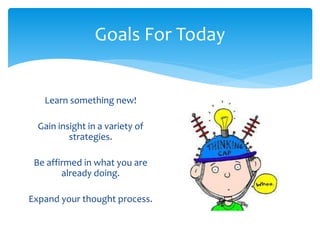
Goals For Today 
Learn something new! 
Gain insight in a variety of 
strategies. 
Be affirmed in what you are 
already doing. 
Expand your thought process.
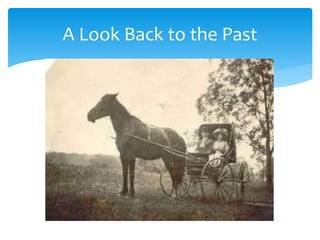
A Look Back to the Past
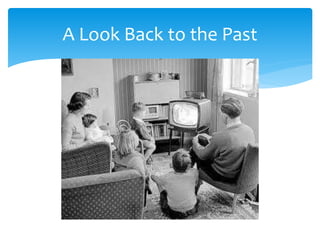
One More Look Back to the Past
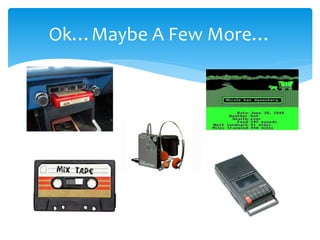
Ok…Maybe A Few More…
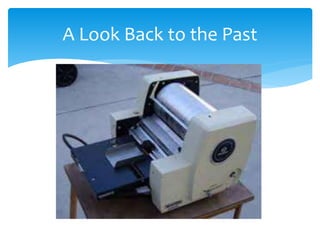
Everything We Just Viewed… 
Served a specific purpose and was deemed necessary 
for a particular time period in our culture. 
Was sometimes considered a luxury. 
Eventually became a common feature. 
Eventually faded into the past.
Modern Advances 
What are some modern 
advances that we could not 
live without today? 
How have these modern 
advances impacted people 
of today?
Technology 
Technology is here to stay, 
so embrace it! 
Think of the many ways 
technology is your friend!
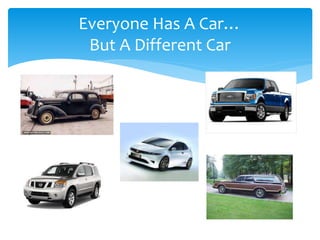
Everyone Has A Car… 
But A Different Car
We Are All Different! 
We all have different 
interests and abilities in 
technology. 
That’s okay! 
The key is how we can grow 
and learn something new. 
We want our students to 
grow and learn – so we 
must look in the mirror and 
have the same 
expectations.
Teaching Young Children 
No matter what age of 
children we work with, we 
are to educate the whole 
child! 
Spiritually 
Academically 
Socially, etc. 
Is it right for us to withhold 
an area of development and 
learning from a child? 
Developmentally 
Appropriate Practices!
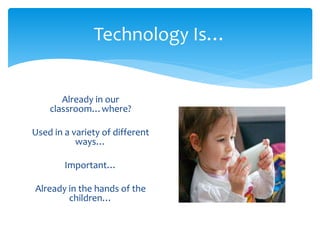
Technology Is… 
Already in our 
classroom…where? 
Used in a variety of different 
ways… 
Important… 
Already in the hands of the 
children…
Technology Research 
Arguments against the use of technology in play point 
to children’s need for concrete, first-hand playful 
experiences in order to promote cognitive 
development. 
However, we must rethink play in the digital age. It’s 
not going anywhere, and your students are already 
using it in different forms. 
Nature and context of technology use…
It’s Technological Candy!
Technology Research 
There are 3 ways in which technology intersects with 
play: 
1. Its use FOR play 
2. Its incorporation INTO play 
3. Its use to INFORM play 
Children draw on their experiences with technology to 
inform their play quite often.
Technology Research 
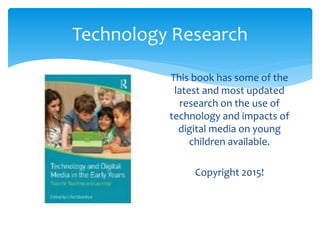
This book has some of the 
latest and most updated 
research on the use of 
technology and impacts of 
digital media on young 
children available. 
Copyright 2015!
Technology Research 
Technology is a tool for social-emotional development 
Educators need more preparation 
Media-based literacy instruction can be beneficial 
STEM!!!! 
Strengthens the Home-School connection 
Individual teachers make the use of technology successful
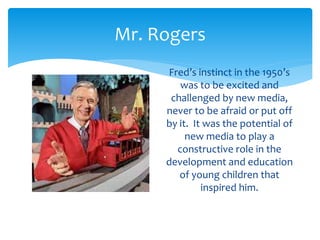
Mr. Rogers 
Fred’s instinct in the 1950’s 
was to be excited and 
challenged by new media, 
never to be afraid or put off 
by it. It was the potential of 
new media to play a 
constructive role in the 
development and education 
of young children that 
inspired him.
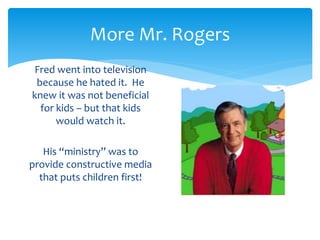
More Mr. Rogers 
Fred went into television 
because he hated it. He 
knew it was not beneficial 
for kids – but that kids 
would watch it. 
His “ministry” was to 
provide constructive media 
that puts children first!
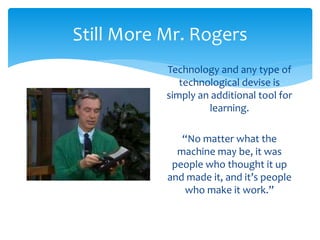
Still More Mr. Rogers 
Technology and any type of 
technological devise is 
simply an additional tool for 
learning. 
“No matter what the 
machine may be, it was 
people who thought it up 
and made it, and it’s people 
who make it work.”
A Tricky/Sticky Situation 
We don’t know which way technological advances are 
heading. 
We don’t know what is coming next. 
What you purchase in the store today is already old 
technology. 
Research is not fully available on all the impacts.
But…There Is Help…
Research Is Still Being Done 
Some Surprises: 
Cooperation 
Collaboration 
Digital Citizenship 
Connection to the real 
world
An Effective Tool 
When used intentionally and appropriately, technology 
is an effective tool to support learning and development. 
What are the KEY WORDS here? 
Beneficial when used within the framework of 
developmentally appropriate practice to support 
learning goals for children. 
Expand knowledge in hands-on, engaging, and 
empowering ways.
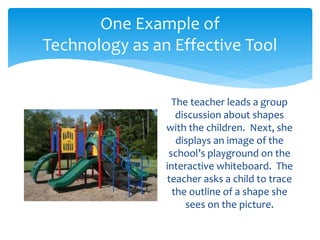
One Example of 
Technology as an Effective Tool 
The teacher leads a group 
discussion about shapes 
with the children. Next, she 
displays an image of the 
school’s playground on the 
interactive whiteboard. The 
teacher asks a child to trace 
the outline of a shape she 

sees on the picture.
Evaluate Technology 
Through ongoing professional development, teachers 
learn to effectively select, use, integrate, and evaluate 
technology. 
Keep up with rapidly changing technologies and 
implications for their use. 
Some of the best PD comes through play and 
exploration! Hands-on for teachers, too!
Limit Technology 
It is important to limit children’s use of technology and 
media. 
This is a tricky one! 
Public health organizations offer recommendations 
about the appropriate amount of screen time for young 
children. 
Teachers need to monitor screen time use.
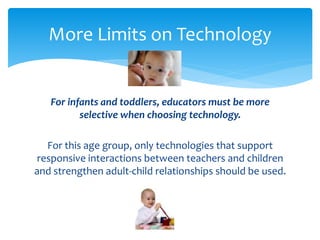
More Limits on Technology 
For infants and toddlers, educators must be more 
selective when choosing technology. 
For this age group, only technologies that support 
responsive interactions between teachers and children 
and strengthen adult-child relationships should be used.
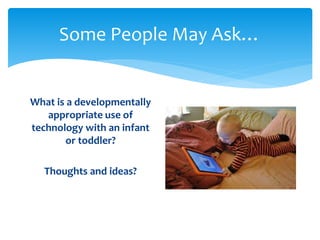
Some People May Ask… 
What is a developmentally 
appropriate use of 
technology with an infant 
or toddler? 
Thoughts and ideas?
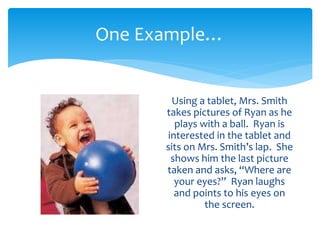
One Example… 
Using a tablet, Mrs. Smith 
takes pictures of Ryan as he 
plays with a ball. Ryan is 
interested in the tablet and 
sits on Mrs. Smith’s lap. She 
shows him the last picture 
taken and asks, “Where are 
your eyes?” Ryan laughs 
and points to his eyes on 
the screen.
HATCH 
www.hatchearlychildhood.com 
Provides computer learning systems, classroom 
supplies, and educational resources for early childhood 
education. 
They want to sell you items, but they have a plethora of 
free resources and ideas!
Erikson Tech Center 
www.teccenter.erikson.edu 
The TEC Center at Erikson Institute empowers early 
childhood educators to make informed decisions about the 
appropriate use of technology with children from birth to age 
8. Through carefully selected resources and real-world 
examples, the Center strengthens educators’ digital literacy 
and their ability to intentionally select, use, integrate, and 
evaluate technology in the classroom and other early 
childhood settings.
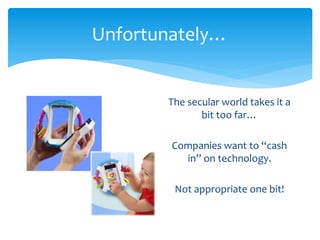
Unfortunately… 
The secular world takes it a 
bit too far… 
Companies want to “cash 
in” on technology. 
Not appropriate one bit!
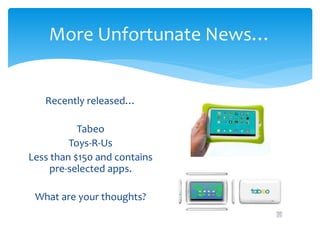
More Unfortunate News… 
Recently released… 
Tabeo 
Toys-R-Us 
Less than $150 and contains 
pre-selected apps. 
What are your thoughts?
Back To What Is Appropriate Use 
Technology is a tool. 
There are good uses for technology. 
Yes, children can touch and use technological devices. 
Let’s take a look at some “official” uses.
Good Digital Citizenship 
Exactly what is it?!?! 
What do you think? 
It’s how we use technology in safe, healthy, acceptable, 
responsible, and socially positive ways. 
Making sure children have equal access to technology.
In A Nutshell… 
The early childhood field needs ongoing research on the 
use of technology and young children. 
Research helps educators better understand how 
young children learn and use technology. 
Short and long-term effects. 
Research guides policy and evidence-based practices.
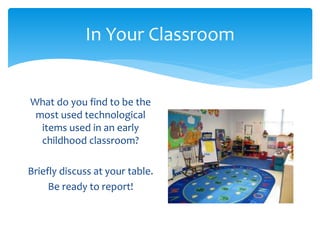
In Your Classroom 
What do you find to be the 
most used technological 
items used in an early 
childhood classroom? 
Briefly discuss at your table. 
Be ready to report!
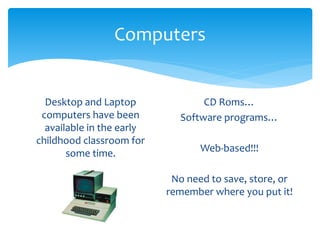
Computers 
Desktop and Laptop 
computers have been 
available in the early 
childhood classroom for 
some time. 
CD Roms… 
Software programs… 
Web-based!!! 
No need to save, store, or 
remember where you put it!
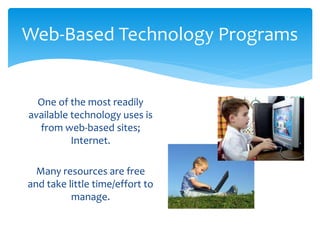
Web-Based Technology Programs 
One of the most readily 
available technology uses is 
from web-based sites; 
Internet. 
Many resources are free 
and take little time/effort to 
manage.
Good Websites For Young Children 
How do you locate a good website? 
What constitutes a good, developmentally-appropriate website for 
young children? 
How do you manage children working at laptops or desktops? 
How long should they use these devices? 
How many children can use a device at a time?
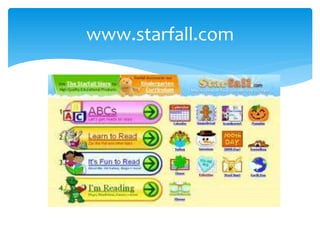
www.starfall.com
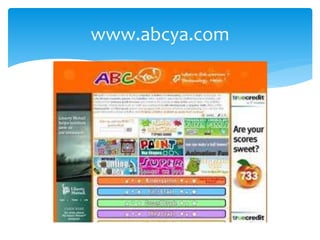
www.abcya.com
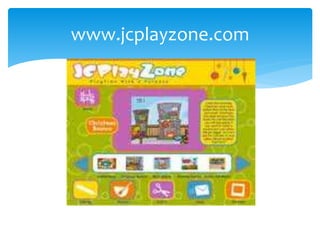
www.jcplayzone.com
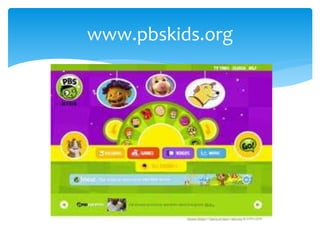
www.pbskids.org
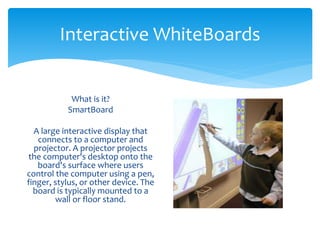
Interactive WhiteBoards 
What is it? 
SmartBoard 
A large interactive display that 
connects to a computer and 
projector. A projector projects 
the computer's desktop onto the 
board's surface where users 
control the computer using a pen, 
finger, stylus, or other device. The 
board is typically mounted to a 
wall or floor stand.
What Else Can You Do? 
Thankfully, you never have 
to create your own activity! 
There are thousands of 
activities already available 
online! 
Just sign up for FREE!
Reading Stories Together 
www.wegivebooks.org Free! 
Many great kids books: favorites, 
classics, new ones, too! 
Kids turn pages, etc. 
Great large-group activity. 
Bonus to support charities, too!
Always Remember… 
IWB’s are a tool. They are simply a resource for 
learning. Nothing can take the place of real, hands-on 
learning within the context of the child’s environment. 
Utilize child/adult communication. Ask questions as to 
why a child is doing an activity a certain way. Without 
rich communication, an IWB is just a big video screen.
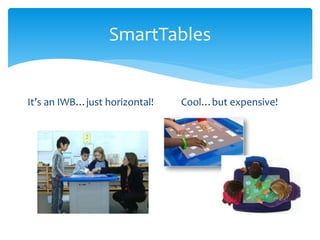
SmartTables 
It’s an IWB…just horizontal! Cool…but expensive!
Money, Money, Money… 
According to Drew… 
If money is an issue and big obstacle – don’t try to 
purchase technology for your school/classroom! 
As Christian stewards, money should be used carefully. 
Priorities!
Tablets & iPads 
Tablet and iPads are basically the same thing. 
An iPad is a type of Tablet. Apple has the biggest niche 
in the Tablet industry. 
Ponder for a moment…how many of your students 
already use an iPad, iPod, or iPhone? 
Current statistics suggest 85% of 3 year-olds are familiar 
with this type of technology already.
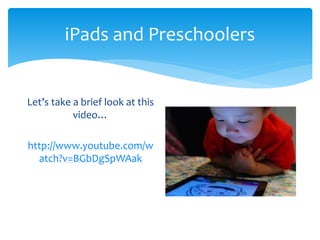
iPads and Preschoolers 
Let’s take a brief look at this 
video… 
http://www.youtube.com/w 
atch?v=BGbDgSpWAak
Congrats & Blessings 
You are in my prayers… 
For continued success in your ministry! 
For more opportunities to learn! 
THANK YOU for being a special person in a 
Lutheran School!
Contact Me Anytime! 
Drew D. Gerdes 
Early Childhood Director 
Messiah Lutheran School 
Weldon Spring, MO 
dgerdes@messiahnetwork.org 
On Facebook: 
Education Ease 
On Twitter: 
@ddgerdes

Early Childhood Technology - What We Currently Know

  • 1.
    EC Technology – Making the most of what we know Missouri District Professional Church-Workers Conference November 2014 Drew D. Gerdes
  • 2.
    Handouts… You canview and print this entire presentation at: www.slideshare.net/dgerdes
  • 3.
    You Are Here! Why are you here? What do you hope to gain from today? What do you want to know?
  • 4.
    Goals For Today Learn something new! Gain insight in a variety of strategies. Be affirmed in what you are already doing. Expand your thought process.
  • 5.
    A Look Backto the Past
  • 6.
    A Look Backto the Past
  • 7.
    A Look Backto the Past
  • 8.
    One More LookBack to the Past
  • 9.
  • 10.
    Everything We JustViewed… Served a specific purpose and was deemed necessary for a particular time period in our culture. Was sometimes considered a luxury. Eventually became a common feature. Eventually faded into the past.
  • 11.
    Modern Advances Whatare some modern advances that we could not live without today? How have these modern advances impacted people of today?
  • 12.
    Technology Technology ishere to stay, so embrace it! Think of the many ways technology is your friend!
  • 13.
    Everyone Has ACar… But A Different Car
  • 14.
    We Are AllDifferent! We all have different interests and abilities in technology. That’s okay! The key is how we can grow and learn something new. We want our students to grow and learn – so we must look in the mirror and have the same expectations.
  • 15.
    Teaching Young Children No matter what age of children we work with, we are to educate the whole child! Spiritually Academically Socially, etc. Is it right for us to withhold an area of development and learning from a child? Developmentally Appropriate Practices!
  • 16.
    Technology Is… Alreadyin our classroom…where? Used in a variety of different ways… Important… Already in the hands of the children…
  • 17.
    Technology Research Argumentsagainst the use of technology in play point to children’s need for concrete, first-hand playful experiences in order to promote cognitive development. However, we must rethink play in the digital age. It’s not going anywhere, and your students are already using it in different forms. Nature and context of technology use…
  • 18.
  • 19.
    Technology Research Thereare 3 ways in which technology intersects with play: 1. Its use FOR play 2. Its incorporation INTO play 3. Its use to INFORM play Children draw on their experiences with technology to inform their play quite often.
  • 20.
    Technology Research Thisbook has some of the latest and most updated research on the use of technology and impacts of digital media on young children available. Copyright 2015!
  • 21.
    Technology Research Technologyis a tool for social-emotional development Educators need more preparation Media-based literacy instruction can be beneficial STEM!!!! Strengthens the Home-School connection Individual teachers make the use of technology successful
  • 22.
    Mr. Rogers Fred’sinstinct in the 1950’s was to be excited and challenged by new media, never to be afraid or put off by it. It was the potential of new media to play a constructive role in the development and education of young children that inspired him.
  • 23.
    More Mr. Rogers Fred went into television because he hated it. He knew it was not beneficial for kids – but that kids would watch it. His “ministry” was to provide constructive media that puts children first!
  • 24.
    Still More Mr.Rogers Technology and any type of technological devise is simply an additional tool for learning. “No matter what the machine may be, it was people who thought it up and made it, and it’s people who make it work.”
  • 25.
    A Tricky/Sticky Situation We don’t know which way technological advances are heading. We don’t know what is coming next. What you purchase in the store today is already old technology. Research is not fully available on all the impacts.
  • 26.
  • 27.
    Research Is StillBeing Done Some Surprises: Cooperation Collaboration Digital Citizenship Connection to the real world
  • 28.
    An Effective Tool When used intentionally and appropriately, technology is an effective tool to support learning and development. What are the KEY WORDS here? Beneficial when used within the framework of developmentally appropriate practice to support learning goals for children. Expand knowledge in hands-on, engaging, and empowering ways.
  • 29.
    One Example of Technology as an Effective Tool The teacher leads a group discussion about shapes with the children. Next, she displays an image of the school’s playground on the interactive whiteboard. The teacher asks a child to trace the outline of a shape she sees on the picture.
  • 30.
    Evaluate Technology Throughongoing professional development, teachers learn to effectively select, use, integrate, and evaluate technology. Keep up with rapidly changing technologies and implications for their use. Some of the best PD comes through play and exploration! Hands-on for teachers, too!
  • 31.
    Limit Technology Itis important to limit children’s use of technology and media. This is a tricky one! Public health organizations offer recommendations about the appropriate amount of screen time for young children. Teachers need to monitor screen time use.
  • 32.
    More Limits onTechnology For infants and toddlers, educators must be more selective when choosing technology. For this age group, only technologies that support responsive interactions between teachers and children and strengthen adult-child relationships should be used.
  • 33.
    Some People MayAsk… What is a developmentally appropriate use of technology with an infant or toddler? Thoughts and ideas?
  • 34.
    One Example… Usinga tablet, Mrs. Smith takes pictures of Ryan as he plays with a ball. Ryan is interested in the tablet and sits on Mrs. Smith’s lap. She shows him the last picture taken and asks, “Where are your eyes?” Ryan laughs and points to his eyes on the screen.
  • 35.
    HATCH www.hatchearlychildhood.com Providescomputer learning systems, classroom supplies, and educational resources for early childhood education. They want to sell you items, but they have a plethora of free resources and ideas!
  • 36.
    Erikson Tech Center www.teccenter.erikson.edu The TEC Center at Erikson Institute empowers early childhood educators to make informed decisions about the appropriate use of technology with children from birth to age 8. Through carefully selected resources and real-world examples, the Center strengthens educators’ digital literacy and their ability to intentionally select, use, integrate, and evaluate technology in the classroom and other early childhood settings.
  • 37.
    Unfortunately… The secularworld takes it a bit too far… Companies want to “cash in” on technology. Not appropriate one bit!
  • 38.
    More Unfortunate News… Recently released… Tabeo Toys-R-Us Less than $150 and contains pre-selected apps. What are your thoughts?
  • 39.
    Back To WhatIs Appropriate Use Technology is a tool. There are good uses for technology. Yes, children can touch and use technological devices. Let’s take a look at some “official” uses.
  • 40.
    Good Digital Citizenship Exactly what is it?!?! What do you think? It’s how we use technology in safe, healthy, acceptable, responsible, and socially positive ways. Making sure children have equal access to technology.
  • 41.
    In A Nutshell… The early childhood field needs ongoing research on the use of technology and young children. Research helps educators better understand how young children learn and use technology. Short and long-term effects. Research guides policy and evidence-based practices.
  • 42.
    In Your Classroom What do you find to be the most used technological items used in an early childhood classroom? Briefly discuss at your table. Be ready to report!
  • 43.
    Computers Desktop andLaptop computers have been available in the early childhood classroom for some time. CD Roms… Software programs… Web-based!!! No need to save, store, or remember where you put it!
  • 44.
    Web-Based Technology Programs One of the most readily available technology uses is from web-based sites; Internet. Many resources are free and take little time/effort to manage.
  • 45.
    Good Websites ForYoung Children How do you locate a good website? What constitutes a good, developmentally-appropriate website for young children? How do you manage children working at laptops or desktops? How long should they use these devices? How many children can use a device at a time?
  • 46.
  • 47.
  • 48.
  • 49.
  • 50.
    Interactive WhiteBoards Whatis it? SmartBoard A large interactive display that connects to a computer and projector. A projector projects the computer's desktop onto the board's surface where users control the computer using a pen, finger, stylus, or other device. The board is typically mounted to a wall or floor stand.
  • 51.
    What Else CanYou Do? Thankfully, you never have to create your own activity! There are thousands of activities already available online! Just sign up for FREE!
  • 52.
    Reading Stories Together www.wegivebooks.org Free! Many great kids books: favorites, classics, new ones, too! Kids turn pages, etc. Great large-group activity. Bonus to support charities, too!
  • 53.
    Always Remember… IWB’sare a tool. They are simply a resource for learning. Nothing can take the place of real, hands-on learning within the context of the child’s environment. Utilize child/adult communication. Ask questions as to why a child is doing an activity a certain way. Without rich communication, an IWB is just a big video screen.
  • 54.
    SmartTables It’s anIWB…just horizontal! Cool…but expensive!
  • 55.
    Money, Money, Money… According to Drew… If money is an issue and big obstacle – don’t try to purchase technology for your school/classroom! As Christian stewards, money should be used carefully. Priorities!
  • 56.
    Tablets & iPads Tablet and iPads are basically the same thing. An iPad is a type of Tablet. Apple has the biggest niche in the Tablet industry. Ponder for a moment…how many of your students already use an iPad, iPod, or iPhone? Current statistics suggest 85% of 3 year-olds are familiar with this type of technology already.
  • 57.
    iPads and Preschoolers Let’s take a brief look at this video… http://www.youtube.com/w atch?v=BGbDgSpWAak
  • 58.
    Congrats & Blessings You are in my prayers… For continued success in your ministry! For more opportunities to learn! THANK YOU for being a special person in a Lutheran School!
  • 59.
    Contact Me Anytime! Drew D. Gerdes Early Childhood Director Messiah Lutheran School Weldon Spring, MO dgerdes@messiahnetwork.org On Facebook: Education Ease On Twitter: @ddgerdes