Mateo Burillo - @mateobur
CI / CD / CS
Mateo Burillo
Tech Marketing aka container gamer @ Sysdig
Github: github.com/mateobur
Twitter: @mateobur
About me
Continuous Integration.
Continuous Delivery.
Continuous Security.
How we do (did) security?.
- Establish trust boundaries (dev vs prod)
- Identify, minimise, and harden attack
surfaces
- Reduce scope and access (whitelist whenever
possible)
- Onion layers of protection
- Traceability and testing
Continuous Security.
- DevOps: agile and faster
- Security team: less incidents
- Modify process to bring security
- Security as Code
- Failure: open an issue vs abort deployment
Are containers secure?
- New infrastructure, new layers, new risks
- But we have seen them before:
- DDoS, isolation break-out, injections
- Fast pipeline: skip security?
- This is an opportunity
- More steps: more security onion layers
Security pipeline.
- Build
- Development
- Artifacts (Docker images, sw packages)
- Shipment
- Run-time
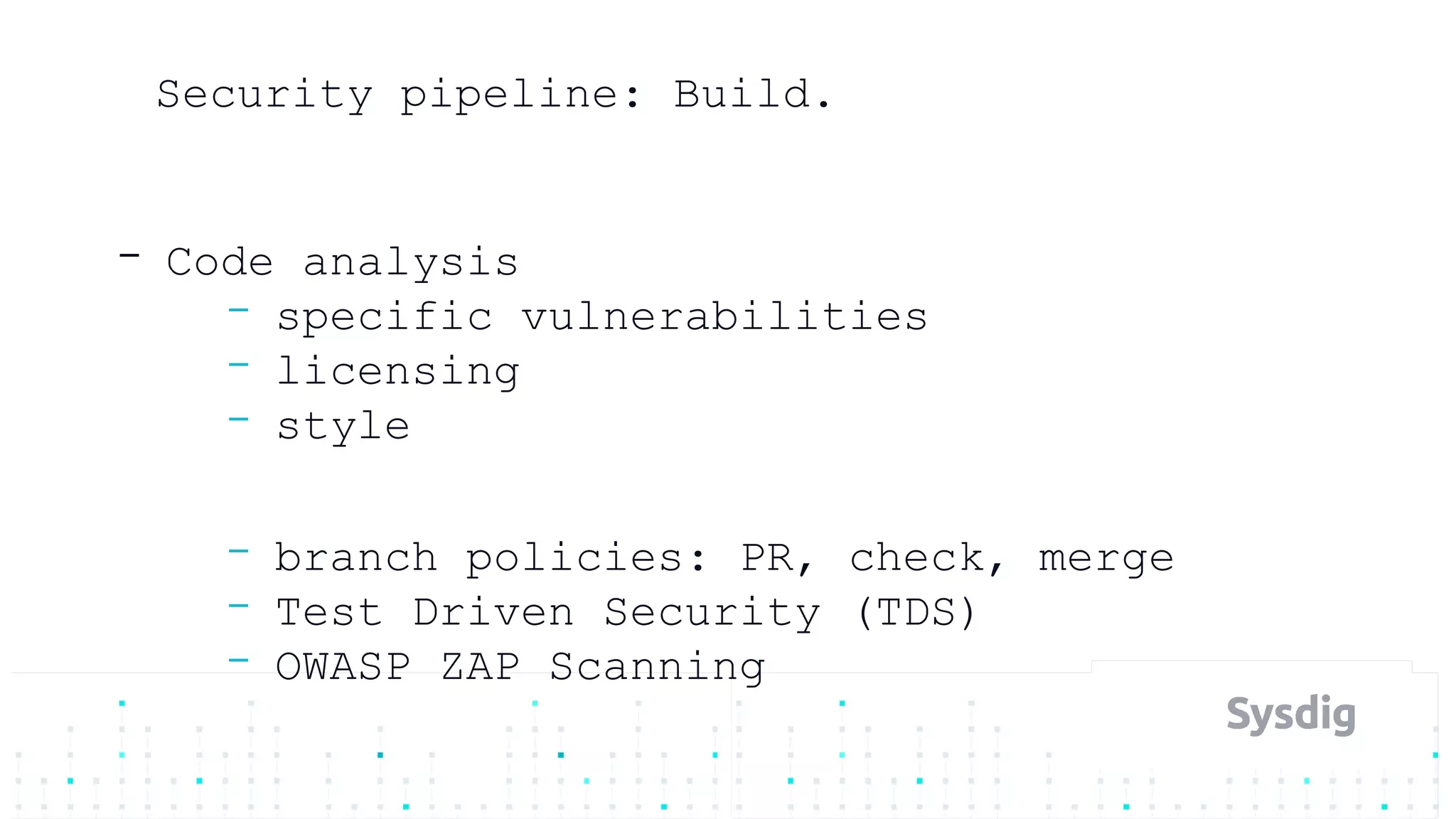
Security pipeline: Build.
- Code analysis
- specific vulnerabilities
- licensing
- style
- branch policies: PR, check, merge
- Test Driven Security (TDS)
- OWASP ZAP Scanning
Security pipeline: Build artifacts.
- Container build
- Trusted base image
- Restrict functionality
- Restrict libraries / dependencies
- Multi-stage builds
- Restrict privileges
- root, privileged, host, mounts
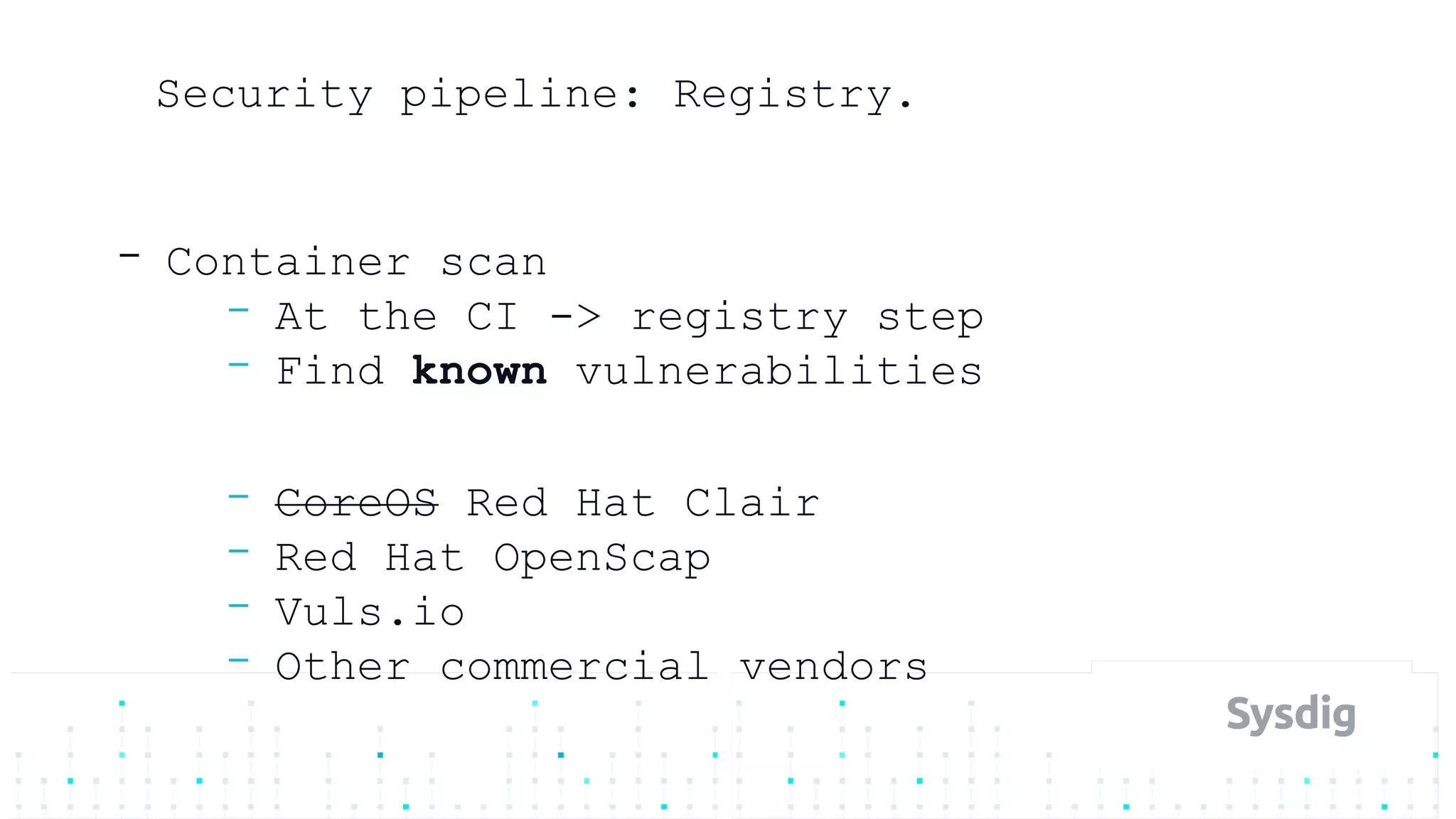
Security pipeline: Registry.
- Container scan
- At the CI -> registry step
- Find known vulnerabilities
- CoreOS Red Hat Clair
- Red Hat OpenScap
- Vuls.io
- Other commercial vendors
What we are looking for?.
- Package lists
- Software installed manually (pip, rake, …)
- Static binaries
- Hashes of known vulnerabilities
- Lost credentials
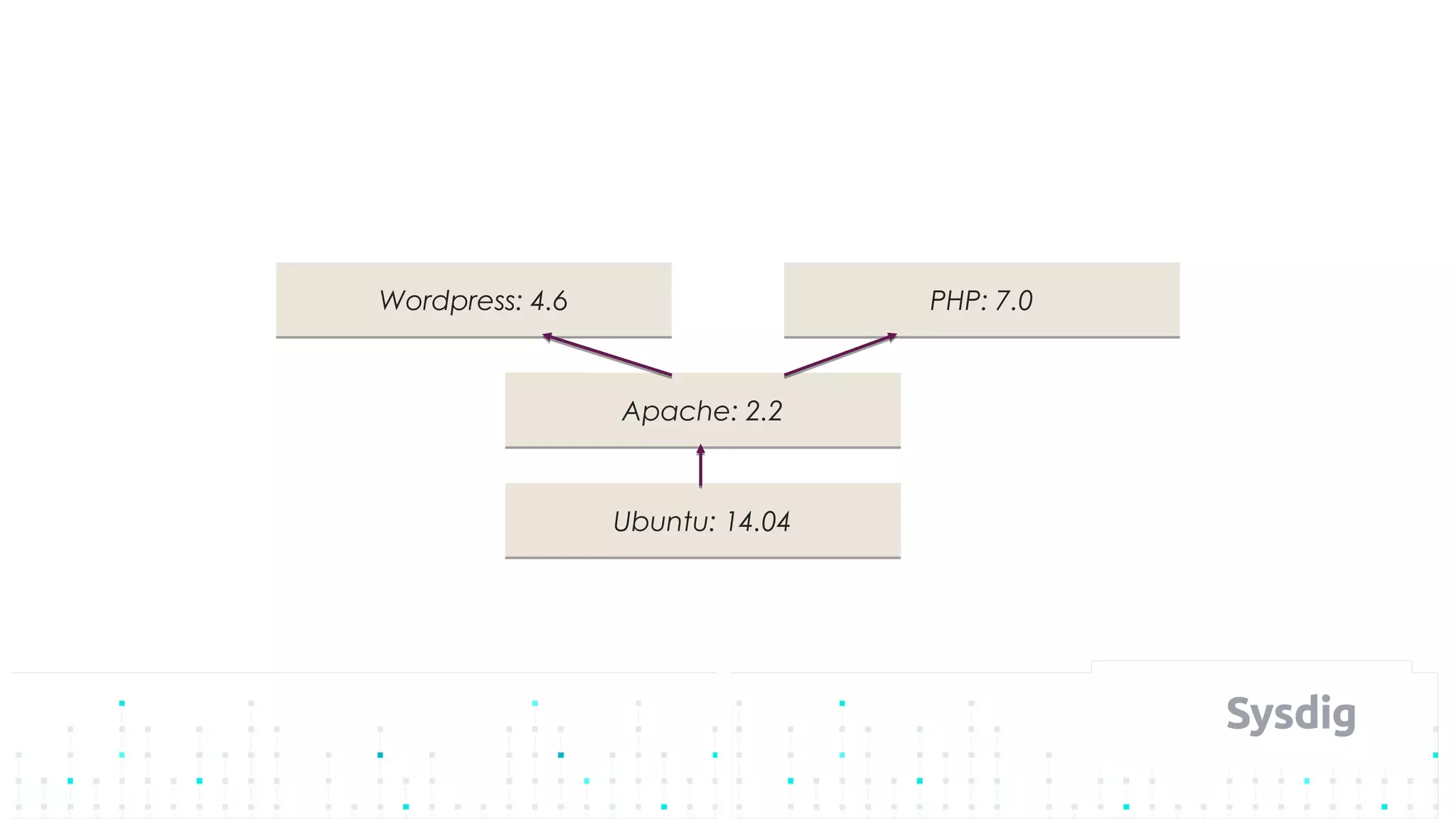
- Docker image layers
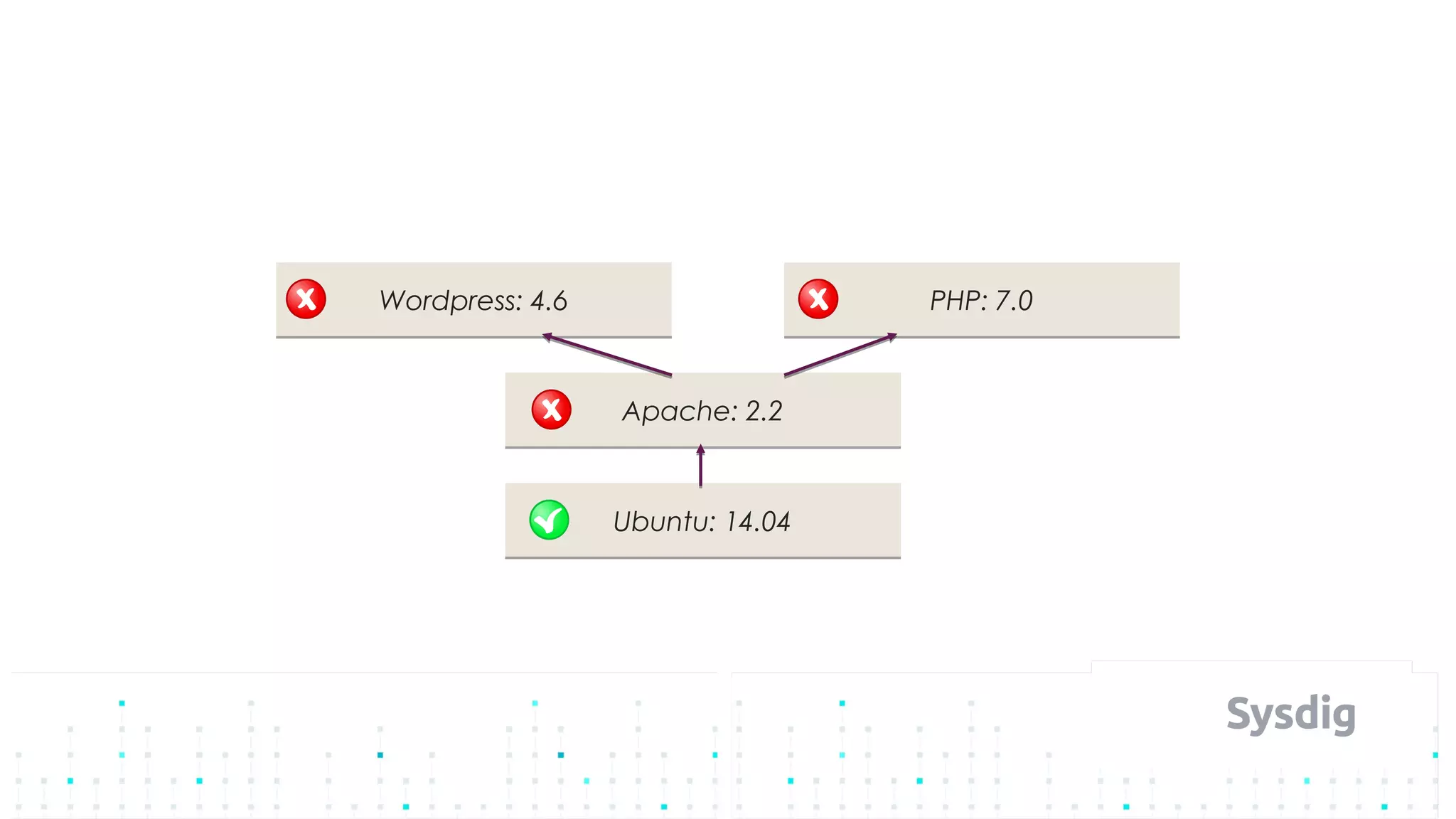
Ubuntu: 14.04Ubuntu: 14.04
Apache: 2.2Apache: 2.2
Wordpress: 4.6Wordpress: 4.6 PHP: 7.0PHP: 7.0
Ubuntu: 14.04Ubuntu: 14.04
Apache: 2.2Apache: 2.2
Wordpress: 4.6Wordpress: 4.6 PHP: 7.0PHP: 7.0
Ubuntu: 14.04Ubuntu: 14.04
Apache: 2.2Apache: 2.2
Wordpress: 4.6Wordpress: 4.6 PHP: 7.0PHP: 7.0
How to bring this into the pipeline?.
- CI, build the image
- Scan:
- https://github.com/optiopay/klar
- https://gitlab.com/gitlab-org/clair-scanner
- Push into the registry
Container registries.
- Often they already include scanning:
- DockerHub
- Quay.io
- GCR
- ECR
- ACR
- many!
Security pipeline.
- Build
- Shipment
- Run-time
Security pipeline: Shipment.
- Trust
- enable image signing
- DOCKER_CONTENT_TRUST=1
- Kubernetes ValidatingAdmissionWebhook
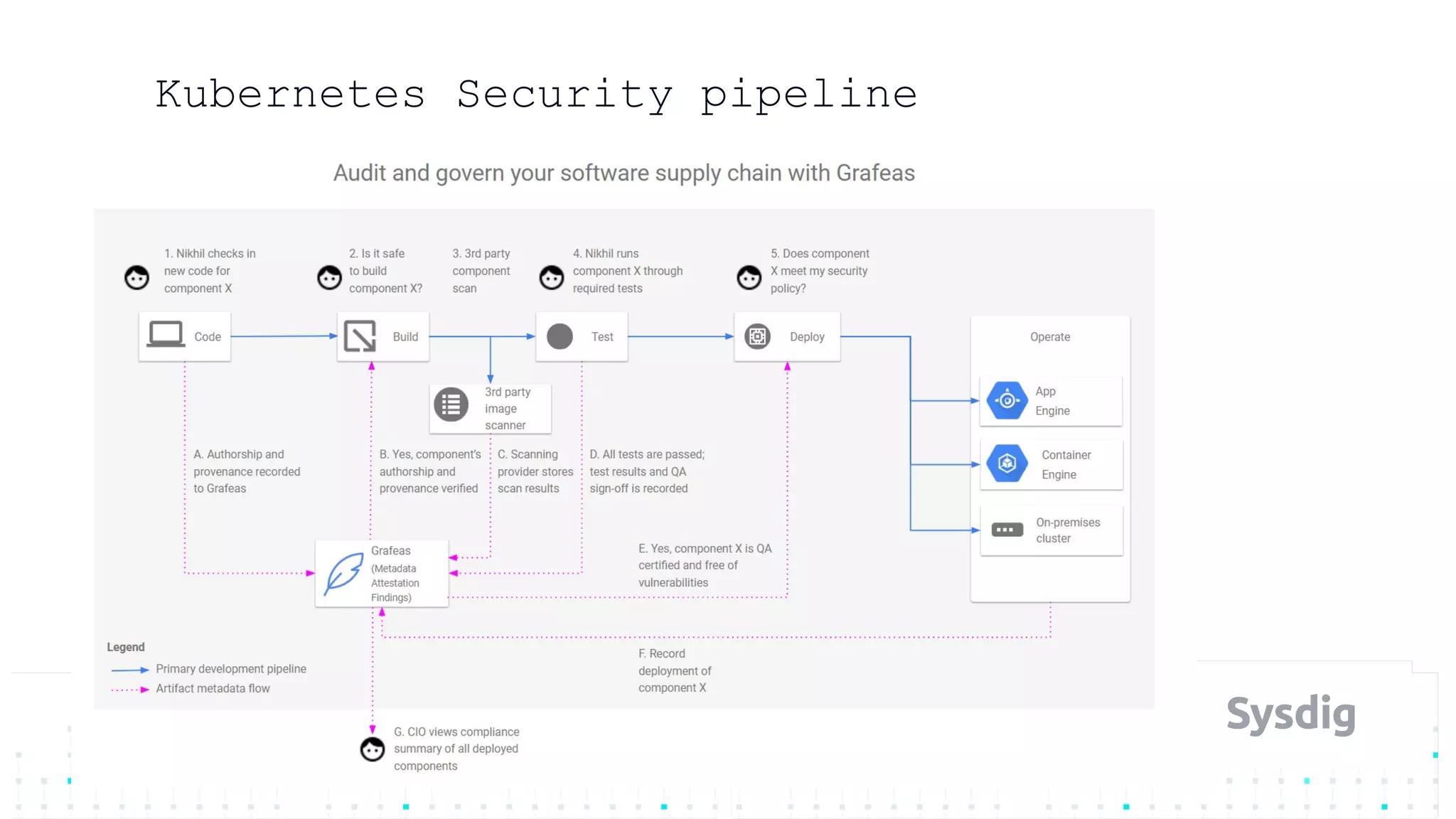
- Google Grafeas
- https://github.com/kelseyhightower/grafeas-tutorial
Kubernetes Security pipeline
Security pipeline.
- Build
- Shipment
- Run-time
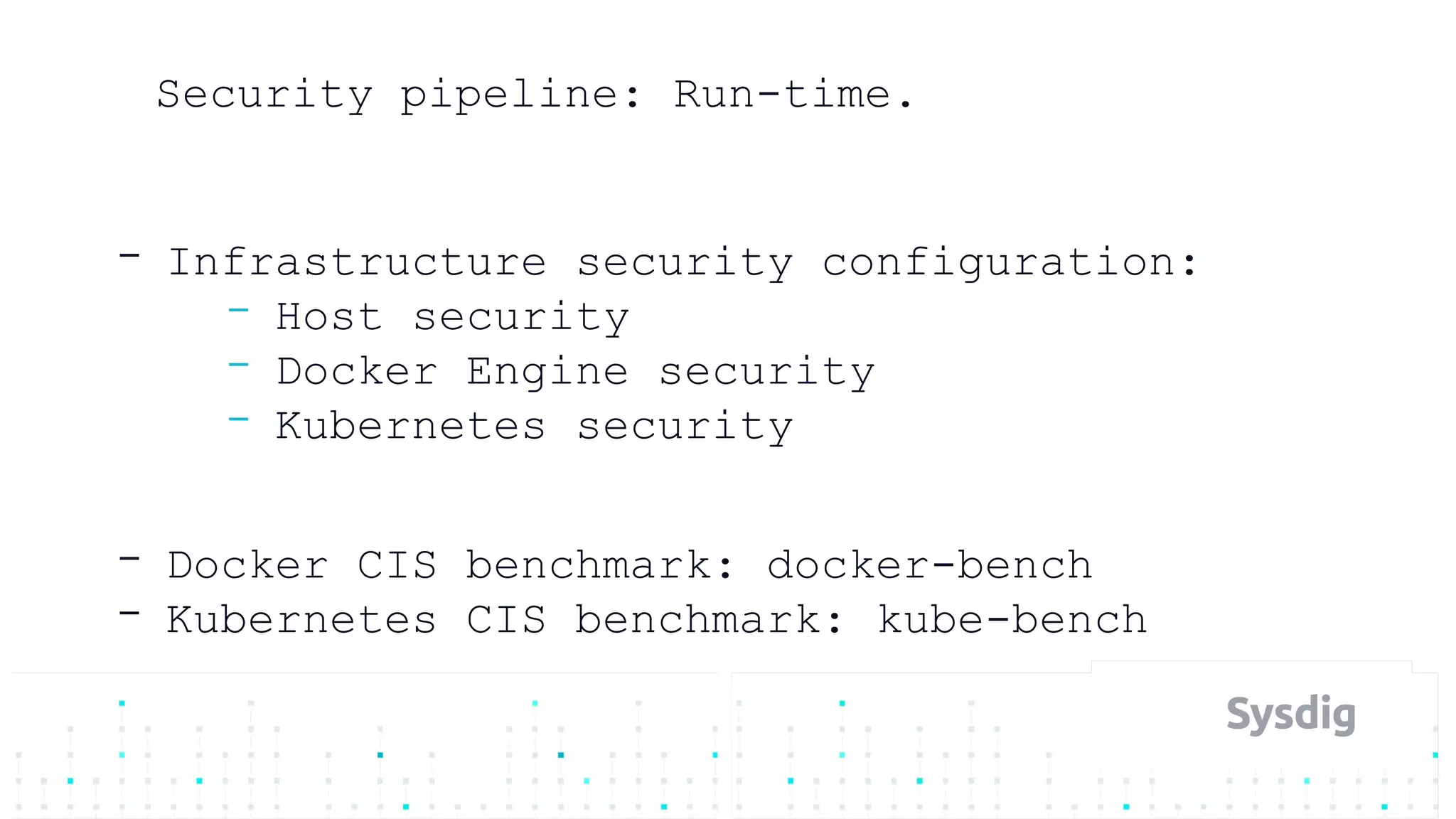
Security pipeline: Run-time.
- Infrastructure security configuration:
- Host security
- Docker Engine security
- Kubernetes security
- Docker CIS benchmark: docker-bench
- Kubernetes CIS benchmark: kube-bench
Security pipeline: Kubernetes.
- RBAC
- namespaces
- Subjects: users and serviceAccounts
- resources
- Role and ClusterRole
- verbs: LIST, WATCH, GET, UPDATE, PATCH, DELETE
- RoleBindings and ClusterRoleBindings
kind: Role
apiVersion: rbac.authorization.k8s.io/v1
metadata:
namespace: default
name: pod-reader
rules:
- apiGroups: [""] # "" indicates the core API group
resources: ["pods"]
verbs: ["get", "watch", "list"]
# This role binding allows "jane" to read pods in the "default" namespace.
kind: RoleBinding
apiVersion: rbac.authorization.k8s.io/v1
metadata:
name: read-pods
namespace: default
subjects:
- kind: User
name: jane
apiGroup: rbac.authorization.k8s.io
roleRef:
kind: Role
name: pod-reader
apiGroup: rbac.authorization.k8s.io
Security pipeline: Kubernetes.
- Admission controllers
- DenyEscalatingExec
- NodeRestriction
- PodSecurityPolicy (beta)
- At definition time or Admission,
Grafeas, etc
Security pipeline: Kubernetes.
- Admission controllers: PodSecurityPolicy
- Privileged/hostPID/hostIPC/hostNetwork/
hostPorts
- runAsUser
- volumes/allowedHostPaths/ReadOnlyRootFi
lesystem
- Capabilities
- SELinux/AppArmor/seccomp
Security pipeline: Kubernetes.
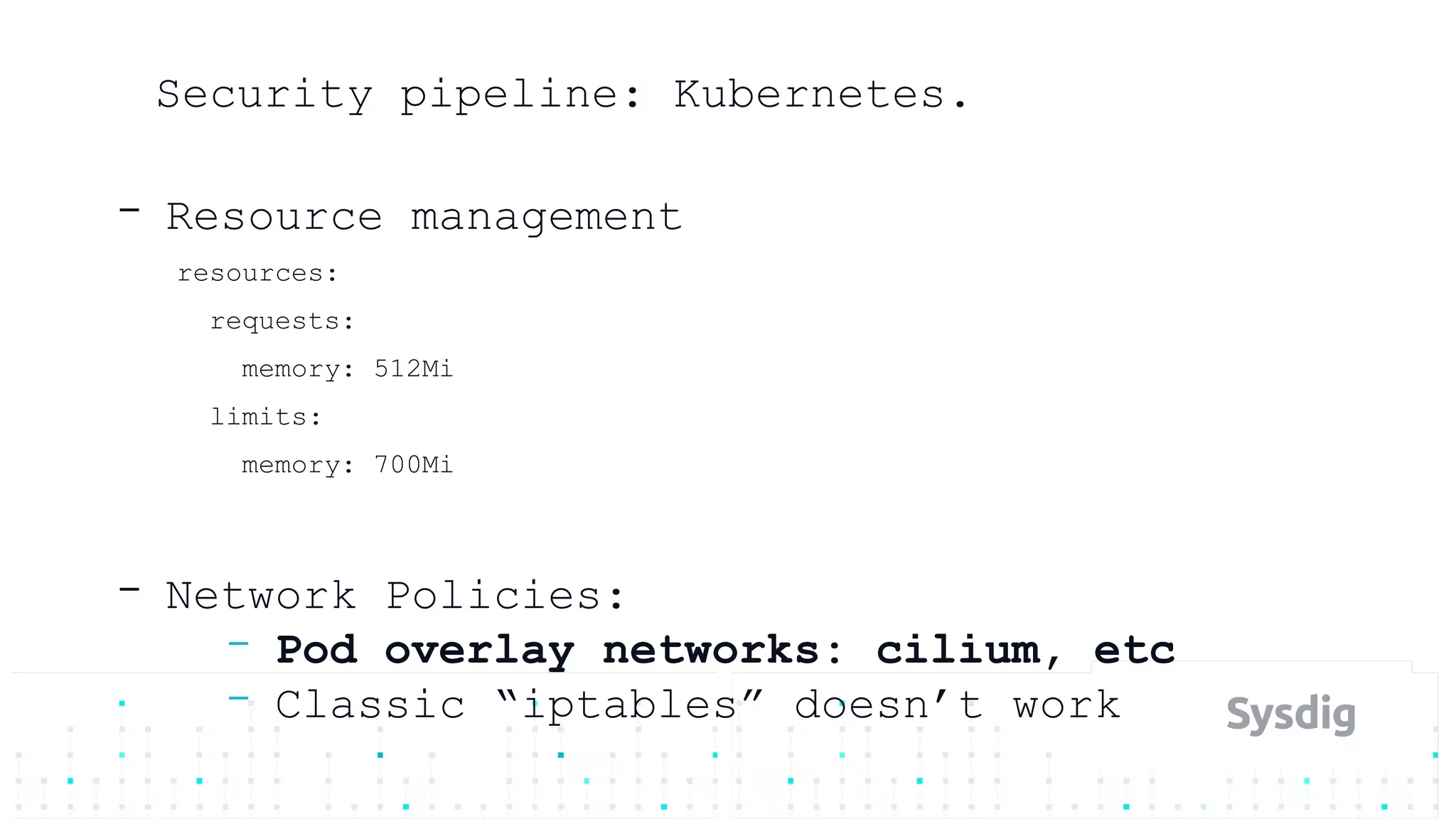
- Resource management
resources:
requests:
memory: 512Mi
limits:
memory: 700Mi
- Network Policies:
- Pod overlay networks: cilium, etc
- Classic “iptables” doesn’t work
Security pipeline: Run-time scanning.
- Threat detection
- Network inspection
- Privilege escalation
- Post-mortem analysis and forensics
- Attacks are multiple steps
- Successful attack those are unknown to us
- But we just need to recognize one
Seccomp.
- Application syscall sandboxing
- Create filter (BPF) with allowed syscalls
- Failures-> log message, error return,
and/or kill process
- Docker runs containerized process under a
seccomp profile
- Notable disallowed syscalls:
- clone (creating new namespaces)
- reboot (reboot the host)
- setns (change namespaces)
MAC: SELinux / AppArmor.
- Kernel-level interception/filtering
- features++ && complexity++
- Higher level:
- Actors (process)
- Actions (read/write on files/sockets)
- Targets (files, IPs, ports)
https://sysdig.com/blog/selinux-seccomp-falco-technical-discussion/
- An open-source behavioral activity monitor
- Detects suspicious activity defined by a
set of rules
- Uses Sysdig’s flexible and powerful
filtering expressions
- With full support for
containers/orchestration
Sysdig Falco: sysdig.com/opensource/falco/
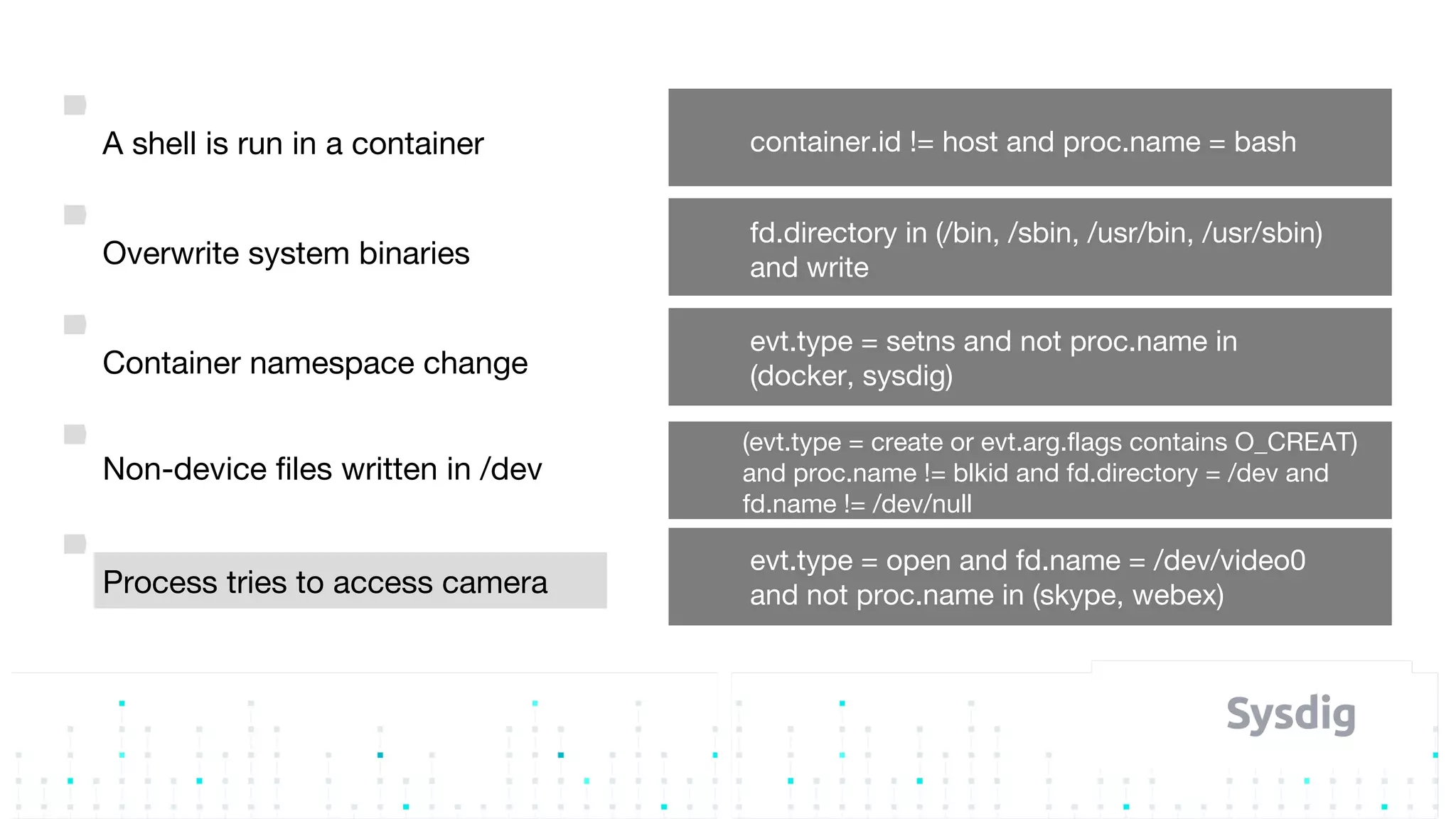
A shell is run in a container container.id != host and proc.name = bash
Overwrite system binaries
fd.directory in (/bin, /sbin, /usr/bin, /usr/sbin)
and write
Container namespace change
evt.type = setns and not proc.name in
(docker, sysdig)
Non-device files written in /dev
(evt.type = create or evt.arg.flags contains O_CREAT)
and proc.name != blkid and fd.directory = /dev and
fd.name != /dev/null
Process tries to access camera
evt.type = open and fd.name = /dev/video0
and not proc.name in (skype, webex)
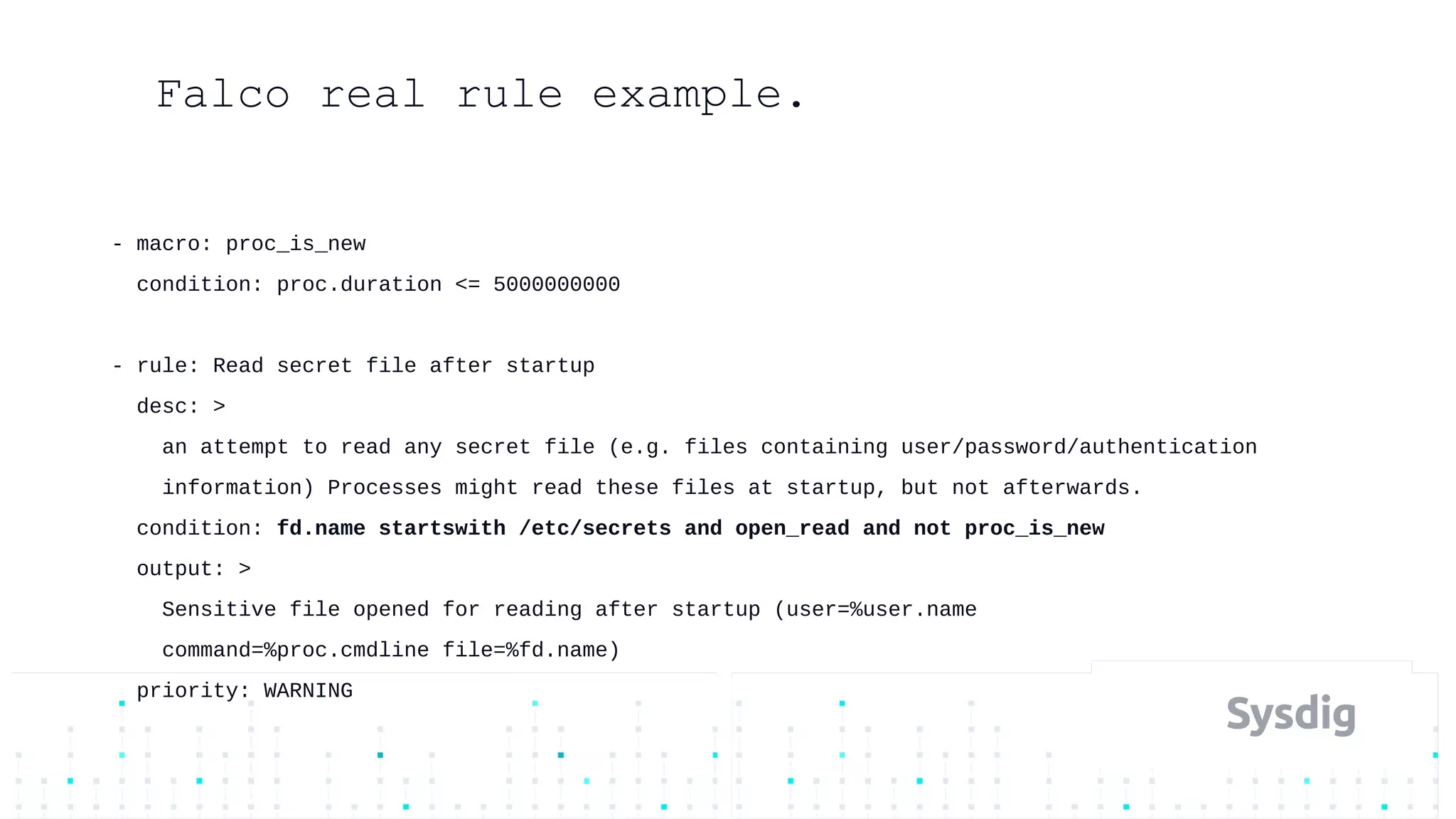
- macro: proc_is_new
condition: proc.duration <= 5000000000
- rule: Read secret file after startup
desc: >
an attempt to read any secret file (e.g. files containing user/password/authentication
information) Processes might read these files at startup, but not afterwards.
condition: fd.name startswith /etc/secrets and open_read and not proc_is_new
output: >
Sensitive file opened for reading after startup (user=%user.name
command=%proc.cmdline file=%fd.name)
priority: WARNING
Falco real rule example.
Incident response.
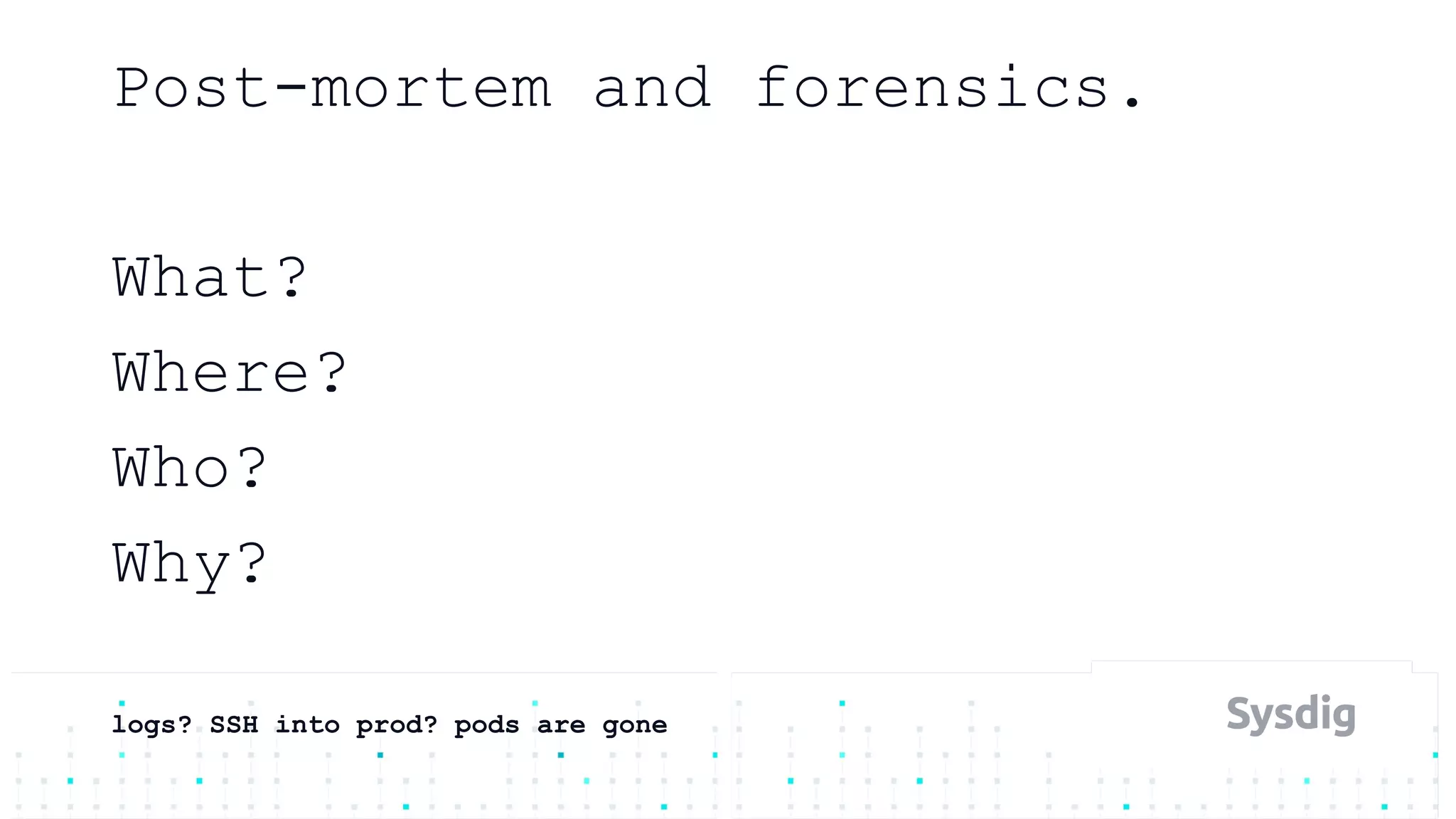
Post-mortem and forensics.
What?
Where?
Who?
Why?
logs? SSH into prod? pods are gone
How we did this in the past?.
Monitoring & Security Platform for Containers.
Demo
Danke!
Mateo Burillo - @mateobur
Questions?

Continuous Security

  • 1.
    Mateo Burillo -@mateobur CI / CD / CS
  • 2.
    Mateo Burillo Tech Marketingaka container gamer @ Sysdig Github: github.com/mateobur Twitter: @mateobur About me
  • 3.
  • 5.
  • 8.
  • 9.
    How we do(did) security?. - Establish trust boundaries (dev vs prod) - Identify, minimise, and harden attack surfaces - Reduce scope and access (whitelist whenever possible) - Onion layers of protection - Traceability and testing
  • 10.
    Continuous Security. - DevOps:agile and faster - Security team: less incidents - Modify process to bring security - Security as Code - Failure: open an issue vs abort deployment
  • 11.
    Are containers secure? -New infrastructure, new layers, new risks - But we have seen them before: - DDoS, isolation break-out, injections - Fast pipeline: skip security? - This is an opportunity - More steps: more security onion layers
  • 12.
    Security pipeline. - Build -Development - Artifacts (Docker images, sw packages) - Shipment - Run-time
  • 13.
    Security pipeline: Build. -Code analysis - specific vulnerabilities - licensing - style - branch policies: PR, check, merge - Test Driven Security (TDS) - OWASP ZAP Scanning
  • 14.
    Security pipeline: Buildartifacts. - Container build - Trusted base image - Restrict functionality - Restrict libraries / dependencies - Multi-stage builds - Restrict privileges - root, privileged, host, mounts
  • 15.
    Security pipeline: Registry. -Container scan - At the CI -> registry step - Find known vulnerabilities - CoreOS Red Hat Clair - Red Hat OpenScap - Vuls.io - Other commercial vendors
  • 16.
    What we arelooking for?. - Package lists - Software installed manually (pip, rake, …) - Static binaries - Hashes of known vulnerabilities - Lost credentials - Docker image layers
  • 17.
    Ubuntu: 14.04Ubuntu: 14.04 Apache:2.2Apache: 2.2 Wordpress: 4.6Wordpress: 4.6 PHP: 7.0PHP: 7.0
  • 18.
    Ubuntu: 14.04Ubuntu: 14.04 Apache:2.2Apache: 2.2 Wordpress: 4.6Wordpress: 4.6 PHP: 7.0PHP: 7.0
  • 19.
    Ubuntu: 14.04Ubuntu: 14.04 Apache:2.2Apache: 2.2 Wordpress: 4.6Wordpress: 4.6 PHP: 7.0PHP: 7.0
  • 20.
    How to bringthis into the pipeline?. - CI, build the image - Scan: - https://github.com/optiopay/klar - https://gitlab.com/gitlab-org/clair-scanner - Push into the registry
  • 21.
    Container registries. - Oftenthey already include scanning: - DockerHub - Quay.io - GCR - ECR - ACR - many!
  • 22.
    Security pipeline. - Build -Shipment - Run-time
  • 23.
    Security pipeline: Shipment. -Trust - enable image signing - DOCKER_CONTENT_TRUST=1 - Kubernetes ValidatingAdmissionWebhook - Google Grafeas - https://github.com/kelseyhightower/grafeas-tutorial
  • 24.
  • 25.
    Security pipeline. - Build -Shipment - Run-time
  • 26.
    Security pipeline: Run-time. -Infrastructure security configuration: - Host security - Docker Engine security - Kubernetes security - Docker CIS benchmark: docker-bench - Kubernetes CIS benchmark: kube-bench
  • 27.
    Security pipeline: Kubernetes. -RBAC - namespaces - Subjects: users and serviceAccounts - resources - Role and ClusterRole - verbs: LIST, WATCH, GET, UPDATE, PATCH, DELETE - RoleBindings and ClusterRoleBindings
  • 28.
    kind: Role apiVersion: rbac.authorization.k8s.io/v1 metadata: namespace:default name: pod-reader rules: - apiGroups: [""] # "" indicates the core API group resources: ["pods"] verbs: ["get", "watch", "list"] # This role binding allows "jane" to read pods in the "default" namespace. kind: RoleBinding apiVersion: rbac.authorization.k8s.io/v1 metadata: name: read-pods namespace: default subjects: - kind: User name: jane apiGroup: rbac.authorization.k8s.io roleRef: kind: Role name: pod-reader apiGroup: rbac.authorization.k8s.io
  • 29.
    Security pipeline: Kubernetes. -Admission controllers - DenyEscalatingExec - NodeRestriction - PodSecurityPolicy (beta) - At definition time or Admission, Grafeas, etc
  • 30.
    Security pipeline: Kubernetes. -Admission controllers: PodSecurityPolicy - Privileged/hostPID/hostIPC/hostNetwork/ hostPorts - runAsUser - volumes/allowedHostPaths/ReadOnlyRootFi lesystem - Capabilities - SELinux/AppArmor/seccomp
  • 31.
    Security pipeline: Kubernetes. -Resource management resources: requests: memory: 512Mi limits: memory: 700Mi - Network Policies: - Pod overlay networks: cilium, etc - Classic “iptables” doesn’t work
  • 32.
    Security pipeline: Run-timescanning. - Threat detection - Network inspection - Privilege escalation - Post-mortem analysis and forensics - Attacks are multiple steps - Successful attack those are unknown to us - But we just need to recognize one
  • 33.
    Seccomp. - Application syscallsandboxing - Create filter (BPF) with allowed syscalls - Failures-> log message, error return, and/or kill process - Docker runs containerized process under a seccomp profile - Notable disallowed syscalls: - clone (creating new namespaces) - reboot (reboot the host) - setns (change namespaces)
  • 34.
    MAC: SELinux /AppArmor. - Kernel-level interception/filtering - features++ && complexity++ - Higher level: - Actors (process) - Actions (read/write on files/sockets) - Targets (files, IPs, ports) https://sysdig.com/blog/selinux-seccomp-falco-technical-discussion/
  • 35.
    - An open-sourcebehavioral activity monitor - Detects suspicious activity defined by a set of rules - Uses Sysdig’s flexible and powerful filtering expressions - With full support for containers/orchestration Sysdig Falco: sysdig.com/opensource/falco/
  • 36.
    A shell isrun in a container container.id != host and proc.name = bash Overwrite system binaries fd.directory in (/bin, /sbin, /usr/bin, /usr/sbin) and write Container namespace change evt.type = setns and not proc.name in (docker, sysdig) Non-device files written in /dev (evt.type = create or evt.arg.flags contains O_CREAT) and proc.name != blkid and fd.directory = /dev and fd.name != /dev/null Process tries to access camera evt.type = open and fd.name = /dev/video0 and not proc.name in (skype, webex)
  • 37.
    - macro: proc_is_new condition:proc.duration <= 5000000000 - rule: Read secret file after startup desc: > an attempt to read any secret file (e.g. files containing user/password/authentication information) Processes might read these files at startup, but not afterwards. condition: fd.name startswith /etc/secrets and open_read and not proc_is_new output: > Sensitive file opened for reading after startup (user=%user.name command=%proc.cmdline file=%fd.name) priority: WARNING Falco real rule example.
  • 38.
  • 39.
  • 40.
    How we didthis in the past?.
  • 41.
    Monitoring & SecurityPlatform for Containers.
  • 42.
  • 43.
    Danke! Mateo Burillo -@mateobur Questions?

Editor's Notes

  • #2 &amp;lt;number&amp;gt;
  • #3 &amp;lt;number&amp;gt;
  • #4 Let’s start defining CI CD and their relation to the container world
  • #5 &amp;lt;number&amp;gt;
  • #7 &amp;lt;number&amp;gt;
  • #8 &amp;lt;number&amp;gt;
  • #10 &amp;lt;number&amp;gt;
  • #11 &amp;lt;number&amp;gt;
  • #12 &amp;lt;number&amp;gt;
  • #13 &amp;lt;number&amp;gt;
  • #14 &amp;lt;number&amp;gt;
  • #15 &amp;lt;number&amp;gt;
  • #16 &amp;lt;number&amp;gt;
  • #17 &amp;lt;number&amp;gt;
  • #18 &amp;lt;number&amp;gt;
  • #19 &amp;lt;number&amp;gt;
  • #20 &amp;lt;number&amp;gt;
  • #21 &amp;lt;number&amp;gt;
  • #22 &amp;lt;number&amp;gt;
  • #23 &amp;lt;number&amp;gt;
  • #24 &amp;lt;number&amp;gt;
  • #25 &amp;lt;number&amp;gt;
  • #26 &amp;lt;number&amp;gt;
  • #27 &amp;lt;number&amp;gt;
  • #28 &amp;lt;number&amp;gt;
  • #29 &amp;lt;number&amp;gt;
  • #30 &amp;lt;number&amp;gt;
  • #31 &amp;lt;number&amp;gt;
  • #32 &amp;lt;number&amp;gt;
  • #33 &amp;lt;number&amp;gt;
  • #34 &amp;lt;number&amp;gt;
  • #35 &amp;lt;number&amp;gt;
  • #36 &amp;lt;number&amp;gt;
  • #37 Workhourse - Basic
  • #38 &amp;lt;number&amp;gt;
  • #40 &amp;lt;number&amp;gt;
  • #41 &amp;lt;number&amp;gt;
  • #42 &amp;lt;number&amp;gt;