Matthias Lübken
Container Patterns
@luebken
“ Easily create lightweight, portable,
self-sufficient containers
from any application.”
“App Container (appc) is a well-specified and
community developed specification for
application containers. ”
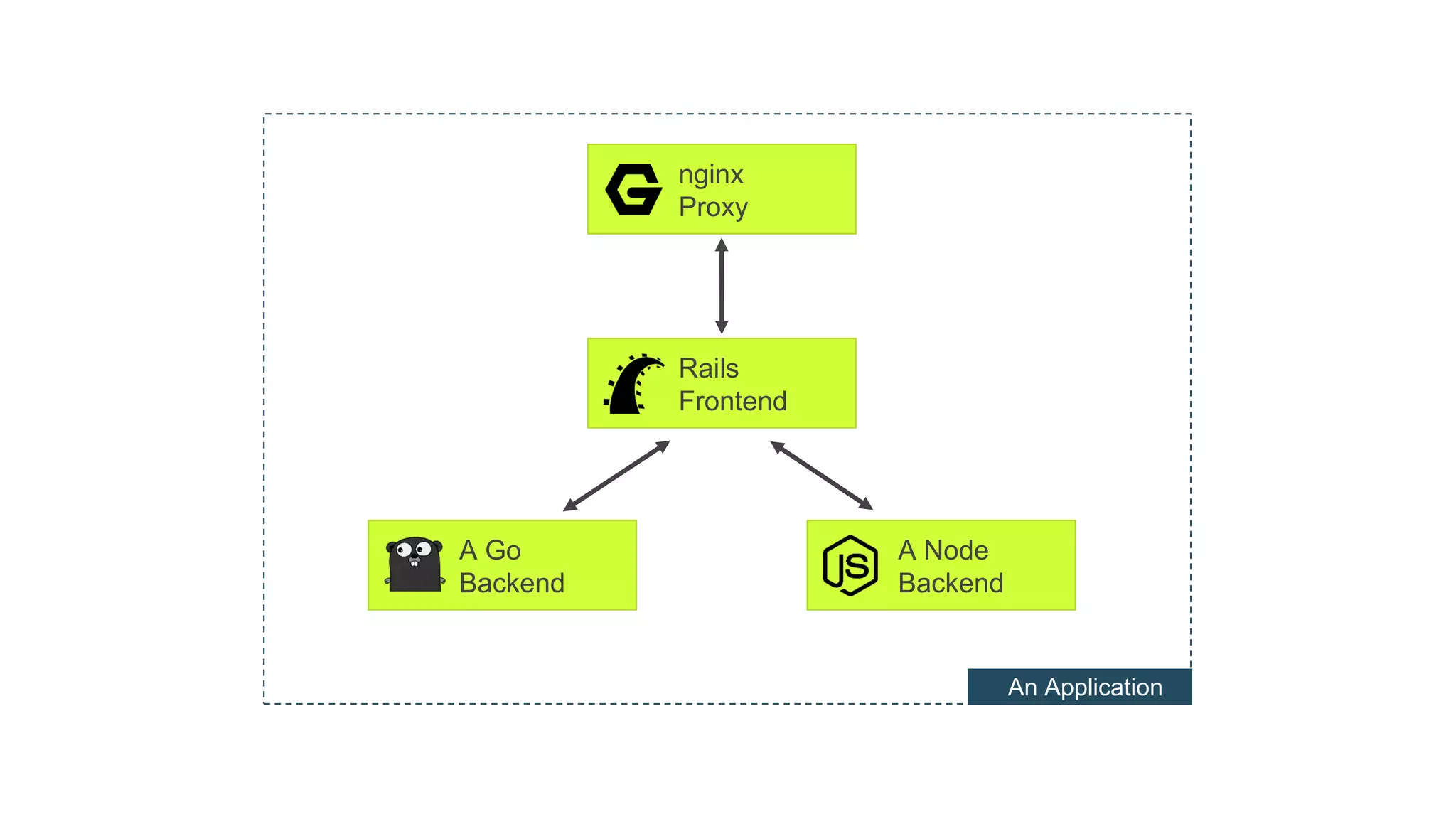
nginx
Proxy
Rails
Frontend
A Go
Backend
A Node
Backend
An Application
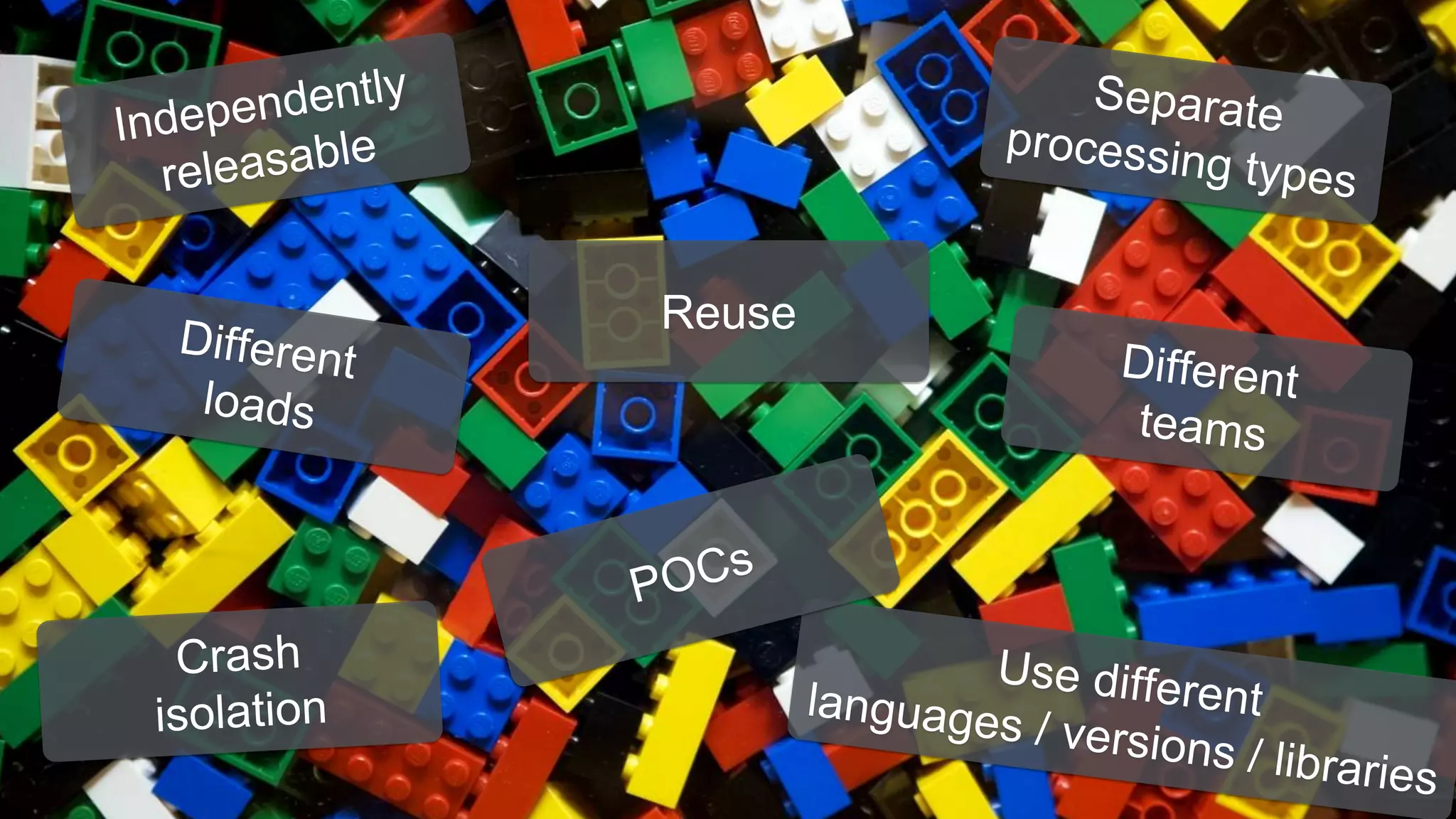
Reuse
How does a good building block look like?
How do we assemble them?
Related Work
• 12factor.net apps
• Cloud-native application architectures:
Matt Stine Free Ebook
• Microservices
• Continuous Delivery
Container Patterns
•For designing “cloud” applications.
•Container runtime agnostic.
•Are there general applicable patterns?
•How would we describe them?
•What are concrete examples and best-practices?
github.com/luebken/container-patterns
How does a good building block look like?
How do we assemble them?
“Module-Container”
A “Module-Container” is a well behaving
building block in the architecture of an
application.
A Module Container is
1. Linux process
2. API
3. Descriptive
4. Disposable
5. Immutable
6. Self-contained
7. Small
1.Linux Process
1. Linux Process
• React to signals
• Return exit codes
• Use standard streams
• Handle arguments
Examples: module-container.md#1-linux-process
2. API
2. API
• ENV variables
• Available ports
• Volume mounts
• Lifecycle hooks
Examples: module-container.md#2-api
3. Descriptive
3. Descriptive
• Use standard labels (e.g. proposal generic labels)
• url, summary, vcs-url …
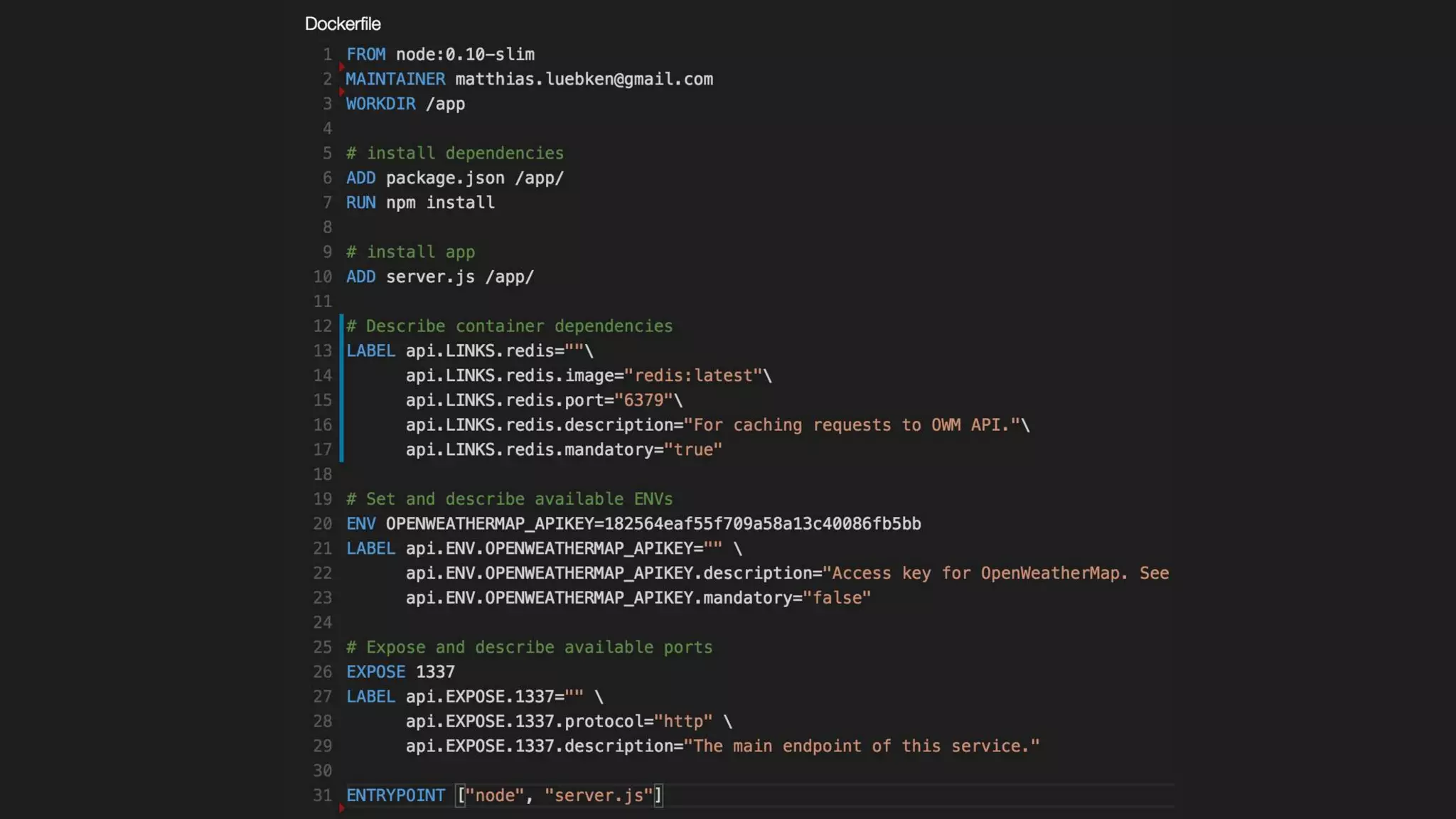
• Use custom labels:
• api.ENV
• api.EXPOSE
• api.LINKS
Examples: module-container.md#3-descriptive
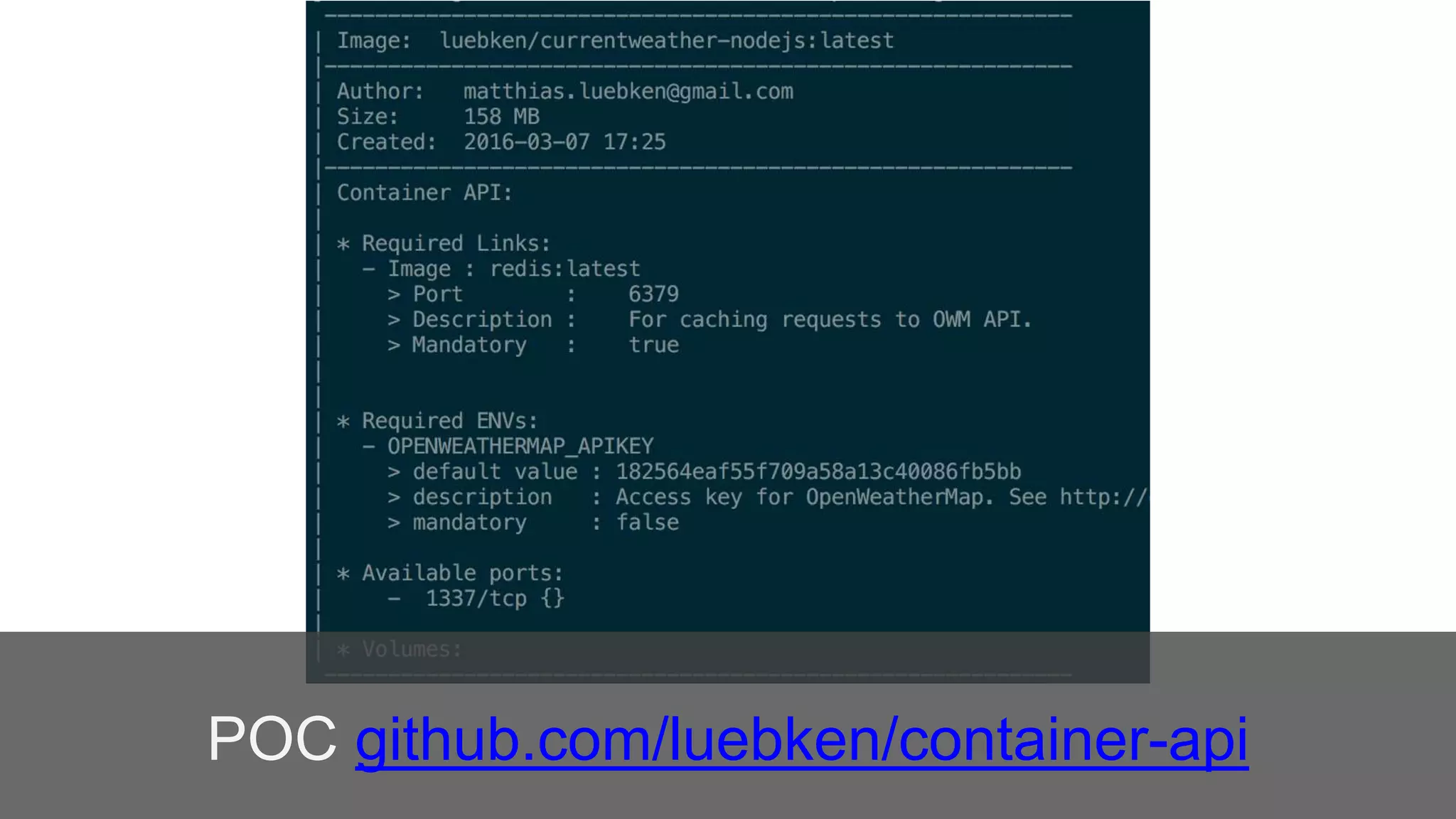
POC github.com/luebken/container-api
4. Disposable
4. Disposable
• Don’t rely on a particular instance
• Be aware of shots at your cattle
• Be robust against sudden death
Examples: module-container.md#4-disposable
5. Immutable
5. Immutable
• Don’t change your container after build
• Strive or a dev/prod parity
Examples: module-container.md#5-immutable
6. Self-contained
6. Self-contained
• Add dependencies on build time
• Sensible defaults
Examples: module-container.md#6-self-contained
7. Small
7. Small
• Don’t use large base images
• Use the minimal footprint e.g. Alpine
Examples: module-container.md#6-small
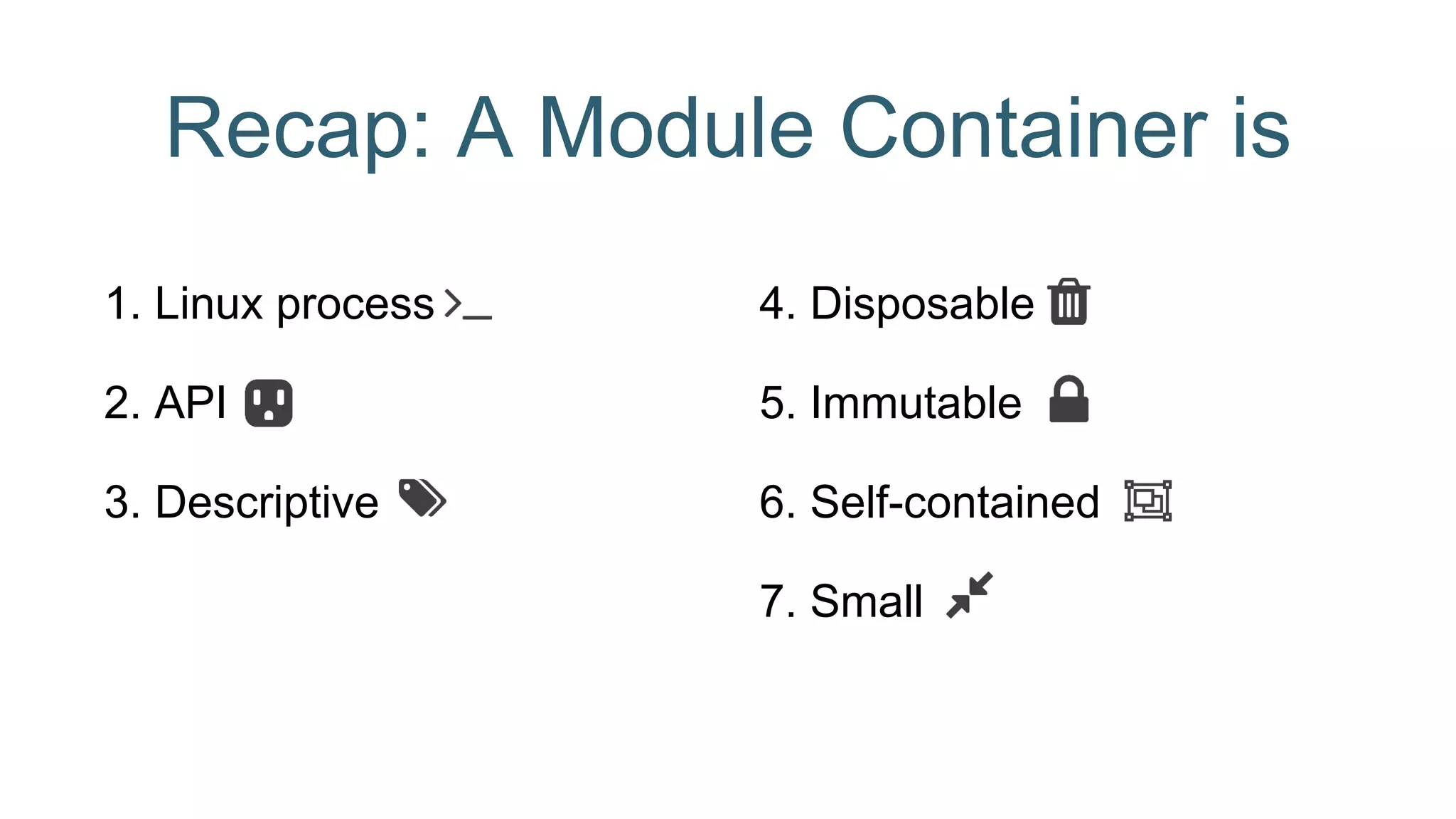
Recap: A Module Container is
1. Linux process
2. API
3. Descriptive
4. Disposable
5. Immutable
6. Self-contained
7. Small
How does a good building block look like?
How do we assemble them?
nginx
Proxy
Rails
Frontend
A Go
Backend
A Node
Backend
nginx
Proxy
Rails
Frontend
A Go
Backend
A Node
Backend
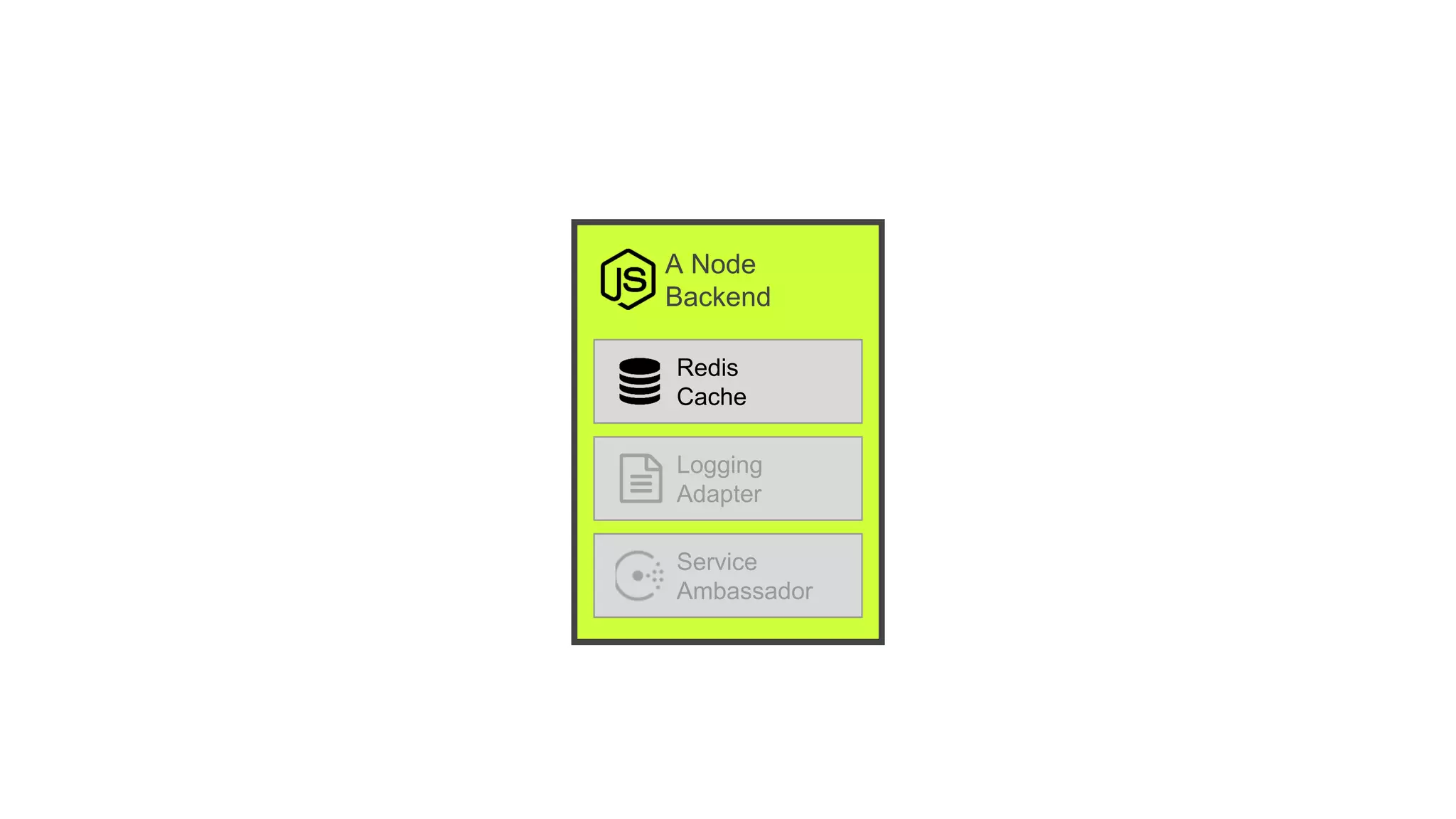
Redis
Cache
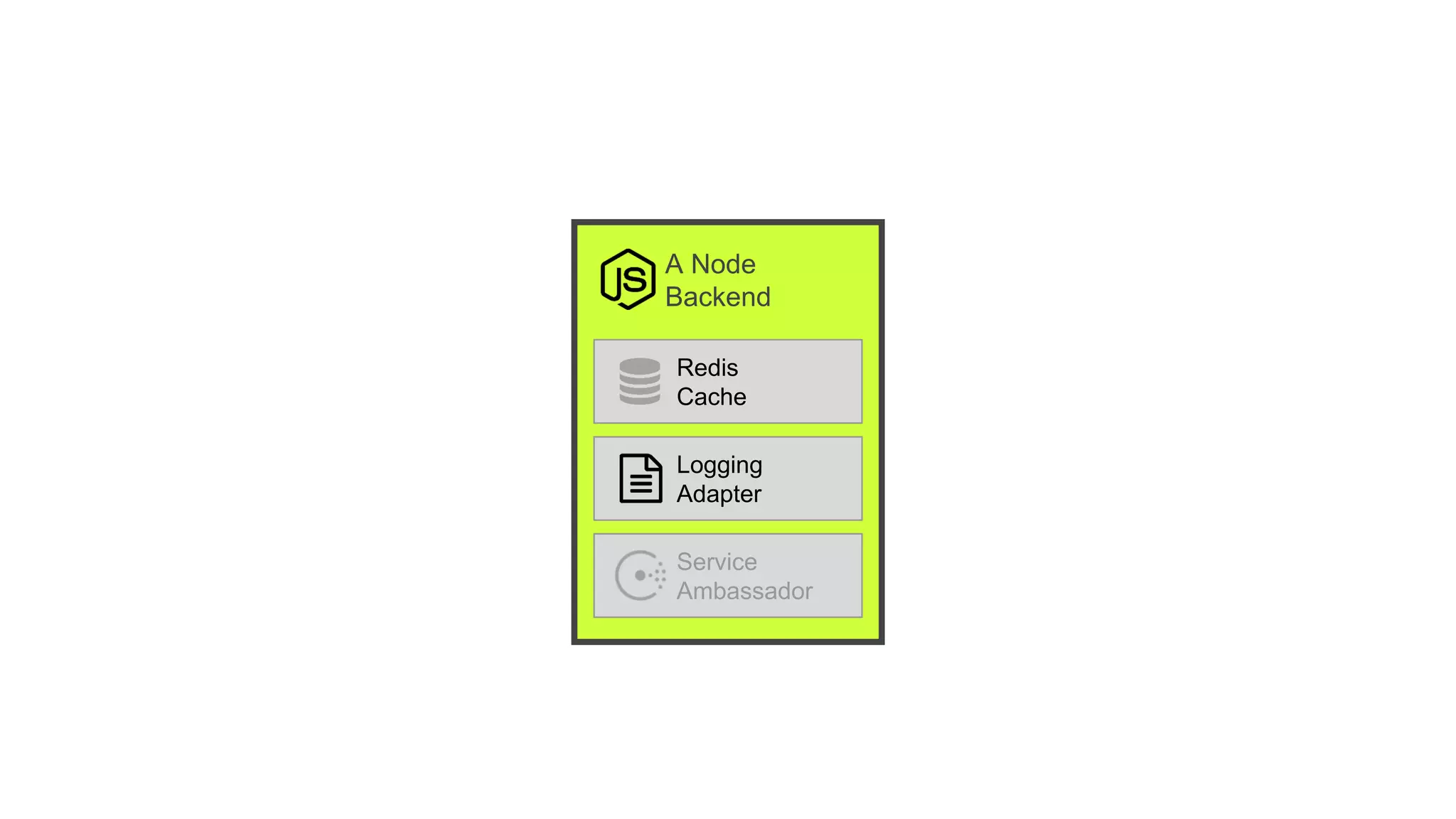
Logging
Adapter
Service
Ambassador
A group of closely related containers. Deployed
as a single unit
and share namespaces.
A Node
Backend
Redis
Cache
Logging
Adapter
Service
Ambassador
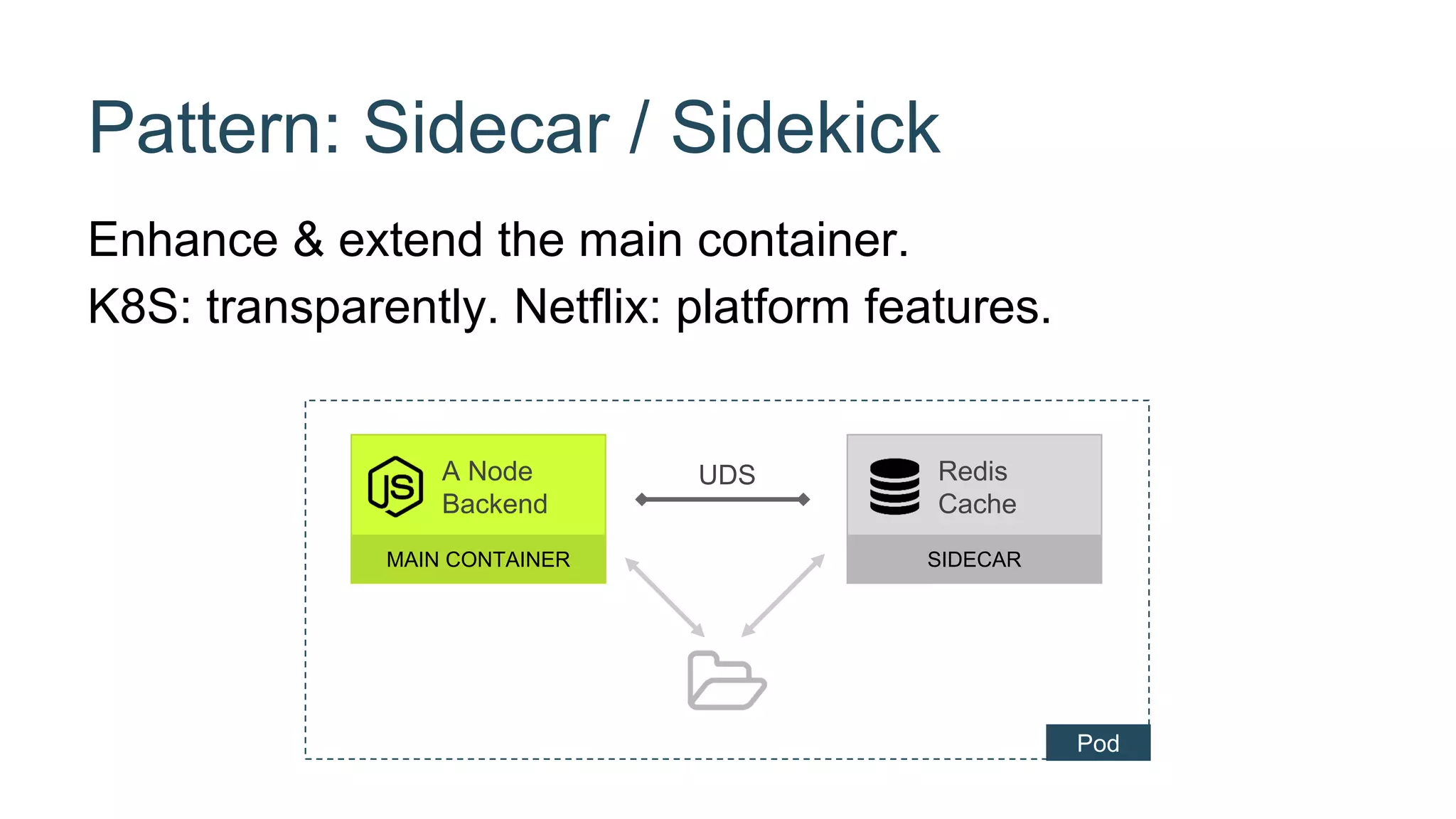
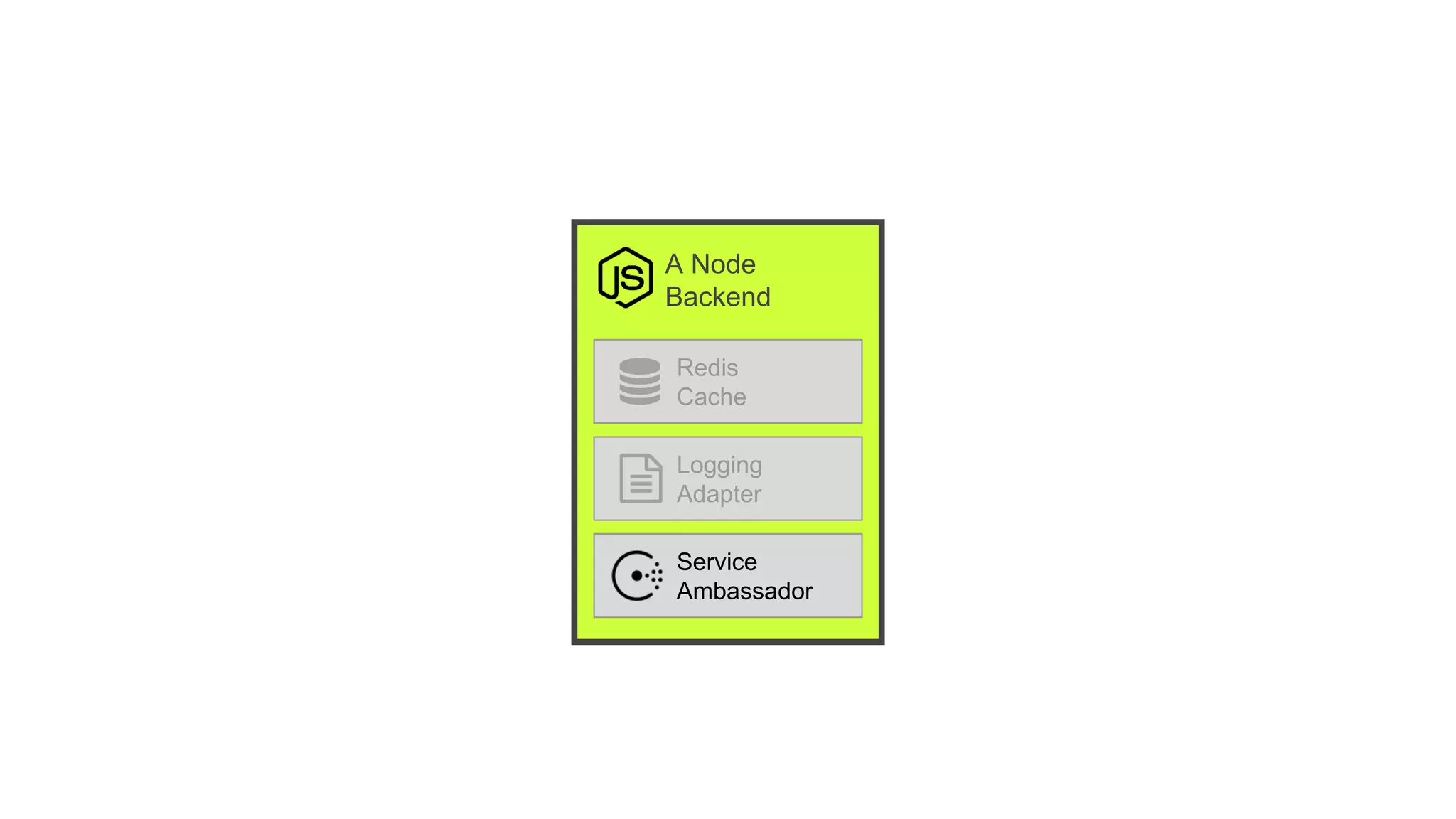
Pattern: Sidecar / Sidekick
Enhance & extend the main container.
K8S: transparently. Netflix: platform features.
UDSA Node
Backend
MAIN CONTAINER
Redis
Cache
SIDECAR
Pod
A Node
Backend
Redis
Cache
Logging
Adapter
Service
Ambassador
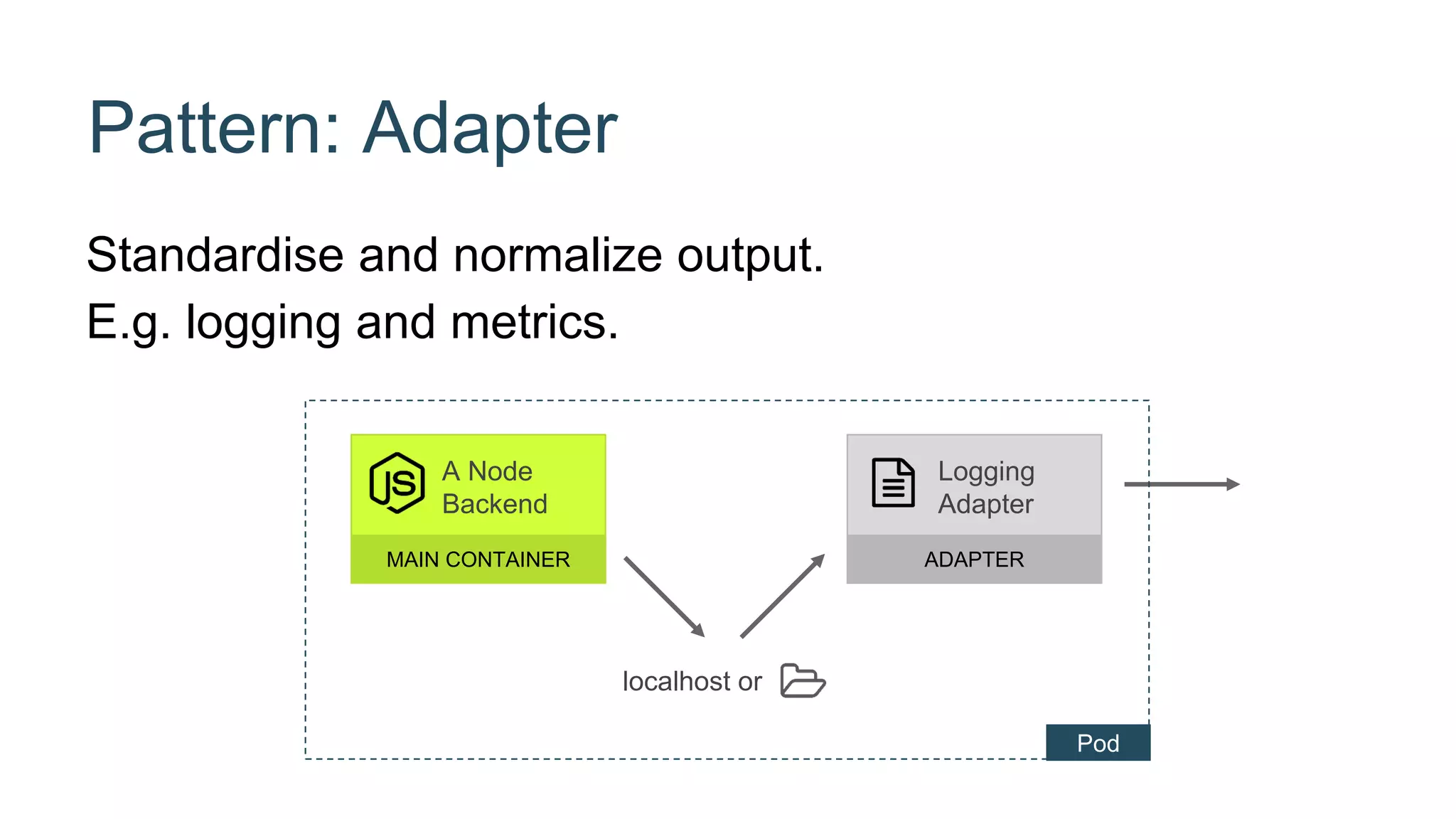
Pattern: Adapter
Standardise and normalize output.
E.g. logging and metrics.
localhost or
A Node
Backend
MAIN CONTAINER
Logging
Adapter
ADAPTER
Pod
A Node
Backend
Redis
Cache
Logging
Adapter
Service
Ambassador
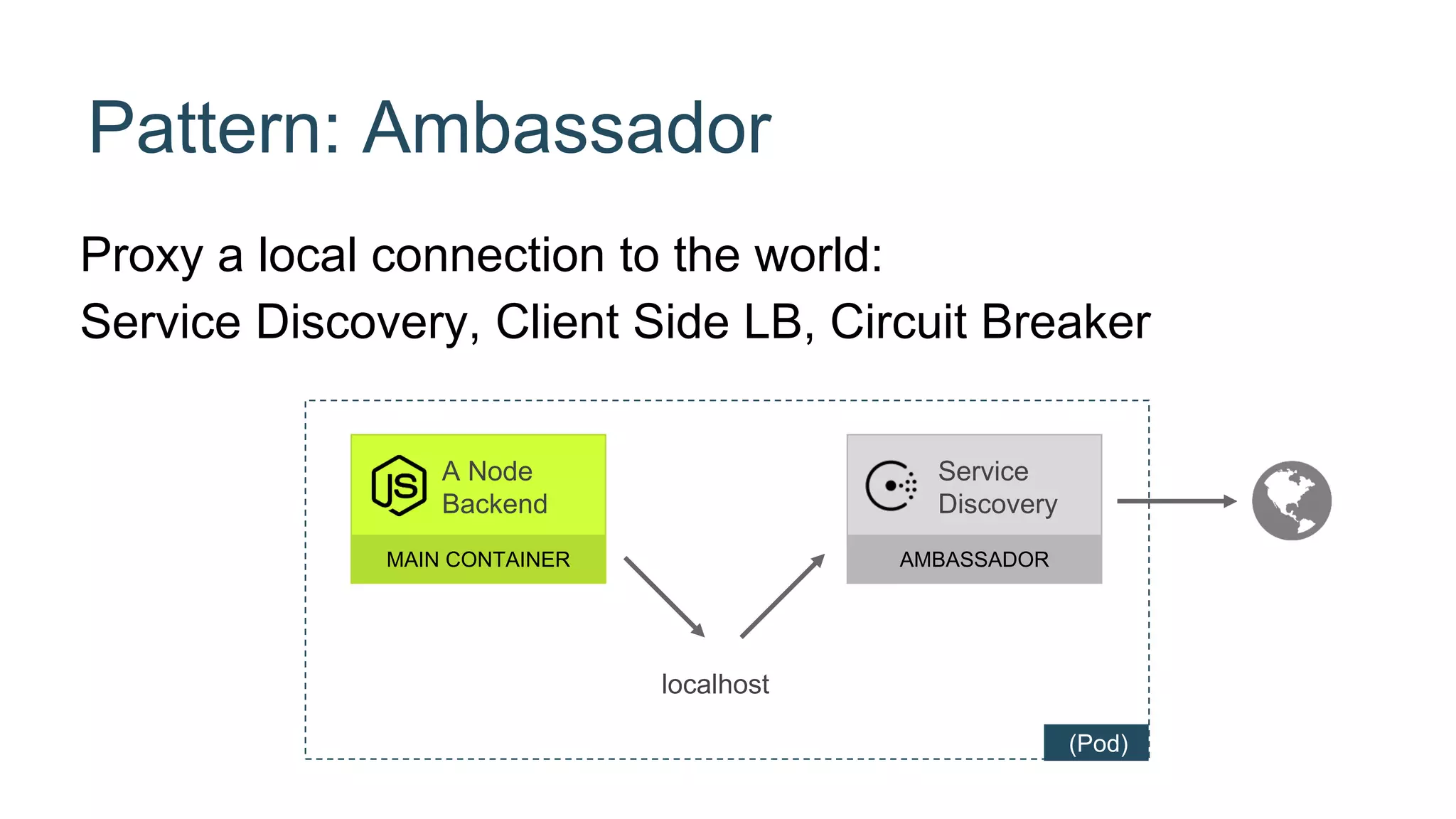
Proxy a local connection to the world:
Service Discovery, Client Side LB, Circuit Breaker
A Node
Backend
MAIN CONTAINER
Service
Discovery
AMBASSADOR
Pattern: Ambassador
localhost
(Pod)
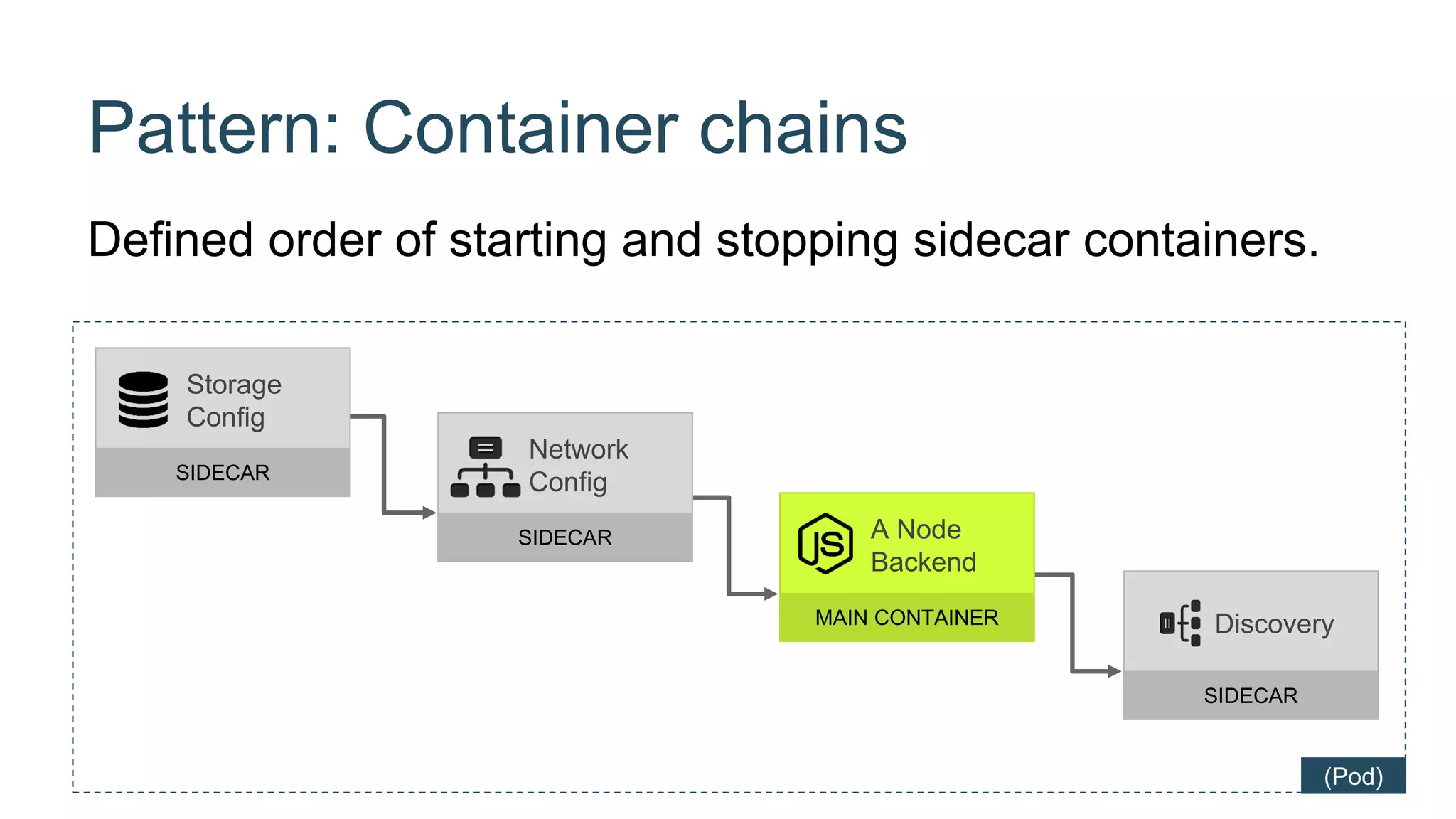
Pattern: Container chains
Defined order of starting and stopping sidecar containers.
A Node
Backend
MAIN CONTAINER
Storage
Config
SIDECAR
Discovery
SIDECAR
Network
Config
SIDECAR
(Pod)
Summary: Container Patterns QCON 08.03.2016
Module container
1. Linux process
2. API
3. Descriptive
4. Disposable
5. Immutable
6. Self-contained
7. Small
Composite
• Sidecar
• Adapter
• Ambassador
• Chains
How does a good
building block look
like?
And how would you
assemble them?
github.com/luebken/container-patterns @luebken
matthias@luebken.com
Dankeschön.
@luebken
Credits
• https://www.flickr.com/photos/skynoir/8241460998 (Cover image)
• https://www.flickr.com/photos/amlz/8664728590 (Lego)
• https://www.flickr.com/photos/guidedbycthulhu/6810361241 (Socket)
• https://www.flickr.com/photos/seektan/2074853585/ (Label)
• https://www.flickr.com/photos/gullevek/2122873934 (Trash)
• https://www.flickr.com/photos/grantmac/4852826923 (Lock)
• https://www.flickr.com/photos/mhirano/13236048424 (Hand)

Container Patterns

Editor's Notes

  • #3 About me developer: OSGi, {team, group, department} lead product guy Slides and code examples will be available online
  • #4 Docker introduced the term “application container”. Containers are not just a lightweight VM.
  • #5 Others have incorporated that term like the appc standard.
  • #6 An application usually consists of multiple containers. How would I design my containers that they well behave in my application?
  • #7 Let’s take a close look the building blocks. What color, size? Kind of connectors? Reasons for having multiple building blocks.
  • #8 These are the questions we should ask ourselves when designing and developing applications with containers.
  • #10 There is a lot related work / prior art: Modules, Distributed systems, Continuos integration See especially cloud native / paas experience.
  • #17 We need to remember that a container is foremost a Linux process. Which is separated by namespaces and controlled by cgroups.
  • #18 React to signals Use the `exec` form Catch signals: SIGINT: Interrupt by Ctrl-C, SIGTERM: Process termination by schedular like `docker stop` Return exit codes: `0` for successful termination, `>0` for a failure Handle arguments: Use conventions like POSIX or a library Use standard streams Use standard out for logging let the infrastructure (or sidecar) handle the forwarding
  • #20 env usage was proposed by 12Factor easy to change between deploys, no danger go checking in set default in image and let user overwrite with `docker -e` use simple tools like `envtpl` https://github.com/andreasjansson/envtpl ports: use `EXPOSE` they will show up in `docker ps` and `docker inspect` can be enforced with `iptables = true` && `icc = false volume mounts different patterns depend on this like data-container hooks sometimes the container lifecycle is not enough. e.g. database init kubernetes and runc have them. you can build them with docker events
  • #22 TODO: schema for labels
  • #26 start with `docker — rm` many reasons for a container instance going away Rescheduling because of limit or bad resources Down-scaling Errors within the container Migration to new hardware / locality of services Be robust against sudden death. Minimal setup Counter argument: OPs argues they want to keep as much as possible after a crash TODO what does kubernetes do with logs Pets vs. Cattle: Treat your container as part of a cattle. You number them and when get sick you shoot them Note: Most argued slide so far.
  • #28 dev / prod parity extract runtime state in volumes Anti-pattern: `docker exec`
  • #30 E.g. Build Uber-Jar and include webserver Generate dynamic config files on the fly.: confd
  • #32 Build from scratch Use small base-image busybox, alpine Reuse custom base image Anti-Pattern: VM Container
  • #35 You can hook up containers just as ordinary services. Let’s look into something special with containers.
  • #37 Hands up: Who knows Docker? Who knows Pods? Pods: Kubernetes and rkt. (Docker working on something?) Share all available namespaces Network, IPC, UTS (hostname), Volumes, PID The pod as a whole can be limited or the individual container.
  • #39 A general pattern about adding functionality for the main container Netflix: coined the term for adding platform features Burns: uses examples with transparent sidecars
  • #41 Special purpose side-car Full-fill a contract to the outside e.g.Present a consistent interface for a monitoring system
  • #43 All connections are proxied by the Ambassadors Resolves endpoint and establish connections More logic like client-side load balancing circuit breakers Pods optional: depend on the implementation Coined by Docker implemented using Docker links Next brought to a wider audience by CoreOS using etcd Nowadays seen many times using Consul
  • #44 starting all containers at once will end in chaos (e.g. storage not being ready for example) some things have to wait on each other (e.g. discovery needs network access) shutdowns also have order (e.g. de-register a consul node before the node backend shuts down & finish open requests) an error in one of the process will result in a restart of the whole chain Implementation Basically we are talking about requirements for an init process with systemd with attributes e.g. “Requires=” and “After=” But also custom implementations (e.g. a Golang binary taking care of this) // Wandering how this could be implemented with Kubernetes The example: Storage: ensure that the volume data that the container requires is available Network: setup network for custom networks like weave or shared network between user pods Main Container: Well, thats your business service, man! Discovery: Announce the world that your business is running! So other services can use it. Note: Pods are fro many use-cases optional. Most containers shown here do need to run as a group (start together, die together), but not necessarily run in the same cgroups/namespaces etc.