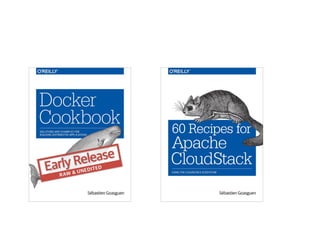
Docker and CloudStack
Sebastien Goasguen
London Meetup
May 21st
@sebgoa
Background
• Citrix Open Source
Architect
• Open Source Business
Office
• VP of Apache
CloudStack
• PMC of Apache libcloud
• ASF member
• O’Reilly author of the
Docker cookbook
Cloud Goals
• Utility computing
• Elasticity of the infrastructure
• On-demand
• Pay as you go
• Multi-tenant
• Programmable access (i.e API)
So what…
• Solved with CloudStack
• What is not solved:
• - Application deployment
• - Application scalability
• - Application portability
• - Application composability
Docker basics
• Originated at Dotcloud
• Wrapper on top of LXC
• Great UX for developers
• Ease of use
• Apparent speed compared to VMs
Containers
• Docker now based on libcontainer
• Create separate process namespace on host
• Same kernel
• Use cgroups for resource allocation/isolation
• Not an hypervisor
• Not meant to be logged into
• Packages application/services
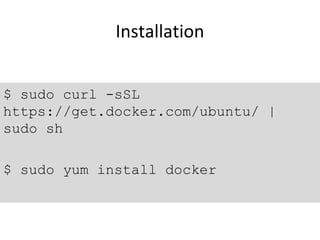
Installation
$ sudo curl -sSL
https://get.docker.com/ubuntu/ |
sudo sh
$ sudo yum install docker
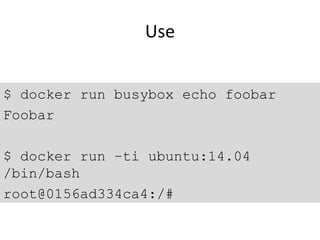
Use
$ docker run busybox echo foobar
Foobar
$ docker run –ti ubuntu:14.04
/bin/bash
root@0156ad334ca4:/#
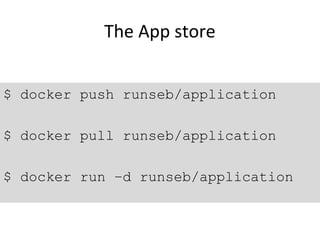
The App store
$ docker push runseb/application
$ docker pull runseb/application
$ docker run –d runseb/application
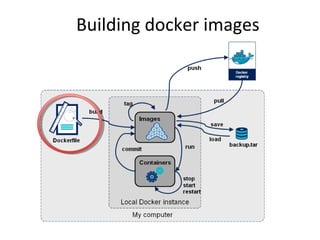
Building docker images
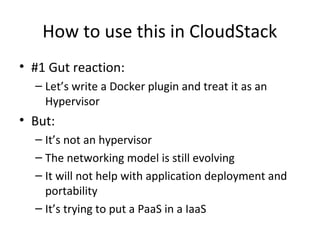
How to use this in CloudStack
• #1 Gut reaction:
– Let’s write a Docker plugin and treat it as an
Hypervisor
• But:
– It’s not an hypervisor
– The networking model is still evolving
– It will not help with application deployment and
portability
– It’s trying to put a PaaS in a IaaS
And…
• Where is Docker going to run ?
• On baremetal ?
• On VMs ?
• In the Cloud ?
How to use this in CloudStack
• #2 Docker in VM
– Create CloudStack template that have the Docker
daemon
• Examples:
– AWS default AMI
– GCE container VM
– Azure Docker templates
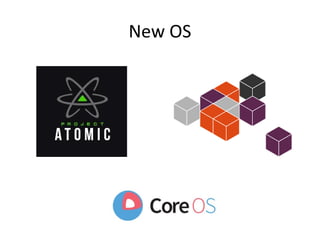
New OS
How to use this in CloudStack
• #3 Docker optimized OS
– Create CloudStack template from new OS
• Examples:
– coreOS – in production
– Ubuntu snappy
– Atomic
– RancherOS
– Microsoft nano
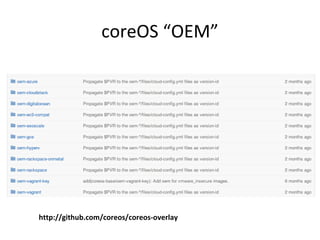
coreOS “OEM”
http://github.com/coreos/coreos-overlay
How to use this in CloudStack
• #4 Container service
– Launch containers in clusters through API
• Examples:
– AWS ECS
– Google GKE (i.e Kubernetes )
– Lattice CF
– Mesos/Marathon
– Rancher
• See Docker “platforms” as a workload
How to use this in CloudStack
• #5 CloudStack plugins in Docker ecosystem
– Docker-machine
Docker and CloudStack
• Do not try to write a new “hypervisor” plugin
• Docker ecosystem taking care of Docker
orchestration
• Focus on:
– Docker optimized OS (e.g coreOS, atomic)
– Deploying application mgt framework (e.g Mesos,
Kubernetes)
Sebastien goasguen   cloud stack and docker

Sebastien goasguen cloud stack and docker

  • 1.
    Docker and CloudStack SebastienGoasguen London Meetup May 21st @sebgoa
  • 2.
    Background • Citrix OpenSource Architect • Open Source Business Office • VP of Apache CloudStack • PMC of Apache libcloud • ASF member • O’Reilly author of the Docker cookbook
  • 3.
    Cloud Goals • Utilitycomputing • Elasticity of the infrastructure • On-demand • Pay as you go • Multi-tenant • Programmable access (i.e API)
  • 4.
    So what… • Solvedwith CloudStack • What is not solved: • - Application deployment • - Application scalability • - Application portability • - Application composability
  • 6.
    Docker basics • Originatedat Dotcloud • Wrapper on top of LXC • Great UX for developers • Ease of use • Apparent speed compared to VMs
  • 7.
    Containers • Docker nowbased on libcontainer • Create separate process namespace on host • Same kernel • Use cgroups for resource allocation/isolation • Not an hypervisor • Not meant to be logged into • Packages application/services
  • 8.
    Installation $ sudo curl-sSL https://get.docker.com/ubuntu/ | sudo sh $ sudo yum install docker
  • 9.
    Use $ docker runbusybox echo foobar Foobar $ docker run –ti ubuntu:14.04 /bin/bash root@0156ad334ca4:/#
  • 10.
    The App store $docker push runseb/application $ docker pull runseb/application $ docker run –d runseb/application
  • 11.
  • 12.
    How to usethis in CloudStack • #1 Gut reaction: – Let’s write a Docker plugin and treat it as an Hypervisor • But: – It’s not an hypervisor – The networking model is still evolving – It will not help with application deployment and portability – It’s trying to put a PaaS in a IaaS
  • 13.
    And… • Where isDocker going to run ? • On baremetal ? • On VMs ? • In the Cloud ?
  • 14.
    How to usethis in CloudStack • #2 Docker in VM – Create CloudStack template that have the Docker daemon • Examples: – AWS default AMI – GCE container VM – Azure Docker templates
  • 15.
  • 16.
    How to usethis in CloudStack • #3 Docker optimized OS – Create CloudStack template from new OS • Examples: – coreOS – in production – Ubuntu snappy – Atomic – RancherOS – Microsoft nano
  • 17.
  • 18.
    How to usethis in CloudStack • #4 Container service – Launch containers in clusters through API • Examples: – AWS ECS – Google GKE (i.e Kubernetes ) – Lattice CF – Mesos/Marathon – Rancher • See Docker “platforms” as a workload
  • 19.
    How to usethis in CloudStack • #5 CloudStack plugins in Docker ecosystem – Docker-machine
  • 20.
    Docker and CloudStack •Do not try to write a new “hypervisor” plugin • Docker ecosystem taking care of Docker orchestration • Focus on: – Docker optimized OS (e.g coreOS, atomic) – Deploying application mgt framework (e.g Mesos, Kubernetes)