ADVISORY
PRESENTATION
OPINIONATED
CONTENT
Introduction to
Container
Management
Overview
Got Infrastructure?
Delivery & Deployment
Kubernetes
Architecture & Concepts
Scratching the Surface
Practical Application
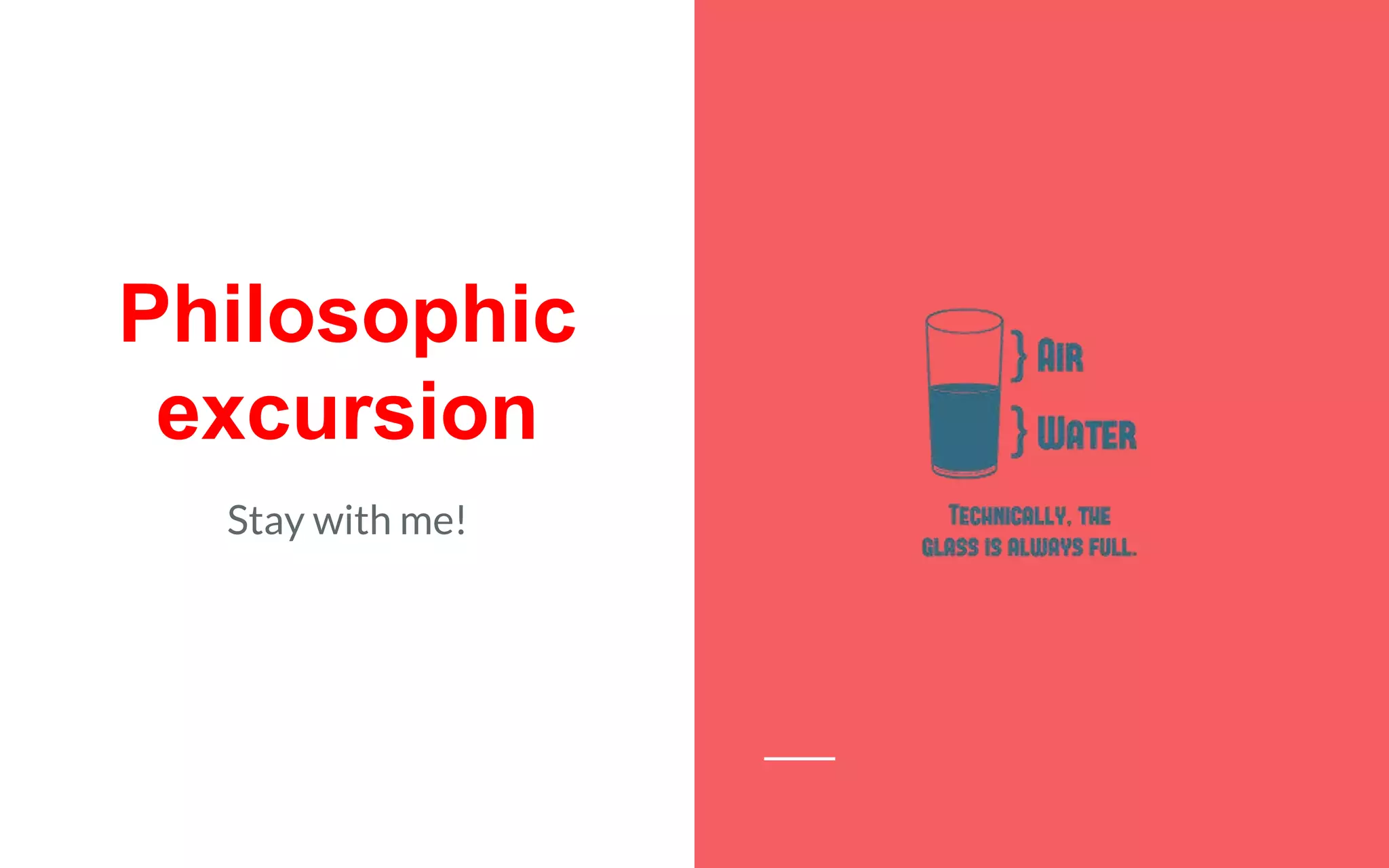
Philosophic
excursion
Stay with me!
Is Infrastructure a Commodity?
The word commodity came into use in English in the 15th century, from the
French commodité, "amenity, convenience". Going further back, the French
word derives from the Latin commoditas, meaning "suitability, convenience,
advantage". The Latin word commodus (from which English gets other words
including commodious and accommodate) meant variously "appropriate", "proper
measure, time, or condition", and "advantage, benefit".
Commodity — Wikipedia, The Free Encyclopedia
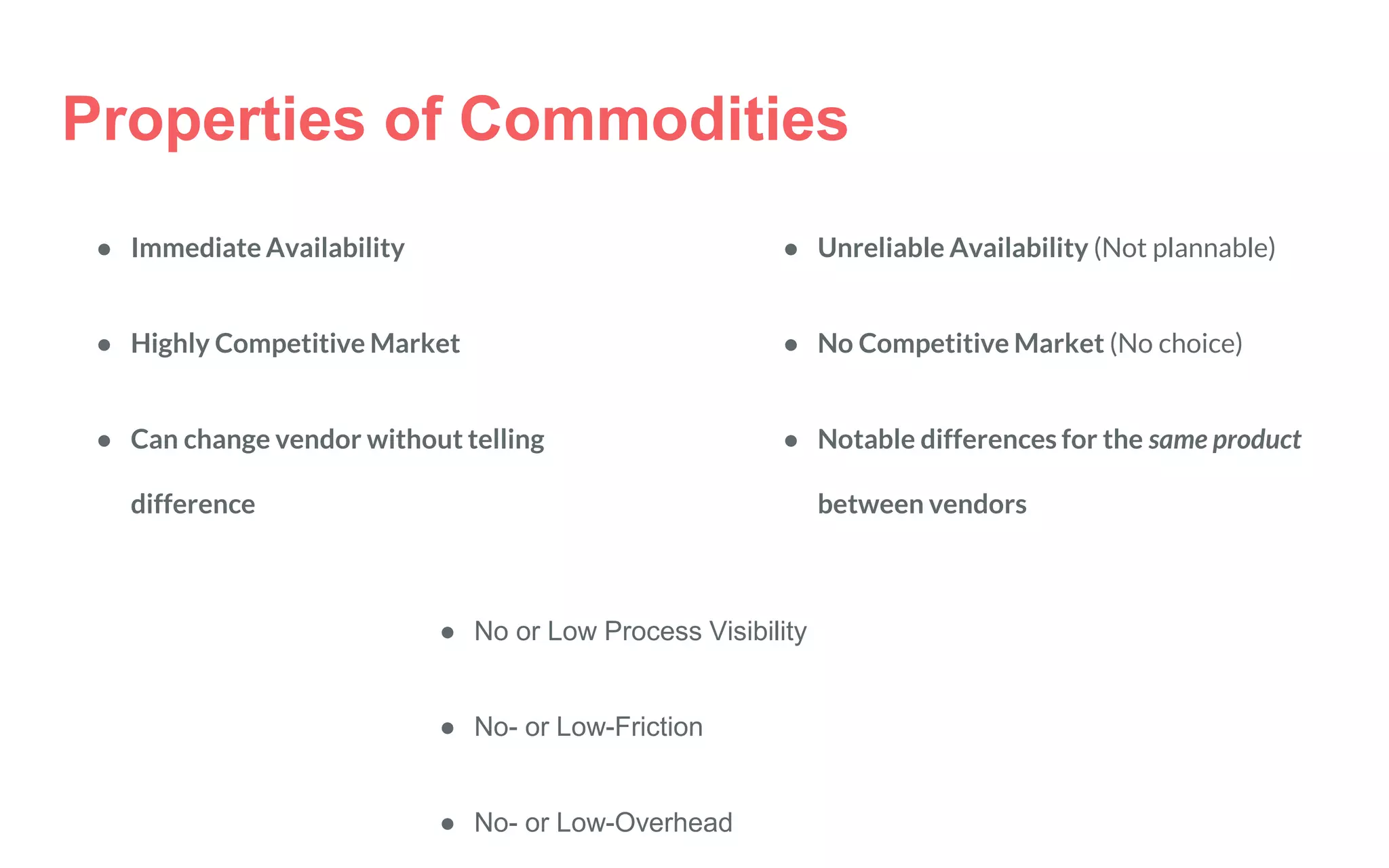
Properties of Commodities
● Immediate Availability
● Highly Competitive Market
● Can change vendor without telling
difference
● Unreliable Availability (Not plannable)
● No Competitive Market (No choice)
● Notable differences for the same product
between vendors
● No or Low Process Visibility
● No- or Low-Friction
● No- or Low-Overhead
Infrastructure can be defined as "the physical components of interrelated systems providing commodities
and services essential to enable, sustain, or enhance societal living conditions." the word infrastructure has
been used in English since at least 1887 and in French since at least 1875, originally meaning "The
installations that form the basis for any operation or system".
Is Infrastructure a Commodity?
Infrastructure — Wikipedia, The Free Encyclopedia
Introduction
to Container
Management
Delivery & Deployment
Delivery
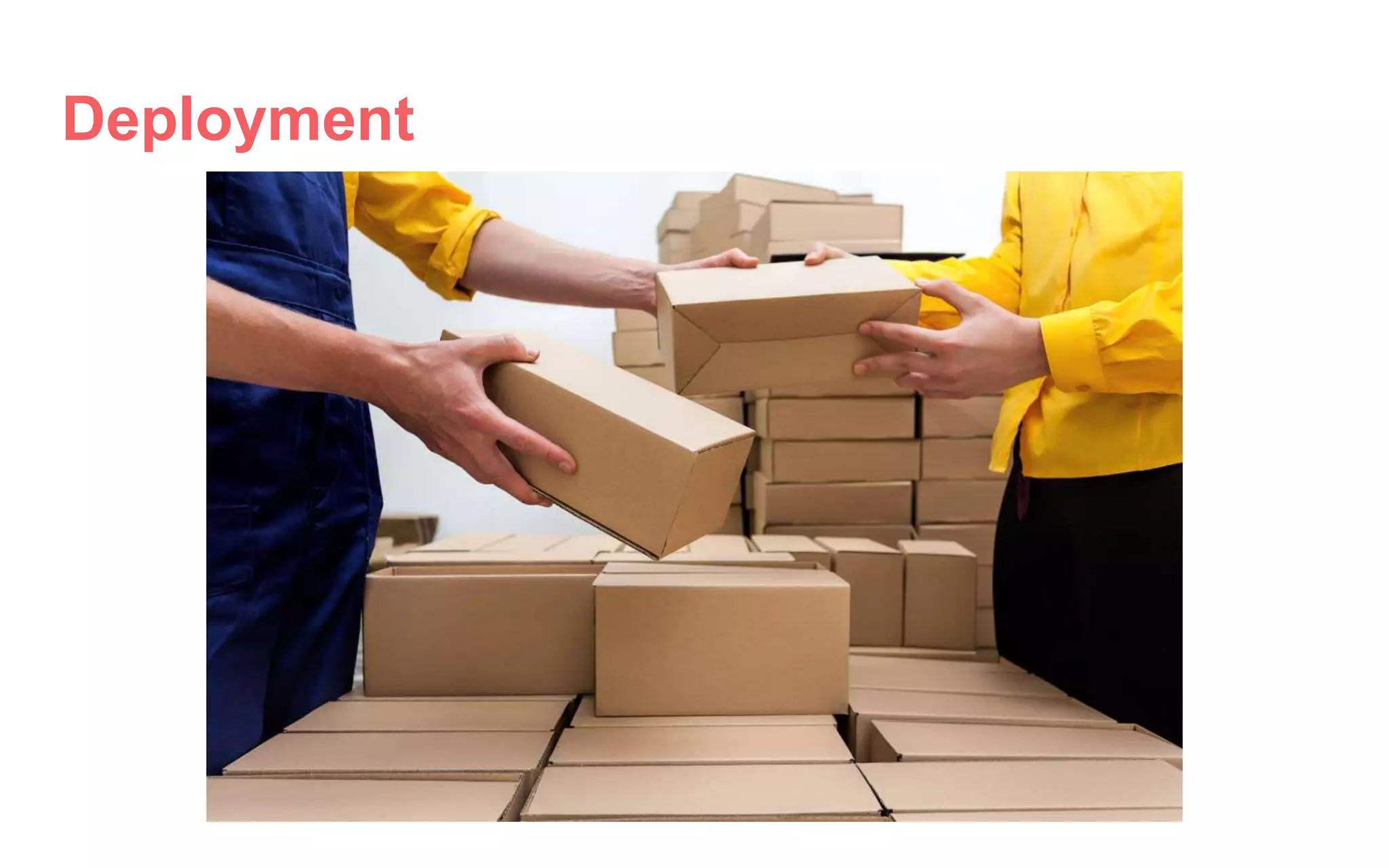
Deployment
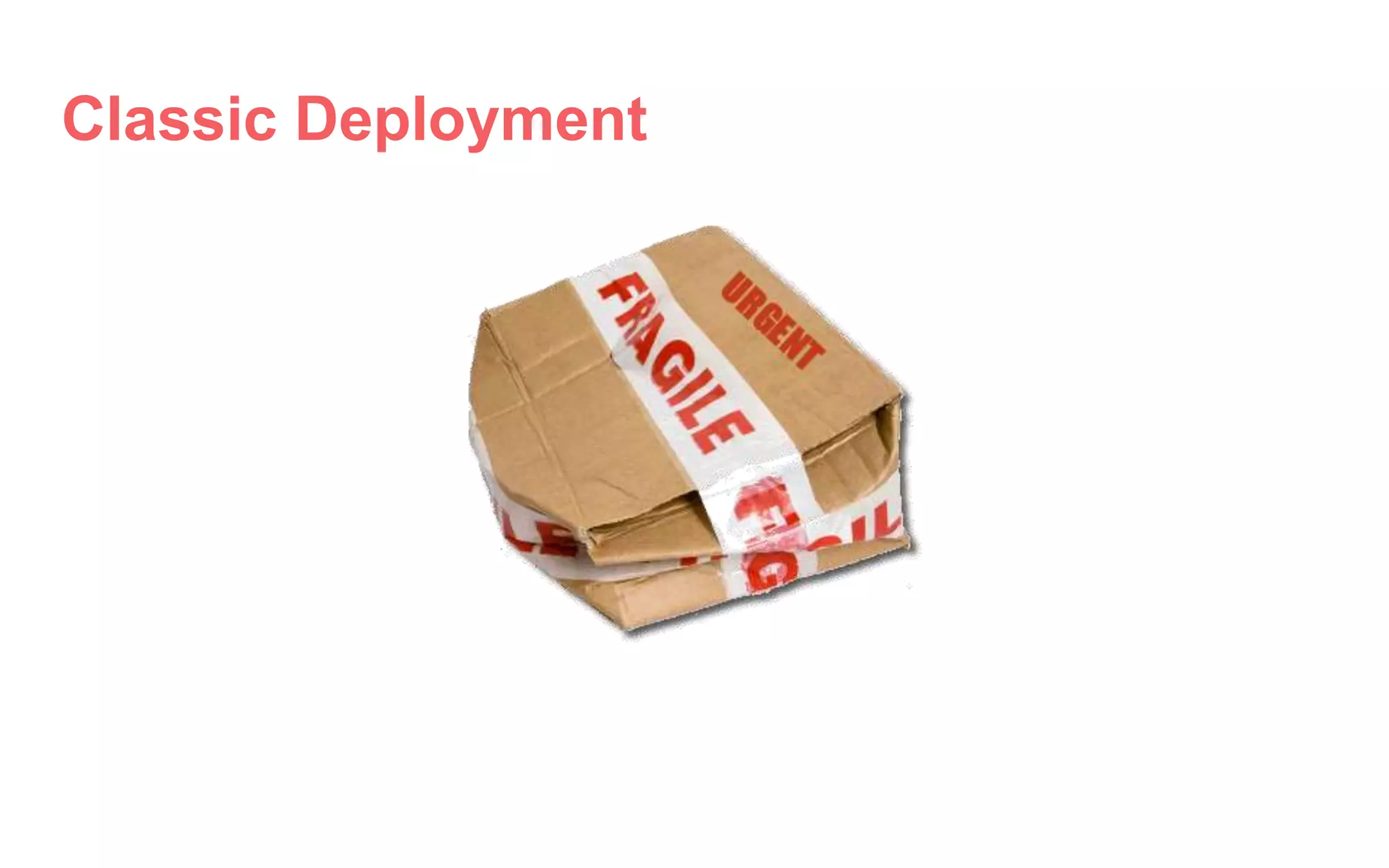
Classic Deployment
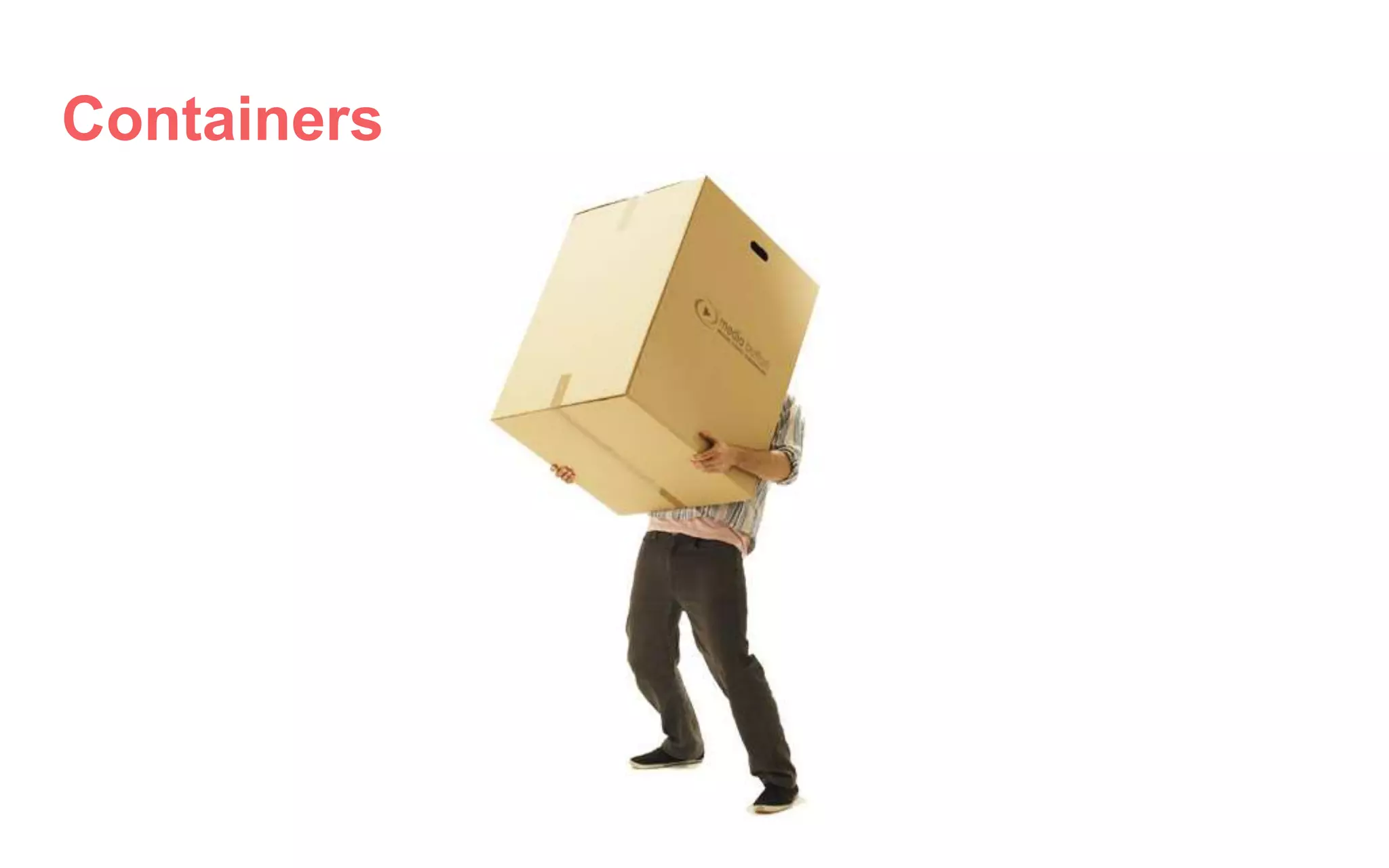
Containers
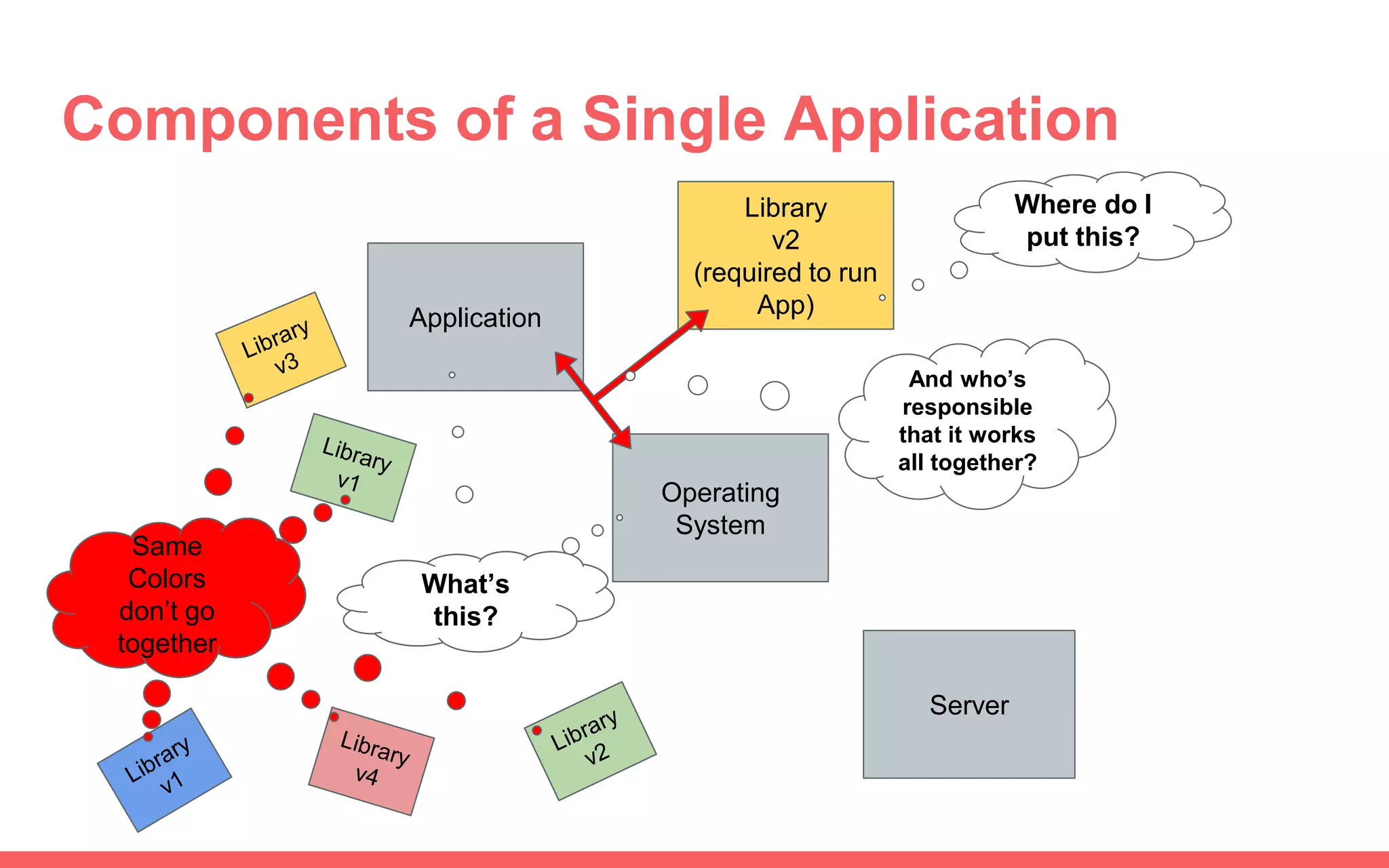
Components of a Single Application
Application
Server
Operating
System
What’s
this?
Library
v2
(required to run
App)
Where do I
put this?
And who’s
responsible
that it works
all together?
Same
Colors
don’t go
together
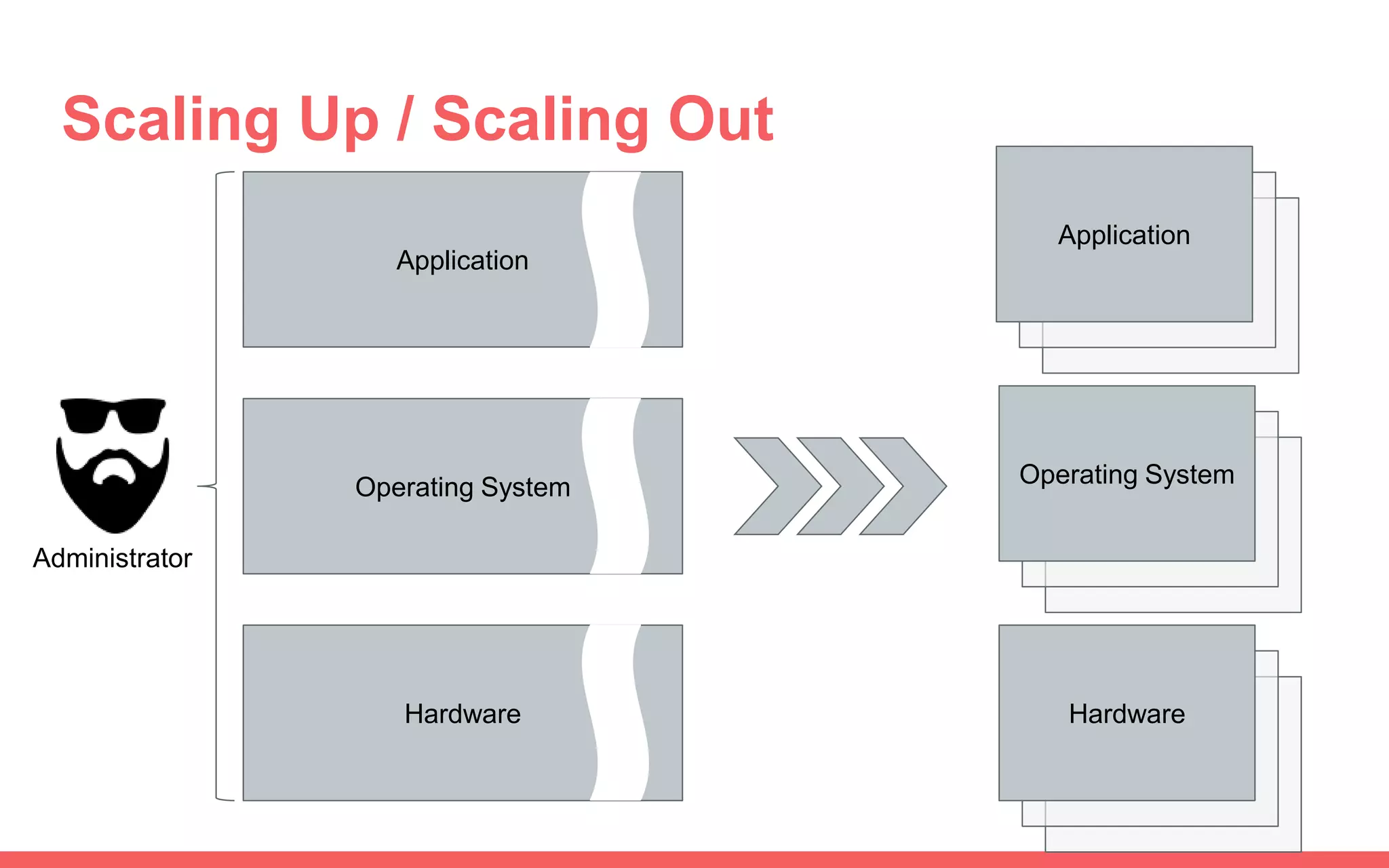
Scaling Up / Scaling Out
Application
Operating System
Hardware
Administrator
Operating System
Application
Hardware
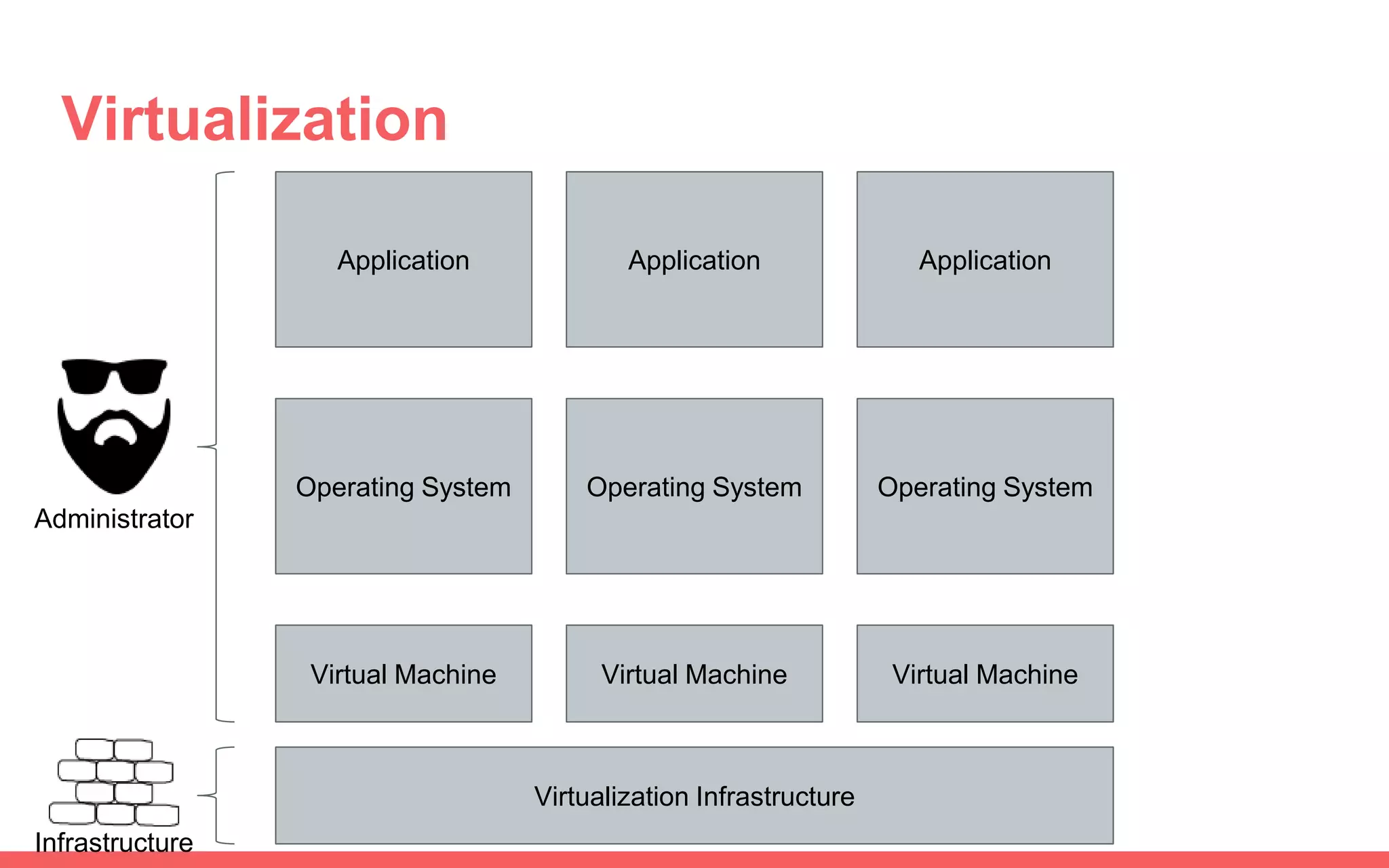
Virtualization
Application
Operating System
Virtual Machine
Virtualization Infrastructure
Application
Operating System
Virtual Machine
Application
Operating System
Virtual Machine
Administrator
Infrastructure
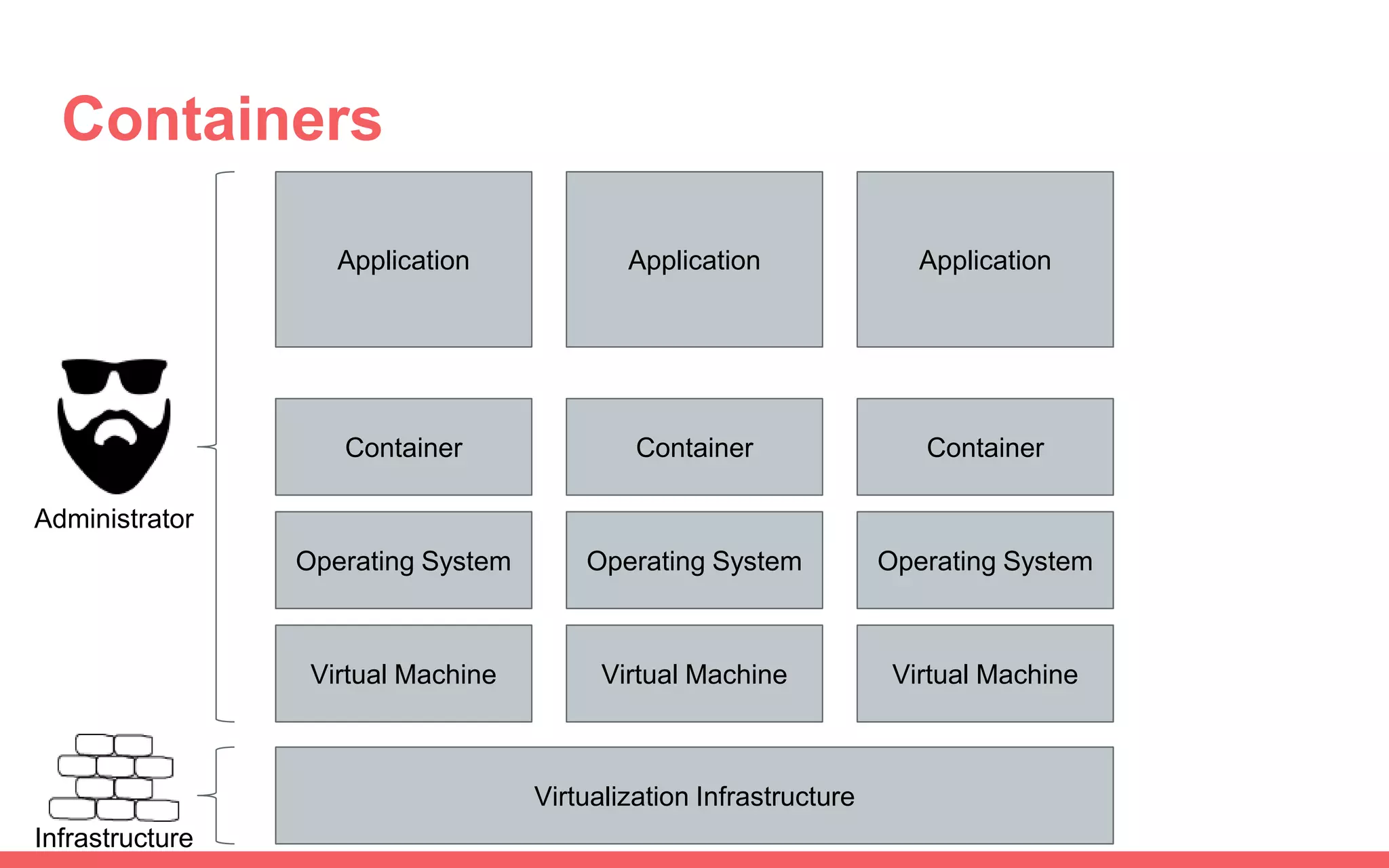
Containers
Application
Container
Virtual Machine
Virtualization Infrastructure
Application
Virtual Machine
Application
Virtual Machine
Operating System
Container
Operating System
Container
Operating System
Administrator
Infrastructure
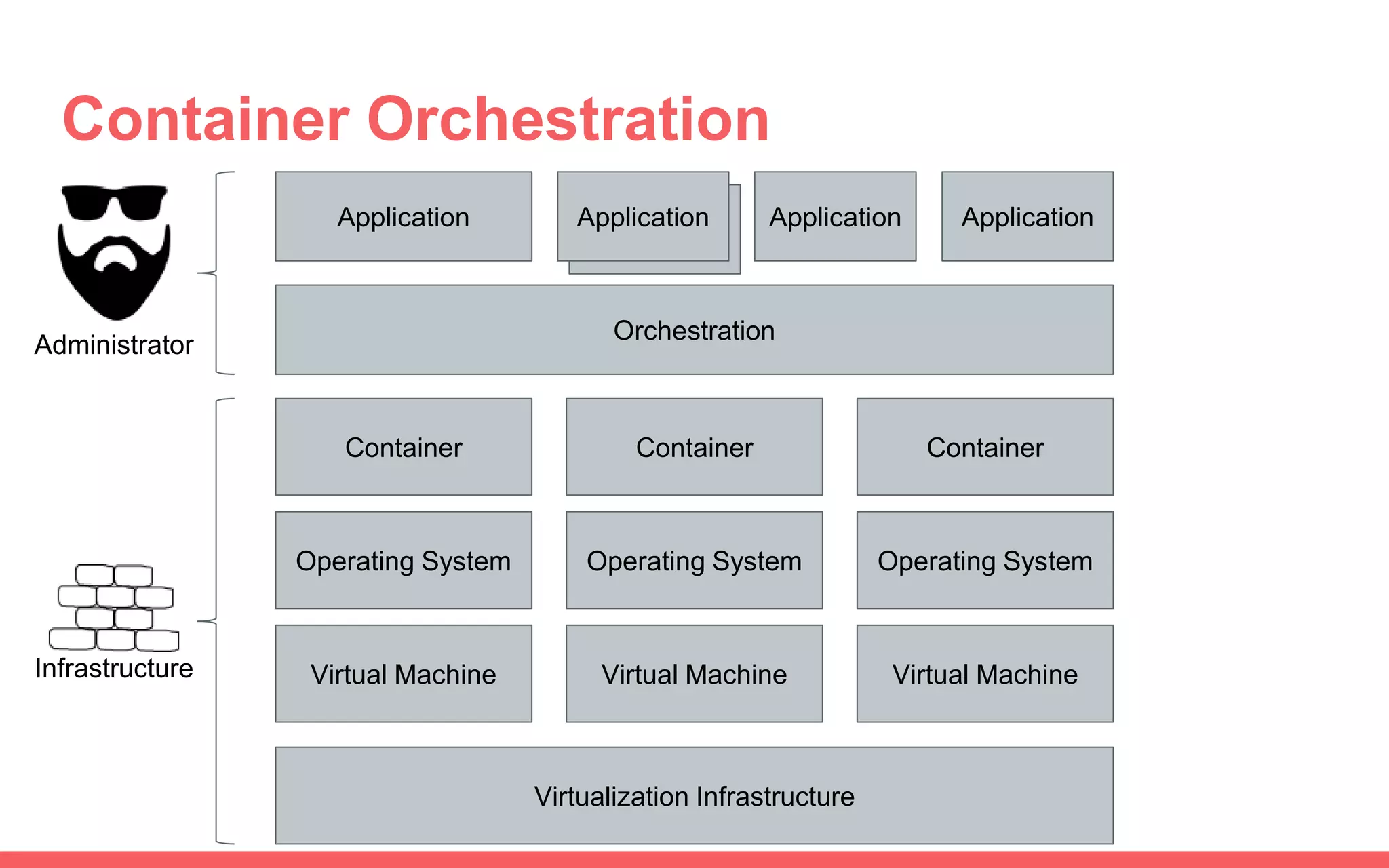
Application
Container Orchestration
Application
Container
Virtual Machine
Virtualization Infrastructure
Virtual MachineVirtual Machine
Operating System
Orchestration
Application ApplicationApplication
Container
Operating System
Container
Operating System
Administrator
Infrastructure
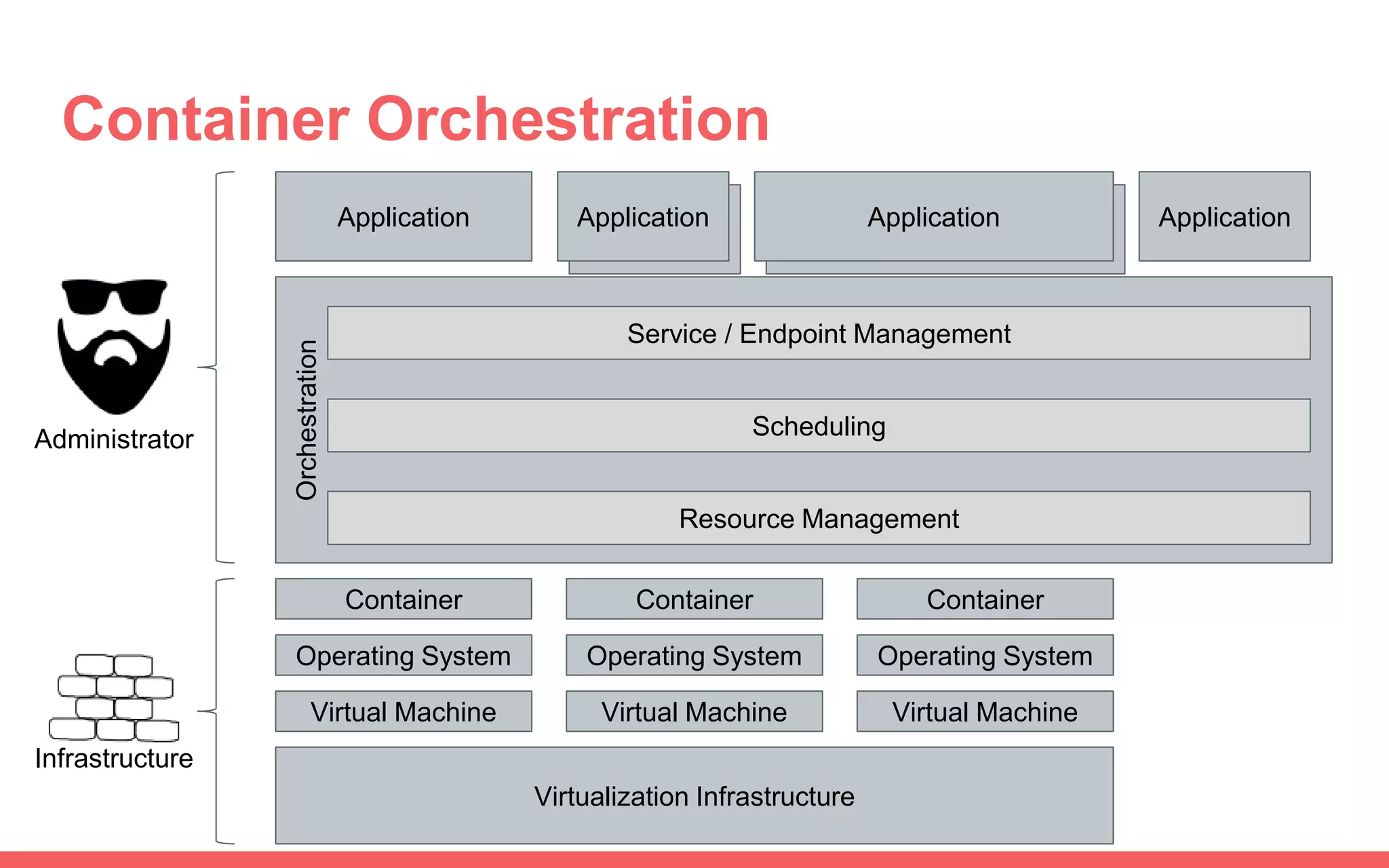
Application
Container Orchestration
Virtualization Infrastructure
Virtual Machine Virtual MachineVirtual Machine
Application Application
Container Container Container
Operating System Operating System Operating System
Orchestration
Service / Endpoint Management
Scheduling
Resource Management
Administrator
Infrastructure
ApplicationApplicationApplication
Kubernetes
Overview
Architecture & Concepts
Orchestration Tools
Why Kubernetes
● Largest User Base
● Most Commercial Offerings
● On-Premise & Cloud offers same
interface
● Component of the Cloud Native
Computing Foundation
○ Members
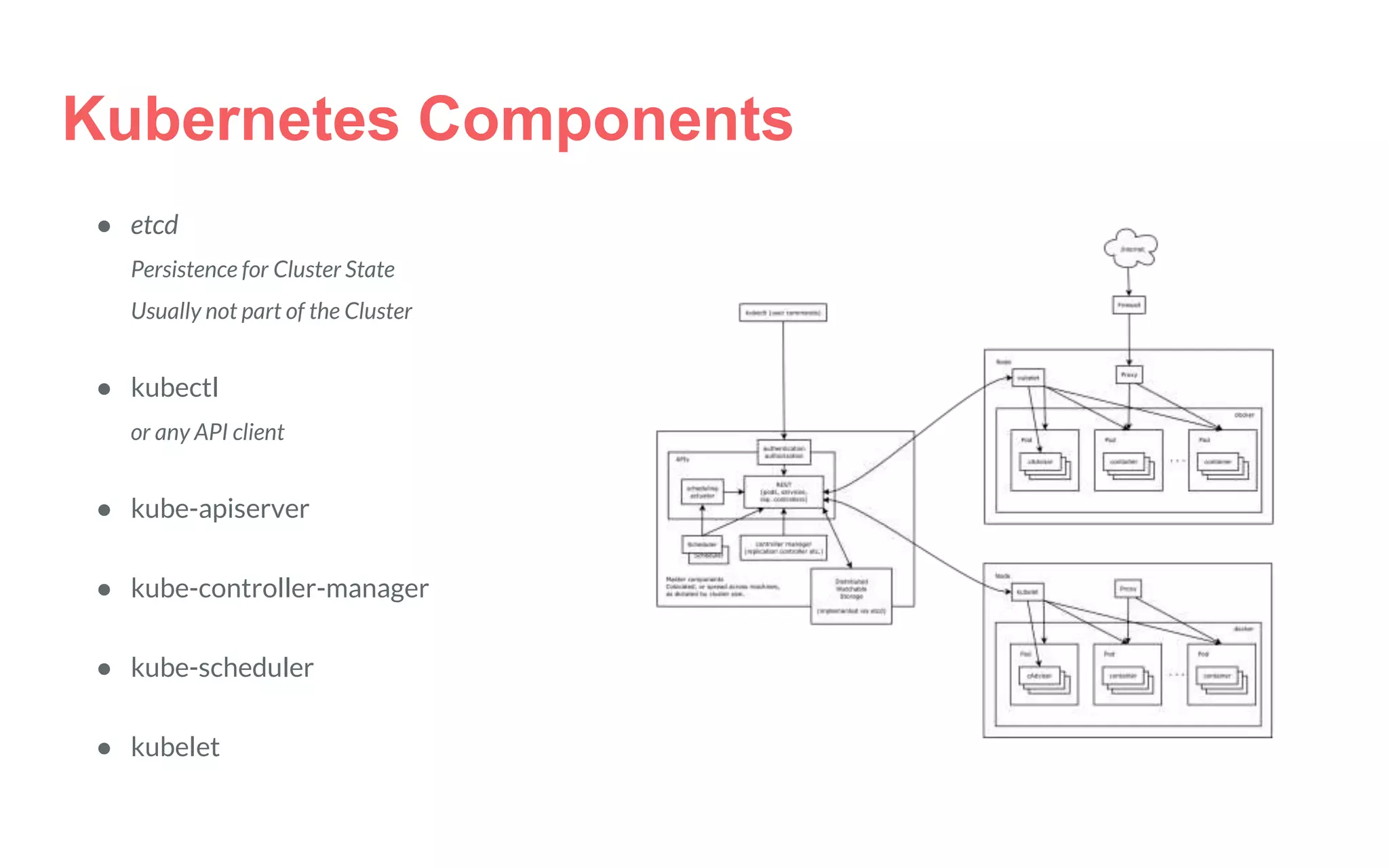
Kubernetes Components
● etcd
Persistence for Cluster State
Usually not part of the Cluster
● kubectl
or any API client
● kube-apiserver
● kube-controller-manager
● kube-scheduler
● kubelet
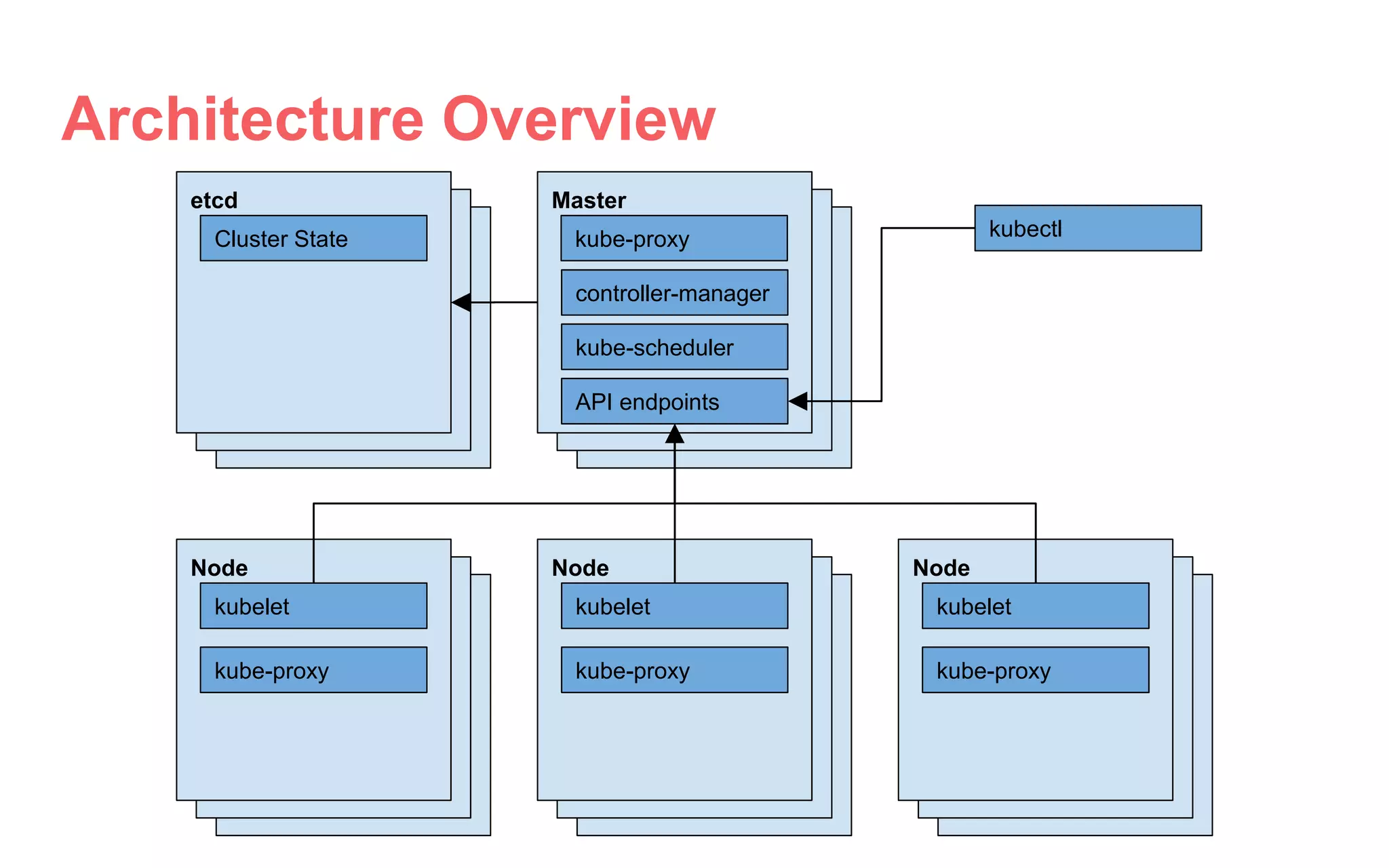
Architecture Overview
etcd
Cluster State kubectl
Master
kube-scheduler
controller-manager
API endpoints
kube-proxy
Node
kubelet
kube-proxy
Node
kubelet
kube-proxy
Node
kubelet
kube-proxy
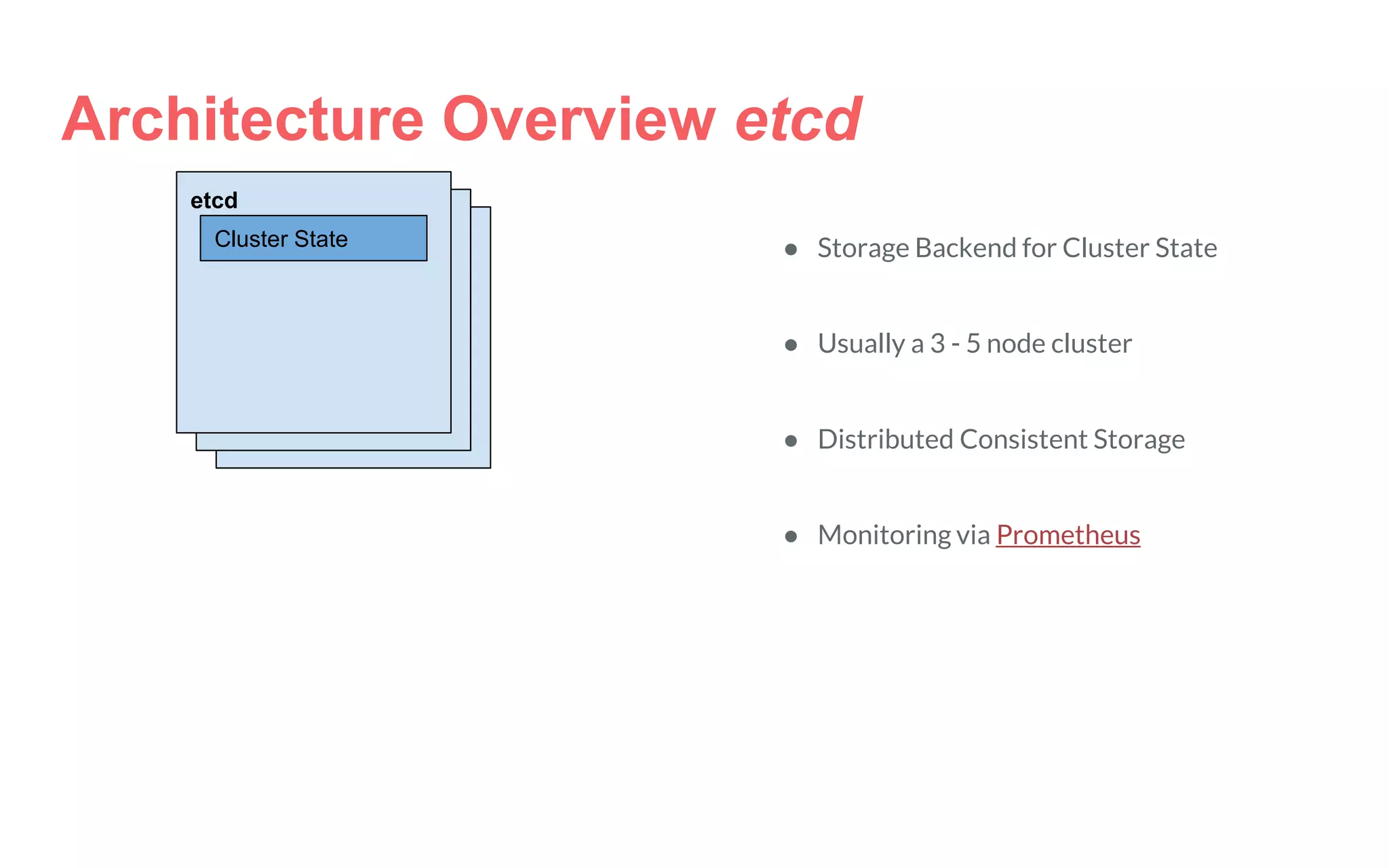
Architecture Overview etcd
etcd
Cluster State ● Storage Backend for Cluster State
● Usually a 3 - 5 node cluster
● Distributed Consistent Storage
● Monitoring via Prometheus
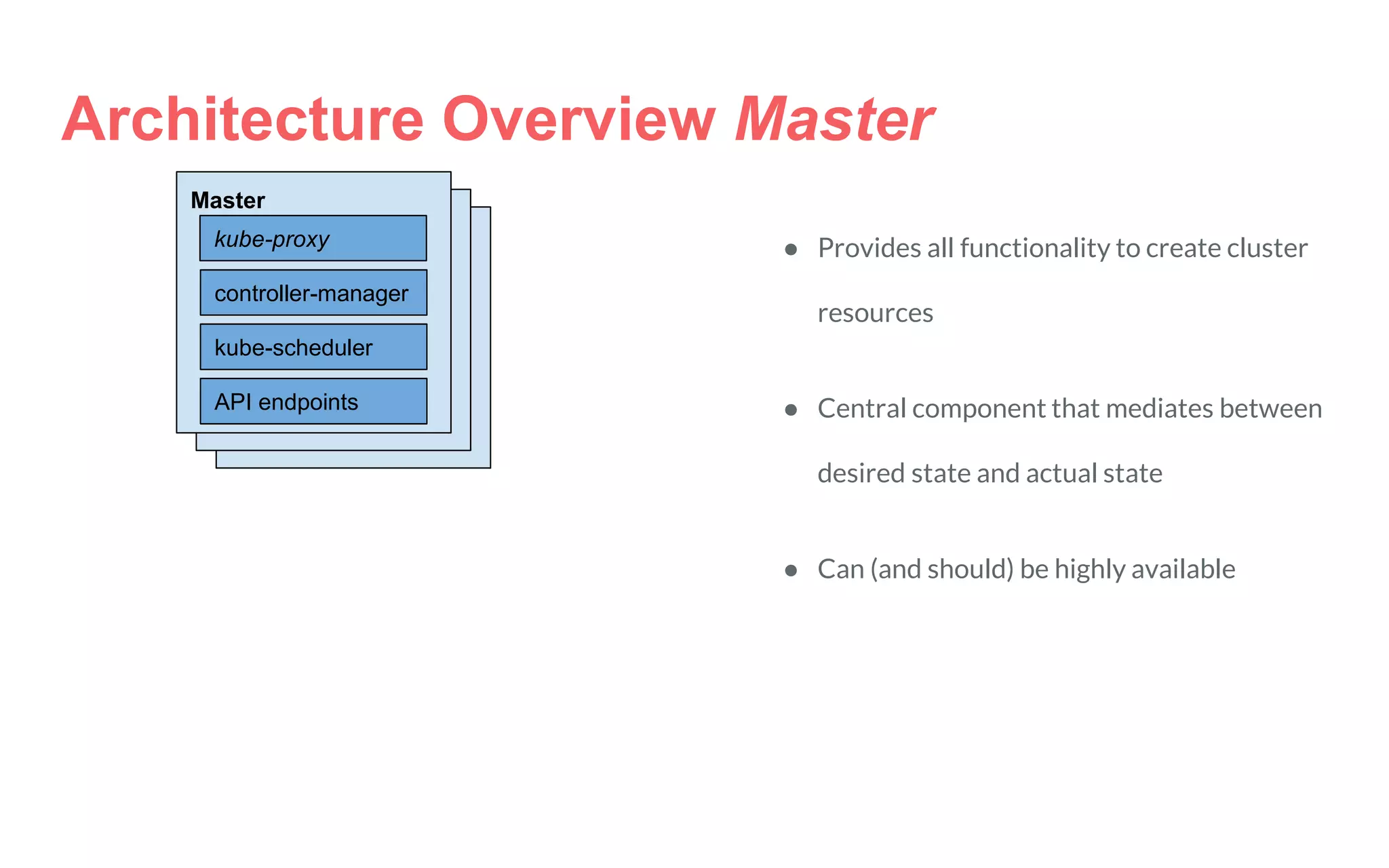
Architecture Overview Master
Master
kube-scheduler
controller-manager
API endpoints
kube-proxy ● Provides all functionality to create cluster
resources
● Central component that mediates between
desired state and actual state
● Can (and should) be highly available
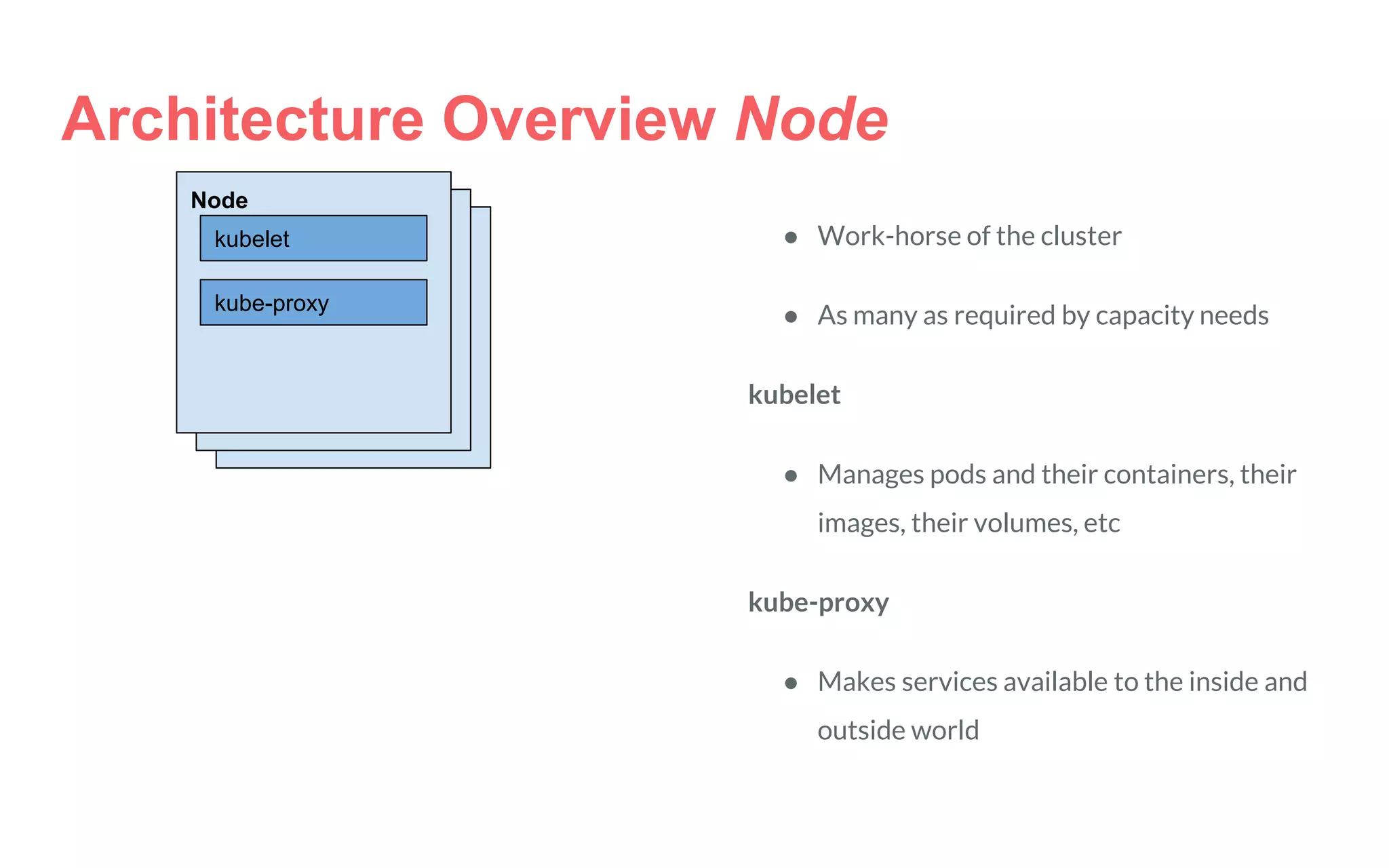
Node
kubelet
kube-proxy
Architecture Overview Node
● Work-horse of the cluster
● As many as required by capacity needs
kubelet
● Manages pods and their containers, their
images, their volumes, etc
kube-proxy
● Makes services available to the inside and
outside world
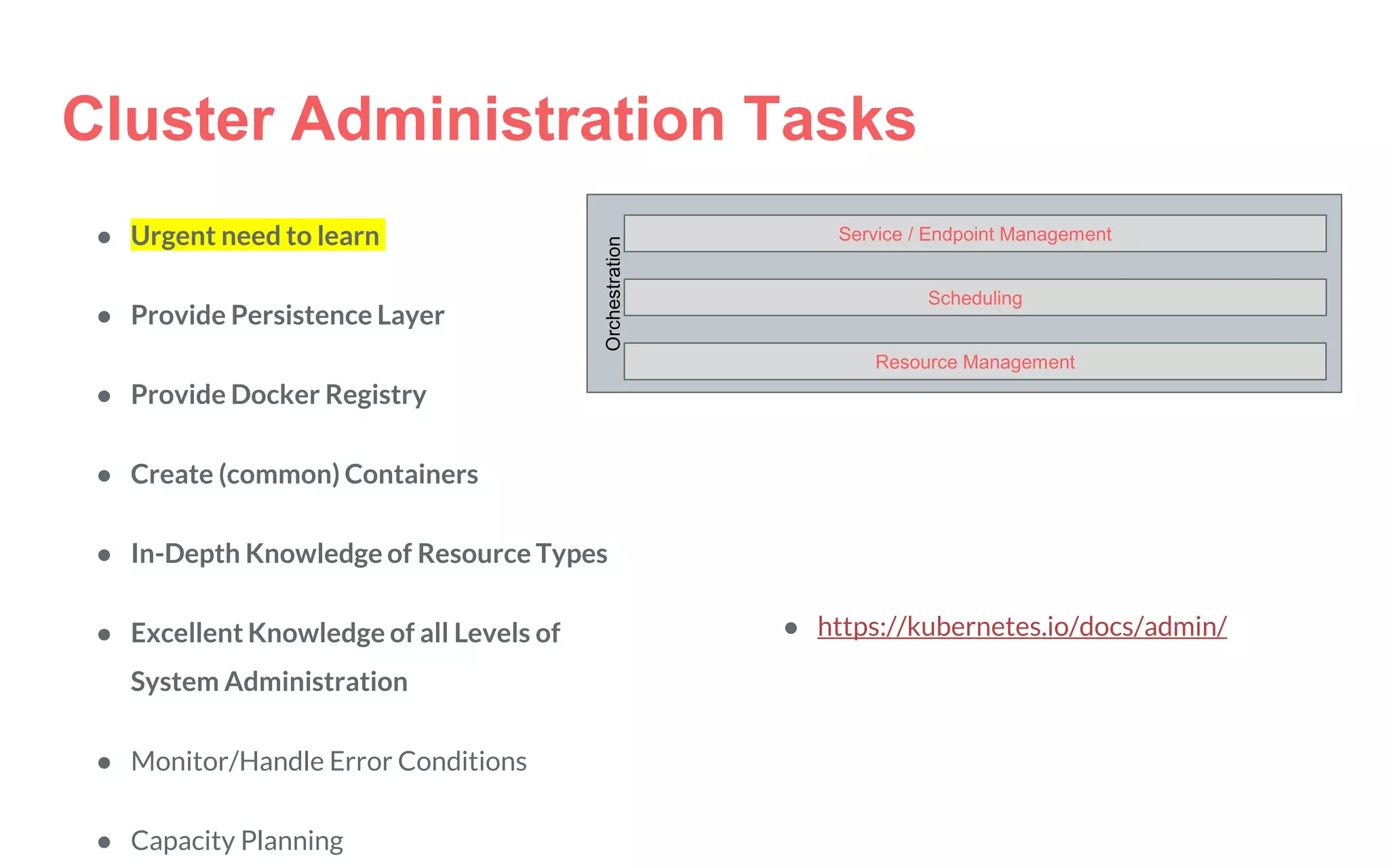
Orchestration
Service / Endpoint Management
Scheduling
Resource Management
Cluster Administration Tasks
● Urgent need to learn
● Provide Persistence Layer
● Provide Docker Registry
● Create (common) Containers
● In-Depth Knowledge of Resource Types
● Excellent Knowledge of all Levels of
System Administration
● Monitor/Handle Error Conditions
● Capacity Planning
● https://kubernetes.io/docs/admin/
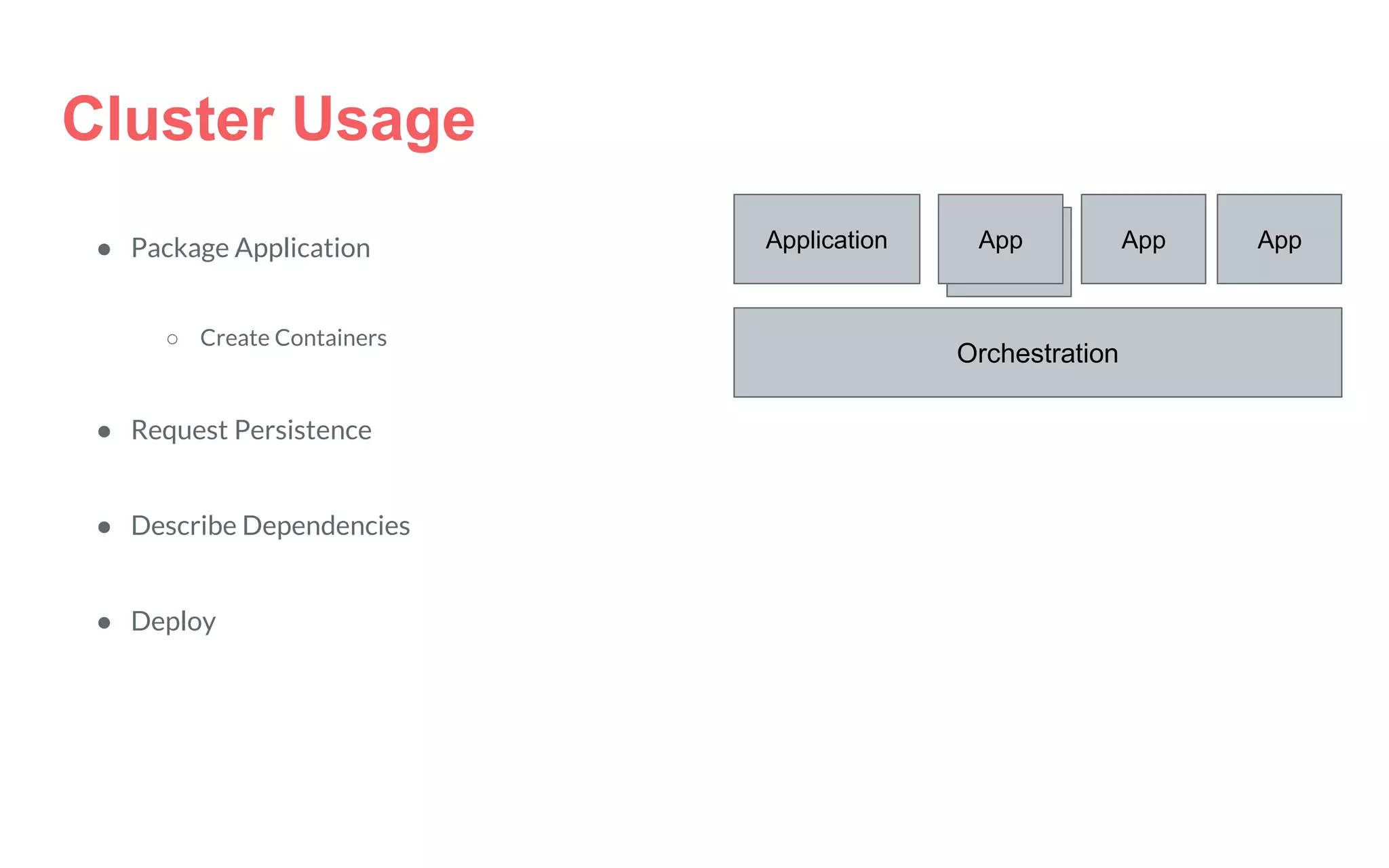
Cluster Usage
● Package Application
○ Create Containers
● Request Persistence
● Describe Dependencies
● Deploy
Orchestration
Application Applicati
on
App AppApp
Cluster Usage Best Practices
Configuration files must be stored in version control before being pushed to the
cluster
When defining configurations, specify the latest stable API version (currently
v1).
Write your configuration files using YAML rather than JSON
Group related objects together in a single file where this makes sense
Don’t specify default values unnecessarily
Put an object description in an annotation to allow better introspection
Kubernetes
Concepts
Scratching the Surface
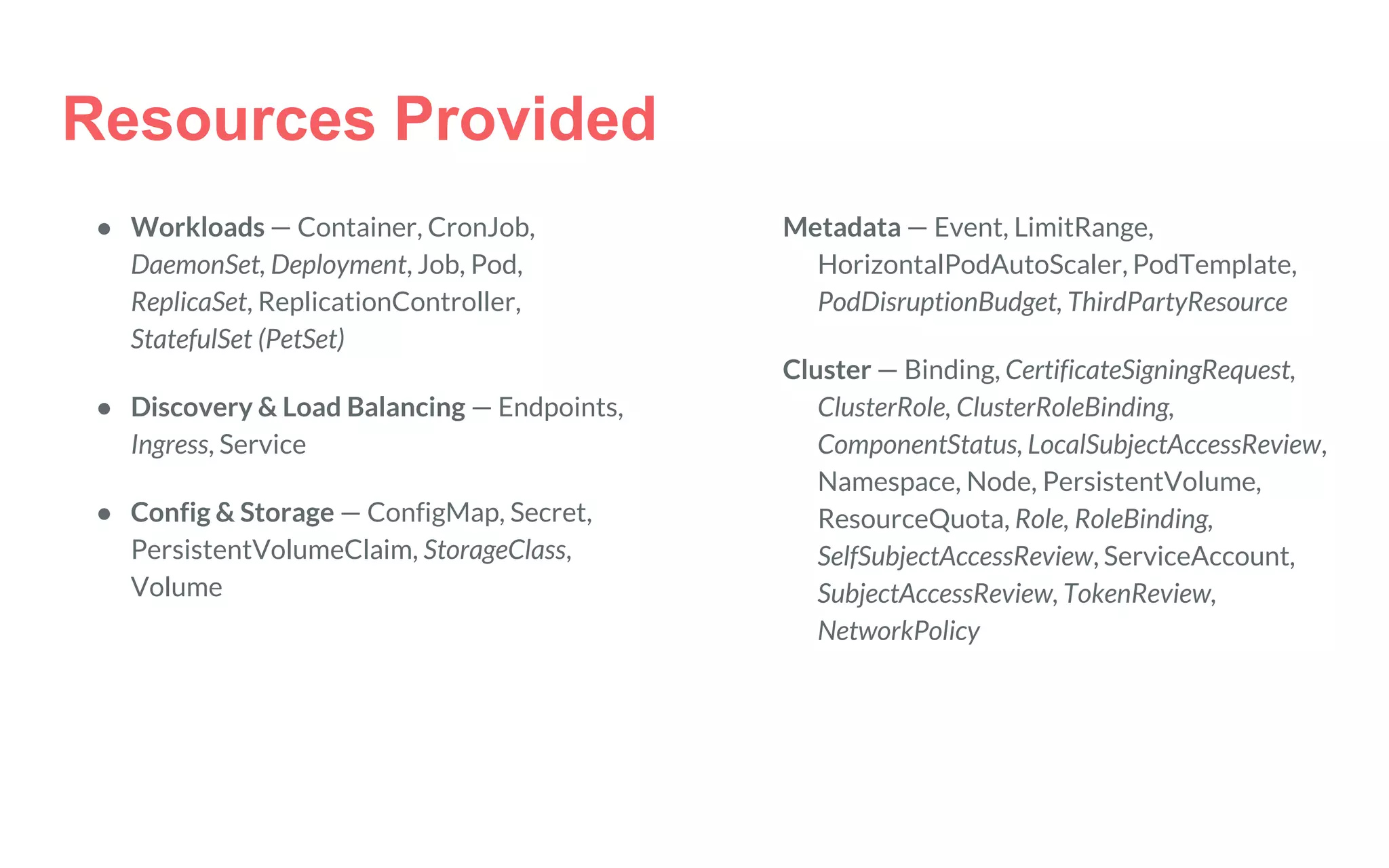
Resources Provided
● Workloads — Container, CronJob,
DaemonSet, Deployment, Job, Pod,
ReplicaSet, ReplicationController,
StatefulSet (PetSet)
● Discovery & Load Balancing — Endpoints,
Ingress, Service
● Config & Storage — ConfigMap, Secret,
PersistentVolumeClaim, StorageClass,
Volume
Metadata — Event, LimitRange,
HorizontalPodAutoScaler, PodTemplate,
PodDisruptionBudget, ThirdPartyResource
Cluster — Binding, CertificateSigningRequest,
ClusterRole, ClusterRoleBinding,
ComponentStatus, LocalSubjectAccessReview,
Namespace, Node, PersistentVolume,
ResourceQuota, Role, RoleBinding,
SelfSubjectAccessReview, ServiceAccount,
SubjectAccessReview, TokenReview,
NetworkPolicy
apiVersion: v1
kind: Pod
metadata:
name: command-demo
spec:
containers:
- name: command-demo-container
image: debian
command: ["printenv"]
args: ["HOSTNAME"]
Resource Type Pod
Pod
apiVersion: extensions/v1beta1
kind: ReplicaSet
metadata:
name: my-first-rs
spec:
replicas: 1
template:
metadata:
name: command-demo-rs
spec:
containers:
- name: command-demo-container
image: debian
command: ["printenv"]
args: ["HOSTNAME"]
Resource Type ReplicaSet
Replica Set
Pod
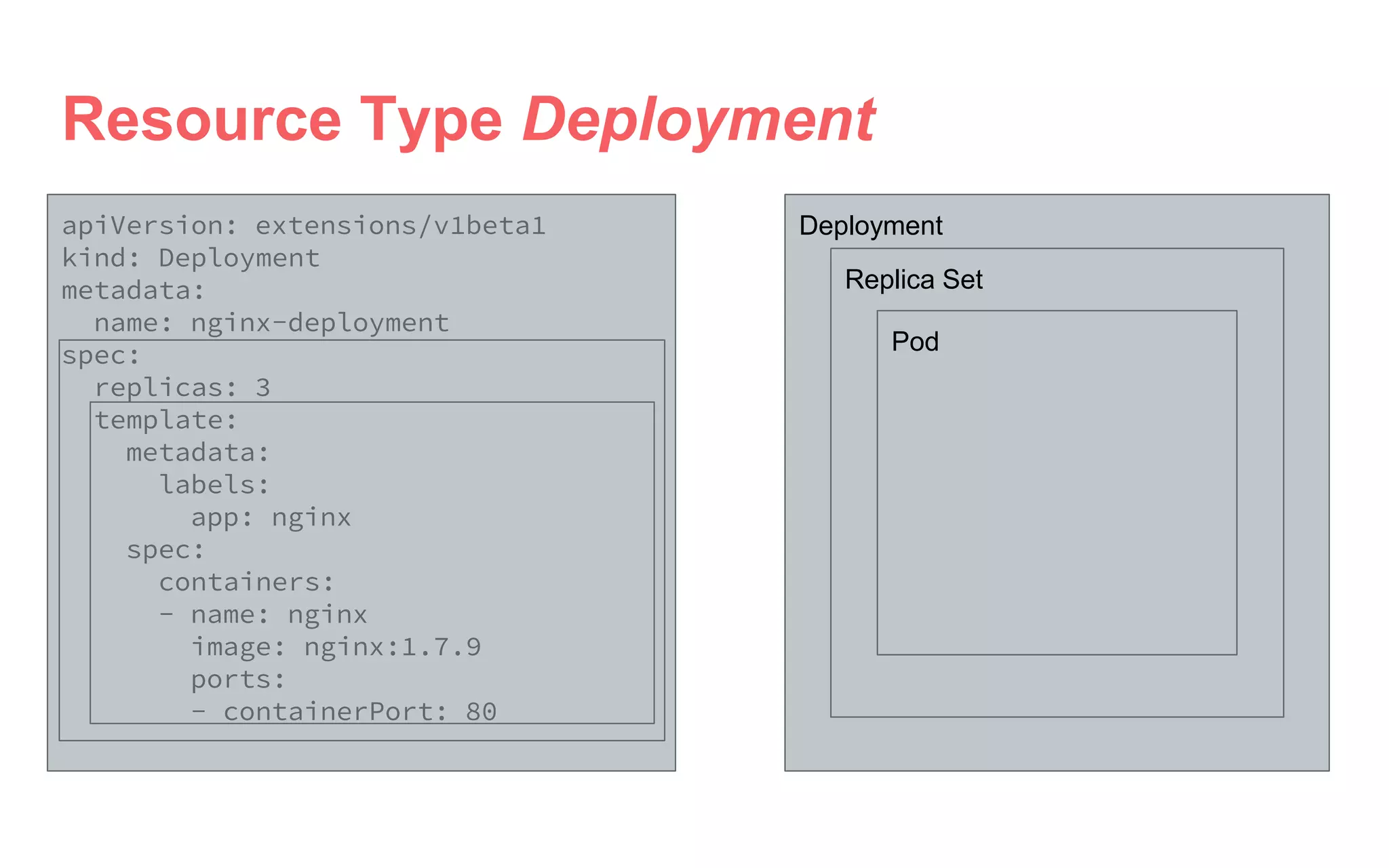
apiVersion: extensions/v1beta1
kind: Deployment
metadata:
name: nginx-deployment
spec:
replicas: 3
template:
metadata:
labels:
app: nginx
spec:
containers:
- name: nginx
image: nginx:1.7.9
ports:
- containerPort: 80
Resource Type Deployment
Deployment
Replica Set
Pod
Kubernetes
Overview
Practical Application
Guestbook
https://github.com/kubernetes/k
ubernetes/tree/v1.5.2/examples
/guestbook
Administrator Infrastructure

Introduction to container mangement

Editor's Notes

  • #9 Typically when you need to deploy a software people see this being delivered like this. You have a friendly person and she gives you one nice package. You sign it and are all the happier. You are done. Find a supported OS version Install dependencies (Libraries) Install Application Discover some dependencies kill functionality of another application Remove Application Remove Dependencies Find new Server Start over Installing new Application Discover uninstallation of dependencies removed a vital function of old application ...