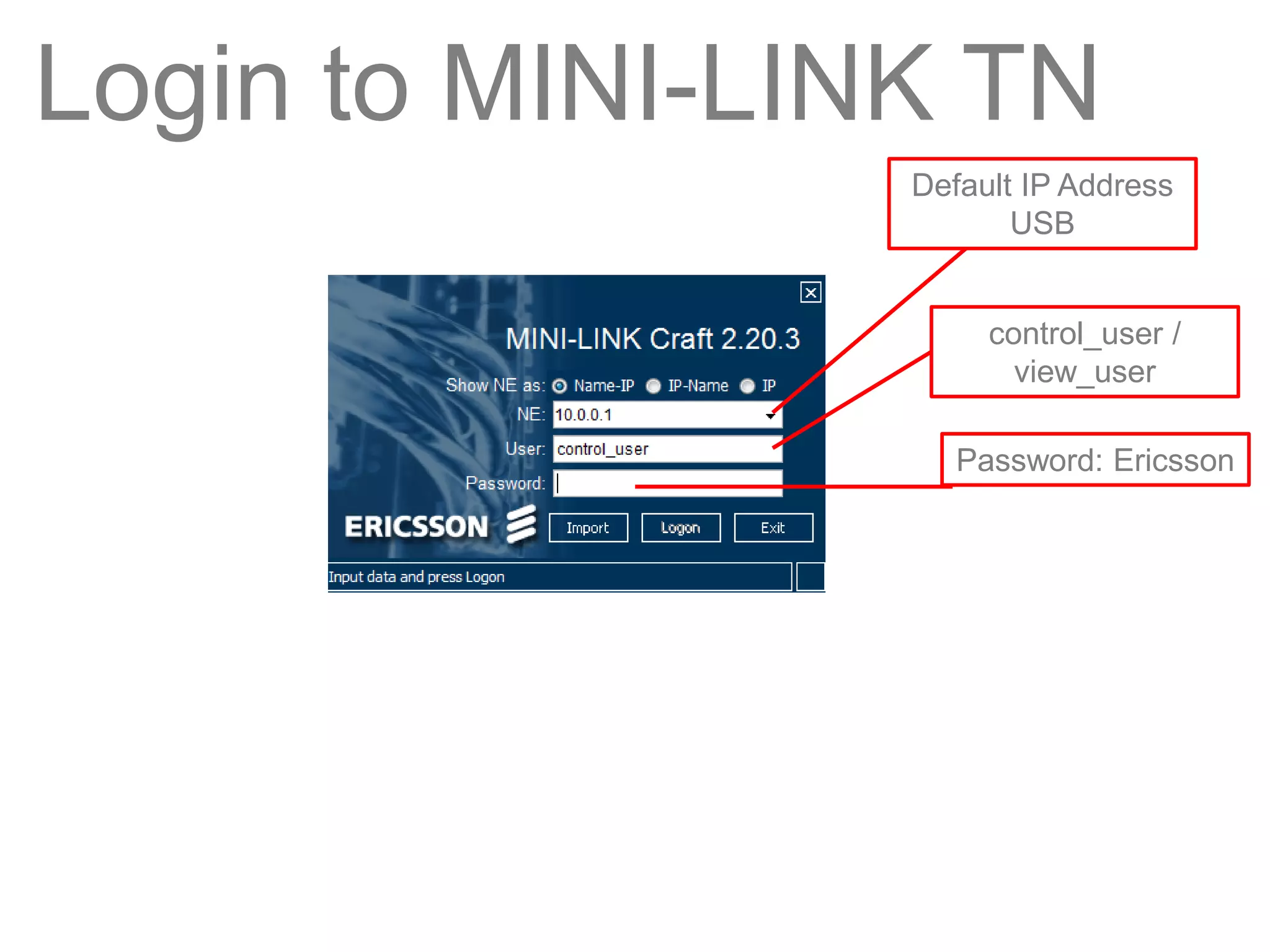
Default IP Address
USB
Login to MINI-LINK TN
control_user /
view_user
Password: Ericsson
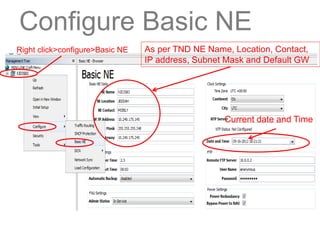
Configure Basic NE
Right click>configure>Basic NE As per TND NE Name, Location, Contact,
IP address, Subnet Mask and Default GW
Current date and Time
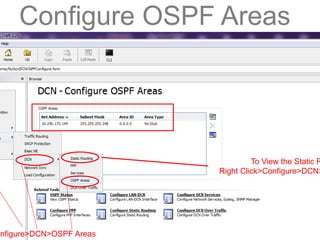
Configure OSPF Areas
onfigure>DCN>OSPF Areas
To View the Static R
Right Click>Configure>DCN>
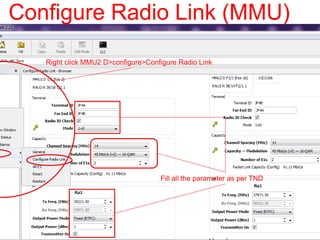
Right click MMU2 D>configure>Configure Radio Link
Fill all the parameter as per TND
Configure Radio Link (MMU)
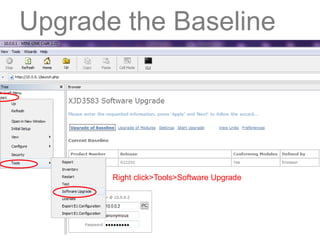
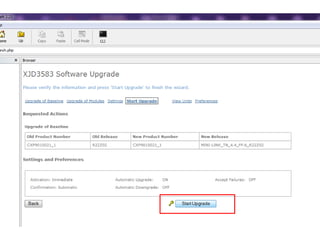
Upgrade the Baseline
Right click>Tools>Software Upgrade
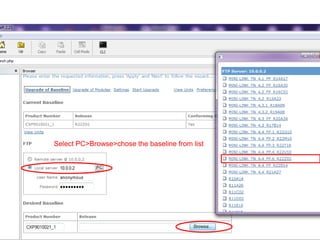
Select PC>Browse>chose the baseline from list
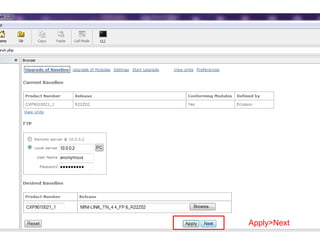
Apply>Next
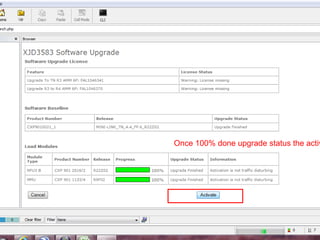
Once 100% done upgrade status the activ
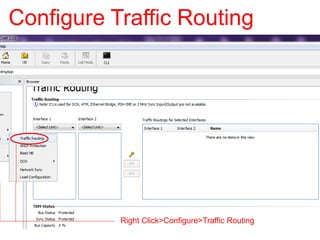
Configure Traffic Routing
Right Click>Configure>Traffic Routing
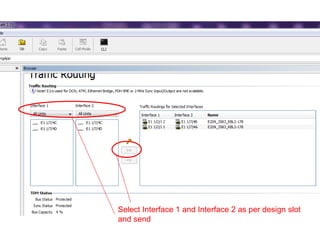
Select Interface 1 and Interface 2 as per design slot
and send
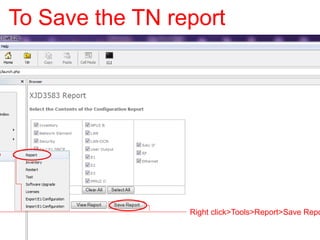
To Save the TN report
Right click>Tools>Report>Save Repo
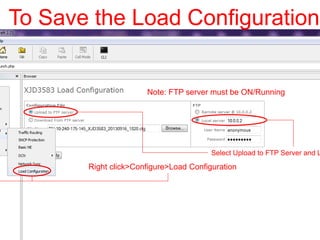
To Save the Load Configuration
Note: FTP server must be ON/Running
Right click>Configure>Load Configuration
Select Upload to FTP Server and L
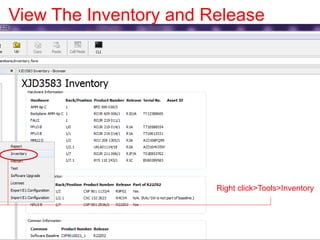
View The Inventory and Release
Right click>Tools>Inventory
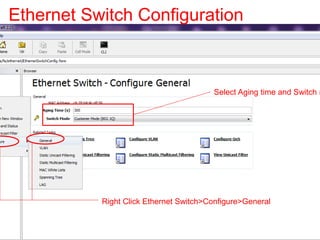
Ethernet Switch Configuration
Right Click Ethernet Switch>Configure>General
Select Aging time and Switch m
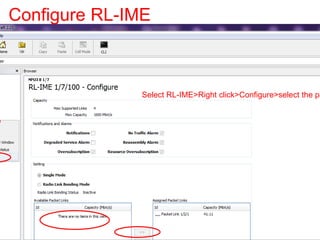
Configure RL-IME
Select RL-IME>Right click>Configure>select the pa
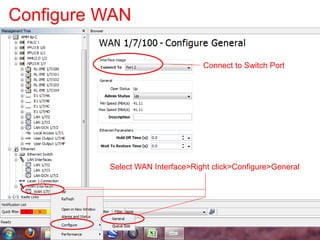
Configure WAN
Select WAN Interface>Right click>Configure>General
Connect to Switch Port
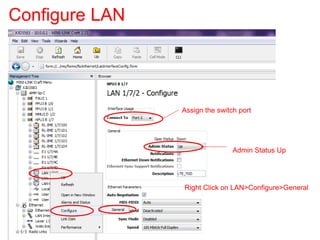
Configure LAN
Right Click on LAN>Configure>General
Assign the switch port
Admin Status Up
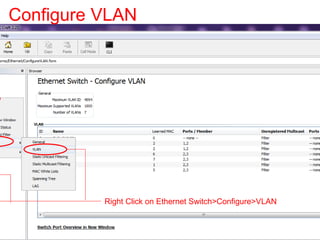
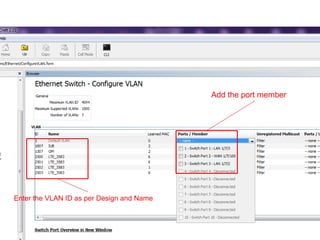
Configure VLAN
Right Click on Ethernet Switch>Configure>VLAN
Enter the VLAN ID as per Design and Name
Add the port member
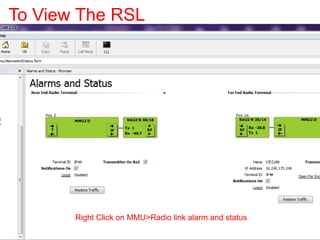
To View The RSL
Right Click on MMU>Radio link alarm and status
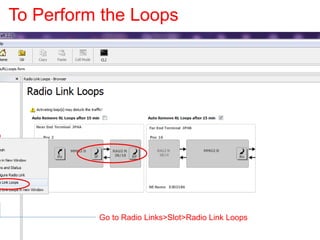
To Perform the Loops
Go to Radio Links>Slot>Radio Link Loops

config_mini link