conference tips
a presentation about presentations
Basic Tips
Respect the 15-minute time limit
Stay Focused: no lengthy quotes, no literature review
Give road markers
Keep tone conversational & project your voice
Give yourself reminders
“eye contact,” “slow down,” “pause,” “emphasize”
Practice, Practice, Practice!
What presentation
materials make sense
for you?
PowerPoint/Keynote
Prezi
Visual Timelines (Dipity, Timeline JS)
Venn Diagrams, Graphs, Maps, Trees
Others?
PowerPoint & Keynote
PROS

CONS

Lend visual appeal

Prone to misuse

Organize your points

Unsuitable to task

Enhance clarity

Poorly Constructed

Reinforce message
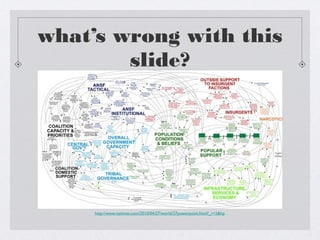
what’s wrong with this
slide?

http://www.nytimes.com/2010/04/27/world/27powerpoint.html?_r=2&hp
Problems
This image is taken from an article entitled “We Have Met the Enemy, and He
Is PowerPoint,” published in the New York Times on April 26, 2010. It
originated from a presentation to General Stanley A. McChrystal, leader of
the NATO forces in Afghanistan, and “was meant to portray the complexity of
American military strategy.”
The visual aid becomes a confusing, visual nightmare of colors, words,
arrows, and cryptic acronyms that obscures rather than enlightens the
intended message.
Even a distinguished General with expertise in military strategy and wellversed in the language used to describe the complex structures, procedures
and considerations of war was completely baffled by the slide, saying, “When
we understand that slide, we’ll have won the war.”
If you haven’t guessed by now, this slide is yet another example of what NOT
TO DO.
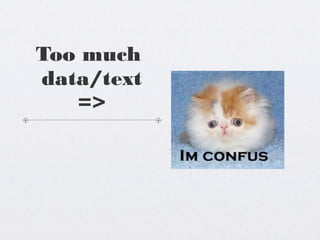
Too much
data/text
=>
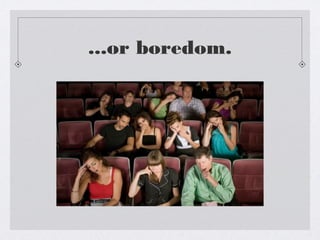
...or boredom.
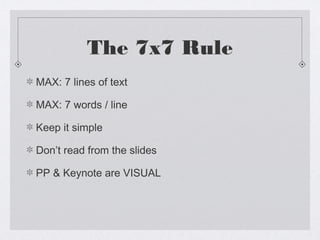
The 7x7 Rule
MAX: 7 lines of text
MAX: 7 words / line
Keep it simple
Don’t read from the slides
PP & Keynote are VISUAL
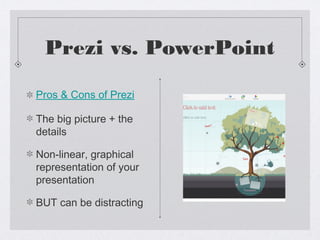
Prezi vs. PowerPoint
Pros & Cons of Prezi
The big picture + the
details
Non-linear, graphical
representation of your
presentation
BUT can be distracting
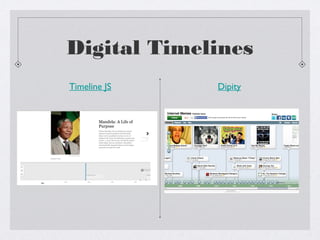
Digital Timelines
Timeline JS

Dipity
Timeline JS vs. Dipity
What presentation materials
are right for you?
let’s talk about it...
Last Tips
Be prepared for problems...
Bring an extra copy of your paper
Save your paper in multiple places
Be prepared to present without visual aids
Be Confident! Remember--you’re the expert!

Conference Tips

  • 1.
    conference tips a presentationabout presentations
  • 2.
    Basic Tips Respect the15-minute time limit Stay Focused: no lengthy quotes, no literature review Give road markers Keep tone conversational & project your voice Give yourself reminders “eye contact,” “slow down,” “pause,” “emphasize” Practice, Practice, Practice!
  • 3.
    What presentation materials makesense for you? PowerPoint/Keynote Prezi Visual Timelines (Dipity, Timeline JS) Venn Diagrams, Graphs, Maps, Trees Others?
  • 4.
    PowerPoint & Keynote PROS CONS Lendvisual appeal Prone to misuse Organize your points Unsuitable to task Enhance clarity Poorly Constructed Reinforce message
  • 5.
    what’s wrong withthis slide? http://www.nytimes.com/2010/04/27/world/27powerpoint.html?_r=2&hp
  • 6.
    Problems This image istaken from an article entitled “We Have Met the Enemy, and He Is PowerPoint,” published in the New York Times on April 26, 2010. It originated from a presentation to General Stanley A. McChrystal, leader of the NATO forces in Afghanistan, and “was meant to portray the complexity of American military strategy.” The visual aid becomes a confusing, visual nightmare of colors, words, arrows, and cryptic acronyms that obscures rather than enlightens the intended message. Even a distinguished General with expertise in military strategy and wellversed in the language used to describe the complex structures, procedures and considerations of war was completely baffled by the slide, saying, “When we understand that slide, we’ll have won the war.” If you haven’t guessed by now, this slide is yet another example of what NOT TO DO.
  • 7.
  • 8.
  • 9.
    The 7x7 Rule MAX:7 lines of text MAX: 7 words / line Keep it simple Don’t read from the slides PP & Keynote are VISUAL
  • 10.
    Prezi vs. PowerPoint Pros& Cons of Prezi The big picture + the details Non-linear, graphical representation of your presentation BUT can be distracting
  • 11.
  • 12.
  • 13.
    What presentation materials areright for you? let’s talk about it...
  • 14.
    Last Tips Be preparedfor problems... Bring an extra copy of your paper Save your paper in multiple places Be prepared to present without visual aids Be Confident! Remember--you’re the expert!