
penguin party
Abraham Lincoln
• At a certain point, the number of words on a slide
prevents it from being a visual aid. You’ve been there.
The audience is reading the slides instead of paying
attention to the presenter, the presenter is reading
the slides instead of connecting with the audience,
and the whole endeavor would have been better
served through a well-composed document or even
an email. Unfortunately, the negative habits that lead
to this kind of presentation style are deeply rooted
and difficult to change. But consider this: audiences
will either listen to what a presenter is saying or read
the slides themselves. They won’t do both. Why?
People tend to focus on one stream of verbal
communication at a time—listening and reading are
conflicting activities.
• On the other hand, it’s natural for people to simultaneously pay
attention to both verbal and
visual communication. That’s why
great slides serve as a visual aid that reinforces the speaker’s
message.
• ask yourself this: is it more important that
they listen, or more effective if they read?
Our seminar focuses on
presentations that are on
the far right of this
spectrum.
Jim Endicott, author of The Presentation
Survival Skills Guide
• Once you know you have
a speaking engagement,
immediately schedule
preparation time and
review cycles on your
calendar.
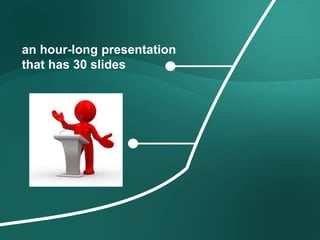
an hour-long presentation
that has 30 slides
6–20 hours
Research and collect
input from the web,
colleagues, and the
industry.
1 hour
Build an audience-needs map
2 hours
Generate ideas via sticky notes
1 hour
Organize
the ideas
1 hour
Have colleagues critique
or collaborate around the
impact the ideas will have
on audience.
2 hours
Sketch a structure or a
storyboard
20–60 hours
Build the slides in a
presentation application
3 hours
Rehearse, rehearse, rehearse (in the
shower, on the treadmill, or during the
commute)
36–90 hours total
audience
Seven Questions to Knowing Your Audience
Why are they here?
What do they think they’re going to get out of this presentation? Why did they come to hear you?
Are they willing participants or mandatory attendees? This is also a bit of a situation analysis.
2
What keeps them up at night?
Everyone has a fear, a pain point, a thorn in the side. Let your audience know you empathize—and
offer a solution.
3
How can you solve their problem?
What’s in it for the audience? How are you going to make their lives better?
4
What do you want them to do?
Answer the question “so what?”—and make sure there’s clear action for your audience to take.
5
How can you best reach them?
People vary in how they receive information. This can include the set up of the room to the availability
of materials after the presentation. Give the audience what they want, how they want it.
6
How might they resist?
What will keep them from adopting your message and carrying out your call to action?
7
What are they like?
Demographics and psychographics are a great start, but connecting with your audience means
understanding them on a personal level. Take a walk in their shoes and describe what their life
looks like each day.
1
• building
audience
personas
before
building
slides
!!!!
“ Presenting is not
simply about
aesthetics or making
things pretty; it’s
about creating
meaning. It’s about
being present. I need
to ensure that every
person in the
audience believes
I’m having an
individual
conversation with
them. That is my
goal.”
Rick Justice
Executive Vice President, Cisco Systems
Finding Your Inspiration
• Often ideas come immediately. That’s good,
but avoid the potential pitfall of going with
the first thing that comes to mind.
word-mapping techniques
Innovating with Sticky Notes
• The point is not to prescribe exactly
how to work, but to encourage
you to generate a lot of ideas and to do
so quickly
• When brainstorming, don’t settle for the first
solution. Think through multiple alternatives.
Don’t be stingy with the sticky notes.
www.decker.com
www.beyondbullets.com
• Bill McDonough
likes to draw on
screen in front of
his audience
because it offers
him the chance to
interact with his
content
Collaborating to Get Clarity
Mitchell Baker
• Using Images
Worth a
Thousand
Words
Strategies for Cross-culture
Communication
Sketching Ideas Using Diagrams
You Are Not Alone
Architect
Develope
r
TesterOperations
Analyst
Manage
You Are Not Alone
Manage
Design
Develop
TestDeploy
Define
Sketching Complete Ideas
Creating Diagrams
• A diagram is a good way to explain how parts
of a whole interact.
Flow
Structure Cluster
Radiate
Abstract
Concepts
Pictorial Display
Data
Realistic
Concepts
Displaying Data
Tell the truth
Get to the point
Pick the right tool for the job
Highlight what’s important
Keep it simple
Tell the truth
Get to the point
Pick the right tool for the job
Highlight what’s important
Keep it simple
Tell the truth
Get to the point
Pick the right tool for the job
Highlight what’s important
Keep it simple
Tell the truth
Get to the point
Pick the right tool for the job
Highlight what’s important
Keep it simple
Tell the truth
Get to the point
Pick the right tool for the job
Highlight what’s important
Keep it simple
Healthy Waters
To create
maximum
impact
Illustrate Statistics
Isolate Text
Employ Actual Photos
Thinking Like a Designer
Al Gore
Designing Effective Slides
Arranging
Elements
Overcrowding the slide doesn’t
add to the clarity of the
message.
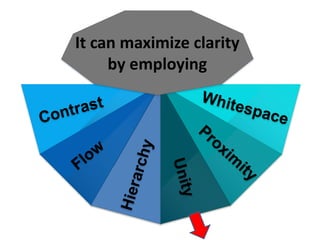
It can maximize clarity
by employing
It can maximize clarity
by employing
It can maximize clarity
by employing
It can maximize clarity
by employing
It can maximize clarity
by employing
It can maximize clarity
by employing
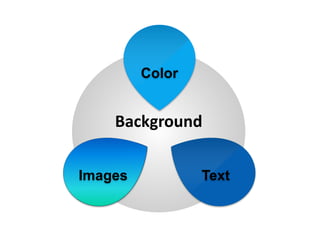
Designing Effective Slides
Background
Images Text
Color
Background
Background
Images Text
Color
Color
Background
Images Text
Color
How Many Words Should Be on a
Slide?
Validating Your Font Size
1 foot = 30.48 cm
1 inch = 2.54 cm
28 pt
document and not a slide.
Playing Text Animations
Background
Images Text
Color
Images
photography illustration
Designing Effective Slides
Creating Scenes, Not Slides
144
did you
know?
145
SIZE
sometimes
does matter
146
SMBs
over 100 million
this
morning
opened their doors
147
creating
148
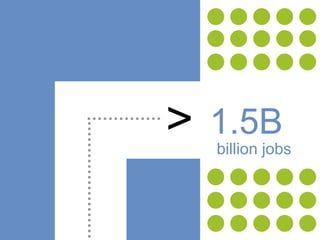
> 1.5B
billion jobs
149
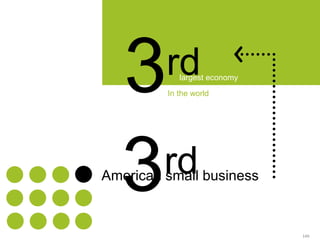
3rdlargest economy
world’s
American small business
is the
3rdlargest economy
In the world
150
world’sis the
trailing only
U.S. (as a whole)
Japan
American small
business is
than the
of Spain Italy+
in the
there are more
small business
owners
do you think there
is a Starbucks on
every corner?
7,300
for every Starbucks
store
there are
SMBs
Interacting with Slides
The Three
R’s of
Letting Go
Reducing Text on a Slide
How Many Slides ?
200 slides
In
8-minute
Garr Reynolds
184 slides
In
6-minute
Manifesto
the Power of a Presentation
‫الدكتور‬ ‫االستاذ‬ ‫اشراف‬ ‫تحت‬
‫ياقوت‬ ‫الفتاح‬ ‫عبد‬ ‫محمد‬
NANCY DUARTE
References
• Design
• Bajaj, Geetesh, and Echo Swinford. 2007. Microsoft Office PowerPoint 2007 Complete Makeover Kit. Que Publishing.
• Before and After Magazine. http://www.bamagazine.com.
• Block, Bruce. 2007. The Visual Story, Second Edition: Creating the Visual Structure of Film, TV and Digital Media. Focal Press.
• Communication Arts Magazine. http://www.commarts.com.
• Critique Magazine. (out of print). http://www.critiquemagazine.com.
• Godin, Seth. 2001. Really Bad PowerPoint. http://www.sethgodin.com/freeprize/reallybad-1.pdf.
• Harrington, Richard, and Scott Rekdal. 2007. How to Wow with PowerPoint. Peachpit Press.
• Krause, Jim. 2003. Designers Complete Index. North Light Books F+W Publications, Inc., How Design Books.
• Lidwell, William, Kritina Holden, and Jill Butler. 2003. Universal Principles of Design. Rockport Publishers, Inc.
• Mayer, Richard E. 2001. Multimedia Learning. Cambridge University Press.
• Reynolds, Garr. 2008. Presentation Zen: Simple Ideas on Presentation Design and Delivery. Peachpit Press, New Riders.
• Branding
• Aaker, David A. 1996. Building Strong Brands. Simon & Schuster, Ltd.
• Neumeier, Marty. 2006. The Brand Gap. Peachpit Press, New Riders.
• Visual Thinking
• Neumeier, Marty. 2006. Zag: The Number One Strategy of High-Performance Brands. Peachpit Press, New Riders. Arnheim,
• Rudolf. 1972. Visual Thinking. (out of print). University of California Press.
• Horn, Robert E. 1999. Visual Language: Global Communication for the 21st Century. MacroVU, Inc.
• McAlhone, Beryl, and David Stuart. 1998. A Smile in the Mind. Phaidon Press Inc.
• Pink, Daniel H. 2006. A Whole New Mind: Why Right-Brainers Will Rule the Future. Riverhead Trade; Penguin Group (USA) Inc.
• Roam, Dan. 2008. The Back of the Napkin: Solving Problems and Selling Ideas with Pictures. Portfolio / Penguin Group (USA) Inc.
• Information Graphics
• Harris, Robert L. 2000. Information Graphics: A Comprehensive Illustrated Reference. Oxford University Press.
• Heller, Steven. 2006. Nigel Holmes on Information Design. Jorge Pinto Books, Inc.
• Holmes, Nigel. 2005. Wordless Diagrams. Bloomsbury USA Publishing.
• Pedersen, B. Martin. 1988. Graphis Diagram 1. (out of print). Graphis Press Inc.
• Wurman, Richard Saul. 1990. Information Anxiety. Doubleday Books.
• Wurman, Richard Saul. 1999. Understanding USA. TED Conferences.
• Data Display
• Few, Stephen. 2006. Information Dashboard Design: The Effective Visual Communication of Data. O’Reilly Media, Inc.
• Few, Stephen. 2004. Show Me the Numbers: Designing Tables and Graphs to Enlighten. Analytics Press.
• Tufte, Edward R. 2006. Beautiful Evidence. Graphics Press.
• Tufte, Edward R. 1990. Envisioning Information. Graphics Press.
• Tufte, Edward R. 2003. The Cognitive Style of PowerPoint. Graphics Press.
• Tufte, Edward R. 1983. The Visual Display of Quantitative Information. Graphics Press.
• Content
• Atkinson, Cliff. 2007. Beyond Bullet Points. Microsoft Press.
• Decker, Bert. 2005. Creating Messages That Motivate. Lightning Source Inc.
• Heath, Chip and Dan Heath. 2007. Made to Stick: Why Some Ideas Survive and Others Die. Random House, Inc.
• University of Chicago Press. 2003. The Chicago Manual of Style. University of Chicago Press.
• Business Books
• Bossidy, Larry, Ram Charan, and Charles Burck. 2002. Execution: The Discipline of Getting Things Done. Crown Business.
• Collins, Jim. 2006. Good to Great. Arrow Books Ltd. HarperCollins.
• Flamholtz, Eric G., and Yvonne Randle. 2007. Growing Pains: Transitioning from an Entrepreneurship to a Professionally Managed
• Firm, 4th Edition. Jossey-Bass.
• Gerber, Michael E. 1999. The E-Myth Manager: Why Most Managers Don’t Work and What to Do About It. HarperCollins.
• Kawasaki, Guy. 2004. The Art of the Start. Portfolio.
• McGhee, Sally. 2007. Take Back Your Life!: Using Microsoft Outlook to Get Organized and Stay Organized. Microsoft Press.
• Robert, Michel. 1993. Strategy Pure and Simple. McGraw-Hill, Inc.
• Trout, Jack. 2001. Differentiate or Die. Wiley.

كيفية عمل سيمنار

  • 4.
  • 5.
  • 8.
    • At acertain point, the number of words on a slide prevents it from being a visual aid. You’ve been there. The audience is reading the slides instead of paying attention to the presenter, the presenter is reading the slides instead of connecting with the audience, and the whole endeavor would have been better served through a well-composed document or even an email. Unfortunately, the negative habits that lead to this kind of presentation style are deeply rooted and difficult to change. But consider this: audiences will either listen to what a presenter is saying or read the slides themselves. They won’t do both. Why? People tend to focus on one stream of verbal communication at a time—listening and reading are conflicting activities.
  • 9.
    • On theother hand, it’s natural for people to simultaneously pay attention to both verbal and visual communication. That’s why great slides serve as a visual aid that reinforces the speaker’s message.
  • 10.
    • ask yourselfthis: is it more important that they listen, or more effective if they read? Our seminar focuses on presentations that are on the far right of this spectrum.
  • 11.
    Jim Endicott, authorof The Presentation Survival Skills Guide
  • 13.
    • Once youknow you have a speaking engagement, immediately schedule preparation time and review cycles on your calendar.
  • 14.
  • 15.
    6–20 hours Research andcollect input from the web, colleagues, and the industry.
  • 16.
    1 hour Build anaudience-needs map 2 hours Generate ideas via sticky notes
  • 17.
  • 18.
    1 hour Have colleaguescritique or collaborate around the impact the ideas will have on audience.
  • 19.
    2 hours Sketch astructure or a storyboard
  • 20.
    20–60 hours Build theslides in a presentation application
  • 21.
    3 hours Rehearse, rehearse,rehearse (in the shower, on the treadmill, or during the commute)
  • 22.
  • 23.
  • 24.
    Seven Questions toKnowing Your Audience Why are they here? What do they think they’re going to get out of this presentation? Why did they come to hear you? Are they willing participants or mandatory attendees? This is also a bit of a situation analysis. 2 What keeps them up at night? Everyone has a fear, a pain point, a thorn in the side. Let your audience know you empathize—and offer a solution. 3 How can you solve their problem? What’s in it for the audience? How are you going to make their lives better? 4 What do you want them to do? Answer the question “so what?”—and make sure there’s clear action for your audience to take. 5 How can you best reach them? People vary in how they receive information. This can include the set up of the room to the availability of materials after the presentation. Give the audience what they want, how they want it. 6 How might they resist? What will keep them from adopting your message and carrying out your call to action? 7 What are they like? Demographics and psychographics are a great start, but connecting with your audience means understanding them on a personal level. Take a walk in their shoes and describe what their life looks like each day. 1
  • 25.
  • 27.
    “ Presenting isnot simply about aesthetics or making things pretty; it’s about creating meaning. It’s about being present. I need to ensure that every person in the audience believes I’m having an individual conversation with them. That is my goal.” Rick Justice Executive Vice President, Cisco Systems
  • 34.
  • 37.
    • Often ideascome immediately. That’s good, but avoid the potential pitfall of going with the first thing that comes to mind.
  • 38.
  • 41.
  • 42.
    • The pointis not to prescribe exactly how to work, but to encourage you to generate a lot of ideas and to do so quickly
  • 43.
    • When brainstorming,don’t settle for the first solution. Think through multiple alternatives. Don’t be stingy with the sticky notes.
  • 44.
  • 45.
  • 47.
    • Bill McDonough likesto draw on screen in front of his audience because it offers him the chance to interact with his content
  • 51.
  • 55.
    Mitchell Baker • UsingImages Worth a Thousand Words
  • 56.
  • 60.
  • 62.
    You Are NotAlone Architect Develope r TesterOperations Analyst Manage
  • 63.
    You Are NotAlone Manage Design Develop TestDeploy Define
  • 64.
  • 67.
    Creating Diagrams • Adiagram is a good way to explain how parts of a whole interact.
  • 68.
  • 70.
  • 76.
  • 78.
    Tell the truth Getto the point Pick the right tool for the job Highlight what’s important Keep it simple
  • 81.
    Tell the truth Getto the point Pick the right tool for the job Highlight what’s important Keep it simple
  • 83.
    Tell the truth Getto the point Pick the right tool for the job Highlight what’s important Keep it simple
  • 87.
    Tell the truth Getto the point Pick the right tool for the job Highlight what’s important Keep it simple
  • 89.
    Tell the truth Getto the point Pick the right tool for the job Highlight what’s important Keep it simple
  • 93.
  • 95.
  • 96.
  • 97.
  • 99.
  • 100.
    Arranging Elements Overcrowding the slidedoesn’t add to the clarity of the message.
  • 101.
    It can maximizeclarity by employing
  • 103.
    It can maximizeclarity by employing
  • 106.
    It can maximizeclarity by employing
  • 108.
    It can maximizeclarity by employing
  • 110.
    It can maximizeclarity by employing
  • 113.
    It can maximizeclarity by employing
  • 115.
  • 116.
  • 117.
  • 122.
  • 123.
  • 125.
  • 127.
    How Many WordsShould Be on a Slide?
  • 128.
  • 129.
    1 foot =30.48 cm 1 inch = 2.54 cm
  • 131.
    28 pt document andnot a slide.
  • 133.
  • 138.
  • 139.
  • 141.
  • 143.
  • 144.
  • 145.
  • 146.
  • 147.
  • 148.
  • 149.
    149 3rdlargest economy world’s American smallbusiness is the 3rdlargest economy In the world
  • 150.
    150 world’sis the trailing only U.S.(as a whole) Japan American small business is
  • 151.
    than the of SpainItaly+ in the there are more small business owners
  • 152.
    do you thinkthere is a Starbucks on every corner?
  • 153.
  • 155.
  • 157.
  • 158.
  • 160.
  • 162.
  • 163.
  • 165.
  • 190.
    Manifesto the Power ofa Presentation
  • 202.
    ‫الدكتور‬ ‫االستاذ‬ ‫اشراف‬‫تحت‬ ‫ياقوت‬ ‫الفتاح‬ ‫عبد‬ ‫محمد‬
  • 204.
  • 205.
    References • Design • Bajaj,Geetesh, and Echo Swinford. 2007. Microsoft Office PowerPoint 2007 Complete Makeover Kit. Que Publishing. • Before and After Magazine. http://www.bamagazine.com. • Block, Bruce. 2007. The Visual Story, Second Edition: Creating the Visual Structure of Film, TV and Digital Media. Focal Press. • Communication Arts Magazine. http://www.commarts.com. • Critique Magazine. (out of print). http://www.critiquemagazine.com. • Godin, Seth. 2001. Really Bad PowerPoint. http://www.sethgodin.com/freeprize/reallybad-1.pdf. • Harrington, Richard, and Scott Rekdal. 2007. How to Wow with PowerPoint. Peachpit Press. • Krause, Jim. 2003. Designers Complete Index. North Light Books F+W Publications, Inc., How Design Books. • Lidwell, William, Kritina Holden, and Jill Butler. 2003. Universal Principles of Design. Rockport Publishers, Inc. • Mayer, Richard E. 2001. Multimedia Learning. Cambridge University Press. • Reynolds, Garr. 2008. Presentation Zen: Simple Ideas on Presentation Design and Delivery. Peachpit Press, New Riders. • Branding • Aaker, David A. 1996. Building Strong Brands. Simon & Schuster, Ltd. • Neumeier, Marty. 2006. The Brand Gap. Peachpit Press, New Riders. • Visual Thinking • Neumeier, Marty. 2006. Zag: The Number One Strategy of High-Performance Brands. Peachpit Press, New Riders. Arnheim, • Rudolf. 1972. Visual Thinking. (out of print). University of California Press. • Horn, Robert E. 1999. Visual Language: Global Communication for the 21st Century. MacroVU, Inc. • McAlhone, Beryl, and David Stuart. 1998. A Smile in the Mind. Phaidon Press Inc. • Pink, Daniel H. 2006. A Whole New Mind: Why Right-Brainers Will Rule the Future. Riverhead Trade; Penguin Group (USA) Inc. • Roam, Dan. 2008. The Back of the Napkin: Solving Problems and Selling Ideas with Pictures. Portfolio / Penguin Group (USA) Inc.
  • 206.
    • Information Graphics •Harris, Robert L. 2000. Information Graphics: A Comprehensive Illustrated Reference. Oxford University Press. • Heller, Steven. 2006. Nigel Holmes on Information Design. Jorge Pinto Books, Inc. • Holmes, Nigel. 2005. Wordless Diagrams. Bloomsbury USA Publishing. • Pedersen, B. Martin. 1988. Graphis Diagram 1. (out of print). Graphis Press Inc. • Wurman, Richard Saul. 1990. Information Anxiety. Doubleday Books. • Wurman, Richard Saul. 1999. Understanding USA. TED Conferences. • Data Display • Few, Stephen. 2006. Information Dashboard Design: The Effective Visual Communication of Data. O’Reilly Media, Inc. • Few, Stephen. 2004. Show Me the Numbers: Designing Tables and Graphs to Enlighten. Analytics Press. • Tufte, Edward R. 2006. Beautiful Evidence. Graphics Press. • Tufte, Edward R. 1990. Envisioning Information. Graphics Press. • Tufte, Edward R. 2003. The Cognitive Style of PowerPoint. Graphics Press. • Tufte, Edward R. 1983. The Visual Display of Quantitative Information. Graphics Press. • Content • Atkinson, Cliff. 2007. Beyond Bullet Points. Microsoft Press. • Decker, Bert. 2005. Creating Messages That Motivate. Lightning Source Inc. • Heath, Chip and Dan Heath. 2007. Made to Stick: Why Some Ideas Survive and Others Die. Random House, Inc. • University of Chicago Press. 2003. The Chicago Manual of Style. University of Chicago Press. • Business Books • Bossidy, Larry, Ram Charan, and Charles Burck. 2002. Execution: The Discipline of Getting Things Done. Crown Business. • Collins, Jim. 2006. Good to Great. Arrow Books Ltd. HarperCollins. • Flamholtz, Eric G., and Yvonne Randle. 2007. Growing Pains: Transitioning from an Entrepreneurship to a Professionally Managed • Firm, 4th Edition. Jossey-Bass. • Gerber, Michael E. 1999. The E-Myth Manager: Why Most Managers Don’t Work and What to Do About It. HarperCollins. • Kawasaki, Guy. 2004. The Art of the Start. Portfolio. • McGhee, Sally. 2007. Take Back Your Life!: Using Microsoft Outlook to Get Organized and Stay Organized. Microsoft Press. • Robert, Michel. 1993. Strategy Pure and Simple. McGraw-Hill, Inc. • Trout, Jack. 2001. Differentiate or Die. Wiley.