COMPUTER ORGANIZATION & ARCHITECTURE
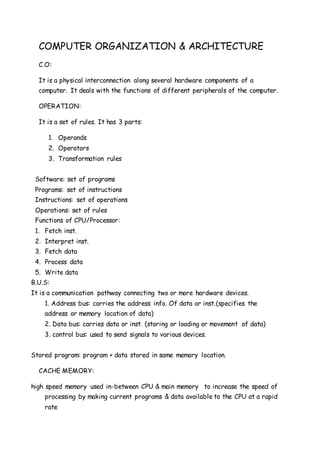
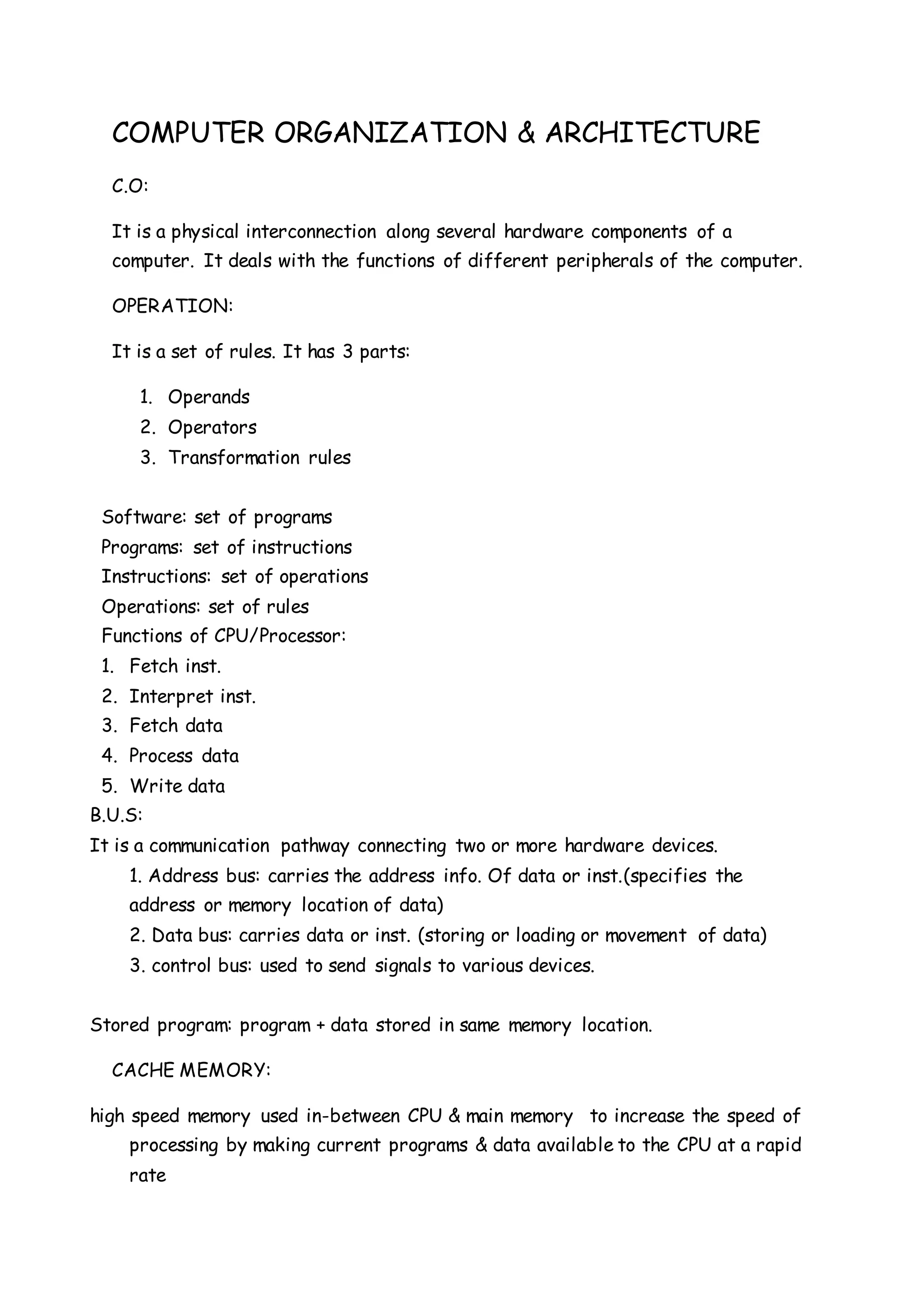
C.O:
It is a physical interconnection along several hardware components of a
computer. It deals with the functions of different peripherals of the computer.
OPERATION:
It is a set of rules. It has 3 parts:
1. Operands
2. Operators
3. Transformation rules
Software: set of programs
Programs: set of instructions
Instructions: set of operations
Operations: set of rules
Functions of CPU/Processor:
1. Fetch inst.
2. Interpret inst.
3. Fetch data
4. Process data
5. Write data
B.U.S:
It is a communication pathway connecting two or more hardware devices.
1. Address bus: carries the address info. Of data or inst.(specifies the
address or memory location of data)
2. Data bus: carries data or inst. (storing or loading or movement of data)
3. control bus: used to send signals to various devices.
Stored program: program + data stored in same memory location.
CACHE MEMORY:
high speed memory used in-between CPU & main memory to increase the speed of
processing by making current programs & data available to the CPU at a rapid
rate
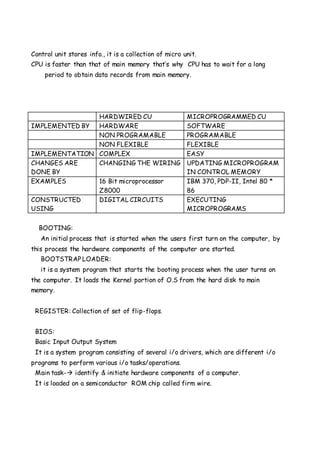
Control unit stores info., it is a collection of micro unit.
CPU is faster than that of main memory that’s why CPU has to wait for a long
period to obtain data records from main memory.
HARDWIRED CU MICROPROGRAMMED CU
IMPLEMENTED BY HARDWARE SOFTWARE
NON PROGRAMABLE PROGRAMABLE
NON FLEXIBLE FLEXIBLE
IMPLEMENTATION COMPLEX EASY
CHANGES ARE
DONE BY
CHANGING THE WIRING UPDATING MICROPROGRAM
IN CONTROL MEMORY
EXAMPLES 16 Bit microprocessor
Z8000
IBM 370, PDP-II, Intel 80 *
86
CONSTRUCTED
USING
DIGITAL CIRCUITS EXECUTING
MICROPROGRAMS
BOOTING:
An initial process that is started when the users first turn on the computer, by
this process the hardware components of the computer are started.
BOOTSTRAP LOADER:
it is a system program that starts the booting process when the user turns on
the computer. It loads the Kernel portion of O.S from the hard disk to main
memory.
REGISTER: Collection of set of flip-flops.
BIOS:
Basic Input Output System
It is a system program consisting of several i/o drivers, which are different i/o
programs to perform various i/o tasks/operations.
Main task- identify & initiate hardware components of a computer.
It is loaded on a semiconductor ROM chip called firm wire.
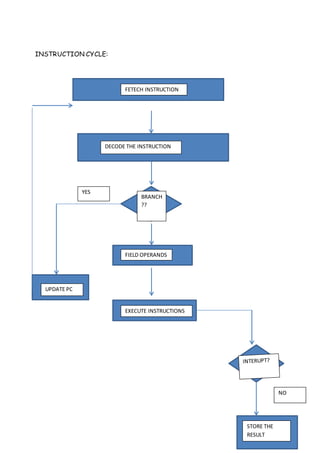
INSTRUCTION CYCLE:
FETECH INSTRUCTION
DECODE THE INSTRUCTION
UPDATE PC
BRANCH
??
FIELD OPERANDS
EXECUTE INSTRUCTIONS
STORE THE
RESULT
YES
NO
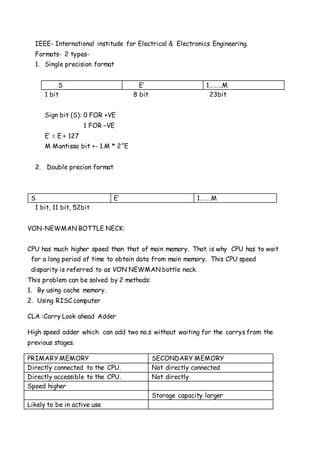
IEEE- International institude for Electrical & Electronics Engineering.
Formats- 2 types-
1. Single precision format
S E’ 1……..M
1 bit 8 bit 23bit
Sign bit (S): 0 FOR +VE
1 FOR –VE
E’ = E + 127
M Mantissa bit +- 1.M * 2^E
2. Double precion format
S E’ 1…….M
1 bit, 11 bit, 52bit
VON-NEWMAN BOTTLE NECK:
CPU has much higher speed than that of main memory. That is why CPU has to wait
for a long period of time to obtain data from main memory. This CPU speed
disparity is referred to as VON NEWMAN bottle neck.
This problem can be solved by 2 methods:
1. By using cache memory.
2. Using RISC computer
CLA :Carry Look ahead Adder
High speed adder which can add two no.s without waiting for the carrys from the
previous stages.
PRIMARY MEMORY SECONDARY MEMORY
Directly connected to the CPU. Not directly connected
Directly accessible to the CPU. Not directly
Speed higher
Storage capacity larger
Likely to be in active use
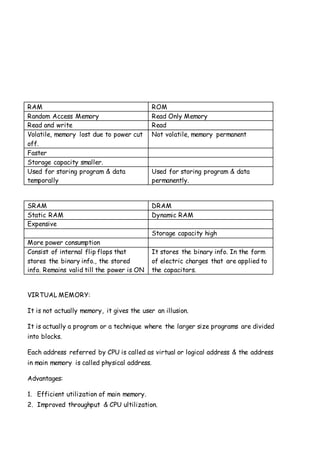
RAM ROM
Random Access Memory Read Only Memory
Read and write Read
Volatile, memory lost due to power cut
off.
Not volatile, memory permanent
Faster
Storage capacity smaller.
Used for storing program & data
temporally
Used for storing program & data
permanently.
SRAM DRAM
Static RAM Dynamic RAM
Expensive
Storage capacity high
More power consumption
Consist of internal flip flops that
stores the binary info., the stored
info. Remains valid till the power is ON
It stores the binary info. In the form
of electric charges that are applied to
the capacitors.
VIRTUAL MEMORY:
It is not actually memory, it gives the user an illusion.
It is actually a program or a technique where the larger size programs are divided
into blocks.
Each address referred by CPU is called as virtual or logical address & the address
in main memory is called physical address.
Advantages:
1. Efficient utilization of main memory.
2. Improved throughput & CPU ultilization.
MMU- Memory Management Unit
THROUGHPUT:
no. of programs executed per unit time.
PAGING:
Memory allocation method
Virtual address space is divided into some equal size blocks called frames.
Size of pages & frames are same (generally 4KB)
Virtual address space => page
Physical address space => frame
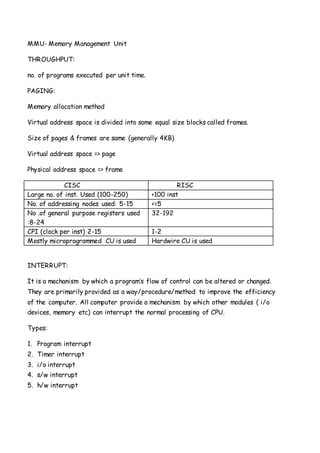
CISC RISC
Large no. of inst. Used (100-250) <100 inst
No. of addressing nodes used: 5-15 <=5
No .of general purpose registers used
:8-24
32-192
CPI (clock per inst) 2-15 1-2
Mostly microprogrammed CU is used Hardwire CU is used
INTERRUPT:
It is a mechanism by which a program’s flow of control can be altered or changed.
They are primarily provided as a way/procedure/method to improve the efficiency
of the computer. All computer provide a mechanism by which other modules ( i/o
devices, memory etc) can interrupt the normal processing of CPU.
Types:
1. Program interrupt
2. Timer interrupt
3. i/o interrupt
4. s/w interrupt
5. h/w interrupt
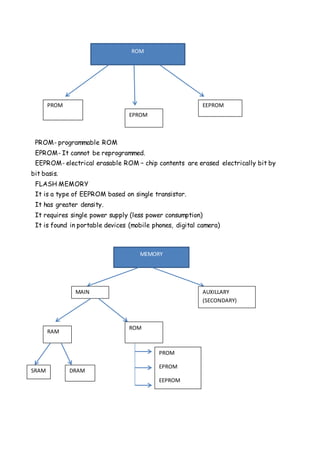
PROM- programmable ROM
EPROM- It cannot be reprogrammed.
EEPROM- electrical erasable ROM – chip contents are erased electrically bit by
bit basis.
FLASH MEMORY
It is a type of EEPROM based on single transistor.
It has greater density.
It requires single power supply (less power consumption)
It is found in portable devices (mobile phones, digital camera)
ROM
PROM
EPROM
EEPROM
MEMORY
MAIN AUXILLARY
(SECONDARY)
RAM
ROM
SRAM DRAM
PROM
EPROM
EEPROM
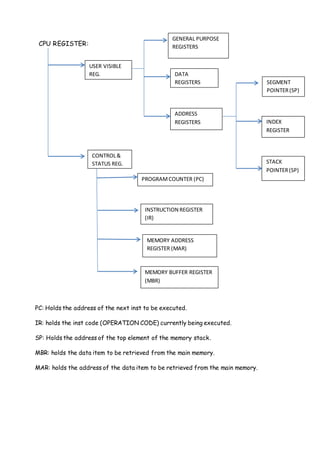
CPU REGISTER:
PC: Holds the address of the next inst to be executed.
IR: holds the inst code (OPERATION CODE) currently being executed.
SP: Holds the address of the top element of the memory stack.
MBR: holds the data item to be retrieved from the main memory.
MAR: holds the address of the data item to be retrieved from the main memory.
USER VISIBLE
REG.
CONTROL&
STATUS REG.
GENERAL PURPOSE
REGISTERS
DATA
REGISTERS
ADDRESS
REGISTERS
SEGMENT
POINTER(SP)
INDEX
REGISTER
STACK
POINTER(SP)
PROGRAMCOUNTER (PC)
INSTRUCTION REGISTER
(IR)
MEMORY ADDRESS
REGISTER (MAR)
MEMORY BUFFER REGISTER
(MBR)

computer organization and architecture notes

  • 1.
    COMPUTER ORGANIZATION &ARCHITECTURE C.O: It is a physical interconnection along several hardware components of a computer. It deals with the functions of different peripherals of the computer. OPERATION: It is a set of rules. It has 3 parts: 1. Operands 2. Operators 3. Transformation rules Software: set of programs Programs: set of instructions Instructions: set of operations Operations: set of rules Functions of CPU/Processor: 1. Fetch inst. 2. Interpret inst. 3. Fetch data 4. Process data 5. Write data B.U.S: It is a communication pathway connecting two or more hardware devices. 1. Address bus: carries the address info. Of data or inst.(specifies the address or memory location of data) 2. Data bus: carries data or inst. (storing or loading or movement of data) 3. control bus: used to send signals to various devices. Stored program: program + data stored in same memory location. CACHE MEMORY: high speed memory used in-between CPU & main memory to increase the speed of processing by making current programs & data available to the CPU at a rapid rate
  • 2.
    Control unit storesinfo., it is a collection of micro unit. CPU is faster than that of main memory that’s why CPU has to wait for a long period to obtain data records from main memory. HARDWIRED CU MICROPROGRAMMED CU IMPLEMENTED BY HARDWARE SOFTWARE NON PROGRAMABLE PROGRAMABLE NON FLEXIBLE FLEXIBLE IMPLEMENTATION COMPLEX EASY CHANGES ARE DONE BY CHANGING THE WIRING UPDATING MICROPROGRAM IN CONTROL MEMORY EXAMPLES 16 Bit microprocessor Z8000 IBM 370, PDP-II, Intel 80 * 86 CONSTRUCTED USING DIGITAL CIRCUITS EXECUTING MICROPROGRAMS BOOTING: An initial process that is started when the users first turn on the computer, by this process the hardware components of the computer are started. BOOTSTRAP LOADER: it is a system program that starts the booting process when the user turns on the computer. It loads the Kernel portion of O.S from the hard disk to main memory. REGISTER: Collection of set of flip-flops. BIOS: Basic Input Output System It is a system program consisting of several i/o drivers, which are different i/o programs to perform various i/o tasks/operations. Main task- identify & initiate hardware components of a computer. It is loaded on a semiconductor ROM chip called firm wire.
  • 3.
    INSTRUCTION CYCLE: FETECH INSTRUCTION DECODETHE INSTRUCTION UPDATE PC BRANCH ?? FIELD OPERANDS EXECUTE INSTRUCTIONS STORE THE RESULT YES NO
  • 4.
    IEEE- International institudefor Electrical & Electronics Engineering. Formats- 2 types- 1. Single precision format S E’ 1……..M 1 bit 8 bit 23bit Sign bit (S): 0 FOR +VE 1 FOR –VE E’ = E + 127 M Mantissa bit +- 1.M * 2^E 2. Double precion format S E’ 1…….M 1 bit, 11 bit, 52bit VON-NEWMAN BOTTLE NECK: CPU has much higher speed than that of main memory. That is why CPU has to wait for a long period of time to obtain data from main memory. This CPU speed disparity is referred to as VON NEWMAN bottle neck. This problem can be solved by 2 methods: 1. By using cache memory. 2. Using RISC computer CLA :Carry Look ahead Adder High speed adder which can add two no.s without waiting for the carrys from the previous stages. PRIMARY MEMORY SECONDARY MEMORY Directly connected to the CPU. Not directly connected Directly accessible to the CPU. Not directly Speed higher Storage capacity larger Likely to be in active use
  • 5.
    RAM ROM Random AccessMemory Read Only Memory Read and write Read Volatile, memory lost due to power cut off. Not volatile, memory permanent Faster Storage capacity smaller. Used for storing program & data temporally Used for storing program & data permanently. SRAM DRAM Static RAM Dynamic RAM Expensive Storage capacity high More power consumption Consist of internal flip flops that stores the binary info., the stored info. Remains valid till the power is ON It stores the binary info. In the form of electric charges that are applied to the capacitors. VIRTUAL MEMORY: It is not actually memory, it gives the user an illusion. It is actually a program or a technique where the larger size programs are divided into blocks. Each address referred by CPU is called as virtual or logical address & the address in main memory is called physical address. Advantages: 1. Efficient utilization of main memory. 2. Improved throughput & CPU ultilization.
  • 6.
    MMU- Memory ManagementUnit THROUGHPUT: no. of programs executed per unit time. PAGING: Memory allocation method Virtual address space is divided into some equal size blocks called frames. Size of pages & frames are same (generally 4KB) Virtual address space => page Physical address space => frame CISC RISC Large no. of inst. Used (100-250) <100 inst No. of addressing nodes used: 5-15 <=5 No .of general purpose registers used :8-24 32-192 CPI (clock per inst) 2-15 1-2 Mostly microprogrammed CU is used Hardwire CU is used INTERRUPT: It is a mechanism by which a program’s flow of control can be altered or changed. They are primarily provided as a way/procedure/method to improve the efficiency of the computer. All computer provide a mechanism by which other modules ( i/o devices, memory etc) can interrupt the normal processing of CPU. Types: 1. Program interrupt 2. Timer interrupt 3. i/o interrupt 4. s/w interrupt 5. h/w interrupt
  • 7.
    PROM- programmable ROM EPROM-It cannot be reprogrammed. EEPROM- electrical erasable ROM – chip contents are erased electrically bit by bit basis. FLASH MEMORY It is a type of EEPROM based on single transistor. It has greater density. It requires single power supply (less power consumption) It is found in portable devices (mobile phones, digital camera) ROM PROM EPROM EEPROM MEMORY MAIN AUXILLARY (SECONDARY) RAM ROM SRAM DRAM PROM EPROM EEPROM
  • 8.
    CPU REGISTER: PC: Holdsthe address of the next inst to be executed. IR: holds the inst code (OPERATION CODE) currently being executed. SP: Holds the address of the top element of the memory stack. MBR: holds the data item to be retrieved from the main memory. MAR: holds the address of the data item to be retrieved from the main memory. USER VISIBLE REG. CONTROL& STATUS REG. GENERAL PURPOSE REGISTERS DATA REGISTERS ADDRESS REGISTERS SEGMENT POINTER(SP) INDEX REGISTER STACK POINTER(SP) PROGRAMCOUNTER (PC) INSTRUCTION REGISTER (IR) MEMORY ADDRESS REGISTER (MAR) MEMORY BUFFER REGISTER (MBR)