Computer fundamental
I/o DEVICES
IntroductiontoComputers
Introduction
 Devices which are a means of communication between the
computer and the outside world are called PERIPHERAL DEVICES
 The processors which are required to convert the input data into
machine readable form and to convert the output generated by the
computer into human readable form are known as INPUT/OUTPUT
(I/O) interfaces.
IntroductiontoComputers
Input Devices
 Those peripheral devices which supply information i.e. data
and program from the outside world to the computer are
called INPUT DEVICES.
 Punched Cards
 Keyboard
 Mouse
 Light Pen
 Joystick
 Track Ball
 Touch Screen
 Digitizer
 Scanners
 Voice Recognition Systems
IntroductiontoComputers
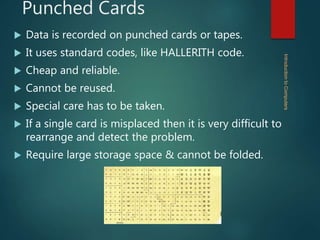
Punched Cards
 Data is recorded on punched cards or tapes.
 It uses standard codes, like HALLERITH code.
 Cheap and reliable.
 Cannot be reused.
 Special care has to be taken.
 If a single card is misplaced then it is very difficult to
rearrange and detect the problem.
 Require large storage space & cannot be folded.
IntroductiontoComputers
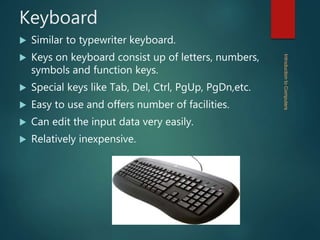
Keyboard
 Similar to typewriter keyboard.
 Keys on keyboard consist up of letters, numbers,
symbols and function keys.
 Special keys like Tab, Del, Ctrl, PgUp, PgDn,etc.
 Easy to use and offers number of facilities.
 Can edit the input data very easily.
 Relatively inexpensive.
IntroductiontoComputers
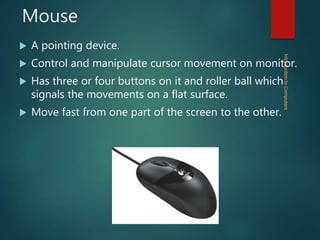
Mouse
 A pointing device.
 Control and manipulate cursor movement on monitor.
 Has three or four buttons on it and roller ball which
signals the movements on a flat surface.
 Move fast from one part of the screen to the other.


IntroductiontoComputers
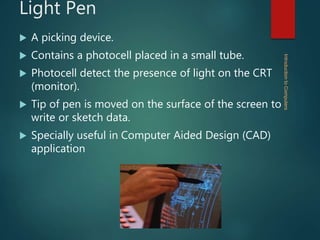
Light Pen
 A picking device.
 Contains a photocell placed in a small tube.
 Photocell detect the presence of light on the CRT
(monitor).
 Tip of pen is moved on the surface of the screen to
write or sketch data.
 Specially useful in Computer Aided Design (CAD)
application
IntroductiontoComputers
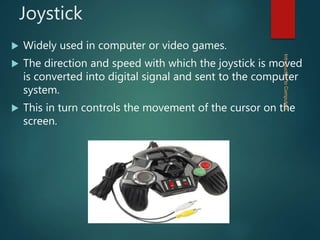
Joystick
 Widely used in computer or video games.
 The direction and speed with which the joystick is moved
is converted into digital signal and sent to the computer
system.
 This in turn controls the movement of the cursor on the
screen.
IntroductiontoComputers
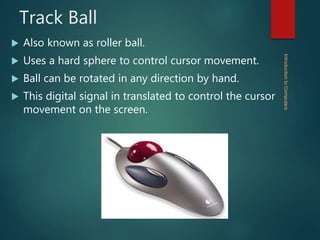
Track Ball
 Also known as roller ball.
 Uses a hard sphere to control cursor movement.
 Ball can be rotated in any direction by hand.
 This digital signal in translated to control the cursor
movement on the screen.
IntroductiontoComputers
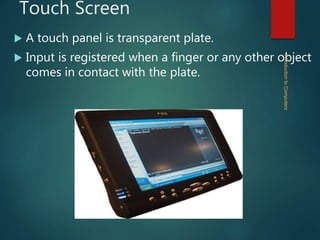
Touch Screen
 A touch panel is transparent plate.
 Input is registered when a finger or any other object
comes in contact with the plate.
IntroductiontoComputers
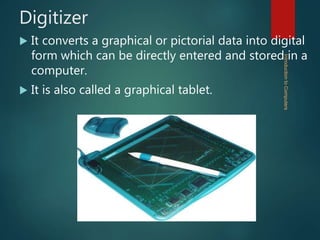
Digitizer
 It converts a graphical or pictorial data into digital
form which can be directly entered and stored in a
computer.
 It is also called a graphical tablet.
IntroductiontoComputers
Flat Bed Digitizer
The drawing to be digitized is fixed
over a flat bed table and a stylus or a
pen is moved over the surface of the
drawing.
This scans the drawing and produces
the output related to X and Y
coordinate.
IntroductiontoComputers
Image scan digitizer
 The entire image is scanned and reproduced
automatically.
 It is more powerful as compared to flat bed digitizers.
 It is mainly used in simple drawings, graphs etc.
whereas image scan digitizers are used for
photographs and pictures.
IntroductiontoComputers
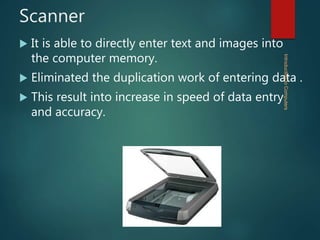
Scanner
 It is able to directly enter text and images into
the computer memory.
 Eliminated the duplication work of entering data .
 This result into increase in speed of data entry
and accuracy.
IntroductiontoComputers
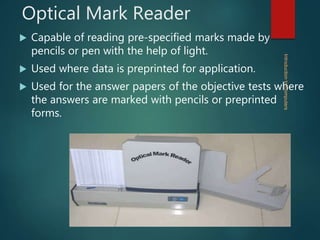
Optical Mark Reader
 Capable of reading pre-specified marks made by
pencils or pen with the help of light.
 Used where data is preprinted for application.
 Used for the answer papers of the objective tests where
the answers are marked with pencils or preprinted
forms.
IntroductiontoComputers
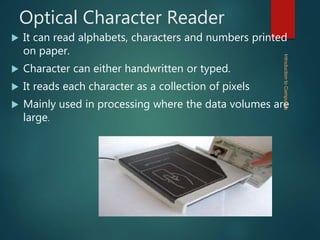
Optical Character Reader
 It can read alphabets, characters and numbers printed
on paper.
 Character can either handwritten or typed.
 It reads each character as a collection of pixels
 Mainly used in processing where the data volumes are
large.
IntroductiontoComputers
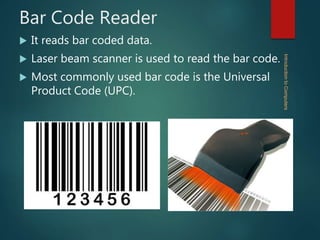
Bar Code Reader
 It reads bar coded data.
 Laser beam scanner is used to read the bar code.
 Most commonly used bar code is the Universal
Product Code (UPC).
IntroductiontoComputers
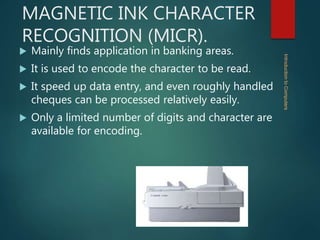
MAGNETIC INK CHARACTER
RECOGNITION (MICR).
 Mainly finds application in banking areas.
 It is used to encode the character to be read.
 It speed up data entry, and even roughly handled
cheques can be processed relatively easily.
 Only a limited number of digits and character are
available for encoding.
IntroductiontoComputers
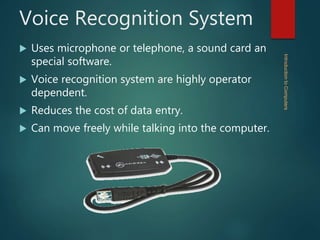
Voice Recognition System
 Uses microphone or telephone, a sound card an
special software.
 Voice recognition system are highly operator
dependent.
 Reduces the cost of data entry.
 Can move freely while talking into the computer.
IntroductiontoComputers
Output Devices
 The output devices allow computer to
communicate with the outside world by accepting
data from the computer & transforming I into user
readable form.
 Printers
 Plotters
 Monitor
 Video Display Terminal
 Computer Output Microfilm
IntroductiontoComputers
Printer
It produces the output from the
computer on the paper.
Produces a hard copy i.e. permanent
copy of the result which can be stored
and read later.
Impact Printers
Non-Impact Printers
IntroductiontoComputers
Impact Printer
 Similar to typewriter.
 Use hammer to strike a character against an ink ribbon.
 Noisy in operation.
 Its functioning is relatively easily.
 It can produced multiple copy at the same time.
 Subject to wear and tear of mechanical parts
IntroductiontoComputers
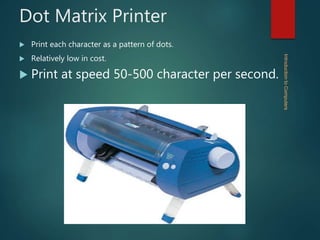
Dot Matrix Printer
 Print each character as a pattern of dots.
 Relatively low in cost.
 Print at speed 50-500 character per second.
IntroductiontoComputers
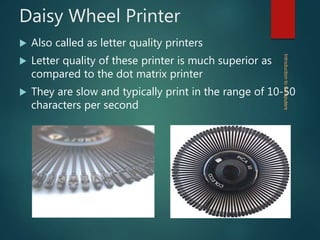
Daisy Wheel Printer
 Also called as letter quality printers
 Letter quality of these printer is much superior as
compared to the dot matrix printer
 They are slow and typically print in the range of 10-50
characters per second
IntroductiontoComputers
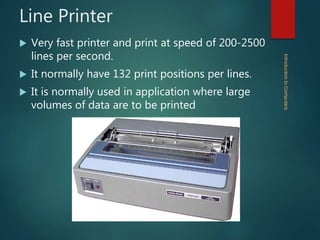
Line Printer
 Very fast printer and print at speed of 200-2500
lines per second.
 It normally have 132 print positions per lines.
 It is normally used in application where large
volumes of data are to be printed
IntroductiontoComputers
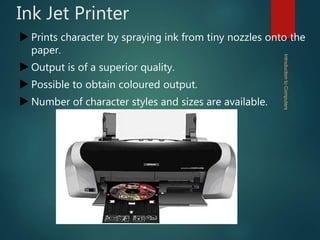
Ink Jet Printer
 Prints character by spraying ink from tiny nozzles onto the
paper.
 Output is of a superior quality.
 Possible to obtain coloured output.
 Number of character styles and sizes are available.
IntroductiontoComputers
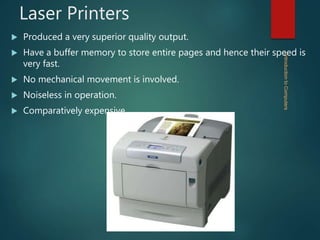
Laser Printers
 Produced a very superior quality output.
 Have a buffer memory to store entire pages and hence their speed is
very fast.
 No mechanical movement is involved.
 Noiseless in operation.
 Comparatively expensive
IntroductiontoComputers
Plotter
 A plotter is a an output device used in applications where printouts of
graphs and drawings are required
 Plotters are of two types
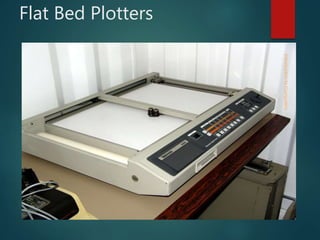
 Flat Bed Plotter
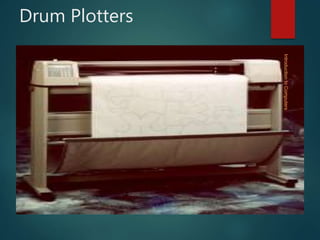
 Drum Plotters
IntroductiontoComputers
Flat Bed Plotters
IntroductiontoComputers
Drum Plotters
IntroductiontoComputers
Monitors
 Monitor is a device like television screen which is used to display
information
 The resolution of monitors is the number of picture elements
 Monitors are of two types
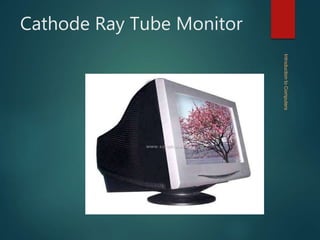
 Cathode Ray Tube Monitor (CRT)
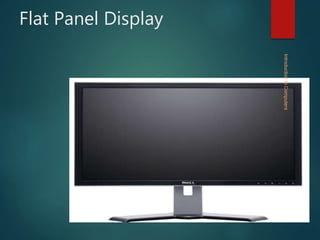
 Flat Panel Display
IntroductiontoComputers
Cathode Ray Tube Monitor
IntroductiontoComputers
Flat Panel Display
IntroductiontoComputers
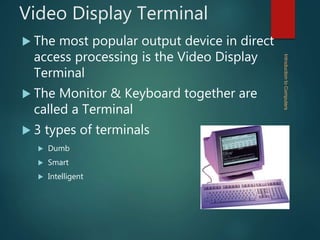
Video Display Terminal
 The most popular output device in direct
access processing is the Video Display
Terminal
 The Monitor & Keyboard together are
called a Terminal
 3 types of terminals
 Dumb
 Smart
 Intelligent
IntroductiontoComputers
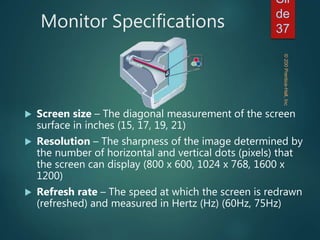
Monitor Specifications
 Screen size – The diagonal measurement of the screen
surface in inches (15, 17, 19, 21)
 Resolution – The sharpness of the image determined by
the number of horizontal and vertical dots (pixels) that
the screen can display (800 x 600, 1024 x 768, 1600 x
1200)
 Refresh rate – The speed at which the screen is redrawn
(refreshed) and measured in Hertz (Hz) (60Hz, 75Hz)
©200Prentice-Hall,Inc
Sli
de
37
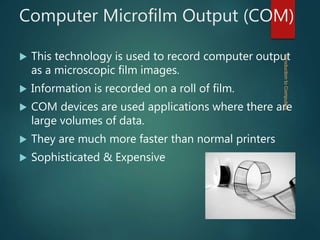
Computer Microfilm Output (COM)
 This technology is used to record computer output
as a microscopic film images.
 Information is recorded on a roll of film.
 COM devices are used applications where there are
large volumes of data.
 They are much more faster than normal printers
 Sophisticated & Expensive
IntroductiontoComputers
Enjoy Frnzz!
Thank You!!
IntroductiontoComputers

Computer Fundamentals Input and Output devices

  • 1.
  • 2.
    Introduction  Devices whichare a means of communication between the computer and the outside world are called PERIPHERAL DEVICES  The processors which are required to convert the input data into machine readable form and to convert the output generated by the computer into human readable form are known as INPUT/OUTPUT (I/O) interfaces. IntroductiontoComputers
  • 3.
    Input Devices  Thoseperipheral devices which supply information i.e. data and program from the outside world to the computer are called INPUT DEVICES.  Punched Cards  Keyboard  Mouse  Light Pen  Joystick  Track Ball  Touch Screen  Digitizer  Scanners  Voice Recognition Systems IntroductiontoComputers
  • 4.
    Punched Cards  Datais recorded on punched cards or tapes.  It uses standard codes, like HALLERITH code.  Cheap and reliable.  Cannot be reused.  Special care has to be taken.  If a single card is misplaced then it is very difficult to rearrange and detect the problem.  Require large storage space & cannot be folded. IntroductiontoComputers
  • 5.
    Keyboard  Similar totypewriter keyboard.  Keys on keyboard consist up of letters, numbers, symbols and function keys.  Special keys like Tab, Del, Ctrl, PgUp, PgDn,etc.  Easy to use and offers number of facilities.  Can edit the input data very easily.  Relatively inexpensive. IntroductiontoComputers
  • 6.
    Mouse  A pointingdevice.  Control and manipulate cursor movement on monitor.  Has three or four buttons on it and roller ball which signals the movements on a flat surface.  Move fast from one part of the screen to the other. IntroductiontoComputers
  • 7.
    Light Pen  Apicking device.  Contains a photocell placed in a small tube.  Photocell detect the presence of light on the CRT (monitor).  Tip of pen is moved on the surface of the screen to write or sketch data.  Specially useful in Computer Aided Design (CAD) application IntroductiontoComputers
  • 8.
    Joystick  Widely usedin computer or video games.  The direction and speed with which the joystick is moved is converted into digital signal and sent to the computer system.  This in turn controls the movement of the cursor on the screen. IntroductiontoComputers
  • 9.
    Track Ball  Alsoknown as roller ball.  Uses a hard sphere to control cursor movement.  Ball can be rotated in any direction by hand.  This digital signal in translated to control the cursor movement on the screen. IntroductiontoComputers
  • 10.
    Touch Screen  Atouch panel is transparent plate.  Input is registered when a finger or any other object comes in contact with the plate. IntroductiontoComputers
  • 11.
    Digitizer  It convertsa graphical or pictorial data into digital form which can be directly entered and stored in a computer.  It is also called a graphical tablet. IntroductiontoComputers
  • 12.
    Flat Bed Digitizer Thedrawing to be digitized is fixed over a flat bed table and a stylus or a pen is moved over the surface of the drawing. This scans the drawing and produces the output related to X and Y coordinate. IntroductiontoComputers
  • 13.
    Image scan digitizer The entire image is scanned and reproduced automatically.  It is more powerful as compared to flat bed digitizers.  It is mainly used in simple drawings, graphs etc. whereas image scan digitizers are used for photographs and pictures. IntroductiontoComputers
  • 14.
    Scanner  It isable to directly enter text and images into the computer memory.  Eliminated the duplication work of entering data .  This result into increase in speed of data entry and accuracy. IntroductiontoComputers
  • 15.
    Optical Mark Reader Capable of reading pre-specified marks made by pencils or pen with the help of light.  Used where data is preprinted for application.  Used for the answer papers of the objective tests where the answers are marked with pencils or preprinted forms. IntroductiontoComputers
  • 16.
    Optical Character Reader It can read alphabets, characters and numbers printed on paper.  Character can either handwritten or typed.  It reads each character as a collection of pixels  Mainly used in processing where the data volumes are large. IntroductiontoComputers
  • 17.
    Bar Code Reader It reads bar coded data.  Laser beam scanner is used to read the bar code.  Most commonly used bar code is the Universal Product Code (UPC). IntroductiontoComputers
  • 18.
    MAGNETIC INK CHARACTER RECOGNITION(MICR).  Mainly finds application in banking areas.  It is used to encode the character to be read.  It speed up data entry, and even roughly handled cheques can be processed relatively easily.  Only a limited number of digits and character are available for encoding. IntroductiontoComputers
  • 19.
    Voice Recognition System Uses microphone or telephone, a sound card an special software.  Voice recognition system are highly operator dependent.  Reduces the cost of data entry.  Can move freely while talking into the computer. IntroductiontoComputers
  • 20.
    Output Devices  Theoutput devices allow computer to communicate with the outside world by accepting data from the computer & transforming I into user readable form.  Printers  Plotters  Monitor  Video Display Terminal  Computer Output Microfilm IntroductiontoComputers
  • 21.
    Printer It produces theoutput from the computer on the paper. Produces a hard copy i.e. permanent copy of the result which can be stored and read later. Impact Printers Non-Impact Printers IntroductiontoComputers
  • 22.
    Impact Printer  Similarto typewriter.  Use hammer to strike a character against an ink ribbon.  Noisy in operation.  Its functioning is relatively easily.  It can produced multiple copy at the same time.  Subject to wear and tear of mechanical parts IntroductiontoComputers
  • 23.
    Dot Matrix Printer Print each character as a pattern of dots.  Relatively low in cost.  Print at speed 50-500 character per second. IntroductiontoComputers
  • 24.
    Daisy Wheel Printer Also called as letter quality printers  Letter quality of these printer is much superior as compared to the dot matrix printer  They are slow and typically print in the range of 10-50 characters per second IntroductiontoComputers
  • 25.
    Line Printer  Veryfast printer and print at speed of 200-2500 lines per second.  It normally have 132 print positions per lines.  It is normally used in application where large volumes of data are to be printed IntroductiontoComputers
  • 26.
    Ink Jet Printer Prints character by spraying ink from tiny nozzles onto the paper.  Output is of a superior quality.  Possible to obtain coloured output.  Number of character styles and sizes are available. IntroductiontoComputers
  • 27.
    Laser Printers  Produceda very superior quality output.  Have a buffer memory to store entire pages and hence their speed is very fast.  No mechanical movement is involved.  Noiseless in operation.  Comparatively expensive IntroductiontoComputers
  • 28.
    Plotter  A plotteris a an output device used in applications where printouts of graphs and drawings are required  Plotters are of two types  Flat Bed Plotter  Drum Plotters IntroductiontoComputers
  • 29.
  • 30.
  • 31.
    Monitors  Monitor isa device like television screen which is used to display information  The resolution of monitors is the number of picture elements  Monitors are of two types  Cathode Ray Tube Monitor (CRT)  Flat Panel Display IntroductiontoComputers
  • 32.
    Cathode Ray TubeMonitor IntroductiontoComputers
  • 33.
  • 34.
    Video Display Terminal The most popular output device in direct access processing is the Video Display Terminal  The Monitor & Keyboard together are called a Terminal  3 types of terminals  Dumb  Smart  Intelligent IntroductiontoComputers
  • 35.
    Monitor Specifications  Screensize – The diagonal measurement of the screen surface in inches (15, 17, 19, 21)  Resolution – The sharpness of the image determined by the number of horizontal and vertical dots (pixels) that the screen can display (800 x 600, 1024 x 768, 1600 x 1200)  Refresh rate – The speed at which the screen is redrawn (refreshed) and measured in Hertz (Hz) (60Hz, 75Hz) ©200Prentice-Hall,Inc Sli de 37
  • 36.
    Computer Microfilm Output(COM)  This technology is used to record computer output as a microscopic film images.  Information is recorded on a roll of film.  COM devices are used applications where there are large volumes of data.  They are much more faster than normal printers  Sophisticated & Expensive IntroductiontoComputers
  • 37.
  • 38.