1history.ppt 21-Jan-03
Computer Fundamentals
Jetking Junagadh Learning centre
Prepared by: Savan Patel
En.No: JG-1415-0018
AN INTRODUCTION
TO
COMPUTERS
3history.ppt 21-Jan-03
DEFINITION
What is a Computer?
 Computer – Commonly Operated Machine
Particularly Used for Technology Education and
Research
 A computer is a programmable machine that
receives input, stores and automatically
manipulates data, and provides output in a useful
format.
4history.ppt 21-Jan-03
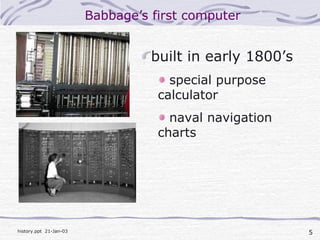
Charles Babbage
• English inventor
• 26/12/1791-18/10/1871
• invented a viable
mechanical computer
equivalent to modern digital
computers
5history.ppt 21-Jan-03
Babbage’s first computer
built in early 1800’s
special purpose
calculator
naval navigation
charts
6history.ppt 21-Jan-03
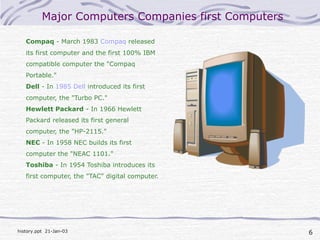
Major Computers Companies first Computers
Compaq - March 1983 Compaq released
its first computer and the first 100% IBM
compatible computer the "Compaq
Portable."
Dell - In 1985 Dell introduced its first
computer, the "Turbo PC."
Hewlett Packard - In 1966 Hewlett
Packard released its first general
computer, the "HP-2115."
NEC - In 1958 NEC builds its first
computer the "NEAC 1101."
Toshiba - In 1954 Toshiba introduces its
first computer, the "TAC" digital computer.
THE LANGUAGE OF COMPUTERS
Binary Numbers 1 and 0 ‘s
Computers speak binary. Binary language consists of
combinations of 1's and 0's that represent characters of other
languages (in our case the English language). Don’t make the
mistake of thinking that little 1's and 0's are running around
inside of the computer. We humans prefer to think of 1's and
0's because it’s easier than visualizing positive and negative
current flows or open and closed circuits which is what actually
happens inside computers. A combination of eight bits
represents one character in our language. One character in our
language (eight bits) is referred to as a byte. (For example:
01000001 is a byte that represents an uppercase A; each 1 or 0
is a bit.)
9history.ppt 21-Jan-03
Binary Numbers
Kilobytes, Megabytes, and Gigabytes
If you understand that a byte is one character in
our language, you’ve got it made because:
1000 bytes = 1 kilobyte
(1,000 characters = 1 kilobyte)
1,000,000 bytes = 1 megabyte
(1,000,000 characters = 1 megabyte)
1,000,000,000 bytes = 1 gigabyte (1,000,000,000
characters = 1 gigabyte)
10history.ppt 21-Jan-03
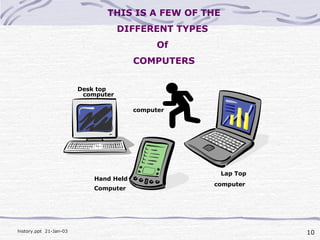
THIS IS A FEW OF THE
DIFFERENT TYPES
Of
COMPUTERS
Desk top
Lap Top
Hand Held
computer
computer
Computer
computer
11history.ppt 21-Jan-03
DEFINITION
Hardware Vs. Software
If you can touch it, it’s
hardware
12history.ppt 21-Jan-03
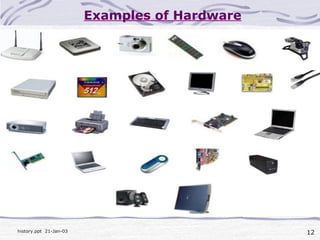
Examples of Hardware
13history.ppt 21-Jan-03
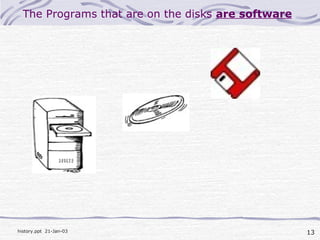
The Programs that are on the disks are software
14history.ppt 21-Jan-03
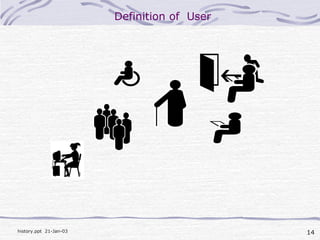
Definition of User
15history.ppt 21-Jan-03
Uses for a PC
Word Processing
Desktop Publishing
Database Management
Spreadsheets
Communication
Finance
Education
Entertainment
News and Information
16history.ppt 21-Jan-03
Tips for Beginners
Explore Your Computer
Mistakes won’t Kill You
EDIT/ UNDO is your Friend
Be persistent
Apply what you Learn
Don’t try to learn too fast
Walk away if you get frustrated
Have Fun
17history.ppt 21-Jan-03
Why Learn This Stuff?
Buying a PC
Having Your PC Serviced
Calling For Support
Be able to talk to Friends & Grandchildren
It’s Fun
18history.ppt 21-Jan-03
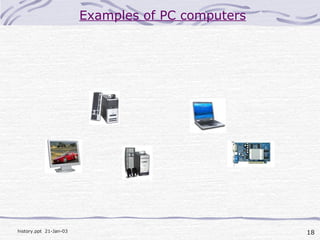
Examples of PC computers
19history.ppt 21-Jan-03
SYSTEM COMPONENTS
Ram – Random Access Memory
Ram is the memory used by the computer to run
programs.
The amount of Ram available will determine how
fast a program will run and how many windows can
be open at one time.
Ram memory is considered Volatile because it
disappears when the power is turned off.
20history.ppt 21-Jan-03
SYSTEM COMPONENTS
Hard Drive
The Hard Drive is the computers main, long term
storage.
It is referred to as non-volatile storage, because it
does not disappear when the power is turned off.
The size of the Hard Drive is measured in
Gigabytes. (Billions of Bytes).
21history.ppt 21-Jan-03
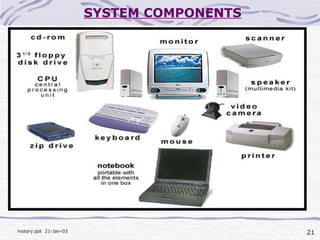
SYSTEM COMPONENTS
22history.ppt 21-Jan-03
SOFTWARE
Operating systems
Applications
Data
23history.ppt 21-Jan-03
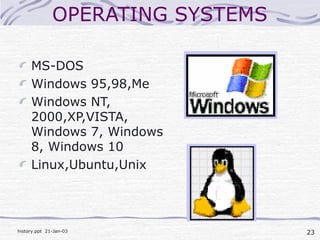
OPERATING SYSTEMS
MS-DOS
Windows 95,98,Me
Windows NT,
2000,XP,VISTA,
Windows 7, Windows
8, Windows 10
Linux,Ubuntu,Unix
24history.ppt 21-Jan-03
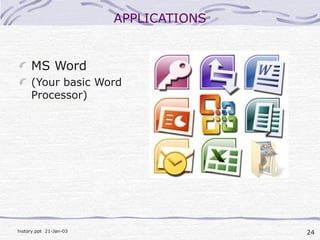
APPLICATIONS
MS Word
(Your basic Word
Processor)
25history.ppt 21-Jan-03
AN INTRODUCTION to
WINDOWS
26history.ppt 21-Jan-03

Computer fundamental