Output: The Many Uses of Computers    and Communications Audio, Video, Virtual Reality and Robots Outputs Types of Printers and Plotters Video Display Adaptors Types of Display Screens
Output devices translate information processed by the computer into a form that humans can understand. Several Types of Output Devices -Display Screens  -Video-output devices  -Printers and Plotters  -Virtual-reality devices -Audio-output devices  -Robots
Principal Kinds of Outputs Hardcopy –  refers to printed outputs Softcopy –  refers to data that is shown on a display screen or is  in audio or voice form .It is not tangible.
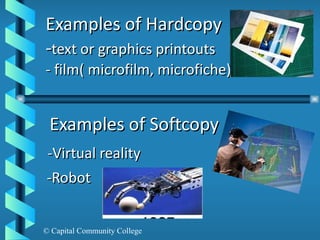
Examples of Hardcopy - text or graphics printouts - film( microfilm, microfiche)  Examples of Softcopy -Virtual reality  -Robot
Display Screens: Softcopy Output It is also called monitors Output devices that show programming instructions and data as they are being input and information after it is processed.
Types of Display Screens Cathode – Ray Tubes ( CRTs) Flat Panels Display
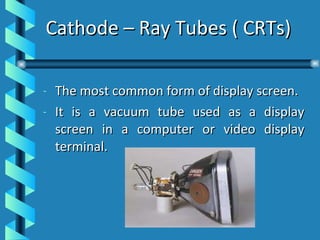
Cathode – Ray Tubes ( CRTs) The most common form of display screen. It is a vacuum tube used as a display screen in a computer or video display terminal.
Flat Panel Displays Much thinner, weigh less and consume less power than CRTs. It is better for portable computers. Made up of two plates of glass with a substance between  them which is activated in different ways. Example. LCD
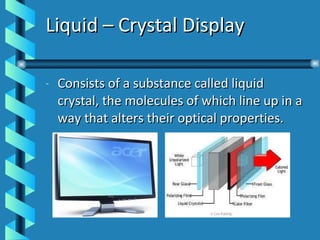
Liquid – Crystal Display Consists of a substance called liquid crystal, the molecules of which line up in a way that alters their optical properties.
Flat panel screens are either active – matrix or passive matrix displays. Active –matrix Display –  each pixels on the screen is controlled by its own transistor. It is much brighter than passive –matrix but they are more complicated and expensive. Passive- matrix Display -  a transistor controls a whole row or column of pixels .It is less expensive and use less power than active – matrix.
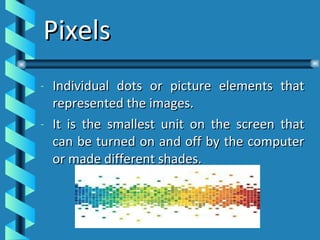
Pixels Individual dots or picture elements that represented the images. It is the smallest unit on the screen that can be turned on and off by the computer or made different shades.
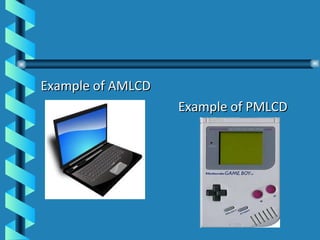
Example of AMLCD Example of PMLCD
Screen Clarity Whether CRTs or flat-panel display, screen clarity depends on three qualities: - Resolution - Dot Pitch - Refresh Rate
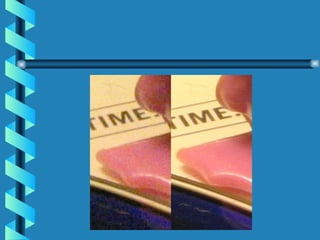
Resolution The clarity of sharpness of a display screen. The more pixels there are per square inch, the better the resolution. It is expressed in terms of the formula  horizontal pixels  x  vertical pixels
 
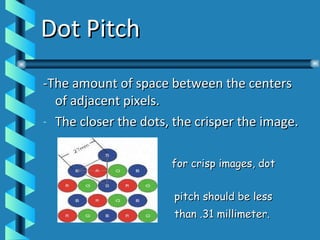
Dot Pitch -The amount of space between the centers of adjacent pixels. The closer the dots, the crisper the image. for crisp images, dot  pitch should be less  than .31 millimeter.
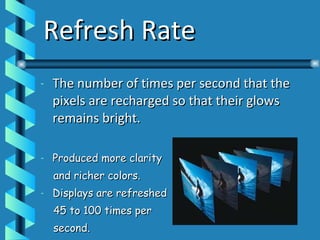
Refresh Rate The number of times per second that the pixels are recharged so that their glows remains bright. Produced more clarity  and richer colors. Displays are refreshed  45 to 100 times per  second.
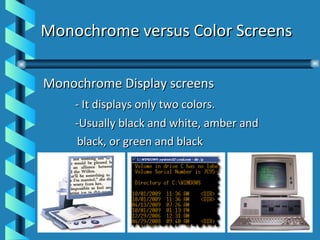
Monochrome versus Color Screens Monochrome Display screens  - It displays only two colors. -Usually black and white, amber and  black, or green and black
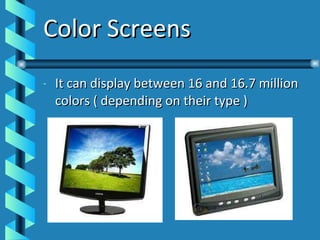
Color Screens It can display between 16 and 16.7 million colors ( depending on their type )
Text versus Graphics: Character Mapped versus Bitmapped Display Character mapped display screens display only text – (letters,  numbers and special characters). They cannot display graphics unless a video display adapter  card is installed.
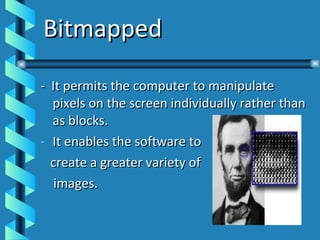
Bitmapped -  It permits the computer to manipulate pixels on the screen individually rather than as blocks. It enables the software to  create a greater variety of images.
Video Display Adapters A display screen must have a video display adapter to display graphics. It is also called a graphics adapter card. It is a circuit board that determines the resolution, number of colors, and how fast images appear on the display screens. It is often built into the motherboard and also be an expansion card that plugs into an expansion slot.
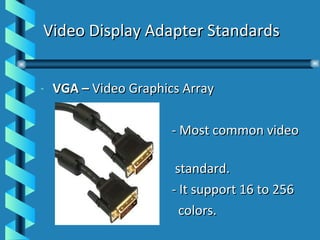
Video Display Adapter Standards VGA –  Video Graphics Array   - Most common video  standard.   - It support 16 to 256  colors.
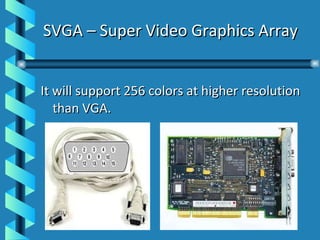
SVGA – Super Video Graphics Array It will support 256 colors at higher resolution than VGA.
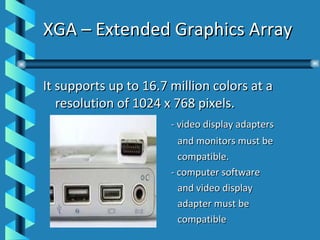
XGA – Extended Graphics Array It supports up to 16.7 million colors at a resolution of 1024 x 768 pixels. - video display adapters  and monitors must be  compatible. - computer software  and video display  adapter must be compatible
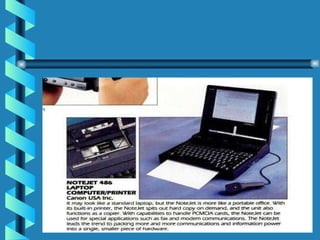
Printers and Plotters:  Hardcopy Output Printer  – is an output device that prints characters, symbols and perhaps graphics on paper. - Impact Printers - Nonimpact Printers - Portable - Combined with a PC
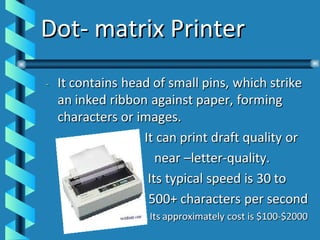
Impact Printers It has a mechanisms resembling those of a typewriter. It forms characters or images by striking a mechanism such as a print hammer or wheel against an inked ribbon leaving an image on paper. Example: Dot-matrix printers
Dot- matrix Printer
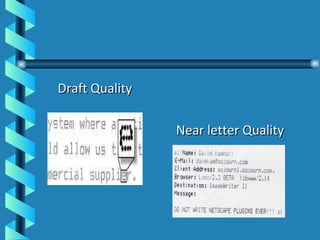
Draft Quality Near letter Quality
Advantages Inexpensive Can print multipart forms Low cost per page Disadvantages Noisy Cannot produce high quality output of text and graphics  Limited fonts.
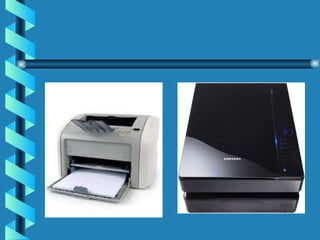
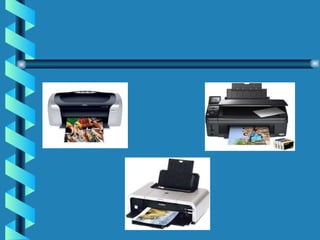
Non-impact Printers It is faster and quieter than impact printers because they have fewer moving parts. It forms characters and images without making direct physical contact between printing mechanism and paper. -Types: Laser  Printer, Inkjet Printer, Thermal Printer
Laser Printer - Similar to a photocopying machine. It uses the principle of dot-matrix printer in creating dot-like images. However, these images are created on a drum, treated with a magnetically charged ink-like toner (powder) and then transferred from drum to paper. Its typical speed is 8-200 pages per minute. Its approximate cost is $400-$20,000.
Advantages Quiet Excellent  Quality Output of text and graphics Very high speed Disadvantages - High Cost, especially for color.
 
Inkjet Printer Can also form images with little dots. It spray small electrically charged droplets of ink from four nozzles through holes in a matrix at high speed onto paper. Even quieter than laser printer and produce an equally high quality image. Its typical speed is 35-400+ characters per second. Its approximate cost is $200-$2000.
  Advantages Quiet Prints color text and graphics less expensive Fast Disadvantages Relatively slow; clogged jets; fewer dots per inch
 
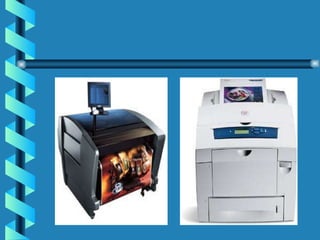
Thermal Printer -It can produce high quality color printing. -It used colored waxes and heat to produce images by burning dots onto special paper. -Its typical speed is 11-80character per second. -Its approximately cost is $2000-$22000.
 
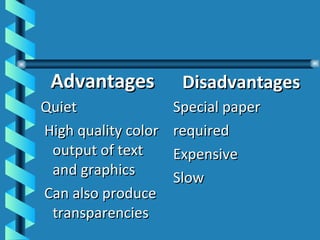
Advantages Quiet High quality color output of text and graphics Can also produce transparencies Disadvantages Special paper required Expensive Slow
 
Black and White versus  Color Printers Impact printers are still needed however the choice between a laser printer and an inkjet comes down to how much you print and whether you need color.
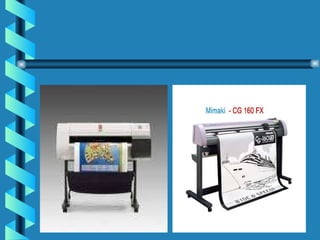
Plotters It is a specialized output device designed to produce high quality graphics in a variety of colors. Especially useful for creating maps and Architectural drawings, although they may also produce less complicated charts and graphs. The three principal kinds of plotters are pen, electrostatic and thermal
 
The Paper Glut: Whither the Paperless Office Supposedly, computers were going to make the use of paper obsolete, providing us with “paperless office” but in fact the opposite happened.
The Theater of output: Audio, Video, Virtual reality and Robots Audio Output Devices It includes voice output technology and sound output technology It includes those devices that output voice or voice like sounds and those that output music and other sounds.
Voice Output Devices Convert digital data into speech like sounds These are such forms of voice outputs on telephones, machines, in cars in toys and in other devices. Sound Output Devices Produce digitized a sound, ranging from beep and chirps to music.
Video Output Devices It includes videoconferencing and digitized television. Videoconferencing and Video Editing Videoconferencing is a method whereby people in different geographical locations can have a meeting and see and hear one another using computers and communications.
HDTV or ATV High Definition television is a television system that features enhanced video and clear pictures. (Far superior to any seen on television today, appearing within a frame that is twice as wide. Because the new system surpassed all expectations, The Federal Communication Commission gave it a new name.  Advanced Television  (ATV). In place of analog channel, it can transmit not just one high definition image but five or six digital channels as good as current ones.
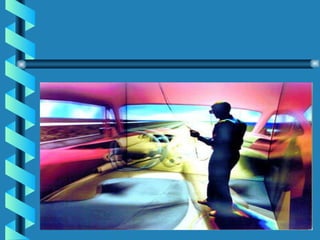
Virtual Reality and Simulation Devices Virtual Reality (VR)  is a kind of computer generated artificial reality that projects a person into a sensation of three dimensional spaces.
 
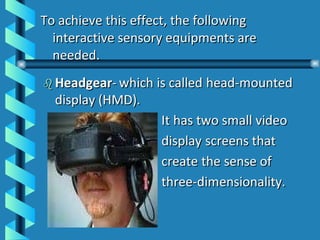
To achieve this effect, the following interactive sensory equipments are needed.
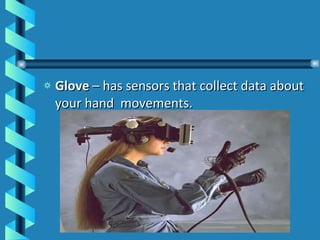
Glove  – has sensors that collect data about your hand  movements.
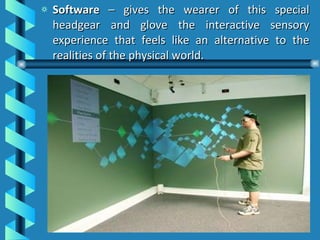
Software  – gives the wearer of this special headgear and glove the interactive sensory experience that feels like an alternative to the realities of the physical world.
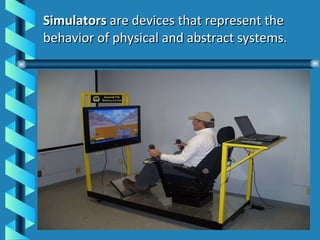
Simulators  are devices that represent the behavior of physical and abstract systems.
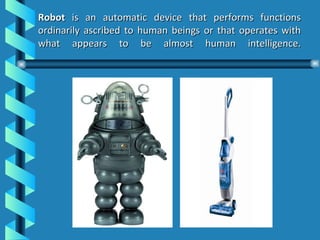
  Robot  is an automatic device that performs functions ordinarily ascribed to human beings or that operates with what appears to be almost human intelligence.
Creative Output: The Manipulation of Truth in Art and Journalism The ability to manipulate digitized output-images and sounds – has brought a wonderful new tool to art. However it has created some big new problems in the area of credibility.
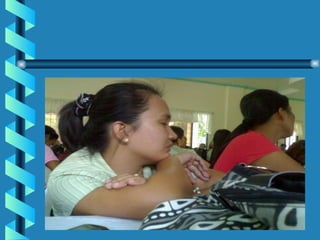
Manipulation of Sound Manipulation of Photos Manipulation of Video  


Computer ed.

  • 1.
    Output: The ManyUses of Computers and Communications Audio, Video, Virtual Reality and Robots Outputs Types of Printers and Plotters Video Display Adaptors Types of Display Screens
  • 2.
    Output devices translateinformation processed by the computer into a form that humans can understand. Several Types of Output Devices -Display Screens -Video-output devices -Printers and Plotters -Virtual-reality devices -Audio-output devices -Robots
  • 3.
    Principal Kinds ofOutputs Hardcopy – refers to printed outputs Softcopy – refers to data that is shown on a display screen or is in audio or voice form .It is not tangible.
  • 4.
    Examples of Hardcopy- text or graphics printouts - film( microfilm, microfiche) Examples of Softcopy -Virtual reality -Robot
  • 5.
    Display Screens: SoftcopyOutput It is also called monitors Output devices that show programming instructions and data as they are being input and information after it is processed.
  • 6.
    Types of DisplayScreens Cathode – Ray Tubes ( CRTs) Flat Panels Display
  • 7.
    Cathode – RayTubes ( CRTs) The most common form of display screen. It is a vacuum tube used as a display screen in a computer or video display terminal.
  • 8.
    Flat Panel DisplaysMuch thinner, weigh less and consume less power than CRTs. It is better for portable computers. Made up of two plates of glass with a substance between them which is activated in different ways. Example. LCD
  • 9.
    Liquid – CrystalDisplay Consists of a substance called liquid crystal, the molecules of which line up in a way that alters their optical properties.
  • 10.
    Flat panel screensare either active – matrix or passive matrix displays. Active –matrix Display – each pixels on the screen is controlled by its own transistor. It is much brighter than passive –matrix but they are more complicated and expensive. Passive- matrix Display - a transistor controls a whole row or column of pixels .It is less expensive and use less power than active – matrix.
  • 11.
    Pixels Individual dotsor picture elements that represented the images. It is the smallest unit on the screen that can be turned on and off by the computer or made different shades.
  • 12.
    Example of AMLCDExample of PMLCD
  • 13.
    Screen Clarity WhetherCRTs or flat-panel display, screen clarity depends on three qualities: - Resolution - Dot Pitch - Refresh Rate
  • 14.
    Resolution The clarityof sharpness of a display screen. The more pixels there are per square inch, the better the resolution. It is expressed in terms of the formula horizontal pixels x vertical pixels
  • 15.
  • 16.
    Dot Pitch -Theamount of space between the centers of adjacent pixels. The closer the dots, the crisper the image. for crisp images, dot pitch should be less than .31 millimeter.
  • 17.
    Refresh Rate Thenumber of times per second that the pixels are recharged so that their glows remains bright. Produced more clarity and richer colors. Displays are refreshed 45 to 100 times per second.
  • 18.
    Monochrome versus ColorScreens Monochrome Display screens - It displays only two colors. -Usually black and white, amber and black, or green and black
  • 19.
    Color Screens Itcan display between 16 and 16.7 million colors ( depending on their type )
  • 20.
    Text versus Graphics:Character Mapped versus Bitmapped Display Character mapped display screens display only text – (letters, numbers and special characters). They cannot display graphics unless a video display adapter card is installed.
  • 21.
    Bitmapped - It permits the computer to manipulate pixels on the screen individually rather than as blocks. It enables the software to create a greater variety of images.
  • 22.
    Video Display AdaptersA display screen must have a video display adapter to display graphics. It is also called a graphics adapter card. It is a circuit board that determines the resolution, number of colors, and how fast images appear on the display screens. It is often built into the motherboard and also be an expansion card that plugs into an expansion slot.
  • 23.
    Video Display AdapterStandards VGA – Video Graphics Array - Most common video standard. - It support 16 to 256 colors.
  • 24.
    SVGA – SuperVideo Graphics Array It will support 256 colors at higher resolution than VGA.
  • 25.
    XGA – ExtendedGraphics Array It supports up to 16.7 million colors at a resolution of 1024 x 768 pixels. - video display adapters and monitors must be compatible. - computer software and video display adapter must be compatible
  • 26.
    Printers and Plotters: Hardcopy Output Printer – is an output device that prints characters, symbols and perhaps graphics on paper. - Impact Printers - Nonimpact Printers - Portable - Combined with a PC
  • 27.
    Impact Printers Ithas a mechanisms resembling those of a typewriter. It forms characters or images by striking a mechanism such as a print hammer or wheel against an inked ribbon leaving an image on paper. Example: Dot-matrix printers
  • 28.
  • 29.
    Draft Quality Nearletter Quality
  • 30.
    Advantages Inexpensive Canprint multipart forms Low cost per page Disadvantages Noisy Cannot produce high quality output of text and graphics Limited fonts.
  • 31.
    Non-impact Printers Itis faster and quieter than impact printers because they have fewer moving parts. It forms characters and images without making direct physical contact between printing mechanism and paper. -Types: Laser Printer, Inkjet Printer, Thermal Printer
  • 32.
    Laser Printer -Similar to a photocopying machine. It uses the principle of dot-matrix printer in creating dot-like images. However, these images are created on a drum, treated with a magnetically charged ink-like toner (powder) and then transferred from drum to paper. Its typical speed is 8-200 pages per minute. Its approximate cost is $400-$20,000.
  • 33.
    Advantages Quiet Excellent Quality Output of text and graphics Very high speed Disadvantages - High Cost, especially for color.
  • 34.
  • 35.
    Inkjet Printer Canalso form images with little dots. It spray small electrically charged droplets of ink from four nozzles through holes in a matrix at high speed onto paper. Even quieter than laser printer and produce an equally high quality image. Its typical speed is 35-400+ characters per second. Its approximate cost is $200-$2000.
  • 36.
    AdvantagesQuiet Prints color text and graphics less expensive Fast Disadvantages Relatively slow; clogged jets; fewer dots per inch
  • 37.
  • 38.
    Thermal Printer -Itcan produce high quality color printing. -It used colored waxes and heat to produce images by burning dots onto special paper. -Its typical speed is 11-80character per second. -Its approximately cost is $2000-$22000.
  • 39.
  • 40.
    Advantages Quiet Highquality color output of text and graphics Can also produce transparencies Disadvantages Special paper required Expensive Slow
  • 41.
  • 42.
    Black and Whiteversus Color Printers Impact printers are still needed however the choice between a laser printer and an inkjet comes down to how much you print and whether you need color.
  • 43.
    Plotters It isa specialized output device designed to produce high quality graphics in a variety of colors. Especially useful for creating maps and Architectural drawings, although they may also produce less complicated charts and graphs. The three principal kinds of plotters are pen, electrostatic and thermal
  • 44.
  • 45.
    The Paper Glut:Whither the Paperless Office Supposedly, computers were going to make the use of paper obsolete, providing us with “paperless office” but in fact the opposite happened.
  • 46.
    The Theater ofoutput: Audio, Video, Virtual reality and Robots Audio Output Devices It includes voice output technology and sound output technology It includes those devices that output voice or voice like sounds and those that output music and other sounds.
  • 47.
    Voice Output DevicesConvert digital data into speech like sounds These are such forms of voice outputs on telephones, machines, in cars in toys and in other devices. Sound Output Devices Produce digitized a sound, ranging from beep and chirps to music.
  • 48.
    Video Output DevicesIt includes videoconferencing and digitized television. Videoconferencing and Video Editing Videoconferencing is a method whereby people in different geographical locations can have a meeting and see and hear one another using computers and communications.
  • 49.
    HDTV or ATVHigh Definition television is a television system that features enhanced video and clear pictures. (Far superior to any seen on television today, appearing within a frame that is twice as wide. Because the new system surpassed all expectations, The Federal Communication Commission gave it a new name. Advanced Television (ATV). In place of analog channel, it can transmit not just one high definition image but five or six digital channels as good as current ones.
  • 50.
    Virtual Reality andSimulation Devices Virtual Reality (VR) is a kind of computer generated artificial reality that projects a person into a sensation of three dimensional spaces.
  • 51.
  • 52.
    To achieve thiseffect, the following interactive sensory equipments are needed.
  • 53.
    Glove –has sensors that collect data about your hand movements.
  • 54.
    Software –gives the wearer of this special headgear and glove the interactive sensory experience that feels like an alternative to the realities of the physical world.
  • 55.
    Simulators aredevices that represent the behavior of physical and abstract systems.
  • 56.
      Robot is an automatic device that performs functions ordinarily ascribed to human beings or that operates with what appears to be almost human intelligence.
  • 57.
    Creative Output: TheManipulation of Truth in Art and Journalism The ability to manipulate digitized output-images and sounds – has brought a wonderful new tool to art. However it has created some big new problems in the area of credibility.
  • 58.
    Manipulation of SoundManipulation of Photos Manipulation of Video  
  • 59.
  • 60.
  • 61.