HIGH-RESOLUTION MONITORS
Make Your User Interfaces Scale with the Future
Agenda
   Introduction
   Some broken apps
   Scaling modes
   Testing your apps
   Swing tips
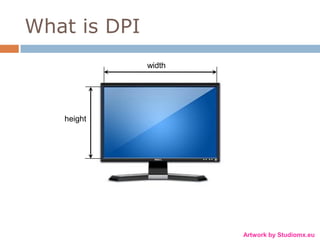
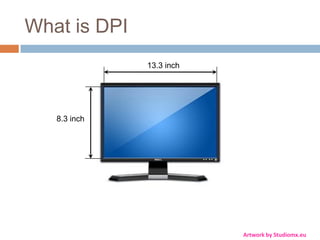
What is DPI
              width


   height


                      Artwork by Studiomx.eu
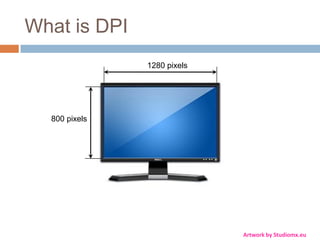
What is DPI
              13.3 inch


   8.3 inch


                          Artwork by Studiomx.eu
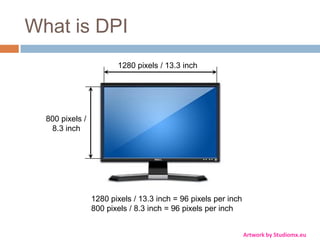
What is DPI
               1280 pixels


  800 pixels


                             Artwork by Studiomx.eu
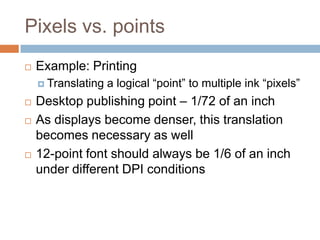
What is DPI
                        1280 pixels / 13.3 inch


  800 pixels /
   8.3 inch


                 1280 pixels / 13.3 inch = 96 pixels per inch
                 800 pixels / 8.3 inch = 96 pixels per inch


                                                                Artwork by Studiomx.eu
Pixels vs. points
   Example: Printing
     Translating   a logical “point” to multiple ink “pixels”
   Desktop publishing point – 1/72 of an inch
   As displays become denser, this translation
    becomes necessary as well
   12-point font should always be 1/6 of an inch
    under different DPI conditions
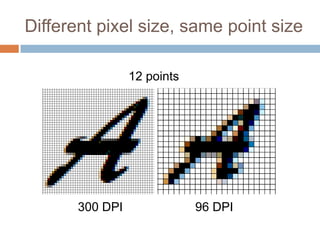
Different pixel size, same point size

                 12 points


       300 DPI               96 DPI
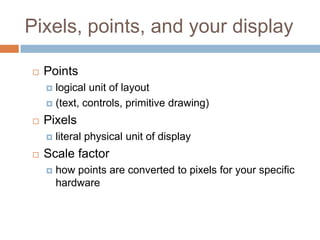
Pixels, points, and your display

   Points
     logical unit of layout
     (text, controls, primitive drawing)

   Pixels
       literal physical unit of display
   Scale factor
       how points are converted to pixels for your specific
        hardware
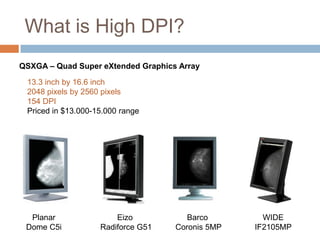
What is High DPI?
QSXGA – Quad Super eXtended Graphics Array

 13.3 inch by 16.6 inch
 2048 pixels by 2560 pixels
 154 DPI
 Priced in $13.000-15.000 range


  Planar                Eizo           Barco        WIDE
 Dome C5i           Radiforce G51   Coronis 5MP   IF2105MP
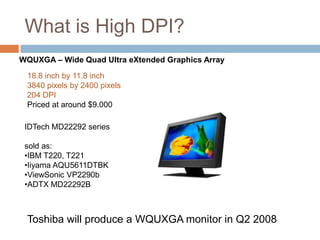
What is High DPI?
WQUXGA – Wide Quad Ultra eXtended Graphics Array

 18.8 inch by 11.8 inch
 3840 pixels by 2400 pixels
 204 DPI
 Priced at around $9.000

 IDTech MD22292 series

 sold as:
 •IBM T220, T221
 •Iiyama AQU5611DTBK
 •ViewSonic VP2290b
 •ADTX MD22292B


 Toshiba will produce a WQUXGA monitor in Q2 2008
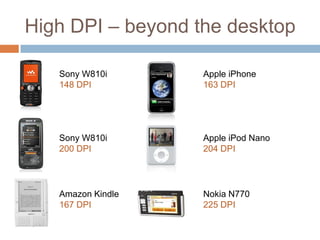
High DPI – beyond the desktop

   Sony W810i      Apple iPhone
   148 DPI         163 DPI


   Sony W810i      Apple iPod Nano
   200 DPI         204 DPI


   Amazon Kindle   Nokia N770
   167 DPI         225 DPI
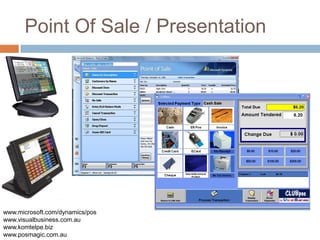
Point Of Sale / Presentation


www.microsoft.com/dynamics/pos
www.visualbusiness.com.au
www.komtelpe.biz
www.posmagic.com.au
What does this have to do with me?

   Even jump from 96 DPI to 120 DPI can break
    visuals
   Convergence with handhelds (200+ DPI)
   Point of sale systems (touch screens)
   Presentations and demos
   Hardware always gets cheaper…
Broken applications
Let’s see a few applications
scaled to 150-200%
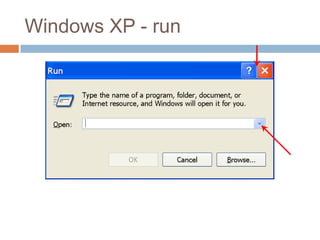
Windows XP - run
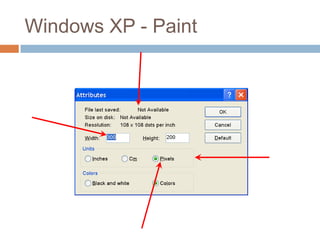
Windows XP - Paint
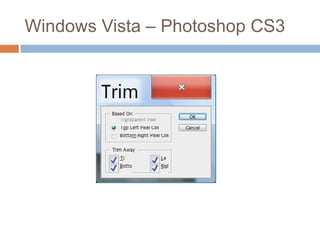
Windows Vista – Photoshop CS3
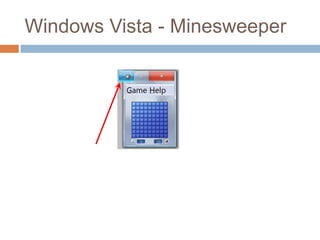
Windows Vista - Minesweeper
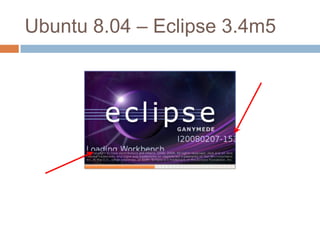
Ubuntu 8.04 – Eclipse 3.4m5
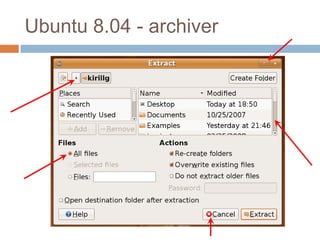
Ubuntu 8.04 - archiver
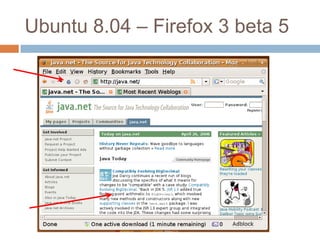
Ubuntu 8.04 – Firefox 3 beta 5
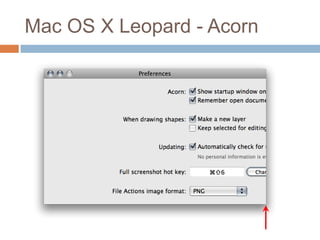
Mac OS X Leopard - Acorn
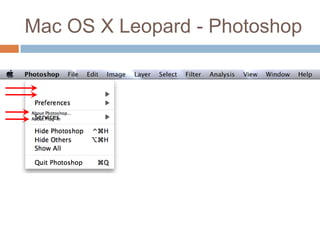
Mac OS X Leopard - Photoshop
UI scaling modes
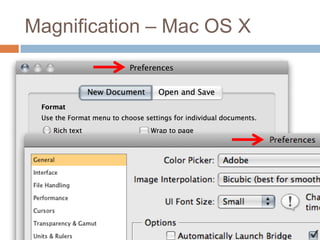
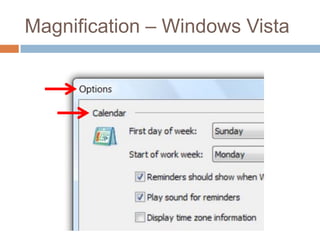
Magnification
Application scaling
Framework scaling
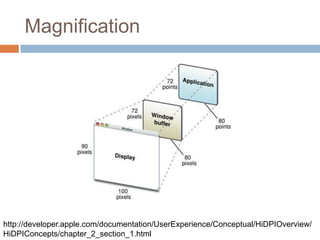
Magnification
   simplest option
   fuzzy
   best choice for legacy apps
Magnification


http://developer.apple.com/documentation/UserExperience/Conceptual/HiDPIOverview/
HiDPIConcepts/chapter_2_section_1.html
Magnification – Mac OS X
Magnification – Windows Vista
Application Scaling
Applications that don’t use modern native
UI libs (WPF / Cocoa)

Applications that use UI toolkits that don’t
provide magnification / toolkit scaling
(Swing on non-Mac platforms)
What should be scaled?

 Icons
 Control visuals and inner metrics

 Inter control layout

 Custom application painting
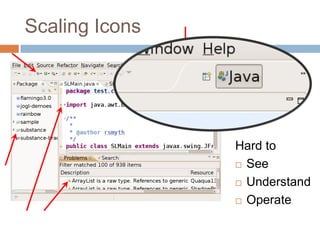
Scaling Icons


                Hard to
                 See

                 Understand

                 Operate
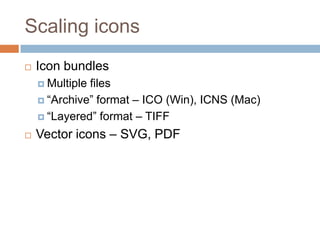
Scaling icons
   Icon bundles
     Multiplefiles
     “Archive” format – ICO (Win), ICNS (Mac)

     “Layered” format – TIFF

   Vector icons – SVG, PDF
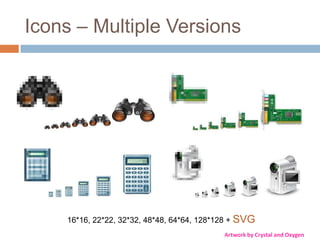
Icons – Multiple Versions


    16*16, 22*22, 32*32, 48*48, 64*64, 128*128 + SVG
                                            Artwork by Crystal and Oxygen
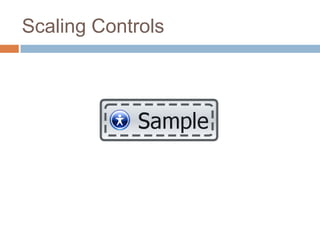
Scaling Controls
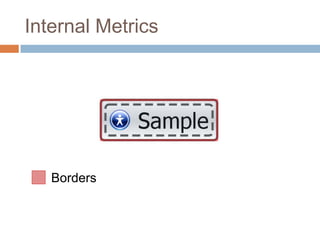
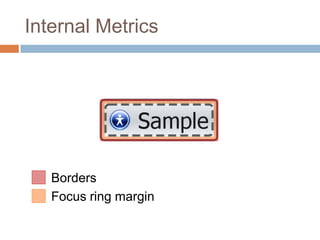
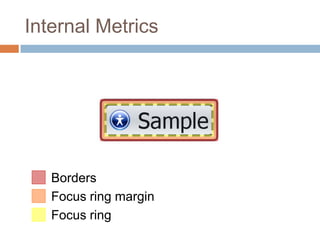
Internal Metrics


   Borders
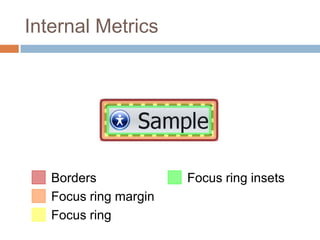
Internal Metrics


   Borders
   Focus ring margin
Internal Metrics


   Borders
   Focus ring margin
   Focus ring
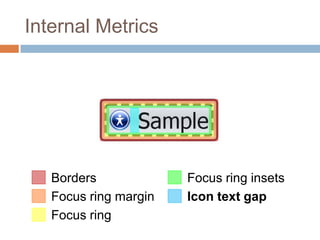
Internal Metrics


   Borders             Focus ring insets
   Focus ring margin
   Focus ring
Internal Metrics


   Borders             Focus ring insets
   Focus ring margin   Icon text gap
   Focus ring
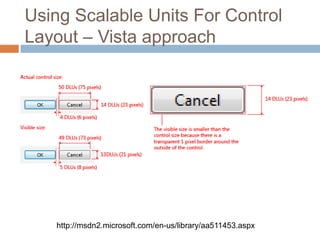
Using Scalable Units For Control
Layout – Vista approach


   http://msdn2.microsoft.com/en-us/library/aa511453.aspx
Dialog Units

   The vertical dialog box unit is equivalent to the
    character height.
   The horizontal dialog box unit is equivalent to the
    average character width of the dialog box's font.

   The average character width is calculated by
    finding the average text extent of the alphabetic
    character set.


         http://support.microsoft.com/kb/145994/en-us
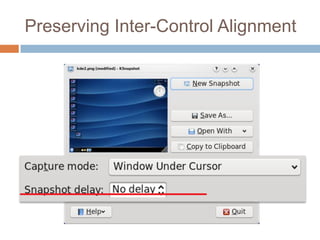
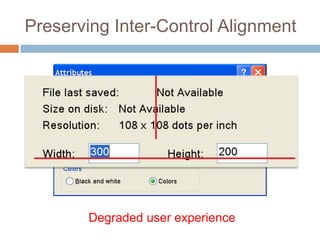
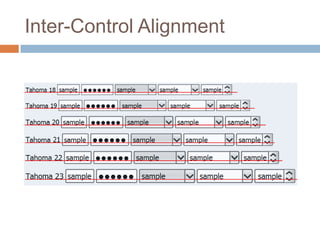
Preserving Inter-Control Alignment


       Degraded user experience
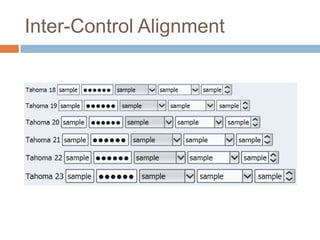
Inter-Control Alignment
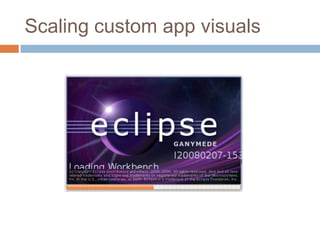
Scaling custom app visuals
Framework Scaling
most exhaustive option
requires deep integration from graphics
drivers to the widget toolkit
minimal changes to "modern" apps
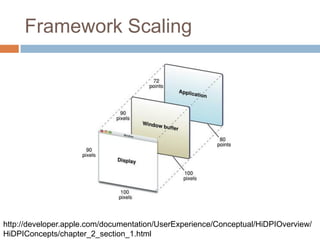
Framework Scaling


http://developer.apple.com/documentation/UserExperience/Conceptual/HiDPIOverview/
HiDPIConcepts/chapter_2_section_1.html
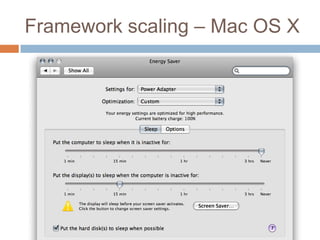
Framework scaling – Mac OS X
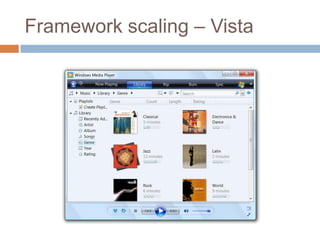
Framework scaling – Vista
Framework scaling – back to pixels

   Sometimes the default scaling isn’t right
     Per-pixelcustom art (Google map tiles)
     Custom controls

     Custom views where physical size fidelity matters
      (show 1 inch, irrespective of DPI)
   Obtain the “scale factor”
   Apply an “inverse” affine transform to get back
    to the “device” coordinate space
Testing your app
   Changing the DPI setting for testing
    purposes
      Windows Vista

      Mac OS X

      Ubuntu with Gnome

      Ubuntu with KDE
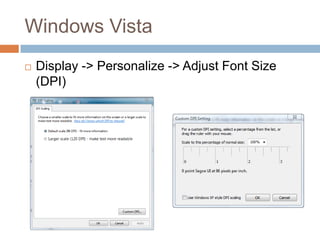
Windows Vista
   Display -> Personalize -> Adjust Font Size
    (DPI)
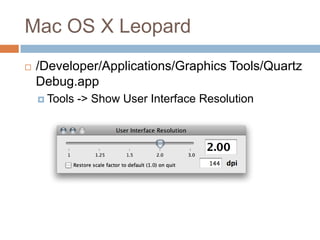
Mac OS X Leopard
   /Developer/Applications/Graphics Tools/Quartz
    Debug.app
     Tools   -> Show User Interface Resolution
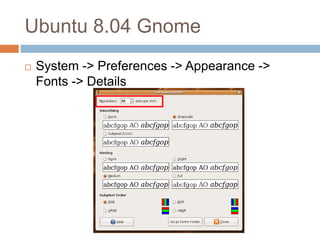
Ubuntu 8.04 Gnome
   System -> Preferences -> Appearance ->
    Fonts -> Details
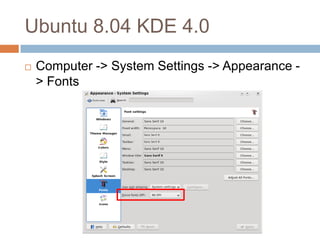
Ubuntu 8.04 KDE 4.0
   Computer -> System Settings -> Appearance -
    > Fonts
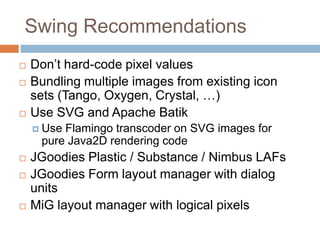
Swing Recommendations
   Don’t hard-code pixel values
   Bundling multiple images from existing icon
    sets (Tango, Oxygen, Crystal, …)
   Use SVG and Apache Batik
     UseFlamingo transcoder on SVG images for
     pure Java2D rendering code
   JGoodies Plastic / Substance / Nimbus LAFs
   JGoodies Form layout manager with dialog
    units
   MiG layout manager with logical pixels
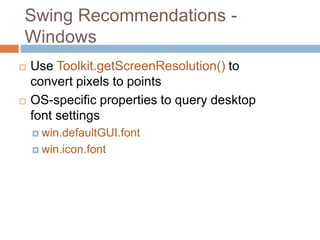
Swing Recommendations -
Windows
   Use Toolkit.getScreenResolution() to
    convert pixels to points
   OS-specific properties to query desktop
    font settings
     win.defaultGUI.font

     win.icon.font
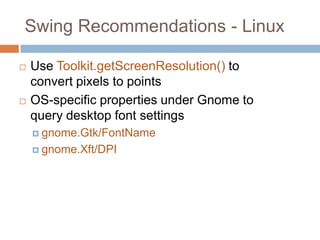
Swing Recommendations - Linux

   Use Toolkit.getScreenResolution() to
    convert pixels to points
   OS-specific properties under Gnome to
    query desktop font settings
     gnome.Gtk/FontName

     gnome.Xft/DPI
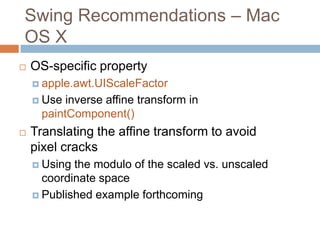
Swing Recommendations – Mac
OS X
   OS-specific property
     apple.awt.UIScaleFactor

     Use  inverse affine transform in
      paintComponent()
   Translating the affine transform to avoid
    pixel cracks
     Using the modulo of the scaled vs. unscaled
      coordinate space
     Published example forthcoming
One more thing…
Multi-display, multi-resolution
Related sessions
   TS-6096 – Nimbus: The New Face of
    Swing. Thursday 10:50AM
   BOF-6101 – Nimbus: Beyond the Basics.
    Thursday 7:30PM
   TS-4928 - Creating Simple to Advanced
    Swing and SWT Layouts Easily with MiG
    Layout. Friday 1:30PM
Kirill Grouchnikov, Amdocs Inc.
Mike Swingler, Apple Inc.

High DPI for desktop applications