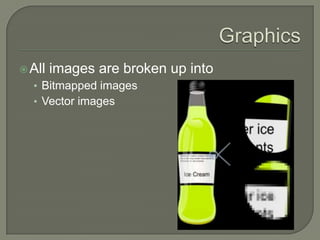
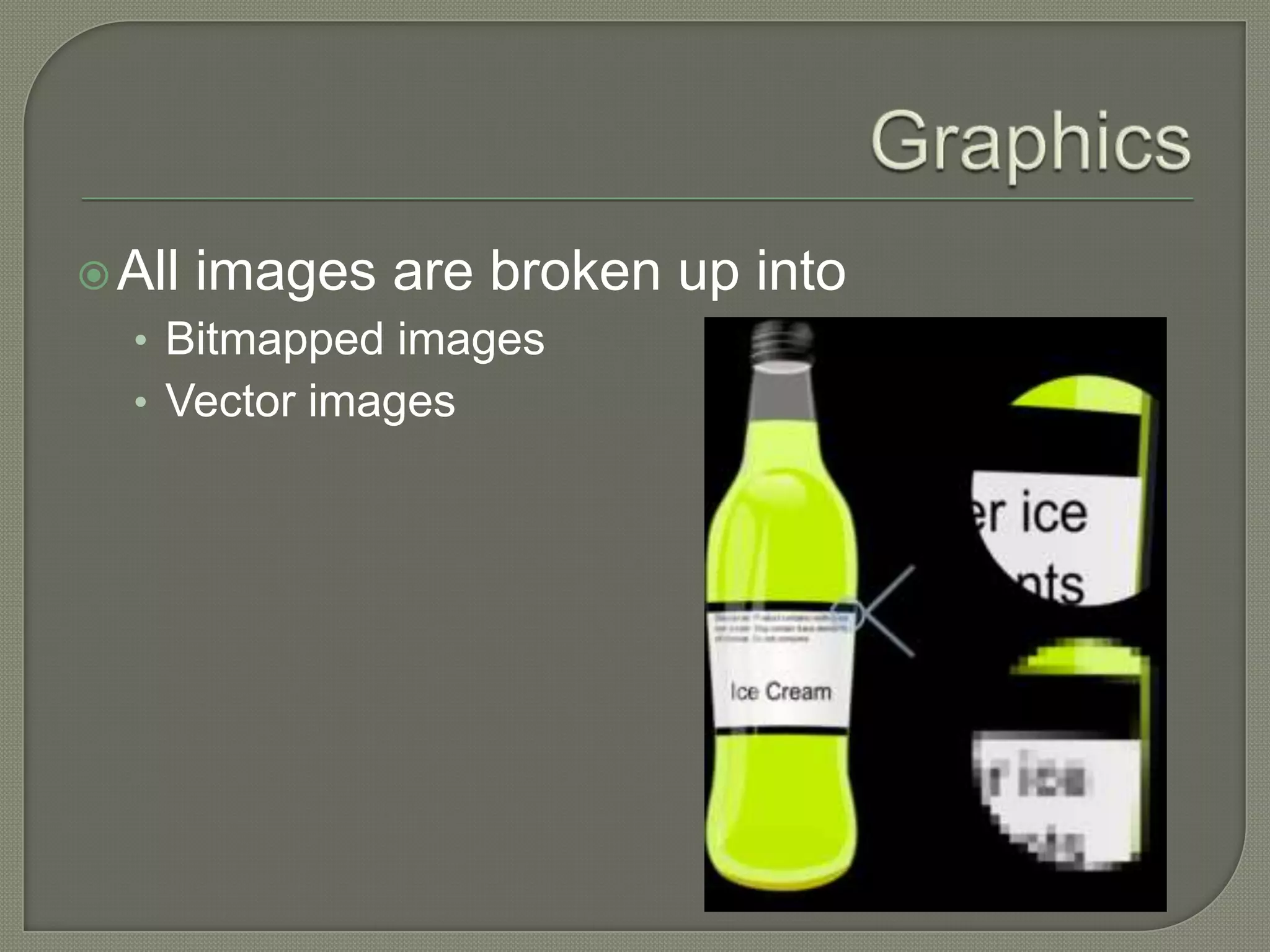
GraphicsAll images are broken up intoBitmapped imagesVector images
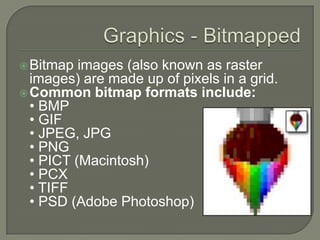
Graphics - BitmappedBitmap images (also known as raster images) are made up of pixels in a grid.Common bitmap formats include:• BMP • GIF • JPEG, JPG • PNG • PICT (Macintosh) • PCX • TIFF • PSD (Adobe Photoshop)
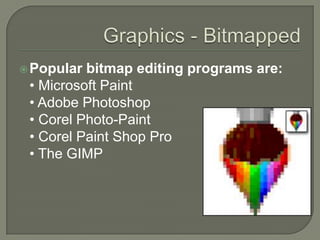
Graphics - BitmappedPopular bitmap editing programs are:• Microsoft Paint • Adobe Photoshop • Corel Photo-Paint • Corel Paint Shop Pro • The GIMP
Graphics - VectorVector images are made up of many individual, scalable objects. These objects are defined by mathematical equations rather than pixels, so they always render at the highest quality. Common vector formats include:AI (Adobe Illustrator) CDR (CorelDRAW) SWF (FlashCGM Computer Graphics MetafileDXF AutoCADWMF Windows Metafile SVG: Scalable vector Graphics (Web based)
Graphics - VectorPopular vector drawing programs are:• Adobe Illustrator • CorelDRAW• XaraXtreme• Serif DrawPlus
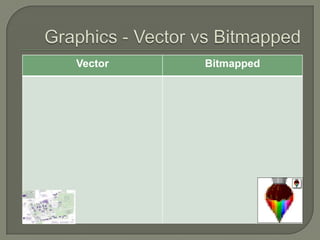
Graphics - Vector vs Bitmapped
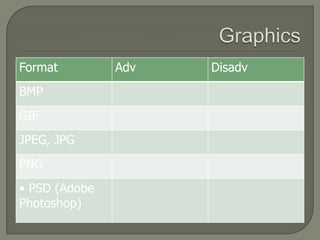
Graphics
Lossy? Lossless?Lossless is a compression format where you don’t lose quality because the quality is stored for laterEg, Gif images, lossless WMALossy is a compression type where you do lose quality, the quality is thrown away when you compressEg, JPEG images, MPEG sound/video
Graphics - ResolutionImage resolution describes the detail an image holds. The term applies equally to digital images, film images, and other types of images. Higher resolution means more image detail.The greater the detail in the image, the larger the file size.  (it is important to think about what type of files you would use for different situations i.e. the web)
Colour Depth (Bit – Depth)Colour depth or bit depth, is a computer graphics term describing the number of bits used to represent the colour of a single pixel in a bitmapped image. Higher colour depth gives a broader range of distinct colours.
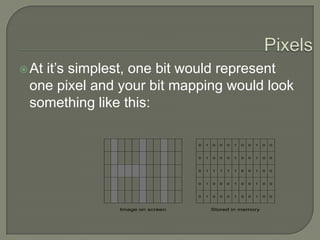
Bit mappingThe arrangement of the pixels on the screen when taken to binary is called bit-mapping The file size for the picture will depend upon the bit depth (or colour depth) ie, the number of bits per pixel and the size
PixelsAt it’s simplest, one bit would represent one pixel and your bit mapping would look something like this:
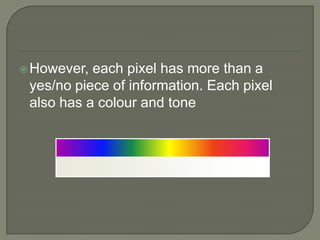
However, each pixel has more than a yes/no piece of information. Each pixel also has a colour and tone
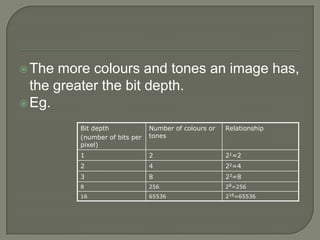
The more colours and tones an image has, the greater the bit depth.Eg.
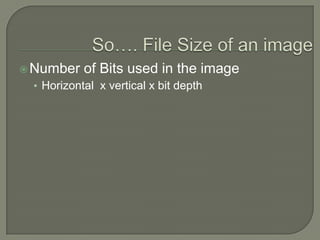
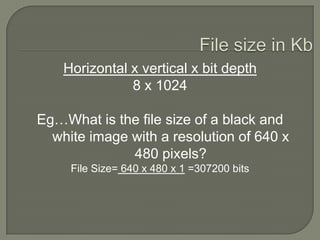
So…. File Size of an image Number of Bits used in the imageHorizontal  x vertical x bit depth
File size in KbHorizontal x vertical x bit depth8 x 1024Eg…What is the file size of a black and white image with a resolution of 640 x 480 pixels?File Size= 640 x 480 x 1 =307200 bits
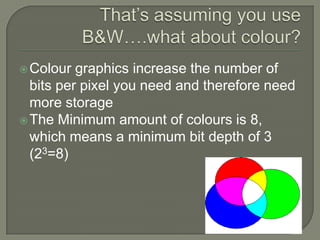
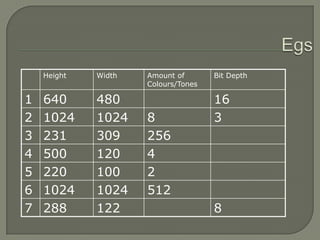
That’s assuming you use B&W….what about colour?Colour graphics increase the number of bits per pixel you need and therefore need more storageThe Minimum amount of colours is 8, which means a minimum bit depth of 3 (23=8)
Egs
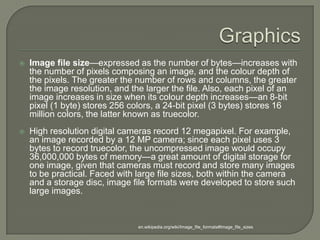
GraphicsImage file size—expressed as the number of bytes—increases with the number of pixels composing an image, and the colour depth of the pixels. The greater the number of rows and columns, the greater the image resolution, and the larger the file. Also, each pixel of an image increases in size when its colour depth increases—an 8-bit pixel (1 byte) stores 256 colors, a 24-bit pixel (3 bytes) stores 16 million colors, the latter known as truecolor.High resolution digital cameras record 12 megapixel. For example, an image recorded by a 12 MP camera; since each pixel uses 3 bytes to record truecolor, the uncompressed image would occupy 36,000,000 bytes of memory—a great amount of digital storage for one image, given that cameras must record and store many images to be practical. Faced with large file sizes, both within the camera and a storage disc, image file formats were developed to store such large images. en.wikipedia.org/wiki/Image_file_formats#Image_file_sizes
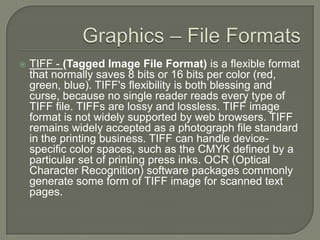
Graphics – File FormatsTIFF - (Tagged Image File Format) is a flexible format that normally saves 8 bits or 16 bits per color (red, green, blue). TIFF's flexibility is both blessing and curse, because no single reader reads every type of TIFF file. TIFFs are lossy and lossless. TIFF image format is not widely supported by web browsers. TIFF remains widely accepted as a photograph file standard in the printing business. TIFF can handle device-specific color spaces, such as the CMYK defined by a particular set of printing press inks. OCR (Optical Character Recognition) software packages commonly generate some form of TIFF image for scanned text pages.
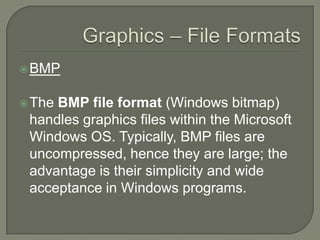
Graphics – File FormatsBMPThe BMP file format (Windows bitmap) handles graphics files within the Microsoft Windows OS. Typically, BMP files are uncompressed, hence they are large; the advantage is their simplicity and wide acceptance in Windows programs.
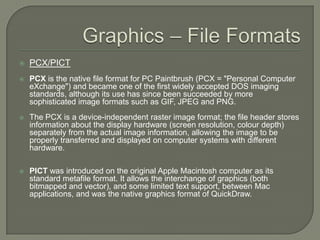
Graphics – File FormatsPCX/PICTPCX is the native file format for PC Paintbrush (PCX = "Personal Computer eXchange") and became one of the first widely accepted DOS imaging standards, although its use has since been succeeded by more sophisticated image formats such as GIF, JPEG and PNG.The PCX is a device-independent raster image format; the file header stores information about the display hardware (screen resolution, colour depth) separately from the actual image information, allowing the image to be properly transferred and displayed on computer systems with different hardware. PICT was introduced on the original Apple Macintosh computer as its standard metafile format. It allows the interchange of graphics (both bitmapped and vector), and some limited text support, between Mac applications, and was the native graphics format of QuickDraw.
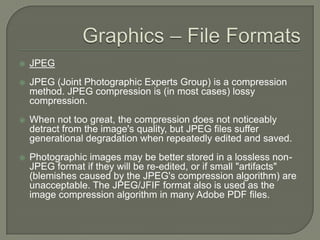
Graphics – File FormatsJPEGJPEG (Joint Photographic Experts Group) is a compression method. JPEG compression is (in most cases) lossy compression. When not too great, the compression does not noticeably detract from the image's quality, but JPEG files suffer generational degradation when repeatedly edited and saved. Photographic images may be better stored in a lossless non-JPEG format if they will be re-edited, or if small "artifacts" (blemishes caused by the JPEG's compression algorithm) are unacceptable. The JPEG/JFIF format also is used as the image compression algorithm in many Adobe PDF files.
Graphics – File FormatsGIFThe Graphics Interchange Format (GIF) is a bitmap image format used on the World Wide Web due to its wide support and portability.It also supports animationsGIF images are compressed using lossless data compression technique to reduce the file size without degrading the visual quality.
Graphics – File FormatsPNGThe PNG (Portable Network Graphics) file format was created as the free, open-source successor to the GIF. The PNG file format supports truecolour (16 million colours) while the GIF supports only 256 colours. The PNG file excels when the image has large, uniformly coloured areas. The lossless PNG format is best suited for editing pictures, and the lossy formats, like JPG, are best for the final distribution of photographic images, because JPG files are smaller than PNG files. Many older browsers currently do not support the PNG file format, however, all contemporary web browsers now support all common uses of the PNG format. PNG provides a patent-free replacement for GIF and can also replace many common uses of TIFF. PNG is designed to work well in online viewing applications, such as the World Wide Web, so it is fully streamable with a progressive display option.
Graphics – Importing ImagesClipart – royalty free imagesScreencapture (show example)Software that can be used:Screengrab (Mozilla add-on)Capture foxFireshot
Graphics – Importing ImagesScanning:A scanner is a device that captures images from photographic prints, posters, magazine pages, and similar sources for computer editing and display. Scanners come in hand-held, feed-in, and flatbed types and for scanning black-and-white only, or color. Very high resolution scanners are used for scanning for high-resolution printing, but lower resolution scanners are adequate for capturing images for computer display. Scanners usually come with software, such as Adobe's Photoshop product, that lets you resize and otherwise modify a captured image.OCR - Optical character recognition systems use scanners to capture a document's contents, but go one step further. They use software to convert the dots into ASCII or EBCDIC text characters so they can be used in word processing, e-mail and other text applications.
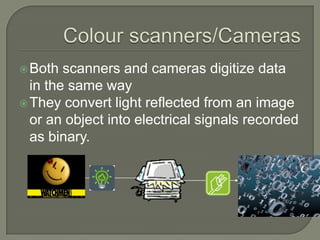
Colour scanners/CamerasBoth scanners and cameras digitize data in the same wayThey convert light reflected from an image or an object into electrical signals recorded as binary.
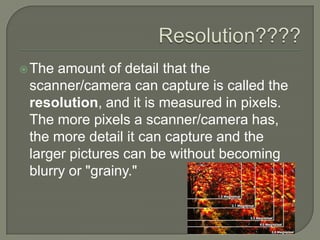
Resolution????The amount of detail that the scanner/camera can capture is called the resolution, and it is measured in pixels. The more pixels a scanner/camera has, the more detail it can capture and the larger pictures can be without becoming blurry or "grainy."
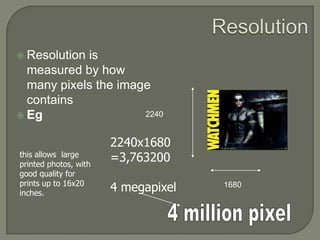
ResolutionResolution is measured by how many pixels the image containsEg22402240x1680=3,7632004 megapixelthis allows  large printed photos, with good quality for prints up to 16x20 inches.16804 million pixel
Graphics Tabletalso known as digitizing tablets, are computer peripheral devices that allow "hand-drawn" tablet-to-screen input. Using a pen/stylus rather than a mouse, the graphics tablet allows the control of "drawing" on the screen with the same hand control that a pencil allows, by drawing pen-strokes on the tablet and having them mirrored by the cursor on-screen. Some tablets also have a screen of their own that allows a more accurate "drawing" experience.http://animation.about.com/od/glossaryofterms/g/graptab_def.htm
Digital CameraA digital camera is a camera that takes video or still photographs, or both, digitally by recording images via an electronic image sensor.The resolution of a digital camera is often limited by the camera sensor (typically a CCD (charged couple device) or CMOS sensor chip) that turns light into discrete signals, replacing the job of film in traditional photography.  The number of resulting pixels in the image determines its "pixel count“.http://en.wikipedia.org/wiki/Digital_camera
GraphicsStock photos (stock photography) are professional photographs of common places, landmarks, nature, events or people that are bought and sold on a royalty-free basis and can be used and reused for commercial design purposes.Image Libraries
Graphicsobject layering:textother imagesimage enhancements: filtersspecial effectsanti-aliasingimage manipulation: stretchskewrotatecolour adjustmentThese will be looked at in a practical sense.

Stem 71 24 multimedia elements - graphics

  • 1.
    GraphicsAll images arebroken up intoBitmapped imagesVector images
  • 2.
    Graphics - BitmappedBitmapimages (also known as raster images) are made up of pixels in a grid.Common bitmap formats include:• BMP • GIF • JPEG, JPG • PNG • PICT (Macintosh) • PCX • TIFF • PSD (Adobe Photoshop)
  • 3.
    Graphics - BitmappedPopularbitmap editing programs are:• Microsoft Paint • Adobe Photoshop • Corel Photo-Paint • Corel Paint Shop Pro • The GIMP
  • 4.
    Graphics - VectorVectorimages are made up of many individual, scalable objects. These objects are defined by mathematical equations rather than pixels, so they always render at the highest quality. Common vector formats include:AI (Adobe Illustrator) CDR (CorelDRAW) SWF (FlashCGM Computer Graphics MetafileDXF AutoCADWMF Windows Metafile SVG: Scalable vector Graphics (Web based)
  • 5.
    Graphics - VectorPopularvector drawing programs are:• Adobe Illustrator • CorelDRAW• XaraXtreme• Serif DrawPlus
  • 6.
    Graphics - Vectorvs Bitmapped
  • 7.
  • 8.
    Lossy? Lossless?Lossless isa compression format where you don’t lose quality because the quality is stored for laterEg, Gif images, lossless WMALossy is a compression type where you do lose quality, the quality is thrown away when you compressEg, JPEG images, MPEG sound/video
  • 9.
    Graphics - ResolutionImageresolution describes the detail an image holds. The term applies equally to digital images, film images, and other types of images. Higher resolution means more image detail.The greater the detail in the image, the larger the file size. (it is important to think about what type of files you would use for different situations i.e. the web)
  • 10.
    Colour Depth (Bit– Depth)Colour depth or bit depth, is a computer graphics term describing the number of bits used to represent the colour of a single pixel in a bitmapped image. Higher colour depth gives a broader range of distinct colours.
  • 11.
    Bit mappingThe arrangementof the pixels on the screen when taken to binary is called bit-mapping The file size for the picture will depend upon the bit depth (or colour depth) ie, the number of bits per pixel and the size
  • 12.
    PixelsAt it’s simplest,one bit would represent one pixel and your bit mapping would look something like this:
  • 13.
    However, each pixelhas more than a yes/no piece of information. Each pixel also has a colour and tone
  • 14.
    The more coloursand tones an image has, the greater the bit depth.Eg.
  • 15.
    So…. File Sizeof an image Number of Bits used in the imageHorizontal x vertical x bit depth
  • 16.
    File size inKbHorizontal x vertical x bit depth8 x 1024Eg…What is the file size of a black and white image with a resolution of 640 x 480 pixels?File Size= 640 x 480 x 1 =307200 bits
  • 17.
    That’s assuming youuse B&W….what about colour?Colour graphics increase the number of bits per pixel you need and therefore need more storageThe Minimum amount of colours is 8, which means a minimum bit depth of 3 (23=8)
  • 18.
  • 19.
    GraphicsImage file size—expressedas the number of bytes—increases with the number of pixels composing an image, and the colour depth of the pixels. The greater the number of rows and columns, the greater the image resolution, and the larger the file. Also, each pixel of an image increases in size when its colour depth increases—an 8-bit pixel (1 byte) stores 256 colors, a 24-bit pixel (3 bytes) stores 16 million colors, the latter known as truecolor.High resolution digital cameras record 12 megapixel. For example, an image recorded by a 12 MP camera; since each pixel uses 3 bytes to record truecolor, the uncompressed image would occupy 36,000,000 bytes of memory—a great amount of digital storage for one image, given that cameras must record and store many images to be practical. Faced with large file sizes, both within the camera and a storage disc, image file formats were developed to store such large images. en.wikipedia.org/wiki/Image_file_formats#Image_file_sizes
  • 20.
    Graphics – FileFormatsTIFF - (Tagged Image File Format) is a flexible format that normally saves 8 bits or 16 bits per color (red, green, blue). TIFF's flexibility is both blessing and curse, because no single reader reads every type of TIFF file. TIFFs are lossy and lossless. TIFF image format is not widely supported by web browsers. TIFF remains widely accepted as a photograph file standard in the printing business. TIFF can handle device-specific color spaces, such as the CMYK defined by a particular set of printing press inks. OCR (Optical Character Recognition) software packages commonly generate some form of TIFF image for scanned text pages.
  • 21.
    Graphics – FileFormatsBMPThe BMP file format (Windows bitmap) handles graphics files within the Microsoft Windows OS. Typically, BMP files are uncompressed, hence they are large; the advantage is their simplicity and wide acceptance in Windows programs.
  • 22.
    Graphics – FileFormatsPCX/PICTPCX is the native file format for PC Paintbrush (PCX = "Personal Computer eXchange") and became one of the first widely accepted DOS imaging standards, although its use has since been succeeded by more sophisticated image formats such as GIF, JPEG and PNG.The PCX is a device-independent raster image format; the file header stores information about the display hardware (screen resolution, colour depth) separately from the actual image information, allowing the image to be properly transferred and displayed on computer systems with different hardware. PICT was introduced on the original Apple Macintosh computer as its standard metafile format. It allows the interchange of graphics (both bitmapped and vector), and some limited text support, between Mac applications, and was the native graphics format of QuickDraw.
  • 23.
    Graphics – FileFormatsJPEGJPEG (Joint Photographic Experts Group) is a compression method. JPEG compression is (in most cases) lossy compression. When not too great, the compression does not noticeably detract from the image's quality, but JPEG files suffer generational degradation when repeatedly edited and saved. Photographic images may be better stored in a lossless non-JPEG format if they will be re-edited, or if small "artifacts" (blemishes caused by the JPEG's compression algorithm) are unacceptable. The JPEG/JFIF format also is used as the image compression algorithm in many Adobe PDF files.
  • 24.
    Graphics – FileFormatsGIFThe Graphics Interchange Format (GIF) is a bitmap image format used on the World Wide Web due to its wide support and portability.It also supports animationsGIF images are compressed using lossless data compression technique to reduce the file size without degrading the visual quality.
  • 25.
    Graphics – FileFormatsPNGThe PNG (Portable Network Graphics) file format was created as the free, open-source successor to the GIF. The PNG file format supports truecolour (16 million colours) while the GIF supports only 256 colours. The PNG file excels when the image has large, uniformly coloured areas. The lossless PNG format is best suited for editing pictures, and the lossy formats, like JPG, are best for the final distribution of photographic images, because JPG files are smaller than PNG files. Many older browsers currently do not support the PNG file format, however, all contemporary web browsers now support all common uses of the PNG format. PNG provides a patent-free replacement for GIF and can also replace many common uses of TIFF. PNG is designed to work well in online viewing applications, such as the World Wide Web, so it is fully streamable with a progressive display option.
  • 26.
    Graphics – ImportingImagesClipart – royalty free imagesScreencapture (show example)Software that can be used:Screengrab (Mozilla add-on)Capture foxFireshot
  • 27.
    Graphics – ImportingImagesScanning:A scanner is a device that captures images from photographic prints, posters, magazine pages, and similar sources for computer editing and display. Scanners come in hand-held, feed-in, and flatbed types and for scanning black-and-white only, or color. Very high resolution scanners are used for scanning for high-resolution printing, but lower resolution scanners are adequate for capturing images for computer display. Scanners usually come with software, such as Adobe's Photoshop product, that lets you resize and otherwise modify a captured image.OCR - Optical character recognition systems use scanners to capture a document's contents, but go one step further. They use software to convert the dots into ASCII or EBCDIC text characters so they can be used in word processing, e-mail and other text applications.
  • 28.
    Colour scanners/CamerasBoth scannersand cameras digitize data in the same wayThey convert light reflected from an image or an object into electrical signals recorded as binary.
  • 29.
    Resolution????The amount ofdetail that the scanner/camera can capture is called the resolution, and it is measured in pixels. The more pixels a scanner/camera has, the more detail it can capture and the larger pictures can be without becoming blurry or "grainy."
  • 30.
    ResolutionResolution is measuredby how many pixels the image containsEg22402240x1680=3,7632004 megapixelthis allows large printed photos, with good quality for prints up to 16x20 inches.16804 million pixel
  • 31.
    Graphics Tabletalso knownas digitizing tablets, are computer peripheral devices that allow "hand-drawn" tablet-to-screen input. Using a pen/stylus rather than a mouse, the graphics tablet allows the control of "drawing" on the screen with the same hand control that a pencil allows, by drawing pen-strokes on the tablet and having them mirrored by the cursor on-screen. Some tablets also have a screen of their own that allows a more accurate "drawing" experience.http://animation.about.com/od/glossaryofterms/g/graptab_def.htm
  • 32.
    Digital CameraA digitalcamera is a camera that takes video or still photographs, or both, digitally by recording images via an electronic image sensor.The resolution of a digital camera is often limited by the camera sensor (typically a CCD (charged couple device) or CMOS sensor chip) that turns light into discrete signals, replacing the job of film in traditional photography. The number of resulting pixels in the image determines its "pixel count“.http://en.wikipedia.org/wiki/Digital_camera
  • 33.
    GraphicsStock photos (stockphotography) are professional photographs of common places, landmarks, nature, events or people that are bought and sold on a royalty-free basis and can be used and reused for commercial design purposes.Image Libraries
  • 34.
    Graphicsobject layering:textother imagesimageenhancements: filtersspecial effectsanti-aliasingimage manipulation: stretchskewrotatecolour adjustmentThese will be looked at in a practical sense.