Types, Characteristics, Barriers,
Assistive Tech, and UX Design
Cognitive
Disabilities
A11Y AND INCLUSIVE DESIGN SERIES
@ALENAHUANG
This is an introduction to cognitive disabilities.
Here we will learn about...
1. What are cognitive disabilities?
2. Types and characteristics
3. Barriers for people with cognitive
disabilities
4. Assistive Technologies
5. UX Design Considerations
Let’s get started!
What will this guide cover?
Cognitive disabilities are a wide spectrum of
conditions and disorders that include
impairments of...
• Memory
• Language
• Learning
• Thinking
• Perception
What are Cognitive Disabilities?
Types and
Characteristics
Cognitive Disabilities
Here are some categories of cognitive
disabilities:
• Neurodevelopmental disorders
• Neurodegenerative disorders
• Memory impairments
• Brain injury impairments
• Learning disabilities
• Seizure disorders
• Mental and psychological disorders
Categories
TYPES OF COGNITIVE DISABILITIES
This list is not a comprehensive list of
cognitive disabilities, but a few examples:
• Dyslexia
• Dyscalculia
• Attention Deficit Hyperactivity Disorder
(ADHD)
• Autism Spectrum Disorder (ASD)
• Non-Verbal Learning Disability
• Anxiety
• Epilepsy
Examples of Cognitive Disabilities
TYPES OF COGNITIVE DISABILITIES
As cognitive disabilities covers a broad range,
there are different characteristics for each
kind of disability.
Characteristics may include limitations in
reasoning, problem solving, or adaptive
behavior in practical and social skills.
Cognitive disabilities may also impact
people’s focus and comprehension.
Characteristics
TYPES OF COGNITIVE DISABILITIES
Examples of
Barriers
Cognitive Disabilities
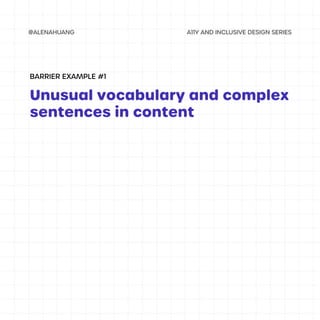
Unusual vocabulary and complex
sentences in content
BARRIER EXAMPLE #1
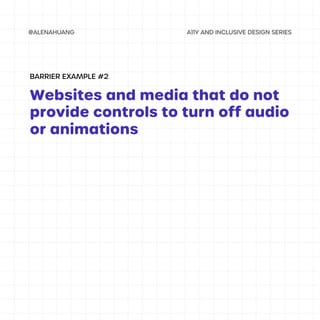
Websites and media that do not
provide controls to turn off audio
or animations
BARRIER EXAMPLE #2
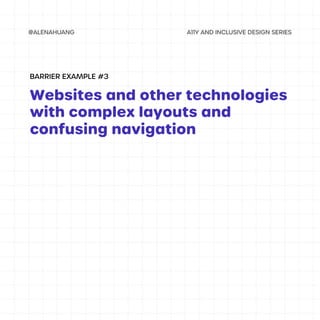
Websites and other technologies
with complex layouts and
confusing navigation
BARRIER EXAMPLE #3
Examples of
Assistive Tech
Cognitive Disabilities
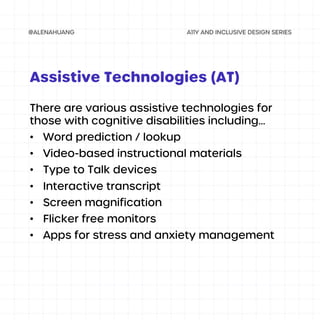
There are various assistive technologies for
those with cognitive disabilities including...
• Word prediction / lookup
• Video-based instructional materials
• Type to Talk devices
• Interactive transcript
• Screen magnification
• Flicker free monitors
• Apps for stress and anxiety management
Assistive Technologies (AT)
UX Design
Considerations
Cognitive Disabilities
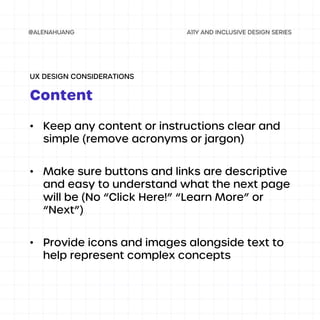
• Keep any content or instructions clear and
simple (remove acronyms or jargon)
• Make sure buttons and links are descriptive
and easy to understand what the next page
will be (No “Click Here!” “Learn More” or
“Next”)
• Provide icons and images alongside text to
help represent complex concepts
Content
UX DESIGN CONSIDERATIONS
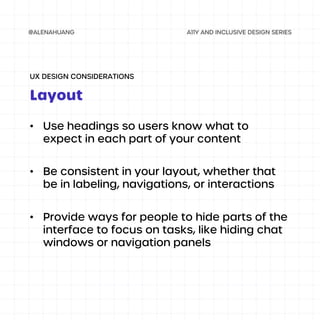
• Use headings so users know what to
expect in each part of your content
• Be consistent in your layout, whether that
be in labeling, navigations, or interactions
• Provide ways for people to hide parts of the
interface to focus on tasks, like hiding chat
windows or navigation panels
Layout
UX DESIGN CONSIDERATIONS
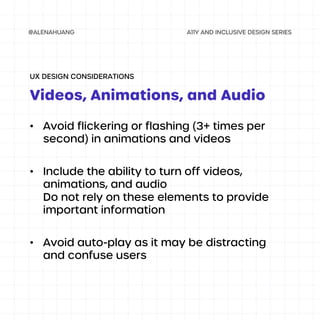
• Avoid flickering or flashing (3+ times per
second) in animations and videos
• Include the ability to turn off videos,
animations, and audio
Do not rely on these elements to provide
important information
• Avoid auto-play as it may be distracting
and confuse users
Videos, Animations, and Audio
UX DESIGN CONSIDERATIONS

Cognitive Disabilities

  • 1.
    Types, Characteristics, Barriers, AssistiveTech, and UX Design Cognitive Disabilities A11Y AND INCLUSIVE DESIGN SERIES @ALENAHUANG
  • 2.
    This is anintroduction to cognitive disabilities. Here we will learn about... 1. What are cognitive disabilities? 2. Types and characteristics 3. Barriers for people with cognitive disabilities 4. Assistive Technologies 5. UX Design Considerations Let’s get started! What will this guide cover?
  • 3.
    Cognitive disabilities area wide spectrum of conditions and disorders that include impairments of... • Memory • Language • Learning • Thinking • Perception What are Cognitive Disabilities?
  • 4.
  • 5.
    Here are somecategories of cognitive disabilities: • Neurodevelopmental disorders • Neurodegenerative disorders • Memory impairments • Brain injury impairments • Learning disabilities • Seizure disorders • Mental and psychological disorders Categories TYPES OF COGNITIVE DISABILITIES
  • 6.
    This list isnot a comprehensive list of cognitive disabilities, but a few examples: • Dyslexia • Dyscalculia • Attention Deficit Hyperactivity Disorder (ADHD) • Autism Spectrum Disorder (ASD) • Non-Verbal Learning Disability • Anxiety • Epilepsy Examples of Cognitive Disabilities TYPES OF COGNITIVE DISABILITIES
  • 7.
    As cognitive disabilitiescovers a broad range, there are different characteristics for each kind of disability. Characteristics may include limitations in reasoning, problem solving, or adaptive behavior in practical and social skills. Cognitive disabilities may also impact people’s focus and comprehension. Characteristics TYPES OF COGNITIVE DISABILITIES
  • 8.
  • 9.
    Unusual vocabulary andcomplex sentences in content BARRIER EXAMPLE #1
  • 10.
    Websites and mediathat do not provide controls to turn off audio or animations BARRIER EXAMPLE #2
  • 11.
    Websites and othertechnologies with complex layouts and confusing navigation BARRIER EXAMPLE #3
  • 12.
  • 13.
    There are variousassistive technologies for those with cognitive disabilities including... • Word prediction / lookup • Video-based instructional materials • Type to Talk devices • Interactive transcript • Screen magnification • Flicker free monitors • Apps for stress and anxiety management Assistive Technologies (AT)
  • 14.
  • 15.
    • Keep anycontent or instructions clear and simple (remove acronyms or jargon) • Make sure buttons and links are descriptive and easy to understand what the next page will be (No “Click Here!” “Learn More” or “Next”) • Provide icons and images alongside text to help represent complex concepts Content UX DESIGN CONSIDERATIONS
  • 16.
    • Use headingsso users know what to expect in each part of your content • Be consistent in your layout, whether that be in labeling, navigations, or interactions • Provide ways for people to hide parts of the interface to focus on tasks, like hiding chat windows or navigation panels Layout UX DESIGN CONSIDERATIONS
  • 17.
    • Avoid flickeringor flashing (3+ times per second) in animations and videos • Include the ability to turn off videos, animations, and audio Do not rely on these elements to provide important information • Avoid auto-play as it may be distracting and confuse users Videos, Animations, and Audio UX DESIGN CONSIDERATIONS