How to Evaluate your Designs:
Approaches and Tools
Evaluating
Accessibility
A11Y AND INCLUSIVE DESIGN SERIES
@ALENAHUANG
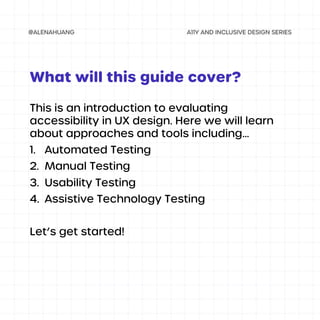
This is an introduction to evaluating
accessibility in UX design. Here we will learn
about approaches and tools including…
1. Automated Testing
2. Manual Testing
3. Usability Testing
4. Assistive Technology Testing
Let’s get started!
What will this guide cover?
Your designs will never be 100% accessible to
all people, but evaluating your designs on
accessibility would be one step closer to
making a design that is more inclusive and
accessible for everyone.
As people and their needs are constantly
changing, it’s crucial for you as a designer to
continuously test and review your designs.
Why evaluate my designs?
Approaches
and Tools
Evaluating Accessibility
There are many tools that allow you to do
automated testing, in which they scan your
designs to flag accessibility issues.
Examples:
• WebAIM Contrast Checker
• ANDI accessibility testing tool
• WAVE accessibility evaluation tool
These tools are great as a starting point, but
will not find all issues on their own.
1. Automated testing
EVALUATING ACCESSIBILITY: APPROACHES AND TOOLS
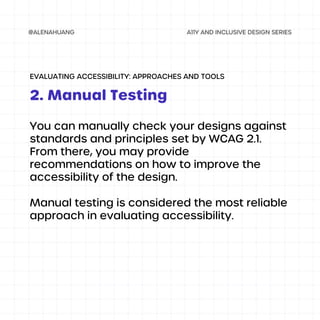
You can manually check your designs against
standards and principles set by WCAG 2.1.
From there, you may provide
recommendations on how to improve the
accessibility of the design.
Manual testing is considered the most reliable
approach in evaluating accessibility.
2. Manual Testing
EVALUATING ACCESSIBILITY: APPROACHES AND TOOLS
Another important aspect of evaluating is
testing your designs with real people. Getting
feedback from those who use your design will
provide you a more accurate picture on how
they currently use your designs, what their
needs and pain points are, and how you can
improve to meet their needs.
Remember to always test on people with
different ages, abilities and disabilities,
backgrounds, environments, etc.
3. Usability Testing
EVALUATING ACCESSIBILITY: APPROACHES AND TOOLS
It’s important to test your designs with
assistive technologies, like screen readers or
magnification, so you have an understanding
of how all people interact with your designs
and what possible challenges may arise.
To test with assistive technology, you can
either do this during manual testing, usability
testing, or both.
4. Assistive Technology Testing
EVALUATING ACCESSIBILITY: APPROACHES AND TOOLS

Evaluating Accessibility in Design

  • 1.
    How to Evaluateyour Designs: Approaches and Tools Evaluating Accessibility A11Y AND INCLUSIVE DESIGN SERIES @ALENAHUANG
  • 2.
    This is anintroduction to evaluating accessibility in UX design. Here we will learn about approaches and tools including… 1. Automated Testing 2. Manual Testing 3. Usability Testing 4. Assistive Technology Testing Let’s get started! What will this guide cover?
  • 3.
    Your designs willnever be 100% accessible to all people, but evaluating your designs on accessibility would be one step closer to making a design that is more inclusive and accessible for everyone. As people and their needs are constantly changing, it’s crucial for you as a designer to continuously test and review your designs. Why evaluate my designs?
  • 4.
  • 5.
    There are manytools that allow you to do automated testing, in which they scan your designs to flag accessibility issues. Examples: • WebAIM Contrast Checker • ANDI accessibility testing tool • WAVE accessibility evaluation tool These tools are great as a starting point, but will not find all issues on their own. 1. Automated testing EVALUATING ACCESSIBILITY: APPROACHES AND TOOLS
  • 6.
    You can manuallycheck your designs against standards and principles set by WCAG 2.1. From there, you may provide recommendations on how to improve the accessibility of the design. Manual testing is considered the most reliable approach in evaluating accessibility. 2. Manual Testing EVALUATING ACCESSIBILITY: APPROACHES AND TOOLS
  • 7.
    Another important aspectof evaluating is testing your designs with real people. Getting feedback from those who use your design will provide you a more accurate picture on how they currently use your designs, what their needs and pain points are, and how you can improve to meet their needs. Remember to always test on people with different ages, abilities and disabilities, backgrounds, environments, etc. 3. Usability Testing EVALUATING ACCESSIBILITY: APPROACHES AND TOOLS
  • 8.
    It’s important totest your designs with assistive technologies, like screen readers or magnification, so you have an understanding of how all people interact with your designs and what possible challenges may arise. To test with assistive technology, you can either do this during manual testing, usability testing, or both. 4. Assistive Technology Testing EVALUATING ACCESSIBILITY: APPROACHES AND TOOLS