Types, Characteristics, Barriers,
Assistive Tech, and UX Design
Auditory
Disabilities
A11Y AND INCLUSIVE DESIGN SERIES
@ALENAHUANG
This is an introduction to auditory disabilities.
Here we will learn about...
1. What are auditory disabilities?
2. Types and characteristics
3. Barriers for people with auditory disabilities
4. Assistive Technologies
5. UX Design Considerations
Let’s get started!
What will this guide cover?
Auditory disabilities range from partial to
complete hearing loss including...
• Deafness
• Hard of hearing (HOH)
• Central Auditory Processing Disorder (CAPD)
What are Auditory Disabilities?
Types and
Characteristics
Auditory Disabilities
Deafness can be defined as total or near total
loss of hearing.
Some things to consider...
• Many people who are deaf know sign
language as their first language, so they
may not be as comfortable reading text
• Those who lose hearing later in life may
never learn sign language, or are not as
comfortable with it
Deafness
TYPES OF AUDITORY DISABILITIES
About 466 million people, or 6.1% of the
population, are deaf or HOH. Hearing loss can
range from mild to severe, in one or both ears.
Hard of Hearing (HOH)
TYPES OF AUDITORY DISABILITIES
CAPD affects 5% of the global population, in
which people have difficulty hearing and
understanding speech even though no
measurable hearing loss exists
Those with CAPD may have the inability to
interpret, organize, or analyze what’s heard.
Central Auditory Processing
Disorder (CAPD)
TYPES OF AUDITORY DISABILITIES
Examples of
Barriers
Auditory Disabilities
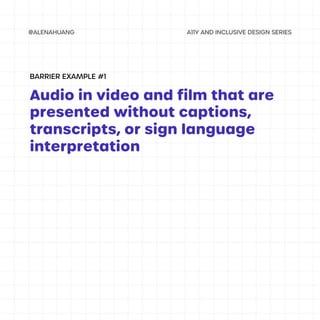
Audio in video and film that are
presented without captions,
transcripts, or sign language
interpretation
BARRIER EXAMPLE #1
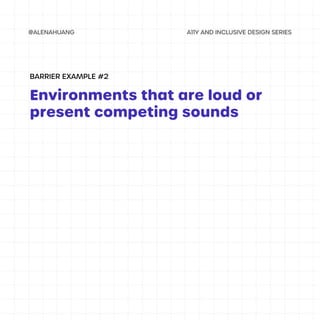
Environments that are loud or
present competing sounds
BARRIER EXAMPLE #2
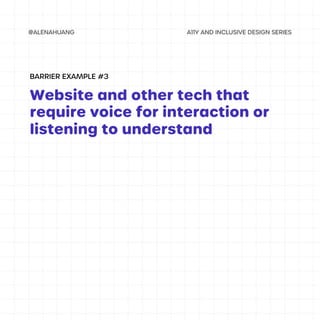
Website and other tech that
require voice for interaction or
listening to understand
BARRIER EXAMPLE #3
Examples of
Assistive Tech
Auditory Disabilities
There are various assistive technologies for
those with auditory disabilities including...
• Hearing aids
• Sign language interpretation
• Captions and transcripts
• Audio cues
• Haptic alerts and visual cues
• Speech to text software
Assistive Technologies (AT)
UX Design
Considerations
Auditory Disabilities
• Provide transcripts or text-based formats
for people to utilize
• Include captions and subtitles on videos
and animations
• Ensure audio is loud and clear, reducing or
removing any background noise
Audio and Videos
UX DESIGN CONSIDERATIONS
• For essential information, make sure it is
designed with other indicators other than
sound (ex. visual or tactile indicators)
• Allow for notifications and important
communication to come in various forms
other than audio
Forms of Communication
UX DESIGN CONSIDERATIONS

Auditory Disabilities

  • 1.
    Types, Characteristics, Barriers, AssistiveTech, and UX Design Auditory Disabilities A11Y AND INCLUSIVE DESIGN SERIES @ALENAHUANG
  • 2.
    This is anintroduction to auditory disabilities. Here we will learn about... 1. What are auditory disabilities? 2. Types and characteristics 3. Barriers for people with auditory disabilities 4. Assistive Technologies 5. UX Design Considerations Let’s get started! What will this guide cover?
  • 3.
    Auditory disabilities rangefrom partial to complete hearing loss including... • Deafness • Hard of hearing (HOH) • Central Auditory Processing Disorder (CAPD) What are Auditory Disabilities?
  • 4.
  • 5.
    Deafness can bedefined as total or near total loss of hearing. Some things to consider... • Many people who are deaf know sign language as their first language, so they may not be as comfortable reading text • Those who lose hearing later in life may never learn sign language, or are not as comfortable with it Deafness TYPES OF AUDITORY DISABILITIES
  • 6.
    About 466 millionpeople, or 6.1% of the population, are deaf or HOH. Hearing loss can range from mild to severe, in one or both ears. Hard of Hearing (HOH) TYPES OF AUDITORY DISABILITIES
  • 7.
    CAPD affects 5%of the global population, in which people have difficulty hearing and understanding speech even though no measurable hearing loss exists Those with CAPD may have the inability to interpret, organize, or analyze what’s heard. Central Auditory Processing Disorder (CAPD) TYPES OF AUDITORY DISABILITIES
  • 8.
  • 9.
    Audio in videoand film that are presented without captions, transcripts, or sign language interpretation BARRIER EXAMPLE #1
  • 10.
    Environments that areloud or present competing sounds BARRIER EXAMPLE #2
  • 11.
    Website and othertech that require voice for interaction or listening to understand BARRIER EXAMPLE #3
  • 12.
  • 13.
    There are variousassistive technologies for those with auditory disabilities including... • Hearing aids • Sign language interpretation • Captions and transcripts • Audio cues • Haptic alerts and visual cues • Speech to text software Assistive Technologies (AT)
  • 14.
  • 15.
    • Provide transcriptsor text-based formats for people to utilize • Include captions and subtitles on videos and animations • Ensure audio is loud and clear, reducing or removing any background noise Audio and Videos UX DESIGN CONSIDERATIONS
  • 16.
    • For essentialinformation, make sure it is designed with other indicators other than sound (ex. visual or tactile indicators) • Allow for notifications and important communication to come in various forms other than audio Forms of Communication UX DESIGN CONSIDERATIONS