Selfish Accessibility
Presented by Adrian Roselli for Create Upstate 2016
Slides from this workshop will be available at rosel.li/CreateUpstate
Introductions
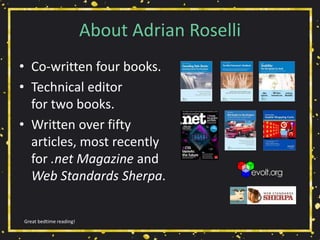
About Adrian Roselli
• Co-written four books.
• Technical editor
for two books.
• Written over fifty
articles, most recently
for .net Magazine and
Web Standards Sherpa.
Great bedtime reading!
About Adrian Roselli
• Member of W3C HTML Working Group*, W3C
Accessibility Task Force, five W3C Community
Groups.
• Building for the web since 1993.
• Business owner / founder, ~20 years.
• Now independent.
• Learn more at AdrianRoselli.com.
• Avoid on Twitter @aardrian.
I warned you.
Primer
What is a11y?
• A numeronym for “accessibility”:
• The first and last letter (accessibility),
• The number of characters omitted (a11y).
• Prominent on Twitter (character restrictions):
• #a11y
• Examples:
• l10n → localization
• i18n → internationalization
Ain’t language funsies?
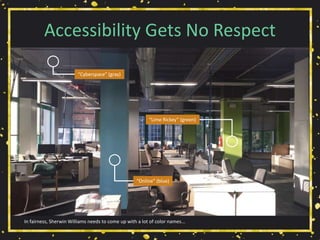
Accessibility Gets No Respect
In fairness, Sherwin Williams needs to come up with a lot of color names...
“Cyberspace” (gray)
“Online” (blue)
“Lime Rickey” (green)
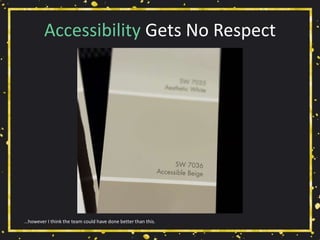
Accessibility Gets No Respect
…however I think the team could have done better than this.
What We’ll Cover
• Yay Statistics!
• Be Selfish
• Group Exercise 1
• User Experience Models
• Group Exercise 2
• Group Exercise 3
• Technical Bits
• Group Exercise 4
• Wrap-up
• Resources
Work with me, people.
Yay Statistics!
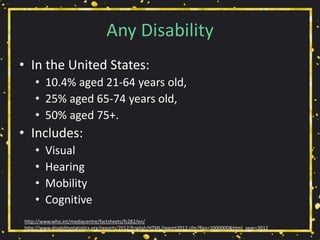
Any Disability
• In the United States:
• 10.4% aged 21-64 years old,
• 25% aged 65-74 years old,
• 50% aged 75+.
• Includes:
• Visual
• Hearing
• Mobility
• Cognitive
http://www.who.int/mediacentre/factsheets/fs282/en/
http://www.disabilitystatistics.org/reports/2012/English/HTML/report2012.cfm?fips=2000000&html_year=2012
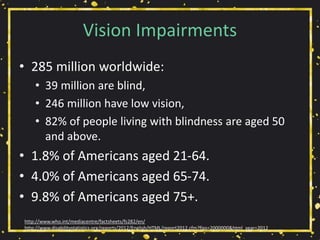
Vision Impairments
• 285 million worldwide:
• 39 million are blind,
• 246 million have low vision,
• 82% of people living with blindness are aged 50
and above.
• 1.8% of Americans aged 21-64.
• 4.0% of Americans aged 65-74.
• 9.8% of Americans aged 75+.
http://www.who.int/mediacentre/factsheets/fs282/en/
http://www.disabilitystatistics.org/reports/2012/English/HTML/report2012.cfm?fips=2000000&html_year=2012
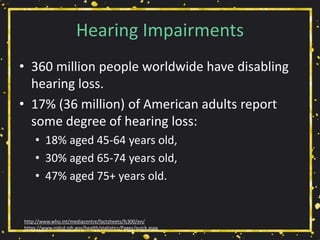
Hearing Impairments
• 360 million people worldwide have disabling
hearing loss.
• 17% (36 million) of American adults report
some degree of hearing loss:
• 18% aged 45-64 years old,
• 30% aged 65-74 years old,
• 47% aged 75+ years old.
http://www.who.int/mediacentre/factsheets/fs300/en/
https://www.nidcd.nih.gov/health/statistics/Pages/quick.aspx
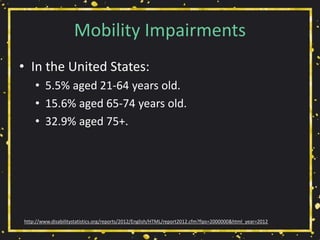
Mobility Impairments
• In the United States:
• 5.5% aged 21-64 years old.
• 15.6% aged 65-74 years old.
• 32.9% aged 75+.
http://www.disabilitystatistics.org/reports/2012/English/HTML/report2012.cfm?fips=2000000&html_year=2012
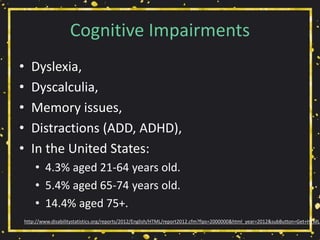
Cognitive Impairments
• Dyslexia,
• Dyscalculia,
• Memory issues,
• Distractions (ADD, ADHD),
• In the United States:
• 4.3% aged 21-64 years old.
• 5.4% aged 65-74 years old.
• 14.4% aged 75+.
http://www.disabilitystatistics.org/reports/2012/English/HTML/report2012.cfm?fips=2000000&html_year=2012&subButton=Get+HTML
Be Selfish
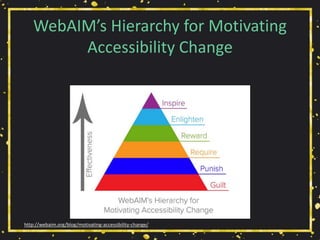
WebAIM’s Hierarchy for Motivating
Accessibility Change
http://webaim.org/blog/motivating-accessibility-change/
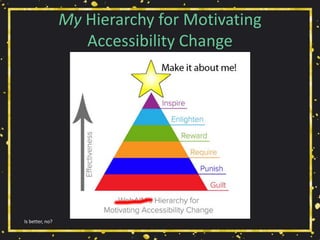
My Hierarchy for Motivating
Accessibility Change
Is better, no?
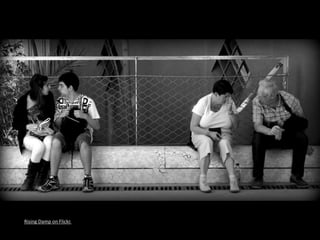
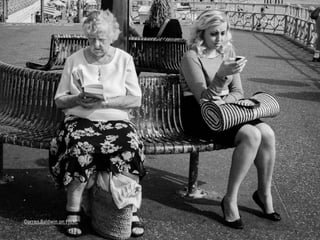
Getting Older
• Affects (nearly) everyone,
• Carries risks and side effects,
• Is not for the young.
I’m still experimenting with it.
Rising Damp on Flickr.
Darren Baldwin on Flickr.
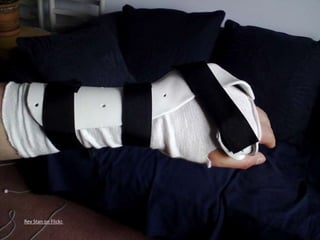
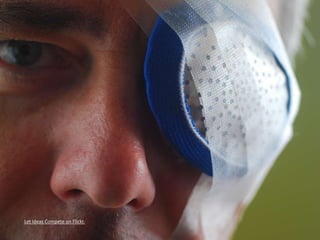
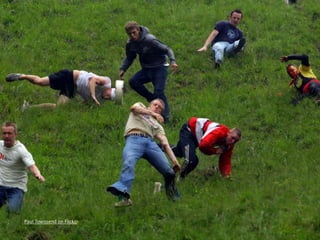
Accidents
• Broken limbs,
• Eye injuries,
• Hearing injuries,
• Head trauma.
All of these have happened to me, multiple times.
Rev Stan on Flickr.
Let Ideas Compete on Flickr.
Fluffy Steve on Flickr.
Paul Townsend on Flickr.
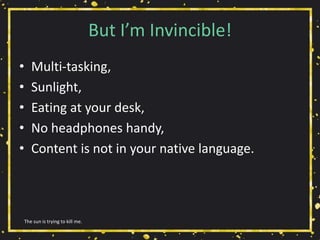
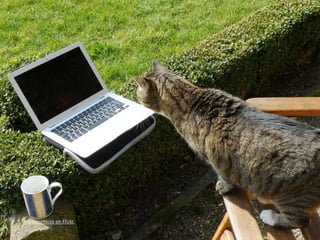
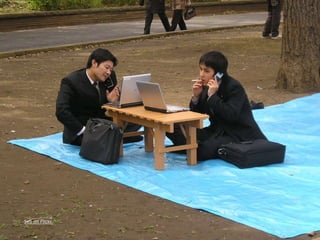
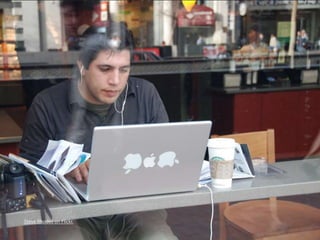
But I’m Invincible!
• Multi-tasking,
• Sunlight,
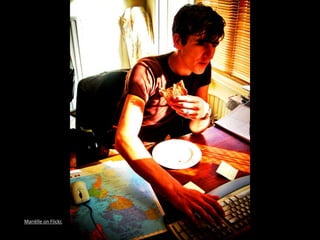
• Eating at your desk,
• No headphones handy,
• Content is not in your native language.
The sun is trying to kill me.
Mariëlle on Flickr.
barockschloss on Flickr.
Seb on Flickr.
A.Davy on Flickr.
Steve Rhodes on Flickr.
SuperFantastic on Flickr.
World Bank Photo Collection on Flickr.
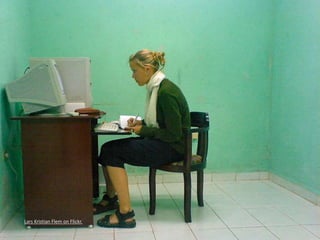
Lars Kristian Flem on Flickr.
Tech Support
• Think of your family!
• Think of your time spent helping them!
• Think of the wasted holidays!
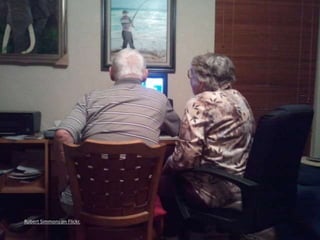
This is why we hate the holidays.
Robert Simmons on Flickr.
Group Exercise!
1 of 4 exercises.
Group Exercise!
• Each person should pick a category:
• Visual
• Audible
• Mobility
• Cognitive
• Work with group to identify scenarios with
overlap for multiple categories that also affect
the able-bodied.
• 15 minutes.
1 of 4 exercises.
User Experience Models
User Stories
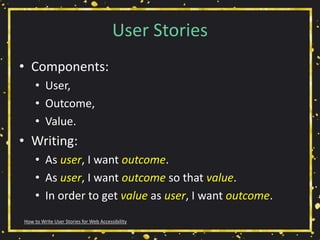
• Components:
• User,
• Outcome,
• Value.
• Writing:
• As user, I want outcome.
• As user, I want outcome so that value.
• In order to get value as user, I want outcome.
How to Write User Stories for Web Accessibility
Selfish User Stories
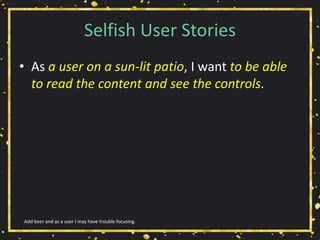
• As a user on a sun-lit patio, I want to be able
to read the content and see the controls.
Add beer and as a user I may have trouble focusing.
Selfish User Stories
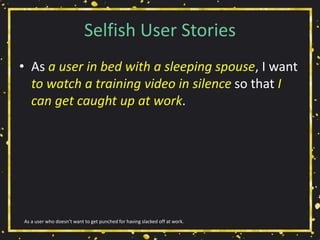
• As a user in bed with a sleeping spouse, I want
to watch a training video in silence so that I
can get caught up at work.
As a user who doesn’t want to get punched for having slacked off at work.
Selfish User Stories
• In order to click links as a user with no elbow
room in coach class with a tiny trackpad, I
want click areas to be large enough and
adequately spaced.
As a user in coach class who also paid too much for the drink he’s spilling on his keyboard.
Selfish User Stories
• As a user distracted by the TV, I want clear
headings and labels so that I don’t lose my
place.
As a user who really should be finishing his work in the office.
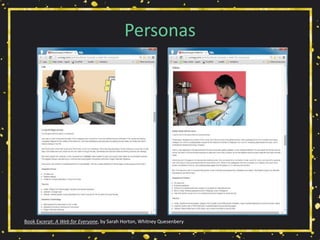
Personas
Book Excerpt: A Web for Everyone, by Sarah Horton, Whitney Quesenbery
Personas
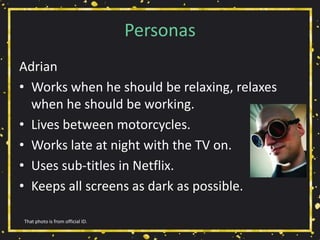
Adrian
• Works when he should be relaxing, relaxes
when he should be working.
• Lives between motorcycles.
• Works late at night with the TV on.
• Uses sub-titles in Netflix.
• Keeps all screens as dark as possible.
That photo is from official ID.
Group Exercise!
2 of 4 exercises.
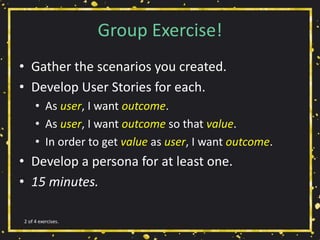
Group Exercise!
• Gather the scenarios you created.
• Develop User Stories for each.
• As user, I want outcome.
• As user, I want outcome so that value.
• In order to get value as user, I want outcome.
• Develop a persona for at least one.
• 15 minutes.
2 of 4 exercises.
Group Exercise! (again)
3 of 4 exercises.
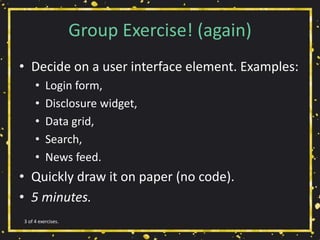
Group Exercise! (again)
• Decide on a user interface element. Examples:
• Login form,
• Disclosure widget,
• Data grid,
• Search,
• News feed.
• Quickly draw it on paper (no code).
• 5 minutes.
3 of 4 exercises.
Technical Bits
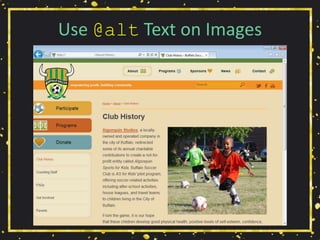
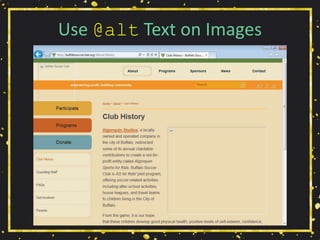
Use @alt Text on Images
• Can you still make sense of the page?
• Is content missing?
• Can you still use the site?
• Is your alt text useful?
http://www.karlgroves.com/2013/09/05/the-6-simplest-web-accessibility-tests-anyone-can-do/
Use @alt Text on Images
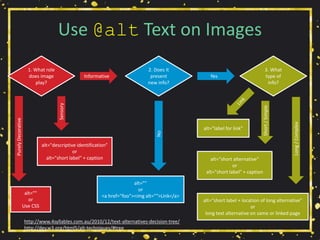
http://www.4syllables.com.au/2010/12/text-alternatives-decision-tree/
http://dev.w3.org/html5/alt-techniques/#tree
1. What role
does image
play?
2. Does it
present
new info?
3. What
type of
info?
Informative Yes
alt=""
or
<a href="foo"><img alt="">Link</a>
alt=""
or
Use CSS
alt="descriptive identification"
or
alt="short label" + caption
PurelyDecorative
Sensory
No
alt="label for link"
alt=“short alternative"
or
alt="short label" + caption
alt="short label + location of long alternative"
or
long text alternative on same or linked page
Long/Complex
Short/Simple
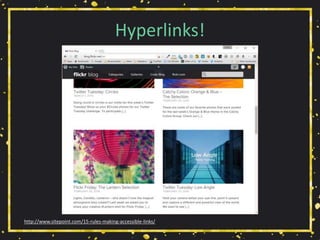
Hyperlinks!
http://www.sitepoint.com/15-rules-making-accessible-links/
Hyperlinks!
• Is there any “click here,” “more,” “link to…”?
http://www.sitepoint.com/15-rules-making-accessible-links/
Hyperlinks!
• Is there any “click here,” “more,” “link to…”?
• Are you using all-caps, URLs, emoticons?
http://www.sitepoint.com/15-rules-making-accessible-links/
Hyperlinks!
• Is there any “click here,” “more,” “link to…”?
• Are you using all-caps, URLs, emoticons?
• Do you warn before opening new windows?
http://www.sitepoint.com/15-rules-making-accessible-links/
Hyperlinks!
• Is there any “click here,” “more,” “link to…”?
• Are you using all-caps, URLs, emoticons?
• Do you warn before opening new windows?
• Do links to downloads provide helpful info?
http://www.sitepoint.com/15-rules-making-accessible-links/
Hyperlinks!
• Is there any “click here,” “more,” “link to…”?
• Are you using all-caps, URLs, emoticons?
• Do you warn before opening new windows?
• Do links to downloads provide helpful info?
• Are you using pagination links?
http://www.sitepoint.com/15-rules-making-accessible-links/
Hyperlinks!
• Is there any “click here,” “more,” “link to…”?
• Are you using all-caps, URLs, emoticons?
• Do you warn before opening new windows?
• Do links to downloads provide helpful info?
• Are you using pagination links?
• Are your links underlined (or otherwise obvious)?
http://www.sitepoint.com/15-rules-making-accessible-links/
Hyperlinks!
• Is there any “click here,” “more,” “link to…”?
• Are you using all-caps, URLs, emoticons?
• Do you warn before opening new windows?
• Do links to downloads provide helpful info?
• Are you using pagination links?
• Are your links underlined (or otherwise obvious)?
• Is there alt text for image links?
http://www.sitepoint.com/15-rules-making-accessible-links/
Hyperlinks!
• Is there any “click here,” “more,” “link to…”?
• Are you using all-caps, URLs, emoticons?
• Do you warn before opening new windows?
• Do links to downloads provide helpful info?
• Are you using pagination links?
• Are your links underlined (or otherwise obvious)?
• Is there alt text for image links?
• Is the link text consistent?
http://www.sitepoint.com/15-rules-making-accessible-links/
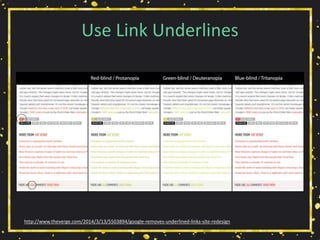
Use Link Underlines
http://www.theverge.com/2014/3/13/5503894/google-removes-underlined-links-site-redesign
Use Link Underlines
• You are not Google:
• Users know Google’s layout,
• Users probably don’t visit your site daily.
• Relying on color alone will not suffice (WCAG
1.4.1 [A], 1.4.3 [AA]),
• Necessary contrast values:
• 4.5:1 between text and its background for copy,
• 3:1 between text and its background for larger text,
• 3:1 between surrounding text and a hyperlink, plus an
additional visual cue (G183).
http://adrianroselli.com/2014/03/i-dont-care-what-google-did-just-keep.html
Use :focus Styles
https://www.virginamerica.com/
Use :focus Styles
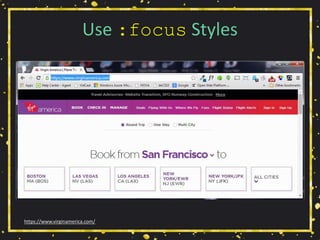
• Particularly if you removed link underlines,
• Everywhere you have :hover, add :focus,
• Look for :focus{outline:none;} in libraries:
• If you find it, remove it.
• Easy to test with the tab key.
http://adrianroselli.com/2014/06/keep-focus-outline.html
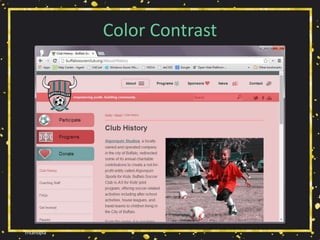
Tritanopia
Color Contrast
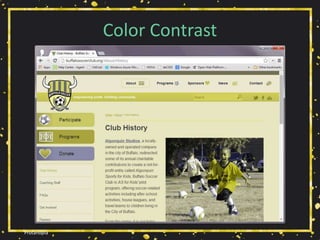
Protanopia
Color Contrast
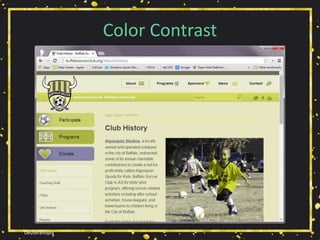
Deuteranopia
Color Contrast
Color Contrast
• Is there enough contrast?
• Are hyperlinks, menus, etc. still visible?
• WCAG 2.0:
• 4.5:1 for normal text
• 3:1 for large text (14+pt & bold, or 18+pt)
• Tools:
• Chrome Color Contrast Analyzer
• Lea Verou’s Contrast Ratio
• WebAIM Color Contrast Checker
• CheckMyColours.com
http://www.inpixelitrust.fr/blog/en/tips-create-accessible-color-palette/
http://alistapart.com/blog/post/easy-color-contrast-testing
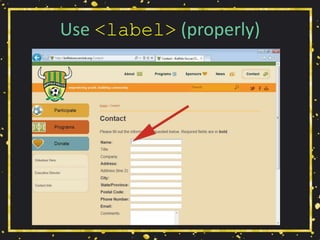
Use <label> (properly)
• Match the for attribute to the corresponding
field’s id attribute.
• When you click label text next to a text box,
does the cursor appear in the field?
• When you click label text next to a radio /
checkbox, does it get toggled?
• When you click label text next to a select
menu, does it get focus?
http://www.karlgroves.com/2013/09/05/the-6-simplest-web-accessibility-tests-anyone-can-do/
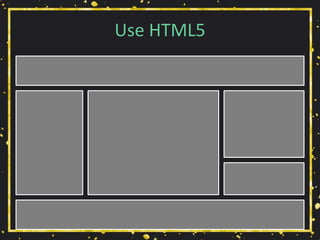
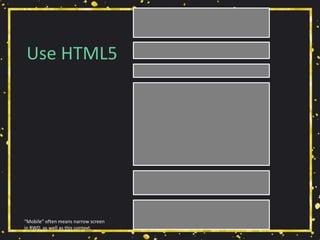
Use HTML5
Use HTML5
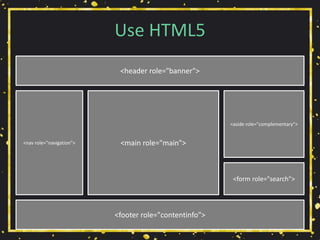
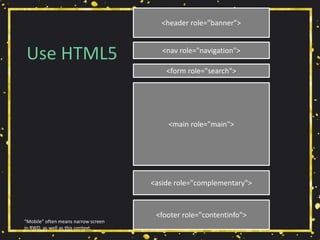
<header role="banner">
<nav role="navigation">
<aside role="complementary">
<form role="search">
<footer role="contentinfo">
<main role="main">
Use HTML5
“Mobile” often means narrow screen
in RWD, as well as this context.
Use HTML5
<header role="banner">
<nav role="navigation">
<aside role="complementary">
<form role="search">
<footer role="contentinfo">
<main role="main">
“Mobile” often means narrow screen
in RWD, as well as this context.
Use HTML5
• Sectioning elements already have accessibility
built in. Use them.
• <header>
• <nav>
• <main> (one per page)
• <aside>
• <footer>
• <form> (a search form)
This stuff is baked in!
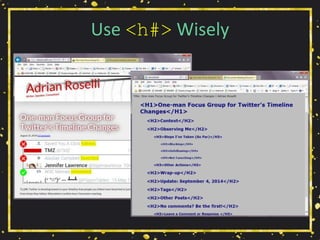
Use <h#> Wisely
Use <h#> Wisely
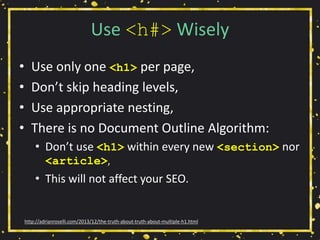
• Use only one <h1> per page,
• Don’t skip heading levels,
• Use appropriate nesting,
• There is no Document Outline Algorithm:
• Don’t use <h1> within every new <section> nor
<article>,
• This will not affect your SEO.
http://adrianroselli.com/2013/12/the-truth-about-truth-about-multiple-h1.html
<button>, <input>, or <a>
http://adrianroselli.com/2016/01/links-buttons-submits-and-divs-oh-hell.html
<button>, <input>, or <a>
http://adrianroselli.com/2016/01/links-buttons-submits-and-divs-oh-hell.html
<button>, <input>, or <a>
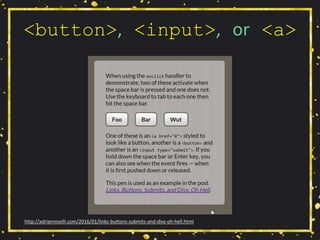
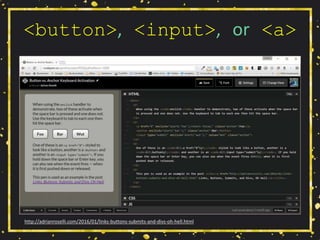
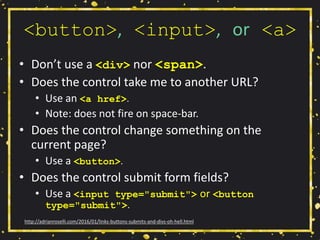
• Don’t use a <div> nor <span>.
• Does the control take me to another URL?
• Use an <a href>.
• Note: does not fire on space-bar.
• Does the control change something on the
current page?
• Use a <button>.
• Does the control submit form fields?
• Use a <input type="submit"> or <button
type="submit">.
http://adrianroselli.com/2016/01/links-buttons-submits-and-divs-oh-hell.html
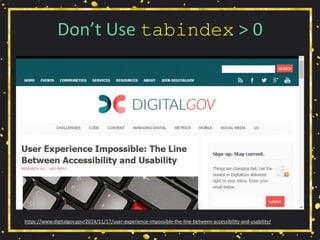
Don’t Use tabindex > 0
https://www.digitalgov.gov/2014/11/17/user-experience-impossible-the-line-between-accessibility-and-usability/
Don’t Use tabindex > 0
• tabindex="-1"
• Use to set focus with script,
• Does not put it in tab order of page.
• tabindex="0"
• Allows user to set focus (eg: via keyboard),
• Puts in tab order of page (based on DOM).
• tabindex="1" (or greater)
• Do not do this,
• Messes with natural tab order.
http://adrianroselli.com/2014/11/dont-use-tabindex-greater-than-0.html
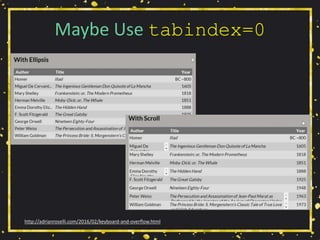
Maybe Use tabindex=0
http://adrianroselli.com/2016/02/keyboard-and-overflow.html
Maybe Use tabindex=0
• Do you have scrolling content boxes?
• Keyboard users cannot access it.
• Do you have content that displays on hover?
• Keyboard users probably cannot access it.
• A technique:
• <div role="region" aria-label="[if
appropriate]" tabindex="0">
http://adrianroselli.com/2016/02/keyboard-and-overflow.html
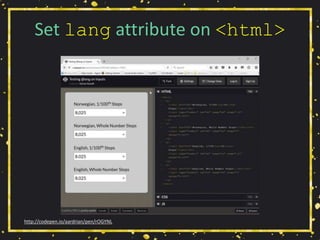
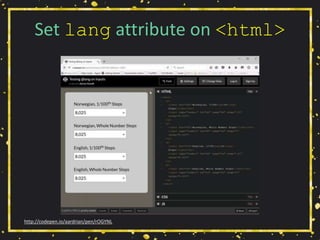
Set lang attribute on <html>
http://codepen.io/aardrian/pen/rOGYNL
Set lang attribute on <html>
http://codepen.io/aardrian/pen/rOGYNL
Set lang attribute on <html>
• VoiceOver uses to auto-switch voices,
• VoiceOver uses appropriate accenting,
• JAWS loads correct phonetic engine /
phonologic dictionary,
• NVDA matches VoiceOver and JAWS,
• Use the correct lang value:
• Sub-tags are ok,
• Avoid private-use: en-GB-x-hixie
http://adrianroselli.com/2015/01/on-use-of-lang-attribute.html
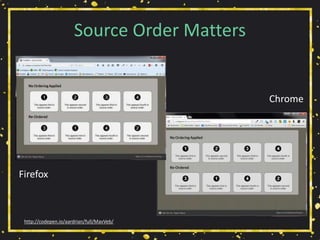
Source Order Matters
http://codepen.io/aardrian/full/MavVeb/
Firefox
Chrome
Source Order Matters
• CSS techniques allow visual order to break
from DOM order:
• Floats,
• Absolute positioning,
• Flexbox (see 5.4.1 of ED for a11y note),
• Grid (read Rachel Andrew on subgrid).
• WCAG 1.3.2 and 2.4.3 describe meaningful
sequence and tab order matching visual flow,
• Different behavior among different browsers.
http://adrianroselli.com/2015/09/source-order-matters.html
http://200ok.nl/a11y-flexbox/
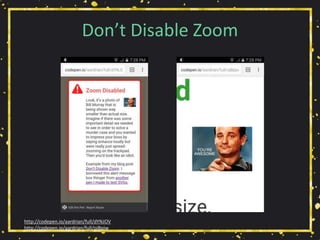
Don’t Disable Zoom
http://codepen.io/aardrian/full/dYNJOV
http://codepen.io/aardrian/full/ojBpjw
Don’t Disable Zoom
• Allow users on mobile to zoom in,
• Look in <meta name="viewport"> for this:
• minimum-scale=1.0
• maximum-scale=1.0
• user-scalable=no
• Look in @-ms-viewport {} for this:
• zoom:1.0
• Enhance!
• (Google AMP HTML is getting fixed)
http://adrianroselli.com/2015/10/dont-disable-zoom.html
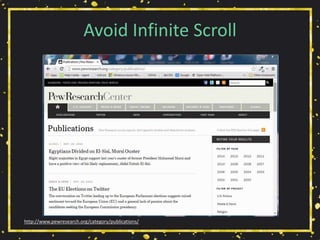
Avoid Infinite Scroll
http://www.pewresearch.org/category/publications/
Avoid Infinite Scroll
• Makes it impossible to access some content:
• Footer,
• Sidebar links.
• Destroys the back button,
• Makes it impossible to share a URL to specific
“page” of results,
• Makes it impossible to jump ahead several
“pages” of results,
• Can overwhelm AT users, less powerful devices.
http://adrianroselli.com/2014/05/so-you-think-you-built-good-infinite.html
http://adrianroselli.com/2015/05/for-infinite-scroll-bounce-rate-is.html
Use Captions/Subtitles
https://www.youtube.com/watch?v=V592VMJeXc8
https://www.youtube.com/watch?v=zCqN_cCLnnk
Use Captions/Subtitles
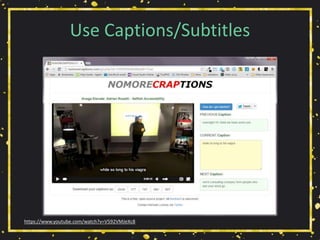
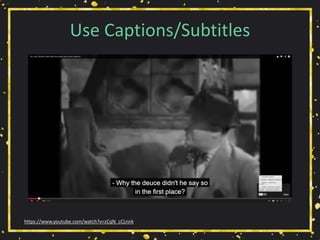
• Everybody uses them:
• Working in public, in bed, at home,
• Surfing in public, in bed, at work.
• Should include audio descriptions,
• Should include speaker identification,
• Review auto-captions (“craptions”):
• NoMoreCraptions.com
http://adrianroselli.com/2013/11/captions-in-everyday-use.html
Use Captions/Subtitles
• Do video/audio clips have text alternatives?
• Are links to closed-captions or transcripts built
into the player or separate text links?
• Is there an audio description available?
• Tools:
• Media Access Australia YouTube captioning tutorial,
Vimeo captioning tutorial,
• Tiffany Brown’s WebVTT tutorial,
• DIY Resources for Closed Captioning and Transcription
from 3 Play Media.
http://webaim.org/techniques/captions/
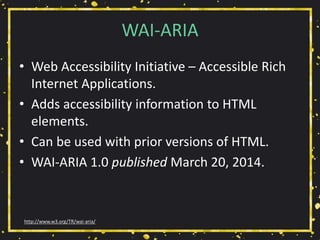
WAI-ARIA
• Web Accessibility Initiative – Accessible Rich
Internet Applications.
• Adds accessibility information to HTML
elements.
• Can be used with prior versions of HTML.
• WAI-ARIA 1.0 published March 20, 2014.
http://www.w3.org/TR/wai-aria/
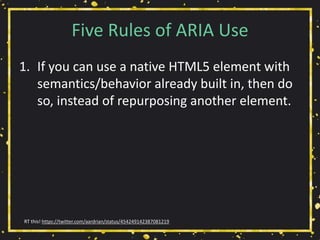
Five Rules of ARIA Use
1. If you can use a native HTML5 element with
semantics/behavior already built in, then do
so, instead of repurposing another element.
RT this! https://twitter.com/aardrian/status/454249142387081219
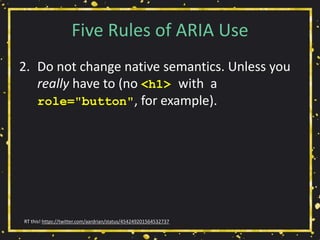
Five Rules of ARIA Use
2. Do not change native semantics. Unless you
really have to (no <h1> with a
role="button", for example).
RT this! https://twitter.com/aardrian/status/454249201564532737
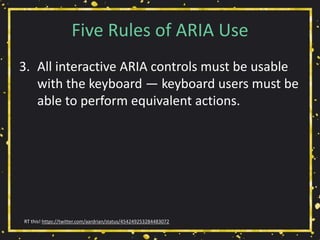
Five Rules of ARIA Use
3. All interactive ARIA controls must be usable
with the keyboard — keyboard users must be
able to perform equivalent actions.
RT this! https://twitter.com/aardrian/status/454249253284483072
Five Rules of ARIA Use
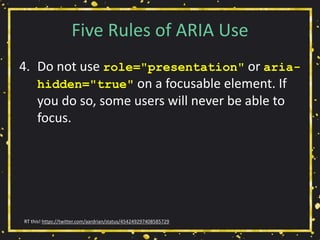
4. Do not use role="presentation" or aria-
hidden="true" on a focusable element. If
you do so, some users will never be able to
focus.
RT this! https://twitter.com/aardrian/status/454249297408585729
Five Rules of ARIA Use
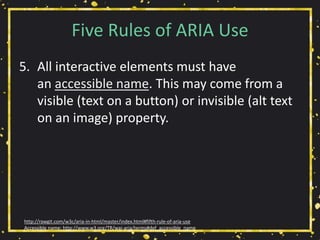
5. All interactive elements must have
an accessible name. This may come from a
visible (text on a button) or invisible (alt text
on an image) property.
http://rawgit.com/w3c/aria-in-html/master/index.html#fifth-rule-of-aria-use
Accessible name: http://www.w3.org/TR/wai-aria/terms#def_accessible_name
HTML/ARIA Don’t
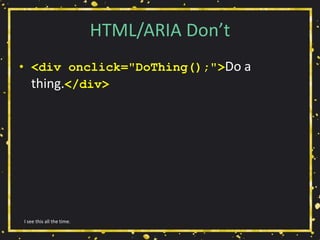
• <div onclick="DoThing();">Do a
thing.</div>
I see this all the time.
HTML/ARIA Don’t
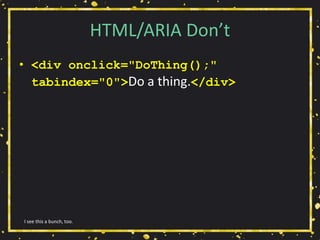
• <div onclick="DoThing();"
tabindex="0">Do a thing.</div>
I see this a bunch, too.
HTML/ARIA Don’t
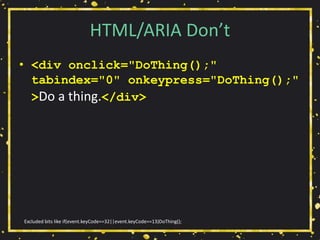
• <div onclick="DoThing();"
tabindex="0" onkeypress="DoThing();"
>Do a thing.</div>
Excluded bits like if(event.keyCode==32||event.keyCode==13)DoThing();
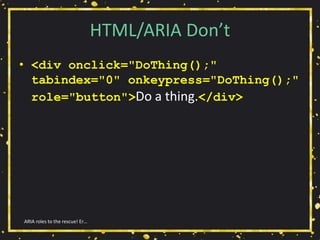
HTML/ARIA Don’t
• <div onclick="DoThing();"
tabindex="0" onkeypress="DoThing();"
role="button">Do a thing.</div>
ARIA roles to the rescue! Er…
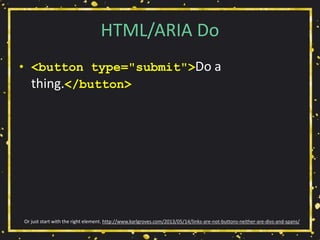
HTML/ARIA Do
• <button type="submit">Do a
thing.</button>
Or just start with the right element. http://www.karlgroves.com/2013/05/14/links-are-not-buttons-neither-are-divs-and-spans/
Group Exercise!
4 of 4 exercises.
Group Exercise!
• Take your user interface element and discuss
how you might build/code it.
• Represent the disability category you
championed earlier.
• Remember your personas, user story/stories.
• Consider changing needs of users.
• 15 minutes
4 of 4 exercises.
Wrap-up
The Message
• Supporting accessibility now helps to serve
future you.
Do or do not.
The Message
• Supporting accessibility now helps to serve
future you.
• Supporting accessibility now helps injured
you, encumbered you.
There is no try.
The Message
• Supporting accessibility now helps to serve
future you.
• Supporting accessibility now helps injured
you, encumbered you.
• Getting younger developers to buy in helps
future you – if you teach them well.
Always pass on what you have learned.
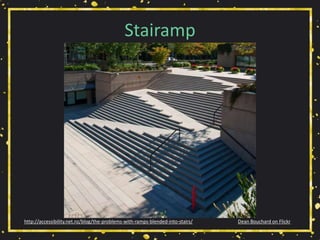
Stairamp
Dean Bouchard on Flickrhttp://accessibility.net.nz/blog/the-problems-with-ramps-blended-into-stairs/
≠ Checklist
• Accessibility is not a checklist.
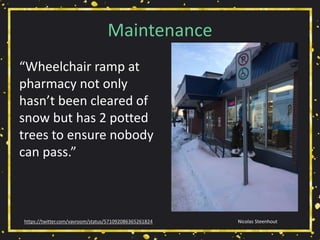
Maintenance
Nicolas Steenhouthttps://twitter.com/vavroom/status/571092086365261824
“Wheelchair ramp at
pharmacy not only
hasn’t been cleared of
snow but has 2 potted
trees to ensure nobody
can pass.”
= Process
• Accessibility is not a checklist.
• Accessibility is an ongoing process.
Resources
Unless you had questions, which you didn’t else you would have asked by now.
Resources
• Web Accessibility and Older People:
Meeting the Needs of Ageing Web Users
http://www.w3.org/WAI/older-users/Overview.php
• Easy Checks - A First Review of Web Accessibility
http://www.w3.org/WAI/eval/preliminary
• How People with Disabilities Use the Web:
Overview
http://www.w3.org/WAI/intro/people-use-
web/Overview.html
In addition to the gems I’ve sprinkled throughout.
Resources
• 2.11 ARIA Role, State, and Property Quick
Reference
http://www.w3.org/TR/aria-in-html/#aria-role-
state-and-property-quick-reference
• 2.12 Definitions of States and Properties (all
aria-* attributes)
http://www.w3.org/TR/aria-in-html/#definitions-of-
states-and-properties-all-aria--attributes
In addition to the gems I’ve sprinkled throughout.
Resources
• Designing For The Elderly: Ways Older People Use
Digital Technology Differently
http://www.smashingmagazine.com/2015/02/05/design
ing-digital-technology-for-the-elderly/
• How to Write User Stories for Web Accessibility
http://www.interactiveaccessibility.com/blog/how-
write-user-stories-accessibility-requirements
• Book Excerpt: A Web for Everyone
http://uxmag.com/articles/book-excerpt-a-web-for-
everyone
In addition to the gems I’ve sprinkled throughout.
Selfish Accessibility
Presented by Adrian Roselli for Create Upstate 2016
Slides from this workshop will be available at rosel.li/CreateUpstate

“Selfish Accessibility” for Create Upstate 2016

  • 1.
    Selfish Accessibility Presented byAdrian Roselli for Create Upstate 2016 Slides from this workshop will be available at rosel.li/CreateUpstate
  • 2.
  • 3.
    About Adrian Roselli •Co-written four books. • Technical editor for two books. • Written over fifty articles, most recently for .net Magazine and Web Standards Sherpa. Great bedtime reading!
  • 4.
    About Adrian Roselli •Member of W3C HTML Working Group*, W3C Accessibility Task Force, five W3C Community Groups. • Building for the web since 1993. • Business owner / founder, ~20 years. • Now independent. • Learn more at AdrianRoselli.com. • Avoid on Twitter @aardrian. I warned you.
  • 5.
  • 6.
    What is a11y? •A numeronym for “accessibility”: • The first and last letter (accessibility), • The number of characters omitted (a11y). • Prominent on Twitter (character restrictions): • #a11y • Examples: • l10n → localization • i18n → internationalization Ain’t language funsies?
  • 7.
    Accessibility Gets NoRespect In fairness, Sherwin Williams needs to come up with a lot of color names... “Cyberspace” (gray) “Online” (blue) “Lime Rickey” (green)
  • 8.
    Accessibility Gets NoRespect …however I think the team could have done better than this.
  • 9.
    What We’ll Cover •Yay Statistics! • Be Selfish • Group Exercise 1 • User Experience Models • Group Exercise 2 • Group Exercise 3 • Technical Bits • Group Exercise 4 • Wrap-up • Resources Work with me, people.
  • 10.
  • 11.
    Any Disability • Inthe United States: • 10.4% aged 21-64 years old, • 25% aged 65-74 years old, • 50% aged 75+. • Includes: • Visual • Hearing • Mobility • Cognitive http://www.who.int/mediacentre/factsheets/fs282/en/ http://www.disabilitystatistics.org/reports/2012/English/HTML/report2012.cfm?fips=2000000&html_year=2012
  • 12.
    Vision Impairments • 285million worldwide: • 39 million are blind, • 246 million have low vision, • 82% of people living with blindness are aged 50 and above. • 1.8% of Americans aged 21-64. • 4.0% of Americans aged 65-74. • 9.8% of Americans aged 75+. http://www.who.int/mediacentre/factsheets/fs282/en/ http://www.disabilitystatistics.org/reports/2012/English/HTML/report2012.cfm?fips=2000000&html_year=2012
  • 13.
    Hearing Impairments • 360million people worldwide have disabling hearing loss. • 17% (36 million) of American adults report some degree of hearing loss: • 18% aged 45-64 years old, • 30% aged 65-74 years old, • 47% aged 75+ years old. http://www.who.int/mediacentre/factsheets/fs300/en/ https://www.nidcd.nih.gov/health/statistics/Pages/quick.aspx
  • 14.
    Mobility Impairments • Inthe United States: • 5.5% aged 21-64 years old. • 15.6% aged 65-74 years old. • 32.9% aged 75+. http://www.disabilitystatistics.org/reports/2012/English/HTML/report2012.cfm?fips=2000000&html_year=2012
  • 15.
    Cognitive Impairments • Dyslexia, •Dyscalculia, • Memory issues, • Distractions (ADD, ADHD), • In the United States: • 4.3% aged 21-64 years old. • 5.4% aged 65-74 years old. • 14.4% aged 75+. http://www.disabilitystatistics.org/reports/2012/English/HTML/report2012.cfm?fips=2000000&html_year=2012&subButton=Get+HTML
  • 16.
  • 17.
    WebAIM’s Hierarchy forMotivating Accessibility Change http://webaim.org/blog/motivating-accessibility-change/
  • 18.
    My Hierarchy forMotivating Accessibility Change Is better, no?
  • 19.
    Getting Older • Affects(nearly) everyone, • Carries risks and side effects, • Is not for the young. I’m still experimenting with it.
  • 20.
  • 21.
  • 22.
    Accidents • Broken limbs, •Eye injuries, • Hearing injuries, • Head trauma. All of these have happened to me, multiple times.
  • 23.
    Rev Stan onFlickr.
  • 24.
  • 25.
  • 26.
  • 27.
    But I’m Invincible! •Multi-tasking, • Sunlight, • Eating at your desk, • No headphones handy, • Content is not in your native language. The sun is trying to kill me.
  • 28.
  • 29.
  • 30.
  • 31.
  • 32.
  • 33.
  • 34.
    World Bank PhotoCollection on Flickr.
  • 35.
  • 36.
    Tech Support • Thinkof your family! • Think of your time spent helping them! • Think of the wasted holidays! This is why we hate the holidays.
  • 37.
  • 38.
  • 39.
    Group Exercise! • Eachperson should pick a category: • Visual • Audible • Mobility • Cognitive • Work with group to identify scenarios with overlap for multiple categories that also affect the able-bodied. • 15 minutes. 1 of 4 exercises.
  • 40.
  • 41.
    User Stories • Components: •User, • Outcome, • Value. • Writing: • As user, I want outcome. • As user, I want outcome so that value. • In order to get value as user, I want outcome. How to Write User Stories for Web Accessibility
  • 42.
    Selfish User Stories •As a user on a sun-lit patio, I want to be able to read the content and see the controls. Add beer and as a user I may have trouble focusing.
  • 43.
    Selfish User Stories •As a user in bed with a sleeping spouse, I want to watch a training video in silence so that I can get caught up at work. As a user who doesn’t want to get punched for having slacked off at work.
  • 44.
    Selfish User Stories •In order to click links as a user with no elbow room in coach class with a tiny trackpad, I want click areas to be large enough and adequately spaced. As a user in coach class who also paid too much for the drink he’s spilling on his keyboard.
  • 45.
    Selfish User Stories •As a user distracted by the TV, I want clear headings and labels so that I don’t lose my place. As a user who really should be finishing his work in the office.
  • 46.
    Personas Book Excerpt: AWeb for Everyone, by Sarah Horton, Whitney Quesenbery
  • 47.
    Personas Adrian • Works whenhe should be relaxing, relaxes when he should be working. • Lives between motorcycles. • Works late at night with the TV on. • Uses sub-titles in Netflix. • Keeps all screens as dark as possible. That photo is from official ID.
  • 48.
  • 49.
    Group Exercise! • Gatherthe scenarios you created. • Develop User Stories for each. • As user, I want outcome. • As user, I want outcome so that value. • In order to get value as user, I want outcome. • Develop a persona for at least one. • 15 minutes. 2 of 4 exercises.
  • 50.
  • 51.
    Group Exercise! (again) •Decide on a user interface element. Examples: • Login form, • Disclosure widget, • Data grid, • Search, • News feed. • Quickly draw it on paper (no code). • 5 minutes. 3 of 4 exercises.
  • 52.
  • 53.
    Use @alt Texton Images
  • 54.
    Use @alt Texton Images
  • 55.
    Use @alt Texton Images • Can you still make sense of the page? • Is content missing? • Can you still use the site? • Is your alt text useful? http://www.karlgroves.com/2013/09/05/the-6-simplest-web-accessibility-tests-anyone-can-do/
  • 56.
    Use @alt Texton Images http://www.4syllables.com.au/2010/12/text-alternatives-decision-tree/ http://dev.w3.org/html5/alt-techniques/#tree 1. What role does image play? 2. Does it present new info? 3. What type of info? Informative Yes alt="" or <a href="foo"><img alt="">Link</a> alt="" or Use CSS alt="descriptive identification" or alt="short label" + caption PurelyDecorative Sensory No alt="label for link" alt=“short alternative" or alt="short label" + caption alt="short label + location of long alternative" or long text alternative on same or linked page Long/Complex Short/Simple
  • 57.
  • 58.
    Hyperlinks! • Is thereany “click here,” “more,” “link to…”? http://www.sitepoint.com/15-rules-making-accessible-links/
  • 59.
    Hyperlinks! • Is thereany “click here,” “more,” “link to…”? • Are you using all-caps, URLs, emoticons? http://www.sitepoint.com/15-rules-making-accessible-links/
  • 60.
    Hyperlinks! • Is thereany “click here,” “more,” “link to…”? • Are you using all-caps, URLs, emoticons? • Do you warn before opening new windows? http://www.sitepoint.com/15-rules-making-accessible-links/
  • 61.
    Hyperlinks! • Is thereany “click here,” “more,” “link to…”? • Are you using all-caps, URLs, emoticons? • Do you warn before opening new windows? • Do links to downloads provide helpful info? http://www.sitepoint.com/15-rules-making-accessible-links/
  • 62.
    Hyperlinks! • Is thereany “click here,” “more,” “link to…”? • Are you using all-caps, URLs, emoticons? • Do you warn before opening new windows? • Do links to downloads provide helpful info? • Are you using pagination links? http://www.sitepoint.com/15-rules-making-accessible-links/
  • 63.
    Hyperlinks! • Is thereany “click here,” “more,” “link to…”? • Are you using all-caps, URLs, emoticons? • Do you warn before opening new windows? • Do links to downloads provide helpful info? • Are you using pagination links? • Are your links underlined (or otherwise obvious)? http://www.sitepoint.com/15-rules-making-accessible-links/
  • 64.
    Hyperlinks! • Is thereany “click here,” “more,” “link to…”? • Are you using all-caps, URLs, emoticons? • Do you warn before opening new windows? • Do links to downloads provide helpful info? • Are you using pagination links? • Are your links underlined (or otherwise obvious)? • Is there alt text for image links? http://www.sitepoint.com/15-rules-making-accessible-links/
  • 65.
    Hyperlinks! • Is thereany “click here,” “more,” “link to…”? • Are you using all-caps, URLs, emoticons? • Do you warn before opening new windows? • Do links to downloads provide helpful info? • Are you using pagination links? • Are your links underlined (or otherwise obvious)? • Is there alt text for image links? • Is the link text consistent? http://www.sitepoint.com/15-rules-making-accessible-links/
  • 66.
  • 67.
    Use Link Underlines •You are not Google: • Users know Google’s layout, • Users probably don’t visit your site daily. • Relying on color alone will not suffice (WCAG 1.4.1 [A], 1.4.3 [AA]), • Necessary contrast values: • 4.5:1 between text and its background for copy, • 3:1 between text and its background for larger text, • 3:1 between surrounding text and a hyperlink, plus an additional visual cue (G183). http://adrianroselli.com/2014/03/i-dont-care-what-google-did-just-keep.html
  • 68.
  • 69.
    Use :focus Styles •Particularly if you removed link underlines, • Everywhere you have :hover, add :focus, • Look for :focus{outline:none;} in libraries: • If you find it, remove it. • Easy to test with the tab key. http://adrianroselli.com/2014/06/keep-focus-outline.html
  • 70.
  • 71.
  • 72.
  • 73.
    Color Contrast • Isthere enough contrast? • Are hyperlinks, menus, etc. still visible? • WCAG 2.0: • 4.5:1 for normal text • 3:1 for large text (14+pt & bold, or 18+pt) • Tools: • Chrome Color Contrast Analyzer • Lea Verou’s Contrast Ratio • WebAIM Color Contrast Checker • CheckMyColours.com http://www.inpixelitrust.fr/blog/en/tips-create-accessible-color-palette/ http://alistapart.com/blog/post/easy-color-contrast-testing
  • 74.
  • 75.
    Use <label> (properly) •Match the for attribute to the corresponding field’s id attribute. • When you click label text next to a text box, does the cursor appear in the field? • When you click label text next to a radio / checkbox, does it get toggled? • When you click label text next to a select menu, does it get focus? http://www.karlgroves.com/2013/09/05/the-6-simplest-web-accessibility-tests-anyone-can-do/
  • 76.
  • 77.
    Use HTML5 <header role="banner"> <navrole="navigation"> <aside role="complementary"> <form role="search"> <footer role="contentinfo"> <main role="main">
  • 78.
    Use HTML5 “Mobile” oftenmeans narrow screen in RWD, as well as this context.
  • 79.
    Use HTML5 <header role="banner"> <navrole="navigation"> <aside role="complementary"> <form role="search"> <footer role="contentinfo"> <main role="main"> “Mobile” often means narrow screen in RWD, as well as this context.
  • 80.
    Use HTML5 • Sectioningelements already have accessibility built in. Use them. • <header> • <nav> • <main> (one per page) • <aside> • <footer> • <form> (a search form) This stuff is baked in!
  • 81.
  • 82.
    Use <h#> Wisely •Use only one <h1> per page, • Don’t skip heading levels, • Use appropriate nesting, • There is no Document Outline Algorithm: • Don’t use <h1> within every new <section> nor <article>, • This will not affect your SEO. http://adrianroselli.com/2013/12/the-truth-about-truth-about-multiple-h1.html
  • 83.
    <button>, <input>, or<a> http://adrianroselli.com/2016/01/links-buttons-submits-and-divs-oh-hell.html
  • 84.
    <button>, <input>, or<a> http://adrianroselli.com/2016/01/links-buttons-submits-and-divs-oh-hell.html
  • 85.
    <button>, <input>, or<a> • Don’t use a <div> nor <span>. • Does the control take me to another URL? • Use an <a href>. • Note: does not fire on space-bar. • Does the control change something on the current page? • Use a <button>. • Does the control submit form fields? • Use a <input type="submit"> or <button type="submit">. http://adrianroselli.com/2016/01/links-buttons-submits-and-divs-oh-hell.html
  • 86.
    Don’t Use tabindex> 0 https://www.digitalgov.gov/2014/11/17/user-experience-impossible-the-line-between-accessibility-and-usability/
  • 87.
    Don’t Use tabindex> 0 • tabindex="-1" • Use to set focus with script, • Does not put it in tab order of page. • tabindex="0" • Allows user to set focus (eg: via keyboard), • Puts in tab order of page (based on DOM). • tabindex="1" (or greater) • Do not do this, • Messes with natural tab order. http://adrianroselli.com/2014/11/dont-use-tabindex-greater-than-0.html
  • 88.
  • 89.
    Maybe Use tabindex=0 •Do you have scrolling content boxes? • Keyboard users cannot access it. • Do you have content that displays on hover? • Keyboard users probably cannot access it. • A technique: • <div role="region" aria-label="[if appropriate]" tabindex="0"> http://adrianroselli.com/2016/02/keyboard-and-overflow.html
  • 90.
    Set lang attributeon <html> http://codepen.io/aardrian/pen/rOGYNL
  • 91.
    Set lang attributeon <html> http://codepen.io/aardrian/pen/rOGYNL
  • 92.
    Set lang attributeon <html> • VoiceOver uses to auto-switch voices, • VoiceOver uses appropriate accenting, • JAWS loads correct phonetic engine / phonologic dictionary, • NVDA matches VoiceOver and JAWS, • Use the correct lang value: • Sub-tags are ok, • Avoid private-use: en-GB-x-hixie http://adrianroselli.com/2015/01/on-use-of-lang-attribute.html
  • 93.
  • 94.
    Source Order Matters •CSS techniques allow visual order to break from DOM order: • Floats, • Absolute positioning, • Flexbox (see 5.4.1 of ED for a11y note), • Grid (read Rachel Andrew on subgrid). • WCAG 1.3.2 and 2.4.3 describe meaningful sequence and tab order matching visual flow, • Different behavior among different browsers. http://adrianroselli.com/2015/09/source-order-matters.html http://200ok.nl/a11y-flexbox/
  • 95.
  • 96.
    Don’t Disable Zoom •Allow users on mobile to zoom in, • Look in <meta name="viewport"> for this: • minimum-scale=1.0 • maximum-scale=1.0 • user-scalable=no • Look in @-ms-viewport {} for this: • zoom:1.0 • Enhance! • (Google AMP HTML is getting fixed) http://adrianroselli.com/2015/10/dont-disable-zoom.html
  • 97.
  • 98.
    Avoid Infinite Scroll •Makes it impossible to access some content: • Footer, • Sidebar links. • Destroys the back button, • Makes it impossible to share a URL to specific “page” of results, • Makes it impossible to jump ahead several “pages” of results, • Can overwhelm AT users, less powerful devices. http://adrianroselli.com/2014/05/so-you-think-you-built-good-infinite.html http://adrianroselli.com/2015/05/for-infinite-scroll-bounce-rate-is.html
  • 99.
  • 100.
  • 101.
    Use Captions/Subtitles • Everybodyuses them: • Working in public, in bed, at home, • Surfing in public, in bed, at work. • Should include audio descriptions, • Should include speaker identification, • Review auto-captions (“craptions”): • NoMoreCraptions.com http://adrianroselli.com/2013/11/captions-in-everyday-use.html
  • 102.
    Use Captions/Subtitles • Dovideo/audio clips have text alternatives? • Are links to closed-captions or transcripts built into the player or separate text links? • Is there an audio description available? • Tools: • Media Access Australia YouTube captioning tutorial, Vimeo captioning tutorial, • Tiffany Brown’s WebVTT tutorial, • DIY Resources for Closed Captioning and Transcription from 3 Play Media. http://webaim.org/techniques/captions/
  • 103.
    WAI-ARIA • Web AccessibilityInitiative – Accessible Rich Internet Applications. • Adds accessibility information to HTML elements. • Can be used with prior versions of HTML. • WAI-ARIA 1.0 published March 20, 2014. http://www.w3.org/TR/wai-aria/
  • 104.
    Five Rules ofARIA Use 1. If you can use a native HTML5 element with semantics/behavior already built in, then do so, instead of repurposing another element. RT this! https://twitter.com/aardrian/status/454249142387081219
  • 105.
    Five Rules ofARIA Use 2. Do not change native semantics. Unless you really have to (no <h1> with a role="button", for example). RT this! https://twitter.com/aardrian/status/454249201564532737
  • 106.
    Five Rules ofARIA Use 3. All interactive ARIA controls must be usable with the keyboard — keyboard users must be able to perform equivalent actions. RT this! https://twitter.com/aardrian/status/454249253284483072
  • 107.
    Five Rules ofARIA Use 4. Do not use role="presentation" or aria- hidden="true" on a focusable element. If you do so, some users will never be able to focus. RT this! https://twitter.com/aardrian/status/454249297408585729
  • 108.
    Five Rules ofARIA Use 5. All interactive elements must have an accessible name. This may come from a visible (text on a button) or invisible (alt text on an image) property. http://rawgit.com/w3c/aria-in-html/master/index.html#fifth-rule-of-aria-use Accessible name: http://www.w3.org/TR/wai-aria/terms#def_accessible_name
  • 109.
    HTML/ARIA Don’t • <divonclick="DoThing();">Do a thing.</div> I see this all the time.
  • 110.
    HTML/ARIA Don’t • <divonclick="DoThing();" tabindex="0">Do a thing.</div> I see this a bunch, too.
  • 111.
    HTML/ARIA Don’t • <divonclick="DoThing();" tabindex="0" onkeypress="DoThing();" >Do a thing.</div> Excluded bits like if(event.keyCode==32||event.keyCode==13)DoThing();
  • 112.
    HTML/ARIA Don’t • <divonclick="DoThing();" tabindex="0" onkeypress="DoThing();" role="button">Do a thing.</div> ARIA roles to the rescue! Er…
  • 113.
    HTML/ARIA Do • <buttontype="submit">Do a thing.</button> Or just start with the right element. http://www.karlgroves.com/2013/05/14/links-are-not-buttons-neither-are-divs-and-spans/
  • 114.
  • 115.
    Group Exercise! • Takeyour user interface element and discuss how you might build/code it. • Represent the disability category you championed earlier. • Remember your personas, user story/stories. • Consider changing needs of users. • 15 minutes 4 of 4 exercises.
  • 116.
  • 117.
    The Message • Supportingaccessibility now helps to serve future you. Do or do not.
  • 118.
    The Message • Supportingaccessibility now helps to serve future you. • Supporting accessibility now helps injured you, encumbered you. There is no try.
  • 119.
    The Message • Supportingaccessibility now helps to serve future you. • Supporting accessibility now helps injured you, encumbered you. • Getting younger developers to buy in helps future you – if you teach them well. Always pass on what you have learned.
  • 120.
    Stairamp Dean Bouchard onFlickrhttp://accessibility.net.nz/blog/the-problems-with-ramps-blended-into-stairs/
  • 121.
  • 122.
    Maintenance Nicolas Steenhouthttps://twitter.com/vavroom/status/571092086365261824 “Wheelchair rampat pharmacy not only hasn’t been cleared of snow but has 2 potted trees to ensure nobody can pass.”
  • 123.
    = Process • Accessibilityis not a checklist. • Accessibility is an ongoing process.
  • 124.
    Resources Unless you hadquestions, which you didn’t else you would have asked by now.
  • 125.
    Resources • Web Accessibilityand Older People: Meeting the Needs of Ageing Web Users http://www.w3.org/WAI/older-users/Overview.php • Easy Checks - A First Review of Web Accessibility http://www.w3.org/WAI/eval/preliminary • How People with Disabilities Use the Web: Overview http://www.w3.org/WAI/intro/people-use- web/Overview.html In addition to the gems I’ve sprinkled throughout.
  • 126.
    Resources • 2.11 ARIARole, State, and Property Quick Reference http://www.w3.org/TR/aria-in-html/#aria-role- state-and-property-quick-reference • 2.12 Definitions of States and Properties (all aria-* attributes) http://www.w3.org/TR/aria-in-html/#definitions-of- states-and-properties-all-aria--attributes In addition to the gems I’ve sprinkled throughout.
  • 127.
    Resources • Designing ForThe Elderly: Ways Older People Use Digital Technology Differently http://www.smashingmagazine.com/2015/02/05/design ing-digital-technology-for-the-elderly/ • How to Write User Stories for Web Accessibility http://www.interactiveaccessibility.com/blog/how- write-user-stories-accessibility-requirements • Book Excerpt: A Web for Everyone http://uxmag.com/articles/book-excerpt-a-web-for- everyone In addition to the gems I’ve sprinkled throughout.
  • 128.
    Selfish Accessibility Presented byAdrian Roselli for Create Upstate 2016 Slides from this workshop will be available at rosel.li/CreateUpstate