CNIT 152:
Incident
Response
3 Pre-Incident Preparation
Updated 9-9-2021
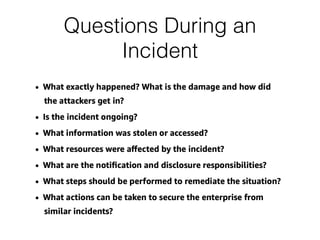
Questions During an
Incident
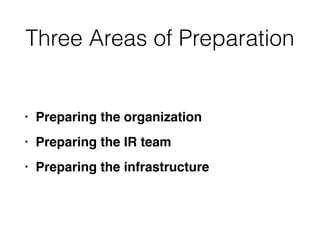
Three Areas of Preparation
• Preparing the organizatio
n

• Preparing the IR tea
m

• Preparing the infrastructure
Preparing the Organization
Challenges
Identifying Risk: Assets
• Corporate reputatio
n

• Con
fi
dential business informatio
n

• Personally identi
fi
able informatio
n

• Payment account data
Identifying Risk: Exposures
• Unpatched web server
s

• Internet-facing system
s

• Disgruntled employee
s

• Untrained employees
Identifying Risk:


Threat Actors
• Who can actually exploit these
exposure
s

• Anyone from the Interne
t

• Physical access to buildin
g

• Physically within a secure area
Policies that Promote
Successful IR
• Acceptable Use Polic
y

• Security Polic
y

• Remote Access Polic
y

• Internet Usage Policy
Working with Outsourced IT
• Challenges may includ
e

• Red tape delays requesting wor
k

• Additional cost
s

• No vehicle to accomplish a task, such
as getting log
fi
les for analysi
s

• Service Level Agreements are required
for responsiveness to critical requests
Global Infrastructure Issues
• Large multinational organization
s

• Privacy and labor regulations may limit
searches for indicators of compromis
e

• Team coordination across many time
zone
s

• Data accessibility--large data sets such
as disk images are dif
fi
cult to ef
fi
ciently
transfer
Educating Users on


Host-Based Security
• Common ways users are targete
d

• Proper response to suspected incident
s

• Speci
fi
c contact perso
n

• Don't attempt an amateur investigation,
which may destroy evidenc
e

• Server software installed by users, such as
FTP, can jeopardize the organization's
security
3a
Preparing the IR Team
De
fi
ning the Mission
De
fi
ning the Mission
Communications
Procedures
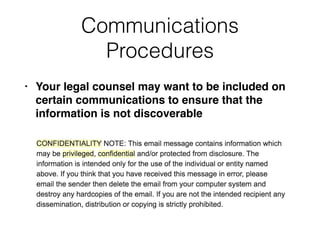
• Your legal counsel may want to be included on
certain communications to ensure that the
information is not discoverable
Internal Communications
• Attackers often monitor email to see if they have
been detecte
d

• Encrypt email with S/MIME or PG
P

• Label documents and communications as
recommended by your legal counse
l

• Monitor conference call participatio
n

• Use case numbers or project names to refer to
an investigatio
n

• Adjust emails from IDS systems and other
devices not to disclose sensitive information
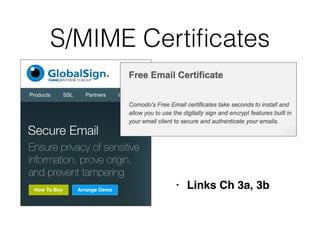
S/MIME Certi
fi
cates
• Links Ch 3a, 3b
Communicating with
External Parties
• Often required by governance and legislatio
n

• Incident disclosure language in contract
s

• Use approved channels, such as public
relations or legal of
fi
ce
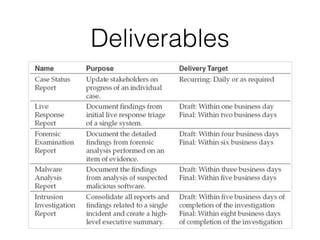
Deliverables
Training the IR Team
• Carnegie Mello
n

• Purdu
e

• Johns Hopkin
s

• SANS
Hardware to Out
fi
t


the IR Team
• Data protection with encryptio
n

• Permanent, internal media (SSDs and hard disks
)

• Full-disk encryption (FDE) like TrueCrypt or
McAfee Endpoint Encryptio
n

• Hardware-based FDE; Self-Encrypting Drive (SED
)

• External media (thumb drives, USB hard disks or
SSDs, external SATA drives
)

• TrueCrypt is a common solutio
n

• TrueCrypt is dead, replaced by VeraCrypt (links Ch
3c, 3d)
Forensics in the Field
• Laptop computer wit
h

• As much RAM as possibl
e

• The fastest CPU possibl
e

• I/O buses -- eSATA, Firewire 800, USB 3.
0

• Screen: large and high resolutio
n

• Large and fast internal storage drive
s

• Portable and under warranty
Forensics at the Of
fi
ce
• Dedicated forensics la
b

• Systems with write-blocker
s

• Secure storage for original material with
written evidence-handling policie
s

• Fresh, clean virtual analysis machines
with forensic tools installe
d

• Analysts work on copies of the data,
never on original data
Shared Forensics
Equipment
• Several write-blocking kits that allow PATA, SAT,
SCSI, and SAS (Serial Attached SCSI)
Shared Forensic Equipment
Network Monitoring
Platforms
• For ad-hoc monitoring, a laptop similar to the
one for on-site forensic work (with a built-in
UPS
)

• Most often, use a 1U rack-mount syste
m

• 12-16 GB of RAM, high-end CPU, storage with
enough speed and capacity to hold incoming
data at 80% of line spee
d

• Separate network port for management
Network Monitoring Projects
Software for the IR Team
• "Forensically Sound" softwar
e

• Many people think a tool is approved by
courts, such as EnCase, but any software may
be used if the court accepts it
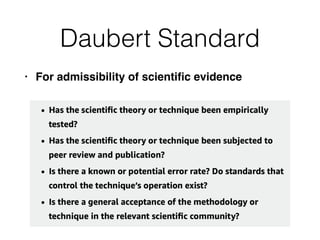
Daubert Standard
• For admissibility of scienti
fi
c evidence
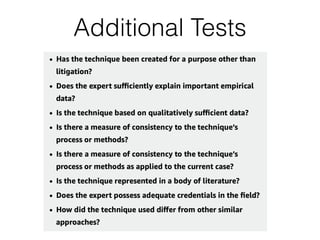
Additional Tests
Software Used by IR Teams
• Boot disks or USB stick
s

• Such as Kali, CAINE, or Heli
x

• Operating Systems (all common types, virtualized
)

• Disk imaging tools (approved by NIST, link Ch 3h
)

• Memory Capture and Analysis
Software Used by IR Teams
• Live response capture and analysi
s

• Indicator creation and search utilitie
s

• Forensic examination suite
s

• Like EnCase, FTK, or SleuthKit and Autops
y

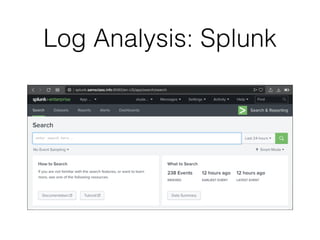
• Log analysis tools
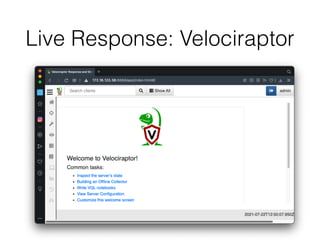
Live Response: Velociraptor
Log Analysis: Splunk
Documentation:


Evidence Handling
• Strict procedures to maintain integrity with
positive control
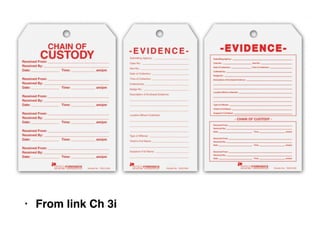
• Evidence must be always under direct
supervision, or secured in a controlled
container, such a saf
e

• Evidence must be shipped via a traceable
carrier, packaged in a tamper-evident manner,
and protected from the element
s

• Cryptographic hash value such as MD5
• From link Ch 3i
Evidence
Handling
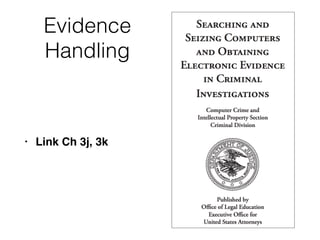
• Link Ch 3j, 3k
Documentation:


Internal Knowledge Repository
• Ticketing or case management system holds
knowledge about a speci
fi
c cas
e

• Knowledge repository contains information
relevant to many case
s

• Logically organized and searchable
3b
Preparing the Infrastructure
for Incident Response
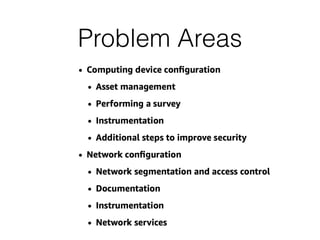
Problem Areas
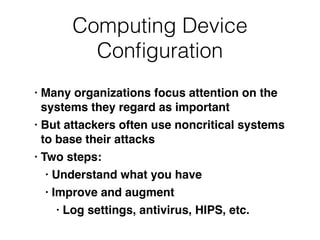
Computing Device
Con
fi
guration
• Many organizations focus attention on the
systems they regard as importan
t

• But attackers often use noncritical systems
to base their attack
s

• Two steps
:

• Understand what you hav
e

• Improve and augmen
t

• Log settings, antivirus, HIPS, etc.
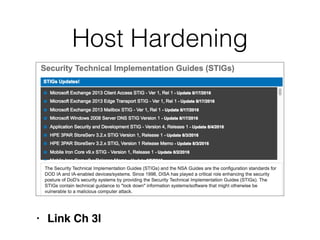
Host Hardening
• Link Ch 3l
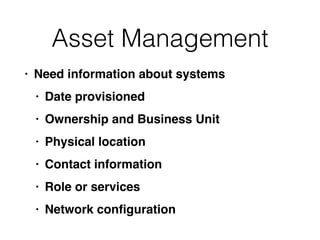
Asset Management
• Need information about system
s

• Date provisione
d

• Ownership and Business Uni
t

• Physical locatio
n

• Contact informatio
n

• Role or service
s

• Network con
fi
guration
Performing a Survey
Passwords
• Attackers often obtain hundreds of
thousands of passwords, by hash dumps
of domain controller
s

• Including service account
s

• Often hard-coded into back-of
fi
ce
systems and application
s

• Same local administrator account on all
systems
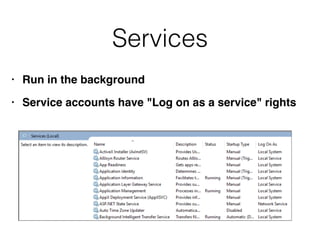
Services
• Run in the backgroun
d

• Service accounts have "Log on as a service" rights
Instrumentation
• Software meterin
g

• Compliance with licensin
g

• Usage record
s

• Performance monitorin
g

• AV or host-based
fi
rewall
s

• Event, error, and access log
s

• Centralized system is very helpful
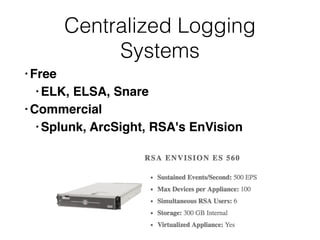
Centralized Logging
Systems
• Fre
e

• ELK, ELSA, Snar
e

• Commercia
l

• Splunk, ArcSight, RSA's EnVision
Retention
• Retain log data for at least a yea
r

• Required by PCI-DSS
What to Log


on Windows
• Log-on and log-off event
s

• User and group managemen
t

• Process creation and terminatio
n

• Increase local storage for each event log to 100
MB or 500 M
B

• Forward all events to centralized logging
system
What to Log


on Unix
• Enable process accountin
g

• increase local storag
e

• Forward all events to a centralized logging
system
What to Log


from Applications
• Web server, proxy, and
fi
rewall log
s

• Database, email, DHCP, AV, IPS/ID
S

• DNS query loggin
g

• Custom applications
Antivirus and Host Intrusion
Prevention Systems
• Log events to a central serve
r

• Don't delete malware on detectio
n

• Quarantine it to a central location: preserves
evidenc
e

• Don't automatically transmit suspicious
fi
les to a
vendo
r

• May contain sensitive data like proxy settings
or credential
s

• May alert the attacker that they've been caught
Investigative Tools
• Can search your environment for artifacts like
malware or attacker tool
s

• AccessData Enterpris
e

• Guidance Software EnCase Enterpris
e

• Mandiant Intelligent Respons
e

• Homegrown solution using shell scripts and
Windows Management Instrumentation (WMI)
Additional Steps to Improve Security
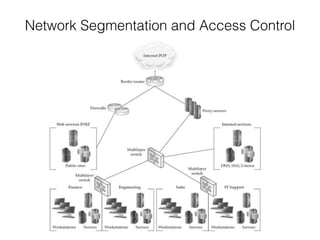
Network Segmentation and Access Control
Controls
• Traf
fi
c
fi
ltering at the sub-organization leve
l

• Web, chat, and
fi
le transfer proxie
s

• Two-factor authentication for connections
crossing signi
fi
cant borders
Microsoft RPC


(Remote Procedure Calls)
• Ports 135, 137, 138, 139, 44
5

• Once you allow access for
fi
le sharing, you get
remote administration (psexec) over those same
ports
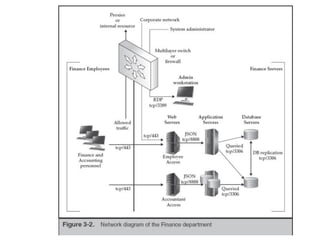
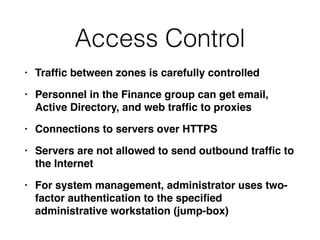
Access Control
• Traf
fi
c between zones is carefully controlle
d

• Personnel in the Finance group can get email,
Active Directory, and web traf
fi
c to proxie
s

• Connections to servers over HTTP
S

• Servers are not allowed to send outbound traf
fi
c to
the Interne
t

• For system management, administrator uses two-
factor authentication to the speci
fi
ed
administrative workstation (jump-box)
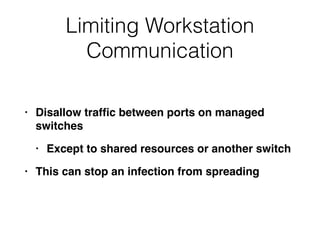
Limiting Workstation
Communication
• Disallow traf
fi
c between ports on managed
switche
s

• Except to shared resources or another switc
h

• This can stop an infection from spreading
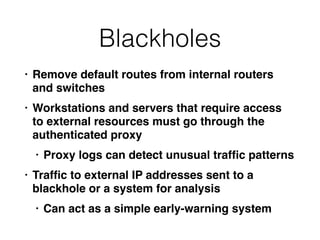
Blackholes
• Remove default routes from internal routers
and switche
s

• Workstations and servers that require access
to external resources must go through the
authenticated prox
y

• Proxy logs can detect unusual traf
fi
c pattern
s

• Traf
fi
c to external IP addresses sent to a
blackhole or a system for analysi
s

• Can act as a simple early-warning system
Honeypots
• A waste of tim
e

• Better to focus on defending your real assets
Documentation
• Network diagrams at various level
s

• Placement of network monitoring devices
requires that informatio
n

• Device con
fi
gurations (routers,
fi
rewalls,
switches
)

• Change control can detect tampering
Logging and Monitoring
Devices
• Firewall
s

• Intrusion Detection System
s

• Full-content capture system
s

• Hardware network ta
p

• Net
fl
ow emitters (statistical traf
fi
c monitoring
)

• Proxy servers
Network Services
• Con
fi
gure DNS and DHCP services for extensive
loggin
g

• Retain the logs for at least a yea
r

• Con
fi
gure a DNS blackhole to redirect malicious
traf
fi
c to a monitoring serve
r

• Links Ch 3q, 3r
3c

CNIT 152: 3 Pre-Incident Preparation

  • 1.
    CNIT 152: Incident Response 3 Pre-IncidentPreparation Updated 9-9-2021
  • 2.
  • 3.
    Three Areas ofPreparation • Preparing the organizatio n • Preparing the IR tea m • Preparing the infrastructure
  • 4.
  • 5.
  • 6.
    Identifying Risk: Assets •Corporate reputatio n • Con fi dential business informatio n • Personally identi fi able informatio n • Payment account data
  • 7.
    Identifying Risk: Exposures •Unpatched web server s • Internet-facing system s • Disgruntled employee s • Untrained employees
  • 8.
    Identifying Risk: Threat Actors •Who can actually exploit these exposure s • Anyone from the Interne t • Physical access to buildin g • Physically within a secure area
  • 9.
    Policies that Promote SuccessfulIR • Acceptable Use Polic y • Security Polic y • Remote Access Polic y • Internet Usage Policy
  • 10.
    Working with OutsourcedIT • Challenges may includ e • Red tape delays requesting wor k • Additional cost s • No vehicle to accomplish a task, such as getting log fi les for analysi s • Service Level Agreements are required for responsiveness to critical requests
  • 11.
    Global Infrastructure Issues •Large multinational organization s • Privacy and labor regulations may limit searches for indicators of compromis e • Team coordination across many time zone s • Data accessibility--large data sets such as disk images are dif fi cult to ef fi ciently transfer
  • 12.
    Educating Users on Host-BasedSecurity • Common ways users are targete d • Proper response to suspected incident s • Speci fi c contact perso n • Don't attempt an amateur investigation, which may destroy evidenc e • Server software installed by users, such as FTP, can jeopardize the organization's security
  • 13.
  • 14.
  • 15.
  • 16.
  • 17.
    Communications Procedures • Your legalcounsel may want to be included on certain communications to ensure that the information is not discoverable
  • 18.
    Internal Communications • Attackersoften monitor email to see if they have been detecte d • Encrypt email with S/MIME or PG P • Label documents and communications as recommended by your legal counse l • Monitor conference call participatio n • Use case numbers or project names to refer to an investigatio n • Adjust emails from IDS systems and other devices not to disclose sensitive information
  • 19.
  • 20.
    Communicating with External Parties •Often required by governance and legislatio n • Incident disclosure language in contract s • Use approved channels, such as public relations or legal of fi ce
  • 21.
  • 22.
    Training the IRTeam • Carnegie Mello n • Purdu e • Johns Hopkin s • SANS
  • 23.
    Hardware to Out fi t theIR Team • Data protection with encryptio n • Permanent, internal media (SSDs and hard disks ) • Full-disk encryption (FDE) like TrueCrypt or McAfee Endpoint Encryptio n • Hardware-based FDE; Self-Encrypting Drive (SED ) • External media (thumb drives, USB hard disks or SSDs, external SATA drives ) • TrueCrypt is a common solutio n • TrueCrypt is dead, replaced by VeraCrypt (links Ch 3c, 3d)
  • 24.
    Forensics in theField • Laptop computer wit h • As much RAM as possibl e • The fastest CPU possibl e • I/O buses -- eSATA, Firewire 800, USB 3. 0 • Screen: large and high resolutio n • Large and fast internal storage drive s • Portable and under warranty
  • 25.
    Forensics at theOf fi ce • Dedicated forensics la b • Systems with write-blocker s • Secure storage for original material with written evidence-handling policie s • Fresh, clean virtual analysis machines with forensic tools installe d • Analysts work on copies of the data, never on original data
  • 26.
    Shared Forensics Equipment • Severalwrite-blocking kits that allow PATA, SAT, SCSI, and SAS (Serial Attached SCSI)
  • 27.
  • 28.
    Network Monitoring Platforms • Forad-hoc monitoring, a laptop similar to the one for on-site forensic work (with a built-in UPS ) • Most often, use a 1U rack-mount syste m • 12-16 GB of RAM, high-end CPU, storage with enough speed and capacity to hold incoming data at 80% of line spee d • Separate network port for management
  • 29.
  • 30.
    Software for theIR Team • "Forensically Sound" softwar e • Many people think a tool is approved by courts, such as EnCase, but any software may be used if the court accepts it
  • 31.
    Daubert Standard • Foradmissibility of scienti fi c evidence
  • 32.
  • 33.
    Software Used byIR Teams • Boot disks or USB stick s • Such as Kali, CAINE, or Heli x • Operating Systems (all common types, virtualized ) • Disk imaging tools (approved by NIST, link Ch 3h ) • Memory Capture and Analysis
  • 34.
    Software Used byIR Teams • Live response capture and analysi s • Indicator creation and search utilitie s • Forensic examination suite s • Like EnCase, FTK, or SleuthKit and Autops y • Log analysis tools
  • 35.
  • 36.
  • 37.
    Documentation: Evidence Handling • Strictprocedures to maintain integrity with positive control • Evidence must be always under direct supervision, or secured in a controlled container, such a saf e • Evidence must be shipped via a traceable carrier, packaged in a tamper-evident manner, and protected from the element s • Cryptographic hash value such as MD5
  • 38.
  • 39.
  • 40.
    Documentation: Internal Knowledge Repository •Ticketing or case management system holds knowledge about a speci fi c cas e • Knowledge repository contains information relevant to many case s • Logically organized and searchable
  • 41.
  • 42.
  • 43.
  • 44.
    Computing Device Con fi guration • Manyorganizations focus attention on the systems they regard as importan t • But attackers often use noncritical systems to base their attack s • Two steps : • Understand what you hav e • Improve and augmen t • Log settings, antivirus, HIPS, etc.
  • 45.
  • 46.
    Asset Management • Needinformation about system s • Date provisione d • Ownership and Business Uni t • Physical locatio n • Contact informatio n • Role or service s • Network con fi guration
  • 47.
  • 48.
    Passwords • Attackers oftenobtain hundreds of thousands of passwords, by hash dumps of domain controller s • Including service account s • Often hard-coded into back-of fi ce systems and application s • Same local administrator account on all systems
  • 49.
    Services • Run inthe backgroun d • Service accounts have "Log on as a service" rights
  • 50.
    Instrumentation • Software meterin g •Compliance with licensin g • Usage record s • Performance monitorin g • AV or host-based fi rewall s • Event, error, and access log s • Centralized system is very helpful
  • 51.
    Centralized Logging Systems • Fre e •ELK, ELSA, Snar e • Commercia l • Splunk, ArcSight, RSA's EnVision
  • 52.
    Retention • Retain logdata for at least a yea r • Required by PCI-DSS
  • 53.
    What to Log onWindows • Log-on and log-off event s • User and group managemen t • Process creation and terminatio n • Increase local storage for each event log to 100 MB or 500 M B • Forward all events to centralized logging system
  • 54.
    What to Log onUnix • Enable process accountin g • increase local storag e • Forward all events to a centralized logging system
  • 55.
    What to Log fromApplications • Web server, proxy, and fi rewall log s • Database, email, DHCP, AV, IPS/ID S • DNS query loggin g • Custom applications
  • 56.
    Antivirus and HostIntrusion Prevention Systems • Log events to a central serve r • Don't delete malware on detectio n • Quarantine it to a central location: preserves evidenc e • Don't automatically transmit suspicious fi les to a vendo r • May contain sensitive data like proxy settings or credential s • May alert the attacker that they've been caught
  • 57.
    Investigative Tools • Cansearch your environment for artifacts like malware or attacker tool s • AccessData Enterpris e • Guidance Software EnCase Enterpris e • Mandiant Intelligent Respons e • Homegrown solution using shell scripts and Windows Management Instrumentation (WMI)
  • 58.
    Additional Steps toImprove Security
  • 59.
  • 60.
    Controls • Traf fi c fi ltering atthe sub-organization leve l • Web, chat, and fi le transfer proxie s • Two-factor authentication for connections crossing signi fi cant borders
  • 61.
    Microsoft RPC 
 (Remote ProcedureCalls) • Ports 135, 137, 138, 139, 44 5 • Once you allow access for fi le sharing, you get remote administration (psexec) over those same ports
  • 63.
    Access Control • Traf fi cbetween zones is carefully controlle d • Personnel in the Finance group can get email, Active Directory, and web traf fi c to proxie s • Connections to servers over HTTP S • Servers are not allowed to send outbound traf fi c to the Interne t • For system management, administrator uses two- factor authentication to the speci fi ed administrative workstation (jump-box)
  • 64.
    Limiting Workstation Communication • Disallowtraf fi c between ports on managed switche s • Except to shared resources or another switc h • This can stop an infection from spreading
  • 65.
    Blackholes • Remove defaultroutes from internal routers and switche s • Workstations and servers that require access to external resources must go through the authenticated prox y • Proxy logs can detect unusual traf fi c pattern s • Traf fi c to external IP addresses sent to a blackhole or a system for analysi s • Can act as a simple early-warning system
  • 66.
    Honeypots • A wasteof tim e • Better to focus on defending your real assets
  • 67.
    Documentation • Network diagramsat various level s • Placement of network monitoring devices requires that informatio n • Device con fi gurations (routers, fi rewalls, switches ) • Change control can detect tampering
  • 68.
    Logging and Monitoring Devices •Firewall s • Intrusion Detection System s • Full-content capture system s • Hardware network ta p • Net fl ow emitters (statistical traf fi c monitoring ) • Proxy servers
  • 69.
    Network Services • Con fi gureDNS and DHCP services for extensive loggin g • Retain the logs for at least a yea r • Con fi gure a DNS blackhole to redirect malicious traf fi c to a monitoring serve r • Links Ch 3q, 3r
  • 70.