Мониторинг
облачной CI системы
на примере Jenkins
Alexander Akbashev
HERE Technologies
Here Technologies
HERE Technologies, the Open Location Platform company, enables
people, enterprises and cities to harness the power of location. By
making sense of the world through the lens of location we empower
our customers to achieve better outcomes – from helping a city
manage its infrastructure or an enterprise optimize its assets to
guiding drivers to their destination safely.
To learn more about HERE, including our new generation of cloud-
based location platform services, visit http://
360.here.com and www.here.com
Context
• Every change goes through pre-submit validation
• Feedback time is 15-40 minutes
• A lot of products and platforms
• 6 Jenkins masters
• Up to 185k runs per day in the biggest one
• 20k runs per day in average
if something goes wrong…
What can go wrong?
Compilation is broken
Tests are broken
Network issues
What can go wrong?
Compilation is broken
Tests are broken
Network issues
Jenkins master crashed
EC2 plugin does not raise new nodes
No connection to labs
Can not cleanup workspace
AWS S3 is down
Git master dies
Git replica is broken
Compiler cache was invalidated
Hit the limit of API calls to AWS
Job was deleted
UI is blocked
Queue is too big
System.exit(1)
NFS stuck
Deadlock in Jenkins
Staging started to give feedback
Restarted the wrong server
What can go wrong?
Compilation is broken
Tests are broken
Network issues
Jenkins master crashed
EC2 plugin does not raise new nodes
No connection to labs
Can not cleanup workspace
AWS S3 is down
Git master dies
Git replica is broken
Compiler cache was invalidated
Hit the limit of API calls to AWS
Job was deleted
UI is blocked
Queue is too big
System.exit(1)
NFS stuck
Deadlock in Jenkins
Staging started to give feedback
Restarted the wrong server
Monitoring Jenkins
Out of the box
Monitoring Jenkins
© http://www.jenkinselectric.com/monitoring
Monitoring Jenkins
https://jenkins.io/doc/book/system-administration/monitoring/
Monitoring Jenkins
https://wiki.jenkins.io/display/JENKINS/Monitoring
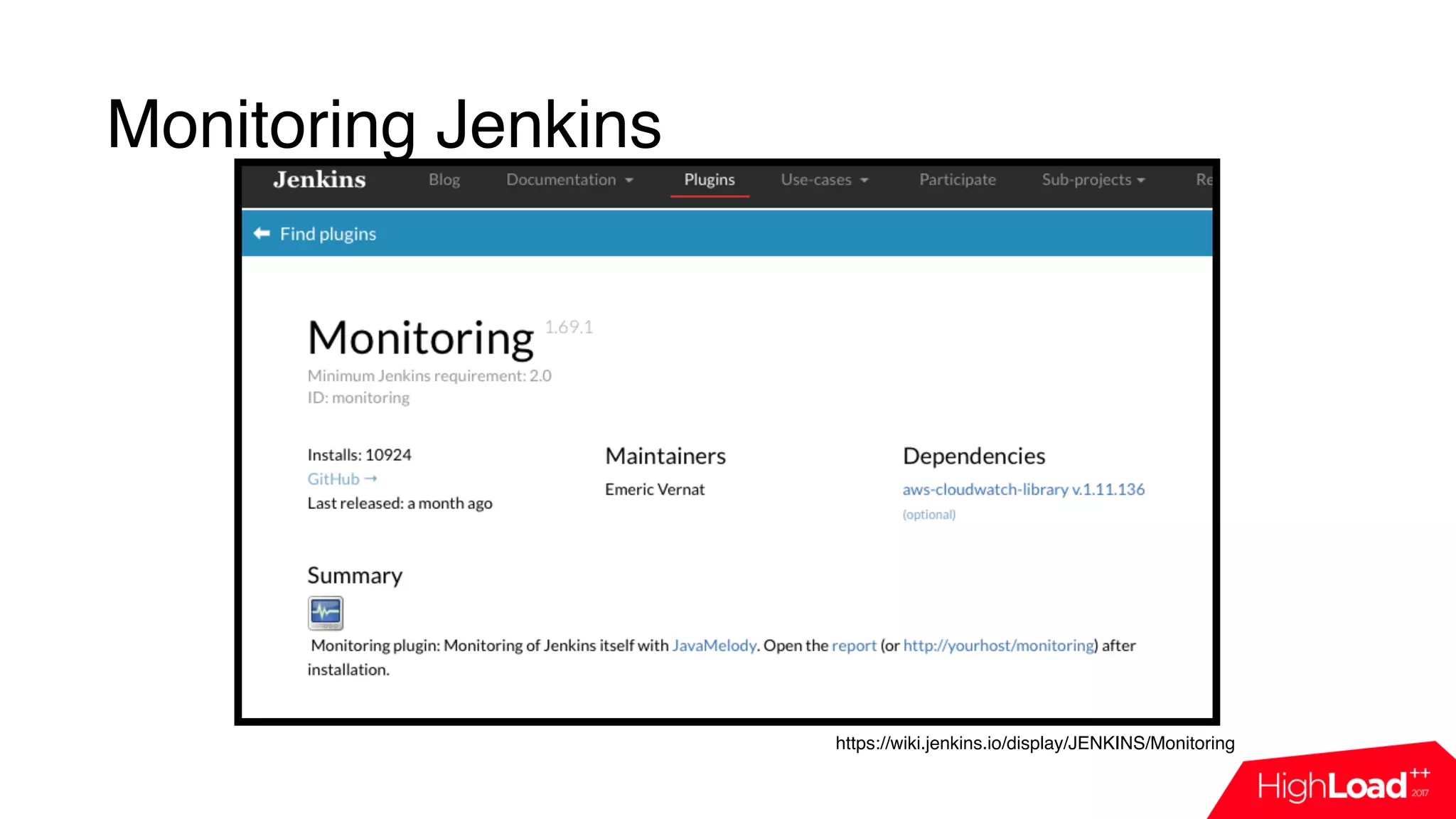
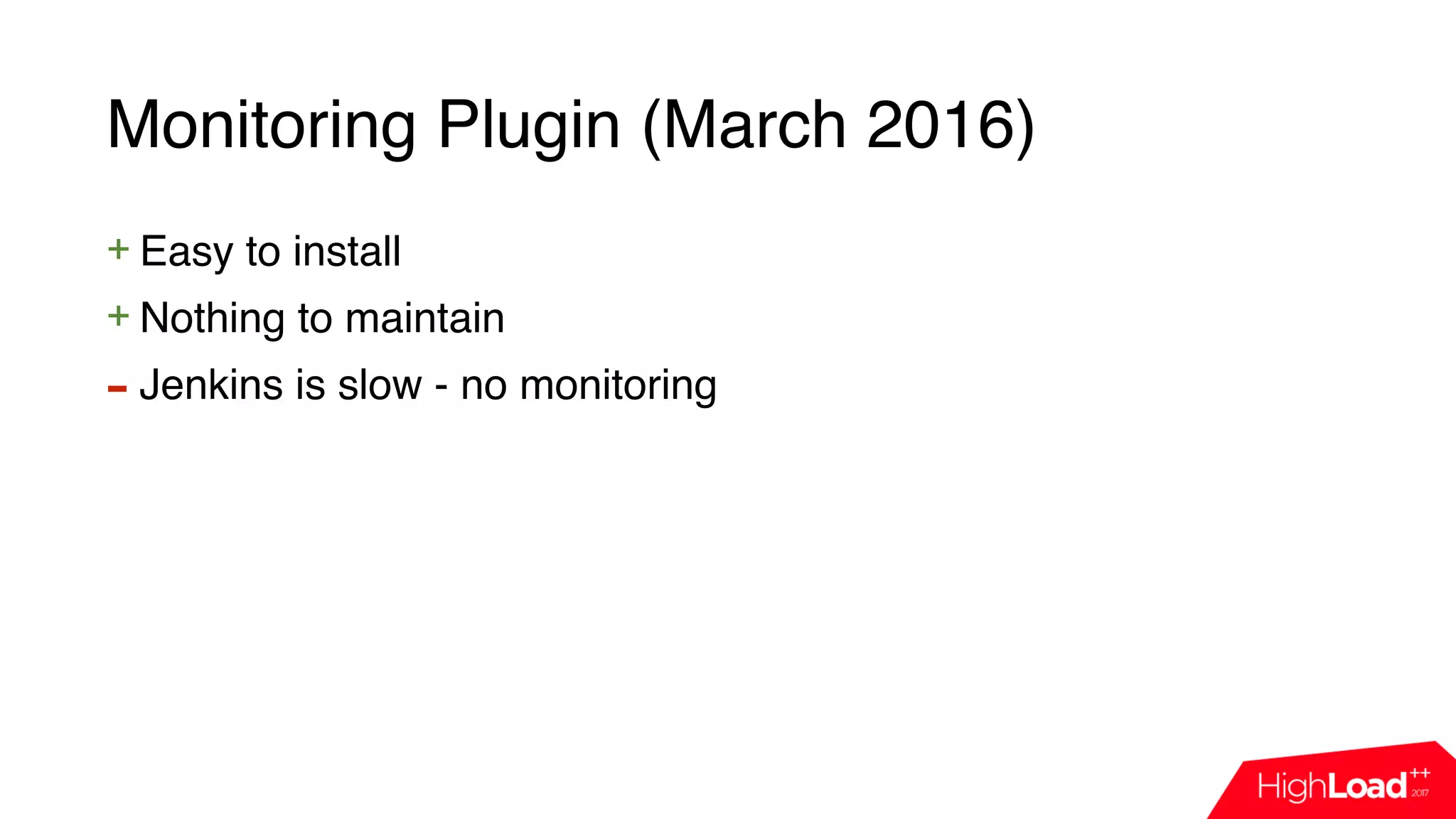
Monitoring Plugin (March 2016)
+ Easy to install
Monitoring Plugin (March 2016)
+ Easy to install
+ Nothing to maintain
Monitoring Plugin (March 2016)
+ Easy to install
+ Nothing to maintain
- Jenkins is slow - no monitoring
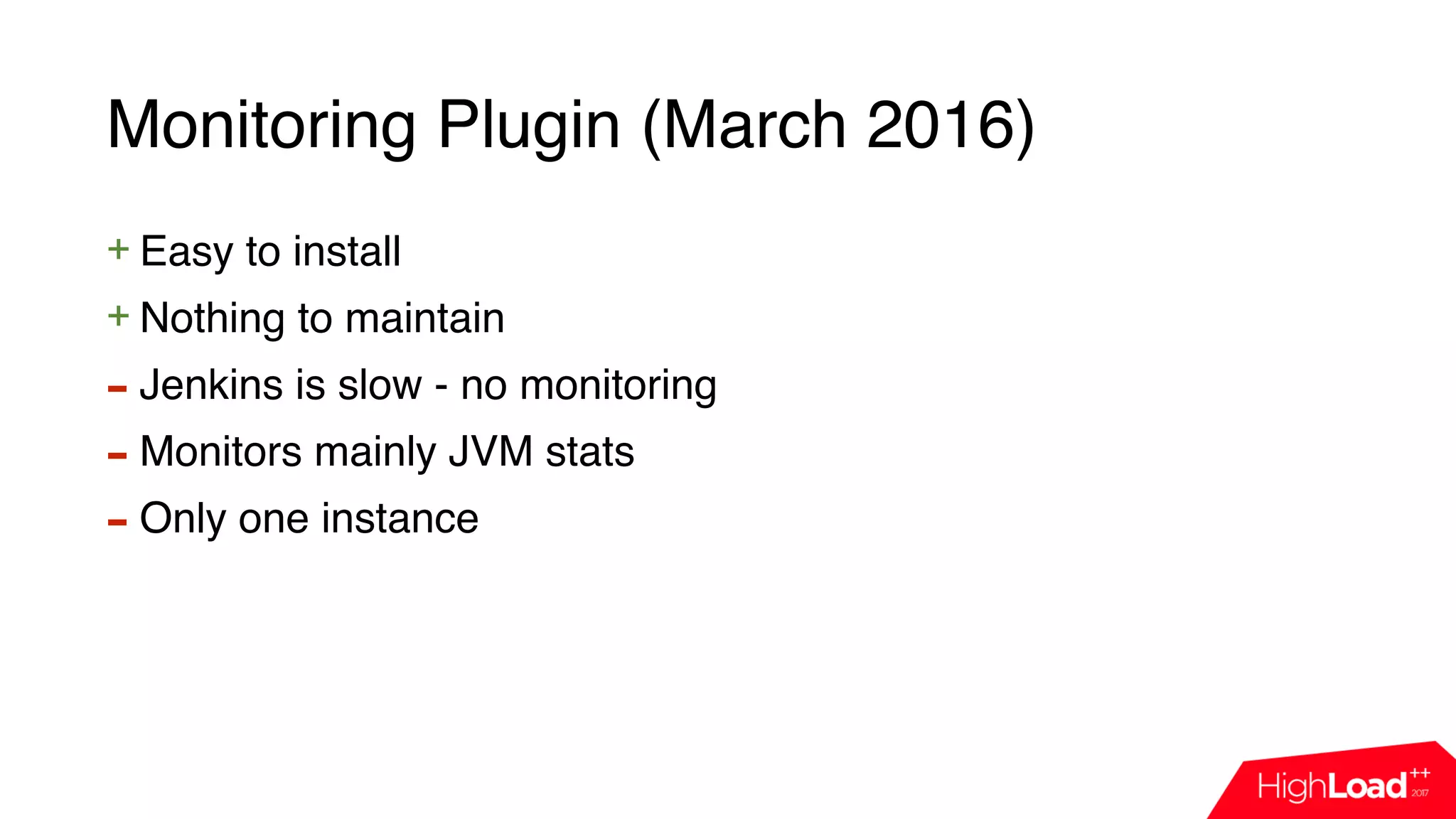
Monitoring Plugin (March 2016)
+ Easy to install
+ Nothing to maintain
- Jenkins is slow - no monitoring
- Monitors mainly JVM stats
Monitoring Plugin (March 2016)
+ Easy to install
+ Nothing to maintain
- Jenkins is slow - no monitoring
- Monitors mainly JVM stats
- Only one instance
Monitoring Plugin (March 2016)
+ Easy to install
+ Nothing to maintain
- Jenkins is slow - no monitoring
- Monitors mainly JVM stats
- Only one instance
- Not scalable
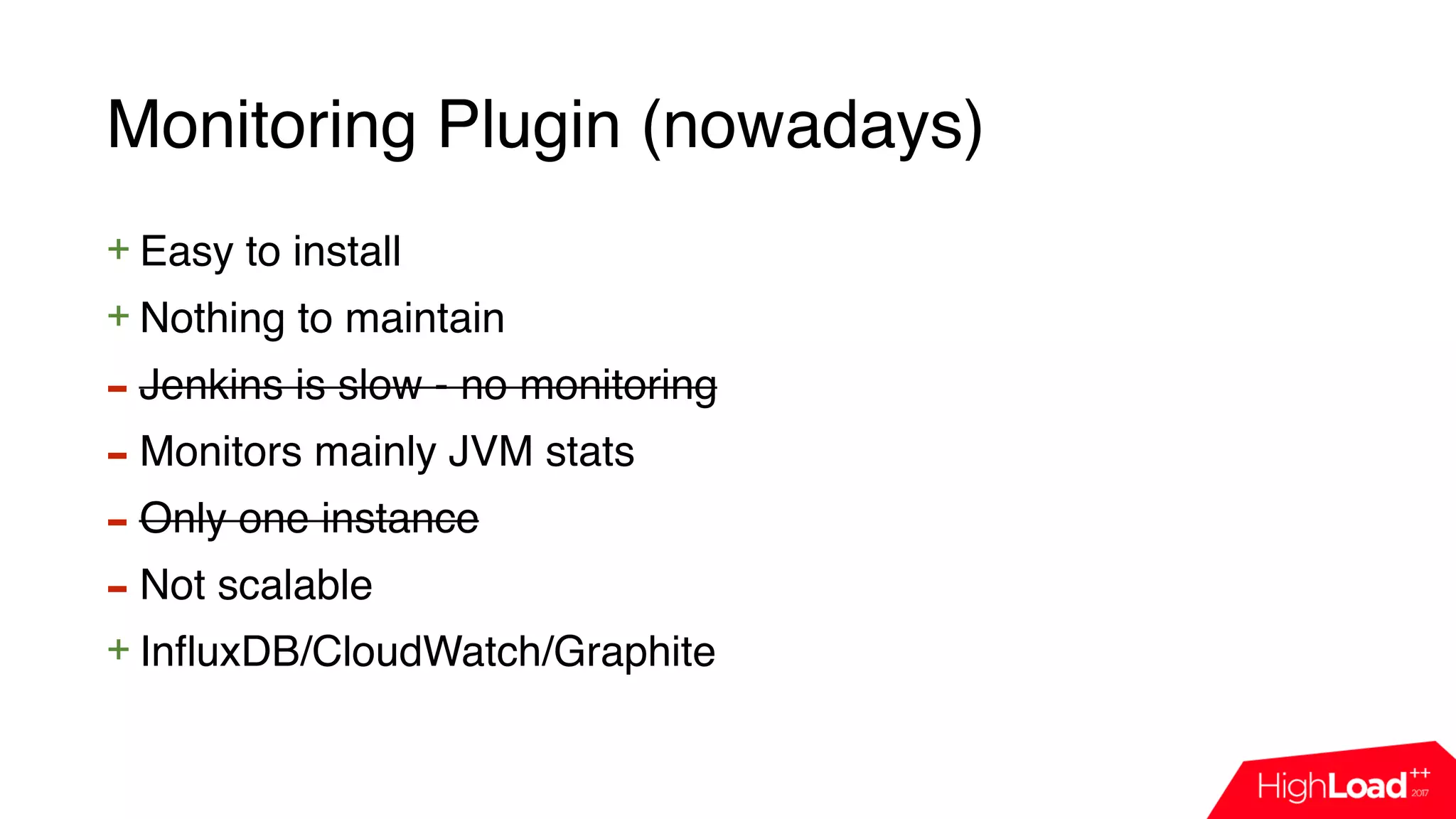
Monitoring Plugin (nowadays)
+ Easy to install
+ Nothing to maintain
- Jenkins is slow - no monitoring
- Monitors mainly JVM stats
- Only one instance
- Not scalable
+ InfluxDB/CloudWatch/Graphite
Let’s craft own monitoring!
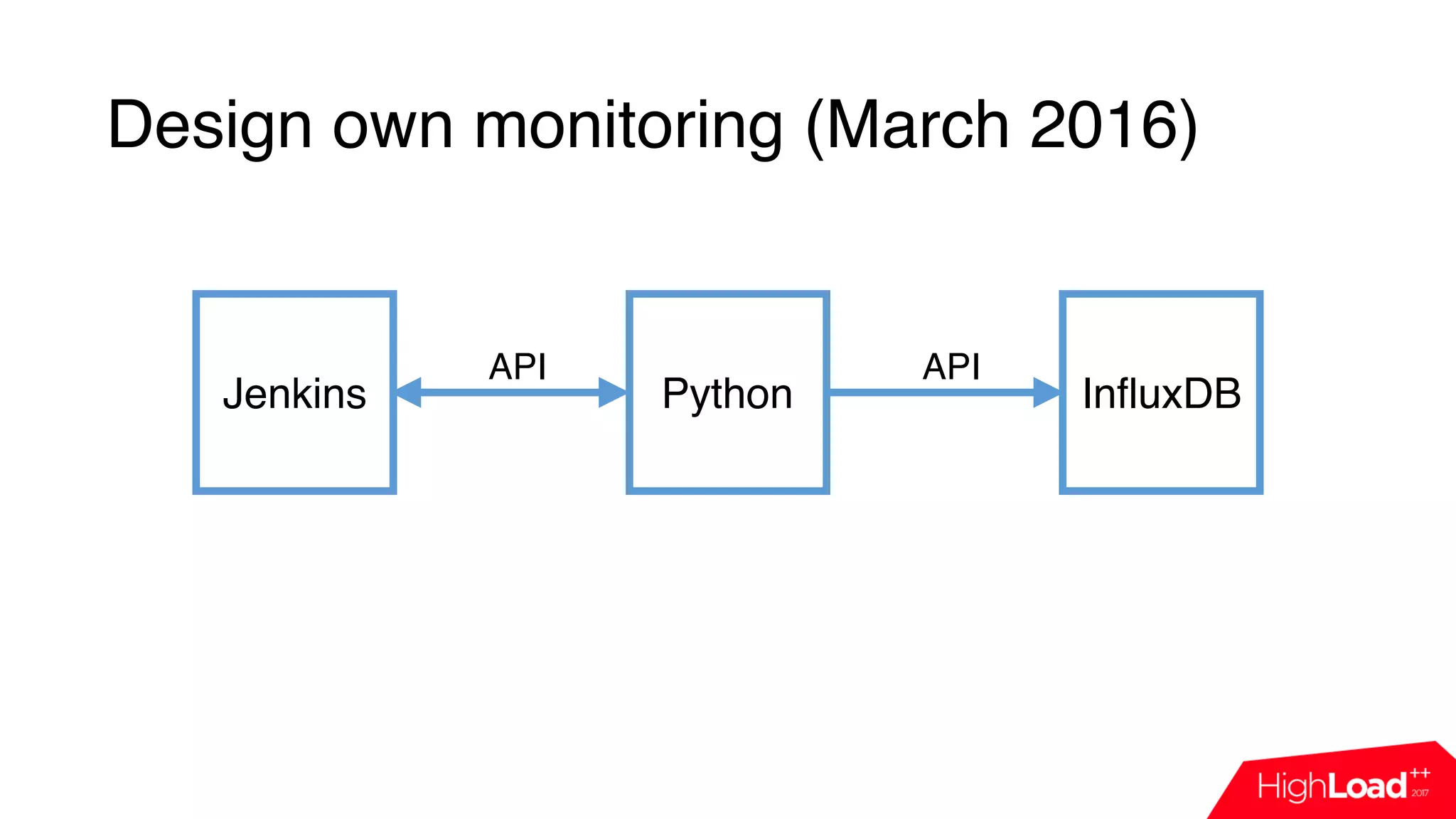
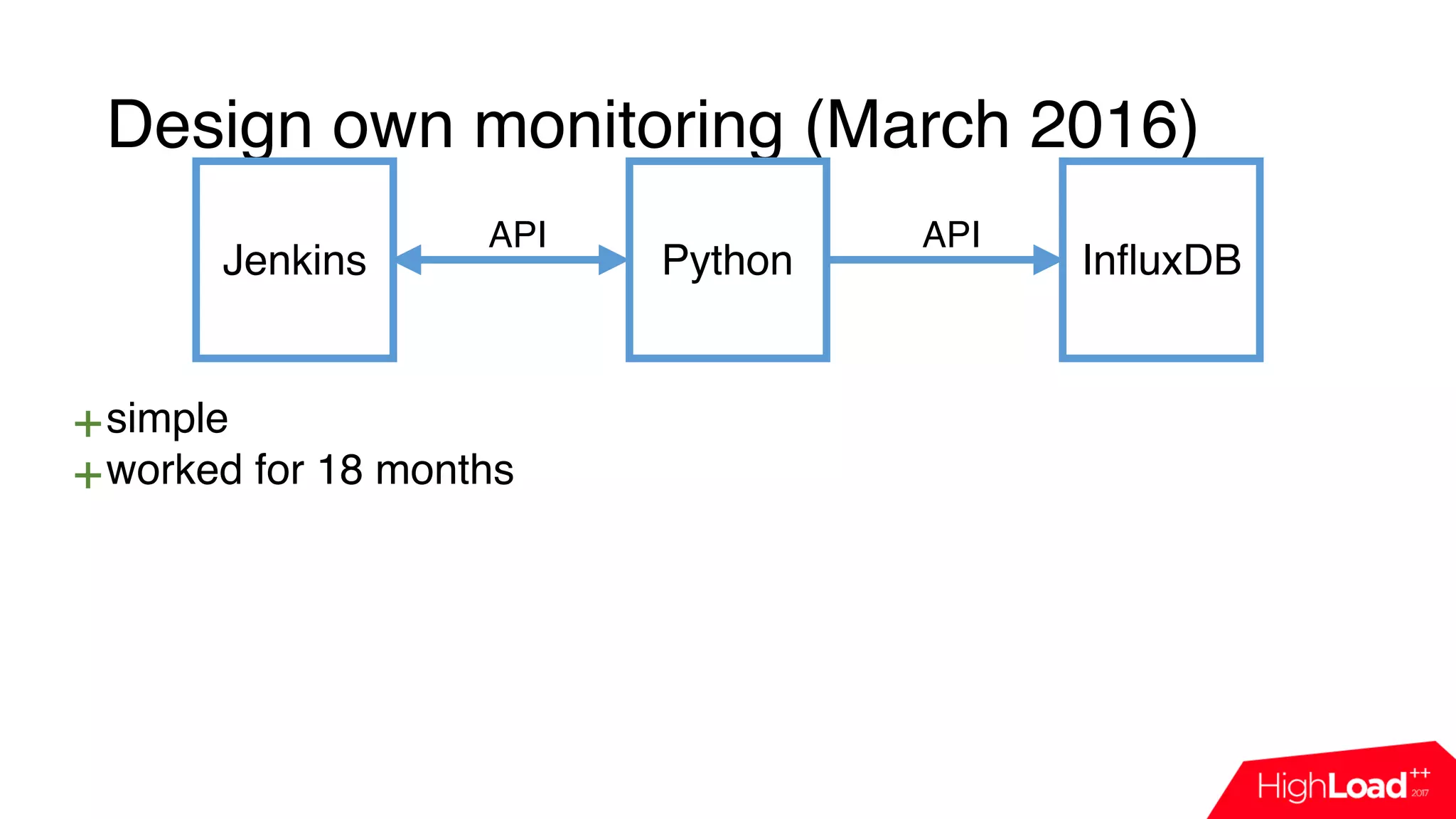
Design own monitoring (March 2016)
Jenkins Python InfluxDB
API API
Design own monitoring (March 2016)
Jenkins Python InfluxDB
import influxdb
import jenkins
j = Jenkins(“jenkins.host”)
queue_info = j.get_queue_info()
for q in queue_info:
influx_server.push({“name”: q[‘job_name’],
“reason”: q[‘why’]})
API API
Design own monitoring (March 2016)
Jenkins Python InfluxDB
import influxdb
import jenkins
j = Jenkins(“jenkins.host”)
queue_info = j.get_queue_info()
for q in queue_info:
influx_server.push({“name”: q[‘job_name’],
“reason”: q[‘why’]})
API API
Design own monitoring (March 2016)
Jenkins Python InfluxDB
import influxdb
import jenkins
j = Jenkins(“jenkins.host”)
queue_info = j.get_queue_info()
for q in queue_info:
influx_server.push({“name”: q[‘job_name’],
“reason”: q[‘why’]})
API API
Design own monitoring (March 2016)
Jenkins Python InfluxDB
API API
Design own monitoring (March 2016)
Jenkins Python InfluxDB
+simple
API API
Design own monitoring (March 2016)
Jenkins Python InfluxDB
+simple
+worked for 18 months
API API
Design own monitoring (March 2016)
Jenkins Python InfluxDB
+simple
+worked for 18 months
- polling
API API
Design own monitoring (March 2016)
Jenkins Python InfluxDB
+simple
+worked for 18 months
- polling
- maintain common code
API API
Design own monitoring (March 2016)
Jenkins Python InfluxDB
+simple
+worked for 18 months
- polling
- maintain common code
- not all data is accessible
API API
Design own monitoring (March 2016)
Jenkins Python InfluxDB
+simple
+worked for 18 months
- polling
- maintain common code
- not all data is accessible
- extra load
API API
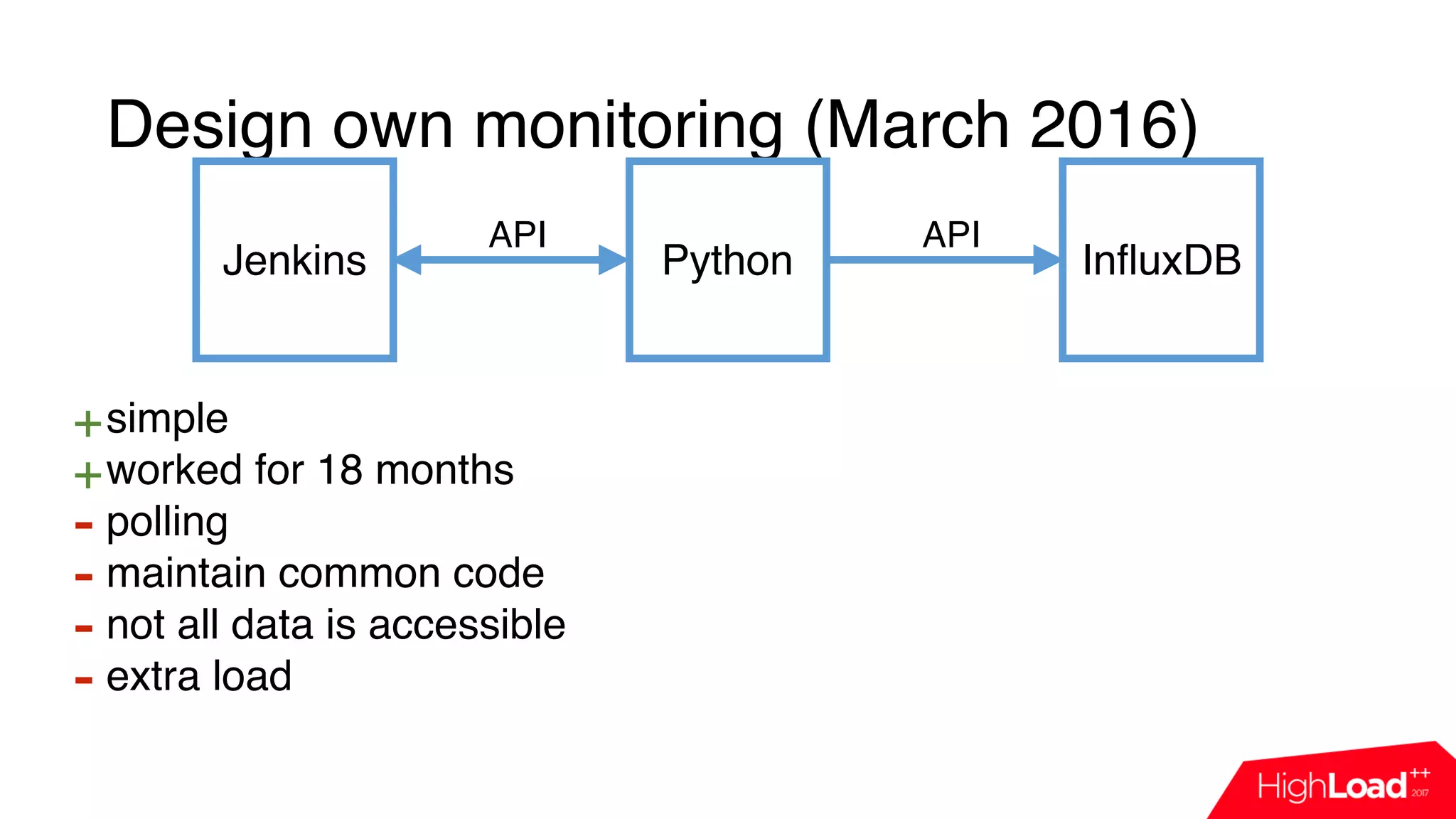
Design own monitoring (March 2016)
Jenkins Python InfluxDB
+simple
+worked for 18 months
- polling
- maintain common code
- not all data is accessible
- extra load
API API
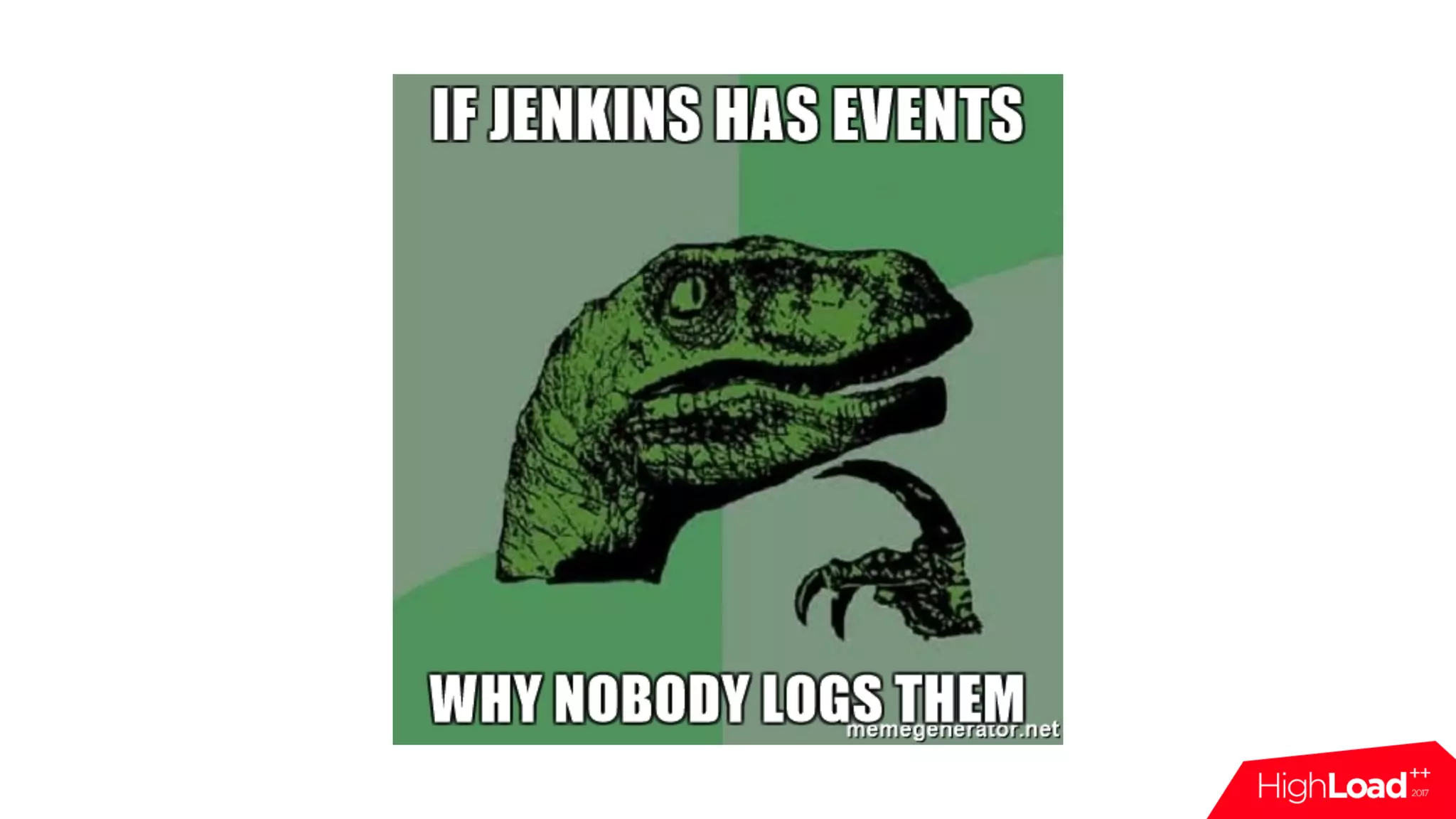
Let’s do event based
monitoring!
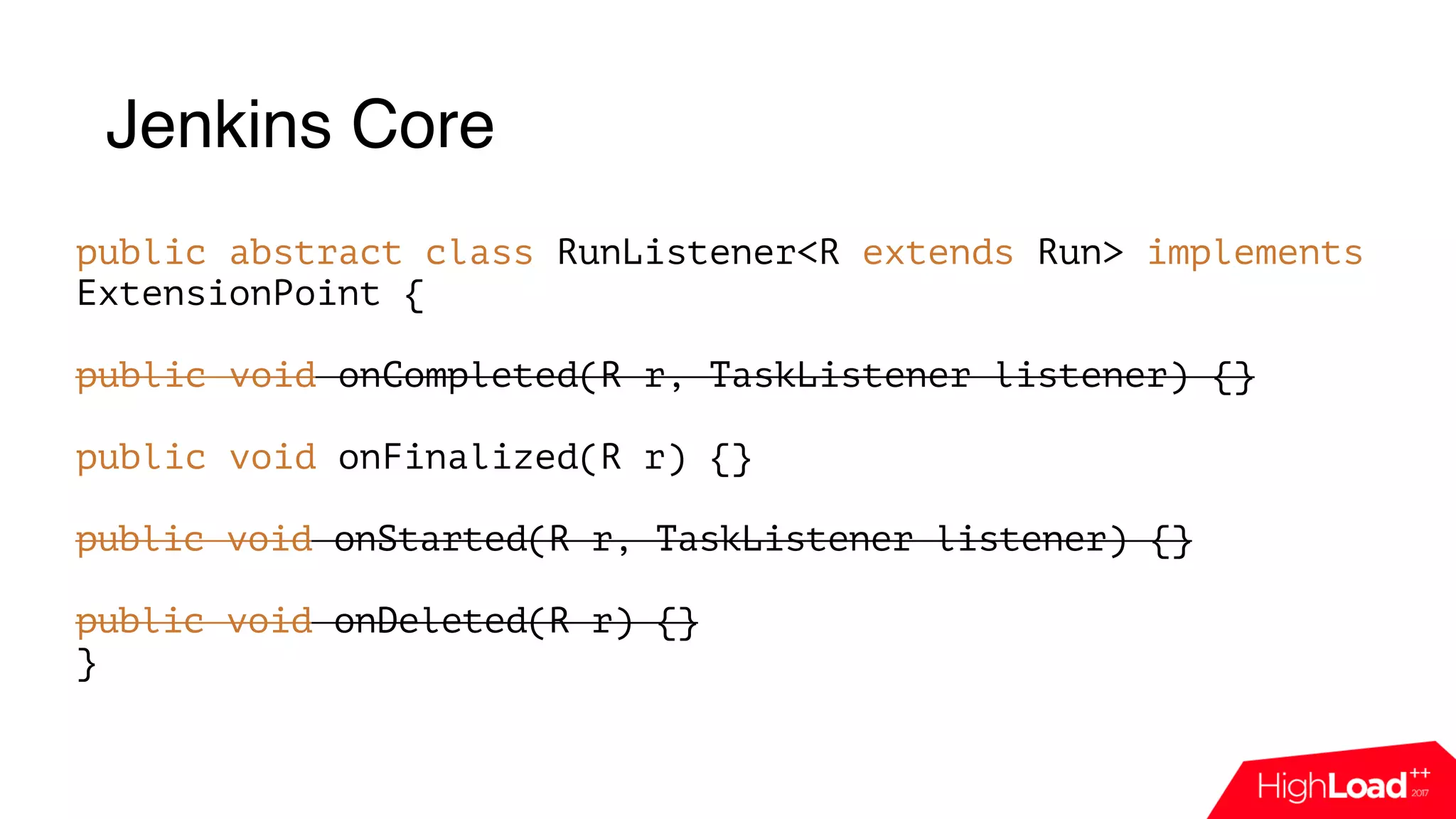
Jenkins Core
public abstract class RunListener<R extends Run> implements
ExtensionPoint {
public void onCompleted(R r, TaskListener listener) {}


public void onFinalized(R r) {}


public void onStarted(R r, TaskListener listener) {}
public void onDeleted(R r) {}
}
Jenkins Core
public abstract class RunListener<R extends Run> implements
ExtensionPoint {
public void onCompleted(R r, TaskListener listener) {}


public void onFinalized(R r) {}


public void onStarted(R r, TaskListener listener) {}
public void onDeleted(R r) {}
}
Groovy Event Listener Plugin (April 2016)
• Allows to execute custom groovy code for every event
• Supports RunListener
Groovy Event Listener Plugin (nowadays)
• Allows to execute custom groovy code for every event
• Supports RunListener, ComputerListener, ItemListener,
QueueListener
• Works at scale
• Allows custom classpath
Groovy Event Listener Plugin
if (event == 'RunListener.onFinalized') {
def build = Thread.currentThread().executable
def queueAction = build.getAction(TimeInQueueAction.class)
def queuing = queueAction.getQueuingDurationMillis()
log.info “number=$build.number, queue_duration=$queuing
}
Ok, we have events, but how
to fill the db?
FluentD
FluentD
• Process 13,000 events/second/core
FluentD
• Process 13,000 events/second/core
• Retry/buffer/routing
FluentD
• Process 13,000 events/second/core
• Retry/buffer/routing
• Easy to extend
FluentD
• Process 13,000 events/second/core
• Retry/buffer/routing
• Easy to extend
• Simple
FluentD
• Process 13,000 events/second/core
• Retry/buffer/routing
• Easy to extend
• Simple
• Reliable
FluentD
• Process 13,000 events/second/core
• Retry/buffer/routing
• Easy to extend
• Simple
• Reliable
• Memory footprint is 30-40MB
FluentD
• Process 13,000 events/second/core
• Retry/buffer/routing
• Easy to extend
• Simple
• Reliable
• Memory footprint is 30-40MB
• Ruby
FluentD
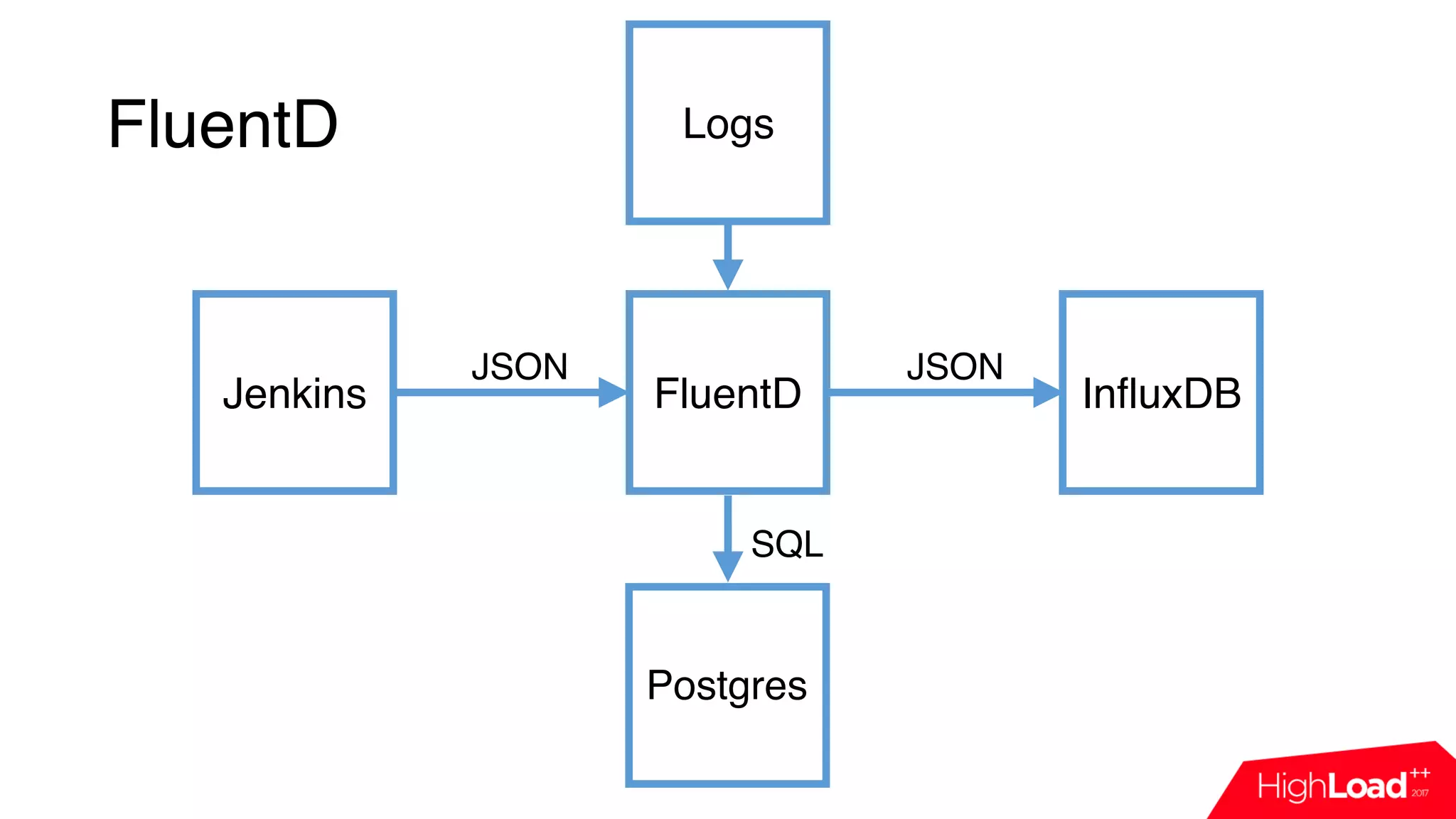
Jenkins FluentD InfluxDB
JSON JSON
FluentD
Jenkins FluentD InfluxDB
JSON JSON
Postgres
SQL
FluentD
Jenkins FluentD InfluxDB
JSON JSON
Postgres
SQL
Logs
FluentD. Config.
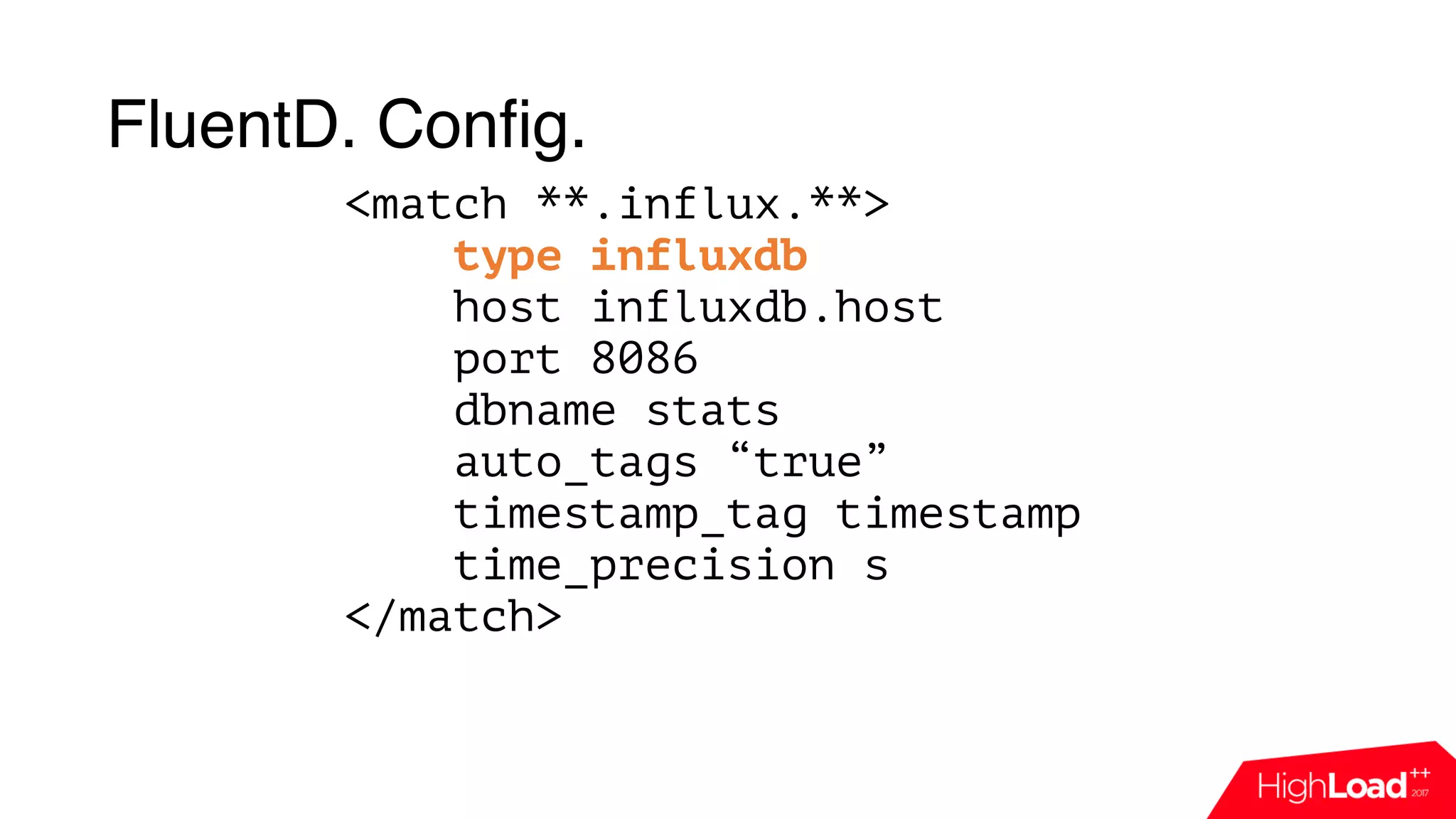
<match **.influx.**>
type influxdb
host influxdb.host
port 8086
dbname stats
auto_tags “true”
timestamp_tag timestamp
time_precision s
</match>
FluentD. Config.
<match **.influx.**>
type influxdb
host influxdb.host
port 8086
dbname stats
auto_tags “true”
timestamp_tag timestamp
time_precision s
</match>
FluentD. Config.
<match **.influx.**>
type influxdb
host influxdb.host
port 8086
dbname stats
auto_tags “true”
timestamp_tag timestamp
time_precision s
</match>
FluentD. Config.
<match **.influx.**>
type influxdb
host influxdb.host
port 8086
dbname stats
auto_tags “true”
timestamp_tag timestamp
time_precision s
</match>
FluentD. Config.
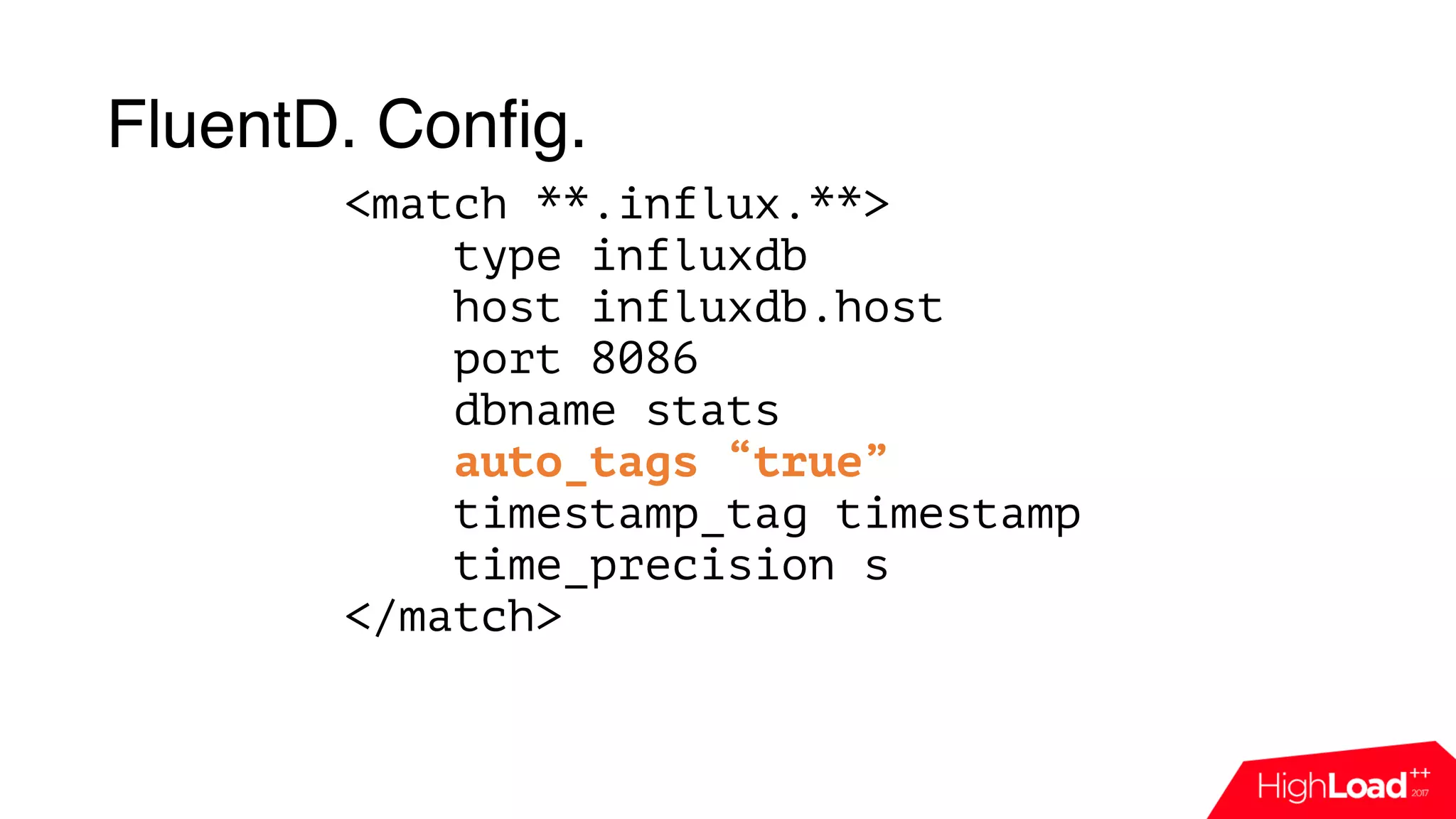
<match **.influx.**>
type influxdb
host influxdb.host
port 8086
dbname stats
auto_tags “true”
timestamp_tag timestamp
time_precision s
</match>
Ok, we have events, we have
fluentd, but how to pass event
to it?
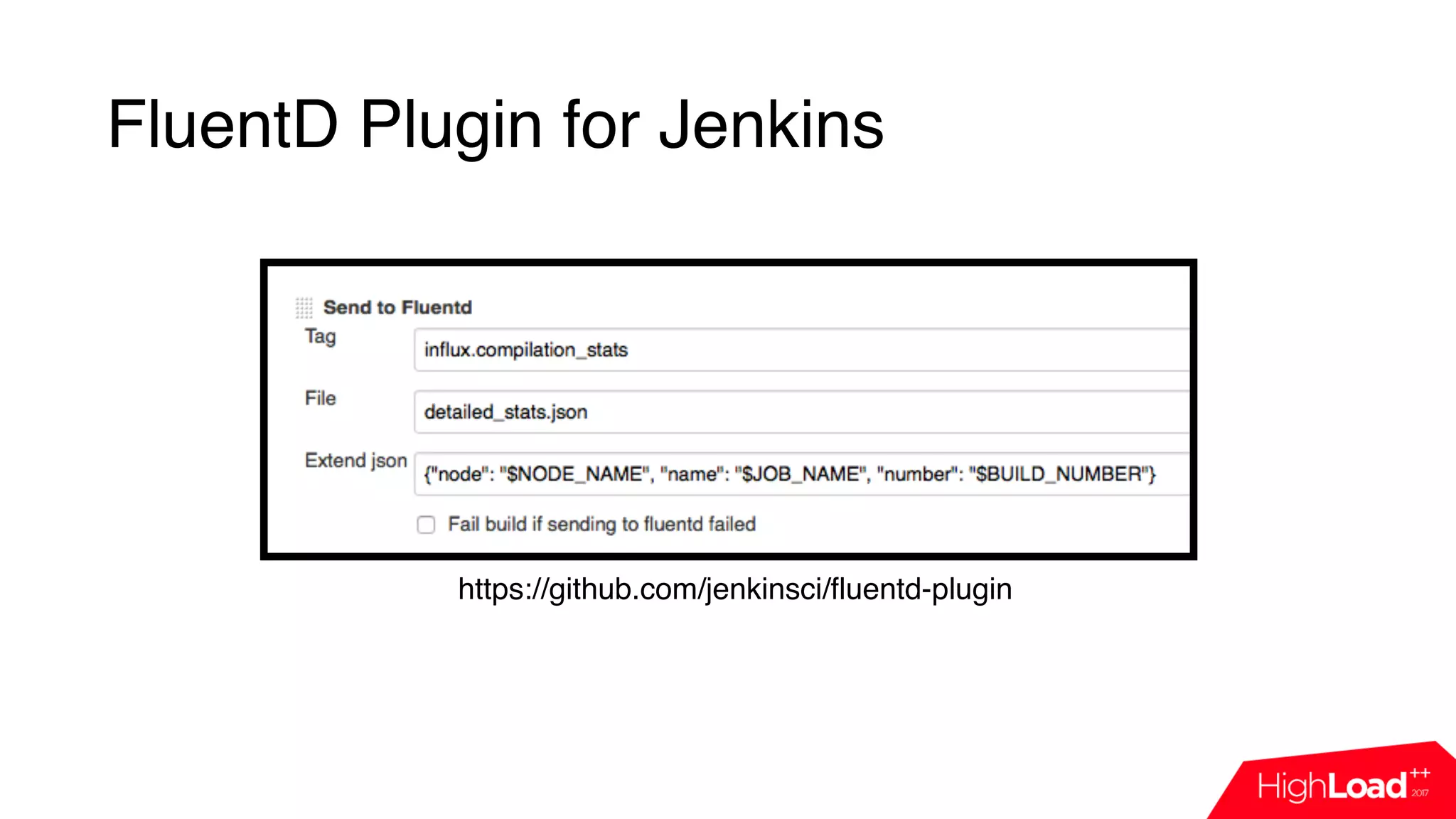
FluentD Plugin for Jenkins
• Developed in HERE
Technologies
FluentD Plugin for Jenkins
• Developed in HERE
Technologies
• Very simple
FluentD Plugin for Jenkins
• Developed in HERE
Technologies
• Very simple
• Supports JSON
FluentD Plugin for Jenkins
• Developed in HERE
Technologies
• Very simple
• Supports JSON
• Post-build-step
FluentD Plugin for Jenkins
https://github.com/jenkinsci/fluentd-plugin
Great! Let’s do something with
this data!
Infra issues
Build Failure Analyzer (config)
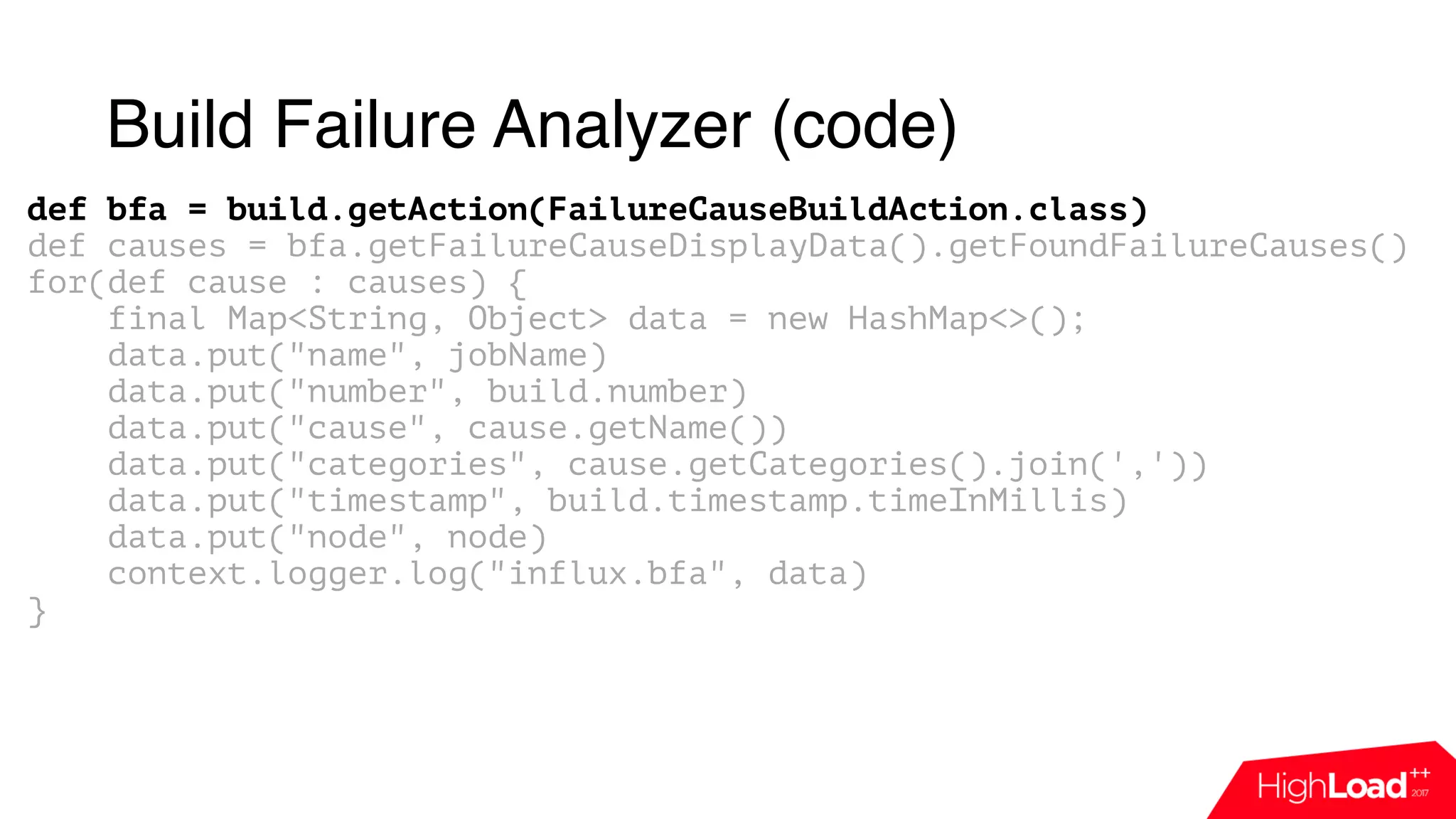
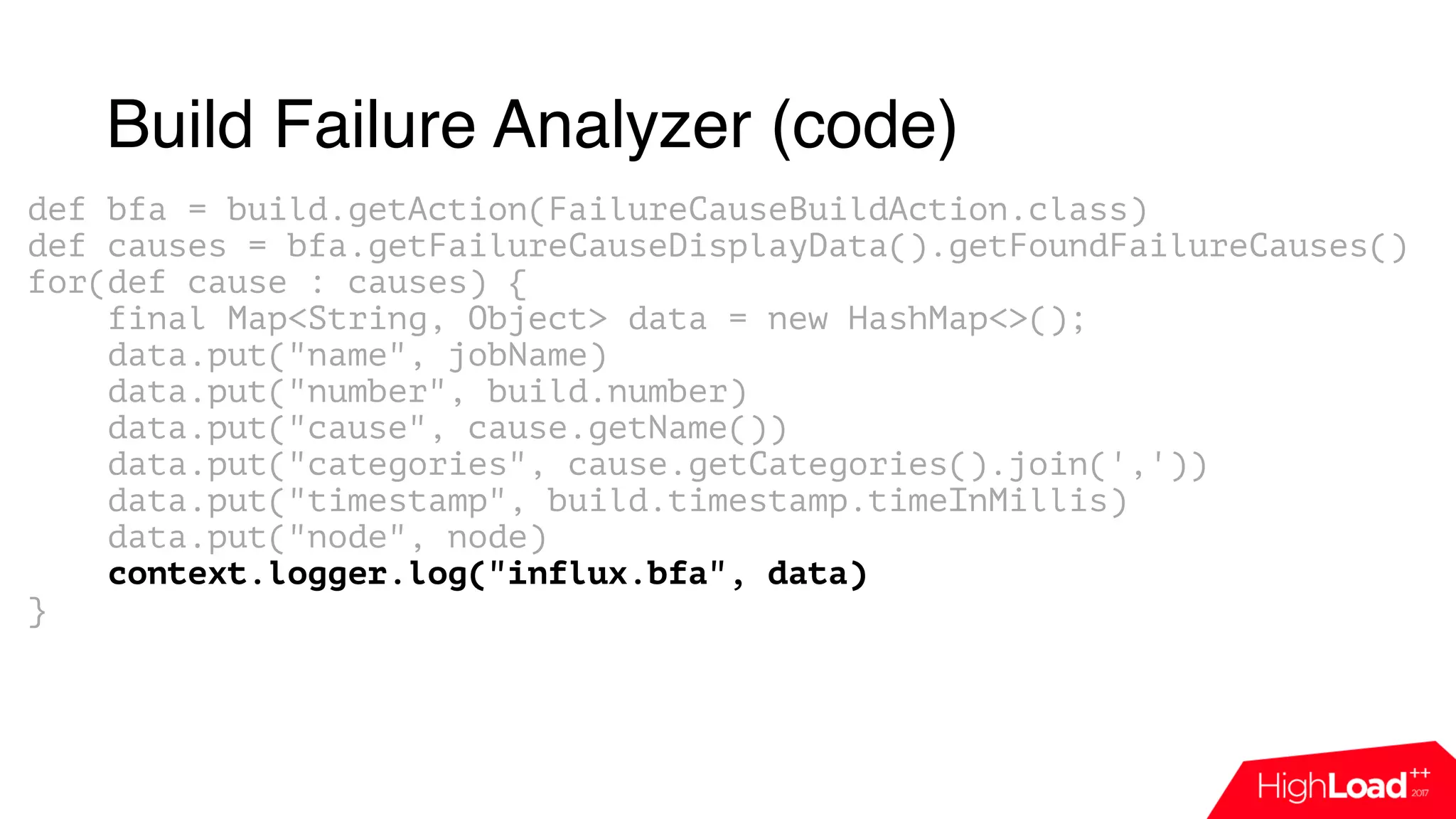
Build Failure Analyzer (code)
def bfa = build.getAction(FailureCauseBuildAction.class)
def causes = bfa.getFailureCauseDisplayData().getFoundFailureCauses()
for(def cause : causes) {
final Map<String, Object> data = new HashMap<>();
data.put("name", jobName)
data.put("number", build.number)
data.put("cause", cause.getName())
data.put("categories", cause.getCategories().join(','))
data.put("timestamp", build.timestamp.timeInMillis)
data.put("node", node)
context.logger.log("influx.bfa", data)
}
Build Failure Analyzer (code)
def bfa = build.getAction(FailureCauseBuildAction.class)
def causes = bfa.getFailureCauseDisplayData().getFoundFailureCauses()
for(def cause : causes) {
final Map<String, Object> data = new HashMap<>();
data.put("name", jobName)
data.put("number", build.number)
data.put("cause", cause.getName())
data.put("categories", cause.getCategories().join(','))
data.put("timestamp", build.timestamp.timeInMillis)
data.put("node", node)
context.logger.log("influx.bfa", data)
}
Build Failure Analyzer (code)
def bfa = build.getAction(FailureCauseBuildAction.class)
def causes = bfa.getFailureCauseDisplayData().getFoundFailureCauses()
for(def cause : causes) {
final Map<String, Object> data = new HashMap<>();
data.put("name", jobName)
data.put("number", build.number)
data.put("cause", cause.getName())
data.put("categories", cause.getCategories().join(','))
data.put("timestamp", build.timestamp.timeInMillis)
data.put("node", node)
context.logger.log("influx.bfa", data)
}
Build Failure Analyzer (code)
def bfa = build.getAction(FailureCauseBuildAction.class)
def causes = bfa.getFailureCauseDisplayData().getFoundFailureCauses()
for(def cause : causes) {
final Map<String, Object> data = new HashMap<>();
data.put("name", jobName)
data.put("number", build.number)
data.put("cause", cause.getName())
data.put("categories", cause.getCategories().join(','))
data.put("timestamp", build.timestamp.timeInMillis)
data.put("node", node)
context.logger.log("influx.bfa", data)
}
Build Failure Analyzer (code)
def bfa = build.getAction(FailureCauseBuildAction.class)
def causes = bfa.getFailureCauseDisplayData().getFoundFailureCauses()
for(def cause : causes) {
final Map<String, Object> data = new HashMap<>();
data.put("name", jobName)
data.put("number", build.number)
data.put("cause", cause.getName())
data.put("categories", cause.getCategories().join(','))
data.put("timestamp", build.timestamp.timeInMillis)
data.put("node", node)
context.logger.log("influx.bfa", data)
}
Build Failure Analyzer (code)
def bfa = build.getAction(FailureCauseBuildAction.class)
def causes = bfa.getFailureCauseDisplayData().getFoundFailureCauses()
for(def cause : causes) {
final Map<String, Object> data = new HashMap<>();
data.put("name", jobName)
data.put("number", build.number)
data.put("cause", cause.getName())
data.put("categories", cause.getCategories().join(','))
data.put("timestamp", build.timestamp.timeInMillis)
data.put("node", node)
context.logger.log("influx.bfa", data)
}
Build Failure Analyzer (result)
Speed up compilation
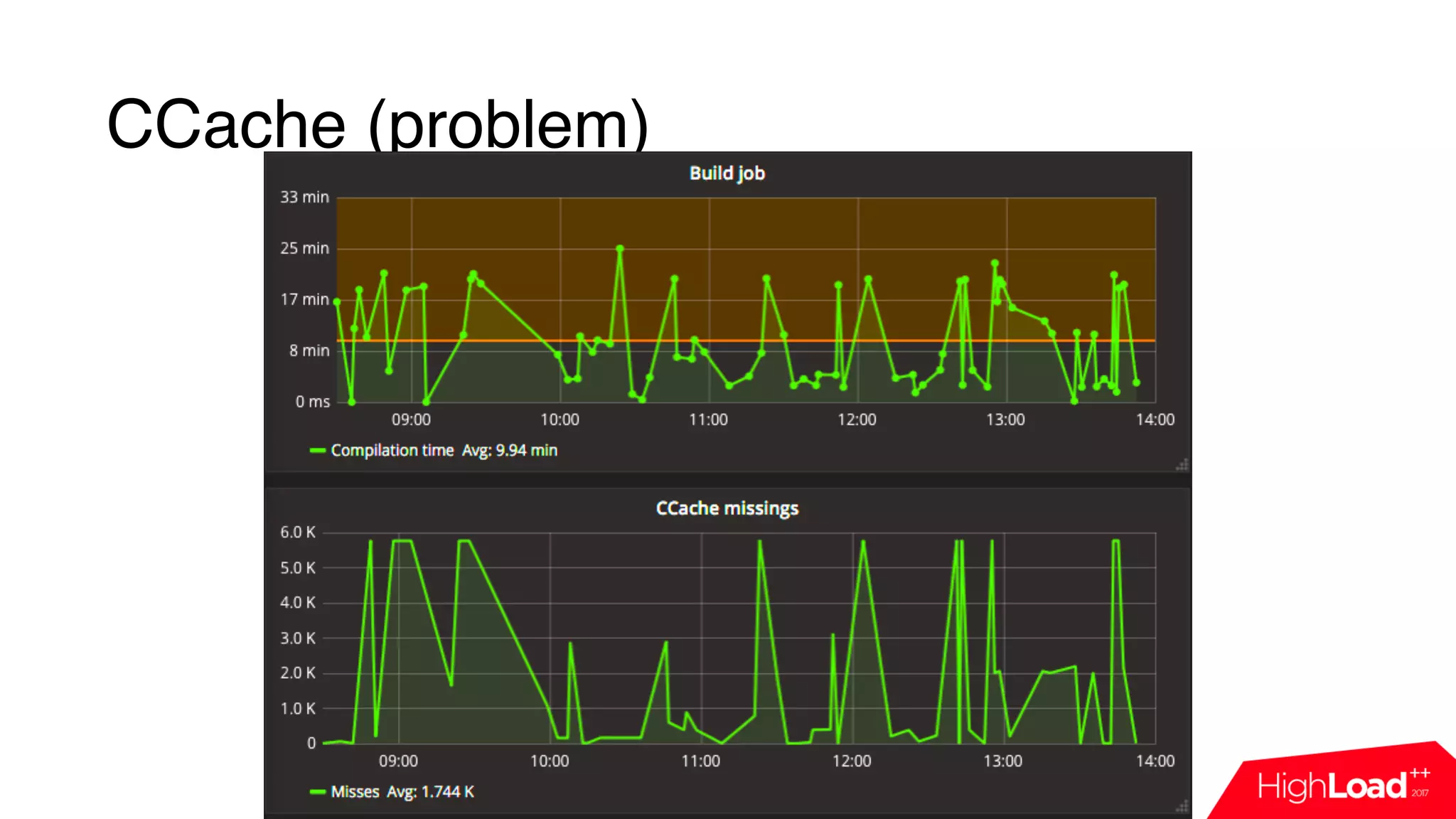
CCache (problem)
CCache
CCache
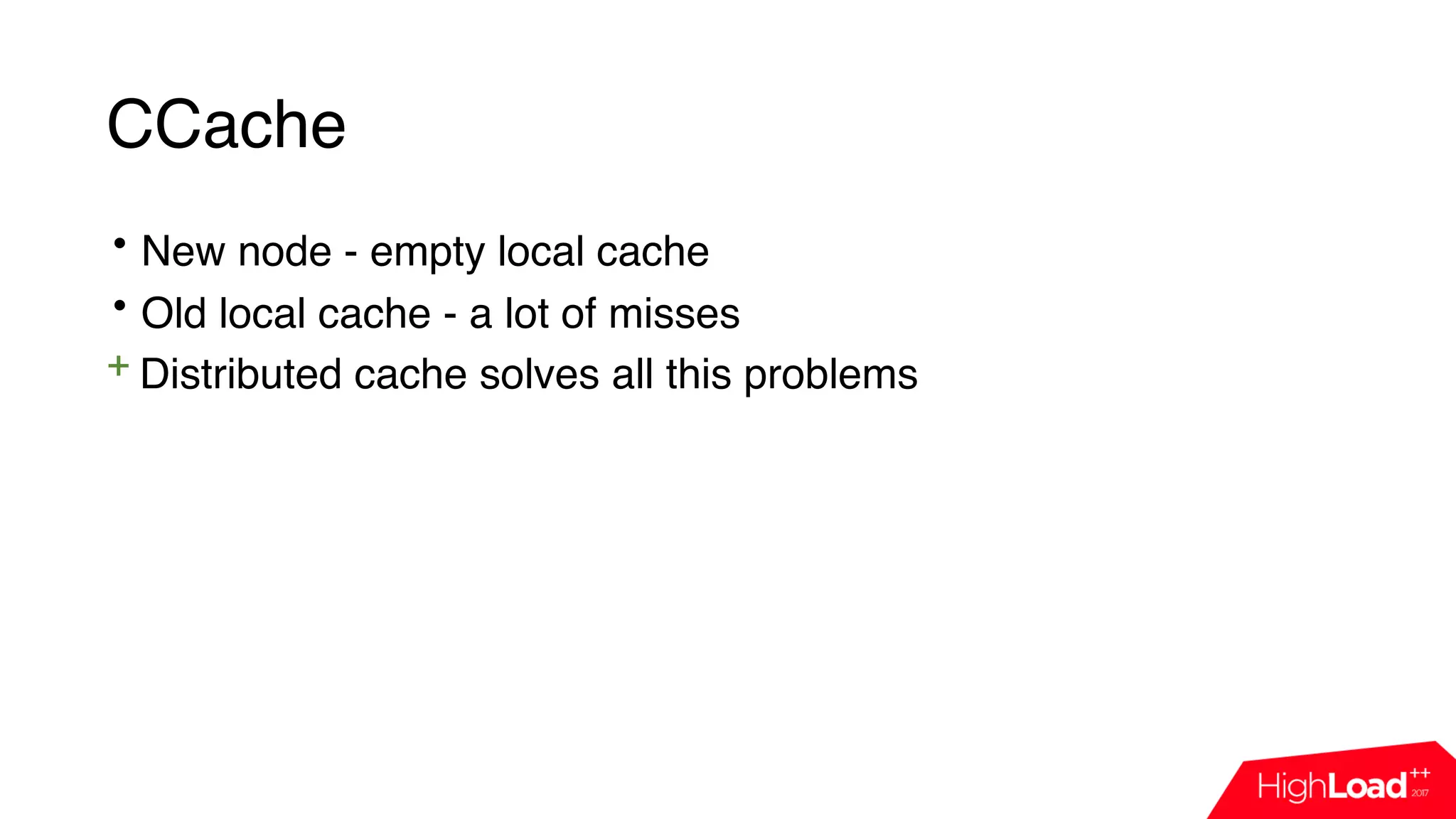
• New node - empty local cache
CCache
• New node - empty local cache
• Old local cache - a lot of misses
CCache
• New node - empty local cache
• Old local cache - a lot of misses
+ Distributed cache solves all this problems
CCache
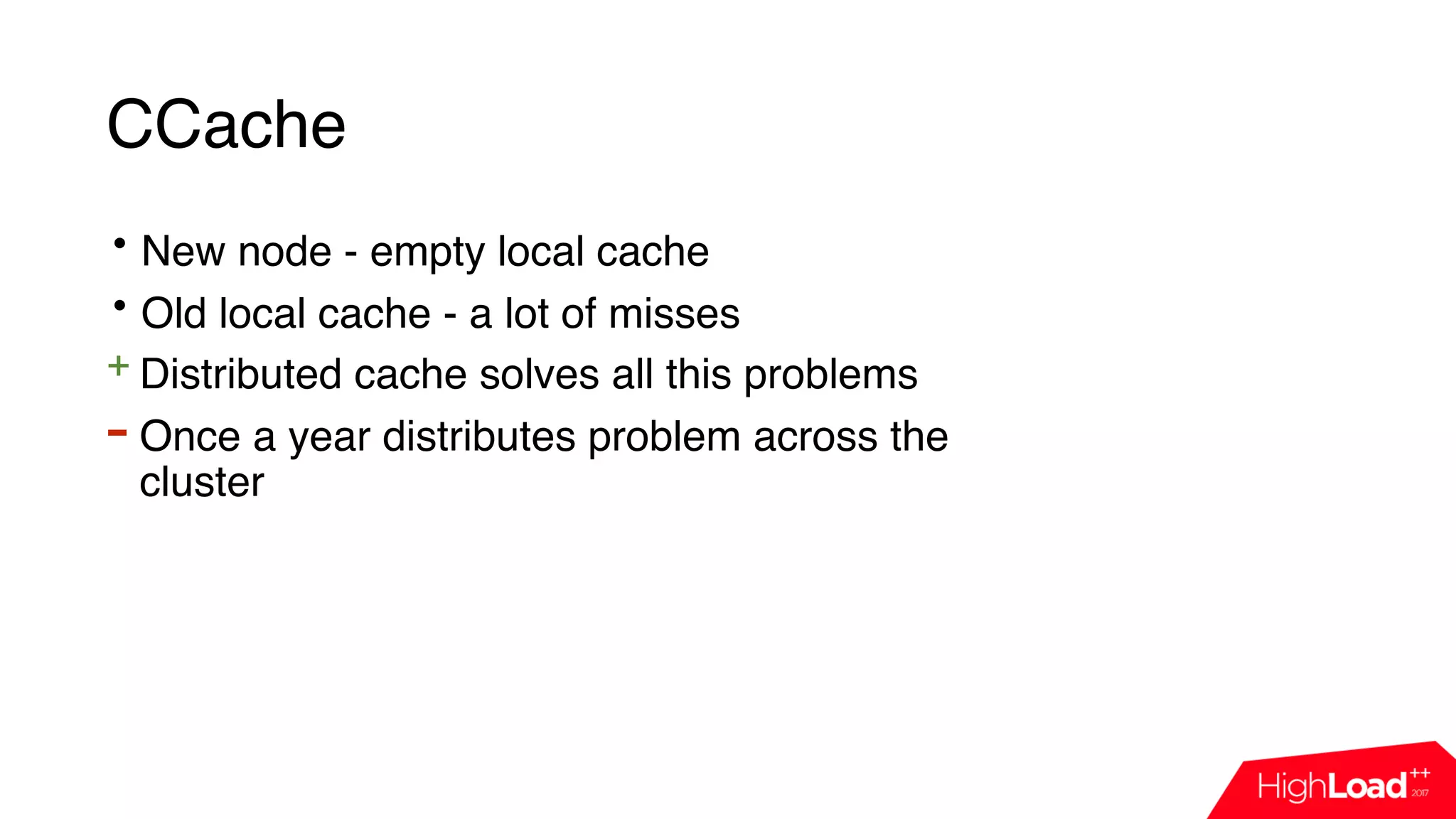
• New node - empty local cache
• Old local cache - a lot of misses
+ Distributed cache solves all this problems
- Once a year distributes problem across the
cluster
CCache (result)
Improve node utilization
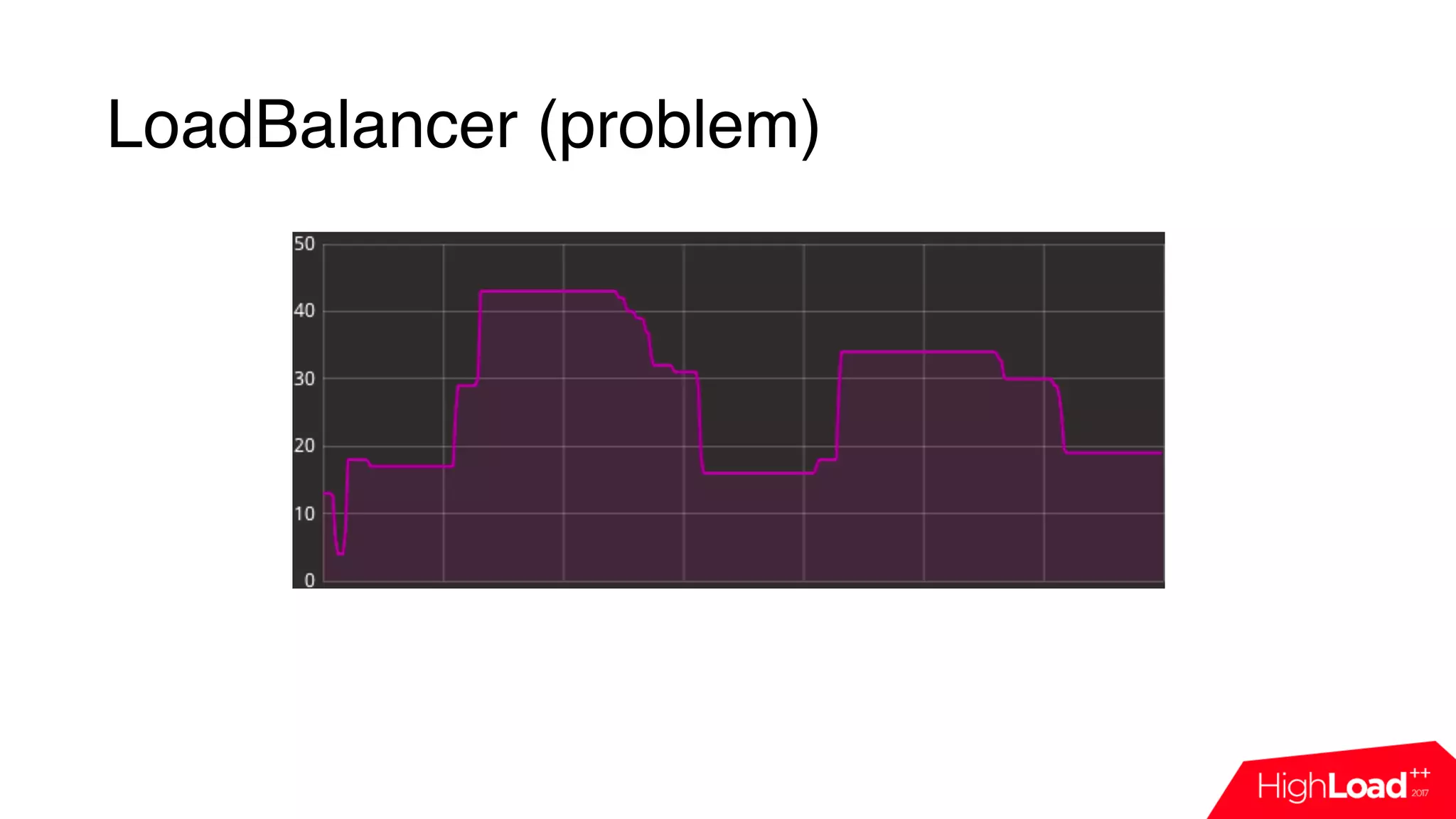
LoadBalancer (problem)
LoadBalancer (solution)
• Default balancer is optimized for cache
LoadBalancer (solution)
• Default balancer is optimized for cache
• Cron jobs are pinned to different hosts
LoadBalancer (solution)
• Default balancer is optimized for cache
• Cron jobs are pinned to different hosts
• Nothing to terminate/stop - no idle nodes
LoadBalancer (solution)
• Default balancer is optimized for cache
• Cron jobs are pinned to different hosts
• Nothing to terminate/stop - no idle nodes
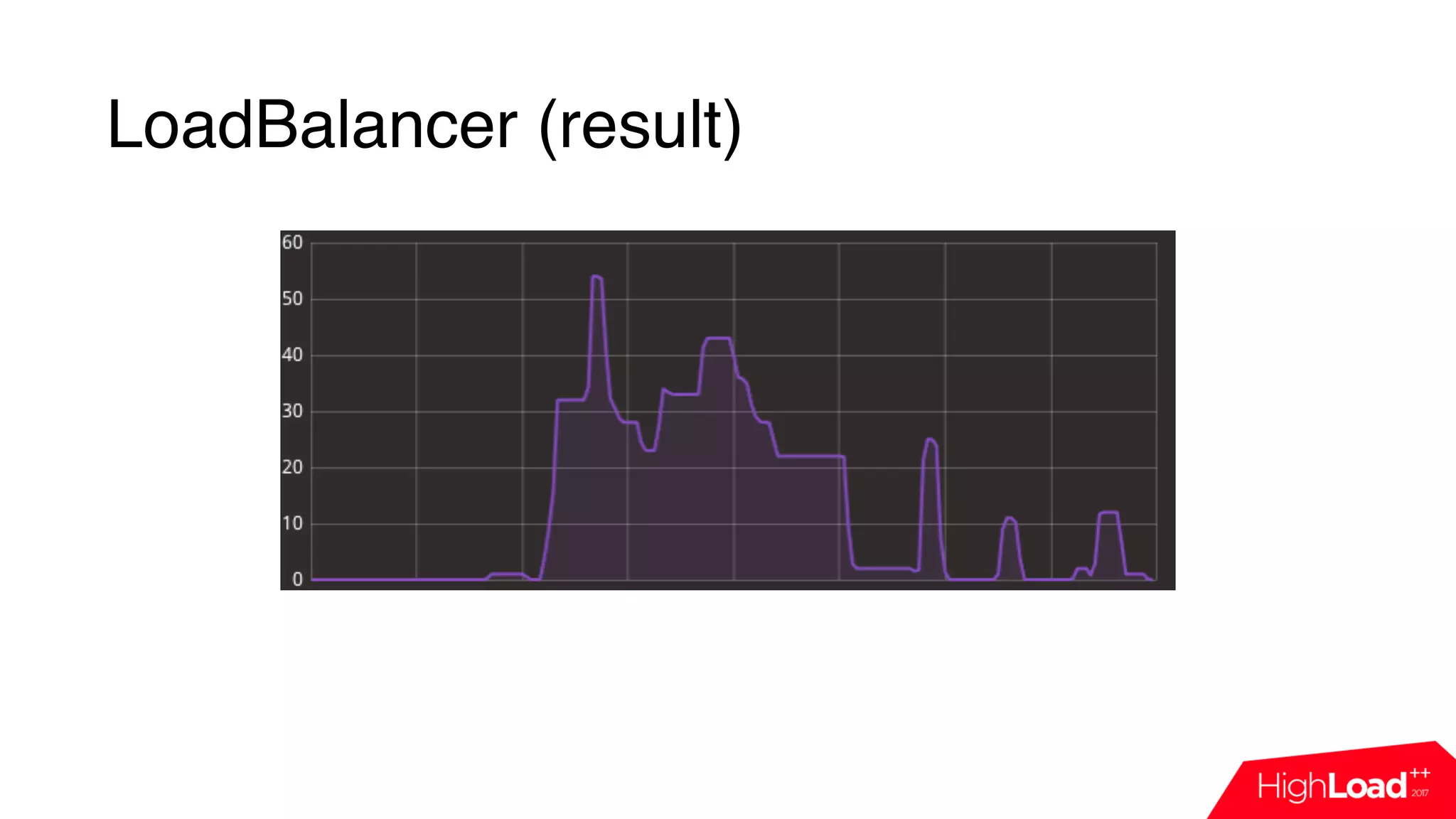
+ Saturate Node Load Balancer: always put all load to the oldest
node
LoadBalancer (result)
Minimize impact
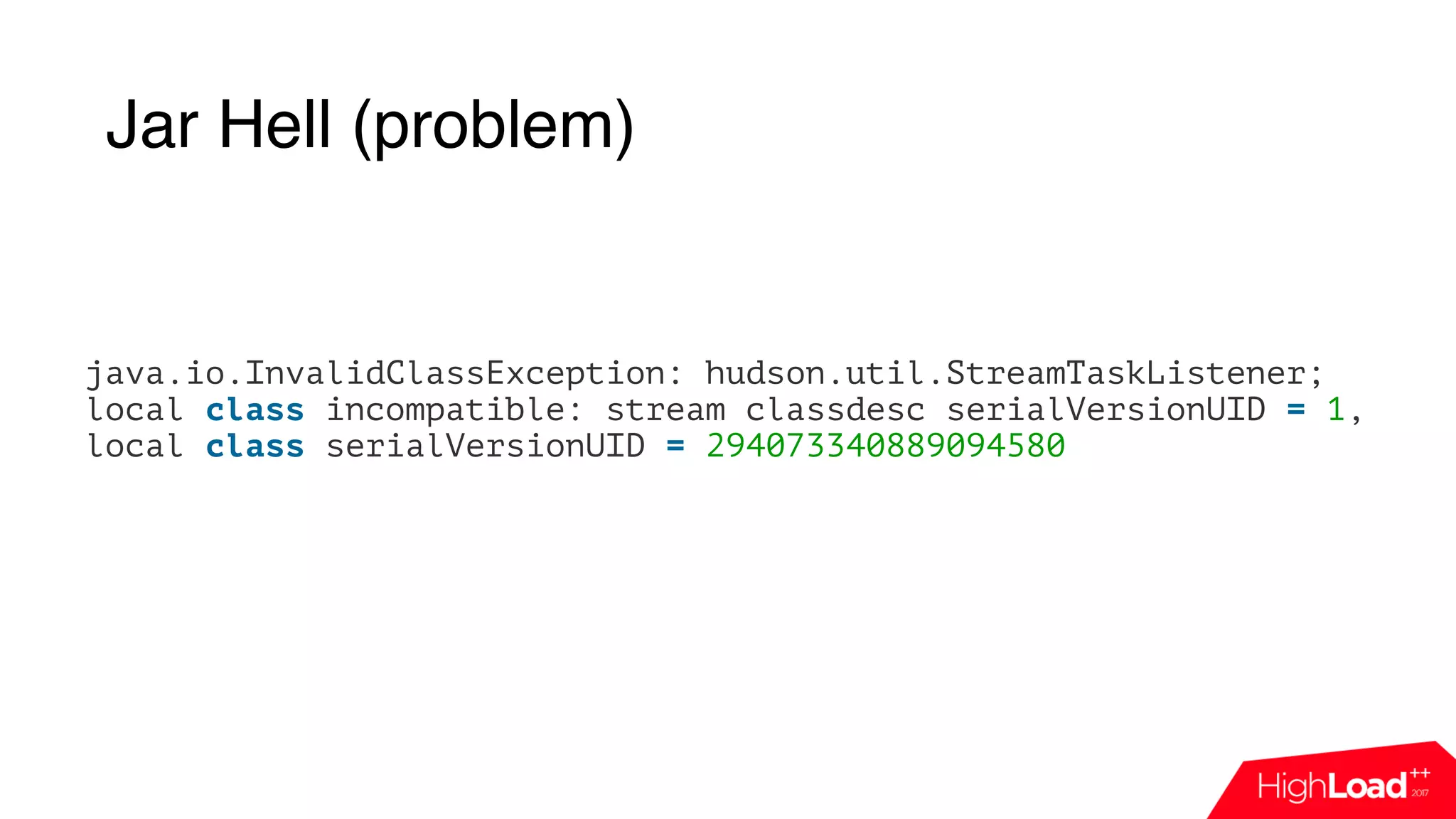
Jar Hell (problem)
java.io.InvalidClassException: hudson.util.StreamTaskListener;
local class incompatible: stream classdesc serialVersionUID = 1,
local class serialVersionUID = 294073340889094580
Jar Hell (explanation)
• Bug in Jenkins Remoting Layer
Jar Hell (explanation)
• Bug in Jenkins Remoting Layer
• If first run that is using some class is aborted - this class is “lost”
Jar Hell (explanation)
• Bug in Jenkins Remoting Layer
• If first run that is using some class is aborted - this class is “lost”
• Does not recover
Jar Hell (explanation)
• Bug in Jenkins Remoting Layer
• If first run that is using some class is aborted - this class is “lost”
• Does not recover
• Huge impact
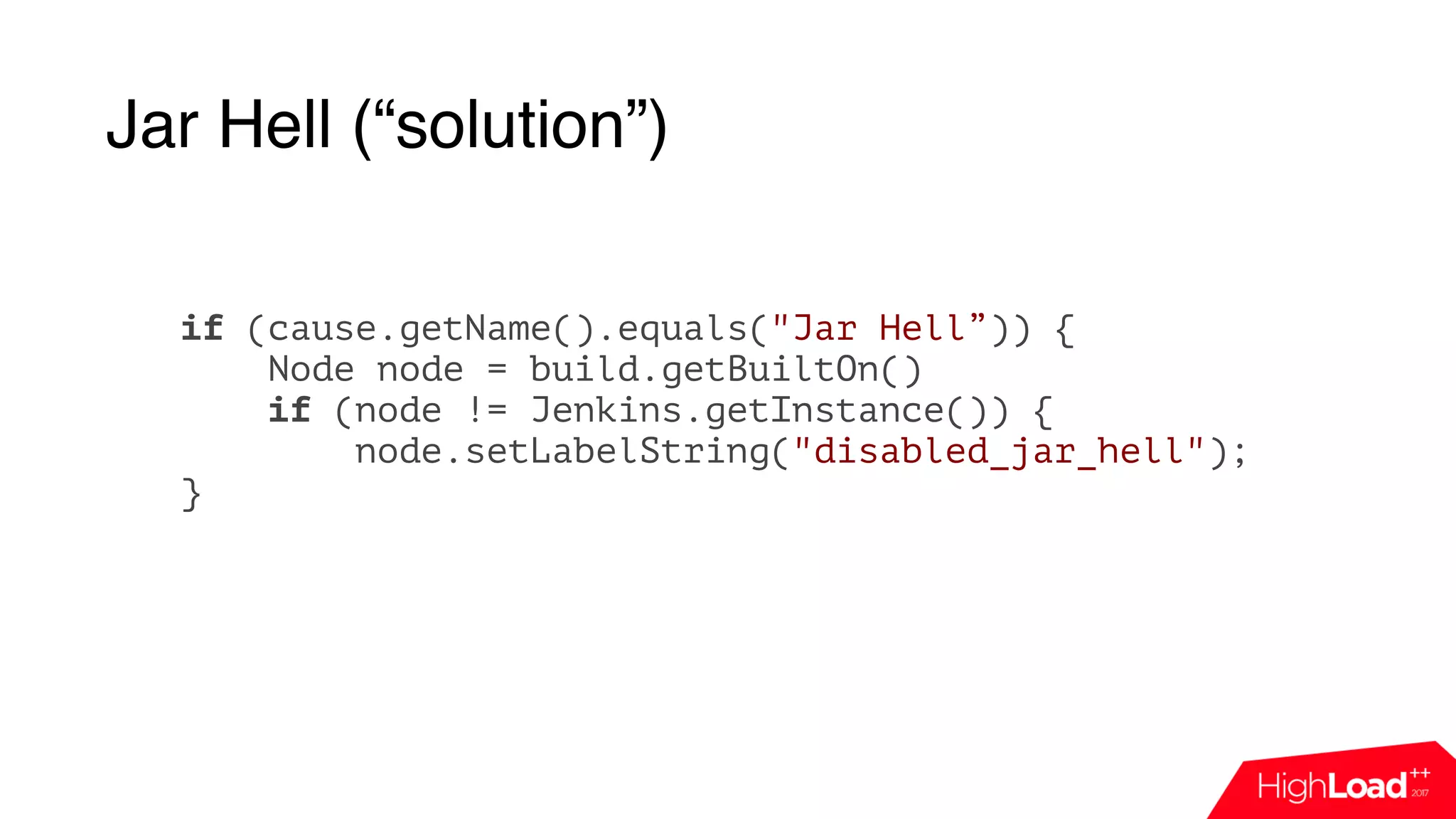
Jar Hell (“solution”)
if (cause.getName().equals("Jar Hell”)) {
Node node = build.getBuiltOn()
if (node != Jenkins.getInstance()) {
node.setLabelString("disabled_jar_hell");
}
Our daily dashboard
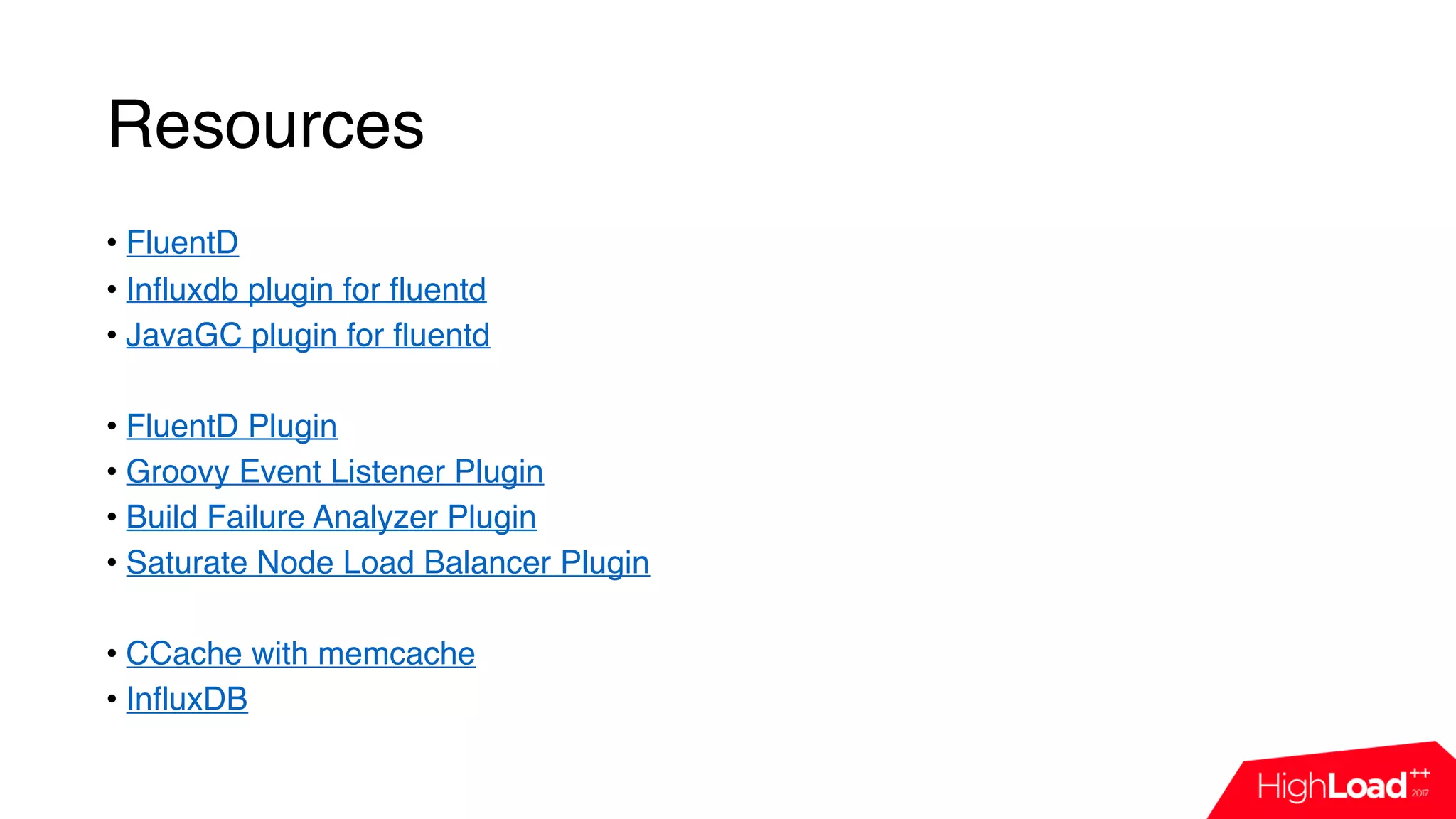
Resources
Resources
• FluentD
• Influxdb plugin for fluentd
• JavaGC plugin for fluentd
• FluentD Plugin
• Groovy Event Listener Plugin
• Build Failure Analyzer Plugin
• Saturate Node Load Balancer Plugin
• CCache with memcache
• InfluxDB
Q/A?
alexander.akbashev@here.com
Github: Jimilian

Мониторинг облачной CI-системы на примере Jenkins / Александр Акбашев (HERE Technologies)

  • 1.
    Мониторинг облачной CI системы напримере Jenkins Alexander Akbashev HERE Technologies
  • 2.
    Here Technologies HERE Technologies,the Open Location Platform company, enables people, enterprises and cities to harness the power of location. By making sense of the world through the lens of location we empower our customers to achieve better outcomes – from helping a city manage its infrastructure or an enterprise optimize its assets to guiding drivers to their destination safely. To learn more about HERE, including our new generation of cloud- based location platform services, visit http:// 360.here.com and www.here.com
  • 3.
    Context • Every changegoes through pre-submit validation • Feedback time is 15-40 minutes • A lot of products and platforms • 6 Jenkins masters • Up to 185k runs per day in the biggest one • 20k runs per day in average
  • 4.
  • 5.
    What can gowrong? Compilation is broken Tests are broken Network issues
  • 6.
    What can gowrong? Compilation is broken Tests are broken Network issues Jenkins master crashed EC2 plugin does not raise new nodes No connection to labs Can not cleanup workspace AWS S3 is down Git master dies Git replica is broken Compiler cache was invalidated Hit the limit of API calls to AWS Job was deleted UI is blocked Queue is too big System.exit(1) NFS stuck Deadlock in Jenkins Staging started to give feedback Restarted the wrong server
  • 7.
    What can gowrong? Compilation is broken Tests are broken Network issues Jenkins master crashed EC2 plugin does not raise new nodes No connection to labs Can not cleanup workspace AWS S3 is down Git master dies Git replica is broken Compiler cache was invalidated Hit the limit of API calls to AWS Job was deleted UI is blocked Queue is too big System.exit(1) NFS stuck Deadlock in Jenkins Staging started to give feedback Restarted the wrong server
  • 9.
  • 10.
  • 11.
  • 12.
  • 13.
  • 14.
    Monitoring Plugin (March2016) + Easy to install
  • 15.
    Monitoring Plugin (March2016) + Easy to install + Nothing to maintain
  • 16.
    Monitoring Plugin (March2016) + Easy to install + Nothing to maintain - Jenkins is slow - no monitoring
  • 17.
    Monitoring Plugin (March2016) + Easy to install + Nothing to maintain - Jenkins is slow - no monitoring - Monitors mainly JVM stats
  • 18.
    Monitoring Plugin (March2016) + Easy to install + Nothing to maintain - Jenkins is slow - no monitoring - Monitors mainly JVM stats - Only one instance
  • 19.
    Monitoring Plugin (March2016) + Easy to install + Nothing to maintain - Jenkins is slow - no monitoring - Monitors mainly JVM stats - Only one instance - Not scalable
  • 20.
    Monitoring Plugin (nowadays) +Easy to install + Nothing to maintain - Jenkins is slow - no monitoring - Monitors mainly JVM stats - Only one instance - Not scalable + InfluxDB/CloudWatch/Graphite
  • 21.
    Let’s craft ownmonitoring!
  • 22.
    Design own monitoring(March 2016) Jenkins Python InfluxDB API API
  • 23.
    Design own monitoring(March 2016) Jenkins Python InfluxDB import influxdb import jenkins j = Jenkins(“jenkins.host”) queue_info = j.get_queue_info() for q in queue_info: influx_server.push({“name”: q[‘job_name’], “reason”: q[‘why’]}) API API
  • 24.
    Design own monitoring(March 2016) Jenkins Python InfluxDB import influxdb import jenkins j = Jenkins(“jenkins.host”) queue_info = j.get_queue_info() for q in queue_info: influx_server.push({“name”: q[‘job_name’], “reason”: q[‘why’]}) API API
  • 25.
    Design own monitoring(March 2016) Jenkins Python InfluxDB import influxdb import jenkins j = Jenkins(“jenkins.host”) queue_info = j.get_queue_info() for q in queue_info: influx_server.push({“name”: q[‘job_name’], “reason”: q[‘why’]}) API API
  • 26.
    Design own monitoring(March 2016) Jenkins Python InfluxDB API API
  • 27.
    Design own monitoring(March 2016) Jenkins Python InfluxDB +simple API API
  • 28.
    Design own monitoring(March 2016) Jenkins Python InfluxDB +simple +worked for 18 months API API
  • 29.
    Design own monitoring(March 2016) Jenkins Python InfluxDB +simple +worked for 18 months - polling API API
  • 30.
    Design own monitoring(March 2016) Jenkins Python InfluxDB +simple +worked for 18 months - polling - maintain common code API API
  • 31.
    Design own monitoring(March 2016) Jenkins Python InfluxDB +simple +worked for 18 months - polling - maintain common code - not all data is accessible API API
  • 32.
    Design own monitoring(March 2016) Jenkins Python InfluxDB +simple +worked for 18 months - polling - maintain common code - not all data is accessible - extra load API API
  • 33.
    Design own monitoring(March 2016) Jenkins Python InfluxDB +simple +worked for 18 months - polling - maintain common code - not all data is accessible - extra load API API
  • 34.
    Let’s do eventbased monitoring!
  • 36.
    Jenkins Core public abstractclass RunListener<R extends Run> implements ExtensionPoint { public void onCompleted(R r, TaskListener listener) {}
 
 public void onFinalized(R r) {}
 
 public void onStarted(R r, TaskListener listener) {} public void onDeleted(R r) {} }
  • 37.
    Jenkins Core public abstractclass RunListener<R extends Run> implements ExtensionPoint { public void onCompleted(R r, TaskListener listener) {}
 
 public void onFinalized(R r) {}
 
 public void onStarted(R r, TaskListener listener) {} public void onDeleted(R r) {} }
  • 38.
    Groovy Event ListenerPlugin (April 2016) • Allows to execute custom groovy code for every event • Supports RunListener
  • 39.
    Groovy Event ListenerPlugin (nowadays) • Allows to execute custom groovy code for every event • Supports RunListener, ComputerListener, ItemListener, QueueListener • Works at scale • Allows custom classpath
  • 40.
    Groovy Event ListenerPlugin if (event == 'RunListener.onFinalized') { def build = Thread.currentThread().executable def queueAction = build.getAction(TimeInQueueAction.class) def queuing = queueAction.getQueuingDurationMillis() log.info “number=$build.number, queue_duration=$queuing }
  • 41.
    Ok, we haveevents, but how to fill the db?
  • 42.
  • 43.
    FluentD • Process 13,000events/second/core
  • 44.
    FluentD • Process 13,000events/second/core • Retry/buffer/routing
  • 45.
    FluentD • Process 13,000events/second/core • Retry/buffer/routing • Easy to extend
  • 46.
    FluentD • Process 13,000events/second/core • Retry/buffer/routing • Easy to extend • Simple
  • 47.
    FluentD • Process 13,000events/second/core • Retry/buffer/routing • Easy to extend • Simple • Reliable
  • 48.
    FluentD • Process 13,000events/second/core • Retry/buffer/routing • Easy to extend • Simple • Reliable • Memory footprint is 30-40MB
  • 49.
    FluentD • Process 13,000events/second/core • Retry/buffer/routing • Easy to extend • Simple • Reliable • Memory footprint is 30-40MB • Ruby
  • 50.
  • 51.
  • 52.
  • 53.
    FluentD. Config. <match **.influx.**> typeinfluxdb host influxdb.host port 8086 dbname stats auto_tags “true” timestamp_tag timestamp time_precision s </match>
  • 54.
    FluentD. Config. <match **.influx.**> typeinfluxdb host influxdb.host port 8086 dbname stats auto_tags “true” timestamp_tag timestamp time_precision s </match>
  • 55.
    FluentD. Config. <match **.influx.**> typeinfluxdb host influxdb.host port 8086 dbname stats auto_tags “true” timestamp_tag timestamp time_precision s </match>
  • 56.
    FluentD. Config. <match **.influx.**> typeinfluxdb host influxdb.host port 8086 dbname stats auto_tags “true” timestamp_tag timestamp time_precision s </match>
  • 57.
    FluentD. Config. <match **.influx.**> typeinfluxdb host influxdb.host port 8086 dbname stats auto_tags “true” timestamp_tag timestamp time_precision s </match>
  • 58.
    Ok, we haveevents, we have fluentd, but how to pass event to it?
  • 59.
  • 60.
    FluentD Plugin forJenkins • Developed in HERE Technologies
  • 61.
    FluentD Plugin forJenkins • Developed in HERE Technologies • Very simple
  • 62.
    FluentD Plugin forJenkins • Developed in HERE Technologies • Very simple • Supports JSON
  • 63.
    FluentD Plugin forJenkins • Developed in HERE Technologies • Very simple • Supports JSON • Post-build-step
  • 64.
    FluentD Plugin forJenkins https://github.com/jenkinsci/fluentd-plugin
  • 65.
    Great! Let’s dosomething with this data!
  • 66.
  • 67.
  • 68.
    Build Failure Analyzer(code) def bfa = build.getAction(FailureCauseBuildAction.class) def causes = bfa.getFailureCauseDisplayData().getFoundFailureCauses() for(def cause : causes) { final Map<String, Object> data = new HashMap<>(); data.put("name", jobName) data.put("number", build.number) data.put("cause", cause.getName()) data.put("categories", cause.getCategories().join(',')) data.put("timestamp", build.timestamp.timeInMillis) data.put("node", node) context.logger.log("influx.bfa", data) }
  • 69.
    Build Failure Analyzer(code) def bfa = build.getAction(FailureCauseBuildAction.class) def causes = bfa.getFailureCauseDisplayData().getFoundFailureCauses() for(def cause : causes) { final Map<String, Object> data = new HashMap<>(); data.put("name", jobName) data.put("number", build.number) data.put("cause", cause.getName()) data.put("categories", cause.getCategories().join(',')) data.put("timestamp", build.timestamp.timeInMillis) data.put("node", node) context.logger.log("influx.bfa", data) }
  • 70.
    Build Failure Analyzer(code) def bfa = build.getAction(FailureCauseBuildAction.class) def causes = bfa.getFailureCauseDisplayData().getFoundFailureCauses() for(def cause : causes) { final Map<String, Object> data = new HashMap<>(); data.put("name", jobName) data.put("number", build.number) data.put("cause", cause.getName()) data.put("categories", cause.getCategories().join(',')) data.put("timestamp", build.timestamp.timeInMillis) data.put("node", node) context.logger.log("influx.bfa", data) }
  • 71.
    Build Failure Analyzer(code) def bfa = build.getAction(FailureCauseBuildAction.class) def causes = bfa.getFailureCauseDisplayData().getFoundFailureCauses() for(def cause : causes) { final Map<String, Object> data = new HashMap<>(); data.put("name", jobName) data.put("number", build.number) data.put("cause", cause.getName()) data.put("categories", cause.getCategories().join(',')) data.put("timestamp", build.timestamp.timeInMillis) data.put("node", node) context.logger.log("influx.bfa", data) }
  • 72.
    Build Failure Analyzer(code) def bfa = build.getAction(FailureCauseBuildAction.class) def causes = bfa.getFailureCauseDisplayData().getFoundFailureCauses() for(def cause : causes) { final Map<String, Object> data = new HashMap<>(); data.put("name", jobName) data.put("number", build.number) data.put("cause", cause.getName()) data.put("categories", cause.getCategories().join(',')) data.put("timestamp", build.timestamp.timeInMillis) data.put("node", node) context.logger.log("influx.bfa", data) }
  • 73.
    Build Failure Analyzer(code) def bfa = build.getAction(FailureCauseBuildAction.class) def causes = bfa.getFailureCauseDisplayData().getFoundFailureCauses() for(def cause : causes) { final Map<String, Object> data = new HashMap<>(); data.put("name", jobName) data.put("number", build.number) data.put("cause", cause.getName()) data.put("categories", cause.getCategories().join(',')) data.put("timestamp", build.timestamp.timeInMillis) data.put("node", node) context.logger.log("influx.bfa", data) }
  • 74.
  • 75.
  • 76.
  • 77.
  • 78.
    CCache • New node- empty local cache
  • 79.
    CCache • New node- empty local cache • Old local cache - a lot of misses
  • 80.
    CCache • New node- empty local cache • Old local cache - a lot of misses + Distributed cache solves all this problems
  • 81.
    CCache • New node- empty local cache • Old local cache - a lot of misses + Distributed cache solves all this problems - Once a year distributes problem across the cluster
  • 82.
  • 83.
  • 84.
  • 85.
  • 86.
    LoadBalancer (solution) • Defaultbalancer is optimized for cache
  • 87.
    LoadBalancer (solution) • Defaultbalancer is optimized for cache • Cron jobs are pinned to different hosts
  • 88.
    LoadBalancer (solution) • Defaultbalancer is optimized for cache • Cron jobs are pinned to different hosts • Nothing to terminate/stop - no idle nodes
  • 89.
    LoadBalancer (solution) • Defaultbalancer is optimized for cache • Cron jobs are pinned to different hosts • Nothing to terminate/stop - no idle nodes + Saturate Node Load Balancer: always put all load to the oldest node
  • 90.
  • 91.
  • 92.
    Jar Hell (problem) java.io.InvalidClassException:hudson.util.StreamTaskListener; local class incompatible: stream classdesc serialVersionUID = 1, local class serialVersionUID = 294073340889094580
  • 93.
  • 94.
    Jar Hell (explanation) •Bug in Jenkins Remoting Layer
  • 95.
    Jar Hell (explanation) •Bug in Jenkins Remoting Layer • If first run that is using some class is aborted - this class is “lost”
  • 96.
    Jar Hell (explanation) •Bug in Jenkins Remoting Layer • If first run that is using some class is aborted - this class is “lost” • Does not recover
  • 97.
    Jar Hell (explanation) •Bug in Jenkins Remoting Layer • If first run that is using some class is aborted - this class is “lost” • Does not recover • Huge impact
  • 98.
    Jar Hell (“solution”) if(cause.getName().equals("Jar Hell”)) { Node node = build.getBuiltOn() if (node != Jenkins.getInstance()) { node.setLabelString("disabled_jar_hell"); }
  • 99.
  • 101.
  • 102.
    Resources • FluentD • Influxdbplugin for fluentd • JavaGC plugin for fluentd • FluentD Plugin • Groovy Event Listener Plugin • Build Failure Analyzer Plugin • Saturate Node Load Balancer Plugin • CCache with memcache • InfluxDB
  • 103.