1
Abdisalam Issa-Salwe, Taibah University
Michael G. Wing and Pete Bettinger (2008): Geographic Information Systems: Applications in Natural Resource Management,
2nd Editon. Oxford University Press.
Selecting Landscape Features
(IS344)
Chapter 5
Abdisalam Issa-Salwe
Information Systems Department
College of Computer Science & Engineering
Taibah University
Chapter 5 Objectives
 Methods to select landscape features from
a GIS database;
 The meaning of the term „query‟, when
applied spatially or referentially; and
 Methods you can use to develop a
description of the resources located on a
landscape.
2
Selecting features from a GIS database
 Select one or more features manually
 Selecting all or no features manually or
automatically
 Selecting features based on some criteria
 Selecting features from a previously selected set
of features
 Switching (inverting) selections
 Selecting features within some proximity of other
features
Select one or more features manually
 Usually involves use of mouse or other
pointing device
Click on the object(s) in graphical window
Click on a database record
 Can also involve drawing a selection box
 Shift or control keys on keyboard used to
select multiple features
3
Selecting all or no features manually or
automatically
 Usually having no records selected is the
same as having all selected in a GIS
Most packages will allow you to select all
features with a few clicks
 There are typically “clear all selected
features” options available
Important for subsequent operations
4
Selecting features based on some
database criteria
 Can be tedious and error-prone if done manually
 Most GIS programs offer a menu or wizard
through which you can build queries
 A query is simply a question, or set of questions, used
to request information about a resource contained or
described in a database
 Queries allow us to make a range of requests
from our databases
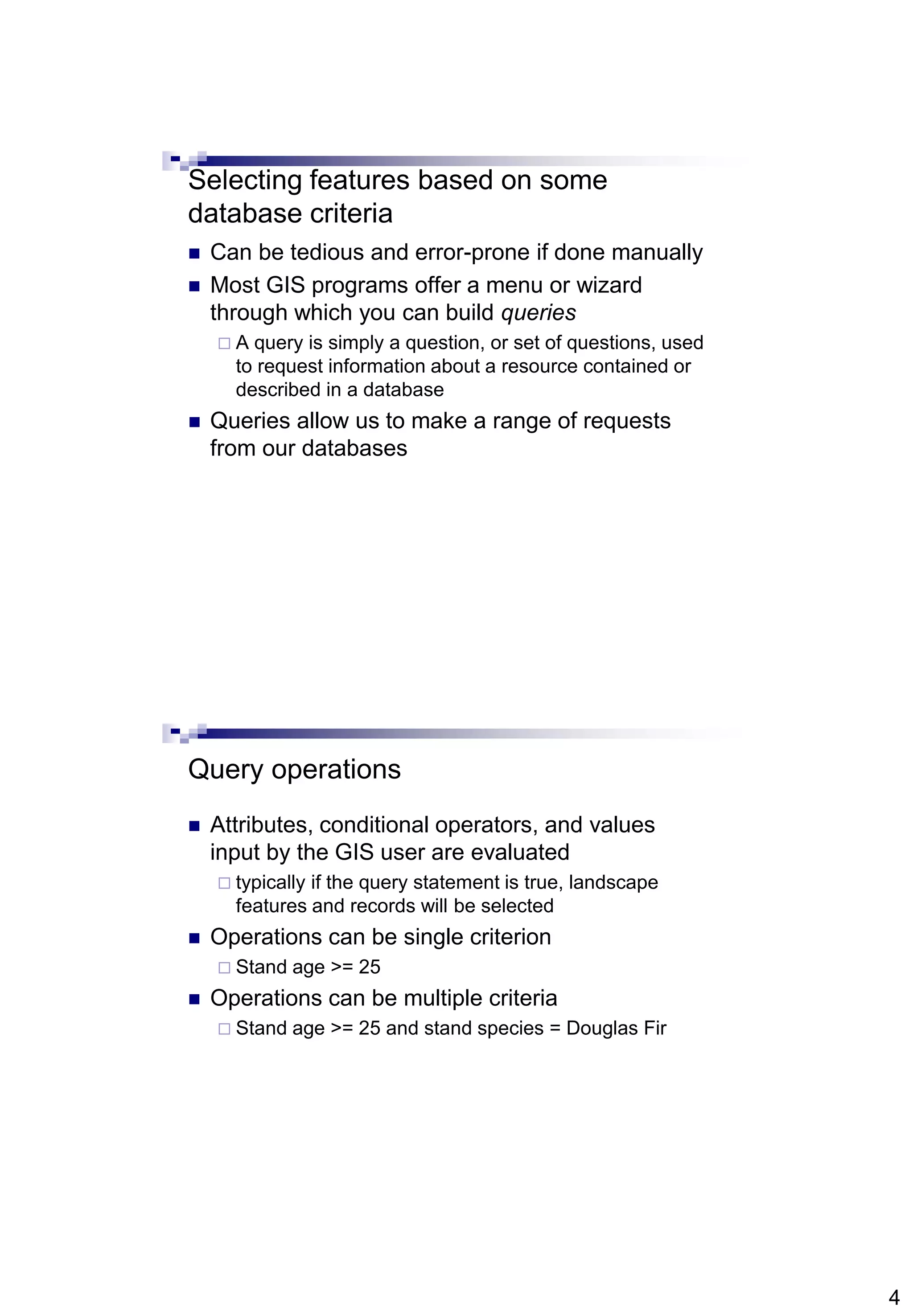
Query operations
 Attributes, conditional operators, and values
input by the GIS user are evaluated
 typically if the query statement is true, landscape
features and records will be selected
 Operations can be single criterion
 Stand age >= 25
 Operations can be multiple criteria
 Stand age >= 25 and stand species = Douglas Fir
5
Conditional operators
Selecting features from a previously
selected set of features
 This may be useful when trying to avoid a
long query statement – one that contains
multiple criteria
may be hard to enter and organize
 Process involves splitting a query into
smaller components
6
Figure 5.1. Stands on
the Brown Tract that
meet the following
criteria:
age  30 and age  40
and MBF  9 and land
allocation = "even-
aged."
Figure 5.2. Stands on
the Brown Tract that
meet the following
criterion: age  30.
7
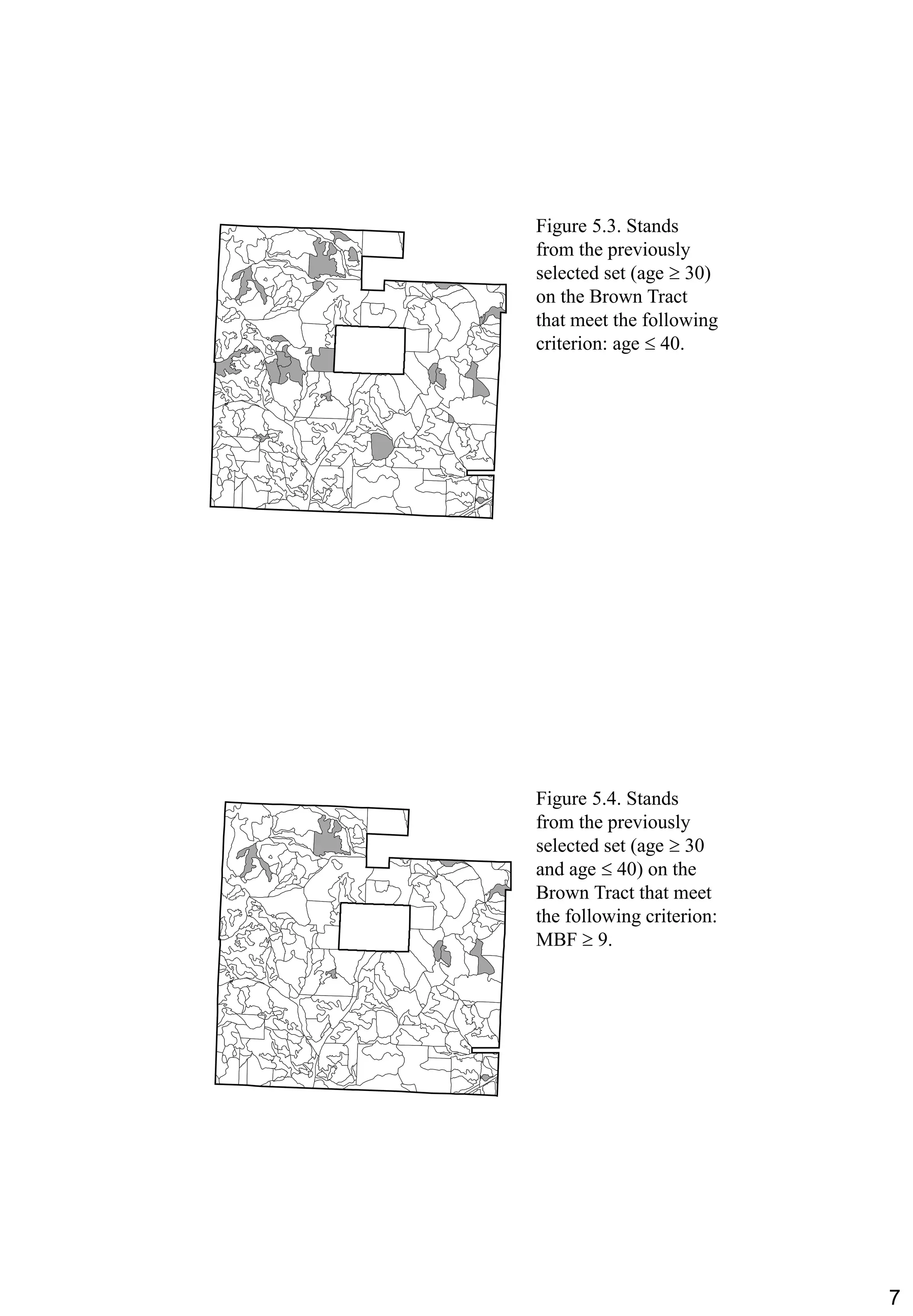
Figure 5.3. Stands
from the previously
selected set (age  30)
on the Brown Tract
that meet the following
criterion: age  40.
Figure 5.4. Stands
from the previously
selected set (age  30
and age  40) on the
Brown Tract that meet
the following criterion:
MBF  9.
8
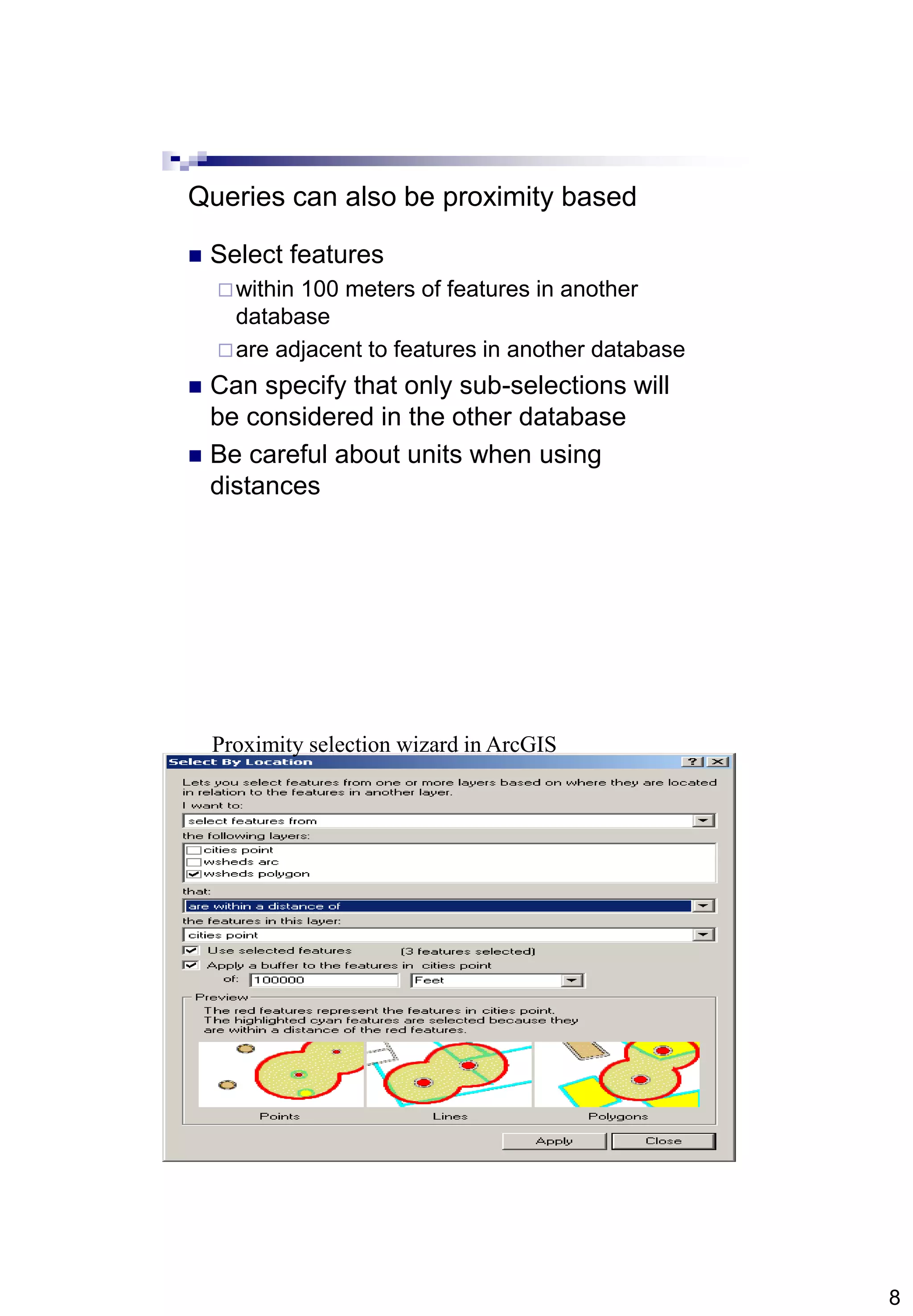
Queries can also be proximity based
 Select features
within 100 meters of features in another
database
are adjacent to features in another database
 Can specify that only sub-selections will
be considered in the other database
 Be careful about units when using
distances
Proximity selection wizard in ArcGIS
9
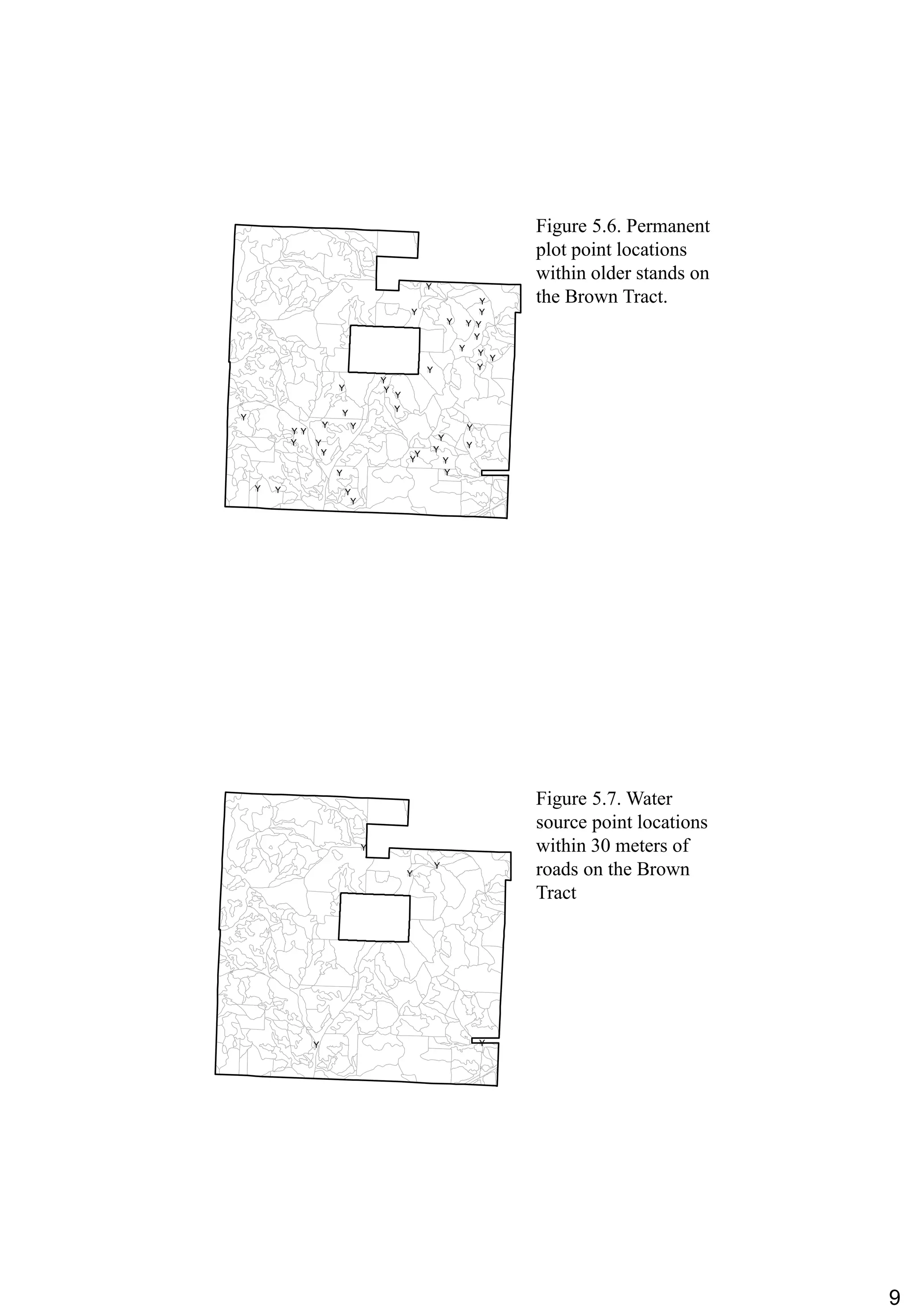
Figure 5.6. Permanent
plot point locations
within older stands on
the Brown Tract.
#Y
#Y
#Y #Y
#Y
#Y
#Y
#Y
#Y
#Y #Y
#Y
#Y
#Y
#Y
#Y
#Y
#Y
#Y
#Y
#Y
#Y
#Y
#Y
#Y#Y
#Y #Y
#Y#Y
#Y#Y
#Y #Y
#Y
#Y #Y
#Y
#Y
#Y
Figure 5.7. Water
source point locations
within 30 meters of
roads on the Brown
Tract
#Y
#Y
#Y
#Y #Y
10
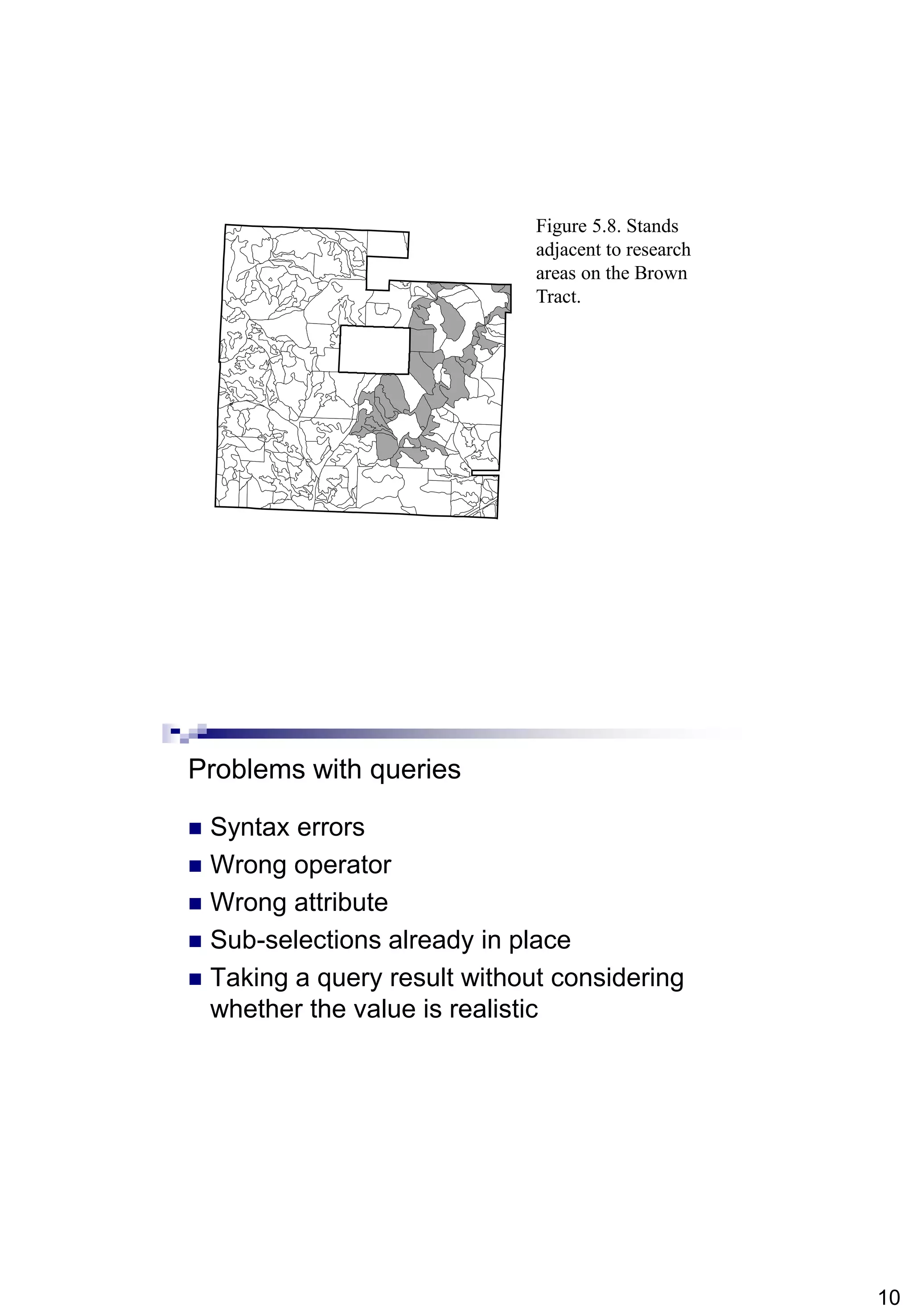
Figure 5.8. Stands
adjacent to research
areas on the Brown
Tract.
Problems with queries
 Syntax errors
 Wrong operator
 Wrong attribute
 Sub-selections already in place
 Taking a query result without considering
whether the value is realistic
11
Practical session
 City quarters (30 records):
City
Quarter name
Quarter location (city)
Quarter size
Quarter population
City= “Madinah” or quarter name = “Aziziyah”

Chapter5 is344(gis)(selecting landscape features)

  • 1.
    1 Abdisalam Issa-Salwe, TaibahUniversity Michael G. Wing and Pete Bettinger (2008): Geographic Information Systems: Applications in Natural Resource Management, 2nd Editon. Oxford University Press. Selecting Landscape Features (IS344) Chapter 5 Abdisalam Issa-Salwe Information Systems Department College of Computer Science & Engineering Taibah University Chapter 5 Objectives  Methods to select landscape features from a GIS database;  The meaning of the term „query‟, when applied spatially or referentially; and  Methods you can use to develop a description of the resources located on a landscape.
  • 2.
    2 Selecting features froma GIS database  Select one or more features manually  Selecting all or no features manually or automatically  Selecting features based on some criteria  Selecting features from a previously selected set of features  Switching (inverting) selections  Selecting features within some proximity of other features Select one or more features manually  Usually involves use of mouse or other pointing device Click on the object(s) in graphical window Click on a database record  Can also involve drawing a selection box  Shift or control keys on keyboard used to select multiple features
  • 3.
    3 Selecting all orno features manually or automatically  Usually having no records selected is the same as having all selected in a GIS Most packages will allow you to select all features with a few clicks  There are typically “clear all selected features” options available Important for subsequent operations
  • 4.
    4 Selecting features basedon some database criteria  Can be tedious and error-prone if done manually  Most GIS programs offer a menu or wizard through which you can build queries  A query is simply a question, or set of questions, used to request information about a resource contained or described in a database  Queries allow us to make a range of requests from our databases Query operations  Attributes, conditional operators, and values input by the GIS user are evaluated  typically if the query statement is true, landscape features and records will be selected  Operations can be single criterion  Stand age >= 25  Operations can be multiple criteria  Stand age >= 25 and stand species = Douglas Fir
  • 5.
    5 Conditional operators Selecting featuresfrom a previously selected set of features  This may be useful when trying to avoid a long query statement – one that contains multiple criteria may be hard to enter and organize  Process involves splitting a query into smaller components
  • 6.
    6 Figure 5.1. Standson the Brown Tract that meet the following criteria: age  30 and age  40 and MBF  9 and land allocation = "even- aged." Figure 5.2. Stands on the Brown Tract that meet the following criterion: age  30.
  • 7.
    7 Figure 5.3. Stands fromthe previously selected set (age  30) on the Brown Tract that meet the following criterion: age  40. Figure 5.4. Stands from the previously selected set (age  30 and age  40) on the Brown Tract that meet the following criterion: MBF  9.
  • 8.
    8 Queries can alsobe proximity based  Select features within 100 meters of features in another database are adjacent to features in another database  Can specify that only sub-selections will be considered in the other database  Be careful about units when using distances Proximity selection wizard in ArcGIS
  • 9.
    9 Figure 5.6. Permanent plotpoint locations within older stands on the Brown Tract. #Y #Y #Y #Y #Y #Y #Y #Y #Y #Y #Y #Y #Y #Y #Y #Y #Y #Y #Y #Y #Y #Y #Y #Y #Y#Y #Y #Y #Y#Y #Y#Y #Y #Y #Y #Y #Y #Y #Y #Y Figure 5.7. Water source point locations within 30 meters of roads on the Brown Tract #Y #Y #Y #Y #Y
  • 10.
    10 Figure 5.8. Stands adjacentto research areas on the Brown Tract. Problems with queries  Syntax errors  Wrong operator  Wrong attribute  Sub-selections already in place  Taking a query result without considering whether the value is realistic
  • 11.
    11 Practical session  Cityquarters (30 records): City Quarter name Quarter location (city) Quarter size Quarter population City= “Madinah” or quarter name = “Aziziyah”