What are Operators?
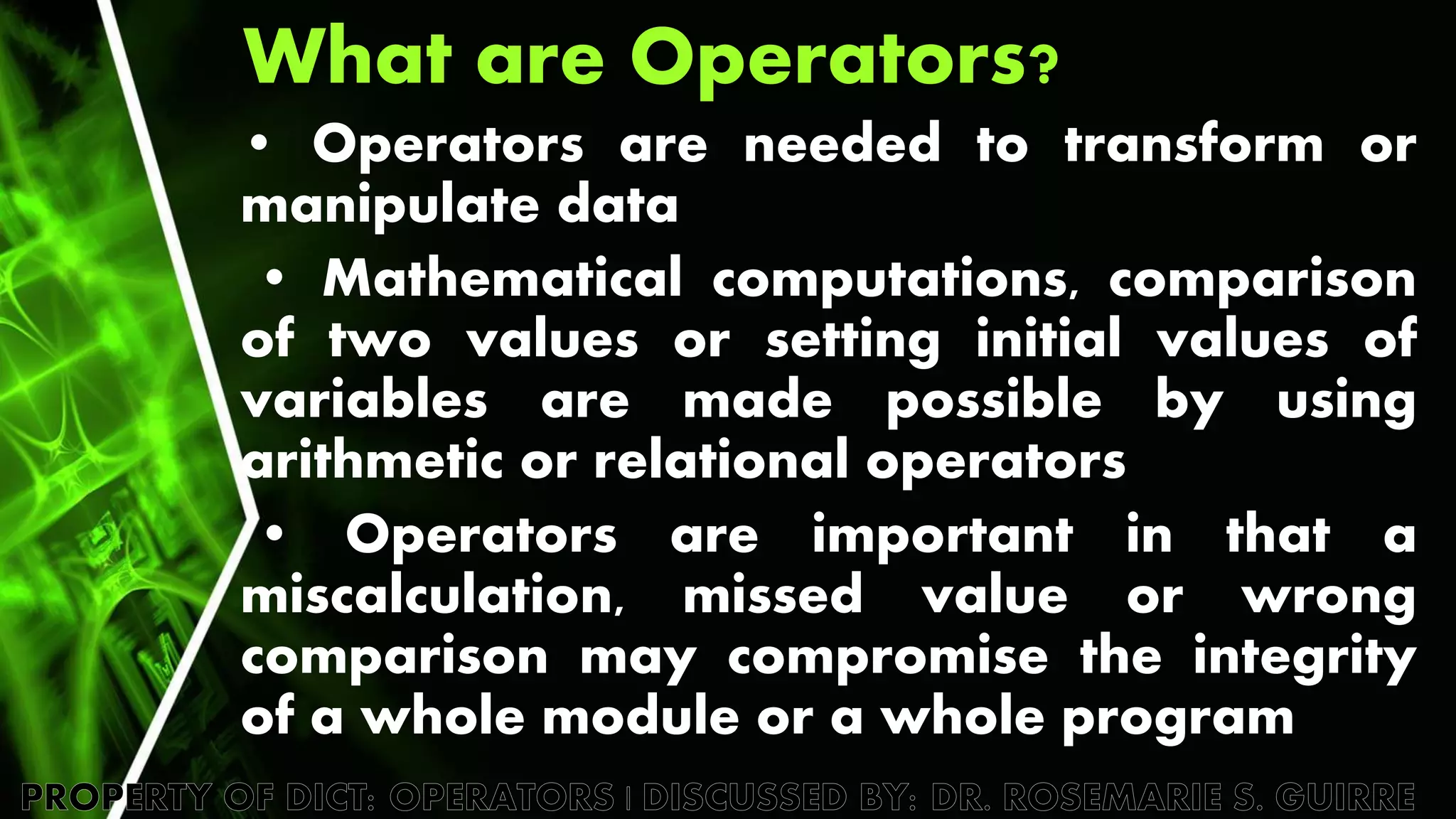
• Operators are needed to transform or
manipulate data
• Mathematical computations, comparison
of two values or setting initial values of
variables are made possible by using
arithmetic or relational operators
• Operators are important in that a
miscalculation, missed value or wrong
comparison may compromise the integrity
of a whole module or a whole program
What are Operators?
• The two types of
operators in this section
are:
– Arithmetic operators
– Relational operators
What are Operators?
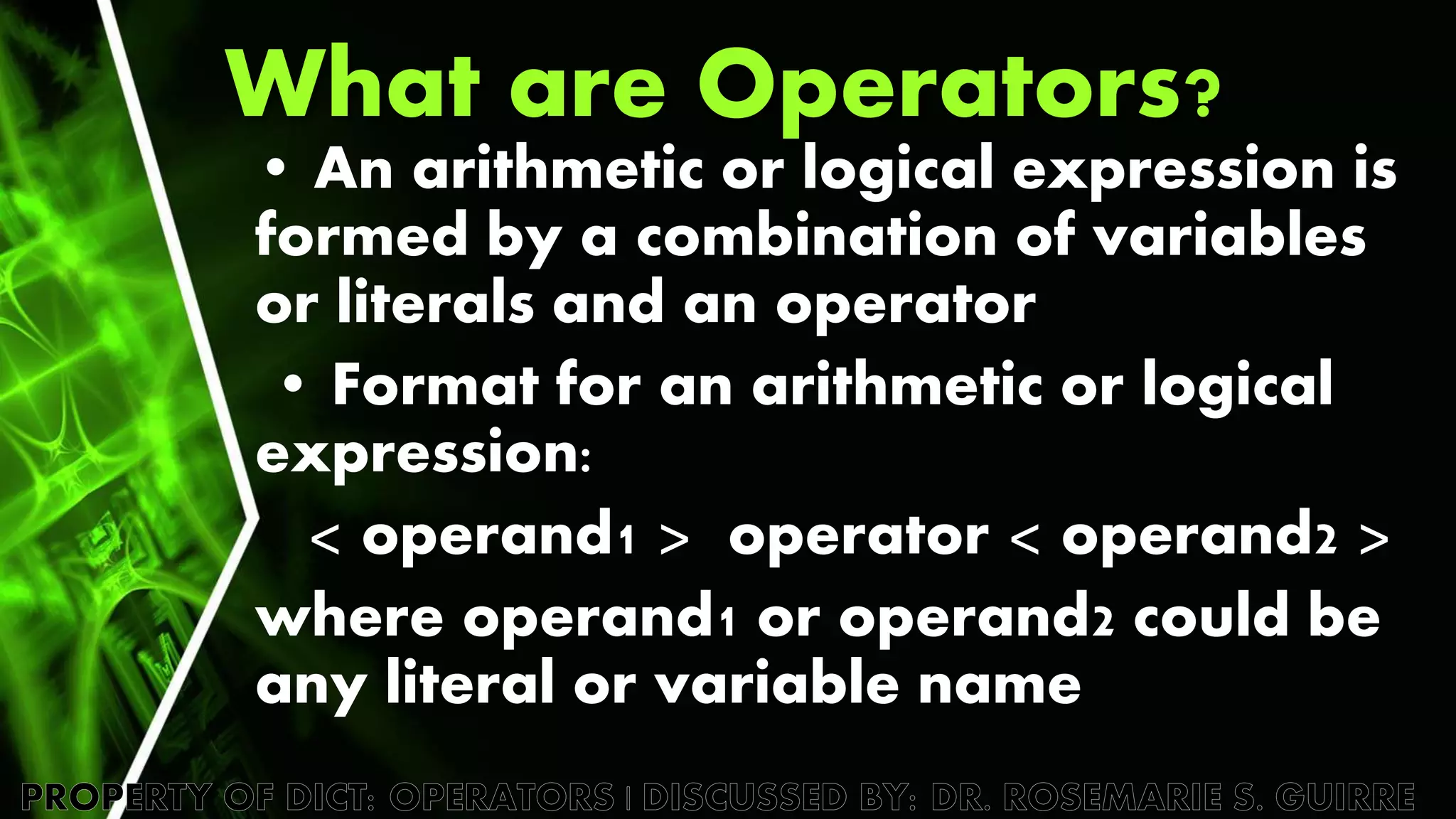
• An arithmetic or logical expression is
formed by a combination of variables
or literals and an operator
• Format for an arithmetic or logical
expression:
< operand1 > operator < operand2 >
where operand1 or operand2 could be
any literal or variable name
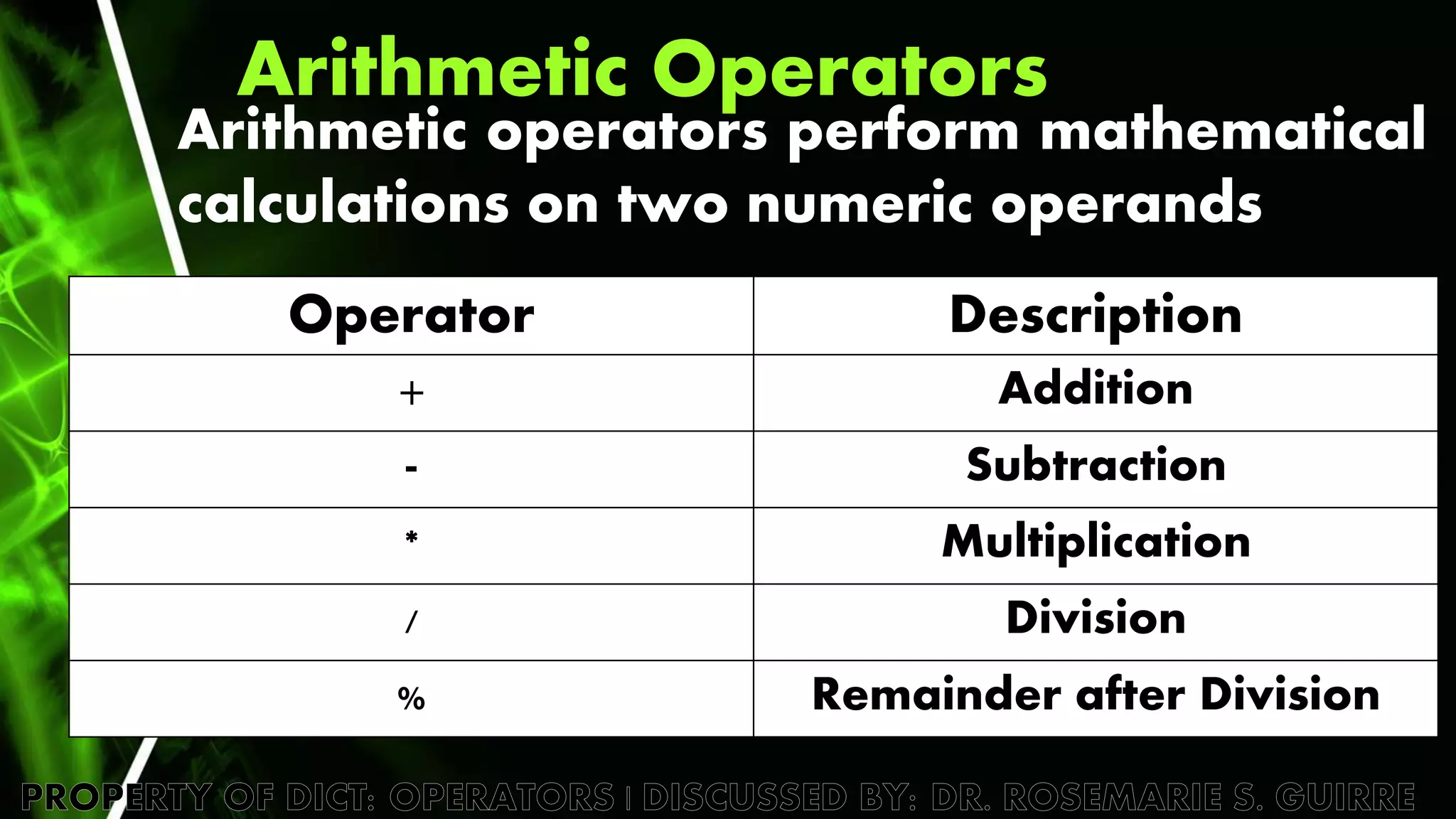
Arithmetic Operators
Arithmetic operators perform mathematical
calculations on two numeric operands
Operator Description
+ Addition
- Subtraction
* Multiplication
/ Division
% Remainder after Division
Arithmetic Operators
• Examples of arithmetic expressions:
length * width
12.345 + 67.893 + 75.9004
• Expressions with mixed operands are evaluated
using RULES OF PRECEDENCE / ORDER OF PRECEDENCE
• Rules of precedence dictate the order of
evaluation. In this order, certain parts of the
expression gets executed first before others
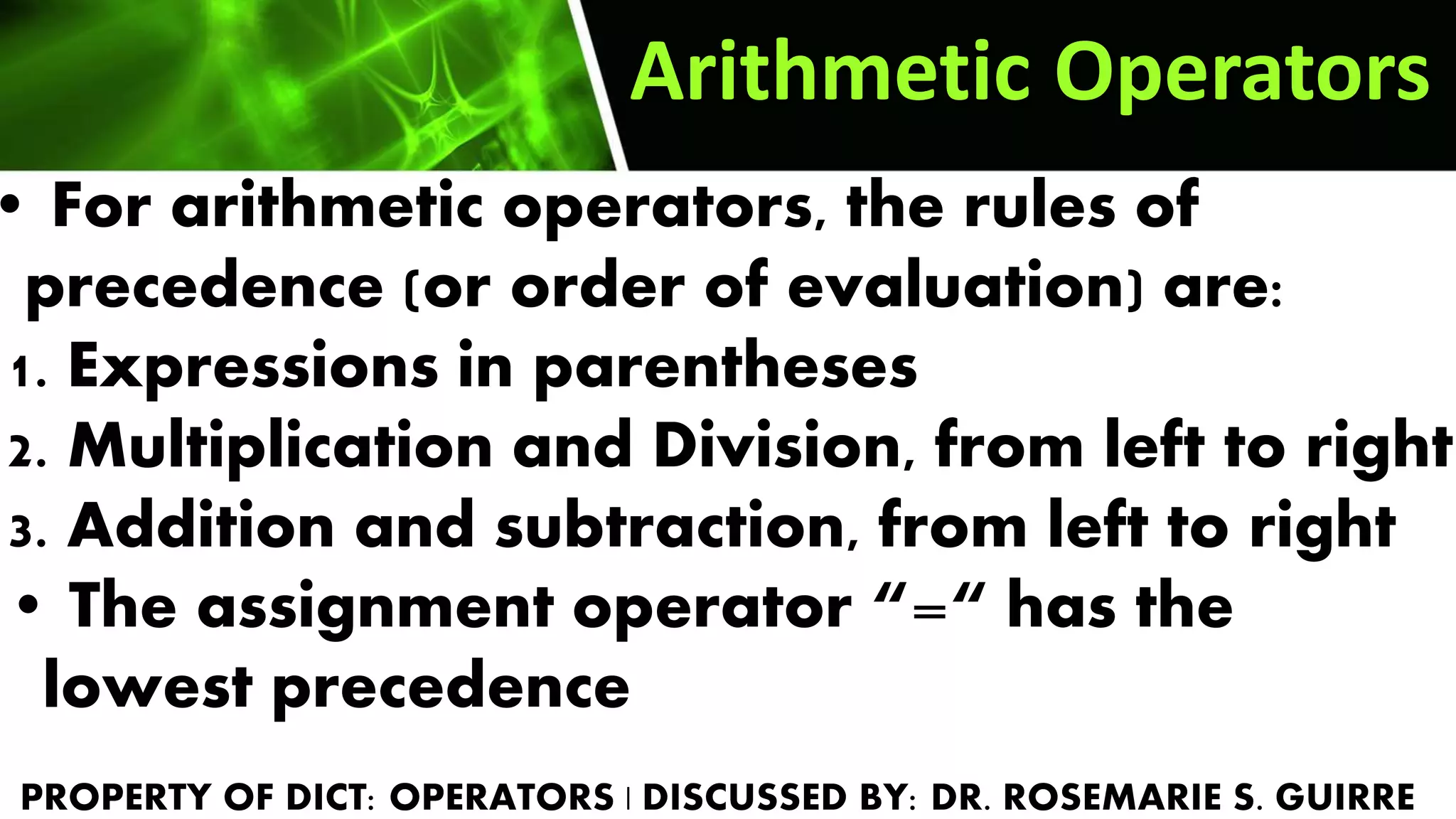
• For arithmetic operators, the rules of
precedence (or order of evaluation) are:
1. Expressions in parentheses
2. Multiplication and Division, from left to right
3. Addition and subtraction, from left to right
• The assignment operator “=“ has the
lowest precedence
Arithmetic Operators
• In the expression,
answer = 4 + 6 * 2
the result of the expression
would be 16.
Arithmetic Operators
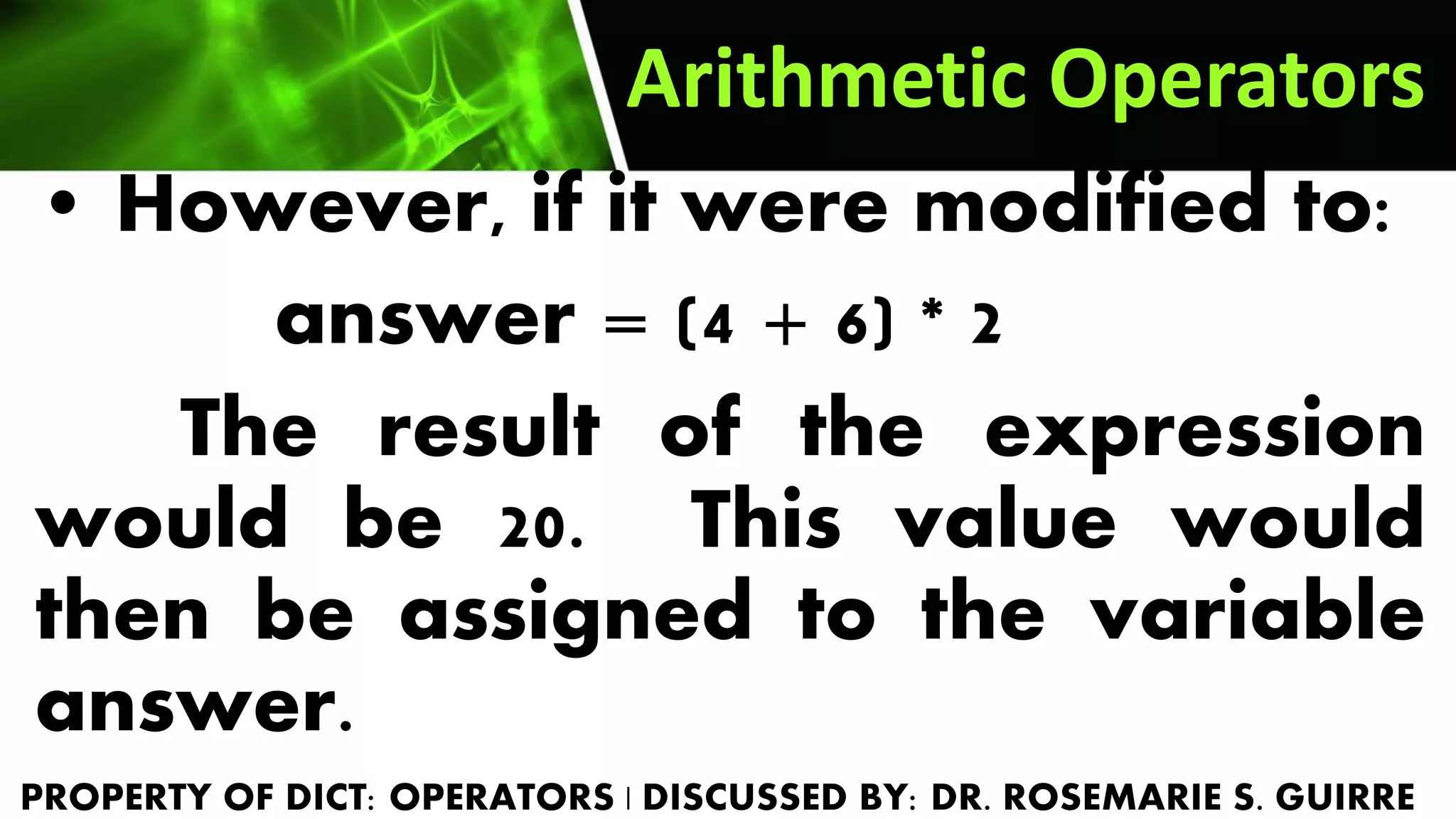
• However, if it were modified to:
answer = (4 + 6) * 2
The result of the expression
would be 20. This value would
then be assigned to the variable
answer.
Exercise 7.1
Arithmetic Operators
1.Which of the following evaluates to 10?
r=3, o=5, s=2, e=4, g=20, f=25
a. 3 + 5 * 2 c. 25 / 2 + 3
b. 5 + 20 / 4 d. all of the above
2. What is the value of the expression
27 – 7 * 3 / 3?
TO BE DISCUSS
public class RoseArithmetic
{
public static void main (String []args )
{ int a=3, b=5, c=2, d=4, e=20, f=25;
int ans;
ans = a + b * c;
System.out.println("a:" + ans);
ans = b + e / d;
System.out.println("b:" + ans);
ans = f / c + a;
System.out.println("c:" + ans);
ans = 27 - 7 * 3 /3 ;
System.out.println("2:" + ans);
}
}
TO BE DISCUSS
Increment and Decrement Operators
Java also has unary increment and
decrement operators that increase or
decrease the value of a variable by 1
Increment operator < operand1 > ++
Decrement operator < operand1 > --
Where operand1 could be any
literal or variable name
Increment and
Decrement Operators
• Example:
the expression,
count = count + 1;
could be written as
count ++;
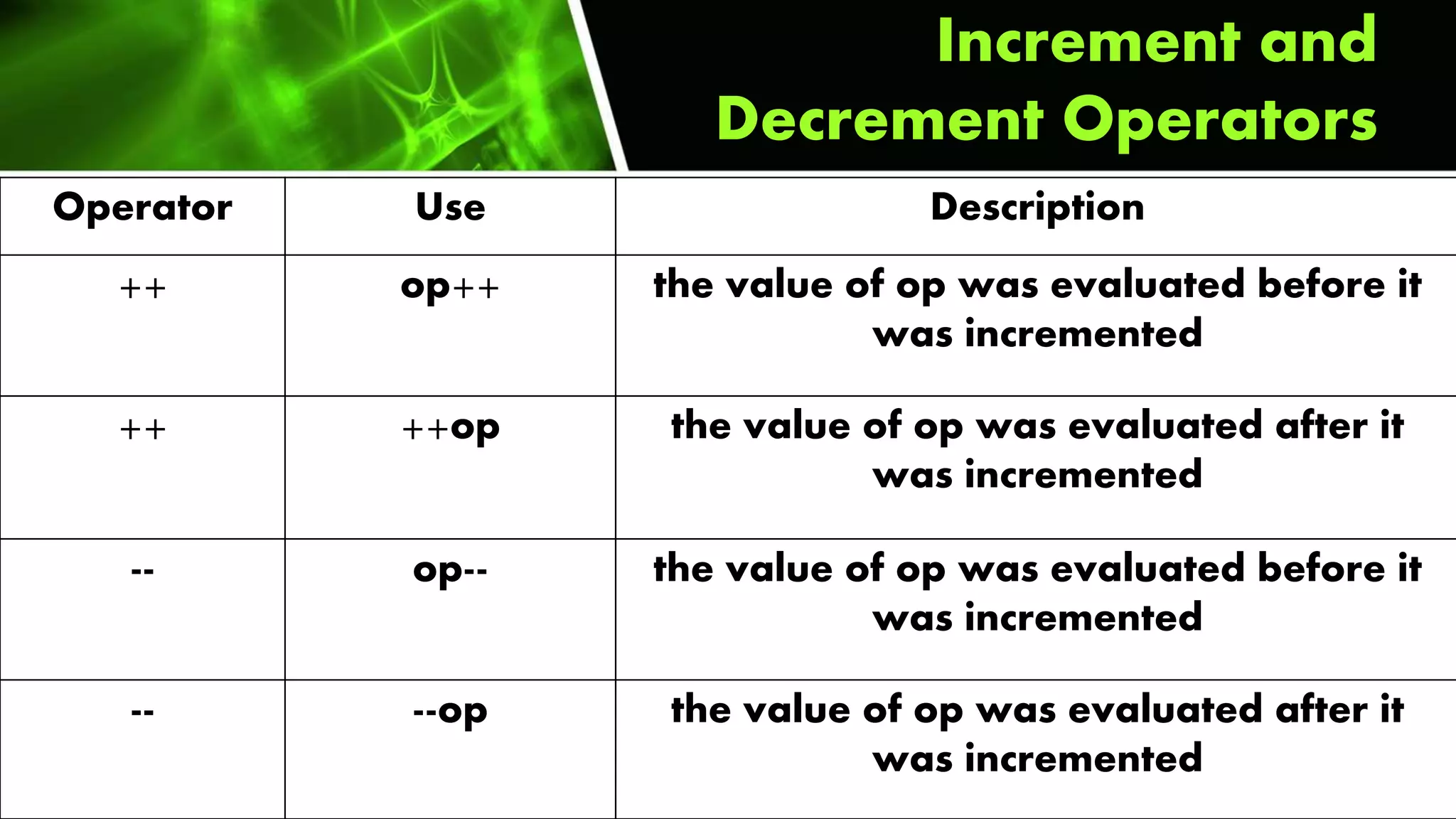
• Increment and Decrement operators could
be POSTFIX or PREFIX as shown below
Operator Use Description
++ op++ the value of op was evaluated before it
was incremented
++ ++op the value of op was evaluated after it
was incremented
-- op-- the value of op was evaluated before it
was incremented
-- --op the value of op was evaluated after it
was incremented
Increment and
Decrement Operators
Increment and
Decrement Operators
for(start;end;operand)
Sample
for(int b2=24;b2>=1;b2--)
Increment and
Decrement Operators
for(int b2=1;b2<=24;b2++)
Increment
Decrement
for(int b2=24;b2>=1;b2--)
Exercise 7.2 Increment and
Decrement Operators
public class RoseIncrement {
public static void main(String[] args)
{
String roseName ="ROSEMARIESIBBALUCAGUIRRE",increment;
for(int b2=1;b2<=24;b2++)
{
increment = roseName.substring(0,b2);
System.out.println(increment);
}
}
}
TO BE DISCUSS
Exercise 7.2 Increment and
Decrement Operators
public class RoseDecrement {
public static void main(String[] args)
{
String roseName ="ROSEMARIESIBBALUCAGUIRRE",decrement;
for(int b2=24;b2>=1;b2--)
{
decrement = roseName.substring(0,b2);
System.out.println(decrement);
}
}
}
TO BE DISCUSS
Relational Operators
• Relational or conditional operators
perform comparison of two literals or
two variables, or any combination of
both.
• The evaluation of a conditional
expression results in a boolean value
of either true or false
Relational Operators
• Example: the expression
age > 18
will evaluate to only one value: true or
false
OPERATOR NAME DESCRIPTION
== Equal to Evaluates as true if its operands are
equivalent
> Greater than Evaluates as true when the left
operand is greater than the right
operand
< Less than Evaluates as true when the left
operand is less than the right
operand
Relational Operators
OPERATOR NAME DESCRIPTION
>= Greater than or
equal to
Evaluates as true when the left
operand is greater than or equal
to the right operand
<= Less than or
equal to
Evaluates as true when the left
operand is less than or equal to
the right operand
!= Not equal to Evaluates as true when both
operands are not equal
Relational Operators
Exercise 7.3
Relational Operators
• Determine the result of the following
conditional expressions, given the following
variables and their values:
int roseR =250; int roseO =350;
int roseS =300; int roseE = 250;
1. roseR > roseO 3. roseO <= roseS
2. roseR >= roseE 4. roseS != roseE
TO BE DISCUSS
int roseR = 250; int roseO = 350; int roseS =300; int roseE = 250;
//1. roseR > roseO 2. roseR >= roseE 3. roseO <= roseS 4. roseS != roseE
if (roseR > roseO)
{
System.out.println ("TRUE");
}
else
{
System.out.println("FALSE");
}
TO BE DISCUSS

Chapter 7: Arithmetic and Relational Operators

  • 2.
    What are Operators? •Operators are needed to transform or manipulate data • Mathematical computations, comparison of two values or setting initial values of variables are made possible by using arithmetic or relational operators • Operators are important in that a miscalculation, missed value or wrong comparison may compromise the integrity of a whole module or a whole program
  • 3.
    What are Operators? •The two types of operators in this section are: – Arithmetic operators – Relational operators
  • 4.
    What are Operators? •An arithmetic or logical expression is formed by a combination of variables or literals and an operator • Format for an arithmetic or logical expression: < operand1 > operator < operand2 > where operand1 or operand2 could be any literal or variable name
  • 5.
    Arithmetic Operators Arithmetic operatorsperform mathematical calculations on two numeric operands Operator Description + Addition - Subtraction * Multiplication / Division % Remainder after Division
  • 6.
    Arithmetic Operators • Examplesof arithmetic expressions: length * width 12.345 + 67.893 + 75.9004 • Expressions with mixed operands are evaluated using RULES OF PRECEDENCE / ORDER OF PRECEDENCE • Rules of precedence dictate the order of evaluation. In this order, certain parts of the expression gets executed first before others
  • 7.
    • For arithmeticoperators, the rules of precedence (or order of evaluation) are: 1. Expressions in parentheses 2. Multiplication and Division, from left to right 3. Addition and subtraction, from left to right • The assignment operator “=“ has the lowest precedence Arithmetic Operators
  • 8.
    • In theexpression, answer = 4 + 6 * 2 the result of the expression would be 16. Arithmetic Operators
  • 9.
    Arithmetic Operators • However,if it were modified to: answer = (4 + 6) * 2 The result of the expression would be 20. This value would then be assigned to the variable answer.
  • 10.
    Exercise 7.1 Arithmetic Operators 1.Whichof the following evaluates to 10? r=3, o=5, s=2, e=4, g=20, f=25 a. 3 + 5 * 2 c. 25 / 2 + 3 b. 5 + 20 / 4 d. all of the above 2. What is the value of the expression 27 – 7 * 3 / 3? TO BE DISCUSS
  • 11.
    public class RoseArithmetic { publicstatic void main (String []args ) { int a=3, b=5, c=2, d=4, e=20, f=25; int ans; ans = a + b * c; System.out.println("a:" + ans); ans = b + e / d; System.out.println("b:" + ans); ans = f / c + a; System.out.println("c:" + ans); ans = 27 - 7 * 3 /3 ; System.out.println("2:" + ans); } } TO BE DISCUSS
  • 12.
    Increment and DecrementOperators Java also has unary increment and decrement operators that increase or decrease the value of a variable by 1 Increment operator < operand1 > ++ Decrement operator < operand1 > -- Where operand1 could be any literal or variable name
  • 13.
    Increment and Decrement Operators •Example: the expression, count = count + 1; could be written as count ++; • Increment and Decrement operators could be POSTFIX or PREFIX as shown below
  • 14.
    Operator Use Description ++op++ the value of op was evaluated before it was incremented ++ ++op the value of op was evaluated after it was incremented -- op-- the value of op was evaluated before it was incremented -- --op the value of op was evaluated after it was incremented Increment and Decrement Operators
  • 15.
  • 16.
    Increment and Decrement Operators for(intb2=1;b2<=24;b2++) Increment Decrement for(int b2=24;b2>=1;b2--)
  • 17.
    Exercise 7.2 Incrementand Decrement Operators public class RoseIncrement { public static void main(String[] args) { String roseName ="ROSEMARIESIBBALUCAGUIRRE",increment; for(int b2=1;b2<=24;b2++) { increment = roseName.substring(0,b2); System.out.println(increment); } } } TO BE DISCUSS
  • 18.
    Exercise 7.2 Incrementand Decrement Operators public class RoseDecrement { public static void main(String[] args) { String roseName ="ROSEMARIESIBBALUCAGUIRRE",decrement; for(int b2=24;b2>=1;b2--) { decrement = roseName.substring(0,b2); System.out.println(decrement); } } } TO BE DISCUSS
  • 19.
    Relational Operators • Relationalor conditional operators perform comparison of two literals or two variables, or any combination of both. • The evaluation of a conditional expression results in a boolean value of either true or false
  • 20.
    Relational Operators • Example:the expression age > 18 will evaluate to only one value: true or false
  • 21.
    OPERATOR NAME DESCRIPTION ==Equal to Evaluates as true if its operands are equivalent > Greater than Evaluates as true when the left operand is greater than the right operand < Less than Evaluates as true when the left operand is less than the right operand Relational Operators
  • 22.
    OPERATOR NAME DESCRIPTION >=Greater than or equal to Evaluates as true when the left operand is greater than or equal to the right operand <= Less than or equal to Evaluates as true when the left operand is less than or equal to the right operand != Not equal to Evaluates as true when both operands are not equal Relational Operators
  • 23.
    Exercise 7.3 Relational Operators •Determine the result of the following conditional expressions, given the following variables and their values: int roseR =250; int roseO =350; int roseS =300; int roseE = 250; 1. roseR > roseO 3. roseO <= roseS 2. roseR >= roseE 4. roseS != roseE TO BE DISCUSS
  • 24.
    int roseR =250; int roseO = 350; int roseS =300; int roseE = 250; //1. roseR > roseO 2. roseR >= roseE 3. roseO <= roseS 4. roseS != roseE if (roseR > roseO) { System.out.println ("TRUE"); } else { System.out.println("FALSE"); } TO BE DISCUSS